


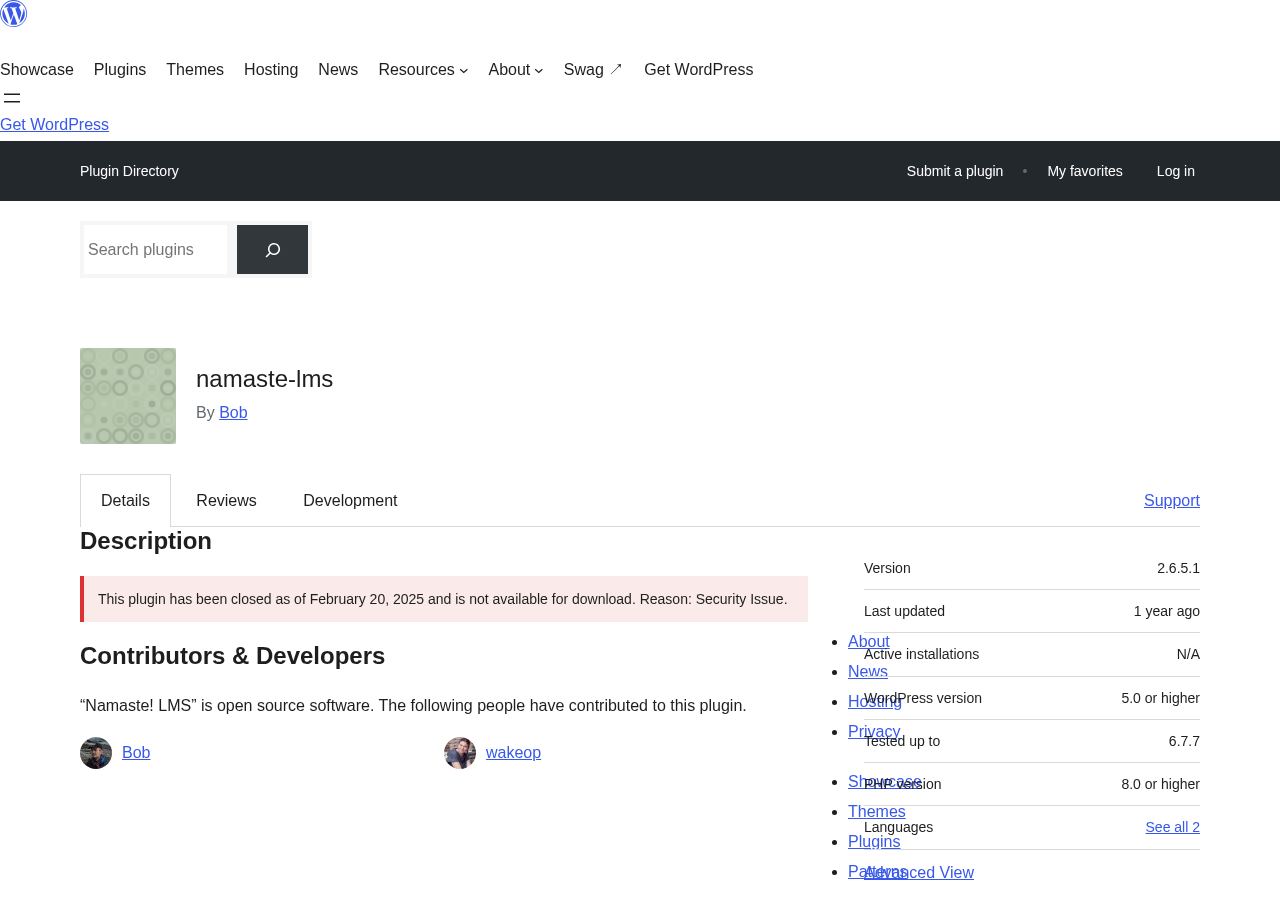
Namaste! LMS started as one of the few genuinely free, developer-friendly learning management systems for WordPress. For years, it was a legitimate option for course creators who wanted a lightweight plugin without the overhead of large commercial LMS frameworks. Then, in February 2025, WordPress.org closed the plugin due to an unresolved security vulnerability.
That closure is the defining fact about Namaste! LMS in 2026. It is not available from the WordPress plugin directory. It cannot be installed through the WordPress admin. The plugin exists on GitHub and the developer’s own site, but it carries unpatched security issues that have not been fixed.
This review covers what Namaste! LMS was, how it worked, what it offered free and via paid add-ons, and whether any case still exists for using it. I also cover what you should use instead if you need a free WordPress LMS right now.
At a Glance
- Reviewed from: Official Namaste! LMS website (namaste-lms.org), WordPress.org listing (last version 2.6.5.1, closed February 2025), GitHub repository (pimteam/Namaste-LMS), security advisories from WPScan and Patchstack, and public user reviews.
- Free tier: Unlimited courses, lessons, assignments, certificates, PayPal/Stripe payments, WooCommerce bridge, and a gradebook.
- Paid (PRO): $67 one-time purchase adds classes, teacher roles, drip content, progress bars, and discount coupons.
- Bottom line: The plugin is closed on WordPress.org and carries an unpatched CSRF vulnerability. It is not safe to recommend for new installs in its current state.
Quick verdict
Namaste! LMS had a real following. The free version covered more ground than most comparable free LMS plugins: unlimited courses, built-in payment support via PayPal and Stripe, certificates, a gradebook, badges, and a usable WooCommerce integration. The developer-friendly architecture, with a clean hook library and straightforward database model, made it popular with WordPress developers who wanted an LMS they could extend without fighting a large commercial framework.
That era is over for most users. The plugin was closed on WordPress.org in February 2025 after an unpatched Cross-Site Request Forgery vulnerability (CVE 2025-27353) was discovered in version 2.6.5. WordPress.org closures for security reasons require the developer to resolve the issue before the plugin is restored. As of August 2026, the plugin remains closed and the vulnerability remains unpatched.
Quick Verdict
- Best for: Developers who understand the security context and can implement their own mitigations; archive or evaluation purposes only.
- Not recommended for: Any new production site. The plugin cannot be installed from WordPress.org and carries an active security advisory.
- Standout (historical): Generous free feature set, built-in payment support without WooCommerce required, clean developer API.
- Watch out for: Closed on WordPress.org since February 2025; unpatched CSRF vulnerability in all versions including the latest (2.6.5.1); no active security maintenance visible as of August 2026.
What Namaste! LMS is
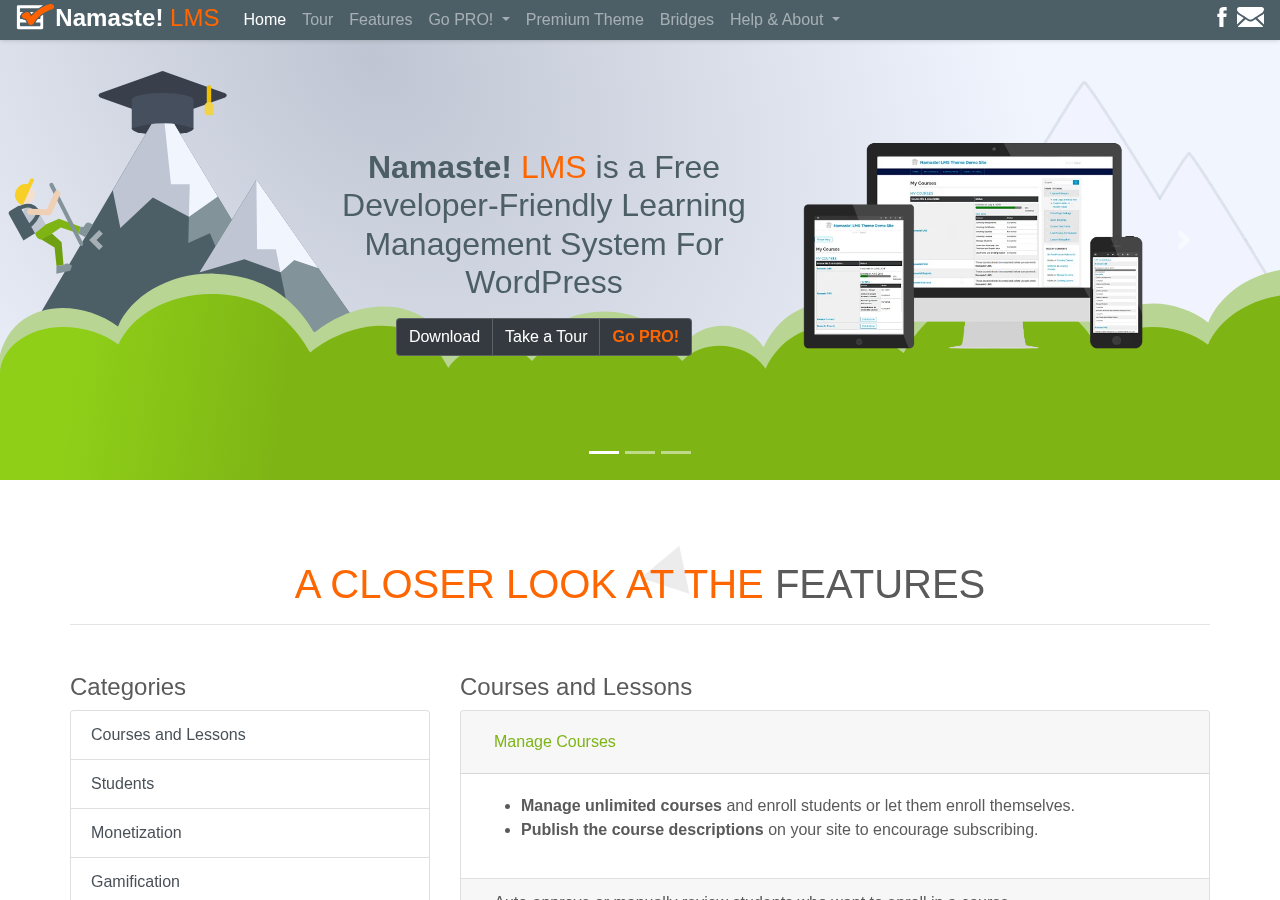
Namaste! LMS is a WordPress plugin for building online courses. It was created by Bob (known as prasunsen on WordPress.org), developed under the pimteam / Kiboko Labs name, and published on WordPress.org in March 2013. Over more than a decade, it accumulated a substantial user base among developers who valued its lightweight footprint and extensible design.
The plugin’s core model is straightforward: you create courses, add lessons and assignments, enroll students, and track completion. Unlike some LMS plugins that bundle a page builder or require a dedicated theme, Namaste! LMS works with your existing WordPress setup and renders content through shortcodes and standard WordPress templates. This made it accessible to developers who wanted to integrate LMS functionality into an existing site without replacing the front end.
The plugin was positioned as free-first. The free version included features that other LMS plugins reserve for paid tiers: PayPal and Stripe payment integration, certificate generation, a gradebook, and badge awards. Premium add-ons existed but were not required for a functional course site.
Version 2.6.5.1, released in late 2024, was the last published version. The WordPress.org listing was closed on February 20, 2025.
Who Namaste! LMS is best for
Given the plugin’s current status, this section addresses who should and should not use it.
Do not use Namaste! LMS for a new production site. The plugin is closed on WordPress.org and carries an unpatched security vulnerability. No fix has been released. If an attacker exploits the CSRF issue on a site running Namaste! LMS, they can perform unauthorized actions through a logged-in administrator’s session.
A limited case exists for:
- Developers already running Namaste! LMS on an existing site who understand the risk, have implemented CSRF mitigation at the server level (for example, via a security plugin that adds nonce checks broadly, or via WAF rules), and are monitoring the situation for a fix or migration path.
- Developers evaluating the plugin for research, local development, or testing purposes where a production site and real users are not involved.
- Educators or agencies assessing whether a future-patched version of Namaste! LMS would suit their requirements, pending restoration to WordPress.org.
Everyone else should use an alternative. The alternatives section below covers the best options.
Plugin status and security history
This is the section most reviews of Namaste! LMS omit. It matters.
The plugin has accumulated ten documented security vulnerabilities over its lifetime, according to WPScan. The most significant vulnerabilities are:
CSRF in all versions up to and including 2.6.5 (CVE 2025-27353, published February 2025). This vulnerability is due to missing or incorrect nonce validation on a function. An attacker can trick a logged-in administrator into performing unintended actions. There is no known fix as of August 2026. This is the vulnerability that caused the WordPress.org closure.
CSRF in versions up to 2.6.4.1 (published December 2024). This vulnerability was patched in version 2.6.5. However, version 2.6.5 introduced the new CSRF issue noted above.
PHP Object Injection in versions before 2.6.4 (high severity, CVSS 8.8). An authenticated attacker could exploit this to execute arbitrary code or escalate privileges. Patched in version 2.6.4.
Multiple Reflected and Stored Cross-Site Scripting (XSS) vulnerabilities. Several XSS issues were discovered and patched across versions 2.5.9.1 through 2.6.4, published between 2024 and 2025.
The pattern shows a developer who responded to security reports and shipped patches, but who was unable to close the final CSRF issue before WordPress.org closed the listing. Whether that is a temporary situation or a permanent closure is not publicly known.
The official namaste-lms.org website remains active and shows a 2026 copyright date. The plugin’s GitHub repository (pimteam/Namaste-LMS) is public. The PRO module and paid add-ons continue to be sold from the official site. But there is no public statement from the developer about the WordPress.org closure or a timeline for returning.
Core features (as of version 2.6.5.1)
Despite the closure, the feature set is worth covering for completeness. This is what Namaste! LMS offered in its final version.
Courses and lessons
Namaste! LMS supported unlimited courses and lessons in the free version. Each course contained lessons, and lessons contained content created through the standard WordPress editor. Any WordPress-compatible content type worked: text, images, embedded video, and content from compatible plugins.
Course enrollment supported two modes: auto-approve (students enroll immediately) and manual review (the admin approves each enrollment request). Paid courses accepted payment before granting access.
Lesson completion criteria were configurable per lesson. Options included: marking a lesson complete after viewing, requiring an assignment submission, requiring an exam pass, or requiring manual admin approval. This per-lesson flexibility gave course designers more control than many comparable free plugins.
Assignments
Students submitted assignments from the course front end. Instructors reviewed submissions from the WordPress admin, could leave notes, and approved or rejected each submission. Multiple submission attempts were possible per assignment. The assignment system functioned as a basic grading workflow without requiring a separate plugin.
Certificates
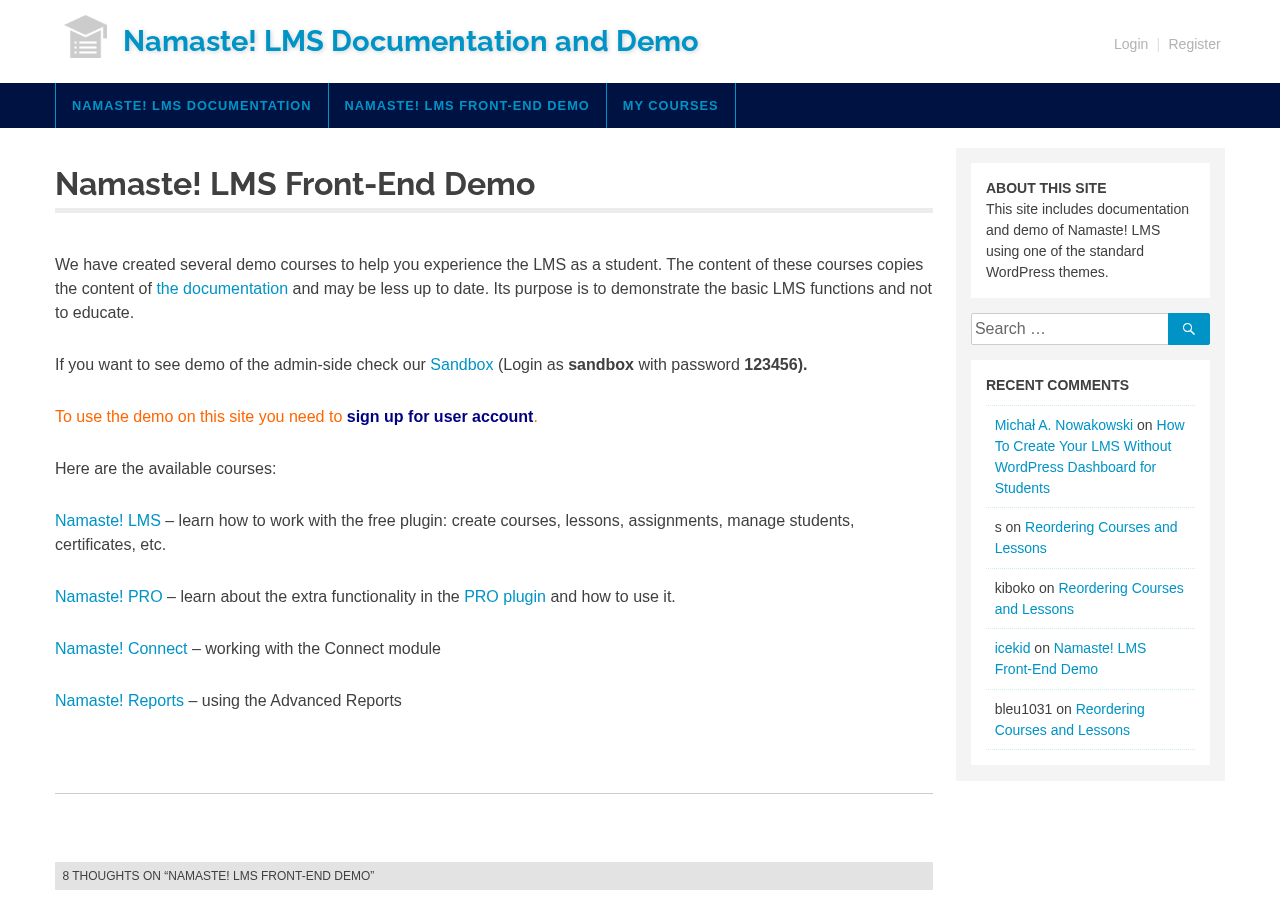
Certificates generated automatically upon course completion. The certificate designer was part of the free plugin, and certificates rendered as PDFs. This was a notable differentiator: many free LMS plugins either omit certificate generation or require a paid add-on. Namaste! LMS included it at no cost.
Gradebook and badges
The gradebook tracked student progress and scores across courses. Instructors could view individual student performance and export data. Badges were awarded based on course completion rules, adding a lightweight gamification layer.
Payment integration
The free version integrated directly with PayPal and Stripe for paid course enrollment. This was genuinely uncommon at the free tier. Students could pay to enroll in a course without requiring WooCommerce. The plugin also included a WooCommerce bridge for stores that preferred the WooCommerce checkout flow, and a MoolaMojo virtual credit integration for internal credit-based systems.
Exam integration
Namaste! LMS integrated with the Watu and WatuPRO quiz plugins from the same developer. Quiz results from Watu could be used as lesson completion criteria within Namaste! LMS courses. The integration required separate installation and configuration of Watu, but it gave course designers a native quiz workflow without requiring third-party quiz plugins from different developers.
Shortcodes and developer API
The plugin used shortcodes for front-end rendering. Key shortcodes included [namaste-courses] for the course listing, [namaste-todo] for the student to-do list, and individual course and lesson shortcodes. A developer API with filters and hooks was available for extending and customizing behavior. This API was the reason the plugin attracted developer users: the hook library was documented and intentional, not a byproduct of internal implementation.
xAPI / Tin Can integration
The plugin included optional xAPI (Tin Can) support via the free WP Experience API plugin. xAPI is a learning data specification used in corporate LMS and compliance training environments. Namaste! LMS was one of the few free WordPress LMS plugins to support xAPI at all. This made it viable for organizations that needed to report learning activity to an LRS (Learning Record Store) without moving to an enterprise platform.
Namaste! PRO and add-ons
The PRO module was sold as a one-time purchase from namaste-lms.org. The price listed during research was $67 with one year of free updates; renewal at 40 percent of the full price. Lifetime installations across multiple sites were included with one purchase.
PRO features added:
- Classes: Group students into classes with separate enrollment rules and teacher assignments. A class could restrict which courses its members could access.
- Teacher roles: Assign specific WordPress users as teachers for particular courses or classes. Teachers could grade assignments and view student progress for their assigned courses without full admin access.
- Delayed access (drip content): Schedule lesson availability after enrollment. This allowed course creators to release lessons on a timed basis rather than all at once.
- Site-wide content restrictions: Restrict non-course content on the site based on enrollment status or class membership.
- User role assignment: Automatically assign a WordPress user role upon enrollment, enabling tight integration with membership plugins or custom role-based access systems.
- Progress bars: Visual progress indicators for students on the course front end.
- Discount coupons: Coupon codes for paid courses, with optional percentage or fixed discounts.
- Shopping cart and bundles: Bundle multiple courses into a single purchase.
- Leaderboards: Student ranking based on points and badges.
- School accounts: Multi-seat accounts allowing a single purchaser to manage access for multiple students.
Two additional paid modules complemented the PRO module:
- Namaste! Reports ($27): Advanced analytics and reporting for course administrators. Exportable data, completion rates, and detailed student performance tracking.
- Namaste! Connect ($27): Enhanced notification and communication tools including more granular email triggers and messaging options.
A branded theme (Namaste! LMS Theme) was available separately at $47.
The PRO module and add-ons are still listed for sale on namaste-lms.org as of August 2026. Given the unpatched security vulnerability in the base plugin, purchasing new Pro licenses for production use is not recommended.
Pricing
Namaste! LMS core was free and open source, available under the GPL license.
| Product | Price | Notes |
|---|---|---|
| Namaste! LMS core | Free | GPL, available on GitHub |
| Namaste! PRO | $67 one-time | 1 year updates, multi-site |
| Namaste! Reports | $27 one-time | Advanced analytics |
| Namaste! Connect | $27 one-time | Enhanced notifications |
| Namaste! LMS Theme | $47 one-time | Branded design template |
The pricing model was more affordable than most commercial LMS plugins, which commonly charge $99 to $299 per year for comparable feature sets. For a self-hosted course site where the PRO module’s features were needed, the total cost of Namaste! LMS plus all add-ons was competitive with a single-year subscription to leading alternatives.
That value proposition was undercut by the plugin’s current status. A product with an unpatched security vulnerability and no WordPress.org listing is not a purchase decision most buyers can justify.
Pros and cons
Pros
- Generous free feature set: certificates, gradebook, badges, and built-in PayPal/Stripe payment support at no cost. Most free LMS plugins require paid add-ons for at least two of these.
- Lightweight and developer-friendly: shortcode-based rendering, minimal front-end dependencies, and a documented hook library made the plugin easy to integrate into existing WordPress themes.
- xAPI/Tin Can support in the free version: rare for a free WordPress LMS plugin, useful for organizations with corporate LRS reporting requirements.
- Affordable paid tier: $67 one-time for the PRO module with multi-site installation rights was below the annual subscription cost of most competing commercial plugins.
- Built-in exam integration with Watu quiz plugin from the same developer provided a coherent quiz workflow without third-party dependencies.
- Long track record: maintained from 2013 to 2024, accumulating over a decade of real-world deployment experience.
Cons
- Closed on WordPress.org since February 2025: cannot be installed through the WordPress admin. New users must download from GitHub or the developer’s site.
- Unpatched CSRF vulnerability (CVE 2025-27353) in all versions including the latest 2.6.5.1: no known fix as of August 2026. Running this plugin on a production site with logged-in administrators is a security risk.
- Ten documented security vulnerabilities over the plugin’s lifetime, including multiple XSS issues and a high-severity PHP Object Injection vulnerability.
- No update activity visible after version 2.6.5.1: no public statement from the developer about the closure or a timeline for a fix.
- Plugin architecture is dated by 2026 standards: no block editor (Gutenberg) course builder, no modern drag-and-drop front-end course creation.
- No mobile-first front end: the default output requires theme customization for a modern mobile learning experience.
- Small developer team: effectively a solo project with inherent long-term sustainability risk for a free plugin.
Alternatives to Namaste! LMS
If you need a free WordPress LMS plugin in 2026, these are the practical options. You can also browse our full plugin reviews for hands-on coverage of other tools in this space.
LearnPress (free on WordPress.org). Actively maintained by ThimPress. Supports unlimited courses, quizzes, and students in the free core. Front-end course builder, WooCommerce payment integration, and a large library of free and paid add-ons. A strong direct alternative for sites that valued Namaste! LMS’s free-first model.
Masteriyo LMS (free on WordPress.org). A more modern option with a React-based course builder that works from the front end. Clean interface, includes built-in quiz creation, student progress tracking, and a drag-and-drop lesson builder. Free tier covers the essentials for a course site without requiring add-ons.
MasterStudy LMS (free on WordPress.org, by StylemixThemes). Covers unlimited courses, lessons, and quizzes in the free version. More feature-complete out of the box than most free alternatives. Includes student certificates, course reviews, and a drip content option.
LifterLMS (free on WordPress.org). The core plugin is free; payment gateways, assignments, and some advanced features require paid add-ons. Strong community, actively maintained, and a well-documented developer API. Choose LifterLMS if you specifically need a free core with the option to add only the paid features you need.
Tutor LMS (free on WordPress.org, by Themeum). One of the most polished free LMS plugins available in 2026. Includes a front-end course builder, quiz creation, certificates, gradebook, and student profile pages. WooCommerce and Easy Digital Downloads integrations for paid courses. A direct upgrade path from Namaste! LMS for users who valued the full free feature set.
Final verdict
Namaste! LMS earned its reputation. For years, it was one of the few free WordPress LMS plugins that gave developers a clean, extensible base without forcing them to pay for basic functionality. Built-in payments, certificates, a gradebook, and a documented hook API in a single free plugin was a genuine offering.
That era has ended, at least for now. The plugin is closed on WordPress.org, carries an unpatched CSRF vulnerability that has no fix in any released version, and has not published an update or public statement since the closure in February 2025. Running it on a production site today is a security decision, not just a product decision.
If you are already running Namaste! LMS and have strong server-level security in place, the operational risk is manageable in the short term. The plugin’s codebase is on GitHub and not going anywhere. But the recommendation has to be migration, not maintenance.
For new installs, the alternatives section above covers the best options. Tutor LMS and MasterStudy LMS come closest to Namaste! LMS’s original value proposition: a complete free feature set without a large commercial paywall. LearnPress is the safest established choice for developers who want a free-first LMS with a comparable hook-and-filter developer API.
Namaste! LMS was a good plugin built by a capable developer. The security situation it ended up in is a reminder that solo-maintained free plugins, however well built, carry an inherent maintenance risk when a hard security problem arrives without institutional resources to resolve it quickly.