


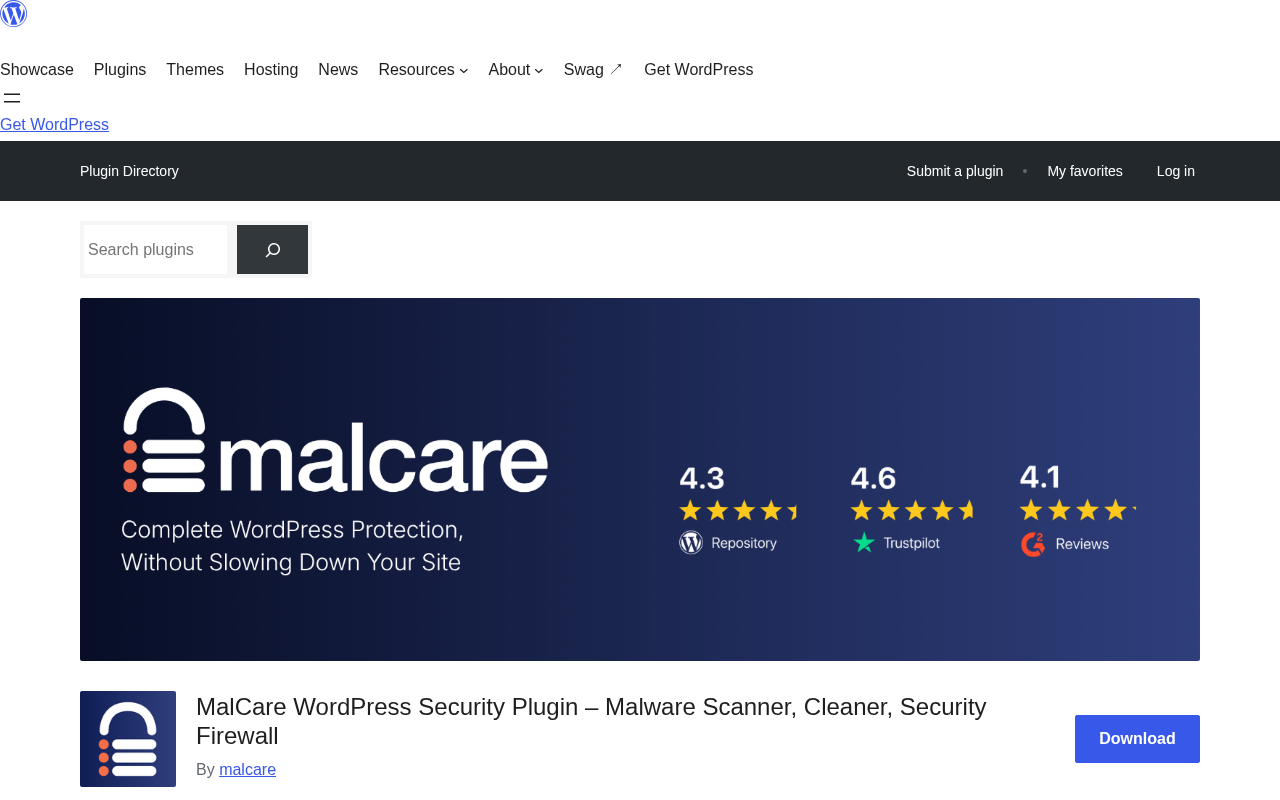
MalCare Security has been protecting WordPress sites since 2013, when parent company BlogVault first introduced it as a cloud-based alternative to server-heavy malware scanners. Today it covers 400,000+ sites across 120 countries and carries a 4.4 out of 5 rating from over 540 reviews on WordPress.org.
For this review, I researched MalCare thoroughly: the official website, pricing page, WordPress.org listing, changelog, user reviews, and independent testing data from security researchers who ran real infection scenarios against it. Here is what I found.
Quick verdict
Quick Verdict
MalCare is a cloud-based WordPress security plugin that specializes in malware detection and one-click cleanup. Its biggest advantage is moving the scan workload off your server, which keeps your site fast while it hunts for threats. One-click malware removal is fast and reliable when tested against real infection scenarios.
The catch: meaningful protection requires a paid plan. The free version alerts you to threats but will not show you what they are or let you remove them. Automated cleanup only arrives on the Repair plan at $299 per year for one site, a significant jump from the $99 Protect tier that covers detection and firewall only.
- Best for: Agencies and site owners managing multiple WordPress sites, and anyone who needs reliable malware removal without technical expertise.
- Not ideal for: Budget users who need a functional free plan, or developers who want granular firewall log visibility.
- Rating: 4.1/5. Strong cloud-based scanner and reliable cleanup. Significant free-plan limitations.
What is MalCare?
MalCare is a WordPress security plugin developed by BlogVault. The plugin takes a cloud-first approach to malware scanning: instead of running heavy analysis on your server, it copies file data to MalCare’s own infrastructure and scans it there.
That architecture has two practical effects. First, your server stays responsive during scans. Second, MalCare can apply network-level intelligence, sharing threat signatures across all the sites it protects. A new attack detected on one site immediately creates a blocking rule for all others.
The plugin has 200,000+ active installs and a 4.4 out of 5 rating from 544 reviews. The current version (6.65) is actively maintained, with the most recent update shipping just days before this review.
- Developer: BlogVault
- Current version: 6.65
- Active installs: 200,000+
- WordPress.org rating: 4.4/5 (544 reviews)
- WordPress requirement: 4.0 or higher (tested to 7.1)
- PHP requirement: 7.0 or higher
- Free version: Yes. Detection alerts only. Available on WordPress.org
- Paid plans: From $99/year per site. Cleanup requires Repair plan at $299/year.
- Refund policy: 14 days (except after cleanup performed)
Who is MalCare best for?
MalCare is most useful for:
- Agencies and freelancers managing multiple WordPress sites who need a central dashboard to monitor, scan, and clean sites without logging into each one individually
- Site owners who have experienced a hack and need fast, reliable cleanup without manual file editing or developer intervention
- Sites on shared hosting where server CPU is limited, making resource-heavy on-server scans impractical
- Non-technical users who want protection that works without learning firewall rules or reading security logs
MalCare is less compelling for:
- Budget-conscious users who need a functional free plan
- Security-focused developers who want detailed log visibility and fine-grained control
- Sites that want edge-level firewall protection, like Sucuri’s CDN-based WAF
Hands-on setup and user experience
Installing MalCare follows the standard WordPress plugin workflow. Search for it in the plugin directory, install, and activate. Initial setup takes around 15 minutes including account creation and site connection.
After activation, MalCare prompts you to create an account and connect your site to its cloud dashboard. That connection is where the interface splits: a WP admin panel for quick actions, and a separate cloud dashboard at app.malcare.com for deeper analysis and multi-site management.
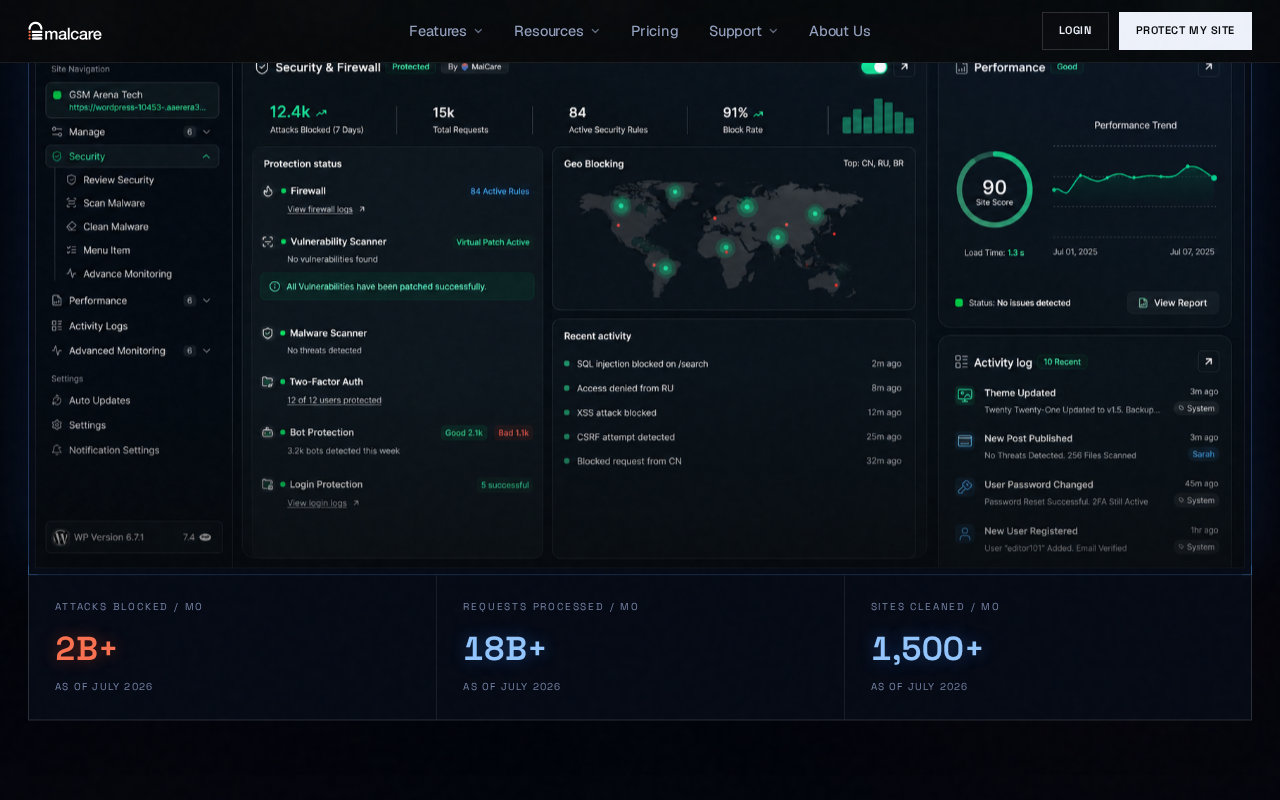
The initial cloud scan runs in the background and typically completes in 5 to 15 minutes. You do not need to wait for it before using the site.
The dual-dashboard experience is MalCare’s most noticeable UX friction point. Some settings live in wp-admin, others only in the cloud panel. Users who expect a single control surface will need time to learn which actions live where. Once you learn the layout, daily use is straightforward. The dashboard surfaces threats, firewall status, geo-blocking activity, and activity logs clearly without overwhelming detail.
Main features
Malware scanner
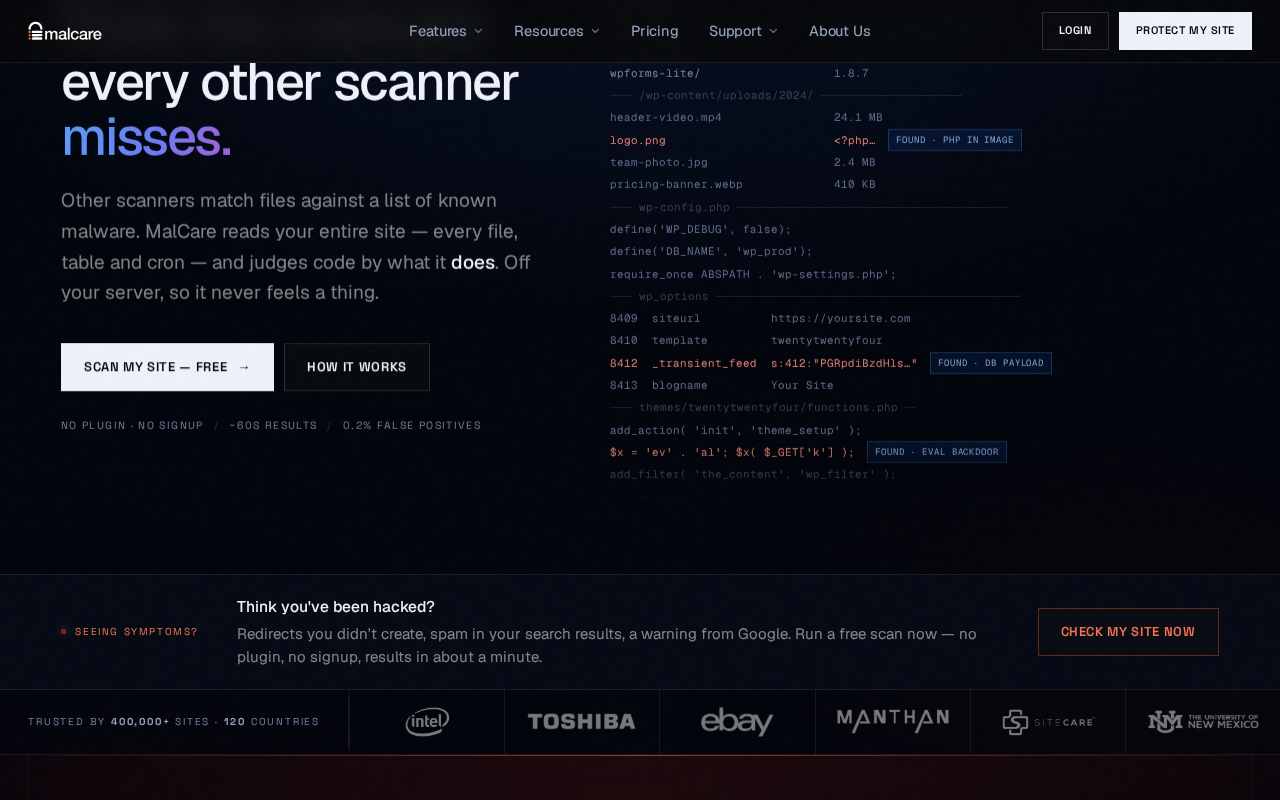
MalCare’s scanner runs on its own servers. It accesses your file system via the plugin connection, transfers data to MalCare infrastructure, and performs the analysis remotely. A deep scan does not spike your CPU or memory usage on your hosting server.
Detection uses a combination of signature matching, file integrity checks, and behavioral AI analysis. MalCare claims a 0.2% false-positive rate. Scan frequency varies by plan: weekly on free, daily on Protect, twice daily on Repair, and hourly on Fortify.
Independent testing of real malware scenarios produced strong results:
- Pharma injection across 40 posts: detected in 8 minutes, cleaned in 4 minutes
- Obfuscated PHP backdoor: detected in 6 minutes
- Fake plugin with embedded webshell: detected in 9 minutes
Those are solid numbers. Comparable tools tested against the same scenarios took longer or missed infections entirely.
One-click malware cleanup
MalCare’s cleanup feature is the main reason many people choose it over alternatives. When an infection is found, you can trigger removal directly from the dashboard without downloading, editing, or re-uploading files manually.
The cleanup process creates an encrypted backup before making changes, removes the malicious code, and generates a post-incident report showing how the infection entered. MalCare claims the process takes minutes and does not require your site to go offline.
Important: one-click cleanup is only included on the Repair plan ($299/year per site) and above. The Protect plan ($99/year) provides detection and firewall protection but not automated cleanup. The free plan provides detection alerts only, without showing you what was found.
Web application firewall
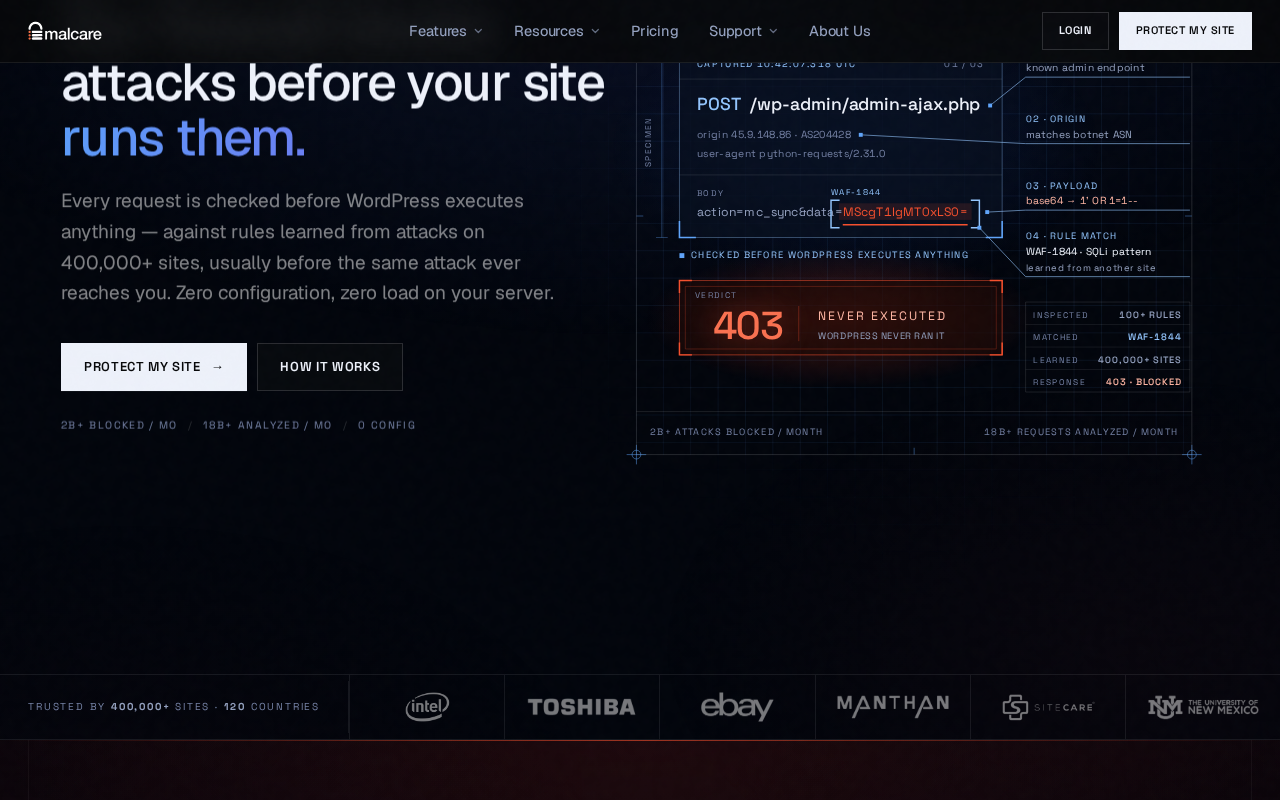
MalCare’s WAF blocks common attack classes including SQL injection, cross-site scripting (XSS), remote code execution (RCE), and directory traversal. It uses threat intelligence from across its protected network, so rules created from an attack on one site propagate to all others.
One architectural limitation worth noting: MalCare’s firewall operates at the WordPress application layer. An incoming request must reach your server and load WordPress before MalCare’s firewall can evaluate and block it. Edge-level firewalls (like Sucuri’s CDN proxy) intercept traffic before it reaches your server entirely.
For most sites on standard hosting, this distinction matters less than it sounds. But on resource-constrained shared hosting during a volumetric attack, plugin-level firewalls have less capacity than edge-level solutions.
The Protect plan and above include advanced firewall features: geo-blocking, bot protection with behavioral filtering, custom WAF rules, and OWASP top-10 coverage. The free plan includes a basic firewall only.
Vulnerability scanner and virtual patching
MalCare tracks over 39,000 known vulnerabilities across WordPress plugins, themes, and core. When a new vulnerability is disclosed, MalCare can deploy virtual patches without waiting for the plugin author to release a fix. Virtual patches are applied at the firewall level, blocking exploit attempts against the vulnerable component.
This is especially useful for vulnerabilities in unmaintained plugins, or in cases where a patch has been disclosed but your site’s update cycle has not caught up yet.
Login protection and two-factor authentication
MalCare includes brute-force protection on the login page, limiting failed login attempts before triggering lockouts. Two-factor authentication is available, with the number of users who can enroll in 2FA varying by plan: 2 users on free, 5 on Protect, 15 on Repair, and unlimited on Fortify.
Geo-blocking lets you restrict login access or all site traffic from specific countries, useful for sites that operate in a narrow geographic region.
Activity log
MalCare maintains an audit trail of events on your WordPress site: logins, file edits, plugin changes, and firewall hits. Log retention varies by plan: no retention on free or Protect, 7 days on Repair, and 60 days on Fortify.
The activity log is useful for incident investigation after a compromise. Wordfence’s logging is more granular and transparent for users who want per-request firewall analysis, but MalCare’s log covers the most common forensic needs.
Pricing and license value
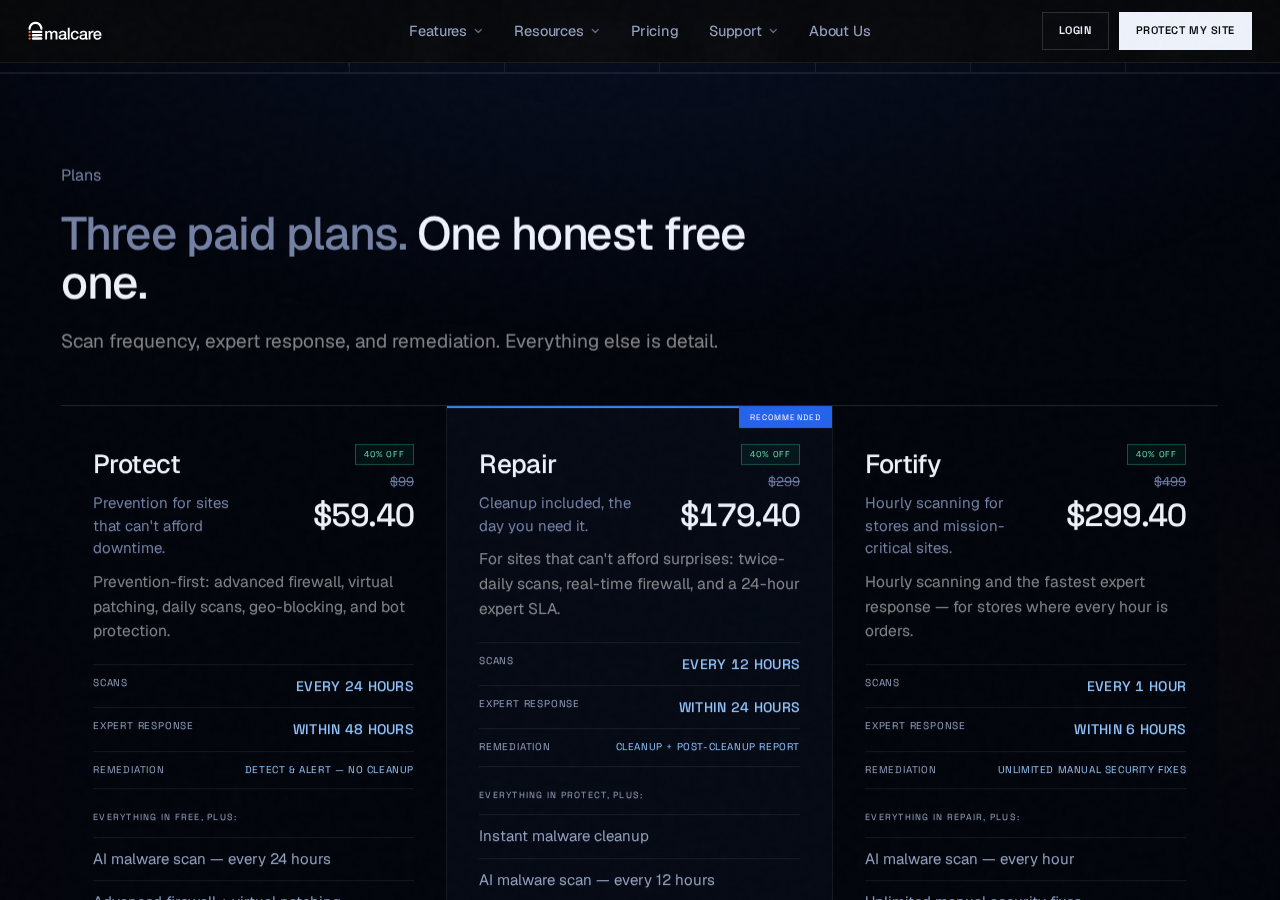
| Plan | 1 Site/yr | 5 Sites/yr | Cleanup | Scan Freq |
|---|---|---|---|---|
| Free | $0 | – | No | Weekly |
| Protect | $99 | $299 | No | Daily |
| Repair | $299 | $899 | Yes | Twice daily |
| Fortify | $499 | $1,499 | Unlimited manual | Hourly |
Annual billing only. 14-day refund policy applies except after a cleanup has been performed. Promotional discounts may apply at checkout. See malcare.com/pricing for current rates.
The pricing gap between Protect and Repair is the central issue. You move from $99 to $299 the moment you need actual cleanup functionality. For a single site, that is a significant jump.
The economics improve at multiple sites. The 5-site Repair plan at $899/year works out to $180 per site per year with full cleanup included. If you manage several client sites where manual cleanup would otherwise cost development hours, that becomes a reasonable proposition.
For comparison: Wordfence Premium starts at $149/year per site with its own firewall and scanner (no automated cleanup), and Sucuri’s security platform starts at $199/year but charges additionally for manual expert cleanup. MalCare’s Repair plan bundles cleanup in the base price, which is a genuine advantage if you expect to use it.
Pros and cons
Pros
- Cloud-based scanning adds no meaningful load to your hosting server
- One-click cleanup is fast and tested to work on real infection types
- Network intelligence means threats on one site protect all others instantly
- Multi-site dashboard is genuinely useful for agencies
- Virtual patching covers zero-day and unpatched plugin vulnerabilities
- Low performance footprint: approximately 6ms added latency, 8MB memory overhead
- Vulnerability tracking across 39,000+ known threats
Cons
- Free plan is a teaser: detection alerts without actionable details or cleanup
- One-click cleanup requires Repair plan at $299/yr; Protect does not include it
- Firewall is plugin-level, not edge-level: attacks reach your server before blocking
- Split interface between WP admin and cloud dashboard causes navigation friction
- Service dependency: scanner stops if MalCare’s backend is unavailable
- Limited logging transparency compared to Wordfence
- No comment spam protection
- Annual billing only, no monthly option
Alternatives to MalCare
Wordfence Security
The most widely installed WordPress security plugin. Its free plan includes a capable endpoint firewall and malware scanner. Scanning runs on your server, which can impact performance on shared hosting, but gives you far more log transparency. Better for prevention-focused use; no automated cleanup.
Visit Wordfence on WordPress.org
Sucuri Security
Sucuri’s premium platform includes a CDN-based edge-level WAF that intercepts attacks before they reach your server. Expert manual cleanup is available but charged separately. Better architecture for high-traffic sites; more expensive when frequent cleanup is needed.
Visit Sucuri Security on WordPress.org
Patchstack
A vulnerability-centric security tool with an excellent CVE database for WordPress plugins and themes. Virtual patching and vulnerability alerting are its core strengths. Less focused on scanning and cleanup; best used as a complement to another security tool.
Visit Patchstack on WordPress.org
Solid Security
Beginner-friendly with a clean setup flow and strong hardening defaults. Good for basic hardening and brute-force protection. In comparative testing, it missed some infections that MalCare caught, making it less reliable as a standalone malware detection solution.
Visit Solid Security on WordPress.org
Final verdict
MalCare solves a real and specific problem: getting an infected WordPress site cleaned quickly, without needing developer expertise or manual file forensics. Its cloud-based scanner is among the most thorough in its category, and the one-click cleanup works on the infection types that matter most.
The tradeoffs are clear. The free plan exists to show you that something is wrong, not to fix it. The firewall works at the plugin level, which is adequate for most sites but not as robust as an edge-level WAF. And cleanup only arrives at $299 per year for a single site.
If you manage multiple WordPress sites professionally, or if you have a business site where recovery time from a hack is genuinely costly, MalCare’s Repair plan makes sense. The cleanup saves hours of manual work, and the off-server scanning does not tax your hosting resources.
If you are protecting a personal blog or a single low-traffic site and primarily want prevention, Wordfence’s free plan offers a solid firewall and scanner at no cost. You give up off-server scanning and one-click cleanup, but for many sites that tradeoff is acceptable.
Overall rating: 4.1/5. Strong at what it is designed for. Understand what the free plan is and is not before installing.
FAQ
MalCare Security is developed by BlogVault. This review is based on independent research and publicly available testing data. We have no paid relationship with BlogVault or MalCare.