


Customer testimonials are still one of the most useful trust signals on a WordPress site, but the default WordPress editor does not give you a clean way to collect or display them. A dedicated WordPress testimonial plugin is the cleanest path: it adds a custom post type for testimonials, then exposes shortcodes, blocks, or widgets so you can show them in sliders, grids, or carousels anywhere on your site.
For this guide, I shortlisted plugins from the WordPress.org testimonial search, then activated each one in a clean WordPress Playground sandbox to confirm install status, post type, and admin behavior. I focused on plugins that exist specifically to manage testimonials, not generic review or rating plugins that happen to handle similar content, and I noted exactly where that line gets blurry (Site Reviews and Stars Testimonials).
Quick answer: Strong Testimonials is the most capable free WordPress testimonial plugin for both display and frontend collection. Real Testimonials is the strongest pick when you also want video testimonials and a polished submission form. Site Reviews is the option to choose when you need review schema and moderation alongside testimonials.
How I chose these WordPress testimonial plugins
I focused on plugins where displaying or collecting customer testimonials is the core job, not a side feature of a page builder or addon library. The main ranked list favors plugins with:
- A usable free version on WordPress.org
- Built-in testimonial custom post type or equivalent storage
- Display options for grids, sliders, carousels, lists, or widgets
- Shortcode, block, or widget output for non-developer placement
- Active maintenance and current WordPress compatibility tags
- A clear use case, such as simple display, slider showcase, video testimonials, collection forms, or schema-friendly markup
- Enough adoption or rating history to trust on a real content site
Generic five-star review plugins, page-builder addons, and Google or Yelp feed widgets are mentioned only where they directly compete with dedicated testimonial plugins. The goal is to keep the list practical for site owners who want a real testimonial workflow, not a marketplace review system.
Quick comparison table
| Plugin | Best for | Free version | Standout feature | Main limitation |
|---|---|---|---|---|
| Strong Testimonials | Most WordPress sites that need a clean testimonials section | Yes | Custom post type, fields, views, and front-end form in the free plan | Slider, advanced styling, and shortcode templates favor the Pro version |
| Real Testimonials | Sites that also want video testimonials and a collection form | Yes | Video testimonials, frontend submission form, and ready-made layouts | Best layouts and several premium features sit behind Pro |
| Site Reviews | Sites that want testimonials with schema and moderation | Yes | Review schema, anti-spam, moderation, and assigned-post reviews | Pitched as a reviews tool, terminology can confuse first-time users |
| Testimonial Slider and Showcase | Sites that want a slider focused testimonial showcase | Yes | Multiple slider and grid showcase styles | Newer onboarding nag, the most polished templates are Pro |
| WP Testimonials (Trustindex) | Sites that want imported testimonials with many widget styles | Yes | 21 widget types and 25 widget styles | Lower aggregate rating, ecosystem points users to Trustindex platform |
| Stars Testimonials | Sites that need star ratings inside the testimonial layout | Yes | Slider plus masonry grid plus star rating support | Smaller install base, onboarding email modal on first load |
| Solid Testimonials | Sites that want sliders, grids, and video in one plugin | Yes | Multiple layout options with video support | Heavier admin help screens, smaller install base |
| Quick and Easy Testimonials | Lightweight blogs that only need a basic testimonial post type | Yes | Very simple setup with shortcode output | No built-in slider or advanced display options |
| Super Testimonial | Sites that need a front-end submission form plus slider | Yes | Frontend submission form in the free version | Smaller install base, design feels less modern |
| Easy Testimonial Slider | Small sites that want a quick slider plus form combo | Yes | Two block options (slider and form) ready to insert | Smaller install base, fewer style controls in the free version |
1. Strong Testimonials: best free WordPress testimonial plugin overall
Strong Testimonials by WPChill is the safest first pick for most WordPress sites because it is built specifically around testimonials, ships with sensible defaults, and has the largest install base and rating count among dedicated testimonial plugins. It handles a clean editorial workflow: a Testimonials post type for storage, custom fields for client name, role, image, rating, and source, then “views” that you embed with a shortcode or block to render lists, grids, sliders, or single testimonials.
Drawback: nicer templates are Pro
Best for: small business sites, service providers, freelancers, agencies, and SaaS marketing sites that want a polished testimonial section without writing custom code.
Key features:
- Dedicated Testimonials post type with client photo, role, company, rating, and source URL
- Views builder for grids, lists, sliders, single, and form output
- Free front-end submission form for collecting new testimonials
- Categories for grouping testimonials by service, location, or product
- Shortcode and block output for any page, post, or widget area
- Compatibility with classic, block, Elementor, and Divi editors
- Pro upgrades for advanced styling, additional view templates, and premium support
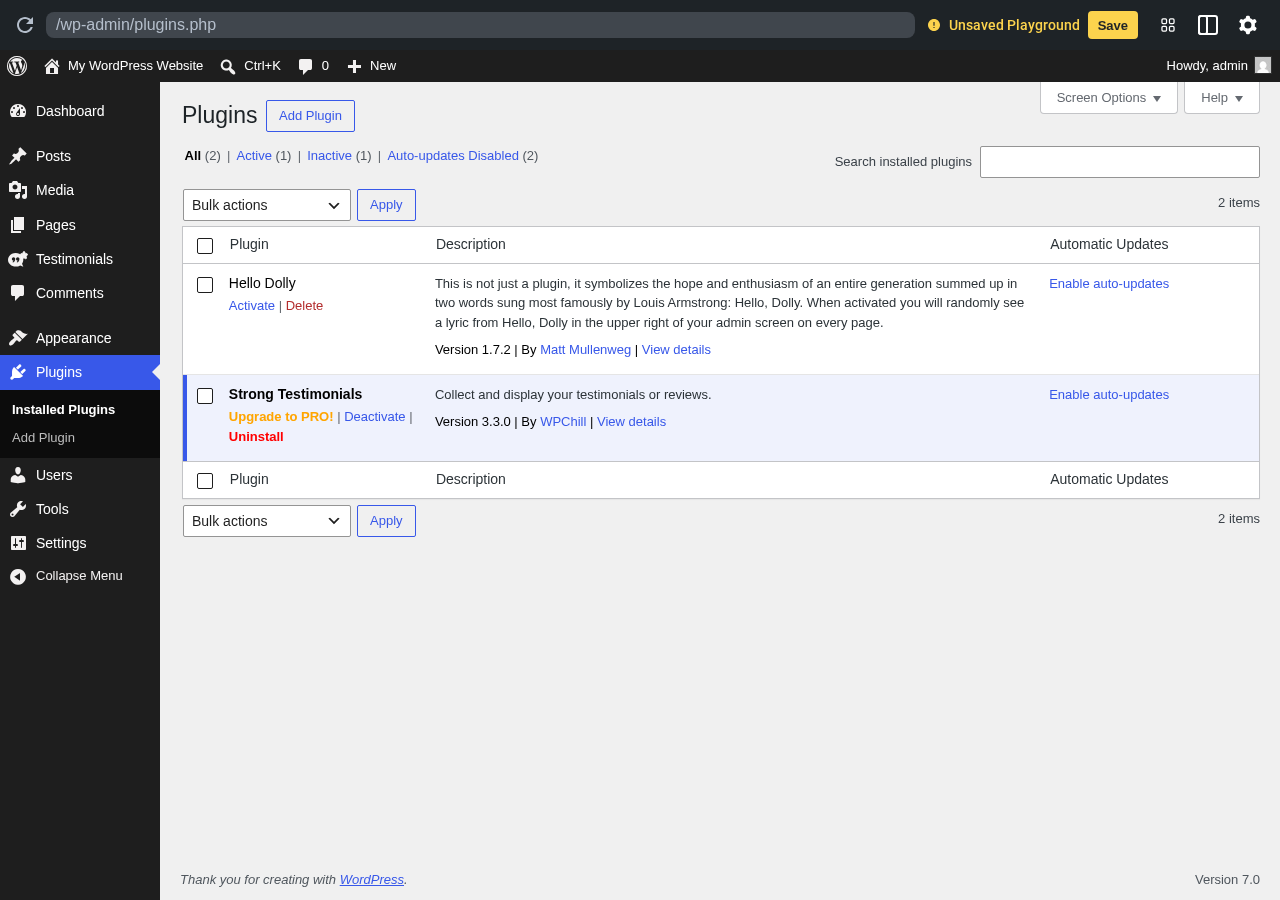
Hands-on notes: In the WordPress Playground sandbox, Strong Testimonials installed and activated cleanly, then added a “Testimonials” menu item to the WordPress admin sidebar. The plugin uses a setup wizard the first time a user opens the Testimonials menu and exposes its Views builder under the same menu, which makes it easy to find the actual display tools. The free version is meaningful: you can run a real testimonial flow (collect, edit, display) without buying anything.
Pricing / free-plan note: The WordPress.org plugin is free and is the most capable free testimonial plugin in this list for collection plus display. Strong Testimonials Pro adds advanced view templates, extra styling, and priority support, sold by WPChill.
Pros
- Largest dedicated testimonial plugin install base on WordPress.org
- Clear separation of testimonials post type, fields, and views
- Free front-end submission form
- Shortcode and block output cover most placement needs
- Recently updated and tested with current WordPress versions
Cons
- The most modern view templates and slider styling are tied to Pro
- “Views” terminology adds a small learning curve for first-time users
- Pro upgrade prompts appear inside the admin
2. Real Testimonials: best for video testimonials and collection forms
Real Testimonials by ShapedPlugin is the strongest pick if you want to mix written testimonials with video testimonials and a front-end submission form. It uses a dedicated “Real Testimonials” post type, offers prebuilt layouts for grids and sliders, and includes a collection form so customers can submit testimonials without WordPress accounts. The free version covers a real workflow before you need to look at Pro.
Drawback: advanced layouts are Pro
Best for: WordPress sites that want to collect testimonials directly from customers, embed customer videos, and display testimonials in attractive prebuilt layouts.
Key features:
- Dedicated testimonial post type with manage views interface
- Frontend testimonial submission form, including video testimonial support
- Ready-made grid, slider, list, masonry, and isotope layouts
- Star ratings, designation, company, source URL, and image fields
- Shortcode plus Gutenberg block output
- Compatibility with Elementor, Divi, and the Site Editor
- Pro upgrades for premium layouts, advanced sliders, and import tools
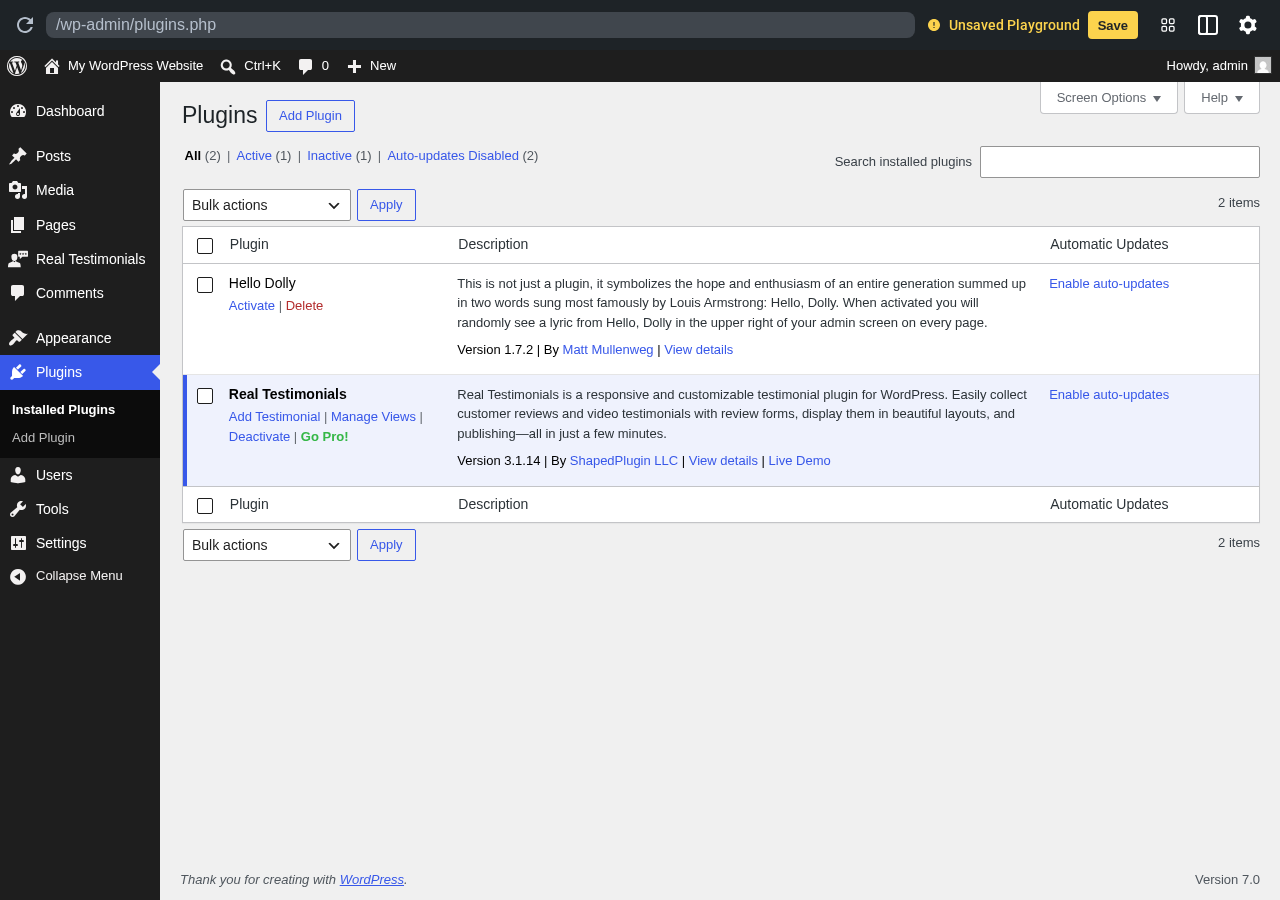
Hands-on notes: In the sandbox, Real Testimonials added a “Real Testimonials” menu to the WordPress admin sidebar with quick links for “Add Testimonial” and “Manage Views” directly from the Plugins page. The free version is clearly aimed at making a complete testimonial setup possible without paying, although several premium upsell links appear inside the dashboard.
Pricing / free-plan note: The WordPress.org plugin is free. Real Testimonials Pro is sold by ShapedPlugin LLC and unlocks premium layouts, advanced sliders, conditional logic, importers, and more form options.
Pros
- Strong fit for sites that want video plus written testimonials
- Free frontend collection form is meaningful for real sites
- Multiple display layouts available before paying
- Recently updated and active development
- Useful as both a display and collection tool
Cons
- Some of the most polished slider templates are Pro
- Several upgrade prompts in the admin
- A small learning curve to map fields to your preferred layout
3. Site Reviews: best when you also need review schema and moderation
Site Reviews by Gemini Labs is technically a review plugin, but it is widely used to power testimonial sections because each “review” can include a name, photo, rating, message, and optional assigned post or product. The plugin emits review schema, supports moderation, includes anti-spam features, and lets you embed testimonials with a shortcode or block. If you want the testimonial pattern but also benefit from schema for rich results, this is the option to test first.
Drawback: terminology is review-first
Best for: content sites, service businesses, and product pages that want testimonials and customer reviews handled by the same tool with schema and moderation built in.
Key features:
- Reviews post type with title, body, rating, name, email, and assigned post fields
- Review schema for rich results in Google
- Frontend submission form with anti-spam and Akismet support
- Approval workflow, pinned reviews, and trash management
- Categories for grouping reviews by service, location, or product
- Import and export support, including from CSV
- Shortcode and block output for embedding rated testimonials
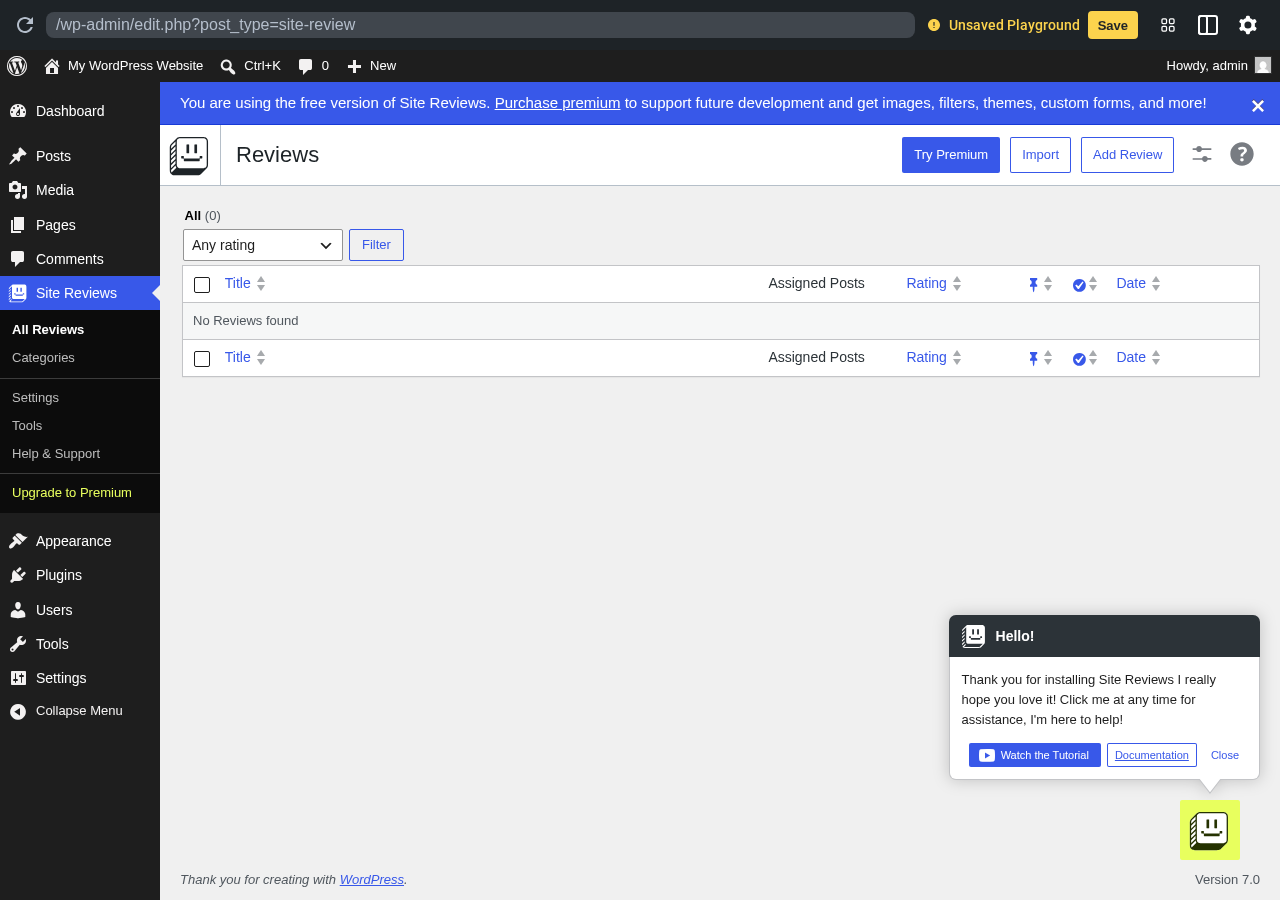
Hands-on notes: In the sandbox, Site Reviews loaded directly into the “Reviews” admin screen with empty state, a “Try Premium” prompt, and an “Add Review” button. The Hello! support widget appeared in the corner with a “Watch the Tutorial” link. The plugin clearly leans into the review use case, but the data model and embed flow are a good fit for testimonial sections that also need ratings.
Pricing / free-plan note: The WordPress.org plugin is free. Gemini Labs sells premium addons for advanced features, including additional integrations.
Pros
- High aggregate rating on WordPress.org
- Strong moderation and anti-spam features
- Schema markup that other testimonial-first plugins do not always provide
- Useful when one site needs reviews and testimonials handled in the same place
- Active development
Cons
- Terminology is review-first, which can confuse non-technical clients
- Layouts are functional rather than visually rich
- Some advanced features are behind premium addons
Keep this plugin in mind if your business model benefits from rich-result eligibility on review schema. If you only need a visual testimonial grid or slider, the testimonial-first options higher in this list will feel more natural.
4. Testimonial Slider and Showcase: best for slider-focused testimonial sections
Testimonial Slider and Showcase by Themepoints is the option to test if your homepage or landing pages call for a slider or showcase rather than a grid. It uses a “Testimonial” post type with image, designation, company, and location fields, then exposes shortcodes for sliders and grids that you drop into any page.
Drawback: onboarding rating nag
Best for: marketing pages, landing pages, and homepages that lean on a rotating testimonial slider as social proof.
Key features:
- Testimonial post type with image, designation, company, and location fields
- Slider and showcase layout options
- Shortcode output for sliders and grids
- Star rating support
- Compatibility with classic and block editors
- Active maintenance with recent updates
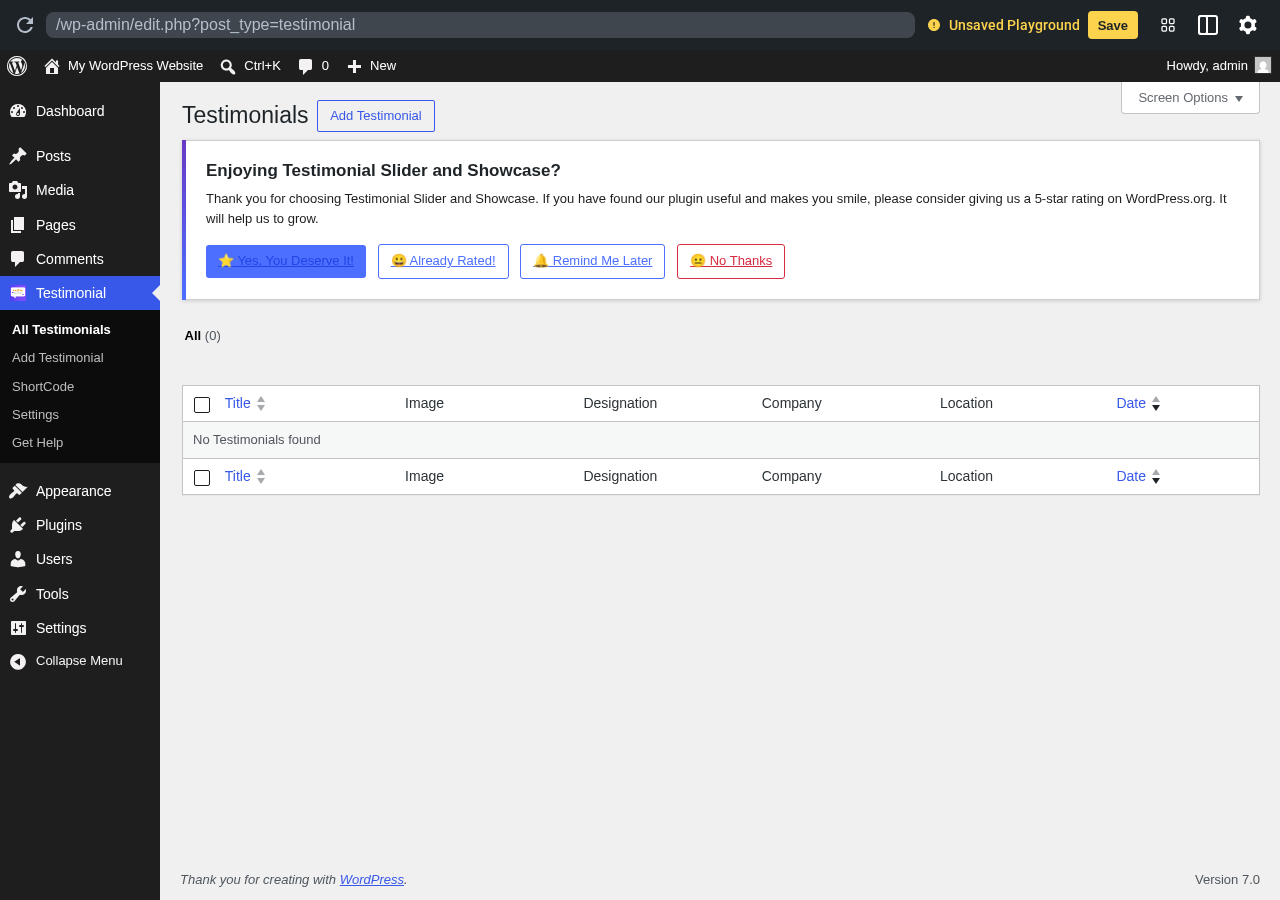
Hands-on notes: In the sandbox, the plugin added a “Testimonial” menu with All Testimonials, Add Testimonial, ShortCode, Settings, and Get Help submenus. The first-load admin screen included a friendly rating prompt with options to rate, dismiss, or remind later. The shortcode and showcase model is straightforward once you create your first testimonial.
Pricing / free-plan note: The WordPress.org plugin is free. Pro versions or extended templates are typically sold through the plugin’s settings page if you decide to upgrade.
Pros
- Clean Testimonial post type and ShortCode helper menu
- Good fit for slider showcases on homepages and landing pages
- Star rating support in the free version
- Recently updated and tested with modern WordPress
Cons
- Onboarding rating modal appears on first load
- Several premium templates are paid
- Naming conflicts can occur if another plugin also uses the generic “testimonial” post type
5. WP Testimonials by Trustindex.io: best for many widget styles and external sources
WP Testimonials by Trustindex.io is interesting because it ships a large catalog of testimonial widget types and widget styles in the free version, and it ties into the Trustindex.io platform if you want to import testimonials from external sources later. It is a reasonable option if you care less about a custom post type and more about quickly picking a styled widget.
Drawback: pulls toward Trustindex platform
Best for: sites that want a styled testimonial widget out of the box, with the option to bring in external testimonials through the Trustindex platform.
Key features:
- 21 widget types and 25 widget styles for testimonials
- Settings page for managing widgets
- Plugin-managed templates rather than a heavy post-type workflow
- Connection points with Trustindex.io for external review imports
- Free version with widget selection and basic display options
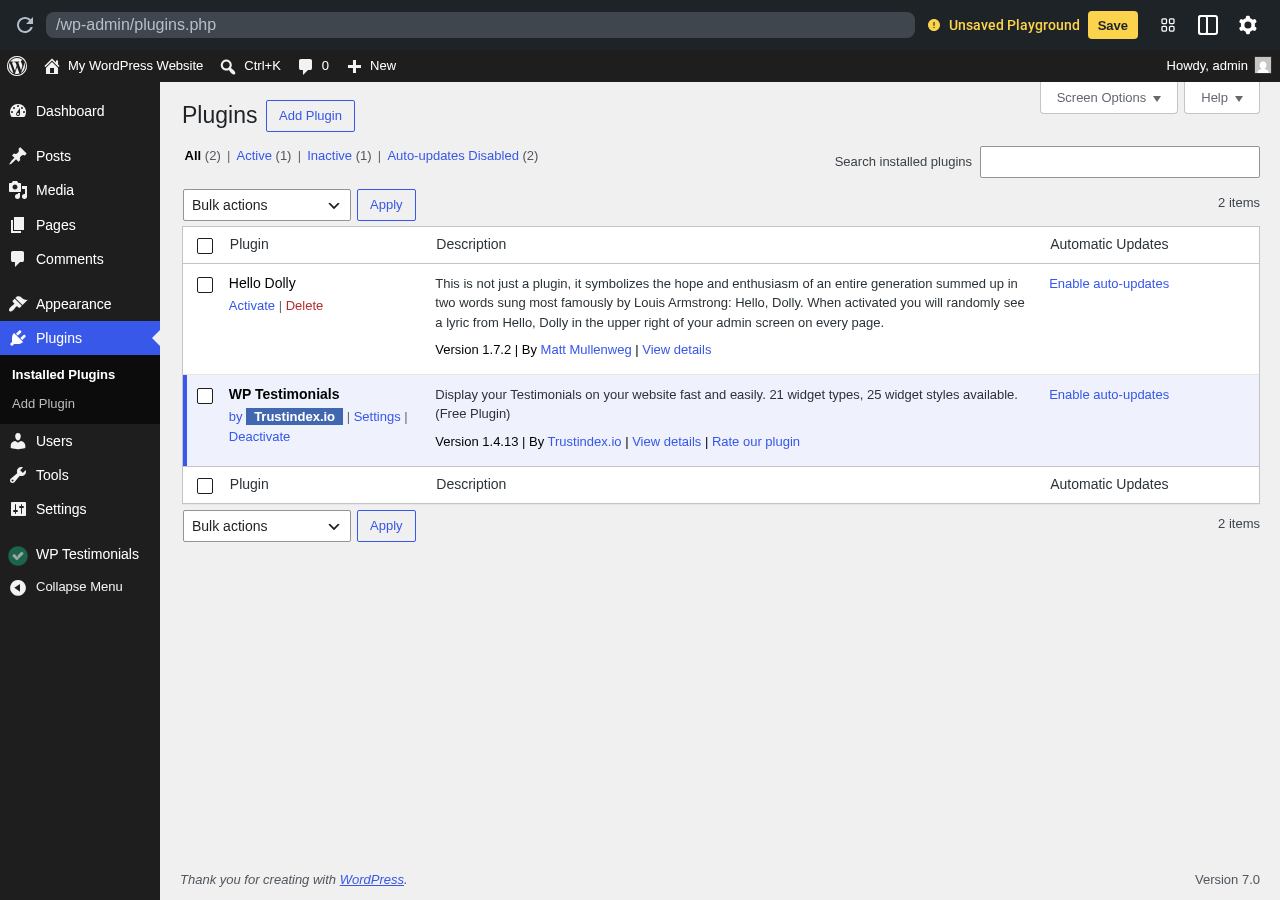
Hands-on notes: In the sandbox, WP Testimonials by Trustindex.io added a “WP Testimonials” sidebar entry below the plugin row and exposed a Settings link directly from the plugins page. The plugin is positioned as part of a larger Trustindex ecosystem, which is useful if you eventually want to merge Google, Facebook, or platform reviews with on-site testimonials.
Pricing / free-plan note: The WordPress.org plugin is free. The wider Trustindex.io platform sells review aggregation and additional services that this plugin can connect to.
Pros
- Large catalog of widget styles in the free plugin
- Easy way to drop a styled testimonial widget into pages
- Optional platform integration if you outgrow on-site testimonials
- Recently updated and tested with modern WordPress
Cons
- Aggregate rating is lower than other plugins in this list
- Editorial direction may not suit sites that want to stay inside WordPress
- Some site owners may prefer a stronger post-type model
6. Stars Testimonials: best when star ratings drive the testimonial layout
Stars Testimonials by Premio is built for sites that lead with star ratings inside the testimonial card. It supports slider and masonry grid layouts, includes star rating fields, and adds a small set of helpful shortcodes for collecting and displaying testimonials. The smaller install base is offset by a high aggregate rating and an active Premio ecosystem.
Drawback: smaller install base
Best for: small business sites, course creators, ecommerce shops, and review-driven landing pages where the star rating itself is a major part of the social proof.
Key features:
- Testimonials post type with star rating support
- Slider and masonry grid display modes
- Shortcodes for displaying testimonials and for the collection form
- Multiple visual styles for testimonial cards
- Active Premio ecosystem with related trust and conversion plugins
- Pro upgrade for advanced styles and features
Hands-on notes: In the sandbox, Stars Testimonials loaded its “All Widget Shortcodes” page and surfaced a Premio email-signup overlay on first load. The signup overlay is the main onboarding artifact and is dismissible. Once dismissed, the admin exposes All Testimonials, Testimonial Categories, All Widget Shortcodes, Collect Testimonials, Recommended Plugins, and an Upgrade to Pro link.
Pricing / free-plan note: The WordPress.org plugin is free. Premio sells a Pro version with extra layouts and features.
Pros
- Strong fit for star-rating-driven testimonial sections
- Slider and masonry display modes in the free plugin
- High aggregate rating for a plugin of this size
- Recently updated and tested with modern WordPress
Cons
- Onboarding email signup overlay can feel pushy
- Smaller install and review base than the top plugins
- Some layout polish requires Pro

7. Solid Testimonials: best for sliders, grids, and video in a single plugin
Solid Testimonials by GS Plugins handles sliders, grids, and video testimonials in one plugin. It exposes a Solid Testimonials post type and several layout shortcodes, and the most recent updates have kept it current with modern WordPress versions. It is a reasonable mid-list choice when you want flexibility without committing to one of the bigger ecosystems.
Drawback: heavier admin help screens
Best for: marketing sites, agencies, and product pages that want to mix written testimonial cards with video testimonials in different layouts.
Key features:
- Solid Testimonials post type for storing entries
- Slider, grid, and list display layouts
- Video testimonial support
- Several layout variations selectable per shortcode
- Documentation and support links surfaced from the admin help screen
- Pro upgrade for additional layouts and features
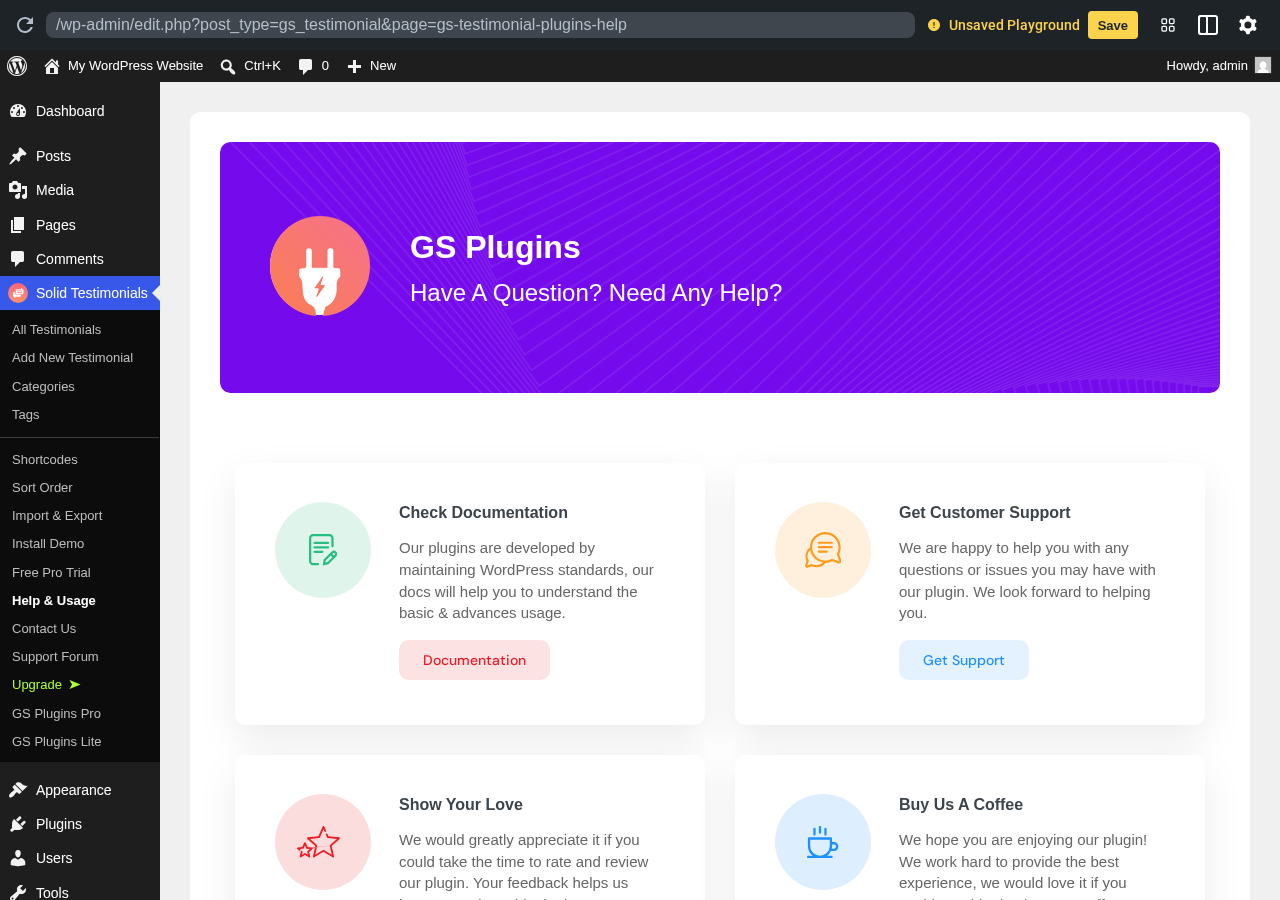
Hands-on notes: In the sandbox, Solid Testimonials loaded a GS Plugins help screen with Check Documentation, Get Customer Support, Show Your Love, and Buy Us a Coffee cards. The plugin’s actual testimonial management is under the “Solid Testimonials” admin menu, but the help screen is the first surface a new user sees.
Pricing / free-plan note: The WordPress.org plugin is free. GS Plugins sells a Pro version with additional layouts and features.
Pros
- Supports both written and video testimonials in the free version
- Multiple layout options without buying Pro
- Recently updated and tested with modern WordPress
- Useful when you want one plugin to cover several layouts
Cons
- The first admin screen is the help/support page rather than the testimonial list
- Smaller install base than the top plugins
- Pro upsell links throughout the dashboard
8. Quick and Easy Testimonials: best lightweight option for simple sites
Quick and Easy Testimonials by InspiryThemes is exactly what its name says: a small, focused plugin that adds a testimonial post type and a shortcode for displaying entries. There is no built-in slider, no animation engine, and no large dashboard. For a basic small-business or freelance site that only needs to show three to ten testimonials in a clean list, that simplicity is a feature.
Drawback: no slider or advanced display
Best for: small business sites, freelancer portfolios, and personal pages that only need a basic testimonial list without sliders or heavy styling.
Key features:
- Testimonials post type with title, content, and image fields
- Simple shortcode for displaying testimonials
- Minimal admin footprint
- Compatibility with standard themes and block layouts
- Free on WordPress.org
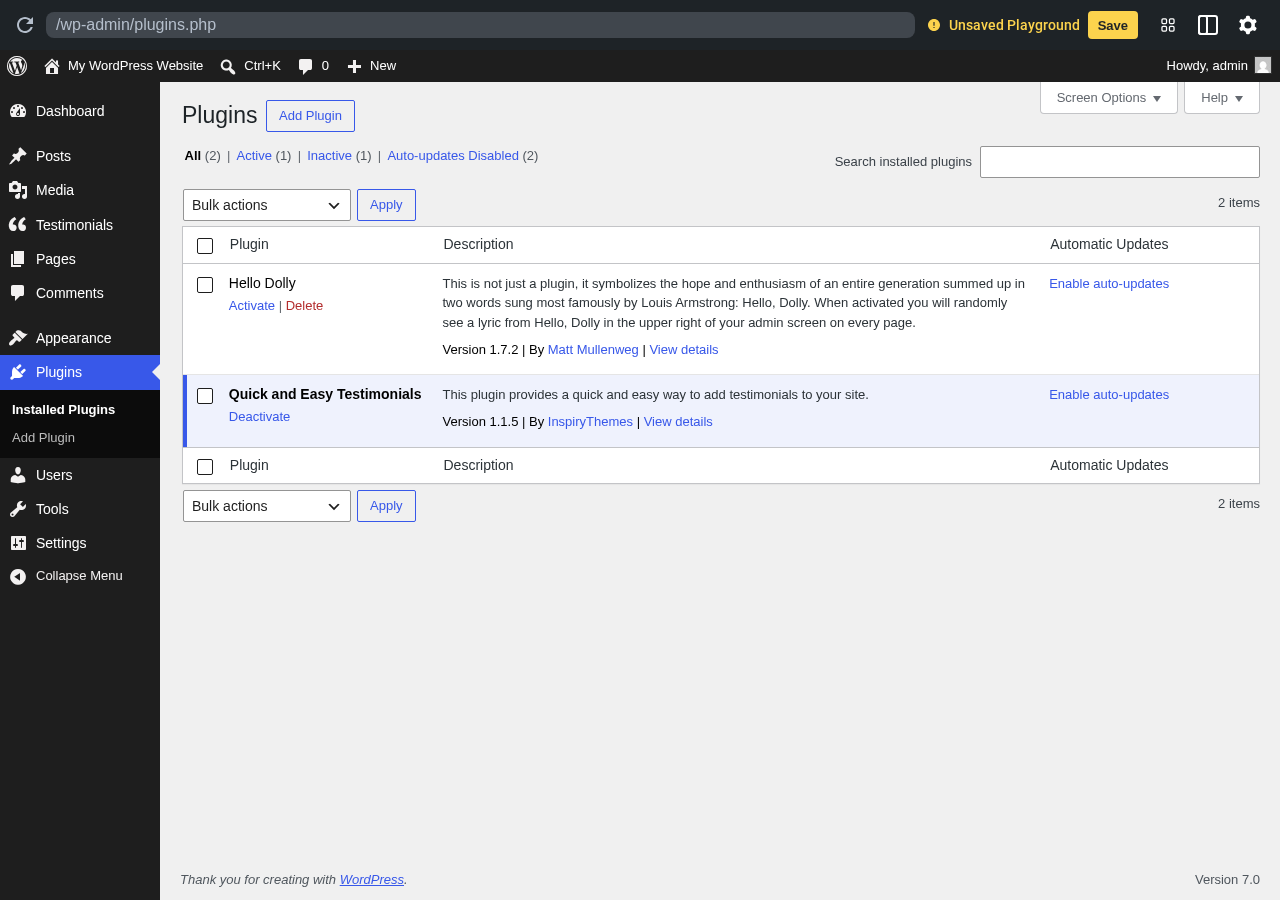
Hands-on notes: In the sandbox, Quick and Easy Testimonials added a Testimonials sidebar entry and stayed out of the way otherwise. There is no onboarding wizard or upsell modal on first load, which is part of its appeal for site owners who want minimal noise.
Pricing / free-plan note: The plugin is free. There is no aggressive freemium funnel in the WordPress admin.
Pros
- Very small admin footprint
- No upsell modals on first load
- Easy to teach to non-technical site owners
- Compatible with most WordPress themes
Cons
- No built-in slider or animated layouts
- Less suitable for sites that want a heavy social-proof section
- Smaller install base than the top plugins
9. Super Testimonial: best when you want a free frontend submission form plus slider
Super Testimonial is positioned for sites that need to collect testimonials from customers through a frontend form, then display them as a slider. It includes a Super Testimonial post type, a testimonial submission form, several slider shortcodes, and an admin “Help and Usage” screen that doubles as release notes.
Drawback: admin feels less modern
Best for: local service businesses, course creators, and small ecommerce stores that want a simple slider plus a free form to collect new testimonials.
Key features:
- Super Testimonial post type with image, name, designation, and rating fields
- Frontend testimonial submission form
- Slider and grid shortcodes
- Categories for grouping testimonials
- Help & Usage screen with release notes and configuration tips
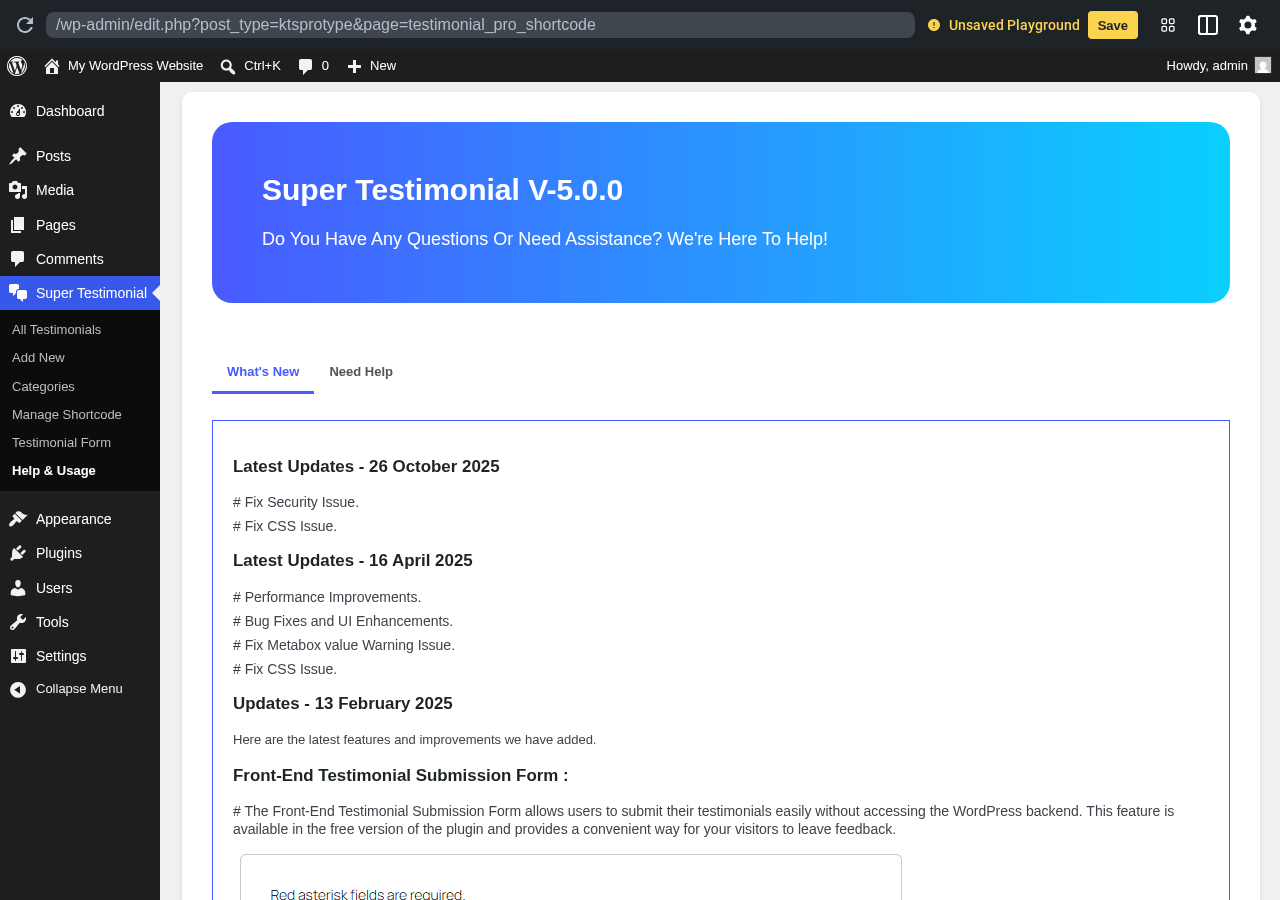
Hands-on notes: In the sandbox, Super Testimonial opened to its “Help and Usage” screen with release notes for Version 5.0.0 and details about its frontend submission form. The form availability inside the free version is the main reason to consider this plugin over more visually polished competitors.
Pricing / free-plan note: The WordPress.org plugin is free. Pro upgrades add more layouts and styles.
Pros
- Free frontend submission form
- Slider and grid layouts in the free version
- Active maintenance with release notes inside the admin
- Reasonable fit for small business and local sites
Cons
- The admin and frontend feel less modern than top picks
- Smaller install base
- Some templates and styles require Pro
10. Easy Testimonial Slider: best ready-made block pair for slider plus form
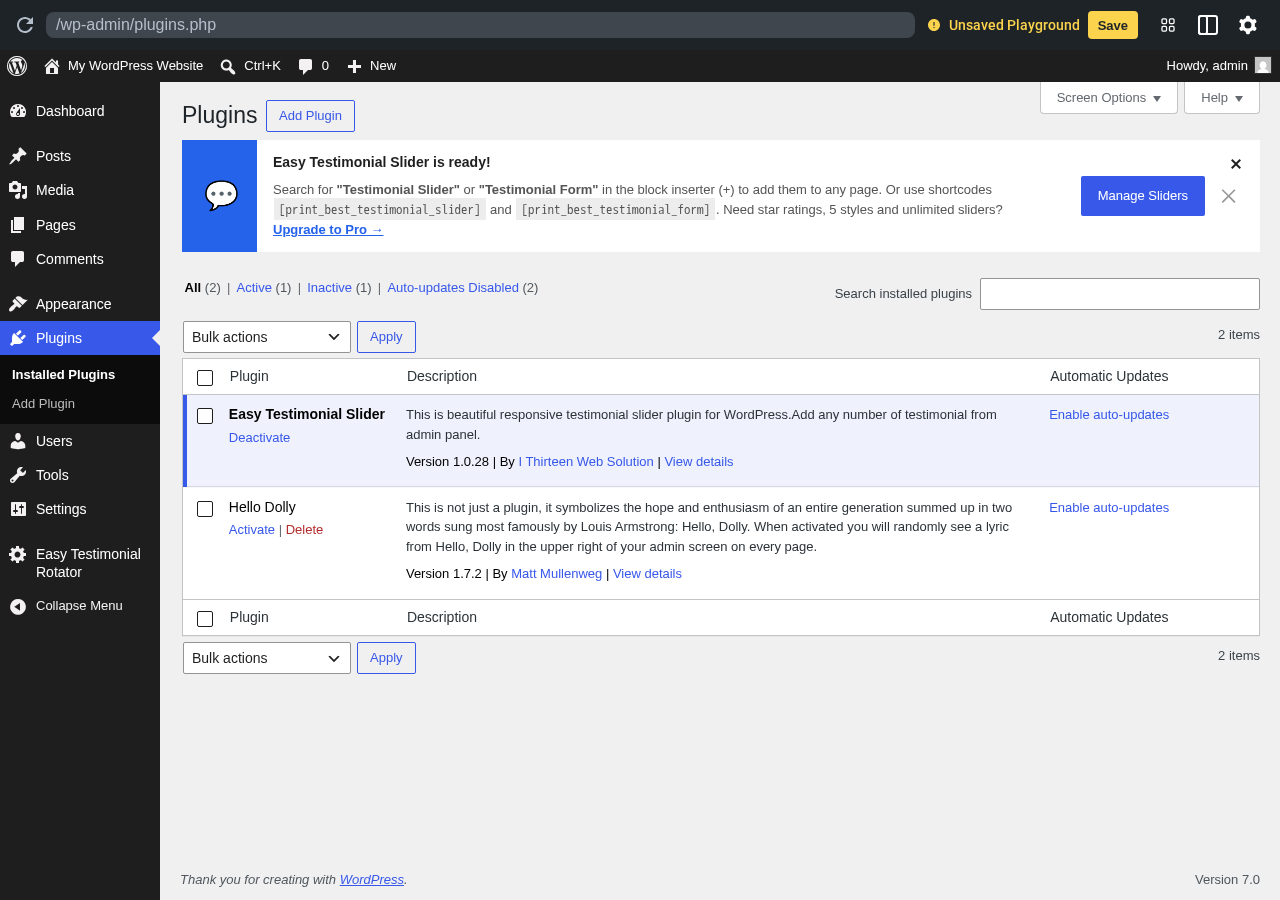
Easy Testimonial Slider by I Thirteen Web Solution ships as a slim plugin with two ready-made blocks: Testimonial Slider and Testimonial Form. It also offers two shortcodes for the same purpose. If you want a fast slider with a matching submission form and you do not want to learn a new admin interface, this is the most direct path.
Drawback: smaller install base
Best for: small business sites, freelance portfolios, and content creators who want to add a single slider section with a matching submission form using core block insertion.
Key features:
- Two custom blocks: Testimonial Slider and Testimonial Form
- Two shortcodes for the same blocks
- Easy Testimonial Rotator admin menu for managing entries
- Star rating support
- Compatibility with the Site Editor and the block editor
Hands-on notes: In the sandbox, the plugin showed an “Easy Testimonial Slider is ready!” banner with the two block names and matching shortcodes, plus a Manage Sliders button. The “Upgrade to Pro” link offers star ratings, 5 styles, and unlimited sliders.
Pricing / free-plan note: The WordPress.org plugin is free. The Pro version unlocks more styles, star ratings, and unlimited sliders.
Pros
- Two block options ready in the inserter
- Matching shortcodes for non-block layouts
- Fast setup for a single testimonial section
- Recently updated and tested with modern WordPress
Cons
- Some style controls and unlimited sliders require Pro
- Smaller install base than the top picks
- Less suitable for very large testimonial libraries
How to choose the best WordPress testimonial plugin
If you only need a clean testimonials section with a flexible display and a collection form, start with Strong Testimonials. It is the most capable free option in this list for managing and rendering on-site testimonials.
If video testimonials matter, look at Real Testimonials first. The free version supports both written and video submissions through a frontend form, which most of the other plugins gate behind Pro.
If you want schema markup and a moderation workflow alongside testimonials, Site Reviews is the right test, with the caveat that its terminology is review-first. Be ready to explain to non-technical editors that “reviews” in this plugin double as testimonials.
If your priority is the design of a hero slider on the homepage, Testimonial Slider and Showcase, Solid Testimonials, and Easy Testimonial Slider are the strongest slider-focused picks. For a heavy emphasis on star ratings inside the testimonial card, choose Stars Testimonials.
If your site already lives in the Trustindex.io ecosystem, or you plan to bring in Google, Facebook, or platform reviews later, WP Testimonials by Trustindex.io is the obvious bridge.
If you want a lightweight footprint with no upsell noise, Quick and Easy Testimonials is the calmest choice and pairs well with a custom theme that already styles a basic list. For sites that need a frontend submission form on a budget, Super Testimonial is the most direct free option.
Before installing any WordPress testimonial plugin on a live site, check four things:
- Does it ship a real testimonial post type, or just an unstructured shortcode?
- Does the free version include the layouts you actually need (slider, grid, list)?
- Does it offer a frontend collection form if you want customers to submit testimonials directly?
- Is the plugin actively maintained and tested with your WordPress version?
FAQ
What is the best free WordPress testimonial plugin?
Strong Testimonials is the best free WordPress testimonial plugin for most sites because it offers a proper testimonial post type, view builder, frontend collection form, and the largest install base among dedicated testimonial plugins. For video testimonials and a more polished collection flow in the free plan, Real Testimonials is the strongest alternative.
How is a testimonial plugin different from a review plugin?
A testimonial plugin focuses on displaying customer quotes, names, images, and roles in marketing-friendly layouts like sliders, grids, and lists. A review plugin focuses on a rating value, schema markup, moderation, and aggregating opinion. Some plugins, like Site Reviews and Stars Testimonials, sit between the two and work for either job.
Can I show testimonials in a slider?
Yes. Strong Testimonials, Real Testimonials, Testimonial Slider and Showcase, Solid Testimonials, Stars Testimonials, Super Testimonial, and Easy Testimonial Slider all offer slider layouts. Strong Testimonials Pro adds more polished slider templates if the free slider feels too basic for your site.
Do testimonial plugins support schema markup?
A few do. Site Reviews ships review schema by design. Stars Testimonials supports star ratings that can be mapped to schema in some Pro layouts. Most testimonial-first plugins focus on layout rather than rich-result schema, so if rich snippets are important, test Site Reviews first or pair a testimonial plugin with a separate schema plugin.
Can customers submit testimonials directly from the front end?
Yes, several plugins ship a free frontend submission form. Strong Testimonials, Real Testimonials, Site Reviews, Stars Testimonials, Super Testimonial, and Easy Testimonial Slider all include a frontend submission form in the free version, although exact field controls and moderation depth vary.
Should I choose a free or paid testimonial plugin?
Start free if you mainly need a clean grid or basic slider with a frontend form. Upgrade to a paid plan if you need premium slider templates, advanced styling, import tools, or richer moderation. Most sites in this category can launch on a free plan and only upgrade once their testimonial section becomes a strategic conversion area.
Conclusion
For most sites, start with Strong Testimonials. It is the most capable free WordPress testimonial plugin in this list for both collection and display, and it is the safest pick if you are not sure what you need yet.
If you want video testimonials and a polished free collection form, choose Real Testimonials. If schema and moderation matter, test Site Reviews and accept its review-first terminology in exchange for richer markup. For slider-led landing pages, look at Testimonial Slider and Showcase, Solid Testimonials, and Easy Testimonial Slider. For ratings-driven cards, choose Stars Testimonials. For a Trustindex pipeline, choose WP Testimonials. For a small, quiet plugin, choose Quick and Easy Testimonials. For a free frontend submission form on a budget, choose Super Testimonial.
The best testimonial plugin for WordPress is the one that matches your editorial workflow first and your visual layout second.