

MultilingualPress at a Glance
Developer: Syde GmbH (formerly Inpsyde)
Current version: 5.2.0 (June 2026)
Requires: WordPress Multisite and PHP 8.1+
AutoTranslate: DeepL, OpenAI, Amazon Translate
WooCommerce: Yes (dedicated module)
Yoast SEO: Compatible
ACF: Compatible
Starting price: $149/year (2 languages, 1 network)
Quick Verdict
MultilingualPress is the strongest option for WordPress Multisite multilingual setups. Each language runs as its own site in the network, keeping performance and content fully isolated. AutoTranslate integrations with DeepL, OpenAI, and Amazon Translate reduce manual workload at scale. The tradeoffs are real: WordPress Multisite is required, there is no free tier, and pricing starts at $149/year for just two languages. Agencies and enterprise teams will find it worth it. Solo site owners on single-site WordPress should look elsewhere.
Best for: Agencies, enterprise teams, and developers on WordPress Multisite.
Not ideal for: Beginners, single-site installs, or tight budgets.
Our rating: 4.1 / 5
What Is MultilingualPress?
MultilingualPress (MLP) is a premium WordPress plugin developed by Syde GmbH, a German agency formerly known as Inpsyde. The plugin has been in active development for over a decade and is purpose-built for WordPress Multisite networks.
Rather than storing all language versions on a single WordPress database, MultilingualPress creates a separate WordPress site in your Multisite network for each language. English lives at example.com, German at example.com/de/, and French at example.com/fr/. Each site has its own posts, media library, and settings. MLP ties them together with content links, synchronization rules, and automatic hreflang tags.
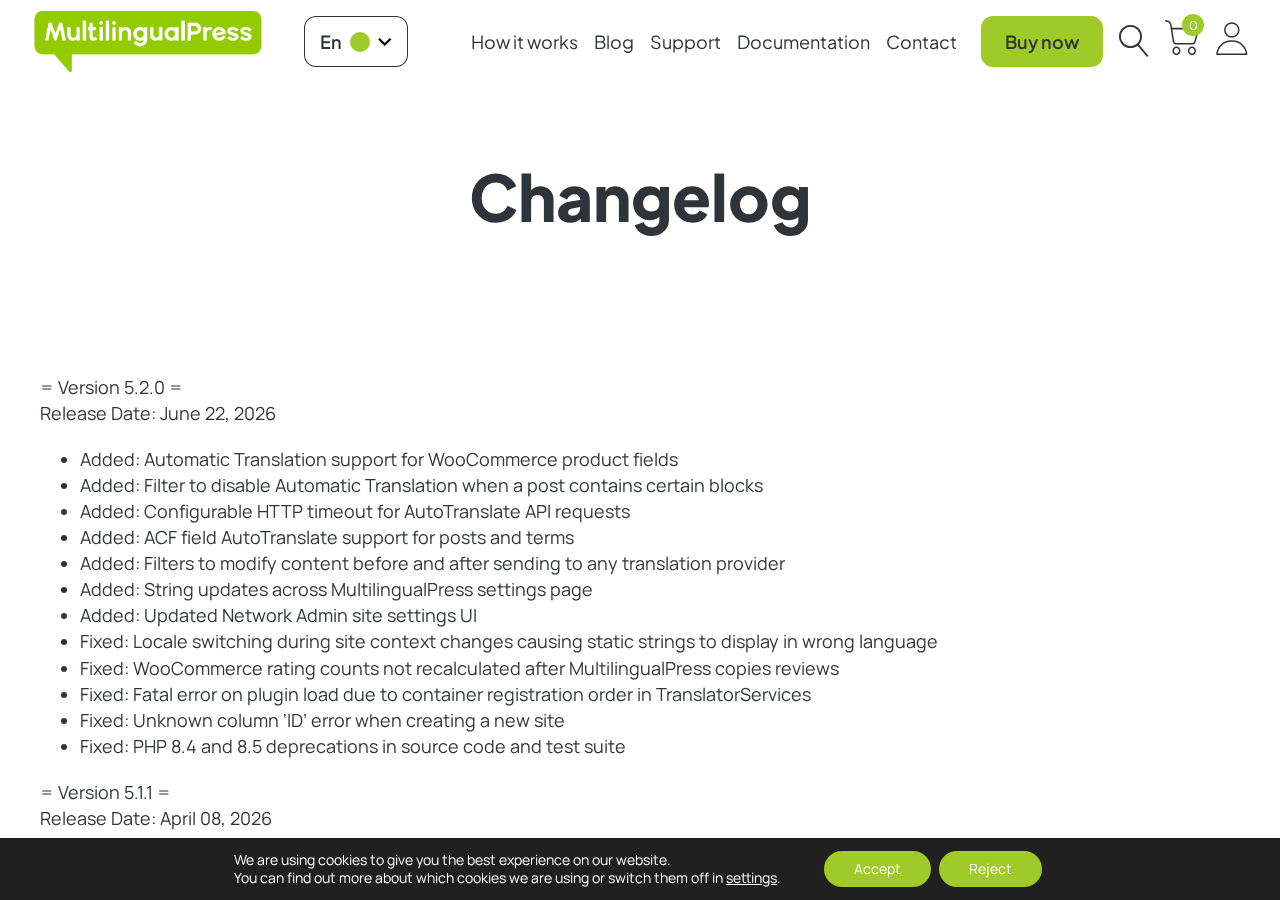
Version 5.2.0, released in June 2026, added WooCommerce product field translation via AutoTranslate, ACF field support, and PHP 8.4/8.5 compatibility fixes. The plugin is actively maintained with regular releases. It is endorsed by WooCommerce, Yoast SEO, and is recommended in official WooCommerce documentation for multilingual store setups.
Who Is MultilingualPress Best For?
MultilingualPress fits a specific profile of user well. It is not a general-purpose multilingual solution for every WordPress site.
It works best for:
- Development agencies managing multilingual sites for clients across multiple industries, where each site needs to scale independently
- Enterprise or media organizations running content-heavy multilingual websites where performance and content separation are priorities
- WooCommerce store owners selling across multiple regional markets, where products, checkout strings, and URLs all need proper localization
- Teams already on Multisite who want to add language switching without rebuilding their architecture
- Developers who want CLI-level control and PHP hooks to customize translation workflows
It is less suitable for:
- WordPress beginners who have never set up a Multisite network
- Solo bloggers or small business owners who need one or two translated pages
- Sites looking for a free multilingual solution
- Organizations where $149+ per year for two languages is hard to justify
Setup and User Experience
Setting up MultilingualPress requires two things before anything else: a running WordPress Multisite network and an active plugin license. If your WordPress install is a standard single-site setup, you will need to convert it to Multisite first. This process involves editing wp-config.php and .htaccess files, which most beginners find daunting.
Once Multisite is in place, the process is more manageable:
- Download the plugin from your license account at multilingualpress.org
- Upload and network-activate it from the Network Admin panel
- Create a new site in the Multisite network for each language you need
- In Network Admin, go to MultilingualPress settings and enable the modules you need (WooCommerce, Yoast, ACF, etc.)
- For each site, configure the language assignment and link it to related sites
- In the post editor, a MultilingualPress metabox appears at the bottom for linking content across language sites and triggering AutoTranslate
The metabox experience inside the block editor is functional but not visually polished. You get checkboxes for fields to translate (title, content, excerpt), a dropdown for the translation provider, and buttons to trigger AutoTranslate. The interface feels technical rather than intuitive, which fits the developer-focused audience but may slow down non-technical content editors.
The centralized Network Admin dashboard is one of the plugin’s genuine strengths. From a single panel, you can see all sites in the network, manage their language assignments, and configure global settings like redirect rules and hreflang output. For agencies managing ten or more language sites, this is significantly more practical than jumping between individual site dashboards.
Key Features
Multisite-Native Architecture
Every language site in a MultilingualPress network is a fully independent WordPress install sharing the same database prefix structure. This isolation means a slow or broken plugin on the German site will not affect the English site. Each language site can also have a different theme, different plugin configuration, and a completely different content strategy. This is useful for markets where the same brand runs very different content locally.
AutoTranslate (DeepL, OpenAI, Amazon Translate)
The AutoTranslate feature, added in version 5.0, integrates with three major machine translation services:
- DeepL: Known for highly natural output, especially in European languages. The DeepL free plan supports up to 500,000 characters per month; the Pro tier offers unlimited access. MLP 5.1 added DeepL glossary support for consistent terminology across translations.
- OpenAI (GPT models): Context-aware translations, useful for content where tone and nuance matter. Token-based pricing applies through your own OpenAI account.
- Amazon Translate: Scalable cloud-based translation supporting 75+ languages, with an AWS free tier available for lower volumes.
AutoTranslate runs in the background via WordPress Cron, so triggering translation on a post does not lock the editor. MLP 5.1 also added the ability to trigger AutoTranslate programmatically via a public API, which opens the door to bulk translation workflows. These integrations require you to supply your own API keys. Translation costs are billed directly to your provider account, not to your MLP license.
Content Synchronization
When you publish or update a post on the primary language site, MLP can automatically create or update a linked post on connected language sites. You can configure which fields to synchronize (title, content, excerpt, metadata) and which to leave for manual editing. This is particularly useful for content that is structurally identical across languages but needs localization rather than word-for-word translation.
Multilingual SEO and Hreflang Tags
MultilingualPress automatically generates hreflang tags in the head section of every page, pointing each language version to its equivalents. URL structure is handled at the Multisite network level, so language-specific pages sit at clean, separate paths. Yoast SEO is a fully supported compatible plugin with ongoing compatibility maintenance confirmed in recent changelogs.
WooCommerce and ACF Support
WooCommerce product translation is a dedicated module covering product titles, descriptions, attributes, and variation data across language sites. Version 5.2.0 added WooCommerce product field support for AutoTranslate, bringing automated translation to the full product catalog workflow.
Advanced Custom Fields (ACF) content can be translated and synchronized between language sites using the ACF module. Version 5.2.0 extended this to include ACF fields in posts and terms within the translation UI, which is important for sites where ACF-powered templates carry as much editorial weight as the post body.
Developer Tools
MultilingualPress includes WP-CLI commands for managing site linking, triggering AutoTranslate for existing content, and running network-level operations. A centralized logging module (added in 5.1.0) makes it easier to debug AutoTranslate processes and track what was translated, when, and whether it succeeded. PHP filters and action hooks cover most common customization needs.
Pricing
MultilingualPress sells annual licenses that include plugin updates and premium support for 365 days. Pricing is listed in USD and includes VAT, which means the actual price before tax will vary depending on your location.
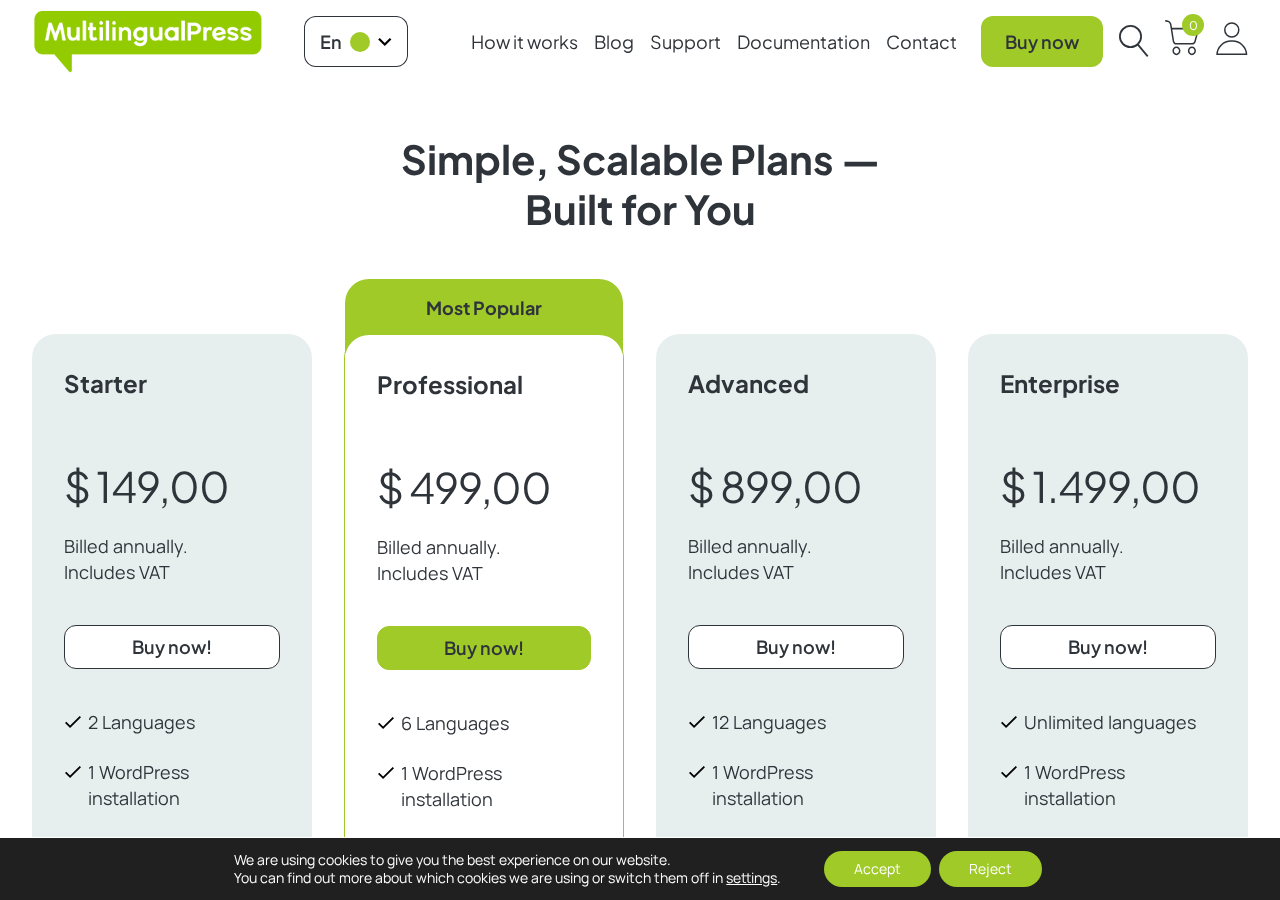
| Plan | Price (annual, VAT incl.) | Languages | Networks |
|---|---|---|---|
| Starter | $149 / year | 2 | 1 |
| Professional | $499 / year | 6 | 1 |
| Advanced | $899 / year | 12 | 1 |
| Enterprise | $1,499 / year | Unlimited | 1 |
All plans are limited to one WordPress Multisite network. Agencies managing multiple client networks need a separate license for each. There is no agency bundle or multi-network tier.
The language cap per tier is the main cost driver. Moving from two languages to six costs $350 more per year. Reaching twelve languages costs $899, and unlimited languages is a $1,499/year commitment. For teams needing to serve many markets, the jump in cost is substantial.
A free version exists on the WordPress.org plugin directory but shows 100+ active installations and has not been tested against recent WordPress versions. It should be treated as a very limited legacy option rather than a functional starting point for new projects.
Pros and Cons
Pros
- True Multisite architecture keeps language sites fully independent and performant
- AutoTranslate integrations with DeepL, OpenAI, and Amazon Translate
- WooCommerce, Yoast, and ACF modules cover major plugin ecosystems
- CLI commands and PHP hooks give developers full control
- Hreflang tags generated automatically
- Centralized Network Admin dashboard simplifies multi-site management
- No vendor lock-in: content stays in database if plugin is deactivated
- Actively maintained with regular releases
Cons
- Requires WordPress Multisite. Standard single-site installs are not supported.
- No free tier beyond a very limited legacy version
- Steep pricing: two languages cost $149/year, six languages cost $499/year
- All plans limited to one WordPress network
- Block editor metabox is functional but not polished
- Initial setup requires technical confidence with Multisite
- WooCommerce AutoTranslate only arrived in v5.2.0. Earlier versions lacked it.
Alternatives to MultilingualPress
WPML is the most widely deployed premium WordPress multilingual plugin. It works on standard single-site installs with no Multisite required. Plans start around $39 per year for blogs and go to $199 per year for agency use. WPML has a larger user base and more community resources, but it stores all language content in the same WordPress database, which can affect query performance on large sites.
Polylang is a popular option with a functional free version and a Pro upgrade around $99 per year. It works on single-site installs and is less feature-rich than MultilingualPress but far more accessible to beginners. It is a good choice when Multisite is not on the table and budget is a concern.
TranslatePress is a front-end visual translation editor that lets you translate content directly on the live page. It is easier to use than most alternatives and starts at $99 per year for the single-site plan. It works on single-site installs without Multisite and is worth evaluating if the translation editing experience is the priority.
Weglot is a SaaS-based solution that handles translation via a CDN proxy layer. Minimal WordPress configuration is required, and the free tier covers up to 2,000 words in one language. Paid plans start at $19 per month. Weglot is the fastest to set up but introduces reliance on an external service and does not store translations locally in the WordPress database.
Final Verdict
MultilingualPress earns its place as the leading multilingual option for WordPress Multisite networks. The architecture is sound, the AutoTranslate integrations reduce manual workload at scale, and the developer tooling is genuinely useful. For the right project, specifically a high-traffic multilingual network where performance isolation between language sites matters, the plugin is difficult to replace.
The pricing and the Multisite requirement are the real filters. If you are not already running Multisite and cannot justify $149 per year for two languages, alternatives like Polylang or TranslatePress will serve you better. But if you are building or managing a serious multilingual Multisite setup, MultilingualPress is the most capable tool available for the job.
Browse more WordPress plugin reviews to find the right tools for your stack.