

Quick verdict
Toolset remains a serious WordPress custom content suite for agencies, developers, and advanced site builders who want custom post types, custom fields, templates, front-end forms, access rules, maps, and WooCommerce content displays in one commercial package. It is not the lightest way to add a few fields to a page. It is better for content-heavy builds where custom data, relationships, listings, search, and editor workflows need to work together.
For this Toolset WordPress review, I checked the public Toolset website, pricing page, feature pages, documentation center, and 2026 release notes. I treated it as an editorial review of the current public product, not a private license sandbox test. That matters because Toolset is a paid plugin suite, and its most useful workflows are easier to evaluate when you know the project brief: directories, listings, memberships, classified sites, internal portals, multilingual catalogues, and custom business sites.
My short answer: Toolset is worth considering if you want an integrated, no-PHP custom post type plugin suite and are comfortable building around Toolset Blocks and Views. If you only need developer-controlled fields, ACF Pro, Meta Box, Pods, or CMB2 may be simpler. If you need a full custom content stack under one vendor with support, Toolset is still one of the more complete options in 2026.
At a glance
- Best for: Agencies and advanced WordPress builders creating structured content sites.
- Pricing checked: €69 for 1 site, €149 for 3 sites, €299 for unlimited sites.
- Main use case: Custom post types, fields, relationships, templates, archives, searches, access rules, and forms.
- Core components: Types, Blocks, Views, Access, Forms, Maps, WooCommerce Views.
- Strongest point: One integrated suite for content modeling and front-end display.
- Biggest drawback: More moving parts than a simple custom fields plugin.
What is Toolset?
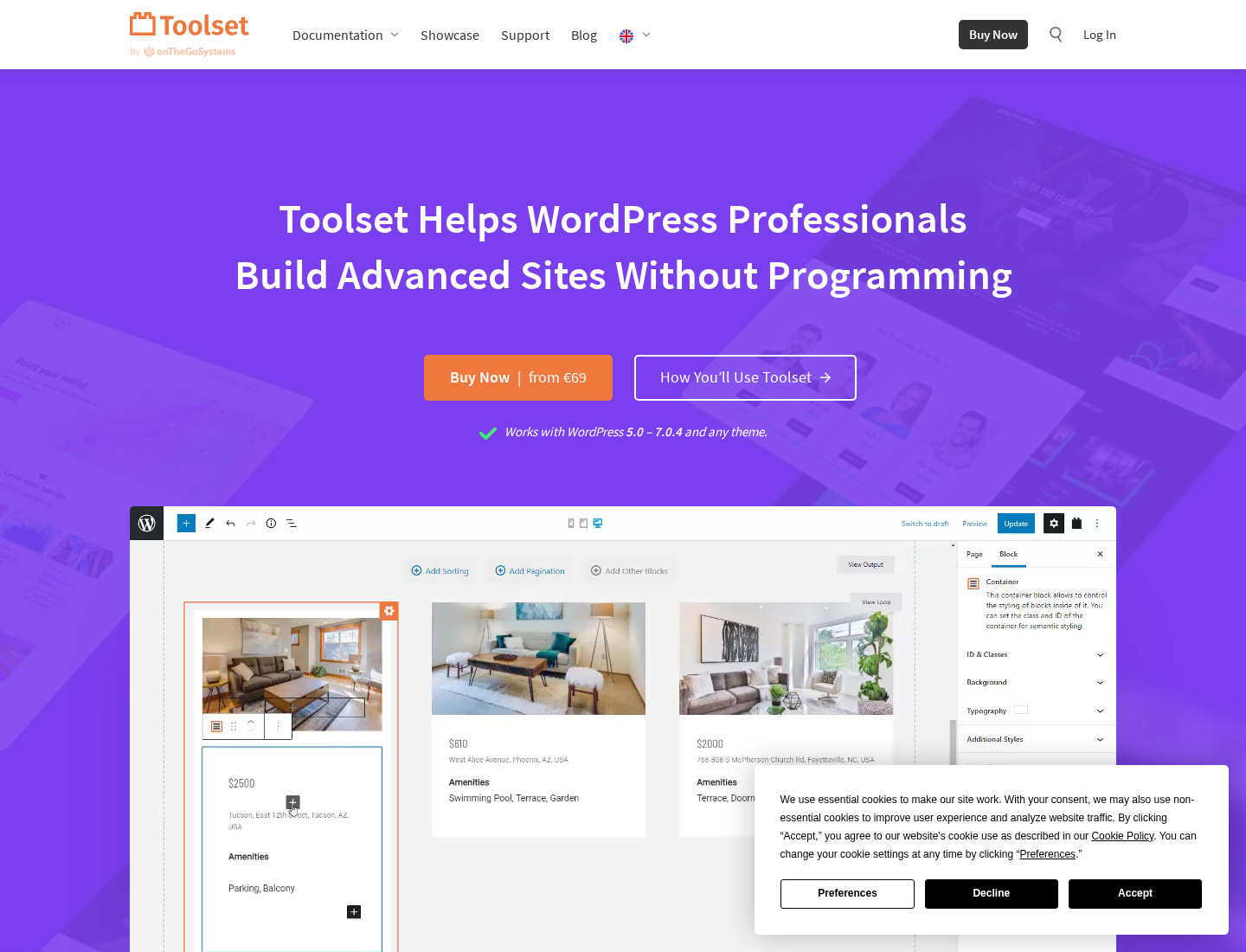
Toolset is a commercial WordPress plugin suite from OnTheGoSystems, the company also known for WPML. It is built around the idea that custom WordPress sites should not require writing PHP templates from scratch. The suite covers the data structure layer, the display layer, permission controls, front-end submission workflows, and selected integrations.
The most important component is Toolset Types. Types lets you create custom post types, custom fields, taxonomies, repeatable field groups, and post relationships. That makes it the foundation for directory listings, team member databases, real estate catalogs, recipe collections, event directories, resource libraries, and other structured content projects.
Toolset then adds display and workflow tools around that structure. Toolset Blocks and Views help turn custom data into front-end templates, archives, listings, and searches. Toolset Access handles role-based permissions. Toolset Forms lets visitors or logged-in users create and edit content from the front end. Toolset Maps and WooCommerce Views extend those workflows for location and product content.
Who should use Toolset?
Toolset is best for teams building custom content websites where the database model matters. Good fits include:
- Agencies that build client directories, portals, catalogues, listings, and membership sites.
- Developers who want a visual layer for post type and field setup, but do not want to hand-code every template.
- WordPress builders who need relationships between custom post types, such as doctors and clinics or courses and instructors.
- Site owners who need front-end submission forms for listings, classifieds, events, or member-generated content.
- Teams already using WPML, since Toolset is from the same company and the ecosystem is clearly aware of multilingual workflows.
It is less ideal for very small brochure sites, developer teams that prefer every field definition in PHP, editors who only need a polished field group UI, and projects where every feature must be available in a free plugin.
Toolset Types review: custom post types, fields, and relationships
Toolset Types is the part most people mean when they search for a WordPress custom post type plugin. It gives you a visual way to define custom post types, custom taxonomies, custom fields, repeatable field groups, and post relationships.
This is the strongest reason to consider Toolset instead of combining several narrower plugins. You can model content and then use the rest of the suite to display it, filter it, control access to it, and edit it from the front end.
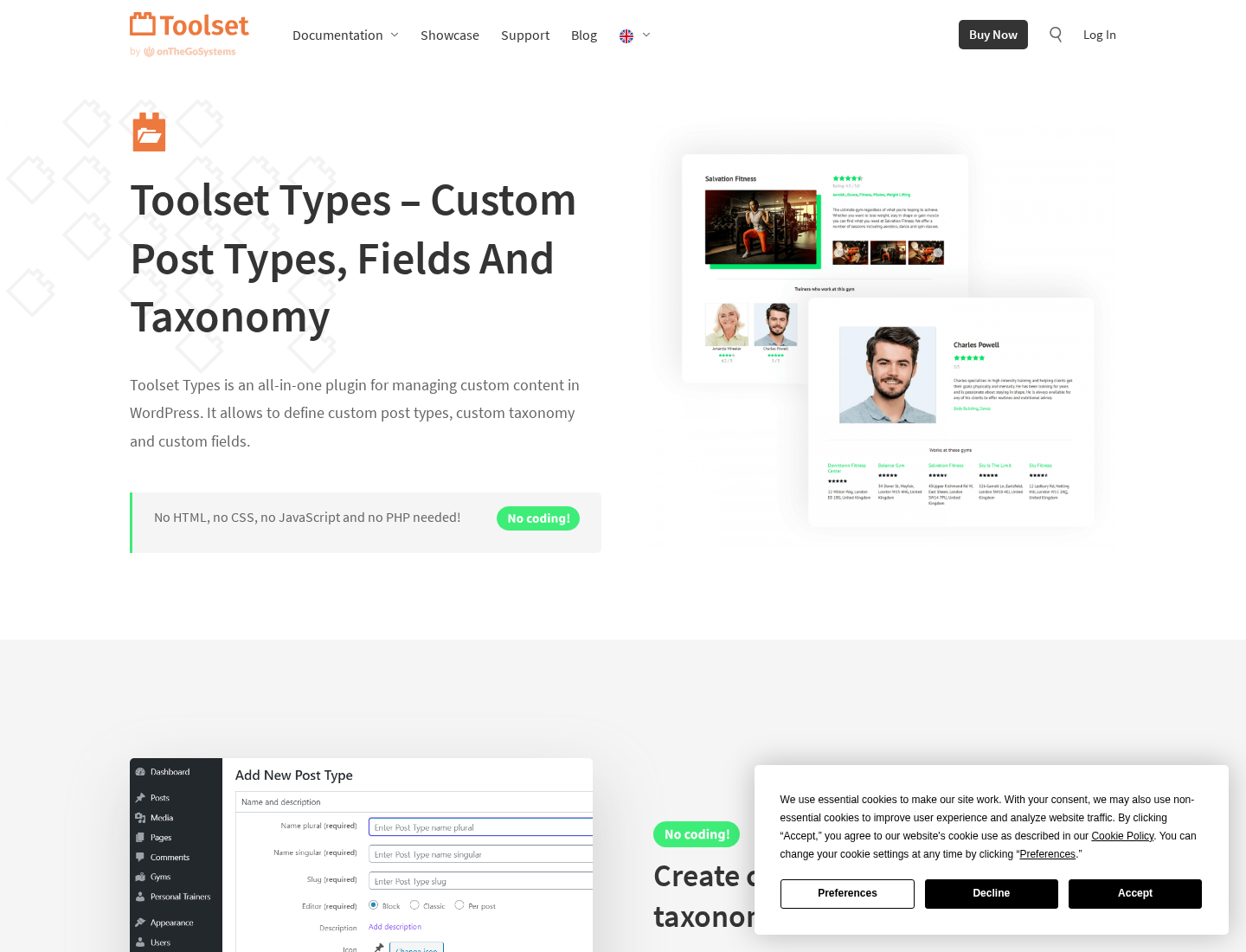
For agencies, the relationship features are especially important. Many real projects are not just one custom post type with a few fields. They need connections: properties and agents, books and authors, departments and employees, courses and lessons, locations and services. Toolset is designed for that type of build.
The tradeoff is that Toolset is a platform, not a tiny utility. If your only requirement is adding subtitle, price, or short description fields to posts, ACF, Pods, Meta Box, or CMB2 may feel faster. Toolset makes more sense when the field model is only the first part of the project.
Views, Blocks, templates, archives, and search
The next part of Toolset is the display layer. Toolset Views is now positioned around Toolset Blocks for modern block-based building. The public Views page says Views has been replaced by Toolset Blocks, and describes it as a way to load any kind of content from the database and display it with your design.
In practical terms, this means Toolset tries to cover what developers often solve with custom WP_Query code, archive templates, single templates, and shortcodes. You can build loops, custom templates, front-end searches, and filtered listings around the data you created with Types.
The 2026 Toolset 1.7 announcement is notable because it focuses on Full Site Editing compatibility for Toolset Views and Blocks. That matters for agencies maintaining older Toolset builds while moving clients toward block themes and the Site Editor. The release notes mention improvements around content templates, dynamic sources, Views loops inside FSE templates, image placeholders, block CSS, duplicate filter IDs, WPML URL handling, and several component fixes.
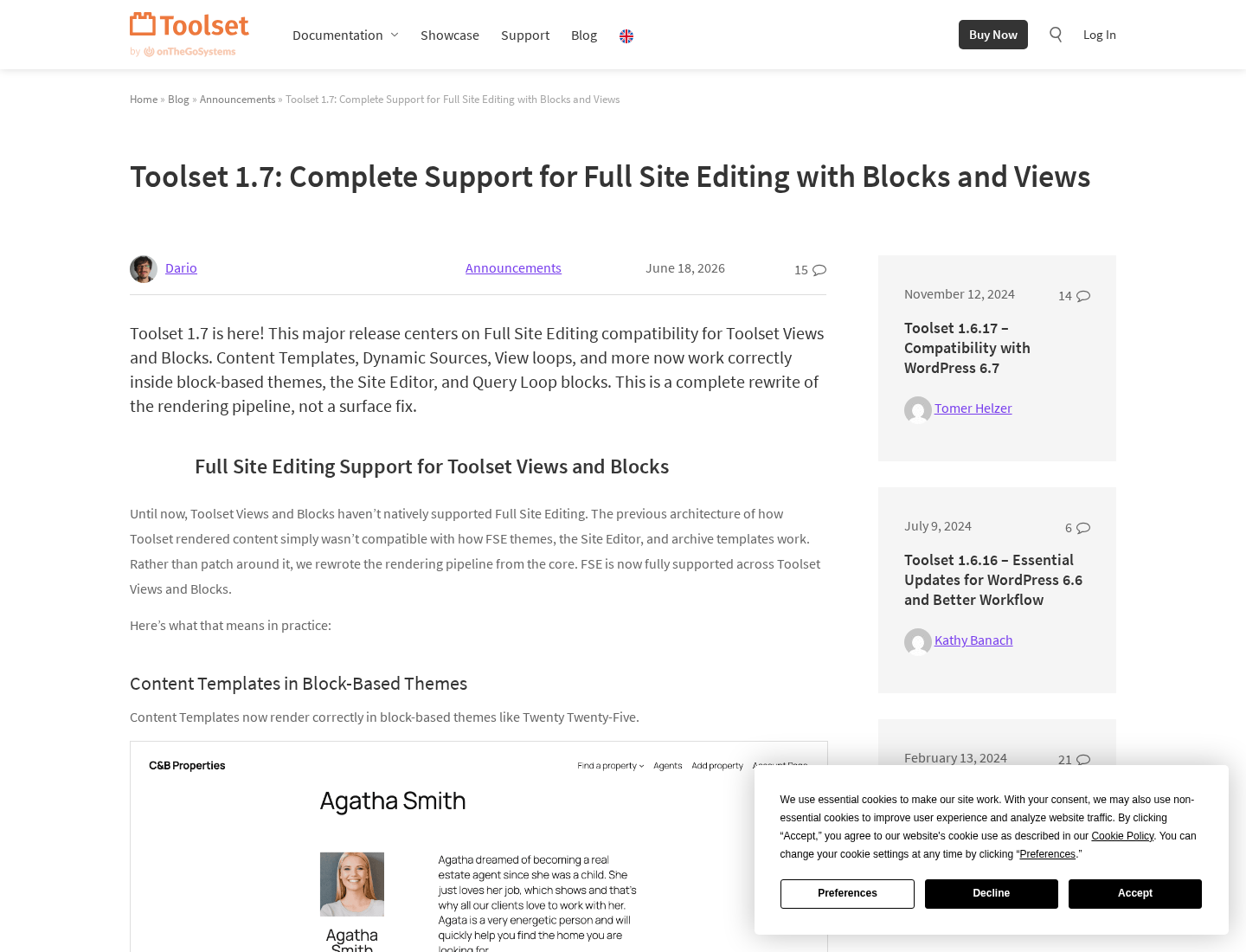
This is a positive sign for 2026 support, but it also highlights a practical concern. Toolset has a long history, and some users may have projects built around legacy Views concepts. Before committing a new client project, I would test the exact workflow with your theme, block editor setup, and multilingual plugin stack.
Toolset Access and Forms
Toolset Access adds role and permission controls. It is useful when different user groups should see, create, edit, or manage different content types. For membership-style projects, client portals, private directories, staff resources, and editorial workflows, that can reduce the need for a separate permissions plugin.
Toolset Forms is the front-end submission piece. The public Forms page describes it as a plugin for forms that create and edit WordPress content. It can be used for directories, classifieds, listings, membership sites, and other projects where users submit or update content from the front end.
That combination is one of Toolset’s clearest advantages over a simple fields plugin. ACF can handle fields beautifully, but a full front-end listing workflow often needs extra add-ons, custom code, or a form plugin integration. Toolset is trying to keep that workflow in one product family.
Toolset pricing in 2026
Toolset pricing is annual and all account types include the same major feature set. The difference is how many websites you can register.
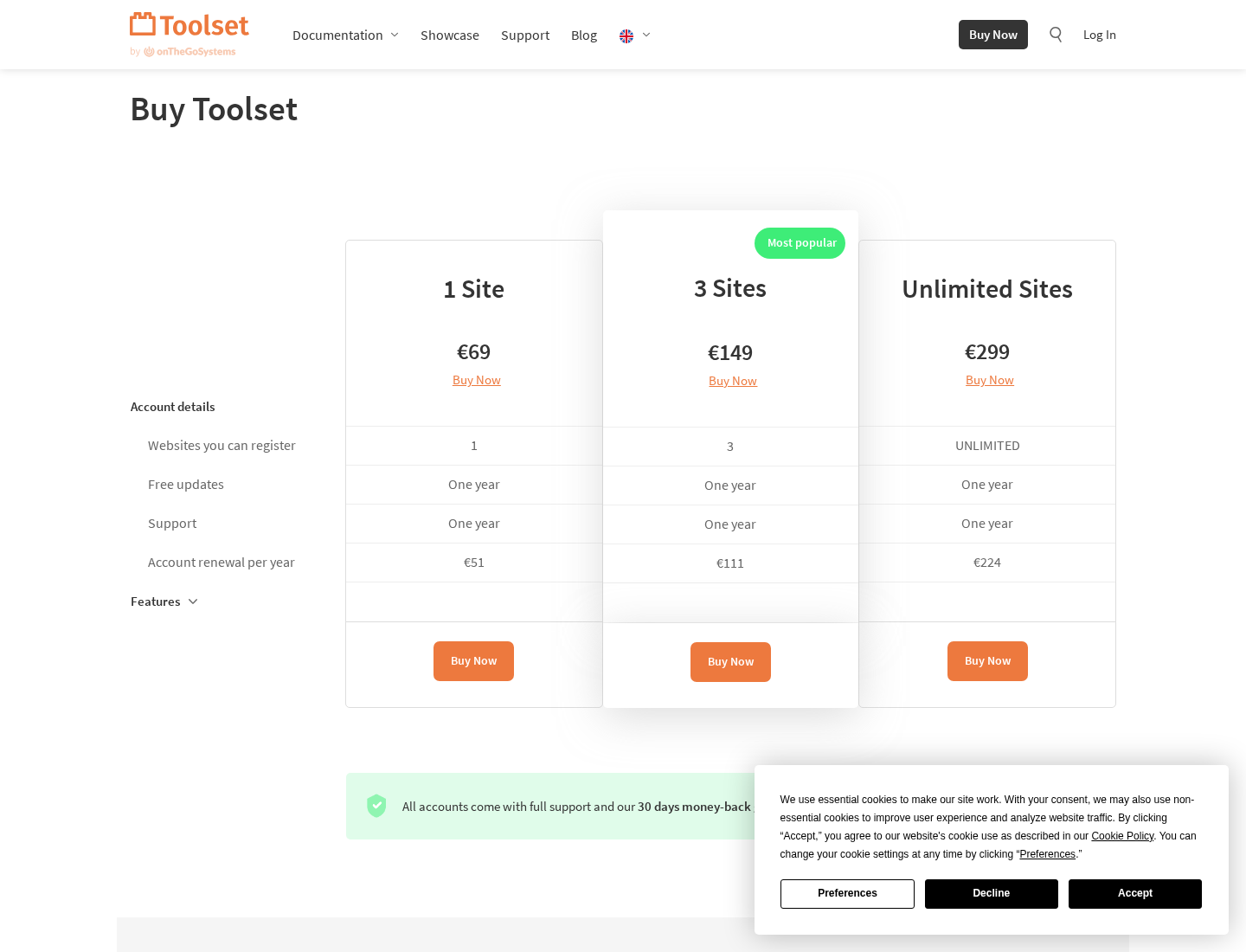
At review time, the public pricing page listed:
- 1 Site: €69, with one year of updates and support. Renewal is €51 per year.
- 3 Sites: €149, with one year of updates and support. Renewal is €111 per year.
- Unlimited Sites: €299, with one year of updates and support. Renewal is €224 per year.
The package includes custom post types, custom fields and taxonomies, repeatable field groups, post relationships, custom templates, custom archives, query builder, search builder, access control, forms builder, maps integration, and WooCommerce integration. The page also lists a 30-day money-back guarantee and says accounts renew automatically unless canceled.
For one site, Toolset is more expensive than a simple free custom fields plugin, but not unusual for a commercial suite. For agencies, the unlimited plan is the more relevant comparison because it can cover repeated client builds if Toolset becomes part of your standard stack.
Toolset vs ACF
Toolset vs ACF is not a simple winner-takes-all comparison. ACF is often the cleaner choice when you mainly need a polished custom fields interface, reliable developer documentation, and flexible template output. Many WordPress developers know ACF well, which makes hiring and maintenance easier.
Toolset is stronger when you want more than fields. It bundles custom post type creation, relationships, display templates, archives, searches, front-end forms, access rules, maps, and WooCommerce display tools. That broader scope is useful for no-code or low-code site builders, but it also means more product-specific learning.
Choose ACF if your developer team is comfortable writing the display layer. Choose Toolset if the project owner wants one integrated suite for data structure, display, searches, permissions, and front-end content workflows.
Pros and cons
Pros
- Complete custom content suite rather than a fields-only plugin.
- Strong fit for directories, catalogues, listing sites, memberships, and custom business sites.
- Types, Blocks, Views, Access, Forms, Maps, and WooCommerce Views are sold together.
- Annual pricing includes updates and support.
- 2026 release activity includes Full Site Editing compatibility work.
- Useful for agencies that want a repeatable low-code workflow.
Cons
- More complex than installing a lightweight custom fields plugin.
- Paid only, with no broad free tier for production use.
- Some legacy Toolset terminology can be confusing for new users.
- Developers who prefer code-first field definitions may find it too visual and product-specific.
- You should test compatibility with your theme, block setup, and multilingual workflow before standardizing on it.
Best alternatives to Toolset
- Advanced Custom Fields Pro: best for polished field groups and developer-led theme output.
- Meta Box: best for modular developer-friendly custom fields, meta boxes, and extensions.
- Pods: best for free custom content types, relationships, and data modeling on a budget.
- CMB2: best for code-first meta boxes inside custom themes and plugins. See our CMB2 review.
- JetEngine: best for visual dynamic content builds in the Crocoblock ecosystem.
Final verdict
Toolset is still a strong WordPress custom post type plugin suite in 2026, especially for agencies and advanced builders who need more than fields. Types handles the custom data model, Blocks and Views handle display, Access handles permissions, and Forms handles front-end submission workflows.
The main question is whether you want an integrated Toolset workflow or a more modular developer stack. If you value a single suite for content modeling, templates, search, forms, and access control, Toolset deserves a shortlist spot. If you only need custom fields and your developers already prefer ACF or code-first tools, Toolset may be more product than you need.
For content-heavy WordPress sites, my verdict is positive with one condition: test the exact site type before committing. Toolset can be powerful, but it is best adopted as a deliberate site-building framework, not as a quick field add-on. For more independent plugin coverage, browse our WordPress plugin reviews.