


Quick verdict
Tidio is one of the easiest WordPress live chat tools to recommend to small support teams that want a polished chat widget, a hosted inbox, and room to add automation later. I installed the current Tidio WordPress plugin in a clean WordPress Playground test site, checked the official WordPress.org listing, reviewed the live Tidio pricing page, and walked through the current product pages for live chat, Lyro AI Agent, Flows, and integrations.
My verdict: Tidio is strong if you want a hosted support platform rather than a WordPress-only chat plugin. The plugin itself is light because most of the work happens inside Tidio’s cloud dashboard. That makes setup simpler, but it also means the real buying decision is about Tidio’s monthly plans, billable conversation limits, Lyro AI usage, and Flows automation limits.
Choose Tidio if you want:
- A modern chat widget for WordPress that connects to a hosted inbox.
- Live chat, ticketing, email, Messenger, Instagram, WhatsApp, and automation in one product family.
- Lyro AI Agent for repetitive support questions and guided handoff to human agents.
- A free starting point before paying for higher conversation volume.
Skip it if you want:
- A fully self-hosted WordPress chat system with all data handled inside WordPress.
- A cheap flat-fee plugin where one annual license covers unlimited conversations.
- Advanced automation without monitoring separate usage limits for AI conversations and Flows visitors.
Tidio at a glance
| Item | Details |
| Plugin name | Tidio – Live Chat and AI Chatbots |
| Official website | https://www.tidio.com |
| WordPress.org slug | tidio-live-chat |
| Tested version | 8.0.0 on WordPress.org during this review |
| Active installs | 70,000+ according to WordPress.org at review time |
| WordPress.org rating | 4.7 out of 5 from 396 ratings at review time |
| Free version | Yes, with limited conversations and starter automation quotas |
| Best fit | Small businesses, service sites, WooCommerce shops, and support teams that want live chat plus AI automation |
| Main caution | Pricing is usage-based, so the monthly bill can grow as chat, AI, and automation volume grows |
What is Tidio?
Tidio is customer service software that combines live chat, a help desk, automation flows, and the Lyro AI Agent. For WordPress users, the Tidio WordPress plugin acts as the connector between a WordPress site and the hosted Tidio platform.
That distinction matters. Tidio is not a traditional WordPress plugin where every feature lives inside wp-admin. The plugin installs the connection and exposes the chat widget on your site. Conversations, automation, analytics, AI training, and team workflows are mainly managed in Tidio’s own dashboard.
For many site owners, that is a benefit. It keeps WordPress cleaner and gives support agents a dedicated interface. For privacy-heavy, compliance-heavy, or plugin-budget-focused buyers, it is also the main tradeoff. You are subscribing to a SaaS support platform, not just installing a one-time plugin.
Hands-on setup on WordPress
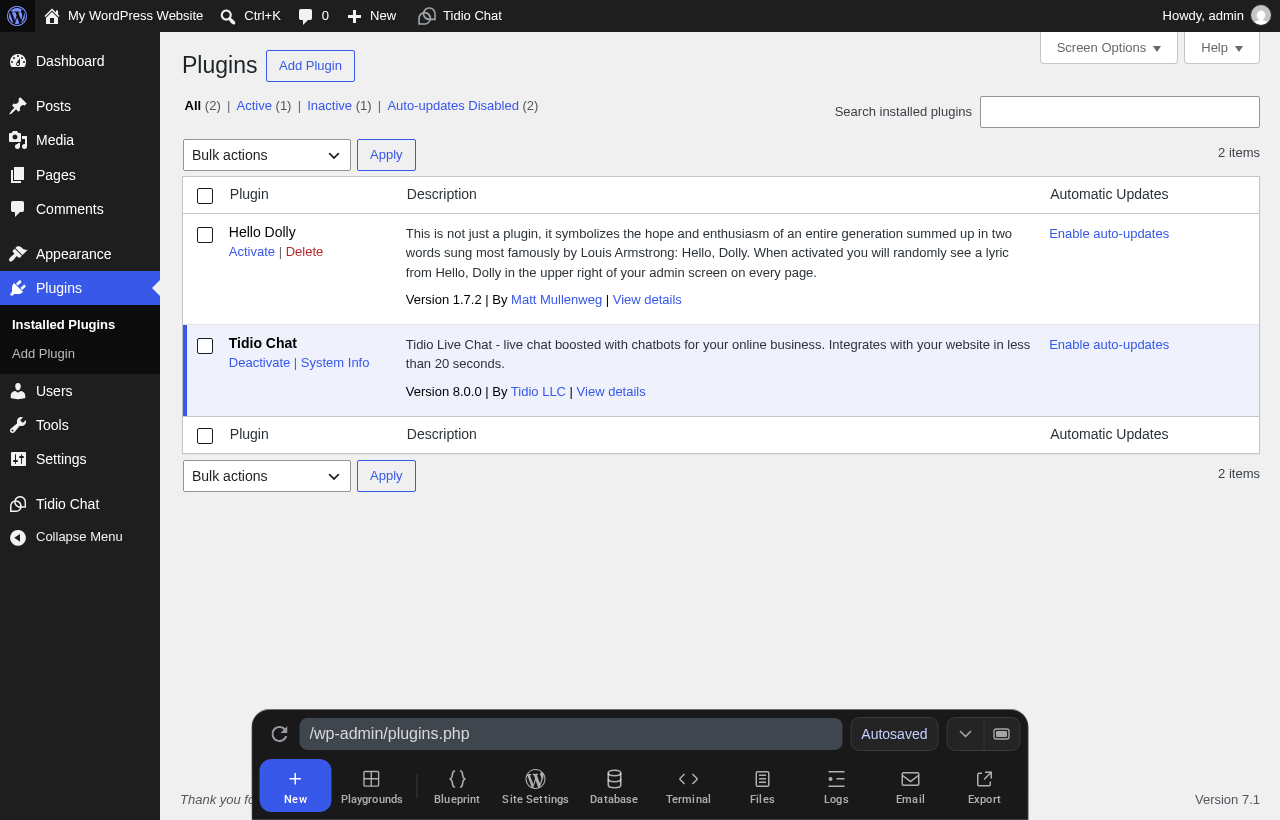
I tested the free WordPress plugin in a clean WordPress Playground install. The current WordPress.org version I saw was 8.0.0, and the plugin activated normally. After activation, the WordPress admin sidebar showed a Tidio Chat entry, and the Plugins screen identified it as active.
The hands-on WordPress side felt simple because there is not much to configure locally. The plugin’s job is to connect WordPress to Tidio and load the widget. Tidio’s own help article describes the setup in three broad steps: install the plugin, create or log in to a Tidio account, then complete the onboarding tour and manage settings in the Tidio admin panel.
This is good for non-technical users. It also means you should expect to create a Tidio account during setup. If you are evaluating Tidio for a client, factor that into your workflow. The WordPress plugin is not a no-account local chat box.
Setup notes from the test
- Plugin activation was straightforward in a clean WordPress environment.
- The wp-admin surface is minimal compared with full local WordPress plugins.
- The core inbox, automation, AI, and widget settings are hosted by Tidio.
- The plugin is best treated as the WordPress connector for a larger customer service platform.
Live chat widget and shared inbox
The live chat widget is the reason many WordPress users start with Tidio. On the official WordPress integration page, Tidio positions the product around real-time support, multichannel communication, ticketing, and proactive automation. The widget can sit on a WordPress site while your team replies from Tidio’s browser, desktop, or mobile apps.
For a small business, that setup is more practical than checking WordPress all day. Agents can reply from a shared inbox, see visitor context, use tags or notes, and convert conversations into tickets. Tidio also promotes live visitor tracking, operating hours, viewed page history on paid plans, and basic analytics.
The value is strongest when you want both sales and support use cases:
- Answer pre-sale questions while a visitor is deciding.
- Capture leads when the team is offline.
- Route repetitive questions into AI or automation.
- Turn unresolved chats into tickets.
- Manage chat alongside channels such as email, Messenger, Instagram, and WhatsApp.
If you only want a simple chat bubble that forwards messages to email, Tidio may be more platform than you need. If you want a real support inbox with growth room, the structure makes sense.

Lyro AI Agent
Lyro is Tidio’s AI customer service agent. Tidio describes it as an AI agent trained on your approved support content, with handoff rules for cases that need a human. The current product messaging focuses on trustworthy, knowledge-based answers rather than random open-ended chatbot behavior.
In practical terms, Lyro is for common questions such as:
- Shipping, returns, and policies.
- Product recommendations.
- Service information.
- Booking or lead qualification steps.
- Basic troubleshooting.
- Repetitive support questions that already have clear answers.
Tidio says Lyro can automate a large share of common conversations. On the pages I reviewed, current public messaging used figures such as 67% automation on core product pages and up to 70% in WordPress.org and help materials. I would treat those as vendor benchmarks, not a guaranteed result for every WordPress site. Your results will depend on support content quality, traffic intent, escalation rules, and how carefully you monitor conversations.
What I like about Lyro is the positioning around knowledge sources and handoff. The risk with AI support is not only wrong answers. It is wrong answers delivered confidently to paying customers. Tidio’s approach is strongest when you have clean FAQ, policy, product, and help content for Lyro to learn from.
Flows and automation
Tidio’s automation product is now presented around Flows. These are no-code automations for support and sales. On WordPress, that can include proactive messages, lead capture, discount offers, missed-conversation handling, and simple funnel steps.
Tidio’s WordPress integration page mentions 40+ no-code automation templates. The pricing page also separates Flows usage from the main customer support plan, with a free starter quota and paid add-on tiers based on visitors reached.
That separation is important. Older Tidio buyers may remember plan names such as Communicator and Chatbots. In the current pricing interface I reviewed, the main public plan structure is Free, Starter, Growth, Plus, and Premium, with Lyro AI Agent and Flows shown as add-ons or included quotas depending on usage. So when you compare older Tidio reviews, check the current pricing page rather than assuming the old Communicator and Chatbots tiers still map directly to today’s billing model.
Automation is useful, but it is also where costs and complexity can creep in. A small site might stay inside the included quota for a while. A WooCommerce store with active campaigns may hit higher Flows usage quickly.
Integrations
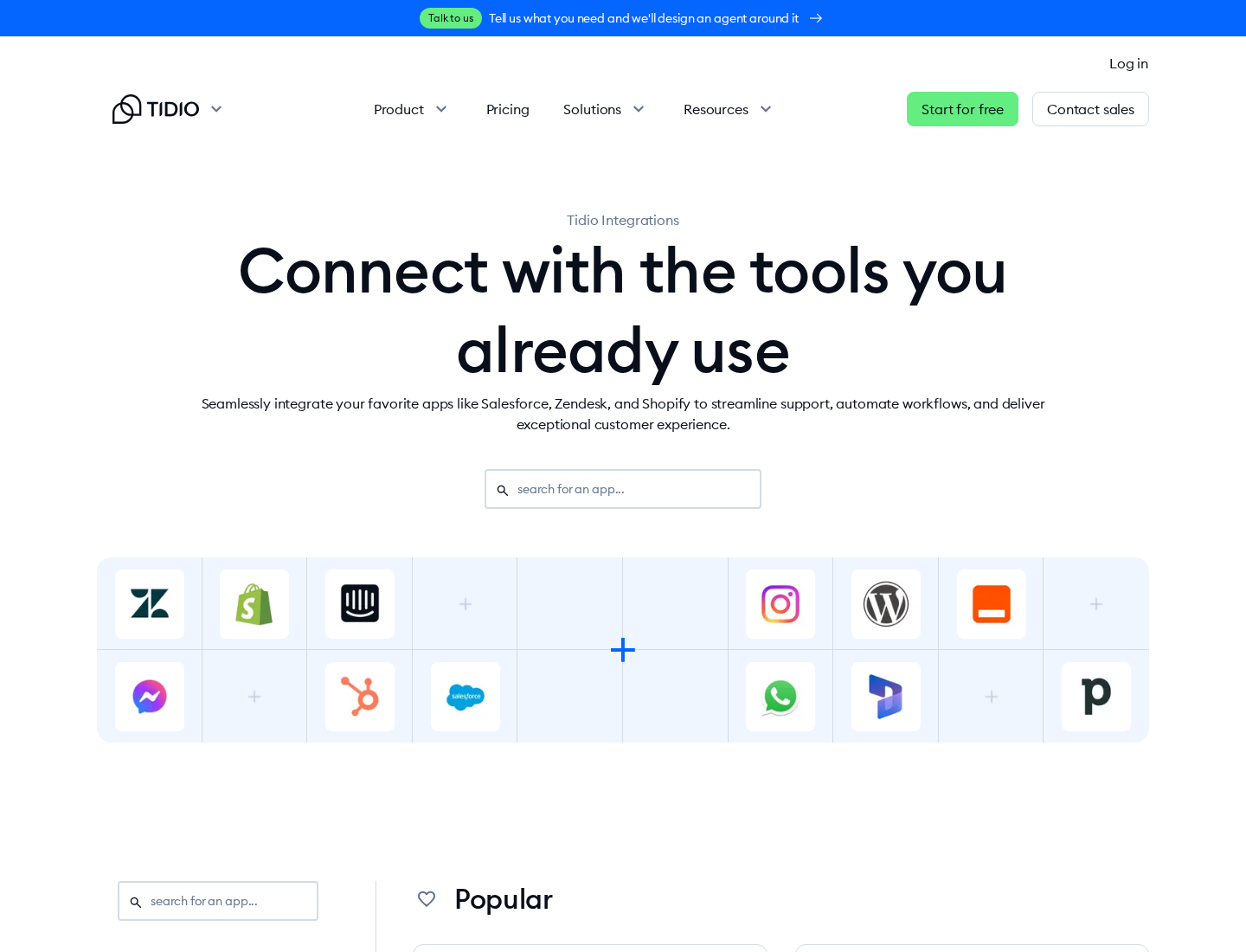
Tidio integrates with WordPress, Shopify, Messenger, Instagram, WhatsApp, Zapier, Zendesk, Salesforce, and other tools. The integrations page I checked grouped integrations across CMS, ecommerce, CRM, customer service, communication, project management, workflow automation, social media, and more.
For WordPress users, the practical integrations to watch are:
- WordPress for the site widget.
- WooCommerce use cases, especially visitor carts, product context, and ecommerce support.
- Email for support continuity.
- Messenger, Instagram, and WhatsApp for multichannel inbox workflows.
- Zapier or OpenAPI for passing leads and tickets into the rest of your stack.
- Zendesk or Salesforce if Tidio is used with an existing support system or CRM.
The integration story is strongest for teams that already have multiple communication channels. If your entire support process lives in one inbox and one WordPress site, you may not use the broader stack right away.
Tidio pricing in 2026
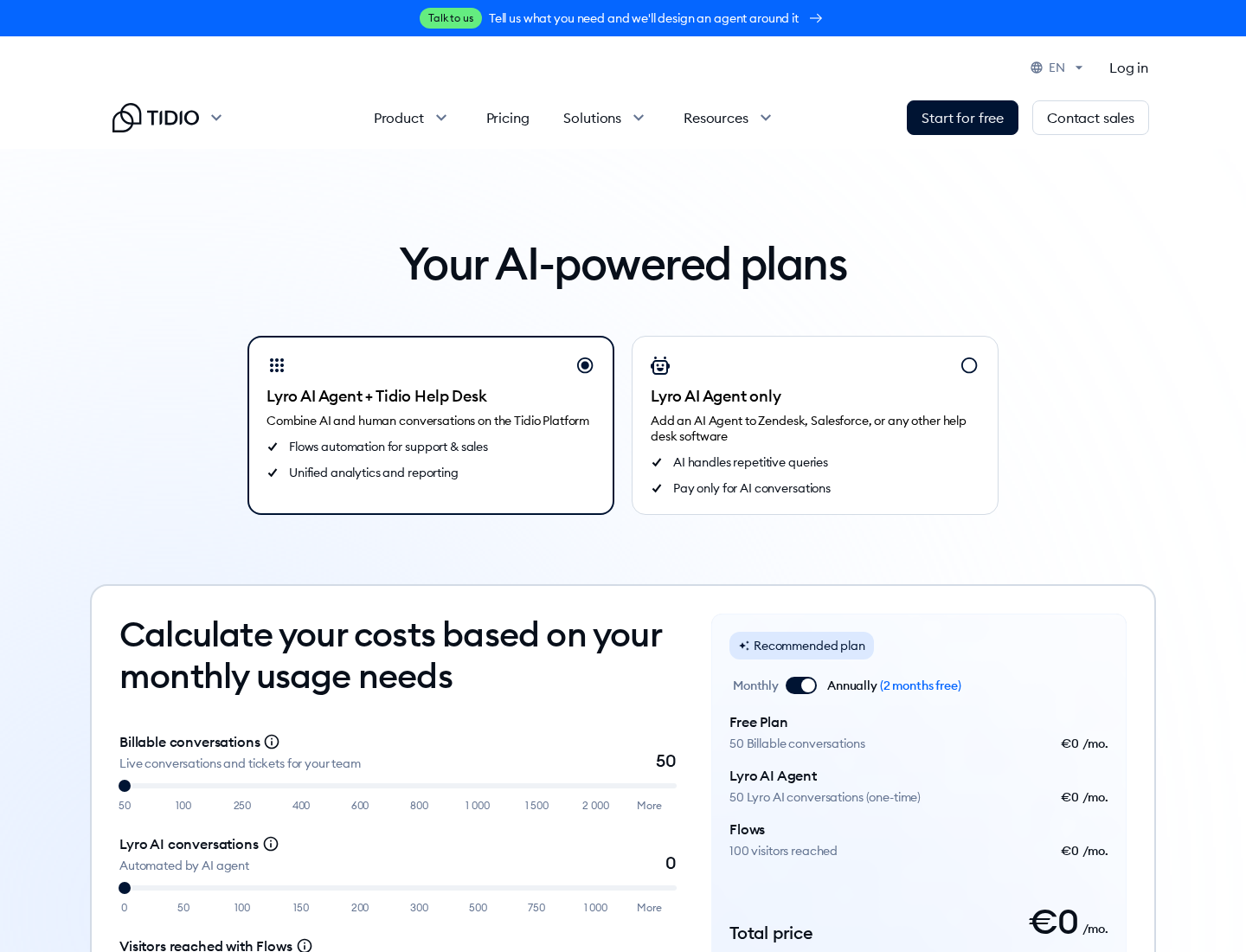
Tidio pricing is the part of this review I would study most carefully before buying. On the live pricing page I checked for this review, Tidio showed annual pricing with two months free selected. My session displayed euro pricing. Pricing can vary by billing setting, location, and plan configuration, so verify the final checkout currency for your account.
The public plans I saw were:
| Plan | Starting price shown in my review session | Main limit shown |
| Free | €0 per month | 50 billable conversations |
| Starter | €24.17 per month | 100 billable conversations |
| Growth | Starts at €49.17 per month | From 250 billable conversations |
| Plus | Starts at €300 per month plus monthly usage | Custom billable conversations |
| Premium | Contact for pricing | Custom billable conversations |
Tidio also showed customer service add-ons:
| Add-on | Starting price shown | Main limit shown |
| Lyro AI Agent | Starts at €32.50 per month | From 50 Lyro AI conversations |
| Flows | Starts at €24.17 per month | From 2,000 visitors reached |
The free plan is meaningful for testing because it gives you a real way to install the plugin, connect the service, and understand the workflow. But serious support teams should model their likely conversation volume. The pricing page focuses on billable conversations, Lyro AI conversations, and visitors reached with Flows. These are usage concepts, not just seats.
The upside is flexibility. You can start small and add automation when the numbers make sense. The downside is forecasting. A busy month, a successful campaign, or a support spike can change your needs.
Pros and cons
Pros
- Easy WordPress installation through the official plugin.
- Polished live chat experience for small businesses and ecommerce sites.
- Hosted inbox is better for support agents than managing chats inside WordPress.
- Lyro AI Agent can reduce repetitive support work when trained on good content.
- Flows add proactive messaging and lead capture without code.
- Useful multichannel coverage, including email, Messenger, Instagram, WhatsApp, and integrations.
- Free plan gives buyers a practical way to test the workflow.
- WordPress.org plugin has strong rating history and a large install base.
Cons
- It is a SaaS subscription, not a one-time WordPress plugin purchase.
- The free plan is limited and should be treated as a test or very small-site plan.
- AI and automation costs need separate attention because Lyro and Flows have their own usage limits.
- Most configuration happens outside WordPress, which may bother site owners who prefer local control.
- Published automation percentages are vendor benchmarks, not guaranteed outcomes.
- Larger teams may move quickly into higher priced plans or sales-led pricing.
Who Tidio is best for
Tidio is best for WordPress site owners who want a modern live chat plugin with a path into AI support and automation. I would shortlist it for:
- WooCommerce stores that receive repeat pre-sale and post-sale questions.
- Service businesses that want to capture leads after hours.
- Agencies that need a client-friendly live chat setup without custom development.
- Support teams that want to combine chat, tickets, and email.
- Small businesses that want to test AI support without rebuilding their whole help desk.
I would be more cautious for:
- Hobby sites with very low support volume.
- Businesses that need strict self-hosting.
- Teams that dislike usage-based pricing.
- Sites that only need a contact form replacement.
Tidio alternatives
Tidio is not the only option in the WordPress live chat space. The best alternative depends on what problem you want to solve.
| Alternative | Best for | How it compares |
| LiveChat | Dedicated live chat teams | Strong polished chat product, but usually more expensive for small teams. |
| Crisp | Startup-style shared inbox | Good balance of live chat, knowledge base, and messaging features. |
| Zendesk | Larger support operations | More complete help desk ecosystem, but heavier to set up. |
| HubSpot Chat | CRM-driven lead capture | Good if you already use HubSpot CRM and marketing tools. |
| Tawk.to | Budget live chat | Very low entry cost, but AI and automation positioning differs from Tidio. |
| Intercom | Product-led SaaS support | Powerful, but often overkill and costly for small WordPress sites. |
For a WordPress-specific buyer, Tidio sits in a useful middle ground. It is easier than enterprise help desk software, richer than a basic free chat bubble, and more AI-forward than many older WordPress chat plugins.
You can also browse our WordPress plugin reviews if you are comparing multiple WordPress tools before choosing a support stack.
Final verdict
Tidio is a strong live chat and AI chatbot option for WordPress in 2026, especially if you want a hosted support workflow rather than a plugin that keeps everything inside wp-admin. The WordPress plugin installation is simple, the product direction is clear, and Lyro AI Agent gives Tidio a stronger automation story than a standard chat widget.
The main buying question is not whether Tidio works on WordPress. It does. The real question is whether its pricing model matches your support volume. If you expect a small number of conversations and want a polished interface, Tidio is easy to test. If you expect high volume, heavy AI usage, or aggressive automation campaigns, calculate your expected bill with conversations, Lyro AI, and Flows before committing.
My recommendation: start with the free plan or trial, connect it to a staging or low-risk WordPress site, test real support scenarios, then upgrade only after you know your conversation volume.
FAQ
Is Tidio good for WordPress?
Yes. Tidio is a good WordPress live chat plugin if you want a hosted inbox, a modern chat widget, automation, and optional AI support. It is less ideal if you want a fully self-hosted WordPress-only solution.
Is the Tidio WordPress plugin free?
The WordPress.org plugin is free to install, and Tidio offers a free plan. The free plan has limited conversation and automation quotas, so many business sites will eventually need a paid plan or add-on.
Does Tidio include an AI chatbot?
Yes. Tidio’s AI product is called Lyro AI Agent. It can answer common customer questions from your support content and hand conversations to human agents when needed.
What happened to Tidio Communicator and Chatbots plans?
Older reviews often discuss Communicator and Chatbots plan names. In the current public pricing interface I reviewed, Tidio showed Free, Starter, Growth, Plus, and Premium plans, with Lyro AI Agent and Flows handled through quotas and add-ons. Always verify the current pricing page before buying.
Is Tidio pricing cheap?
Tidio can be inexpensive at low conversation volume, especially for testing. It can become more expensive as billable conversations, Lyro AI conversations, and Flows usage increase. The pricing model is flexible, but it requires monitoring.
Can Tidio replace a help desk?
For small teams, Tidio can work as a lightweight help desk with live chat, ticketing, email, automations, and visitor context. Larger teams with advanced SLAs, complex routing, and deeper reporting may still prefer a dedicated help desk such as Zendesk or a sales-led Tidio plan.
Does Tidio work with WooCommerce?
Tidio markets WordPress and ecommerce use cases, including live chat, proactive messages, product cards, and customer conversations. If WooCommerce-specific actions matter to you, test them during the trial before upgrading.
Is Tidio the best live chat plugin for WordPress?
It is one of the strongest options for WordPress users who want live chat plus AI automation. It may not be the best choice for users who only need a basic free chat widget or who want all data stored inside WordPress.