


Quick verdict
Crisp is one of the stronger WordPress live chat choices if you want a real customer messaging platform, not only a floating chat bubble. The free plan is useful for small sites because it includes 2 seats, a website chat widget, shared inbox basics, mobile apps, and unlimited conversations. The paid plans make more sense when you need email inbox, automation, knowledge base, omnichannel channels, CRM depth, and AI support workflows.
My main caution is that Crisp can feel bigger than a simple WordPress plugin. The plugin is mostly a connector between WordPress and your Crisp workspace. Most of the real work happens inside the Crisp web app. That is good if your team wants shared support operations. It is less ideal if you want every setting to live inside WordPress.
Best for: SaaS sites, agencies, WooCommerce stores, and service businesses that want live chat plus inbox, chatbot, CRM, and support tooling in one workspace.
Not best for: hobby blogs that only need a basic free chat widget, or teams that want a fully WordPress-native support plugin.
What is Crisp Chat?
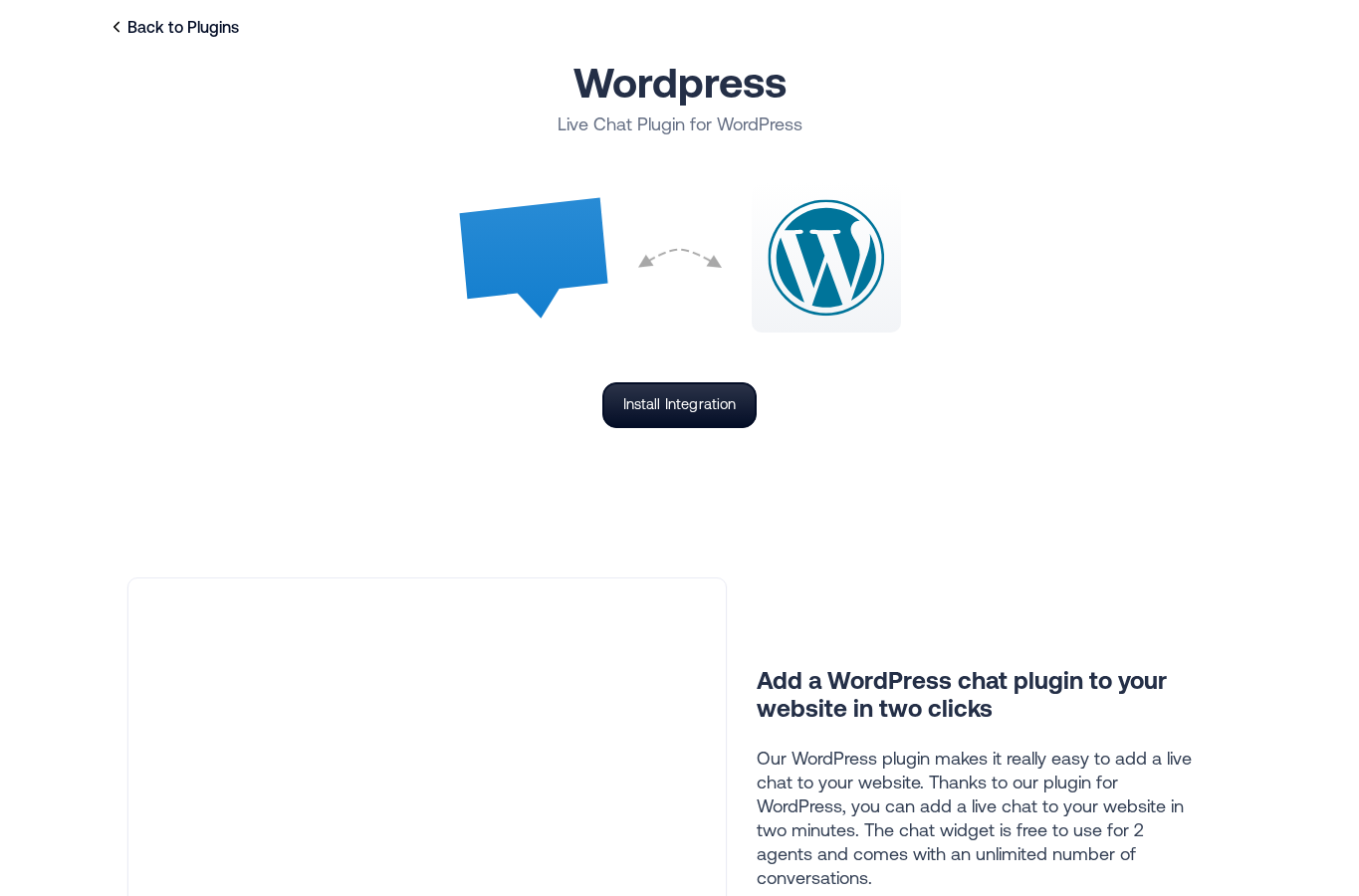
Crisp Chat is a customer messaging platform with a WordPress plugin for adding the Crisp chat widget to a WordPress site. The WordPress plugin connects your site to a Crisp workspace, then your team handles conversations from Crisp Inbox.
In practical terms, Crisp is closer to Intercom, Tidio, and LiveChat than to a small standalone contact widget. It combines live chat, shared inbox, visitor context, contact profiles, chatbot automation, knowledge base, integrations, and AI support features depending on the plan.
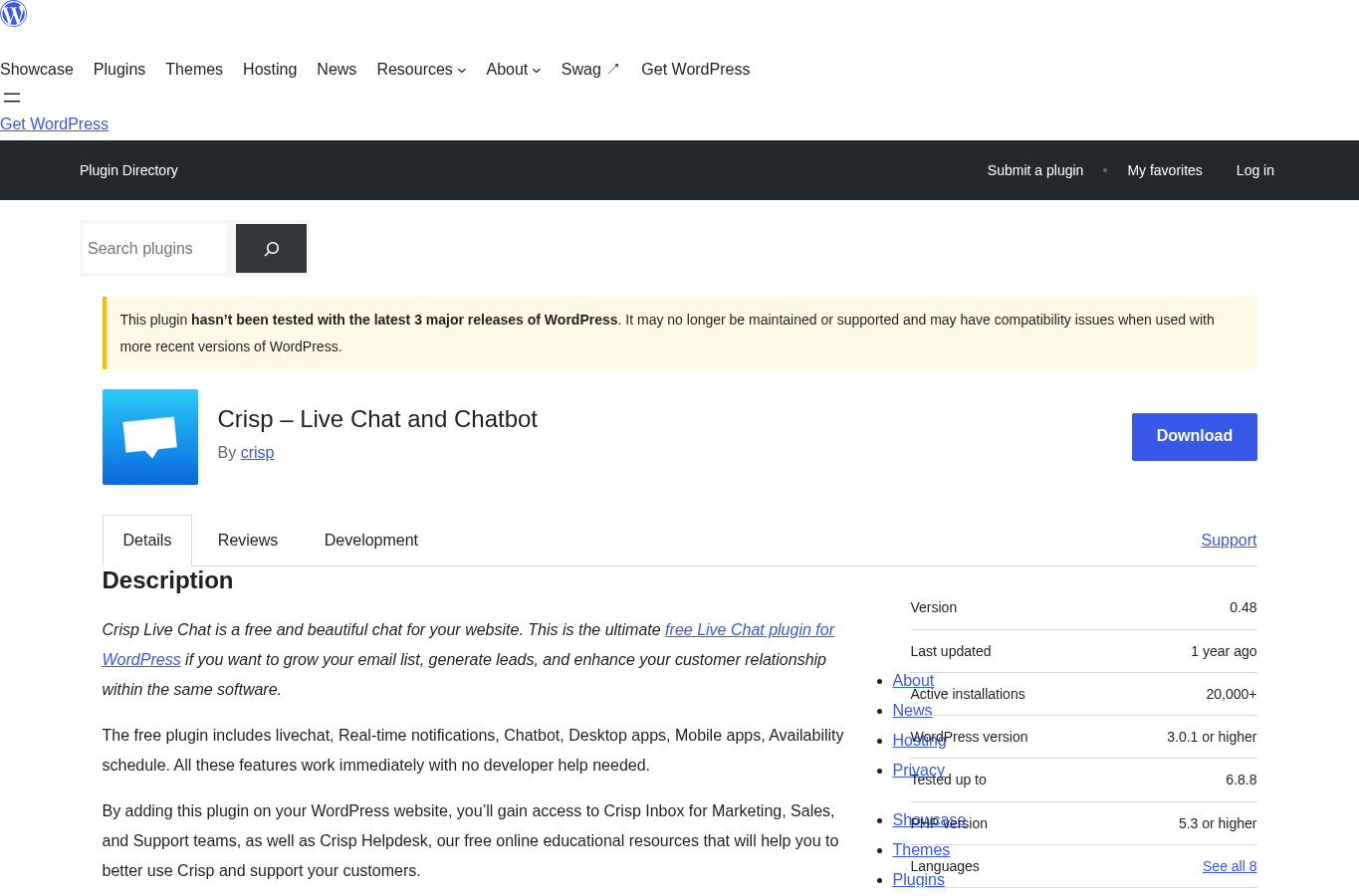
The WordPress plugin is free on WordPress.org. It is currently listed as Crisp – Live Chat and Chatbot, version 0.48, with 20,000+ active installations, a 4.6 out of 5 rating, and 73 reviews at the time of research. WordPress.org also shows a compatibility warning because the plugin has not been tested with the latest 3 major WordPress releases, so that is worth checking before you add it to a high-risk production site.
How I tested Crisp for this review
For this Crisp Chat review, I checked the current WordPress.org listing, the official WordPress integration page, Crisp’s current help documentation, the free plan documentation, current pricing, public feature pages, and recent WordPress.org reviews. I also walked through the WordPress install path from the official documentation and inspected how the plugin is meant to connect a WordPress site to a Crisp workspace.
I treated Crisp as a WordPress site owner would: first as a free live chat plugin, then as a paid customer support platform. I did not pretend that the WordPress plugin itself contains the full chatbot builder or CRM. Those features live in Crisp, and the plugin mainly handles the site connection.
Setup experience on WordPress
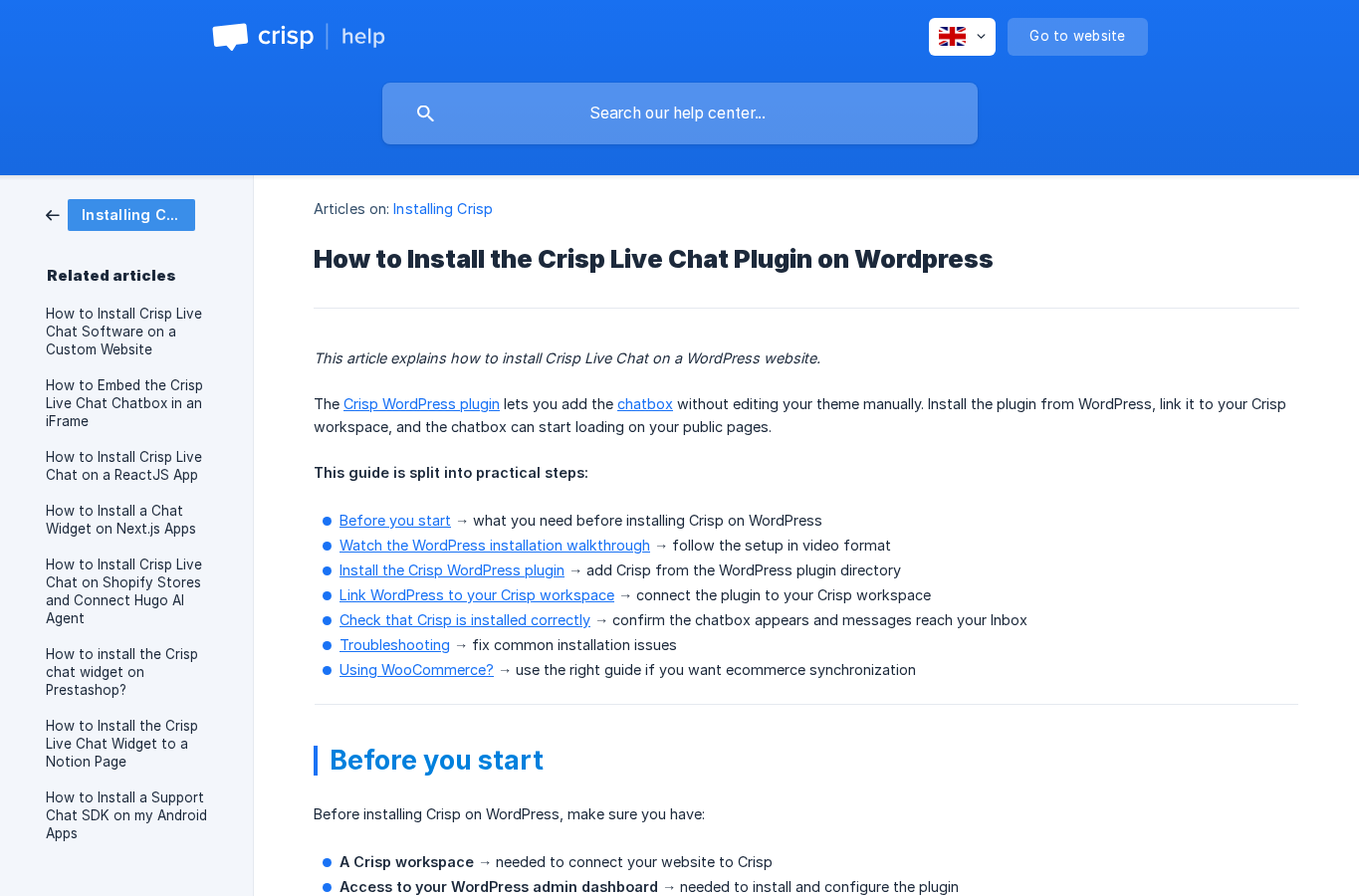
The WordPress setup is straightforward:
- Install the Crisp plugin from the WordPress plugin directory.
- Activate the plugin.
- Open Crisp Settings in the WordPress admin.
- Click Link with Crisp.
- Select the Crisp workspace you want to connect.
- Open the public site and send a test message.
- Confirm the message arrives in Crisp Inbox.
This is a clean setup model for non-technical users. You do not need to paste a JavaScript snippet into your theme or edit template files. The tradeoff is that you must create and manage a Crisp workspace outside WordPress.
In my view, the setup is easier than a self-hosted helpdesk plugin, but less WordPress-native than plugins that keep all configuration inside wp-admin. If your team is already comfortable using external SaaS dashboards, Crisp feels natural. If you want everything in WordPress, it may feel like an extra system to learn.
Crisp live chat widget
The live chat widget is the core reason most WordPress users install Crisp. It gives visitors a way to start a chat from your public pages, and it routes messages into Crisp Inbox.
The free plan is useful because it does not cap conversations in the way many live chat products do. For small teams, the combination of free widget, 2 seats, shared inbox, and mobile apps is enough to test live chat seriously before paying.
The widget can support sales questions, support questions, lead capture, and basic contact collection. Crisp also gives teams visitor context such as profile details and browsed pages, which helps agents answer with more context than a simple contact form would provide.
Shared inbox and team workflow
Crisp becomes more interesting when you think beyond the chat bubble. Crisp Inbox is designed for support, sales, and marketing teams that need to reply from a shared space.
On lower usage sites, this may simply mean two people can reply to website chats. On bigger sites, the inbox can become a multi-channel support desk with email, chat, and social messaging channels depending on the plan and integrations.
The main strength here is that Crisp uses flat workspace pricing rather than charging only per conversation volume. That can be attractive if your site receives a lot of chat volume but has a small support team.
Chatbot, automation, and AI features
Crisp includes chatbot and automation features, but the best automation options are not all in the free tier. The public pricing page places workflow automation, omnichannel AI chatbot, knowledge base, analytics, and routing rules in the Essentials tier and higher.
That matters for WordPress buyers. If you search for “Crisp chatbot” and expect a full no-code chatbot builder on the free plan, you may be disappointed. The free plan is better viewed as a live chat and shared inbox starter plan. Paid plans are where Crisp turns into a serious automation platform.
The AI story is also becoming more central to Crisp. Mini, Essentials, and Plus include different AI credit allowances, with higher tiers including more automated conversations. For teams comparing Crisp vs Intercom, this is one of the key areas to model carefully because AI usage can change the real monthly cost.
CRM and customer context
Crisp’s contact profile features are a major reason to consider it over a basic WordPress live chat free plugin. Instead of treating each chat as an isolated message, Crisp can collect and display customer information, visited pages, contact details, and tags.
This is useful for:
- SaaS onboarding questions
- WooCommerce pre-sale questions
- agency lead qualification
- support teams that need past conversation history
- businesses that want to segment contacts after chats
Crisp is not a full sales CRM replacement for every company, but it gives small teams much more context than a plain chat widget.
Integrations and WooCommerce fit
Crisp has a broad integration ecosystem, including WordPress, WooCommerce, Zapier, Make, WhatsApp Business, Instagram DMs, Messenger-style channels, Slack-style team workflows, and more. Not every integration is available on every plan, so check your must-have channels before choosing a tier.
For WooCommerce, Crisp can be appealing because live chat often sits close to purchase decisions. Visitors may ask about shipping, product details, returns, or checkout problems. Crisp also has dedicated WooCommerce documentation for teams that need ecommerce data connected to the support experience.
Crisp pricing in 2026
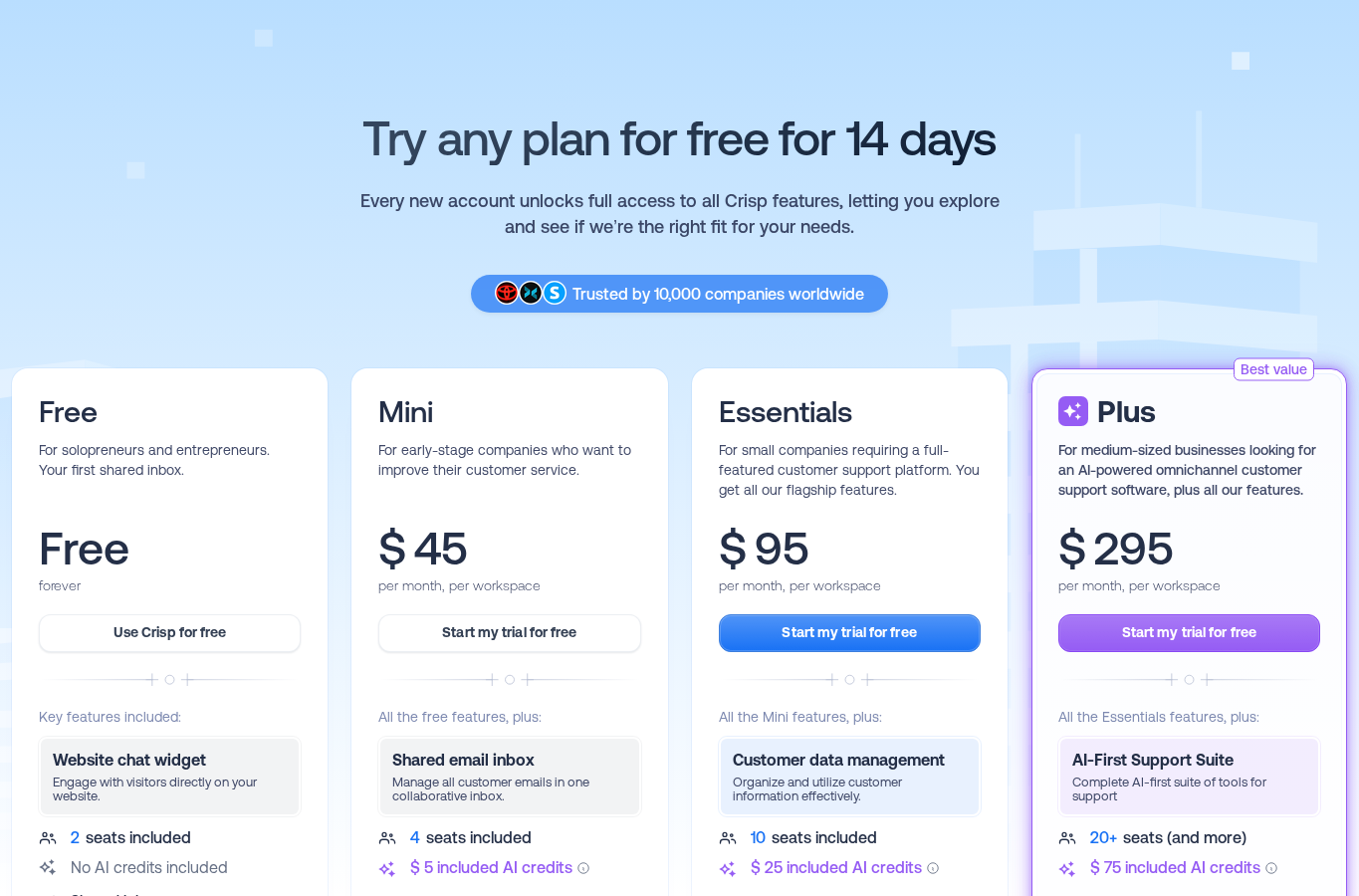
Crisp pricing is per workspace per month. At the time of research, the public pricing page lists:
| Plan | Monthly price | Seats included | Best fit |
|---|---|---|---|
| Free | $0 | 2 | Basic live chat, shared inbox, and mobile access |
| Mini | $45 per workspace | 4 | Early-stage teams that need more support features |
| Essentials | $95 per workspace | 10 | Small companies that need automation, knowledge base, and omnichannel tools |
| Plus | $295 per workspace | 20+ | Larger teams that want advanced AI support, ticketing, white labeling, and higher limits |
Crisp also lists additional agents at $10 per month on the pricing table. Mini includes $5 in AI credits, Essentials includes $25, and Plus includes $75, with approximate automated conversation allowances shown on Crisp’s pricing materials.
The pricing is competitive if you compare it with per-seat customer support tools and you use the included seats. For example, a 10-person support team may find the Essentials workspace price easier to model than a per-agent tool. But the jump from Free to Mini is meaningful for small WordPress sites, and the most interesting automation features sit at Essentials or above.
Crisp vs Intercom
Crisp is often compared with Intercom because both products combine chat, inbox, automation, customer data, and AI support. The difference is positioning.
Crisp feels more approachable for small and mid-sized teams that want predictable workspace pricing. Intercom is more established in larger SaaS support and customer success operations, but it can become expensive once seats, AI, and add-ons are included.
Choose Crisp over Intercom if you want:
- a simpler entry point for a WordPress site
- a generous free live chat starting point
- workspace pricing with included seats
- built-in chat, inbox, CRM, knowledge base, and automation in one platform
Choose Intercom instead if you need a deeper enterprise support ecosystem, mature customer success workflows, or your team already standardizes around Intercom.
Crisp vs Tidio and LiveChat
Crisp, Tidio, and LiveChat all work for WordPress live chat, but they suit different buyers.
Tidio is often the easiest pick for small ecommerce teams that want live chat plus AI chatbot features with a friendly WordPress setup. You can read our Tidio review if you are comparing live chat and AI chatbot tools for smaller WordPress stores.
LiveChat is a polished support product for teams that want a focused live chat and customer service workflow. Crisp is broader than simple live chat and leans more into an all-in-one messaging platform with shared inbox, CRM, knowledge base, and automation.
If I had to simplify the choice:
- Pick Crisp for all-in-one customer messaging and predictable workspace pricing.
- Pick Tidio for a beginner-friendly ecommerce live chat and chatbot path.
- Pick LiveChat for a mature, focused live chat support stack.
Pros and cons
Pros
- Useful free plan for basic WordPress live chat
- 2 seats and shared inbox basics included on Free
- Simple WordPress connection process
- Strong shared inbox for support and sales teams
- CRM-style contact context is better than a basic chat widget
- Paid plans scale into automation, knowledge base, and omnichannel support
- Flat workspace pricing can be attractive for teams with several agents
- Mobile and desktop apps help teams reply outside wp-admin
Cons
- The WordPress plugin is mainly a connector, not a full WordPress-native support suite
- WordPress.org currently shows a latest-major-release testing warning
- The jump from Free to Mini can feel steep for hobby sites
- Advanced chatbot, routing, analytics, knowledge base, and omnichannel features are paid-tier decisions
- AI credits and automation limits need careful review if support volume is high
- Teams that only need a basic free widget may find Crisp more complex than necessary
Who should use Crisp Chat?
Crisp is a good fit for WordPress site owners who expect live chat to become part of a broader customer support process. If you only want a bubble where visitors can ask a quick question, the free plan may be enough. If you want your support, sales, and success team to work from one inbox, Crisp is more compelling.
I would shortlist Crisp for:
- SaaS companies running marketing pages on WordPress
- WooCommerce stores that need chat close to checkout
- agencies qualifying leads from service pages
- course, membership, or community sites with recurring support questions
- teams comparing Crisp vs Intercom on pricing and simplicity
I would skip it for:
- personal blogs with rare visitor questions
- teams that refuse to use external SaaS dashboards
- sites where plugin compatibility warnings are unacceptable without staging tests
- stores that need ecommerce-specific support workflows at the lowest possible price
Final verdict
Crisp is a strong WordPress live chat plugin if you understand what it really is: a bridge between WordPress and a wider customer messaging platform. The free plan is genuinely useful for basic live chat, especially because it includes 2 seats and shared inbox basics. The paid plans become attractive when your site needs customer profiles, email inbox, automation, knowledge base, omnichannel messaging, and AI support features.
The main reason not to choose Crisp is complexity. A small site may not need a full support platform. There is also a WordPress.org compatibility warning to check on staging before deploying it to a critical site. But for growing WordPress businesses that want a polished Intercom alternative with a strong free starting point, Crisp deserves a serious look.
FAQ
Is Crisp Chat free for WordPress?
Yes. The Crisp WordPress plugin is free, and Crisp has a Free plan with 2 seats, a website chat widget, shared inbox basics, mobile apps, and contact form support. Paid plans unlock more advanced support, automation, AI, and omnichannel features.
Is Crisp a WordPress plugin or a SaaS platform?
It is both. The WordPress plugin connects your website to Crisp. The inbox, chatbot, CRM, automation, and support operations run inside the Crisp SaaS workspace.
Does Crisp work with WooCommerce?
Yes. Crisp supports WordPress and has WooCommerce-related documentation and integrations. WooCommerce stores should check the dedicated WooCommerce setup path if they want ecommerce data connected to customer conversations.
Is Crisp better than Intercom?
Crisp can be better for small and mid-sized teams that want simpler workspace pricing and a generous free live chat starting point. Intercom may still be better for larger teams with enterprise support and customer success workflows.
Does Crisp include a chatbot?
Crisp includes chatbot and automation options, but the most valuable chatbot and workflow automation features are tied to paid plans. Review the current pricing page before assuming a specific chatbot feature is included in Free.
Is Crisp good for small businesses?
Yes, especially if the business wants live chat, a shared inbox, and room to grow into automation. Very small sites that only need occasional chat may prefer to stay on the free plan or compare simpler alternatives.
What is the biggest downside of Crisp for WordPress?
The biggest downside is that it is not fully WordPress-native. The plugin connects the chatbox, but most setup and support work happens in Crisp. WordPress.org also shows a compatibility testing warning that site owners should verify on staging.
Should I use Crisp or Tidio?
Use Crisp if you want a broader customer messaging platform with shared inbox, CRM, knowledge base, and predictable workspace pricing. Use Tidio if you want a very beginner-friendly live chat and AI chatbot setup for a smaller WordPress or ecommerce site.