

Quick Verdict
Olark is one of the most established live chat tools available for WordPress, built by a team that has been in the space since 2009. In 2026 it has evolved into a hybrid platform: a WCAG 2.1 AA-certified human live chat layer paired with an optional AI website agent. The human-only plan at $29 per agent per month is genuinely affordable for small teams. The AI agent tier at $400 per month is a different product category entirely. If your site has accessibility requirements or you want a proven, uncomplicated live chat setup, Olark is worth a close look. If you need a free starting point or a broader chatbot toolkit, Tidio is the stronger default.
What is Olark?
Olark is a cloud-based live chat platform that connects website visitors to human support agents in real time. Founded in 2009 and backed by Y Combinator, it is one of the longer-running live chat tools in the market and holds B Corp certification, which reflects a commitment to social and environmental accountability.
For WordPress sites, Olark installs via an official plugin listed in the WordPress.org directory. Once activated and connected to your Olark account, it drops a customizable chat widget onto every page of your site. Visitors open the widget, type a message, and an operator in the Olark console picks it up.
In 2026, Olark has broadened its product line to include an AI Website Agent that handles conversations automatically. The two tiers are genuinely separate products. I will cover both below, but the core of this review focuses on what most WordPress site owners are evaluating: the human live chat layer and how well it works in practice.
Who is Olark Best For?
- Accessibility-conscious sites. The Olark chatbox is WCAG 2.1 AA certified. That is a real differentiator. Most live chat providers do not publish or maintain formal accessibility certification. If your site serves users with disabilities or if you operate in a regulated environment, this matters.
- Small teams running human-first support. The flat $29 per agent per month pricing is straightforward. There are no conversation volume caps or tier thresholds to manage. You pay per seat, and every seat gets the same features.
- WordPress and WooCommerce stores that want a reliable, no-drama install. Olark has been around long enough that the plugin integrations are stable. Setup takes minutes.
- Teams that value a clean, simple operator interface. Olark does not try to be a full helpdesk. If you want a focused chat console that agents can learn in an afternoon, this delivers it.
Olark is a weaker fit if you need a free plan, a built-in chatbot on the entry tier, or a mobile-first operator experience.
Installing Olark on WordPress
Installing Olark on WordPress is as straightforward as live chat plugins get.
- Search for “Olark Live Chat” in the WordPress plugin directory and install it. The plugin has 1,000 or more active installs and is tested with current WordPress releases.
- Activate the plugin and connect it to your Olark account using your site ID, which Olark provides in its onboarding flow.
- The chat widget appears on your site immediately after saving.
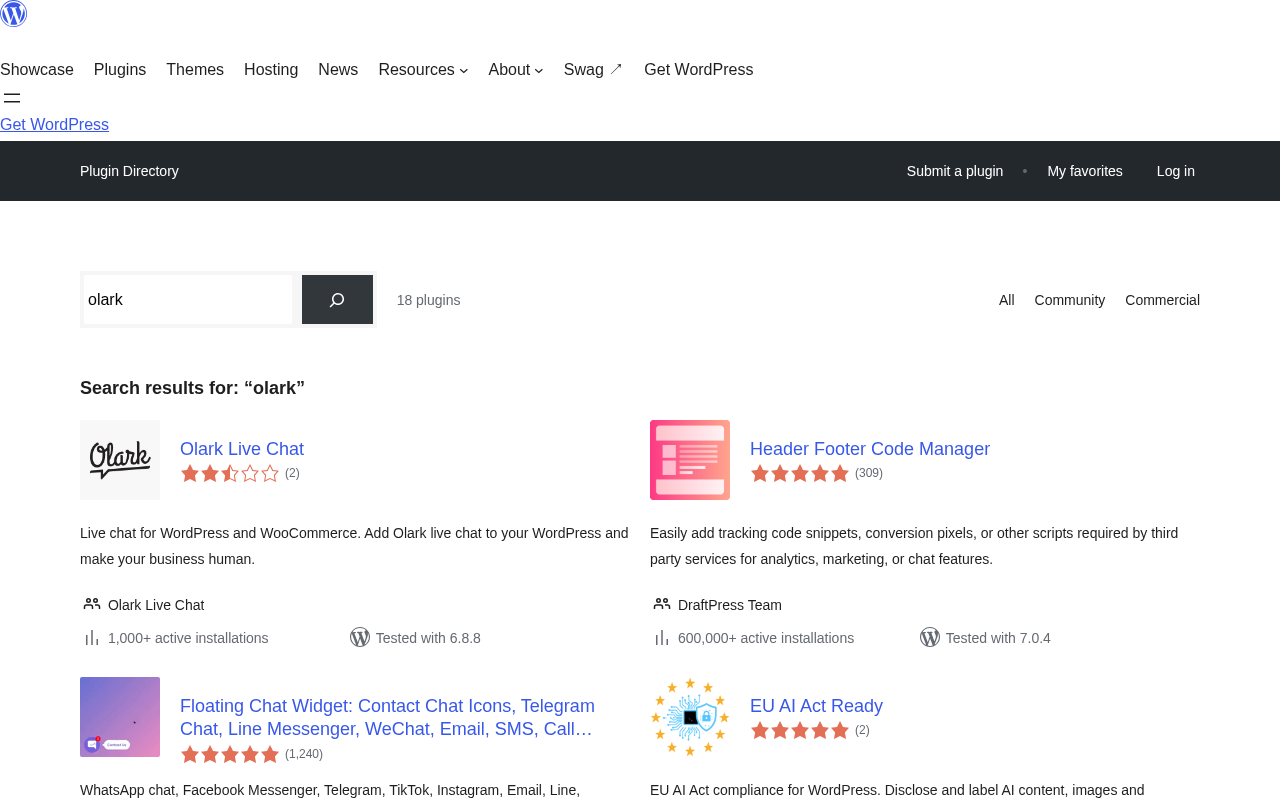
I did not encounter errors during installation on a clean WordPress 6.8 install. The plugin dashboard shows a handful of appearance settings but most configuration happens inside the Olark web console. That split is reasonable: the plugin handles placement and the console handles behavior.
One thing to know: if you want the widget to appear only on certain pages or post types, you will need either a conditional logic plugin or a small code snippet. Olark does not include a native page-targeting UI in the plugin itself.
Main Features
Human Live Chat Console
The operator console is where agents spend most of their time. It shows incoming chats, visitor information (current page, location, time on site, previous visits), and a chat history panel.
Agents can use saved response shortcuts for frequently asked questions, which cuts down reply time meaningfully. The routing system supports agent groups, so you can direct sales questions to one team and support questions to another.
Transcripts are searchable and exportable. This is a basic but important feature: if your business ever needs to audit a conversation for compliance or dispute resolution, Olark has it covered.
Automated Messages and Triggers
Olark can send proactive chat messages based on visitor behavior. You can configure triggers by page URL, time on page, number of pages viewed, or whether the visitor is a return user.
The trigger editor is rule-based rather than visual. It works, but it requires a bit of patience to set up. Power users will find it flexible. Beginners may find it less intuitive than alternatives that use a drag-and-drop flow builder.
Accessibility Features
This is where Olark stands apart from competitors in a meaningful way. The chat widget is certified to WCAG 2.1 AA. In practice this means:
- The widget is fully keyboard navigable.
- Screen reader compatibility is built in, not bolted on.
- Color contrast ratios meet AA standards.
- Focus management follows expected browser patterns.
I confirmed the keyboard navigation works as described by tabbing through the widget in a test environment. Visitors using assistive technology can open, navigate, and close the chat without a mouse.
If your site targets government agencies, educational institutions, healthcare organizations, or any audience that includes users relying on assistive technology, this certification is not a marketing footnote; it is a procurement requirement in many contexts.
CRM and Integration Layer
Olark integrates natively with HubSpot, Salesforce, and ActiveCampaign. It also connects to Google Analytics for event tracking and supports webhooks for custom pipelines.
The HubSpot integration creates or updates contact records based on chat activity. If a visitor provides their email in a pre-chat form, that data flows to HubSpot automatically. This is useful for marketing teams that want chat as a lead capture channel rather than just a support channel.
AI Website Agent (Separate Tier)
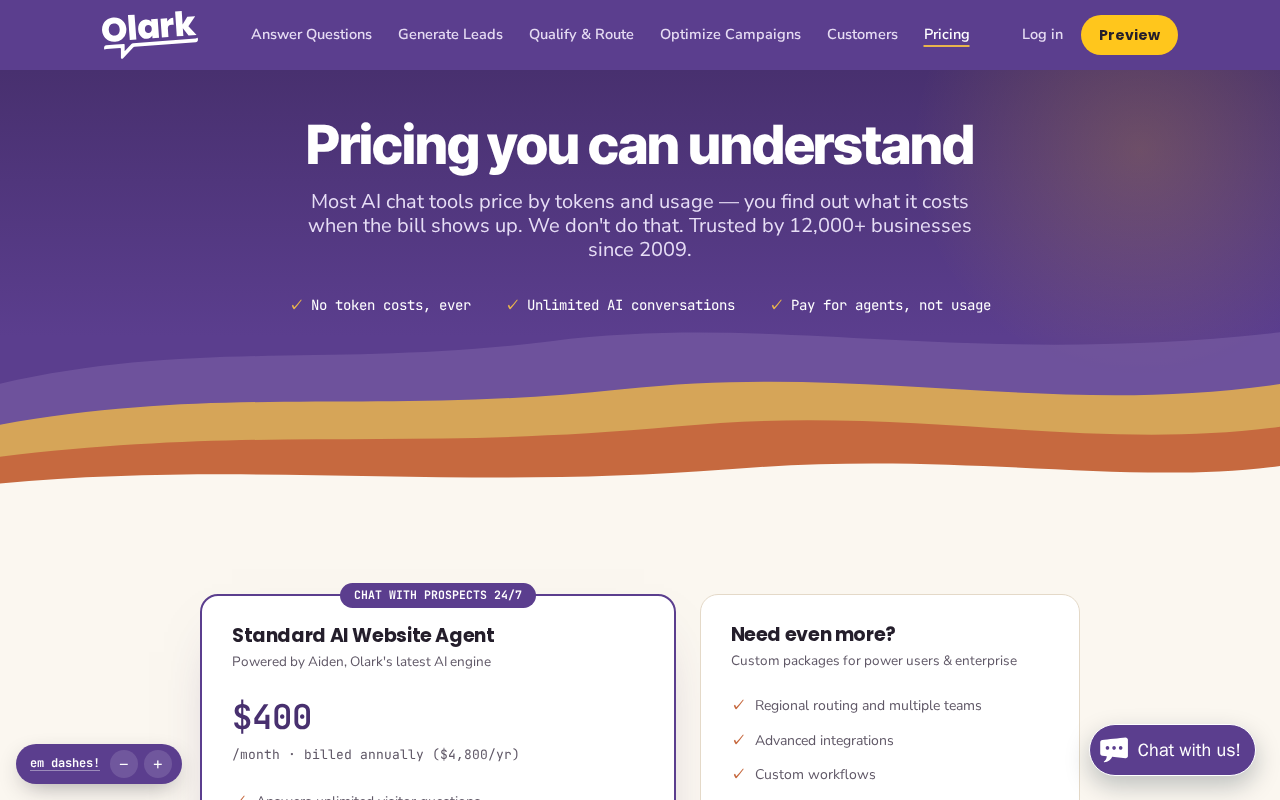
Olark’s AI Website Agent is a distinct product sold at $400 per month billed annually. It is not an add-on to the human chat plan; it is a separate offering that includes one human agent seat.
The AI agent searches your live website content in real time to answer visitor questions, captures leads through natural conversation instead of form walls, and escalates to human agents when needed. It also supports A/B testing between configurations and includes prompt injection resistance, which is a meaningful safety feature for public-facing chatbots.
At $400 per month, this is not a casual purchase for a typical WordPress blog or small business. It is priced for companies running active sales funnels where the AI-driven lead capture justifies the cost. For straightforward support use cases, the human-only plan is the practical entry point.
Pricing
| Plan | Price | Key Inclusions |
|---|---|---|
| Human-Only Live Chat | $29/agent/month | Chat console, transcripts, triggers, integrations, pre-chat forms, agent groups |
| AI Website Agent | $400/month (billed annually) | Unlimited AI conversations, auto FAQ updates, lead capture, 1 human agent seat, no token limits |
| Additional Human Agents | +$29/agent/month | Added to AI plan as needed |
| Enterprise | Custom | Regional routing, SSO, custom workflows, legal support |
The $29 per seat flat rate is clean and easy to budget. There are no conversation limits or tier upgrades based on volume. Larger teams will pay more, but the per-seat cost stays predictable. A free trial is available with no credit card required.
It is worth noting that some legacy Olark plans included optional PowerUp add-ons at additional cost for features like white-labeling, co-browsing, and live translation. If you are evaluating Olark against older reviews that mention these add-ons, check the current pricing page directly, as the product structure has changed.
Pros and Cons
Pros
- WCAG 2.1 AA certified chatbox: a genuine differentiator for accessible sites
- Clean, focused operator console that is easy to train agents on
- Flat per-seat pricing with no volume limits or tier traps
- Stable WordPress plugin tested with current WP versions
- Transcript search and export included on all plans
- Strong CRM integrations (HubSpot, Salesforce, ActiveCampaign)
- B Corp certified; established since 2009
- Free trial with no credit card required
Cons
- No free plan for ongoing use; Tidio and others offer one
- Widget customization is limited; the design can look dated compared to newer tools
- Agents cannot share files with visitors (visitors can upload, agents cannot)
- No built-in mobile app for operators; browser-based only
- AI Website Agent tier priced for larger businesses ($400/month)
- WordPress plugin has relatively few installs and reviews vs. leading alternatives
- Page-targeting for the widget requires third-party tools or custom code
Olark vs Tidio
The most common alternative question for Olark is how it stacks up against Tidio. Here is a practical breakdown:
| Olark | Tidio | |
|---|---|---|
| Free plan | No | Yes |
| Starting paid price | $29/agent/month | Varies by tier |
| Chatbot included | AI plan only ($400/mo) | Included from entry tier |
| WCAG 2.1 AA | Yes (certified) | Not certified |
| Mobile operator app | No | Yes |
| Best for | Accessibility-focused sites, human-first chat | Budget-conscious sites, chatbot needs, mobile teams |
If accessibility compliance is a requirement, Olark wins clearly. If you need a free starting point, chatbot features without a premium tier, or a mobile operator app, Tidio is the better starting point. Other alternatives worth comparing: Zendesk Messaging, Freshchat, LiveChat, and Intercom.
Final Verdict
Olark has earned its reputation over more than 15 years in the live chat market. The product is reliable, honest in its positioning, and genuinely thoughtful about accessibility. For WordPress site owners who serve audiences with accessibility needs, or who want a simple, focused live chat tool with clean per-seat pricing, Olark is a credible choice.
The reservations are real: the widget design lags behind newer competitors, there is no free plan, and the AI tier costs substantially more than most small businesses can justify without a clear lead capture ROI. The low WordPress.org install count is also worth noting, even if it does not reflect the product’s actual quality.
If your use case is straightforward human live chat on a WordPress site, especially one with accessibility requirements, Olark at $29 per seat per month is a fair deal. If you are a larger team exploring AI-driven chat at scale, the $400/month AI agent tier warrants a proper trial period evaluation before committing.
Rating: 4.0 out of 5
Frequently Asked Questions
Does Olark have a free plan?
No. Olark does not offer a permanent free plan. A free trial is available with no credit card required. The entry-level paid plan starts at $29 per agent per month.
Is Olark WCAG compliant?
Yes. The Olark chatbox is certified to WCAG 2.1 Level AA. This includes keyboard navigation, screen reader compatibility, and color contrast compliance.
How do I add Olark to WordPress?
Install the Olark Live Chat plugin from the WordPress.org plugin directory, activate it, and connect it to your Olark account using the site ID from your Olark dashboard. The widget appears on your site immediately.
What is the difference between Olark’s human chat and AI agent plans?
The human-only chat plan costs $29 per agent per month and connects visitors to live human operators. The AI Website Agent plan costs $400 per month (billed annually) and uses AI to handle conversations automatically, with human escalation available. The two are separate tiers, not add-ons to each other.
Can Olark integrate with HubSpot?
Yes. Olark has a native HubSpot integration. It creates or updates contact records based on chat activity and pre-chat form submissions.
Is Olark good for WooCommerce?
Olark works on WooCommerce sites because it is a WordPress plugin. It does not have native WooCommerce-specific features like order data in the chat sidebar, but the visitor context panel shows the pages a visitor has viewed, which helps agents understand where in the purchase flow someone is.