


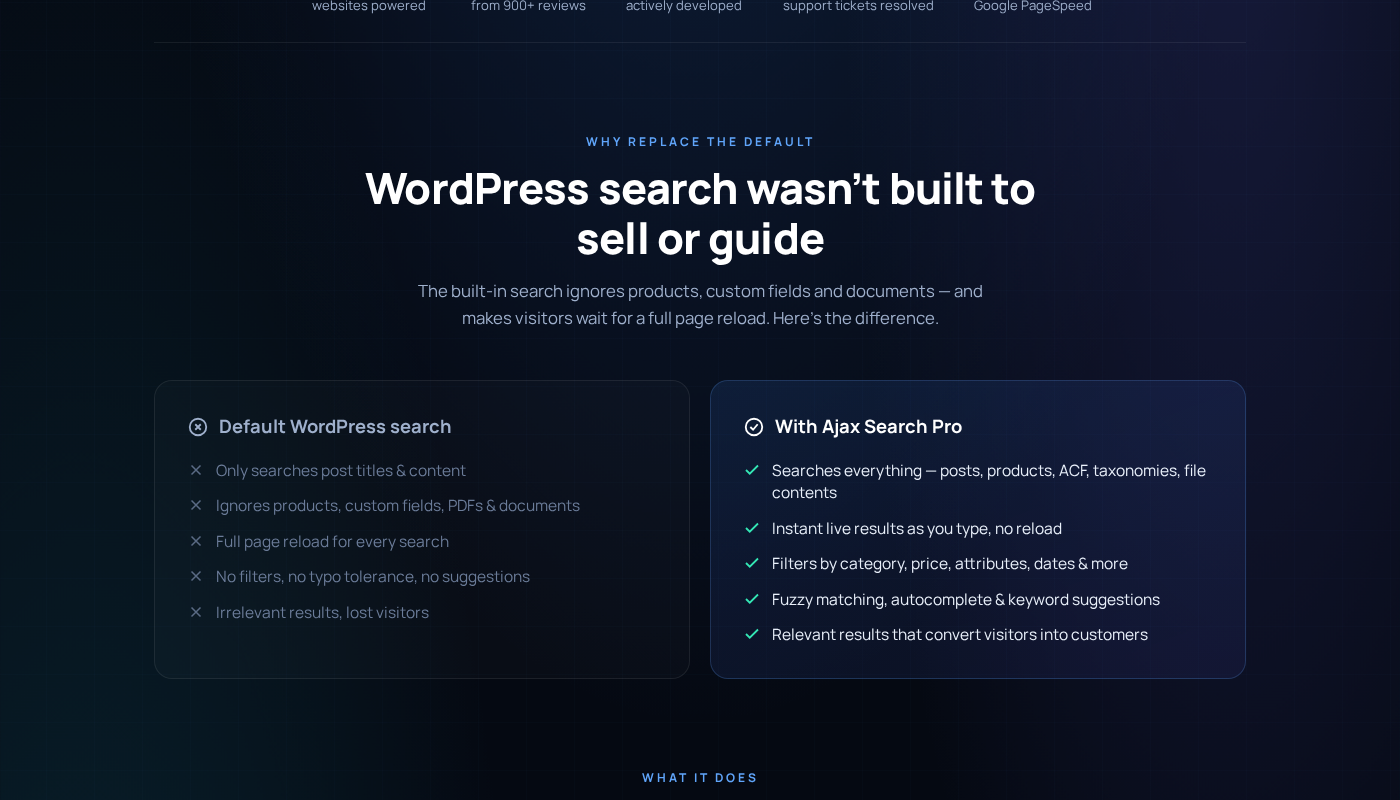
WordPress ships with a search bar that runs a basic LIKE query against post titles and body content. It ignores custom fields, taxonomy terms, users, WooCommerce product data, PDF attachments, and everything else that lives outside the standard post table. For simple blogs, that is acceptable. For a property listing site, a WooCommerce store with hundreds of products, or any content platform where visitors arrive expecting to find specific things, it actively fails the user experience.
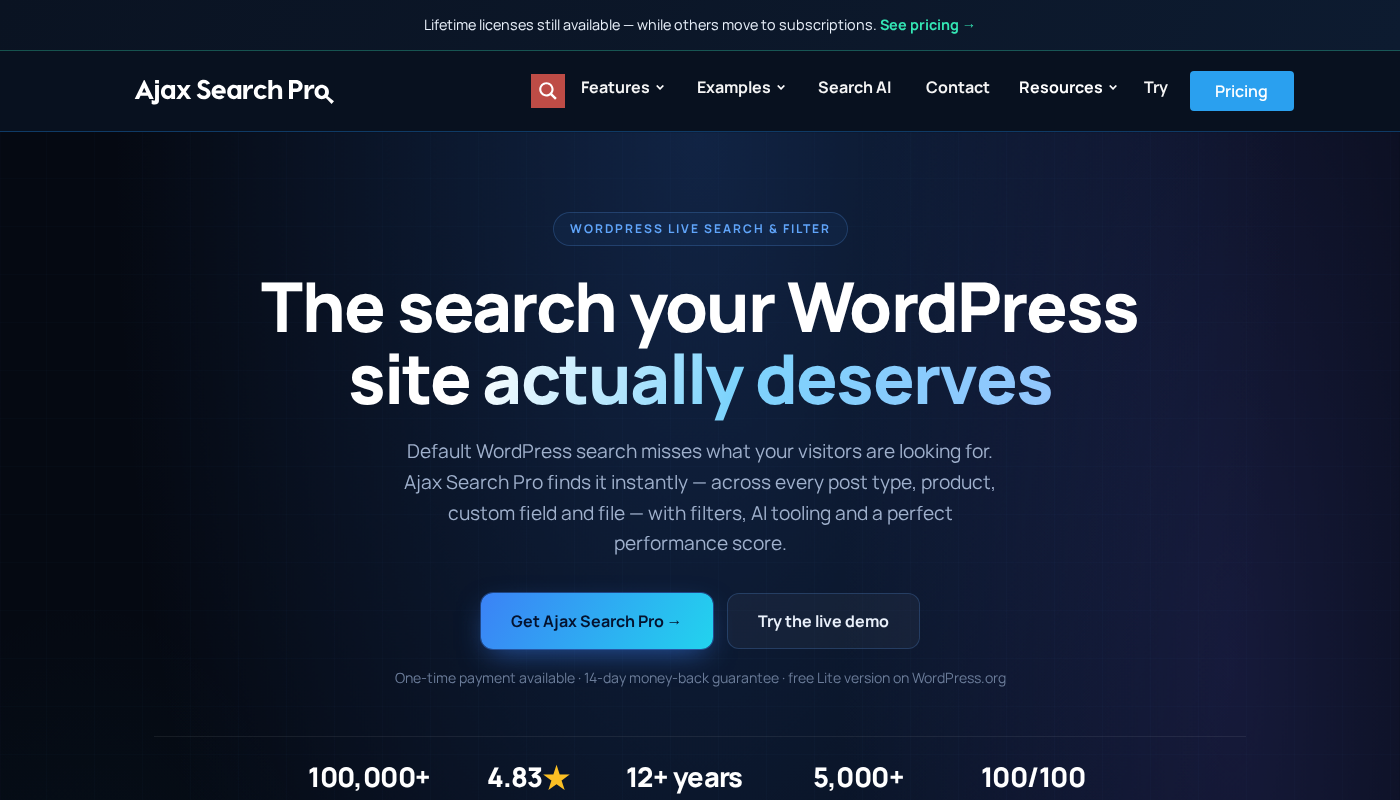
Ajax Search Pro has been solving that problem since 2012. It is a premium AJAX-powered live search plugin built and maintained by a single developer, Ernest Marcinko, under the wpdreams brand. As of September 2026, more than 100,000 WordPress sites run it. The Codecanyon listing shows 23,000+ sales with a 4.84/5 rating across over 1,000 reviews, which is an unusually strong signal of real-world reliability for a paid plugin in this category.
I reviewed Ajax Search Pro 4.29.x using the official website at ajaxsearchpro.com, the plugin feature pages, pricing page, documentation, the Codecanyon listing, and the free Ajax Search Lite plugin on WordPress.org. Features gated to the paid version are described from official documentation and first-party materials where direct testing was not possible. Each such section says so where relevant.
At a glance
- Audited on: ajaxsearchpro.com features, pricing, documentation; version 4.29.x; compatible with WordPress 6.0 through 7.0; WooCommerce 5.x-8.x. Pricing verified September 2026.
- Free tier: Yes. Ajax Search Lite is available on WordPress.org with 70,000+ active installs. It covers basic live search for posts, pages, custom post types, and categories, with 10+ built-in themes and Google Analytics integration.
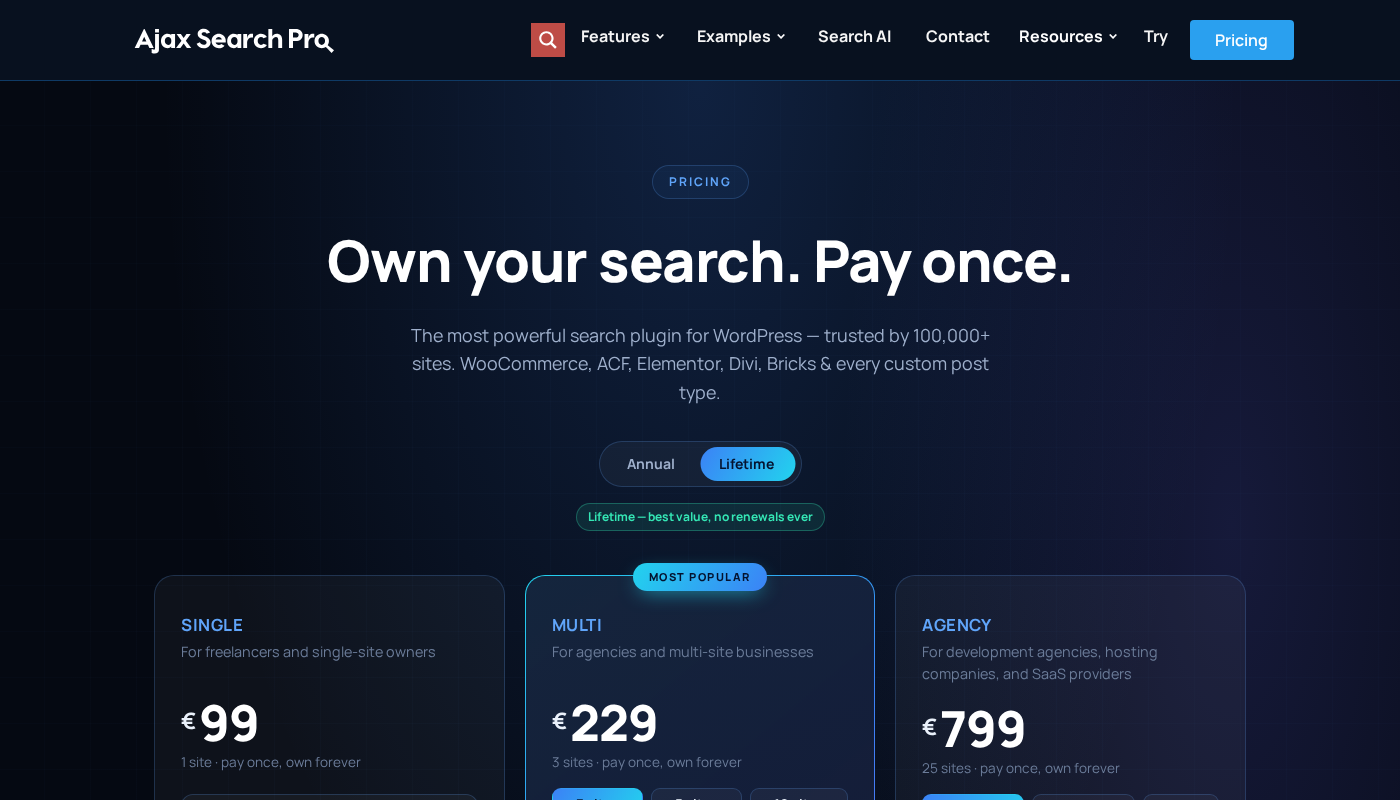
- Paid plans: Annual starting from €39/year for one site; Lifetime from €99 (one-time) for one site, €229 for three sites, and €799 for twenty-five sites. All plans unlock the identical full feature set. The only difference between plans is how many sites you can activate the plugin on. Annual plans include one year of updates and support; Lifetime plans include updates and support forever with no renewal obligation.
- Bottom line: Ajax Search Pro is the most capable live search and filter plugin for WordPress sites that need extensive visual customization, WooCommerce integration, and advanced faceted filtering without a SaaS subscription. Its lifetime license option gives it a structural pricing advantage over subscription-only competitors. The 400+ configuration options and visual theme editor make it the right choice for agencies and developers who need precise control over the search experience.
Quick verdict
Ajax Search Pro earns its strong Codecanyon rating through a combination that is rare in the WordPress plugin market: a feature set broad enough to cover nearly every site type, a visual customization layer that does not require code, a free entry point through Ajax Search Lite, and a lifetime license model at a time when most comparable plugins have moved to annual subscriptions only.
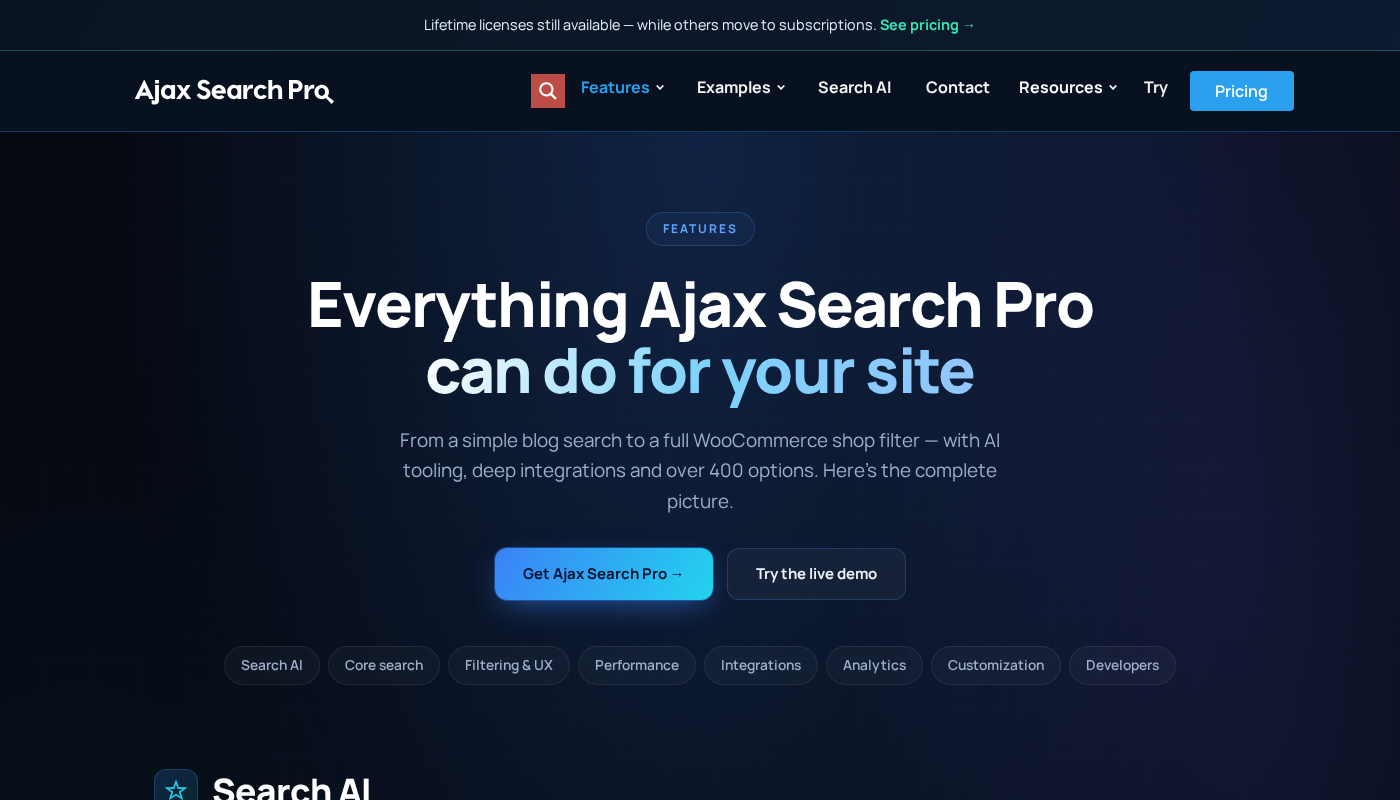
The core experience is a live AJAX search bar that returns results as the user types, pulling from any combination of content sources you configure. Posts, pages, custom post types, taxonomy terms, users, WooCommerce products, BuddyPress profiles, media attachments, PDF files, and Office documents can all become searchable. Filters appear alongside or below the search bar as checkboxes, radio buttons, dropdowns, range sliders, or datepickers. The results panel renders in one of four layouts. The whole interface is styled through a theme editor with 100+ pre-built starting points and full typography and color control.
The pricing model sets Ajax Search Pro apart from its direct competitors. FiboSearch moved to subscription-only pricing in April 2026. SearchWP has always been subscription-only, starting at $99/year with introductory pricing that doubles at renewal. Ajax Search Pro still offers lifetime licenses at €99 for a single site. For a plugin you intend to use for multiple years, the total cost of ownership is significantly lower on the lifetime tier.
Quick verdict card
- Best for: WooCommerce stores needing live product search with price and attribute filters; agencies building custom search experiences for clients; property listing and directory sites with complex custom field filtering needs; content-heavy sites with PDFs and Office documents; multilingual sites on WPML or Polylang; developers who want REST API and WP-CLI access without connecting to an external SaaS.
- Best plan for single sites: Lifetime Single at €99 (one-time) is the best long-term value. Annual Single at €39/year makes sense if you prefer a smaller upfront payment. Either plan unlocks the full feature set.
- Best plan for multiple sites: Lifetime Multi at €229 (three sites) is the strongest value for freelancers and small agencies. Lifetime Agency at €799 (twenty-five sites) is right for larger agencies.
- Standout: Lifetime license option while competitors moved to subscriptions; 400+ configuration options; 100+ pre-built themes plus full theme editor; four results layouts; PDF and Office document indexing; Search AI suite with 100,000 free monthly credits; server-side processing with no third-party dependencies; 12+ years actively developed.
- Watch out for: 400+ options can be overwhelming without a clear starting point; WooCommerce relevance weighting is less granular than SearchWP Pro; support included for only six months (renewal costs extra); solo-developer maintenance model; Codecanyon single-site license at $139 costs more than the official site plans; Search AI suite still maturing.
What Ajax Search Pro is
Ajax Search Pro is a premium WordPress plugin that replaces or augments the default WordPress search with a real-time AJAX-powered search interface. Queries run without a page reload, returning results in a dropdown as the user types. The plugin maintains its own index and serves results from custom database tables, bypassing WordPress’s default LIKE query that searches only post titles and body content.
The plugin was created by Ernest Marcinko under the wpdreams brand. It has been available on Codecanyon since 2012 and is listed on the official website at ajaxsearchpro.com. As of September 2026, the plugin is on version 4.29.x with the Codecanyon listing last updated in June 2026. The official website lists over 100,000 sites powered, and the Codecanyon listing shows 23,000+ confirmed sales with a 4.84/5 rating from 1,000+ reviews.
Ajax Search Lite, the free companion on WordPress.org, has 70,000+ active installs. The Lite version covers basic live search: posts, pages, custom post types, categories, Google autocomplete suggestions, vertical results layout, and Google Analytics integration. The paid Pro version adds taxonomy term results, user results, media file results, horizontal and isotopic result layouts, advanced filtering (taxonomy, custom field, price range, attribute), the index table engine for large sites, synonyms, predictive suggestions, the full theme editor, result prioritization, multisite cross-blog search, and REST API access.
The plugin handles its own processing server-side. No queries leave your server. No third-party API calls are made at search time. No per-query fees apply. This is a structural advantage over search plugins that proxy queries through external services, particularly for GDPR-conscious European deployments where sending user search terms to an external server raises compliance questions.
Who Ajax Search Pro is best for
Strong fit:
- WooCommerce store owners who need live product search with price range sliders, attribute checkboxes, category filters, and product variation support. The plugin integrates directly with WooCommerce product data and can be embedded on the shop page or triggered from any page.
- Agencies and developers building search experiences for clients. The theme editor, 400+ configuration options, template file overrides, and REST API make this a professional tool. Instance export and import let you replicate a working configuration across multiple client projects.
- Property listing and real estate sites. Range sliders for price and numeric fields, checkbox or multiselect filters for custom taxonomies, and live results make Ajax Search Pro a natural fit for sites built on ACF or Jet Engine to manage property data.
- Content sites with large document libraries. PDFs and Office documents uploaded to the WordPress media library are indexed and searchable. Legal firms, academic institutions, and consulting businesses publishing reports can make their entire file archive findable through the same search bar as published articles.
- Multilingual sites on WPML or Polylang. The plugin maintains language-aware index coverage, surfacing content in the correct language for each query.
- Multisite networks. Cross-blog search is a built-in capability, not a paid add-on.
- Developers who prefer a local-first, self-hosted search stack with no SaaS dependency, no per-query costs, and full server control.
Weak fit:
- Bloggers and small sites with standard post content and minimal customization needs. If your site has posts and pages, no custom fields, no WooCommerce, and you only need basic relevance improvement, Relevanssi Lite resolves the problem at zero cost.
- Sites where granular weighted relevance is the priority. SearchWP’s visual algorithm builder with per-attribute weight sliders provides more granular relevance tuning. Ajax Search Pro has relevance options, but the emphasis is on the search interface and filter layer.
- Sites that need Elasticsearch or Algolia integration. Ajax Search Pro stores its index in WordPress’s database. Very high-traffic sites that need horizontal scaling should evaluate ElasticPress or Algolia instead.
- Teams that want a multi-developer company behind the plugin. Ajax Search Pro is built and supported by one developer. The 12-year track record is strong, but a solo-developer plugin carries a different continuity risk than a plugin backed by a larger team.
Setting up Ajax Search Pro
Ajax Search Pro is distributed through both Codecanyon and the official ajaxsearchpro.com website. Purchasing from the official site gives access to the customer portal, license management, and direct downloads. Purchasing from Codecanyon provides a single-site regular license with six months of Envato support.
Installation follows the standard WordPress flow: upload the zip via Plugins, Add New, Upload Plugin, and activate. No WordPress.org listing exists for the Pro version, so the zip comes from your purchase source.
After activation, the plugin creates an Ajax Search Pro menu item in the WordPress admin. The main configuration screen opens to the settings panel. This is where the 400+ options live, organized in tabbed sections. The first thing most users configure is the search engine: which content types to include, which taxonomy filters to attach, how many results to show, and which result layout to use.
The theme editor is where Ajax Search Pro’s visual customization advantage is most visible. You start from one of 100+ pre-built themes and modify it in a live preview interface. Font, size, color, border, hover state, and button styling are all configurable through the editor without writing CSS. Template file overrides are available for developers who need full markup control.
The index table engine is the performance path for large sites. Rather than running live database queries on every keystroke, the plugin builds a dedicated index table that stores searchable content in an optimized format. For sites with tens of thousands of posts or products, the index table avoids the database overhead of live queries and delivers faster response times. Reindexing runs in the background and is incremental on content updates.
Search filters are attached to a search instance through a drag-and-drop filter builder. Each filter element is configured independently: the field it filters, the filter control type, the display labels, and the default state. Multiple filter rows can be combined for complex faceted filtering without writing custom query modifications.
Live search and results layouts
The live search experience is the plugin’s primary output. Results appear in a dropdown beneath the search input as the user types, updating after a configurable keystroke delay. Each result row shows a thumbnail, title, excerpt, and metadata (category, date, price for products) depending on what the active theme renders. The dropdown closes when the user selects a result or clicks away.
Four results layouts are available in the Pro version. The Vertical layout stacks results in a single column, which is the default and the only layout in the Lite version. The Horizontal layout renders results in a card row, suited for visual content like WooCommerce products or portfolio items. The Polaroid layout is a visual card grid with image-forward presentation. The Isotopic layout uses Isotope.js for animated reflow as filters update the result set without a page reload.
A compact search icon mode is available in the Pro version. The search input stays hidden until the user clicks a magnifier icon, at which point the input expands. This mode keeps the navigation bar clean on sites where a persistent visible search bar would crowd the layout.
Autocomplete is configurable beyond basic title matching. The plugin supports predictive keyword suggestions drawn from search statistics collected over time (popular searches surface as suggestions), taxonomy term suggestions (typing a category name suggests that filter), and post title autocomplete with configurable result limits per content type.
Filtering and faceted search
The filter system is where Ajax Search Pro extends well beyond a basic live search replacement. Filters appear alongside or below the search input as interactive controls that update the live results without a page reload.
Available filter control types include checkboxes, radio buttons, dropdowns, searchable multiselects, range sliders for numeric fields (price, custom numeric fields), and datepickers for date-based fields. Each control type maps to a WordPress data source: a taxonomy, a custom field, a WooCommerce attribute, a price range, or a date field.
Filters can be stacked into a sidebar filter panel adjacent to a search results area, or embedded inline beneath the search input in a horizontal strip. The drag-and-drop filter builder in the admin panel sets the order and display of filter elements without code.
For WooCommerce stores, the most common configuration is a search bar combined with a category filter strip and a price range slider. Customers type a product name or attribute and the filter controls narrow the result set to matching products within the selected category and price range. This combination replaces what other plugins build through separate dedicated filter plugins.
For property listing sites, the typical setup combines a text search with range sliders for price, bedroom count, and square footage, plus checkboxes for property type, location, and amenities, all pulling from ACF or Jet Engine custom fields.
PDF and document indexing
Ajax Search Pro indexes text content from PDF files and Office documents (Word, Excel) uploaded to the WordPress media library. When a search query matches text that appears in a PDF or document, that attachment appears in the search results with a link to the file.
This works for PDFs with extractable machine-readable text. Scanned documents that are images of text without OCR processing cannot be indexed because there is no text layer to parse. For organizations publishing white papers, user manuals, research reports, or financial documents, this capability makes an existing file archive searchable without any retagging or manual categorization work.
The document indexing feature is included in all paid Pro plans. No separate add-on or plan upgrade is required.
Search AI suite
Ajax Search Pro includes a Search AI suite available with every paid license. The AI suite runs from the admin panel and provides tools for configuring, diagnosing, and improving search setup. Each license includes 100,000 free Search AI credits per month, with credits auto-renewing monthly.
The AI tools assist with setup recommendations (suggesting configuration options based on the site’s content structure), diagnosing search quality issues (identifying why certain queries return unexpected results), and generating synonym lists based on the site’s content vocabulary.
The Search AI suite is a newer addition to the plugin and is still developing its feature set. It is not a substitute for manual configuration on complex sites, but it provides a useful starting point for new installs and a diagnostic layer for sites where search quality has degraded after content changes.
WooCommerce integration
WooCommerce integration is included in all paid Pro plans. The integration indexes WooCommerce product data into the Ajax Search Pro index, making products searchable through the live search interface with the same filter controls as other content types.
Product search covers product titles, descriptions, short descriptions, SKUs, and product attributes. Price range sliders filter results by product price. Attribute filters (color, size, material, or any registered product attribute) let customers narrow results by specific product variations. Out-of-stock products can be excluded from results through a configuration option.
The product results in the dropdown display a product image, name, price, and an add-to-cart button in the live search dropdown, depending on the active theme configuration. This covers the most common use case: a customer searches for a product type and sees matching items immediately without loading a full results page.
The Ajax Search Pro WooCommerce integration works on the shop page (filtering the shop product grid in real time without a page reload) and as a standalone search bar on any page or widget area. For stores where SKU-level relevance tuning and detailed search analytics are the priority, SearchWP Pro provides a more configurable algorithm layer. Ajax Search Pro excels at the live UI and filter experience.
Analytics and statistics
Ajax Search Pro includes a built-in statistics dashboard that logs search queries and tracks popular and recent search terms. The statistics interface is accessible from the plugin admin panel and shows which terms visitors are searching for, at what frequency, and over what time period.
Google Analytics 4 integration covers eight event triggers: search query submissions, result impressions, result clicks, zero-result searches, filter applications, filter clears, autocomplete selections, and search abandonment. These events push to your GA4 property so search behavior appears alongside your other site analytics.
The zero-result tracking is the most actionable data the statistics system produces. A list of queries that returned no results tells you exactly where your content library has gaps your audience is actively looking for.
Integrations
Ajax Search Pro ships with integrations for a wide range of the WordPress ecosystem.
Page builders: Elementor, Divi, Bricks, Oxygen, and WPBakery are all supported. Gutenberg and the Query Loop block are also supported, with a dedicated search block available in the block inserter.
Content and data: ACF (Advanced Custom Fields), Jet Engine, bbPress, BuddyPress, The Events Calendar, NextGen Gallery.
Commerce: WooCommerce and Easy Digital Downloads.
Multilingual: WPML and Polylang, with language-aware index coverage.
Technical: REST API endpoints for external access to the search index, WP-CLI commands for index management and diagnostics, WP-Cron integration for scheduled index maintenance.
The multisite integration supports cross-blog search across a WordPress network from a single search instance, without requiring a separate plugin or configuration per subsite.
Pricing and license value
Ajax Search Pro is available from ajaxsearchpro.com and from Codecanyon. The official site offers annual and lifetime plans. Codecanyon sells a single-site regular license at $139 with six months of Envato support. All prices on the official site are in EUR.
Annual plans: Starting from €39/year for one site. Annual plans renew each year and include one year of updates and support.
Lifetime plans (pay once, no renewals):
- Single: €99. One site. Full feature set. Lifetime updates and support.
- Multi: €229. Three sites (expandable to five or ten). Full feature set. Lifetime updates.
- Agency: €799. Twenty-five sites (expandable to fifty or more). Full feature set. Lifetime updates.
All plans include the complete feature set with no feature gating. The only difference between plans is the number of sites you can activate the plugin on. Every plan includes the Search AI suite with 100,000 free monthly credits. Support is included for six months from purchase. Extending support costs 33% of the original purchase price if added during the initial purchase, 50% before the current support period expires, or 70% after expiry. Licenses cover production, staging, and development environments as a single activation.
Value comparison against SearchWP: SearchWP Standard is $99 for the first year, renewing at $199/year, for one site. SearchWP Pro is $199 for the first year, renewing at $399/year, for up to three sites. Ajax Search Pro Lifetime Single at €99 is a one-time payment. Over three years, Ajax Search Pro Lifetime Single costs €99 total; SearchWP Standard costs $99 plus two $199 renewals, totaling $497. Ajax Search Pro’s total-cost-of-ownership advantage compounds with each renewal year SearchWP requires.
Value comparison against FiboSearch: FiboSearch moved to subscription-only pricing in April 2026. Ajax Search Pro’s lifetime option is a direct counter-positioning against this change. For WooCommerce store owners where FiboSearch’s narrower feature set was previously the best fit, Ajax Search Pro’s WooCommerce integration combined with the lifetime license now offers stronger value.
The 14-day money-back guarantee applies to all plans purchased directly from ajaxsearchpro.com. Codecanyon purchases are subject to Envato’s refund policy.
Pros and cons
Pros
- Lifetime license option at €99/€229/€799 while competitors like FiboSearch and SearchWP have moved to subscription-only pricing
- 400+ configuration options give agencies and developers full control without writing custom code
- 100+ pre-built themes plus a full visual theme editor; search interface can match any site design without CSS
- Four result layouts (Vertical, Horizontal, Polaroid, Isotopic) cover a wide range of presentation needs
- PDF and Office document indexing included in all paid plans at no extra cost
- WooCommerce integration with price range sliders, attribute checkboxes, and add-to-cart in live results dropdown
- Advanced filter system with checkboxes, radio buttons, dropdowns, range sliders, and datepickers for any taxonomy or custom field
- Server-side processing with no third-party API calls; GDPR-friendly architecture; no per-query fees
- 12+ years of continuous development; 4.84/5 rating across 1,000+ reviews; 5,000+ resolved support tickets
- Free Ajax Search Lite on WordPress.org with 70,000+ installs provides a genuine entry point before upgrading
- Search AI suite with 100,000 free monthly credits included in all plans
- REST API, WP-CLI, and WP-Cron support for developer-level integration
- Multisite cross-blog search built in; no separate add-on required
- Licenses cover production, staging, and development as one activation
- Google Analytics 4 integration with eight event triggers and built-in statistics dashboard
Cons
- 400+ options can be overwhelming; no short onboarding wizard that surfaces the most important settings first
- Search relevance algorithm is less granular than SearchWP’s visual weight-slider approach; the plugin is primarily optimized for front-end UX and filtering rather than per-attribute relevance tuning
- Support is included for only six months; extending support requires a paid renewal at 33-70% of the original purchase price depending on timing
- Solo-developer maintenance model; one person has maintained this plugin for 12 years, but that carries a different continuity risk than a multi-developer company
- Codecanyon single-site license at $139 costs more than the official site Annual Single at €39/year or Lifetime Single at €99
- Search AI suite is a newer addition still developing its feature depth; not yet a fully capable AI-driven optimization layer
- No built-in click-through attribution or zero-result analysis in the first-party statistics dashboard beyond GA4 event-based tracking
- Isotopic results layout depends on Isotope.js; sites with strict third-party script policies must account for this dependency
Alternatives to Ajax Search Pro
Relevanssi. The most relevant free alternative for relevance improvement. Relevanssi Lite on WordPress.org replaces WordPress’s fixed search scoring with MySQL full-text relevance at zero cost. Relevanssi Premium adds phrase searching, synonym support, pinned results, and user search logging at approximately $119/year. Choose Relevanssi over Ajax Search Pro when your primary need is relevance algorithm improvement on standard post content and you do not need a custom-styled live search UI or faceted filtering.
SearchWP. The strongest alternative for sites where per-attribute relevance weighting is the priority. A visual algorithm builder lets you assign numeric weights to any indexable attribute. SearchWP Standard starts at $99 for the first year, renewing at $199/year; Pro at $199 for the first year, renewing at $399/year. SearchWP’s WooCommerce integration (Pro plan) provides SKU-level and product-attribute indexing. The ongoing subscription cost is the main disadvantage against Ajax Search Pro’s lifetime pricing.
FiboSearch. A live AJAX search plugin focused specifically on WooCommerce. Moved to subscription-only pricing in April 2026. For WooCommerce stores that need fast live product search and an add-to-cart dropdown, FiboSearch competes directly with Ajax Search Pro’s WooCommerce mode. Ajax Search Pro’s broader feature set and lifetime license now give it a pricing advantage.
Ivory Search. A free-first WordPress search plugin with a paid premium tier. The free version adds meaningful improvements over the WordPress default including custom post type inclusion and WooCommerce product search. For simple sites that only need basic live search without faceted filtering or custom styling, Ivory Search is worth evaluating before committing to Ajax Search Pro.
ElasticPress. A free WordPress plugin that connects to Elasticsearch, either self-hosted or via Elasticpress.io. For very high-traffic sites that need horizontal search scaling or complex aggregation queries, ElasticPress is the correct architecture. Ajax Search Pro stores its index in WordPress’s database, which has upper limits at very high query volumes. ElasticPress requires infrastructure knowledge and is not suitable for most WordPress sites outside of enterprise deployments.
The direct choice between Ajax Search Pro and SearchWP: if your priority is a visually customizable live search UI, faceted filtering with range sliders and attribute checkboxes, and a one-time purchase model, Ajax Search Pro wins. If your priority is granular per-attribute relevance weighting, WooCommerce SKU-level indexing, and built-in click-through analytics, SearchWP Pro wins. The two plugins address overlapping but different parts of the search problem.
Final verdict
Ajax Search Pro is the most versatile live search and filter plugin for WordPress when visual customization, advanced filtering, and lifetime pricing are the priorities. After 12 years of active development, the plugin has matured into a comprehensive search framework that covers a broader range of site types than any single competitor: WooCommerce stores, property listing sites, document libraries, multilingual networks, and custom post type-heavy platforms all run well on it.
The lifetime license model is the most decisive factor in 2026. With FiboSearch moving to subscriptions and SearchWP requiring ongoing annual renewals, Ajax Search Pro’s pay-once option is a genuine structural advantage for site owners who think in multi-year cost horizons. A lifetime license at €99 for one site costs less over four years than one year of SearchWP Pro.
The honest limitation is that relevance algorithm depth is not the plugin’s strength. If your site needs fine-grained control over how content sources are ranked relative to each other, SearchWP’s visual weight builder is a better fit. Ajax Search Pro is excellent at making content findable through live search and filtering; it is less focused on the ranking logic that determines which result appears first when multiple items match.
For the broad range of WordPress sites where the search experience matters, the content is diverse, and the budget case for a recurring annual subscription is harder to make, Ajax Search Pro is the plugin that covers the most ground at the lowest long-term cost.