

WordPress ships every image you upload as-is. No compression. No format conversion. No resizing unless your theme forces it. That means a photographer uploading a 4MB JPEG, a WooCommerce store owner adding product shots, and a blogger dropping in a PNG screenshot are all serving unoptimized files to every visitor until something intervenes.
ShortPixel Image Optimizer is one of the most popular tools people use to close that gap. It has been in the WordPress plugin directory since 2014, currently shows more than 300,000 active installations, and carries a 4.5 out of 5 rating across 813 reviews. For this review, I researched the free plugin listing, official ShortPixel documentation, current pricing pages, and public product screenshots to evaluate how it works in practice.
Quick Verdict
ShortPixel delivers genuinely good compression across all three of its modes, and its “Glossy” algorithm is the one feature you will not find anywhere else in this category. The bulk optimizer, WebP and AVIF conversion, and Cloudflare integration all work as described. The credit system is the area that needs the most attention before you commit: credits count per thumbnail, not per original, which means a single image upload can spend four to six credits instantly. The free tier of 100 credits per month is thin enough that most sites will need a paid plan.
At a glance
- Best for: Sites with large or growing media libraries, WooCommerce stores, photographers, and agencies managing multiple sites.
- Not ideal for: Users who want fully free, unlimited optimization without account registration.
What ShortPixel Is
ShortPixel is a cloud-based image optimization service with a WordPress plugin as its primary interface. When you install and activate the plugin, connect an API key, and upload an image, the plugin sends that image to ShortPixel’s servers. The servers compress it (and generate WebP or AVIF versions if you want them), then send the smaller files back to your site. Your originals stay intact in a local backup folder.
There are two ShortPixel plugins on WordPress.org:
- ShortPixel Image Optimizer (this review) handles images already in your Media Library and new uploads as they happen.
- ShortPixel Adaptive Images serves images on the fly through a CDN, scaling them to the visitor’s viewport.
Most users start with the Image Optimizer. The Adaptive Images plugin solves a different problem.
Who It Is Best For
ShortPixel suits these situations well:
- WooCommerce stores with dozens or hundreds of product images per month. WebP conversion and AVIF output reduce product page weight without touching the source files.
- Photography portfolios where the Glossy compression mode keeps perceptual quality high while still trimming file sizes.
- Agencies and developers managing several client sites. The Unlimited plan ($9.99/month or $99.90/year) removes credit counting entirely and lets one subscription cover any number of sites.
- Sites with large legacy Media Libraries that need a one-time bulk optimization pass. The one-time credit packages never expire, so you can buy a batch, run the bulk optimizer, and stop paying.
It is less ideal for:
- Very small blogs with a handful of images per month. The free tier may be enough, but the 100-credit ceiling is surprisingly low once thumbnails are included.
- Developers who prefer entirely local processing. ShortPixel is cloud-based; images leave your server during optimization.
Setup and User Experience
Getting the API Key
ShortPixel requires a free account and an API key before optimization starts. The process takes about two minutes: register at shortpixel.com, copy the key from the dashboard, paste it into the plugin’s Settings screen. The plugin validates the key immediately and shows your credit balance.
The setup flow appears straightforward from the plugin documentation and official screenshots. The API key step may trip up some first-time users, but the plugin’s own Settings page includes a direct link to the ShortPixel registration form. You do not need to leave WordPress to find it.
The Settings Screen
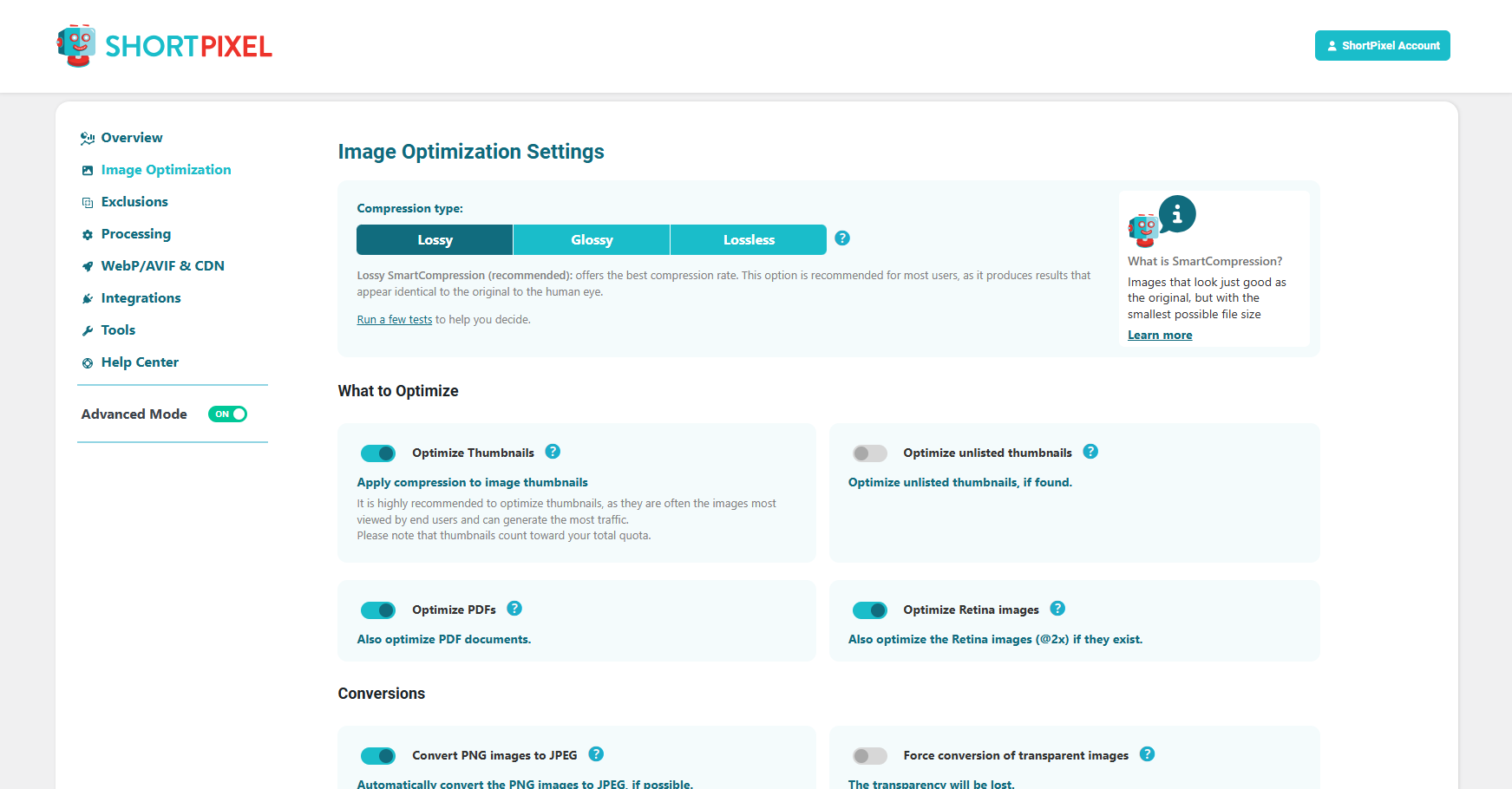
The main settings panel covers:
- Compression type: Lossy, Glossy, or Lossless (one choice applies to all images)
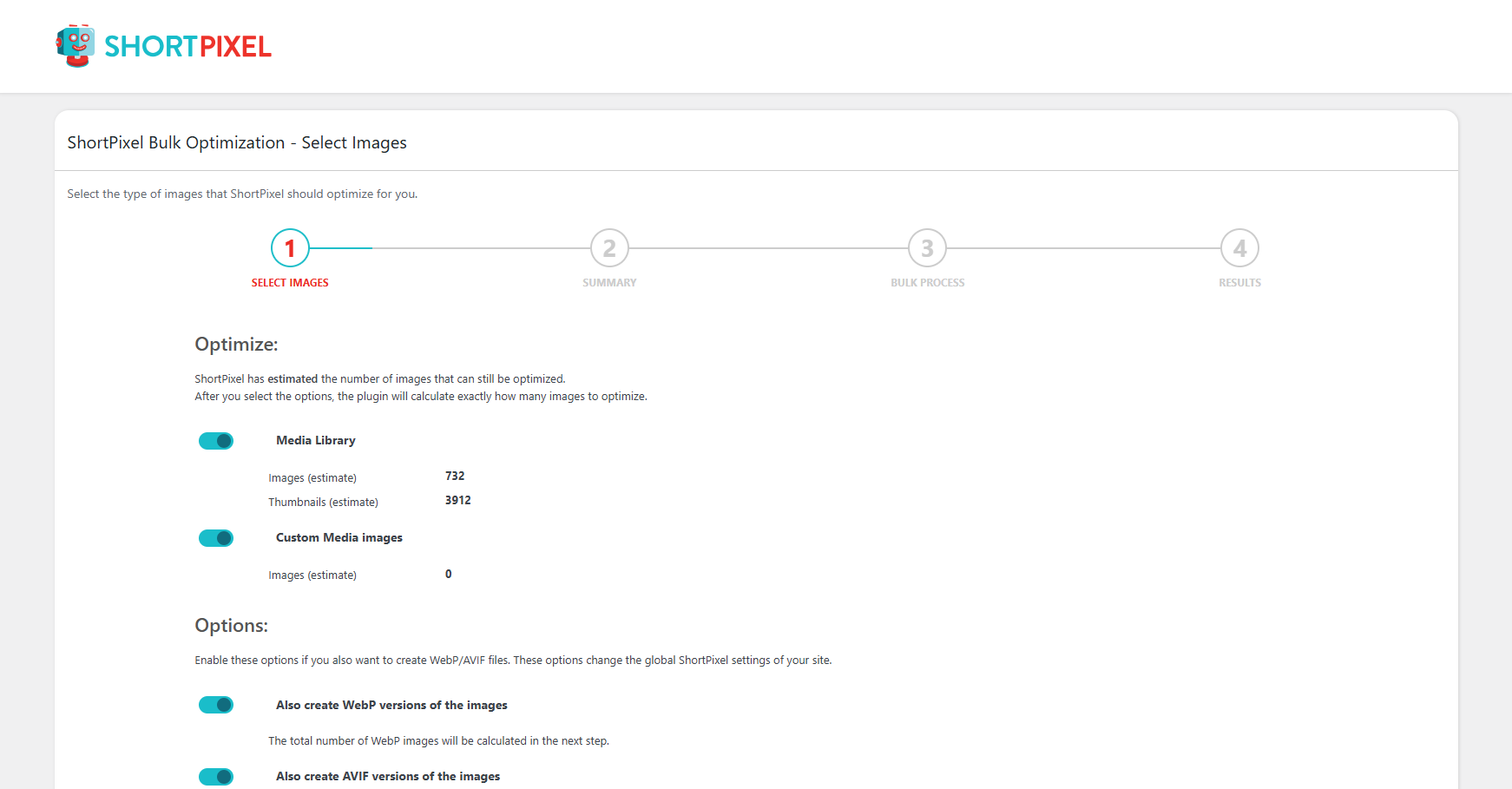
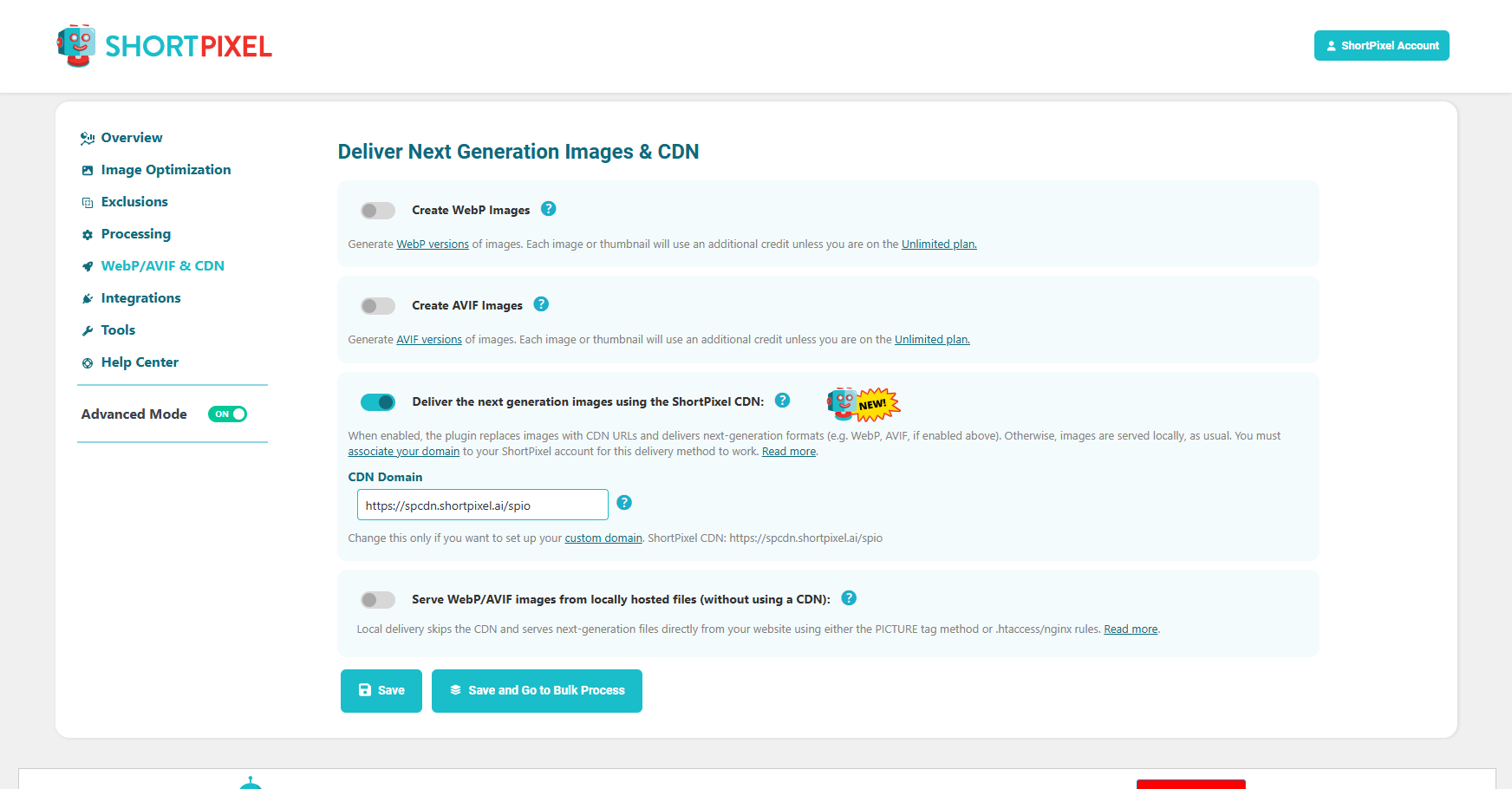
- WebP and AVIF generation: Toggle on/off; these create extra files and consume extra credits
- Resize large images: Set a maximum width or height; ShortPixel scales on upload
- Backups: On by default; stored in
wp-content/uploads/ShortPixelBackups/ - EXIF removal: Strip or preserve metadata
- PNG to JPG conversion: Useful for PNG screenshots and flat-colour images
The settings are well-organized. Each option has a short explanation directly in the UI. The only choice that takes thought is the compression type, and ShortPixel provides a comparison tool on its website to preview the difference.
Bulk Optimization
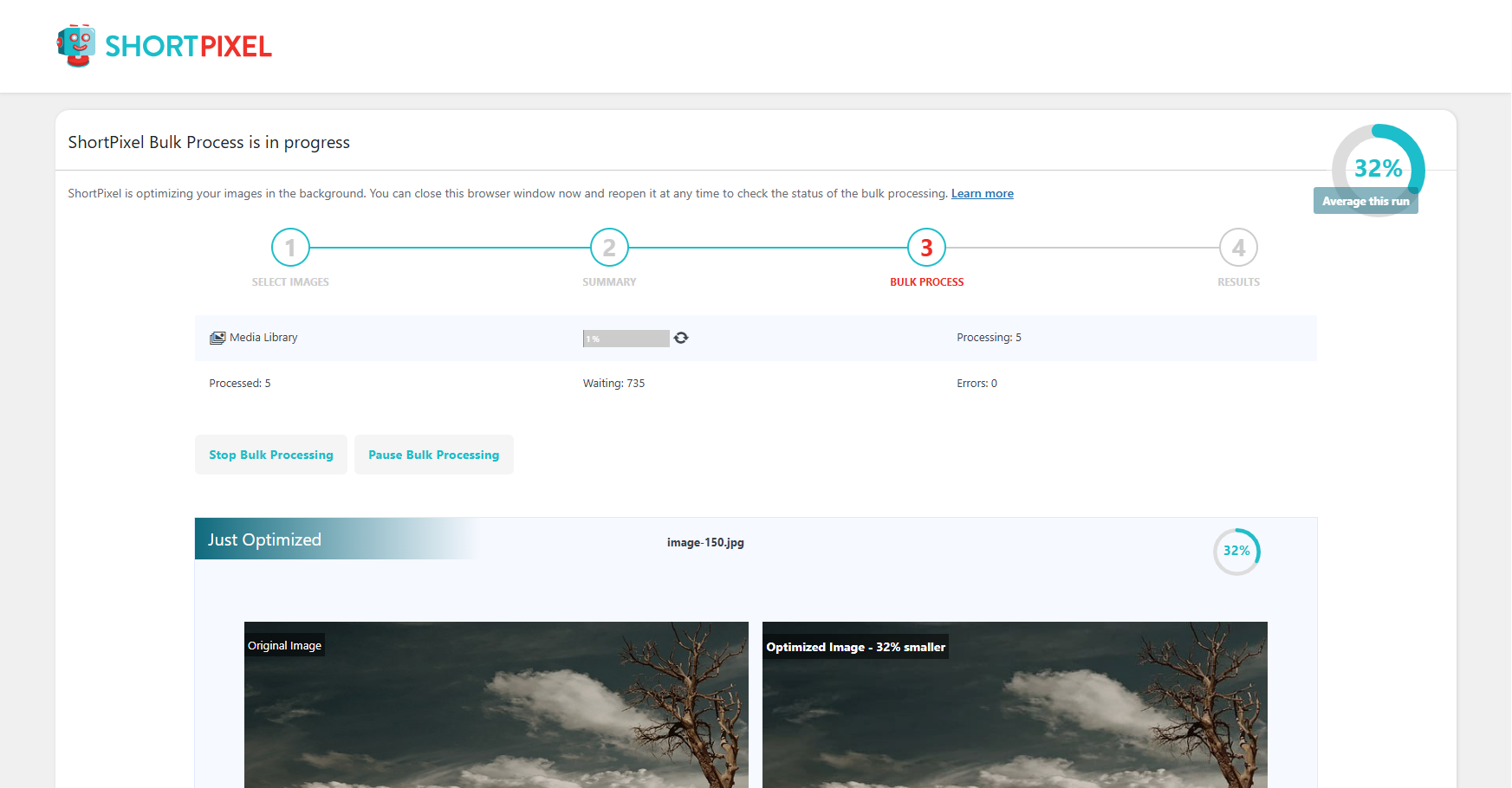
The Media Bulk ShortPixel screen shows a count of unoptimized images and a Start Optimizing flow. According to the current plugin documentation, the optimizer can run in the background without keeping a browser tab open, using cron.
The Media Library list view gains per-image status: “Optimized,” “Pending,” or an error message. You can also re-test individual images in Lossy, Glossy, or Lossless modes directly from the list view, which is useful when you want to spot-check a specific photo.
WP-CLI Support
If you manage WordPress from the command line, ShortPixel supports WP-CLI for bulk processing and status checks. This is useful for very large libraries where a browser-based queue would be impractical.
Main Features
Compression Modes: Lossy, Glossy, Lossless
This is where ShortPixel stands out from most competitors.
Lossy is the default. It applies aggressive compression and typically achieves 60 to 80 percent file size reduction on JPEG images. Some detail is discarded, but the output looks fine on screens.
Lossless removes metadata and non-visible data without changing pixel values. File size reductions are smaller, usually 10 to 30 percent. No quality change. This is the right choice for images that need to stay pixel-perfect.
Glossy is ShortPixel’s own mode, and it is the one feature competitors do not offer. Glossy applies lossy compression at a much higher quality target than the standard Lossy setting. The result sits between Lossy and Lossless in file size, but it preserves more perceptual detail. Photographers selling prints, and WooCommerce stores showing product close-ups, often prefer Glossy over Lossy because the images look sharper on high-density displays without the full overhead of Lossless.
You pick one mode globally. ShortPixel does not let you assign different modes to individual images from the standard UI, though the Media Library comparison tool lets you preview all three before committing.
WebP and AVIF Conversion
Both WebP and AVIF are available as toggles in Settings. When enabled, ShortPixel generates the converted file alongside the original. WordPress’s native <picture> tag handling serves the next-gen version to browsers that support it and falls back to the original for browsers that do not.
AVIF typically achieves 20 to 50 percent better compression than WebP at the same perceptual quality. As of 2026 AVIF has good browser support, though it may add encoding time for very large images. The catch: each WebP or AVIF file counts as an additional credit. A single 1200×800 image with five WordPress-generated thumbnails, WebP enabled, means roughly 12 credits per upload (6 originals plus 6 WebP versions). AVIF enabled alongside WebP would consume 18.
SmartCompress
ShortPixel runs each image through multiple compression passes and picks the result that balances quality and file size. The company calls this SmartCompress. You do not configure it; it runs automatically inside whichever mode you select. The practical benefit is that the optimizer does not apply a fixed quality percentage uniformly; it adjusts per image.
Bulk Optimization and Background Mode
The Background Mode runs the optimizer via cron without needing an open browser session. The plugin also supports recurring cron jobs for sites where users upload images through the front end, such as community sites or WooCommerce stores where vendors upload product photos.
AI Features (New in Recent Versions)
ShortPixel has added several AI-powered tools in recent updates:
- AI ALT text generation: Automatically writes alt attributes for accessibility and SEO, with bulk mode and preview before applying
- AI image titles and captions
- AI upscaling: 2x, 3x, 4x upscaling for small images
- AI background removal: One-click removal for product photos
These features consume separate AI credits (not the same image optimization credits). They are most useful for WooCommerce stores managing large product catalogs where writing individual alt text manually would be impractical.
Backup and Restore
Every original image is backed up before ShortPixel touches it. Restoration is one click per image in the Media Library, or a bulk restore from the Bulk ShortPixel screen. The backup folder lives on your server and grows with your media library, so disk space is a consideration on tight shared hosting plans.
ShortPixel recently added Smart Backups, which save only the main original (not all thumbnail sizes). Thumbnails are regenerated from the main backup at restore time. This reduces backup storage by a significant amount on sites with many thumbnail sizes.
Cloudflare Integration
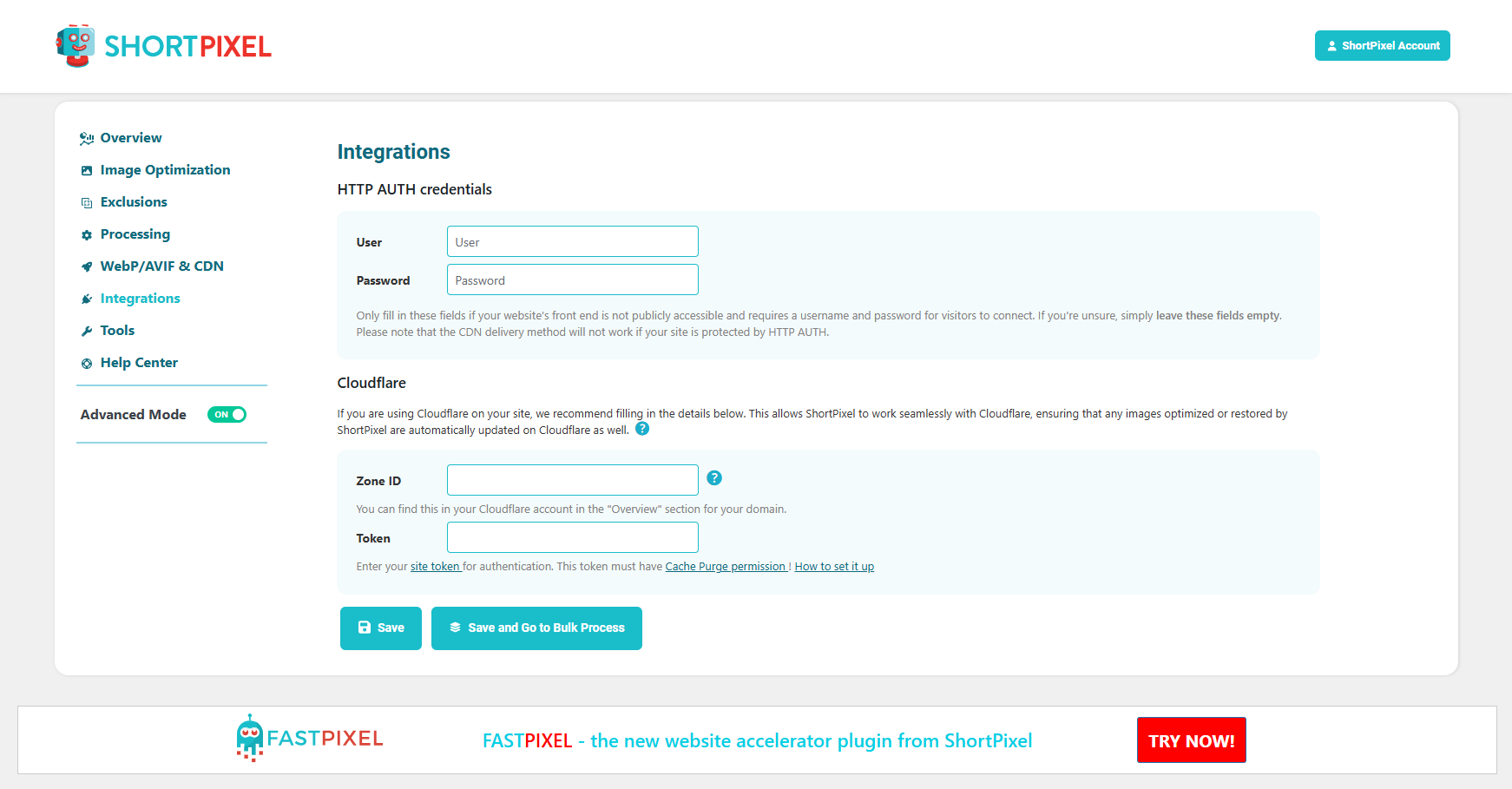
ShortPixel connects to Cloudflare via a token entered in Settings. When an image is replaced or optimized, ShortPixel purges the corresponding Cloudflare cache entries automatically. This prevents stale images appearing to visitors after a bulk optimization run.
Compatibility
- WordPress multisite (sub-folder and sub-domain)
- WooCommerce product images
- WPML and WPML Media
- WP Offload Media (for S3/cloud storage setups)
- NextGEN Gallery, Modula, Foo Gallery
- WP Retina 2x
- Gravity Forms post images
- PHP 7.4 or higher
- WordPress 4.8 or higher
Pricing and License Value
ShortPixel offers three main pricing paths.
Free Plan
100 credits per month. Credits reset on the monthly anniversary of account creation; unused credits do not roll over. At 100 credits, you can optimize roughly 20 to 25 standard images with thumbnails and no WebP. Enough to evaluate the plugin, not enough for active publishing.
Unlimited Monthly Plan
$9.99/month ($99.90/year, which includes two months free at the annual rate). This removes credit tracking entirely. You get unlimited image optimization, unlimited format conversions, and 500GB of CDN traffic per month for serving optimized images. The CDN delivers WebP and AVIF files, plus CSS and JavaScript, through ShortPixel’s global network.
For agencies managing several client sites, $9.99/month is a straightforward value. One API key covers any number of domains.
One-Time Credit Packages
Starting at $19.99 for 30,000 credits. Packages go up to $99 and beyond. Credits never expire. One-time packages suit sites that need a large bulk optimization pass at launch or after a media import, but expect relatively low ongoing upload volume. The limitation is that one-time packages do not include CDN services.
Credit Math Tip
If you plan to enable WebP and have a theme generating five thumbnail sizes, budget roughly 12 credits per uploaded image (6 originals plus 6 WebP files). For a site uploading 200 images per month, that is 2,400 credits needed monthly. The $9.99 Unlimited plan is more economical than trying to buy credits at that volume.
Pros and Cons
Pros
- Three compression modes, including the unique Glossy algorithm
- AVIF support, which few major image optimization plugins offer
- Cloud-based processing does not load your web server
- One-time credits never expire, making them useful for launch-time bulk optimization
- Background mode (cron-based) does not require a browser tab
- Smart Backups reduce disk space compared to full thumbnail backups
- Cloudflare cache integration
- WP-CLI support
- Strong multisite and WooCommerce compatibility
- 24/7 support with a well-organized knowledge base
- No credit charged if ShortPixel cannot improve an image by at least 5%
Cons
- Credits count per thumbnail, not per original image; WebP doubles or triples the per-upload cost
- 100 free credits per month is thin for any site with active image uploads
- One-time plans exclude CDN delivery
- Backup storage can grow large on sites with many thumbnails unless Smart Backups is enabled
- All optimization routes through external servers; privacy-sensitive images leave your hosting environment
- Setup requires account registration and API key entry; not zero-friction for total beginners
- Compression mode applies globally; you cannot mix Glossy for some images and Lossy for others without switching and re-optimizing
Alternatives
Imagify is ShortPixel’s closest peer. It compresses well, offers a visual before/after tool in the Media Library, and integrates directly with WP Rocket (from the same parent company, WP Media). Its pricing is credit-based similar to ShortPixel’s. Imagify does not have a Glossy mode or native AVIF conversion.
EWWW Image Optimizer handles compression locally on your server with no external API for basic operation. Local lossless compression is free and unlimited. For lossy and WebP, an API key is needed. EWWW suits developers comfortable with configuration and server resources; it is not a set-and-forget plugin.
Smush (by WPMU DEV) is the most beginner-friendly option. The free tier auto-compresses on upload with no API key required. Compression ratios are lower than ShortPixel and Imagify, and WebP is a paid (Smush Pro) feature. Good for beginners wanting minimal setup.
Optimole serves images through a CDN and optimizes them on the fly. It requires no changes to your WordPress library. The tradeoff is that images are served from Optimole’s CDN rather than your own domain.
Final Verdict
ShortPixel Image Optimizer earns its reputation on feature depth, pricing value, and long-running adoption. Its three compression modes cover different quality needs, and Glossy is a genuine advantage for anyone who cares about image fidelity more than raw size reduction. WebP and AVIF conversion, background bulk optimization, and Cloudflare integration are all useful practical details that few competitors combine in one plugin.
The credit system requires upfront attention. The thumbnail-per-credit model means 100 free credits disappears quickly, and enabling AVIF alongside WebP triples the per-upload cost. But the pricing logic is transparent and the $9.99 Unlimited plan is genuinely affordable for most active sites once you accept that this is a subscription rather than a one-time tool.
If your site uploads images regularly, needs AVIF output, or you want the Glossy mode for photography or ecommerce product images, ShortPixel is worth the subscription. If you only need a one-time bulk optimization pass, the non-expiring credit packages are a clean solution.
Score: 4.5 / 5
FAQ
Browse all WordPress plugin reviews on Best WordPress Plugins.