


If your WordPress contact forms, password resets, or WooCommerce receipts keep landing in spam or never arrive at all, an SMTP plugin is the standard fix. It replaces the default wp_mail() PHP route with an authenticated email service, which lifts deliverability and removes the silent “email sent” lie from your host’s mail function.
For this guide, I checked every plugin in a clean WordPress sandbox, compared WordPress.org install counts, ratings, and update freshness, looked at how each one handles provider connections, email logs, and failure alerts, and noted where the free version stops and the paid version begins. The goal was to rank the best WordPress SMTP plugins by real differences in setup experience, free-tier value, provider coverage, and trustworthiness, not by marketing copy.
Quick answer: WP Mail SMTP by WPForms is the safest default for most WordPress, WooCommerce, and membership sites. FluentSMTP is the strongest fully free option, with native API mailers and a fallback connection at no cost. Post SMTP is the open-source pick when you want logs and failure alerts inside the free tier.
How I chose these WordPress SMTP plugins
I focused on plugins that actually replace the default WordPress mailer with a real SMTP or transactional email path, plus give you visibility into what is happening with your outbound mail. The shortlist favors plugins with:
- A working free version on WordPress.org
- Native support for popular providers (SMTP, Gmail/Google Workspace, Microsoft 365/Outlook, Amazon SES, SendGrid, Mailgun, Postmark, Brevo, SMTP2GO)
- An email log to confirm what was sent and what failed
- A test email tool that exposes connection errors clearly
- Recent updates and a current WordPress compatibility tag
- Enough install and review volume to trust on a production site, or a clear standout reason if smaller
I kept three less-proven plugins as niche options at the end instead of ranking them with the main picks, because their install base, rating volume, or scope is narrower than the leading options.
Quick comparison table
| Plugin | Best for | Free version | Standout feature | Main limitation |
|---|---|---|---|---|
| WP Mail SMTP by WPForms | Most WordPress sites that just need reliable mail | Yes | Setup wizard, mailer presets, and email logs in one place | Several mailers, alerts, and advanced logs are paid |
| FluentSMTP | Site owners who want a fully free option with provider routing | Yes | Many mailer integrations, fallback connection, and logs at zero cost | Free-only product, no paid tier or paid support tier |
| Post SMTP | Open-source friendly sites that want logs, alerts, and a mobile app | Yes | Strong free feature set plus Chrome and mobile failure alerts | Setup is more configuration-heavy than wizard-led plugins |
| Easy WP SMTP | Solo blogs that want a guided wizard from a focused vendor | Yes | Simple setup wizard backed by SendLayer | Premium mailers and white-label features are paid |
| SureMail by Brainstorm Force | Sites already in the Astra and Spectra ecosystem | Yes | Clean dashboard, auto-retry on failed mail, and email logs | Newer plugin, smaller review base than the top picks |
1. WP Mail SMTP by WPForms: best WordPress SMTP plugin overall
WP Mail SMTP by WPForms is the most installed SMTP plugin in the directory by a wide margin, and that scale shows up in the polish of the onboarding flow, the breadth of supported mailers, and how rarely it surprises you. If you want the safest default pick for a normal WordPress, WooCommerce, or membership site, this is the first plugin to shortlist.
Drawback: deeper logs and alerts are Pro
Best for: general WordPress sites, WooCommerce stores, contact-form heavy lead sites, and any site owner who would rather follow a setup wizard than configure SMTP fields by hand.
Key features:
- Setup wizard for first install
- Mailer presets for SMTP, Gmail and Google Workspace, Microsoft 365 and Outlook, Amazon SES, SendGrid, Mailgun, Postmark, Brevo, SendLayer, SMTP2GO, Mailjet, Sendinblue, Zoho Mail, and generic SMTP
- Email Log to see what WordPress tried to send
- Test email tool with clear error reporting
- Email alerts via email, Slack, Microsoft Teams, Discord, or webhook (Pro)
- Smart routing and conditional logic on Pro
- Domain check, backup connection, and weekly summaries on Pro
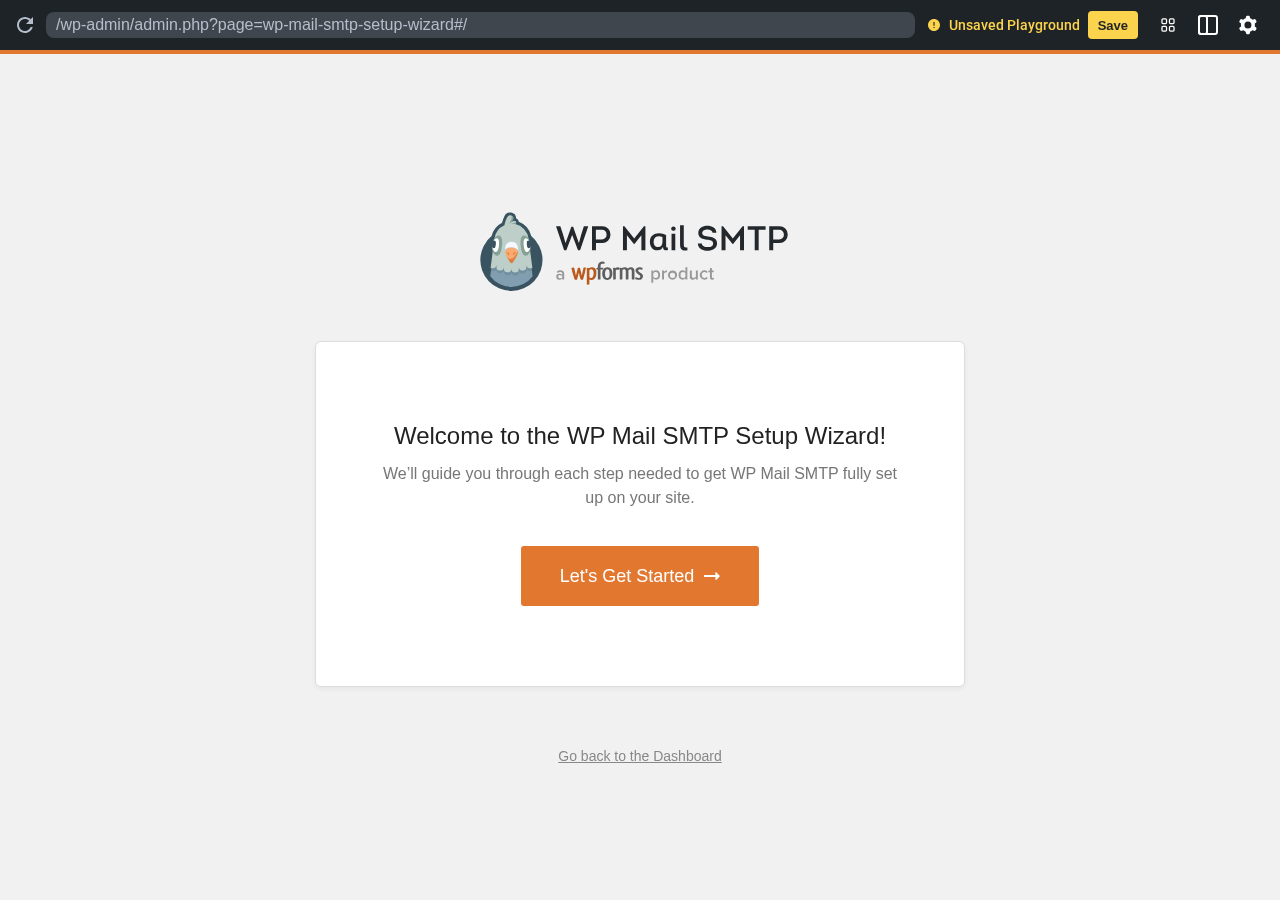
Hands-on notes: In the sandbox, WP Mail SMTP opened directly into a branded setup wizard that walks you through picking a mailer and a from-address before exposing the full Settings tab. The wizard-first flow is the cleanest first-run experience in this category and is the main reason it tends to be recommended for less technical site owners.
Pricing / free-plan note: The WordPress.org plugin is free and includes the main SMTP and mailer connections, basic email logging, and the setup wizard. The paid tiers (Pro, Elite, Developer, Agency) unlock several premium mailers, deeper Email Logs, alerts, smart routing, weekly summaries, and priority support.
Pros
- The strongest install and review base of any WordPress SMTP plugin
- Wizard-led setup
- Broad mailer coverage in one plugin
- Clear test-email and error reporting
- Active updates and active support
Cons
- Several mailers and the deeper logs and alerts are reserved for paid tiers
- Some upsell prompts in the dashboard
- More features than a tiny brochure site needs
2. FluentSMTP: best free WordPress SMTP plugin
FluentSMTP, from WPManageNinja, is one of the few SMTP plugins in this list with a fully free product and no paid tier. It supports a long list of email service providers natively, includes email logging, and adds a useful fallback connection so a single misconfigured mailer does not silently break your password resets. For site owners who do not want to think about SMTP plugin licenses, this is the strongest recommendation.
Drawback: no paid support tier
Best for: indie blogs, freelance dev sites, agencies that maintain many client sites and want one zero-cost SMTP plugin, and anyone who would rather route through a provider API than store SMTP credentials in WordPress.
Key features:
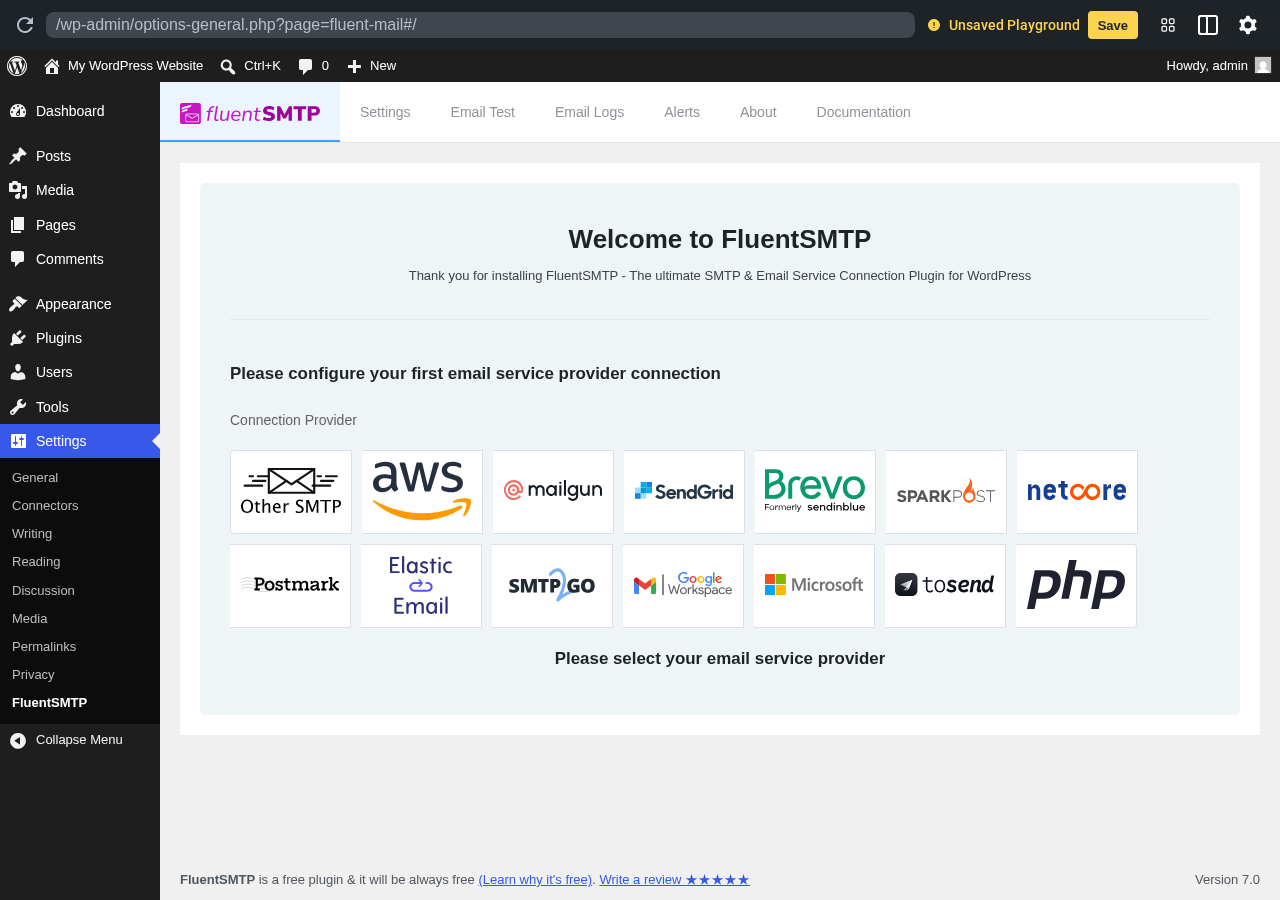
- Native integrations for Amazon SES, SendGrid, Mailgun, SparkPost, Postmark, Brevo, Microsoft 365, Google Workspace, Elastic Email, SMTP2GO, Netcore, Pepipost, and any standard SMTP server
- Email Test, Email Logs, and Alerts in the free version
- Fallback connection so a second mailer can take over when the first fails
- Per-from-address routing so different senders can use different mailers
- Open-source, no upsell pop-ups, no premium gate on the main features
Hands-on notes: In the sandbox, FluentSMTP loaded directly into a provider selection grid covering all the major mailers, with no upsells in the way. The interface is editorial and product-led: pick a provider, enter the API credentials, and run a test. The fallback connection feels especially valuable on small sites where nobody is going to babysit deliverability.
Pricing / free-plan note: FluentSMTP is fully free. There is no paid version. WPManageNinja monetizes other products in their ecosystem (FluentForms, FluentCRM), and they keep this plugin free.
Pros
- Truly free, full feature set
- Excellent provider coverage out of the box
- Fallback connection is rare in this category
- Lightweight admin UI without upsell modals
- High WordPress.org rating with steady update history
Cons
- No paid SLA-style support tier, only community and ticket support
- Less hand-holding than the wizard-first plugins for less technical users
- The provider selection assumes you already have an account with one of the supported services
3. Post SMTP: best open-source SMTP plugin with strong logging
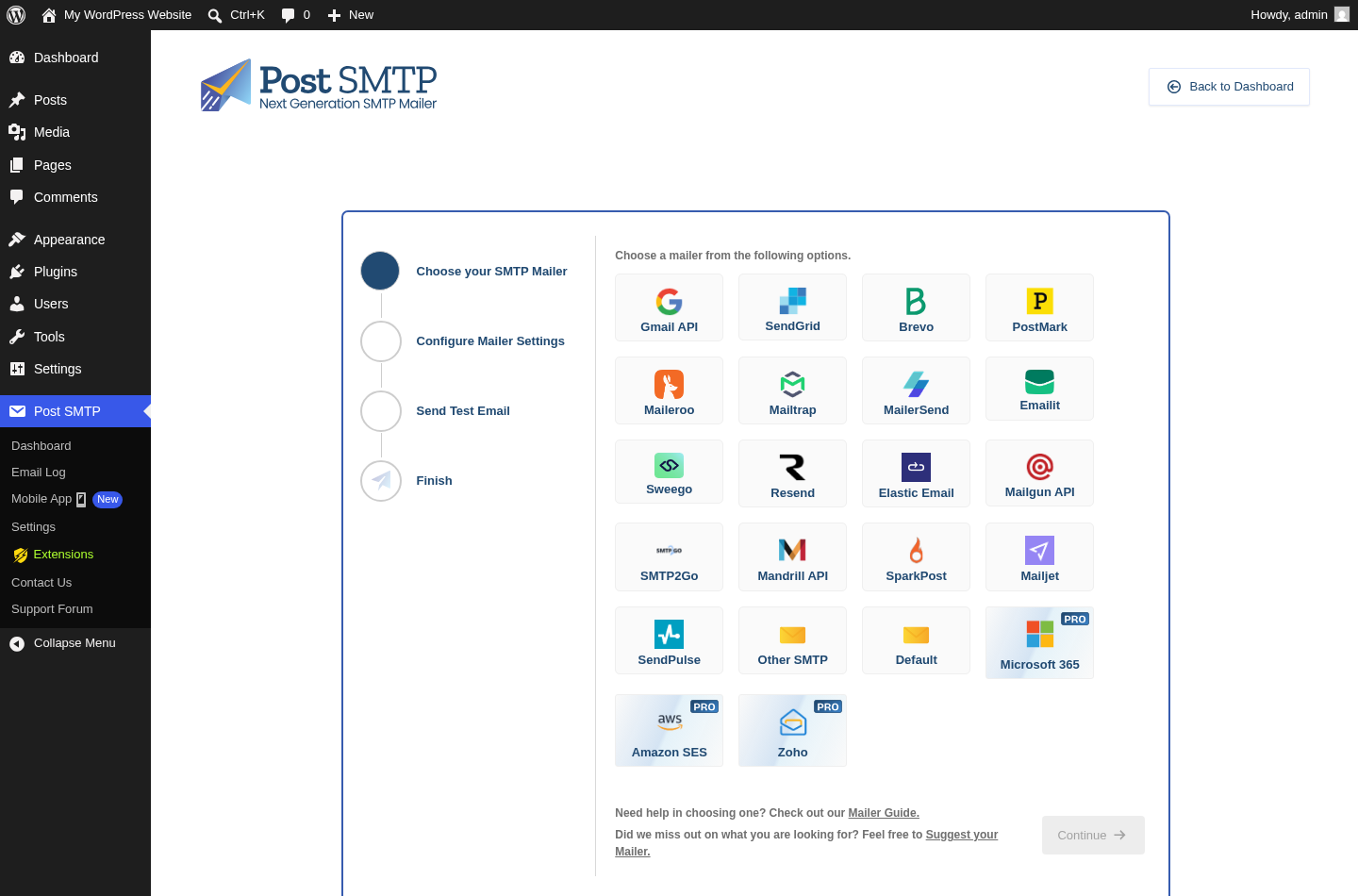
Post SMTP is the spiritual successor to the long-running Postman SMTP plugin and is one of the most feature-dense free options. It supports OAuth-based mailers (Gmail, Microsoft 365), regular SMTP, and API connections for providers like Mailgun, SendGrid, SparkPost, Brevo, Postmark, and Amazon SES. It also ships with email logs, failure alerts via Chrome push or a mobile app, and a backup SMTP connection in the free version.
Drawback: configuration-heavy
Best for: open-source-minded site owners, sites that need failure alerts without paying for a Pro tier, and admins who actually want to read SMTP debug output instead of relying on a wizard.
Key features:
- OAuth 2.0 connections for Gmail, Google Workspace, and Microsoft 365 or Outlook
- API connectors for Mailgun, SendGrid, Postmark, SparkPost, Brevo, Mailjet, Amazon SES
- Standard SMTP with TLS or SSL
- Email Logs and resend
- Backup SMTP and failover routing
- Mobile push alerts via the Post SMTP mobile app
- Chrome extension alerts on send failures
Hands-on notes: Post SMTP starts in a configuration wizard rather than a single-click connect flow, which fits its more technical positioning.
Pricing / free-plan note: Post SMTP is free on WordPress.org with most features included. Postman SMTP Pro adds a managed alerting service, deeper failure routing, and additional integrations.
Pros
- Strong free feature set including alerts and backup SMTP
- OAuth flows for Gmail and Microsoft 365 without paying for Pro
- Active maintenance and a real changelog
- Useful failure alerting through the mobile app
- Trusted by long-time Postman SMTP users
Cons
- Setup is more technical than wizard-led competitors
- The dashboard packs a lot into one screen
- Some advanced alerting features sit behind the Pro add-on
4. Easy WP SMTP: best WordPress SMTP plugin with a guided wizard
Easy WP SMTP, now a SendLayer product, is a focused wizard-first SMTP plugin. It does not try to be a full transactional email control panel. It walks you through picking a mailer, entering credentials, and sending a test email. If you want a small, opinionated plugin that gets WordPress mail out the door without a learning curve, it is a clean choice.
Drawback: deeper mailers and features are paid
Best for: solo blogs, small business sites, hobby projects, and site owners who explicitly do not want to manage routing rules, logs, and alerts.
Key features:
- Setup wizard for first install
- Native mailers for SMTP, Gmail and Google Workspace, Microsoft 365 and Outlook, SendLayer, SendGrid, Brevo, and others
- Test email tool with friendly error messages
- Email Logs with a simple list view
- Lightweight settings page focused on one job
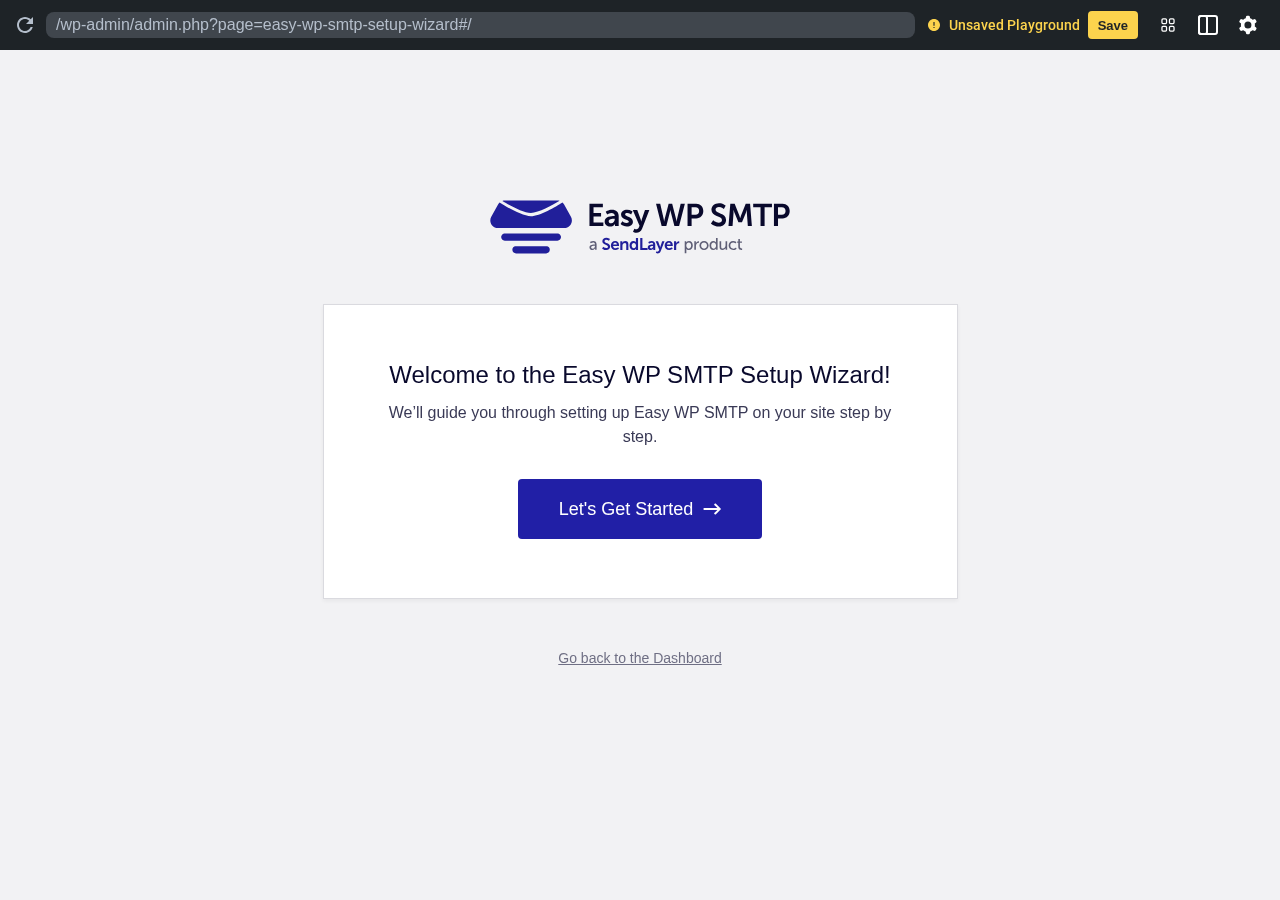
Hands-on notes: In the sandbox, Easy WP SMTP opened to a clearly branded welcome wizard with a single primary action: get started. There are no decoy upsells in the way during first setup. The wizard pattern feels intentionally similar to the WP Mail SMTP flow, which makes it easy to switch between the two if you decide later that you want a different ecosystem.
Pricing / free-plan note: The WordPress.org plugin is free with the main SMTP and mailer connections and basic logs. Easy WP SMTP Pro and the SendLayer service tier unlock more mailers, deeper logs, alerts, and white-label features.
Pros
- Clean, fast first-run wizard
- Focused feature set, easy to explain to a non-technical owner
- Solid mailer coverage in the free plugin
- Test email reports are easy to read
- Active updates and a current “tested up to” tag
Cons
- White-label, deeper logs, and advanced support sit behind Pro
- Fewer power features than WP Mail SMTP, FluentSMTP, or Post SMTP
- The plugin’s marketing leans on SendLayer as the recommended mailer
5. SureMail by Brainstorm Force: best newer SMTP plugin with retry-on-fail
SureMail is the SMTP plugin from Brainstorm Force, the team behind Astra and Spectra. It is one of the newer entries on this list, but it has grown quickly and earns its spot through a clean dashboard, native logs, and an auto-retry mechanism for failed emails that is uncommon in the free tier.
Drawback: smaller review base than the top picks
Best for: sites already running Astra, Spectra, CartFlows, or other Brainstorm Force tooling, and admins who want a modern-looking SMTP dashboard.
Key features:
- Guided onboarding for first connection
- Mailer support including SMTP, Brevo, SendGrid, Amazon SES, Postmark
- Email Logs with resend and search
- Auto-retry on failed emails
- Clean settings UI consistent with the Brainstorm Force ecosystem
Hands-on notes: SureMail opens into a guided welcome screen with a three-step setup ribbon. The plugin’s positioning leans on the same fail-proof email messaging as the bigger players, but the editorial value of the free version is real: logs, retry, and provider coverage are useful even outside the Brainstorm Force ecosystem.
Pricing / free-plan note: SureMail is free on WordPress.org for the main SMTP and mailer connections, logs, and auto-retry. Brainstorm Force ties paid functionality into the broader SureCart, SureTriggers, and Astra Pro ecosystem.
Pros
- Modern, low-friction dashboard
- Auto-retry on failure is a meaningful free-tier feature
- Backed by a well-known WordPress vendor
- Fits naturally with Astra and Spectra builds
- Good rating, consistent with other Brainstorm Force tools
Cons
- Smaller review base than WP Mail SMTP, FluentSMTP, or Easy WP SMTP
- Smaller native-mailer list than the top picks
- The product story is tightly linked to the Brainstorm Force ecosystem

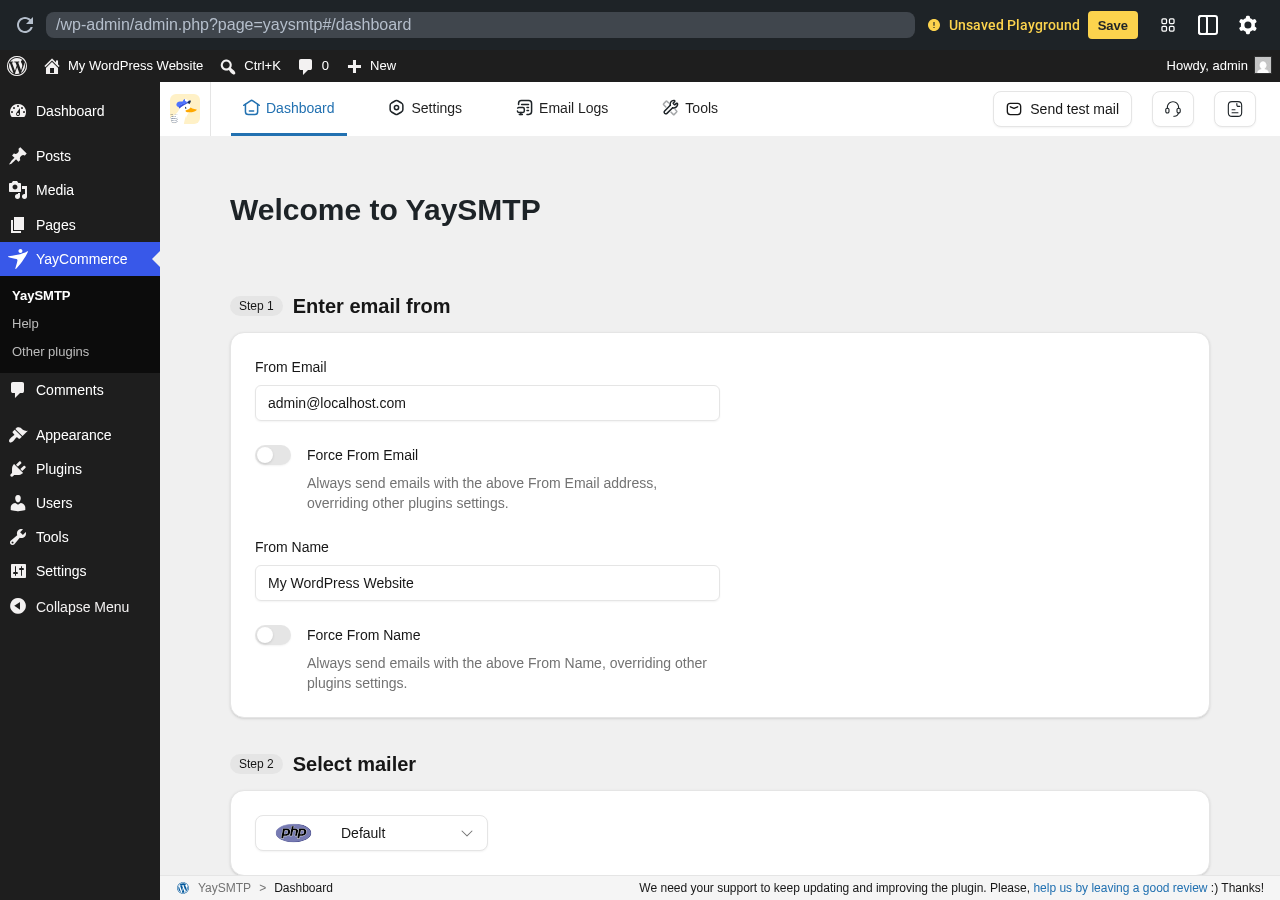
6. YaySMTP: best modern UI for a smaller SMTP plugin
YaySMTP from YayCommerce is a smaller plugin with one of the cleanest setting screens in this category. It supports both standard SMTP and several major API-based mailers, and it has built logs, a test tool, and provider selection into a single tab so first-time users can finish setup without leaving the screen.
Drawback: smaller install base
Best for: site owners who care about admin UX, agencies that hand a WordPress site to a non-technical owner, and YayCommerce or YayExtra users.
Key features:
- One-page guided settings with numbered steps
- SMTP, Gmail and Google Workspace, Outlook, Brevo, SendGrid, Amazon SES, Mailgun
- Email Logs and Send test mail
- From-name and force-from-email controls
- Tools tab for diagnostics
Hands-on notes: YaySMTP loaded into a numbered Step 1, Step 2, Step 3 dashboard in the sandbox: enter the from-address, select a mailer, and confirm. The pattern is easier to scan than the typical multi-tab SMTP settings page and is a good fit for sites where the admin will not return to this screen for months at a time.
Pricing / free-plan note: The WordPress.org plugin is free with most core SMTP and mailer features. YaySMTP Pro and the wider YayCommerce ecosystem extend support and add advanced features.
Pros
- Cleanest single-screen settings flow in this list
- Step-numbered onboarding
- Reasonable mailer coverage for a smaller plugin
- Strong rating from a focused user base
- Lightweight admin footprint
Cons
- Smaller install and review base than the leading options
- Some advanced mailer or commerce-style features sit in the YayCommerce paid stack
- Less brand recognition than WP Mail SMTP, FluentSMTP, or Post SMTP
7. SMTP2GO for WordPress: best vendor-specific SMTP plugin
SMTP2GO is one of the few independent transactional email services with an official WordPress plugin. The plugin is intentionally narrow: it connects WordPress to SMTP2GO’s API or SMTP relay, applies tracking, and lets you flip between live and test modes. If you already use SMTP2GO, or are choosing it for transactional mail, this is the plugin to install.
Drawback: vendor-specific
Best for: WooCommerce and SaaS-style WordPress sites that have picked SMTP2GO as their transactional provider, plus agencies that route many client sites through one SMTP2GO account.
Key features:
- Official connection to the SMTP2GO service
- API key or SMTP credentials
- Open and click tracking control
- Custom “From” address
- Test mode for safe trial sends
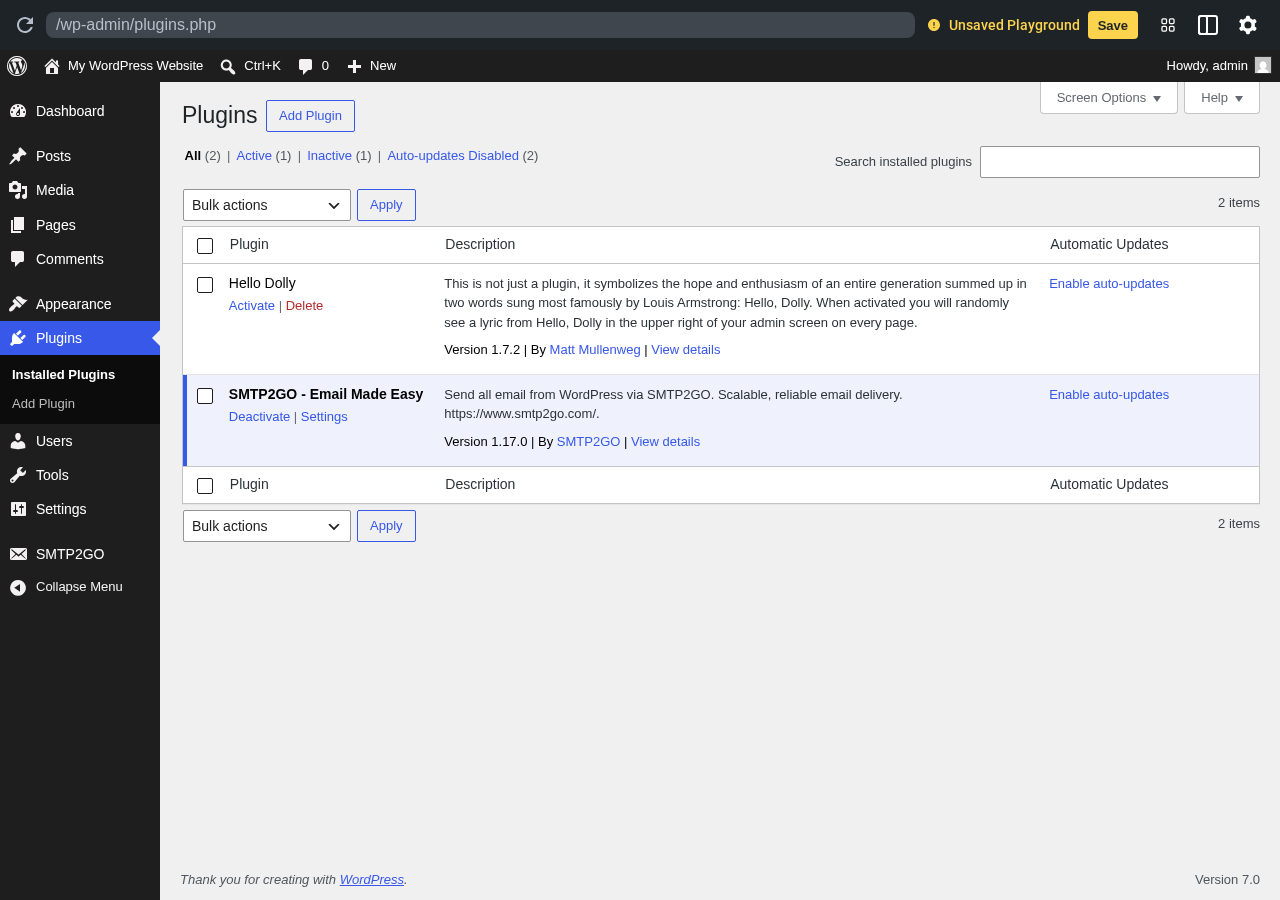
Hands-on notes: In the sandbox the plugin installs and exposes its settings under Settings > SMTP2GO. Because the plugin’s job is to talk to the SMTP2GO service, the value depends entirely on the account behind it, not on the plugin’s UI surface. The plugin itself stays out of the way, which is the right behavior for a vendor connector.
Pricing / free-plan note: The plugin is free. SMTP2GO operates a freemium account model with a generous free tier and paid tiers based on send volume and seats.
Pros
- Official, vendor-maintained connector
- Lean and focused
- Useful test mode for staging
- Easy to recommend to clients who already use SMTP2GO
- Strong rating from existing customers
Cons
- Only useful if you use SMTP2GO
- Less interesting if you have not chosen a provider yet
- Smaller install base than the multi-mailer plugins above
8. SMTP Mailer by naa986: best simple SMTP plugin
SMTP Mailer from developer naa986 is a deliberately small plugin that does one thing: replace the default WordPress mailer with authenticated SMTP credentials. There is no setup wizard, no logs UI, and no provider grid. There is a single settings page where you fill in host, port, encryption, username, password, and from-address. It is the right plugin when you want absolutely no extras.
Drawback: no logs or alerts
Best for: developer-managed sites, simple brochure sites, and sandbox setups where you want a hand-configured SMTP connection and nothing else.
Key features:
- One settings page
- SMTP host, port, encryption, username, and password
- “From” name and email override
- Send-test-email button
- Compatible with most generic SMTP services
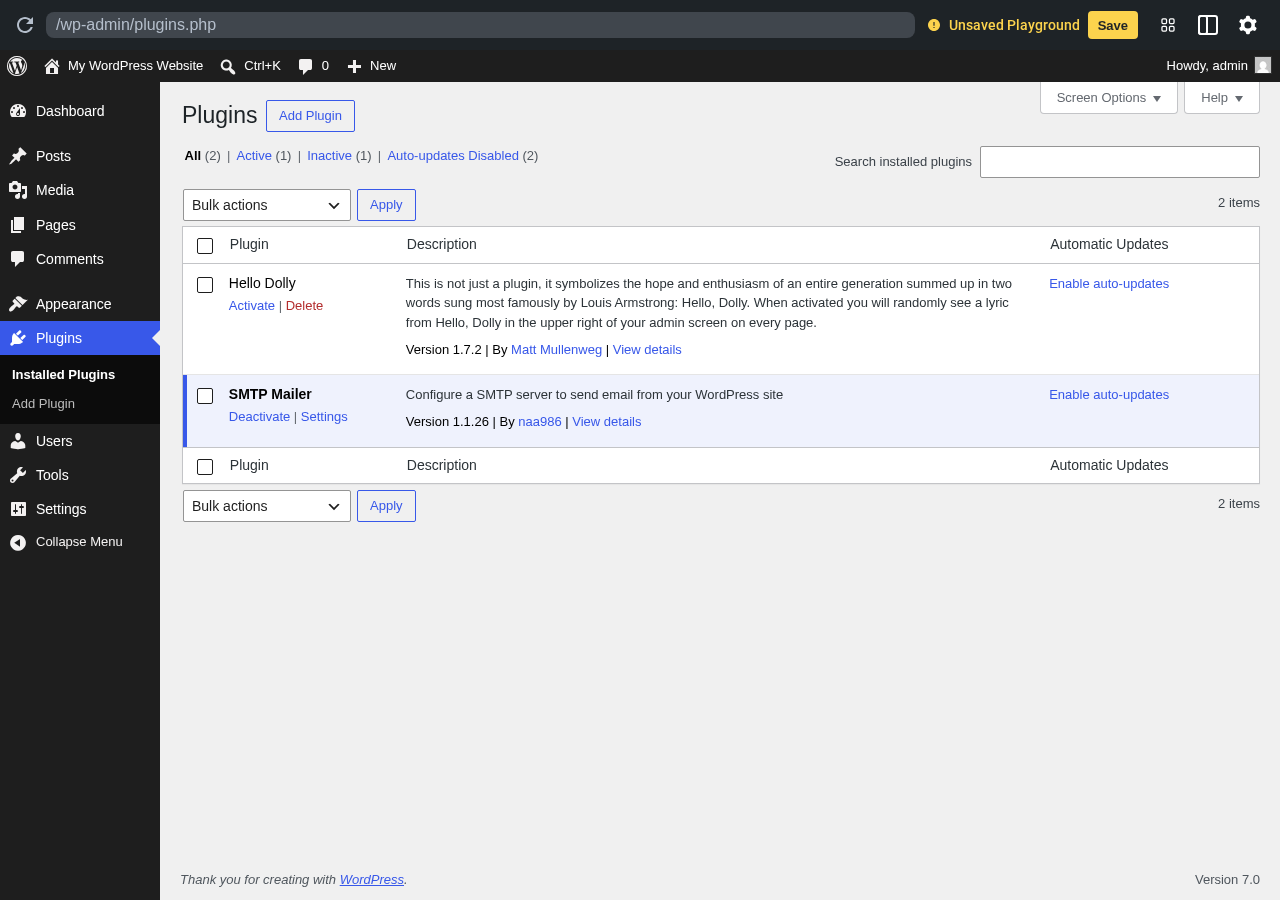
Hands-on notes: The plugin installs and immediately exposes a Settings link from the plugins screen. The full settings page is the standard naa986 layout: a vertical list of SMTP fields, no logs, no graphs, no upsells. That minimalism is the entire pitch.
Pricing / free-plan note: The plugin is free. The developer maintains an external site with documentation and offers Pro upgrades for premium support and a small set of extra features.
Pros
- Smallest viable footprint for SMTP on WordPress
- No upsells inside the admin
- Easy to script and document for staff
- Consistent author with a long maintenance history
- Good rating from a small, focused review base
Cons
- No logs, alerts, or backup connection
- No provider grid, you must already have SMTP credentials in hand
- Not a great recommendation for anyone who wants visibility into outbound mail
9. Gmail SMTP by naa986: best dedicated Gmail SMTP plugin
Gmail SMTP is the second naa986 plugin in this list and is purpose-built for sending WordPress mail through a Gmail or Google Workspace account using OAuth 2.0. If you do not need a multi-provider mailer and just want clean Gmail delivery, this plugin removes the work of picking the right one from a larger SMTP suite.
Drawback: Gmail-only by design
Best for: personal blogs, small business sites with one Google Workspace user, and freelancers who consistently send WordPress mail from a Gmail address.
Key features:
- OAuth 2.0 connection to Gmail and Google Workspace
- “From” name and email override
- Test email button
- Small, focused settings page
- No external dependencies once the OAuth client is configured
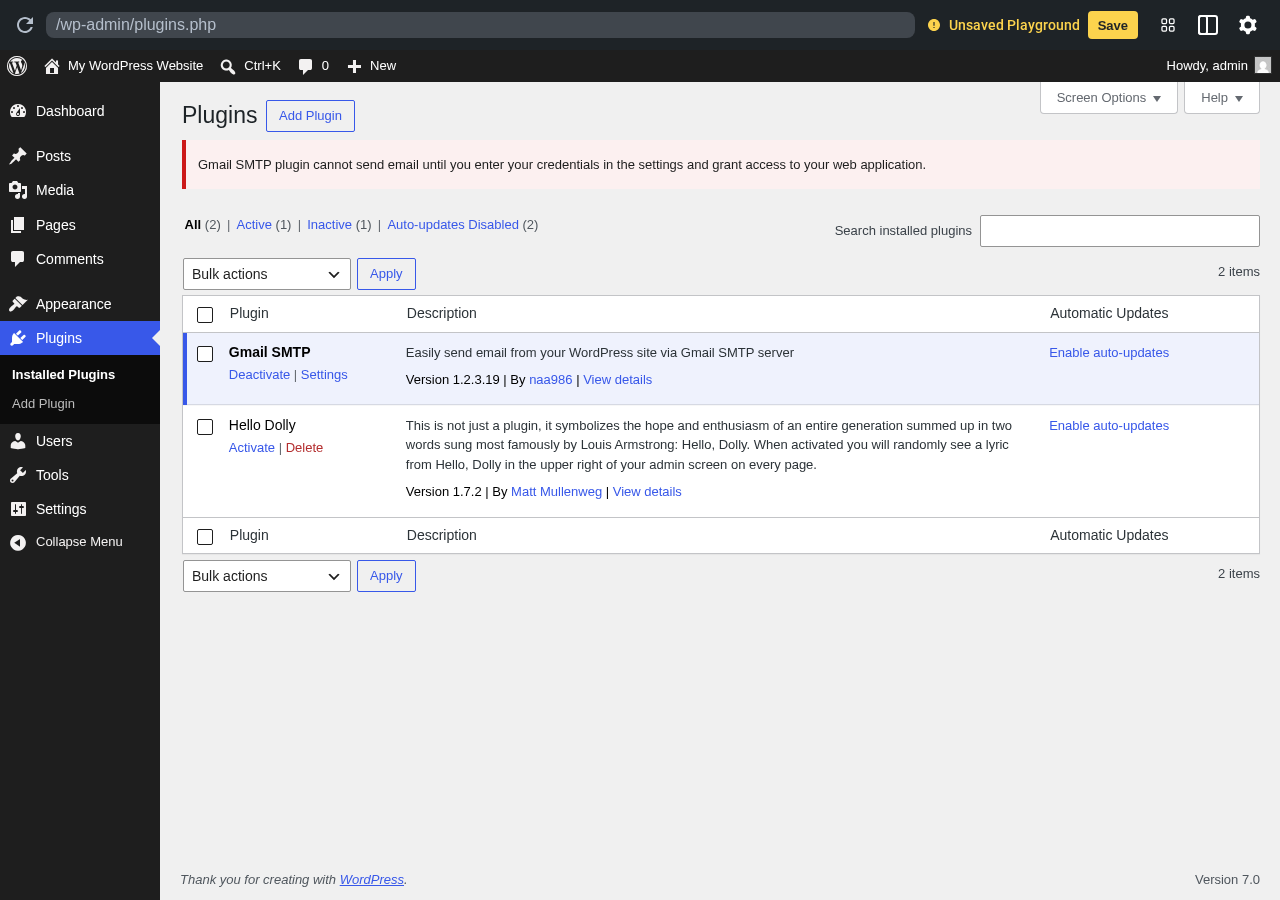
Hands-on notes: In the sandbox, Gmail SMTP installs and immediately shows a Settings link, plus a notice that the plugin cannot send email until you enter Google OAuth credentials. That notice is correct behavior, not an error: setting up a Google Cloud OAuth client is a real prerequisite for Gmail-based sending and is the same flow any Gmail mailer requires.
Pricing / free-plan note: The plugin is free. The developer offers a paid Pro version for advanced needs and priority support.
Pros
- Focused on a single, common use case
- Cleaner than configuring Gmail inside a multi-mailer SMTP suite
- Stable maintenance history from naa986
- Strong fit when Google Workspace is the only mail account
- No upsells in the admin UI
Cons
- Only useful for Gmail and Google Workspace
- Requires Google Cloud OAuth setup, which can intimidate non-technical users
- No logs, no failure alerts
10. Solid Mail by SolidWP: best for the StellarWP ecosystem
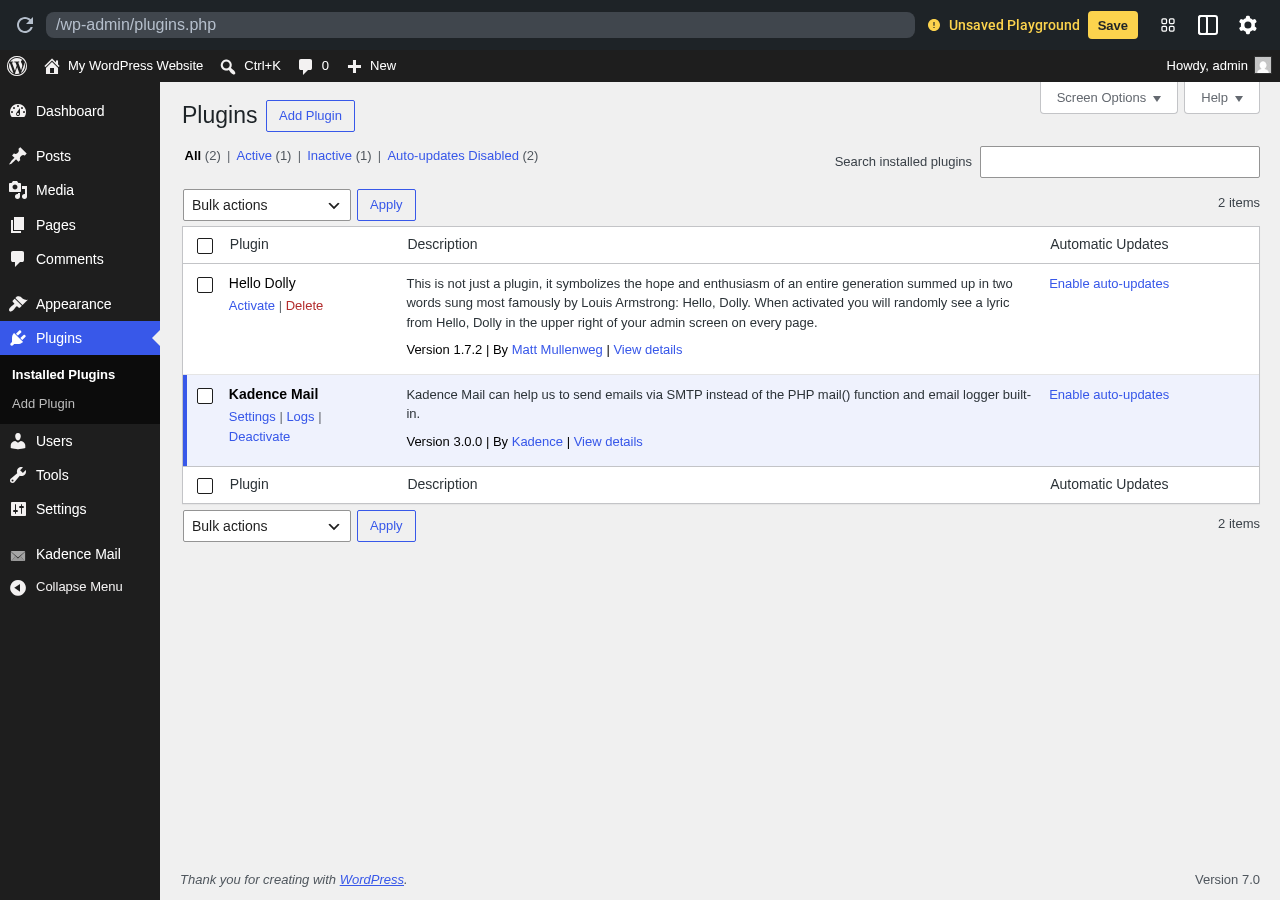
Solid Mail is the SMTP plugin from SolidWP (part of the StellarWP family that also includes Kadence, iThemes Security, and others). The plugin is currently mid-rebrand: the WordPress.org listing reads “Solid Mail” while the in-plugin branding still shows as “Kadence Mail” during install. Functionality is consistent across both names. The plugin supports popular SMTP services, includes logging, and is a natural pick for sites that already use other StellarWP tools.
Drawback: in-product branding is still mid-rebrand
Best for: sites already running other StellarWP products (Kadence theme, Kadence Blocks, SolidWP Security, Restrict Content Pro, iThemes Sync), and admins who want a vendor-backed SMTP plugin from a known family.
Key features:
- Mailer support including SMTP, Mailgun, SendGrid, Brevo, and other common providers
- Email logs
- Connection testing
- Consistent design language with the broader StellarWP suite
- Active development cycle aligned with the SolidWP roadmap
Hands-on notes: In the sandbox, the plugin installs from the wp-smtp slug but registers in the admin as “Kadence Mail.” This is the StellarWP family rebrand currently in progress, not a different product. The settings sidebar entry and Settings link both work as expected.
Pricing / free-plan note: The plugin is free on WordPress.org. StellarWP offers paid Solid suite bundles that pair this plugin with security, backup, and commerce tooling.
Pros
- Backed by a recognized WordPress vendor family
- Clean integration story for sites already inside the StellarWP stack
- Active development
- Reasonable logging and SMTP support in the free version
- Good fit for agencies standardized on StellarWP
Cons
- Branding is in transition, which can confuse first-time users
- Smaller mailer list than the multi-provider leaders
- Less interesting outside the StellarWP ecosystem
Niche options to watch
These two plugins were researched but did not earn a main ranking either because their scope is narrower than a general SMTP plugin, or because their proof signals are still thin compared to the leaders. They are worth knowing.
WP Offload SES Lite by Delicious Brains
WP Offload SES Lite is built for one provider: Amazon Simple Email Service. If you have already chosen SES as your transactional mailer (usually for cost reasons at higher volume), this plugin is a focused connector with email logs and bounce or complaint tracking when paired with the paid Pro version. It is not a general-purpose SMTP plugin, but it is the right choice for SES-first stacks.
GoSMTP
GoSMTP is a newer entry that has reached a meaningful install base, but its review count is still small compared to the leaders. It positions itself as a free SMTP plugin with mailer connectors and a clean dashboard. It is worth a sandbox test if you specifically want a less crowded alternative to the top picks, but track its review history before depending on it for a large production site.
How to choose the best WordPress SMTP plugin
The right WordPress SMTP plugin depends on three things: which email service you plan to send through, how much visibility you want into outbound mail, and whether you prefer a wizard or a settings page.
If you have no strong opinion and just want the safest default, install WP Mail SMTP by WPForms. The wizard, the mailer coverage, and the install base make it the lowest-risk pick for most WordPress sites.
If you want a fully free product with no paid tier in the dashboard, install FluentSMTP. The provider list and the fallback connection are stronger than most paid SMTP plugins of a few years ago.
If you want open-source positioning, deeper logging, and built-in failure alerts without a Pro tier, install Post SMTP.
If you want a small plugin that gets out of the way after setup, install Easy WP SMTP for the wizard route, YaySMTP for the single-page settings route, or SMTP Mailer by naa986 for the absolute minimum.
If you have already committed to a provider, install the matching vendor connector: SMTP2GO for SMTP2GO, Gmail SMTP for Google Workspace, or WP Offload SES Lite for Amazon SES.
If you are running an Astra, Spectra, or CartFlows site, SureMail is a natural fit. If you are running a Kadence theme or other StellarWP product, Solid Mail is the consistent choice.
Before installing any WordPress SMTP plugin on a live site, check four things:
- Which email service will the site actually send through (SMTP, Gmail, Outlook, SES, SendGrid, Mailgun, Brevo, Postmark, SMTP2GO, etc.)
- Whether the free plan covers the mailer you need, or whether the connector you need is a paid feature
- Whether you want email logs and failure alerts on the free tier, or are willing to pay for them
- Whether the plugin is recently updated and tested with your current WordPress version
FAQ
Do I really need a WordPress SMTP plugin?
In most cases, yes. The default wp_mail() function uses the PHP mail() route from your hosting server, which is rarely authenticated and is often flagged as spam or quietly dropped by major mailbox providers. An SMTP plugin replaces that route with an authenticated connection to a real email service, which is the standard fix for missing password resets, contact form notifications, and WooCommerce receipts.
What is the best free SMTP plugin for WordPress?
FluentSMTP is the strongest fully free option because it has no paid upgrade tier and includes provider integrations, logs, alerts, and a fallback connection in the free plugin. WP Mail SMTP by WPForms, Easy WP SMTP, Post SMTP, and SureMail also have useful free tiers, though some advanced features sit behind a Pro or Elite plan.
Which WordPress SMTP plugin works best with Gmail or Google Workspace?
WP Mail SMTP by WPForms, FluentSMTP, Post SMTP, Easy WP SMTP, and YaySMTP all support Gmail and Google Workspace through OAuth 2.0 in their free tiers. Gmail SMTP by naa986 is a dedicated single-purpose option if you do not need a multi-mailer plugin.
Which WordPress SMTP plugin works best with Amazon SES?
FluentSMTP, Post SMTP, SureMail, and WP Mail SMTP by WPForms all support Amazon SES connections. If you want a single-purpose plugin focused only on SES, WP Offload SES Lite is the dedicated option.
Will an SMTP plugin slow down my WordPress site?
A correctly configured SMTP plugin should not noticeably affect page load. Outbound email is queued and sent through the email service, not in front of your visitor’s request. The exceptions are plugins that aggressively log every send to the database without pruning, which can grow the wp_options or log tables over time. The safer plugins on this list expose log retention settings or prune by default.
How do I test that my SMTP plugin actually works?
Every plugin on this list ships a “send test email” button. Run it after setup and check the inbox of a real third-party mailbox (Gmail, Outlook, ProtonMail) rather than only an account on the same hosting environment. If the test arrives, confirm the same path works for a real contact form submission or a real WooCommerce order confirmation before relying on it in production.
Conclusion
For most WordPress sites, install WP Mail SMTP by WPForms. It is the safest default and covers the majority of mailer needs out of the box.
If you want a no-paid-tier option with strong provider coverage, install FluentSMTP. If you want open-source feature depth and free failure alerts, install Post SMTP. If you want a focused wizard, install Easy WP SMTP. If you want a single-page modern dashboard, install YaySMTP. If your stack is Astra and Spectra, install SureMail. If your stack is Kadence and SolidWP, install Solid Mail. If you have already chosen SMTP2GO, Gmail, or Amazon SES as your provider, install the matching vendor connector.
The best WordPress SMTP plugin is the one whose provider list, log and alert features, and update cadence match your site’s actual mail flow, not the one with the loudest landing page.