

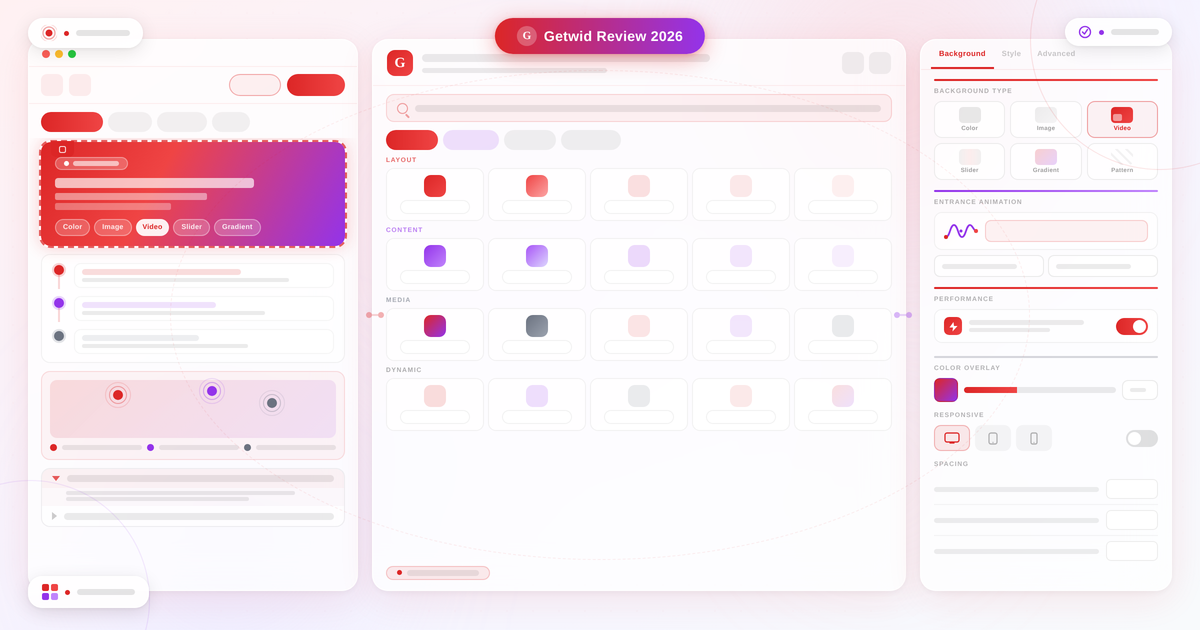
At a Glance
- Plugin: Getwid – Gutenberg Blocks by MotoPress
- Version reviewed: 2.2.0 (April 24, 2026)
- Active installs: 50,000+
- WordPress.org rating: 4.7/5 (115 reviews, 100 five-star)
- Price: Free — no premium version exists
- Requires WordPress: 5.8 or higher (tested up to 6.9.7)
- FSE support: Yes, since version 2.0
Quick Verdict
Getwid is one of the few Gutenberg block plugins that is 100% free with no upsell. The 40+ block library covers common design needs and adds several blocks you do not find elsewhere, including an Image Hotspot block with animated markers, an AI content generation assistant, and a Content Timeline.
Best for: Developers, designers, and technically confident site owners who want a comprehensive free block library without any freemium restrictions or paid upgrade pressure.
Best plan: Free only (there is no paid version).
Standout: 100% free with no premium tier; Image Hotspot block with animated markers; AI Assistant block; FSE-compatible; works with any WordPress theme.
Watch out for: Lower install count than category leaders; API keys required for Google Maps, Instagram, and MailChimp blocks; limited tutorial resources compared to Kadence Blocks or Spectra.
What Getwid is
Most Gutenberg block plugins follow the same model: give away a decent free tier, then lock the best blocks behind a premium license. Getwid by MotoPress does not follow that model. The entire plugin is free, the block library is deep, and there is no paid upgrade to unlock additional features.
Getwid is a free Gutenberg block library plugin developed by MotoPress, a WordPress product company with over ten years of experience building themes and plugins. MotoPress is better known for its premium booking plugins, but Getwid has always been a free community offering, positioned as the block tool that complements the MotoPress product ecosystem.
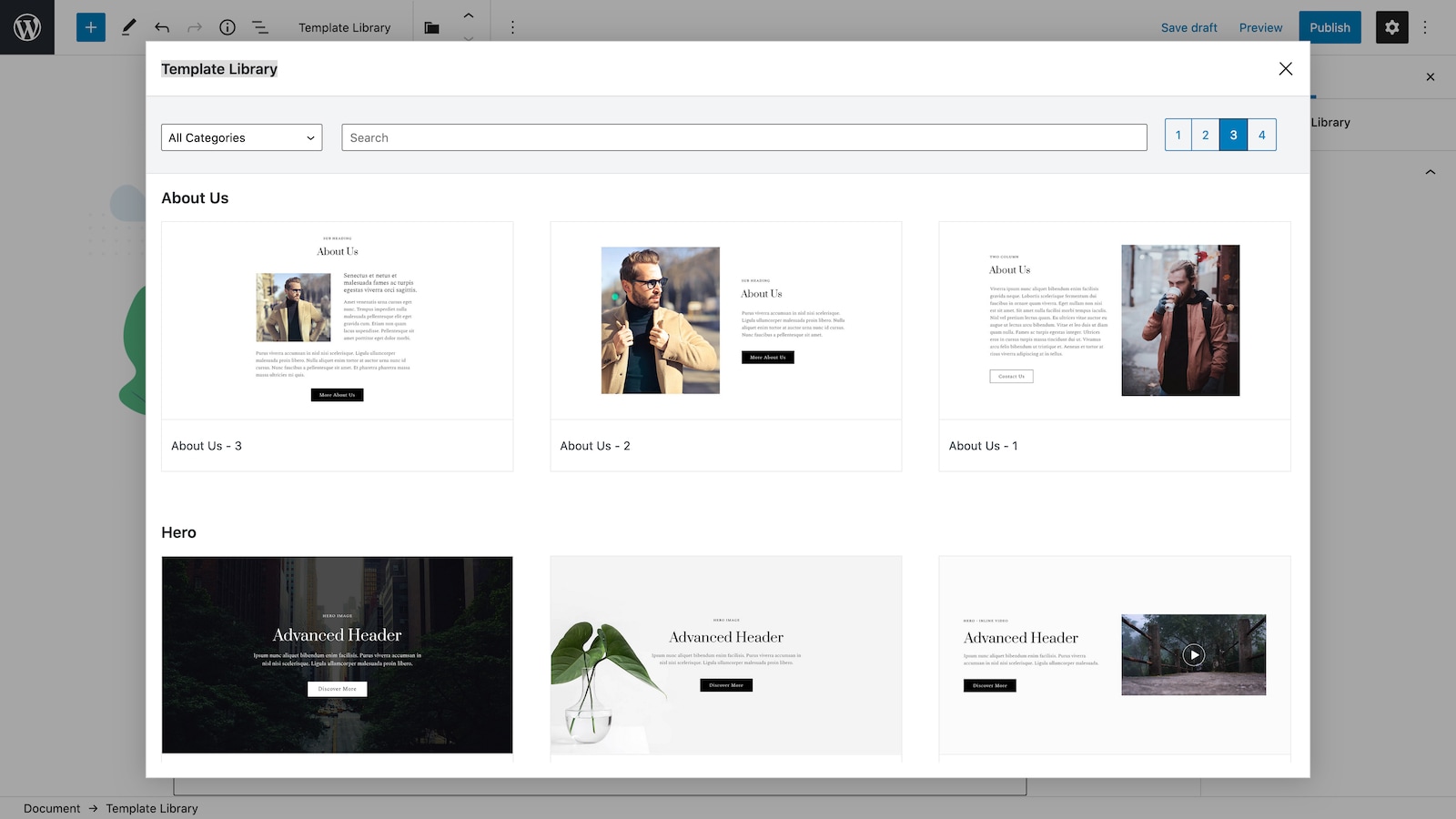
The plugin adds 40+ blocks to the WordPress block editor, covering layout, content, media, dynamic post display, and interactivity. It also ships with a library of 35+ pre-designed block templates, two free companion themes (Getwid Base and the newer Prime FSE theme for Full Site Editing), and a developer-facing Style Kit for theme authors building with Getwid blocks.
Getwid is available on WordPress.org at no cost. There is no Getwid Pro, no locked premium blocks, and no subscription. That is the plugin’s defining characteristic and the most important fact to understand before comparing it with alternatives.
The plugin has 50,000+ active installations and a 4.7-out-of-5-star rating (94%) across 115 WordPress.org reviews, with 100 five-star ratings out of 115 total. The rating is clean: only 3 one-star reviews out of 115. The install count is modest compared to category leaders, but the rating quality is high.
Who Getwid is best for
Strong fit:
- Developers building custom WordPress sites who want a full block library without a freemium gate. Getwid’s attributes-heavy design gives precise control over each block’s behavior and appearance.
- Designers working with clients who should not encounter upsell prompts inside the editor. Because there is no premium version, the admin panel stays clean.
- Site builders using the MotoPress theme ecosystem (MotoPress hotel, restaurant, and appointment themes). Getwid was designed alongside these themes and integrates cleanly.
- Projects that use Advanced Custom Fields. Getwid’s Custom Post Type block can use ACF custom fields as meta queries, enabling conditional content rendering based on field values.
- Sites in the process of migrating to Full Site Editing. Getwid has been FSE-compatible since version 2.0, and the Prime FSE companion theme is built specifically for the WordPress site editor.
- Builders who want animated section backgrounds (video, slider, gradient) and entrance animations without purchasing a premium block plugin.
Weak fit:
- Non-technical site owners who depend on large tutorial libraries and active YouTube communities. The Kadence Blocks and Spectra ecosystems have far more user-generated content and third-party documentation.
- Sites that need phone or priority chat support. Getwid is community-supported via the WordPress.org forum. There is no ticket-based premium support option.
- Builders who rely on a large visual template library for faster projects. Getwid’s 35+ templates are useful but limited compared to the 150+ templates in Spectra or the full starter site packs in Kadence Blocks.
- WooCommerce-focused builders who need dedicated shop blocks like product grids, cart elements, or checkout layout blocks. Getwid does not include WooCommerce-specific blocks.
Setting up Getwid
Getwid installs from the WordPress admin via Plugins > Add New. Search for “Getwid” and the plugin with the red letter-G logo appears at or near the top of results. After activation, a Getwid submenu appears under Settings in the left navigation.
The Settings panel covers four areas. The first is an API keys tab where you enter your Google Maps API key, Instagram access token, and MailChimp API key. These three blocks will not function without the relevant API key, which is a setup step that some users find unexpected. The second area is a block management screen where you can disable individual blocks you do not need. This selective block disabling, available since version 1.5.3, is useful for teams who want to limit what content editors can access. The third area covers performance optimization settings. The fourth shows template library access.
Once API keys are in place, all 40+ blocks become available in the editor without further configuration. Each block adds to the default block inserter under a “Getwid” category. The blocks are also organized into four groups on the plugin’s block showcase site.
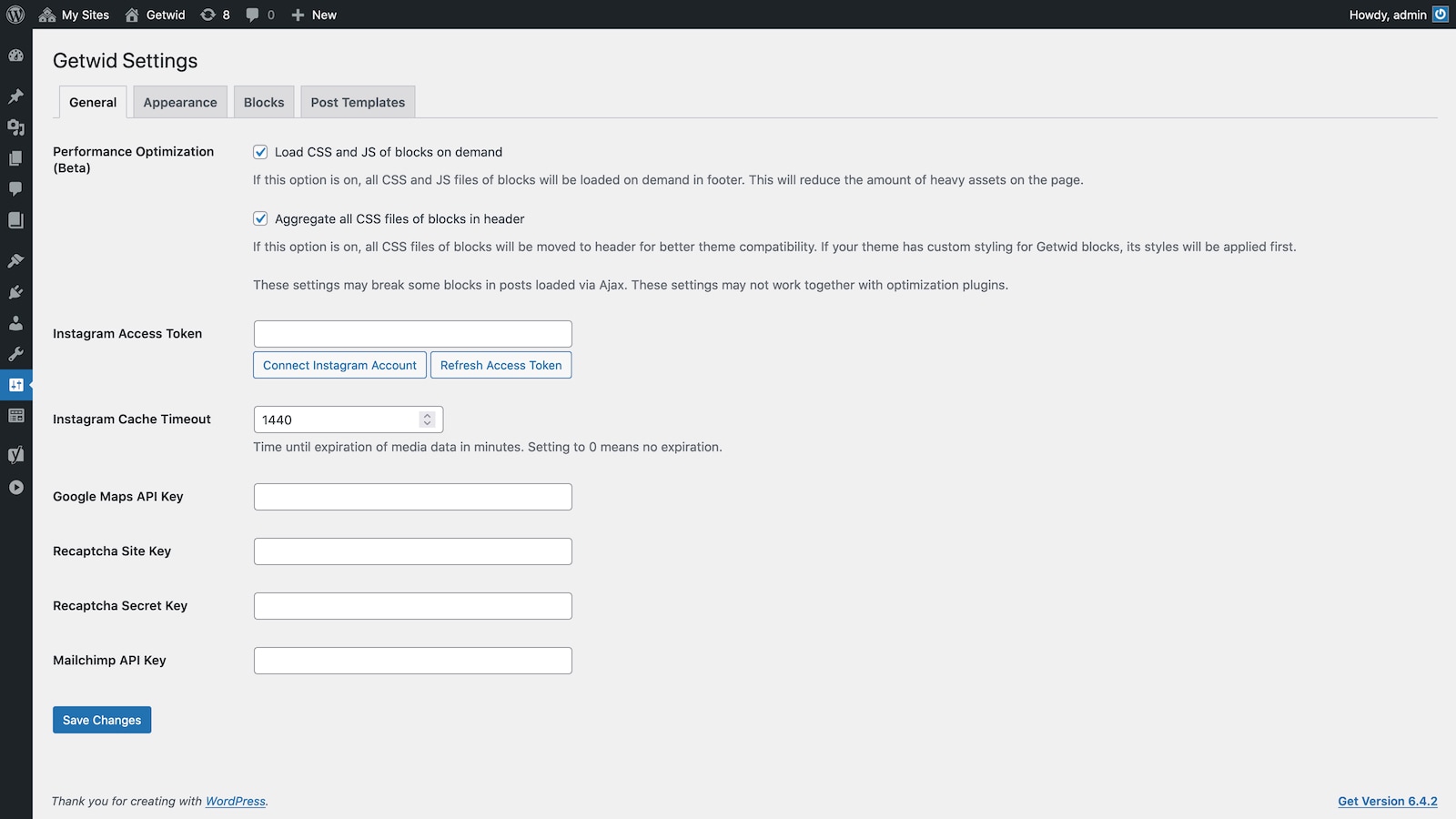
The setup experience is clean for an experienced WordPress user. There is no onboarding wizard or setup assistant, which means new users need to find the Settings panel manually to configure API-dependent blocks. A notice or first-run prompt pointing toward required API setup would make the initial experience smoother.
Block library overview
The 40+ blocks cover four broad groups. I have organized them below with notes on the most notable or distinctive entries.
Layout and structure blocks
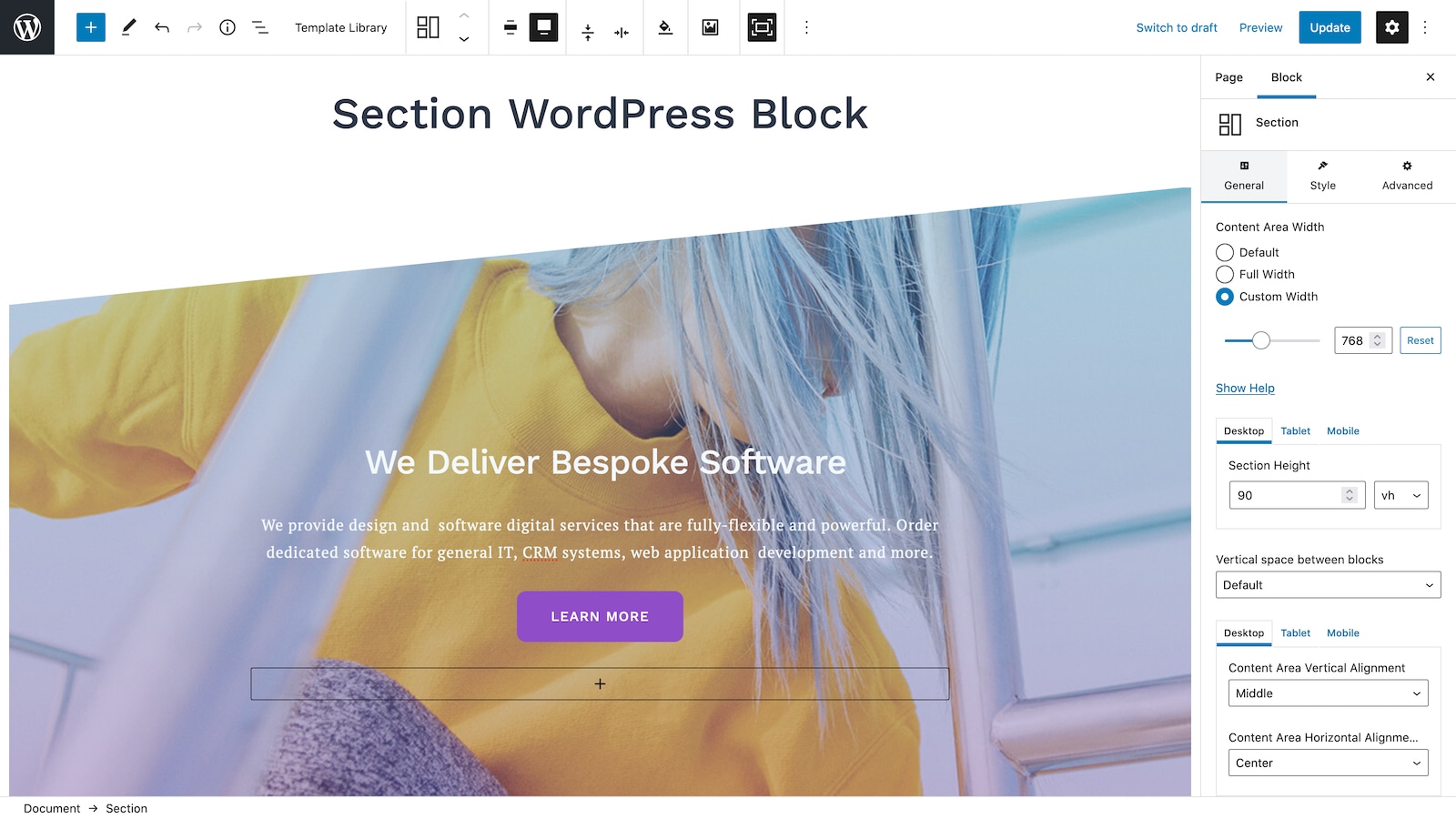
Section Block is the foundation of Getwid’s layout system. It creates custom page section containers with configurable backgrounds: solid colors, gradients, images, videos (hosted or YouTube), sliders, and pattern overlays. Each section supports entrance animations via the bundled Animate.css integration, customizable padding and margin, column arrangements, and foreground color overlays. This level of background and animation control in a free block is a genuine strength.
Advanced Heading Block goes well beyond WordPress’s core heading block. It adds access to Google Fonts, font weight and style selectors, letter spacing, line height, text-transform toggles (uppercase, lowercase, capitalize), custom text colors, and a one-click case conversion tool.
Advanced Spacer Block adds a configurable spacer with a useful feature the core spacer lacks: the option to hide it on mobile, tablet, or desktop independently. This is a small but practical feature for responsive layout control.
Anchor Block creates HTML anchor points for page jump navigation, which is useful for long-form pages or documentation without needing a separate plugin.
Content blocks
Accordion, Tabs, and Toggle Blocks provide three different ways to organize collapsible and tabbed content. The Accordion block is particularly clean for FAQ sections, with icon customization and heading type selection. Tabs can be displayed horizontally or vertically with pre-set style variants.
Content Timeline Block displays events or milestones in a chronological timeline layout with customizable containers for headings, subheadings, images, and body text. Timeline blocks are uncommon in free Gutenberg plugins.
Price Box Block and Price List Block cover pricing presentation. Price Box creates comparison-style pricing tables. Price List handles simpler price-plus-description lists, which works well for restaurant menus or service pricing.
Counter Block adds animated number counters to display statistics, achievements, or data points. The numbers animate on scroll entry.
Progress Bar Block and Circular Progress Bar Block provide two animated progress display styles. The circular variant is notably unusual in a free block library.
Countdown Block creates a configurable countdown timer with full control over the display format, font, colors, and label text.
Additional content blocks include Testimonial, Person, and a Table of Contents block that generates an automatic table of contents based on heading tags found in the page content.
Media blocks
Image Stack Gallery Block provides seven gallery styles with stacked and overlapping image arrangements that go beyond the standard masonry or grid layouts in the core gallery block.
Image Hotspot Block places interactive markers on an image. Each marker has a customizable tooltip, animation style, and color. This block is rare in the free Gutenberg space and useful for product images, maps, infographics, or interactive diagrams. The plugin documentation describes it as “unique on the Gutenberg addons market.”
Video Popup Block displays a YouTube, Vimeo, or self-hosted video in a popup lightbox triggered by a play button on a custom thumbnail image.
Media and Text Slider Block extends the slider concept to include text overlays on slides, with separate animation settings for the slide image and the text content.
Dynamic and integration blocks
Posts Grid and List Block displays WordPress posts, pages, or custom post types in grid or list layouts with control over what metadata shows, how many posts appear, and how the layout adapts.
Advanced Custom Fields Block integrates with the ACF plugin to display custom field data within block-based layouts. Combined with the Posts Grid block’s meta query support, this enables conditional post display based on custom field values.
Instagram Block creates a live-feed Instagram gallery connected to your Instagram account via the Instagram Basic Display API. API key required. Google Maps Block embeds a Google Map with support for unlimited custom markers. Google Maps API key required. MailChimp Block adds an email subscription form connected directly to a MailChimp list via the MailChimp API. API key required.
Contact Form Block provides a basic contact form with name, email, and message fields, configurable labels, and optional reCAPTCHA integration (no API key required for the form itself).
AI Assistant block
Getwid includes an AI Assistant block that generates written content directly inside the WordPress block editor. The block is powered by open-source AI models and supports content generation for headings, blog post body text, structured tables, and other text-based formats.
The AI Assistant block is a practical addition for site owners who want to draft content directly in the editor without switching to a separate AI writing tool. It is not a standalone AI writing platform, but it removes a context switch for straightforward content generation tasks.
I could not test the AI Assistant block directly in a live environment during this review. The feature is described in the plugin’s official documentation and shown in the WordPress.org screenshot gallery.
Full Site Editing support
Since version 2.0, Getwid integrates with WordPress’s Full Site Editing mode. All 40+ blocks work inside the WordPress site editor, so you can use Getwid blocks in custom headers, footers, templates, and navigation areas built with FSE.
MotoPress released Prime FSE, a free block theme built specifically for the WordPress site editor and powered by Getwid blocks, alongside the version 2.0 update. Prime FSE provides an FSE-native starting point for sites that want to use Getwid throughout the full site design.
The original Getwid Base theme remains available for sites using the classic theme + block content approach.
Performance
Getwid includes a performance optimization setting introduced in version 1.7.0 that allows the plugin to load block assets conditionally: only the CSS and JavaScript required by blocks actually used on a given page load, rather than the full library on every page.
This selective asset loading is a practical performance consideration for sites using only a subset of the 40+ available blocks. Most Gutenberg block plugins load all block assets globally, which adds page weight regardless of which blocks are used on a given page.
The performance optimization setting was described as “beta” at the time of the version 1.7.0 release in 2021. Its current status in version 2.2.0 is not clearly documented in the public changelog, so confirming whether selective loading is now stable or has changed behavior requires checking the plugin settings directly.
Pricing
Getwid is free. There is no premium version.
There is no Getwid Pro, no annual subscription, and no freemium upgrade to unlock additional blocks. Every block, template, and feature in the plugin is available at no cost.
The plugin is published on WordPress.org under the GNU GPL license. Pricing verified against WordPress.org and getwid.getmotopress.com on August 15, 2026: $0.00.
MotoPress earns revenue from its separate commercial products (premium WordPress booking plugins and premium themes). Getwid is a free community tool in their product ecosystem, not a revenue driver.
Pros and cons
Pros
- Completely free with no premium version or upsell. Every block and feature is available at no cost, forever.
- 40+ blocks covering layout, content, media, dynamic posts, and integrations, including uncommon free blocks: Image Hotspot, Content Timeline, Circular Progress Bar, and AI Assistant.
- Full Site Editing compatible since version 2.0. Works in the WordPress site editor for headers, footers, templates, and navigation.
- Individual block disable since version 1.5.3. Turn off blocks you do not need via Settings, useful for keeping the editor clean for content teams.
- Selective asset loading for better page performance. Block CSS and JavaScript only load on pages that use the relevant block.
- Works with any WordPress theme. Blocks inherit theme styles as the base.
- ACF integration for meta query filtering in Posts Grid, Posts Carousel, and Posts Slider blocks.
- Contact Form block includes reCAPTCHA support at no cost.
- High rating quality: 100 five-star ratings out of 115 total (87%), with only 3 one-star reviews.
- Active GitHub repository with commits as recent as July 2026.
- Two free companion themes: Getwid Base (classic theme) and Prime FSE (Full Site Editing theme).
- Open-source and GPL-licensed.
Cons
- Lower install count than category leaders. 50,000 active installs is modest compared to Kadence Blocks (600,000) or Spectra Legacy (1,000,000). Fewer installations mean fewer community tutorials and less third-party support content.
- API keys required for three blocks. Google Maps, Instagram, and MailChimp blocks each need a separate API key. New users can be caught off guard if they expect these to work immediately after activation.
- No premium support option. Support is community-only via the WordPress.org forum. There is no paid support tier, priority tickets, or live chat.
- Limited changelog transparency. The public changelog on WordPress.org shows version 2.1.0 (May 2025) as the last detailed entry, with no working link to historical changelogs.
- No WooCommerce-specific blocks. The plugin does not include product grids, cart blocks, or WooCommerce-native layout tools.
- Smaller template library (35+ templates) compared to alternatives like Spectra or Kadence Blocks.
- The official showcase site (getwid.getmotopress.com) is a live demo, which can be confusing for new users. Product information lives at motopress.com/products/getwid/.
- Some blocks (Image Hotspot in particular) had drag-and-drop issues fixed across versions 2.1.1 and 2.1.2, indicating ongoing edge-case stability work.
Alternatives to Getwid
Kadence Blocks. The most practical alternative for most users. 600,000+ active installs, a well-developed free tier with design library access, and a premium Kadence Blocks Pro upgrade for advanced features. Choose Kadence Blocks if you want a larger community, more tutorials, starter site templates, or the option to purchase a premium upgrade. Choose Getwid if you want 100% free with no freemium pressure and a stronger layout/animation block set in the free tier.
Spectra Legacy (Ultimate Addons for Gutenberg). The most-installed free Gutenberg block plugin with 1,000,000 active installs. Spectra also has a companion page builder (Astra theme) and starter templates. Choose Spectra if install count, community size, and starter site templates are priorities. Choose Getwid for its unique blocks (Image Hotspot, Content Timeline, AI Assistant) that Spectra does not offer.
GenerateBlocks. A minimalist block plugin with 200,000 installs and a deliberate design philosophy of doing less, better. GenerateBlocks focuses on Container, Grid, Image, and Text blocks with deep styling controls rather than a broad block catalog. Choose GenerateBlocks if you prefer a lean, developer-driven approach to layout. Choose Getwid if you need a wider block catalog including specialized content blocks.
Otter Blocks. 300,000 active installs, FSE-compatible, and developed by ThemeIsle (Neve theme). Otter has a clean free tier and a freemium Pro that adds AI tools, advanced form builder, and extended block features. Choose Otter if you are using the Neve theme or want integrated AI features in the Pro tier. Choose Getwid if you want a fully free plugin with no freemium model and a wider selection of content and media blocks.
Ultimate Blocks. A 50,000-install free Gutenberg plugin focused on content-specific blocks (Review, Star Rating, Call to Action, Styled List, Social Share). Choose Ultimate Blocks if content-enhancement blocks are your priority. Choose Getwid for media, layout, and dynamic post display.
Final verdict
Getwid stands out in the free Gutenberg block category for one simple reason: it is genuinely free with no premium version, and the blocks it delivers are competitive with the free tiers of plugins that do have a paid upgrade. The Image Hotspot block, Content Timeline, AI Assistant, Circular Progress Bar, and the Section block’s background/animation system are features you typically expect behind a premium paywall. In Getwid, they come included.
The real question for any site owner evaluating Getwid is whether 50,000 active installs matters for your project. It does not affect the plugin’s functionality, but it does affect the ecosystem around it: the volume of community tutorials, the depth of forum troubleshooting history, and the confidence that comes from seeing a plugin widely deployed in production. Kadence Blocks and Spectra have a significant lead on those metrics.
For a developer-led project, Getwid is a solid choice that does not compromise on features to push you toward an upgrade. For a site owner who needs a large support community and a rich tutorial library, Kadence Blocks edges ahead.
The FSE compatibility, performance optimization, and continued active development (GitHub commits as recent as July 2026) show that MotoPress is maintaining Getwid as a genuine product and not a legacy offering. For the price, which is zero, the block library is hard to beat.