


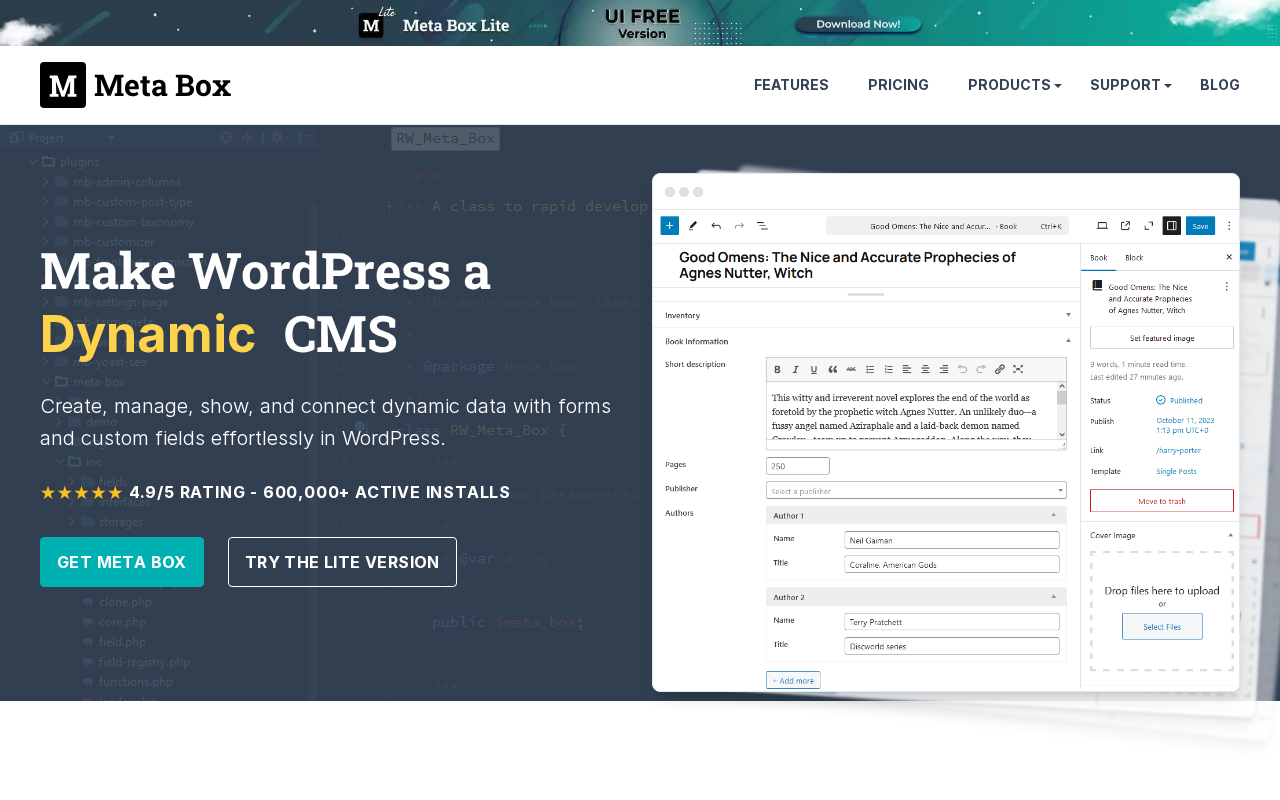
Quick verdict: Meta Box is one of the most powerful and flexible custom fields frameworks for WordPress, built for developers who want full control over their data architecture without the bloat. With 600,000+ active installs, 50+ field types, and a modular extension system, it is the go-to choice for agencies and serious WordPress builders.
At a Glance: Meta Box
| Plugin Name | Meta Box |
| Category | Custom Fields / Data Framework |
| Active Installs | 600,000+ |
| WP.org Rating | 4.8/5 (165 ratings) |
| Current Version | 5.14.1 |
| Free Version Available | Yes — on WordPress.org |
| Starting Price | $49/year (Basic Bundle, 1 site) |
Introduction
WordPress ships with a solid editor for posts and pages, but real-world projects demand more: real estate listings with map coordinates and price fields, event sites with date pickers and venue selectors, membership portals with user profile fields, or job boards with salary ranges and application deadlines. The moment your site needs structured data beyond the default title and content, you need a custom fields plugin — and Meta Box has been one of the best options since 2010.
Meta Box occupies a unique position in the custom fields landscape. Unlike some competitors that lean heavily toward visual, GUI-driven workflows, Meta Box was built code-first: you register field groups in PHP, your codebase is version-controllable, and nothing is locked inside the database in opaque serialized data. At the same time, the MB Builder extension offers a full drag-and-drop field builder for teams that prefer a no-code approach. That dual nature — developer-native but accessible to non-coders — is a big part of what has made it so enduringly popular.
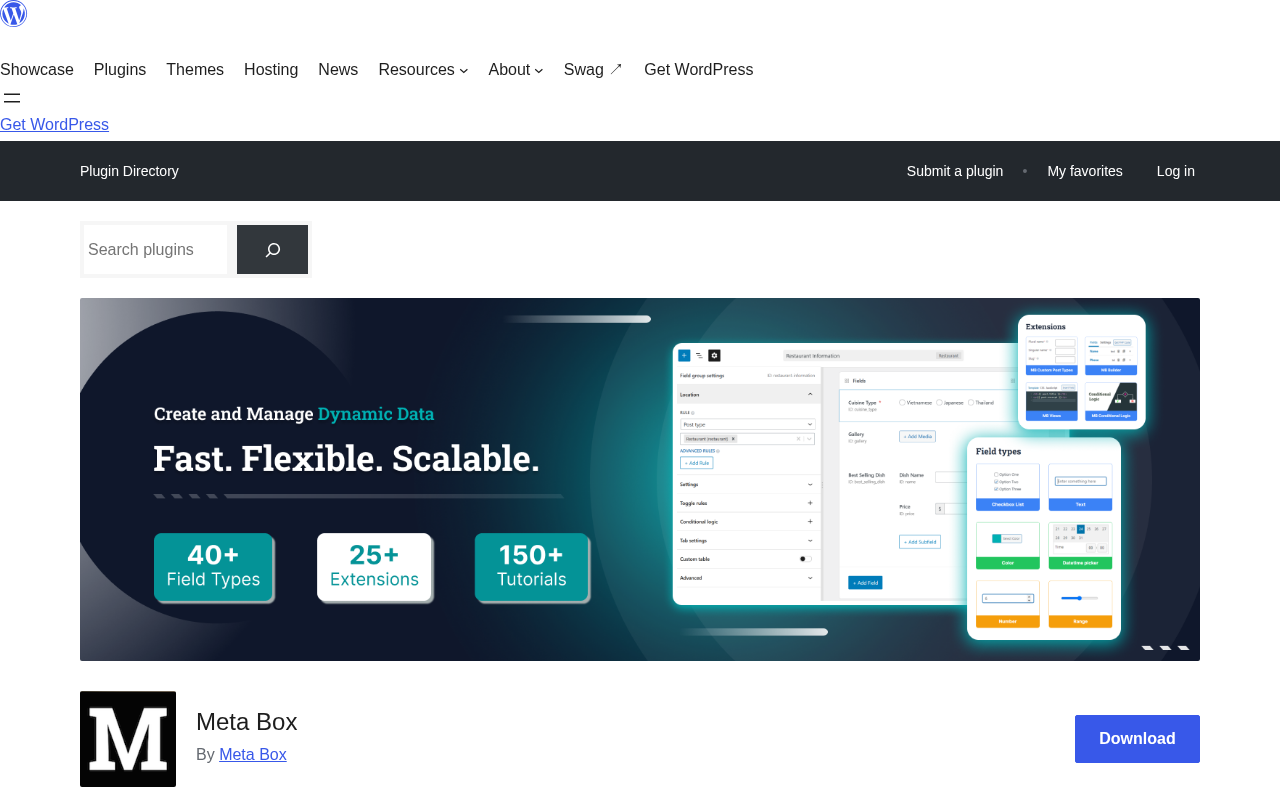
With over 24.5 million total downloads, a 4.8-star rating from 165 WP.org reviewers, and an ecosystem of 25+ extensions spanning Gutenberg blocks, relationship fields, custom tables, and front-end forms, Meta Box is not just a plugin — it is a full WordPress data framework. This review walks through everything you need to know before choosing it for your next project.
What is Meta Box?
Meta Box was created in 2010 by the team behind eLightUp, primarily as a developer utility: a clean PHP library to define custom meta boxes without writing repetitive boilerplate code. Back then, the standard approach to adding custom fields involved a wall of add_meta_box() calls and manual $_POST sanitization. Meta Box collapsed all of that into a simple array-based configuration.
Over the following fifteen years, the project expanded dramatically. The free core plugin on WordPress.org now ships with 50+ field types and comprehensive API coverage. The premium extension ecosystem adds visual builders, Gutenberg block creation, front-end forms, relationship management, custom database tables, and more. Meta Box also maintains a free all-in-one plugin called Meta Box Lite (formerly Meta Box AIO Free), which bundles several core extensions in a single download.
Today, Meta Box is used by individual developers, boutique agencies, and enterprise teams alike. It works with any WordPress theme and any page builder — Bricks, Elementor, Divi, and Oxygen are all explicitly supported for dynamic data integration. The codebase follows WordPress coding standards, supports Composer for dependency management, and stores data in native WordPress meta tables (or optionally in custom tables via MB Custom Table).
Key Features
50+ Field Types
The breadth of Meta Box’s field type library is one of its defining strengths. The plugin ships with fields organized into several categories:
- Basic fields: Text, Textarea, Checkbox, Checkbox List, Radio, Select
- Advanced fields: Autocomplete, Background, Color picker, Date picker, Datetime picker, Google Maps, Open Street Map, Icon, Image Select, Key-Value pairs, oEmbed, Password, Select Advanced, Slider, Switch, Text List, Time picker, WYSIWYG editor
- HTML5 fields: Email, Number, Range, URL
- WordPress-native fields: Post, Sidebar, Taxonomy, Taxonomy Advanced, User
- Upload fields: File, File Advanced, File Input, File Upload, Image, Image Advanced, Single Image, Image Upload, Video
- Layout fields: Divider, Group (for repeatable/nested fields), Heading, Tab
Every field type comes with detailed settings — placeholder text, default values, validation rules, conditional logic hooks, and more. Developers can also register custom field types using Meta Box’s extensible API, making the system theoretically limitless.
Meta Box Builder (Visual Field Editor)
The MB Builder extension transforms field group creation into a drag-and-drop experience. From the WordPress admin, you can define field groups visually, set conditions for where they appear (post type, page template, taxonomy term), and configure every field setting through a GUI — no PHP required. Once saved, Meta Box Builder can also export field group definitions as PHP code, which you can paste directly into your functions.php or a custom plugin. This code-export feature is a significant workflow advantage for developers who want to prototype visually but deploy via code.
Gutenberg and Block Editor Support
Meta Box’s Gutenberg story is handled by the MB Blocks extension. Unlike most “Gutenberg support” implementations that just put meta fields in the sidebar panel, MB Blocks lets you create fully custom Gutenberg blocks using PHP. You define the block’s fields (using the standard Meta Box field API) and a render callback, and WordPress serves it as a native block — no React, no Webpack, no Node.js build pipeline required. This is a significant differentiator for PHP developers who want Gutenberg-native components without diving into JavaScript tooling.
Relationships (MB Relationships)
Many-to-many relationships between posts, terms, and users are notoriously difficult to implement cleanly in WordPress’s flat meta architecture. The MB Relationships extension solves this with a dedicated, purpose-built relationship API. You define relationships with a single function call, and Meta Box handles the storage (in a custom relationships table), the query API, and the admin UI for selecting related items. Whether you need to connect articles to authors, products to categories, or events to speakers, MB Relationships handles it cleanly and performantly.
Custom Tables (MB Custom Table)
By default, WordPress stores all post meta in the wp_postmeta table, which can become a performance bottleneck on sites with large amounts of structured data. The MB Custom Table extension lets you redirect a field group’s data into a dedicated custom database table. This dramatically reduces database bloat, enables standard SQL queries instead of meta_query joins, and integrates natively with Meta Box’s field retrieval API — so your existing template code continues to work without modification.
Views and Front-End Display (MB Views)
Getting custom field data out of the database and onto the front end has traditionally required PHP template files or shortcodes. MB Views introduces a template-based system — supporting both PHP-style syntax and the Twig templating engine — that lets you build display logic without editing theme files. Templates can be embedded via shortcode or block, support all Meta Box field types, and can include CSS and JavaScript. This is particularly useful for editors and content managers who need to display complex field data without developer involvement.
Ease of Use
Meta Box is, at its core, a developer tool. The free core plugin requires PHP code to register field groups: you define an array of fields and pass it through a filter hook. For experienced WordPress developers, this is fast and clean — it is how they prefer to work. The code is readable, version-controllable, and deployment-friendly. However, a developer who has never used Meta Box before will spend time in the documentation before they are productive.
For non-developers or developer teams who want a faster workflow, the MB Builder extension closes the gap significantly. The drag-and-drop interface is well-organized, field types are clearly labeled with icons, and the settings panels are comprehensive without being overwhelming. The code-export feature means you can build visually, export to PHP, and hand it off to a developer to maintain — a genuinely useful bridge between design and implementation.
The documentation at docs.metabox.io is thorough and well-structured. Getting-started guides, per-field-type reference pages, developer hooks (actions and filters), and extension-specific docs are all present. The support forum on WordPress.org is active, and premium license holders get priority support from the Meta Box team. Overall, Meta Box rewards the investment of learning its API with a highly productive development experience.
Pricing
The core Meta Box plugin is completely free and available on WordPress.org. Premium extensions are available individually or in bundles. As of 2026, the bundle pricing is as follows:
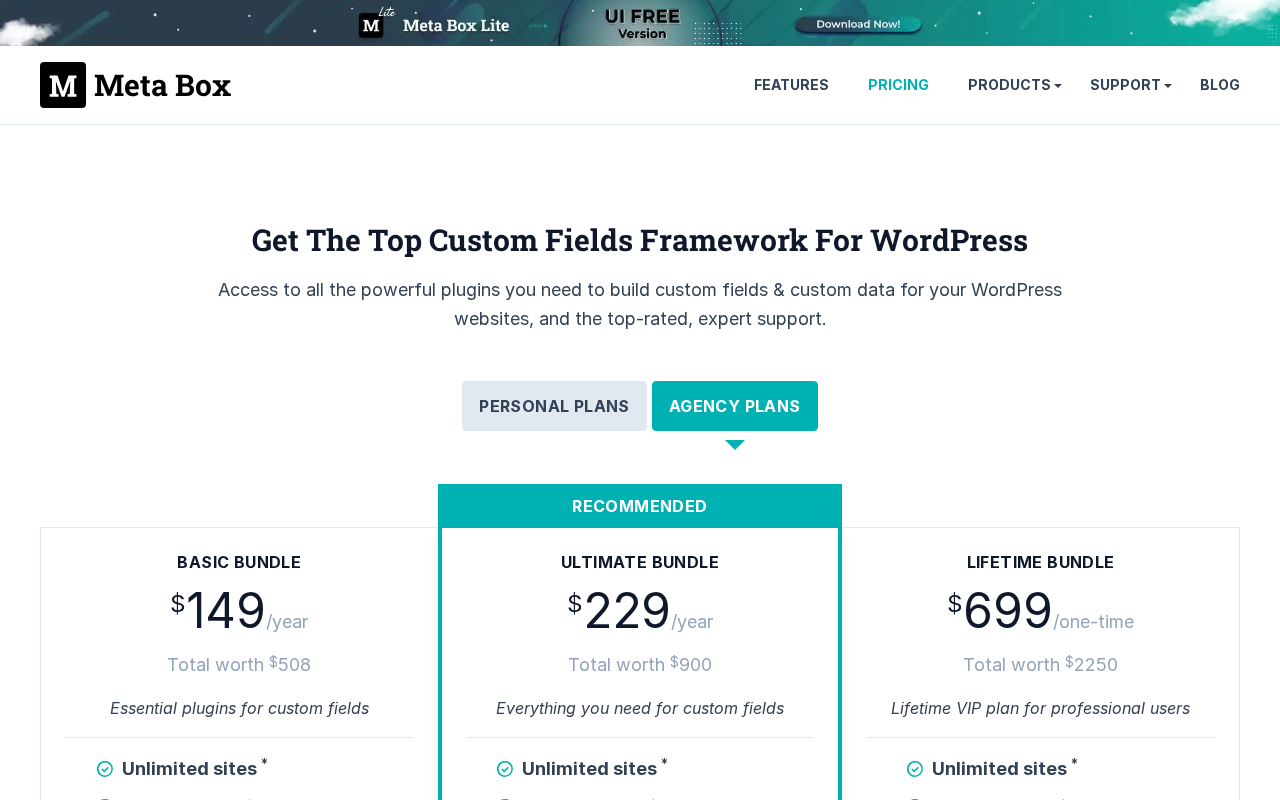
Personal Plans (Single License)
| Bundle | Price | Sites | What’s Included |
|---|---|---|---|
| Basic Bundle | $49/year | 1 site | 12 PRO extensions, 1 year updates & support |
| Ultimate Bundle | $99/year | 3 sites | All PRO extensions + all future extensions, Meta Box AIO plugin |
| Lifetime Bundle | $299 one-time | 3 sites | All PRO extensions, lifetime updates & support, no renewal |
Agency Plans (Unlimited Sites)
| Bundle | Price | Sites | What’s Included |
|---|---|---|---|
| Basic Bundle | $149/year | Unlimited | 12 PRO extensions, 1 year updates & support |
| Ultimate Bundle | $229/year | Unlimited | All PRO extensions + all future extensions, Meta Box AIO plugin |
| Lifetime Bundle | $699 one-time | Unlimited | All PRO extensions, lifetime updates & support, no renewal |
Meta Box offers a 14-day refund policy on all purchases. Extensions can also be purchased individually if you only need specific functionality — for example, MB Relationships or MB Custom Table on their own. The Ultimate Bundle is the most popular choice for active agencies, since it covers all current and future extensions with unlimited sites for $229/year — competitive with comparable offerings from ACF Pro.
Meta Box vs ACF
Advanced Custom Fields (ACF) is Meta Box’s most direct competitor and the plugin most developers reach for first. Here is how they compare:
| Feature | Meta Box | ACF |
|---|---|---|
| Free version | Yes — full-featured core plugin | Yes — ACF Free (limited) |
| Field types | 50+ | 30+ (ACF Pro adds more) |
| Visual field builder | MB Builder (premium) | Included in free version |
| Gutenberg blocks | MB Blocks (PHP-based, premium) | ACF Blocks (JSX/PHP, ACF Pro) |
| Relationships | MB Relationships (dedicated extension) | Relationship field type only |
| Custom DB tables | MB Custom Table (premium) | Not available |
| Unlimited sites pricing | $229/year (Ultimate Bundle) | $149/year (ACF Pro) |
| Code-first workflow | Core feature | Supported but GUI-first |
| Front-end forms | MB Frontend Submission (premium) | ACF Frontend Forms (Pro) |
The key takeaway: ACF has a lower barrier to entry for non-developers because the visual builder is free. Meta Box’s free core is more powerful technically but requires PHP knowledge to use without the paid MB Builder. For developers who live in code, Meta Box often wins on flexibility and breadth. For content teams or designers who need a GUI out of the box, ACF Pro may be the easier starting point.
Pros and Cons
Pros
- 50+ field types — one of the broadest selections available
- Developer-friendly PHP API with clean, readable syntax
- Modular architecture — install only what you need
- MB Custom Table is unique among custom fields plugins
- MB Blocks lets you create Gutenberg blocks in PHP only
- Excellent documentation and active support
- Code export from visual builder bridges design and dev workflows
- Lifetime bundle available — great value for agencies
- 600,000+ active installs — proven reliability
Cons
- Free core requires PHP — steeper learning curve for beginners
- Visual builder is a paid extension (unlike ACF’s free GUI)
- Extension ecosystem can feel complex to navigate initially
- Some advanced features (Views, Frontend Submission) add to total cost
- Less beginner-focused documentation compared to ACF
Alternatives to Meta Box
If Meta Box is not the right fit for your project, here are the most credible alternatives:
- Advanced Custom Fields (ACF) — The most popular custom fields plugin, with a free visual builder and excellent beginner experience; ACF Pro ($149/year, unlimited sites) competes directly with Meta Box’s Ultimate Bundle.
- Pods — A free, open-source framework that covers custom post types, custom fields, and relationships; strong community support and a solid free tier, though the extension ecosystem is smaller than Meta Box’s.
- CMB2 — A code-first custom meta box library maintained by CMB2 contributors; lightweight and free but lacks a visual builder and does not have a premium extension ecosystem.
Frequently Asked Questions
Verdict
Our Verdict: Meta Box
4.7 / 5
Meta Box is the custom fields framework of choice for WordPress developers who prioritize flexibility, performance, and data ownership. Its 50+ field types, clean PHP API, modular extension ecosystem, and unique features like MB Custom Table and MB Blocks (PHP-based Gutenberg blocks) make it one of the most capable tools in the WordPress ecosystem.
Best for: WordPress developers, development agencies, and technically minded builders who want maximum control over their data architecture without framework lock-in.
Less ideal for: Absolute beginners who need a free visual field builder out of the box — consider ACF Free for that use case, or budget for the MB Builder extension.