


Most WordPress membership plugins make a similar promise: install the plugin, protect some content, and start charging for access. WishList Member has been making that promise since 2008, which makes it one of the oldest membership plugins still actively developed and sold.
Seventeen years in this space is not nothing. The plugin has watched competitors come and go, survived multiple WordPress architecture shifts, and built up an integration network that covers far more payment gateways and email providers than most membership tools bother with. It has also attracted endorsements from some recognizable names in the WordPress space, including Chris Lema and Adam Preiser.
What this review covers and how it was researched. WishList Member is a premium plugin with no free tier on WordPress.org, so I researched it from official sources rather than a live sandbox install. I reviewed the official website (wishlistmember.com), the features and integrations pages, the pricing page, the CourseCure LMS page, the blog, and the official reviews and testimonials section as of August 2026. Pricing figures, plan feature breakdowns, and integration lists are drawn directly from the pricing and integrations pages and should be verified at wishlistmember.com before purchasing.
At a glance
- First released: 2008
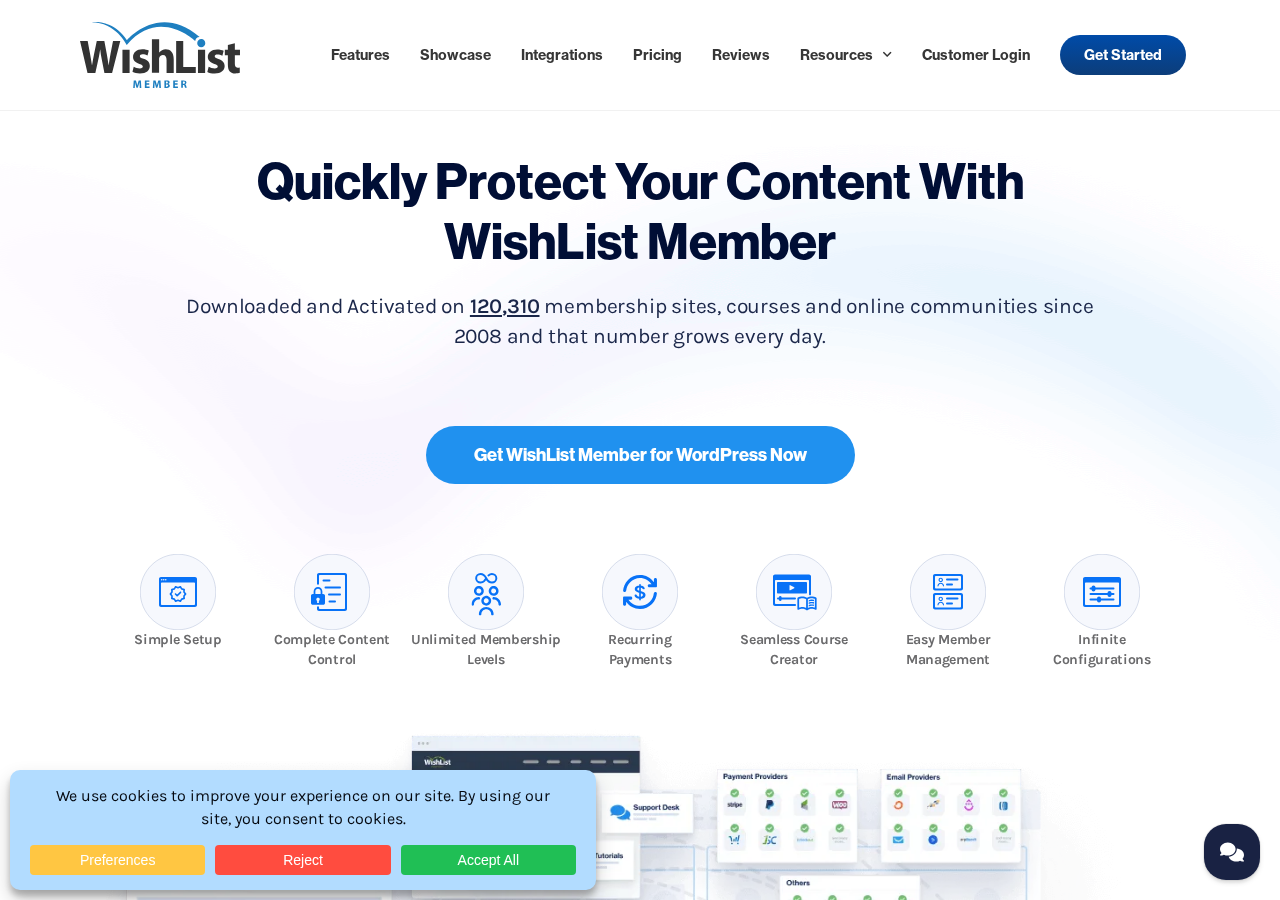
- Activated on: 120,310-plus membership sites, courses, and online communities
- Available as: premium plugin only (no free WordPress.org version)
- Paid plans start at: $149.50 per year (introductory; renews at $299)
- Money-back guarantee: 14 days
- System requirements: WordPress 6.0-plus, PHP 7.4-plus, MySQL 5.6-plus
- Bottom line: a mature, deeply integrated membership plugin that does content protection very well, with a built-in LMS and a large payment ecosystem, though at a price point that starts higher than some competitors
Quick verdict
WishList Member earns its reputation through consistency. This is a plugin built by people who have spent over a decade working specifically on membership sites, and that focus shows in the depth of its content protection controls, its flexible membership level structure, and its genuinely wide payment and email integration catalog.
The catch for buyers evaluating it in 2026 is that every plan is paid. There is no free version to install and test. The entry-level Basic plan starts at $149.50 per year at introductory pricing, and that price roughly doubles at renewal. That is a meaningful cost for a solopreneur launching a first membership site who wants to validate the model before committing.
Quick verdict
- Best for: online course creators, membership site owners who need flexible content protection, and digital entrepreneurs who want a long-established plugin with a wide payment integration ecosystem.
- Best fit by business type: WordPress-native content creators and course sellers who want full control over their membership structure without relying on an external SaaS platform.
- Standout: built-in CourseCure LMS, 20-plus payment gateway integrations, and a highly flexible content protection system.
- Watch out for: no free plan, introductory pricing does not reflect the renewal cost, and some key integrations (WooCommerce, ActiveCampaign, Zapier) are locked behind the Pro tier.
What WishList Member is
WishList Member is a self-hosted WordPress membership plugin that protects content behind paid or gated membership levels. It was originally released in 2008 under the WishList Products brand. The plugin has been in continuous development since launch, making it one of the longest-running membership solutions in the WordPress ecosystem.
The plugin’s core job is content protection. You create one or more membership levels, assign content to those levels, and WishList Member enforces who can see what. A visitor without the right membership level sees a configurable restricted-access message or a partial “sneak peek” of the content. A member with the right level sees the full content.
That basic model can be extended in many directions: drip content on a schedule, offer pay-per-post access, protect file downloads, run free trials, or layer multiple membership levels into upgrade paths. The plugin is not opinionated about how you structure your membership. It gives you the controls and lets you decide the model.
Unlike hosted membership platforms such as Kajabi or Teachable, WishList Member is entirely self-hosted. All member data, content, and transactions live on your WordPress site. There is no platform vendor between you and your members, and you do not pay a per-transaction fee to WishList Member regardless of your plan.
The plugin does not process payments directly. It connects to external payment gateways and shopping carts, which then trigger WishList Member to grant or revoke access. That model gives you flexibility to use the payment processor that works best for your country, tax situation, or existing business setup.
Who WishList Member is best for
Strong fit:
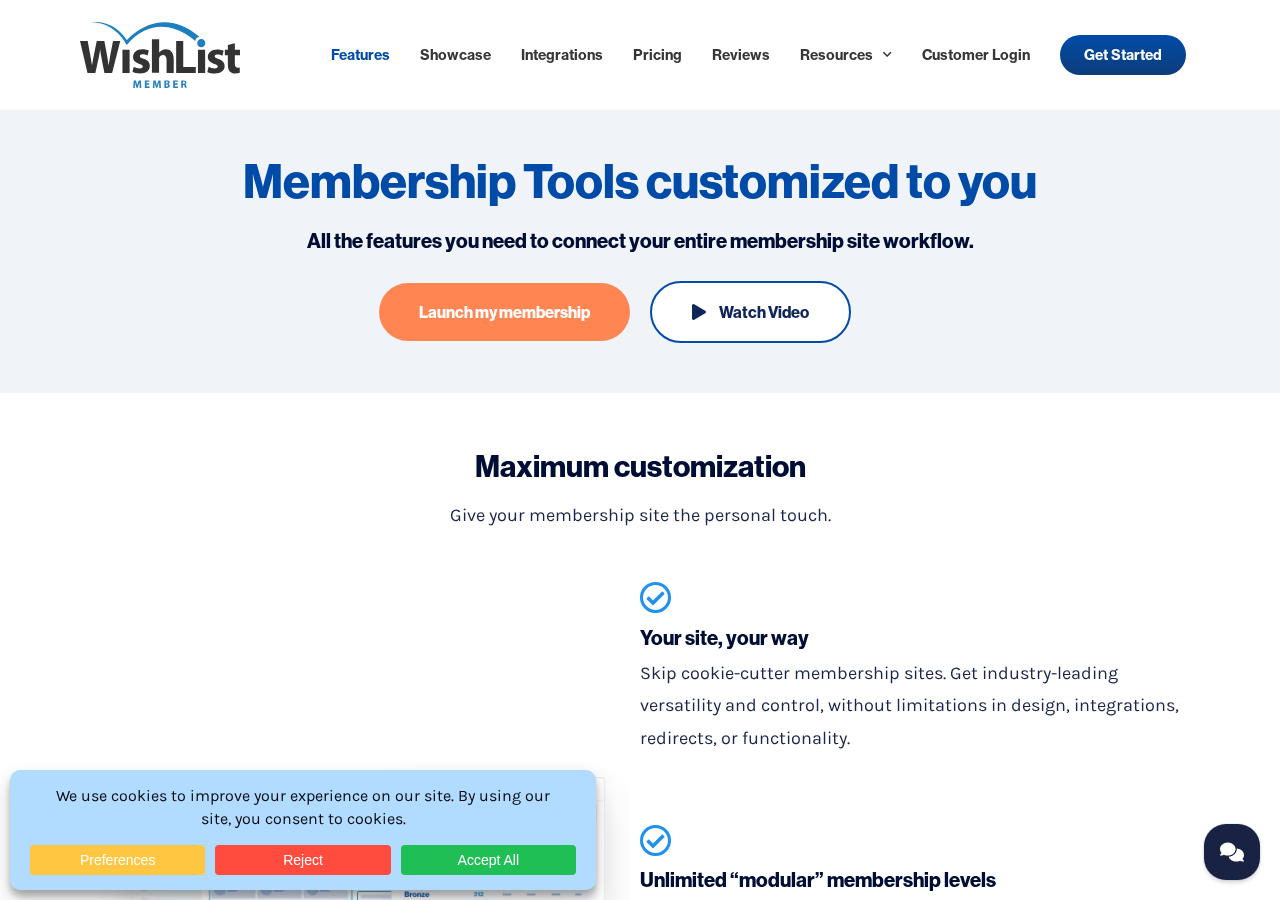
- Online course creators on WordPress. The built-in CourseCure LMS handles course creation, progress tracking, and content delivery without requiring a separate LMS plugin. For creators already on WordPress, this removes a major point of complexity.
- Membership site owners with complex access rules. If you need multiple levels, conditional upgrade paths, partial content previews, content archiving, and drip scheduling all working together, WishList Member provides granular control that simpler plugins do not.
- Businesses with existing payment infrastructure. WishList Member integrates with over 20 payment gateways and shopping carts. If you already use ThriveCart, SamCart, WooCommerce, or JVZoo to sell products, you can connect those to WishList Member without changing your checkout setup.
- Established content creators protecting a library of existing posts and pages. The plugin’s content protection does not require rebuilding your site. It layers on top of existing WordPress content, protecting posts, pages, and custom post types without migrating anything.
- WordPress agencies building client membership sites. The Pro plan’s 5-site license and team accounts feature make it practical for an agency maintaining multiple client memberships from one plan. The large integration catalog means client sites with specific payment or email requirements can usually be accommodated.
- Nonprofit or community organizations needing member databases. WishList Member supports member import/export via CSV, approval workflows for new registrations, and GDPR-compliant data handling, which covers the basic administrative needs of non-commercial membership organizations.
Weaker fit:
- People launching their first paid membership and want to test before spending. There is no free version. The minimum cost is $149.50 per year (introductory price, renews at $299). Plugins like Paid Memberships Pro or Restrict Content Pro have free core versions on WordPress.org that let you validate your membership model before committing to a paid plan.
- Course-first creators who want a standalone LMS. If your business is primarily a course platform rather than a membership site, a dedicated LMS plugin such as LearnDash or LifterLMS may offer deeper course management features than CourseCure provides.
- Sellers who need native affiliate management. WishList Member does not include built-in affiliate tracking. You need a separate affiliate plugin (Easy Affiliate or iDevAffiliate) and connect it via integration.
- Creators who want a fully managed, hosted solution. WishList Member is self-hosted. You manage WordPress hosting, plugin updates, and any conflict resolution. Platforms like Kajabi or Podia handle the infrastructure and remove those responsibilities.
Installation and setup
WishList Member is not available on WordPress.org. You purchase a plan from wishlistmember.com, receive a download link and license key, upload the plugin file to WordPress, and activate using your key.
According to the official documentation and multiple user reviews, the setup process after activation begins with an onboarding wizard that walks you through creating your first membership level, configuring registration pages, and connecting a payment provider. Chris Lema, a well-known WordPress consultant, noted in his review that WishList Member is “easy to setup and manage” and “provides a ‘Get Started’ onboarding sequence that easily allows anyone to get their site set up quickly.” Multiple other testimonials on the vendor’s reviews page reference completing initial setup in under 30 minutes.
The wizard covers:
- Creating a membership level. Name, description, and pricing type (free, paid, pay per post, or free trial).
- Registration page setup. WishList Member generates registration and login pages that inherit your active WordPress theme styling. Custom CSS and page template overrides are supported for advanced users.
- Payment integration connection. You select your preferred payment gateway and enter the required API credentials or webhook URLs.
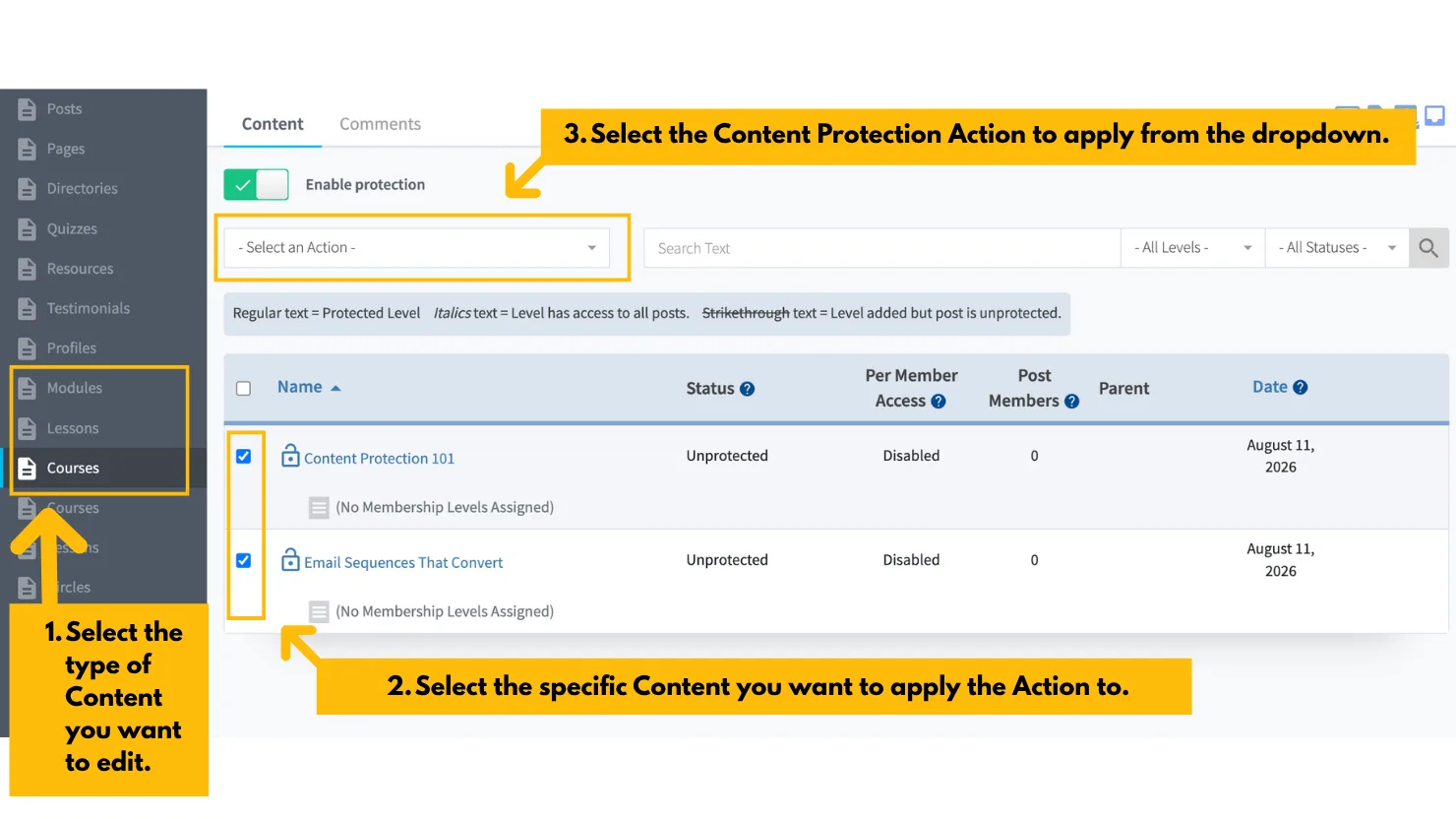
- Content protection assignment. After setup, you assign content to membership levels from inside the WordPress post/page editor or from a bulk management view in the WishList Member admin panel.
The plugin is described as theme-neutral. Pages generated by WishList Member inherit the look of your existing theme without requiring separate configuration for each page builder or theme you use.
Content protection
Content protection is the core feature that WishList Member was built around, and it is the area where the plugin is most thorough.
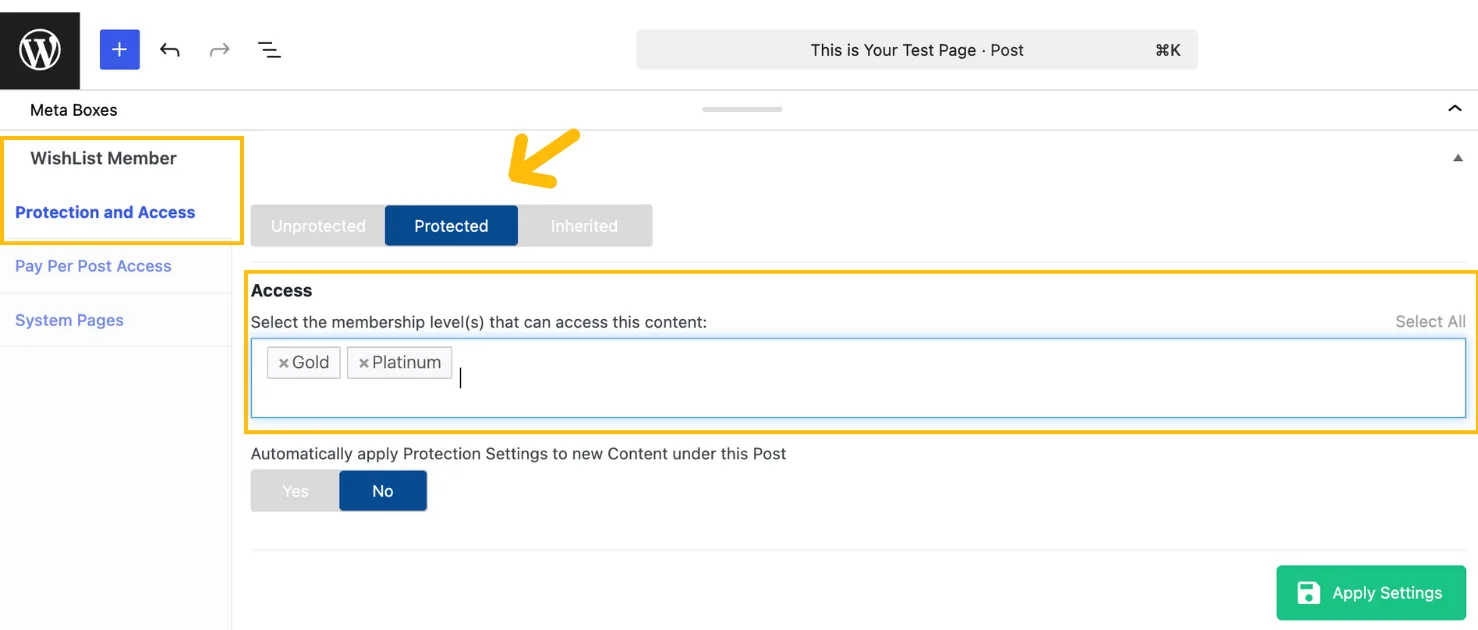
Protection applies to individual posts and pages, custom post types, file downloads, and entire folders. You assign content to one or more membership levels using a panel inside the WordPress editor or from the bulk rules screen. Non-members who access a protected URL see a configurable message or redirect, not the content.
Drip content and scheduling
Drip content in WishList Member works through two mechanisms: sequential upgrade and content scheduler.
Sequential upgrade releases content incrementally over time after a member joins. A new member on day one sees only the first batch of content. After a defined number of days, the next batch becomes accessible automatically, without any manual action from you.
Content scheduler lets you assign specific release dates to individual posts or pages. Content that is not yet due remains protected regardless of the member’s level or join date. After the release date, it becomes accessible to members who have the required level.
Both mechanisms can be combined. You can run a drip sequence for new member orientation content and use date-based scheduling for content tied to specific events or seasons.
Archive content
Archive content is a feature that lets you remove access to old content after a defined date, so only members who were subscribed before the archive date can access it. This creates incentive to remain subscribed through content cycles, because members who cancel and re-subscribe later do not automatically regain access to archived material.
Sneak peek and partial content display
For gated content, WishList Member lets you display a configurable portion to non-members before the content is cut off with a call to action to sign up. You control how much of the content to preview and what message or button appears at the restriction point. This is useful for showing enough value to convert visitors without giving away the full content.
Pay per post
Pay per post lets individual pieces of content be purchased separately rather than through a recurring membership subscription. A visitor can pay a one-time fee for access to a single post, course, or download, without needing to subscribe to a full membership level.
This is useful for mixed monetization models: some content behind a recurring membership, other content sold individually at a flat rate.
File and folder protection
File and folder protection (available on the Pro plan) extends content protection to files stored in designated directories on your server. A member with the right level gets a secure download link; anyone else gets an access-denied response. This covers ebooks, audio files, templates, and any other downloadable asset you sell through your membership.
Membership levels and access control
WishList Member supports unlimited membership levels with no cap on how many you create. Each level is independently configured with its own:
- Content access rules
- Registration form fields
- Welcome and cancellation email triggers
- Upgrade and downgrade paths to other levels
- Trial period settings
- Cancellation behavior (immediate vs. end-of-billing-period)
Upgrade paths
Upgrade paths define the relationship between membership levels. A member on a basic level can be offered an upgrade to a premium level, and WishList Member automatically adjusts their content access when the upgrade is processed by the connected payment gateway.
Downgrade paths work similarly, letting you define what access a member retains if they move from a higher to a lower level.
Free, trial, and paid memberships
Each membership level can be configured as:
- Free: no payment required, open registration
- Trial: a fixed period of access that converts to paid or expires
- Paid: subscription or one-time purchase via connected payment gateway
You can run all three types simultaneously on the same site, with different content rules for each.
Member self-serve dashboard
Members manage their own subscriptions, view their active levels, and update payment information through a self-serve dashboard area on your site. This reduces support requests related to account management and lets members handle basic administrative tasks without contacting you.
Registration and login customization
Registration forms are configurable with custom fields, which means you can collect additional information at sign-up beyond the standard email and password. Optional moderation workflows let you require admin approval before a new registration gains access, which is useful for communities or organizations where membership is not fully open.
Built-in LMS: WishList Member Courses (CourseCure)
WishList Member includes a built-in course builder called WishList Member Courses, previously known as CourseCure. Courses are available on all paid plans (Basic, Plus, Pro, Elite), with advanced features unlocking on higher tiers.
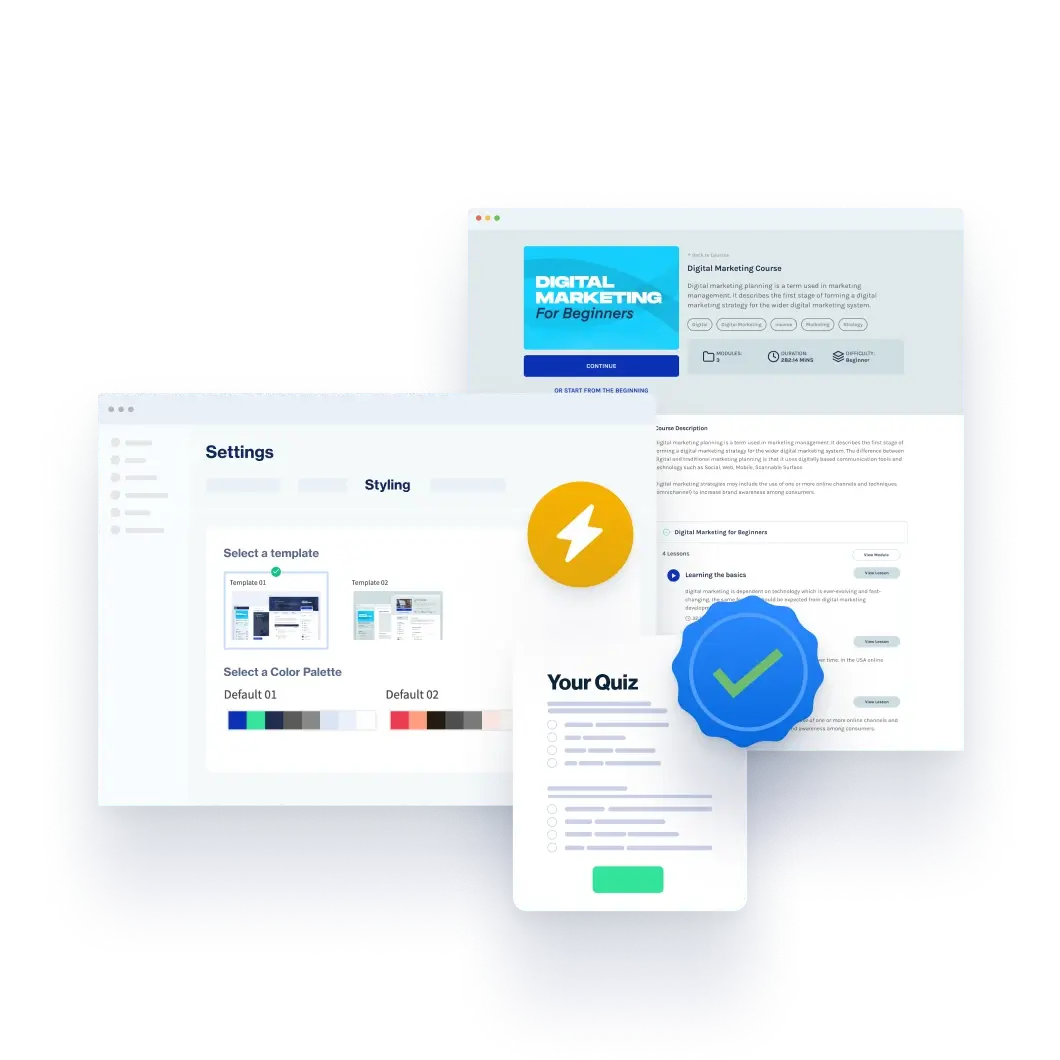
The course builder uses professionally designed templates that work with Elementor, Divi, and Gutenberg. You select a template, add your lessons, and publish. The builder is described as point-and-click rather than code-based, which means course creation does not require a developer.
Course capabilities by plan:
| Feature | Basic | Plus | Pro/Elite |
|---|---|---|---|
| Courses | Yes | Yes | Yes |
| Progress tracking | Yes | Yes | Yes |
| Course previews | Yes | Yes | Yes |
| Badges | No | Yes | Yes |
| Points | No | Yes | Yes |
| Quizzes | No | No | Yes |
Gamification
The Plus plan adds gamification through badges and points. Members earn points for completing actions on your site (logging in, completing a lesson, passing a quiz, leaving a comment), and badges are awarded for defined milestones (finishing a course, accumulating a certain number of points, earning a specific score on a quiz). These can be set to trigger access to new membership levels, creating automated course-to-membership workflows.
Quizzes
The Pro plan adds quiz creation. Quizzes can be set to automatically reward or restrict members based on results. A member who passes a quiz might be promoted to the next membership level automatically; a member who fails might receive a remedial content assignment. Results are viewable by student and by quiz in the admin dashboard.
LMS plugin integrations
If you prefer to use a dedicated LMS plugin rather than CourseCure, WishList Member integrates with seven LMS solutions: LearnDash, LifterLMS, Thrive Apprentice, Tutor LMS, Sensei LMS, eLearnCommerce, and WP Courseware. WishList Member handles membership access control while the LMS plugin handles course structure and delivery.
Payment integrations
WishList Member does not process payments itself. Instead, it connects to payment gateways and shopping carts that manage the transaction, then uses webhooks or API callbacks to grant or revoke membership access based on purchase events.
The integration catalog on the pricing page lists over 20 payment providers across all plans:
Available on Basic and above:
- Stripe
- PayPal Checkout
- eWay
- Authorize.net (Simple Checkout and Automatic Recurring Billing)
- PayPal Payflow
- PayPal Payments Pro
- 1ShoppingCart
- 2Checkout
- ClickBank
- CloudNet360
- Cydec
- Digistore24
- JVZoo
- PayBlue
- PayKickstart
- plug&paid
- Samcart
- SendOwl
- ThriveCart
- UltraCart
- Generic integration (for unlisted providers)
Available on Pro and above:
- WooCommerce
Available on Elite only:
- Infusionsoft by KEAP
- Recurly
The generic integration option is worth noting. If your preferred payment tool is not on the list, the generic integration provides a webhook-based connection that many shopping carts can use without a named integration.
WishList Member does not add a transaction fee on any plan. You pay only what your chosen payment provider charges.
Email and automation integrations
WishList Member integrates with a wide catalog of email marketing services. Supported providers cover most commonly used platforms in the WordPress and online marketing ecosystem:
- AWeber, MailChimp, Constant Contact, ConvertKit, GetResponse, iContact (Basic-plus)
- ActiveCampaign, Drip (Pro-plus)
- arpReach, Automizy, FluentCRM, Groundhogg, MailerLite, MailPoet, Maropost, Moosend, Ontraport, ResponseSuite, Campaign Refinery, SendFox, Sendlane
Email integrations let you sync membership events to your email provider automatically. When a member joins a level, they are added to a corresponding list or tag. When they cancel or are removed, they are moved or unsubscribed. This means your email sequences, automations, and broadcast segments stay in sync with your actual membership state without manual CSV imports.
Automation integrations
Beyond email, WishList Member connects to:
- Zapier (Pro-plus): opens connections to 5,000-plus apps through Zapier’s automation layer
- Integrately (Plus-plus): one-click integrations with 1,100-plus apps
- Pabbly: automation workflows for membership events
- Thrive Automator: direct integration for Thrive Suite users
- Webhooks: outgoing and incoming webhooks for custom integrations
The Zapier integration on the Pro plan is notable because it extends WishList Member’s reach to any tool Zapier connects to, including tools that do not have a native WishList Member integration.
Social login
WishList Member supports social login for member registration and login via Facebook, Google, WordPress.com, and X (formerly Twitter). Members can register and log in using their existing social accounts rather than creating a separate username and password.
Member management
The WishList Member admin dashboard shows real-time membership stats including active member count per level, recent registrations, and cancellations. The Members section lets you search, filter, manually add members, change their level, or remove access.
Import and export
Members can be imported from CSV files using a provided template. The template supports mapping existing member data (email, name, membership level, join date) for migration from another membership platform. Export works at the level or across all members, which is useful for accounting, email list management, or backup.
GDPR compliance
WishList Member includes GDPR tools for data management. Members can request their data or request deletion from within their dashboard. The plugin stores only data required for membership management and does not send member data to third-party services except through the integrations you configure.
Team accounts (Pro plan)
The Pro plan includes team accounts, which allow multiple administrators or staff members to access the WishList Member dashboard without sharing the site owner’s credentials. Permissions can be scoped so that team members access only the sections relevant to their role.
Pricing
WishList Member offers three main plans with a fourth Elite plan for advanced integration needs.
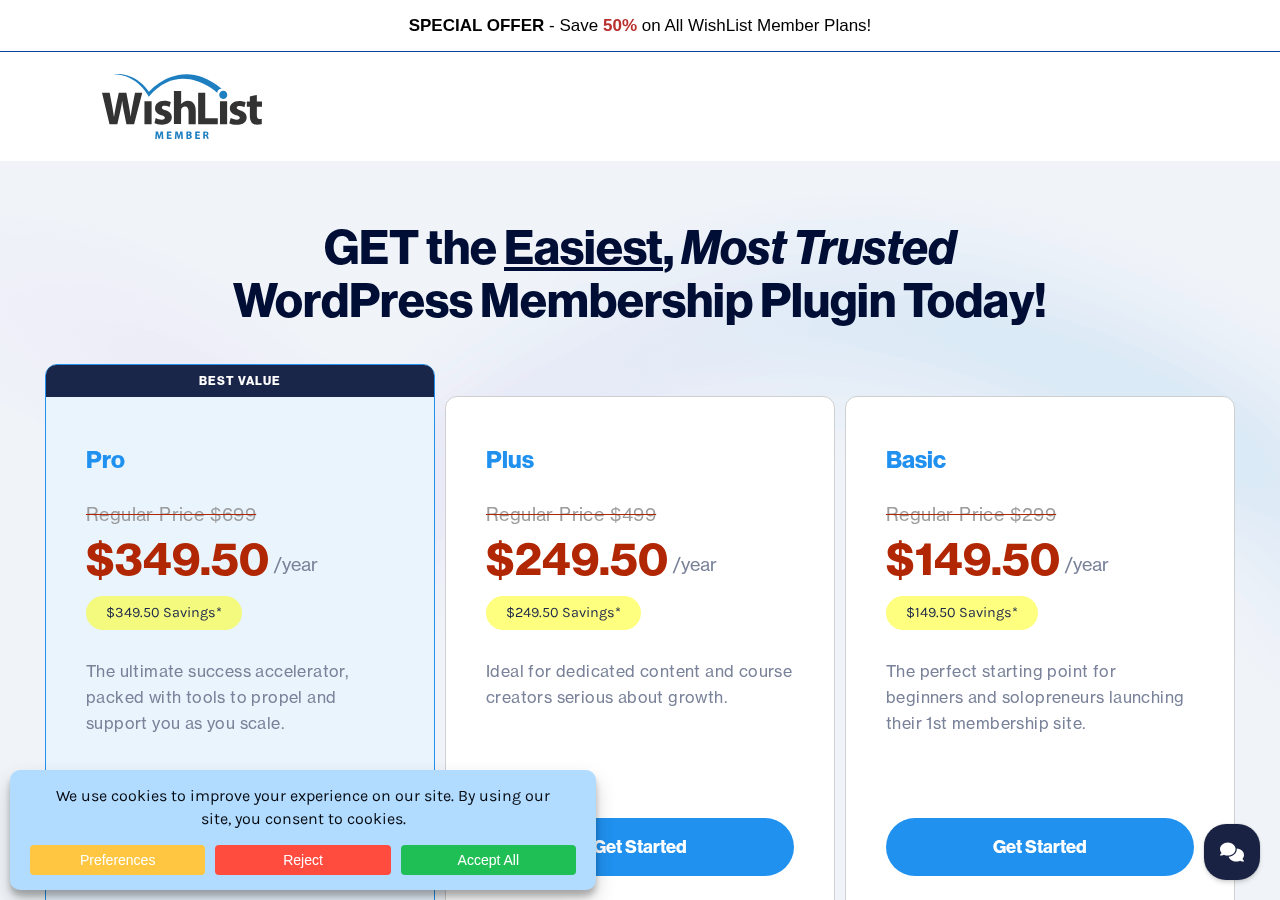
Basic ($149.50 per year introductory; $299 at renewal) – 1 site
- Unlimited members, unlimited membership levels
- Unlimited content protection rules and upgrade paths
- Drip and schedule content
- Content archiving
- Pay per post
- Sneak peek and partial content display
- Member self-serve dashboard
- Customizable registration forms
- Setup wizard
- GDPR compliance
- Redemption codes
- CourseCure courses (no gamification or quizzes)
- LMS integrations (LearnDash, LifterLMS, and others)
- Stripe, eWay, and PayPal Checkout payment integrations
- ConvertKit, MailChimp, and three additional email integrations
- Standard support
Plus ($249.50 per year introductory; $499 at renewal) – 2 sites
Everything in Basic, plus:
- 2-site license
- CourseCure gamification (badges, points)
- Webinar integrations (GoToWebinar)
- Integrately (1,100-plus app connections)
- 30-plus additional integrations
- Priority support
Pro ($349.50 per year introductory; $699 at renewal) – 5 sites
Everything in Plus, plus:
- 5-site license
- Team accounts
- File and folder protection
- Unlimited CourseCure quizzes
- ActiveCampaign and Drip email integrations
- WooCommerce payment integration
- Zoom Webinar integration
- Zapier (5,000-plus app connections)
- 12-plus additional advanced integrations
- Premium support
Elite (custom or contact for pricing)
Everything in Pro, plus integrations with Infusionsoft by KEAP and Recurly. The pricing page directs buyers to contact for the Elite plan.
Renewal pricing note
The introductory prices listed above are first-year discounts. Renewals run at the full price: Basic $299/year, Plus $499/year, Pro $699/year. This nearly doubles the annual cost after year one. The vendor states this openly on the pricing page (“Special introductory pricing, all annual renewals are at full price”), but it is worth calculating the multi-year cost before choosing a plan based on the first-year price alone.
A 14-day money-back guarantee applies to all plans.
Pros and cons
Pros
- One of the oldest and most established WordPress membership plugins, in continuous active development since 2008. Over 120,310 membership sites activated since launch.
- Unlimited membership levels on all plans. No cap on levels, members, or content protection rules.
- Built-in CourseCure LMS covers course creation, progress tracking, and gamification without needing a separate plugin. Quizzes are available on the Pro plan.
- More than 20 payment gateway integrations on all plans, including Stripe, PayPal, ThriveCart, SamCart, ClickBank, JVZoo, Digistore24, and many more. The generic integration handles unlisted gateways.
- Wide email integration catalog covers the most commonly used platforms including MailChimp, ConvertKit, AWeber, GetResponse, FluentCRM, MailerLite, Sendlane, and more.
- Zapier integration on Pro connects WishList Member to 5,000-plus external apps, which covers virtually any automation scenario not handled by native integrations.
- Content protection is granular: individual posts, pages, custom post types, files, and folders can each be assigned to specific membership levels.
- Drip content, content scheduling, and content archiving give fine-grained control over content availability over time.
- Pay per post option enables one-time purchase access alongside recurring membership subscriptions.
- Sneak peek and partial content display for non-members reduces bounce rate on gated content by showing enough value to motivate sign-up.
- Social login for Facebook, Google, WordPress.com, and X (Twitter) simplifies the registration flow for members.
- Member import and export via CSV allows migration from other platforms and data portability.
- GDPR compliance tools are built in.
- No transaction fees on any plan. WishList Member does not take a cut of membership revenue.
- Self-hosted: all data stays on your server, no third-party platform dependency.
- 5-site Pro license and team accounts make it practical for agencies managing multiple client membership sites.
- Strong documentation: 100-plus support pages, 30-plus tutorial videos, and a vendor-hosted Facebook community group.
- 14-day money-back guarantee.
- Endorsed by prominent WordPress community figures including Chris Lema (LiquidWeb) and Adam Preiser (WPCrafter), both of whom recommend it in their own words on the vendor’s site.
Cons
- No free plan or free tier. The lowest entry point is $149.50 per year (introductory) or $299 at renewal. Competitors including Paid Memberships Pro and Restrict Content Pro offer functional free versions on WordPress.org that let you validate a membership model before paying.
- Introductory pricing is not the ongoing cost. Renewal at the Basic level is $299/year, essentially doubling the first-year cost. Planning the multi-year budget from the start is important.
- WooCommerce integration is locked to the Pro plan ($349.50/year intro, $699/year at renewal). Basic and Plus plans cannot connect to WooCommerce, which limits options for sellers who run a WooCommerce store and want to add memberships.
- ActiveCampaign and Drip email integrations are also Pro-only. Users on Basic or Plus who use either of these platforms cannot connect them natively without a workaround such as Zapier (which is also Pro-only).
- Zapier integration is limited to Pro plan and above. Buyers on Basic or Plus who need workflow automation beyond WishList Member’s native integrations face either an upgrade or a manual process.
- Quiz functionality in CourseCure requires the Pro plan. Basic and Plus course creators cannot add quizzes to their courses natively.
- No built-in affiliate management. An affiliate program requires a separate plugin (Easy Affiliate or iDevAffiliate) and integration.
- No native community or forum feature. Social and community features require a third-party plugin such as BuddyBoss.
- The setup can feel complex for first-time membership site builders. The onboarding wizard helps, but the range of options and integration configuration can create a learning curve for non-technical users.
- Support tier depends on plan. Basic gets standard support, Plus gets priority, and Pro/Elite get premium. Users on the lowest tier may wait longer for support responses.
Alternatives to WishList Member
- MemberPress. A direct competitor in the premium WordPress membership space. MemberPress also has no free tier, with pricing starting at $179 per year. It includes built-in course creation (MemberPress Courses), a Stripe/PayPal integration, and a highly active support team. MemberPress is widely considered to have a slightly more polished onboarding flow; WishList Member has a wider payment gateway catalog. Both are mature, well-supported options.
- Paid Memberships Pro. Available with a functional free version on WordPress.org. Paid Memberships Pro is a good starting point for new membership site owners who want to test before committing to paid software. The free tier covers unlimited membership levels, basic content protection, and integrations with Stripe and PayPal. Advanced features require paid add-ons or the Plus plan starting at $247 per year.
- Restrict Content Pro. Acquired by Sandhills Development and now bundled as part of Easy Digital Downloads Pro plans. If you also sell digital products, the combination gives you both content access control and digital download delivery in one subscription.
- LearnDash. The leading dedicated WordPress LMS plugin. If your business is primarily course delivery rather than gated membership content, LearnDash’s course-first design and team management features are stronger than WishList Member’s CourseCure. LearnDash starts at $199 per year for one site.
- Kajabi. A fully hosted platform for courses, memberships, and digital products. Kajabi removes all hosting and technical maintenance from the equation but charges $149 per month (Basic) and takes your data off your own server. For creators who want zero WordPress involvement, Kajabi is the most complete alternative, but the cost and platform dependency are significant trade-offs.
- Thinkific. Another hosted platform comparable to Kajabi, with a free plan (for courses, not membership sites) and paid plans starting at $36 per month. The free plan allows testing the course model before committing.
Final verdict
WishList Member has earned its place in the WordPress membership market over 17 years of active development. The plugin’s content protection system is genuinely thorough, its payment integration catalog is one of the widest available in any membership plugin, and the built-in CourseCure LMS reduces the number of plugins a course creator needs to run.
The question for a buyer in 2026 is not whether WishList Member is a credible option. It is. The question is whether the cost structure fits your situation.
If you are building a membership site and already have confidence in your model, an established payment flow, and a use case that involves complex access rules, multiple membership levels, or course creation alongside gated content, WishList Member is a well-built tool that will handle all of it. The Pro plan’s 5-site license and Zapier access also make it a practical option for agencies.
If you are still validating your membership idea, the cost floor is real. At $149.50 per year to start (and $299 at renewal), WishList Member asks you to commit before you have proven the concept. Paid Memberships Pro’s free tier or Restrict Content Pro’s WordPress.org version let you start protected content without upfront cost, which matters when you are not yet sure the model will work.
One specific item worth flagging before choosing a plan: buyers who need WooCommerce integration, ActiveCampaign, Drip, or Zapier should account for the Pro plan cost ($349.50/year introductory, $699/year at renewal) rather than the Basic tier when comparing against alternatives. Those integrations are not available on lower plans.
For the right use case, WishList Member is a strong, well-supported choice with a long track record. Verify current pricing at wishlistmember.com before purchasing, and factor the renewal price into your year-two and year-three budget planning.