


NitroPack at a Glance
Plugin: NitroPack
Official URL: nitropack.io
Type: Cloud-based SaaS (WordPress plugin connects to NitroPack servers)
Free plan: Yes (1,000 pageviews/mo, no credit card required)
Paid plans from: $7/mo (Starter, billed annually)
WP.org rating: 4.3/5 from 311 reviews
Downloads: 5M+
Last updated: July 22, 2026 (v1.19.9)
WooCommerce support: Yes, with caveats
Quick Verdict
NitroPack is a cloud-based WordPress speed optimization service that does more than a typical caching plugin. It processes your site’s HTML, CSS, JavaScript, and images through its own servers and delivers the results through a built-in global CDN. Setup takes under five minutes and requires no coding.
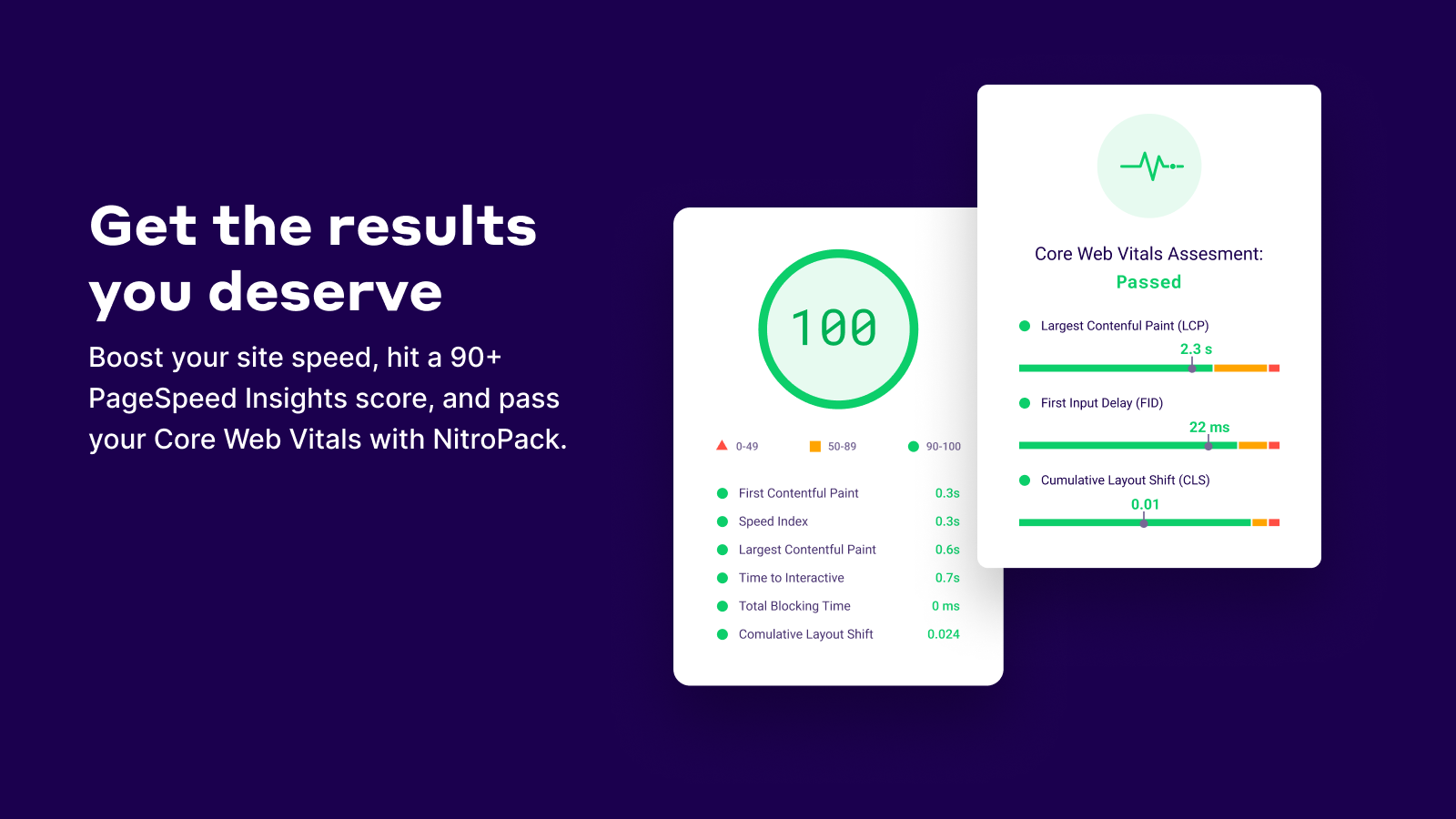
The results are real. NitroPack claims 52% of its users pass Core Web Vitals, and average load times drop below 2.75 seconds. The performance wins hold up for most site types based on WP.org ratings and third-party user reports.
The catch is pricing. You pay per pageview, not per site. A site with 40,000 monthly pageviews costs $18/mo on the Plus plan. Scale to 540,000 pageviews and you’re at $83/mo. WooCommerce sites carry an extra risk: real user reports flag checkout nonce validation errors under heavy optimization.
Best for: Content sites, portfolios, and small-to-medium service businesses that want a no-configuration performance boost. Tread carefully with WooCommerce stores.
What Is NitroPack?
NitroPack is not a traditional WordPress caching plugin. It is a performance SaaS that works through a WordPress plugin connector.
When you install NitroPack and connect your site, the plugin hands your pages off to NitroPack’s cloud infrastructure. Their servers handle caching, code minification, image compression, critical CSS generation, and JavaScript optimization. The finished, optimized pages are then delivered to your visitors through NitroPack’s CDN, which has points of presence in 100+ countries.
Your hosting server does the usual work of generating WordPress pages. NitroPack takes over everything after that: storing, compressing, and delivering them faster than your server could on its own.
This architecture has a clear upside: none of the heavy optimization work runs on your CPU or RAM. It also has a clear downside: you are paying for a recurring service with pageview-based limits, not a one-time plugin license.
NitroPack has been around since 2019. It has over 5 million downloads on WordPress.org and holds a 4.3-star rating (86 out of 100) from 311 reviews.
Who Is NitroPack Best For?
NitroPack is a good match for:
- Bloggers and content sites that want fast load times without managing multiple plugins.
- Service businesses where the homepage and a few key landing pages carry most of the traffic.
- Agencies managing several client sites on the Agency plan.
- WordPress beginners who cannot or do not want to configure caching, image optimization, and a CDN separately.
- Sites already paying for a CDN who want to consolidate tools. NitroPack includes its CDN at no extra cost.
NitroPack is a harder sell for:
- High-traffic sites where pageview limits push you to the Pro tier ($83/mo) quickly.
- WooCommerce stores with complex checkout flows. User reports on WordPress.org describe nonce validation errors and checkout loading failures under NitroPack’s optimization, even after extensive troubleshooting.
- Developers who want granular control over individual optimization settings. NitroPack automates most decisions, which benefits non-technical users but can feel limiting when debugging a specific conflict.
Setup and User Experience
Installing the plugin
NitroPack follows a standard WordPress installation flow. Search for “NitroPack” in the plugin directory, install, and activate. The plugin is free to install.
After activation, you need to create an account at nitropack.io and connect your site. The connection uses an API key and site ID that you paste into the plugin settings. The process takes about five minutes.
No coding is required. NitroPack’s own data claims most users are up and running in under five minutes, and for a fresh WordPress site with no unusual configurations, that holds up.
The NitroPack dashboard
Once connected, your WordPress admin gains a NitroPack section. From here you can purge the cache manually, enable or disable optimization, switch to Test Mode to preview changes before they go live, and see a basic performance score for your site.
Most configuration happens on the nitropack.io dashboard, not inside WordPress. This is a reasonable trade-off for a SaaS product, but it means you’re working across two interfaces.
Optimization modes
NitroPack offers several preset optimization levels. The tiers control how aggressively it applies changes like JavaScript deferral and CSS inlining. Starting on a higher mode can occasionally break page interactions, so the Test Mode feature is useful for previewing before you commit.
Main Features
Advanced caching
NitroPack’s caching layer is the foundation of the service. It stores fully rendered, optimized versions of your pages and serves them directly from CDN edge nodes rather than generating them fresh each visit.
Cache warmup prepares page versions proactively, so first-time visitors get a cached response rather than waiting for the first build. Smart cache invalidation clears only the affected pages when you publish new content, not your entire cache.
You can exclude specific URLs, set dynamic content cookies, and apply device-aware caching so mobile users get mobile-optimized pages.
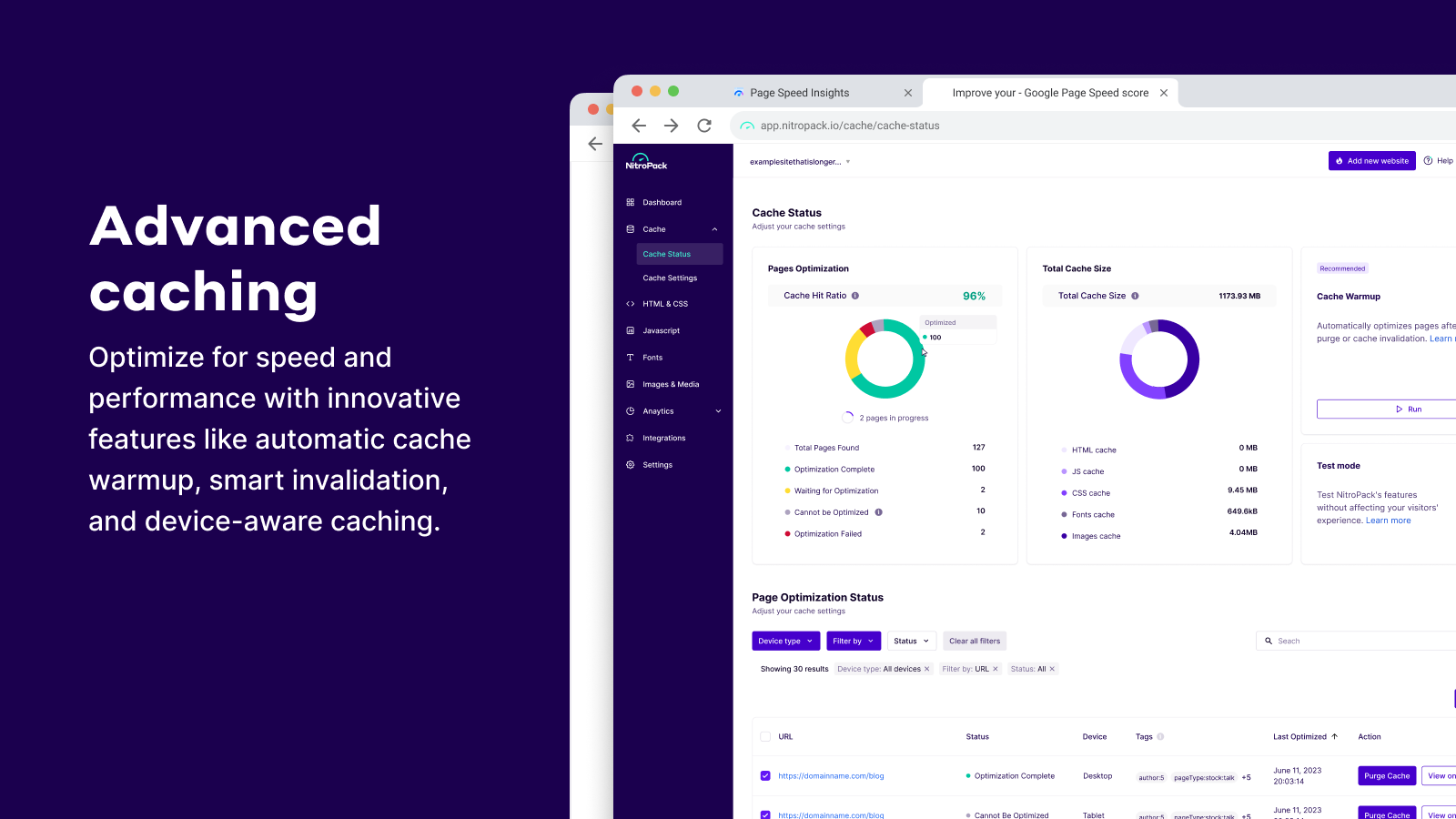
Image and media optimization
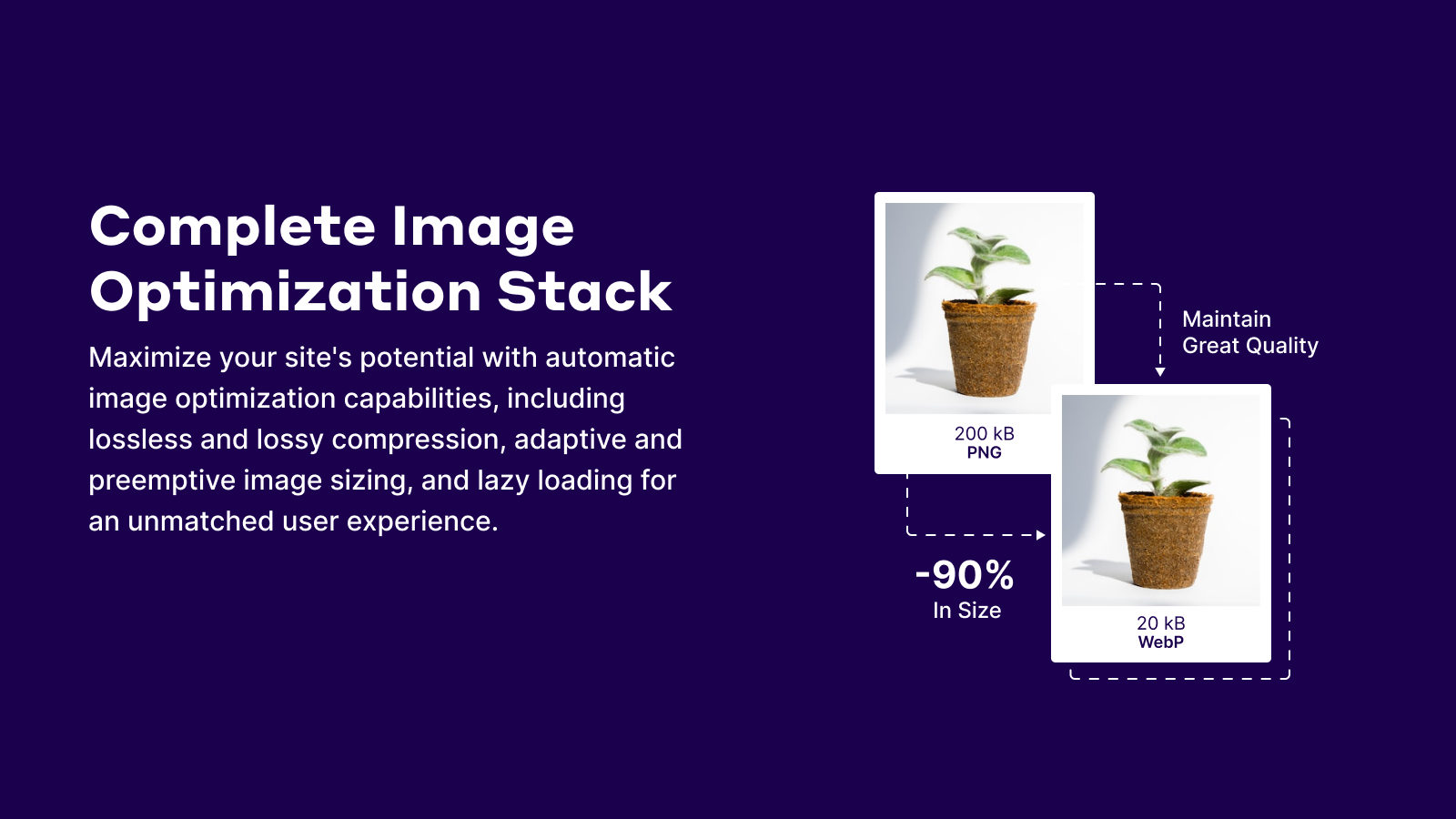
NitroPack compresses images using both lossless and lossy methods. It converts images to WebP format automatically, which significantly reduces file size for most formats.
Lazy loading applies to images, iframes, and background images, so images below the fold do not load until the user scrolls toward them. This improves initial page load time and your Largest Contentful Paint (LCP) score.
Video facades replace embedded YouTube and Vimeo players with a static thumbnail. The actual video player loads only when the visitor clicks play.
JavaScript and CSS optimization
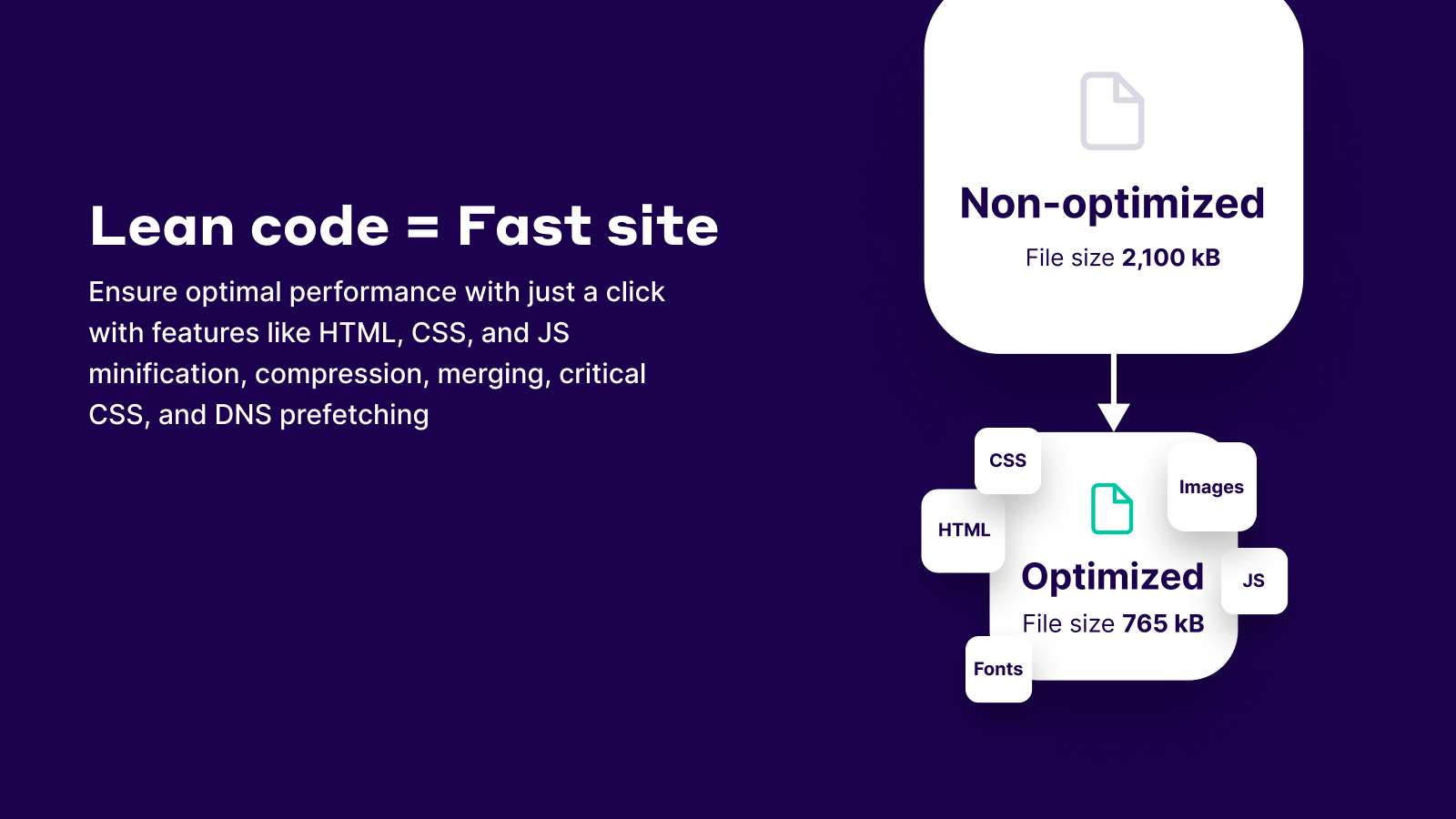
NitroPack minifies and combines JavaScript and CSS files to reduce the number of requests a browser makes to load your page. It generates critical CSS inline so above-the-fold content renders without waiting for external stylesheets to load.
The Plus plan adds delayed script loading, which defers non-critical JavaScript until after user interaction. This can significantly improve Time to Interactive (TTI) and Interaction to Next Paint (INP) scores. Pro adds Dynamic Queue, which intelligently sequences resource loading.
The LCP preload feature (Plus and above) prioritizes the loading of your page’s largest visible element. This is one of the most impactful levers for passing Core Web Vitals, where LCP is typically the hardest metric to control.
Built-in CDN
Every NitroPack plan includes a global CDN at no extra charge. The network spans 100+ countries and handles static asset delivery automatically.
For comparison, WP Rocket’s CDN integration (RocketCDN) costs an additional $7.99/mo. Including CDN in the base price makes NitroPack’s Plus plan at $18/mo competitive with alternatives that charge separately for CDN.
WooCommerce compatibility
NitroPack officially supports WooCommerce. It includes cart cache optimization on the Plus plan and treats cart and checkout pages with specialized caching rules to avoid serving cached versions of session-specific content.
That said, real-world reports on WordPress.org (August 2026) describe edge cases where WooCommerce checkout fails with nonce validation errors. In one detailed report, a paid user documented 403 errors on checkout-related requests even after excluding the checkout URL, clearing the cache, and following support guidance. The issue resolved only by disabling NitroPack entirely.
I raise this not to dismiss NitroPack’s WooCommerce support, but to flag that complex checkout flows with payment gateways may require extra testing and configuration time.
Security and file safety
NitroPack works on copies of your files, not your originals. Your source code and media are never modified directly. If you disconnect the service or it causes any conflict, your originals remain intact. This is an important assurance for any cloud optimization service.
Team collaboration
NitroPack plans include team seats: 1 member on Starter, 3 on Plus, and 10 on Pro. You can invite colleagues or clients to access your NitroPack dashboard without sharing your main account credentials.
Pricing and License Value
NitroPack uses a pageview-based SaaS model. You pay for a monthly subscription based on how many pages your site serves. Annual billing is required to get the advertised monthly rates. Monthly billing costs approximately 18% more.
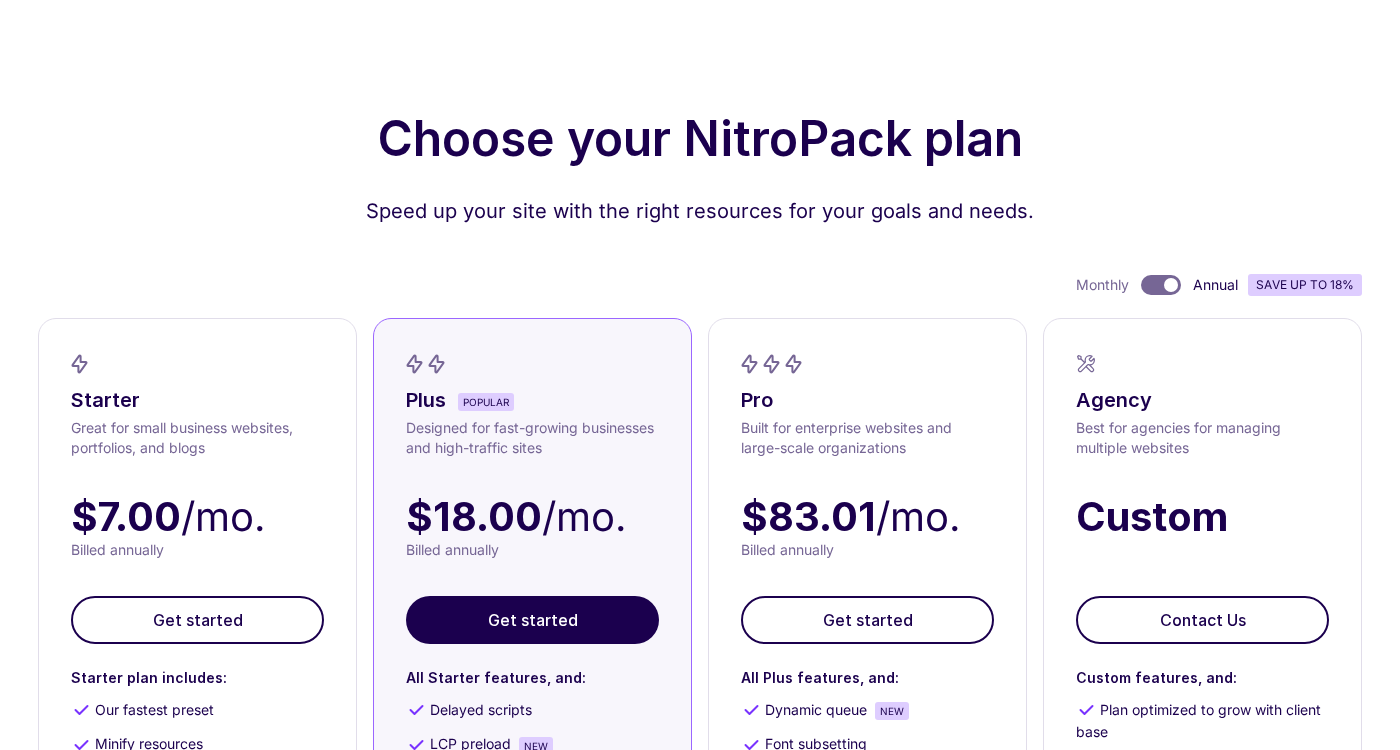
| Plan | Monthly (annual) | Websites | Pageviews/mo | CDN bandwidth |
|---|---|---|---|---|
| Free | $0 | 1 | 1,000 | 1 GB |
| Starter | $7 | 1 | 8,000 | 5 GB |
| Plus | $18 | 1 | 40,000 | 25 GB |
| Pro | $83.01 | 3 | 540,000 | 270 GB |
| Agency | Custom (~$229+) | Custom | Custom | Custom |
All paid plans include 24/7 live chat support, a 14-day money-back guarantee, and no vendor lock-in. The Agency bulk plan starts at $229/mo for managing multiple client sites.
How does NitroPack pricing compare to alternatives?
The Plus plan at $18/mo ($216/year) is competitive for sites under 40,000 monthly pageviews. WP Rocket’s equivalent stack for a single site runs approximately $275/year ($59/yr license plus $9.99/mo Imagify plus $7.99/mo RocketCDN).
At the Pro level, NitroPack at $83/mo ($996/year) for 3 sites is expensive. WP Rocket’s Multi plan covers 3 sites for $299/year. If your sites collectively see fewer than 100,000 pageviews per month, WP Rocket and a free CDN like Cloudflare may be cheaper. At 540,000+ pageviews across those 3 sites, NitroPack’s infrastructure and all-in-one approach may justify the cost.
Pros and Cons
Pros
- Built-in CDN (100+ countries) included in every plan
- Cloud processing: no CPU/RAM drain on your hosting
- Free plan available, no credit card required
- Quick setup (under 5 minutes)
- Proactive cache warmup included
- Critical CSS, image optimization, and JS deferral in one service
- 14-day money-back guarantee
- Test Mode to preview changes safely
- 24/7 live chat support on all plans
Cons
- Pricing is pageview-based: costs grow with traffic
- Annual billing required for advertised rates
- Pro plan ($83/mo) is expensive for mid-traffic single sites
- No object caching: you still need a separate object cache solution
- Complex WooCommerce checkouts may need extra troubleshooting
- Most configuration in external NitroPack dashboard
- Cloud dependency: optimization delivery depends on NitroPack uptime
- Monthly-only subscribers pay ~18% more than annual
Alternatives to NitroPack
WP Rocket
WP Rocket is the most popular paid caching plugin for WordPress. It runs on your server (no cloud dependency), offers detailed manual controls, and costs $59/year for a single site. You need to add Imagify for image optimization and RocketCDN for CDN. For sites that want more control over individual settings and a predictable yearly payment, WP Rocket is the cleaner choice. Read our WP Rocket review for a full breakdown.
LiteSpeed Cache
LiteSpeed Cache is free and works best on LiteSpeed hosting (which many shared hosts now offer). If your host runs LiteSpeed, it provides server-level caching, image optimization, and CDN integration without a monthly fee. Not suitable on Apache or Nginx without the LiteSpeed server stack.
Perfmatters
Perfmatters is a lightweight script management plugin ($24.95/year) that disables unnecessary features and scripts on a per-page basis. It works well alongside a caching plugin but is not an all-in-one solution like NitroPack.
W3 Total Cache
W3 Total Cache is free and highly configurable but requires technical knowledge to set up correctly. It covers caching, minification, and CDN integration through a complex settings interface. Better for developers comfortable with server-level configuration.
Cloudflare
Cloudflare’s free plan handles DNS, CDN, and basic caching. Their paid plans add Automatic Platform Optimization for WordPress. It does not replace all NitroPack features (no image optimization, no critical CSS generation), but it covers CDN and basic caching for free.
Final Verdict
NitroPack is a genuinely capable speed optimization service. The cloud architecture delivers measurable results, the setup is simple, and including a global CDN in every plan adds real value compared to alternatives that charge for CDN separately.
The main trade-offs are pricing and flexibility. If your site grows beyond 40,000 pageviews per month, you’ll pay $83/mo for the Pro plan. That is a meaningful jump for smaller businesses. And if you run WooCommerce, budget extra time for testing your checkout experience before going live.
For content sites, portfolios, and service businesses in the 8,000 to 40,000 monthly pageview range, the $18/mo Plus plan strikes a reasonable balance between features and cost. For smaller sites and personal projects, the free plan is a genuine no-risk entry point.
My recommendation: start with the free plan, run a before/after PageSpeed test on your most important page, and evaluate whether the improvement justifies upgrading.
Frequently Asked Questions
View all reviews in the Reviews category.