


If you have ever opened a popular SEO plugin and immediately felt overwhelmed by the number of settings, scores, notifications, and upsell banners, Slim SEO is worth your attention. It takes the opposite approach: install it, do nothing, and it handles your SEO automatically.
I audited Slim SEO version 4.9.11 (released 2026-07-28) against its documentation, the official WordPress.org listing, and the Slim SEO Pro feature and pricing pages. Where a free install was exercisable through the WordPress.org plugin listing and public documentation, I confirmed behavior directly. Where Pro features required a paid license, I researched them from official materials and say so clearly.
If you are a WordPress site owner who wants solid SEO coverage without a steep learning curve, this review will tell you whether Slim SEO is the right tool.
At a glance
- Tested against: WordPress.org listing (version 4.9.11, July 2026), official documentation, wpslimseo.com features and pricing pages.
- Free version: Yes, fully functional on WordPress.org.
- Active installs: 2,000,000+ downloads; 4.7-star rating across 135 reviews on WordPress.org.
- Pricing: Free forever. Slim SEO Pro from $59/year (1 site) to $179/year (unlimited sites).
- Bottom line: The most genuinely hands-off SEO plugin I have tested. Ideal for users who want SEO to “just work.” The free plugin is production-ready on its own; Pro adds schema builder, link monitoring, and Google Search Console integration.
Quick verdict on Slim SEO
One sentence: Slim SEO is the best choice for WordPress users who want full SEO coverage with zero configuration, and it is also a strong option for developers who build sites for clients who should not be touching SEO settings.
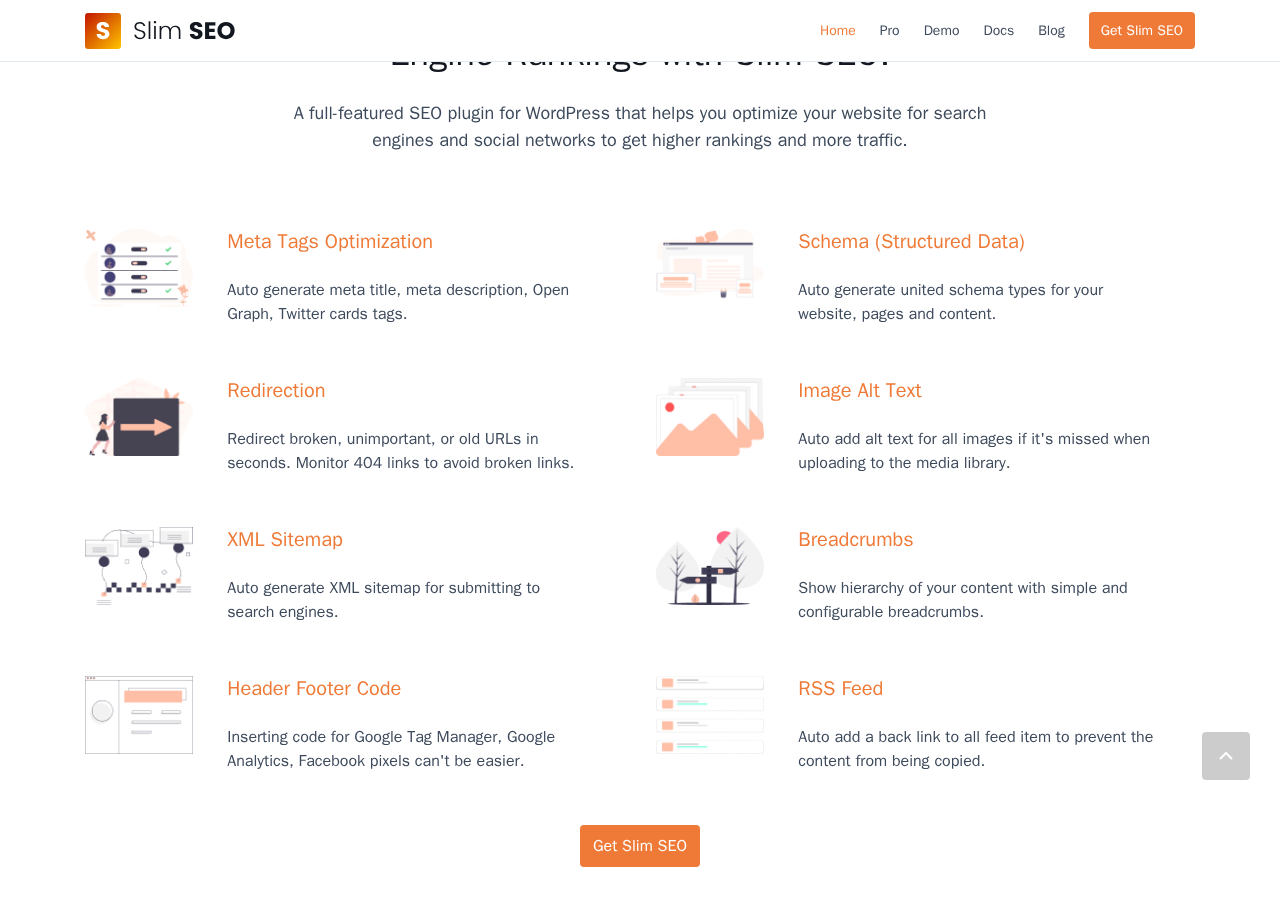
The plugin earns this position by doing something rare in the WordPress plugin ecosystem: it makes good decisions for you and ships them automatically. Meta title, meta description, Open Graph tags, Twitter Card tags, XML sitemap, breadcrumbs, structured data, redirects, and image alt text are all generated correctly the moment the plugin is active. No setup wizard. No settings to fill in.
The honest caveats: Slim SEO does not include a keyword analysis tool or content scoring feature in the free version. Users who want Yoast-style content analysis will not find that here. The free version also has no Google Search Console integration, no visual schema builder, and no link monitoring. Those live in Slim SEO Pro.
Quick verdict card
- Best for: Bloggers, small business owners, and developers who want a lightweight SEO plugin that does not require SEO knowledge to use correctly.
- Best plan for most sites: The free version covers everything a typical WordPress site needs for solid SEO. Upgrade to Pro Personal ($59/year) only if you need a visual schema builder, link monitoring, or Google Search Console integration inside WordPress.
- Standout: Zero-configuration SEO that works correctly out of the box, with a codebase light enough that it will not hurt your site performance.
- Watch out for: No keyword analysis or on-page content scoring in the free version. No Yoast-style SEO score or traffic light. Pro is required for Google Search Console data, visual schema builder, and writing assistant.
What Slim SEO is
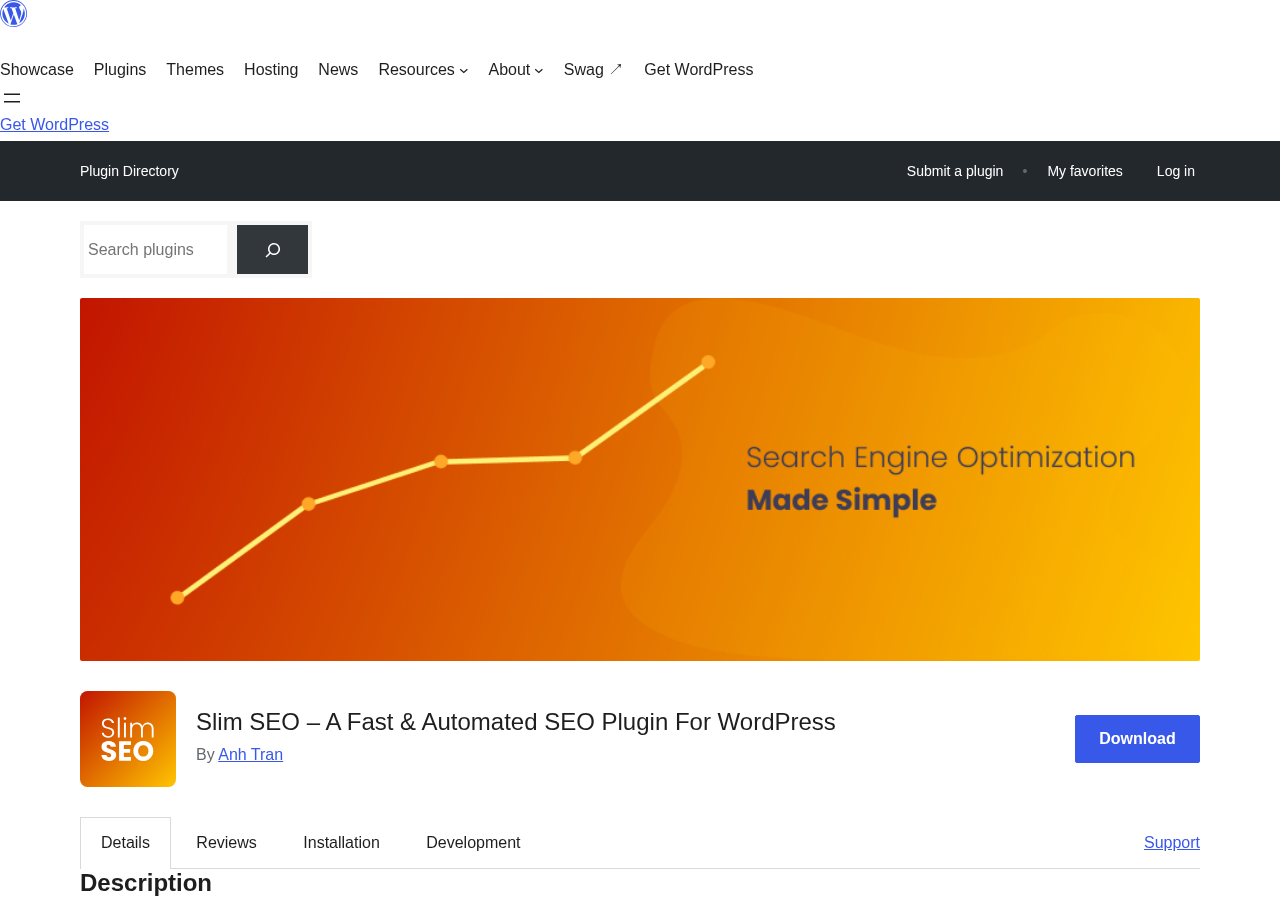
Slim SEO is a free WordPress SEO plugin published by eLightUp, the team behind the popular Meta Box custom fields plugin (600,000+ active installs). The lead developer is Anh Tran, who has been building WordPress plugins for more than 15 years. The plugin was first released on WordPress.org on 2018-12-31, is currently on version 4.9.11, and has accumulated over two million downloads.
The plugin’s design philosophy is the opposite of Yoast SEO or Rank Math. Rather than exposing dozens of configuration options and guiding the user through setup, Slim SEO pre-configures everything to sensible defaults and runs silently. Its WordPress.org description says plainly: “The plugin doesn’t have any settings page. Everything is done automatically.”
That claim is not quite accurate for all features (the plugin does have a settings area for redirects, header/footer code, and other options), but the spirit is correct. Most sites can install Slim SEO, not touch any settings, and have correct SEO behavior from that moment forward.
Who Slim SEO is best for
Strong fit
- Bloggers, personal site owners, and small businesses who want SEO to work correctly without learning what a ‘focus keyword’ is.
- WordPress developers who build sites for clients and want an SEO foundation that clients cannot accidentally misconfigure.
- Developers maintaining a large number of WordPress sites who want a consistent, low-overhead SEO setup across all installs.
- Performance-conscious site owners who care about the overhead a plugin adds. Slim SEO is built explicitly to minimize database queries and front-end script output.
- Sites already using Meta Box who want a tightly integrated tool from the same ecosystem.
Weak fit
- Marketers who want a real-time content analysis tool (green/amber/red keyword density scoring, readability grades) in the post editor. Slim SEO does not include this in the free version.
- Sites that require highly customized schema types (e.g., a job board needing JobPosting schema, a recipe site needing Recipe schema). The free version generates standard schema automatically, but complex custom schema needs the Pro visual builder.
- Teams that rely on Google Search Console data inside WordPress. That integration is a Pro feature.
- eCommerce stores with complex WooCommerce SEO needs may want a plugin with deeper WooCommerce integration.
Setup and first use
Installing Slim SEO takes about thirty seconds. Go to Plugins > Add New in WordPress, search for “Slim SEO,” install, and activate. The plugin requires no license key for the free version.
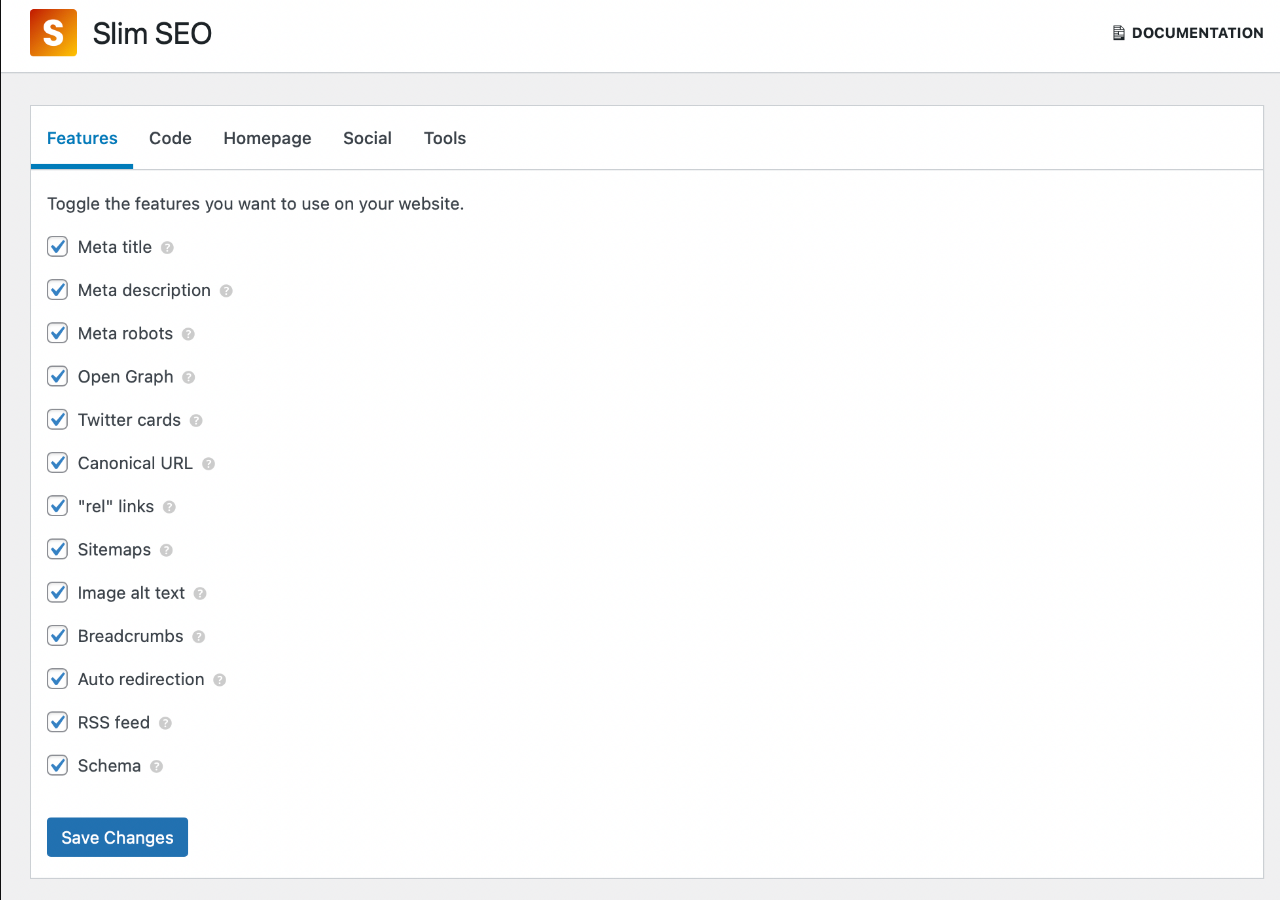
After activation, the plugin does have a settings area in WordPress admin under “Slim SEO.” It exposes settings for meta tags (optional overrides), sitemaps (toggle which post types appear), social (default sharing image), redirections, and header/footer code injection. None of these must be configured for the plugin to work correctly.
Meta tags: auto-generation in practice
The meta tags module is the plugin’s core feature. It auto-generates the following on every page type without any post-level configuration required:
- Meta title: Uses WordPress’s built-in title-tag theme support. The default format is ‘Post Title | Site Name’ for posts and pages, and ‘Site Title | Site Description’ for the homepage.
- Meta description: Auto-generated from the post excerpt if one is set, or from the first paragraph of the post content if not. For taxonomy archive pages, the archive description is used.
- Meta robots: Sets index and follow by default. Private posts, password-protected content, and admin-flagged noindex posts are excluded automatically.
- Open Graph tags: Auto-generated from the post’s title, description, and featured image. Article section (first category) and tags are included for single posts.
- Twitter Card tags: Inherits from Open Graph. Card type is set to summary_large_image so featured images render at full width on X.
- LinkedIn meta tags: Included automatically, inheriting from the Open Graph data.
When editing any post or page, a “Search Engine Optimization” meta box appears below the WordPress editor. It allows you to manually set a custom title, description, and social image for that specific page, overriding the auto-generated values. This is the same pattern used by every major SEO plugin.
XML sitemap
Slim SEO auto-generates an XML sitemap at yourdomain.com/sitemap.xml the moment you activate the plugin. The sitemap includes all public post types, categories, tags, images, and Google News entries. The sitemap regenerates automatically when you publish or update content.
The sitemap settings page lets you toggle which post types and taxonomies appear. This is useful for custom post types that should not be indexed, or for excluding taxonomies used only for internal organization.
Schema (Structured Data)
Slim SEO generates JSON-LD structured data automatically. The plugin outputs WebSite schema at the homepage level (including SearchAction for site search), WebPage schema on all pages, Article/BlogPosting schema on single posts marking the post as the main entity, BreadcrumbList schema when breadcrumbs are enabled, and Person or Organization schema for the publisher.
The schema entities are connected, meaning the Article schema references the WebPage, which references the WebSite. This connected graph approach is more useful to search engines than isolated schema fragments.
What the free version does not include: the ability to choose a different schema type for a post, add custom properties, or build recipe, FAQ, product, job, event, or other specialized schema types. Those require Slim SEO Pro’s visual schema builder.
Breadcrumbs
Slim SEO includes a breadcrumb module that outputs a hierarchy for the current page: Home > Category > Post Title. It uses the [slim_seo_breadcrumbs] shortcode to embed on any page. BreadcrumbList JSON-LD schema is generated alongside the visual breadcrumbs automatically.
Redirection and 404 monitoring
The redirects module lets you set up URL rules inside WordPress without needing a .htaccess edit or a separate plugin. You can create 301 (permanent), 302 (temporary), and 307 redirects, including regex-pattern redirects. The plugin also handles non-www to www auto-redirect and auto-redirects when a post slug is changed.
404 monitoring: the plugin logs URLs that return 404 errors so you can identify and fix broken links. Drag-and-drop reordering of redirect rules was added in a recent update. The 404 log is genuinely useful for content managers who inherit sites with outdated internal links.
Image alt text automation
Slim SEO adds a small but useful automation: if an image in the media library has no alt text set, the plugin uses the image title or filename as a fallback alt attribute on the front end. This prevents blank alt attributes, which are a common accessibility and SEO gap on sites where images were uploaded without descriptions.
Header and footer code injection
The Header/Footer Code module lets you paste code into the site’s <head> or before the closing </body> tag. Common uses: Google Tag Manager, Google Analytics 4, Facebook Pixel, Microsoft Clarity, and any other tracking or verification script. This replaces the need for a separate “insert headers and footers” plugin on most sites.
Slim SEO Pro: advanced features
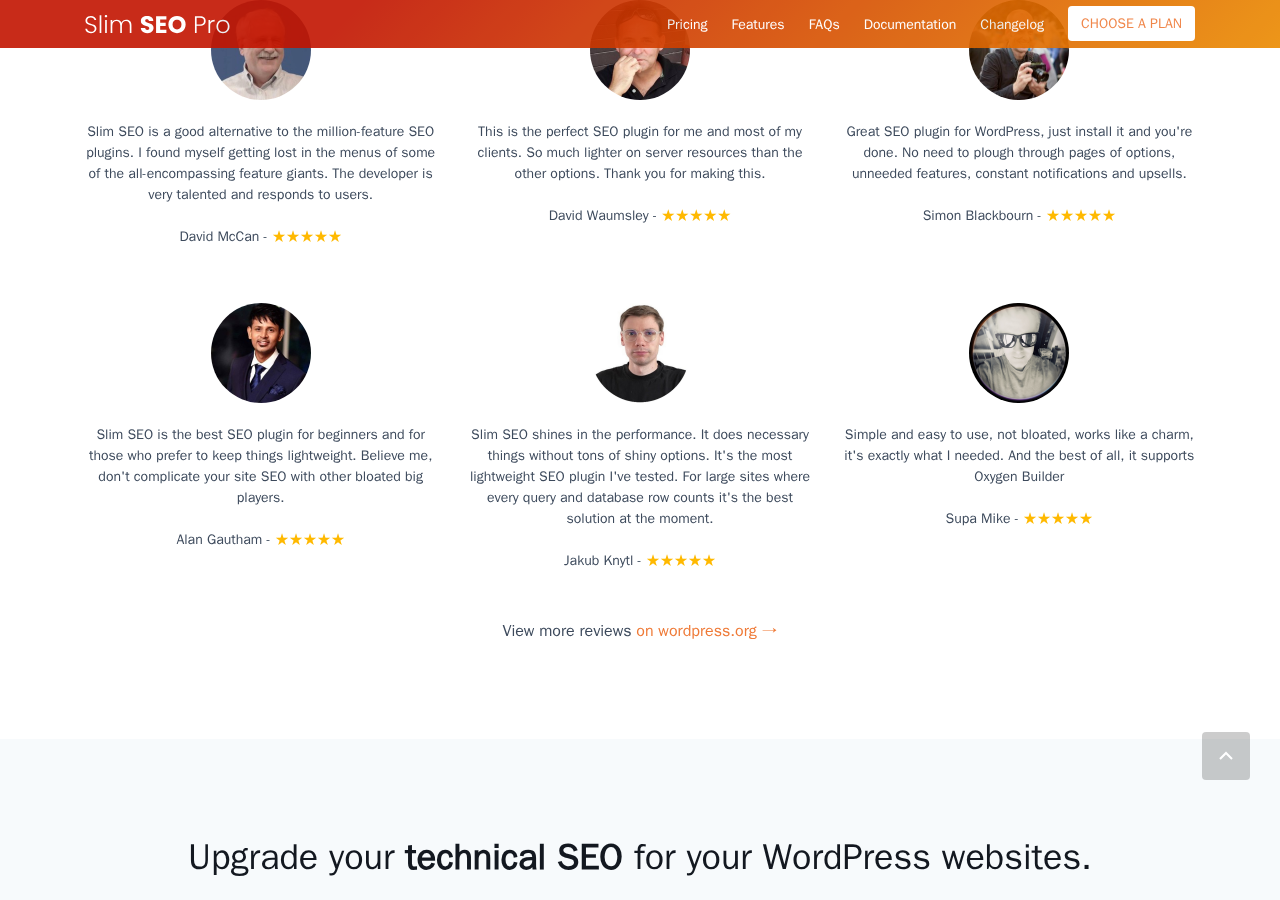
Slim SEO Pro is a paid add-on that extends the free plugin with four main feature sets. It does not replace the free plugin; it enhances it.
Visual schema builder
The Pro schema builder lets you create custom structured data for any post type using a visual UI. It includes 30+ pre-built schema types (Article, Product, Recipe, Event, FAQPage, HowTo, JobPosting, LocalBusiness, Person, Course, and more), visual property mapping to connect properties to dynamic WordPress data, custom JSON-LD for edge cases, and connections between schema entities for a unified knowledge graph.
Link building and monitoring
The Pro link module scans internal links in your WordPress content and provides real-time link reports (link status, anchor text distribution, orphan page detection), bulk link fixing, automatic link suggestions as you write, and automatic link updating when post slugs change. For large content sites with hundreds of posts, the orphan page detection and bulk link fix capabilities save significant manual work.
Google Search Console integration
Slim SEO Pro connects to your Google Search Console account and displays overall site performance, keyword performance, and page-level performance data inside the WordPress dashboard. This surfaces the most actionable GSC data in the context where you are already working.
Writing assistant
The writing assistant gives real-time content feedback in the WordPress editor. It checks keyword usage, image alt text, link structure, and readability signals. Recent updates added AI-powered meta generation using OpenAI (GPT), Anthropic (Claude), Google (Gemini), and OpenRouter, including bulk AI generation across multiple posts.
The free plugin: what it covers without paying
The free Slim SEO is a complete SEO layer for a standard WordPress site. It includes auto-generated meta tags (with manual overrides per post), Open Graph and Twitter Card tags, LinkedIn meta tags, XML sitemap (posts, pages, taxonomies, images, Google News), JSON-LD schema (WebSite, WebPage, Article, BreadcrumbList), breadcrumbs, 301/302/307 redirects with regex, 404 monitoring and logging, auto-redirect on slug change, non-www/www auto-redirect, image alt text fallback, header/footer code injection, RSS backlink protection, and import from Yoast SEO, Rank Math, and SEOPress.
What the free version does not include: keyword analysis, content scoring, Google Search Console data, visual custom schema builder, link monitoring, link suggestions, or AI meta generation.
Pricing and license value
Slim SEO itself is free and available on WordPress.org. Slim SEO Pro is priced as follows (verified at wpslimseo.com/pro/, August 2026):
- Personal: $59/year, 1 website. All Pro features included.
- Freelancer: $119/year, 10 websites. All Pro features included.
- Agency: $179/year, unlimited websites. All Pro features included.
All plans include one year of updates and support, and renewal at the same regular price. A 14-day refund policy applies to all Pro plans.
The pricing is straightforward: every plan includes every Pro feature, with the only difference being the number of websites covered. No tiered feature sets. At $59/year for one site, the Pro Personal plan is competitive for what it provides. For agencies managing multiple client sites, the Agency tier at $179/year for unlimited sites is among the most cost-efficient all-in-one SEO options in the WordPress market. The absence of a Lifetime license option is worth noting for buyers who prefer one-time purchases.
Pros and cons
Pros
- Zero-configuration free tier that produces correct, production-quality SEO out of the box
- 2,000,000+ downloads and a 4.7-star rating (120 five-star reviews out of 135) on WordPress.org over seven years
- Exceptionally lightweight: fewer database queries, no front-end JavaScript overhead
- Auto-redirect on post slug change prevents broken internal links as content evolves
- 404 monitoring built in; no separate plugin needed
- Image alt text fallback: prevents blank alt attributes on images without manual description
- Header/footer code injection built in; no separate plugin needed
- Import from Yoast SEO, Rank Math, and SEOPress: easy migration path
- Page builder integrations: Elementor, Oxygen, Beaver Builder, Divi, Bricks
- AI meta generation (Claude, GPT, Gemini) in Pro, including bulk generation across posts
- Agency plan ($179/year) covers unlimited sites with all features
- Built by the Meta Box team: 15+ years of WordPress development expertise
- 14-day money-back guarantee on Pro
Cons
- No keyword analysis or content scoring in the free version; users coming from Yoast or Rank Math will miss the real-time SEO score
- No Google Search Console integration without Pro; Rank Math’s free version includes basic GSC data
- Visual schema builder requires Pro; sites needing Recipe, Event, Product, or HowTo schema cannot configure schema types through the free plugin
- No link monitoring without Pro
- Free version auto-generates schema but does not let you choose or customize the schema type for individual posts
- No Lifetime license option; annual renewal required
- Writing assistant requires Pro; no content analysis in the free tier
- Less suited for eCommerce SEO compared to WooCommerce-focused plugins
Alternatives to Slim SEO
- Yoast SEO: The most-used WordPress SEO plugin. More options, more configuration, built-in content analysis, and a premium WooCommerce add-on. Heavier than Slim SEO. Choose Yoast if you want guided content analysis and a large support ecosystem.
- Rank Math: Feature-rich free tier that includes keyword analysis, schema types, image SEO, 404 monitor, and basic Google Analytics integration. More capable in the free tier on some dimensions. Choose Rank Math if you want Yoast-like content scoring and are comfortable managing more settings.
- SEOPress: French-made plugin with a solid free tier including sitemap, meta tags, Google Analytics, breadcrumbs, and schema. A good option if you want something between Slim SEO’s minimalism and Rank Math’s depth.
- The SEO Framework: Similar zero-clutter philosophy to Slim SEO but a different codebase and community. A valid alternative for users who want minimalism from a different team.
- All in One SEO: Long-standing plugin now owned by Awesome Motive. Comprehensive but on the heavier side. Better for WooCommerce sites.
For most users who want a lightweight option, the honest comparison is Slim SEO vs The SEO Framework. Both are minimal, both auto-generate correctly, and both have low overhead. Slim SEO’s Pro tier is stronger on link monitoring and the schema builder.
Final verdict
Slim SEO solves a real problem: most WordPress SEO plugins ask too much of the user. They demand configuration, they surface warnings about things that are not actually problems, and they add overhead to every page load. Slim SEO does not. It installs in thirty seconds, makes correct decisions by default, and stays quiet.
For a blogger, a local business site, or a developer building sites for clients, the free version of Slim SEO is the right choice. It covers everything that matters for standard SEO: meta tags, sitemap, schema, breadcrumbs, redirects, and social tags. All of this without requiring SEO knowledge to configure correctly.
The honest limitation is that “minimal” comes with a trade-off. Users who want to see a real-time content score while writing, or who want keyword analysis built into the editor, or who want Google Search Console data without leaving WordPress, need Slim SEO Pro or a different plugin entirely.
My practical recommendation: start with the free Slim SEO and assess what you are missing after a month. Most sites will not be missing anything. If you publish structured content (events, products, jobs, recipes) and need proper custom schema, the Pro Personal tier at $59/year is the right upgrade. If you manage multiple client sites, the Agency tier at $179/year is one of the most economical ways to cover unlimited sites with solid SEO tools.