


All-In-One Security (AIOS) has been protecting WordPress sites since 2013. Today it serves over one million active installations and carries a 4.7/5 rating on WordPress.org. That kind of longevity and scale earns attention. But the security plugin landscape in 2026 is more competitive than it was a decade ago, and a high install count is not the same as best-in-class protection.
I researched AIOS thoroughly for this review: the official plugin page, the WordPress.org listing, the premium features and pricing page, the changelog, user reviews, and third-party security analyses. I also reviewed the specific capabilities of the free version against what competing plugins offer at the same price point (free).
Here is what I found.
At a glance
- Developer: Team Updraft (David Anderson and contributors)
- Current version: 5.4.9 (updated August 13, 2026)
- Active installs: 1,000,000+
- WordPress.org rating: 4.7/5 (1,714 reviews)
- WordPress requirement: 5.0 or higher (tested to 7.1)
- PHP requirement: 5.6 or higher
- Free version: Yes, full-featured core. Available on WordPress.org
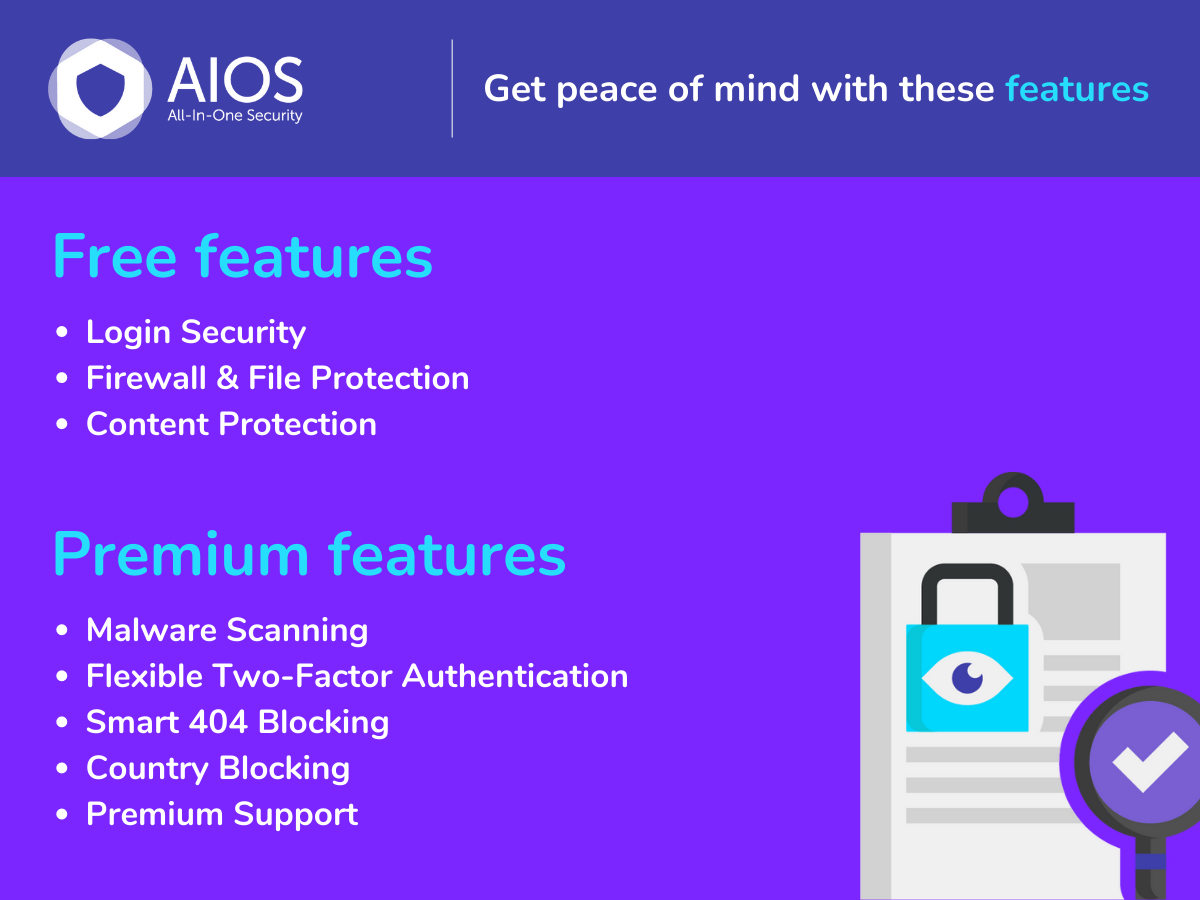
- Premium add-on: From ~$53/year (first year) for up to 2 sites. Adds malware scanning, country blocking, and advanced TFA.
- Money-back: 14 days, no questions asked
- Bottom line: One of the most generous free WordPress security plugins available. Strong login protection, TFA, and a 6G/8G firewall at no cost. The gaps: no malware scanner in free, no vulnerability detection at any tier, and an Apache-only .htaccess firewall.
Quick verdict
Quick Verdict
AIOS delivers an impressive amount for free. You get two-factor authentication, brute force lockout, a 6G/8G firewall, file change monitoring, spam control, and a full audit log without paying a cent. For most small-to-medium WordPress sites running on Apache hosting, this covers the majority of everyday security needs.
The plugin is not without limits. The .htaccess firewall does not work on Nginx or IIS. There is no malware scanner in the free version. And neither the free nor the premium tier includes vulnerability detection, which is a notable gap compared to Wordfence or Solid Security. The premium pricing roughly doubles at renewal after the first year, which is worth factoring into any multi-year comparison.
- Best for: bloggers, small business sites, WooCommerce stores, and agencies that want solid hardening and login protection without paying for a security plugin.
- Not ideal for: sites on Nginx or IIS, sites that need real-time malware scanning, or anyone whose primary concern is plugin/theme vulnerability detection.
- Rating: 4.1/5. Excellent free foundation. Meaningful weaknesses in scanning, server compatibility, and CVE coverage.
What All-In-One Security (AIOS) is
All-In-One Security is a WordPress security plugin built by Team Updraft, the same team responsible for UpdraftPlus. The plugin launched in 2013 and has stayed consistently in the top tier of free WordPress security tools by volume of active installs.
The core idea is straightforward: bundle a comprehensive set of security controls into a single free plugin, organized by difficulty level, so site owners can harden their WordPress installation without needing a developer. Most features are available at no cost. The premium add-on layers malware scanning, country blocking, and advanced two-factor authentication on top.
The premium version works as an add-on to the free plugin, not a replacement. Both need to be installed for premium features to activate.
Who AIOS is best for
AIOS suits a wide range of users:
- Bloggers and content sites that want basic hardening, login protection, and spam control without spending money
- Small business owners running brochure or service sites on standard Apache hosting
- Agencies and developers who need a free, reliable security baseline for client sites
- WooCommerce stores that want two-factor authentication for admin and customer accounts without a separate plugin
AIOS is less suited for:
- Sites running on Nginx or IIS (the .htaccess firewall rules do not apply)
- Sites that need real-time malware scanning in the free tier
- Sites that require plugin/theme vulnerability detection (CVE scanning), which AIOS does not offer at any tier
Setup and user experience
Installation and first run
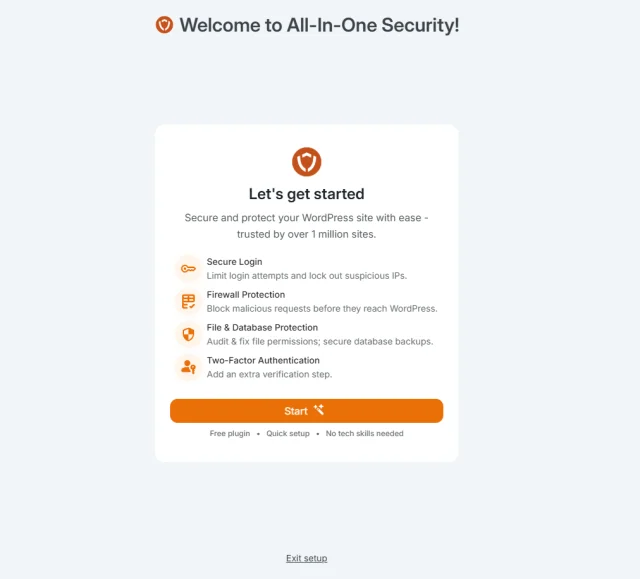
Installing AIOS is standard: search for it in the WordPress plugin directory and activate. After activation, a setup wizard walks you through the most important settings in a logical sequence. The wizard was introduced in version 5.4.5 (January 2026) and is a genuine improvement for users who are new to security configuration.
One repeated complaint in the WordPress.org reviews: the wizard is intrusive for experienced admins who already have their settings configured. It takes over the admin screen on first login without a clear “skip” option. This is a minor but real friction point for developers managing multiple sites.
Security score dashboard
The main dashboard shows a security strength meter that rates your configuration. It is a useful orientation tool, but it should not be taken as a definitive measure of protection. Some scoring items have limited real-world impact, and the meter does not account for whether your installed plugins or themes carry known vulnerabilities. A high score on the meter does not mean your site is fully protected.
Version 5.4.7 (April 2026) added a dashboard widget showing the top five failed login IP addresses and a 7-day chart of failed login attempts. This is a practical addition that makes it much easier to spot active brute force patterns at a glance.
Feature organization
Settings are organized into tabs: User Accounts, Login Security, Spam Prevention, Firewall, File System Security, and more. Each individual setting is tagged with a difficulty level (Basic, Intermediate, or Advanced), helping less technical users decide what to activate first without risking misconfiguration.
Login security and brute force protection
This is where AIOS delivers the most value in its free tier.
Admin username detection checks whether any account uses the default “admin” username and guides you through changing it. Simple, but effective as a first hardening step.
Login lockout is fully configurable: set the number of failed attempts before a lockout triggers, the lockout duration, and whether to send admin email notifications. You can whitelist trusted IP addresses to avoid locking yourself out during testing or routine admin work.
Custom login URL (login page rename) hides your wp-login.php path from automated bots. This alone eliminates most scripted login probes.
Two-factor authentication (TFA) supports Google Authenticator, Microsoft Authenticator, and Authy. You enforce it by user role, so admins can be required to use TFA while subscribers are not. This is an unusually strong inclusion for a free plugin.
User enumeration blocking prevents visitors from discovering WordPress usernames via author archive URLs or REST API queries, which bots routinely probe.
Automatic user logout terminates idle sessions after a configurable period, reducing the risk from unattended logged-in admin sessions.
Strong password enforcement was added in version 5.4.3 (September 2025). New passwords are checked against the HaveIBeenPwned (HIBP) database during profile updates, which is a genuinely useful practical security measure.
Active session management lets administrators view all currently logged-in users and forcibly log out any session or blacklist any account.
Firewall
AIOS provides a two-layer firewall, available free of charge.
6G/8G firewall rules are applied via .htaccess or PHP. These rulesets block common attack patterns: bad user agents, malicious query strings, directory traversal attempts, and cross-site scripting vectors. The 6G and 8G rule sets are respected in the WordPress security community for their breadth of coverage.
PHP-level firewall rules handle XML-RPC exploits and XSS attempts without requiring .htaccess, so these rules work regardless of server type.
Fake bot detection blocks traffic that claims to be Googlebot but does not originate from Google’s confirmed IP ranges.
IP and user-agent blacklisting lets you block individual addresses or IP ranges manually.
The critical limitation: the .htaccess firewall rules apply only to Apache servers. If your hosting runs Nginx or IIS, you get only the PHP-level rules, which cover significantly less attack surface. The plugin discloses this inside the dashboard, but it is worth understanding before relying on the firewall.
Third-party testing has also reported isolated cases where the 6G ruleset incorrectly blocked legitimate Googlebot crawls. I recommend monitoring Google Search Console for unusual crawl errors after enabling the firewall rules, especially if you are using the stricter 8G ruleset.
File system and database security
File permission scanning checks your WordPress core files and folders for insecure permissions and offers one-click remediation.
PHP file editing restriction disables the built-in WordPress theme and plugin editor. This prevents an attacker who obtains admin access from injecting malicious PHP directly via the WordPress dashboard.
File change detection scans your WordPress installation and notifies you when files are added, modified, or deleted. You configure directory exclusions to minimize false positives from uploads or cache directories.
Sensitive file protection blocks direct browser access to readme.html, license.txt, and similar files that expose your WordPress version to automated scanners.
Database table prefix change replaces the default “wp_” prefix with a custom string, reducing exposure to generic SQL injection payloads that target the standard prefix.
Database backups integrate with UpdraftPlus rather than providing a standalone scheduler. Seamless if you already run UpdraftPlus; otherwise you need both plugins installed.
Spam prevention and audit log
Bot comment blocking uses a honeypot field added invisibly to the comment form. Bots that fill it in are blocked automatically. Human visitors never see or interact with the hidden field.
Spam IP monitoring tracks which IP addresses have submitted spam comments and lets you block them in bulk or set automatic blocking thresholds.
Audit log records admin-level events: plugin activations, theme changes, user login and logout events, and settings changes. Available free. Version 5.4.7 added the dashboard widget (top 5 failed login IPs, 7-day chart) that makes reading the log faster.
Premium features: what you get with an upgrade
Malware scanning: Weekly automated scans for malware, trojans, and spyware. Google blacklist monitoring. Uptime checks every five minutes with alerts. Access to expert advice for malware removal. Note: this is weekly scanning, not real-time. Tools like Wordfence or MalCare offer more frequent scanning if that matters to you.
Country blocking: Block traffic from specific countries, site-wide or on individual pages or posts. Team Updraft claims 99.5% geo-identification accuracy. Useful for stores with no international customers or sites experiencing repeated attacks from specific regions.
Smart 404 blocking: Detects IPs that trigger a large number of 404 errors in a short period, a common scanning pattern, and automatically blocks them. You set the threshold and time window.
Advanced TFA: Time-based TFA mandate (require TFA for admins after accounts reach a set age), frequency control (allow trusted devices to skip TFA for a configurable number of days), emergency backup codes, and integration with WooCommerce, bbPress, and Elementor Pro login forms. WordPress multisite network support.
Pricing
AIOS uses a freemium model. The free plugin covers most needs for small-to-medium sites. Premium is an annual subscription add-on.
| Plan | Sites | First-Year Price | Renewal Price |
|---|---|---|---|
| Personal | Up to 2 | ~$53/yr | ~$106/yr |
| Business | Up to 10 | ~$89/yr | ~$177/yr |
| Agency | Up to 35 | ~$148/yr | ~$296/yr |
| Enterprise | Unlimited | ~$208/yr | ~$415/yr |
Prices are before VAT and include approximately 50% first-year introductory discount. Renewal rates apply from year two onward. See teamupdraft.com/all-in-one-security for current pricing.
Free version value: Excellent. Most small sites can run on the free tier indefinitely.
Premium value: Moderate. The main premium draws are malware scanning and country blocking. Neither is best-in-class (Wordfence and Solid Security include vulnerability scanning that AIOS lacks entirely). For multi-site agencies, the pricing is competitive. For single-site owners, the value case depends on whether country blocking or the advanced TFA extras are worth the annual cost.
Pros and cons
Pros
- Generous free tier: TFA, 6G/8G firewall, brute force lockout, file monitoring, and audit log at no cost
- 1+ million active installs and 4.7/5 rating across nearly 1,800 reviews
- Actively maintained: version 5.4.9 released August 2026
- Strong password enforcement with HIBP database check (added 2025, free)
- No measurable performance overhead
- Responsive free support with 24-hour forum response target
- TFA integrates with WooCommerce, bbPress, and Elementor Pro login forms (premium)
- 14-day money-back guarantee on all premium plans
Cons
- Firewall (.htaccess rules) works on Apache only, not Nginx or IIS
- No malware scanner in the free version
- No vulnerability/CVE detection at any tier, free or premium
- Premium malware scanning runs weekly, not real-time
- Security dashboard score can create a misleading sense of protection
- Onboarding wizard is disruptive for experienced admins with no clear skip option
- Premium renewal prices roughly double after the first year
Alternatives to All-In-One Security
Wordfence Security
Wordfence is the most widely installed WordPress security plugin. The free version includes a malware scanner, a real-time application-level firewall (with 30-day signature delay on the free tier), and detailed live traffic monitoring. The firewall works on all server types, including Nginx. If you need a malware scanner without paying, Wordfence is the most direct alternative to AIOS.
Visit Wordfence on WordPress.org
Solid Security (formerly iThemes Security)
Solid Security packs more than 30 hardening methods into its free version: brute force protection (local and network-level), site scanning via Google Safe Browsing, SSL enforcement, and file change detection. The Pro version adds real-time vulnerability detection via WPScan, covering plugin and theme CVEs. This is the feature most clearly absent from AIOS at any tier. If CVE awareness is a priority, Solid Security Pro is worth considering.
Visit Solid Security on WordPress.org
Sucuri Security
Sucuri’s free plugin covers file integrity monitoring, blacklist checking, and post-hack hardening steps. Its paid plans include a cloud-based Web Application Firewall (WAF) that routes traffic through Sucuri’s network before it reaches your server. This is more effective than any .htaccess-based firewall against volumetric DDoS and works regardless of your server stack. Worth considering for high-traffic sites or Nginx-hosted sites where AIOS’s firewall provides limited coverage.
Visit Sucuri Security on WordPress.org
MalCare Security
MalCare specializes in malware detection and one-click removal, which AIOS does not offer even with the premium add-on. The free version includes a daily scanner. If recovering from a hack quickly is the primary concern rather than hardening prevention, MalCare fills the gap AIOS leaves.
Visit MalCare Security on WordPress.org
Final verdict
All-In-One Security earns its place among the best free WordPress security plugins in 2026. The free tier is genuinely useful: TFA, a 6G/8G firewall, brute force lockout, file change monitoring, audit logging, and spam control, at no cost. The plugin’s 1+ million active installs and 4.7/5 rating reflect a plugin that works reliably and is backed by a responsive support team.
The gaps are real and worth naming clearly. No malware scanner free. No vulnerability detection at any price. An Apache-only firewall. A security score meter that can create false confidence. None of these make AIOS a bad choice, but they make it an incomplete choice if you rely on it alone.
My recommendation: use the free version as your baseline. Enable the login lockout, rename your login URL, activate TFA for admin accounts, and turn on the 6G firewall. That combination blocks the vast majority of automated attacks targeting WordPress. If vulnerability scanning is important to you, add Solid Security’s free version alongside it. If you are on Nginx or need real-time malware detection, evaluate Wordfence instead.
Rating: 4.1/5. Excellent free foundation with meaningful gaps in scanning, server compatibility, and CVE coverage.