

Taking bookings on a WordPress site sounds straightforward until you start comparing plugins. One plugin buries its payment settings four tabs deep. Another has a generous free tier that stops short of letting you accept a card online. A third is genuinely well-built but only makes sense if you already run a WooCommerce store.
I spent time with each plugin on this list: I walked through the booking widgets on public demos, tested free versions in a clean WordPress sandbox where available, audited pricing pages, read changelogs, and compared what each tier actually delivers against what the marketing page suggests. This is not a rehash of feature lists. It is a practical ranking based on how these plugins behave when a real service business tries to use them.
How I chose these WordPress booking plugins
The shortlist came from the WordPress.org plugin directory, current Google SERPs for booking plugin queries, and direct evaluation of products I have seen recommended in the WordPress community. I kept the list to plugins where booking is the core job, not a side feature of a page builder or a form plugin.
My ranking criteria:
- Booking widget quality. Does the customer-facing flow handle service selection, staff selection, date and time, and confirmation without friction?
- Admin usability. Is the calendar and appointment management dashboard practical for a real business operator?
- Free tier value. If there is a free version, does it deliver something genuinely useful, or is it just a lead magnet for the paid plan?
- Pricing clarity. Is the starting paid price easy to find, and does the tier you buy actually cover the features you need?
- Feature depth vs simplicity trade-off. Deeper plugins earn higher spots when that depth covers real service business needs. Simpler plugins earn high spots when their simplicity is genuinely intentional, not just underdevelopment.
- Active maintenance. Last updated date, version history, and developer responsiveness.
I excluded SaaS schedulers (Calendly, Acuity, SimplyBook.me) because this list is for WordPress plugins specifically. If you want a comparison between self-hosted plugins and SaaS tools, that is a different question worth its own guide.
Quick comparison table
| Plugin | Best for | Free version | Starting paid price | Standout feature | Main limitation |
|---|---|---|---|---|---|
| Booknetic | Full-featured service businesses: salons, clinics, multi-location | No | $99/yr (Standard) | 50+ integrations, workflow automation, complete add-on ecosystem | No free tier; Basic plan too limited for real businesses |
| LatePoint | Solo practitioners and small service businesses | No | $79/yr (1 site, intro) | Clean UI, single-license simplicity, fast setup | Fewer advanced features than Booknetic; no free version |
| Simply Schedule Appointments | Coaches, consultants, simple scheduling | Yes | $99/yr (Essentials, intro) | Excellent free tier, Gutenberg-native, Google Calendar sync included free | Limited for complex multi-service businesses |
| FluentBooking | Modern UI seekers in the Fluent ecosystem | Yes | $55/yr (1 site, intro) | Modern interface, fast roadmap, Fluent integration | Newer plugin, still building feature parity |
| Appointment Hour Booking | Time-slot services: clinics, training, classes | Yes | €59.00/yr billed annually (Professional) | Automatic availability management per slot, capacity controls, 53+ languages | Pricing in EUR; payment gateways are Pro-only |
| Bookly Pro | Agencies with modular control per client project | Yes (1 staff) | $149/yr (Business Bundle) | Lifetime licensing, modular add-on catalog, proven track record | Business Bundle is practical minimum, not the base Pro license |
| Booking Calendar | Property and rental booking, nightly rate logic | Yes | $41.87 one-time (Personal, sale) | One-time purchase, date-range selection, rental-specific pricing | Not designed for appointment-style time-slot bookings |
| WooCommerce Bookings | WooCommerce store owners selling time-based services | No | $249/yr | Deep WooCommerce integration, resource management | Requires WooCommerce; expensive for non-WooCommerce users |
| Amelia | Businesses that need both appointments and event ticketing | Yes (Lite) | approx. €39/yr (Starter) | Event ticketing with QR codes, clean UI, free tier with Square payments | Prices in EUR; Standard limited to 1 domain; no Telegram |
1. Booknetic: best WordPress booking plugin for service businesses overall
Booknetic earns the top spot because it is the only plugin on this list that solves every booking system concern inside a single WordPress install. You get a multi-step booking widget, an admin calendar, custom forms, workflow automation, payment gateways, calendar sync, a customer self-service panel, loyalty points, group appointments, packages, deposits, multi-location support, and white-labeling, all without a third-party SaaS dashboard.
That is a strong claim. But after walking through the booking widget on the public demo, reviewing every admin module on the official feature pages, and auditing the pricing and changelog, the depth is real. The question is whether you need that depth, and whether you buy the right tier to get it.
Best for: WordPress-native service businesses: salons, spas, clinics, gyms, fitness studios, tutoring centers, repair shops, photography studios, legal and financial consultants. Also strong for agencies that build booking systems for clients.
Key features
- Multi-step booking widget via shortcode, Gutenberg block, Elementor widget, or Divi module
- Admin calendar in month, week, day, and list views with drag-to-reschedule
- Custom booking forms with conditional logic and field grouping per service
- Workflow automation: email, SMS, WhatsApp, Telegram, and HTTP/HTTPS webhook actions
- 50+ integrations including Stripe, PayPal, Square, Mollie, Razorpay, Zoom, Google Meet, Google Calendar two-way sync, Outlook Calendar, Twilio SMS, Mailchimp
- Group appointments, recurring appointments, packages, deposits, coupons, gift cards, loyalty points
- Customer self-service panel with rebook, reschedule, and cancel
- 35+ languages with full RTL layout support
- White labeling for agencies and resellers
Hands-on notes
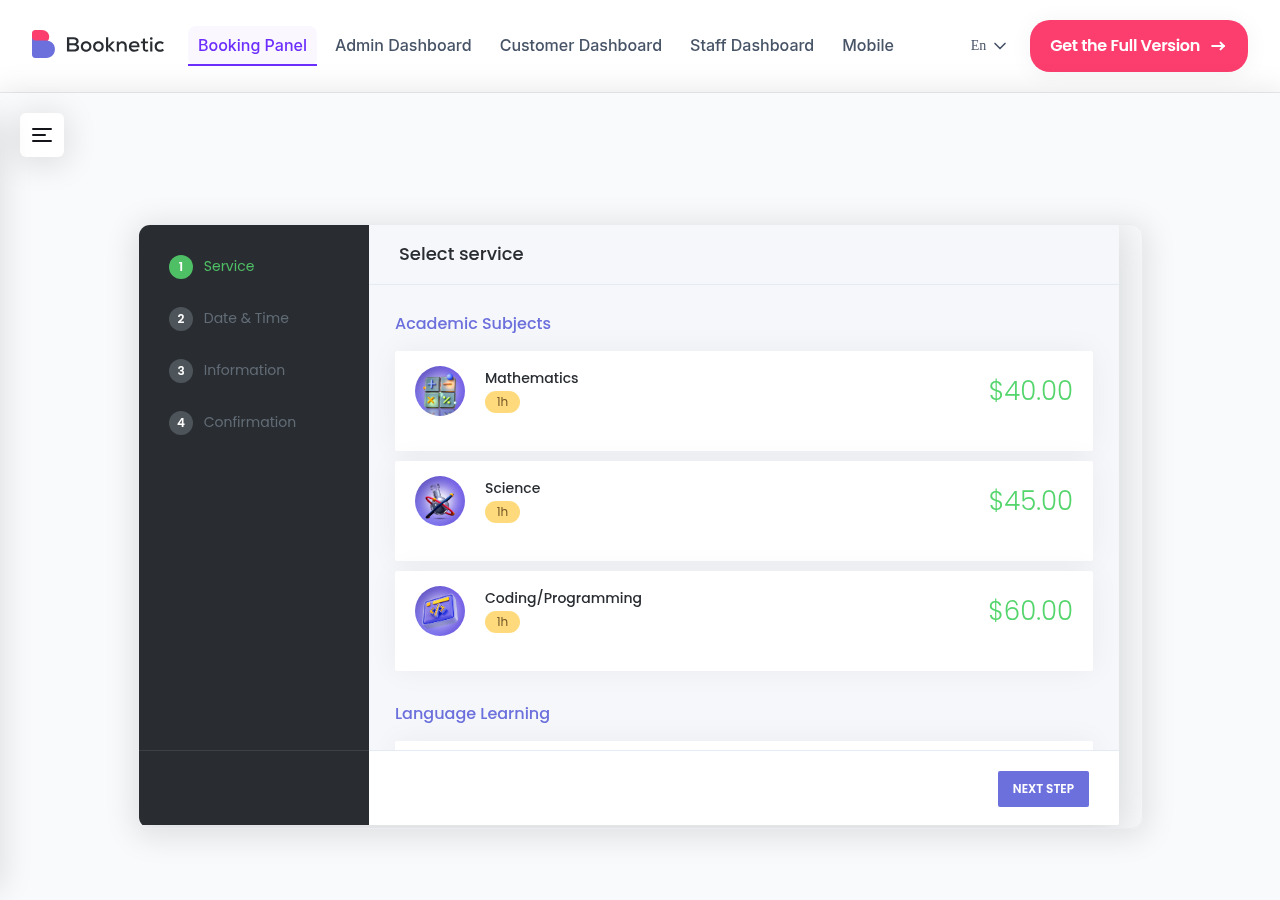
I walked through the booking widget on Booknetic’s public demo and reviewed each admin module through the official feature pages and documentation. The booking widget handles multiple steps, pre-selection via URL parameters, and responsive rendering without extra CSS work. The admin calendar renders appointment cards clearly and lets you filter by staff, service, location, and status. The workflow builder is the most capable in this category. Setup complexity is real: plan for a careful first pass through Settings, and understand the tier-to-add-on mapping before you buy.
Note: The Mobile App was announced as part of v5 but is listed as “coming soon” on the official feature page as of July 2026. Seat reservations appear on each pricing tier now.
Pricing
Booknetic is paid-only. Annual intro prices: Basic $45/yr (1 site, no add-ons, on-site payment only), Standard $99/yr (1 site, 3 payment gateways, 6 add-ons), Premium $199/yr (5 sites, 16 advanced add-ons), Elite $299/yr (unlimited sites, all 50+ add-ons, priority support). Renewals roughly double after year one. Lifetime licenses available on every tier.
Pros
- Deepest WordPress-native booking feature set in this category
- 50+ integrations, all accessible from the in-product Boostore add-on catalog
- Workflow engine covers email, SMS, WhatsApp, Telegram, and HTTP webhooks
- Group appointments, recurring appointments, packages, and loyalty points included
- Customer self-service panel reduces rebook/reschedule support load
- White labeling and multi-location support for agencies
- 120,000+ active installs, Power Elite Author on Envato
- Lifetime licenses available on all tiers
Cons
- No free tier; every site needs a paid license
- Basic plan lacks payment gateways and add-ons; not practical for most real businesses
- Renewal prices roughly double after year one (e.g. Premium goes from $199 to $399)
- Mobile App is announced but listed as “coming soon” as of this writing
- Admin UI has a learning curve; some settings sit several tabs deep
2. LatePoint: best for small service businesses that want simplicity
LatePoint takes a different philosophy from Booknetic. Instead of a deep add-on catalog and a multi-tier pricing matrix, it offers one license, one setup flow, and a clean admin experience that a solo practitioner or small team can get running without a manual.
I reviewed LatePoint through the official site, the feature page, and a walkthrough of the public demo. The booking widget is genuinely clean. The admin calendar is light and readable. The add-on count is smaller than Booknetic’s, but the core booking experience is polished.
Best for: Solo practitioners, individual consultants, personal trainers, therapists, coaches, and small service businesses that want a fast, clean booking setup without the overhead of a large add-on ecosystem.
Key features
- Multi-step booking widget with service, agent, date and time, and customer info steps
- Admin calendar with day, week, and agenda views
- Customer cabinet for managing and rescheduling appointments
- Built-in email notifications with customizable templates
- Payment support through Stripe, PayPal, Square, and WooCommerce
- Appointment packages: sell a bundle of sessions at a fixed price
- Google Calendar sync and Zoom integration
- Custom fields on the booking form
- Multi-location support
Hands-on notes
The LatePoint admin is one of the more readable booking plugin dashboards at this price point. The onboarding wizard covers services, agents, and availability in a clean sequence. The booking widget follows a similar step pattern to Booknetic but with a lighter visual weight, which some businesses will prefer. The add-on library is smaller, but the included features cover what most small service businesses need without extra purchases.
Note: LatePoint does not have a free version. Every install needs a paid license.
Pricing
Annual intro prices: $79/yr (1 site), $149/yr (5 sites), $299/yr (unlimited sites). All plans include access to the same full feature set. Renewals at full price after the first year. Lifetime licenses also available.
Pros
- Clean, modern admin UI that is faster to learn than Booknetic
- Single-feature-tier license with no add-on matrix to navigate
- Packages, custom fields, Google Calendar sync, and Zoom included
- Customer cabinet for self-service rescheduling
- Accessible intro pricing at $79/yr
Cons
- No free version
- Smaller add-on library than Booknetic or Bookly
- Not the right fit for complex multi-location or agency workflows
- Renewal pricing applies after year one
3. Simply Schedule Appointments: best free booking plugin for consultants and coaches
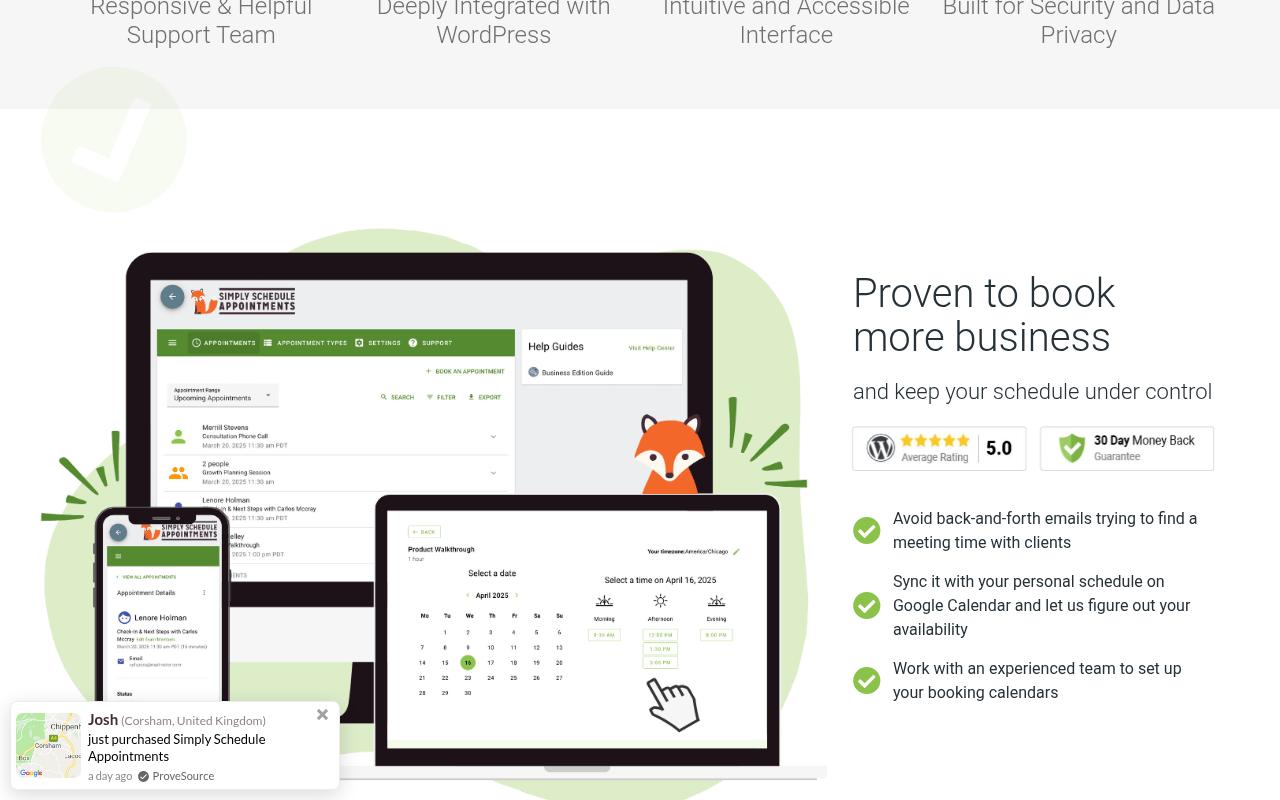
Simply Schedule Appointments (SSA) builds its core product around a genuinely useful free version. The free tier is not a stripped demo. It covers unlimited appointments, a Gutenberg block for embedding the booking form, basic email confirmations, and availability controls, plus Google Calendar sync out of the box. That is enough for a solo consultant, a life coach, or a small consultancy to run real bookings without paying anything.
I tested SSA in a clean WordPress sandbox. Installation is quick. The booking block drops into any Gutenberg post or page in under a minute. The scheduling form is clean and works on mobile without issues.
Best for: Coaches, consultants, therapists, solo service providers, and small teams that want a free, reliable booking tool built for WordPress blocks.
Key features
- Gutenberg-native booking block and shortcode support
- Google Calendar and iCal sync on the free version
- Availability scheduling with buffer times and appointment limits per day
- Email and SMS notifications on paid tiers
- Team member scheduling on paid tiers
- WooCommerce integration for paid bookings on paid tiers
- Zoom and Google Meet integration on paid tiers
- Custom intake fields on paid tiers
- Class scheduling (group bookings) on higher tiers
Hands-on notes
I installed the free SSA plugin on a sandbox WordPress site. The booking block is the cleanest Gutenberg-native booking experience in this roundup. Setup took less than 10 minutes for a single-person schedule with two appointment types. The free version covers Google Calendar sync out of the box, which is rare in this category. The jump to paid tiers is noticeable: payment collection, custom fields, and team members all require an upgrade.
Pricing
Free on WordPress.org. Paid tiers (intro pricing, 1 site each): Essentials $99/yr (normally $129), Plus $199/yr (normally $249), Professional $499/yr. All annual, renewable at the full (non-intro) price.
Pros
- Best free tier in this roundup for simple scheduling
- Gutenberg-native with a clean block-based booking form
- Google Calendar and iCal sync included in the free version (unusually generous)
- Active development with regular updates
- Clean, modern UI suitable for client-facing service businesses
Cons
- Online payment collection requires a paid plan
- Custom intake fields and team scheduling also require upgrade
- Not designed for complex booking flows like group capacity, packages, or multi-location
- Paid plans are more expensive than some competitors for equivalent features
4. FluentBooking: best modern booking plugin for the Fluent ecosystem
FluentBooking comes from the same team that built FluentForms, FluentCRM, and FluentSMTP. If you already use those tools, FluentBooking fits neatly into the same admin experience. Even without the Fluent stack, it earns a spot here because the UI is noticeably modern, the free version is genuinely useful, and the development roadmap is active.
I tested the free FluentBooking plugin in a sandbox and reviewed paid-tier features through the official feature documentation.
Best for: WordPress users who already use FluentForms or FluentCRM, and anyone who wants a modern booking UI with a growing feature set at competitive pricing.
Key features
- One-on-one and group meeting booking flows
- Google Calendar, Outlook Calendar sync, and Zoom integration
- Round-robin and collective meeting distribution for teams
- Custom booking form fields
- Time zone detection and display
- Email notifications with customizable templates
- WooCommerce payment integration on Pro
- FluentCRM integration for lead capture workflows
Hands-on notes
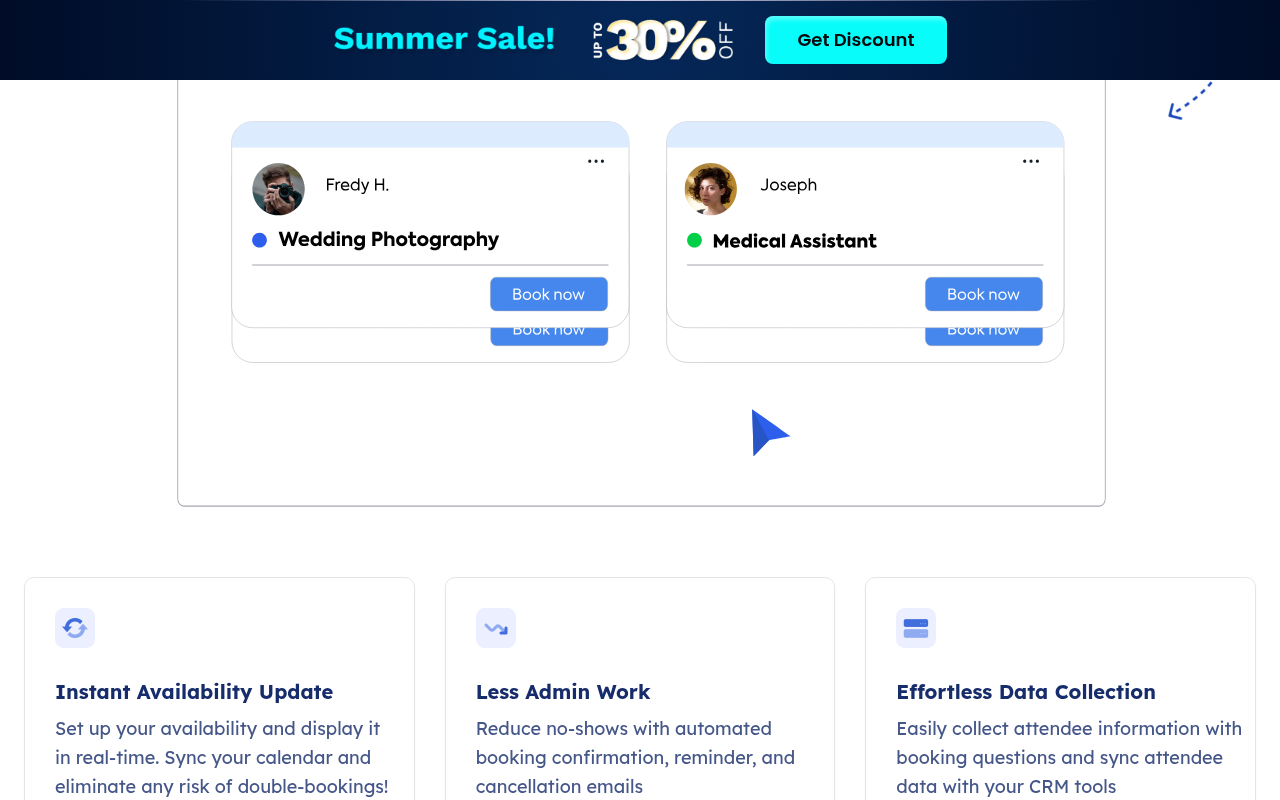
I tested the free FluentBooking plugin in a clean WordPress sandbox. The setup is one of the fastest in this category. The booking form renders cleanly and handles time zone detection automatically. The admin follows a similar layout to other Fluent plugins, which makes it comfortable if you are already in that ecosystem. Advanced features (round-robin distribution, group meetings, WooCommerce payments) are Pro-only and were reviewed through the official documentation rather than a live licensed install.
Pricing
Free version on WordPress.org. Pro pricing (intro prices): Single Site $55/yr, 5 Sites $139/yr, 50 Sites $279/yr. All annual.
Pros
- Modern, clean UI with fast setup
- Free version is genuinely functional for single-person scheduling
- Strong Fluent ecosystem integration (FluentForms, FluentCRM, FluentSMTP)
- Team scheduling with round-robin and collective meeting support
- Competitive pricing, especially for multi-site needs
Cons
- Newer plugin; some advanced features are still in development
- Not the deepest feature set for complex appointment businesses (packages, loyalty, deposits)
- No built-in SMS notification support
5. Appointment Hour Booking: best for time-slot services with automatic availability management
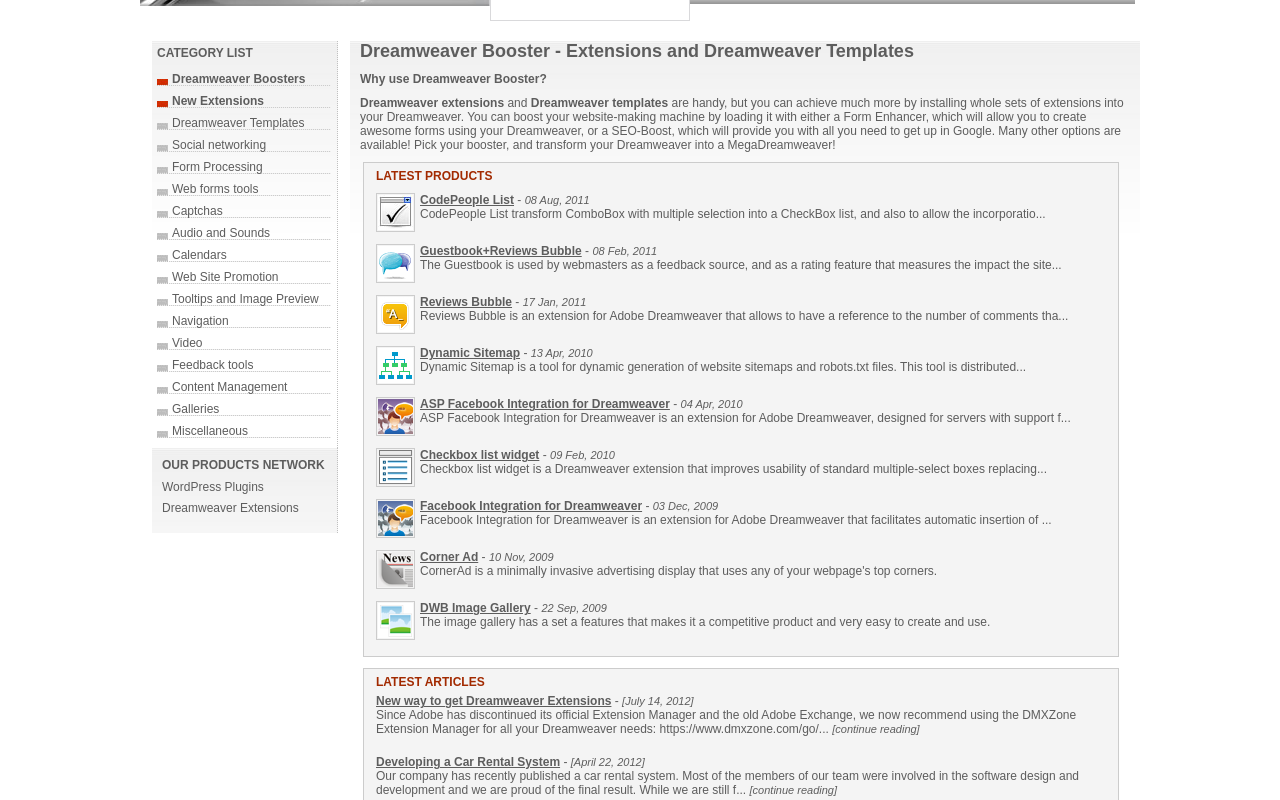
Appointment Hour Booking (AHB) by CodePeople solves a specific scheduling challenge that general booking plugins sometimes overlook: it automatically calculates available start times based on service duration and open hours, and blocks those times once they are booked. You do not configure time slots manually. The plugin derives them from your working hours and the duration of the service selected.
That sounds like a detail. In practice, it saves a lot of admin configuration. A medical practice offering a 15-minute consultation, a 30-minute follow-up, and a 60-minute assessment can serve all three from one calendar without manually building three separate slot grids.
The plugin has been available on WordPress.org since 2014 with 40,000+ active installs and a 4.5-star rating across hundreds of reviews. The free version on WordPress.org is a fully functional appointment booking plugin, not a promotional placeholder.
I reviewed AHB through the WordPress.org listing, the official plugin site, the live demo, and by reading the documentation. The free version was reviewed directly via WordPress.org.
Best for: Medical practices, clinics, personal trainers, class instructors, language tutors, and any service business where appointments have different durations and you want automatic slot management rather than manual grid configuration.
Key features
- Automatic start-time calculation based on open hours and service duration
- Automatic availability blocking after a booking is confirmed
- Multiple services with different durations, prices, and capacities per calendar
- Multiple booking capacities per time slot (group classes, multi-person sessions)
- 53+ languages supported
- iCal export and email notifications (free version)
- Gutenberg and Elementor blocks
- Printable appointments list and CSV export
- Visual form builder for customizing booking fields (Pro)
- Payment gateways: PayPal, Stripe, Skrill, Authorize.net, Mollie, SagePay, Redsys (Pro)
- Google Calendar API integration (Pro)
- Zoom integration (Pro)
- SMS delivery, appointment reminders, and cancellation links (Pro add-ons)
Hands-on notes
I walked through the AHB setup and demo via the official plugin site. The core concept, where the plugin derives time slots from service duration and open hours, works as described and reduces manual calendar configuration compared to plugins where you build the slot grid yourself. The free version on WordPress.org handles the basic booking flow. Payment gateways and Google Calendar sync are Pro-only and were reviewed through the official feature documentation and pricing page rather than a live licensed install.
Pricing
Free version on WordPress.org. Pro pricing (annual billing): Professional €59.00/yr (€4.92/month billed annually, 1 site), Developer €118.00/yr (€9.83/month billed annually, 5 sites), Platinum €177.00/yr (€14.75/month billed annually, 25 sites). Monthly subscription also available at higher rates. Lifetime license options also available. Pricing is in EUR.
Pros
- Automatic slot calculation from service duration: no manual time-grid setup
- 40,000+ active installs with a 4.5-star rating on WordPress.org
- Genuine free version with core scheduling fully functional
- Multi-service calendars with different durations, prices, and capacities
- 53+ languages included
- Monthly pricing with no large upfront commitment
Cons
- Pro pricing in EUR; USD equivalent varies with exchange rate
- Payment gateways and Google Calendar API require the Pro version
- Add-ons (SMS, reminders, Zoom, cancellation) are separate paid add-ons on top of Pro
- UI design feels utilitarian compared to newer plugins like FluentBooking or LatePoint
6. Bookly Pro: best for agencies that want modular control per project
Bookly has been around since 2014, and that 12-year track record matters. The plugin has a genuine free version (one staff member, five services) that works in production for solo operators, a broad add-on catalog, and lifetime license options at sensible prices. The reason it sits at number six rather than higher is that the base Pro add-on is not a complete booking system. Payment gateways, Google Calendar sync, recurring appointments, and custom form fields each cost extra on top of Pro.
The Business Bundle addresses this by combining the most commonly needed add-ons into one purchase. If you plan on buying Bookly, budget for the Business Bundle, not the base Pro plan.
I reviewed Bookly through the free version tested on WordPress.org, the official Pro and add-on documentation, and the pricing pages.
Best for: Agencies and developers who want modular control over exactly which features they license per client project. Also good for solo operators who want to start free and upgrade incrementally.
Key features
- Free version: 1 staff member, 5 services, unlimited appointments, basic email notifications
- Pro add-on unlocks: unlimited staff, unlimited services, Zoom and Google Meet, analytics
- Business Bundle adds: Stripe, PayPal, Square payments, custom form fields, two-way Google Calendar sync, customer self-service portal
- 40+ paid add-ons for recurring appointments, events, waiting lists, and more
- WooCommerce compatibility
- Lifetime licenses on all plans including multi-site coverage (5 sites, 20 sites, 100 sites)
- WPML multilingual support (40+ languages)
Hands-on notes
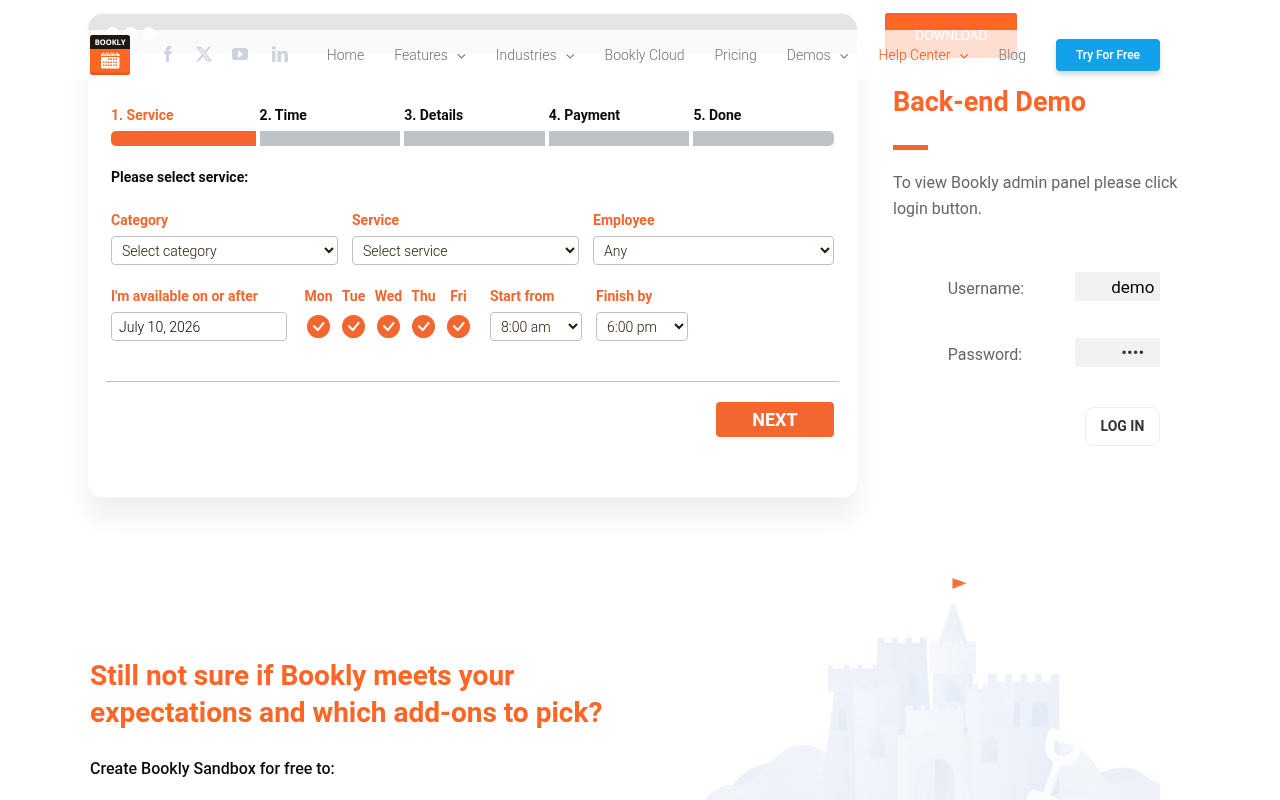
I tested the Bookly free version in a clean WordPress sandbox. The booking form is responsive and well-tested over 12 years. The step flow (Service, Time, Details, Payment, Done) is clean and handles the basics without friction. I reviewed Pro and Business Bundle features through official documentation. The admin UI reflects 2014-era WordPress design conventions more than newer competitors, but it is functional and stable.
Pricing
Free version on WordPress.org. Pro add-on: $49/yr (1 site). Business Bundle: $149/yr (1 site, most-needed add-ons bundled). Ultimate Bundle: $249/yr (1 site, all add-ons). Lifetime options: Business $449 (5 sites), Ultimate $799 (5 sites), plus 20-site and 100-site options available.
Pros
- Genuine free version for solo operators (1 staff, 5 services, unlimited appointments)
- 12-year track record with a stable, tested codebase
- Modular add-on catalog gives agencies per-project cost control
- Lifetime licensing with multi-site options (up to 100 sites)
- Zoom and Google Meet included in Pro at no extra cost
Cons
- Base Pro plan ($49/yr) is not a complete booking system for most real businesses
- Business Bundle ($149/yr) is the practical minimum, not the advertised entry price
- Admin UI shows its 2014 origins compared to newer competitors
- SMS and WhatsApp delivery requires a separate Bookly Cloud account with metered costs
7. Booking Calendar: best for property and rental-style booking
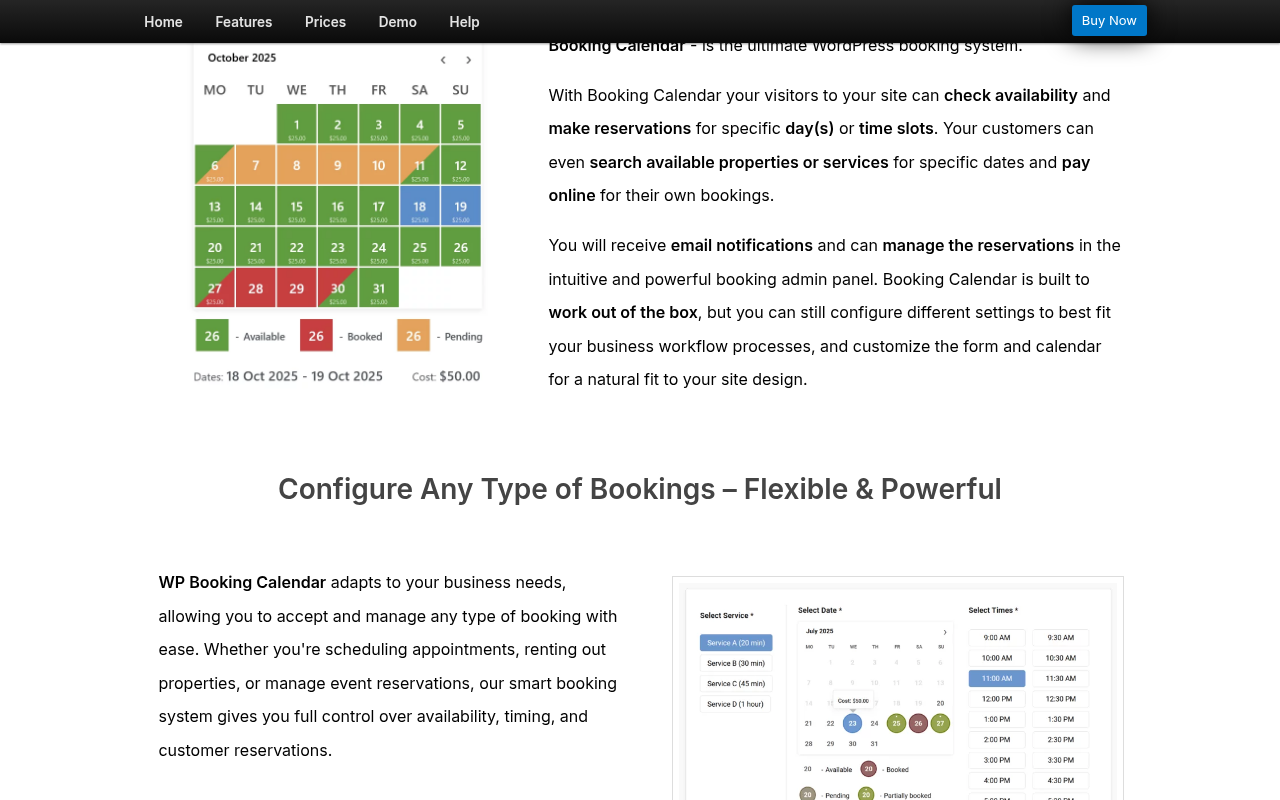
Booking Calendar is a different type of plugin from the rest of this list. Where the others focus on appointment-style scheduling (pick a service, pick a staff member, pick a time slot), Booking Calendar is built for date-range selection: the kind of booking flow used for vacation rentals, holiday cottages, equipment hire, hotel rooms, and event venues.
It is one of the oldest WordPress booking plugins in existence, with roots going back to 2009. The core property-rental feature set is mature and well-tested. If your booking model is “pick a check-in date, pick a check-out date, pay a nightly or daily rate,” Booking Calendar is the right category of tool.
I reviewed Booking Calendar through the official site, the free version on WordPress.org, and the feature and pricing documentation.
Best for: Vacation rental owners, property managers, equipment hire businesses, hotel and accommodation providers, and event venues that need date-range booking with nightly or daily pricing.
Key features
- Date-range calendar with check-in and check-out selection
- Multiple booking resources (separate calendars per property or room)
- Seasonal pricing, early booking discounts, and last-minute discount pricing
- Payment gateways: Stripe, PayPal, Authorize.Net, and more (Business Small and above)
- Changeover day support for back-to-back rentals
- Deposit payments on higher tiers
- Google Calendar sync
- CSV export and booking management admin
- Email notifications with customizable templates
Hands-on notes
I reviewed Booking Calendar through the official demo page and feature documentation. The date-range calendar works cleanly for rental use cases. The free version on WordPress.org provides basic calendar display and form submission. Payment gateways and advanced pricing rules require Business Small or above. Seasonal pricing, deposit payments, and multi-property management were reviewed through the official feature documentation rather than a live licensed install.
Pricing
One-time purchase (current sale prices, up to 47% off): Personal $41.87 (1 site), Business Small $78.97 (1 site), Business Medium $131.97 (1 site), Business Large $184.97 (1 site), MultiUser $343.97. Regular (non-sale) prices: $79/$149/$249/$349/$649. Updates included for 6 months; optional ongoing update subscription available at checkout.
Pros
- Best fit for rental and accommodation booking on WordPress
- One-time pricing with no annual renewal required
- Seasonal pricing, multi-day pricing, and changeover day logic on higher tiers
- Mature plugin since 2009 with a stable codebase
- Multiple booking resources for multi-property or multi-room setups
Cons
- Not designed for appointment-style time-slot booking
- Payment gateways and advanced pricing require Business Small or above ($78.97+)
- UI design is dated compared to newer plugins
- Update subscription is separate from the one-time purchase
8. WooCommerce Bookings: best for WooCommerce store owners selling time-based services
WooCommerce Bookings is the official WooCommerce extension for booking functionality. If you already run a WooCommerce store and want to sell bookings the same way you sell products, this is the most natural fit. It turns bookable products into WooCommerce product types that follow the same checkout flow your customers already know.
The integration is deep. Bookings appear in WooCommerce orders. Payment goes through your existing WooCommerce payment gateway setup. Confirmation emails come from WooCommerce. Staff management is handled through the Resources feature. If WooCommerce is your platform, this is the most coherent option.
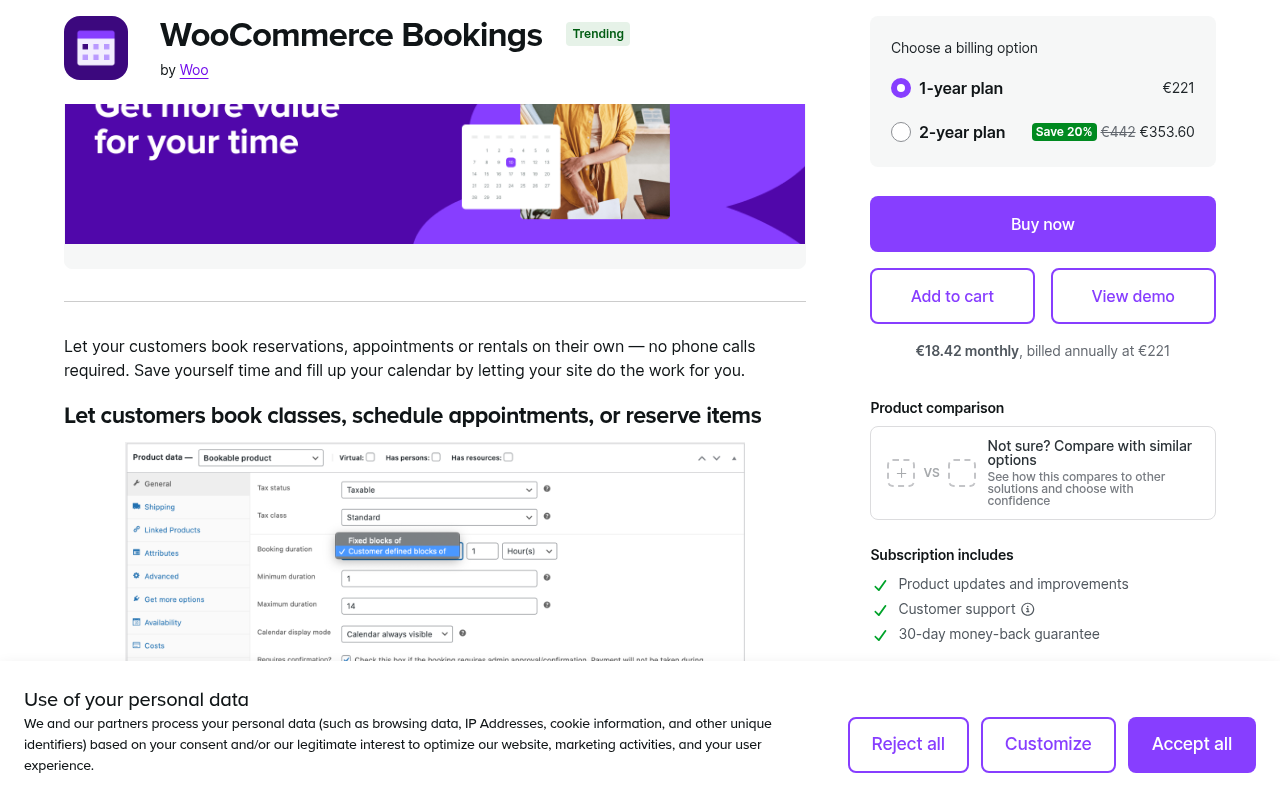
I reviewed WooCommerce Bookings through the official WooCommerce.com product page and documentation.
Best for: WooCommerce store owners who want to sell bookable products (time slots, rental periods, courses, sessions) through the same checkout flow as their existing store.
Key features
- Bookable product type inside WooCommerce admin
- Time-slot and date-range booking support
- Resources for staff, equipment, or room assignment per booking
- All WooCommerce payment gateways supported automatically
- Integration with WooCommerce Subscriptions for recurring bookings
- Customer-facing My Account booking management
- Availability rules and buffer times between bookings
- Group booking support
Hands-on notes
I reviewed WooCommerce Bookings through the official product page and documentation. The integration with WooCommerce checkout is the genuine standout: there is no separate booking-specific payment flow to configure, and all booking orders appear in the standard WooCommerce orders panel alongside regular product orders. The plugin requires an active WooCommerce install, which adds overhead for sites that are not already eCommerce stores. Google Calendar sync requires an additional paid add-on and was reviewed through the official documentation.
Pricing
$249/year from WooCommerce.com. Requires an active WooCommerce installation.
Pros
- Deepest WooCommerce integration of any booking plugin
- All WooCommerce payment gateways automatically supported without extra setup
- Booking orders appear in standard WooCommerce order management
- Resources feature handles staff, room, or equipment assignment
- Subscription-based recurring bookings via WooCommerce Subscriptions
Cons
- Requires WooCommerce: too much overhead for sites that are not already stores
- $249/yr is expensive relative to competitors with more booking-specific features
- No standalone admin calendar separate from WooCommerce orders
- Google Calendar sync requires an additional paid add-on
9. Amelia: worth considering if you need appointment booking and event ticketing together
Amelia earns the final spot because it does something no other plugin on this list does as completely: it handles both individual appointment booking and full event ticketing (with QR codes, variable ticket pricing, and attendee management) inside the same install.
The free version (Amelia Lite, on WordPress.org) covers one employee, basic appointment booking, and Square payment processing at no cost. That is more than most booking plugins offer for free. The paid tiers extend to multiple employees, calendar sync, online meetings, packages, and recurring appointments.
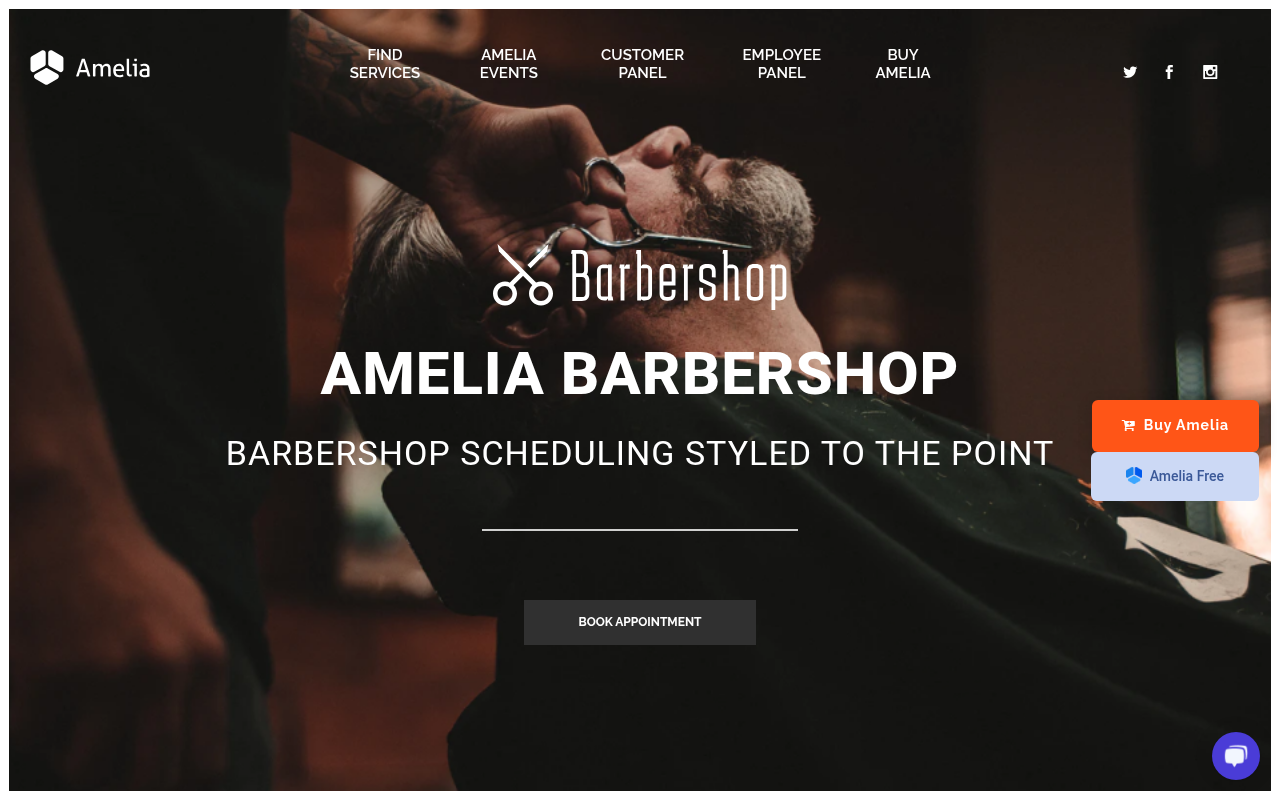
I reviewed Amelia through the official barbershop demo, the events demo, the customer panel, the employee panel, and the pricing page.
Best for: Service businesses that need both appointment scheduling and event ticketing in one plugin. Also worth considering for solo operators who want a free tier that includes a payment gateway (Square).
Key features
- Two booking form styles: step-by-step wizard and catalog-style browse view
- Event ticketing with variable ticket pricing and QR code e-tickets
- Employee schedule management with per-employee service assignment
- Multiple locations with address and geolocation
- Payment gateways: Square (free), Stripe, PayPal, Mollie, RazorPay, WooCommerce, Barion
- Google Calendar, Apple Calendar, and Outlook Calendar sync
- Zoom, Google Meet, Microsoft Teams, and Lessonspace integration
- Automated email and SMS notifications; WhatsApp on higher tiers
- Customer panel for self-service booking management
- Employee panel for staff to manage their own schedules
Hands-on notes
I tested Amelia on the official barbershop demo and events demo. The catalog booking form is one of the most visually polished booking interfaces in this category. The events feature is a genuine differentiator: the QR e-ticket system and attendee list management go well beyond what most booking plugins do with “events.” Pricing is displayed in EUR, which matters if you are budgeting in USD. Standard is capped at 1 domain just like Starter, so agencies need to jump to Elite for multiple client sites.
Pricing
Free (Amelia Lite) on WordPress.org. Annual intro pricing in EUR: Starter approx. €39/yr (1 domain), Standard approx. €79/yr (1 domain), Pro approx. €169/yr (5 domains), Elite approx. €299/yr (unlimited domains). Prices are shown in EUR; USD equivalent varies by exchange rate. Lifetime licenses available.
Pros
- Native event management with QR e-tickets (not available in most competitors)
- Free tier includes Square payment processing, rare in this category
- Clean, modern booking UI across both catalog and step-by-step form styles
- 90,000+ active installs with strong user ratings on WordPress.org
- Wide range of payment gateways and calendar/meeting sync options
Cons
- Prices displayed in EUR; USD cost depends on exchange rate
- Starter and Standard plans both limited to 1 domain
- No 2-3 domain option between Standard and Pro (5 domains) for small agencies
- No Telegram notification channel
- No native white-labeling for agency use
How to choose a WordPress booking plugin
Choose Booknetic if: You run a service business on WordPress and you need a full booking system: custom forms, multiple payment gateways, workflow automation, Google Calendar sync, customer self-service panel, group appointments, packages, and deposits. Standard fits most single-location businesses. Premium covers multi-site and adds the high-leverage add-ons. Elite is for agencies, multi-location brands, and white-label deployments.
Choose LatePoint if: You are a solo practitioner or small service business owner who wants a clean, fast setup without navigating an add-on catalog. The simplicity is the feature.
Choose Simply Schedule Appointments if: You are a coach, consultant, or solo service provider who wants the best free booking experience built for WordPress blocks, with Google Calendar sync already included and the option to upgrade for payments later.
Choose FluentBooking if: You already use the Fluent stack (FluentForms, FluentCRM) and want booking that fits the same admin workflow, or you want a modern, actively developed plugin at a low per-site price.
Choose Appointment Hour Booking if: Your business runs on service durations (30-minute slot, 60-minute slot, 90-minute session) and you want the plugin to derive available times automatically from those durations rather than configuring a manual slot grid. Also a good pick if you want monthly pricing at a low entry point.
Choose Bookly Pro if: You are an agency or developer who wants modular control over which features each client site uses, and you want lifetime licensing for long-term projects. Budget for the Business Bundle, not just the Pro base.
Choose Booking Calendar if: Your booking model is date-range rental (vacation properties, equipment hire, event venues) rather than time-slot appointments.
Choose WooCommerce Bookings if: You already run a WooCommerce store and want to sell bookable services through the same checkout flow as your products.
Choose Amelia if: You need both appointment booking and event ticketing in one plugin, or you want a free tier that includes Square payment processing from day one.
FAQ
What is the best free WordPress booking plugin?
For simple appointment scheduling, Simply Schedule Appointments has the strongest free tier. It supports unlimited appointments, a Gutenberg block, Google Calendar sync, and basic email notifications at no cost. For time-slot services with multiple service types, Appointment Hour Booking offers a fully functional free version with automatic availability management. For businesses that want a free tier with a payment gateway included, Amelia Lite supports Square payments at no charge.
Does WordPress have a booking plugin built in?
No. WordPress core does not include appointment or booking functionality. You need a dedicated plugin to take bookings on a WordPress site. The plugins on this list cover the full range from simple free tools to enterprise-grade systems.
What is the difference between a booking plugin and a scheduling plugin?
The terms are used interchangeably for most WordPress tools. In this guide, “booking plugin” covers any plugin that lets a website visitor select a service, a time, and confirm a reservation. That includes appointment scheduling (specific time slots), rental booking (date ranges), event ticketing, and service booking with payment.
Can I take online payments with a WordPress booking plugin?
Yes, but the capability depends on the plugin and the tier. Booknetic supports 10+ payment gateways including Stripe, PayPal, Square, and Mollie. LatePoint supports Stripe, PayPal, Square, and WooCommerce. Amelia’s free tier includes Square. Bookly and Appointment Hour Booking require a paid plan for payment gateway access. WooCommerce Bookings uses whatever payment gateways your WooCommerce store already has.
Do WordPress booking plugins work with Google Calendar?
Most do, on paid tiers. Booknetic supports two-way Google Calendar sync on higher add-on tiers. LatePoint, Bookly (Business Bundle), Amelia (Standard and above), FluentBooking, Appointment Hour Booking (Pro), and WooCommerce Bookings all offer Google Calendar integration. Simply Schedule Appointments includes Google Calendar sync even on the free version, which is unusually generous.
Do I need WooCommerce for a WordPress booking plugin?
No. Most booking plugins on this list work without WooCommerce. The exception is WooCommerce Bookings, which requires an active WooCommerce installation. Booknetic, LatePoint, Amelia, FluentBooking, Appointment Hour Booking, and Bookly all have their own payment processing and booking management that runs independently of WooCommerce.
How much does a WordPress booking plugin cost?
Costs vary widely. Free options exist for Simply Schedule Appointments, Appointment Hour Booking, FluentBooking, Bookly (1 staff), and Amelia Lite. Paid plans start from around $45-99/yr for single-site licenses. Booking Calendar uses one-time pricing from $41.87. WooCommerce Bookings costs $249/yr. Appointment Hour Booking Pro starts at €59.00/yr (billed annually). The practical cost for a real business that needs payment gateways and calendar sync typically lands in the $70-200/yr range, depending on the plugin and tier.
Which WordPress booking plugin is best for salons?
Booknetic is the strongest fit for salons, spas, and similar multi-service businesses. It handles multiple staff with individual schedules, services with custom durations, group bookings, deposits, packages, and loyalty points. Amelia and LatePoint are also reasonable options for salons at smaller scale.
Which WordPress booking plugin is best for coaches and consultants?
Simply Schedule Appointments is the top pick for coaches and consultants who want a clean, simple scheduling flow with Google Calendar sync included at no cost. LatePoint and FluentBooking are good paid options if you want a cleaner setup than the heavier enterprise tools.
Can I use a WordPress booking plugin for event ticketing?
Amelia includes first-class event ticketing with QR code e-tickets, variable ticket pricing, and attendee management. That makes it the strongest pick if event ticketing is a core requirement alongside appointment booking. Bookly also has an Events add-on for ticketed events, but it is a separate purchase on top of the main license.
Which booking plugin should you install?
For most service businesses running on WordPress, Booknetic is the right answer. It is the most complete booking system you can run inside a WordPress install, and it is built to grow with the business rather than requiring a platform switch after a year. Standard covers most single-location businesses. Premium is the practical choice for multi-site or businesses that need the high-leverage add-ons (loyalty points, group appointments, recurring appointments, multi-location). Elite is for agencies, white-label deployments, and large multi-location brands.
If you need a simpler setup and do not need the full add-on depth, LatePoint is the clearest alternative. Simply Schedule Appointments is the call if you want to start completely free. Appointment Hour Booking is the call if your business revolves around service durations and you want slot availability managed automatically.
The right plugin is the one that fits your booking model, your budget, and your team’s comfort with setup complexity. None of the plugins on this list are poor choices. The decision comes down to what your service business actually needs from a booking system.