


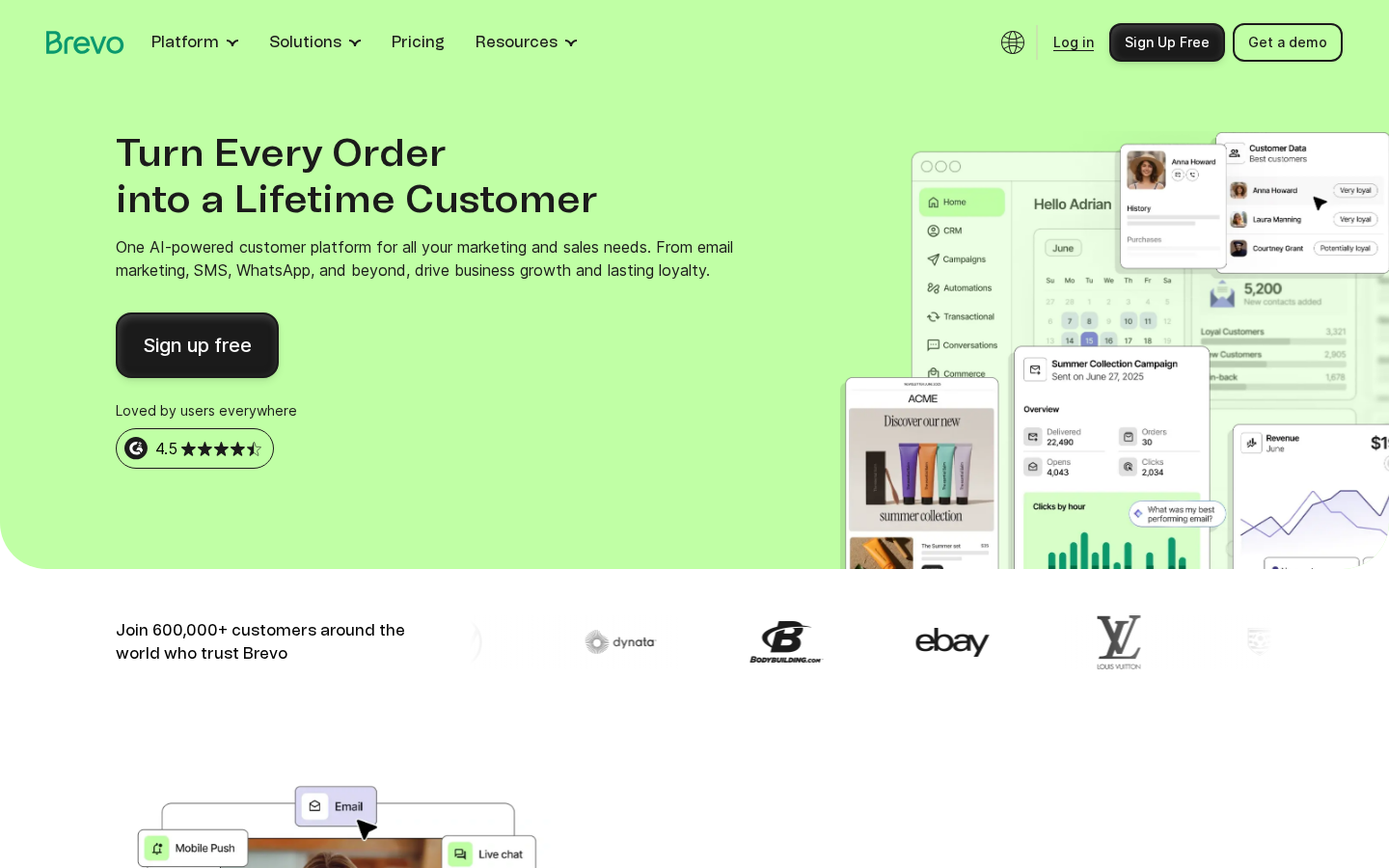
Six hundred thousand customers. That is the figure Brevo now claims on its homepage, and it tells a story about how quickly this platform has grown since it started life as Sendinblue in Paris. The rebrand to Brevo happened in 2023, and since then the company has expanded far beyond its email marketing roots into a full customer platform covering SMS, WhatsApp, live chat, CRM, and AI-powered automation.
For WordPress users, that expansion raises a practical question: does the Brevo WordPress plugin actually deliver on that ambition, or is it a thinly connected bridge to a platform that was never built with WordPress in mind?
I reviewed the plugin from its WordPress.org listing (version 3.3.5, 100,000+ active installs), the official Brevo website, pricing pages, documentation, user reviews, and the WooCommerce integration page. Where I could not test a feature live, this review says so clearly.
At a glance:
- Reviewed on: 2026-08-20
- Plugin version: 3.3.5 on WordPress.org (tested up to WordPress 6.9.7)
- Active installs: 100,000+
- Free tier: Yes. Unlimited contacts, 300 emails/day (9,000/month)
- Starting paid price: from €7/month (Starter, billed yearly)
- Bottom line: one of the strongest free tiers in email marketing, a genuinely useful WooCommerce integration, and a platform that punches above its price at the Starter and Standard levels. The jump to Professional (€499/month) is steep, and some WP.org reviews flag support gaps worth knowing about.
Quick verdict
Brevo is a serious contender for WordPress email marketing, especially for sites that need a reliable free SMTP relay, a solid drag-and-drop email builder, or a tight WooCommerce abandoned cart setup. The free plan is more generous than Mailchimp’s free tier: unlimited contacts and 9,000 emails per month with no contact cap cuts a clear path for early-stage businesses to get started without paying anything.
Where Brevo earns real marks is the combination of transactional and marketing email under one roof. Most WordPress sites need both: order confirmations and password resets on the transactional side, and newsletters and campaigns on the marketing side. Brevo handles both from a single account and a single plugin.
What I would flag early: the pricing structure has a noticeable gap. Starter sits at €7/month and Standard at €15/month, which is reasonable progression. But Professional jumps to €499/month. There is no mid-market tier between €15 and €499. Businesses that outgrow Standard will find that jump significant.
The WordPress.org review score of 4.1 out of 5 (285 reviews) reflects a mixed picture: 206 five-star reviews and 46 one-star reviews, with a bimodal split that is worth reading before you commit. WP.org also reports that only 2 out of 5 recent support threads were resolved, which is a signal that the support bandwidth does not always match the plugin’s user volume.
Quick verdict summary:
- Best for: WordPress and WooCommerce stores that want free email marketing with transactional email included, plus room to grow into SMS, automation, and CRM.
- Best free option if: you need unlimited contacts, reliable SMTP, and basic automation without paying.
- Best paid option for small teams: Standard plan at €15/month (yearly) covers automation, A/B testing, and landing pages at a price most small businesses can absorb.
- Watch out for: the Professional plan price jump, the Starter plan’s Brevo branding on emails (remove it for an extra €8.10/month), and the support resolution rate on WP.org.
What Brevo is
Brevo is a cloud-based customer engagement platform. It started as a pure email marketing tool under the name Sendinblue, built by a French company in Paris. In 2023, Sendinblue rebranded to Brevo to reflect a broader product vision. Today the platform covers email marketing, SMS, WhatsApp, web push notifications, live chat, chatbot, CRM, sales pipelines, and a loyalty engine.
For WordPress users, Brevo operates through a plugin that connects your WordPress site to your Brevo account via an API key. The plugin handles two main jobs: replacing WordPress’s default email system (wp_mail) with Brevo’s SMTP relay for transactional messages, and adding marketing tools directly into the WordPress admin — contact sync, subscription forms, popups, and automation triggers.
Brevo is a European company and certified B Corp. It is fully GDPR compliant, with built-in double opt-in, consent management, and data processing agreements available to all users. For European site owners, that GDPR-native posture is a meaningful advantage over US-centric alternatives.
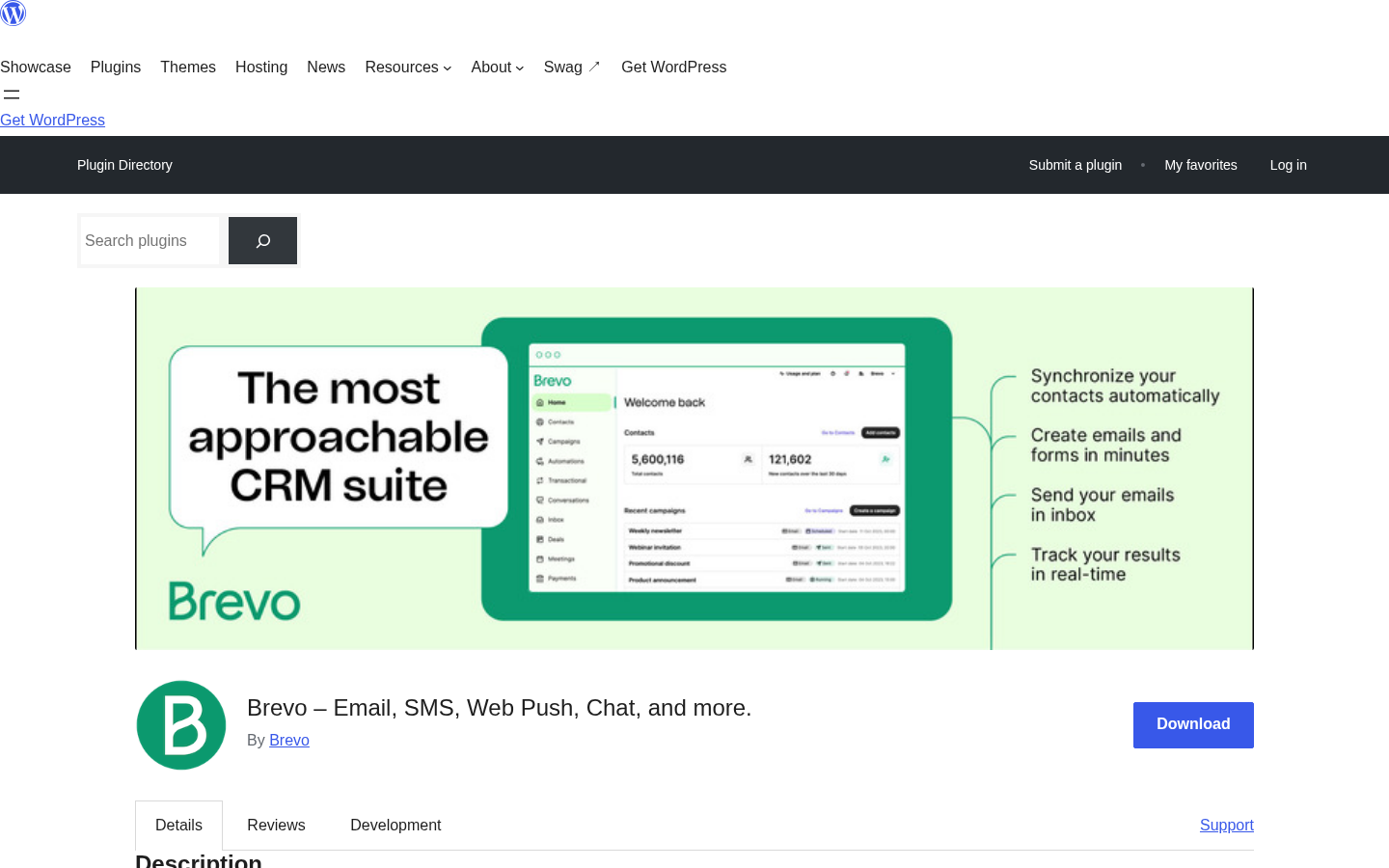
The plugin on WordPress.org carries the slug mailin (a legacy of the Sendinblue era). Users searching for “Brevo” in the plugin directory will find it listed as “Brevo – Email, SMS, Web Push, Chat, and more.” Version 3.3.5 was the most recent at the time of this review.
Who Brevo is best for
Strong fit:
- Small to medium WordPress sites that need both transactional and marketing email from one platform. Brevo’s free plan covers both.
- WooCommerce stores that want abandoned cart recovery, product recommendation emails, and revenue tracking without adding a separate service.
- Site owners transitioning from Mailchimp who want more generous contact limits on the free tier. Brevo’s unlimited contacts on the free plan is a direct answer to Mailchimp’s 500-contact free cap.
- Businesses that send newsletters in multiple channels. If you want email plus SMS plus WhatsApp from one dashboard, Brevo is one of the few platforms that handles all three without a third-party bridge.
- European businesses that need a GDPR-native platform with a clear data processing framework.
- Developers who need reliable SMTP and transactional email for WordPress notification messages, password resets, and order confirmations.
Weak fit:
- High-volume senders in the mid-range. The gap between Standard (€15/month) and Professional (€499/month) leaves a meaningful tier without an option.
- Sites that need gamified popups (spin-to-win, exit-intent with game mechanics) on a free or low-cost plan. Those are locked behind a paid tier.
- Teams that need more than one landing page on a budget plan. Standard includes only one landing page.
- Businesses with complex CRM needs who want a deep sales pipeline built natively into WordPress. Brevo’s CRM lives in the Brevo dashboard, not inside WordPress.
- Users who need phone support below the Professional tier. Starter and Standard are email-only for support.
- Site owners who want to remove Brevo branding from their email footer on the cheapest paid plan without an add-on. Starter plan emails carry a “Sent with Brevo” footer unless you pay an extra €8.10/month.
Installing and setting up Brevo
The setup follows a standard WordPress plugin pattern. Search for “Brevo” in the WordPress plugin directory (under Plugins > Add New), or download directly from WordPress.org using the slug mailin. Install and activate it from within WordPress.
After activation, Brevo adds a left navigation item in the WordPress admin. The first screen asks for your Brevo API key, which you get from your Brevo account settings at app.brevo.com. You can sign up for a free account with just an email address and organization name — no credit card required.
Once the API key is entered and verified, the plugin connects to your Brevo account and syncs your contact lists. From that point, the plugin replaces the default WordPress mail function with Brevo’s SMTP relay. Every email your site generates — order confirmations, password resets, form notifications — routes through Brevo’s sending infrastructure instead of your hosting server.
The plugin then gives you access to Brevo’s marketing tools from within WordPress admin: form builder, popup creator, subscription widget, and automation trigger configuration. More advanced campaign creation takes place in the Brevo web dashboard rather than in WordPress itself.
Setup experience notes:
- The API key connection is fast and clear.
- Form builder works inside WordPress admin for basic signup forms.
- WooCommerce sync requires WooCommerce to be active; the plugin detects it and adds ecommerce-specific settings automatically.
- The plugin’s SMTP integration is immediate on activation. No separate SMTP configuration is needed.
- Contact import from Mailchimp, Omnisend, and Klaviyo is supported via the Brevo dashboard (not the plugin itself).
Key features
Email marketing and transactional email
The Brevo plugin covers both email campaign types from a single connection. Transactional email (order confirmations, password resets, form submissions) routes through Brevo’s SMTP relay automatically after activation. Marketing campaigns are created in the Brevo web dashboard using a drag-and-drop builder with mobile-responsive templates.
The drag-and-drop editor is competent and produces clean HTML. The template library includes industry-specific starting points. For users coming from Mailchimp’s block editor, the learning curve is minimal.
AI content generation (Aura AI) is included from the Starter plan. It can generate subject lines, draft email copy, and adjust tone. It produces usable first drafts rather than polished final copy, which is about what you should expect from built-in AI writing tools.
Marketing automation
Visual workflow builder is available from the Standard plan (€15/month yearly). Free and Starter plans have limited automation, with unlimited automation workflows unlocking at Standard.
Automation triggers include user signups, purchases, cart abandonment, inactivity, and custom events from your site. Multi-channel workflows combine email, SMS, and push notifications in a single flow. That cross-channel capability is one of the features that distinguishes Brevo from email-only tools.
Based on the feature descriptions and user reviews, the automation builder handles welcome series, post-purchase sequences, and win-back campaigns competently. Users running complex enterprise-level automations report that very sophisticated branching logic can require some workarounds.
WooCommerce integration
The WooCommerce integration is one of the stronger parts of the Brevo plugin. Once WooCommerce is detected, the plugin syncs order data, customer information, and purchase history into Brevo’s contact records automatically.
Key WooCommerce capabilities:
- Abandoned cart recovery emails, SMS, and push notifications
- Product recommendation emails using purchase history
- Unique coupon code generation within campaigns
- Revenue tracking per campaign
- Segmentation by purchase behavior, order value, and purchase frequency
- Real-time order confirmation and shipping notification delivery via SMTP
For WooCommerce store owners, the combination of reliable transactional delivery and marketing automation in one plugin reduces the need for separate tools. Dedicated WooCommerce email plugins like Klaviyo or Omnisend offer deeper ecommerce analytics, but Brevo’s integration covers the essential recovery and recommendation use cases at a much lower entry price.
Forms and popups
The form builder in the Brevo plugin creates branded signup forms that can be embedded in posts, pages, or widgets. Drag-and-drop form building is included in the free plan. The builder supports custom fields, double opt-in configuration, and automatic trigger of follow-up emails on signup.
Gamified popups (spin-to-win, exit-intent with game mechanics) are a paid feature available at the Professional plan level. Standard subscription forms and basic popups do not have this restriction.
GDPR compliance is built into the form builder: double opt-in is configurable per form, consent checkboxes are available, and data handling follows GDPR requirements by default.
Segmentation and list management
Contact lists are unlimited in the free plan. Segmentation is one of Brevo’s stronger areas: you can filter contacts by demographics, website activity, campaign engagement, purchase history, and custom events. The Starter plan includes advanced segmentation, which is unusual at that price point. Many competitors restrict segmentation to higher tiers.
AI segmentation (Aura AI suggesting audience groups based on behavior) is available on Professional. Contact scoring based on engagement, purchase frequency, and customer lifetime value is also Professional-only.
Transactional email and SMTP relay
For many WordPress users, reliable transactional email is the primary reason to install Brevo. WordPress’s default wp_mail function relies on your hosting server’s mail configuration, which frequently results in emails landing in spam folders or failing to deliver.
Brevo’s SMTP relay routes all WordPress transactional mail through Brevo’s own sending infrastructure, which has established domain reputation and SPF/DKIM/DMARC records. The free plan allows 300 emails per day (9,000 per month) through this relay at no cost. Real-time tracking shows delivered, opened, clicked, bounced, and unsubscribed status for every transactional send.
This feature alone makes Brevo worth considering for WordPress sites that send even moderate volumes of transactional email.
Multichannel: SMS, WhatsApp, and push
SMS and WhatsApp campaigns are available across plans (credits sold separately). The WordPress plugin can trigger SMS sends as part of automation workflows, meaning an abandoned cart can send an email first and then an SMS reminder if the email is not opened.
Web and mobile push notifications are available in the Professional plan (from €499/month). The free and mid-tier plans do not include push notifications as a marketing channel.
AI features (Aura)
Brevo launched its Aura AI suite in 2025-2026. Aura includes four specialized agents: a Marketing Agent for campaign copy and audience segmentation, a Sales Assistant for contact enrichment and deal automation, a Data Analyst for plain-language data queries, and a Conversations Agent for live chat summarization. AI send time optimization is available from Standard. The Data Analyst is Professional-only.
Pricing
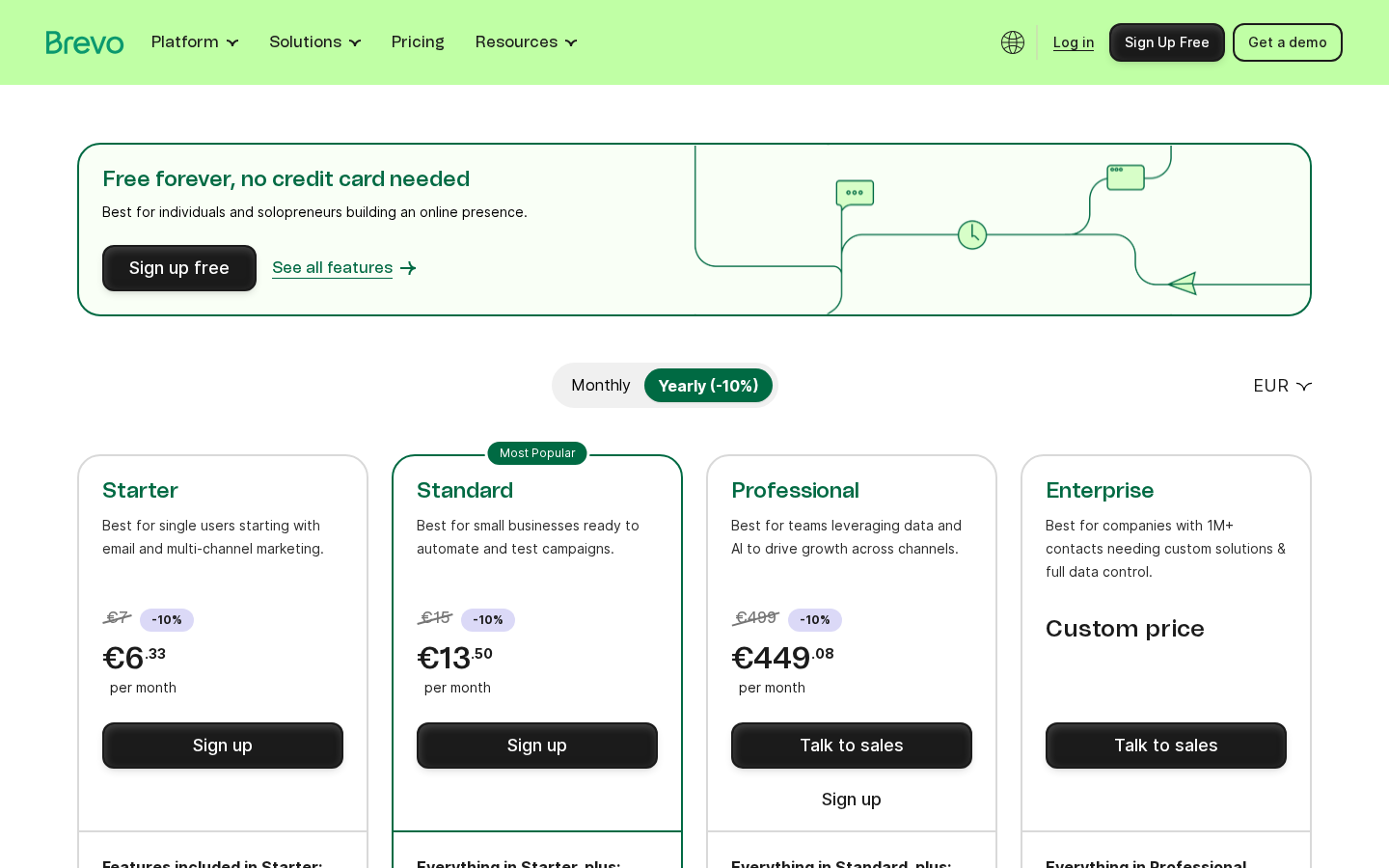
Brevo’s pricing structure in 2026 (EUR; annual billing saves 10%):
| Plan | Monthly price | Emails/month | Key features |
|---|---|---|---|
| Free | €0 | 9,000 (300/day) | Unlimited contacts, SMTP, basic forms |
| Starter | From €7 (€6.33/yr) | From 5,000 | AI content, advanced segmentation, email support |
| Standard | From €15 (€13.50/yr) | From 5,000 | Unlimited automation, A/B testing, landing pages, AI send time |
| Professional | From €499 (€449.08/yr) | From 150,000 | 10 seats, WhatsApp/push/popups, contact scoring, phone support |
| Enterprise | Custom | Custom | Dedicated IP, SSO/SAML, custom loyalty, multi-account |
Key pricing details:
- “Sent with Brevo” footer branding is included on free and Starter emails by default. Removing it on Starter costs an extra €8.10/month. Standard and above include branding removal.
- SMS credits are sold separately from all plans.
- Sales tools have their own add-on pricing: Sales Free (€0), Sales Essentials (€26.08/month/seat), Sales Advanced (€53.08/month/user).
- Pay-as-you-go email credits are available if you send infrequently.
- Prices above are in EUR. Check brevo.com/pricing for USD or your local currency.
The gap between Standard (€15/month) and Professional (€499/month) is the most significant pricing concern for growing businesses. Teams that outgrow Standard’s email volume or need push notifications or gamified popups will face a major step up with no intermediate option.
Pros and cons
Pros
- Free plan with unlimited contacts and 9,000 emails/month is among the most generous in its category
- Transactional and marketing email under one roof, one plugin, one account
- Strong WooCommerce integration: abandoned cart, product recommendations, coupon generation
- Multichannel: email, SMS, WhatsApp, push, live chat from one platform
- GDPR-compliant by design (European company, double opt-in, consent management)
- Advanced segmentation available from the Starter plan
- 150+ integrations including Shopify, Stripe, Zapier, Elementor, and major form plugins
- Transactional SMTP fixes WordPress email delivery issues immediately on activation
- AI content generation (Aura) included from Starter
- Certified B Corp
Cons
- Steep jump from Standard (€15/month) to Professional (€499/month) with no middle tier
- “Sent with Brevo” email footer on Starter plan unless you pay €8.10/month extra
- Only 2 out of 5 recent WP.org support issues resolved (per WordPress.org data)
- Gamified popups require Professional plan
- Landing pages: only 1 page included on Standard
- Phone support requires Professional tier (€499/month)
- Push notifications are Professional-only
- Free plan is 300 emails/day, which limits burst sending
- Brevo’s CRM and pipeline tools live in the Brevo dashboard, not in WordPress
Alternatives
Mailchimp: The most recognized name in email marketing. Mailchimp’s free plan caps at 500 contacts, whereas Brevo is unlimited contacts on free. Mailchimp is better for users who want a highly polished email builder and deep analytics at the premium tiers. It is more expensive than Brevo at comparable feature levels.
Klaviyo: An ecommerce-specialist email marketing platform with deep WooCommerce and Shopify data integration. Klaviyo’s segmentation and predictive analytics are more advanced than Brevo’s at equivalent tiers. Pricing is contact-based and can become expensive fast for large lists. Better for established stores with high revenue per customer.
Omnisend: A WooCommerce-focused email and SMS platform with a cleaner ecommerce workflow than Brevo. Omnisend’s free plan includes 500 emails/month (lower than Brevo) but its ecommerce automation templates are more refined. Good alternative if WooCommerce is the primary focus.
Mailerlite: Simpler, more affordable email marketing with a clean interface. Mailerlite’s free plan includes 12,000 emails/month for up to 1,000 subscribers. Better fit for content publishers who do not need SMS or WooCommerce integration.
FluentCRM: A WordPress-native email marketing plugin that stores all contact data and automation in your own WordPress database. No third-party service required. Excellent for developers and technically confident users who want self-hosted email CRM. Does not include an SMTP relay or SMS. Good for users who want full data ownership.
Final verdict
Brevo earns its place in a WordPress email marketing shortlist because of three things that are genuinely hard to find together at this price: unlimited contacts on the free plan, reliable transactional SMTP included at no extra cost, and WooCommerce integration that covers the most important ecommerce triggers without a separate plugin.
The Brevo WordPress plugin is not the prettiest or the most feature-rich on the market. The WP.org reviews reveal a support operation that does not always keep pace with the plugin’s user base, and the Professional plan’s price point will be out of reach for most small teams who outgrow Standard. The branding on Starter emails is a minor but real friction that competitors like Mailerlite do not impose.
If you are running a WordPress site that needs to send both transactional and marketing emails without paying for two separate services, Brevo is one of the clearest choices available today. If you outgrow the Standard plan and find yourself looking at €499/month, that is the moment to also evaluate Klaviyo or Omnisend, depending on whether ecommerce automation or simplicity is the priority.
For most WordPress site owners, Brevo’s free plan is the right starting point. It is genuinely useful, not a stripped-down teaser — and it fixes your transactional email problem on day one.
FAQ
Is the Brevo WordPress plugin free?
Yes. The plugin installs for free from WordPress.org. Using it requires a Brevo account, and the free Brevo plan includes 9,000 emails per month (300 per day) and unlimited contacts. No credit card is needed to sign up.
Does Brevo work with WooCommerce?
Yes. The Brevo plugin detects WooCommerce automatically and syncs customer and order data into your Brevo contact lists. It supports abandoned cart recovery emails, product recommendation campaigns, coupon code generation, and transactional order emails via SMTP.
What happened to Sendinblue?
Sendinblue rebranded to Brevo in 2023. The product is the same platform with expanded features. The WordPress plugin’s WordPress.org slug is still “mailin” (the original Sendinblue legacy name), but the plugin listing is now titled “Brevo.”
Can I use Brevo to fix WordPress email deliverability problems?
Yes. After installing and connecting the Brevo plugin, all WordPress transactional emails (form notifications, order confirmations, password resets) route through Brevo’s SMTP relay. Brevo’s sending infrastructure has established SPF/DKIM/DMARC records, which significantly improves inbox delivery rates. This works on the free plan.
Does Brevo remove its branding from emails?
On the free plan, emails include a “Sent with Brevo” footer. On the Starter plan (from €7/month), the same footer appears unless you pay an additional €8.10/month to remove it. From the Standard plan (from €15/month yearly), branding removal is included.
What is the difference between Brevo Starter and Standard?
Starter includes basic email sending, segmentation, forms, AI content generation, and email support. Standard adds unlimited marketing automation workflows, A/B testing, advanced reporting, AI send time optimization, web and event tracking, and one landing page. Standard is the minimum plan for teams that want to build multi-step email sequences or test campaign variants.
Is Brevo GDPR compliant?
Yes. Brevo is a French company and has built GDPR compliance into its core functionality: double opt-in forms, consent management tools, data processing agreements, and data residency in Europe. It is one of the more credible GDPR-native platforms among email marketing tools available to WordPress users.