

At a glance
- Audited on: brizy.io features, pricing, and documentation pages; WordPress.org plugin listing (version 2.8.22, last updated August 24, 2026); plugin changelog; official screenshots and feature pages. Pricing verified against brizy.io/pricing-wordpress on September 2, 2026.
- Free tier: drag-and-drop editor with contextual controls, 36+ elements, 500+ pre-made blocks, 4,000+ icons, global colors and fonts, responsive editing, basic contact form.
- Pro: Theme Builder, Pop-up Builder, WooCommerce Builder, AI Website Generator, Dynamic Content, membership tools, custom fonts, and marketing integrations.
- Bottom line: a friendly, well-priced page builder for non-developers, with a strong multi-site value proposition and a genuinely useful AI generation feature that most competitors charge extra for.
Quick verdict
Brizy is a capable WordPress page builder with an interface that favors simplicity over feature density. The free version gives you enough to build clean, responsive pages without touching the sidebar, and the contextual approach to editing makes the learning curve noticeably shorter than Elementor’s.
The Pro tier is where Brizy becomes a full site builder. At $69 per year for one site, it is among the most affordable entry points in the page-builder category that includes Theme Builder access (Elementor charges more for the equivalent). The Freelancer plan at $119/year for 25 sites is the most compelling per-site value among the major builders.
What I would set expectations on: Brizy’s active install count is around 70,000. That is a fraction of Elementor’s 10 million. The consequence is a smaller third-party addon ecosystem, fewer community tutorials, and a more limited pool of shared experience when something breaks. For individual users and smaller agencies, that tradeoff is worth considering.
Quick verdict card
- Best for: non-developers, freelancers, and small agencies who want a clean visual builder with strong multi-site pricing and AI-assisted site generation built in.
- Best plan for individual sites: Personal at $69/year includes Theme Builder, Pop-up Builder, WooCommerce Builder, and the AI generator for a single site.
- Best plan for agencies: Freelancer at $119/year for 25 sites. Agency at $239/year adds Priority support and WordPress Multisite.
- Standout: contextual editing interface, AI website generation from a text prompt (Brizy AI 1.7), affordable multi-site licensing, Theme Builder included in all Pro plans.
- Watch out for: 70,000 active installs means a smaller community and fewer third-party resources than Elementor or Divi. The free tier blocks the most useful site-building features (Theme Builder, popups) behind Pro. Screenshots on the WordPress.org listing have not been updated and do not reflect the current interface.
What Brizy is
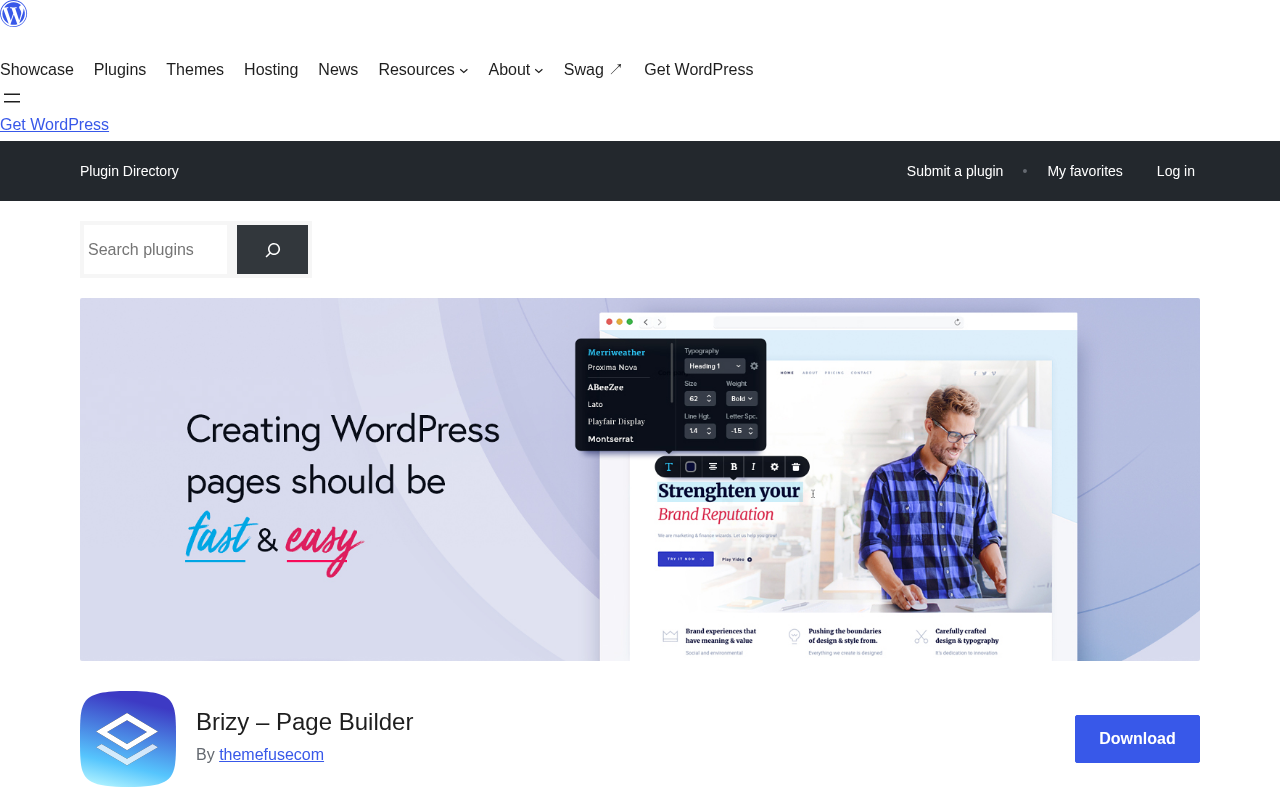
Brizy is a WordPress page builder plugin published by ThemeFuse, a Romanian web product company. The plugin was first released in 2018 with a design philosophy that separated it from the dominant builders of the time: instead of collecting all styling options in a persistent sidebar panel, Brizy surfaces controls contextually, close to the element you are editing.
The core plugin is free and available on WordPress.org. A paid Brizy Pro layer unlocks Theme Builder, Pop-up Builder, WooCommerce Builder, AI website generation, Dynamic Content, and more. Unlike some competitors, Brizy also offers Brizy Cloud as a separate product: a hosted SaaS version that bundles site building with cloud hosting and additional collaboration features. This review covers the WordPress plugin only.
Version 2.8.22, released August 24, 2026, is the current release at the time of this review. The plugin requires WordPress 4.5 or higher and has been tested up to WordPress 7.1. The rating on WordPress.org is 4.7 out of 5 stars (94% positive), with 969 ratings.
ThemeFuse also announced Brizy AI 1.7 as a recent major update: a prompt-based AI website generator that can build a complete WordPress site, including pages, layouts, and placeholder content, from a text description. This feature is available in all Pro plans and is not an additional paid add-on.
Who Brizy is best for
Brizy is a good fit if you:
- Are building your own business site and do not want to learn CSS or wade through a complex sidebar.
- Freelance on WordPress sites and want a builder with low per-site cost for multi-client use.
- Run a small agency and need White Label capability to brand the builder for clients (available on the White Label plan, $359/year for 100 sites).
- Want AI-assisted site generation included in your builder subscription rather than as a separate tool.
- Build WooCommerce stores and need visual control over shop templates without paying for a premium WooCommerce-specific plugin.
- Work on membership sites and want built-in membership functionality at the Pro tier.
Brizy is a weaker fit if you:
- Need the largest possible third-party addon ecosystem. Elementor has hundreds of third-party addon plugins; Brizy’s ecosystem is much smaller.
- Prioritize raw performance above everything else. Bricks Builder or native Gutenberg produce leaner HTML output on complex pages.
- Are an experienced developer who prefers working in code or PHP templates. Brizy is built for visual editing, not developer customization workflows.
- Need extensive documentation and a large community for support. The gap between Brizy’s community resources and Elementor’s is significant.
Setup and first impression
Installing Brizy on a WordPress site is a standard plugin install: find it in the Plugin Directory under “Brizy,” install, activate, done. No additional configuration is required to start the free editor.
After activation, a “Edit with Brizy” button appears on pages and posts. Clicking it opens the builder interface in a full-screen view. There is no wizard, no required account, and no theme installation prompt on first use.
The immediate difference from most builders is visible in the first minute. When you click a text element on the canvas, a small formatting toolbar appears directly above the selected text, not in a sidebar. When you click an image, a set of image controls surfaces near the image. The sidebar is absent from the default editing workflow; options appear where you need them.
For a new user who has never used a page builder, this is meaningfully less disorienting than launching Elementor for the first time and facing a full-height left panel with dozens of widget categories.

The Brizy editor: contextual design approach
The Brizy editor is organized around what the team calls a contextual design approach. Every time you select an element, a small control bar appears immediately adjacent to it. The bar shows only the options relevant to that element type. You do not navigate to a panel; the panel comes to you.
This extends to column and row controls. When you click a column divider, a resize handle appears between the columns. Drag it to adjust the split. When you hover over a row, add buttons appear at the top and bottom edges. The drag-and-drop repositioning of elements, columns, and rows shows a blue drop-zone indicator exactly where the element will land before you release.
The element palette is accessed through a side panel that slides in when you need it and closes when you are done. The free version includes 36+ elements covering the core content types: text, image, button, icon, video, map, spacer, divider, social icons, counter, progress bar, tabs, accordion, and more.
A blocks library gives access to 500+ pre-made section designs organized by category (hero, features, pricing, team, testimonials, contact, footer, and more). Import a block and edit its placeholder text and images in place. The block library is the fastest way to assemble a complete page without building from scratch.
Global styling is available in the free version. Define your site’s primary colors and font choices once, apply them globally, and changing a global value updates every element that references it across all your pages.
Free tier: what you actually get
The free Brizy plugin (available on WordPress.org) includes:
The contextual editor. The full drag-and-drop visual canvas with inline controls. No feature is locked behind a paywall in the editor itself until you try to add a Pro element.
36+ design elements. Core elements including text, button, image, icon, video, audio, map, spacer, divider, social icons, counter, progress bar, tabs, accordion, embedded code, shortcode, and more. Sufficient for building most standard page types.
500+ pre-made blocks. The block library is the practical starting point for most free users. Business, landing page, food and restaurant, education, health, and more are included. Blocks are editable after import.
4,000+ icons. Available in both outline and glyph variants, organized into 27 searchable categories. One of the more generous icon libraries in the free tier of any WordPress builder.
Global colors and fonts. Set site-wide style tokens from the builder settings. Changes propagate across all pages that reference the global values.
Responsive editing controls. A device switcher in the top bar lets you preview and adjust layouts for desktop, tablet, and mobile separately. Edits in mobile view apply only to mobile, leaving desktop layout unchanged.
Smart inline text editing. Click any text to edit it in place. Font family, size, weight, color, alignment, and link are applied from a contextual bar that appears next to the selection, not from a distant panel.
Basic contact form. A simple contact form element is included in the free tier. The free form supports standard field types and email notification on submission.
Undo and redo. Full revision history within the editing session.
What the free tier does not include:
- Theme Builder (custom headers, footers, post templates, archive templates)
- Pop-up Builder
- WooCommerce Builder
- AI Website Generation (Brizy AI)
- Stories Builder
- PRO Design Templates
- Custom Fonts Manager (for user-uploaded typefaces)
- Dynamic Content
- Custom Fields compatibility (ACF, Pods, Toolset, MetaBox)
- Navigation MegaMenu
- Marketing integrations and lead generation tools
- Membership functionality
- Role Manager
- WordPress Multisite support
- Priority support
For building a single landing page or a basic business homepage, the free tier is workable. For any site that needs custom headers and footers, custom post templates, popups, or WooCommerce customization, the free tier runs out quickly.

Pro features
Brizy Pro (any paid plan) unlocks:
Theme Builder. Design every structural part of your WordPress site visually: global header, global footer, single post templates, blog archive template, category archive, author page, 404 page, search results page, custom post type templates. Display Conditions control which pages each template applies to. This is the feature that converts Brizy from a page editor into a full site builder.
Pop-up Builder. Build modal popups using the same drag-and-drop editor. Trigger on page load, on scroll, on exit intent, after a time delay, or on click. Connect popups to marketing integrations for lead capture.
WooCommerce Builder. Design product page templates, shop archive templates, cart, and checkout pages with full visual control. Dedicated WooCommerce elements let you pull in product data dynamically without custom PHP.
AI Website Generation (Brizy AI 1.7). Describe your business in a text prompt and Brizy AI generates a complete WordPress website: multiple pages, section layouts, text content, and design, ready to edit in the visual builder. Version 1.7 is prompt-based and can pull data from your Google Business Profile (description, services, contact details, images) to personalize the generated output. This is included in all Pro plans, not a separate add-on.
Dynamic Content. Build templates that pull data from WordPress post fields, custom fields, author meta, site settings, and more. Required for any site where pages or posts follow a repeating data-driven structure (directory sites, portfolio archives, real estate listings, etc.).
Custom Fields support. Dynamic Content is compatible with Advanced Custom Fields (ACF), Pods, Toolset, and MetaBox, the four most widely used custom fields plugins in the WordPress ecosystem.
PRO Design Templates. Additional premium page and section designs beyond the free block library.
Custom Fonts Manager. Upload typefaces and use them inside the Brizy editor alongside system and Google fonts.
Navigation MegaMenu. Extended menu functionality including hamburger menus for mobile, mega menu layouts, and sticky behavior for fixed headers.
Marketing Integrations. Connect Brizy forms and pop-ups to external marketing platforms for email list building and lead capture.
Membership Functionality. Restrict access to pages, sections, or content blocks based on user membership or login state. Built into Pro without requiring a third-party membership plugin.
Role Manager. Control which WordPress user roles can access which editing capabilities inside the Brizy builder.
WordPress Multisite support. Run Brizy Pro on a WordPress multisite network (Agency and White Label plans).
White Label. Brand the builder and plugin with your own logo and name (White Label plan only). Clients see your branding, not Brizy’s.
Brizy AI: how it works in practice
Brizy AI 1.7 is the most recent major update at the time of this review. The system is prompt-based: you describe your business or project in a text field, and Brizy generates a complete website structure with pages, sections, layouts, placeholder content, and design elements.
The Google Business Profile integration is the practical differentiator. If you grant access, Brizy AI can pull your actual business name, description, services, contact information, and photos from your GBP listing to make the generated output more accurate to your real business from the first draft. That reduces the manual editing needed after generation.
The generated site is fully editable in the standard Brizy visual editor. Nothing in the AI output is locked or permanent; every section, element, and piece of text can be modified normally.
Brizy AI is available in all Pro plans at no extra cost. For a freelancer building client sites, this lowers the time to a first client review significantly: generate a site from a brief, adjust it, present it. The alternative of building from a blank canvas or a general-purpose template takes considerably longer.
One honest note: AI-generated sites from any tool in 2026 still require significant human editing to reach a production-ready state. The AI output is a starting point, not a finished product.
Pricing
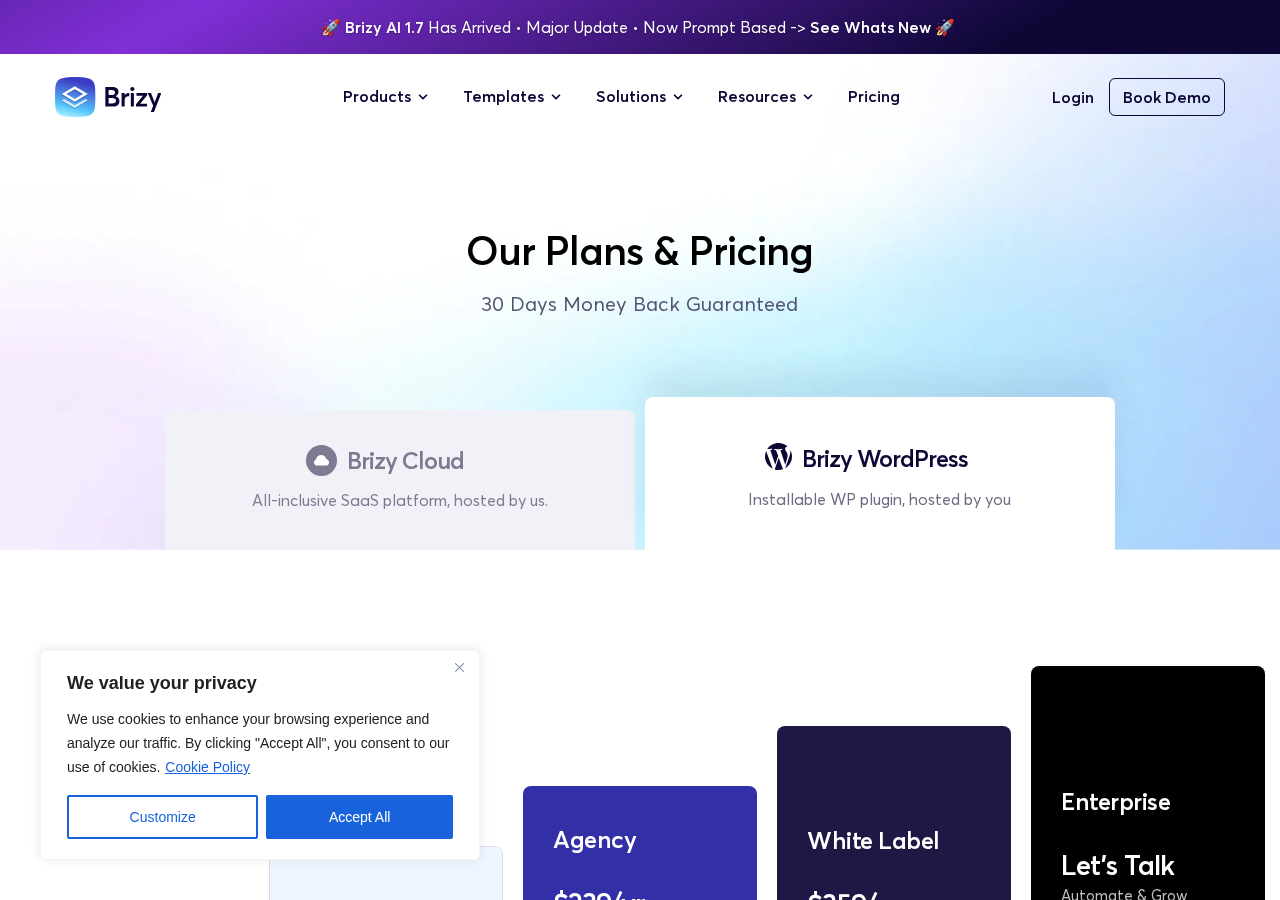
Brizy WordPress pricing has four Pro tiers and a free download. All annual plans include a 30-day money-back guarantee. Taxes are not included in the listed prices. Always verify the current price at brizy.io/pricing-wordpress before purchasing.
| Plan | Sites | Price | Key additions |
|---|---|---|---|
| Free | 1 | $0 | Core editor, 36+ elements, 500+ blocks, basic form |
| Personal | 1 | $69/yr | All Pro features, AI Builder, Theme Builder, popups, WooCommerce |
| Freelancer | 25 | $119/yr | All Pro features + Membership functionality |
| Agency | 50 | $239/yr | All Pro features, Membership, Priority support, WP Multisite |
| White Label | 100 | $359/yr | All Pro features, Membership, Priority support, White Label branding |
| Enterprise | Custom | Contact | API access, tiered pricing, dedicated support |
What “standard PRO features” includes: AI Website Builder, Pop-up Builder, Landing Page Builder, Theme Builder, WooCommerce Builder, Stories Builder, Marketing Tools, Lead Generation Tools, PRO Design Templates, Custom Fonts Manager, Dynamic Content, Custom Fields compatibility, Navigation MegaMenu, Membership (Freelancer and above), Role Manager, and Premium Support.
Pricing note on subscription lapse. If you stop paying after one year, websites built with Brizy Pro continue to work. You remain on the latest version of the Pro plugin, but the Pro features become restricted and no further plugin updates are delivered. For live client sites, this means letting a license expire creates a risk of incompatibility with future WordPress or PHP versions.
The Personal vs. Freelancer choice. The Freelancer plan at $119/year for 25 sites is the most compelling value in the range for anyone building more than a handful of sites annually. The per-site cost drops to under $5/year. For solo freelancers or small agencies with consistent client volume, this is a strong argument over the Personal plan.
Performance
Brizy generates reasonably clean HTML output compared to heavier page builders. The contextual design approach means less structural nesting than Elementor’s legacy section/column/widget stack, and the plugin has been optimized to reduce DOM bloat.
The WordPress.org description explicitly mentions “clean code and optimised” as a builder feature. Independent benchmarks comparing Brizy to Elementor generally show Brizy producing lighter pages on equivalent layouts, though both builders add more overhead than a hand-coded theme or a code-first builder like Bricks.
For sites where Core Web Vitals are a primary concern:
- Brizy performs better than Elementor by default on equivalent layouts, particularly on LCP-sensitive pages.
- A caching plugin (WP Rocket, LiteSpeed Cache, or similar) is still recommended for any page builder site competing for top PageSpeed scores.
- Complex pages with many Pro elements, animations, or popups accumulate overhead; the same principles that apply to Elementor apply here.
For the typical Brizy user building a business site or landing page, performance is not a significant concern at the default configuration. For performance-critical applications, Bricks Builder remains the stronger technical choice.
Honest drawbacks
Small community, small ecosystem. Seventy thousand active installs compared to Elementor’s 10 million is not a minor gap; it is a gap of two orders of magnitude. The practical consequence: fewer tutorials on YouTube, fewer community answers on forums, fewer third-party addons, and fewer themes specifically designed to pair with Brizy. When you run into an unusual edge case, self-sufficiency is more important than with a more widely-adopted builder.
Pro wall on common features. Theme Builder, Pop-up Builder, and WooCommerce Builder are all Pro-only. These are the features most users want after the first page. A site owner who installs Brizy free to test it, then tries to build a custom header, will hit the paywall on their second task. At $69/year the Personal plan is affordable, but the free tier does not represent the full product.
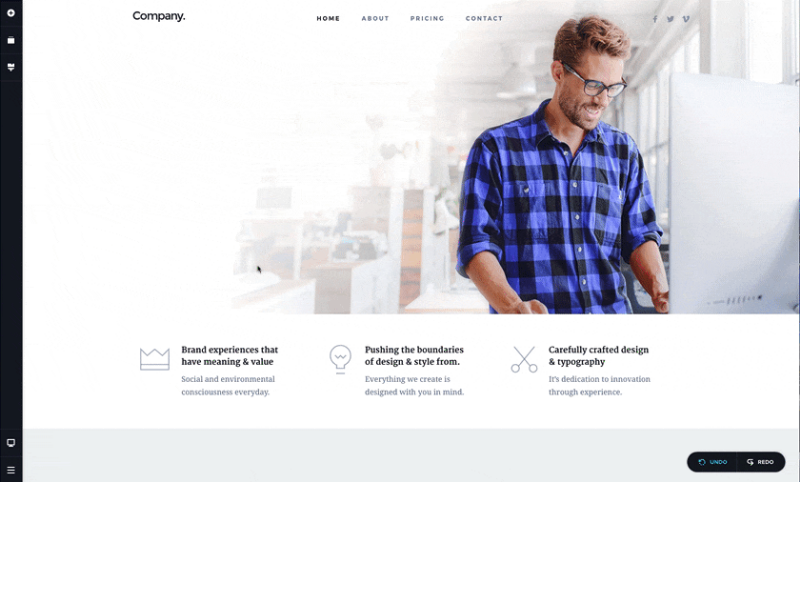
WP.org screenshots are outdated. The animated GIF screenshots on the WordPress.org listing show an older version of the interface and do not reflect the current editor. New users evaluating the plugin from its WP.org listing may form an inaccurate first impression of what they are installing. The current editor is cleaner than what the GIFs depict.
No lifetime license. Brizy does not currently offer a lifetime purchase option for the WordPress Pro plugin, unlike competitors such as Divi (via Elegant Themes) and Bricks Builder. For long-term use at a single site, the cumulative annual subscription cost adds up more than a one-time payment would.
Changelog is maintenance-focused. The recent changelog entries from the 2.8.x series are predominantly bug fixes and security patches, with only occasional new feature additions. Brizy AI 1.7 was a significant addition, but the feature release cadence for the core WordPress plugin is slower than Elementor’s or Kadence’s in the same period.
Pricing page routes to cloud by default. The main brizy.io/pricing URL redirects to the cloud pricing page. WordPress plugin pricing is at a separate URL (/pricing-wordpress). Users who arrive at the main pricing page expecting WordPress plugin pricing may not immediately find the WordPress-specific tiers.
Alternatives
Elementor (Free; Pro from ~$59/year for 1 site). The largest page builder by active install count (10+ million), with the broadest widget library, the most third-party addons, and the most community resources. The v4 Atomic Editor introduced in 2026 is a significant architectural improvement. More complex to learn than Brizy; higher per-site cost for multi-site use; significantly more community documentation. Better choice when community ecosystem size and addon availability matter more than simplicity.
Divi by Elegant Themes ($89/year for unlimited sites, or $249 lifetime for unlimited sites). Elementor’s most direct commercial competitor by user volume. The unlimited-site annual pricing is competitive with Brizy Freelancer. The lifetime option is a meaningful long-term advantage over Brizy’s subscription-only model. Divi 5 introduced a new editor with full site editing support. Performance tends to require more tuning than Brizy or Elementor.
Bricks Builder ($79/year for unlimited sites). The performance-first developer alternative. Bricks produces the leanest HTML output of any major visual builder and has grown significantly since 2024. Steeper learning curve, smaller template library, no AI generation, but the strongest Core Web Vitals results on complex pages. Better choice when performance is the primary constraint and you are comfortable with a code-aware workflow.
Kadence Blocks (Free; Pro from $129/year). A Gutenberg-first block editor builder. Works inside the native WordPress editor rather than replacing it. Lighter weight than any dedicated page builder. Better choice for content-focused sites where Gutenberg compatibility matters and complex page layouts are not required.
Pros and cons
Pros
- Contextual editing interface reduces learning curve for new users.
- Clean page builder output compared to heavier alternatives.
- Brizy AI 1.7 included in all Pro plans at no extra charge: generates complete WordPress sites from text prompts.
- Affordable multi-site licensing: 25 sites for $119/year (Freelancer) is strong value.
- Theme Builder (custom headers, footers, post and archive templates) included in all Pro tiers.
- WooCommerce Builder and Membership functionality included in Pro.
- White Label available on a dedicated tier for agencies.
- 4.7-star rating across 969 reviews on WordPress.org indicates high user satisfaction.
- 30-day money-back guarantee on all paid plans.
- 500+ pre-made blocks in the free tier.
- 4,000+ icons included.
Cons
- 70,000 active installs vs. millions for Elementor or Divi means far fewer community resources, tutorials, and third-party addons.
- No lifetime license option.
- Free tier excludes Theme Builder, popups, WooCommerce, and AI: the features most users need beyond the first page.
- Outdated WordPress.org screenshots create a first-impression gap with the real current interface.
- Changelog is predominantly maintenance-focused; core feature additions are infrequent.
- Main pricing URL routes to cloud pricing, not WordPress pricing.
- Subscription lapse restricts Pro features on existing sites.
Final verdict
Brizy earns its 4.7-star average by delivering a genuinely easier editing experience than most of its competitors, especially for users who find Elementor’s sidebar-driven workflow cluttered. The contextual controls, the clean block library, and the logical mobile editing mode combine into a builder that gets out of your way.
The value story at the Pro tier is real, particularly for freelancers and small agencies. Brizy AI 1.7 is a practical accelerator for client work, not a marketing gimmick: generating a first draft from a business description and Google Business Profile data is faster than starting from a blank canvas. The Freelancer plan at $119/year for 25 sites is difficult to beat on per-site cost among builders with comparable features.
The honest limitation is market penetration. Brizy has not achieved the install base that Elementor has, and that gap creates real consequences: fewer answers to uncommon questions, less shared knowledge, fewer pre-built integrations from third parties. For a solo user building their own site or a freelancer comfortable navigating less-trodden territory, that cost is acceptable. For an agency that wants to hand off sites to clients who may independently search for help, the abundance of Elementor resources is a meaningful practical advantage.
Recommended if: You want a clean, beginner-friendly page builder with AI site generation included, and the per-site licensing cost is a priority. Best for freelancers using the Freelancer plan and non-developers building their own business sites.
Consider alternatives if: You need the largest possible third-party addon ecosystem, a lifetime license option, or the most extensive community documentation. Elementor for ecosystem and Divi for lifetime value are the alternatives to evaluate first.
FAQ
Is Brizy free?
Yes, a free version of Brizy is available on WordPress.org. It includes the drag-and-drop contextual editor, 36+ elements, 500+ pre-made blocks, 4,000+ icons, global colors and fonts, and a basic contact form. Theme Builder, Pop-up Builder, WooCommerce Builder, AI generation, and other advanced features require a paid Brizy Pro plan.
What is the difference between Brizy free and Brizy Pro?
The free version lets you build and style individual pages with drag-and-drop editing. Brizy Pro adds the features needed for full site building: Theme Builder (custom headers, footers, and post templates), Pop-up Builder, WooCommerce Builder, AI website generation (Brizy AI), Dynamic Content, Membership functionality, custom fonts, marketing integrations, and priority support.
How much does Brizy Pro cost?
Brizy Pro WordPress pricing starts at $69/year for one site (Personal), $119/year for 25 sites (Freelancer), $239/year for 50 sites (Agency), and $359/year for 100 sites with White Label (White Label plan). All plans include a 30-day money-back guarantee. Enterprise pricing is available on request. Verify current pricing at brizy.io/pricing-wordpress.
What is Brizy AI?
Brizy AI (version 1.7 at time of writing) is an AI website generation tool included in all Brizy Pro plans. You describe your business in a text prompt, and Brizy AI generates a complete WordPress website with multiple pages, section layouts, placeholder content, and design. It can also pull data from your Google Business Profile to personalize the generated site. The result is editable in the standard Brizy visual builder.
Does Brizy work with WooCommerce?
Yes. Brizy Pro includes a WooCommerce Builder that lets you design product page templates, shop archive pages, cart, and checkout pages with visual controls and WooCommerce-specific dynamic elements. The free version does not include WooCommerce Builder.
What happens if I stop paying for Brizy Pro?
Websites built with Brizy Pro continue to work after a subscription lapses. You keep the latest Pro version of the plugin, but Pro features are restricted and no further plugin updates are delivered. For live sites, leaving the license lapsed creates a risk of future incompatibility with WordPress or PHP updates.
How does Brizy compare to Elementor?
Elementor has approximately 10 million active installs versus Brizy’s 70,000, giving it a far larger community, third-party addon ecosystem, and tutorial library. Elementor’s Pro tier starts at a higher price than Brizy’s Personal plan. Brizy’s interface is simpler and the multi-site pricing (25 sites for $119/year) is more affordable than Elementor’s equivalent plans. Elementor is the stronger choice when ecosystem and community resources are the priority; Brizy is the stronger choice for simplicity, per-site cost, and AI generation included without extra charge.
Does Brizy have a White Label option?
Yes. The White Label plan ($359/year for 100 sites) lets you brand the Brizy builder with your own logo and name. Clients interact with the builder under your agency’s branding rather than Brizy’s. The White Label plan requires an annual subscription; there is no lifetime White Label option.
Is Brizy compatible with all WordPress themes?
Brizy works with any WordPress theme that follows standard WordPress coding conventions. The Theme Builder in Pro lets you design headers, footers, and post templates that override the active theme’s structural elements. For basic page editing, Brizy works alongside any compatible theme.
What is the Brizy mobile editing feature?
The mobile editing view in Brizy lets you switch to a mobile preview and make adjustments that apply only to mobile devices. Changes in mobile view do not affect the desktop layout. A tablet view is also available separately. This gives you independent control over how your design renders on different screen sizes.