


At a glance
Plugin: Complianz GDPR/CCPA Cookie Consent Banner
Best for: WordPress site owners who want cookie consent, policy generation, script blocking, and Google Consent Mode inside WordPress
Free version: Yes, on WordPress.org
Active installs checked: 1,000,000+ on WordPress.org
Premium pricing checked: Personal $59/year, Professional $179/year, Agency $399/year
Main alternatives: CookieYes, Cookiebot, iubenda, Termly
My verdict: Strongest fit for WordPress-first sites that want a native privacy workflow, but it can feel dense if you only need a simple banner.
Quick verdict
Complianz is one of the most complete WordPress GDPR compliance plugins I reviewed for this cluster. It is not just a cookie banner. It combines a setup wizard, cookie scan, policy generation, regional consent rules, script and iframe blocking, Google Consent Mode v2 support, and Premium features such as records of consent, A/B testing, statistics, and advanced multi-region handling.
The main reason I like it is that the workflow stays inside WordPress. Instead of pasting a remote CMP script and managing policies somewhere else, Complianz asks structured questions, scans the site, classifies services, and builds the banner and documents around that information. For many small business websites, agencies, and content sites, that is more practical than a pure SaaS consent platform.
It is also more complex than lightweight cookie banner plugins. The wizard is clear, but the number of legal regions, consent categories, integrations, documents, and scan results can be a lot for a beginner. If your site only uses essential cookies, Complianz may be more plugin than you need. If you run analytics, ads, embedded videos, forms, or multiple regional policies, the depth becomes useful.
What Complianz is
Complianz is a WordPress privacy suite from Really Simple Plugins, the team also known for Burst Statistics. The WordPress.org listing brands it as a GDPR/CCPA cookie consent banner, but the plugin now sits closer to a consent management and legal document toolkit.
The free plugin includes the core WordPress experience: a guided wizard, cookie banner, automatic cookie scan, cookie policy generation, script blocking, and privacy-law support for common regions. Complianz says it supports frameworks such as GDPR, ePrivacy, DSGVO, TTDSG, LGPD, POPIA, CCPA/CPRA, PIPEDA, and other privacy laws. It is also presented as a Google-certified CMP, which matters for site owners using Google Ads, Google Analytics, or Google Tag Manager in consent-sensitive regions.
Premium adds the features that larger sites usually ask about: records of consent, multi-region documents, Google Consent Mode v2 tooling, IAB TCF support, Geo IP style region handling, A/B testing, statistics, a hybrid cookie scan, and more complete legal-document coverage.
Who Complianz is best for
Complianz makes the most sense for four groups. First, it fits WordPress site owners who want a serious GDPR and cookie consent workflow without moving consent management into a separate dashboard. Everything I checked points back to a WordPress-first setup. That is convenient for smaller teams.
Second, it fits agencies that manage many client sites. The Agency plan supports 25 sites and includes the multisite plugin. The wizard-based process also gives agencies a repeatable setup path.
Third, it fits publishers and ecommerce sites using analytics, ad pixels, video embeds, maps, or tag managers. Those sites need more than a dismissible cookie notice. They need conditional blocking and consent signals.
Fourth, it fits site owners who want legal-document generation alongside cookie consent. Complianz can generate region-specific documents based on wizard answers, rather than leaving you to write every policy from scratch.
I would not choose Complianz first for a non-WordPress stack, a custom app, or a team that wants a centralized CMP across many platforms. It is strongest when WordPress is the main website platform.
Setup wizard and onboarding
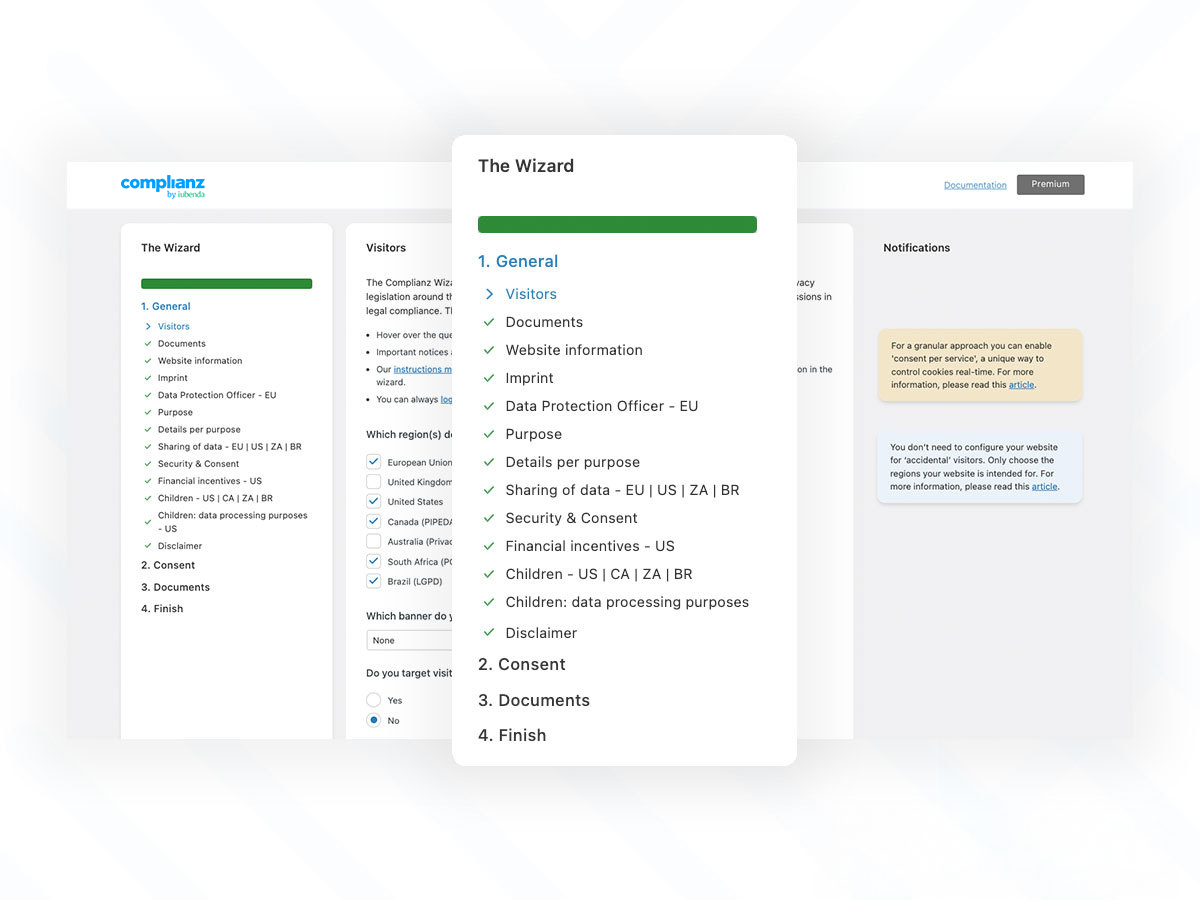
The setup wizard is the center of the plugin. Rather than asking users to configure every consent behavior manually, Complianz walks through regions, site type, cookie usage, statistics, marketing services, documents, and banner behavior.
This is a good approach for privacy software because most site owners do not know every script running on their site. The wizard turns the work into questions. Which regions do you target? Do you use analytics? Do you use advertising? Do you embed external content? Do you need a privacy statement? Do you need a cookie policy?
The downside is that the wizard still requires careful answers. Complianz can guide the process, but it cannot replace legal judgment. I would treat it as a strong technical compliance assistant, not as a guarantee that every legal obligation is solved.
From a usability standpoint, the wizard is better than a giant settings page. It gives the plugin a clear path from install to banner. Beginners can move through it step by step, while advanced users can later fine-tune integrations, banner design, and script controls.
Cookie scanner and service detection
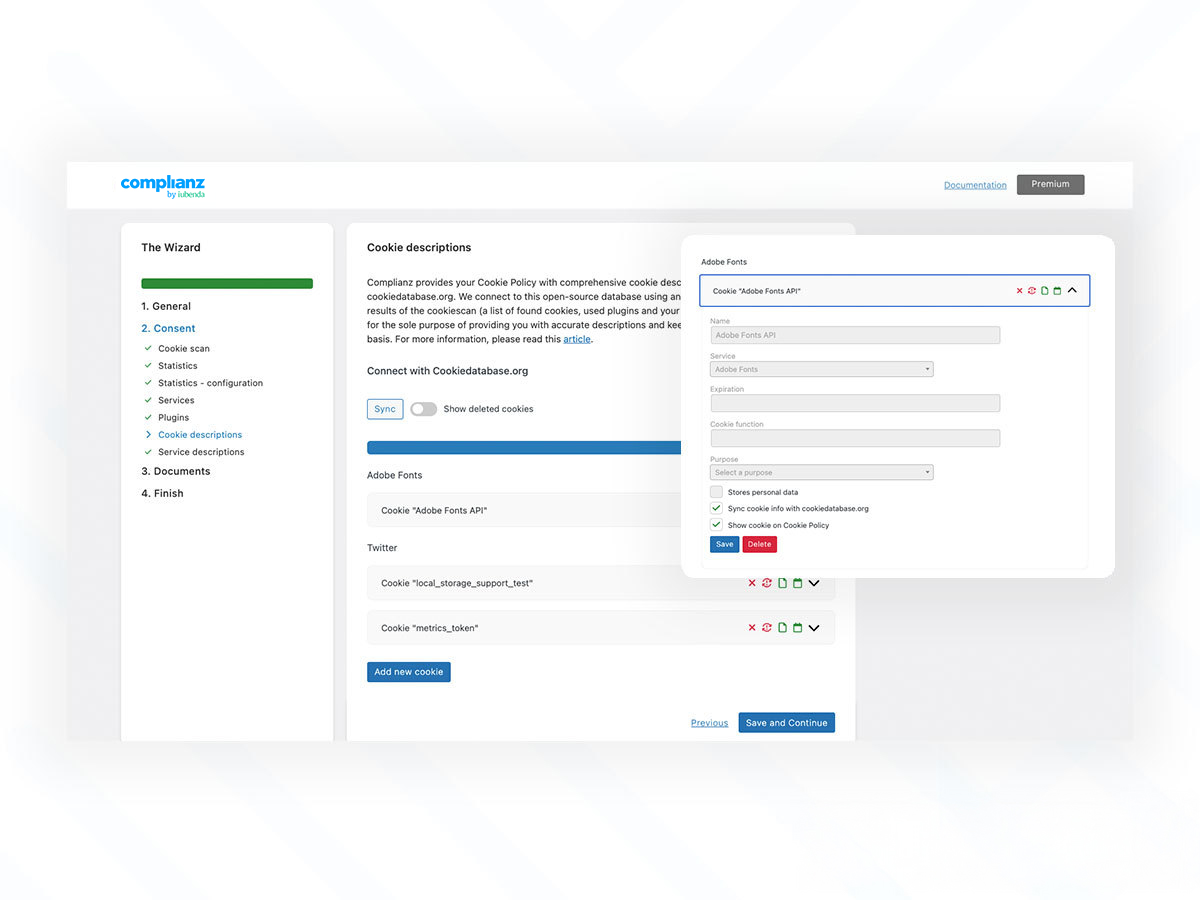
The automatic cookie scan is one of the key reasons to consider Complianz over a simple banner plugin. It scans the WordPress site, detects cookies and services, and helps populate the cookie policy.
This matters because cookie policies become stale quickly. A site may add a new analytics tool, form plugin, chat widget, YouTube embed, Facebook pixel, or payment script without updating the policy. Complianz reduces that gap by surfacing what it can detect.
Premium references a hybrid scan with cookiedatabase.org sync. In practical terms, that means the plugin combines WordPress-level detection with broader service data, so known cookies and services can be matched more intelligently. For a business site that changes plugins often, this is valuable.
No automated scanner is perfect. Some services load only after interaction, location-specific behavior, or logged-in states. You should still review scan results and test key pages. But compared with writing a cookie table manually, Complianz gives WordPress users a much stronger starting point.
Consent banners and regional rules
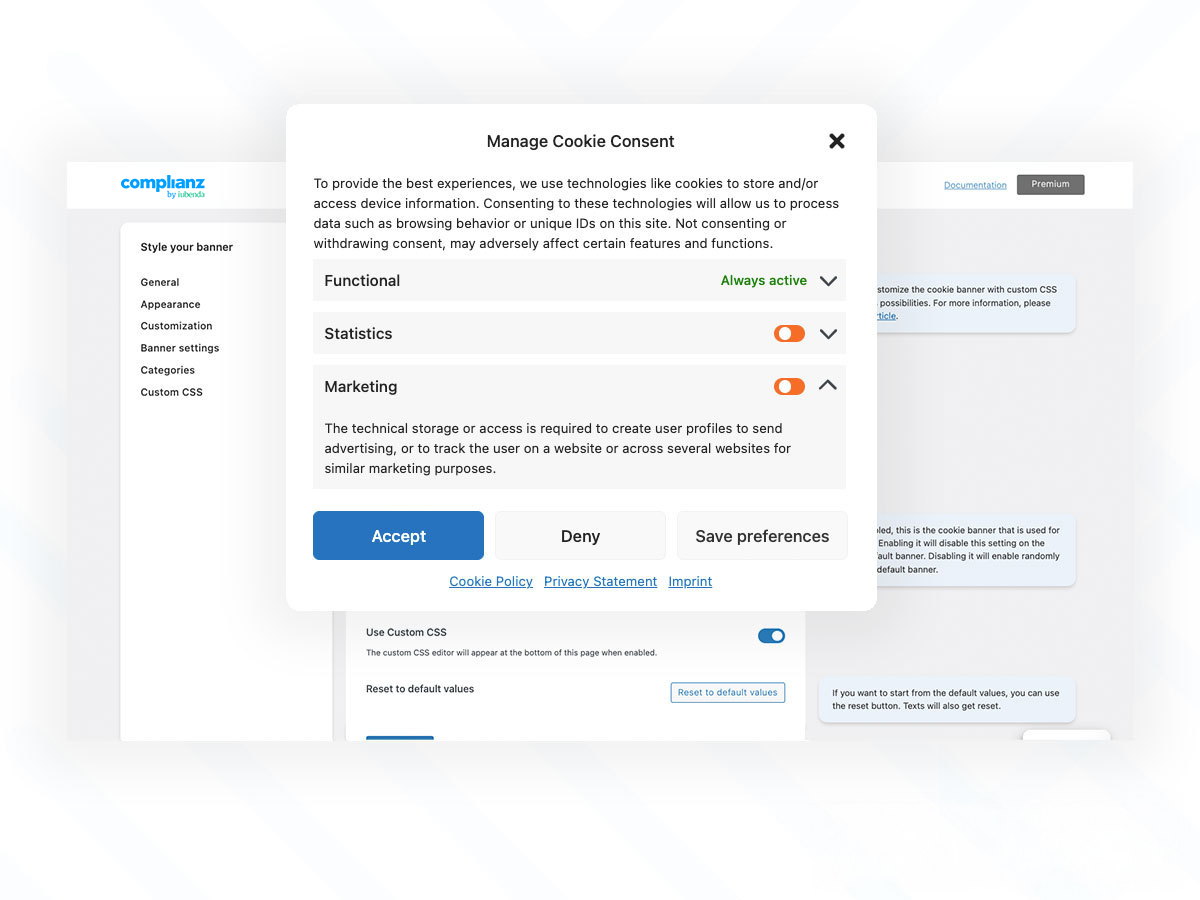
Complianz supports conditional cookie notices and regional consent behavior. That is important because a visitor from the EU may require a different consent model than a visitor from a US state with opt-out rules.
The banner customization options cover layout, colors, buttons, categories, and styling. The WordPress.org screenshots show template styles and customization controls, and the product documentation highlights accessibility improvements. This is important because a compliant banner still needs to be readable, keyboard-friendly, and not visually broken on mobile.
I like that Complianz does not treat the banner as a generic pop-up. It connects the banner to the legal region, consent categories, cookie policy, and blocking rules. That makes it more useful than a visual-only notice.
The tradeoff is configuration density. More rules mean more settings to understand. If you target multiple regions, test the banner with regional parameters or another method before considering the setup finished.
GDPR, CCPA, PIPEDA, and PECR coverage
Complianz supports a long list of privacy frameworks, but the practical value depends on how your site operates. For GDPR and ePrivacy, you usually care about prior consent for non-essential cookies, a clear cookie policy, consent categories, and the ability to block scripts before consent. For CCPA/CPRA-style rules, opt-out handling and data request workflows matter. For PIPEDA, clear disclosure and consent practices matter. For UK sites, PECR cookie rules sit alongside UK GDPR obligations.
Complianz helps with the technical layer across these needs: banners, categories, generated documents, records, data request handling, and regional display logic. Premium is the safer choice when you need multi-region handling, records of consent, and more advanced compliance evidence.
The important caveat is that a plugin cannot know your whole business. It cannot decide whether your data processing is lawful, whether your vendor contracts are adequate, or whether your privacy statement fully reflects offline practices. Complianz is a tool for implementation and documentation. It is not legal counsel.
Google Consent Mode v2 and marketing tags
Google Consent Mode v2 support is one of the strongest reasons to shortlist Complianz in 2026. If your site uses Google Analytics, Google Ads, Google Tag Manager, or Site Kit, consent signals are no longer a minor technical detail.
Complianz documentation explains that Consent Mode can be enabled when a Google tag is configured in the wizard under the statistics or marketing flow. The plugin then communicates consent states to Google services. For advertisers, this helps preserve measurement behavior while respecting visitor choices.
This is not only an enterprise problem. Many small businesses run GA4 and Google Ads. A cookie banner that looks fine but fails to communicate consent properly can create analytics and advertising issues. Complianz handles this better than basic plugins that only show accept and reject buttons.
I would still test the final implementation with Tag Assistant or a similar debugging flow, especially if you use GTM, server-side tagging, or multiple analytics plugins.
Content blocker and integrations
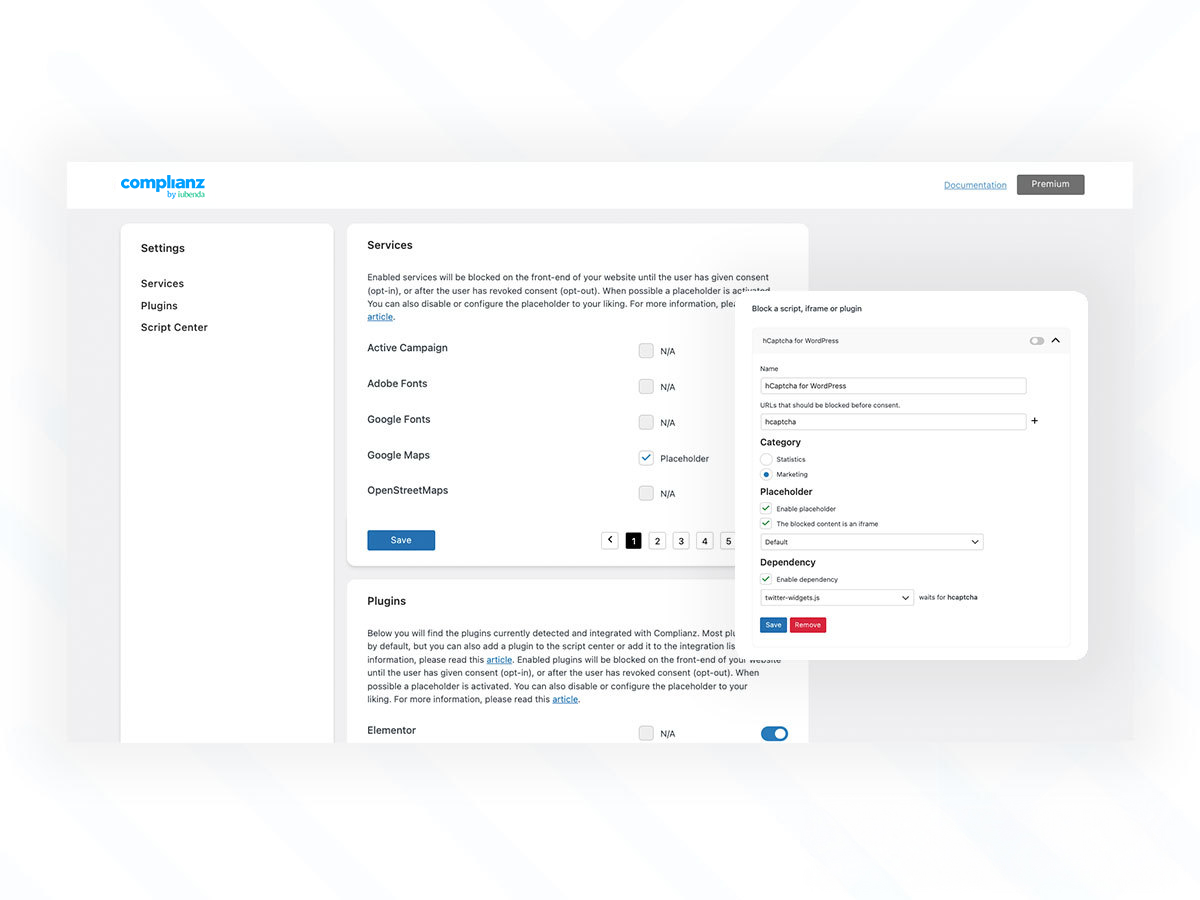
Complianz includes script and iframe blocking, with integrations for common plugins, themes, and services. This is where the plugin moves from policy text into real behavior.
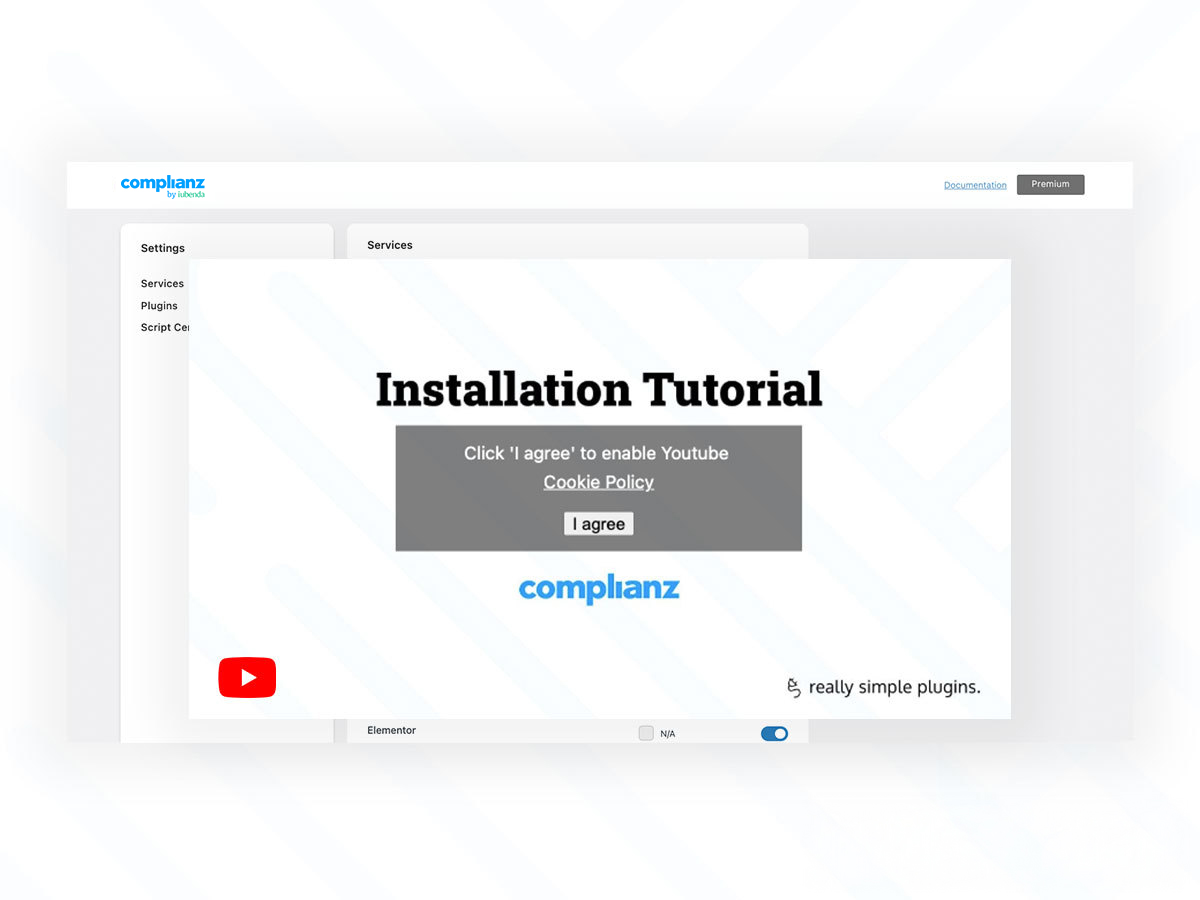
A good consent setup should prevent non-essential scripts from firing before consent. It should also manage embedded content, such as YouTube videos or social widgets, without leaving blank spaces or broken layouts. Complianz supports placeholders for blocked content, which gives visitors context and a way to consent.
This is one of the areas where Complianz can save a lot of manual work. Without plugin-level integrations, blocking scripts often becomes a custom development task. Complianz is not magic, and edge cases still happen, but the integration library gives WordPress users a practical base.
Statistics, reporting, and records of consent
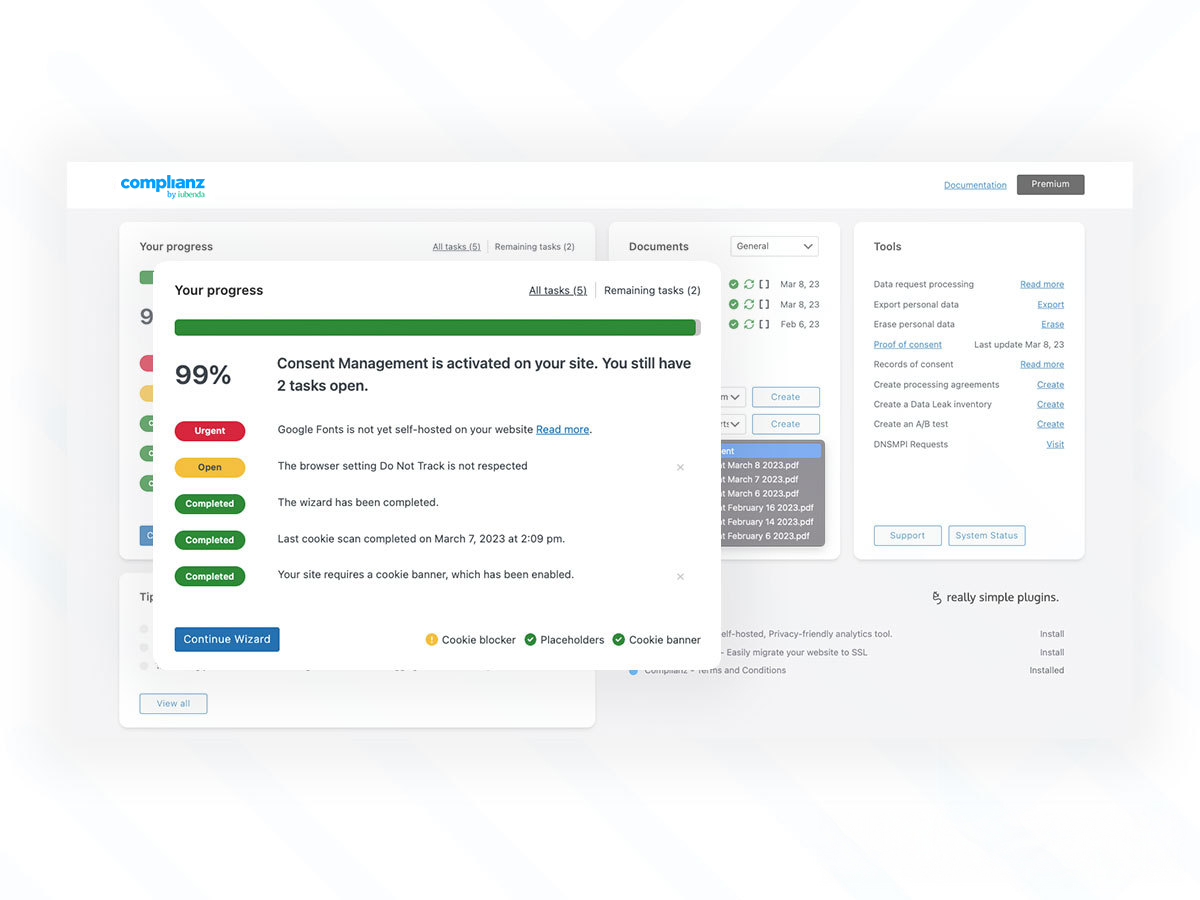
Premium includes statistics and A/B testing for banners, plus records of consent. These features matter if cookie consent is part of a measurable business process.
A/B testing can help compare banner layouts and wording. That sounds small, but banner design can affect consent rates. Statistics help site owners see whether users accept, reject, or customize preferences.
Records of consent are more important from a compliance evidence perspective. If you need to show when and how a visitor gave consent, a simple free banner is often not enough. Complianz Premium is the tier I would consider for businesses with meaningful EU traffic, paid acquisition, or a higher need for auditability.
Free vs Premium pricing
Complianz has a generous free WordPress plugin. For a small site that needs a cookie banner, cookie scan, policy generation, and basic script blocking, free may be enough to start.
Premium pricing I checked for WordPress is straightforward:
- Personal: $59 per year for 1 website
- Professional: $179 per year for 5 websites
- Agency: $399 per year for 25 websites
The pricing page also notes a 30-day money-back guarantee and one year of support and updates. A useful detail is that Complianz does not position pricing around pageview caps or consent-record thresholds in the way some SaaS CMPs do. That can make annual cost easier to predict.
Premium is worth it if you need multi-region compliance, Google Consent Mode v2, records of consent, A/B testing, statistics, IAB TCF support, advanced legal documents, or agency workflows. If you only run a brochure site with no analytics or marketing scripts, start with the free version and upgrade only if the wizard reveals a real need.
Complianz vs CookieYes
Complianz and CookieYes are both popular choices for WordPress cookie consent, but they feel different.
Complianz is more WordPress-native. The setup, scan, policies, integrations, and banner controls live inside WordPress. That is great for users who want their privacy workflow close to their plugin stack.
CookieYes feels more like a broader consent platform with a WordPress integration. That can be better if you manage multiple platforms or want a SaaS-style dashboard. It may also feel simpler for teams that do not want WordPress settings to become the center of privacy operations.
For a WordPress-only business, I would usually test Complianz first. For a mixed stack with Shopify, Webflow, custom pages, and WordPress together, I would compare CookieYes or another SaaS CMP more seriously.
Pros and cons
Pros
- Strong WordPress-native setup wizard
- Automatic cookie scan and policy support
- Useful script and iframe blocking
- Supports major privacy frameworks, including GDPR, CCPA/CPRA, PIPEDA, and ePrivacy-style cookie rules
- Google Consent Mode v2 support for analytics and ads workflows
- Premium plans avoid pageview-based pricing surprises
- Good fit for agencies managing WordPress client sites
Cons
- Can feel dense for beginners who only need a basic banner
- Legal accuracy still depends on your answers and business context
- Best suited to WordPress, not a universal multi-platform CMP
- Advanced features such as records of consent and A/B testing require Premium
- Complex tag setups still need testing after configuration
Final verdict
Complianz is a strong choice if you want a WordPress GDPR compliance plugin that does more than display a cookie notice. The setup wizard, cookie scanner, policy generation, regional rules, content blocker, and Google Consent Mode v2 support make it one of the deeper options for WordPress site owners in 2026.
I would choose it for WordPress-first sites with analytics, advertising, embedded content, or multi-region visitors. I would also recommend it to agencies that want a repeatable privacy setup for client sites.
I would not oversell it as a legal shortcut. You still need to answer the wizard honestly, review the generated documents, test blocked scripts, and confirm your business practices match the policies. But as a technical implementation layer for WordPress consent and cookie compliance, Complianz is one of the best-rounded plugins in this category.