

CookieYes has become the go-to cookie consent plugin for a large portion of the WordPress community. With over 1 million active installations, a 4.8-star rating across more than 3,200 WordPress.org reviews, and a Google-certified CMP status, it clearly does something right. But popularity is not the same as the right fit for your specific site.
This CookieYes review covers what the free version actually delivers, where the paid plans add meaningful value, what the plugin still gets wrong, and who should look at alternatives. I worked through the official documentation, feature pages, and pricing details against cookieyes.com and wordpress.org/plugins/cookie-law-info in August 2026. Where features are plan-gated or could not be verified from a live account, the relevant section says so.
A note on testing basis. CookieYes is a cloud-based platform: the WordPress plugin acts as a bridge to the CookieYes cloud account, where banner configuration, cookie scanning, and consent logging all happen. Setup, feature page behaviour, and documentation were inspected directly from cookieyes.com. Pricing was verified against cookieyes.com/pricing in August 2026. CookieYes uses promotional annual pricing ("get 2 months free"), so verify current prices from the live pricing page before purchasing.
At a glance:
- Tested: CookieYes WordPress plugin v3.5.5, tested up to WordPress 7.1 (August 2026); feature research from cookieyes.com official pages and documentation.
- Free tier: genuinely useful for small sites; includes banner, auto-blocking, cookie scanner (100 pages/scan), consent log, and policy generators at no cost up to 5,000 pageviews/month.
- Paid plans: add higher scan limits, geo-targeting, scheduled scanning, IAB TCF v2.3, more pageviews, and ultimately branding removal (Ultimate plan only).
- Bottom line: the most accessible entry point into GDPR/CCPA cookie compliance for WordPress, especially for non-technical site owners. The free tier is meaningful; the paid jump makes sense only when traffic or scan depth demands it.
Quick verdict
If you run a small to medium WordPress site and need a working GDPR/CCPA consent banner in under 30 minutes, CookieYes free is the plugin I would point you to first. The auto-blocking, cookie scanner, consent log, and policy generators are all included without paying anything, and the setup does not require touching code.
The limitations show up at scale. The free plan allows only 5,000 pageviews per month and scans only 100 pages at a time. Any actively-trafficked site will outgrow the free plan quickly. The pageview-based pricing on paid plans can also become unpredictable for high-traffic sites.
If your site has strict compliance needs (enterprise-grade consent records, IAB TCF v2.3, or multi-region regulatory complexity), CookieYes Pro or Ultimate handles those. If you need a purely WordPress-native solution with no cloud dependency, look at Complianz or Borlabs Cookie instead.
Quick verdict card:
- Best for: small to medium WordPress sites, non-technical site owners, and anyone who wants a compliant cookie banner without writing code.
- Best free plan: yes, a genuinely useful free tier that covers banner, auto-blocking, scanner, consent log, and policy generators.
- Best paid plan: Pro ($25/month) for geo-targeting and IAB TCF v2.3; Ultimate ($55/month) for branding removal and scan depth.
- Standout: Google-certified CMP status, GPC signal support, and auto-translation into 40+ languages make CookieYes one of the most compliance-comprehensive free options for WordPress.
- Watch out for: free plan pageview cap (5,000/month), cloud dependency (scanner and logs live in CookieYes cloud, not your server), branding removal only on the $55/month tier, and a conflict if you try to run CookieYes alongside the CookieYes GTM template.
What CookieYes is
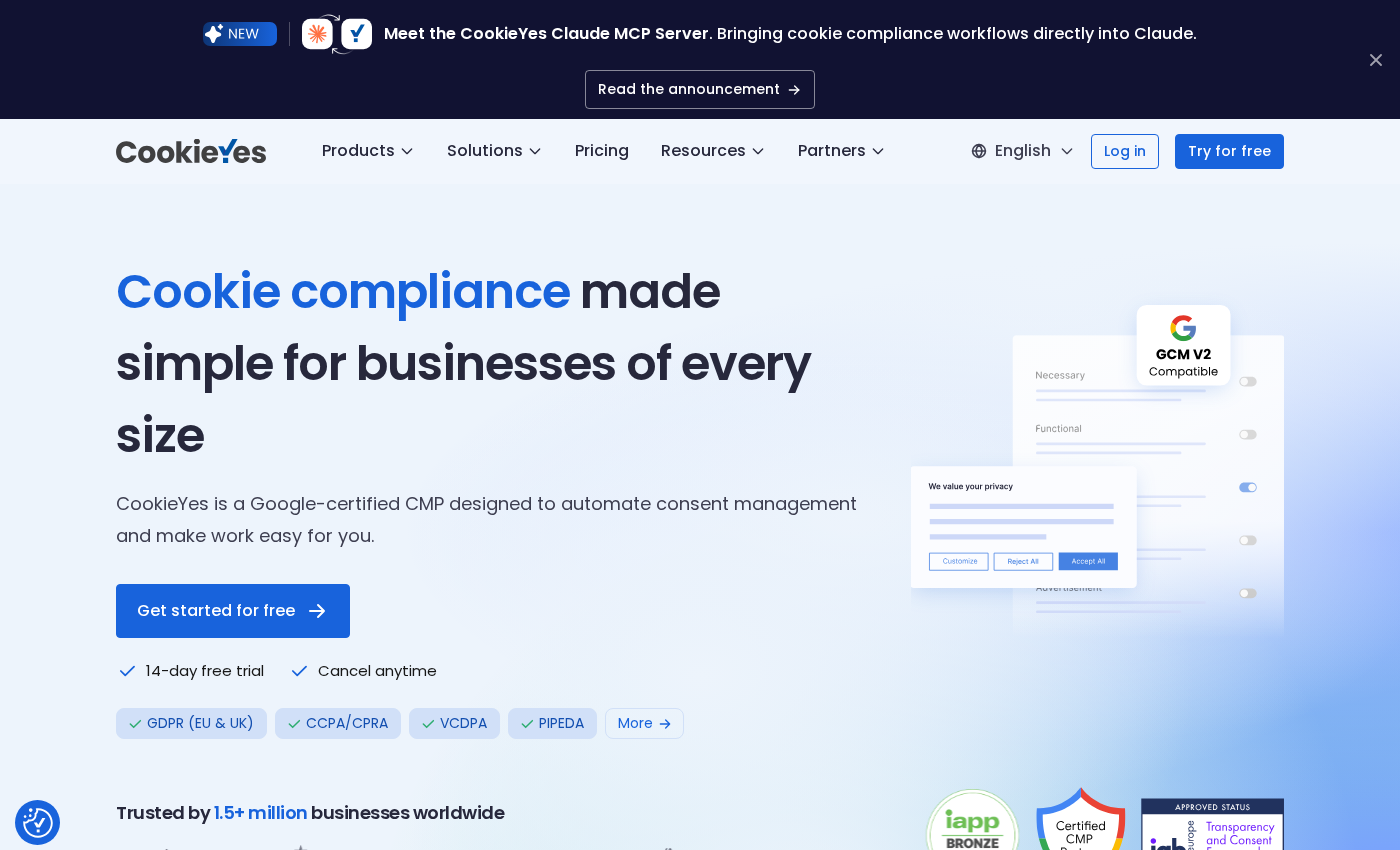
CookieYes is a cloud-based consent management platform (CMP) that handles cookie consent banners, cookie scanning, script auto-blocking, consent logging, and privacy policy generation. It was originally released as "GDPR Cookie Consent" and has since expanded into a full cross-platform CMP supporting WordPress, Wix, Shopify, Squarespace, and Kajabi.
The fundamental design decision in CookieYes is that the heavy lifting happens in the cloud. The WordPress plugin is a connector: it loads the CookieYes script, which is configured and managed from your CookieYes account dashboard at app.cookieyes.com. Cookie scanning runs on CookieYes servers, consent data is logged in the CookieYes cloud, and banner changes are made in the cloud dashboard rather than in WordPress admin.
This architecture has clear advantages: the WordPress server carries no database bloat from consent records, scanning does not consume your server resources, and the same CookieYes account can manage compliance across multiple domains or platforms. The trade-off is a dependency on CookieYes uptime and an external account requirement even on the free plan.
CookieYes is a Google-certified CMP, which matters for sites running Google Ads, Google Analytics 4, or Google Tag Manager. The certification means CookieYes meets Google's requirements for passing consent signals through the Consent Mode v2 protocol, which affects how Google measures and models conversion and analytics data when users decline cookies.
The plugin itself on WordPress.org (slug: cookie-law-info) is at version 3.5.5 as of August 2026, tested up to WordPress 7.1, with 1+ million active installations and a 4.8/5 rating across 3,200+ reviews.
Who CookieYes is best for
Strong fit:
- Small to medium WordPress sites (blogs, portfolios, service businesses, small shops) that need GDPR or CCPA compliance without developer involvement.
- Non-technical site owners who want a guided setup flow, pre-built banner templates, and automatic cookie detection rather than manual configuration.
- Sites needing compliance with multiple privacy regulations simultaneously: CookieYes supports 15+ regulations including GDPR, CCPA, CPRA, LGPD, PDPA, DPDP, and more.
- Sites that already use Google Analytics or Google Ads and need Google Consent Mode v2 integration handled cleanly and without GTM gymnastics.
- Multi-language WordPress sites: auto-translation into 40+ languages and support for WPML and Polylang make CookieYes strong for international audiences.
- Sites running on multiple platforms (WordPress plus Shopify, for example) that want a single CMP account across all properties.
Weak fit:
- High-traffic sites where pageview-based pricing becomes unpredictable. A site with 500,000 monthly pageviews on the Pro plan ($25/month for 300,000 pageviews) would pay the base rate plus overage charges of $0.30/1,000 extra pageviews.
- Sites needing deep, independent cookie scanning without cloud reliance. CookieYes scanning runs on its own servers; sites on very restrictive hosting environments or requiring scan-behind-login may need the Ultimate plan.
- Sites that want self-hosted consent data with no third-party cloud involved. Consent logs and scanning live in CookieYes infrastructure, not your WordPress database.
- Enterprise environments needing custom SLA, on-premise data residency, or white-label deployments. CookieYes has an Enterprise tier but it requires direct contact.
- Developers who want a purely WordPress-native plugin with all logic on the local server. Complianz, Borlabs Cookie, or the free Real Cookie Banner plugin are better fits for that requirement.
Setting up CookieYes on WordPress
CookieYes requires a free account at cookieyes.com before you can use the plugin. The account links your WordPress site to the CookieYes cloud dashboard.
The setup flow works like this:
- Create a free CookieYes account at cookieyes.com. You configure your initial banner in the account dashboard: choose template, colours, button labels, and which cookie categories to surface.
- Install the CookieYes plugin from the WordPress admin at Plugins > Add New. Search for "CookieYes" or "cookie-law-info" and the plugin with the blue shield logo appears as the first relevant result.
- In your WordPress admin, navigate to the CookieYes plugin settings. Enter your API key from the CookieYes account dashboard. This connects your WordPress site to your CookieYes account.
- Run the cookie scanner from the CookieYes cloud dashboard to detect the cookies your site sets and categorize them (Necessary, Functional, Analytics, Advertisement).
- Publish your banner from the CookieYes dashboard. The banner goes live on your WordPress site immediately.
The setup does not require editing theme files for a basic deployment, which makes it accessible to non-technical users. If you want to use the auto-blocking feature (which blocks tracking scripts before consent), the CookieYes script must load early in the document head, before other third-party scripts. The plugin handles this automatically, but if you have a caching or optimization plugin that defers JavaScript loading, you need to exclude the CookieYes script from those deferrals.
One constraint to note: you cannot use the CookieYes WordPress plugin and the CookieYes GTM template simultaneously. Both load the banner script, which creates a JavaScript conflict on the site. Choose one deployment method.
Consent banner customization
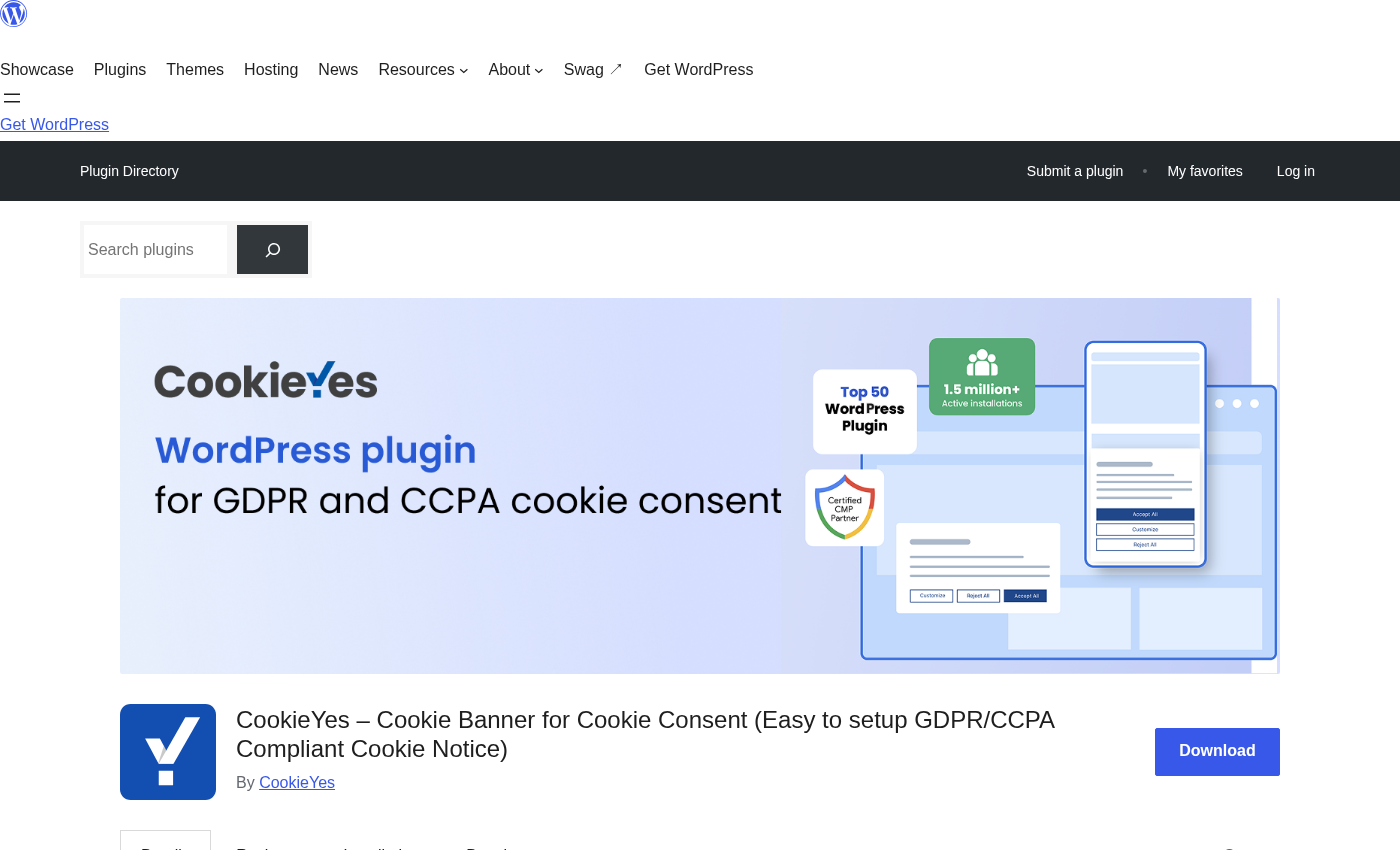
The cookie banner is configured in the CookieYes cloud dashboard rather than in WordPress admin. The customization options cover:
- Layouts: banner (bottom/top bar), widget, and popup. The popup layout is available on Pro and above; Basic and Free use the bar and widget layouts.
- Colors: background, button colors, text colors are all adjustable. The Basic plan adds custom color control.
- Content: accept/reject/manage preferences button labels, description text, cookie category names and descriptions.
- Position: top, bottom, or inline on the page.
- Languages: auto-translate the banner into 40+ languages automatically. Support 170+ total languages with manual translation. Geo-targeting (Pro/Ultimate) shows different banner configurations based on the visitor's country.
- Consent revisit widget: a floating icon that lets visitors reopen the consent preferences panel at any time.
- Custom logo: available on the Ultimate plan. On Free, Basic, and Pro, CookieYes branding appears on the banner. Branding removal is Ultimate-only.
The banner auto-translation feature deserves a specific mention. Unlike many plugins that require you to manually add translations for each language, CookieYes auto-translates banner text into the visitor's browser language (among 40+ supported languages) without any manual translation work. For sites with international audiences, this meaningfully reduces setup time.
Geo-targeting (Pro and above) lets you show an opt-in GDPR-style banner to visitors from the EU/UK, an opt-out CCPA-style banner to California visitors, and a different configuration (or no banner at all) to visitors from regions without applicable regulations. This is a meaningful operational feature for sites serving audiences across multiple jurisdictions.
Cookie scanner
The cookie scanner automatically detects the cookies and trackers your website sets, compares them against a database of 100,000+ categorized cookies, and uses AI-powered classification for any cookies it does not recognize by name.
The scanner runs from the CookieYes cloud dashboard and visits your site's pages from CookieYes infrastructure. Scan depth varies by plan:
- Free: 100 pages per scan, 5 scans per month
- Basic: 600 pages per scan, unlimited scans
- Pro: 4,000 pages per scan, monthly scheduled scanning (automatic)
- Ultimate: 8,000 pages per scan, weekly scheduled scanning, scan behind login, static IP scanning
The scan output categorizes every detected cookie into one of four groups: Necessary, Functional, Analytics, and Advertisement. The generated cookie list feeds directly into the cookie consent banner categories (so the "Analytics" category in the consent banner corresponds to the cookies the scanner classified as analytics). Each scan also generates an audit report you can save for compliance documentation.
For sites with fewer than 100 pages, the free scan is sufficient to detect all cookies. For larger sites, the 600-page Basic scan covers most small-to-medium WordPress sites. The 4,000-page Pro scan handles large sites with hundreds of URL combinations, while the 8,000-page Ultimate scan is for very large sites or those with dynamic URL patterns.
The "scan behind login" feature (Ultimate) is worth highlighting for membership sites or sites where much of the content sits behind a login wall. Without it, the scanner only sees publicly accessible pages, which may miss cookies set only inside the authenticated portion of the site.
Auto-blocking scripts and cookies
Auto-blocking is one of CookieYes's most practically important compliance features: it prevents third-party tracking scripts from running until the visitor has given consent. This is necessary for GDPR compliance, which requires prior consent before non-essential cookies are set.
Without auto-blocking, even a visible cookie banner does not prevent tracking. A site that loads Google Analytics before the visitor clicks Accept is technically not GDPR-compliant in the opt-in model, even if a banner is displayed.
CookieYes auto-blocking works by:
- Loading the CookieYes script first, before other scripts in the page head.
- Scanning outgoing script requests against a known list of tracking services.
- Holding any identified third-party tracking scripts (Google Analytics, Facebook Pixel, Google Ads, etc.) until the visitor's consent category choice has been confirmed.
- Releasing the blocked scripts corresponding to the visitor's accepted categories after consent is given.
Manual blocking is also available for scripts that CookieYes does not automatically identify. You specify the script URL or inline script content in the CookieYes dashboard, and CookieYes holds those scripts until the appropriate category consent is given.
For Google Tag Manager users, CookieYes integrates consent-based tag triggering: GTM tags can be configured to fire only when the corresponding CookieYes consent category is granted. Microsoft UET Consent Mode is also supported for Bing Ads users.
The auto-blocking dependency on script load order is worth being specific about. If a caching plugin, asset optimization plugin, or CDN defers the CookieYes script to load later in the page, auto-blocking will not catch scripts that load before it. Make sure CookieYes is excluded from any script deferral, minification merge, or async loading optimization that runs on your WordPress site.
Google Consent Mode v2 and GPC support
CookieYes is a Google-certified CMP, and Google Consent Mode v2 support is built into the plugin at no extra charge, including on the free plan.
Google Consent Mode v2 added two required parameters in 2024:
- ad_user_data: signals whether the user has consented to their data being sent to Google for advertising purposes.
- ad_personalization: signals whether the user has consented to personalised advertising.
In addition to these two new parameters, Consent Mode manages five existing signals: analytics_storage, ad_storage, functionality_storage, personalization_storage, and security_storage. CookieYes maps all seven signals to its four cookie categories (Necessary, Functional, Analytics, Advertisement).
Basic vs Advanced Consent Mode:
- Basic mode (default): Google tags fire only for visitors who have granted the corresponding consent. For visitors who decline or ignore the banner, no Google Analytics or Ads data is collected. This is the most conservative approach.
- Advanced mode: Google tags fire before consent is given, but using cookieless pings that collect partial signals for behavioral modeling. Google uses this to fill in measurement gaps caused by consent refusals, improving conversion modeling accuracy. Enable this from the CookieYes dashboard under Google Consent Mode settings: toggle "Allow Google tags to fire before consent."
To enable Google Consent Mode on the WordPress plugin: CookieYes Dashboard (in WordPress admin) > Google Consent Mode > toggle "Enable Google Consent Mode (GCM)" > configure default consent states per category and per geographic region > Publish.
Global Privacy Control (GPC) is also supported. When a visitor's browser sends a GPC signal (indicating they have a blanket preference to opt out of data sales/sharing), CookieYes detects the signal and applies opt-out consent automatically, without requiring the visitor to interact with the consent banner. A GPC notice can optionally be shown on the banner to communicate that the signal was respected. Do Not Track (DNT) signals are also respected.
Consent log and analytics
Every visitor consent decision is logged in the CookieYes cloud and is accessible from the account dashboard. The consent log records:
- Anonymized visitor IP address
- Country of origin
- Consent status per category (accepted/rejected)
- Timestamp of consent
- Banner version at time of consent
The log is exportable as CSV for legal audits or regulatory requests. Having downloadable consent records is a requirement under GDPR for sites that must demonstrate consent was properly obtained.
The consent log lives in the CookieYes cloud, not in your WordPress database. This keeps your WordPress database clean and avoids the performance impact of logging every visitor interaction locally. The trade-off is that consent records are held by CookieYes rather than on your own infrastructure.
Consent analytics (aggregate views of acceptance rates, rejection rates, and category-specific choices) are available from the CookieYes dashboard. These are useful for understanding how visitors interact with your consent banner and whether banner wording or design changes affect acceptance rates.
Compliance coverage
CookieYes covers a wider range of privacy regulations than most competing plugins:
- GDPR (EU and UK): opt-in consent model, granular categories, consent record-keeping, right to withdraw consent.
- CCPA/CPRA (California): opt-out model, "Do Not Sell or Share My Personal Information" link, GPC signal support.
- LGPD (Brazil): opt-in consent, granular categories, Portuguese language support.
- PDPA (Thailand): consent-before-tracking.
- DPDP (India): newer Digital Personal Data Protection Act.
- VCDPA, CTDPA, CPA, UCPA (US state laws).
- PIPEDA (Canada).
- AnFAD, POPL, and additional regional frameworks.
IAB Transparency and Consent Framework (TCF) v2.3 is supported on the Pro plan and above. TCF is required for programmatic advertising networks that need standardized consent signals.
The geo-targeting feature (Pro and above) is how CookieYes handles the practical multi-regulation problem: a site serving visitors from the EU, California, and Brazil does not need to show a one-size-fits-all banner. With geo-targeting, EU visitors see the GDPR opt-in banner, California visitors see the CCPA opt-out banner, and visitors from unregulated regions can see a minimal notice or no banner at all.
Multilingual and international support
CookieYes auto-translates the cookie banner into the visitor's browser language (among 40+ languages) without any manual translation setup. The supported auto-translation languages cover the major European languages and include languages across Southeast Asia, the Middle East, and Latin America.
For 170+ total supported languages, translations can be entered manually via the CookieYes dashboard.
The plugin is compatible with WPML and Polylang for sites using dedicated multilingual plugins.
Pricing and plan value
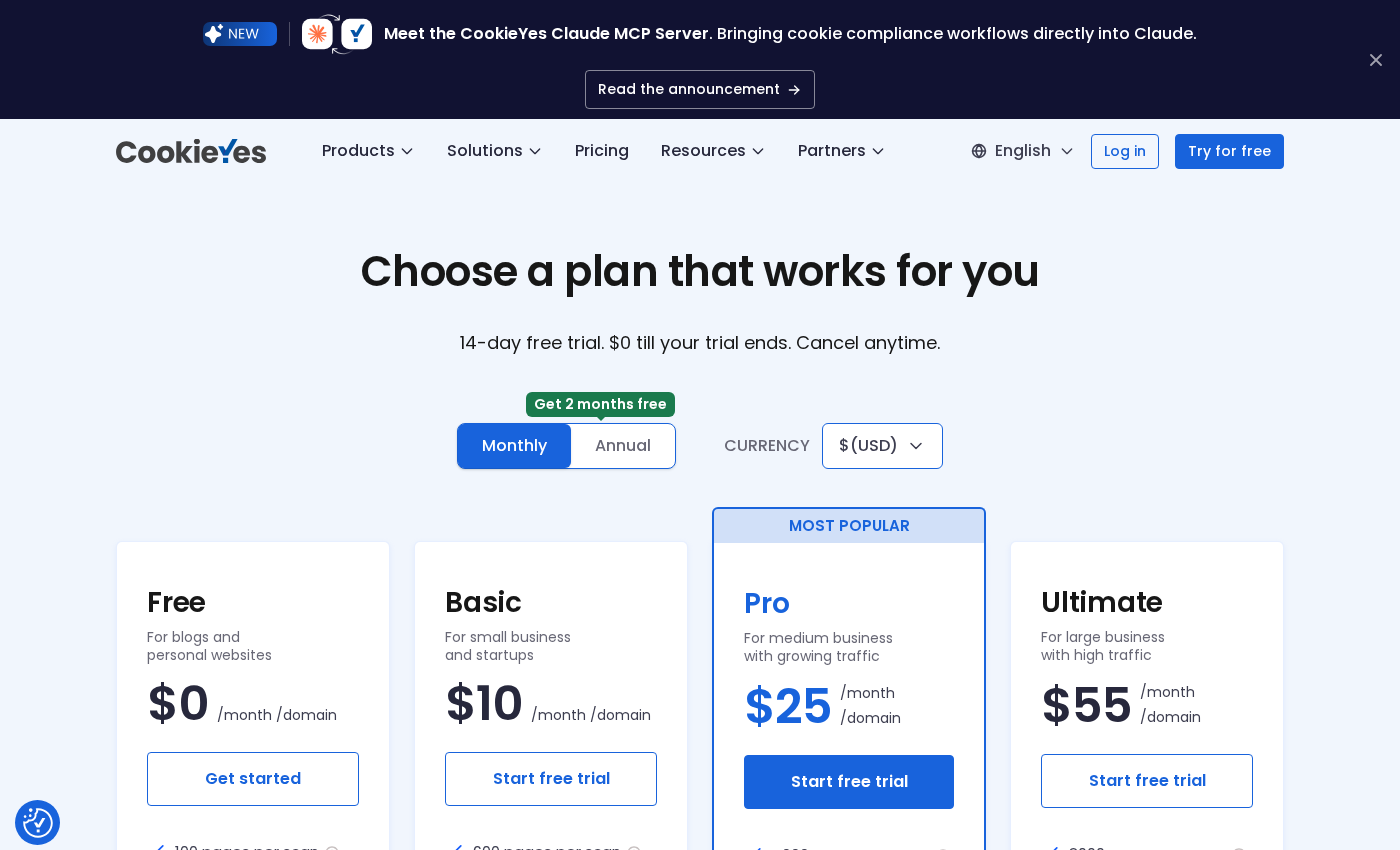
CookieYes is priced per domain, per month. Annual billing gives two months free (equivalent to about a 17% discount).
Plan breakdown (monthly billing; verify current annual prices at cookieyes.com/pricing):
-
Free ($0/month): 5,000 pageviews/month, 100 pages/scan, 5 scans/month, 2 pre-built banner layouts, cookie banner, auto-blocking, scanner, consent log, policy generators, and Google Consent Mode v2. No geo-targeting, no custom colors, no popup layout, no multilingual customization, CookieYes branding.
-
Basic ($10/month): 100,000 pageviews/month (+$0.30/1,000 overage), 600 pages/scan, unlimited scans, advanced banner customization including custom colors, multilingual banner support, and the full compliance feature set. No popup layout, no geo-targeting, no IAB TCF, no custom logo.
-
Pro ($25/month, marked "Most Popular"): 300,000 pageviews/month (+$0.30/1,000 overage), 4,000 pages/scan, unlimited scans, geo-targeting, monthly scheduled scanning, IAB TCF v2.3, popup layout option, and everything in Basic. No branding removal.
-
Ultimate ($55/month): Unlimited pageviews, 8,000 pages/scan, unlimited scans, weekly scheduled scanning, geo-targeting, custom logo, full CookieYes branding removal, scan behind login, and static IP scanning. Everything in Pro plus these additions.
-
Enterprise: Custom contracts for large-scale organizations with special security, compliance review, or data residency requirements.
Notes on pricing logic:
- The free plan is genuinely useful for small WordPress sites with low traffic. For a blog or portfolio site under 5,000 monthly pageviews, the free plan covers all essential compliance needs.
- The Basic plan ($10/month) is the right step up for sites that have outgrown the free tier's pageview or scan-page limits but do not need geo-targeting. The 100-page scan limit on free is easy to exceed for any site with more than a few dozen pages.
- The Pro plan ($25/month) is the right choice for sites serving international audiences that need geo-targeted banners per jurisdiction, or for sites running programmatic advertising that requires IAB TCF v2.3.
- The Ultimate plan ($55/month) is for high-traffic or large sites that need unlimited pageviews, branding removal for a white-label banner experience, and the deepest scan coverage (8,000 pages with weekly automatic scanning).
- The $0.30/1,000-pageview overage on Basic and Pro plans is worth calculating for your site before committing. A site with 500,000 monthly pageviews on Pro would pay $25 base + $60 overage = $85/month. At that traffic level, the Ultimate plan's unlimited pageviews at $55/month is the better value.
Always verify current pricing at cookieyes.com/pricing before purchasing.
Pros and cons
Pros
- Over 1 million active WordPress installations and a 4.8/5 rating from 3,200+ reviews on WordPress.org. A large, battle-tested install base.
- Google-certified CMP with built-in Google Consent Mode v2 (basic and advanced modes), including the two new ad_user_data and ad_personalization parameters required since 2024.
- GPC (Global Privacy Control) signal support: the plugin respects browser-level privacy signals automatically, without requiring the visitor to interact with the banner.
- Genuine free tier: banner, auto-blocking, cookie scanner (100 pages), consent log, policy generators, and Google Consent Mode v2 are all included at no cost.
- Supports 15+ privacy regulations (GDPR, CCPA, LGPD, PDPA, DPDP, and more) in a single plugin.
- Auto-translation of the consent banner into 40+ languages without any manual translation work.
- Cloud-based architecture keeps WordPress database clean: consent logs and scanning happen in CookieYes infrastructure, not on your server.
- IAB TCF v2.3 support (Pro and above) for sites running programmatic advertising.
- Geo-targeting (Pro and above) to serve different banner configurations per visitor jurisdiction.
- Compatible with WPML and Polylang for multilingual WordPress sites.
- Tested up to WordPress 7.1.
Cons
- Free plan pageview cap of 5,000/month is very low: any site with more than light traffic will hit the limit and need to upgrade.
- Free plan scan limit of 100 pages and 5 scans per month is insufficient for most WordPress sites with more than a few dozen pages.
- Cloud-dependent architecture: if CookieYes servers experience downtime, the banner may not load. The consent management platform is not self-contained on your WordPress server.
- Branding removal (no "Powered by CookieYes" notice on the banner) is only available on the Ultimate plan ($55/month). Basic and Pro users cannot remove the branding.
- Auto-blocking requires the CookieYes script to load before other tracking scripts. Sites with aggressive script optimization/deferral settings need to exclude CookieYes from those configurations.
- Cannot use the CookieYes WordPress plugin and the CookieYes GTM template simultaneously: using both causes a JavaScript conflict.
- Overage pricing on Basic and Pro ($0.30/1,000 pageviews) can make the effective monthly cost unpredictable for sites with traffic spikes. High-traffic sites may find Ultimate's flat unlimited rate cheaper.
- Popup-style banner layout is locked behind Pro ($25/month). Free and Basic users are limited to bar and widget layouts.
- Consent records are stored in CookieYes cloud, not on your own server. For organizations with strict data residency requirements, this is a structural limitation.
Alternatives to CookieYes
- Cookiebot by Usercentrics. The most widely known enterprise-grade cookie consent platform. Offers automated scanning, granular consent controls, and a deep audit trail. Has been the more expensive option, especially after Usercentrics's 2025 price increases. Administration is now split across multiple Usercentrics/Cookiebot dashboards after the 2021 acquisition. Pick Cookiebot if you need the longest regulatory track record and are comfortable with the higher cost and multi-dashboard management.
- Borlabs Cookie. A premium WordPress-native cookie consent plugin (no free plan) with a one-time license option. Strong on Google Consent Mode v2 and content blocking. All data stays on your WordPress server. Pick Borlabs Cookie if you want self-hosted consent management with no cloud dependency and a one-time purchase option.
- GDPR Cookie Consent by WebToffee. A simpler cookie consent plugin with 300,000+ active installs. Has a free plan and a paid upgrade. Covers GDPR, CCPA, LGPD, and PECR. Pick it if you need basic compliance without the full feature depth of CookieYes.
- Cookie Notice by hu-manity.co. Lightweight cookie notice plugin with 1 million+ active installs. Simple setup and a free core plugin. Best for sites that want a minimal compliance notice rather than a full CMP with granular consent categories.
- Real Cookie Banner by devowl.io. Available free on WordPress.org. Strong on ePrivacy compliance and content blocking. More technical setup than CookieYes. Pick it if ePrivacy (cookies that are not consent-based) is a primary concern and you are comfortable with a more detailed configuration.
- Complianz. WordPress-native GDPR/CCPA plugin with no cloud dependency. All data stored locally. Offers a scan-based wizard for cookie detection and a generous free tier. Pick Complianz if keeping all consent data on your own WordPress server is a hard requirement.
For most small to medium WordPress sites, the practical choice is CookieYes free (for immediate, no-cost cookie compliance) with a clear upgrade path to Basic or Pro when traffic or scan depth demands more. For sites with stricter data residency or self-hosted requirements, Complianz or Borlabs Cookie are the alternatives to evaluate first.
Final verdict
CookieYes earns its position as the most-installed cookie consent plugin for WordPress in 2026. The free tier is not a stripped-down teaser: it includes banner, auto-blocking, cookie scanner, consent log, policy generators, and Google Consent Mode v2, which is more than most competing free plugins provide. For a site owner who needs to be GDPR or CCPA compliant today, with no budget and no developer, CookieYes free is the fastest path to a compliant setup.
The honest caveats: the 5,000-pageview monthly cap on the free plan means any actively-trafficked site is going to hit the limit within weeks. The pageview-based pricing on paid plans introduces overage risk for sites with irregular traffic patterns. And the cloud architecture means your consent data is held by a third party, not on your own server.
For sites that need geo-targeted banners, IAB TCF v2.3 for programmatic ads, or deeper scan coverage, the Pro tier ($25/month) handles those needs cleanly. For large sites that want branding removal and unlimited pageviews, Ultimate ($55/month) is where those features land.
Where I would look elsewhere: organizations with strict data residency requirements, sites that need self-hosted consent records, or developers who want a fully WordPress-native plugin with no external cloud dependency. Those requirements point toward Complianz or Borlabs Cookie.
For everyone else, CookieYes is a well-built, well-supported cookie consent platform that removes the technical barrier from GDPR/CCPA compliance for WordPress. The free tier is legitimate, the paid plans scale sensibly, and the Google certification and GPC support cover the 2024-2026 compliance requirements that matter most.
FAQ
Is CookieYes free?
Yes, CookieYes has a free plan at no cost per domain. The free plan includes the cookie consent banner, automatic cookie blocking (auto-blocking), cookie scanner (up to 100 pages per scan, 5 scans per month), consent log, Cookie Policy and Privacy Policy generators, and Google Consent Mode v2 support. The free plan is limited to 5,000 pageviews per month. Paid plans start at $10/month (Basic) for 100,000 pageviews, with Pro at $25/month and Ultimate at $55/month. Check cookieyes.com/pricing for current prices, which may include annual discounts.
How many WordPress installs does CookieYes have?
CookieYes has over 1 million active installations on WordPress.org as of August 2026, with a 4.8 out of 5 star rating from more than 3,200 reviews. CookieYes also reports 1.5 million businesses worldwide across all platforms (WordPress, Shopify, Wix, and others).
Does CookieYes support Google Consent Mode v2?
Yes. CookieYes is a Google-certified CMP and supports Google Consent Mode v2 on all plans including the free plan. The integration passes the required ad_user_data and ad_personalization parameters introduced in 2024, plus five additional consent signals (analytics_storage, ad_storage, functionality_storage, personalization_storage, security_storage). Both Basic mode (tags fire only after consent) and Advanced mode (cookieless pings before consent for modeling) are supported. Enable it from the CookieYes dashboard in WordPress admin under Google Consent Mode.
Does CookieYes support GPC (Global Privacy Control)?
Yes. CookieYes respects GPC browser signals automatically. When a visitor's browser sends a GPC opt-out signal, CookieYes applies the corresponding consent preferences without requiring the visitor to interact with the banner. A GPC notice can optionally be displayed on the banner to communicate that the signal was honored. Do Not Track signals are also respected.
What regulations does CookieYes cover?
CookieYes covers 15+ privacy regulations including GDPR (EU and UK), CCPA, CPRA, LGPD (Brazil), VCDPA, CTDPA, CPA (Colorado), UCPA (Utah), PIPEDA (Canada), PDPA (Thailand), DPDP (India), AnFAD, POPL, and others. Geo-targeting (Pro and above) allows serving different banner configurations per visitor jurisdiction, such as an opt-in GDPR banner for EU visitors and an opt-out CCPA banner for California visitors.
What is IAB TCF v2.3 and do I need it?
IAB TCF (Transparency and Consent Framework) v2.3 is an industry standard used by programmatic advertising networks and ad exchanges to collect and signal user consent for targeted advertising. If your site shows ads through Google Ad Manager, DFP, or other programmatic ad networks, IAB TCF is often required for those ad networks to correctly respect consent choices. CookieYes supports IAB TCF v2.3 on the Pro plan and above. If you do not run programmatic advertising, you do not need IAB TCF.
Does CookieYes work with WPML and Polylang?
Yes. CookieYes is compatible with both WPML and Polylang, the two most popular WordPress multilingual plugins. CookieYes also auto-translates the consent banner into 40+ languages based on the visitor's browser language, which works independently of any multilingual plugin.
Can I remove CookieYes branding from the consent banner?
Branding removal ("Powered by CookieYes" notice) is only available on the Ultimate plan ($55/month). On the Free, Basic, and Pro plans, the CookieYes branding appears in the consent banner footer.
Is CookieYes GDPR compliant for European visitors?
CookieYes is designed to help WordPress sites implement GDPR-compliant cookie consent: it provides an opt-in consent model (consent before non-essential cookies are set), granular consent categories (the visitor can choose which categories to accept), auto-blocking of non-essential scripts until consent is given, and a consent log recording each visitor's decision with timestamp, country, and consent status. Whether a site's overall cookie implementation is GDPR compliant depends on how the plugin is configured and what cookies the site actually sets, not only on which plugin is used. The plugin is a tool for compliance, not a guarantee.
How does CookieYes compare to Cookiebot?
CookieYes and Cookiebot are both cookie consent platforms targeting GDPR/CCPA compliance. CookieYes is generally less expensive (free plan available; paid plans start at $10/month vs Cookiebot's approximately $168/year for the starter tier), easier to set up, and more beginner-friendly. Cookiebot has a longer regulatory track record (operating since 2012), was acquired by Usercentrics in 2021, and is the stronger choice for enterprise-grade compliance workflows. After the Usercentrics acquisition, Cookiebot's administration is spread across multiple dashboards. CookieYes wins for ease, price, and WordPress simplicity; Cookiebot wins for regulatory depth and enterprise compliance needs. For most small to medium WordPress sites, CookieYes is the more practical choice.
Does CookieYes store consent data on my server?
No. CookieYes uses a cloud-based architecture. Consent logs (recording each visitor's consent decisions) are stored in CookieYes's cloud infrastructure, not in your WordPress database. Cookie scanning also runs on CookieYes's own servers. This keeps your WordPress database clean but means consent records are held by a third party. Organizations with strict data residency requirements should evaluate this before adopting CookieYes.