


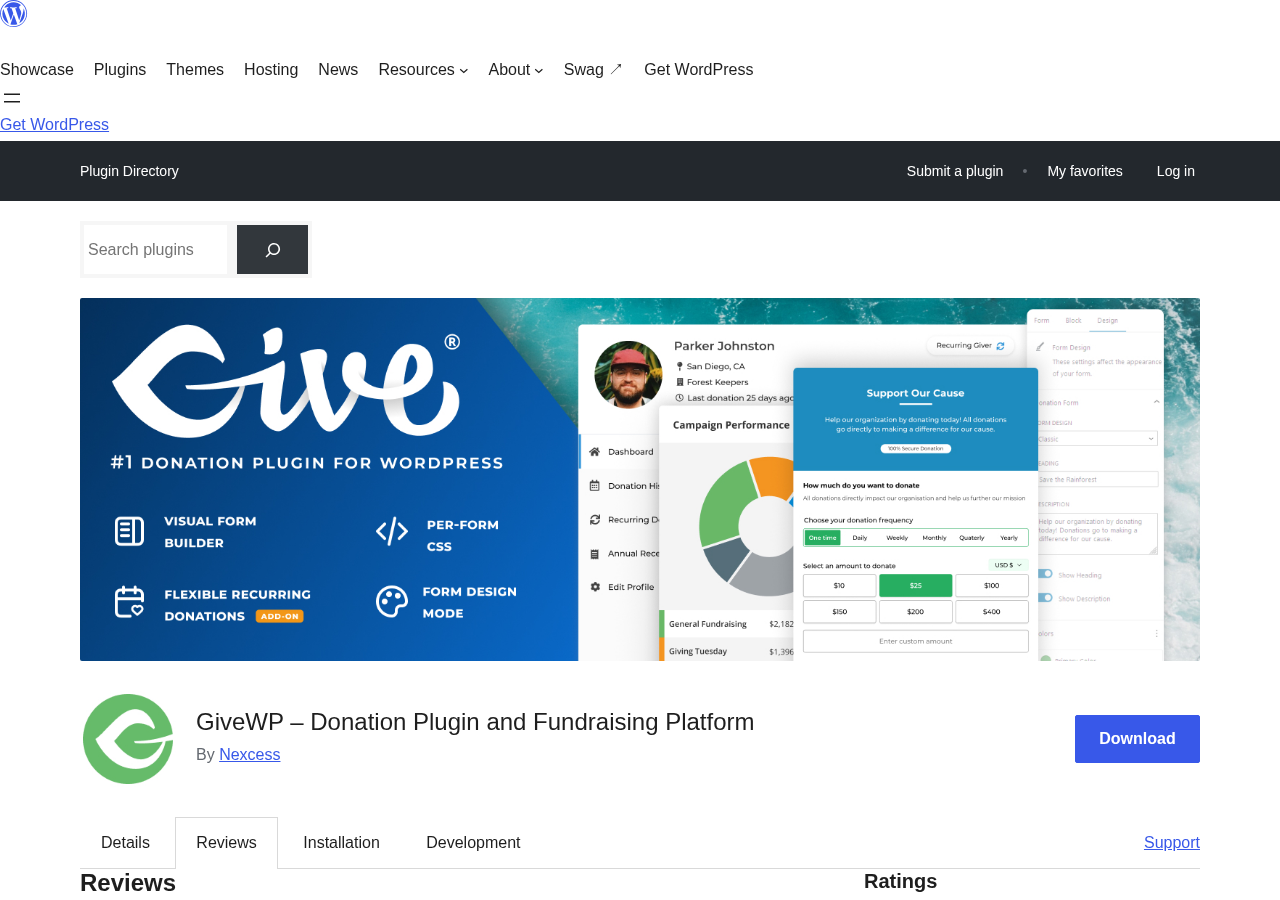
More than $350 million in donations have been processed through WordPress sites running GiveWP. That number is on the plugin’s own homepage, and it tells you something important before you read a single feature bullet: this is not a checkout add-on that happens to accept gifts. It is a platform built specifically around fundraising.
GiveWP launched in 2015 as a standalone WordPress plugin focused entirely on nonprofit and charitable giving. It grew to over 100,000 active installs, became the most-downloaded donation plugin in the WordPress.org repository, and was eventually absorbed into StellarWP, Liquid Web’s portfolio of WordPress products. In 2026, Liquid Web consolidated its software lineup, and GiveWP now lives at liquidweb.com/software/give. The rebranding created some friction for existing customers, including licensing confusion and support gaps that showed up in recent WordPress.org reviews. I will come back to that.
What this review covers and how it was researched. This is a hands-on review of GiveWP version 4.16.8, updated September 3, 2026. I installed and activated the free plugin in a local WordPress sandbox (WordPress 7.1, PHP 8.2), ran the setup wizard, created a sample donation form, and navigated all major admin areas. I also reviewed the official Liquid Web product page, the WordPress.org listing, published documentation, and the full pricing structure as of September 2026. Recurring donation testing and peer-to-peer campaigns require paid plans and are described based on official documentation and product pages. Pricing should be verified at liquidweb.com/software/give before purchasing.
At a glance
Plugin version: 4.16.8 (updated September 3, 2026)
WordPress.org installs: 100,000+
WP.org rating: 4.6 out of 5 (707 total reviews)
Donations processed platform-wide: $350 million+
Trustpilot score: 4.8
Free plugin: yes (available on WordPress.org, with a 2% Stripe platform fee)
Paid plans start at: $199/year (Essentials)
Best for: nonprofits, churches, educational institutions, and fundraising agencies running self-hosted WordPress donation campaigns
Quick verdict
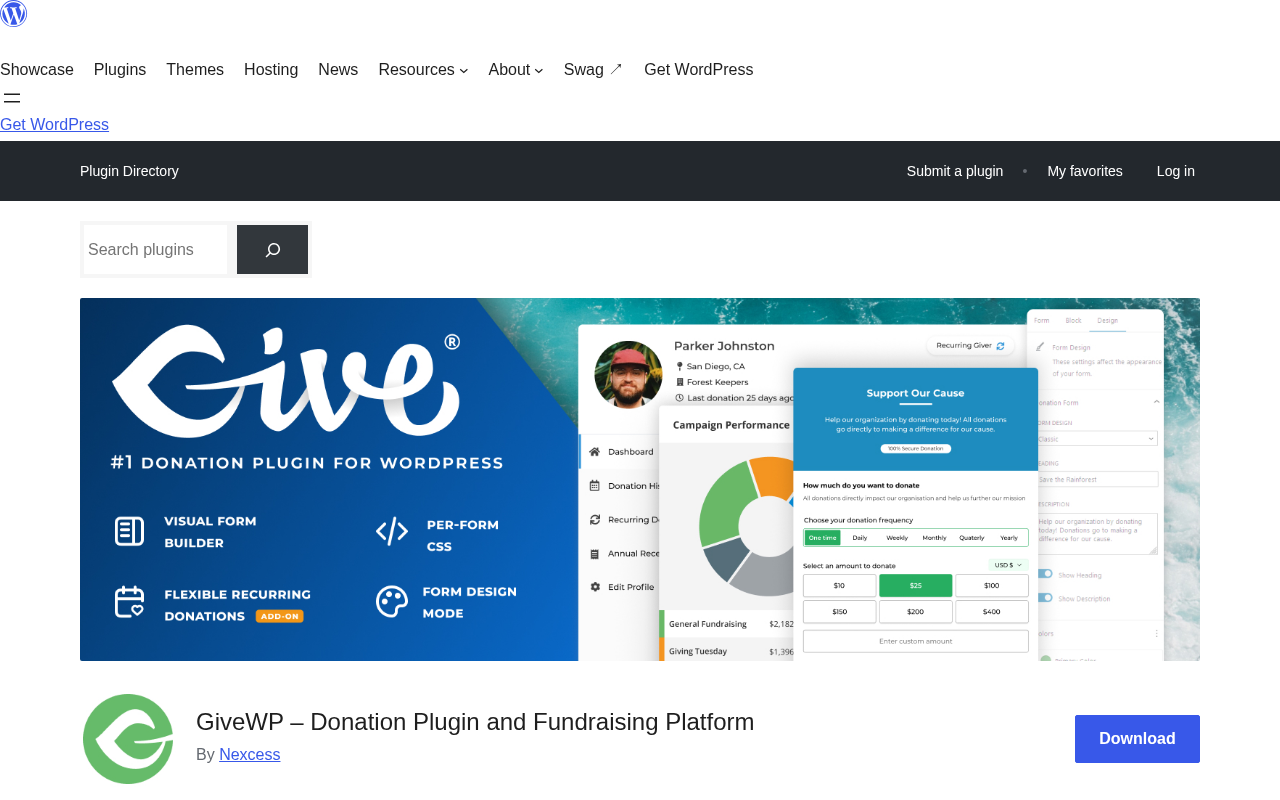
GiveWP is the most complete donation-specific plugin available for WordPress. The free core covers the basics well: unlimited forms, Stripe and PayPal, a donor database, and campaign tracking. But the 2% platform fee on free-plan Stripe transactions changes the math immediately for any organization collecting regular donations. Most serious nonprofits will land on the Pro plan ($399/year) to unlock recurring donations and remove that platform charge.
If your only requirement is a donate button with Stripe, there are cheaper and simpler options. If you are running a proper fundraising operation, GiveWP matches the need.
Quick verdict
Best for: nonprofits, churches, schools, and fundraising agencies running multi-campaign operations on WordPress
Best fit by size: small to mid-size organizations that need campaigns, donor records, recurring giving, and reporting all in one WordPress-native tool
Standout feature: the campaign structure, which gives each fundraising initiative its own goal, page, and analytics
Watch out for: the 2% Stripe platform fee on the free plan; the Pro plan requirement for recurring donations; licensing friction following the Liquid Web acquisition
What GiveWP is
GiveWP is a donation and fundraising plugin for WordPress. It turns a standard WordPress installation into a fully equipped fundraising platform, handling donation forms, donor management, campaign tracking, payment processing, and reporting without requiring a third-party hosted service.
The plugin was built in 2015 by WordImpress, a team that saw a gap between generic payment plugins (which could accept donations but were not built for them) and standalone fundraising platforms (which required moving your donor data off WordPress entirely). GiveWP was designed to fill that gap: donation-native features running inside your own site.
After several years of independent development, GiveWP was acquired by Liquid Web through its StellarWP subsidiary, which also held brands including LearnDash, Kadence, and The Events Calendar. In 2026, Liquid Web restructured its software portfolio and consolidated these products under the Liquid Web and Nexcess brands. GiveWP is now marketed at liquidweb.com/software/give, and the givewp.com domain redirects there.
The acquisition brought resources but also disruption. Several recent WordPress.org reviewers reported licensing activation problems and support confusion during the transition, with documentation that pointed to deprecated pages. The plugin’s development continues actively, version 4.16.8 shipped a week before this review, and the WP.org support forum shows ongoing responses from the team.
Who GiveWP is best for
GiveWP fits organizations that need more than a payment button but want to stay inside WordPress rather than switching to a hosted fundraising platform.
It works particularly well for:
- Nonprofits running multiple campaigns. The campaign structure lets each initiative have its own goals, pages, and analytics. You can track a capital campaign separately from an annual fund.
- Churches and faith-based organizations. Recurring giving, text-to-give, and offline donation recording all align with how these communities collect contributions.
- Educational institutions. Alumni funds, scholarship campaigns, and event fundraising all map well to GiveWP’s campaign and donor management tools.
- Agencies building for clients. The multi-site licensing and extensive add-on library make GiveWP workable as a client fundraising solution without locking anyone into a third-party platform.
GiveWP is probably oversized if your needs are simpler. A personal fundraiser, a freelancer adding a tip jar, or a small business collecting occasional donations will pay $199 to $399 per year for features they may never touch. WP Simple Pay or a basic PayPal integration handles those cases at a fraction of the cost.
Setup and user experience
Installing GiveWP from the WordPress.org repository takes under two minutes. After activation, the plugin launches a setup wizard that walks through four screens: your organization’s country and currency, the features you want to enable, payment gateway connections, and confirmation that your site is ready to accept donations.
The wizard is clear and does not require any technical decisions upfront. Currency, payment gateway, and form settings can all be changed later from the admin panel. I connected a Stripe test account during setup without any issues.
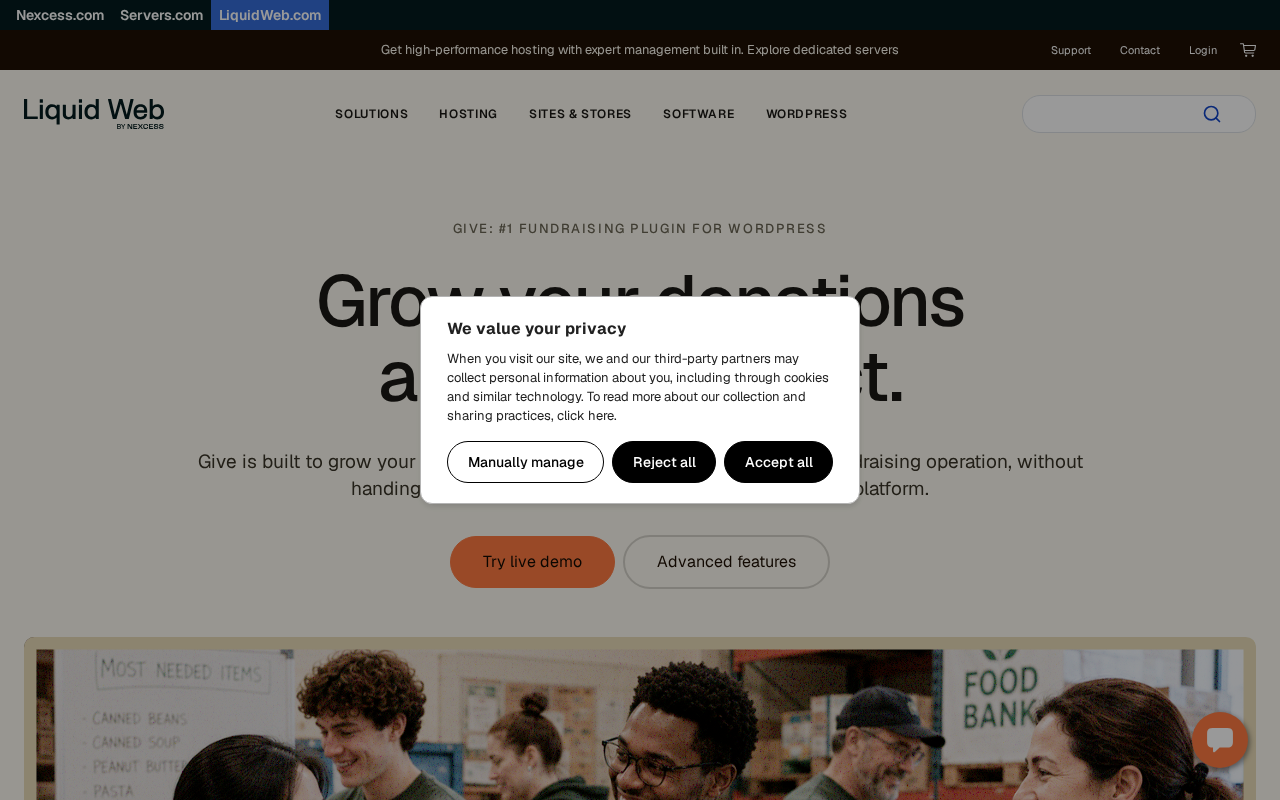
After the wizard, the main GiveWP menu in the WordPress admin gives you access to Donations, Donors, Forms, Campaigns, Reports, and Settings in a clean sidebar structure. Nothing is buried. The Donations tab shows a real-time feed of incoming gifts. The Donors tab opens a searchable database with individual donor profiles. Forms and Campaigns are where you build and organize your fundraising.
The admin UI is modern and uncluttered. It does not feel like a plugin built in 2015 and patched for a decade. The current interface reflects several years of consistent design investment.
One area where GiveWP shows seams: the settings panel is genuinely deep. There are tabs for general options, payment gateways, emails, licenses, and advanced configurations. For a first-time user, the number of options can feel daunting. Most of it does not need to be touched to get a working donation form, but the depth is there if you need it.
Donation form builder
GiveWP’s form builder runs inside the WordPress Block Editor. You drag blocks onto a form canvas, choose donation amount levels, set a custom minimum, and configure what donor information to collect. The result looks like a native WordPress editing experience, which most users will already know.
Out of the box, you can set:
- Suggested donation amounts (the preset tiers donors click)
- A custom amount field (letting donors enter their own number)
- A minimum donation amount
- A goal and progress bar
- Required fields for donor name, email, and address
- A donation confirmation message
The free plugin includes the Stripe payment block (with Apple Pay, Google Pay, ACH, and Venmo support), a PayPal donations block, and an offline donation option. That is a strong starting point for any organization.
Forms embed inside any WordPress page using the GiveWP Form block or a shortcode. You can also display multiple forms in a responsive grid using the Form Grid block, which is useful for organizations running several campaigns at once.
The Donor Wall block is a public-facing display of recent donors, with donor names and optional comment text. It adds a social proof element to your campaign pages without requiring any configuration beyond adding the block to a page.
Campaigns and goal tracking
Campaigns are GiveWP’s organizing layer above individual forms. A campaign lets you group donation forms under a single fundraising initiative, set a dollar or donor-count goal, and display progress toward that goal.
Each campaign gets its own landing page built in the WordPress Block Editor. You can add text, images, video, and donation forms to create a dedicated fundraising page without needing a separate page builder. The campaign overview in the admin shows total raised, donor count, form views, and revenue trend charts.
Campaigns can be published, archived, or held in draft, which means you can prepare a campaign in advance, launch it at a set time, and archive it after the fundraising window closes. The data stays in the system; you do not lose donor or donation records when you archive a campaign.
Donor management
GiveWP maintains a centralized donor database that persists across campaigns and forms. Each donor profile includes:
- Full donation history with dates, amounts, and forms used
- Donor tags for segmenting your list
- Notes field for team comments
- Annual summary totals
- PDF receipt generation for tax purposes
Donors can access their own dashboard on the frontend of your site. From there, they can download receipts, view their giving history, and update their billing information. This self-service capability reduces support requests for common tasks.
The reporting layer provides filterable donation data by date range, form, payment method, and campaign. Export to CSV is available for donors and donations separately. For organizations that need to run their own analysis or import data into a CRM, the export tools are practical.
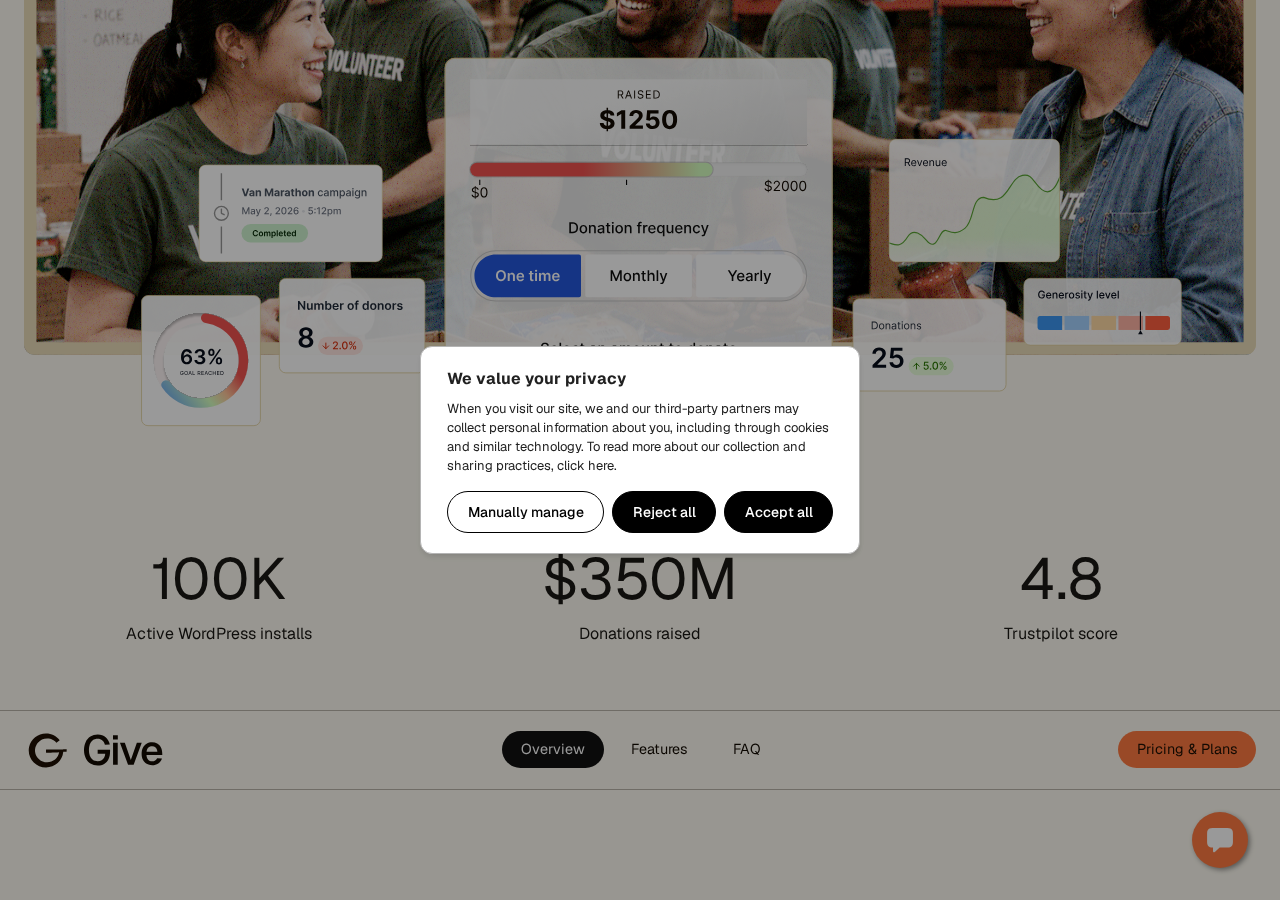
GiveWP does not include a built-in email newsletter or mass communication tool. Pro plan users can connect MailChimp, ActiveCampaign, Constant Contact, AWeber, or ConvertKit to sync donors into their email platform. The integrations are add-on based, not native, but they work with the major email platforms most organizations already use.
Payment gateways
The free plugin connects to Stripe and PayPal. Stripe includes Apple Pay, Google Pay, ACH bank transfers, Venmo, and in-person tap-to-pay via Stripe Terminal. That is a broad payment surface for a free plugin.
The important caveat: the free plugin charges a 2% platform fee on Stripe one-time donations. If a donor gives $100, GiveWP takes $2 on top of Stripe’s standard 2.9% + $0.30. For an organization collecting $50,000 per year through Stripe on the free plan, that 2% adds up to $1,000 in platform fees annually, which is more than the cost of the Essentials plan.
Paid plans remove the platform fee entirely. Pro and Elite add 15+ international gateways including Mollie, GoCardless, Braintree, RazorPay, Square, PayFast, and others covering markets across Europe, India, South Africa, and Canada.
The gateway breadth on Pro is genuinely useful for international organizations. Most WordPress donation plugins default to Stripe-only or Stripe plus PayPal. GiveWP’s international gateway list is one of its strongest differentiators at that tier.
Recurring donations and advanced features
Recurring donations require the Pro plan ($399/year). The configuration options are extensive: you can offer weekly, monthly, quarterly, semi-annual, and annual billing cycles, let donors choose their preferred frequency, and set subscription management options so donors can pause or cancel without contacting your team.
The fee recovery feature, also on Pro, is a “cover the fee” checkbox on the donation form. Donors can opt to add the payment processing fee to their gift so the organization receives the full intended amount. This feature alone can meaningfully increase net revenue for high-volume organizations.
Peer-to-peer fundraising lands on the Elite plan ($599/year). It lets supporters create their own fundraising pages under your campaign, recruit their own donors, and track progress toward personal goals within your overall campaign goal. Churches running stewardship campaigns, schools running fun runs, and organizations doing marathon fundraising use this model.
Elite also includes:
- Funds and designations: letting donors direct their gift to a specific program or area
- Tributes: in honor of / in memory of donation options
- Form Field Manager: drag-and-drop custom fields for collecting extra donor information
- Currency switcher: accepting donations in the donor’s preferred currency
- Gift Aid: enabling UK donors to claim 25% tax reclaim on eligible donations
- WooCommerce donation upsells: adding a donation option at WooCommerce checkout
The 48-hour free trial on the Liquid Web website lets you test Pro and Elite features before committing to a paid plan.
Pricing
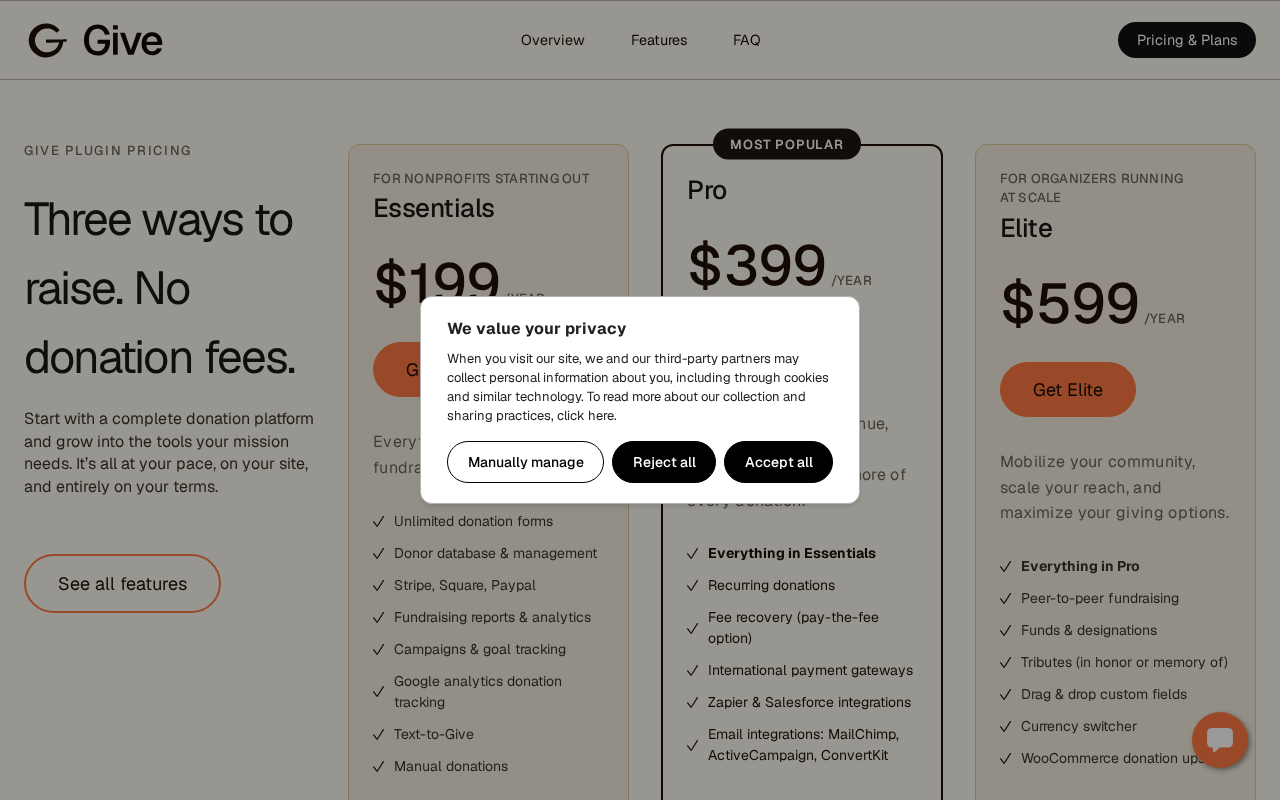
GiveWP offers three annual plans:
| Plan | Price | Best for |
|---|---|---|
| Essentials | $199/year | Organizations starting out; removes platform fee |
| Pro | $399/year | Mid-size nonprofits needing recurring donations and integrations |
| Elite | $599/year | Larger organizations running peer-to-peer and complex campaigns |
The free plugin on WordPress.org is a genuine free tier, not a crippled demo. Unlimited forms, a donor database, Stripe and PayPal integration, and basic reports are all included. The 2% Stripe platform fee is the deciding factor for most organizations when evaluating whether to stay on the free plan.
For an organization collecting $20,000/year through Stripe on the free plan, the platform fee costs $400, more than the Essentials plan. For $10,000/year in Stripe donations, it costs $200, essentially matching the Essentials plan cost. The calculation is straightforward.
Renewals are annual. Liquid Web does not publish a renewal discount or price lock, so budget for full-price renewal each year. There is a 48-hour free trial with no credit card required, but no published money-back guarantee period on the main pricing page.
Pros and cons
Pros
- Purpose-built for donations: every feature is designed around fundraising, not adapted from a generic payment plugin
- Strong free tier: unlimited forms, Stripe and PayPal, donor database, and basic reports without paying
- Campaign structure: organize multiple fundraising initiatives with individual goals, pages, and analytics
- Donor self-service dashboard: donors manage their own receipts and history without contacting you
- International gateway coverage on Pro: 15+ gateways covering markets beyond Stripe and PayPal
- Fee recovery tool: lets donors cover payment processing fees, increasing net revenue
- Data ownership: all donor data stays in your WordPress database
- Active development: version 4.16.8 shipped September 3, 2026
Cons
- 2% Stripe platform fee on free plan: a significant hidden cost for any organization with real donation volume
- Recurring donations require Pro ($399/year): the most common nonprofit need sits behind a high paywall
- Peer-to-peer fundraising requires Elite ($599/year): the top tier is expensive for smaller organizations
- Acquisition friction: the 2026 Liquid Web consolidation caused licensing and support issues that still appear in recent reviews
- Documentation gaps: some existing docs point to deprecated URLs following the rebrand
- No built-in email communication: you need a third-party email platform (Pro integrations only)
- Oversized for simple use cases: the depth and pricing are hard to justify for a single-purpose donate button
Alternatives to GiveWP
Charitable is the strongest direct competitor at a lower starting price. Plans begin at $69/year, the campaign experience is clean and fast to set up, and the interface is more approachable for non-technical users. If your organization does not need the breadth of GiveWP’s add-on library or international payment coverage, Charitable is worth evaluating first.
Donorbox operates as a hosted service with an embeddable form. Setup takes minutes and requires no WordPress configuration beyond pasting an embed code. The trade-off is a 1.5% platform fee and data that lives on Donorbox’s servers rather than yours. For small or volunteer-run organizations that cannot maintain a WordPress site, Donorbox removes the hosting responsibility.
WP Simple Pay is the leanest option for Stripe-only donation collection. It starts at $49.50/year and handles recurring payments well, but it is a payment form tool, not a full fundraising platform. No donor database, no campaigns, no peer-to-peer. If your requirements are genuinely that simple, WP Simple Pay costs less and gets out of the way.
Paymattic combines donation forms with broader payment collection at $4.99/month. It includes a migration tool specifically for importing from GiveWP, which is useful if you are switching away from GiveWP and want to preserve donor history.
Final verdict
GiveWP earns its reputation as the most complete WordPress donation plugin. The campaign management, donor database, payment gateway breadth, and premium add-on depth are difficult to match in a single WordPress-native plugin.
The friction points are real. The 2% Stripe platform fee on the free plan is a meaningful cost that many organizations will not notice until their donation volume grows. Recurring donations are locked behind the Pro tier at $399/year, which is a material expense for small nonprofits that rely on monthly giving as their primary revenue model. And the 2026 Liquid Web acquisition left documentation and licensing rough edges that the team is still smoothing.
If you are running a multi-campaign nonprofit operation on WordPress, need donor records, want recurring giving, and have the budget for Pro, GiveWP is the right call. If you are starting out and your donation volume is low, start with the free plugin, monitor what the platform fee actually costs you over three months, and upgrade when the math tips.
Bottom line: The most capable WordPress-native fundraising platform available. The free plan is a genuine starting point, but most serious organizations will need Pro.
FAQ
Does GiveWP have a free version?
Yes. The free plugin on WordPress.org includes unlimited donation forms, Stripe and PayPal integration, a donor database, campaign management, and basic reporting. The free plan charges a 2% platform fee on Stripe one-time donations. Paid plans ($199 to $599/year) remove that fee and unlock additional features.
What payment gateways does GiveWP support?
The free plugin includes Stripe (with Apple Pay, Google Pay, ACH, and Venmo), PayPal Donations, and offline donation recording. Pro and Elite add 15+ international gateways including Mollie, GoCardless, Braintree, RazorPay, Square, PayFast, and others.
Do I need a paid plan for recurring donations?
Yes. Recurring donations require the Pro plan at $399/year. The free plugin and Essentials plan ($199/year) do not include recurring giving functionality.
Is GiveWP good for peer-to-peer fundraising?
GiveWP supports peer-to-peer fundraising, but it is only available on the Elite plan ($599/year). Supporters can create their own fundraising pages under your campaign and recruit donations toward personal goals within your overall campaign.
What happened to the givewp.com website?
GiveWP was part of StellarWP, a Liquid Web subsidiary. In 2026, Liquid Web consolidated its WordPress software portfolio, and GiveWP now lives at liquidweb.com/software/give. The givewp.com domain redirects there. The transition caused some licensing and support friction that the team is actively addressing.
Is there a money-back guarantee?
The Liquid Web pricing page does not publish a standard refund window. The 48-hour free trial (no credit card required) is the main low-risk entry point for evaluating Pro and Elite features before purchasing.
How many sites can I use GiveWP on?
The standard paid plans (Essentials, Pro, Elite) cover one site. Multi-site licensing for agencies or organizations running several WordPress installations should be confirmed directly with the Liquid Web/GiveWP sales team, as this is not prominently documented at the time of this review.
Can donors manage their own accounts?
Yes. GiveWP includes a donor dashboard accessible from the frontend of your WordPress site. Donors can view their giving history, download PDF tax receipts, and update billing information without contacting your team.
How does GiveWP compare to Donorbox?
GiveWP keeps all data on your WordPress site and charges no ongoing platform fees on paid plans. Donorbox is a hosted service with a 1.5% platform fee but much simpler setup and no WordPress hosting requirement. GiveWP is the better long-term choice for WordPress-native organizations. Donorbox is simpler for organizations that cannot manage a self-hosted site.
What is the setup process like for GiveWP?
GiveWP launches a setup wizard after activation that walks through currency selection, payment gateway connection, and feature configuration in four steps. A basic donation form can be live within 15 to 20 minutes of installation.
Browse more WordPress plugin reviews on Best WordPress Plugins.