


Gravity Forms has been around since 2008, which is an eternity in WordPress plugin years. It launched the premium WordPress plugin model, proved that serious site owners would pay for serious software, and spent the next fifteen-plus years building a reputation as the go-to form builder for agencies, developers, and anyone who needed a form to do more than collect a name and an email.
In 2026, that reputation still has weight. But the market is different. Fluent Forms, WPForms, and Ninja Forms have closed the functionality gap significantly. Prices have shifted. The question for anyone evaluating Gravity Forms today is not whether it works, but whether the price-to-capability ratio still makes sense for their specific situation.
I tested the full Gravity Forms demo (Elite-level access, no credit card needed), reviewed the official docs, inspected all three pricing tiers, and compared the feature set against real alternatives. Here is what I found.
At a Glance
At a Glance
Plugin: Gravity Forms by Rocketgenius | Current version: 2.10.5 (June 30, 2026) | Free version: None | Demo: Available at gravityforms.com (Elite-level access, no credit card required) | Pricing: Basic $59/year (1 site) | Pro $159/year (3 sites) | Elite $259/year (unlimited) | Best for: Agencies, developers, and businesses with complex form logic, payment flows, or multi-site needs | Weakest point: No free version; many advanced features locked behind Elite; builder UI feels dated compared to modern alternatives
Quick Verdict
Quick Verdict
Gravity Forms is genuinely excellent at what it was built to do: complex, data-heavy WordPress forms backed by a developer-grade hook system and a mature ecosystem of third-party add-ons. If you need calculation-driven pricing forms, multi-step workflows, signature capture, or deep Salesforce integration, it still outperforms most of the competition. The friction is pricing. The $59 Basic tier is limited: no Stripe, no Zapier, no conversational forms, no partial entries. You will almost certainly need Pro ($159) or Elite ($259) to access the features that justify choosing Gravity Forms over a cheaper alternative. For developers and agencies deploying on many sites, Elite at $259 for unlimited installs is defensible. For a single-site small business owner, it is a harder sell when Fluent Forms Unlimited is $239 and includes more out of the box. Rating: 4.2 / 5
What Is Gravity Forms?
Gravity Forms is a premium WordPress plugin that builds forms, collects data, and connects to external services through a growing library of official add-ons. It was created by Rocketgenius, a small Virginia-based company, in 2008.
The plugin is well known for its depth. It goes well past a drag-and-drop contact form builder. It handles payment collection, user account creation, multi-step approval workflows (via the companion GravityFlow plugin), front-end data display (via GravityKit/GravityView), conditional logic, quizzes, surveys, and e-commerce product configurators.
There is no free version on WordPress.org. Every license requires an annual subscription, and the tier you choose determines which add-ons you can activate.
Who Is Gravity Forms Best For?
Gravity Forms suits some users very well and is a poor fit for others.
Good fit:
- WordPress developers who rely on the 500+ hook and filter system
- Agencies managing multiple client sites (Elite unlimited licensing makes sense)
- Businesses running complex pricing calculators, quote generators, or multi-step intake forms
- Sites that already use GravityFlow, GravityView, or the wider Rocketgenius ecosystem
- Organizations that need WCAG 2.1 AA accessibility compliance built in
Weaker fit:
- Bloggers or small sites that need a simple contact form (overkill and overpriced)
- Budget-conscious users who want a free tier to test before buying
- Teams that prioritize a polished, modern interface over raw capability
- WooCommerce-heavy shops where WooCommerce’s own form tooling or Gravity Forms’ WooCommerce add-on overlap feels redundant
Setup and Demo Experience
Gravity Forms does not offer a free WordPress.org plugin to download. Instead, you buy a license and install the plugin manually via the WordPress admin or FTP.
There is, however, a full hosted demo. Gravity Forms gives you an isolated WordPress environment with the Elite plan active, no credit card required. You get a working admin panel, all add-ons, and nine pre-built form templates ranging from contact forms to job application forms. The demo gives you a realistic read on the builder experience before committing.
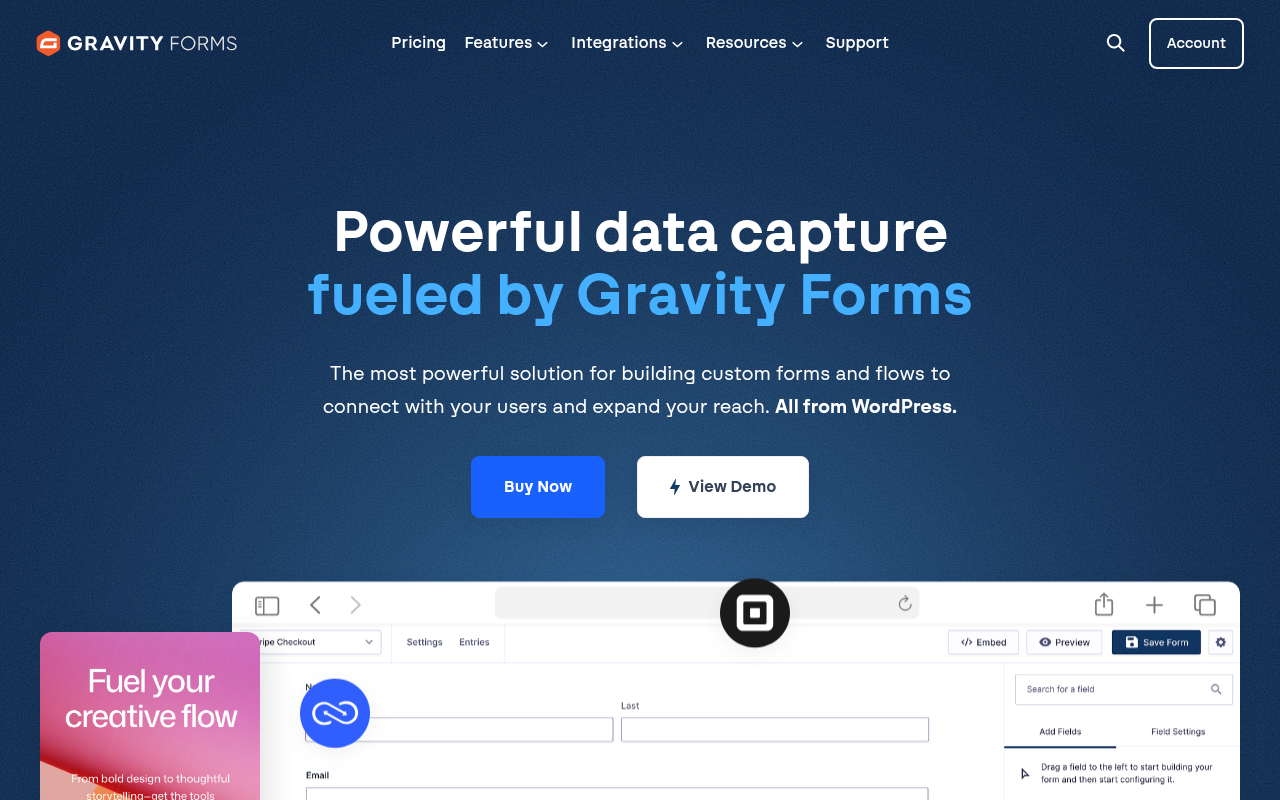
The initial setup on a real WordPress site is straightforward. You download a zip from your account, upload it in WordPress Admin, enter your license key in Settings, and updates arrive automatically. No FTP required after the first install.
The Form Builder
The Gravity Forms builder uses a sidebar-based drag-and-drop interface. Fields are organized into categories (standard, advanced, post, pricing) in a right-hand panel. You drag them into the form canvas.
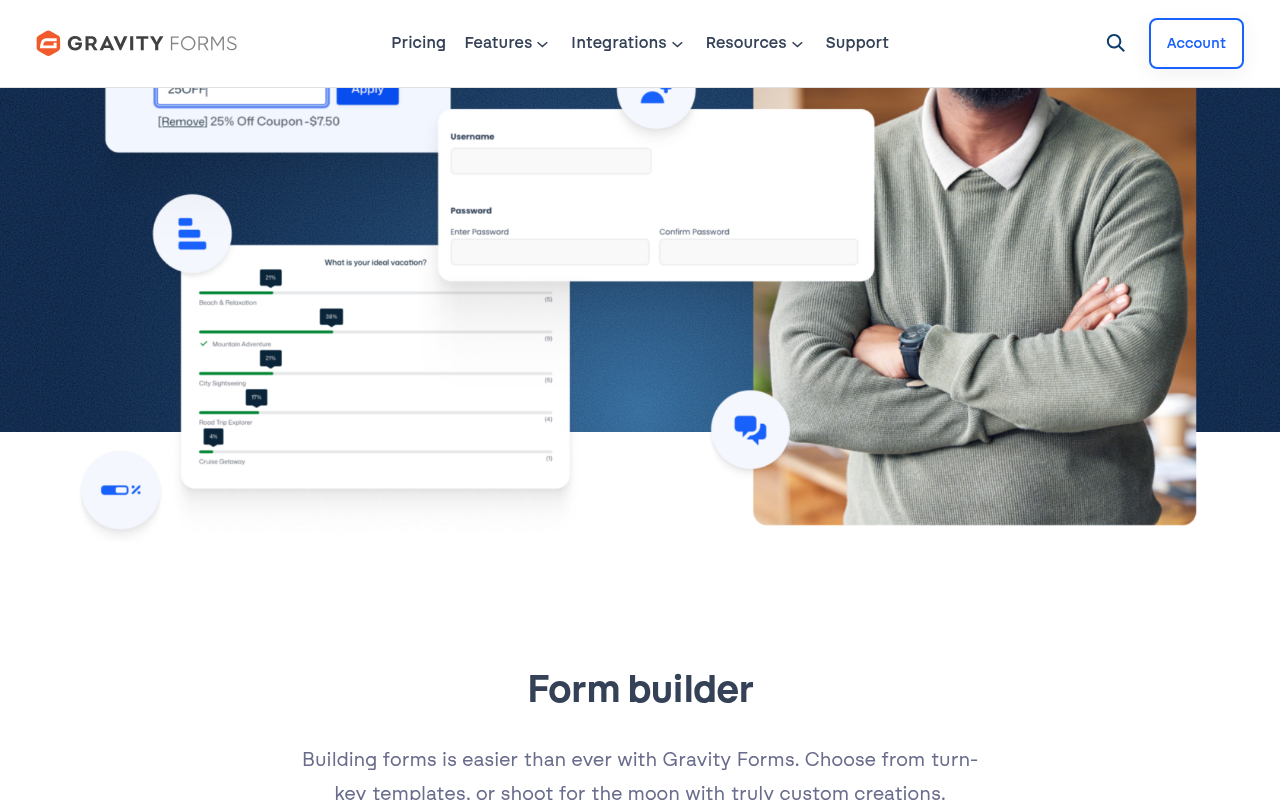
The editor is functional, not beautiful. It has a distinctly “WordPress admin circa 2015” feel. You configure field labels, placeholders, required status, and CSS classes directly in the field settings panel below the canvas. There is no live visual preview of how a form will look on the actual front-end until you save and view the page.
This is a real drawback compared to WPForms Lite’s cleaner panel or Fluent Forms’ side-by-side preview. If you care about the building experience as much as the output, Gravity Forms will feel a bit clunky.
Field types (30+):
- Text, paragraph, number, phone, email, website, date, time
- Drop-down, checkbox, radio button, multi-select
- Name, address (with address autocomplete on Elite)
- File upload (single and multi-file)
- Section, HTML block, hidden field, page break
- Pricing: product, shipping, quantity, option, total, coupon
- CAPTCHA, consent
- Post fields (title, body, excerpt, category, tags, image)
- Advanced: poll, quiz, survey, signature, chained select, user registration (all Elite)
The form field depth is genuinely broad. For most use cases, you will find what you need in the core library without installing any add-on.
Conditional Logic
Conditional logic is one of Gravity Forms’ strongest selling points, and it works at multiple levels.
You can apply logic to individual fields (show or hide based on a prior answer), to entire sections, to pages within a multi-page form, and to form submissions themselves. You can route email notifications to different recipients based on a selected department field. You can redirect users to different confirmation pages based on the form they filled out.
The logic rules use an “all/any” structure, meaning you can build AND conditions (show field if X = yes AND Y is not empty) and OR conditions within the same rule set. This covers most real-world scenarios without needing custom code.
Calculations are also solid. You can reference other field values in a formula and produce derived totals, scores, or quantities. This is what makes Gravity Forms work for pricing calculators and quote forms: a user selects options, and the form computes a running total automatically.
Conditional Notifications and Email Routing
Most form plugins route all submission notifications to a single admin email. Gravity Forms goes further with conditional notification routing. You can set up multiple notification templates, each with its own send conditions.
For example: if a contact form submission includes “I am interested in enterprise pricing,” that submission routes to the sales team. All other submissions go to a general inbox. This is configured inside the form builder with no custom code.
You can also send a personalized confirmation email to the person who submitted the form, including their own field values dynamically merged into the template.
Payment Integrations
Payment handling is one of the areas where Gravity Forms’ tier structure matters most.
Basic tier: No payment add-ons.
Pro tier: Stripe, PayPal Checkout, Square.
Elite tier: Adds Mollie, 2Checkout (Verifone), and a Coupons add-on.
Stripe is the most commonly requested integration and it requires at least the Pro tier. You can collect one-time payments and set up recurring subscriptions. The form builder includes dedicated pricing fields (product, quantity, shipping, coupon code, and order total) that feed directly into the payment processor.
PCI compliance is handled through tokenization: card data never touches your server. For GDPR, Gravity Forms includes personal data export and erasure tools compatible with WordPress Core’s privacy framework.
Conversational Forms (Elite Only)
Conversational forms present one question at a time, similar to the Typeform experience. The Conversational Forms Add-On converts any standard Gravity Forms form into this step-by-step layout with a welcome screen, progress bar, and a styled landing page feel.
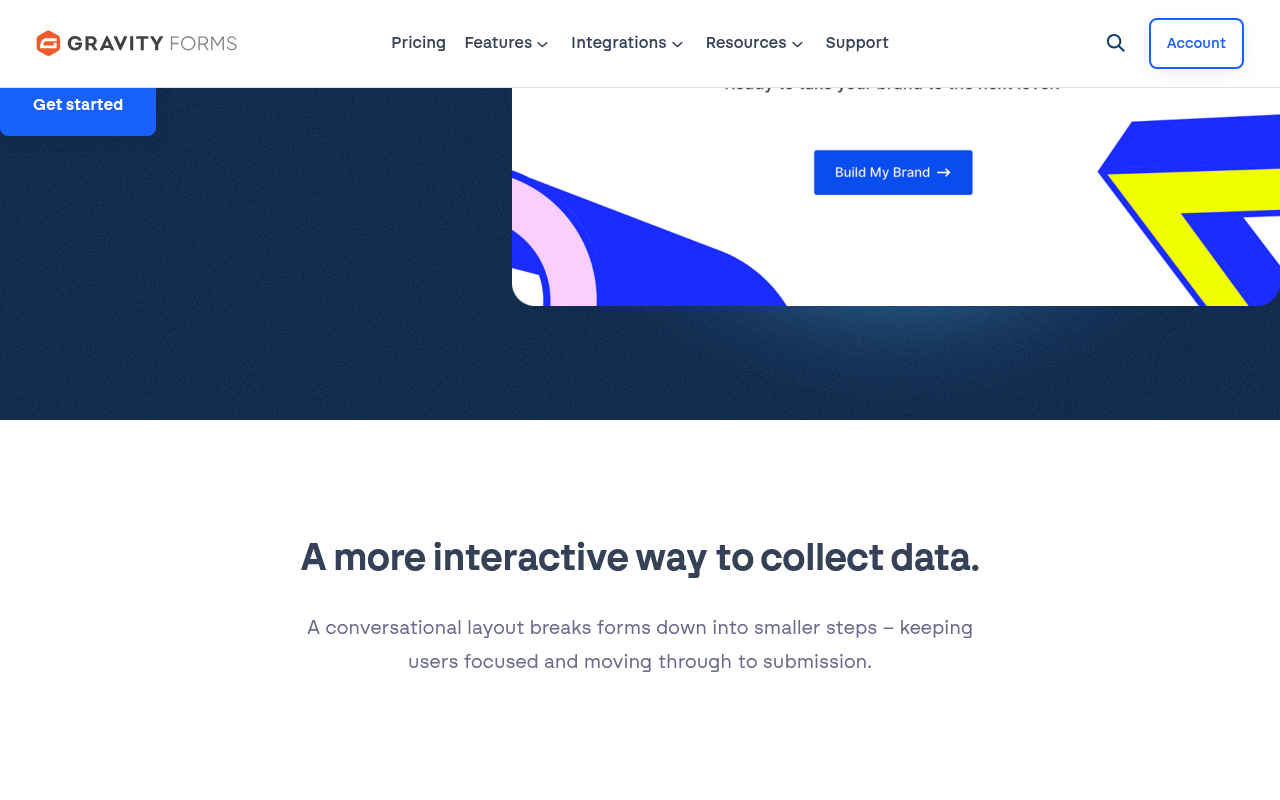
This feature is available only on Elite. I tested it in the demo environment. The conversion from a standard form to a conversational layout takes about two clicks. You can customize colors, upload a logo, and add a background image. The result is a clean, focused experience that measurably reduces form abandonment on longer surveys.
If conversational forms are a priority for your project, you need to account for the Elite price ($259/year) in your budget. Fluent Forms includes conversational forms in its lower-tier plans. That is worth knowing before you buy.
Surveys, Quizzes, and Polls (Elite Only)
Gravity Forms includes dedicated add-ons for survey creation, quiz scoring, and poll collection. These are all Elite features.
The Survey add-on adds Likert scale fields, a rating field, and a dedicated survey results page in the admin. The Quiz add-on supports multiple-choice and true/false questions with automatic grading and score display. The Poll add-on shows live or delayed results after submission.
These are genuinely useful for editorial sites, course platforms, and educational institutions. They are uncommon as built-in features in competing plugins at similar prices.
User Registration (Elite Only)
The User Registration add-on lets site visitors create WordPress user accounts through a form submission. You map form fields to WordPress user profile fields, set a default role, and optionally trigger an approval step.
This is particularly useful for membership sites and community portals running on WordPress. Combined with GravityFlow (a paid companion plugin from Rocketgenius), you can build full approval workflows where a new registration sits in a queue until an admin reviews and approves it.
Partial Entries (Elite Only)
Partial entries capture form data even if the visitor did not click Submit. If someone fills in four fields, gets distracted, and closes the tab, their partial submission is saved in the admin for follow-up.
This is an effective lead recovery tool for long intake forms or multi-step quote requests. It requires Elite, and the data shows up in the form entries table marked as “partial.”
Developer Tools
Gravity Forms has one of the deepest developer APIs in the WordPress plugin ecosystem. The plugin exposes over 500 actions and filters that let you intercept nearly any step in the form lifecycle, from field rendering to submission processing to notification delivery.
You can:
- Build custom field types using the GF_Field class
- Create custom add-ons using the Add-On Framework
- Use the REST API to submit forms and retrieve entries programmatically
- Connect to webhooks for custom external service integration
- Use gform_after_submission to trigger any custom PHP logic
For agencies building bespoke client solutions, this depth is a genuine differentiator. Most competing plugins support some hook system, but the breadth and documentation quality of Gravity Forms’ developer surface is consistently praised in developer communities.
The Add-On Ecosystem
Gravity Forms ships official add-ons for the most common integration categories. These are included with the appropriate license and do not cost extra.
Email marketing (Basic and above): Mailchimp, ActiveCampaign, HubSpot, Constant Contact, AWeber, Brevo, MailerLite, ConvertKit, and several others.
Payments (Pro and above): Stripe, PayPal Checkout, Square.
CRM (Pro and above for most; Elite for Salesforce): Zoho CRM, Agile CRM, Capsule CRM, Salesforce.
Automation (Pro and above): Zapier, Webhooks.
Storage (Pro and above): Dropbox.
Communication (Pro and above): Slack.
Feature add-ons (Elite): Conversational Forms, Survey, Quiz, Poll, Partial Entries, Signature, User Registration, Chained Selects, Geolocation.
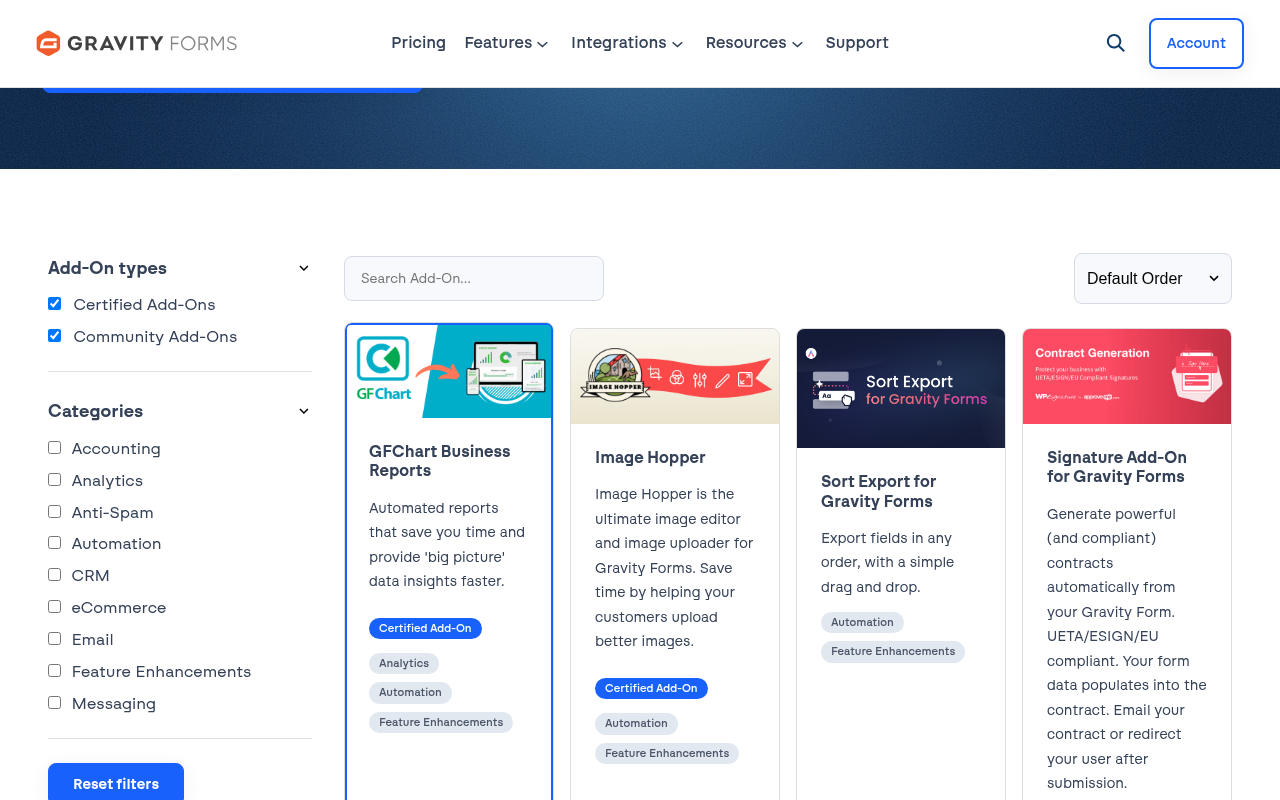
Beyond the official add-ons, a thriving third-party ecosystem exists. GravityKit provides GravityView (front-end data display and editing), GravityRevisions (version history), and GravityExport. GravityWiz sells over 50 “perks,” small extensions that solve very specific edge cases. GravityFlow handles multi-step approval workflows. These are all paid third-party products, not included in your Gravity Forms license.
Security and Compliance
Gravity Forms takes security seriously. The plugin has a dedicated security page and goes through routine third-party audits. Recent versions (2.10.3 through 2.10.5) have focused heavily on security patches and conditional logic hardening.
Built-in protections include:
- Google reCAPTCHA v2 and v3
- Honeypot anti-spam field
- Akismet integration (requires a separate Akismet license)
- GDPR data export and erasure tools
Accessibility is a stated priority. The plugin targets WCAG 2.0 AA compliance through semantic HTML, proper ARIA labeling, and keyboard navigation. This is relevant for government contractors, educational institutions, and nonprofit sites subject to ADA requirements.
Pricing Breakdown
Gravity Forms uses annual subscriptions with no lifetime purchase option currently listed.
Basic: $59/year
- 1 site
- Standard support
- All core form builder features
- Email marketing add-ons (Mailchimp, HubSpot, ActiveCampaign, and others)
- No payment processing, no Zapier, no conversational forms
Pro: $159/year
- 3 sites
- Standard support
- Everything in Basic
- Payment add-ons: Stripe, PayPal Checkout, Square
- CRM integrations: Zoho, Agile, Capsule
- Automation: Zapier, Dropbox, Slack
Elite: $259/year
- Unlimited sites
- Priority support
- WordPress multisite support
- Everything in Pro
- All remaining add-ons: Conversational Forms, Survey, Quiz, Poll, Partial Entries, Signature, User Registration, Chained Selects, Geolocation, Mollie, Salesforce, and more
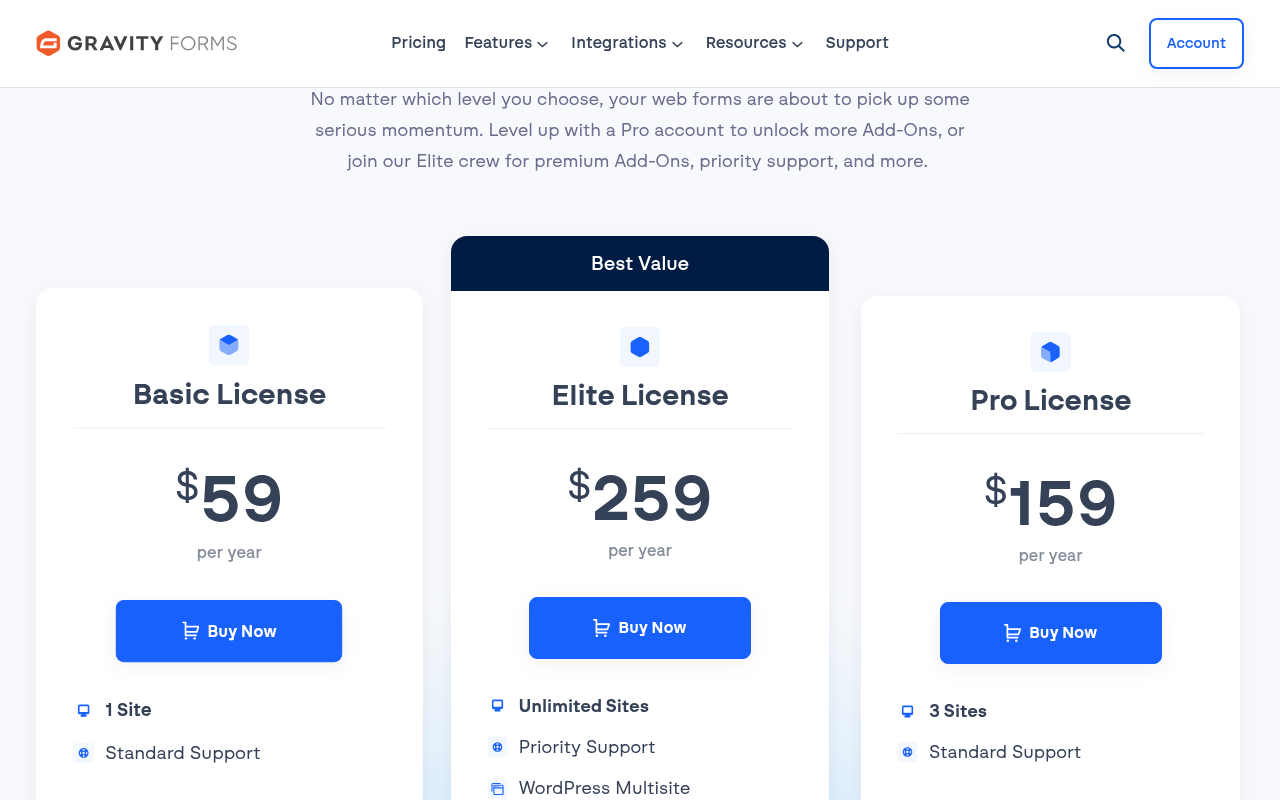
All plans include unlimited forms, unlimited entries, and automatic updates. A 30-day money-back guarantee applies.
Hidden cost reality check: The core plugin is only part of the picture. If you need approval workflows, you are looking at GravityFlow (separate paid product). If you need front-end data display, GravityView is separate. If you need specialty niche features, GravityWiz perks are separate. Your actual annual cost can climb significantly beyond the license fee.
Pros and Cons
Pros
- One of the most mature and battle-tested form builders in the WordPress ecosystem
- 500+ developer hooks give agencies and developers deep customization control
- Conditional logic works at field, notification, confirmation, and routing level
- Calculation fields enable dynamic pricing and quote generation
- Built-in surveys, quizzes, polls, and user registration on Elite
- Conversational forms add-on converts standard forms with minimal effort
- Extensive email marketing and CRM integrations
- WCAG 2.1 AA accessibility targeting
- Elite offers unlimited site installs for a flat annual fee
- Thriving third-party ecosystem (GravityKit, GravityWiz, GravityFlow)
Cons
- No free version; no WordPress.org listing to test organically
- Builder interface feels dated compared to modern alternatives
- Many practical features (Stripe, Zapier, conversational forms) require Pro or Elite
- Elite-exclusive features at $259/year can feel expensive for single-site use
- Third-party tools for workflows, data display, and niche extensions add cost fast
- No live front-end preview in the builder
- Steeper learning curve for non-technical users
Alternatives Worth Considering
WPForms is the most user-friendly Gravity Forms alternative for non-developers. The free Lite version handles simple contact forms, and paid tiers start at $49.50/year. The builder is more polished visually. The trade-off is less developer depth and fewer built-in feature add-ons.
Fluent Forms is the strongest value alternative for WordPress users who need most of what Gravity Forms offers at a lower price. The free version is genuinely capable. Paid plans start at $63/year for a single site, and the $239/year Unlimited tier includes conversational forms, payment gateways, surveys, and Zapier without needing Elite-level pricing.
Ninja Forms starts with a free core plugin and paid add-ons. It is developer-friendly but the add-on cost model can make total spend unpredictable.
Formidable Forms is a closer match to Gravity Forms for data-heavy applications. It has a front-end data display builder (Views) that competes with GravityView without requiring a separate purchase.
Typeform (SaaS, not WordPress-native) is the leader in conversational form design. If the Typeform experience is your primary requirement and WordPress integration is secondary, Typeform handles the design side better. Monthly pricing starts around $25/month, and it is hosted outside WordPress, which is a consideration for data ownership.
Final Verdict
Gravity Forms is the right choice when complexity is the point. If you are building forms that calculate prices, route approvals, capture partial completions, or integrate with Salesforce, the depth of the Gravity Forms feature set and developer API is hard to beat in the WordPress space.
The case breaks down at the lower end. The Basic tier at $59 leaves out payment processing, Zapier, and anything resembling advanced features. You will almost certainly end up at Pro ($159) or Elite ($259) before you hit the features that justify Gravity Forms over a cheaper alternative.
My honest read: if you are an agency or a developer managing multiple WordPress sites with complex form requirements, Elite at $259/year for unlimited installs is a reasonable spend and you will get your money’s worth. If you are a single-site business owner who needs a good form builder with Stripe and email integrations, Fluent Forms or WPForms will cost less and deliver most of what you actually need. If you are a WordPress developer who lives in hooks and filters, Gravity Forms probably has no peer.
Rating: 4.2 / 5
Strong enough to earn a permanent place in any advanced WordPress developer’s toolkit. Not the first recommendation for budget-conscious beginners.
This review was conducted using the official Gravity Forms hosted demo (Elite plan, accessed July 2026 at gravityforms.com/gravity-forms-demo), official documentation, pricing page, and public research. No paid license was purchased.
FAQ
Explore more plugin reviews in the Reviews category.