

Quick Verdict
GreenShift is one of the most complete Gutenberg block plugins available today. The free version alone ships over 50 blocks, built-in scroll animations, popup builders, sliders, and a class-based design system that you won’t find in any other free plugin. Performance is genuinely excellent: no jQuery, no icon fonts, no global CSS files. For WordPress builders who want Elementor-level control inside the native editor, GreenShift is worth serious consideration.
The main catch: the breadth of features creates a real learning curve. The split between the core plugin, multiple paid addons, and a separate “sister” product called GreenLight PRO adds complexity that can confuse new users.
Best for: Intermediate to advanced WordPress users building custom, animation-heavy sites inside the Gutenberg editor.
Not ideal for: Beginners who want something simple to click through, or teams who need fully polished translation support for non-English sites.
- Free version: Yes, with 50+ blocks
- Paid plans: From $39.99/year or $79.99 lifetime
- Developer: Wpsoul
- WordPress.org rating: 4.8 / 5 (107 reviews, ~3.85 million downloads)
What Is GreenShift?
GreenShift is a Gutenberg block plugin developed by Wpsoul, a distributed team based in Ukraine, India, Bulgaria, and Vietnam. The team has over 15 years of WordPress experience and is also behind the popular Rehub theme, which has more than 30,000 sales and a 4.93 average rating on Envato.
The plugin launched on WordPress.org in January 2022 and has grown rapidly to nearly 3.85 million downloads. Its defining idea is simple: give Gutenberg the design power of a traditional page builder without the performance penalty.
Most page builder plugins work by loading global CSS files, icon libraries, and JavaScript frameworks across your entire site. GreenShift takes the opposite approach. Each block loads only its own styles and scripts, and only when that block actually appears on the page. The result is a plugin that can build visually complex pages while still hitting 100 on Google PageSpeed.
Who Is GreenShift Best For?
GreenShift targets a specific kind of WordPress user: someone comfortable inside the Gutenberg editor who wants more than the default core blocks offer without switching to a separate page builder like Elementor or Divi.
It fits well for:
- Freelancers and agencies building custom sites for clients and needing fine-grained control over layouts, animations, and responsive behavior across four breakpoints
- Performance-focused developers who run Core Web Vitals audits and cannot afford the overhead of traditional page builders
- WooCommerce store owners who want FSE-compatible product templates and advanced shop blocks (via the WooCommerce addon)
- Builders who want animations without writing GSAP code manually
- White-label agencies because GreenLight PRO (the premium sister product) is white-labeled by default
GreenShift is less suited for:
- Complete beginners who find the standard Gutenberg editor already overwhelming
- Non-English-speaking teams who depend on fully translated plugin UI (i18n support has gaps, partly due to WordPress Gutenberg’s complex translation system for compiled JavaScript)
- Users who only need one or two extra blocks and would be better served by a lighter specialized plugin
Hands-On Setup and User Experience
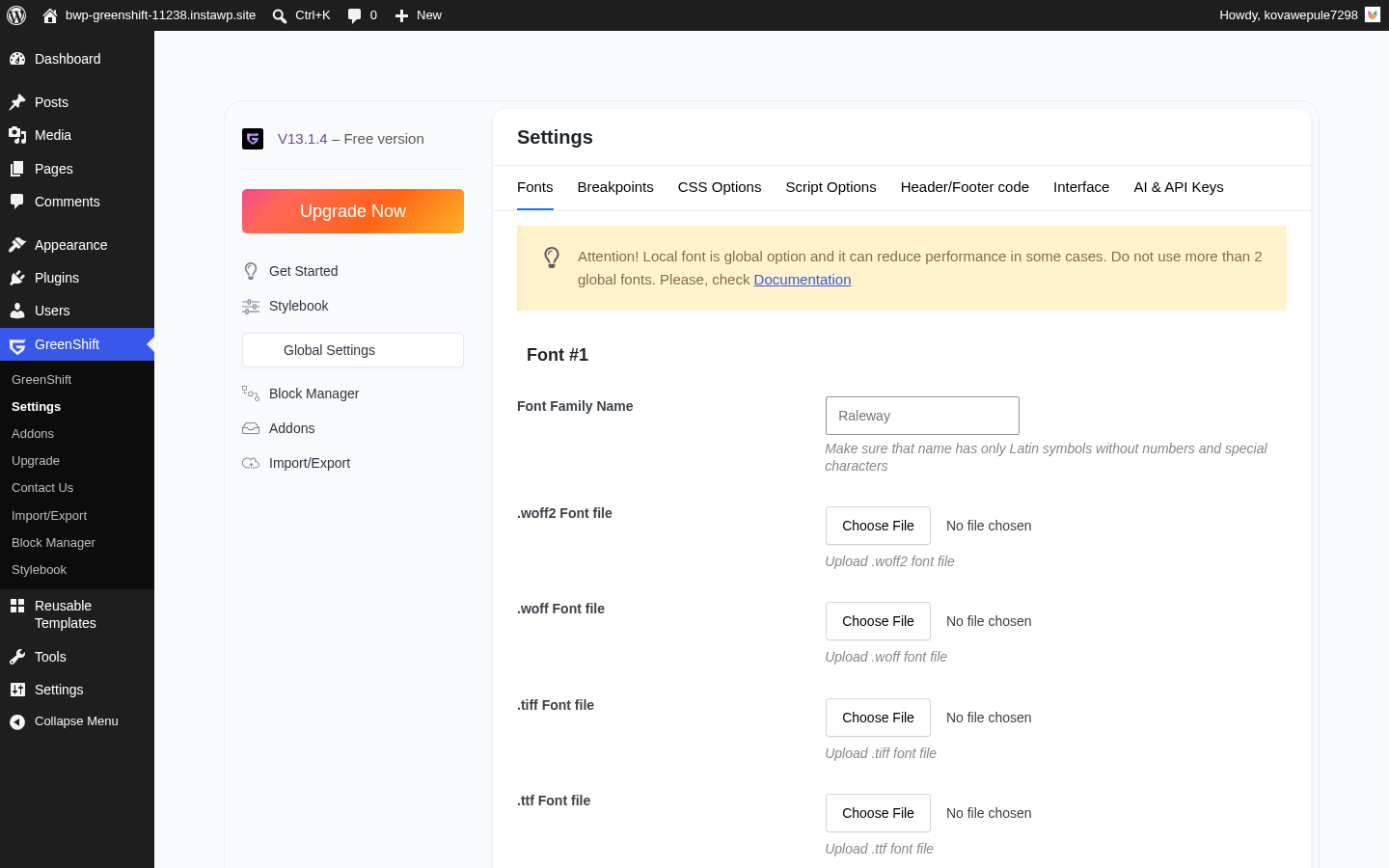
Installation follows the standard WordPress plugin flow. After activation, GreenShift shows a welcome screen where you can enable or disable block categories. This is a helpful first step: you can turn off the marketing blocks, WooCommerce blocks, or chart blocks if you are not using them, which keeps the editor sidebar tidy.
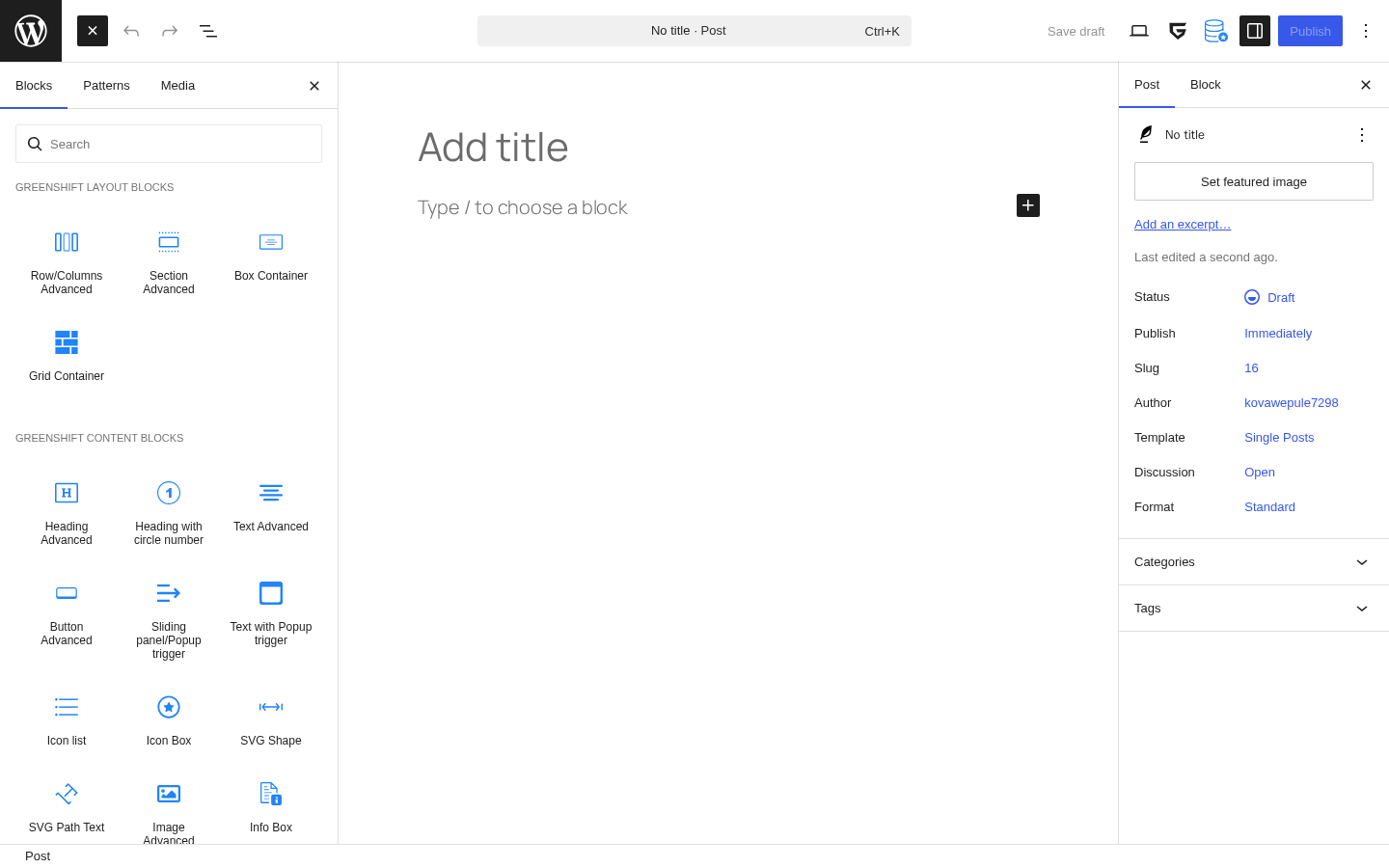
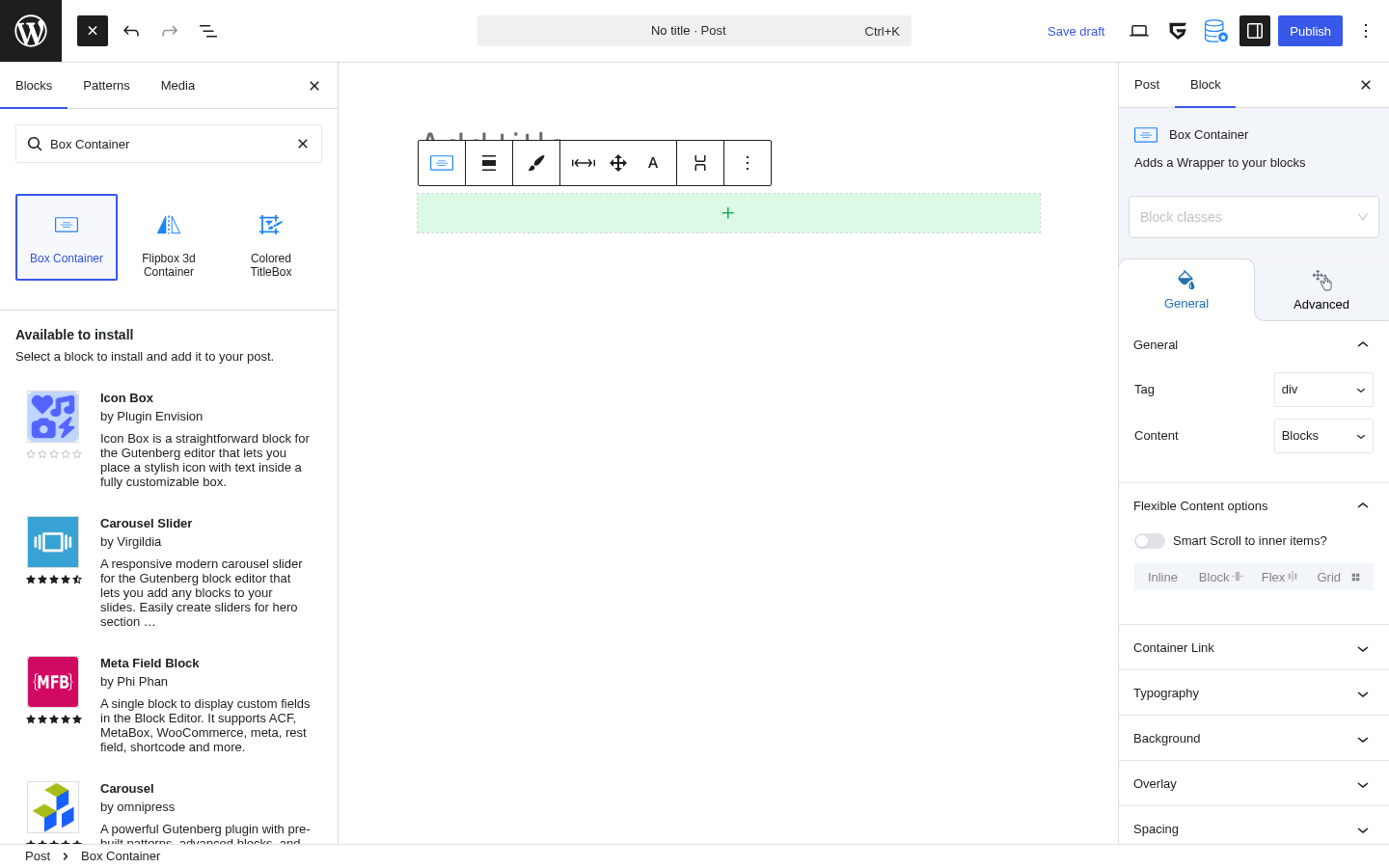
The editor experience is noticeably different from simpler block plugins. When you select a GreenShift block, the right panel fills with options: spacing controls, border settings, animation triggers, device-specific breakpoints, and more. The “Design Helpers” feature lets you adjust padding, margin, and position directly on the canvas by dragging handles. It feels closer to a design tool than a typical WordPress block editor.
The block library is organized into categories: Core Blocks, Animation, Marketing, Query, Chart, WooCommerce, and AI Generation. In the free version, the core blocks category alone has well over 30 blocks immediately available.
One genuine strength of the setup experience is the Class System. GreenShift is, as far as I can determine, the only free Gutenberg plugin that ships a visual class-first design workflow. You can define a style (colors, typography, spacing) and attach it to a named class, then reuse that class across blocks and even export it to other sites. This is the kind of system that front-end developers typically build themselves with custom CSS.
The Interaction Layer feature is similarly impressive for a free plugin. You can attach triggers (scroll into view, click, hover, time delay) to any block and define what happens: animate, show or hide, change a CSS value, load content via AJAX. No code required.
One friction point: some advanced panels, particularly the responsive breakpoint controls, require hunting through multiple sidebar sections to find the right setting. Users accustomed to Elementor’s single-panel approach will need a short adjustment period.
Main Features
Advanced Layout Blocks
The foundation of GreenShift is its layout system. The Box Container block supports both Flexbox and CSS Grid modes. The Row/Column block handles standard responsive column layouts with up to four breakpoints (desktop, tablet, mobile landscape, mobile portrait). Both blocks expose direct controls for gap, alignment, justify, wrap, and overflow.
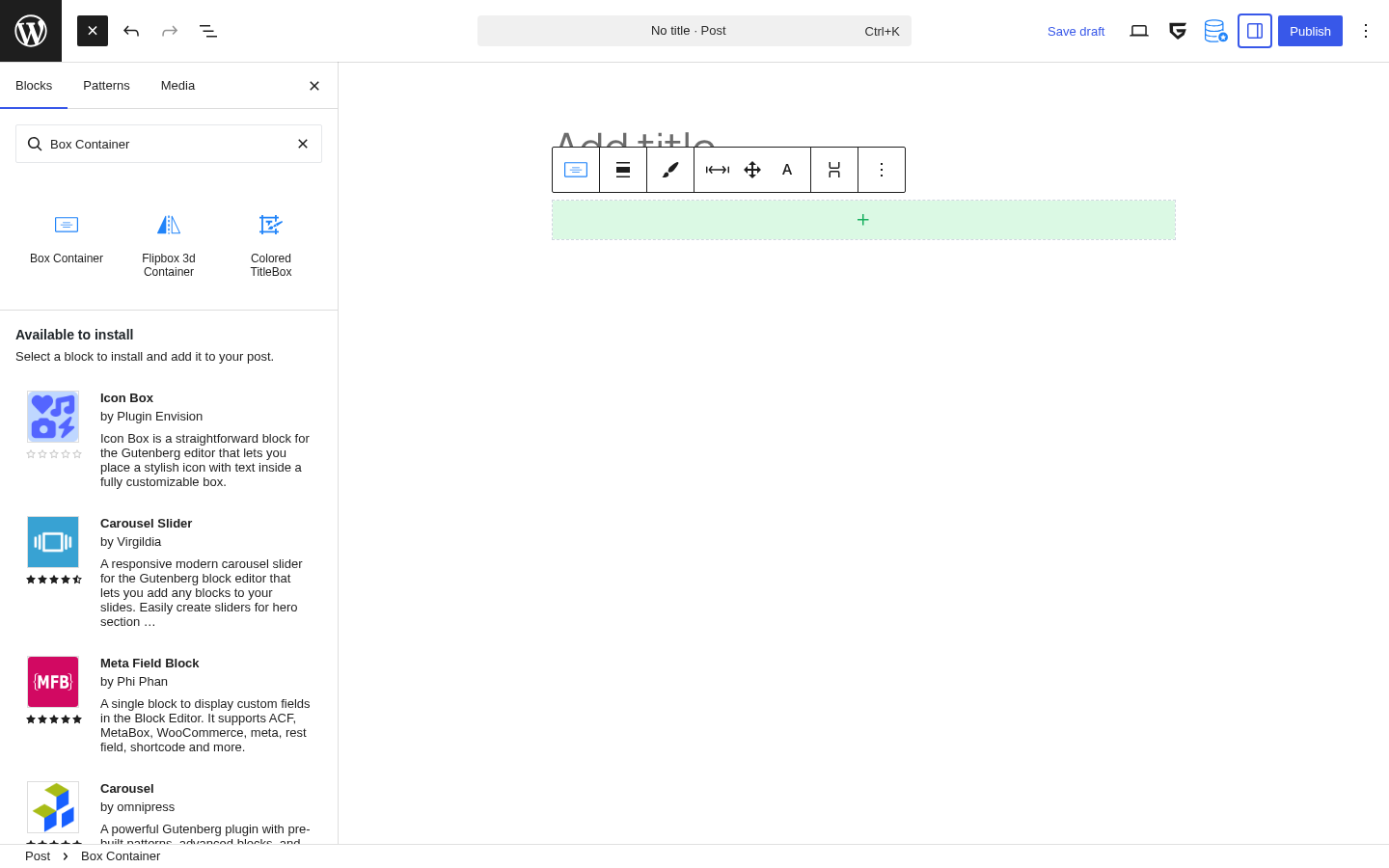
The Element Block acts as a styled HTML element (div, section, article, span, or any valid tag) and carries the full design panel. It works as a building block for most complex sections.
Animation System
GreenShift’s animation capabilities go further than any other free Gutenberg block plugin I have reviewed.
The free version includes:
- CSS scroll animations triggered when blocks enter the viewport
- Hover transitions on containers and elements (background change, scale, translate, opacity)
- Parent hover transitions: hovering one block triggers a style change on a child block
- CSS 3D transformations (rotate, scale, perspective, translateZ)
The Premium Animation Pack (part of the Design Pack addon) adds:
- GSAP-powered animations with full timeline control
- Parallax effects
- SVG drawing and path morphing
- Mouse-follow effects
- Pin on scroll and smooth scroll
- Lottie animation integration with a smart loader that preserves PageSpeed scores
- Video scroller effects
The free animation system is enough to add professional polish to most sites. The premium pack is for projects that need complex choreographed motion sequences or Lottie files.
Sliders, Carousels, and Scrollable Sections
The Slider/Carousel block can wrap any content type, not just images. You can drop a group of blocks inside it and turn them into a sliding carousel. This is the right approach: it means you are not locked into a rigid image-only slider.
The Smart Scroll feature converts any column layout into a horizontally scrollable container on mobile. Rather than stacking columns vertically on small screens (the WordPress default), you can make them scroll sideways like a native mobile app component.
The Marquee Block adds infinite-scrolling ticker content, useful for logo rows or announcement bars.
Popup Builder and Sliding Panels
GreenShift includes a Sliding Panel/Popup block that handles popups, sliding drawer panels, mega menus, and tooltips. You control the trigger (button click, timer, scroll depth), the animation direction, and the overlay behavior. Because it is a standard Gutenberg block, you can place any other block inside it.
This removes the need for a dedicated popup plugin in many cases.
3D and Interactive Elements
A standout feature in the free version is the 3D Model Viewer block. You can embed a .glb or .gltf 3D model file and let visitors rotate it in the browser. The block supports AR mode on compatible mobile devices. This capability is rare at any price in the WordPress plugin market.
The Spline 3D Viewer block embeds interactive 3D scenes built with Spline, a browser-based 3D design tool.
Query and Dynamic Blocks (Addon)
The Query Dynamic Addon (included in the Design Pack) extends the core WordPress Query Block with:
- Custom post grid and listing templates
- Filter blocks by taxonomy, meta, or date
- Thumbs/hot counter (custom like counters for posts)
- Wishlist functionality for inner pages and loops
- API Connector for external JSON data sources
- Dynamic charts connected to live data
SEO and Marketing Blocks (Addon)
The SEO Pack addon adds structured data blocks:
- Product schema with pricing and star ratings
- FAQ schema with accordion
- Event schema for ticket and event pages
- Video schema
- How-To schema
- A link hider for affiliate offers
Coming from Wpsoul’s background in affiliate and publisher sites (the team also built the Rehub theme), these blocks are well-designed for both conversion and organic search visibility.
AI Integration
GreenShift 13.x added several layers of AI capability that set it apart from competing block plugins:
- An integrated AI helper (GLAI 2.0) built into the editor for generating blocks, editing content, creating images, building charts, and writing
- An AI Agent Prompt Builder (added in v13.1.4) that generates ready-to-use prompts for Claude Code, Cursor, and Codex, allowing external AI coding agents to build GreenShift layouts via the WordPress REST API
- A GreenLight Vibe Skill (hosted on GitHub) that teaches AI agents how to convert HTML designs into GreenShift blocks
The “No AI Slop” option (v13.1.4) adds design rules to agent prompts that explicitly prevent the AI from defaulting to cliched patterns like violet gradient glows, pulsing dots, and glassmorphism. It shows the team is paying attention to design quality, not just feature count.
Full Site Editing Support
GreenShift has comprehensive FSE support. All blocks work inside the Site Editor for building headers, footers, templates, and template parts. The Navigation Element block handles custom nav menus with dropdown and mobile hamburger behavior.
WooCommerce Blocks (Addon)
The WooCommerce FSE Pack adds over 20 shop-specific blocks:
- Single product templates fully editable in the Site Editor
- Product swatches and variation galleries
- Product combo feature and sliding card display
- 360-degree and 3D product gallery
- Product bundles
- Stock bar and free shipping progress bar
- Quick Buy button
GreenShift vs GreenLight PRO: Understanding the Product Split
This is the most confusing part of the GreenShift ecosystem and deserves a clear explanation.
GreenShift (the plugin reviewed here) is the core product. You install it, use the blocks, and add paid addons as needed.
GreenLight PRO is a separate plugin from the same team. It is built around a “class-first” workflow: you design primarily using named classes and a design framework, rather than editing individual block attributes. It is white-labeled by default, which makes it attractive for agencies who want to deliver sites without exposing vendor branding.
You cannot run GreenShift and GreenLight PRO simultaneously on the same WordPress site. You pick one. However, the GreenLight blocks are included inside GreenShift (you enable them via the Welcome screen). The main reason to choose GreenLight PRO as a standalone product is the white-label requirement or a strong preference for the class-first workflow.
GreenLight PRO is included as a bonus in the All in One Pack, but only when purchased directly from the GreenShift shop.
Pricing
GreenShift follows a freemium model with a generous free tier and several paid addon bundles.
Free Version
Available on WordPress.org. Includes 50+ blocks, the full CSS animation system, the class system, sliders, popup builder, 3D blocks, and all layout tools. This is a genuinely capable free offering that beats many premium block plugins on feature count.
Paid Plans
Yearly Subscriptions
| Plan | 1 Site | 5 Sites | Unlimited |
|---|---|---|---|
| Design Pack (Animations and Interactions) | $39.99/yr | $49.99/yr | $79.99/yr |
| Woo Pack | $49.99/yr | $69.99/yr | $99.99/yr |
| GreenLight PRO | $51.99/yr | $79.99/yr | $109.99/yr |
| All in One Pack | $59.99/yr | $89.99/yr | $129.99/yr |
Lifetime Plans (One-Time Payment)
| Plan | 1 Site | 5 Sites | Unlimited |
|---|---|---|---|
| Design Pack | $79.99 | $139.99 | $239.99 |
| Woo Pack | $89.99 | $169.99 | $269.99 |
| GreenLight PRO | $99.99 | $199.99 | $299.99 |
| All in One Pack | $109.99 | $219.99 | $459.99 |
The team also accepts crypto (Bitcoin, Ethereum, Solana, XRP) for lifetime purchases.
Refund policy: 14-day money-back guarantee. You can upgrade between plans and pay only the price difference.
Value Assessment
The lifetime pricing is competitive. $109.99 for a single-site All in One lifetime license, covering all addons, GreenLight PRO, and future additions, compares well against annual Elementor Pro or Divi memberships over two to three years.
For a freelancer building one site per client, the $79.99 per-site lifetime Design Pack is a strong entry point. Agencies managing multiple client sites should evaluate the Unlimited tiers.
Pros and Cons
Pros
- Free version includes 50+ blocks: 3D viewer, sliders, popups, CSS animations, and more
- Zero performance penalty from global asset loading; blocks load their own dependencies conditionally
- Class-first design system: unique among free Gutenberg block plugins
- GSAP animations available via affordable Design Pack addon
- Active development with frequent updates (version 13+ in 2026 with AI integration)
- Full Site Editing (FSE) support
- Built-in AI helper and external AI agent workflow
- 3D model viewer and Spline integration are rare features at any price
- Lifetime license options with a clear upgrade path
- 4.8/5 from 107 WordPress.org community reviews; ~3.85 million downloads
- GDPR-compliant local font loading; no external font requests
Cons
- Steep learning curve due to feature density in the sidebar panels
- UI strings have gaps in non-English translations (partly a WordPress Gutenberg compilation limitation)
- GreenShift vs GreenLight PRO product split is confusing for new buyers
- Key advanced features (GSAP, WooCommerce templates, SEO schemas) require separate paid addons
- Some recurring support threads about mobile responsive panel bugs and CSS rendering edge cases
- License activation has caused friction for some users
- Requires WordPress 6.6 or higher and PHP 7.3 or higher
Alternatives
Kadence Blocks is the closest free alternative in terms of block count and performance focus. It has a simpler UI, better beginner accessibility, and solid free tier, but lacks GreenShift’s animation depth and class system.
GenerateBlocks takes a minimalist approach: a handful of foundational layout blocks with very clean output. Well-suited for developers who handle design in CSS. Less full-featured out of the box.
Stackable offers a polished UI and good design presets. Better suited for users who want pre-built section layouts rather than building from primitives. Animation options are limited compared to GreenShift.
Spectra (formerly UAG) by Brainstorm Force has an extensive block library and deep integration with the Astra theme. A strong choice if you are already in the Astra ecosystem.
Elementor is a different category entirely: a standalone page builder that replaces the Gutenberg canvas. More beginner-friendly, but carries heavier performance overhead and steps outside the native WordPress editing experience.
Final Verdict
GreenShift earns its strong reputation on WordPress.org. After thoroughly reviewing its features, changelog, pricing, and community feedback, I find it is the most technically ambitious free Gutenberg block plugin currently available.
The performance architecture is genuinely differentiated. Most competing plugins talk about performance; GreenShift engineers it at the asset-loading level. Each block is self-contained, nothing loads unless used, and the team explicitly targets 100 scores on Google PageSpeed even for complex pages.
The animation capabilities, from free CSS scroll triggers to premium GSAP timelines, cover a wider range than any comparable plugin in the Gutenberg space. The class system and interaction layer make it possible to build sites that behave and look like custom-coded projects, without writing a line of JavaScript.
The drawbacks are real but manageable. The learning curve is the biggest one: GreenShift rewards users who invest time exploring its panels. The GreenShift/GreenLight naming split needs clearer explanation on the pricing page. Translation coverage for non-English editors is incomplete, though this is partly a Gutenberg ecosystem limitation rather than a GreenShift-specific failure.
For freelancers and agencies building performance-critical, animation-rich WordPress sites in the Gutenberg editor, GreenShift is the strongest option in this review cluster. Start with the free version to validate the workflow fits your team, then evaluate which addon tier makes sense for your use case.
Overall rating: 4.5 / 5