


Running email marketing from inside WordPress sounds simpler than it is. Most SaaS tools lock your data on their servers, charge per subscriber, and push you toward their platform. Icegram Express takes the opposite approach: it keeps everything on your own WordPress site, removes subscriber caps entirely, and asks only a flat annual fee if you need the advanced features.
This Icegram Express review covers exactly what the free Lite version does, where the Max upgrade earns its $99-a-year price, what the plugin cannot do that some users will need, and who should look at a different tool entirely. I installed the plugin in a clean WordPress environment, walked through form creation and campaign setup, and verified the core workflows hands-on. Pro-only features were researched from icegram.com feature pages, the WordPress.org plugin listing, the official changelog, and the Icegram documentation library. Pricing was verified against icegram.com/email-subscribers-pricing/ in August 2026.
At a glance
- Tested: Icegram Express 5.9.33 (August 6, 2026) on WordPress 7.0.4; free Lite tier hands-on; Max-only features sourced from official pages and documentation.
- WordPress.org: Published as “Email Subscribers & Newsletters” at wordpress.org/plugins/email-subscribers/; 50,000+ active installs; 4.6 out of 5 stars across 1,168 reviews.
- Free tier: Genuinely capable for bloggers and small sites. Unlimited subscribers, forms, lists, and basic campaigns at no cost. Reliable delivery still requires SMTP configuration.
- Max plan: $99/year for three sites. Adds automation workflows, abandoned cart recovery, advanced segmentation, custom fields, detailed reporting, and priority support.
- Bottom line: The strongest self-hosted, data-owning email plugin for WordPress users who want unlimited subscribers and a flat, predictable price instead of a per-contact SaaS bill.
Quick verdict
If you run a blog, a small business site, or a content-heavy WordPress install and want to send newsletters without paying a SaaS platform for the privilege, Icegram Express is the plugin I would recommend you test first. The free Lite tier covers the basics well: collect subscribers, send broadcasts and post notifications, and manage multiple lists, all from inside WordPress with no contact limits and no monthly bill.
The honest caveats: reliable email delivery requires external SMTP setup, which adds a small layer of configuration overhead. The Max plan covers only three sites for $99 per year, which is less flexible than some competitors for multi-site operators. And the automation story (drip sequences, WooCommerce triggers, and advanced segmentation) lives entirely in the paid tier.
Best for: Bloggers, solopreneurs, and small WordPress sites that want unlimited subscribers and a flat annual cost instead of Mailchimp-style per-contact pricing.
Best free plan in category: Yes. Unlimited contacts, unlimited lists, unlimited forms, and broadcast campaigns with no subscriber caps or monthly send limits imposed by the plugin itself.
Best paid plan for WooCommerce: Max ($99/year), which includes abandoned cart recovery, WooCommerce order-triggered automation, and customer segmentation.
Standout: No per-subscriber pricing ever. A site with 100,000 subscribers on the Max plan pays the same $99/year as a site with 100.
Watch out for: Reliable delivery requires SMTP configuration; automation and sequences are Max-only; the Max plan covers three sites only (contact Icegram for agency pricing at 20+ sites); no monthly billing option.

What Icegram Express is
Icegram Express is a WordPress email marketing plugin developed by Icegram, a company that also makes Icegram Engage (popups and onsite messaging) and Icegram Collect (contact forms and lead capture). The three plugins form a connected suite, but Express works as a standalone and does not require the others.
The plugin is published on WordPress.org under the name “Email Subscribers & Newsletters” at the slug email-subscribers. The brand name Icegram Express is how the developer markets it on icegram.com, and that branding appears inside the WordPress admin once the plugin is activated. The current version as of this review is 5.9.33, released August 6, 2026, and tested up to WordPress 7.0.4.
The plugin’s fundamental design choice is self-hosting. All subscriber data stays in your WordPress database. No third-party platform holds your list. When a subscriber signs up, the record lives in a table in your own database. When you export your list, you are exporting data you have always owned. That is a meaningful difference from SaaS email platforms, where the platform holds the data and you pay them for access to it.
The second design choice is flat pricing. Icegram Express never charges per subscriber. The free Lite tier has no contact cap, and the Max paid tier has no contact cap either. A site with 1,000 subscribers and a site with 100,000 subscribers both pay the same price. That model is rare among email marketing tools, and it is the plugin’s strongest competitive argument against Mailchimp, Brevo, or any other SaaS tool that bills by subscriber count.
Who Icegram Express is best for
Strong fit:
- Bloggers and content publishers who want post notifications and newsletter broadcasts without a SaaS subscription. The free tier handles this well.
- Small business site owners with growing lists who want predictable costs. No surprise bills when the subscriber count crosses a pricing threshold.
- WooCommerce store operators on the Max plan who need abandoned cart recovery, order-triggered emails, and customer segmentation without a separate email marketing service.
- WordPress developers or agency clients who want data ownership. All subscriber records live in the WordPress database and can be backed up, migrated, and exported with standard WordPress tooling.
- Sites already using Icegram Engage for popups. The two plugins integrate directly: Engage captures the lead, Express adds the subscriber to the right list automatically.
- Multisite operators who need per-site list isolation. Icegram Express supports both network-wide and per-site activation, with each site maintaining its own subscriber data.
Weak fit:
- Sites that need high-volume transactional email delivery without setting up their own SMTP. Icegram Express routes outgoing mail through WordPress’s built-in mail system by default, which is unreliable on most shared hosts. You must configure an external SMTP provider or the plugin’s sending integrations (SendGrid, Mailgun, Amazon SES, Gmail API) for dependable delivery.
- Teams that need complex multi-branch automation visually. Icegram Express automation is sequence-based (linear drip chains), not a visual workflow builder with branching logic.
- Agencies or freelancers managing many client sites. The Max plan covers three sites. For 20 or more sites, Icegram asks you to contact them for custom pricing. There is no mid-tier agency plan published on the pricing page.
- Users who want monthly billing. Icegram Express offers annual billing only. There is no monthly payment option.
- Sites that need A/B split testing for campaigns. There is no built-in split testing feature.
Installing Icegram Express and first setup
Installing Icegram Express follows the standard WordPress plugin workflow. Search for “Email Subscribers” in Plugins > Add New and you will find the plugin at the top of results under the “Email Subscribers & Newsletters” listing. After activation, Icegram Express adds a top-level “Icegram Express” menu in the WordPress admin sidebar.
The plugin’s onboarding steps walk you through three items: creating a subscriber list, adding a subscription form to your site, and setting up your first campaign. Each step opens a short wizard rather than dropping you onto a blank settings screen. For users who are not experienced with email marketing plugins, the guided flow is a practical advantage.
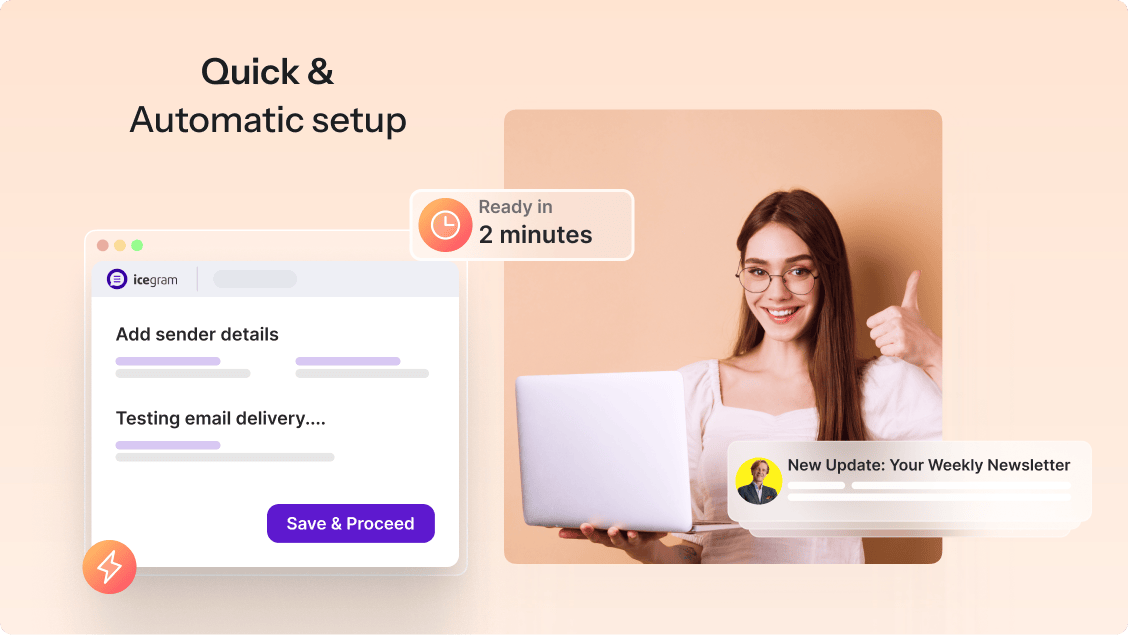
The first thing you will notice is that the plugin asks you to configure email sending under Settings. By default, it sends through WordPress’s wp_mail() function, which means it uses whatever mail setup your host provides. On shared hosting, this often means emails go to spam or fail entirely. I recommend setting up an SMTP integration before sending any live campaigns. The plugin supports:
- Generic SMTP (with any host that provides SMTP credentials)
- SendGrid API
- Mailgun API
- Amazon SES API
- Postmark
- MailerSend
- Gmail API (OAuth)
- Microsoft Outlook API (added July 2026)
- Icegram Mailer (Icegram’s own sending service, separate subscription)
The SMTP setup is not automatic and adds about 10-15 minutes of configuration time for a user who has not done it before. It is the most significant friction point in the onboarding experience. Once the SMTP connection is confirmed with a test email, delivery is reliable.
Creating forms and collecting subscribers
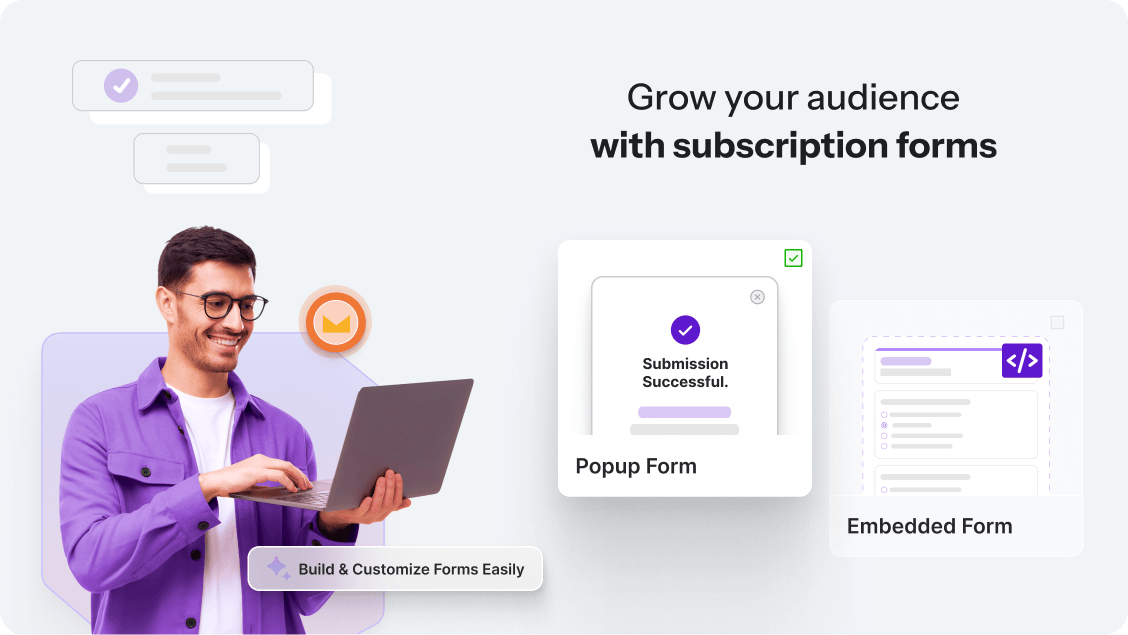
Icegram Express form builder offers five display types:
- Inline (embedded in post or page content via shortcode or block)
- Popup (triggered by page load, scroll, exit intent, or timer)
- Widget (placed in a sidebar via the Widgets panel)
- Shortcode (manual embed in any template or custom location)
- HTML (raw embed for custom layouts)
The drag-and-drop form editor lets you add name fields, email fields, custom fields (Max plan), GDPR consent checkboxes, and custom redirect URLs on submission. The editor is simpler than a dedicated form builder like Gravity Forms, but it handles the essentials cleanly.
GDPR compliance is handled through:
- Single opt-in or double opt-in (configurable per list)
- Privacy consent checkbox with custom label
- CAPTCHA support (Google reCAPTCHA)
- One-click unsubscribe links compliant with Gmail, Yahoo, and GDPR requirements
Double opt-in sends a confirmation email when someone submits the form. They are added as subscribed only after they click the confirmation link. The confirmation email template is editable under Settings > System Emails.
For sites already using a dedicated form plugin, Icegram Express integrates with Contact Form 7, WPForms, Gravity Forms, Elementor, Forminator, and Ninja Forms. You can map a form submission from any of these plugins to add the contact to an Icegram Express list.
Campaign types: what you can send
Icegram Express organises outgoing email into campaign types. The free Lite tier covers the ones most sites need day-to-day. The Max plan unlocks the automation-dependent types.
Newsletter broadcasts (free)
A broadcast is a one-off email sent to one or more subscriber lists. You create the email using the drag-and-drop builder or a plain-text editor, choose recipient lists, and either send immediately or schedule for a later date and time.
The broadcast builder includes pre-built templates for common formats: a simple text announcement, a featured post layout, a promotional email with an image block and button, and a few seasonal designs. You can build from scratch or start from any template.
Reports for broadcasts show opens, clicks, and unsubscribes. On the Lite tier, reports are summaries. On the Max plan, you get detailed per-recipient data and engagement scoring.
Post notifications (free)
Post notifications automatically email your subscribers when you publish a new post. You configure which post types and categories trigger notifications, choose a template, and the plugin handles sending every time a new post goes live.
This is the feature that brings most bloggers to Icegram Express. It removes the manual step of writing a newsletter every time you publish content. The notification email auto-populates with the post title, excerpt, featured image, and a read-more link using merge tags like {{POSTTITLE}} and {{POSTLINK}}.
Post digests (free)
Instead of sending one notification per post, a digest collects all posts published within a defined period (daily, weekly, monthly) and sends them as a single summary email. Useful for high-frequency publishers who do not want to email subscribers every day.
Autoresponder sequences (Max)
Sequences are a series of emails triggered by a subscriber joining a specific list. Welcome emails are the simplest sequence: one email sent immediately after a confirmed signup. More complex sequences deliver a series of emails over days or weeks, spacing them by time delay.
On the Max plan, sequences support:
- Multiple emails in a single chain
- Configurable delay between each email (hours or days)
- Conditional list assignment (add to a different list based on engagement)
There is no visual workflow builder with branching logic. Sequences are linear: email 1, wait X days, email 2, wait Y days, and so on. For a welcome series or a basic onboarding drip, this is sufficient. For complex multi-condition automation trees, it is not the right tool.
WooCommerce automation (Max)
The Max plan adds WooCommerce-specific triggers and sequences:
- Abandoned cart recovery: emails sent automatically when a customer adds items to the cart but does not complete checkout. You configure the timing and the email template.
- Order confirmation and follow-up sequences: triggered by purchase events.
- Customer segmentation: filter lists by purchase history, product category, or order status.
- Subscription sync: WooCommerce customers automatically added to or removed from Icegram Express lists based on their subscription or purchase status.
These features position the Max plan as a credible alternative to a separate WooCommerce email marketing plugin for stores that do not need the complexity of a dedicated platform like Klaviyo.
Automation workflows (Max)
Beyond WooCommerce, the Max plan includes condition-based automation triggers:
- New subscriber (any list)
- Subscriber moves between lists
- Custom fields reach a defined value
- External events via REST API webhook
Combined with sequences, these triggers let you build basic lifecycle email automations: welcome a new subscriber, follow up based on engagement, move inactive subscribers to a re-engagement list.
Audience and list management
Audience management in Icegram Express is list-based. Each subscriber can belong to multiple lists simultaneously. You manage lists, view subscriber status (subscribed, unconfirmed, unsubscribed), and perform bulk actions from the Audience panel.
Importing subscribers works via:
- CSV upload (any CSV with an email column)
- WordPress user sync (existing site users added as subscribers)
- WooCommerce customer sync
- Mailchimp import (pulls from a connected Mailchimp account)
Exporting follows the same paths in reverse. A full subscriber export produces a CSV with email, name, and any custom fields.
On the Lite tier, list filtering and search are basic. You can filter by list and by status. On the Max plan, advanced segmentation lets you filter by engagement level, last opened date, custom field value, geographic data, and device type.
Email validation and list cleaning are Max-only features. The Max plan includes a built-in email validator that flags invalid, bounced, or spam-trap addresses and lets you bulk-clean your list before a send. This reduces bounce rates and protects sender reputation when using a shared SMTP service.
Reporting and analytics
Basic campaign reports are available on the free Lite tier: open count, click count, and unsubscribe count per campaign. The interface shows these as summary totals.
The Max plan unlocks:
- Per-recipient open and click data
- Engagement scoring (which subscribers are most active)
- Geographic data and device breakdowns
- Exportable report data as CSV
- The “Last Opened” sort column in the audience dashboard (added June 2026)
- Unsubscribe metrics in the audience dashboard (added June 2026)
The resend feature added in version 5.9.30 (July 2026) lets you resend a failed or bounced campaign to the affected subscribers without rebuilding the campaign. This is a practical quality-of-life feature for anyone managing lists with occasional delivery failures.
Deliverability: the most important configuration step
I will be direct about this: Icegram Express’s default delivery is through WordPress’s built-in wp_mail() function, which is unreliable on the majority of shared hosting environments. Emails may land in spam folders, hit low server-side sending limits, or be rejected by recipient mail servers because the sending domain lacks proper SPF, DKIM, and DMARC records.
Getting reliable delivery requires one of these steps:
- Connect a transactional email service via API (SendGrid, Mailgun, Amazon SES). These services handle SPF/DKIM/DMARC authentication, manage bounce handling, and deliver at scale. Most offer a free tier that covers low-volume sending (SendGrid free: 100 emails/day; Mailgun free: 100 emails/day for the first 30 days).
- Configure SMTP credentials from your host or a dedicated email service provider and enter them in Icegram Express Settings > Email Sending.
- Use Icegram Mailer, Icegram’s own transactional sending service, which integrates directly with Express without a separate API key. Icegram Mailer is a separate product with its own pricing, available from icegram.com.
The plugin does not walk you through this setup automatically during onboarding, which is the single most common cause of user complaints in the WordPress.org support forum. If you install Icegram Express and send a test campaign without configuring SMTP first, there is a reasonable chance your email will not arrive in your inbox.
This is not a flaw unique to Icegram Express: every self-hosted WordPress email plugin faces the same challenge. The difference is that some plugins are more explicit about it in setup. Icegram’s FAQ on WordPress.org does address SMTP under “Subscribers are not receiving Emails,” but the onboarding wizard does not force the issue before you send.
Cron and scheduled email reliability
Icegram Express uses WordPress cron to schedule and dispatch emails. WordPress pseudo-cron fires only when someone visits the site, which means campaigns scheduled on a low-traffic site may send hours late or not at all if traffic drops at the scheduled time.
For reliable scheduling, the plugin recommends:
- Disabling WordPress pseudo-cron and replacing it with a real server-side cron job (via cPanel or a Linux crontab)
- Using a third-party cron trigger service like EasyCron or cron-job.org if your host does not allow server-side cron
The Settings panel includes a cron frequency selector and documentation links. For sites with consistent daytime traffic, pseudo-cron is adequate. For sites with irregular traffic patterns, or for campaigns scheduled at off-peak hours, a real cron job is worth the 10-minute setup time.
Pricing and license value
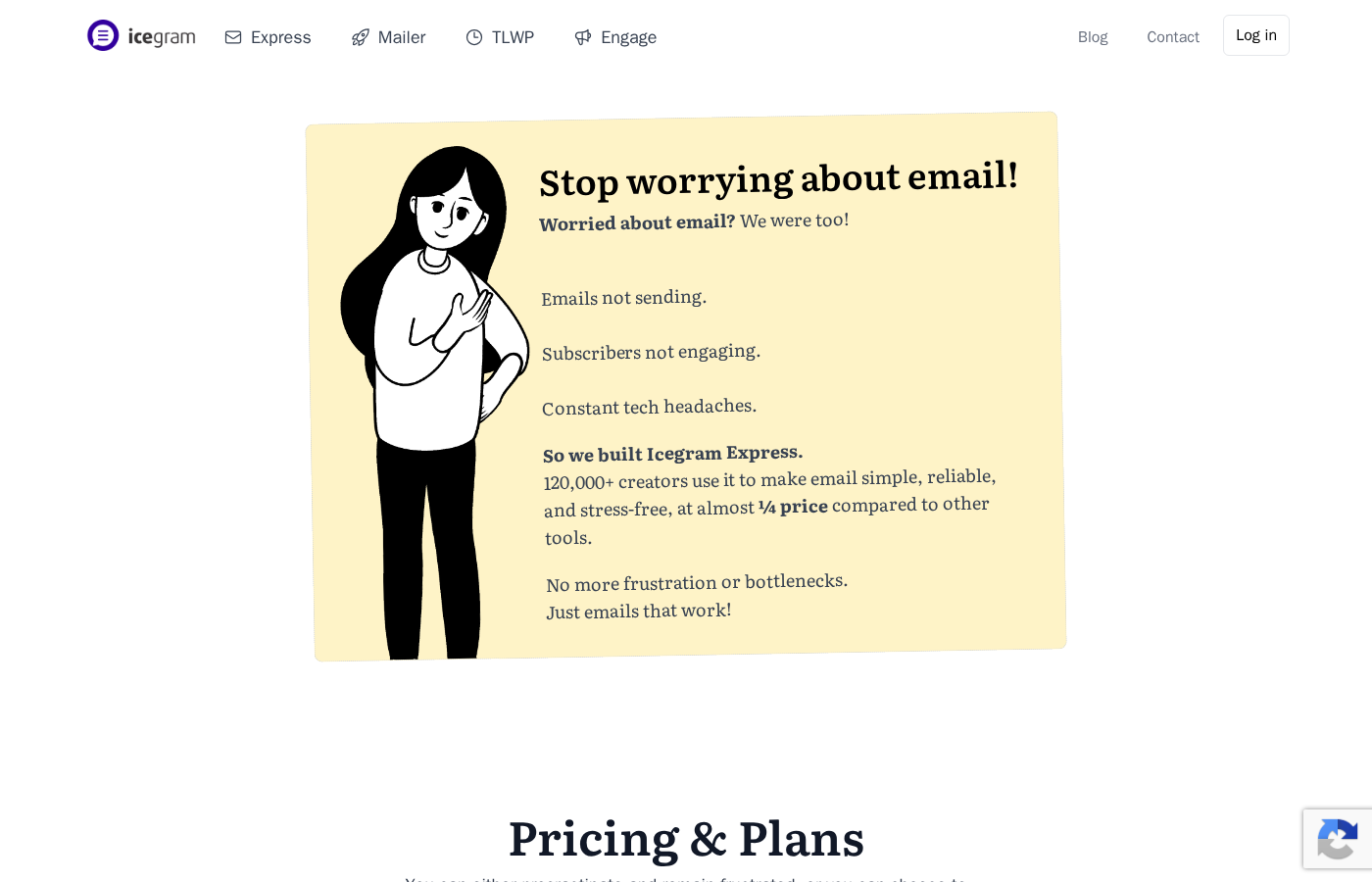
Icegram Express has two tiers: Lite (free) and Max ($99 per year).
Lite (Free):
- Cost: $0, no time limit
- Sites: 1
- Contacts and sends: Unlimited
- Features: Unlimited forms, lists, broadcasts, post notifications, post digests, drag-and-drop email builder, GDPR double opt-in, CSV import/export, basic campaign reports (summaries)
Max ($99/year):
- Cost: $99 per year, billed annually only (no monthly option)
- Sites: 3
- Contacts and sends: Unlimited
- Features: Everything in Lite, plus automation workflows, sequence/drip campaigns, abandoned cart recovery (WooCommerce), WooCommerce customer segmentation, custom fields, email validation and list cleaning, detailed per-recipient reports, engagement scoring, REST API and webhook access, priority support, advanced ESP integrations
Additional notes on pricing:
- 30-day money-back guarantee on the Max plan
- No refund once the 30 days expire
- Agency pricing (20+ sites): contact Icegram directly; no published tier
- No monthly billing option: you commit to a full year upfront
The pricing structure is simple to evaluate. For a single site, the Lite tier is genuinely usable and not a stripped-down demo. For a site with WooCommerce, serious automation needs, or multiple sites, the Max plan at $99/year for three sites is competitive with the per-subscriber costs that SaaS alternatives charge at the same list sizes.
To put it in concrete terms: Mailchimp’s Essentials plan costs around $13-20/month for a 5,000-subscriber list, which is $156-240/year. Icegram Max at $99/year covers unlimited subscribers on three sites for the same budget. If your list is growing past a few thousand contacts, the per-contact SaaS model becomes expensive in ways that Icegram Express does not.
Pros and cons
Pros
- Unlimited subscribers and sends on both the free and paid tiers. No per-contact pricing, ever.
- Strong free tier: broadcasts, post notifications, post digests, unlimited forms and lists, GDPR double opt-in, and CSV import/export at no cost.
- All subscriber data stays in your own WordPress database. Full data ownership and portability.
- 50,000+ active installs and 4.6/5 stars across 1,168 reviews on WordPress.org.
- Broad SMTP and ESP integrations: SendGrid, Mailgun, Amazon SES, Postmark, MailerSend, Gmail API, Microsoft Outlook API, and generic SMTP.
- Integrates with Contact Form 7, WPForms, Gravity Forms, Elementor, Forminator, and Ninja Forms.
- WooCommerce integration on the Max plan: abandoned cart recovery, order-triggered automation, and customer segmentation.
- Multisite-compatible: each site maintains its own subscriber data.
- Active development: 8 releases in June-August 2026, including Microsoft Outlook API support and campaign resend feature.
- 30-day money-back guarantee on the Max plan.
Cons
- Reliable email delivery requires SMTP or API setup. The default WordPress mail system fails on most shared hosts.
- Automation and drip sequences are Max-only. The free tier has no triggered follow-up capability.
- Linear sequences only. No visual automation builder with branching conditions.
- Max plan covers three sites only at $99/year. Agencies must contact Icegram for custom pricing.
- Annual billing only. No monthly payment option.
- No built-in A/B testing for subject lines or content.
- List segmentation and advanced filtering are Max-only.
- Reports on the free tier are summary-only.
- WordPress cron dependency for scheduled sends.
- No built-in landing page builder for capture forms.
Alternatives to Icegram Express
- MailPoet. A popular self-hosted email marketing plugin with a stronger visual newsletter builder and direct WooCommerce integration in the free tier. MailPoet’s free plan limits you to 1,000 subscribers; above that, it charges by subscriber count. Choose MailPoet if you want a more polished email design experience and are comfortable with subscriber-count pricing.
- FluentCRM. A CRM-focused WordPress email plugin with a visual automation builder, tagging system, and deep WooCommerce integration. More powerful than Icegram Express for contact management and segmentation. Choose FluentCRM if you need CRM-style contact management and visual multi-branch automation.
- Mailster. A premium-only WordPress newsletter plugin (no free tier) with a drag-and-drop builder, bounce handling, and integration with 20+ SMTP services. One-time license pricing. Choose Mailster if you want one-time payment rather than an annual subscription.
- Newsletter. A free WordPress email plugin with a modular add-on structure. The core plugin is free; premium add-ons (autoresponders, WooCommerce, RSS campaigns) are sold individually or as bundles. Choose Newsletter if you want to start completely free and pay only for the specific features you need.
- Brevo (formerly Sendinblue). A cloud-based SaaS email platform with a free tier up to 300 emails/day. Unlike Icegram Express, Brevo stores your data on its servers and charges by email send volume. Choose Brevo if you need managed deliverability without SMTP setup or a no-setup sending infrastructure, and you are comfortable with data leaving your WordPress server.
For most WordPress bloggers and small business owners, the practical choice is Icegram Express Lite for basic newsletters and post notifications at no cost, paired with a free SMTP tier from SendGrid or Mailgun for reliable delivery. If your needs grow to include WooCommerce automation or more than one site, the Max plan at $99/year is a straightforward upgrade.
Final verdict
Icegram Express earns its position as the leading choice for WordPress users who want unlimited subscribers without a SaaS subscription. The free tier is genuinely useful: you can collect unlimited subscribers, send broadcast newsletters, automate post notifications, and manage multiple lists, all from inside WordPress with no monthly bill and no contact limits.
The plugin’s honest weakness is onboarding friction around email delivery. If you install it and hit send without configuring SMTP, there is a real chance your emails will not arrive. This is a fixable problem, and the documentation covers it, but it is not a problem the plugin eliminates automatically. Budget 15-30 minutes for SMTP setup before your first live campaign.
The Max plan at $99/year is a clear value for WooCommerce stores and multi-site operators who want abandoned cart recovery, automation sequences, and advanced segmentation without paying Klaviyo or ActiveCampaign rates that scale with subscriber count. For three sites with unlimited subscribers, that is a price that is difficult to match among the alternatives.
Where I would not recommend Icegram Express: if you need visual branching automation (use FluentCRM), if you need A/B testing (use MailPoet), if you are an agency managing dozens of client sites without a custom pricing agreement, or if you want your email sending fully managed by the platform with no SMTP configuration required (use a SaaS service like Brevo).
For everyone else, especially bloggers and content sites that want to own their subscriber data and stop worrying about per-contact pricing thresholds, Icegram Express is the plugin to install.
FAQ
Is Icegram Express free?
Yes, in part. The Lite version is available for free at wordpress.org/plugins/email-subscribers/ with no time limit. It includes unlimited subscribers, unlimited forms and lists, broadcast campaigns, post notifications, post digests, drag-and-drop email builder, GDPR double opt-in, and CSV import/export. Advanced features including automation sequences, WooCommerce abandoned cart recovery, advanced segmentation, custom fields, and detailed reporting require the Max plan at $99/year for three sites.
How many active installs does Icegram Express have?
The WordPress.org listing reports 50,000+ active installations. Icegram’s own marketing materials cite 230,000+ active users across all three Icegram plugins (Express, Engage, and Collect) combined.
Does Icegram Express limit the number of subscribers?
No. Both the free Lite tier and the paid Max plan have no subscriber caps and no per-send limits built into the plugin. The only sending limits you will encounter come from your SMTP provider or email delivery service, not from Icegram Express itself.
What is the difference between Icegram Express Lite and Max?
The free Lite plan handles core email collection and sending: broadcasts, post notifications, post digests, forms, and basic analytics. The Max plan adds automation workflows, drip/autoresponder sequences, abandoned cart recovery (WooCommerce), customer segmentation, advanced list filtering, custom fields, email validation and list cleaning, detailed per-recipient reports, REST API and webhook access, and priority support. Max is billed at $99/year for up to three sites, annual billing only.
Does Icegram Express work with WooCommerce?
Yes, with the Max plan. The Max plan includes WooCommerce abandoned cart recovery emails, order-triggered email sequences, and customer segmentation by purchase history and product category. The free Lite plan can sync WooCommerce customers to subscriber lists (import via the Audience panel) but does not include WooCommerce-triggered automation.
Why are my subscribers not receiving emails?
This is the most common issue for new users. By default, Icegram Express uses WordPress’s built-in mail function (wp_mail()), which is unreliable on most shared hosting environments. The fix is to configure an external SMTP service or transactional email API under Icegram Express Settings > Email Sending. Supported options include generic SMTP, SendGrid, Mailgun, Amazon SES, Postmark, MailerSend, Gmail API, and Microsoft Outlook API. Most of these services offer a free tier sufficient for low-volume senders.
Does Icegram Express support WordPress Multisite?
Yes. The plugin supports both network-wide activation and per-site activation on WordPress Multisite networks. Each site maintains its own subscriber lists and campaign data independently.
What email delivery services does Icegram Express integrate with?
Icegram Express integrates with generic SMTP (any host-provided SMTP credentials), SendGrid API, Mailgun API, Amazon SES API, Postmark, MailerSend, Gmail API, and Microsoft Outlook API (added July 2026). Icegram also offers Icegram Mailer, its own transactional email sending service, as a separate add-on product.
Does Icegram Express have a money-back guarantee?
Yes. The Max plan comes with a 30-day money-back guarantee. There is no free trial for the Max plan; the free Lite version is the equivalent trial experience.
How does Icegram Express handle GDPR compliance?
Icegram Express supports single and double opt-in on a per-list basis, GDPR consent checkboxes in subscription forms, one-click unsubscribe links in all campaigns (compliant with Gmail, Yahoo, and GDPR requirements), subscriber data export on request, and subscriber deletion. The plugin stores data in your own WordPress database, which simplifies data residency compliance compared to a SaaS platform that stores data on its own infrastructure.
Is there a visual automation builder?
No. Icegram Express automation is sequence-based and linear: you define a trigger (subscriber joins a list), then a series of emails with configurable time delays between them. There is no drag-and-drop visual flowchart builder with branching conditions or multi-path logic. If you need visual multi-branch automation, FluentCRM is the alternative to evaluate.