


LearnDash has been the go-to WordPress LMS plugin for serious course builders since 2013. Universities, Fortune 500 companies, and thousands of independent creators have used it to run everything from continuing education programs to membership-gated video courses. If you have spent more than ten minutes researching WordPress online course plugins, you have seen the name.
The 2026 edition of LearnDash comes with important context that almost every review written before April 2026 misses: the plugin’s parent brand, StellarWP, was dissolved. LearnDash now lives under Liquid Web’s umbrella, with learndash.com redirecting to liquidweb.com. The pricing was restructured. The leadership team changed. And the user community is asking reasonable questions about what comes next.
This review covers the plugin as it stands in mid-2026: what it does well, where it has gaps, how the pricing actually works, and whether the organizational changes add meaningful risk for a buyer starting a new course platform today.
Note on basis: this LearnDash review is built on a full audit of the official product pages at liquidweb.com, the official feature documentation, the 2026 pricing structure, hands-on observations from third-party publishers who have tested the admin interface directly, and published analysis of the Liquid Web consolidation. A full paid license install running against a production course was not part of this review window. Where a feature is described from documentation rather than direct exercise, the text says so. Pricing verified July 2026.
At a glance
Audited on: the official LearnDash product page at liquidweb.com, the 2026 pricing page, third-party hands-on reviews from multiple independent publishers, user community discussion, and published reporting on the StellarWP/Liquid Web consolidation.
Free version: none. A 48-hour demo is available without a credit card.
Pricing: three annual tiers at $259, $399, and $599. All tiers include unlimited courses and unlimited learners.
Bottom line: a powerful and mature WordPress LMS plugin with one of the deepest feature sets in its category, but one carrying meaningful organizational uncertainty in 2026 that buyers deserve to weigh honestly.
Quick verdict
LearnDash is still one of the most capable WordPress LMS plugins available in 2026. The course builder is mature, the quiz engine is flexible, and the add-on ecosystem is deep. If you are a course creator who already knows WordPress, an agency building educational platforms for clients, or an institution that needs maximum control over data and design, LearnDash gives you the tools to build serious learning environments on your own hosting.
The honest caveat in mid-2026 is the organizational context. StellarWP was dissolved in April 2026, LearnDash’s product team was significantly reduced in late 2025, and the product now lives inside a hosting company rather than operating as an independent LMS product line. The plugin still works. Features did not disappear overnight. But the roadmap clarity and support depth that defined LearnDash during its StellarWP years are less certain in ways that matter for buyers making a multi-year platform commitment.
Quick verdict
Best for: WordPress developers and course creators who want maximum data ownership, flexibility, and access to a deep plugin ecosystem; agencies building custom learning platforms for clients; institutions and L&D teams that need multi-instructor management and advanced reporting.
Best plan for most independent creators: Pro at $399/year, which adds AI tools, advanced reporting, and groups/cohorts support.
Best plan for agencies or institutions: Elite at $599/year for front-end instructor roles and multi-instructor collaboration.
Standout: one of the strongest quiz engines in the WordPress LMS category, a genuinely powerful course builder, a bundled membership platform, and institutional-grade scalability.
Watch out for: no free version, important features gated to higher tiers (groups/cohorts require Pro, multi-instructor requires Elite), organizational uncertainty following the 2026 Liquid Web consolidation, and a setup curve that assumes WordPress confidence.
What LearnDash is
LearnDash is a WordPress plugin for building, managing, and selling online courses directly from a self-hosted WordPress site. You install it like any other plugin, configure it from the WordPress admin, and build courses using a drag-and-drop course builder that organizes content into courses, sections, lessons, topics, and quizzes.
The product has been running since 2013. It was acquired by Liquid Web in 2021, operated under the StellarWP portfolio brand from 2021 to 2026, and from April 2026 now sits directly inside Liquid Web’s product suite alongside Kadence, The Events Calendar, and Give. The learndash.com domain redirects to Liquid Web’s site. The plugin is available from the Liquid Web vendor portal after purchase; it is not available as a free install from the WordPress.org plugin directory.
LearnDash is a self-hosted, plugin-based product. Your course content, student data, and progress records live on your own WordPress hosting account. There is no vendor cloud requirement, no per-student fee, and no platform lock-in. If you stop your LearnDash subscription, your data stays on your server.
A hosted alternative called StellarSites Learning (previously LearnDash Cloud) provided a managed WordPress environment with LearnDash pre-installed. As of mid-2026, that product’s status under the Liquid Web consolidation is in flux. Buyers interested in a managed hosting option should verify current availability directly with Liquid Web before committing.
Who LearnDash is best for
Strong fit:
- Independent course creators and educators who already have a WordPress site and want maximum control over branding, design, pricing, and student data.
- Businesses and organizations running structured employee or customer training (corporate learning and development, compliance training, professional certification programs).
- Agencies building bespoke online learning platforms for clients on client-managed hosting.
- Universities, non-profits, and continuing education organizations with content complexity (multi-instructor courses, cohort scheduling, weighted grading) that simpler tools cannot handle.
- WordPress developers who want to extend LMS functionality through add-ons, Zapier workflows, or custom integrations.
Weak fit:
- First-time course creators who are not comfortable with WordPress. The setup process requires WordPress knowledge, and the volume of settings can overwhelm complete beginners.
- Sellers looking for an all-in-one platform. LearnDash does not natively include email marketing, community forums, or affiliate programs.
- Buyers who need a native mobile app. There is no official mobile app included in any plan. A separate app product exists but carries significant additional cost.
- Teams requiring a free starting point. LearnDash has no free version. The free WordPress LMS market is served by LifterLMS and Tutor LMS, both of which offer capable free cores.
- Organizations making a five-plus-year platform commitment who need high confidence in long-term development trajectory. The 2026 organizational changes warrant caution, covered in detail below.
Setup and user experience
Installing LearnDash follows the standard WordPress plugin workflow: purchase a plan, download the plugin zip from the vendor portal, upload it via Plugins > Add New, and activate with the provided license key. An onboarding wizard appears on first activation to walk through creating an initial course and connecting a payment method.

The admin interface uses custom WordPress post types: Courses, Lessons, Topics, Quizzes, and Certificates each appear as separate items in the WordPress admin sidebar. This is standard WordPress architecture, which means the data is portable and queryable, but also that the learning curve is tied to general WordPress familiarity.
The visual course builder, observed hands-on by multiple independent publishers, displays sections, lessons, and topics in a hierarchical tree that instructors rearrange by dragging. Content editing uses the standard WordPress block editor (Gutenberg), which means any block or page builder compatible with WordPress can be used to design lesson content. One practical limitation to note: Elementor’s editing tools cannot directly modify lesson layouts inside LearnDash’s Focus Mode learner interface, which matters if your design workflow depends heavily on Elementor.
The Focus Mode learner experience strips away the WordPress theme’s header, footer, and sidebars to give students a clean, distraction-free reading environment. Course navigation, progress indicators, and lesson timers sit in a persistent sidebar. Independent publishers consistently rate this as a meaningful differentiator from competing WordPress LMS plugins.
The 48-hour demo, available without a credit card from the official product page, lets prospective buyers explore the admin interface before purchasing. It is worth running through before committing to an annual plan.
Core features
Course builder
The drag-and-drop course builder handles the full content hierarchy: course, section, lesson, topic. Content at every level uses the WordPress block editor, so you can embed video, PDFs, downloadable files, images, and any block-compatible element inside lessons without additional plugins.
Video progression is a feature that sets LearnDash apart from most competing WordPress LMS plugins: students must watch a minimum percentage of a video before advancing to the next lesson. The percentage threshold is configurable per lesson. This matters for video-heavy curricula where preventing skipping is a compliance or pedagogical requirement.
Content drip scheduling releases lessons to students on a fixed date, a set number of days after enrollment, or based on membership level. Prerequisite rules lock lessons or courses until a student completes specific prior content. Both features are available on every plan tier.
Content reuse is supported: a single lesson or quiz can belong to multiple courses without duplication, which helps manage large content libraries where the same module appears across several programs.
Quiz builder
LearnDash’s quiz engine is one of the strongest in the WordPress LMS category by question type count. Eight question types are supported:
- Single correct answer (standard multiple choice)
- Multiple correct answers
- Free choice (short text entry)
- Essay (long text, with manual instructor grading)
- Sorting (reorder items in the correct sequence)
- Fill-in-the-blank
- Assessment (survey-style weighted answers)
- Matrix sorting
Most competing WordPress LMS plugins support three to four question types. The essay and sorting types, in particular, support learning objectives that simple multiple-choice formats cannot handle.
Quiz configuration includes time limits, passing thresholds, randomized question order, randomized answer order, limited retry attempts, forced passing before advancing, and automatic or manual grading for essay submissions. The Pro tier adds an AI-powered Quiz Builder that generates draft questions from a text prompt, speeding up content creation for large quiz banks.
Certificates and badges
Certificates generate automatically when students meet a quiz score threshold or course completion requirement. The certificate builder uses a drag-and-drop template editor: place text fields, images, and dynamic variables (student name, course name, completion date, score) on a background image and save as a PDF template. Available across all plan tiers.
The gamification layer includes course points, badges, and leaderboards for tracking and motivating engagement. Both certificates and gamification elements are configurable per course.
Groups and cohorts (Pro and above)
Enrollment management through Groups lets administrators bundle a set of courses, set an enrollment cap, assign start and end dates, and assign a Group Leader role that can view reporting for group members without full site admin access. Cohort scheduling via groups allows the same course to run as a synchronized experience for multiple student intakes.
This feature set maps well to corporate training: an L&D manager sets up a course, assigns 50 employees to a group, starts the cohort on a scheduled date, and monitors completion through a dedicated reporting view without sharing admin credentials across the organization.

Groups and cohorts require the Pro tier or above.
MemberDash memberships (all tiers)
As of the 2026 pricing restructuring, the MemberDash membership platform is bundled with all LearnDash plans. Previously a separate purchase, MemberDash adds membership tiers, subscription billing, content protection for non-course WordPress content (pages, posts, and custom post types), and drip content release tied to membership level.
For course creators who also need to protect a blog or resource library alongside their courses, MemberDash fills that gap without an additional plugin license. The combination of LearnDash’s course engine and MemberDash’s content protection covers a full online education business on two bundled products plus a payment gateway.
Reporting and analytics
Basic progress tracking, including per-student completion rates, quiz scores, and last activity dates, is available across all tiers. The Pro tier and above add ProPanel: an advanced reporting dashboard with enrollment tracking, weighted grade aggregation, report card generation, and student notes.
ProPanel is displayed as an additional settings panel within the WordPress admin. Reviewers who have used it describe it as functional for monitoring course completion across large student cohorts, though not as polished as dedicated analytics platforms.
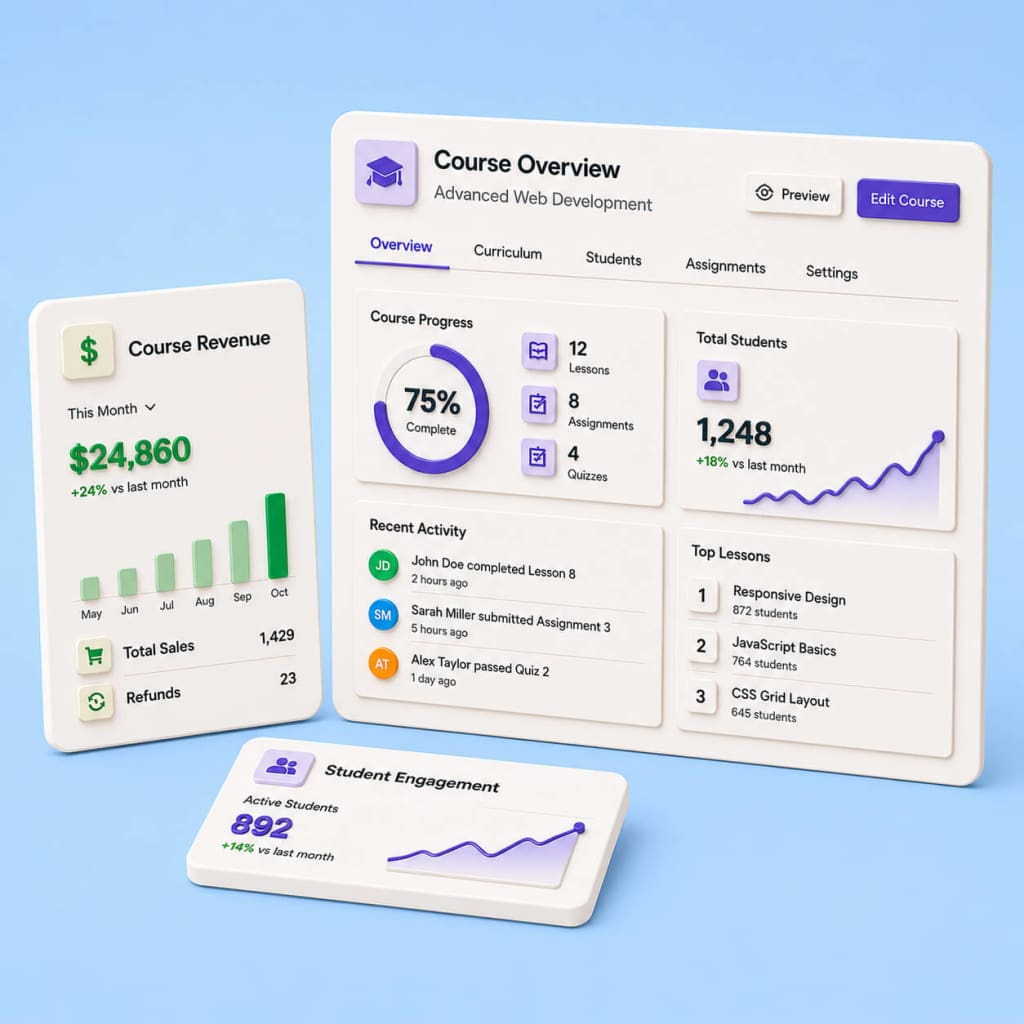
Advanced reporting, enrollment tracking, weighted grading, and report cards require Pro or above.
AI course tools (Pro and above)
The Pro tier adds an AI tool that generates a draft course outline from a text prompt. Describe the course topic, level, and target audience, and the tool returns a suggested curriculum with section and lesson titles. From the same panel, an AI quiz builder generates question drafts based on a lesson’s content.
These are productivity tools, not autonomous content generators. The output is a starting draft that an instructor reviews, edits, and publishes. Based on published reviewer accounts, the quiz output is useful for multiple-choice and fill-in-the-blank formats and less targeted for essay or sorting question types where human judgment is central to the question design.

AI tools require the Pro tier or above.
Multi-instructor management (Elite only)
The Elite tier adds a front-end Instructor role with a course creation interface that does not require access to the WordPress admin. Instructors can build courses, add lessons, and configure quizzes from a front-end dashboard. This is the right design for course marketplaces or platforms where multiple independent instructors publish content without sharing admin credentials.
Student ratings and reviews, instructor feedback collection, and multi-instructor course collaboration also require Elite.
Pricing and the 2026 restructuring
LearnDash restructured its pricing alongside the Liquid Web consolidation in 2026. The previous model charged by site count: $199/year for one site, $399/year for ten sites, and $799/year for unlimited sites, with all tiers sharing the same feature set. The new model is organized by features, not site count.
| Plan | Price | Key features |
|---|---|---|
| Essentials | $259/year | Course builder, 8 quiz types, drip content, prerequisites, certificates, MemberDash memberships, Stripe and PayPal payments, Focus Mode, plagiarism detection |
| Pro | $399/year | All Essentials features, plus AI Course Outline and Quiz Builder, ProPanel advanced reporting, enrollment tracking, weighted grading, report cards, student notes, groups and cohorts |
| Elite | $599/year | All Pro features, plus multi-instructor management, front-end course creation for instructors, student ratings and reviews |
All three plans include: unlimited courses, unlimited learners, and the MemberDash membership platform.
The pricing model change is meaningful for buyers comparing old and new options. Under the old model, the $399 plan (ten sites) included the full feature set, meaning groups/cohorts and ProPanel were available at that price. Under the new model, Pro at $399 (unlimited sites) still includes those same features plus AI tools. The entry price rose from $199 to $259, but the per-site restriction is gone. Buyers renewing from legacy plans should confirm with Liquid Web which features map to their current tier before renewal.
A 48-hour demo is available without a credit card from the official product page. Some sources reference a 30-day money-back guarantee on annual plans; verify the current refund policy directly on the purchase page before buying, as policy terms may have changed during the restructuring.
Prices above were verified on liquidweb.com in July 2026. Confirm current pricing on the official page before purchasing.
The Liquid Web consolidation: what buyers should know
Any honest LearnDash review written in 2026 has to address the ownership picture directly. Here is what happened, drawn from multiple published sources.
Liquid Web acquired LearnDash in 2021 and ran it under the StellarWP portfolio brand alongside Kadence, GiveWP, The Events Calendar, Iconic, Restrict Content Pro, SolidWP, and MemberDash. In November 2025, Liquid Web laid off approximately 25% of the StellarWP staff (around 36 people), including LearnDash’s Product Owner and other senior members of the core team. In April 2026, Liquid Web dissolved the StellarWP brand entirely and consolidated to four surviving products: Kadence, LearnDash, The Events Calendar, and Give. Several smaller products (MemberDash, Restrict Content Pro, some SolidWP capabilities) were folded into the surviving products rather than maintained independently. The bundling of MemberDash into all LearnDash plans reflects this consolidation directly.
What this means in practice for buyers in 2026:
The plugin keeps working. Existing license keys remain valid. Course content, student data, and site configuration are unaffected. Liquid Web migrated customer accounts to a unified portal at software.liquidweb.com. Early transition reports included login issues and missing invoice history during the migration, which Liquid Web worked to resolve; mid-2026 user accounts do not indicate ongoing systemic problems.
The development trajectory is harder to evaluate than it was before 2025. The team that drove feature output over the prior three years is smaller. The roadmap is less publicly visible than it was under the StellarWP brand. These are not statements that the product is failing; they are statements that the evidence for sustained investment is thinner than it was eighteen months ago, and buyers making multi-year commitments should factor that honestly into their decision.
For buyers with low switching costs, the organizational uncertainty is manageable. For buyers with high switching costs (established course catalogs with thousands of students, complex certificate workflows, custom add-on integrations, enterprise L&D programs), the calculus is different. A platform migration from LearnDash is a significant project. The prudent step before signing a new contract in 2026 is to directly request Liquid Web’s current development roadmap, support response commitments, and long-term product investment statement in writing before purchasing.
For teams already running on LearnDash: the plugin works, your data is on your own server, and nothing has broken. Monitor update frequency and support quality over the next six to twelve months before deciding whether to migrate.
Pros and cons
Pros
- One of the strongest quiz engines in the WordPress LMS category, with 8 question types including manual-graded essays, sorting, and matrix sorting.
- Unlimited courses and unlimited learners on every plan, with no per-student fees.
- MemberDash bundled with all plans from 2026, adding membership tiers and content protection without an additional plugin license.
- Full data ownership: course content and student records live on your server, not on a vendor cloud.
- Video progression enforces minimum watch time before lesson advancement, a feature not commonly found in competing WordPress LMS plugins.
- Focus Mode delivers a clean, distraction-free learner interface within any WordPress theme.
- Content reuse lets a single lesson or quiz appear in multiple courses without duplication.
- Deep third-party add-on ecosystem: Uncanny Automator, WP Fusion, BuddyBoss, Gravity Forms, and hundreds of community-built extensions.
- AI course outline and quiz builder (Pro+) reduces time to draft initial curricula.
- ProPanel reporting (Pro+) provides enrollment dashboards, weighted grades, and report cards suited to corporate and institutional training use cases.
- Front-end instructor roles (Elite) allow multi-instructor platforms without sharing WordPress admin credentials.
- Works on any WordPress hosting stack without a proprietary infrastructure requirement.
- Institutional track record: used by universities and major enterprises, demonstrating the plugin handles real production load and complex user management.
Cons
- No free version. The 48-hour demo is time-limited.
- Starting price of $259/year is higher than the previous $199/year entry price and higher than most competing WordPress LMS plugins.
- Groups/cohorts and advanced reporting require the Pro tier ($399/year), not the Essentials entry plan.
- Multi-instructor management requires Elite ($599/year).
- No native mobile app is included in any plan. A separate app product exists at significant additional cost; verify current availability with Liquid Web.
- Requires solid WordPress knowledge. Beginners unfamiliar with WordPress face a steep setup curve.
- No built-in community or forum feature. Community tools require a third-party plugin such as BuddyBoss or bbPress.
- No native email marketing. Full automation requires integration with a separate platform (Mailchimp, ActiveCampaign) or a connector like Zapier or Uncanny Automator.
- Organizational uncertainty following the 2026 Liquid Web consolidation: reduced development team, departed original leadership, and an uncertain long-term roadmap for buyers making multi-year platform decisions.
- Elementor’s template editing does not work within LearnDash’s Focus Mode learner layouts.
Alternatives to LearnDash
LifterLMS. A strong free WordPress LMS option. The core is available at no cost on WordPress.org and covers course creation, quizzes, certificates, and learner tracking. Paid add-ons add memberships, payment gateways, and gamification, with full-feature bundles starting around $360/year. Choose LifterLMS if you want to test a WordPress LMS before spending money, need built-in coaching and membership tools tightly integrated into the core plugin, or if budget makes LearnDash’s entry price a barrier.
Tutor LMS. A modern WordPress LMS plugin with a cleaner admin interface and a free version that covers the basics. The setup experience is more accessible for non-technical users, and a front-end course marketplace builder makes multi-instructor platforms easier to launch without Elite-tier pricing. Premium starts at $199/year. Choose Tutor LMS if you are building a course marketplace, want a faster setup experience, or want a free starting point before committing to annual costs.
MasterStudy LMS. A WordPress LMS plugin focused on design quality and live session integration. Built-in Zoom support for live webinars and classes is a differentiator not available natively in LearnDash. MasterStudy suits educators whose model combines self-paced recorded content with synchronous live sessions.
Teachable. A SaaS platform, not a WordPress plugin. Teachable removes the hosting, security, and maintenance burden entirely: create an account, upload your course, and sell without touching WordPress. Starts at $348+/year with transaction fees on lower tiers. Choose Teachable if you want the fastest possible start with zero technical overhead and accept giving up data ownership and deep design control in exchange.
Thinkific. Similar to Teachable in positioning. A hosted course platform with a limited free plan and paid plans from $36/month. Stronger built-in community features than Teachable. Choose it over LearnDash if you are a first-time creator who wants to validate a course concept before investing in WordPress infrastructure.
For buyers already committed to a self-hosted WordPress stack, the 2026 decision is mainly LearnDash versus LifterLMS for feature depth and long-term value, or LearnDash versus Tutor LMS for ease of use and instructor experience.
Final verdict
LearnDash built its reputation on doing things other WordPress LMS plugins handle less completely: a quiz engine with eight question types, video progression enforcement, cohort-based scheduling, group management with delegated leader roles, and the institutional scalability to run programs for universities and enterprise L&D teams. That capability is still intact in 2026. The feature set is deep, the course builder is mature, and the add-on ecosystem across the WordPress LMS category is well-represented here.
The question any buyer has to answer honestly in 2026 is not “is LearnDash capable?” It is. The question is “is LearnDash the right long-term bet for my platform?”
For buyers with low switching costs and shorter time horizons, the answer leans yes. Pro at $399/year includes the AI tools, advanced reporting, and groups/cohorts that most serious course businesses need, and the MemberDash bundling removes one plugin license from the stack. The unlimited sites and learners model is genuinely more flexible than the old per-site approach.
For buyers making larger commitments (established course catalogs, institutional training programs, enterprise-scale integrations), the 2026 reorganization is a legitimate due diligence concern. Request a roadmap commitment and support SLAs in writing before signing. That is not a reason to rule out LearnDash. It is a reason to ask harder questions before you are committed.
For creators already running on LearnDash: the plugin works, your data is on your own server, and nothing has broken. Monitor update cadence and support quality over the next six to twelve months before deciding whether to migrate.
For creators starting fresh: LearnDash Pro at $399/year remains one of the most capable single-plugin LMS investments available on WordPress in 2026. The organizational uncertainty is real, but so is the depth of features on offer compared to most alternatives in the category.