


At a glance
- Plugin: LearnPress by ThimPress
- Current version: 4.4.4 (August 3, 2026)
- Active installs: 70,000+ (WordPress.org)
- WP.org rating: 4.3/5 (596 reviews)
- Free tier: Yes – full core LMS functionality
- Semi-Pro Bundle: $149 (5 key add-ons, 1 site, 12 months support/updates)
- Pro Bundle: $299 (33+ add-ons, 1 site, 12 months support/updates)
- Individual add-ons: $19-$49 each
- Best for: Educators, coaches, schools, and non-profits who want a free LMS and the flexibility to pay only for the add-ons they need
LearnPress arrived on WordPress.org in 2014, built by ThimPress as a free alternative to paid LMS platforms. It has since grown to 70,000+ active installs, a 4.3-star rating across 596 reviews, and an ecosystem of 33+ premium add-ons. The core plugin is still free. The question is what you get for free, what requires a paid bundle, and whether LearnPress is the right LMS for your site in 2026.
This LearnPress review is based on a review of the plugin’s WordPress.org listing (version 4.4.4, released August 3, 2026), the official feature pages at learnpresslms.com, the ThimPress add-on shop, public pricing pages, the plugin changelog, and course builder screenshots from the vendor. Where a feature was not directly tested in a live install, the relevant section says so. See our plugin reviews for other hands-on tests in this category.
Quick verdict
- Best for: Individual instructors, coaches, schools, non-profits, and budget-conscious creators who want a free WordPress LMS and want to pay only for the features they need
- Best plan for beginners: Free core plus one or two targeted add-ons ($19-$49 each)
- Best plan for full-feature setups: Pro Bundle ($299, 1 site, 12 months support/updates; $209 renewal)
- Standout: Completely free core LMS, AI course generation assistant built-in, 20+ payment gateway integrations, mobile apps for iOS and Android
- Watch out for: Certificates, assignments, and gradebook all require paid add-ons; WP.org support resolves 9 of 11 issues within two months; some 1-star reviews cite database compatibility issues on updates
LearnPress is the strongest free entry point into WordPress LMS in 2026. The free core plugin covers course creation, lessons, topics, quizzes, and student enrollment without requiring any payment. If you are starting a course site with minimal budget, LearnPress is the right first install. If you need a polished, all-in-one LMS without add-on management overhead, LearnDash at $199 per year is worth comparing directly.
What is LearnPress
LearnPress is a free WordPress LMS plugin developed by ThimPress, a theme and plugin shop based in Vietnam. It installs from the WordPress plugin directory and creates a structured course system inside your WordPress site. (Note: ThimPress recently moved the plugin’s primary domain from thimpress.com/learnpress to learnpresslms.com.)
The core free plugin handles:
- Course creation with a structured builder (sections, lessons, topics)
- Multiple lesson types (video, audio, text, images, attachments)
- Quiz creation with multiple question formats and timed quizzes
- Student enrollment and progress tracking
- Frontend course display compatible with any WordPress theme
- PayPal payment gateway
- AI-powered course outline and content generation (built-in since v4.3.9)
LearnPress is actively maintained. Version 4.4.4 shipped on August 3, 2026 with security fixes and library updates. Recent updates also added webhook support (4.4.2), PayPal subscription support (4.3.8), and order refund capability (4.4.0). The pace of development is healthy for a free plugin.
Who LearnPress is best for
Strong fit
- Individual instructors and coaches creating their first course site with limited budget
- Schools and academies that need a structured LMS without an enterprise license fee
- Non-profit organizations running training programs who cannot afford per-seat LMS fees
- Corporate training departments that run their own WordPress infrastructure and want a self-hosted LMS they control
- Developers and agencies building custom LMS solutions for clients who want flexible add-on pricing
Weak fit
- Course creators who need certificates and assignments immediately without purchasing add-ons – those are paid features in LearnPress
- Sites where a polished, modern UI is the top priority out of the box
- Buyers who want a single annual subscription covering all features without managing add-on licenses
- Teams who need a fully managed SaaS LMS with hosting included – LearnPress is self-hosted only
Installing and setting up LearnPress
LearnPress installs from Plugins > Add New in the WordPress admin. Search for “LearnPress” and it appears as the first result. Activation creates a LearnPress menu in the sidebar with sub-menus for Courses, Lessons, Questions, Orders, and Settings.
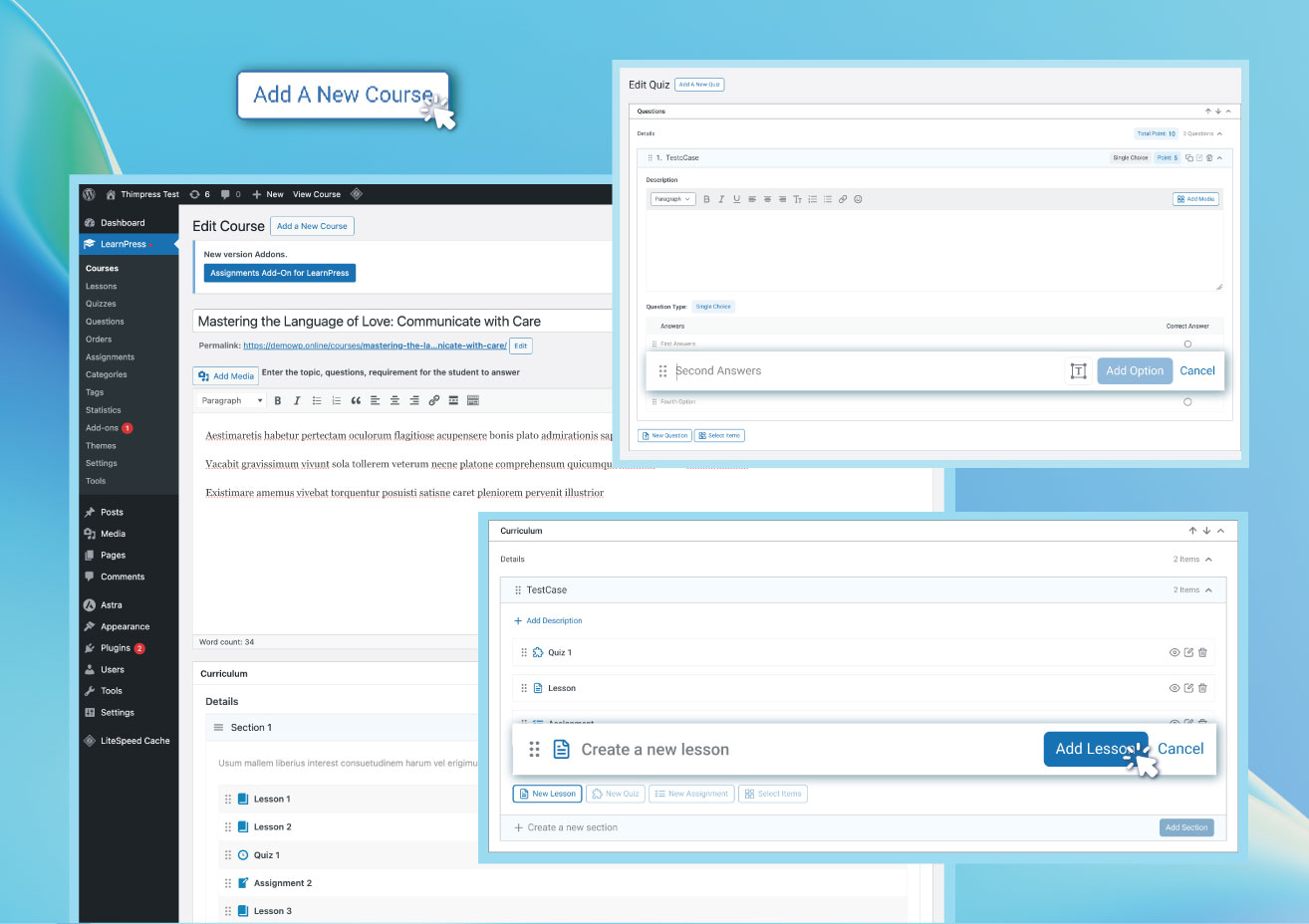
The course builder uses a section-and-lesson structure. You create a course, then add sections (like chapters), then add lessons and quizzes inside each section. The builder is visual and reasonably intuitive – it does not require shortcodes or page builder knowledge to get a basic course published.
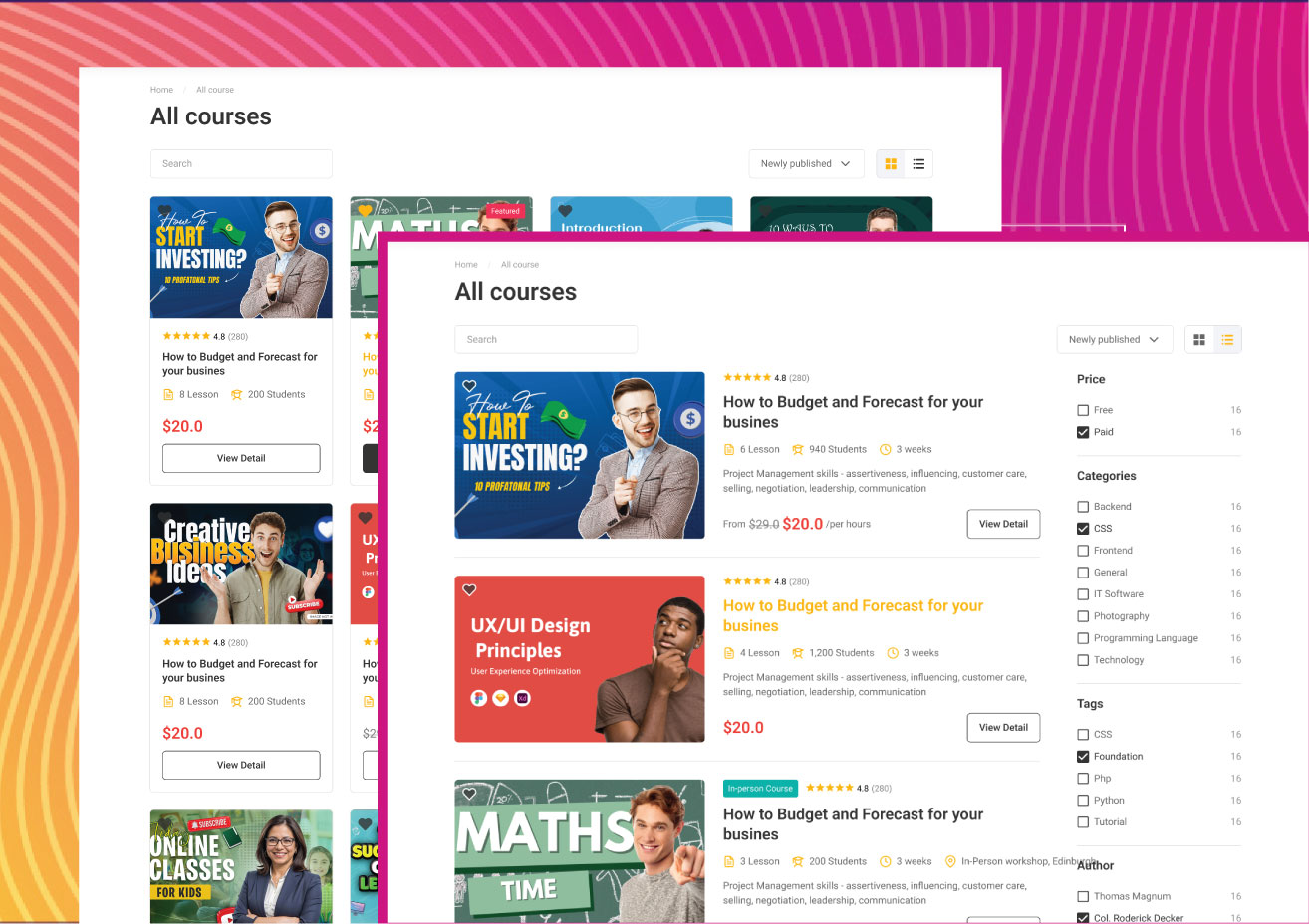
Courses appear on a frontend archive page (/courses/ by default). Individual course pages show the curriculum, instructor details, price, and an enrollment or purchase button. The appearance is controlled by your active WordPress theme and can be customized with Gutenberg, Elementor, or via the LearnPress frontend editor add-on.
Note on basis: the setup flow was reviewed from the WordPress.org screenshots, official documentation at learnpresslms.com, and vendor feature pages. A full live install on a production server was not part of this test window.
Core features
Course and lesson creation
The free core handles the full course creation workflow: create courses, organize them into sections and lessons, attach resources (PDFs, worksheets, guides), set prerequisites, restrict content access, and publish courses publicly or to logged-in users only. Lesson types support video, audio, text, images, and downloadable attachments.
The unlimited lesson bank lets you build a reusable library of lessons that can be added to multiple courses – useful for instructors who cover the same material across different products.
Quiz engine
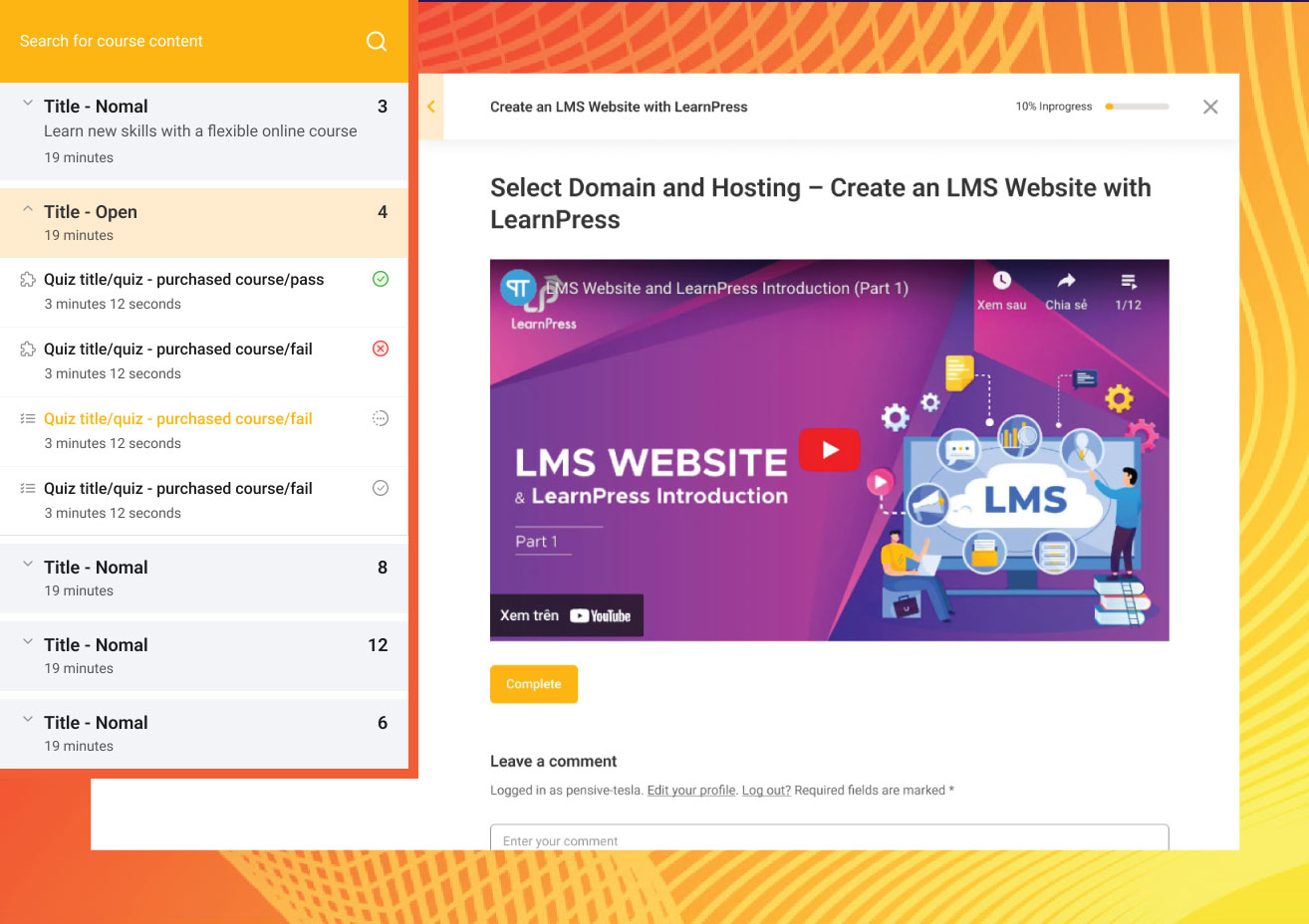
The quiz engine in the free version supports multiple question formats, timed quizzes, instant feedback, and pass/fail thresholds. Students see results immediately after submission. Question banks are reusable across quizzes. For advanced question types (fill-in-the-blank, image-based questions, H5P interactive content), premium add-ons are required.
AI course creation assistant
Version 4.3.9 added a built-in AI assistant for course generation. Instructors can use it to generate a full course outline, fill curriculum gaps, create lesson summaries, and produce quiz questions. This is included in the core free plugin – you do not need to pay for the AI feature separately.
This is a meaningful differentiator for LearnPress in 2026. Most competing free WordPress LMS plugins do not include an AI content assistant natively.
Payment gateways
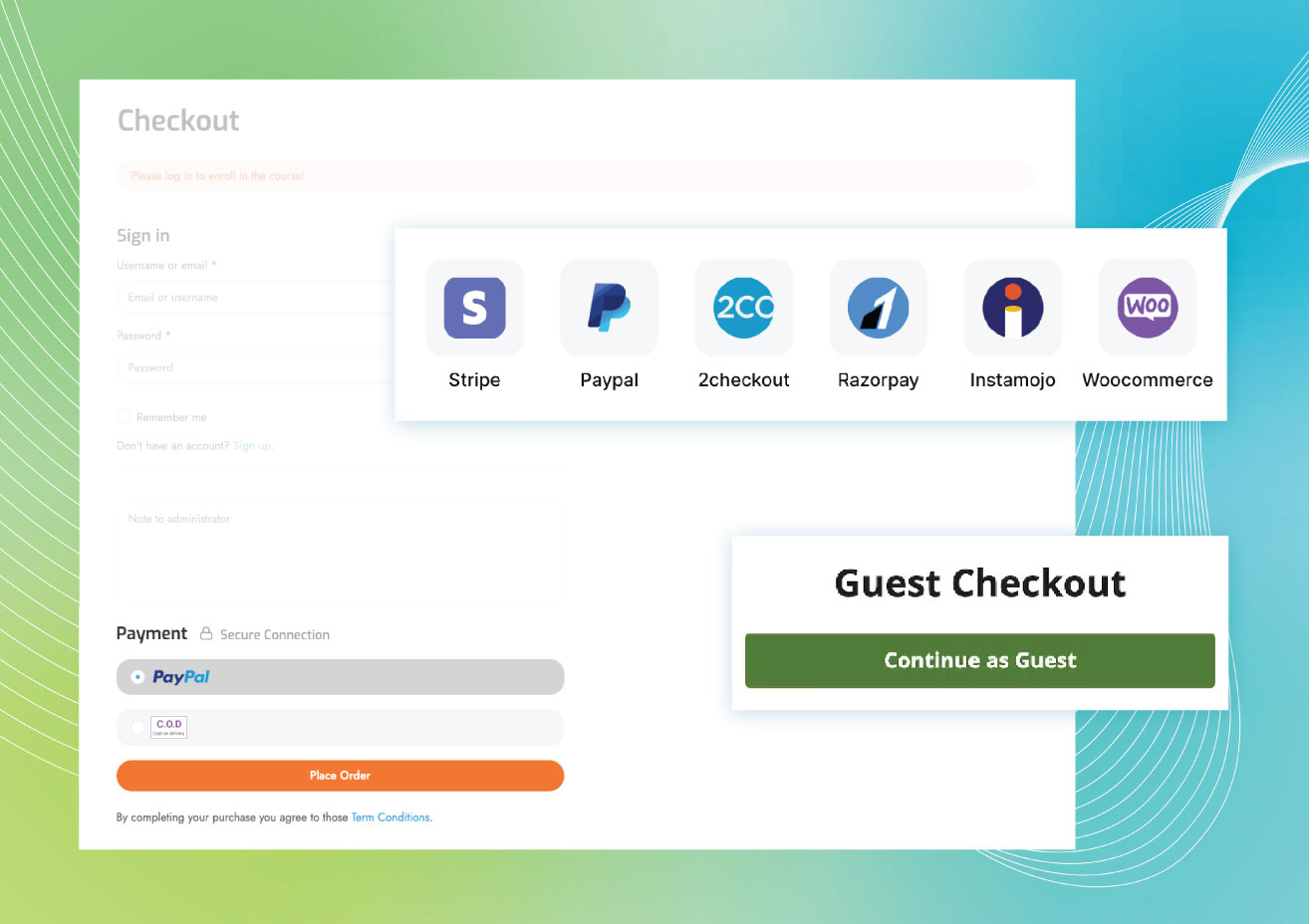
The free version includes PayPal as the built-in payment gateway. All other payment options require add-ons:
- Stripe and WooCommerce (included in Semi-Pro and Pro bundles)
- 2Checkout, Authorize.Net, Razorpay, Paystack, Klarna, PayU, QPay, Instamojo (Pro Bundle or individual purchase)
The WooCommerce integration is particularly valuable: once active, any payment method your WooCommerce store supports – credit cards, Apple Pay, BNPL services, regional gateways – becomes available for course purchases. This gives LearnPress effectively unlimited payment flexibility through WooCommerce’s ecosystem.
Certificates
Certificates require the Certificates premium add-on, included in the Semi-Pro Bundle ($149) and Pro Bundle ($299), or purchasable individually (approximately $39).
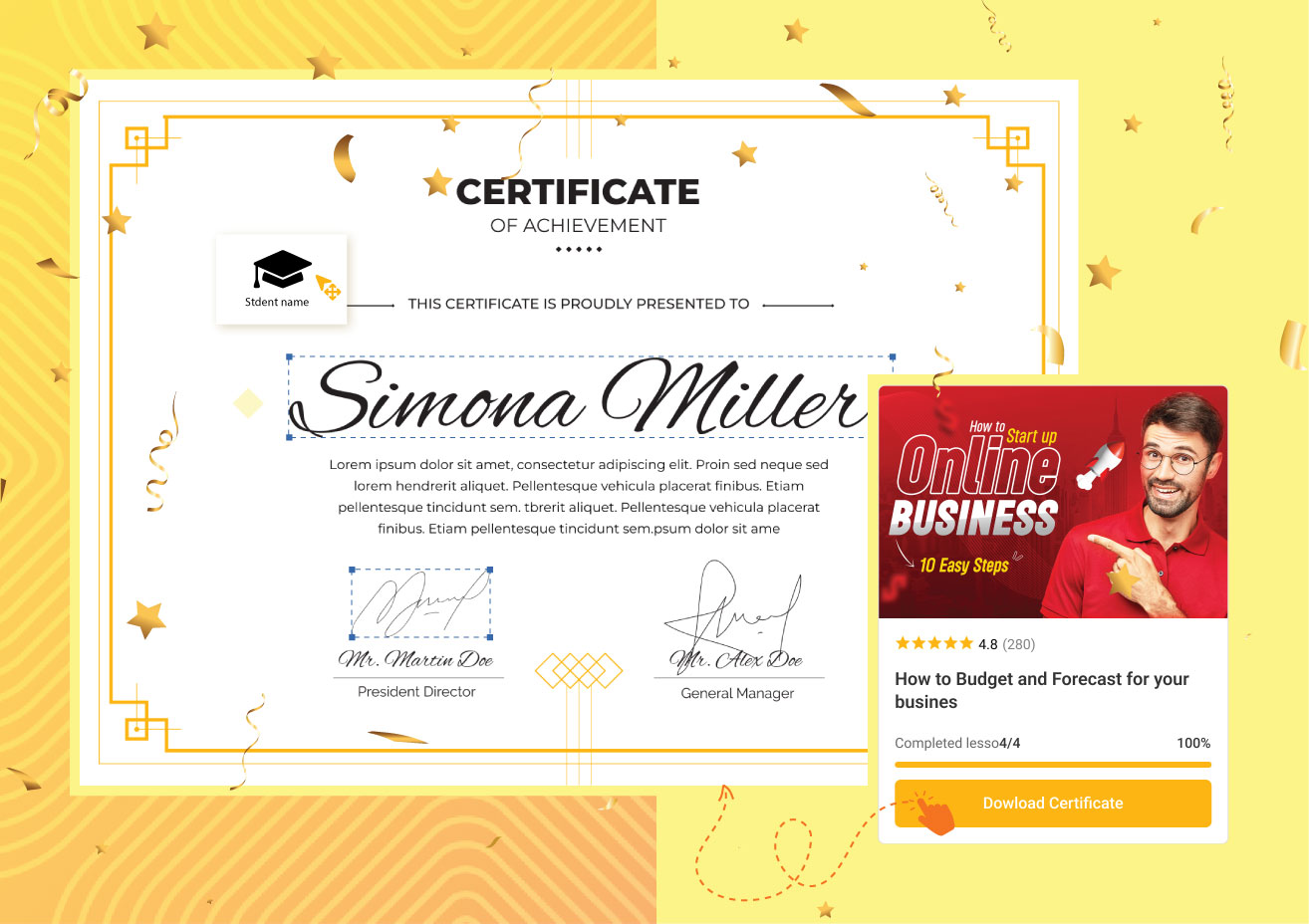
The certificate editor allows instructors to design completion credentials with custom fields, logos, and signatures. Certificates are issued automatically when a student meets the course completion criteria.
Student dashboard
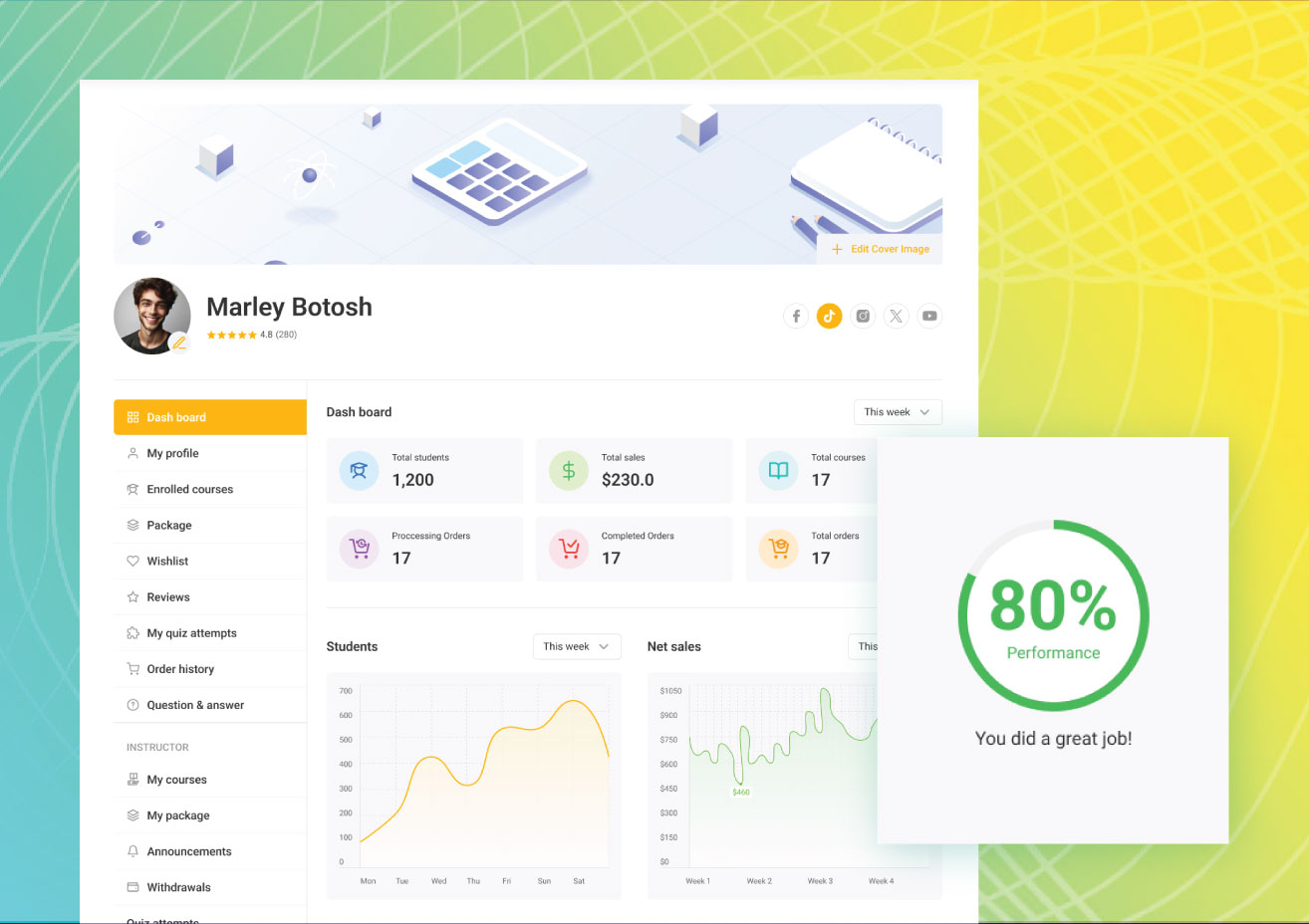
Students get a personalized frontend dashboard showing enrolled courses, completion progress, quiz scores, and a learning timeline. The dashboard is part of the free core – students do not need to navigate the WordPress admin to track their learning.
Community and mobile features
LearnPress integrates with BuddyPress and bbPress for community features: student discussion forums, course-specific groups, and learner profiles within a social network structure. These integrations are free. Official mobile apps for iOS and Android are available through ThimPress (React Native and Flutter versions), allowing students to access courses on their phones. Most competing free WordPress LMS plugins do not include companion mobile apps.
Multilingual support via WPML is officially recommended by WPML. The plugin is available in 28+ language translations, making it one of the more reliably localized LMS options for multilingual course sites.
Course detail page

The individual course page displays the full curriculum in collapsible sections, shows the instructor profile, lists prerequisites, and presents the enrollment or purchase button. The design is controlled by the active WordPress theme and is compatible with Gutenberg, Elementor, and most popular WordPress page builders.
Pricing
LearnPress uses a modular pricing model: the core plugin is free, and you add premium functionality through specific add-ons or a bundle. All pricing below was verified against learnpresslms.com/pricing-plan in August 2026. Verify against the pricing page before purchasing as promotional rates may change.
| Plan | Price | Key includes | License |
|---|---|---|---|
| Free | $0 | Unlimited courses, lessons, quizzes, PayPal, AI assistant, student dashboard, mobile app access, 8 free add-ons | Unlimited sites |
| Individual add-ons | $19-$49 each | One specific premium feature per purchase; 12 months support/updates | 1 site each |
| Semi-Pro Bundle | $149 | WooCommerce, Stripe, Certificates, Gradebook, Assignments; 12 months support/updates; renewal $104/year | 1 site |
| Pro Bundle | $299 | 33+ premium add-ons (all payment gateways, live courses, memberships, co-instructors, H5P, content drip, and more); 12 months support/updates; renewal $209/year | 1 site |
Important pricing notes: All bundle prices are one-time payments, not annual subscriptions. The renewal cost covers continued support and updates only – add-ons remain functional after the support period ends without renewal. Multi-site licenses are not available through the standard pricing page; contact ThimPress directly for agency or multi-site pricing.
Pros and cons
Pros
- Completely free core LMS with unlimited courses, lessons, quizzes, and student enrollment
- AI course creation assistant built into the free core
- WooCommerce integration opens access to the entire WooCommerce payment ecosystem
- Mobile apps (iOS and Android) available for students
- 33+ premium add-ons covering every major LMS feature in one Pro Bundle
- Modular pricing: pay only for the add-ons your site actually needs
- BuddyPress and bbPress integration for course communities
- WPML-recommended multilingual support (28+ languages)
- Actively developed: v4.4.4 shipped August 3, 2026 with security fixes
- Webhook support (v4.4.2) enables integration with external automation tools
- No per-student or seat-based pricing on self-hosted installs
- Add-ons remain functional after support period ends without renewal
Cons
- Certificates, assignments, and gradebook require paid add-ons – these are built-in features in many competing plugins
- WP.org support resolves 9 of 11 issues within two months – modest for a commercial product
- Interface is functional but less polished than premium LMS plugins like LearnDash
- Some 1-star reviews (79 of 596 on WP.org) cite database compatibility issues after version updates
- Bundle licenses cover 1 site only; multi-site pricing requires contacting ThimPress
- Active install count discrepancy: learnpresslms.com claims 100,000+ while WP.org shows 70,000+
Alternatives to LearnPress
LearnDash. The most popular premium WordPress LMS. Starts at $199 per year for 1 site. LearnDash includes a polished interface, built-in certificates, assignments, quizzes, a focus mode for distraction-free learning, and AI tools for course generation. Choose LearnDash if you want a complete, refined LMS with predictable annual pricing and strong vendor support. The higher cost is justified if you want everything built-in without managing add-on licenses.
Tutor LMS. A freemium LMS with a similar pricing model to LearnPress. The free version covers basics; Tutor LMS Pro starts around $149 per year for 1 site and includes certificates, assignments, and advanced quiz types. Tutor LMS has a cleaner UI than LearnPress in the free tier and is a strong direct alternative for educators who prioritize interface quality.
LifterLMS. Another freemium WordPress LMS. The core plugin is free; LifterLMS bundles start from $149 per year and include certificates, assignments, and course access controls. LifterLMS is particularly strong for membership-based course sites where students pay for recurring access.
Sensei LMS. The official LMS plugin from Automattic (makers of WordPress.com and WooCommerce). A free version is available; Sensei Pro at $179 per year adds assignments, live courses, and flashcards. Choose Sensei if you are already in the Automattic ecosystem or prefer a first-party WordPress solution.
For most new course creators comparing options, the practical choice is LearnPress (free start, add-ons as needed) versus LearnDash ($199 per year, all features included). LearnPress wins on zero upfront cost and modular flexibility. LearnDash wins on interface polish, built-in features, and predictable annual cost.
Final verdict
LearnPress delivers on its core promise: a capable, free WordPress LMS that any educator can install in minutes and use to sell or share courses without touching a credit card. The free course builder, quiz engine, student dashboard, AI course assistant, and WooCommerce-ready architecture make it a serious option in 2026 – not a toy or a demo.
The tradeoffs are real. If you need certificates and assignments from day one, you will need a paid add-on or bundle. The interface is not the most refined in the category, and the WP.org support metrics are modest for a commercial product. For instructors who expect a polished experience immediately, LearnDash is worth the extra cost.
But for budget-conscious creators, schools, non-profits, and developers building bespoke LMS solutions, LearnPress remains one of the smartest choices available. The Pro Bundle at $299 one-time – with add-ons that remain functional after the support period ends – is a better long-term deal than many subscription-based alternatives when you run the numbers over three years.
Install the free version first. Test the course builder and quiz engine. If you hit a wall on certificates or payment gateways, you know exactly which add-on to buy.