


When most WordPress membership plugin discussions happen, MemberMouse rarely leads the conversation. MemberPress dominates the organic results. Paid Memberships Pro owns the free-tier space. LearnDash handles courses. MemberMouse, meanwhile, has been quietly running thousands of membership businesses since 2009 without the same marketing footprint.
That longevity turns out to matter. Over 15 years, MemberMouse has processed more than 23 million orders for more than 18,000 customers. That track record earns it a serious look, especially from site owners who want a reliable, well-documented platform that does not require patching together four separate plugins.
This review covers what MemberMouse actually does, how its three pricing tiers differ, where it falls short, and whether it belongs on your shortlist for a WordPress membership site in 2026.
Research note. I do not hold a paid MemberMouse license. This review is built from the official membermouse.com website, features pages, pricing page, integrations page, customer testimonials, third-party review sources, and published documentation. Where a feature is described from documentation rather than direct testing, I say so. Pricing is from membermouse.com as of August 2026 and should be verified before purchasing.
At a Glance
| Plugin | MemberMouse |
| Official URL | membermouse.com |
| WordPress.org | Not listed (plugin closed 2011) |
| Free version | No |
| Lowest paid plan | $149.50/year intro (Basic, renews at $299/year) |
| Money-back guarantee | 14 days |
| Payment gateways | Stripe (all plans); PayPal, Braintree (Plus+); Authorize.Net, ClickBank (Pro) |
| Built-in LMS | Yes (Courses for MemberMouse, all plans) |
| Zapier | Yes (all plans) |
| Founded | 2009 |
| Customers served | 18K+ |
| Members supported | 12M+ |
| Best for | Entrepreneurs, course creators, coaches, client portal businesses |
| Bottom line | A mature, analytics-forward membership platform with strong upsell tools and a reliable track record, best evaluated on the Pro plan for its full analytics suite |
What is MemberMouse?
MemberMouse is a self-hosted WordPress plugin for building and running paid membership sites. It handles subscription billing, content protection, member management, and built-in course delivery from a single plugin installed on your own WordPress site.
The plugin launched in 2009 and has grown to serve over 18,000 customers who together support more than 12 million members. Unlike many newer membership tools, MemberMouse has stayed consistently focused on the WordPress ecosystem rather than pivoting to a hosted SaaS model. As of version 3.0, the plugin became GPL-licensed, which is a meaningful shift: the code is now open source, which reduces platform risk compared to proprietary plugins.
MemberMouse is distributed exclusively through membermouse.com. There is no WordPress.org listing for the current plugin. An early version was listed on WP.org but was closed in October 2011. All purchases and downloads happen through the vendor’s own site.
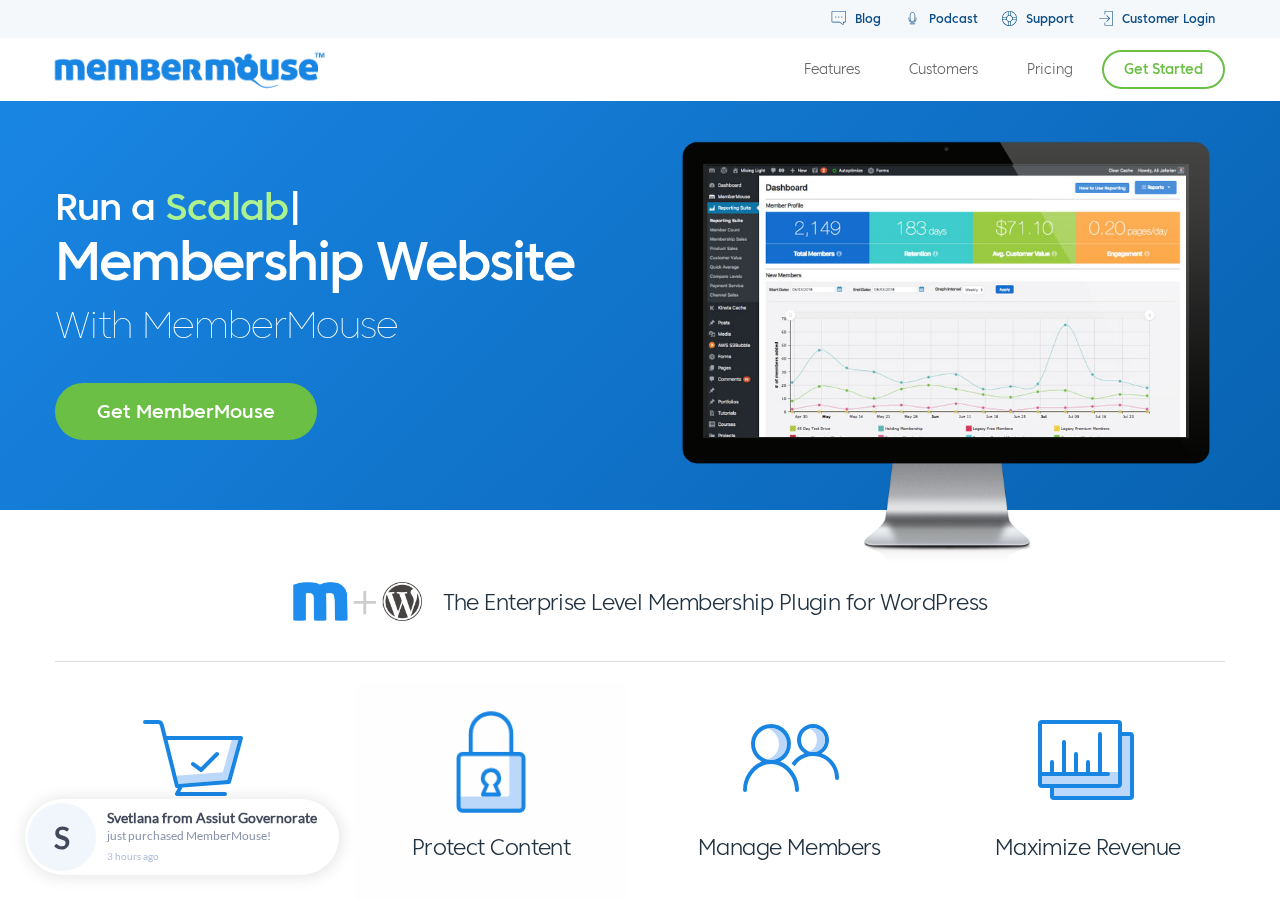
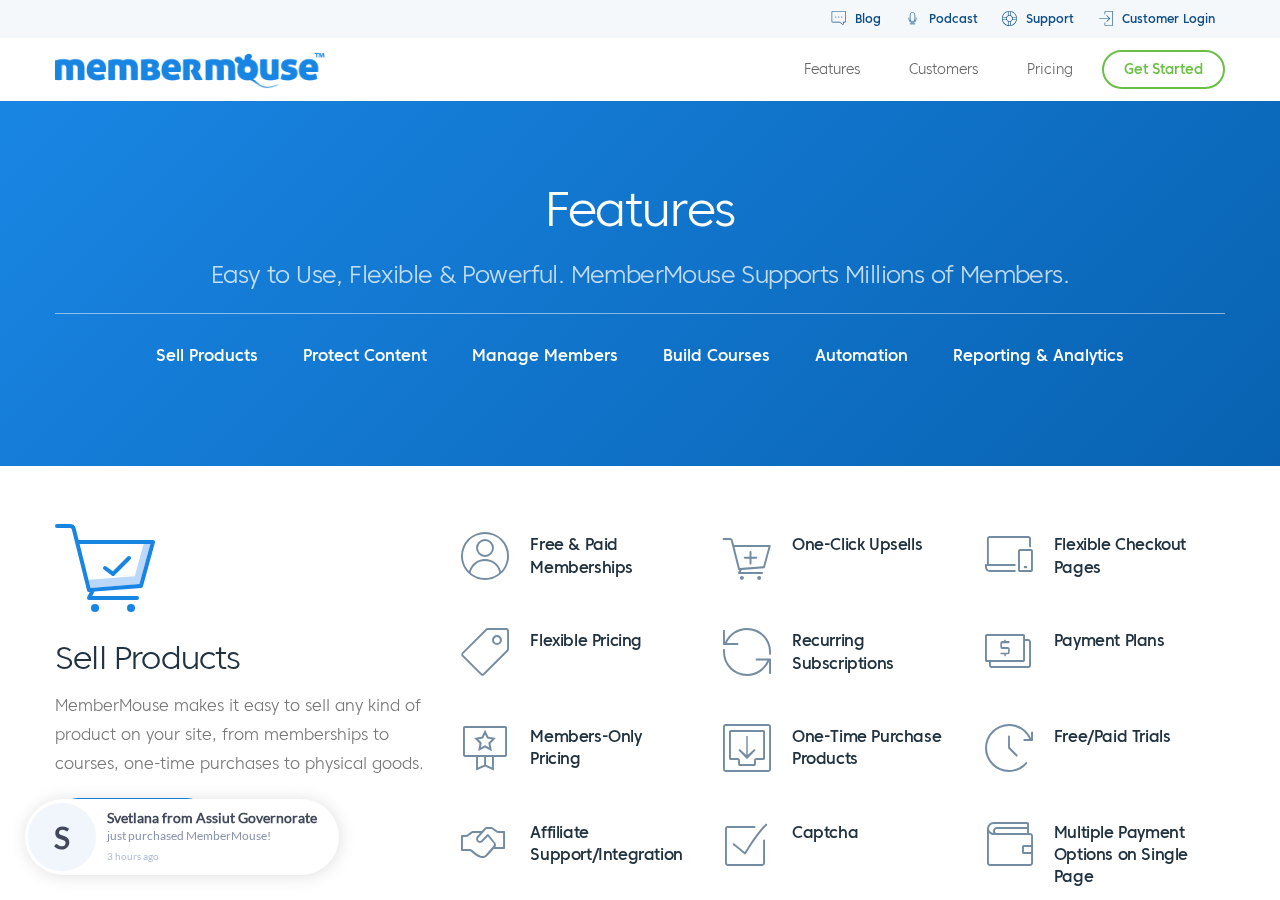
The vendor markets MemberMouse specifically toward entrepreneurs, coaches, course creators, and membership-first businesses. The homepage lists use cases including community and coaching, health and fitness businesses, financial educators, client portal operators, and developer-built membership applications. Several customer testimonials cite a 500%+ revenue increase and a reported “$12,000 week” as specific outcomes attributable to the platform.
One business relationship worth noting: the MemberPress plugin (a direct competitor) is owned by Caseproof, LLC, and Caseproof has brought MemberMouse into the same company family. The two products continue to operate independently with their own brand identities and pricing. Whether that matters for your purchase decision is mostly a question of whether you believe product roadmaps will converge or stay separate over time.
Who MemberMouse is best for
Strong fits:
- Membership businesses that need strong analytics. MemberMouse’s reporting suite, especially on the Pro plan, goes further than most membership plugins. Lifetime Customer Value (LCV) by lead source, churn and retention rates, sales by channel, and sales by product are all built-in. For a subscription business making data-driven decisions, that suite is a real differentiator.
- Entrepreneurs who want to maximize revenue per customer. MemberMouse built 1-click upsells, downsells, save-the-sale pages, and SmartTag-based personalization into the core product, not as add-ons. If your business model depends on upsell chains and offer sequences, the tools are ready without a separate plugin.
- Course creators who want LMS and membership combined. Courses for MemberMouse is included on all plans. You get a drag-and-drop course builder with lesson management, drip scheduling, and student progress tracking. Quizzes and certificates require the Plus plan or higher.
- Coaches and client portal operators. The member management CRM, combined with content protection and course delivery, makes MemberMouse a natural fit for a structured client portal. Members get a self-service dashboard, you get activity logs and troubleshooting tools.
- Developers building custom membership applications. MemberMouse exposes an API, PHP interface, and extensive WordPress hooks and filters. Third-party review sources consistently describe it as developer-friendly and well-documented.
- Sites that need fine-grained employee access. Employee accounts with limited access controls, available on the Pro plan, let you give support staff access to member management without handing over full admin access.
Weaker fits:
- Sites that need community features built into the membership. MemberMouse does not have forum, discussion, or member directory features. If community is a core part of your product, you need a separate community tool or platform alongside MemberMouse.
- Budget-conscious first-time builders who need a free starting point. There is no free tier and no trial period beyond the 14-day money-back window. Paid Memberships Pro has a capable free plan. MemberMouse requires a paid subscription from day one.
- Sites where social login and quizzes are critical from the start. Social signup and login (Facebook, Twitter, Google, LinkedIn) and course quizzes/certificates are locked to the Plus plan and above. The Basic plan does not include them.
- WooCommerce-native stores adding membership. MemberMouse can run alongside WooCommerce, but it is not built on the WooCommerce product system. WooCommerce Memberships integrates more natively if your existing business is product-purchase-driven.
Setup and installation
MemberMouse is distributed as a zip file from the vendor dashboard. After purchasing, you download the plugin file, upload it through Plugins > Add New > Upload Plugin in WordPress, and activate it. There is no WordPress.org directory listing to search from.
The plugin’s onboarding takes you through the core configuration steps: license activation, membership level creation, content protection setup, payment gateway connection, and email integration. The documentation is thorough and well-organized (third-party reviews consistently rate it five out of five for docs quality).
A staging license is included on all paid plans, which means you can run a test environment separately from your production site without an extra fee.
MemberMouse’s admin interface has a dedicated top-level menu in the WordPress dashboard. Member management, product configuration, content rules, reporting, and developer tools all live inside it. The interface is functional and organized but is not as visually polished as newer membership plugins. If you prioritize a modern admin UI, that is worth weighing.
Sell products and handle payments
The foundation of MemberMouse is product-based selling: memberships, subscriptions, one-time purchases, digital downloads, and physical products can all be sold through the same system.
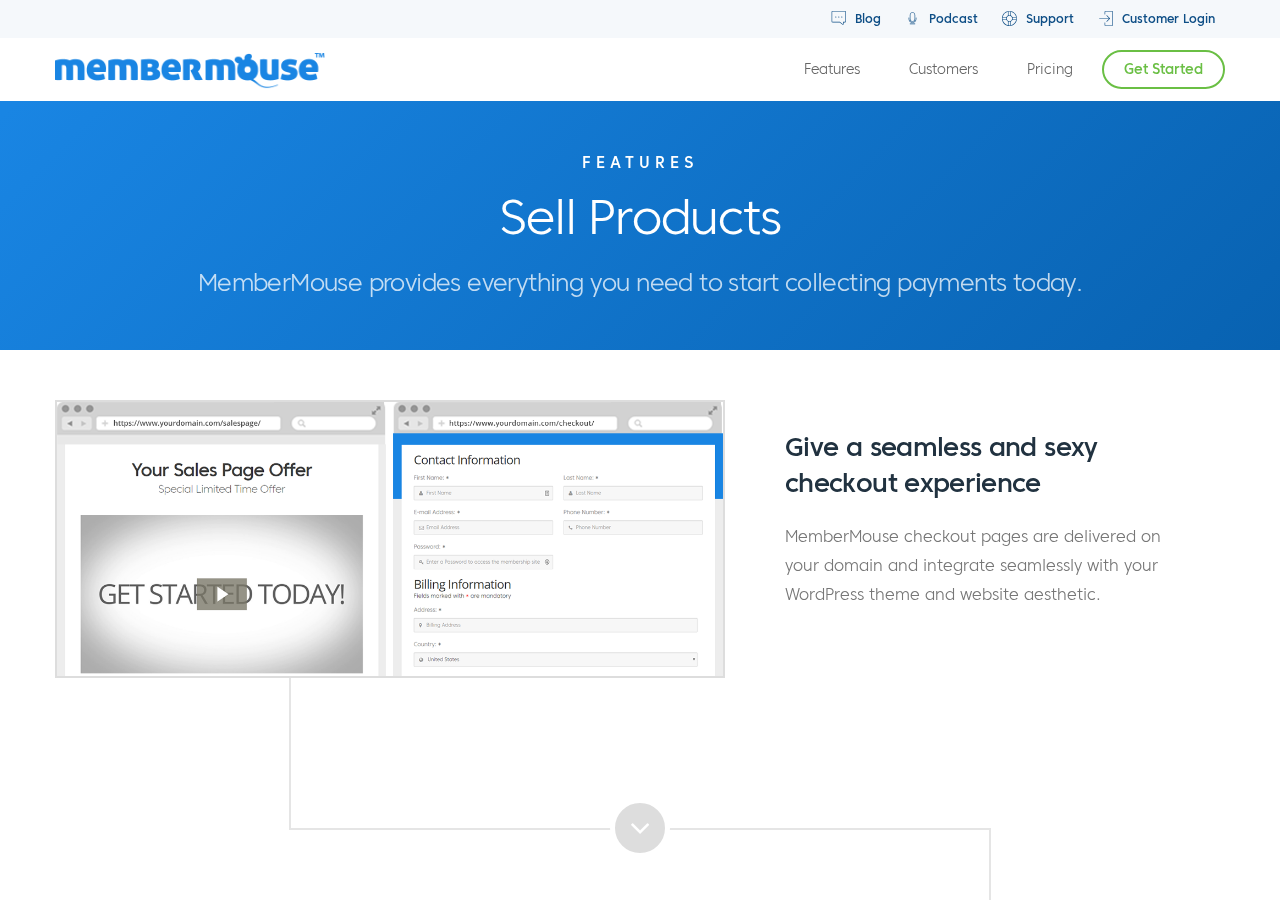
Flexible pricing and billing. You can configure recurring subscriptions (daily, weekly, monthly, annual), one-time purchases, limited payment plans, and free or paid trials. Prorated upgrades let members switch tiers mid-billing-cycle with an automatic credit applied to the new price.
1-click upsells and downsells. After a member checks out, MemberMouse can present an upsell offer they can accept with a single click, using the credit card already on file. If they decline, a downsell or save-the-sale offer can follow. This kind of offer chain is standard practice in high-converting membership funnels, and MemberMouse handles it natively.
SmartTags. SmartTags are merge-tag-style variables you can insert anywhere in your WordPress content. They pull member data, purchase history, and membership level to display personalized content. For example, you can greet a logged-in member by first name, display product recommendations based on what they have already purchased, or show a different call-to-action to members versus non-members. SmartTags work across pages, posts, confirmation pages, and email notifications.
Share Anywhere links. A buy link for any product can be placed on any page, external landing page, or email, not only on the default checkout page. This gives flexibility for custom sales funnels that do not follow the standard checkout flow.
Payment gateways. Gateway availability depends on plan:
- Basic: Stripe only (covers cards, Apple Pay, Google Pay where available)
- Plus: adds PayPal and Braintree
- Pro: adds Authorize.Net and ClickBank
There are no additional transaction fees from MemberMouse itself. You pay only the standard rates of your payment processor.
International currency. MemberMouse supports multiple currencies through its payment gateway integrations. The specific currencies available depend on what your connected gateway supports.
Overdue payment handling. When a member’s payment fails, MemberMouse automatically attempts to rebill. After repeated failures, it revokes access and sends the member an email to update their billing information. This automated dunning reduces the administrative burden of chasing failed subscriptions.
Content protection
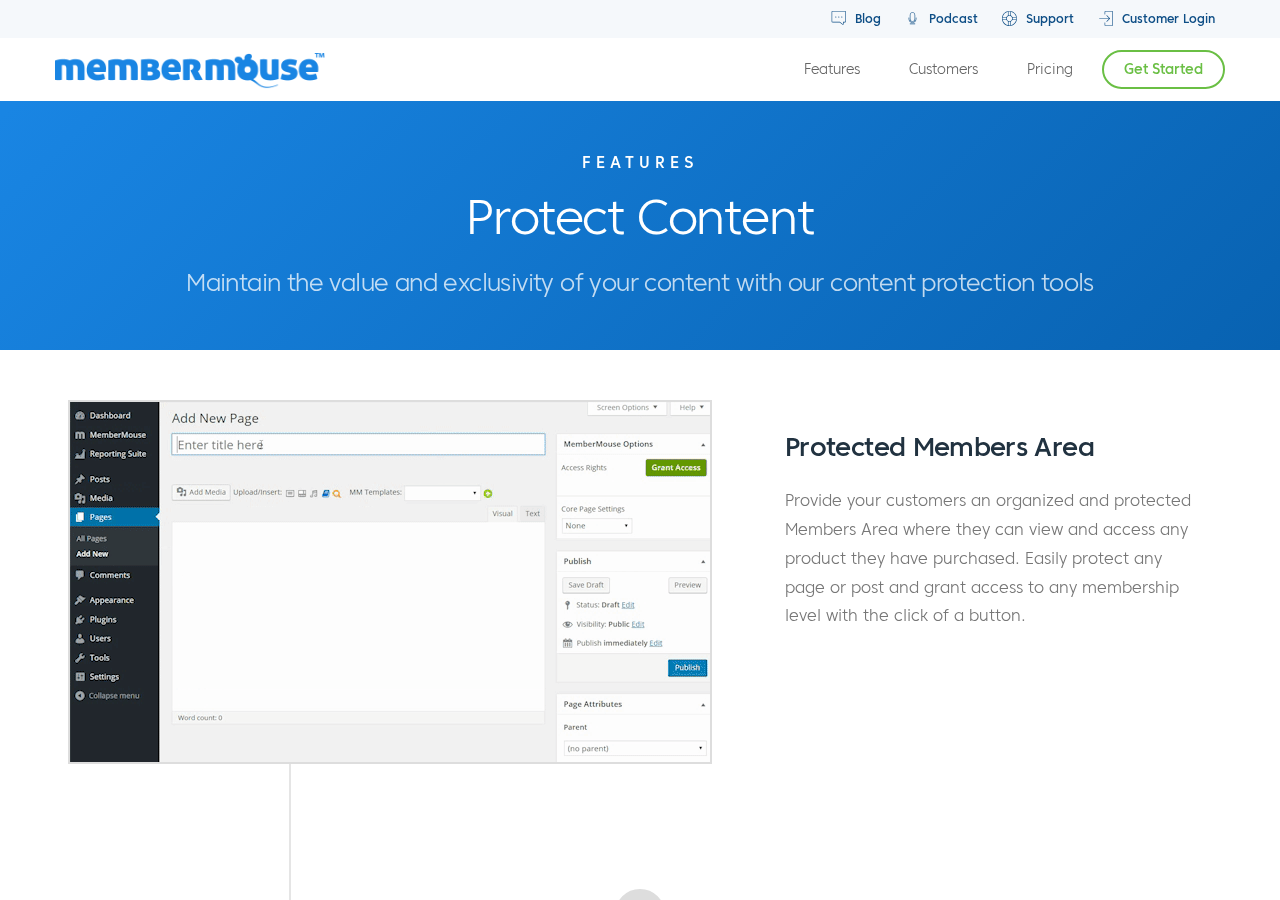
MemberMouse’s content protection covers the standard access control use cases: individual posts and pages, custom post types, categories and taxonomies, and member-only areas.
Drip content scheduling. Content can be released on a schedule tied to each member’s purchase date. A course with weekly module releases, for example, can deliver one lesson per week without any manual intervention. Drip schedules can also be event-based (released a set number of days after purchase) or date-based.
Teaser content. SmartTags let you display a teaser version of protected content to non-members or lower-tier members, with an invitation to upgrade or purchase for full access. This turns a content protection wall into an active upsell mechanism.
Anti-fraud and security. MemberMouse includes 3D Secure 2.0 on checkout by default, reCAPTCHA v3 on checkout forms, configurable password strength requirements, login attempt limiting, and automatic account locking for suspected shared accounts.
Preview as any access type. Admins can preview content as any membership level without logging out and back in, which simplifies testing access rules without creating test member accounts.
Member management
The member management dashboard functions as a lightweight CRM for your subscriber base. Each member record includes contact information, membership level, order history, lifetime customer value, engagement score, and a full activity log.
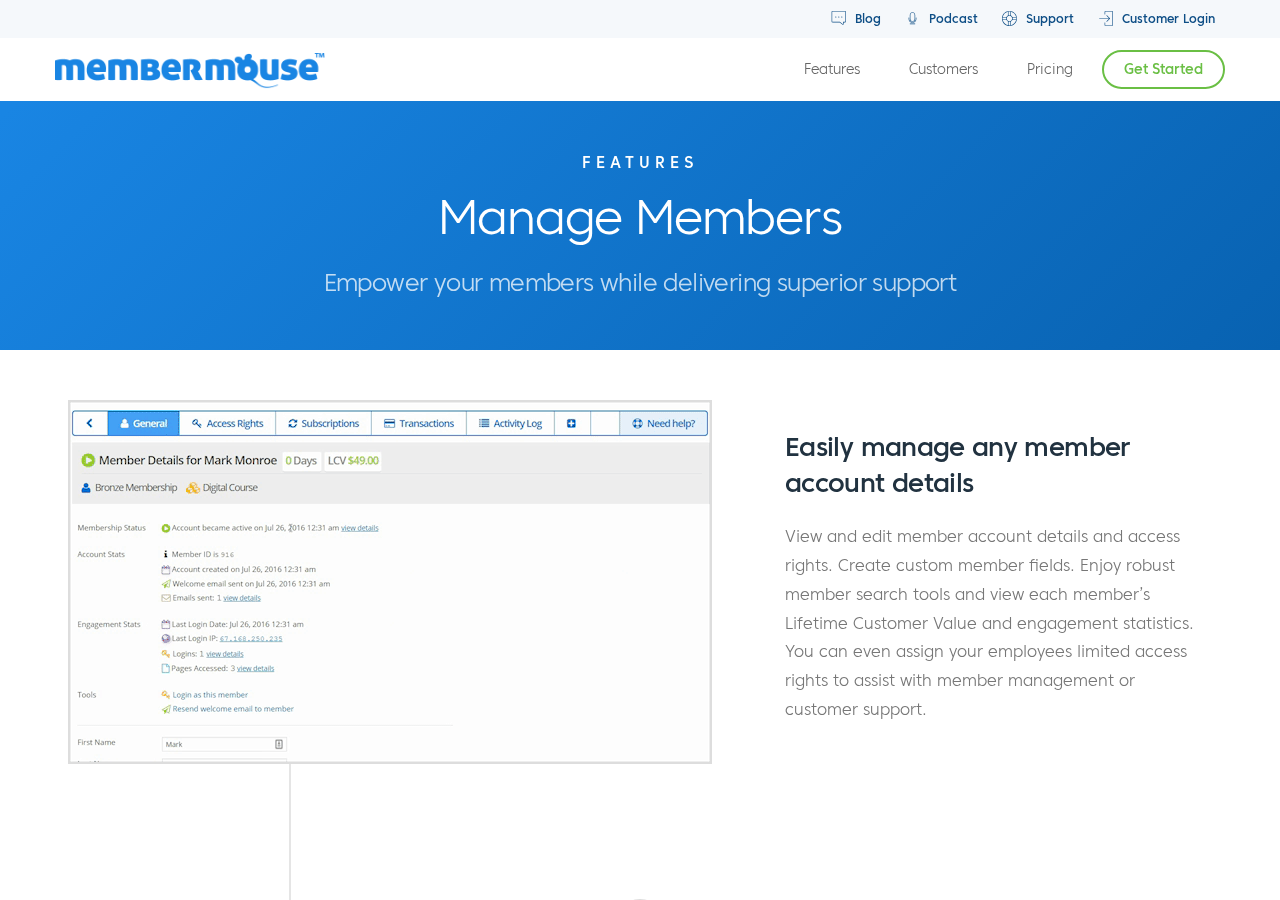
Member self-service. Members can manage their own accounts from a front-end dashboard: view purchase history, update billing and shipping info, upgrade or downgrade their membership level, cancel their subscription, and manage add-on products. Self-service reduces support ticket volume for routine account tasks.
Troubleshooting as a member. Admins can log in as any member directly from the admin panel to replicate and troubleshoot issues from the member’s perspective. This is one of the more practical support tools available in any membership plugin.
Employee accounts (Pro plan). The Pro plan includes employee account functionality with limited access controls. You can grant support staff or team members restricted access to the membership management functions they need, without exposing the full WordPress admin or sensitive business settings.
Automated overdue payment handling. As noted in the payments section, MemberMouse automates the rebill and access-revoke workflow for failed payments. The member receives automated emails, and access status is synchronized with billing status in real time.
Courses for MemberMouse
All MemberMouse plans include the Courses for MemberMouse add-on, which provides a drag-and-drop course builder inside the WordPress admin.
The course structure is: Course > Sections > Lessons. You build the curriculum visually, add content to each lesson (text, video embeds, downloadable files), and publish. Courses integrate with MemberMouse’s content protection, so you can gate an entire course or individual sections by membership level.
Core features included on all plans:
- Drag-and-drop curriculum builder
- Flexible lesson and section management
- Student progress tracking
- Drip/time-released lessons
- Customizable course display
- Cross-sell and upsell functionality within course flows
- Admin preview without changing accounts
Plus plan and above adds:
- Quizzes (with multiple question types)
- Course completion certificates
MemberMouse’s course builder is functional for standard online courses. It does not match the depth of dedicated LMS plugins like LearnDash in areas like advanced group enrollment, SCORM import, complex prerequisite chains across multiple courses, or enterprise-level grade reporting. For a straightforward course-and-membership business, it covers the requirements without a separate LMS subscription. For an enterprise training or eLearning product, a dedicated LMS is a more appropriate foundation.
Reporting and analytics
Reporting is one of MemberMouse’s genuine differentiators. Most basic membership plugins offer transactional reports (what sold, how much). MemberMouse goes further, especially on the Pro plan.
Available across all plans:
- Standard member and revenue growth dashboard
- Transaction reports (browse and export)
- Member activity log
- Engagement statistics per member
- Member count tracking
Pro plan adds the full analytics suite:
- Lifetime Customer Value (LCV) reports
- LCV by lead source (which acquisition channel produces the highest-value members)
- Churn and retention rates
- Sales by channel, by product, and by membership level
- Quick average reports
- Compare membership levels reports
- Payment service reports
For subscription businesses, LCV by lead source and churn/retention are the metrics that drive strategic decisions: which marketing channel to invest in, which membership level to promote, which members are at risk of cancelling. Most competing plugins either do not provide these metrics or require a third-party analytics integration to approximate them.
Basic and Plus plan holders get the standard reporting suite. Pro plan holders get the full analytics tier. If advanced analytics is part of your operational requirement, that makes the Pro plan the functional target plan regardless of other feature considerations.
Integrations
MemberMouse connects to email marketing tools, payment gateways, and automation platforms. The integration page shows payment gateway icons (Stripe, PayPal, Braintree, Authorize.Net, ClickBank) and email marketing logos, plus a Zapier section.
Email integrations. Seven email integrations are included on all plans, covering ConvertKit, Drip, and ActiveCampaign among others. Members can be added to or removed from lists and sequences based on their purchase event, membership level, or account status change. Specific list segmentation workflows depend on the capabilities of your email platform and the available MemberMouse triggers.
Zapier. Zapier is included on all plans, giving access to 2,000+ app connections. MemberMouse events, including new member signups, membership changes, and cancellations, can trigger actions in any Zapier-connected tool. This makes it practical to build custom automations without the Pro-only API constraint that other platforms impose.
Developer tools. For teams with development resources, MemberMouse exposes a REST-style API, PHP interface, push notifications, and a comprehensive set of WordPress hooks and filters. Developers can build custom integrations, automation workflows, and member-facing features on top of the core plugin.
Thrive Apprentice. MemberMouse lists Thrive Apprentice as a supported integration, enabling the use of Thrive Apprentice’s course delivery interface with MemberMouse’s membership and billing backend.
Pricing
MemberMouse offers three annual plans. Introductory prices apply in the first year; renewals are at the standard (full) rate.
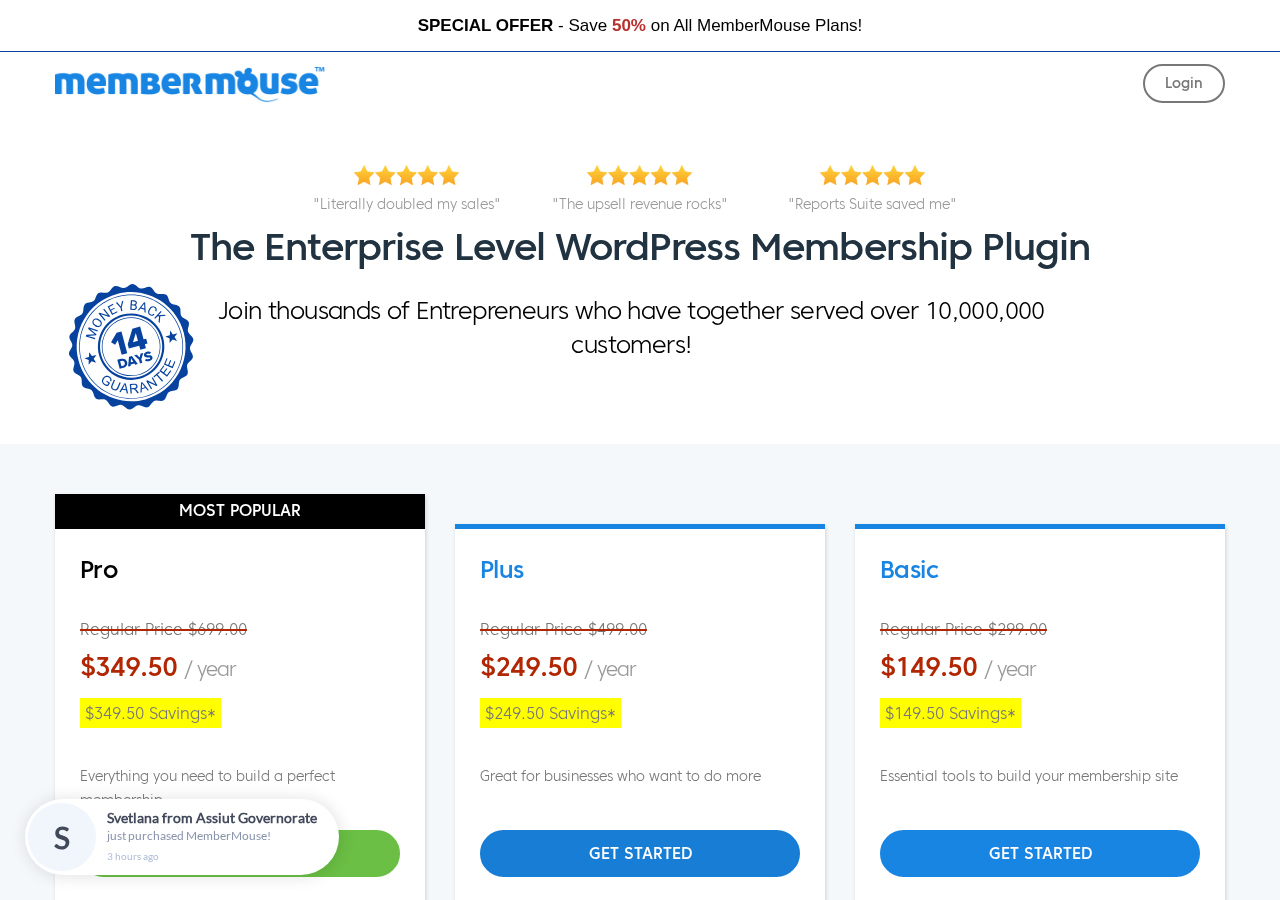
Basic: $149.50/year intro ($299/year at renewal)
- 1 WordPress site
- Stripe payments
- Courses for MemberMouse (curriculum builder, drip lessons, progress tracking)
- 7 email integrations including ConvertKit, Drip, and ActiveCampaign
- Zapier integration
- 1-click purchases and upsells
- Bulk content protection
- Drip content scheduling
- Coupons and gifting
- Gated content functionality
- Developer tools
- Standard reporting and analytics
- Email support
- Staging license
Plus: $249.50/year intro ($499/year at renewal)
Everything in Basic, plus:
- PayPal payments
- Braintree payments
- Social signup and login (Facebook, Twitter, Google, LinkedIn)
- Quizzes and certificates for courses
- Email support
- Staging license
Pro: $349.50/year intro ($699/year at renewal) – Most Popular
Everything in Plus, plus:
- Authorize.Net payments
- ClickBank payments
- Manage billing dates
- Full analytics and reporting suite (LCV, churn/retention, sales by channel, compare levels)
- Advanced affiliate settings
- Employee access control
- UserVoice integration
- 3 months free access to OptinMonster and OptinMonster University
- 90-day free trial of TrustPulse
- Priority email support
- Staging license
Renewal pricing note. The introductory pricing is roughly half the standard annual rate. Basic costs $149.50 in year one and $299 per year from year two onward. Plus costs $249.50 then $499. Pro costs $349.50 then $699. A site running on the Pro plan for three years pays approximately $1,747.50 over that period ($349.50 + $699 + $699). That multi-year cost is worth calculating before comparing against alternatives.
Money-back guarantee. All plans include a 14-day, 100% money-back guarantee. No questions asked, per the vendor’s stated policy.
No per-transaction fees. MemberMouse does not charge a percentage on your revenue. You pay only the standard processing rates from your payment gateway. This is a straightforward advantage over platforms that layer on transaction fees.
Pros and cons
Pros
- Over 15 years of proven production reliability, with 18K+ customers and 23M+ orders processed
- GPL licensed (v3.0), which reduces platform lock-in risk
- No transaction fees from MemberMouse; you keep 100% minus payment processor rates
- Built-in Courses add-on included on all plans, removing the need for a separate LMS for standard course delivery
- Zapier integration on all plans (not gated to a higher tier)
- Seven email integrations on all plans, including ConvertKit and ActiveCampaign
- SmartTags personalization system for displaying member-specific content anywhere on the site
- 1-click upsells, downsell chains, and save-the-sale pages built into the core product
- Share Anywhere links let you embed purchase links on any page, external landing page, or email
- Member management CRM with activity log, engagement statistics, and LCV tracking
- Automated overdue payment handling and access revocation for failed subscriptions
- Strong documentation (consistently rated 5 out of 5 in third-party reviews)
- Responsive, detailed customer support (multiple third-party sources cite it as a key strength)
- Anti-fraud defaults: 3D Secure 2.0 and reCAPTCHA v3 on checkout
- Prorated plan upgrades handled automatically
- Staging license included on all plans
- Pro plan analytics (LCV by source, churn/retention, multi-channel sales reports) go beyond what most membership plugins offer at any price point
Cons
- No free version; no trial period beyond the 14-day money-back window
- Not listed on WordPress.org (the original plugin was closed in 2011); discoverability depends entirely on direct vendor search
- Social login requires Plus plan or higher
- Course quizzes and certificates require Plus plan or higher
- Full analytics and reporting suite requires Pro plan; Basic and Plus get standard reports only
- Employee access control requires Pro plan
- Authorize.Net and ClickBank payment gateways require Pro plan
- No built-in community features (forums, member directories, group discussions) at any tier; requires a separate tool
- Admin UI looks dated compared to newer membership plugin interfaces
- Introductory pricing is roughly half the renewal price; year-two costs are significantly higher than the landing page suggests
- Fewer public reviews and Google search visibility than MemberPress or Paid Memberships Pro, making comparative research harder
Alternatives to MemberMouse
- MemberPress. The most visible WordPress membership plugin in 2026. MemberPress includes a built-in LMS (Courses add-on), community features (ClubSuite with forums and member directories, Growth plan and above), and a coaching platform (CoachKit). It has a higher price ceiling but a more comprehensive all-in-one feature set. MemberPress starts at $199.50/year introductory ($399 at renewal) and renews at up to $999/year for the Scale plan. It also has a notable admin lockout policy on license expiry that MemberMouse does not.
- Paid Memberships Pro. The best free-starting-point option. Paid Memberships Pro offers unlimited membership levels, content restriction, Stripe and PayPal integration, and member management at no cost on its core plugin. It lacks MemberMouse’s analytics depth and upsell tools but handles straightforward paywall and subscription use cases for free. Paid plans start at $247/year for advanced payment gateways and add-ons.
- Restrict Content Pro. A lean, developer-favored membership plugin now part of the Easy Digital Downloads Pro family. Restrict Content Pro handles access control and subscription billing cleanly without the overhead of community or coaching features. A strong choice for content-restriction-only use cases. Pricing varies by bundle.
- WooCommerce Memberships. The native fit for WordPress sites already running WooCommerce. WooCommerce Memberships ties access rules to WooCommerce product purchases. If your membership product is closely linked to physical or digital WooCommerce product purchases, this integrates more naturally than MemberMouse. Starts at $199/year.
- LearnDash. If courses are your primary product and you need enterprise LMS features (SCORM import, group enrollment, advanced prerequisites, gradebook), LearnDash is the deeper tool. LearnDash does not handle membership billing on its own; it pairs with a separate membership plugin. Starts at $199/year.
- s2Member. A long-running free-tier membership plugin for WordPress. s2Member covers basic content protection and PayPal billing at no cost. Its interface is dated and development pace is slow, but for very simple, cost-sensitive use cases it remains functional.
Quick Verdict
MemberMouse earns its 15-year track record. The core product handles membership billing, content access, course delivery, and member management reliably, with above-average analytics and a genuinely useful upsell toolkit.
The Pro plan is where MemberMouse becomes a compelling choice for data-driven businesses: the full analytics suite, including lifetime customer value by source and churn/retention tracking, provides metrics that most membership plugins simply do not offer. If you are making decisions about which marketing channels to invest in and which membership tiers to promote, that data layer has real operational value.
The Basic and Plus plans are solid entry points but leave notable features behind: social login, course quizzes and certificates, and the full analytics suite all require higher tiers. Budget accurately for the plan that includes what you actually need.
Best for: Established or growing membership businesses that want proven WordPress infrastructure, strong analytics, and a mature upsell system without monthly SaaS fees.
Watch out for: Renewal pricing is roughly double the introductory rate. Plan for the year-two cost before committing.
Standout: Lifetime Customer Value by lead source tracking on the Pro plan, which helps you understand which acquisition channels produce the highest-value members.
Final verdict
MemberMouse is not the flashiest membership plugin on the market in 2026. Its admin interface is functional rather than beautiful. Its marketing footprint is smaller than its main competitors. It does not have built-in community features.
What it does have is a 15-year production record, a genuinely strong analytics layer at the Pro tier, a reliable upsell and revenue-maximization toolkit, and documentation that developers consistently describe as among the best in the category. For entrepreneurs and course creators who want a stable, data-forward membership platform that does not need a separate analytics tool to understand their subscriber base, MemberMouse is a serious option.
The entry price is lower than MemberPress at the introductory rate. The feature set is narrower in some areas (no community features) and deeper in others (Pro-plan analytics). The renewal price is the number to check carefully before signing up: $699 per year at renewal for the Pro plan is a real operational cost, and the year-two budget should be part of your evaluation from day one.
For a membership business that runs on recurring revenue, needs clean upsell flows, and wants LCV and retention data without a separate analytics integration, MemberMouse on the Pro plan is a well-considered choice. For a simpler paywall site or a community-first business, alternatives may serve you better.