


If you publish a portfolio, client proofing gallery, event archive, or photo-heavy editorial site, the default WordPress gallery block can feel limited quickly. You may need albums, batch uploads, image sorting, watermarking, lightboxes, and a more controlled way to manage thousands of images. That is the exact problem NextGEN Gallery has been trying to solve for WordPress users since 2007.
In this NextGEN Gallery review, we look at the plugin as a practical WordPress photo gallery plugin for site owners in 2026. The short version: NextGEN Gallery is still one of the most complete gallery management plugins for photographers, studios, artists, and image-heavy sites. It is not the lightest or simplest gallery plugin for a small five-image page, but it becomes more compelling when you need structured galleries, albums, display controls, watermarking, proofing, or photo sales.
At a glance
Best for: photographers, visual artists, agencies, schools, venues, and publishers that manage many galleries.
Free version: good for basic thumbnail, slideshow, image browser, compact album, and extended album displays.
Paid value: strongest for Pro features such as masonry, mosaic, tile, filmstrip, image protection, proofing, eCommerce, print fulfillment, and Lightroom workflows.
Main tradeoff: more powerful than simple gallery blocks, but also more complex to configure and optimize.
What is NextGEN Gallery?
NextGEN Gallery is a dedicated gallery management plugin for WordPress. Instead of treating images as one-off media files inside individual posts, it gives you a separate gallery system where you can upload, group, reorder, tag, display, and reuse photo collections across your site.
The free plugin is listed on WordPress.org and includes core gallery management, batch uploading, albums, several display styles, and Gutenberg support. Imagely sells paid NextGEN plans that add more layouts, image protection, proofing, eCommerce, print fulfillment, digital downloads, Lightroom integration, and more professional presentation tools.
That split matters. If you only need a clean gallery on a blog post, the free version may be enough. If your website is part of a photography business, NextGEN Plus or Pro becomes the more serious product.
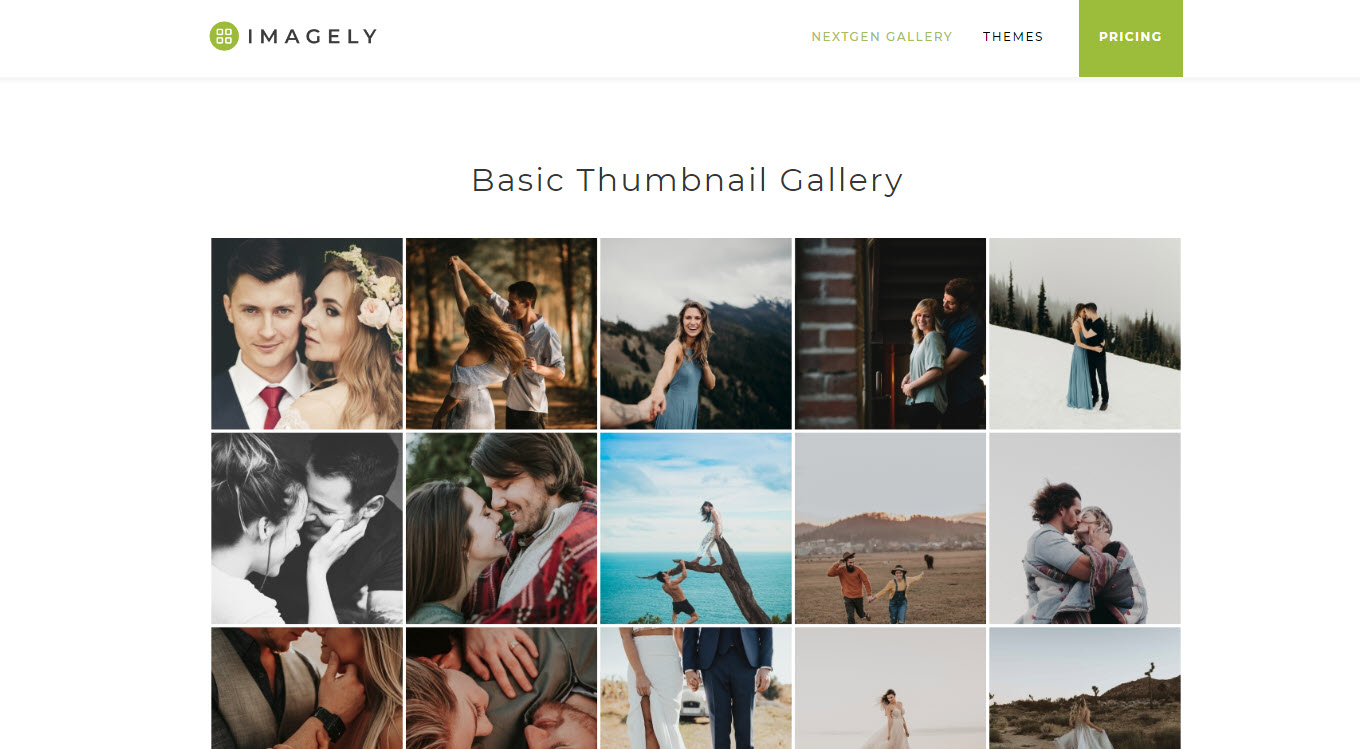
Installation and setup experience
Installation follows the normal WordPress pattern. You search for NextGEN Gallery from Plugins, add it, activate it, then use the Gallery menu in the WordPress dashboard or insert a NextGEN block from the editor. The setup is not difficult, but it does introduce a separate media workflow that new users need to understand.
The biggest difference from a lightweight gallery block is that NextGEN asks you to think in galleries and albums. A gallery contains images. An album contains one or more galleries. For a photographer with wedding, portrait, product, and event work, that structure is useful. For a blogger inserting six images into one article, it can feel like an extra layer.
Once the structure clicks, the workflow is sensible. You can batch upload images, use zip uploads, import from a server folder, manage image metadata, reorder images, and choose display settings when inserting a gallery into a page. This is where NextGEN feels more like a gallery management system than a decorative block.
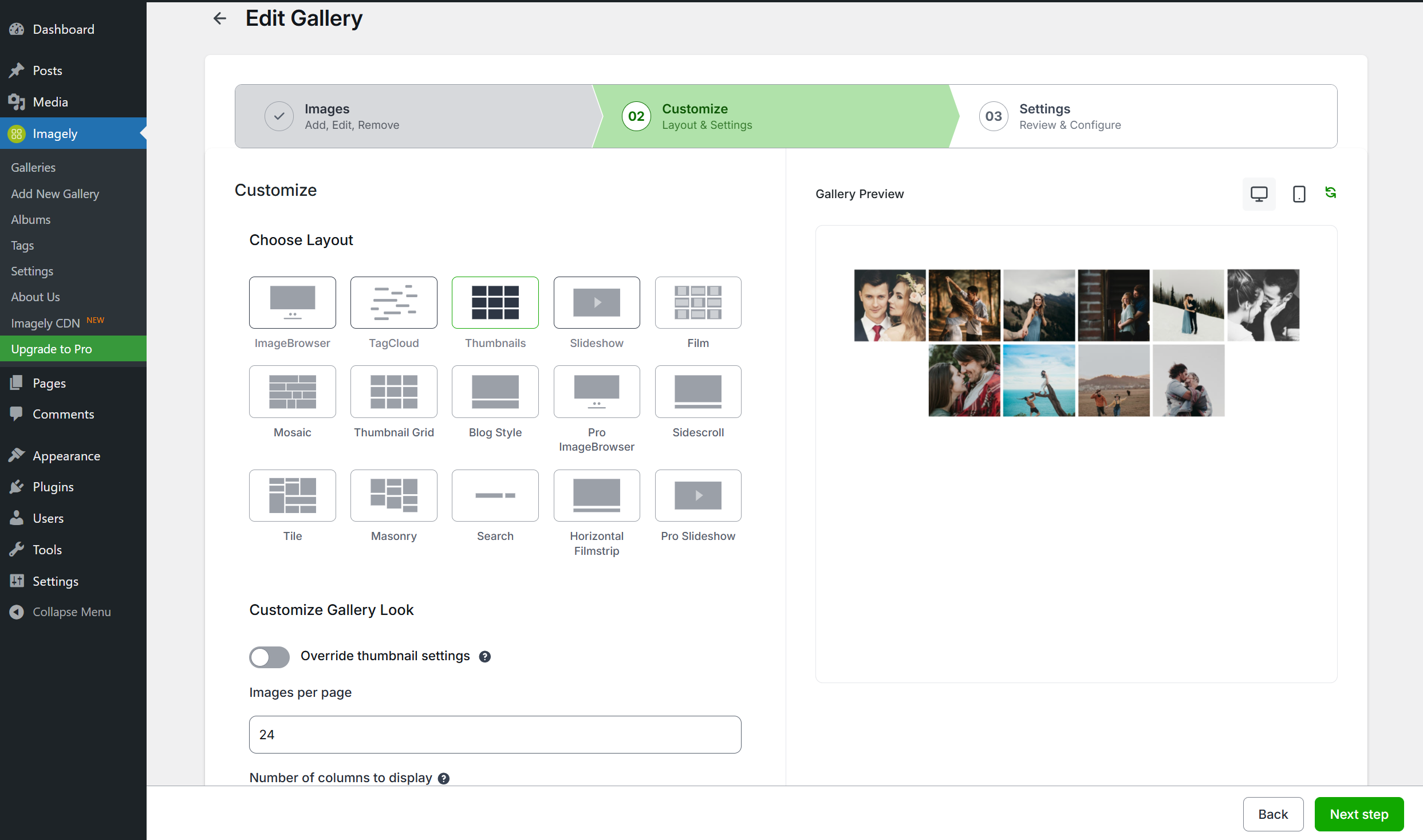
Admin UI and gallery management
The NextGEN admin interface is feature-rich rather than minimal. You get dedicated areas for managing galleries, albums, tags, gallery settings, lightbox behavior, watermark options, and display defaults. That is good for control, but it also means the plugin takes longer to learn than a simple drag-and-drop gallery block.
For ongoing WordPress gallery management, the separation is helpful. You can update a gallery once and have that update reflected wherever the gallery is embedded. You can also keep a more consistent visual style across the site by setting defaults for gallery displays instead of rebuilding every gallery manually.
The UI will not feel as modern as some newer block-first gallery plugins. It still carries the depth and density of a long-running WordPress plugin. But the practical tools are there, especially for site owners who care about repeatable workflows more than a trendy interface.
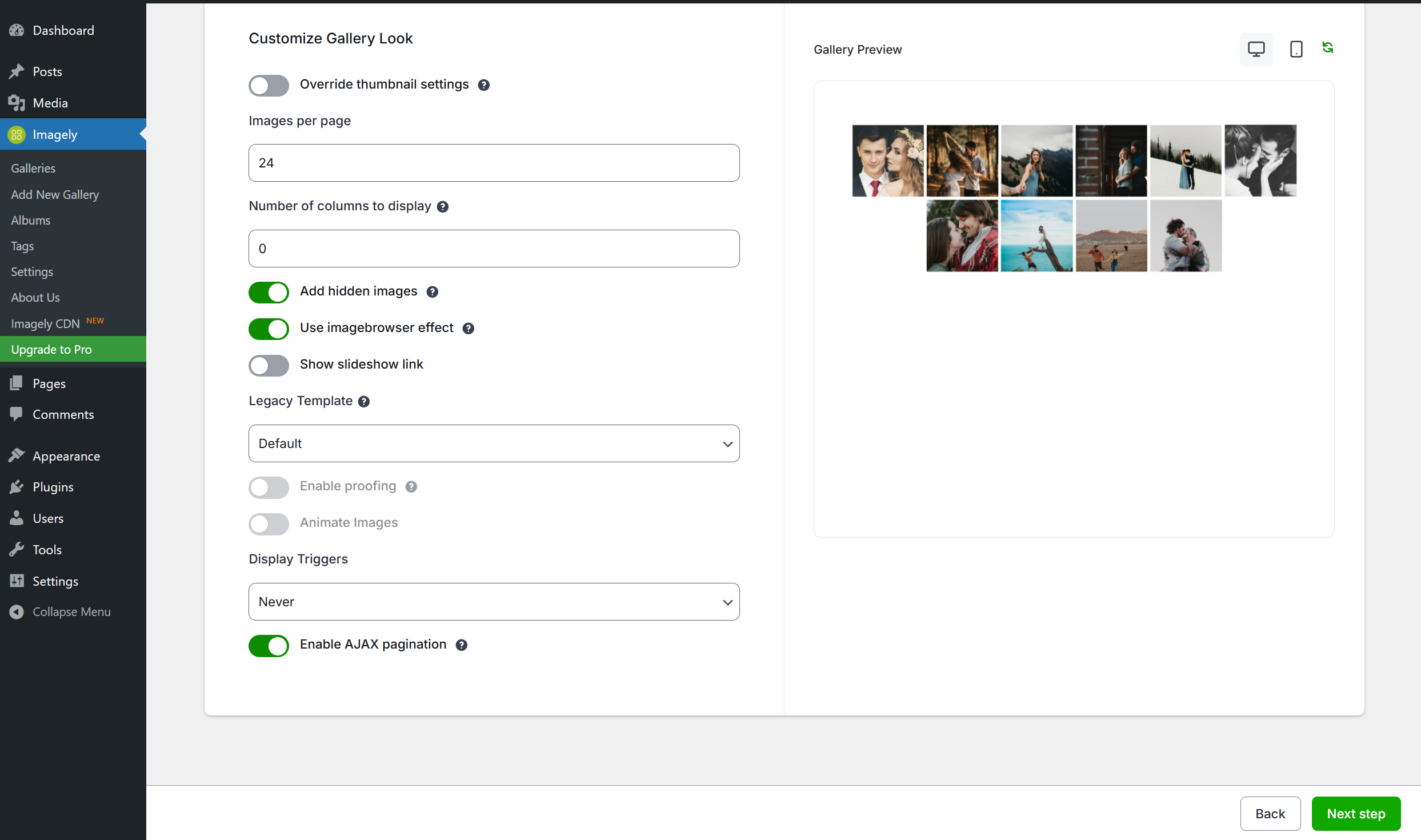
Gallery types: slideshow, masonry, tile, filmstrip, and albums
The free plugin covers the basic gallery needs most users expect: thumbnail galleries, slideshow galleries, image browser galleries, compact albums, and extended albums. These are enough for straightforward portfolio pages, event galleries, documentation archives, and content galleries that need more control than WordPress core provides.
The Pro and higher display options are where the plugin becomes more visually interesting. Masonry layouts are better for mixed image sizes because they avoid forcing every photo into the same crop. Tile and mosaic-style displays are useful for modern portfolio grids. Filmstrip galleries create a more guided viewing experience, especially when the main image is supported by a horizontal strip of thumbnails.
Albums are one of the strongest reasons to choose NextGEN over a simple gallery plugin. If you need a parent page for multiple galleries, such as different weddings, classes, real estate shoots, or product collections, albums make navigation easier. Compact albums work well when you need a directory-style layout. Extended albums are better when you want more context around each gallery.
Watermarking and image protection
Watermarking is one of the practical features that makes NextGEN Gallery attractive for photographers. The plugin supports text-based and image-based watermark controls, and Imagely also promotes batch watermarking for larger image sets. For photographers who regularly upload client galleries, this can save a lot of repetitive editing time.
It is important to keep expectations realistic. Watermarks, right-click protection, and drag protection can discourage casual copying, but they cannot fully prevent image theft. Anyone serious enough can still take screenshots or inspect page assets. Treat these features as friction and branding tools, not absolute protection.
NextGEN Plus and Pro eCommerce add-ons
NextGEN Plus is mainly about presentation and engagement improvements. Based on current Imagely pricing information, Plus adds features such as hover captions, image protection, animations, social sharing, fullscreen lightbox, commenting, deeplinking, backups, and frontend image search.
NextGEN Pro is the plan that matters if you want to sell photography through WordPress. The Pro feature set includes commission-free payments through Stripe, PayPal, and checks, price lists, coupons, image proofing, optimized checkout, automated print fulfillment, automated tax calculations, Lightroom integration, and digital downloads.
This is the clearest business case for NextGEN Gallery Pro. If you want a WordPress site where clients can view galleries, choose images, buy digital files, or order prints, NextGEN Pro is more targeted than trying to assemble a generic store plugin, a gallery plugin, a proofing plugin, and custom checkout rules.
Quick verdict
NextGEN Gallery is best when your site needs real image library management, not just a pretty grid. Choose it for albums, client galleries, watermarks, proofing, and photo sales. Skip it if you only need a lightweight gallery block for occasional blog images.
Performance and Core Web Vitals considerations
Any WordPress photo gallery plugin can hurt performance if you upload oversized images, load too many photos at once, or stack multiple heavy gallery layouts on the same page. NextGEN Gallery gives you more control than the default media workflow, but it does not remove the need for image optimization.
For best results, compress images before upload, use sensible gallery sizes, avoid loading hundreds of full-size images on a single page, test lazy loading behavior, and check the page on mobile. If you use Pro lightboxes, social features, animation effects, or eCommerce, test those pages with real performance tools after publishing.
The good news is that recent Imagely changelog notes show active work on layout stability, page builder compatibility, and reducing unnecessary Pro Lightbox asset loading. That does not guarantee a perfect performance score, but it is a positive sign for a plugin in a category where front-end weight can become a problem.
Free vs Pro pricing in 2026
As of our August 2026 review check, NextGEN Gallery has a free WordPress.org version plus paid annual plans sold by Imagely. Current promotional pricing shown by Imagely lists Starter from $69.50 per year, Plus from $99.50 per year, Pro from $139.50 per year, and Ultra from $199.50 per year. Pricing can change, so verify the current offer before buying.
The free version is the right starting point for most users. It lets you judge the interface, gallery structure, album workflow, and basic display behavior without committing to a paid plan. Starter makes sense if you want premium layouts and watermarking. Plus is better for lightbox, protection, sharing, search, and presentation upgrades. Pro is the serious photographer plan because it unlocks selling, proofing, fulfillment, and Lightroom-related workflows.
Pros and cons
Pros
- Strong gallery and album management for large image libraries.
- Free version is useful for basic galleries and albums.
- Paid layouts include masonry, tile, mosaic, filmstrip, and richer lightbox options.
- Watermarking and image protection features are useful for photographers.
- Pro plan adds focused photography eCommerce, proofing, print fulfillment, and digital downloads.
- Long-running plugin with ongoing updates and a large user base.
Cons
- More complex than lightweight gallery blocks.
- Some of the most attractive layouts require a paid plan.
- Performance depends heavily on image sizing, layout choices, and page configuration.
- The admin UI can feel dense for beginners.
- Users who do not sell photos may not need the Pro feature set.
Who should use NextGEN Gallery?
NextGEN Gallery is a strong fit for professional photographers, event photographers, schools, churches, venues, artists, agencies, travel publishers, and any site that needs organized photo collections. It is especially useful when galleries are updated over time or reused across multiple pages.
It is less ideal for users who only need a simple image grid in a few blog posts. If your gallery needs are occasional and mostly decorative, a lighter block-based gallery plugin may be easier. If your galleries are central to the website, NextGEN deserves a serious look.
You can find more independent plugin coverage in our WordPress plugin reviews archive.
Final verdict: is NextGEN Gallery the best WordPress gallery plugin?
NextGEN Gallery can be the best WordPress gallery plugin for the right user. Its strength is not that it is the simplest gallery plugin. Its strength is that it gives WordPress site owners a full gallery management layer, album structure, professional display options, watermarking, proofing, and photography-focused selling tools.
For basic galleries, start with the free version and test whether the workflow feels comfortable. For a portfolio business, client proofing site, or print sales workflow, NextGEN Pro is the plan that makes the plugin stand out. Our recommendation is clear: use NextGEN Gallery when image management is a core part of your website, but do not choose it just because you need a simple grid.