


If you need to collect money through a WordPress site, whether that is a product payment, a course enrolment fee, or a recurring donation for your nonprofit, you are going to end up choosing between a lot of overlapping plugins. Full WooCommerce feels like overkill for a simple payment form. GiveWP is great for donations but does nothing for product sales. WP Simple Pay solves one thing but not the other.
Paymattic is the plugin that tries to cover both sides from one install. It ships a free version with Stripe and a usable form builder, and a Pro version that adds 14 additional payment gateways, recurring subscriptions, donor management, advanced reporting, and LMS integrations. The pitch is that you should not need two separate plugins for payments and donations.
I researched Paymattic thoroughly for this review: the official website, the WordPress.org listing, the pricing page, the features page, the free vs Pro comparison, the changelog going back several months, and public user reviews. I also browsed the official documentation and the plugin demo. Below is what I found.
A note on basis: pricing was verified against paymattic.com on August 13, 2026. Free plugin details are taken from the WordPress.org listing (version 4.6.23, July 7, 2026). Features marked as Pro were cross-checked against the WordPress.org description, the official features page, and the free vs Pro comparison page.
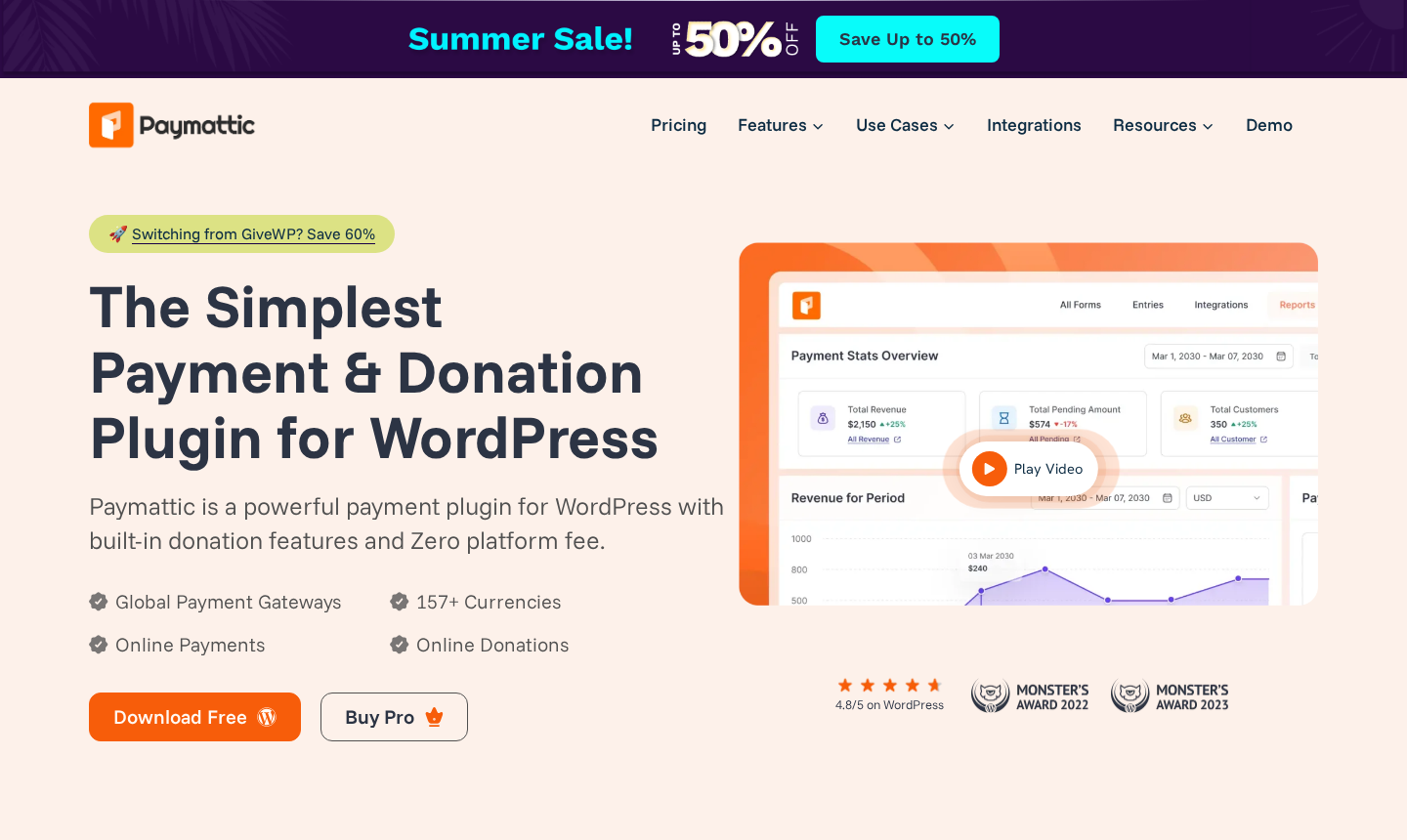
Quick Verdict
Best for: Small businesses, nonprofits, course creators, and membership sites that need both payment forms and donation forms from one plugin without the overhead of a full e-commerce store.
Standout free feature: Stripe is included for free, covering Credit Card, Apple Pay, and Google Pay payments plus a donation progress bar and PDF invoices.
Biggest Pro upgrade: 14 additional payment gateways, recurring subscriptions, conditional logic, advanced analytics, and LMS integrations.
Watch out for: Only 3,000+ active installs (smaller community than competitors), the promotional pricing has a first-year discount that may not apply on renewal, and some advanced features like multi-step forms and the currency switcher are locked behind Pro.
Rating: 4.2/5
What Paymattic is
Paymattic is a WordPress payment and donation plugin built by WPManageNinja, the same team behind FluentCRM, FluentForms, Fluent Support, and FluentCommunity. It has been live on WordPress.org since at least 2021 under the slug wp-payment-form, with the current version sitting at 4.6.23 as of July 7, 2026.
The plugin sits in an interesting category. It is not a full e-commerce platform like WooCommerce. It is not a general-purpose form builder like Gravity Forms or Fluent Forms. It is specifically designed to collect money, either as one-time payments, subscription payments, recurring donations, or a mix of all of these, using a drag-and-drop form builder with a payment-first UI.
The free version gives you Stripe (including Credit Card, Apple Pay, and Google Pay), offline payment (bank transfer or cheque), a functional form builder with 22 fields, donation progress bars, PDF invoices, and basic integrations. That is a genuinely useful free product for anyone whose payment gateway of choice is Stripe.
The Pro version (three tier pricing, details below) adds 14 more payment gateways including PayPal, Square, Razorpay, and Mollie, plus subscription payments, recurring donations, conditional logic, multi-step forms, advanced reporting, LMS integrations for TutorLMS, LearnDash, and LifterLMS, and tools like custom coupons, tax calculation, and a donor leaderboard.
At the time of writing, the WordPress.org listing shows 3,000+ active installs and a 96/100 rating from 44 reviews. That is a strong satisfaction score for the install count, though the count itself is small compared to competing plugins like GiveWP (100,000+) or WP Simple Pay (60,000+). The plugin was also actively updated through 2026, with the most recent changelog entry addressing Gift Aid declaration support and a Fee Recovery field.
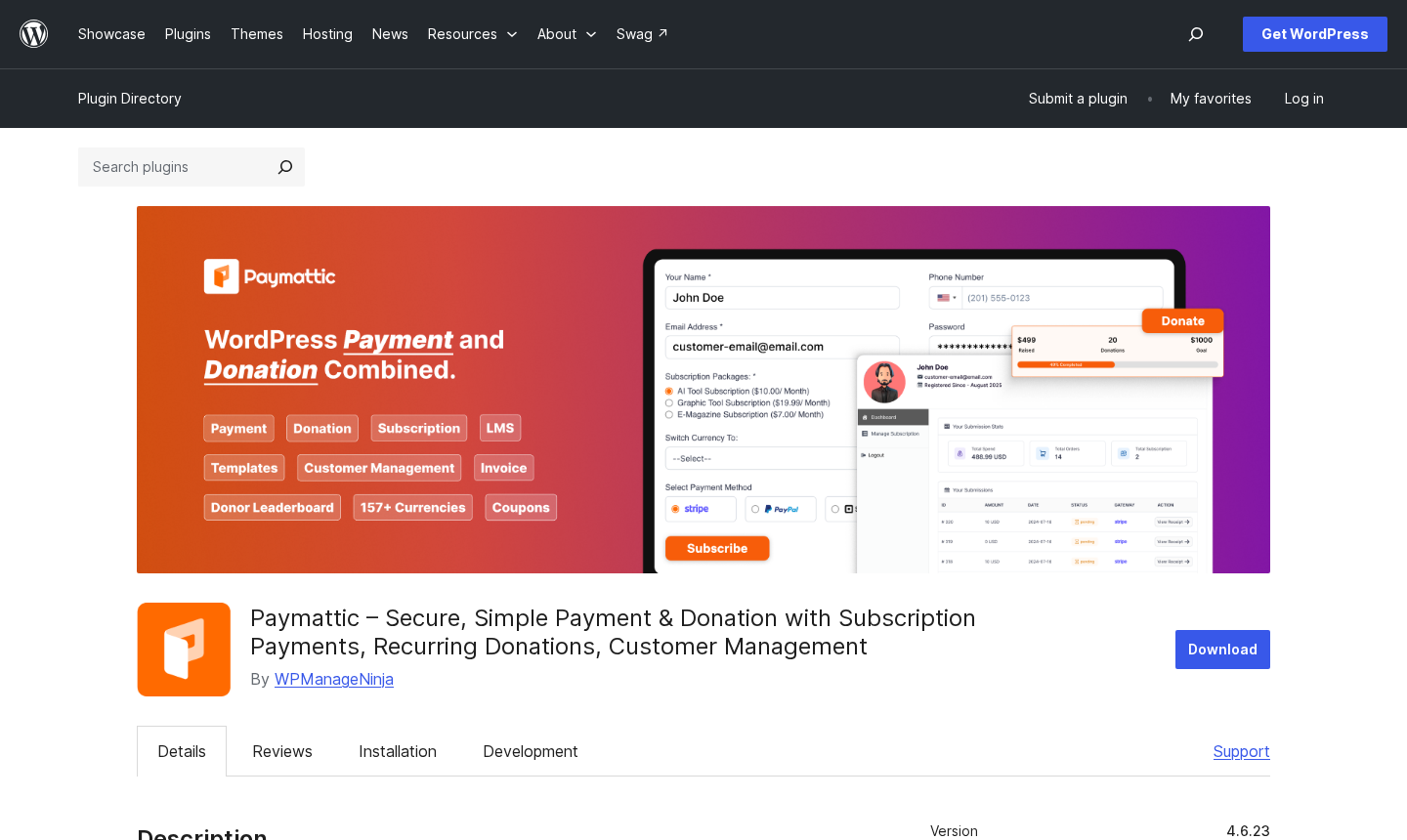
Who Paymattic is best for
Paymattic is not a one-size-fits-all plugin, and the fit filter matters here.
Strong fit
- Small businesses and freelancers who want to accept one-time or recurring payments without setting up a full WooCommerce store. The form-based approach is cleaner for service businesses, event registrations, and simple product sales.
- Nonprofits and fundraisers who want Stripe-connected donation forms with a progress bar in the free version, and who will eventually need recurring donations and donor management in Pro.
- Course creators and LMS sites using TutorLMS, LearnDash, or LifterLMS. Paymattic Pro integrates directly so enrolments trigger on payment success.
- Membership sites that need subscription billing on top of existing user roles.
- Businesses in regional payment markets. Paymattic Pro covers gateways that many competitors ignore: Razorpay (India), Paystack (Africa), Xendit (Southeast Asia), Flutterwave (Africa), Billplz (Malaysia), Vivawallet, and SSLcommerz (Bangladesh). If your audience uses these gateways, the plugin list for alternatives gets very short very fast.
- Teams already using WPManageNinja tools. If you run FluentCRM or Fluent Support, the native integration with Paymattic avoids third-party connectors.
Weak fit
- Large e-commerce stores with product catalogues, inventory management, shipping, and complex checkout flows. Paymattic is a form builder with payment logic, not an e-commerce platform.
- Sites that need a completely free payment solution beyond Stripe. The free version is Stripe-only; all other gateways are Pro.
- High-volume donation campaigns that need advanced fundraising features like peer-to-peer fundraising, campaign pages, or team fundraising. GiveWP’s Pro tiers cover this territory more deeply.
- Buyers who want the largest possible community and plugin ecosystem. At 3,000+ active installs, Paymattic is newer and smaller than most established competitors.
Installing and getting started
Paymattic installs from WordPress.org as “Paymattic – Secure, Simple Payment and Donation with Subscription Payments, Recurring Donations, Customer Management” by WPManageNinja. Search for “paymattic” or “wp-payment-form” in your WordPress plugin directory, install, and activate. The process is standard and takes under two minutes.
After activation, the plugin adds a Paymattic menu item to your wp-admin sidebar. The first screen you see is the Paymattic dashboard: a clean summary view of your recent forms, entries, and payment stats. No forced setup wizard, no upsell modal blocking your path. The dashboard UI uses a flat, two-column card layout that should feel familiar to anyone who has used other WPManageNinja products.
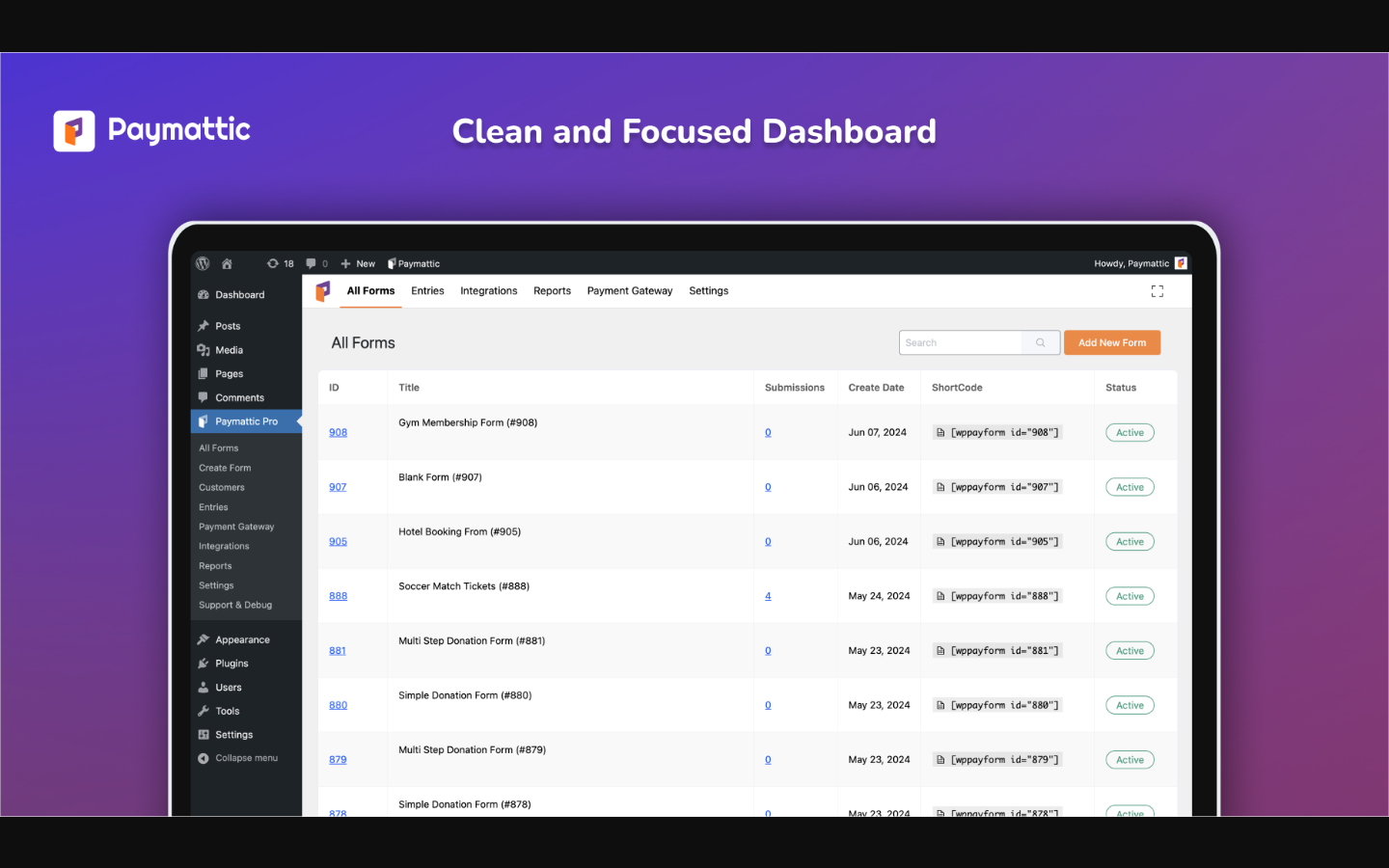
To accept payments, you connect your Stripe account through Settings > Payment Gateway > Stripe, paste your publishable key and secret key, and you’re done. There is also a one-click Stripe Connect flow available. On-site (embedded) checkout and Stripe-hosted checkout are both supported in the free version.
Offline payment (bank transfer, cheque, or cash on delivery) is available in both free and Pro. For Pro gateways, the connection process is the same: go to the gateway settings screen, enter your API credentials, save.
The form builder launches from Forms > Add New Form. You can start from a pre-built template (both payment and donation templates are available in free) or build from scratch. The overall setup experience is fast and uncluttered. The interface is not as polished as WP Simple Pay or Stripe’s own dashboard, but it is practical and well-organised for what it needs to do.
The form builder
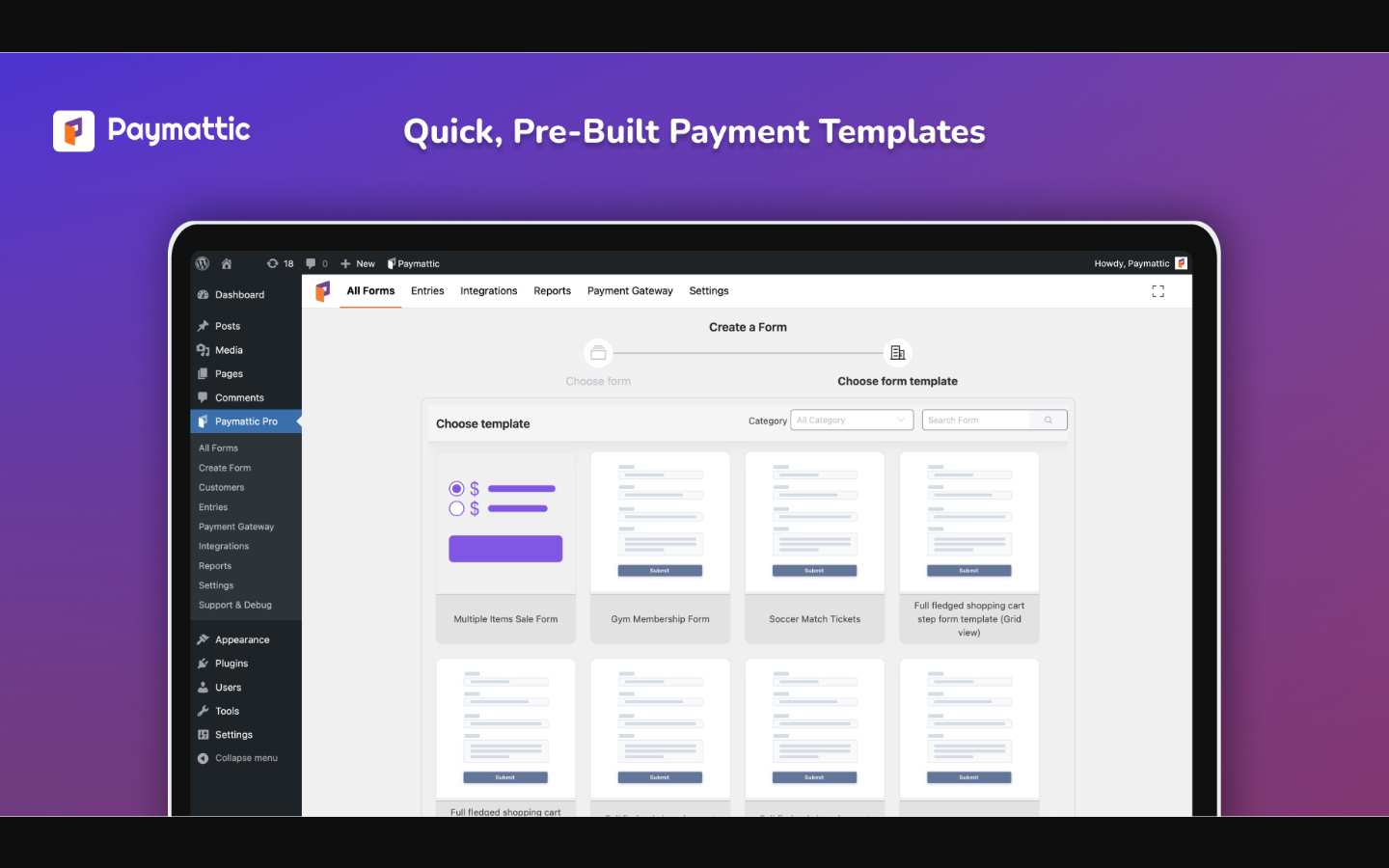
Paymattic uses a Gutenberg-style, drag-and-drop editor for building forms. Fields live in a left panel, divided into categories: Payment Fields, General Fields, and Advanced Fields. You drag a field type into the form canvas on the right, then click it to configure its label, validation rules, placeholder text, and layout.
The free version ships with 22 form fields. Pro expands that to 35+. Key payment-specific fields include:
- Payment item. A single fixed-price item. You set the label, quantity, and price. Customers select it to add to their total.
- Multiple items. A list of items the customer can pick one from.
- Checkbox items. Multiple selectable items; useful for add-ons.
- Custom payment amount. Lets the customer type or choose a flexible amount (Pro only).
- Donation amount. A fundraising-specific field with a pre-set amount grid and an optional custom input (Pro for custom amount).
- Tabular product items. A table or grid layout showing multiple items with prices (Pro).
- Payment summary. Displays a running total of selected items, so customers see their total before they pay.
General fields cover the basics: name, email, phone, address, date picker, file upload, radio buttons, dropdowns, checkboxes, and hidden fields. The multi-column container lets you arrange fields side by side for a more compact form layout.
Conditional logic (show/hide fields based on answers) is a Pro feature. So are multi-step forms, which let you break a long payment or donation form into sequential pages.
Overall, the builder is functional and fast. It is simpler than Gravity Forms or Fluent Forms, which is appropriate for a payment-focused tool. The field library covers everything most payment and donation forms need.
Payment features
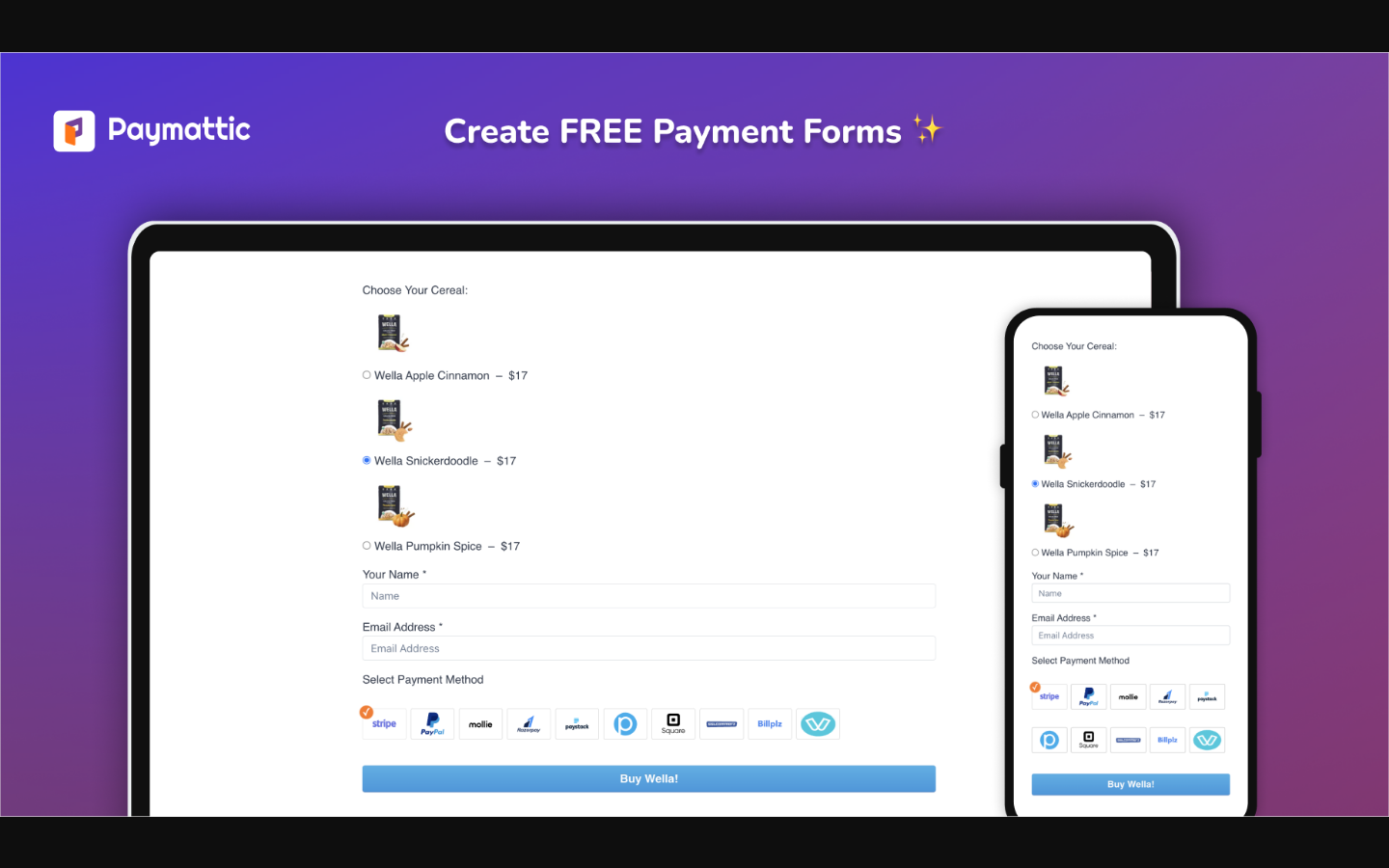
Paymattic handles two broad payment scenarios: one-time payments and recurring subscriptions.
One-time payments are available in both free (Stripe) and Pro (all other gateways). You create a form with the relevant payment item fields, set your prices, embed the form with a shortcode or Gutenberg block, and payments flow into your Paymattic dashboard.
Subscription payments require Pro. Once active, you can offer weekly, monthly, quarterly, or annual billing intervals, or a custom interval. Gateways that support subscriptions in Paymattic Pro include Stripe, PayPal, Square, Moneris, Authorize.net, and Xendit.
Other payment features worth noting:
- Coupons. Pro. Create discount codes with fixed or percentage discounts, expiry dates, usage limits, and minimum purchase amounts.
- Tax calculation. Pro. Set a tax percentage that automatically calculates on selected products.
- Custom payment amount. Pro. Useful for consulting bookings, variable-price services, or “pay what you want” models.
- Tabular product items. Pro. A grid or table view of multiple products that customers can compare before selecting.
- Offline payment. Available in free. Provides a bank transfer or cheque option with customisable payment details shown to the customer.
- Payment summary widget. Shows the cart total on the form before submission.
The changelog for 2026 also shows a GiveWP migration tool added in version 4.6.22 and Gift Aid support in 4.6.23. Gift Aid is a UK tax incentive for charitable donations; Paymattic now lets UK donors add a declaration checkbox so your charity claims the extra 25% from HMRC on each donation. The Fee Recovery field (4.6.23) lets donors cover payment processing fees, so the campaign receives the full intended amount.
Donation features
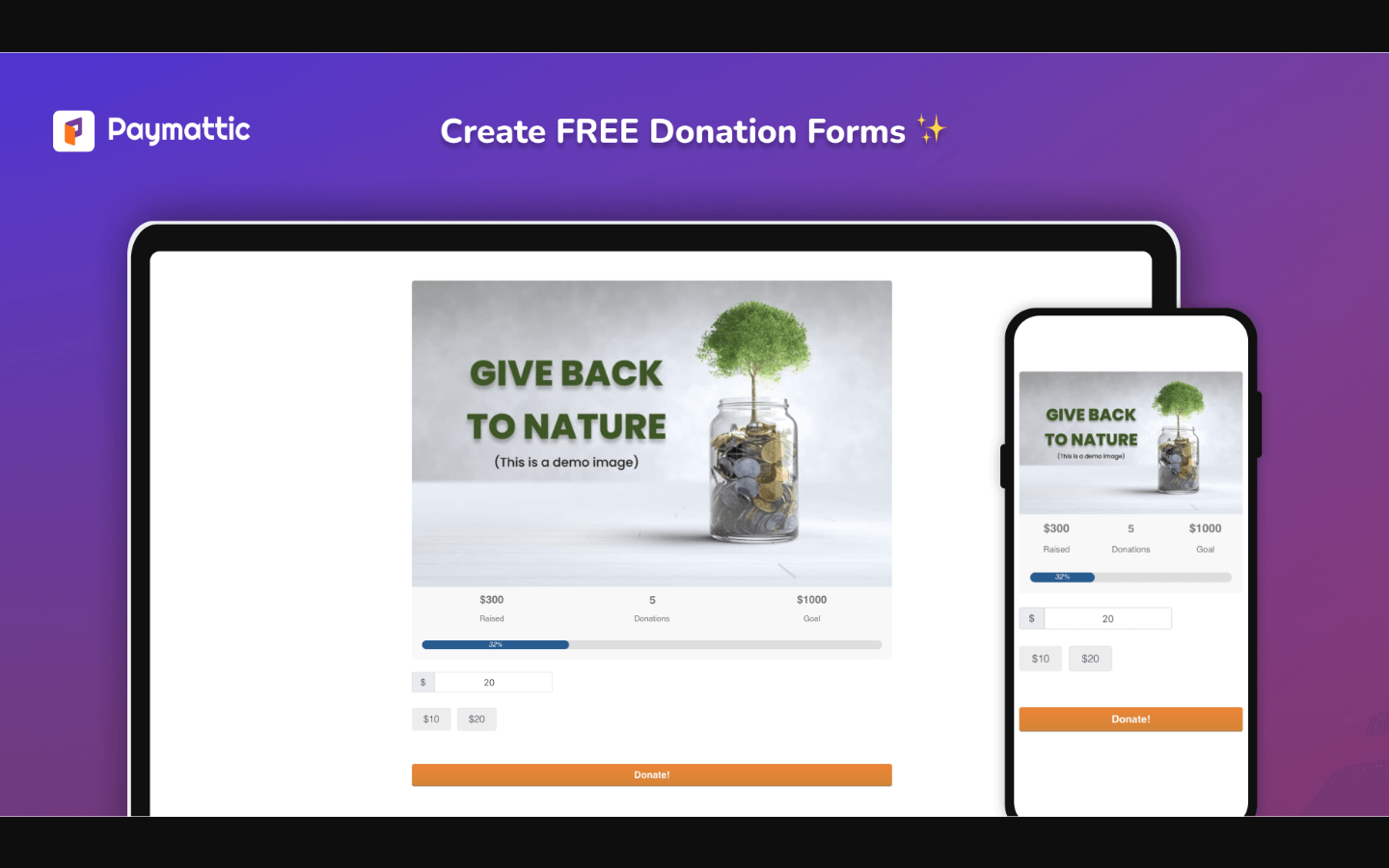
Paymattic positions itself as much a donation plugin as a payment plugin. The donation-specific feature set is solid, especially for the free tier.
Free donation features
- One-time donation form with the Stripe gateway.
- Pre-built donation templates (simple donation, fundraiser, charity campaign styles).
- Donation progress bar showing total raised vs. goal, percentage complete, and recent donor count. This is available in the free version and is one of the stronger free-tier donation features available.
- PDF invoice for each donation.
- Basic reporting.
- Guest donations (donors don’t need to create an account).
Pro donation features
- Recurring donations with preferred billing intervals (weekly, monthly, quarterly, annual).
- Custom donation amount (free-text input alongside preset amounts).
- Currency switcher (donors select their preferred currency).
- Donor leaderboard showing top donors by amount.
- Donor and customer dashboard (donors log in to see their giving history and manage subscriptions).
- Anonymous donations.
- Advanced fundraising reports (total donations, weekly breakdown, payment methods, top donors, period comparison).
- Donor profiles (detailed per-donor view with form interaction history).
- Tabular donation items (donors choose which cause or fund to direct their gift).
- Gift Aid (UK).
- Fee Recovery.
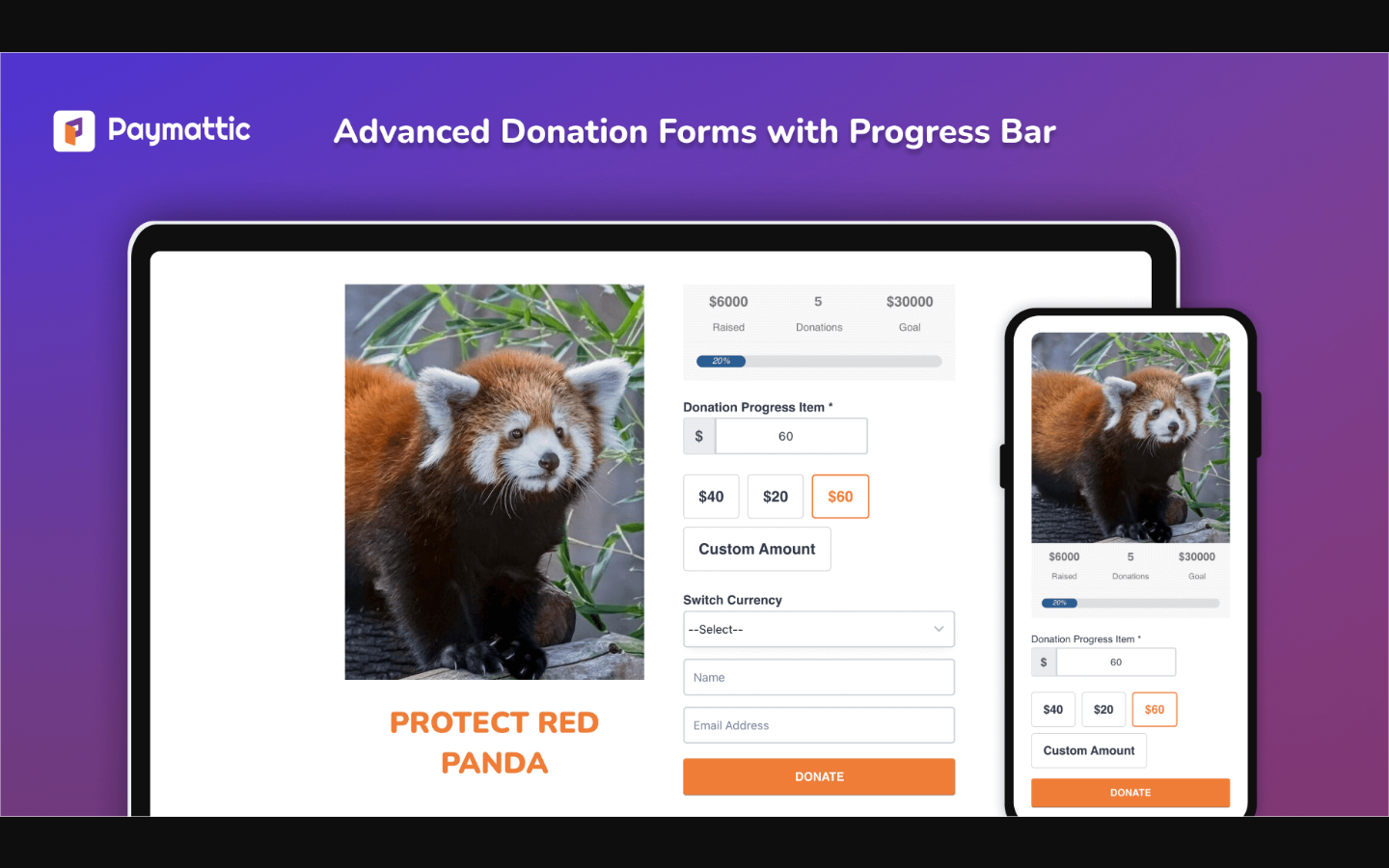
The donation progress bar deserves a specific mention. Most donation plugins gate this feature to paid plans. Paymattic includes it in free. If you need a simple, Stripe-connected donation form with a live progress indicator, you can have that without spending anything.
The GiveWP migration tool introduced in 4.6.22 is a notable addition for nonprofits considering a switch. It includes pre-migration checks, a compatibility report, and one-click rollback, which is a considered approach to a task that traditionally requires developer involvement.
Payment gateways
Paymattic supports 15 payment methods across free and Pro:
Free
- Stripe (Credit Card, Apple Pay, Google Pay, and any Stripe payment method active on your account)
- Offline payment (bank transfer, cheque)
Pro (13 additional gateways)
- PayPal (one-time and subscriptions)
- Authorize.net (one-time and subscriptions)
- Square (one-time and subscriptions; USA, Canada, UK, Australia)
- Mollie (one-time)
- Billplz (one-time; Malaysia, currencies: MYR, USD, GBP, EUR, IDR)
- Flutterwave (one-time)
- Paystack (one-time)
- Payrexx (one-time)
- Razorpay (one-time)
- Xendit (one-time and subscriptions)
- Moneris (one-time and subscriptions; Canada)
- Vivawallet (one-time)
- SSLcommerz (one-time)
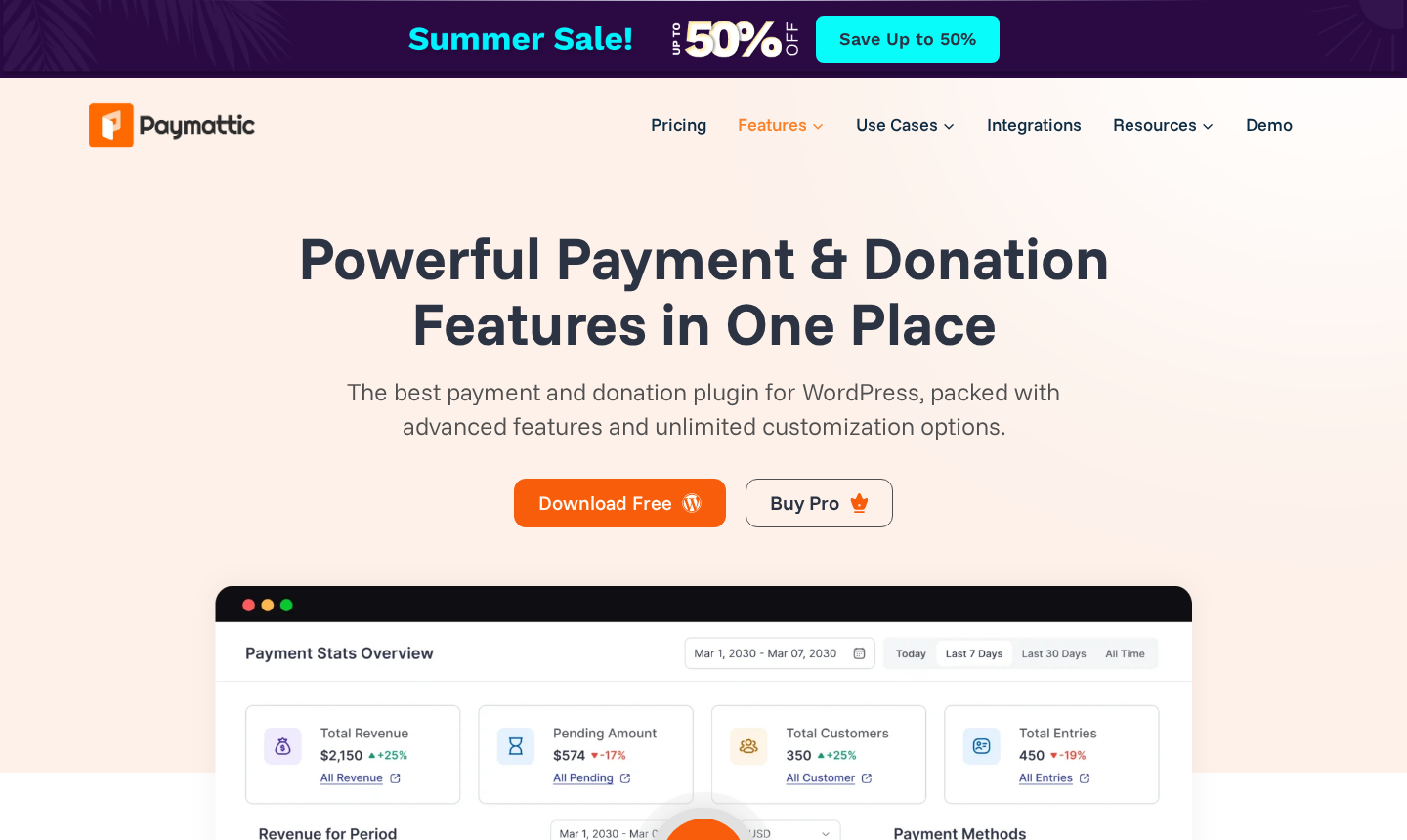
The free Stripe gateway covers Card, Apple Pay, and Google Pay in all markets where Stripe operates. For most small businesses and nonprofits in the US, UK, EU, Canada, and Australia, the free tier is a complete payment solution.
Pro gateways extend coverage into South Asia (Razorpay for India), Southeast Asia (Xendit for Indonesia, Philippines, Thailand, Vietnam, Malaysia), sub-Saharan Africa (Paystack and Flutterwave), Malaysia (Billplz), and Canada (Moneris). If your user base sits in any of these markets and expects a locally familiar payment method, Paymattic’s Pro gateway list is one of the more complete in the WordPress plugin space.
The one limitation to note: the free version is Stripe-only. If you cannot or do not want to use Stripe (some countries where Stripe is unavailable, or some business types excluded by Stripe’s terms), the free version does not give you an alternative beyond offline payment.
Reports and analytics
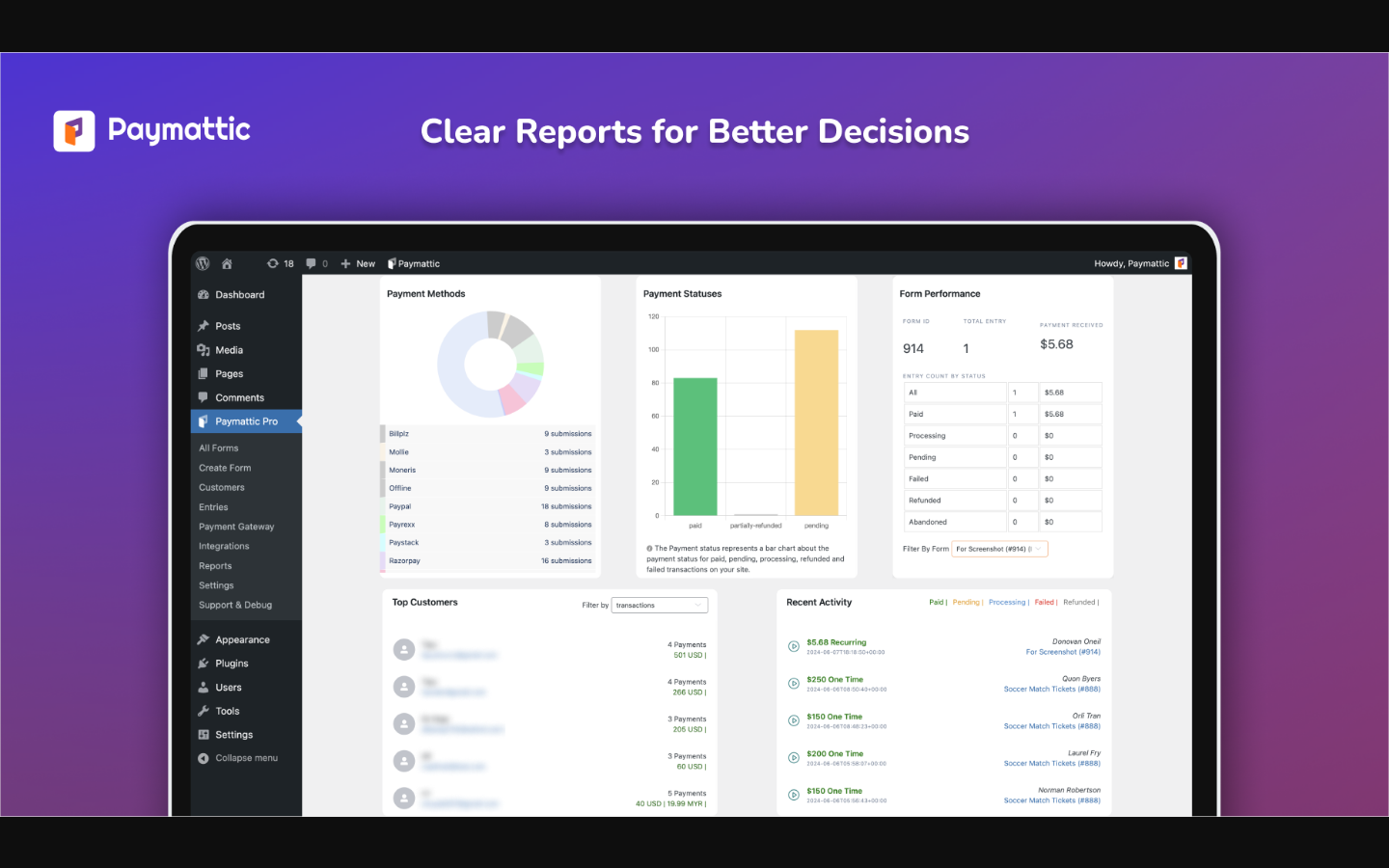
Paymattic includes two levels of reporting:
Basic reporting (free): A summary view showing recent form submissions and payment entries. You can filter entries by form, status, and date range, and export entries as CSV.
Advanced reporting (Pro): A full reporting dashboard with:
- Total revenue and weekly revenue
- Total customers and new customers in the current week
- Revenue per period (line chart)
- Revenue breakdown by category
- Payment method distribution
- Payment status breakdown
- Top customers list
- Recent activity feed
The Pro reporting dashboard is a genuine business intelligence tool, not just a transaction list. If you are running multiple payment forms for different products or campaigns, the period comparison and breakdown charts help you identify which forms are converting best.
Fundraising reports in Pro mirror the payment report structure but are focused on donations: total donations, weekly donations, top donors, donation methods, and campaign-level comparison.
Customer and donor management
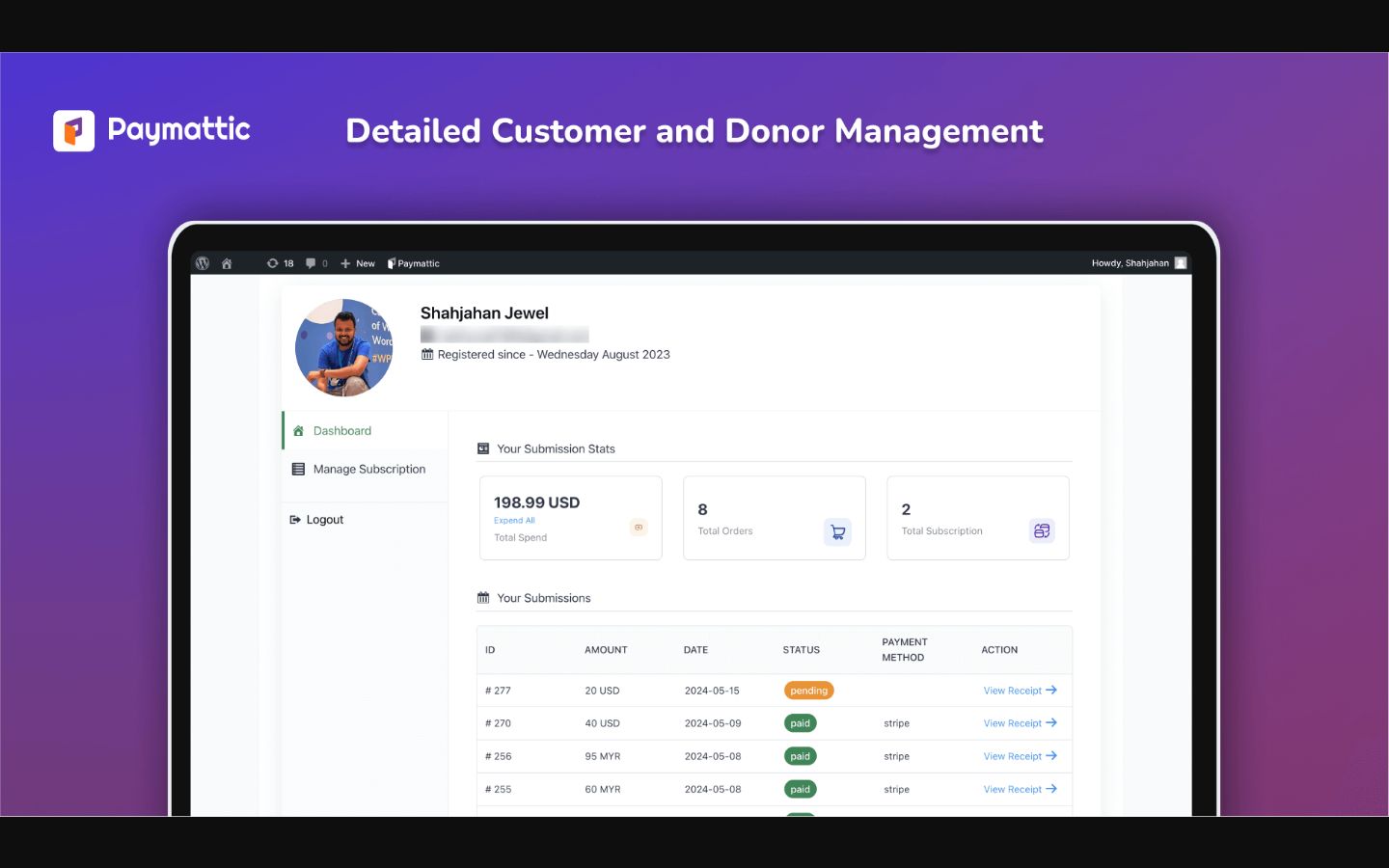
Paymattic Pro creates a profile for every customer or donor who submits a form. From the admin side, you can open any profile and see:
- All submissions and transactions from that person across every form on your site.
- Their active subscriptions with status, billing interval, and next payment date.
- Their total spending or donation history.
- Which forms they interacted with and when.
From the customer side, Paymattic Pro creates a self-service dashboard (a shortcode-embeddable page on your site) where customers can log in, review their payment history, and cancel their own subscriptions. This removes the support overhead of subscription management for small teams.
The donor leaderboard feature (Pro) publicly lists top donors by total amount given, which Paymattic markets as a social proof and retention tool. Donors can choose to remain anonymous even while still appearing in the leaderboard count.
Integrations
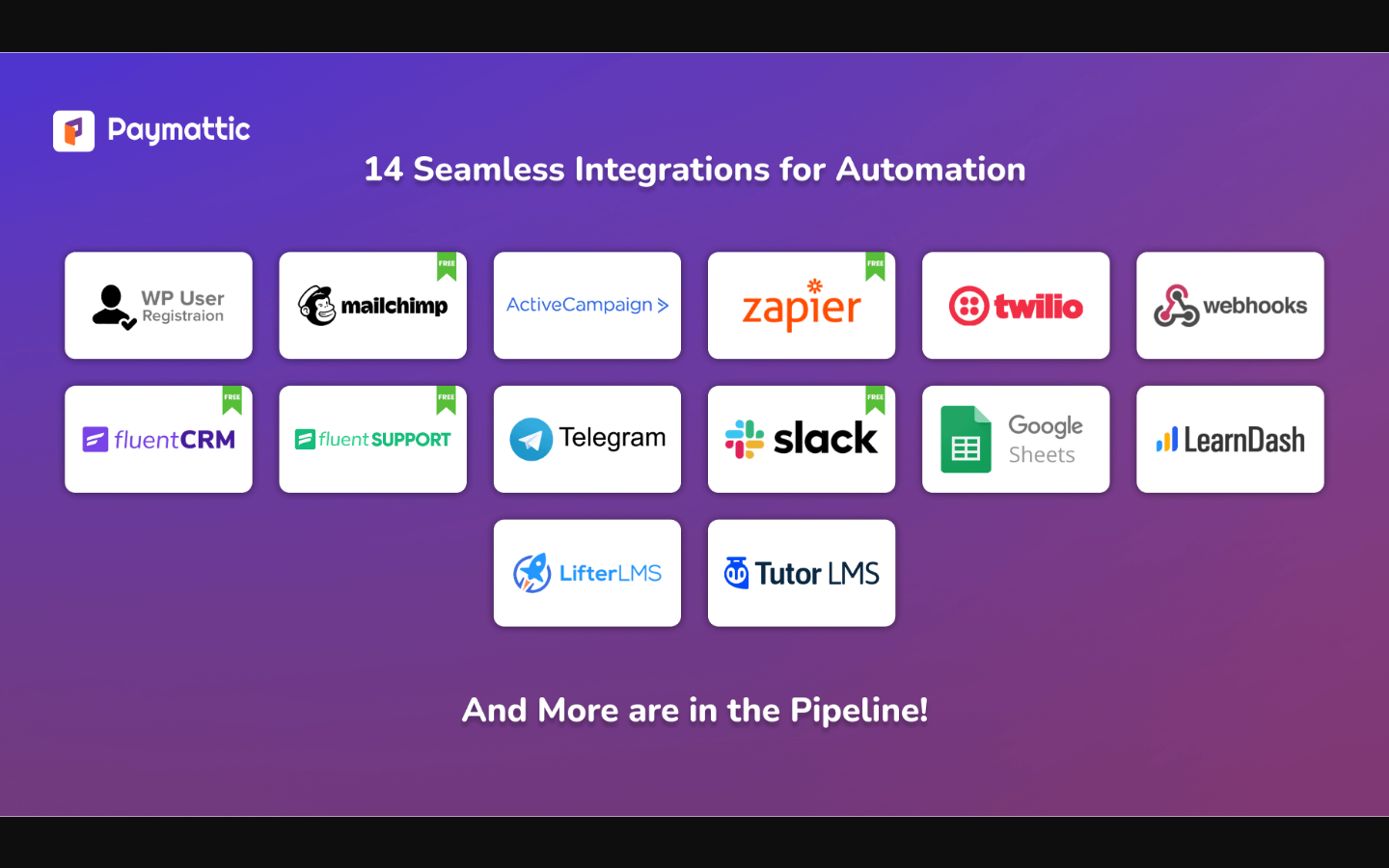
Paymattic’s native integrations divide into free and Pro tiers:
Free integrations
- FluentCRM (native, no connector needed)
- Fluent Support (native)
- MailChimp
- Slack
- Zapier
- FluentCommunity
Pro integrations (adds to free)
- ActiveCampaign
- Twilio (SMS notifications)
- WP User Registration
- Telegram
- Google Sheets
LMS integrations (Pro)
- TutorLMS
- LearnDash
- LifterLMS
The LMS integrations automatically enrol students when a payment succeeds, trigger WordPress welcome emails, and remove enrolment when a subscription payment fails or is refunded. This is the complete automation loop that course creators need.
The Zapier integration bridges Paymattic with thousands of external tools without native connectors. SMS notifications through Twilio are included in Pro as well, which is unusual for a plugin at this price point.
If you are in the WPManageNinja ecosystem already, the FluentCRM, Fluent Support, and FluentCommunity integrations are native and tight. Subscribers go directly into FluentCRM contact lists and tags on payment success, which removes the Zapier middle layer.
Security
Paymattic claims PCI DSS compliance and SCA (Strong Customer Authentication) readiness for European payments. On the form level, three security layers are available:
- reCAPTCHA V2 and V3 (free): Google’s standard CAPTCHA, with both the visual checkbox variant and the invisible background risk-analysis variant.
- Honeypot (free): An invisible field that bots fill in but humans ignore, used to silently filter bot submissions.
- Cloudflare Turnstile (free): Cloudflare’s privacy-preserving alternative to reCAPTCHA. It challenges bots invisibly without a user interaction step.
All three security layers are available in the free version, which is worth noting. Most plugins gate Turnstile support to paid tiers.
On the payment processing side, Paymattic does not store card numbers on your server. All card data flows through the payment gateway’s own infrastructure. For Stripe, this means PCI compliance is inherited from Stripe’s own security model.
A note from the changelog: version 4.6.20 (April 2026) patched a CSRF vulnerability in form submission handlers and several gateway confirmation handlers (Stripe, Paystack, Razorpay). The fix was shipped promptly and the changelog documents it clearly, which is the right behaviour. Buyers should keep the plugin updated.
Pricing and license value
Pricing verified on paymattic.com on August 13, 2026.
Paymattic has a genuine free version on WordPress.org with no time limit. The Pro plans come in two billing models: annual subscription and lifetime license.
Annual plans
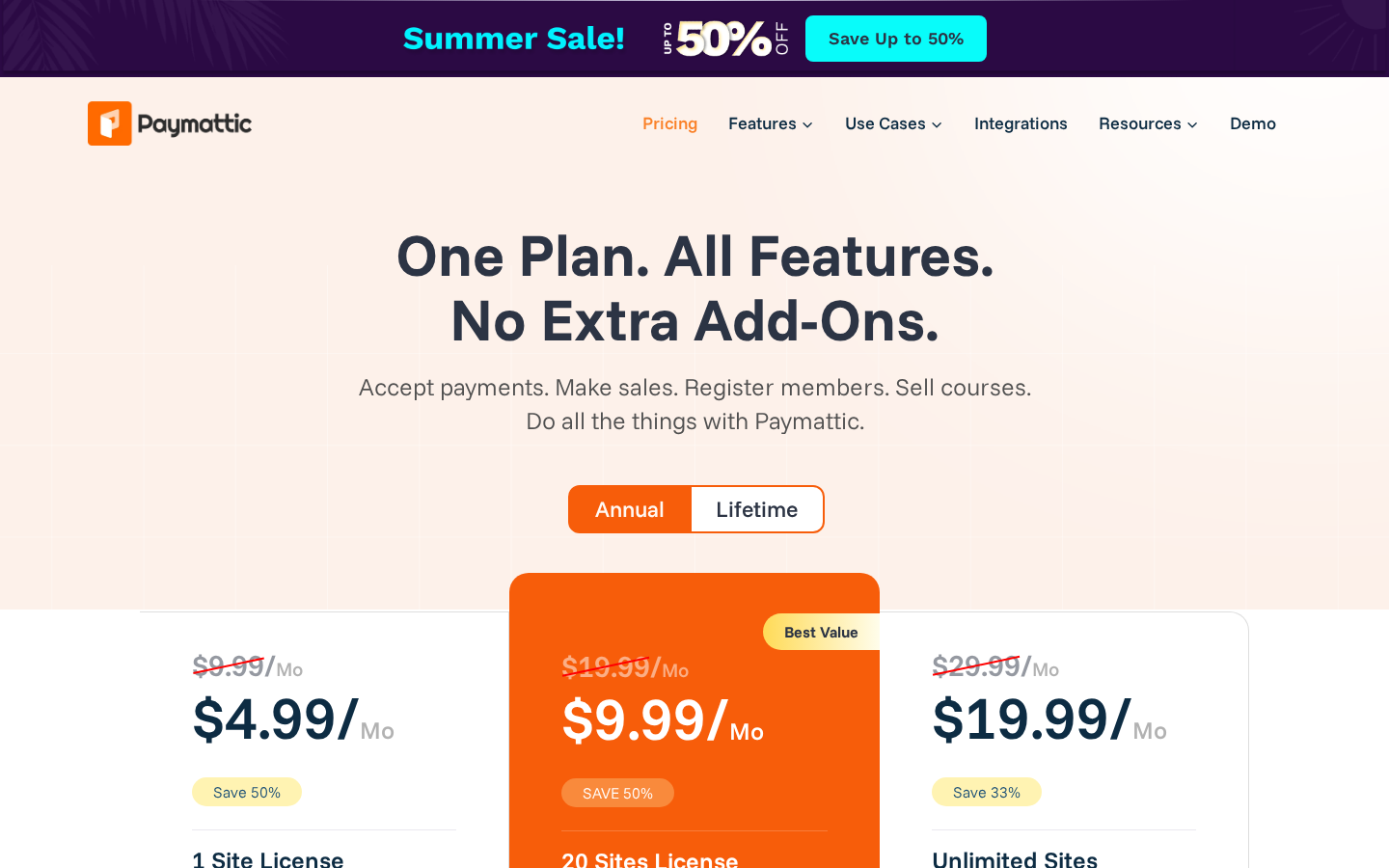
| Plan | Sites | Promotional price | Sticker price |
|---|---|---|---|
| Personal | 1 site | $4.99/mo (billed annually, Save 50%) | $9.99/mo (billed annually) |
| Agency | 20 sites | $9.99/mo (billed annually, Save 50%) | $19.99/mo (billed annually) |
| Unlimited | Unlimited sites | $19.99/mo (billed annually, Save 33%) | $29.99/mo (billed annually) |
The pricing page notes “Grab a special discount on your first year with us!” alongside the annual plans, which indicates the promotional rate applies to the first year only. Plan your renewal budget against the sticker price, not the promotional figure.
Annual plans include: 1 year of plugin updates, 1 year of priority support, all features included (no add-on tiers).
Lifetime plans
| Plan | Sites | Promotional price | Sticker price |
|---|---|---|---|
| Personal | 1 site | $233 (Save 33%) | $349 |
| Agency | 20 sites | $449 (Save 25%) | $599 |
| Unlimited | Unlimited sites | $602 (Save 33%) | $899 |
Lifetime plans include unlimited plugin updates and unlimited priority support. The Unlimited lifetime plan is also displayed as “$96 x 8 Months,” a payment-plan option.
What you get in every Pro plan: All features are included at every tier. There are no feature add-ons to purchase separately. The only difference between plans is the number of site licences.
Comparison to competitors
- WP Simple Pay starts at $99.50/yr (promo) for one site and does not include donation features or as many gateways.
- GiveWP starts at $149/yr for the base Plus plan with limited gateway add-ons; the full gateway package costs significantly more.
- Charitable Pro starts at $99/yr for single sites.
At $60/yr promo (first year) or $120/yr sticker for one site, Paymattic Pro Personal is competitively priced for what it includes, particularly if you need both payments and donations plus regional gateway coverage.
The lifetime tier is the strongest value argument for long-term users. At $233 for a single-site lifetime license with all features, it undercuts most competitors on a total cost of ownership basis over three or more years.
Pros and cons
Pros
- Genuine free version with Stripe, donation progress bar, PDF invoices, and basic integrations (no trial, no expiry).
- Dual-purpose: handles both payment forms and donation forms from one plugin without feature compromise on either side.
- 15 payment gateways including strong regional coverage (Razorpay, Xendit, Paystack, Flutterwave, Billplz, Moneris, SSLcommerz).
- No platform fee and no transaction fee from Paymattic; only gateway fees apply.
- All features included in every Pro plan: no add-on purchases needed.
- Competitive lifetime pricing ($233 for one site, all features).
- Active development: meaningful releases every few weeks in 2026, including Gift Aid, Fee Recovery, and GiveWP migration.
- LMS integrations for TutorLMS, LearnDash, and LifterLMS with automated enrolment on payment success.
- Three security layers in the free version (reCAPTCHA, Honeypot, Cloudflare Turnstile).
- Native FluentCRM integration avoids third-party connectors for WPManageNinja users.
- Customer and donor self-service dashboards reduce subscription-management support overhead.
Cons
- Small active install base (3,000+ vs 100,000+ for GiveWP or 60,000+ for WP Simple Pay): smaller community, fewer third-party tutorials and extensions.
- Free version is Stripe-only; all other gateways require Pro.
- Conditional logic and multi-step forms are Pro-only; no free equivalent.
- Currency switcher (for letting donors switch currency) is Pro-only, even though basic currency settings are in free.
- Annual promotional pricing drops to full sticker price after the first year; the gap is significant (50% for the lower tiers).
- No peer-to-peer fundraising or campaign-page features: high-volume nonprofit campaigns may still need GiveWP.
- The 96/100 WordPress.org rating is from only 44 reviews: the score is strong but from a small sample.
Alternatives to Paymattic
Before settling on Paymattic, it is worth knowing where it loses to the alternatives and where it wins.
WP Simple Pay. The most focused Stripe payment form plugin for WordPress. If Stripe is your only gateway and you have no donation needs, WP Simple Pay is more mature and has a much larger install base (60,000+). Paymattic wins on gateway variety and on the combined payment-and-donation scope.
GiveWP. The dominant WordPress donation plugin with 100,000+ installs and a deep fundraising feature set including peer-to-peer fundraising, campaign pages, and a large add-on ecosystem. GiveWP is the better choice for nonprofits running large, complex campaigns. Paymattic wins on pricing, gateway coverage, and the dual payment-and-donation scope for smaller operations.
Charitable. A solid donation plugin with a free core and paid extensions. Charitable’s free version is weaker than Paymattic’s on out-of-box Stripe connectivity (Stripe is a paid extension for Charitable). Paymattic wins on free-tier value and regional gateways.
Donorbox. A SaaS-based donation platform rather than a self-hosted plugin. Donorbox charges a 1.5% platform fee on donations. Paymattic charges no platform fee and is self-hosted. Donorbox wins on ease of setup and peer-to-peer fundraising. Paymattic wins on total cost control and gateway flexibility.
Formidable Forms or Gravity Forms with payment add-ons. General-purpose form builders with payment integrations. If you need complex form logic beyond what Paymattic offers, these are the options. Paymattic wins on out-of-box payment and donation tooling, pricing, and regional gateways.
Final verdict
Paymattic earns its place in a short list of plugins any WordPress site owner should consider when they need payment or donation forms. The free version is one of the most complete in this category: Stripe-connected from the start, donation progress bar included, PDF invoices included, three security layers included, and basic integrations included. No other payment plugin at this price point gives you as much before you open your wallet.
The Pro upgrade is straightforward to evaluate. If you need PayPal, or a regional gateway like Razorpay or Paystack, you need Pro. If you need recurring subscriptions or donations, you need Pro. If you need donor leaderboards, currency switchers, conditional logic, multi-step forms, advanced reporting, or LMS enrolment automation, you need Pro. The flat all-features pricing (no add-on tiers) makes the upgrade decision clean.
The honest caveats: the community is small. If you run into an edge case, the GiveWP or WP Simple Pay user bases are much larger and more resourced for community support. The conditional logic and multi-step form limitations in free are a real constraint for complex payment flows. And the first-year promotional pricing is meaningfully lower than the renewal rate; plan your budget against the sticker price.
For a small business, freelancer, nonprofit, or course creator who wants one plugin that handles both payments and donations, supports both global Stripe and regional gateway coverage, and does it without a platform fee, Paymattic Pro at its sticker price is a fair deal. The lifetime option is a strong argument for anyone who hates annual subscription renewals.