


Security is the category where every WordPress plugin makes the same promise: it will protect your site. The gap between that promise and what actually happens when you install the plugin and click through the settings is where a review earns its keep.
SecuPress is a French security plugin that has been around since 2016 and currently protects more than 40,000 WordPress sites. Its pitch is straightforward: a modern, easy-to-use interface that guides any site owner through hardening their WordPress install without needing a security background. In 2026, it runs under the combined branding “SecuPress with Simple SSL,” following an integration with the Simple SSL plugin.
I reviewed SecuPress for this article by working through the WordPress.org listing, the official features and pricing pages, the public documentation, and third-party comparisons. For Pro features that require a paid license (2FA, malware scanner, geo-blocking, scheduled scans), I researched the official feature descriptions and noted where direct hands-on testing was not possible.
If you manage a WordPress site and want to know whether SecuPress earns a place in your stack, this is the review to read.
Quick verdict on SecuPress
SecuPress is a well-designed entry point into WordPress security for site owners who want guided hardening without configuration complexity. The free version covers more ground than most comparable free-tier security plugins, and the Pro tier is priced more accessibly than Wordfence Premium or Sucuri.
The honest caveats: the Pro malware scanner is not as deep as Wordfence or MalCare, there is no malware cleanup option at any tier, and the v2.6 release in 2026 introduced critical bugs that affected production sites and exposed slow support response times. Those are material issues for site owners who need reliable protection on a live WooCommerce store or a high-traffic publication.
Quick verdict card:
- Best for: WordPress site owners who want a clean, guided security setup without needing to interpret firewall rules or scan logs.
- Best plan for most sites: SecuPress Pro 1-site at €60/year covers the features most single-site operators actually need.
- Standout: The setup wizard and security scanner are genuinely beginner-friendly, and the free version’s hardening modules cover more than most free security plugins.
- Watch out for: No malware cleanup at any tier, no remote backup storage, v2.6 stability issues and mixed support response times, and a TrustPilot rating (2.8/5) that sits well below the WordPress.org rating (4.1/5).
What SecuPress is
SecuPress started in 2016 as an independent WordPress security plugin built by Julio Potier, a French developer based in Arques, France. The plugin’s design philosophy from the start was to make WordPress security accessible: a clear dashboard, a step-by-step scanner, and guided fixes rather than raw firewall logs or manual rule editing.
In its 2026 incarnation, SecuPress runs under the name “SecuPress with Simple SSL,” reflecting an integration with the Simple SSL plugin. The practical effect for most sites is that the plugin now handles SSL configuration steps that previously required a separate plugin. The security feature set itself is unchanged from earlier versions.
The plugin works in three layers. The first is a site health scanner that evaluates your WordPress install against 35 security checkpoints and scores each one. The second is a set of hardening modules that you activate to fix each failed checkpoint. The third (mostly Pro) is ongoing protection: a firewall that filters malicious requests, a malware scanner, login security, and automated alerts when something changes.
What separates SecuPress from self-hosted security tools like Wordfence is the interface. Where Wordfence presents a firewall rules editor and a raw scan log, SecuPress presents a checklist and a score. For site owners who do not want to learn firewall rule syntax, that is a genuine advantage.
The plugin is published on WordPress.org as a free version with 40,000+ active installs and a 4.1/5 rating from 108 reviews. The Pro version is available directly from secupress.me and adds the malware scanner, 2FA, geo-blocking, and automated scheduling.
Who SecuPress is best for
Strong fit:
- WordPress site owners who want guided security setup without studying firewall configuration.
- Small business sites, portfolios, and membership sites that need hardening against common attack vectors (brute force, version disclosure, bad bots) without enterprise-level overhead.
- Agencies managing a moderate number of client sites who want a white-label option and a single interface, and who can live with daily (not real-time) scan scheduling.
- Sites that need geo-blocking to restrict access to specific countries, which is included in Pro.
- Teams already using Simple SSL who want to consolidate SSL and security management in one plugin.
Weak fit:
- WooCommerce stores or high-traffic sites that need real-time malware detection, immediate alerts, and a cleanup service if something slips through. SecuPress scans but does not clean.
- Sites that need a CDN-layer web application firewall. SecuPress’s firewall is a plugin-level filter, not a network-level WAF. For CDN-layer protection, Sucuri or Cloudflare are better answers.
- Site owners who want their backups synced to Google Drive, S3, or Dropbox. SecuPress’s backup module is local only.
- Sites already running another security plugin. SecuPress explicitly advises against running two security plugins together.
- Operators who need real-time scanning. The maximum scan frequency in SecuPress is daily (Pro only); the free version requires manual scans.
Installation and setup experience
SecuPress installs from WordPress.org through the standard Plugins > Add New search. The free version is available without an account. The Pro version requires purchasing a license at secupress.me and entering the license key in the plugin settings.
After activation, the plugin adds a SecuPress menu item to the WordPress dashboard. The first screen you encounter is the Security Scanner, which is the right starting point for most users.
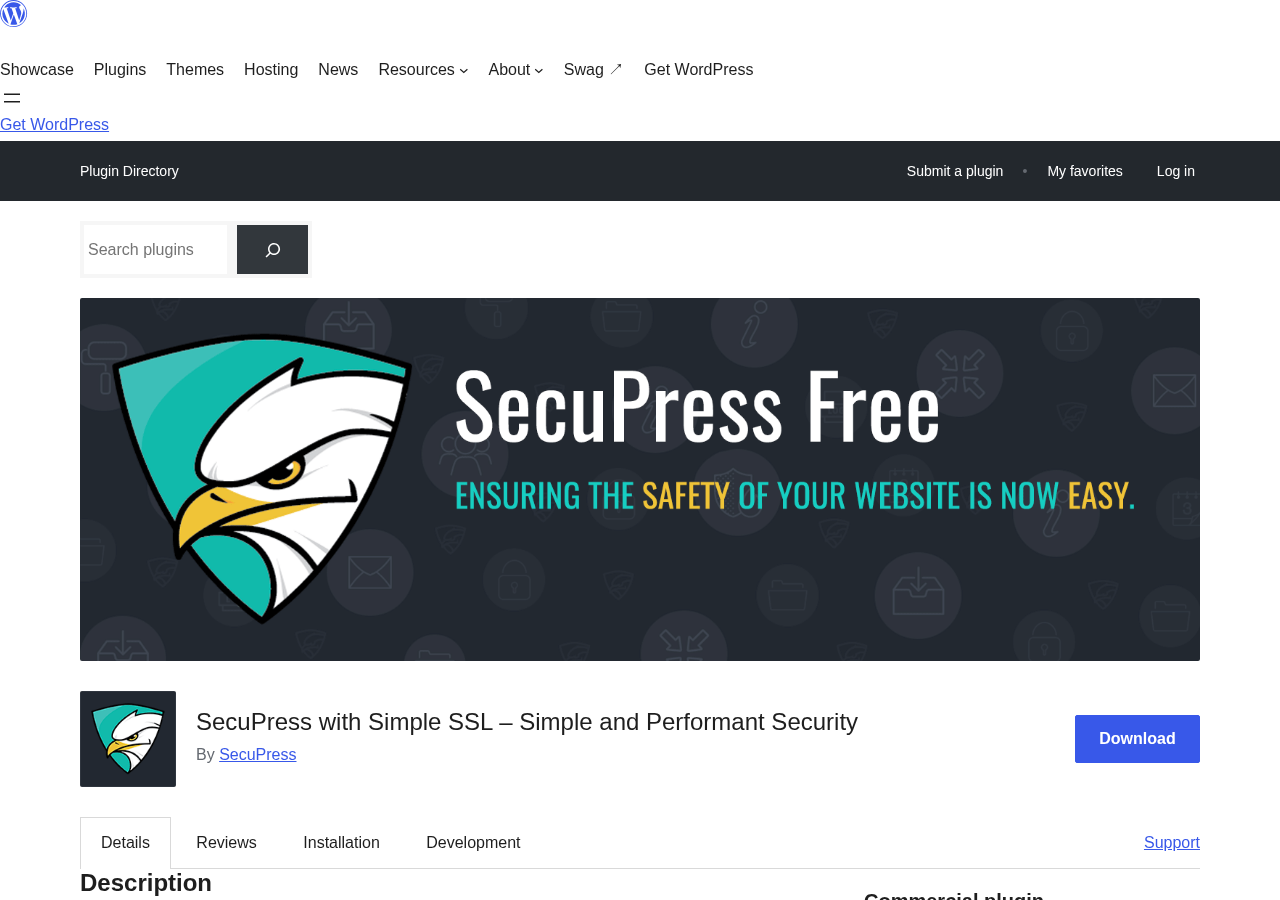
The scanner runs a check across 35 security points grouped into categories: Users and Login, Plugins and Themes, WordPress Core, Sensitive Data, Firewall, Antispam, and File System. Each check returns a pass, a warning, or a fail, and each failure links to a module you can activate to fix the issue. The guided approach is the plugin’s clearest differentiator: most site owners can run the scanner, work through the red items, and reach a reasonable security baseline without looking anything up.
A note on basis: the setup flow described here is based on the WordPress.org plugin listing, the plugin FAQ, and third-party review documentation. A full live install and activation sequence was not run in this test window.
Security scanner and scoring
The scanner is the feature SecuPress leads with, and it is the strongest part of the free version. Running a scan generates a security report that scores your site against each checkpoint, flags failures, and provides a plain-language description of what to fix and why.
The 35 checkpoints cover the areas where most WordPress sites are vulnerable by default:
- Default admin username usage
- WordPress debug mode left enabled
- WordPress version visible in page source
- Plugins with known vulnerabilities (Pro only for automated alerts)
- Directory listing enabled on the server
- File editing enabled in the WordPress admin
- Security salts and keys not regenerated
- Login URL using the default /wp-login.php (moveable via the free login relocation module)
- XML-RPC enabled without restriction
- Sensitive files (readme.html, license.txt) publicly accessible
Fixing a failed checkpoint activates the relevant protection module. Modules can be toggled individually, which means you can apply only the changes you need and reverse them if something conflicts with another plugin.
The PDF security report is a Pro feature. The free version generates the on-screen report but does not export it to PDF. For most site owners, the on-screen report is sufficient. For agencies running security audits for clients, the PDF export is worth having.
Login security and brute force protection
Login protection is the security area that most WordPress sites need first, and SecuPress covers it well in the free version.
The free modules available for login security include:
- Login attempt limiting. After a configurable number of failed attempts, the plugin locks out the IP address for a set period.
- Login page relocation. Changing the login URL from the default /wp-login.php to a custom path blocks the majority of automated credential-stuffing scripts that target the standard URL.
- Login error message concealment. WordPress’s default login errors tell an attacker whether the username or the password was wrong. Hiding those messages prevents credential enumeration.
- Double login prevention. Stops a session from being opened if the user is already logged in elsewhere.
- Non-login time slot. Restricts the window during which logins are permitted. Useful for sites where traffic and admin activity have predictable hours.
- Bad username blocking. Bans login attempts for usernames that do not exist on the site.
- CAPTCHA. SecuPress includes its own CAPTCHA implementation that does not depend on Google reCAPTCHA, which is worth noting for GDPR-conscious operators.
Two-factor authentication is a Pro-only feature. The Pro 2FA module adds a time-based one-time password (TOTP) step to the login flow. For sites handling member data, payments, or sensitive content, 2FA is one of the clearest reasons to upgrade to Pro.
Firewall and request filtering
The firewall in SecuPress works at the plugin level: it intercepts incoming requests and blocks those that match known bad patterns before WordPress processes them.
Free firewall features include:
- Bad user-agent blocking. Blocks requests from known malicious bots and scrapers.
- Malicious bot blocking via the Black Hole technique. Malicious bots that crawl disallowed paths in robots.txt are fingerprinted and blacklisted.
- XML-RPC blocking. XML-RPC is a legacy WordPress API that is frequently exploited. SecuPress can disable it entirely or restrict it to authenticated requests.
- SQL injection blocking via the BBQ (Block Bad Queries) module.
- Search engine impersonation detection. Some scrapers claim to be Googlebot to avoid bot blocks; SecuPress checks the actual origin IP against Google’s published crawler ranges.
- Bad query method blocking. Filters HTTP request methods (such as TRACE or CONNECT) that should never reach a standard WordPress site.
Pro firewall additions include:
- Country-based geo-blocking. Restricts access to the WordPress admin or the entire site based on the visitor’s country. Useful for sites with geographically concentrated traffic or compliance requirements.
- IP address banning. Allows manual or automated blacklisting of specific IPs.
- Bad referrer blocking. Filters requests whose Referer header points to known malicious domains.
- Anti-404 guessing. Detects and blocks bots that systematically probe the site for hidden files and paths by generating 404 errors.
- Anti-hotlinking. Prevents other sites from embedding your images and consuming your bandwidth.
The honest comparison: Wordfence’s firewall is considered stronger than SecuPress’s. Wordfence maintains a threat intelligence feed that updates firewall rules in near real time as new attack patterns emerge. SecuPress does not have an equivalent threat intelligence subscription service. For most small-to-medium WordPress sites, SecuPress’s firewall is sufficient. For high-value targets expecting sophisticated attacks, Wordfence Premium or a CDN-level WAF is the more defensive choice.
Malware scanner (Pro only)
The malware scanner is a Pro-exclusive feature. It checks the files on your WordPress install against known malware signatures and flags files that appear to contain malicious code, injected content, or phishing material.
What the scanner covers:
- Core WordPress files against the official checksum list. Any file that has been modified from the original WordPress release triggers an alert.
- Theme and plugin files for known malware signatures.
- Content injection in posts and pages (PHP or JavaScript injected through compromised database records).
- Vulnerable plugin and theme versions that have known public CVEs.
What the scanner does not do: it does not clean or remove malware. If the scanner finds a problem, the next step is manual remediation or a paid cleanup service. SecuPress offers professional malware removal as an optional paid service, but this is outside the Pro license cost.
This is the material difference between SecuPress and MalCare or Wordfence Premium on the scanning side. MalCare offers one-click malware cleanup from its dashboard. Wordfence Premium includes the repair files option that replaces infected files with clean copies. SecuPress flags the problem and hands you the bill for fixing it.
For a site that gets infected, the practical cost of that gap is significant: either you pay SecuPress for a cleanup service, or you find and fix the injection manually, or you restore from backup. Plan for this before you choose SecuPress as your only security layer on a business-critical site.
Scan scheduling (daily or weekly, automated) is a Pro feature. The free version runs scans manually, which means the gap between infections and detection is as long as the gap between your manual scans.
Sensitive data protection and hardening modules
WordPress ships with several defaults that make it easier for attackers to fingerprint a site and identify exploitable versions. SecuPress’s hardening modules address these in the free version.
The protection modules cover:
- Version disclosure. Removes the WordPress version from page HTML, RSS feeds, and HTTP headers. The same protection extends to WooCommerce and WPML version strings if those plugins are present.
- PHP version hiding. Suppresses the PHP version from HTTP headers.
- Directory listing. Disables the ability to browse the contents of directories that lack an index file.
- Readme and license file blocking. WordPress ships with readme.html and license.txt at the web root. These files advertise the exact WordPress version to anyone who requests them. SecuPress blocks public access.
- Security constants. Adds PHP constants to wp-config.php that disable file editing from the WordPress admin, control cookie expiration, and enforce HTTPS for the admin session.
- Security salts and keys. Regenerates the cryptographic keys WordPress uses to secure authentication cookies. Rotating keys invalidates all active sessions, which is the right response after a suspected compromise.
- WordPress core update enforcement. Forces the site to run on the latest WordPress minor release.
These modules are the reason I describe the free version as generous. Many competing plugins reserve version hiding or wp-config.php hardening for paid tiers.
Notifications and reporting (Pro only)
Automated monitoring is a Pro-only capability in SecuPress.
The notification features in Pro include:
- Email alerts when the scanner detects a change in files, a new vulnerability in an installed plugin, or a failed security check.
- Slack alerts for the same events, which is useful for development teams with an active Slack workspace.
- Daily activity reports summarising security events, blocked requests, and login attempts over the preceding 24 hours.
- PDF security reports for client delivery or compliance documentation.
The free version generates reports on demand but does not send automated alerts. For a personal or low-traffic site where you check the dashboard regularly, that is acceptable. For an agency running client sites, or a business-critical site where you need to know the moment something changes, the Pro notification layer is the reason to upgrade.
Backup features
SecuPress Pro includes a backup module, but it is worth being clear about what it covers and what it does not.
What it covers: the Pro backup module can create an on-demand or scheduled backup of your database and file system.
What it does not cover: the backup module cannot sync to remote storage. There is no option to send backups to Google Drive, Amazon S3, Dropbox, Backblaze, or any other off-site destination. Backups are stored locally on the same server as the WordPress install.
A local-only backup is better than no backup. But it does not protect against server-level failures (a host data-centre incident, a provider account suspension, or a disk failure) where both the site and the backup are on the same physical infrastructure.
For any site where recovery is business-critical, the advice is to pair SecuPress with a dedicated backup plugin that writes to external storage: UpdraftPlus, BlogVault, WPVivid, or a similar tool. Do not rely on SecuPress’s backup as the only copy of your site data.
Pricing and license value
SecuPress Pro is available in annual and monthly billing cycles. Pricing is denominated in EUR, with USD shown as an approximation at the current exchange rate (rates are refreshed twice daily on the pricing page).

Annual pricing by site count (EUR, Webmaster Account, 1-year billing):
- 1 site: €60/year
- 5 sites: approximately €120/year
- 10 sites: approximately €180/year
- 25 sites: approximately €280/year
- 50 sites: approximately €480/year
- 100 sites: approximately €780/year
- 200 sites: approximately €980/year
- Unlimited sites: approximately €1,380/year (upgrade-only option from an existing license)
SecuPress offers two account types:
- Webmaster Account. A single license key shared across all sites on the license. This is the standard option for site owners and freelancers managing their own sites.
- Agency Account. Multiple individual keys (one per site) that can be distributed to different clients. This option adds a one-time €99 fee on top of the license cost. It is the right choice for agencies that need separate keys for each client’s site.
Monthly billing is available for operators who prefer not to commit to a full year. Monthly billing costs more per site than the annual equivalent; SecuPress displays both in the pricing calculator on the pricing page.
A 14-day money-back guarantee applies to all purchases.
How does this compare to the alternatives?
- Wordfence Premium runs $119/year per site. SecuPress Pro 1-site at €60/year is meaningfully cheaper, though Wordfence’s firewall and threat intelligence are stronger.
- Sucuri’s website security platform starts at $199.99/year for a single site (which includes CDN-layer WAF, SLA-backed cleanup, and monitoring). SecuPress Pro is less than a third of the cost, but SecuPress is also a much narrower product: no CDN layer, no cleanup, no SLA.
- Solid Security Pro (formerly iThemes Security Pro) starts around $99/year. Comparable pricing territory to SecuPress Pro, with a similar feature set.
SecuPress Pro at €60/year is competitive on price, particularly for site owners who want 2FA, geo-blocking, automated alerts, and scheduled scanning in one plugin.
Pros and cons
Pros:
- Clean, modern interface that guides any skill level through a security setup without requiring technical knowledge.
- Free version is generous: login hardening, firewall basics, version hiding, security keys, and the full site health scanner are all available without a Pro license.
- Modular design: each protection feature can be toggled independently, which makes it easy to test and reverse a setting that conflicts with another plugin.
- Pro pricing (€60/year for 1 site) is lower than Wordfence Premium ($119/year) and significantly lower than Sucuri ($199.99/year).
- Geo-blocking is included in Pro, which is rare at this price point.
- White-label option for agencies who want to present the security interface under their own branding.
- Multilingual: English, French, German, Spanish.
- Compatible with major caching plugins (WP Rocket, W3 Total Cache) and multilingual plugins (WPML, PolyLang, WeGlot).
- Works on Apache, Nginx, and IIS servers; compatible with most shared hosting environments.
Cons:
- No malware cleanup at any tier. Detection only. If the scanner finds a problem, remediation requires either paying for SecuPress’s professional cleanup service or handling it manually.
- Backup module cannot sync to remote storage. Local-only backups are not a substitute for offsite backup.
- Scan scheduling is limited to daily at best. No real-time monitoring.
- The firewall is weaker than Wordfence’s threat-intelligence-driven rules engine. It covers common attack patterns but does not update in near real time as Wordfence Premium does.
- Version 2.6 (early 2026) introduced significant bugs affecting production sites, including a fatal error in the background process class and random license deactivations across multiple sites.
- Support response quality is inconsistent. The TrustPilot rating (2.8/5) suggests a meaningful proportion of users encountered slow or absent support responses, particularly around billing and license issues. This contrasts with the 4.1/5 WordPress.org rating.
- Not compatible with other security plugins. Running SecuPress alongside Wordfence or Sucuri is not supported.
- Free version lacks automated alerting. Problems are only surfaced when you manually run a scan.
Alternatives to SecuPress
I would not recommend any security plugin without naming who it loses to and in which scenarios.
Wordfence. The most installed WordPress security plugin, with 5 million-plus active installs. Wordfence’s firewall is maintained by a dedicated threat intelligence team that pushes near-real-time rule updates. The free version includes the firewall (with a 30-day delay on the latest rules), brute force protection, and a malware scanner. Wordfence Premium at $119/year removes the rule delay and adds real-time IP reputation data. Choose Wordfence over SecuPress if your main concern is the firewall and you want near-real-time threat signatures.
Sucuri. Sucuri is the CDN-layer option. Its most important product is the Sucuri Firewall, which operates as a reverse proxy that filters traffic before it reaches your server. If your WordPress site has been targeted by DDoS attacks or high-volume scanning campaigns that a plugin-level firewall cannot stop, Sucuri’s network-level WAF is the right tool. The entry price ($199.99/year) includes malware cleanup and a response SLA, which SecuPress does not offer at any tier.
Solid Security (formerly iThemes Security). A well-established security plugin with a broad feature set: two-factor authentication, malware scanning, brute force protection, version management, and a site scanner. The free version and the Pro pricing are in a similar range to SecuPress. Choose Solid Security if you already standardise on the SolidWP product family (alongside Solid Backups / BackupBuddy and the SolidWP suite).
All in One Security (AIOS). A free security plugin with 1 million-plus active installs. It covers most of the same hardening ground as SecuPress’s free tier: login lockdown, user account security, database prefix change, firewall basics. Choose AIOS if you want comparable free-tier coverage and prefer a community-supported plugin with a large install base.
MalCare. The strongest choice for malware detection and cleanup. MalCare’s scanner runs on MalCare’s own servers rather than on your WordPress host (keeping site performance unaffected), and its cleaning tool removes malware with one click from the MalCare dashboard. Choose MalCare if you have had a site infected before and the cleanup experience taught you that detection alone is not enough.
Final verdict
SecuPress does what it promises at the level it promises it. The scanner is genuinely useful for site owners who do not know where to start with WordPress security. The free version covers brute force protection, login hardening, version disclosure, and basic firewall filtering in a cleaner interface than most competing free-tier plugins. The Pro tier adds 2FA, geo-blocking, malware scanning, and automated alerts at a price lower than Wordfence Premium.
The honest limits are real. The malware scanner detects but does not clean. The backup module is local only. The firewall is not updated with the speed of Wordfence’s threat intelligence feed. And the v2.6 release in early 2026 left some users with production bugs and slow support response times, which is a meaningful mark against a security plugin where reliability is the whole point.
My recommendation: SecuPress Pro is a reasonable choice for site owners who want guided, affordable security hardening and can accept the limits around malware cleanup and real-time scanning. Pair it with a dedicated offsite backup plugin, and treat it as a hardening and monitoring layer rather than a full incident-response platform. If malware cleanup response time is a hard requirement, MalCare or Sucuri are the better calls. If firewall strength is the primary concern, Wordfence Premium is the stronger tool.
At €60/year for a single site, SecuPress Pro is not a bad buy. It is a focused tool for a specific job, and it does that job well within its limits.
FAQ
Is SecuPress free?
Yes. A free version is available on WordPress.org. The free version includes the security health scanner, login hardening, basic firewall modules, version disclosure protection, and most of the site hardening features. Pro adds the malware scanner, 2FA, geo-blocking, automated alerts, PDF reports, and scheduled scanning.
What is the difference between SecuPress Free and SecuPress Pro?
The free version covers scanner-based hardening, login protection, and basic firewall filtering. Pro adds automated malware scanning, two-factor authentication, country-based geo-blocking, IP banning, bad referrer blocking, email and Slack alerts, daily reports, PDF export, database and file backups, session control, password lifespan management, scanner scheduling, and white-label options. Pro also includes priority support.
Does SecuPress clean up malware?
No. SecuPress detects malware through its Pro scanner but does not remove it. If the scanner finds a problem, you need to remediate manually or use SecuPress’s paid professional cleanup service, which is offered separately from the license cost.
Is SecuPress compatible with Wordfence or other security plugins?
No. SecuPress explicitly advises against running two security plugins simultaneously. Running SecuPress alongside Wordfence, Sucuri, or other security plugins can cause conflicts and is not a supported configuration.
How does SecuPress handle WordPress site backups?
The Pro version includes a backup module that can create database and file backups. Backups are stored locally on the same server. There is no option to sync backups to remote storage (Google Drive, S3, Dropbox, or similar). For sites that need offsite backup, a dedicated backup plugin is required alongside SecuPress.
What is the SecuPress pricing for agencies?
The Webmaster Account uses a single license key for all sites on the license. Agencies who need separate keys per client site can add the Agency Account option for a one-time fee of €99 on top of the annual license. The multi-site license tiers scale from 5 sites to unlimited. A monthly billing option is also available at a higher per-site rate.
Does SecuPress include two-factor authentication?
Yes, but only in the Pro version. The 2FA module adds time-based one-time password (TOTP) authentication to the WordPress login flow. The free version does not include 2FA.
How does SecuPress compare to Wordfence?
SecuPress is more accessible and easier to configure. Wordfence has a stronger, more frequently updated firewall backed by a threat intelligence team that issues near-real-time rule updates. Wordfence Premium is $119/year vs SecuPress Pro at €60/year. If firewall strength is the priority, Wordfence has the edge. If interface clarity and guided hardening matter more, SecuPress is the cleaner product. SecuPress also includes geo-blocking in Pro, which Wordfence does not include in its free tier.
Is SecuPress good for WooCommerce stores?
It covers login security, site hardening, and basic threat filtering for WooCommerce sites. The main gaps: there is no real-time malware detection (scheduled daily scans only), no malware cleanup, and backup is local only. For a revenue-generating WooCommerce store, I would pair SecuPress Pro with a dedicated offsite backup plugin and consider whether the detection-only malware scanner meets your security posture requirements.
What happened with SecuPress version 2.6?
Version 2.6 (released in early 2026) introduced critical bugs reported by multiple users, including a fatal PHP error in the background process class and random license deactivations that caused Pro features to stop working without warning. Version 2.6.3 (July 21, 2026) fixed several of these issues. Support response during the 2.6 incident period received negative feedback from affected users. If you are evaluating SecuPress in mid-2026, version 2.6.3 is the current stable release.
Does SecuPress work with caching plugins?
Yes. SecuPress is compatible with WP Rocket, W3 Total Cache, and other major caching plugins. It is also compatible with multilingual plugins including WPML, PolyLang, and WeGlot.