


Most WordPress security plugins operate the same way: install them, configure a dozen settings, and then wait for the alerts to start piling up. Shield Security takes a different position. It says the alerts are the problem. Too many notifications, too much configuration, not enough automation. Shield’s answer is a security plugin that blocks threats on its own, repairs what it can without your input, and surfaces only what actually requires a decision from you.
That is a bold promise. This review tests it honestly.
I worked through the official Shield Security feature pages, pricing, WordPress.org listing (version 22.1.3), the plugin’s documentation, and independent review sources. Shield Security has a free version that covers a substantial set of protections. The Pro upgrade, called Shield Plus, adds malware scanning, vulnerability detection, integrated backups, and extended bot protection. Where a Pro feature could not be tested directly, the relevant section says so.
At a glance
- Audited on: getshieldsecurity.com features, pricing, and documentation; WordPress.org plugin listing (version 22.1.3, tested to WordPress 7.0.4). Pricing checked in August 2026.
- Free tier: firewall, silentCAPTCHA bot detection on comment forms, automatic IP blocking, 2FA, login URL hiding, WordPress core scanning and auto-repair, activity log, and more (20 features at no cost).
- Pro (Plus): adds AI-powered malware scanning (MAL{ai}), vulnerability detection, plugin and theme file scanning, integrated off-site backups (ShieldBACKUPS), rate limiting, contact form bot protection, and centralized multi-site management.
- Bottom line: a well-automated, genuinely capable free WordPress security plugin, with a Pro tier that makes sense for sites where malware detection and integrated backups matter enough to justify the subscription.
Quick verdict
Shield Security free is worth installing for any WordPress site that needs reliable, low-maintenance bot protection and core hardening. The free version is not crippled: you get the silentCAPTCHA bot engine on comment forms, automatic IP blocking with self-unblock for legitimate visitors, two-factor authentication across multiple methods, WordPress core file integrity checking with auto-repair, a full activity log, and the guided setup wizard that gets a new install protected in a few minutes.
The feature that sets Shield apart from Wordfence and most other free security plugins is silentCAPTCHA. Instead of showing a challenge to the user, Shield passively scores visitors using timing, form interaction behavior, and request characteristics. If the score crosses a threshold, the request is blocked. Legitimate visitors never see a puzzle. That matters for sites where user experience is part of the product.
Shield Plus earns its price if you need malware scanning, vulnerability detection, or integrated off-site backups. The MAL{ai} scanner uses AI to catch novel malware rather than relying on pure signature matching, which is a meaningful technical difference from the signature-only scanners in some competing plugins. ShieldBACKUPS adds disaster recovery without needing a separate backup plugin license.
What I would flag: Shield Security has 30,000+ active installs, which is significantly below Wordfence (5 million+) and Sucuri. That smaller user base means a smaller community, fewer third-party guides, and less collective troubleshooting experience. The pricing is also in EUR (not USD), which introduces exchange rate variability for non-European buyers.
Quick verdict card
- Best for: WordPress site owners, bloggers, small business owners, and developers who want automated, low-maintenance security without a constant alert stream. Especially strong for sites experiencing bot-driven spam and brute-force attacks.
- Best plan for individual sites: the free version covers most sites confidently; Shield Plus (1 site, approx. EUR 139/year) is worth it if you want malware scanning, vulnerability detection, and off-site backups in a single license.
- Best plan for agencies: Shield Plus at the 10-site or 25-site tier for MainWP integration, white-label controls, and consistent security policies across client sites.
- Standout: silentCAPTCHA (invisible bot detection with no user-facing puzzle); CrowdSec integration (shared threat intelligence, unique in the WordPress plugin space); MAL{ai} AI-powered malware detection; ShieldBACKUPS (security and disaster recovery in one license).
- Watch out for: the Pro plan is priced in EUR, not USD; malware scanning is Pro-only (the free version does core file integrity checking, not plugin/theme malware scanning); 30,000+ active installs is substantially smaller than Wordfence or Solid Security, so community resources are thinner.
What Shield Security is
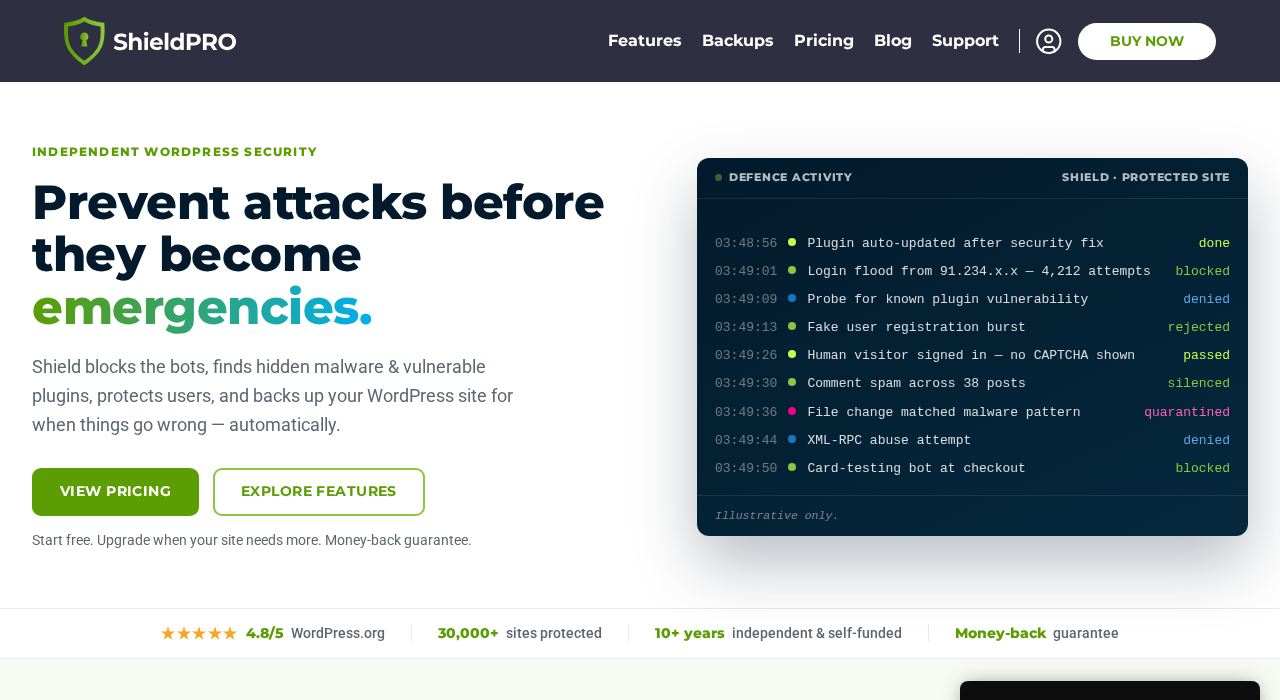
Shield Security is a WordPress security plugin built around automation. The core design decision is that most sites do not have a dedicated security administrator. The plugin handles routine threat blocking and repair on its own and presents the site owner with a prioritized actions queue: the few things that actually need a human decision, ranked by importance.
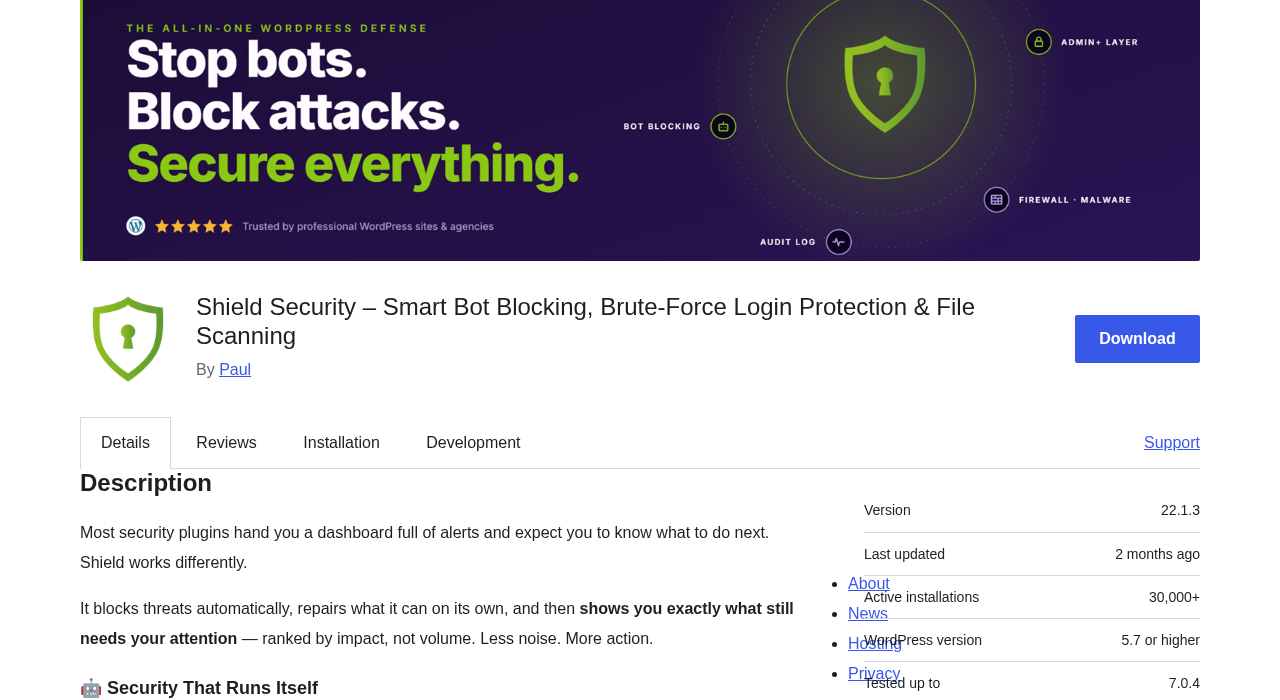
The plugin has been in active development for more than 10 years. It was originally published under the name WP Simple Firewall, which is still the technical plugin slug on WordPress.org (wp-simple-firewall). The product has since rebranded to Shield Security, and the official website is getshieldsecurity.com. The developer runs the plugin independently and self-funded, which the product page notes explicitly as a point of differentiation from plugins acquired by larger software companies.
Version 22.1.3 is the current release as of August 2026. WordPress.org shows 30,000+ active installations and a rating of 4.8 out of 5 stars across 1,037 reviews. The 5-star distribution is strong: 969 five-star reviews against only 22 one-star reviews. That is a much healthier ratio than many security plugins, where frustrated users who got locked out cluster in the negative range.
The plugin works in layers. A firewall filters requests before WordPress processes them. silentCAPTCHA passively identifies bots without user-visible challenges. An IP reputation engine tracks offense points per visitor and blocks automatically when the threshold is crossed. Core file integrity checking compares WordPress files against known-good originals and repairs them automatically when tampering is detected. The activity log records every security-relevant event in one place. The guided setup wizard configures sensible defaults on first activation without requiring the user to understand every setting.
CrowdSec integration is worth a specific mention. CrowdSec is a crowd-sourced threat intelligence network: millions of participating servers share IP reputation signals in real time. Shield Security is the only WordPress security plugin with a native CrowdSec integration, meaning it can block known attackers before they have sent a single probe to your site.
Who Shield Security is best for
Strong fit
- WordPress site owners who want protection that runs on its own without daily attention. Shield’s automation model (self-blocking, self-repairing, prioritized queue) is designed for exactly this use case.
- Sites experiencing heavy bot-driven traffic: comment spam, brute-force login attempts, and form spam. silentCAPTCHA handles all three at no cost in the free tier, without interrupting legitimate visitors.
- Agencies managing multiple WordPress sites. Shield Plus includes MainWP integration, white-label controls, and import/export/sync for configuration consistency across sites.
- Developers who want WP-CLI access for scripted security management (Pro feature on Shield Plus).
- Sites that want security and off-site backup in a single license. Shield Plus includes ShieldBACKUPS, removing the need for a separate backup plugin subscription for basic disaster recovery.
- Privacy-conscious sites. silentCAPTCHA does not send data to a third-party service to resolve challenges (unlike Google reCAPTCHA), and Shield’s documentation notes GDPR-friendly operation.
Weak fit
- Sites that want the largest community and maximum third-party support documentation. Wordfence has millions of active installs and a far larger ecosystem of guides, tutorials, and community threads.
- Sites that need comprehensive malware scanning at no cost. Shield’s free tier includes WordPress core file integrity checking, but plugin and theme malware scanning (MAL{ai}) is a Pro feature. Wordfence free includes its full malware scanner.
- Sites already running a managed security service (Sucuri, Cloudflare, or a hosting-level WAF). Adding a WordPress-level firewall on top creates redundancy and occasional rule conflicts.
- Users who want granular manual control over every firewall rule. Shield’s philosophy is automation first; Wordfence gives more direct access to manual rule configuration.
- Sites needing formal security compliance documentation, managed incident response, or server-level scanning.
Setting up Shield Security
Shield Security installs from the WordPress plugin directory. Search “Shield Security” in Plugins > Add New and the plugin with the shield icon appears in the results. After activation, Shield adds a menu item to the left navigation with links to the Dashboard, Security Modules, Activity Log, and Settings.
On first activation, Shield presents a guided setup wizard. The wizard walks through the most important initial settings in a short sequence: enabling core protections, configuring the login security layer, activating silentCAPTCHA, and reviewing the initial recommendations. The wizard is designed to reach a protected state within a few minutes without requiring deep security knowledge.
The main dashboard after setup shows a security overview: current site status, a prioritized actions queue, recent security events, and module summaries. The actions queue is the central UX concept. Instead of a list of alerts to investigate, Shield surfaces a ranked list of things that need your attention, ordered by importance. If the auto-repair handled a core file modification, you see the result in the log. If there is a configuration gap that needs a decision, it appears in the queue.
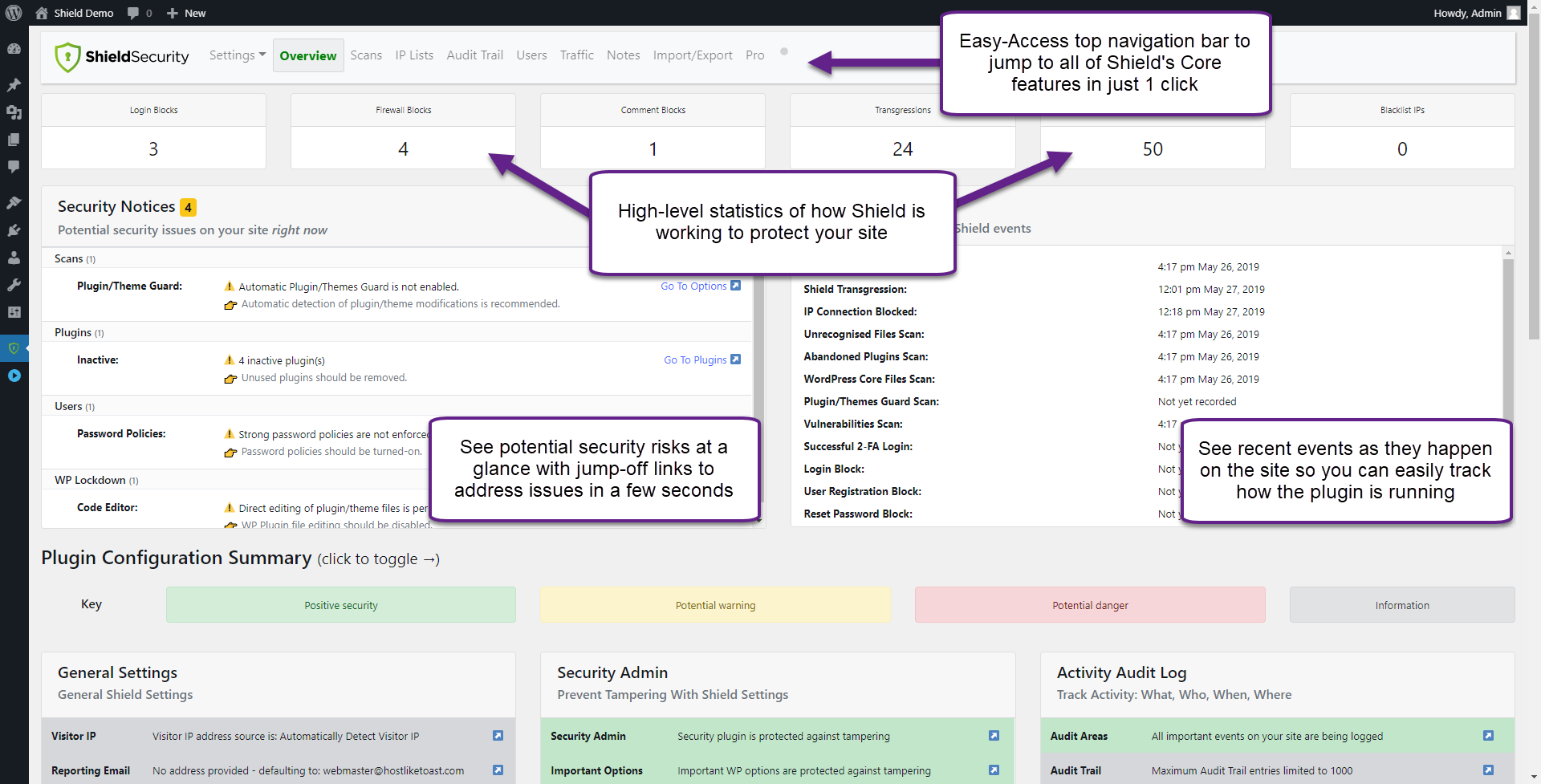
First-time users occasionally report confusion about where specific settings live (login protection is under one module, firewall settings under another), but the modules panel organizes everything into categories: Protect, Detect, and Repair. The learning curve is gentle compared to Wordfence’s extensive configuration surface.
The one caution documented consistently in negative reviews: Shield’s auto-blocking can lock out the site administrator if the login protection or IP blocking rules trigger on the admin’s own IP. The plugin documents a recovery method: create a file named forceoff in the wp-simple-firewall plugin directory to disable Shield entirely and regain access. New users should read the lockout recovery documentation before activating strict login rules on a production site.
Bot protection: silentCAPTCHA explained
The silentCAPTCHA engine is Shield’s most distinctive feature in the free tier. Most CAPTCHA solutions work by showing a challenge to the user: click the traffic lights, type the distorted text, check the box. Shield’s silentCAPTCHA works differently. It evaluates each visitor passively using timing signals, form interaction behavior, and request characteristics. Legitimate human visitors complete the evaluation without seeing any challenge. Bots fail the evaluation and are blocked.
The practical effect: zero CAPTCHA friction for your visitors, combined with effective bot filtering on login forms, comment forms, and registration pages. For sites where the CAPTCHA experience affects conversion (checkout forms, sign-up flows, comment engagement), that tradeoff is meaningful.
In the free version, silentCAPTCHA protects the WordPress comment form, login form, and registration page. Shield Plus extends silentCAPTCHA coverage to Contact Form 7, Gravity Forms, Elementor forms, WPForms, WooCommerce checkout, and custom form integrations.
silentCAPTCHA does not use an external service for challenge resolution. It runs server-side, without third-party dependencies like Google reCAPTCHA or hCaptcha. The GDPR implication is that no visitor data is sent to an external service to process the challenge.
Firewall and IP protection
The firewall layer filters malicious requests before WordPress processes them. Rules cover SQL injection patterns, XSS attempts, exploit signatures, and suspicious URL parameters. The free version includes the full firewall rule set; this is not a feature that is paywalled.
Automatic IP blocking works alongside the firewall. Each visitor accumulates offense points for failed logins, firewall blocks, silentCAPTCHA failures, and other threat signals. When the point total crosses a configurable threshold, Shield blocks the IP automatically. Legitimate visitors who get caught by an over-aggressive rule can self-unblock: the blocked page includes a self-unblock path for human visitors.
CrowdSec integration extends the IP blocking layer with crowd-sourced threat intelligence. When CrowdSec flags an IP as a known attacker across its network of participating sites, Shield can block it proactively before it sends any requests to your site. This is a free feature that requires enabling the CrowdSec module and optionally contributing your own threat signals back to the network.
Shield Plus adds rate limiting and DoS protection: traffic throttling that caps how many requests a single IP can send in a time window, protecting the server from resource-exhaustion attacks.
Login and account protection
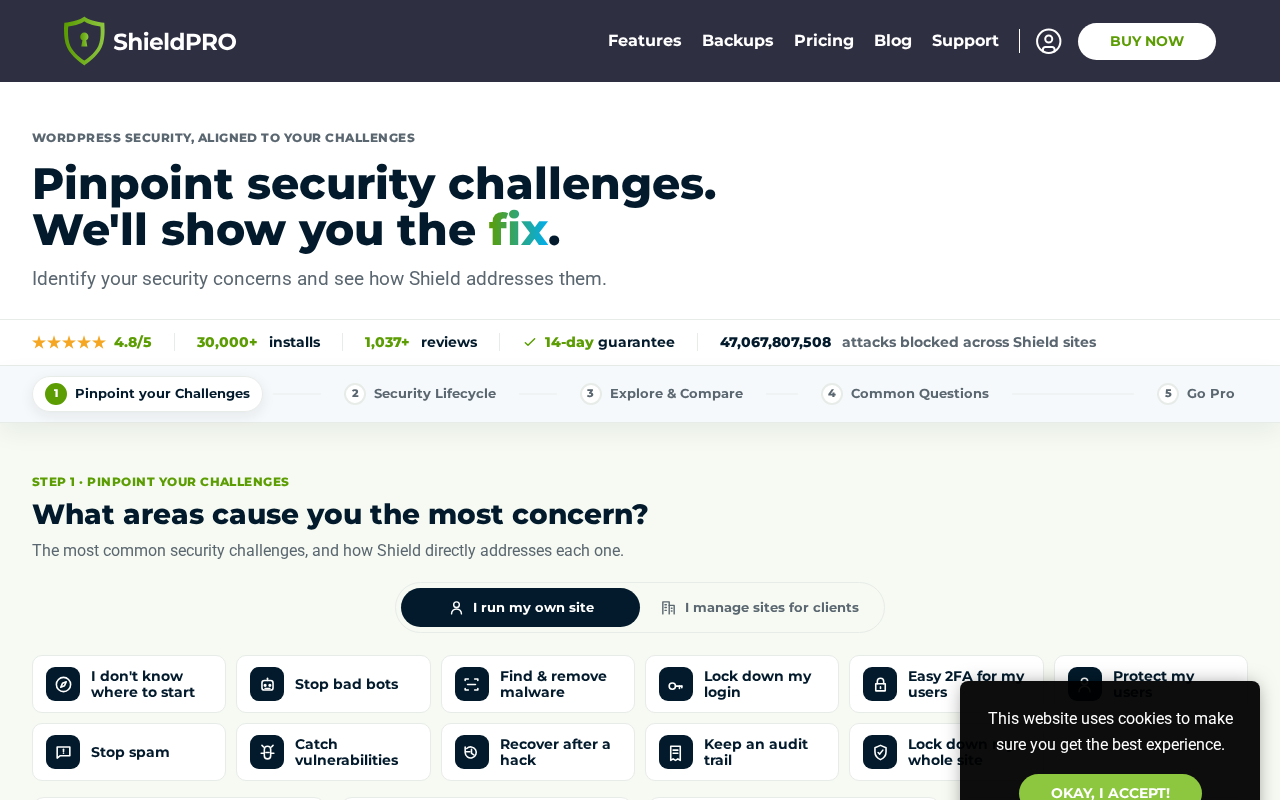
Login security in Shield free includes:
- Two-factor authentication: email codes, Google Authenticator (TOTP), and YubiKey hardware key support in the free version. The Plus plan adds passkeys and backup codes for when the primary 2FA method is unavailable.
- Hide WordPress login URL: moves the login page away from the default /wp-login.php address. This alone eliminates the majority of automated brute-force scan traffic.
- Brute-force protection: tracks failed login attempts per IP and per username, applies offense points, and blocks automatically.
- User enumeration blocking: prevents attackers from discovering valid usernames by querying the WordPress REST API.
- Session locking: optional binding of user sessions to browser fingerprint or IP address, logging out sessions that do not match.
- Advanced password policies: minimum length, complexity requirements, and breach-password detection enforced site-wide.
The user enumeration blocking and login URL hiding combination is a free-tier capability that some competing plugins save for their paid tiers. Shield Plus adds user suspension (freezing a suspect account without deleting it), WooCommerce-specific session handling, and extended 2FA backup options.
File scanning and malware detection
WordPress core file integrity (free)
The free version scans WordPress core files and compares them against verified originals from the WordPress release checksums. If a core file has been modified, tampered, or replaced, Shield flags it. More importantly, it auto-repairs: it downloads the correct version and restores the file automatically without requiring manual intervention.
Auto-cleaning core files is a meaningful capability in the free tier. Most competing free plugins detect core file changes but require a paid upgrade to repair them automatically. The free version also detects unrecognized files: PHP files that exist in locations where WordPress does not expect them, which is a common indicator of backdoors or malicious uploads.
Malware scanning with MAL{ai} (Pro)
Shield Plus adds MAL{ai}, an AI-powered malware scanner that goes beyond core file integrity to scan all PHP files on the site, including plugin and theme files, for malicious code patterns. The AI component means MAL{ai} is not limited to a signature library: it identifies novel malware patterns that do not yet have a known signature.
When the scanner finds suspicious files, it creates a review queue for the administrator. After review, confirmed malware can be deleted from the admin in one click. If a plugin or theme file was legitimately modified, the repair tool pulls a clean copy from the known-good source and restores it automatically.
Vulnerability scanner (Pro)
Shield Plus includes a vulnerability scanner that cross-checks installed plugins and themes against a CVE database. When a plugin with a known vulnerability is detected, Shield flags it. Coverage is substantial: over 105,000 known CVEs across XSS, SQL injection, and path traversal categories.
For sites where plugin updates are managed carefully, Shield Plus also includes a delay automatic updates feature: it holds updates for a configurable period so they can be vetted before deployment, while still protecting against vulnerable versions during the delay window.
ShieldBACKUPS (Pro)
Shield Plus includes ShieldBACKUPS, an integrated off-site backup system. This means Shield Plus subscribers do not need a separate backup plugin for disaster recovery coverage. ShieldBACKUPS is positioned as a disaster recovery solution: a full recovery path for worst-case compromise scenarios when malware removal alone is insufficient. The backup is stored off-site, so a hosting-level incident that corrupts the server does not affect the backup.
Having security and backups in a single license is a genuine efficiency for sites that would otherwise purchase a dedicated backup plugin on top of a security plugin. The Enterprise tier (coming soon) adds more frequent backups (up to four times daily) and longer retention (up to six months).
Reporting and activity log
The full activity log is included in the free version. Shield records every key security and admin event: failed logins, firewall blocks, file scans, user sessions, configuration changes, and plugin activations. The log can be filtered by event type and searched by IP or user.
Security reports are also a free feature. Shield generates scheduled reports summarizing recent security events: how many bots were blocked, what threats the firewall stopped, and any file integrity issues. The traffic and request monitoring panel shows the raw request log for forensic investigation after an incident.
Pricing and license value
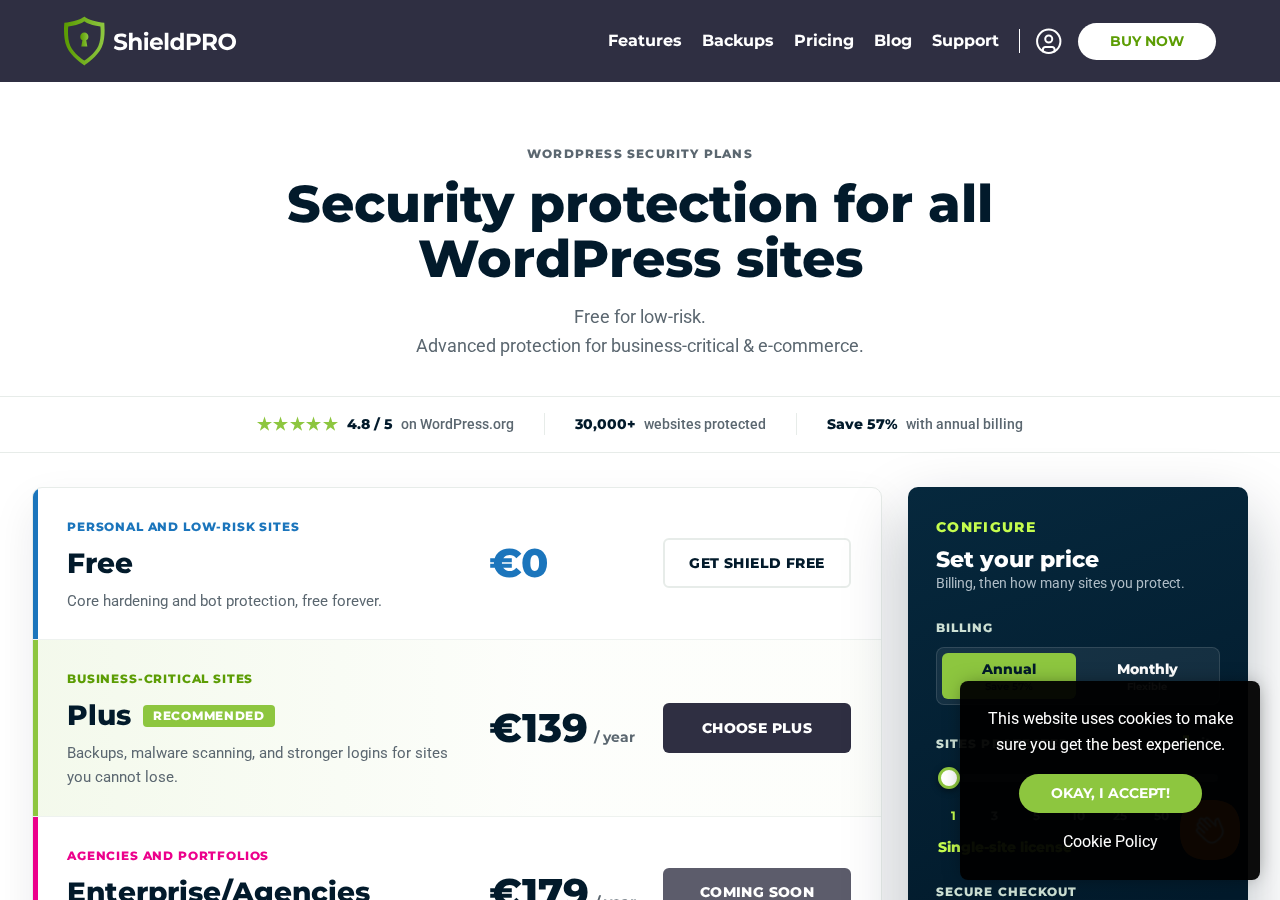
Shield Security pricing is listed in EUR on the official site. Prices below are as observed at getshieldsecurity.com/pricing in August 2026. USD-equivalent values vary by exchange rate; the EUR figures are the definitive source.
Free plan
Cost: EUR 0, no expiry. Includes 20 core features covering firewall, silentCAPTCHA (comment forms), automatic IP blocking, 2FA, login URL hiding, core file scanning and auto-repair, activity log, session management, and more. Shield describes the free version as “a real product, not a demo.”
Plus plan (annual billing)
- 1 site: approximately EUR 139/year
- 3 sites: approximately EUR 179/year
- 5 sites: approximately EUR 229/year
- 10 sites: approximately EUR 299/year
- 25 sites: approximately EUR 449/year
- 50 sites: approximately EUR 679/year
- 100 sites: approximately EUR 1,099/year
Annual billing saves approximately 57% compared to monthly billing. Monthly billing is also available for buyers who prefer not to commit annually. The Plus plan includes all free features plus: MAL{ai} malware scanner, vulnerability scanner, plugin and theme file scanning and repair, ShieldBACKUPS, rate limiting, extended silentCAPTCHA coverage across all form types, contact form bot detection, security headers and CSP, user suspension, MainWP integration, white-label, WP-CLI integration, import/export/sync, delayed updates, and WooCommerce support.
Enterprise/Agencies plan
Status: “Coming soon” as of August 2026. Planned additions include third-party plugin activity logging, more frequent backups (up to 4x daily), and longer retention (up to six months). Pricing starts at approximately EUR 179/year and increases with site count.
Pricing logic for most buyers
- Personal sites and low-traffic blogs: the free version covers the essential security layer comprehensively. No payment needed unless malware scanning or integrated backups become a priority.
- Single-site business or e-commerce site: Shield Plus at approximately EUR 139/year (roughly $150-160 USD at mid-2026 rates) is reasonable for security plus malware scanning plus off-site backups in one license. Compare: Wordfence Premium is $119/year for 1 site, security only, no backups.
- Small agencies (up to 10 sites): the 10-site Plus tier at approximately EUR 299/year is roughly EUR 30 per site per year, including malware scanning, vulnerability detection, and backup for each site.
- Larger agencies (25+ sites): per-site cost continues to drop at higher tiers. MainWP integration, white-label controls, and import/export/sync make Shield Plus practical for managed hosting and agency workflows.
Pros and cons
Pros
- silentCAPTCHA in the free tier: passive bot detection, no user-facing puzzle, protecting comment forms, login, and registration at no cost.
- Automated, low-maintenance operation. The plugin blocks, repairs, and prioritizes without constant admin involvement.
- Strong free tier: 20 features at no cost, including the full firewall rule set, auto IP blocking, 2FA across multiple methods, core scanning and auto-repair, and the activity log.
- CrowdSec integration, native and unique. No other WordPress security plugin offers native integration with the CrowdSec shared threat intelligence network.
- MAL{ai} malware scanner (Pro): AI-powered detection catches novel malware patterns beyond signature libraries, with repair-from-source capability.
- ShieldBACKUPS (Pro): off-site backup integrated with the security license. One subscription covers security and disaster recovery.
- Clean review distribution: 969 five-star reviews against 22 one-star reviews out of 1,037 total. Support quality is consistently praised.
- 10+ years of independent, self-funded development. No acquisition risk, no corporate pivot in feature priorities.
- GDPR-friendly silentCAPTCHA: no external service call, no visitor data sent to third parties to process challenges.
- Money-back guarantee with cancel-anytime policy.
Cons
- Small install base relative to competitors: 30,000+ active installs versus Wordfence’s 5 million+ means fewer community guides and tested compatibility reports.
- Malware scanning is entirely Pro-only. The free version scans WordPress core files only. Wordfence free includes its full malware scanner.
- Pricing is in EUR, not USD. Exchange rate adds variability for US and non-European buyers. The EUR 139/year single-site Plus plan is roughly $150-160 USD.
- Enterprise plan is still “coming soon.” The promised agency-tier features are not yet available as of August 2026.
- Advanced WP-CLI integration is Pro-only. Compare: BackWPup free includes WP-CLI for backup management.
- Can lock out administrators if strict rules trigger on admin IPs. Documented with a recovery path, but a real risk for users who activate aggressive settings without reading the lockout recovery guide.
- Smaller vendor presence compared to Wordfence, Sucuri, or Solid Security. For organizations that want a security vendor with a large support team and long enterprise track record, Shield’s independent developer model may feel less established.
- ShieldBACKUPS frequency and retention details for the Plus tier are not fully specified on the public features page.
Alternatives to Shield Security
- Wordfence. The most-installed WordPress security plugin with 5 million+ active installs. A stronger choice if you want the largest community, full malware scanning in the free tier, or the most extensively documented security plugin. Wordfence free has a threat database 30 days behind real-time; Wordfence Premium gets real-time feeds. Shield’s silentCAPTCHA is a better bot detection approach; Wordfence’s malware scanner coverage is stronger in the free tier.
- Sucuri. A managed security service rather than a standalone plugin. Sucuri’s value is the remote WAF (traffic filtered before it reaches your server), the CDN, and the incident response service. Choose Sucuri if you want server-level protection or a team that will manually clean your site after a compromise. Shield is more affordable for a plugin-only need.
- Solid Security (formerly iThemes Security). A comprehensive WordPress security plugin from StellarWP with 900,000+ active installs. A strong alternative with a longer feature list in the free tier. Shield’s silentCAPTCHA and CrowdSec integration are differentiators Solid Security does not match.
- MalCare. A managed security service built around malware scanning and cleanup. MalCare’s scanner runs on MalCare’s own servers, not your site, which means scanning does not consume your hosting resources. Choose MalCare if managed malware detection and off-server scanning are the core requirements.
- Jetpack Protect. Free basic malware scanning from Automattic, with a Pro upgrade for automated fixes. Choose it if you are already in the Jetpack ecosystem. Shield is more capable at every comparable tier.
For most independent WordPress site owners, the comparison that matters is Shield free versus Wordfence free. Shield wins on bot protection (silentCAPTCHA versus reCAPTCHA), automated operation, and a cleaner interface. Wordfence wins on malware scanning depth in the free tier, community size, and available documentation. When a paid upgrade is in consideration, Shield Plus (security plus backups in one license) versus Wordfence Premium (security only, stronger malware focus) depends on whether integrated backups or a deeper malware scanner carries more weight.
Final verdict
Shield Security is a well-built, well-maintained WordPress security plugin that earns a genuine recommendation for the free tier. The silentCAPTCHA engine is the standout: passive bot detection that blocks automated threats without showing any challenge to real visitors is a better user experience than CAPTCHA-based solutions, and it is available at no cost. The automatic IP blocking, core file integrity with auto-repair, full activity log, and 2FA support make the free version a complete foundational security layer.
The CrowdSec integration is unique in the WordPress plugin space. Getting crowd-sourced threat intelligence that flags known attackers before they probe your site is a genuine capability advantage, and it is available to free users who enable the CrowdSec module.
The honest limitation of the free tier is malware scanning. If your security requirements include scanning plugin and theme files for malicious code, you will need Shield Plus, or a plugin like Wordfence that includes its malware scanner at no cost. Core file integrity checking is not the same as a full malware scan.
Shield Plus is a reasonable subscription if you want malware scanning, vulnerability detection, and off-site backups from a single license. At approximately EUR 139/year for a single site, the value case rests on ShieldBACKUPS: security and disaster recovery combined is more efficient than two separate plugin subscriptions. If you already have a backup plugin you are happy with, the Shield Plus premium over a comparable standalone security plugin is harder to justify unless the MAL{ai} scanner or the agency management features are specifically what you need.
Ten-plus years of independent development is not a small thing. Shield has not been acquired, repositioned, or pivoted under corporate ownership. The developer has a clear philosophy about how security should work for real WordPress sites, and the product reflects that consistently. For a plugin category where ownership changes are common, continuity matters.
FAQ
Is Shield Security free?
Yes. The free version is published on WordPress.org as “Shield Security – Smart Bot Blocking, Brute-Force Login Protection and File Scanning” and installs directly from the WordPress plugin directory. It includes 20 features: firewall request filtering, silentCAPTCHA bot detection on comment forms, automatic IP blocking and management, two-factor authentication (email, Google Authenticator, YubiKey), hide WordPress login URL, comment and spam blocking, WordPress core tamper detection with auto-repair, unrecognized file detection, abandoned plugin warnings, full activity log, traffic monitoring, session management, advanced password policies, and the guided setup wizard. The free version does not expire. Shield Plus is the paid upgrade that adds malware scanning, vulnerability detection, ShieldBACKUPS, and additional features.
What is the difference between Shield Security and WP Simple Firewall?
They are the same plugin. WP Simple Firewall was the original name when the plugin launched on WordPress.org. The product rebranded to Shield Security, and the official website moved to getshieldsecurity.com. The WordPress.org plugin slug remains wp-simple-firewall for historical compatibility. If you search WordPress.org for either name, you find the same plugin.
What is silentCAPTCHA and how does it work?
silentCAPTCHA is Shield Security’s proprietary bot detection engine. Instead of showing a challenge (like clicking traffic lights or solving a puzzle) to the visitor, silentCAPTCHA evaluates each request passively using timing patterns, form interaction behavior, and request characteristics. Bots fail the evaluation and are blocked; legitimate human visitors are never shown any challenge. The detection runs server-side without external service dependencies, which means no data is sent to a third party like Google for challenge resolution. This makes it GDPR-friendly and removes the user experience friction that reCAPTCHA creates. In the free version, silentCAPTCHA covers the WordPress comment form, login form, and registration form. Shield Plus extends coverage to Contact Form 7, Gravity Forms, WPForms, Elementor forms, WooCommerce, and custom form integrations.
What is CrowdSec and does Shield integrate with it?
CrowdSec is a crowd-sourced threat intelligence network where participating servers share IP reputation signals. When a site in the CrowdSec network detects and blocks an attacker, it reports the attacker’s IP to the network. Other participating sites can then block that IP proactively before the attacker reaches them. Shield Security is the only WordPress security plugin with a native CrowdSec integration. Enabling the CrowdSec module in Shield allows the plugin to check incoming IPs against CrowdSec’s real-time blocklist. Participating sites also contribute their own threat signals back to the network, improving intelligence for all participants. This feature is available in the free version.
Does Shield Security scan for malware?
Partially, in the free version. The free tier includes WordPress core file integrity checking: it compares core files against verified originals and auto-repairs any that have been modified. It also detects unrecognized PHP files (a common indicator of backdoors). Full malware scanning of plugin and theme files using the MAL{ai} AI-powered scanner requires Shield Plus. For a free WordPress security plugin that includes full malware scanning at no cost, Wordfence is the main alternative.
What is ShieldBACKUPS?
ShieldBACKUPS is an integrated off-site backup feature included in the Shield Plus plan. It provides disaster recovery capability for sites where malware cleanup alone is insufficient, such as deep compromise scenarios where the site files are extensively modified. Backups are stored off-site, so a server-level failure does not affect the backup. ShieldBACKUPS means Shield Plus subscribers do not need to purchase a separate backup plugin license to cover disaster recovery. The Enterprise plan (coming soon) adds more frequent backups (up to four times daily) and longer retention (up to six months).
How is Shield Security priced?
Shield Security pricing is listed in EUR on the official website at getshieldsecurity.com/pricing. The free plan is permanent and costs EUR 0. Shield Plus is available for 1, 3, 5, 10, 25, 50, or 100 sites with annual billing; the 1-site annual plan is approximately EUR 139/year. Annual billing saves approximately 57% compared to monthly billing. A money-back guarantee and cancel-anytime policy apply to paid plans. USD prices are not listed on the official site; the EUR amount at the current exchange rate applies.
Is Shield Security good for agencies?
Yes, particularly at the Shield Plus multi-site tiers. Shield Plus includes MainWP integration for centralized management of multiple WordPress sites from one dashboard, white-label security for resellers who want to present Shield under their own brand, import and export of configuration for applying a known-good security setup across new client sites, and WP-CLI integration for scripted operations. The 10-site and 25-site Plus tiers are the most practical for small-to-mid agencies.
Can Shield Security lock me out of my own site?
It can, if aggressive login or IP blocking rules trigger on the administrator’s IP. This is a documented risk with most security plugins that include brute-force protection. Shield’s documented recovery method is to create a file named forceoff in the wp-simple-firewall plugin directory, which disables Shield and restores access. New administrators should read Shield’s lockout recovery documentation before activating strict login rules on a production site.
How does Shield Security compare to Wordfence?
Both are reputable free WordPress security plugins with paid upgrades. The key differences: Shield has a better bot detection approach (silentCAPTCHA versus Wordfence’s reCAPTCHA, which requires user interaction), CrowdSec integration that Wordfence does not offer, and a more automated, lower-maintenance UX. Wordfence has a larger user base (5 million+ active installs versus Shield’s 30,000+), a stronger free malware scanner (Shield’s malware scanning is Pro-only), better community documentation, and more third-party tutorials. For bot protection and automated operation, Shield leads. For malware scanning in the free tier and breadth of community resources, Wordfence leads. Shield Plus adds ShieldBACKUPS; Wordfence Premium does not include backups.
What happens if I stop paying for Shield Plus?
When a Shield Plus subscription expires or is cancelled, the plugin reverts to the free feature set. Pro-only features (malware scanning, ShieldBACKUPS, vulnerability scanner, extended silentCAPTCHA coverage, rate limiting, and others) stop functioning. The core free protections continue: firewall, silentCAPTCHA on comment forms, automatic IP blocking, 2FA, login URL hiding, core file scanning and auto-repair, and the activity log remain active. Your Shield configuration is preserved; only the Pro features are disabled until the subscription is renewed.