


Quick Verdict
Soliloquy is a responsive WordPress slider plugin with a solid drag-and-drop builder, clean code, and a working add-on system. The free Lite version handles basic image and video sliders without fuss. Paid plans layer in carousels, lightboxes, WooCommerce product slides, and dynamic content. The add-on model keeps the core fast but raises the price of a fully featured setup. Best for: small site owners who need a reliable, no-bloat slider. Think twice if you want all the bells in one low-cost plan.
What Is Soliloquy?
Soliloquy is a WordPress responsive slider plugin built around one idea: sliders should be fast, clean, and easy to build. It started with Thomas Griffin and is now maintained by the WPBeginner team (Syed Balkhi). The plugin has been downloaded more than 2,500,000 times.
The free Lite version handles image sliders, video slides (YouTube, Vimeo, and self-hosted), custom HTML slides, and Gutenberg block integration. Paid plans unlock an add-on library that covers carousels, lightboxes, WooCommerce product slideshows, PDF slides, Instagram feeds, scheduled slides, and more.
Who Is Soliloquy Best For?
Soliloquy fits:
- Photographers and portfolio owners who want a clean image slider without page-speed penalties.
- Small business site owners who need a hero slider or image slideshow and do not want to touch code.
- WooCommerce store operators on a Developer or Ultra plan who want a polished product carousel.
- Agencies building multiple client sites that need Multisite support and a consistent slider tool.
Soliloquy is not the best fit if you want a heavy visual page-builder style slider editor, or if you need all features in one low-cost bundle. Slider Revolution, for instance, bundles nearly every feature in a single one-time license.
Setup and User Experience
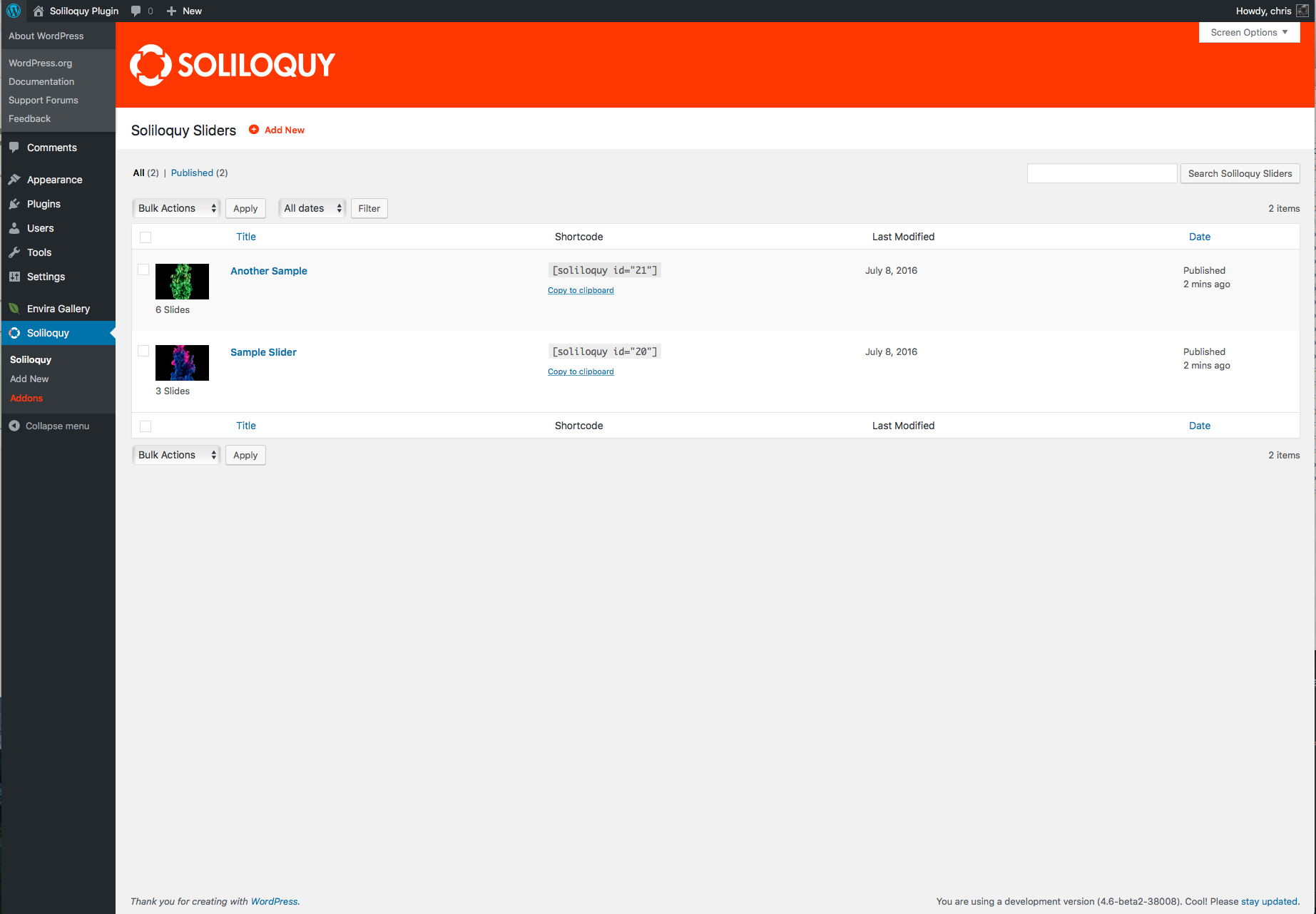
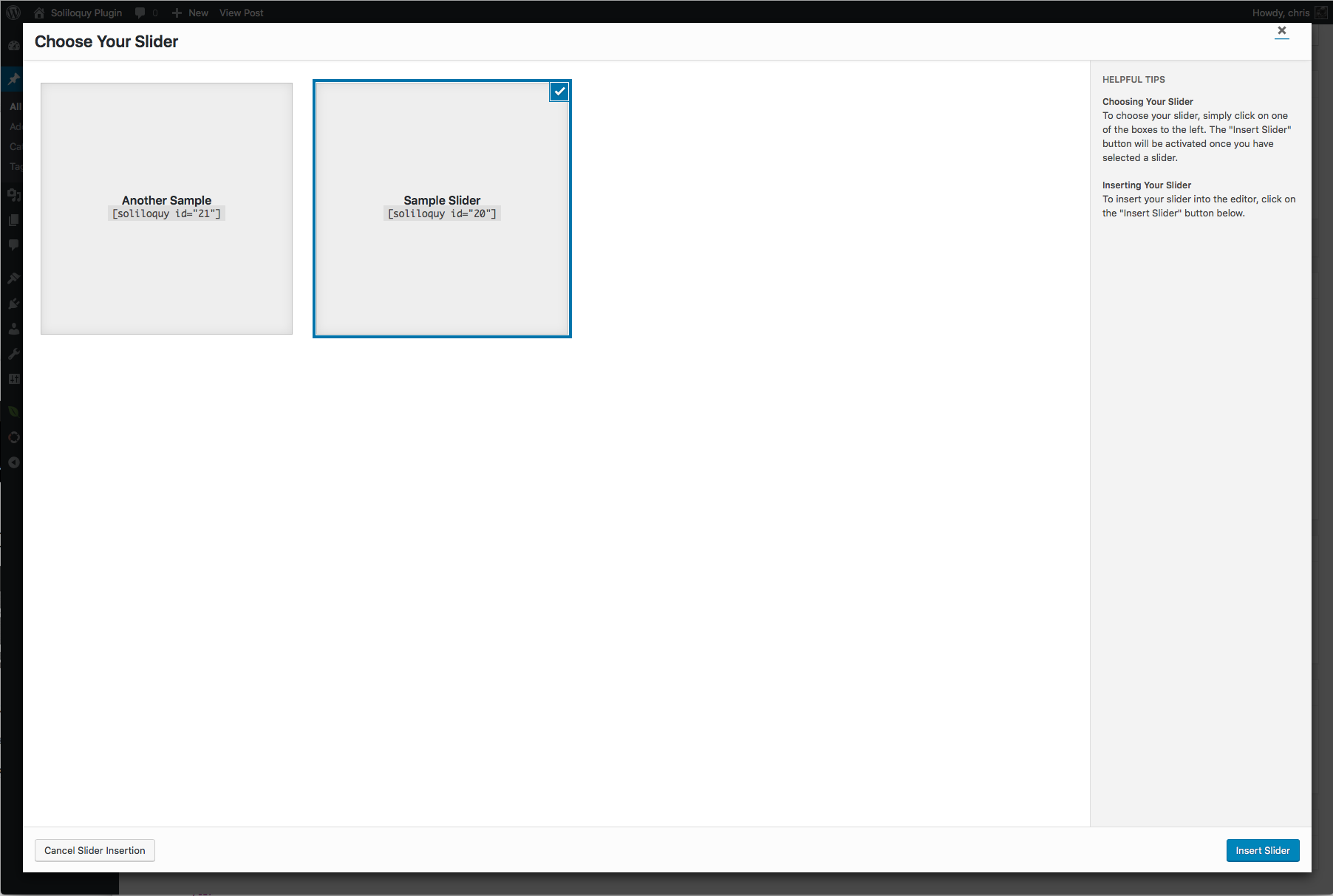
Installing Soliloquy Lite from the WordPress plugin directory takes less than two minutes. After activation, a Soliloquy menu item appears in the WordPress dashboard sidebar.
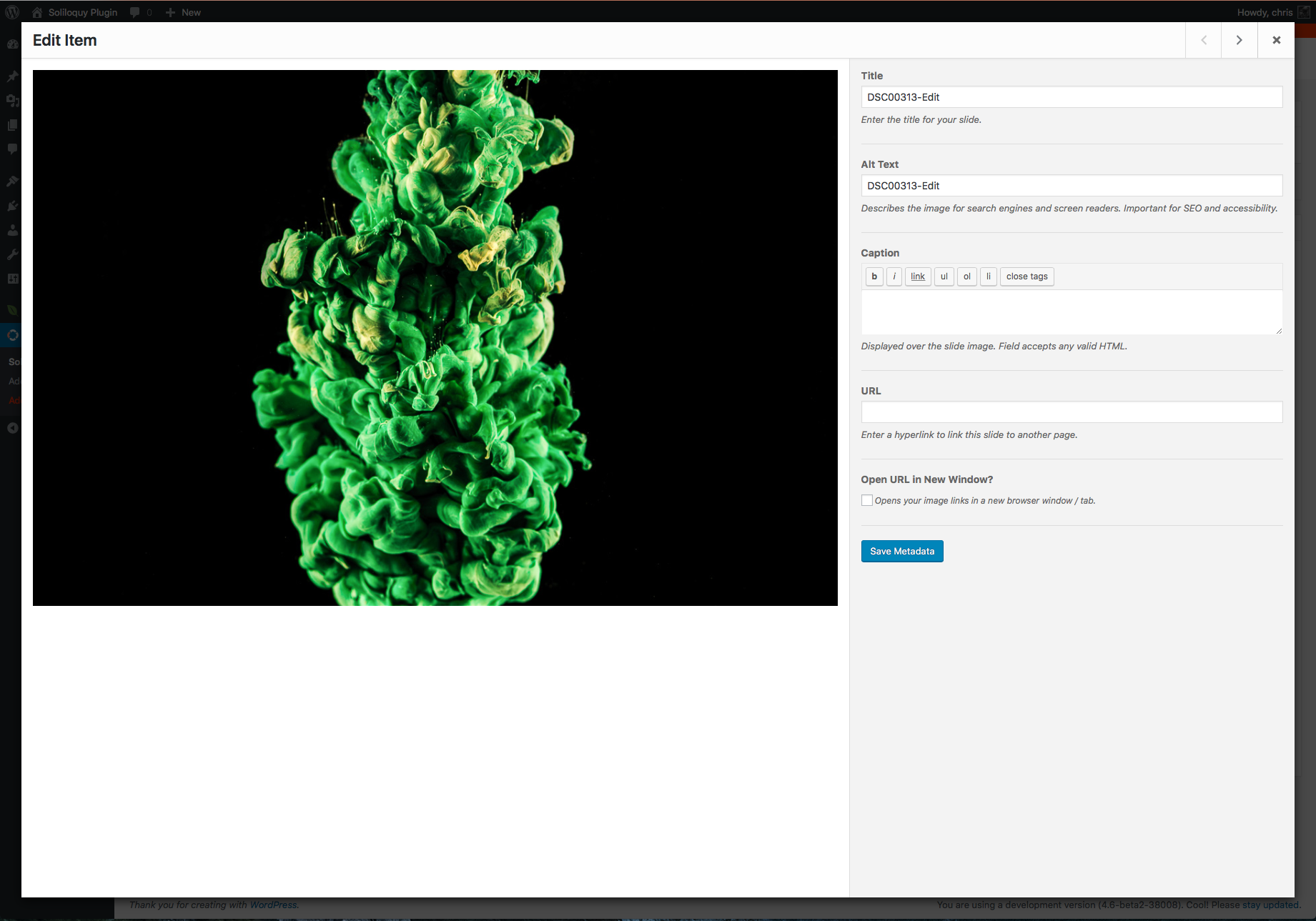
Creating a first slider is straightforward. You click “Add New,” give the slider a title, then either drag images into the upload area or select them from the media library. The image order can be rearranged by dragging thumbnails. Each image gets its own settings pane where you can set a title, alt text, caption, and a click-through link.
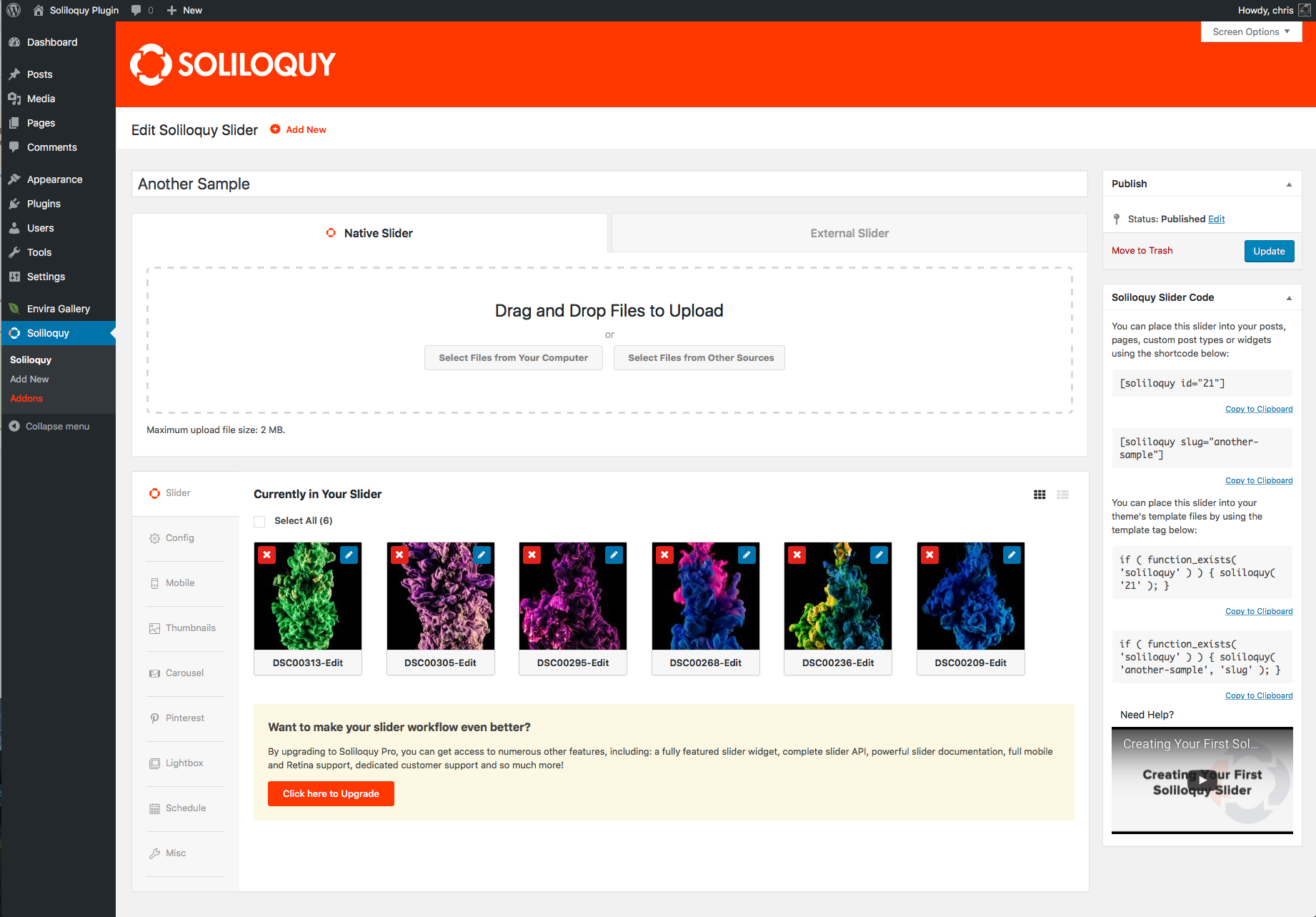
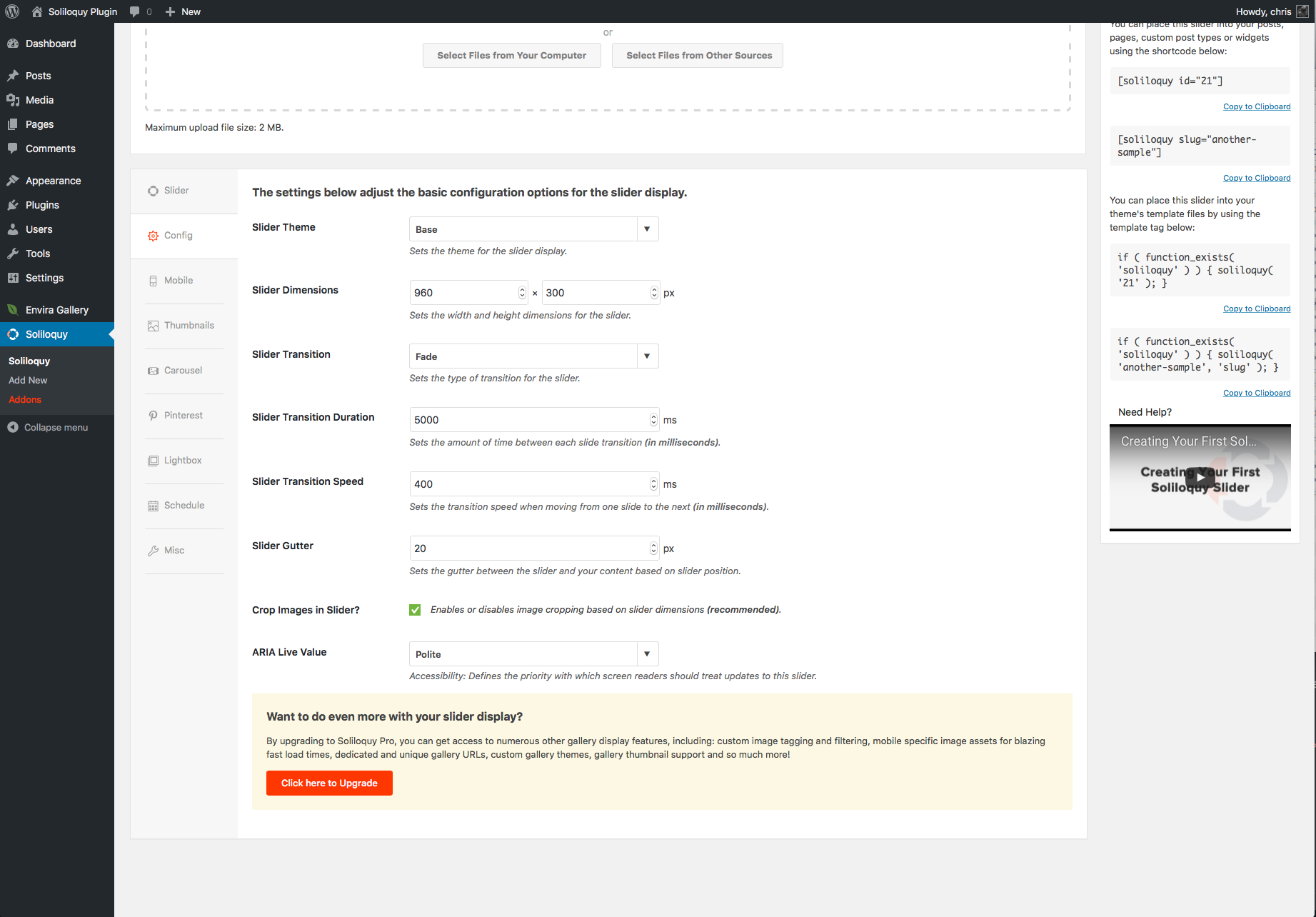
The Config tab is where you set width, height, autoplay, transition speed, navigation arrows, and dots. The settings are organized and labeled clearly. Nothing is buried. The learning curve for a first slider is effectively zero if you have used any image uploader before.
A Gutenberg block is included. You pick “Soliloquy” from the block inserter and select a saved slider from the dropdown. Classic shortcode output works as well for older themes or widgets.
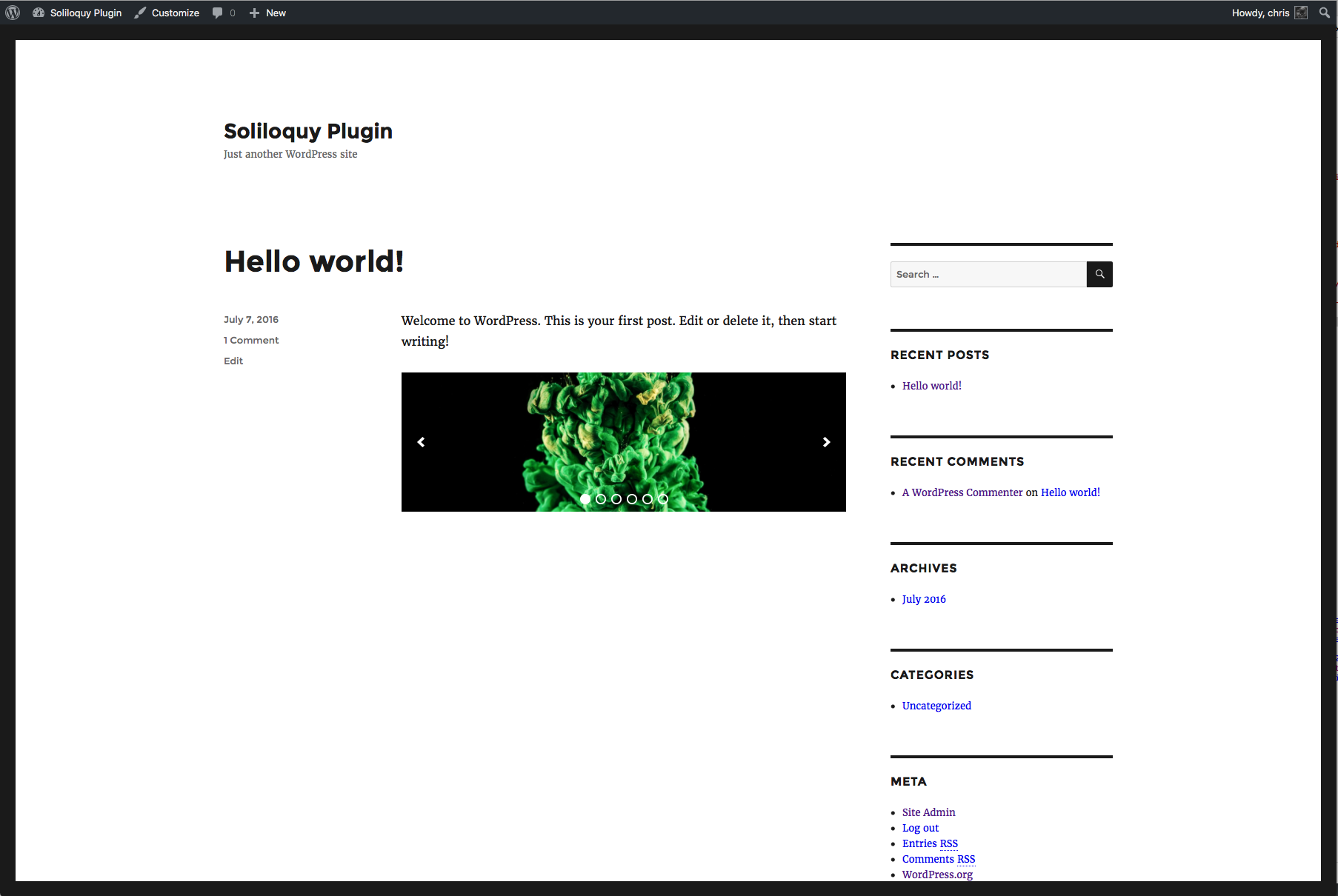
I found the front-end output to be genuinely lean. A basic image slider adds minimal JavaScript and loads quickly. The HTML markup uses proper img attributes, which keeps accessibility acceptable and avoids common SEO issues that balloon-heavy slider plugins introduce.
One friction point: most add-ons are installed as separate plugins from your account dashboard, not from the WordPress admin plugin search. You download the add-on zip from soliloquywp.com, upload it, and activate it. That process is straightforward but adds friction compared to one-click plugin installs.
Main Features
Drag-and-Drop Image Slider
The core feature. You upload images, arrange them, set per-slide links and alt text, and publish. There is no hidden complexity. Responsive behavior is automatic. The plugin scales the slider to fit the container width and adjusts proportionally on mobile.
Video Slides
Lite supports YouTube, Vimeo, Wistia, and self-hosted video slides. You paste the video URL into the slide editor and set autoplay, loop, and mute options per slide. The video does not load until the slide is active, which avoids loading external video embeds on page load.
Slider Themes
Pre-built themes let you change the visual style of navigation arrows, dot indicators, and the slider container. Custom CSS is available as an add-on (included from Personal plan up). The built-in themes are minimal and avoid heavy design opinions that clash with themes.
Carousel Add-on
Paid add-on included from Developer plan. Displays multiple slides at once in a horizontal scrollable row. Useful for testimonials, partner logos, or product thumbnails. The carousel respects breakpoints, so the number of visible items adjusts on smaller screens.
Lightbox Add-on
Paid add-on (Developer and above). Clicking a slide opens the image in a fullscreen overlay. The lightbox is mobile-friendly, keyboard-navigable, and renders at full image resolution. This add-on is not available on the Personal or Multi plans, which is a gap for users who need it without going to Developer.
WooCommerce Add-on
Available from Developer plan. Pulls products into a slider automatically. You can filter by category, price range, availability, or featured status, and choose to include or exclude specific products. The output links each slide directly to the product page. Useful for homepage hero product showcases or sale carousels.
Featured Content Add-on
Pulls posts, pages, custom post types, or any taxonomy into a slider dynamically. Blog post sliders built this way update automatically as new content is published.
Instagram Add-on
Included from Multi plan. Connects an Instagram account (via the Instagram API) and displays recent posts as slides. You can show photos by account, liked photos, or hashtag.
Schedule Slides Add-on
Included from Multi plan. Sets start and end dates per slide. Useful for seasonal promotions or event-specific banners that expire automatically.
PDF Slider Add-on
Available from Developer plan. Displays PDF pages as slides. Useful for portfolios, lookbooks, and product catalogs.
Image Protection Add-on
Available from Multi plan. Disables right-click and drag-to-download on slider images. Not technically foolproof, but a deterrent for casual image theft.
Pricing and License Value
Soliloquy uses annual subscription pricing. At the time of writing, a 50% promotional discount is active. The prices below show the promotional rate with the regular rate in parentheses.
| Plan | Sites | Promo Price | Regular Price | Notable Add-ons Included |
|---|---|---|---|---|
| Personal | 1 | $19.50/yr | $39/yr | CSS, basic slider, video |
| Multi | 3 | $49.50/yr | $99/yr | + Templates, Image Protection, Schedule, Instagram, Pinterest |
| Developer | 25 | $99.50/yr | $199/yr | + Carousel, Lightbox, Featured Content, WooCommerce, PDF, Dynamic, Thumbnails, Priority Support |
| Ultra | 25 | $199.50/yr | $399/yr | + WordPress Multisite, Client Management, Premium Support |
A 14-day refund window applies. There is no lifetime license option.
The free Lite version is genuinely usable for basic sliders. You do not need to pay to run a responsive image or video slideshow.
The Personal plan is limited: it covers one site with basic features and no add-ons beyond CSS. Most users who want templates, scheduling, or social feeds will need Multi. Users wanting carousels, lightboxes, or WooCommerce slides need Developer, which jumps to $99.50/year at promotional pricing.
Compared to alternatives: Smart Slider 3 Pro starts at $69/year for unlimited sites with most features included in one bundle. Slider Revolution charges $89 one-time on ThemeForest for a single site with near-unlimited features. Soliloquy’s pricing structure can feel siloed for users who need features spread across multiple add-on tiers.
Pros and Cons
✅ Pros
- Clean, fast front-end output with proper HTML markup
- Genuinely easy drag-and-drop builder
- Good Gutenberg block integration
- Free Lite version covers basic image and video sliders
- Developer plan is a solid all-in-one at $99.50/year (promotional)
- Strong WordPress Multisite support at Ultra tier
- 14-day refund policy
❌ Cons
- Lightbox not available below Developer plan
- Add-on model means costs escalate quickly for feature combinations
- No lifetime license option
- 14-day refund window is shorter than some competitors
- Multi plan (3 sites) lacks carousel and lightbox
- Add-on installation requires manual ZIP uploads from account
Alternatives to Soliloquy
Smart Slider 3: Free core plugin with Pro from $69/year for unlimited sites. Includes a broader visual builder with layers, slide transitions, and a larger template library in one bundle. Better value if you need design flexibility without managing add-ons. Direct comparison for the “Soliloquy vs Smart Slider” question: Smart Slider 3 wins on per-feature value at its Pro tier; Soliloquy wins on code cleanliness and performance.
MetaSlider: Free plugin with a basic interface. Paid plans from $39/year. Lighter feature set, suitable for simple sliders. Less capable than Soliloquy on the add-on front.
Slider Revolution: One-time license at $89 (ThemeForest, single site). Heavy visual editor with layers, animations, and 250+ templates. Best for complex hero sections. Heavier code footprint than Soliloquy. No annual renewal required.
Envira Gallery: Same team as Soliloquy. Gallery-focused rather than slider-focused. If you want a photo gallery with lightbox and albums rather than a traditional slider, Envira is the better pick from the same ecosystem.
Final Verdict
Soliloquy delivers on its core promise: a clean, fast, easy-to-use responsive slider for WordPress. The drag-and-drop builder is genuinely beginner-friendly, the front-end output is lean, and the Gutenberg integration works without friction. The free Lite version covers straightforward image and video sliders without needing to upgrade.
The add-on model is both a strength (keeps the core plugin fast) and a limitation (you pay separately for features that competitors bundle). If you need carousels, lightboxes, WooCommerce slides, and scheduling, you are looking at the Developer plan at $99.50/year promotional pricing, or $199/year at regular pricing. That is reasonable for 25 sites but harder to justify for a single site owner.
For users who prioritize site speed, clean markup, and do not need every slider feature in one package, Soliloquy is a dependable choice. If you want a single all-in-one license with near-unlimited features, look at Smart Slider 3 Pro or Slider Revolution first.
Recommended for: Agencies, performance-conscious site owners, WooCommerce stores on the Developer plan.
Consider alternatives if: You need lightbox on a budget, or want all features in one low-cost bundle.
FAQ
Is Soliloquy free?
Yes. The Lite version is available free on WordPress.org. It supports image sliders, video slides (YouTube, Vimeo, self-hosted), custom HTML slides, and Gutenberg block integration. Paid plans add an extended add-on library.
What is the difference between Soliloquy and Smart Slider 3?
Soliloquy focuses on lightweight, clean slider output with an add-on system. Smart Slider 3 bundles more features (layers, animations, templates) into its free and Pro tiers. Smart Slider 3 Pro offers unlimited site licensing at a comparable or lower price. Soliloquy has a lighter code footprint.
Does Soliloquy work with Gutenberg?
Yes. Soliloquy includes a Gutenberg block. After creating a slider, you insert the Soliloquy block anywhere in the editor and pick the slider from a dropdown. Classic shortcode also works for older setups.
Does Soliloquy support WooCommerce?
Yes, via the WooCommerce add-on, available from the Developer plan. It pulls products into a slider automatically, with filters by category, price, and status.
Can Soliloquy display Instagram photos?
Yes, with the Instagram add-on included in the Multi plan and above. You connect your Instagram account via the API and display recent photos as slides.
Is Soliloquy compatible with WordPress Multisite?
Yes, but full Multisite support (network activation and management) requires the Ultra plan.
What is Soliloquy’s refund policy?
Soliloquy offers a 14-day, no-questions-asked refund. This is shorter than some competitors that offer 30-day windows.
Who makes Soliloquy?
Soliloquy was originally created by Thomas Griffin. It is now maintained by Syed Balkhi and the WPBeginner/Awesome Motive team, the same group behind OptinMonster, WPForms, Envira Gallery, and several other WordPress products.
Can I use Soliloquy on WordPress.com?
No. Soliloquy requires a self-hosted WordPress installation. It does not work on WordPress.com.
Does Soliloquy slow down my website?
The plugin is designed to minimize front-end code. A basic Soliloquy slider adds minimal JavaScript and uses lazy initialization. It ranks favorably in independent speed tests against comparable slider plugins.