


Most WordPress page builders try to serve everyone: developers, designers, bloggers, agencies. Thrive Architect takes a different position. It is built specifically for marketers and business owners who want to build high-converting pages on WordPress without hiring a developer. That focus shapes every design decision in the product, from the element library to the template collection to how it fits inside the broader Thrive Suite of tools.
I researched Thrive Architect from the official Thrive Themes website, product update log, pricing page, integration documentation, and help centre articles. No active Thrive Suite license was available for direct sandbox testing of the builder interface, so this review relies on official first-party sources, product screenshots from official pages, and publicly available user documentation. I have been clear throughout about which details come from official sources, and I have included honest drawbacks alongside the product’s genuine strengths.
This review is for the person deciding whether Thrive Architect solves their specific problem, whether the Thrive Suite pricing model makes sense for their workflow, and what they would give up compared to more general-purpose builders.
Quick verdict
Thrive Architect is a strong option for non-technical marketers who want a conversion-focused WordPress page builder that comes bundled with matching tools for lead capture, A/B testing, scarcity campaigns, and testimonials. The template library is large and genuinely conversion-oriented, the editor is designed around visual control without code, and the Thrive Suite ecosystem means you are not assembling a separate stack of plugins to run a marketing funnel.
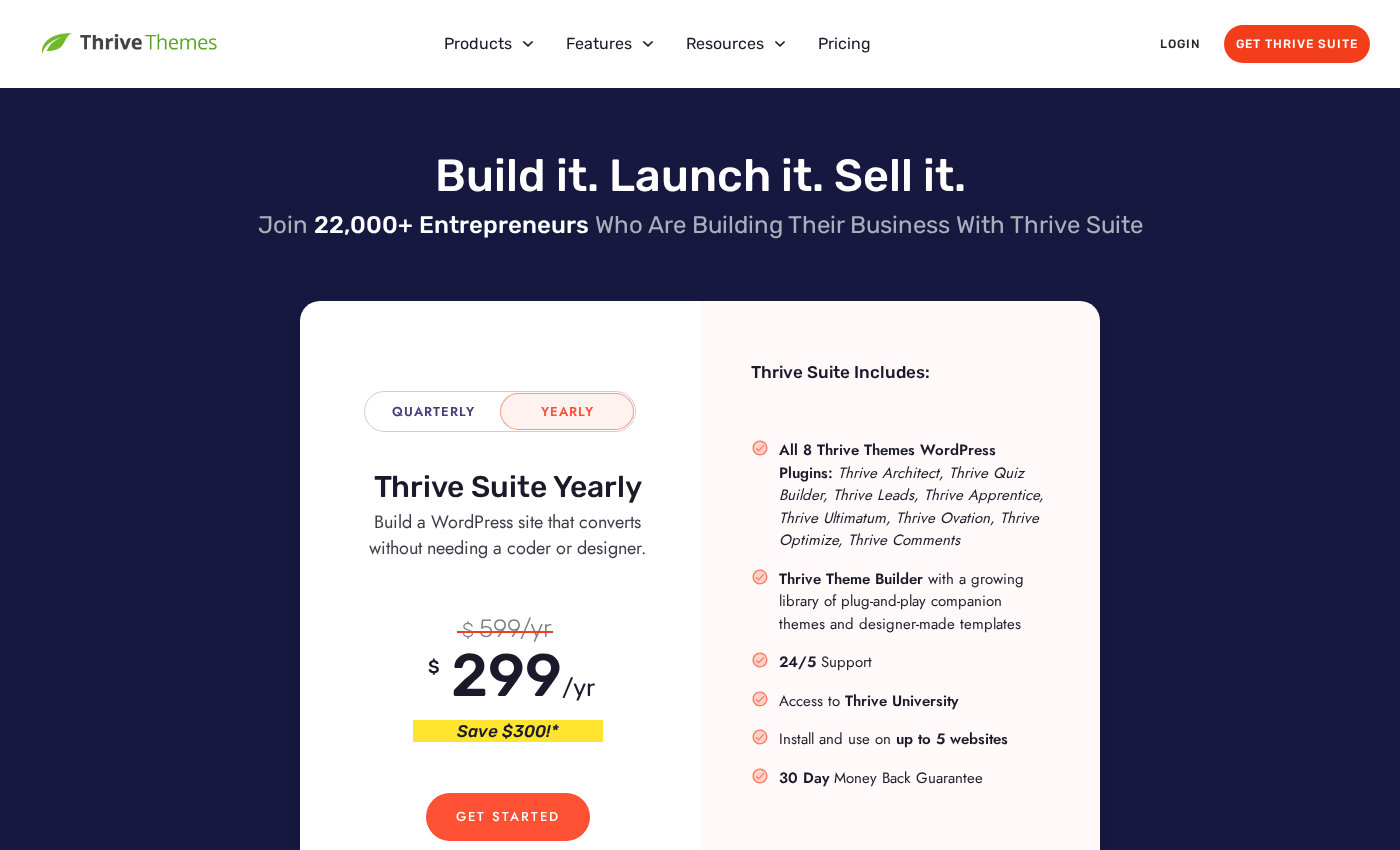
The honest caveats: Thrive Architect is not sold as a standalone product. You buy the Thrive Suite, which includes all nine Thrive plugins, at $299 per year (introductory, renewing at $599 per year). There is no free tier, no WordPress.org listing, and no standalone purchase option. If you only want a page builder without the full suite, the pricing model can feel like a forced upgrade. And if your primary goal is general site building, theme customization, or raw performance, more established alternatives like Elementor or Bricks give you a different set of trade-offs.
- Best for: marketers, solopreneurs, coaches, and course creators building conversion-focused sales funnels, landing pages, and lead generation pages on WordPress.
- Best use case: building opt-in pages, sales pages, webinar registration pages, and thank-you pages that connect directly to email marketing tools without custom code.
- Standout: 300+ conversion-focused templates, deep email marketing integrations (22+ providers), Smart Sections for reusable page blocks, and the Thrive Suite ecosystem (A/B testing, lead forms, scarcity, testimonials, courses all in one subscription).
- Watch out for: no free version, no standalone purchase option, subscription-only pricing (intro $299/year renewing at $599/year, up to 5 sites), and a conversion-first scope that is narrower than general-purpose builders.
What Thrive Architect is
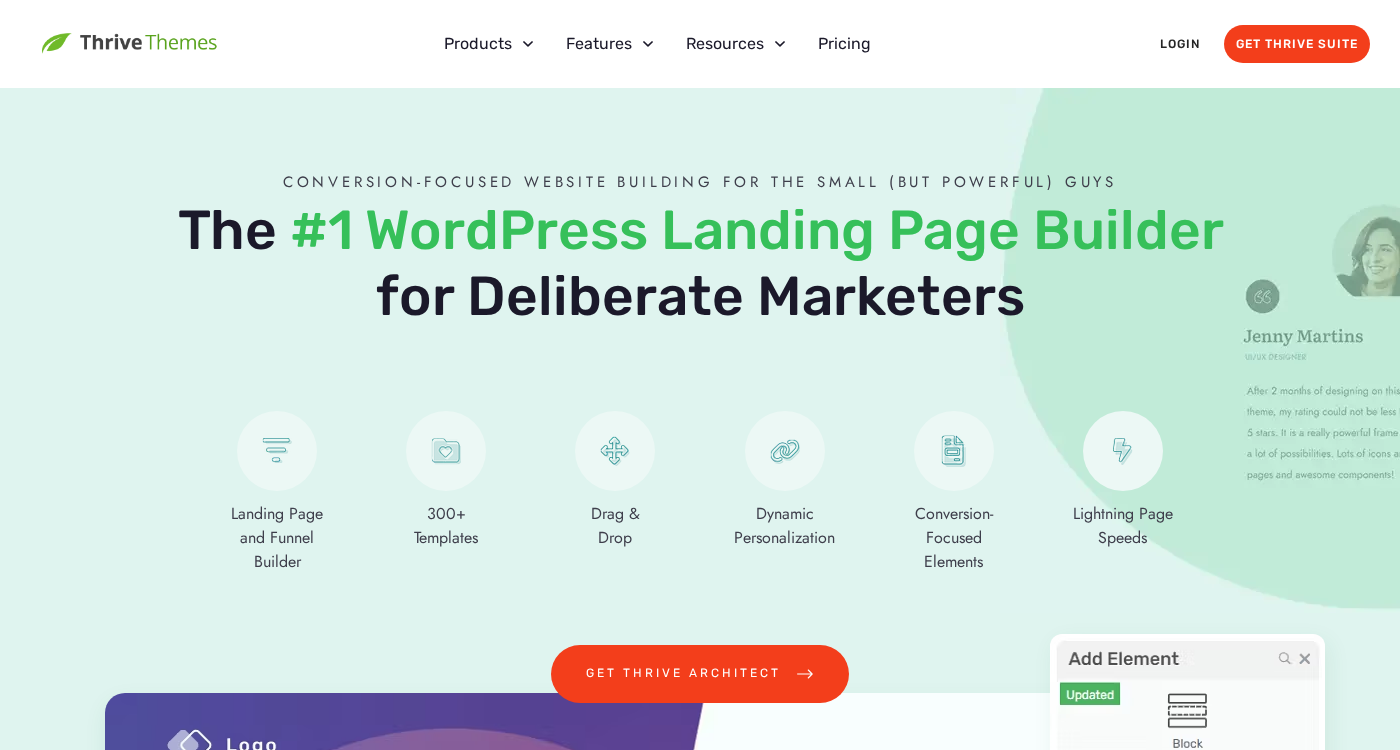
Thrive Architect is a WordPress page builder plugin published by Thrive Themes. It is a front-end visual editor: you edit pages directly in the browser as they will look to visitors, using a drag-and-drop canvas with real-time updates. No PHP, no CSS required for standard use.
The plugin was built specifically around conversion rate optimization. The element library, template collection, and design decisions prioritize actions that move visitors toward a goal: filling in a form, clicking a button, purchasing a product, or signing up for a webinar. This distinguishes it from general-purpose builders like Elementor, Divi, or Beaver Builder, which are designed for a much broader set of use cases.
Thrive Architect is not available on WordPress.org and has no free version. It is sold exclusively as part of the Thrive Suite subscription, which bundles nine plugins together under a single license. The current version as of this review is 10.8.8, released March 26, 2026, which added webhook functionality for forms. Recent updates have added vertical tabs (September 2024), a date/time form field (August 2024), built-in spam protection for forms (July 2024), a stock image library with over 6 million images (June 2024), and a new font library (April 2025).
Thrive Themes was founded with a clear positioning: tools for “deliberate marketers” who want to launch and grow online businesses without a developer background. The nine tools in the suite are all oriented around this goal: Architect for page building, Thrive Leads for opt-in forms, Thrive Optimize for A/B testing, Thrive Ultimatum for scarcity campaigns, Thrive Ovation for testimonials, Thrive Apprentice for online courses, Thrive Theme Builder for site-wide design, Thrive Quiz Builder for lead capture quizzes, and Thrive Comments for engagement.
Who Thrive Architect is best for
Thrive Architect is a strong fit if you:
- Run a marketing-focused business and need a visual page builder that comes paired with lead capture forms, A/B testing, countdown timers, and testimonial management in the same subscription.
- Build sales funnels, landing pages, opt-in pages, webinar registration pages, or video sales letter pages and want professionally designed, conversion-oriented starting templates instead of a blank canvas.
- Sell digital products, online courses, coaching services, or info products on WordPress and want tight integration with email marketing providers for lead capture without installing a stack of separate plugins.
- Are a solopreneur or small business owner who wants visual control over every part of a sales page without writing code.
- Want a 30-day money-back guarantee to evaluate the product before committing.
Thrive Architect is a weaker fit if you:
- Only want a page builder and do not need the other eight tools in the Thrive Suite. The pricing model requires buying the full suite; there is no standalone Architect license.
- Need a free tier before committing. There is no free version and no WordPress.org listing, so the 30-day money-back guarantee on an upfront purchase is the only trial mechanism.
- Want a lifetime license option. Thrive Suite is subscription-only (yearly or quarterly). Competitors like Divi offer a $249 one-time lifetime option for unlimited sites.
- Build client sites for many customers and need a multi-site or agency license at a flat rate. The base Thrive Suite covers up to 5 websites. An agency license is available separately, but pricing is not publicly listed.
- Need the broadest general-purpose site building capability: custom headers, full theme control out of the box, WooCommerce shop building on all pages, or a developer-friendly code-first workflow.
- Prioritize performance above all else. Thrive Architect’s “lightning page speeds” marketing claim is unverified by independent benchmarks in the same way that Bricks Builder or hand-coded themes have been tested.
Setup and first impression
Because no license was available for this review, what follows describes the installation and onboarding process from official Thrive Themes documentation and commonly reported user experience.
Thrive Architect is installed like any WordPress plugin but is not on WordPress.org. After purchasing a Thrive Suite subscription, members download the plugin from the Thrive Themes member dashboard, upload the zip file in WordPress admin, and activate it. A Thrive license key from the dashboard is required to activate the plugin. Activation connects the install to your Thrive account and enables updates.
The Thrive Themes member dashboard manages your connected sites (up to 5 on the standard plan), allows one-click plugin updates across installed sites, and shows your active licenses. This is where you manage installations rather than doing it through WordPress plugin updates alone.
Once activated, clicking “Launch Thrive Architect” on any page or post opens the front-end visual editor in a new browser tab. The editor overlays the actual page output with editing controls: a left-side element panel for adding new blocks, a properties panel for styling the selected element, and a breadcrumb navigation at the bottom for selecting nested elements inside complex layouts.
Thrive Architect’s productivity features include keyboard shortcuts (Ctrl+S to save, Ctrl+Enter to split text, Ctrl+K to add links, Alt+drag to duplicate an element), multi-element selection via Ctrl+click, column resizing in 5% increments via Ctrl+drag, and a distraction-free mode that hides element borders to preview the clean design. The collapsible sidebar gives more canvas width when working on wide designs. These are practical workflow features, not just checkbox items on a marketing page.
The visual editor and element library
Thrive Architect’s editor is a WYSIWYG front-end builder: what you see in the editor is as close as possible to what visitors see on the published page. Columns are created automatically by dragging elements side by side rather than requiring you to set up a grid structure first. This is a different workflow model than builders like Elementor (where you define layout first, then add widgets) and one that some users find faster for building simple pages.
The element library covers the full range of standard page-building needs alongside conversion-specific elements. Confirmed elements from official documentation and product pages include:
Content and layout: Text blocks, headings, images (with 6+ million stock images searchable from inside the editor), buttons, dividers, icon elements, custom HTML blocks, columns, and tables of contents.
Conversion elements: Lead generation forms (connected to email marketing integrations), call-to-action boxes, countdown timers (for scarcity and urgency campaigns), testimonials, pricing tables, star ratings, and content boxes for structured feature highlights.
Interactive elements: Accordions and toggle blocks (with vertical tabs added in September 2024), image galleries, video embeds, and login/registration form elements.
Media: Image galleries, YouTube and video embeds, icon sets, and the stock image library (6+ million images integrated June 2024, searchable without leaving the editor).
Forms and data: Contact forms and lead generation forms with 22+ email marketing integrations, date/time fields (August 2024), custom number fields (July 2024), and built-in spam protection (July 2024). Webhooks for form data export to external tools were added in October 2025 and extended in the v10.8.8 release (March 2026).
The Smart Color Technology feature lets you apply a complete color scheme change to an entire page with one click. Instead of manually updating every element’s color, you set a primary palette and the algorithm adjusts linked colors across buttons, headings, backgrounds, and content boxes together. The Global Fields feature lets you define recurring information (company name, address, phone, social links, legal page URLs) in a central panel and insert those fields across all landing pages automatically, so updating your phone number in one place updates it everywhere.
Templates and landing page sets
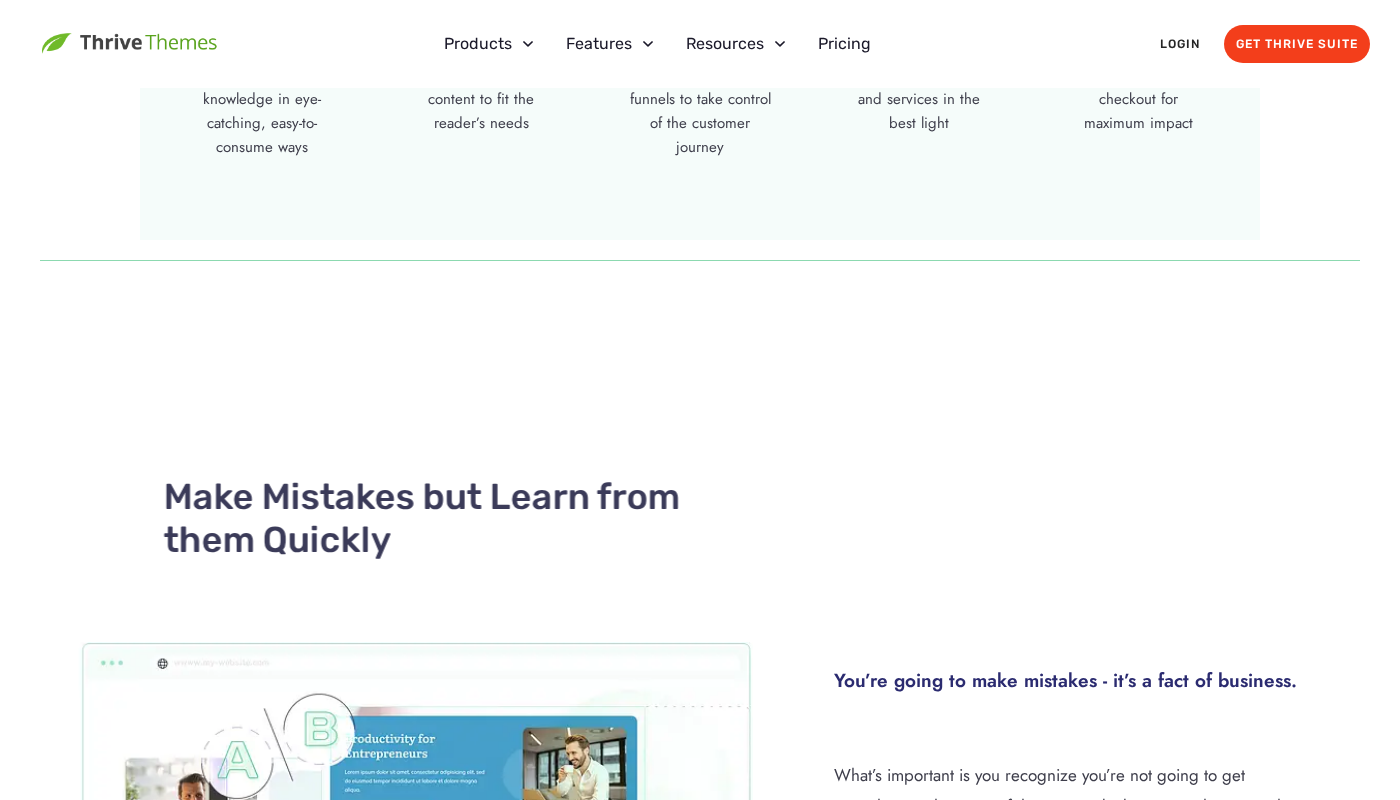
Thrive Architect ships with 300+ professionally designed templates organized around conversion goals rather than visual aesthetics. The distinction is intentional: the templates are built around specific page types in a marketing funnel rather than general industry categories.
Template types include:
- Lead gen and opt-in pages: two-step and single-step opt-in pages, content upgrade landing pages, checklist and cheat sheet delivery pages.
- Sales pages: long-form sales letters, video sales letters, product launch pages, and service sales pages.
- Webinar pages: registration pages, live webinar presentation pages, and replay pages.
- Thank-you and confirmation pages: purchase confirmation, download pages, and registration confirmation pages.
- Funnel continuation pages: upsell, downsell, and order bump pages designed to slot into multi-step purchase sequences.
Each template category tends to include a full matching set: the opt-in page, the thank-you page, and the confirmation email opt-in page share visual consistency so a visitor’s journey through the funnel looks intentional rather than assembled from mismatched pieces. Thrive calls these “landing page sets” and they represent a meaningful advantage for marketers building complete funnels rather than individual pages.
Template customization uses the Smart Color Technology: pick a base color and the entire template adapts. The Tutorialized Copy Templates feature goes one step further by providing copywriting guidance baked into the template body, reducing writer’s block by showing placeholder copy structured around conversion principles rather than generic lorem ipsum.
Mobile optimization is built into all templates. The editor provides separate desktop, tablet, and mobile breakpoint views so you can adjust layout and element visibility independently per device without needing custom CSS.
Smart Sections
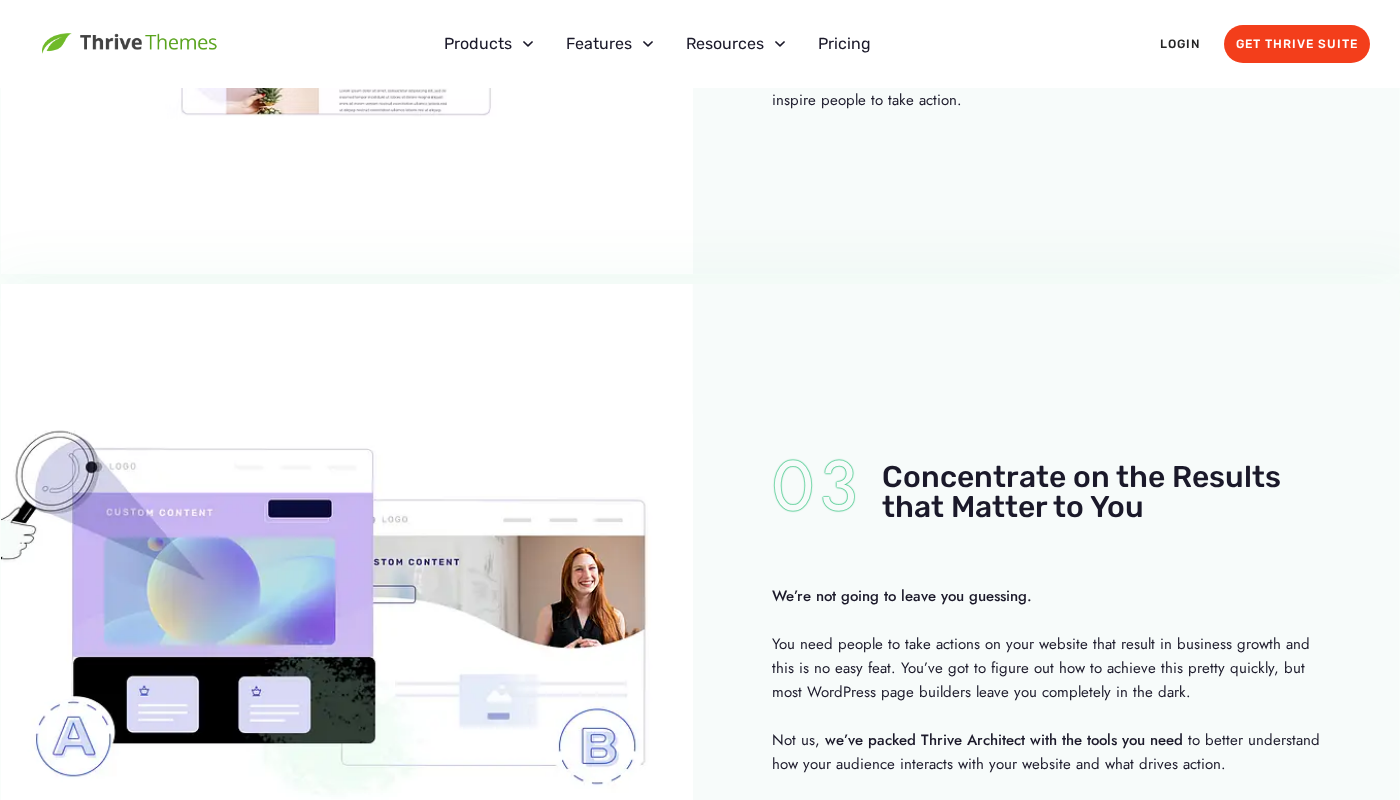
Smart Sections are Thrive Architect’s reusable page blocks. You design a header, testimonial row, feature block, or call-to-action section once, save it as a Smart Section, and then insert it into multiple pages across your site. When you edit the Smart Section once, the update propagates to every page where it appears.
This is a different workflow from saving a regular template block. A template is a copy: editing the template does not update already-placed copies. A Smart Section is live: the same block renders on every page it is inserted, and updating the source updates them all.
For marketers managing multiple landing pages that share common elements (a site-wide testimonial block, a branded footer CTA, or a guarantee section), Smart Sections eliminate the manual duplication of maintaining consistency across pages. This is one of Thrive Architect’s strongest workflow advantages over some competitors where global block editing either does not exist or is locked to a higher pricing tier.
The Global Fields feature works at a lower level than Smart Sections: instead of sharing a whole block, it shares individual data points (your business name, phone number, social profile URLs) that can appear inside any element on any page. Update the value in the Global Fields panel and it updates everywhere it is referenced.
Thrive Suite ecosystem
Thrive Architect is the page-building foundation for the Thrive Suite, but the suite’s value case depends on how the nine plugins work together. Understanding what you get alongside Architect is central to evaluating whether the subscription pricing makes sense.
The full suite as of September 2026:
- Thrive Architect: Front-end drag-and-drop page builder. The product reviewed here.
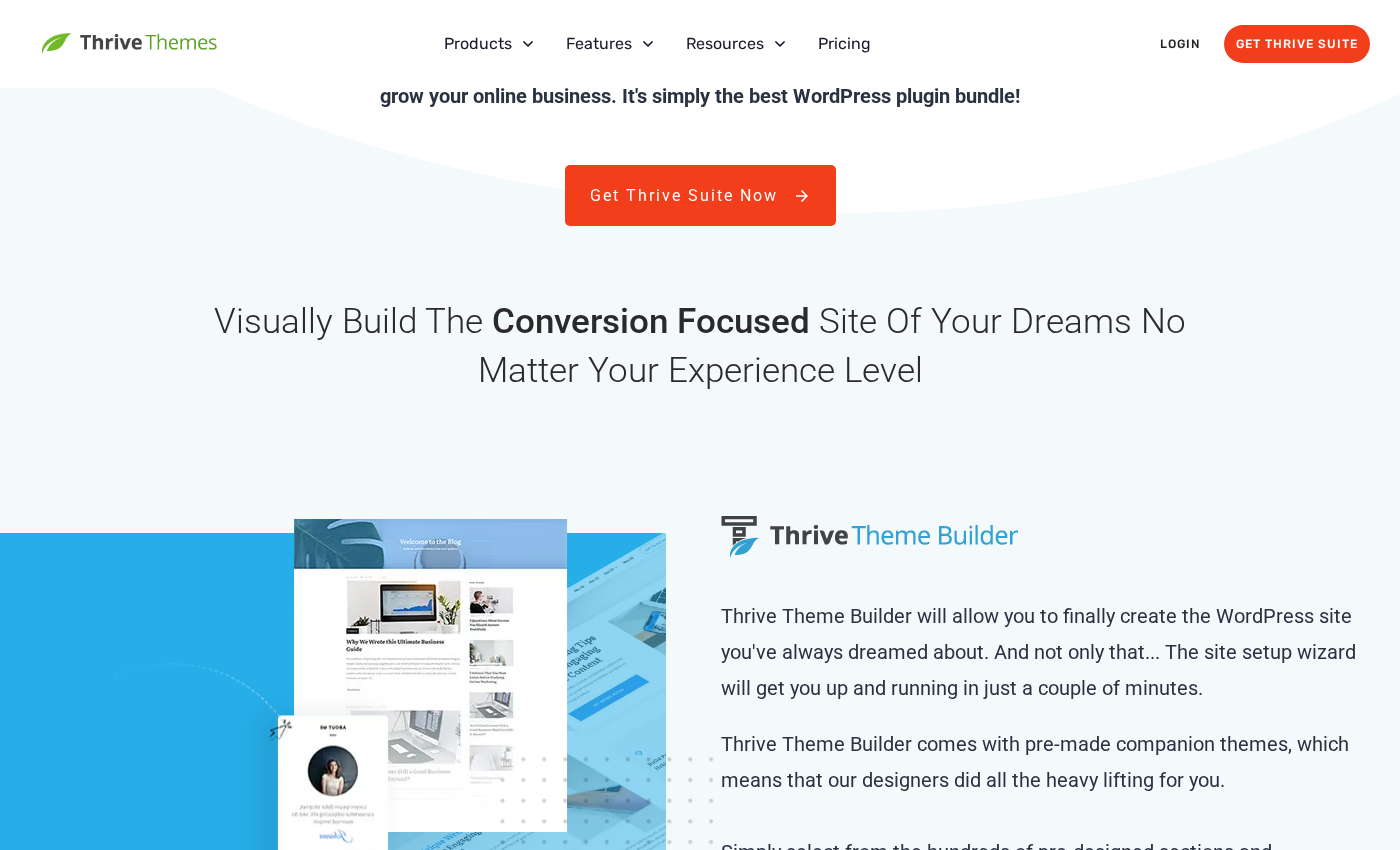
- Thrive Theme Builder: Site-wide WordPress theme customization. Design the global header, footer, blog post template, and archive layout using the same Thrive editor. Works in tandem with Architect so pages built in Architect inherit the global site design.
- Thrive Leads: Opt-in form builder covering lightbox popups, embedded forms, slide-in forms, sticky ribbons, notification bars, welcome mats, and exit-intent forms. Deep A/B testing for form variants. 22+ email marketing integrations.
- Thrive Optimize: A/B split testing for pages built in Thrive Architect. Create page variants, split traffic, and detect the winner automatically when statistical significance is reached. No third-party testing tool required.
- Thrive Ultimatum: Scarcity and urgency campaign builder. Create fixed-date countdown timers, repeating countdown campaigns, or evergreen countdown sequences tied to individual visitor behavior.
- Thrive Ovation: Testimonial collection and display. Send testimonial requests to customers, manage responses, and display them on Architect pages through a dedicated testimonial element.
- Thrive Apprentice: Online course and membership platform for WordPress. Build a course library, manage lessons and modules, and control access without a separate LMS plugin.
- Thrive Quiz Builder: Interactive quiz creation for lead capture and audience segmentation. Connect quiz results to email marketing lists and personalized thank-you pages built in Architect.
- Thrive Comments: Engagement-focused comment system with badges, voting, and conversion-optimized comment forms.
The integration between these tools is the central value proposition. A sales funnel built entirely within the Thrive Suite ecosystem looks like this: Architect builds the opt-in page, Thrive Leads captures the form submission, the email goes to your provider via Leads’ integration, the thank-you page (also in Architect) triggers a Thrive Ultimatum countdown for an offer, Thrive Optimize tests two versions of the offer page, and Thrive Ovation testimonials appear on the sales page. You are not assembling seven separate plugin integrations; the tools are designed to interoperate.
Integrations
Thrive Architect and Thrive Leads (the opt-in form plugin in the suite) integrate natively with one of the longest lists of email marketing providers in the page builder category:
Email marketing: ActiveCampaign, AWeber, Campaign Monitor, Constant Contact, ConvertKit, Drip, FluentCRM, GetResponse, HubSpot, iContact, Keap (Infusionsoft), KlickTipp, Mad Mimi, Mailchimp, MailerLite, MailPoet, MailRelay, Ontraport, SendFox, SendLane, Sendy, SG Autorépondeur, and Zoho Campaigns.
Automation and other: Zapier (connects to thousands of additional apps), email delivery services (Amazon SES, MailGun, Mandrill, Postmark, SendGrid, SendinBlue), webinar platforms (Everwebinar, GoToWebinar, WebinarJam Studio), and Slack, Facebook, Dropbox, Google Drive, SendOwl, and reCAPTCHA.
Payment processors: Gumroad, Stripe, and PayPal are supported via HTML element embeds in Architect, which means you paste a payment button’s embed code into a custom HTML block rather than using a native payment element. This is functional but less polished than dedicated WooCommerce-type payment integrations.
The October 2025 webhooks update extended integration reach further: form submissions can now send data directly to any webhook endpoint, covering tools not in the native integration list.
Performance
Thrive Architect’s official marketing describes “lightning page speeds” as a product benefit. There are no independent third-party benchmarks of Thrive Architect in the same published format that Bricks Builder or Elementor commonly appear in, so this claim is difficult to verify independently.
What is structurally true: Thrive Architect is not framework-heavy in the way Divi 4 is (with its PHP shortcode engine and large CSS/JS bundles). The editor generates pages with its own HTML structure, and Thrive Themes’ focus on marketing pages rather than full-site builds means the typical page output is simpler than a site built entirely with Elementor’s theme builder, sidebar widget areas, and complex archive templates.
Content storage in Thrive Architect uses Thrive’s own custom structure, which means that if you deactivate the plugin, content on pages built with it will not render correctly. This is a common limitation across most visual page builders and is worth factoring into any long-term platform decision.
Pricing
Thrive Architect is not sold separately. Access requires a Thrive Suite subscription, which covers all nine Thrive plugins on up to 5 websites.
| Plan | Price | Billing | Sites | Notes |
|---|---|---|---|---|
| Thrive Suite Yearly | $299/year | Annual | 5 | Introductory rate; renews at $599/year |
| Thrive Suite Quarterly | $149 | Every 3 months | 5 | |
| Agency License | Contact Thrive Themes | Custom | More than 5 | Pricing not publicly listed |
Important pricing notes: The $299/year introductory rate is not the renewal price. Thrive Themes’ pricing page clearly states: “Special introductory pricing, all annual renewals are at full price.” The full-price annual renewal is $599/year. Budget at $599/year from year two when evaluating the long-term cost.
At $299 introductory / $599 renewal, the Thrive Suite covers nine plugins for up to 5 websites. If you genuinely use multiple tools in the suite (Architect, Leads, Optimize, Ultimatum), the per-plugin cost is reasonable. If you only want Architect, the value case is weaker than paying $89/year for Elementor Pro (1 site) or $79/year for Bricks Builder (unlimited sites).
There is no lifetime license option. Unlike Divi (which offers a $249 one-time unlimited-site lifetime license) or Bricks Builder (which offers a lifetime option), Thrive Suite is subscription-only. This is a significant difference for long-term budget planning, especially for agencies building many client sites.
Honest drawbacks
No standalone purchase option. You cannot buy Thrive Architect on its own. The only path is the Thrive Suite subscription, which includes eight other tools. If you already have separate solutions for A/B testing, lead capture, scarcity campaigns, or online courses, you are paying for tools you do not need.
No free tier and no WordPress.org presence. There is no free version of Thrive Architect and no listing on WordPress.org. This means no free discovery through the plugin directory, and the only way to try the product is through the money-back guarantee on a purchase. Most major competitors (Elementor, SeedProd, Kadence Blocks) have free WordPress.org versions.
Subscription-only, no lifetime license. Thrive Suite is sold exclusively on a recurring subscription: $599/year at renewal, or $149/quarter. There is no one-time lifetime purchase option. For agencies managing many client sites over many years, the subscription model is more expensive than Divi’s $249 unlimited-site lifetime license or Bricks Builder’s competitive licensing.
Up to 5 websites on the standard plan. The base Thrive Suite covers 5 websites. Agencies managing 10, 20, or 50 client sites need the Agency License, which is not publicly priced. Competitors like Divi, Bricks Builder, and Elementor Expert tier offer multi-site or unlimited-site options at clearly published rates.
Conversion-focused scope is narrower than general builders. Thrive Architect’s strength is also a limitation. If you need to build a complete WordPress site with a custom header and footer, archive templates, WooCommerce product pages, and a blog, the Thrive Theme Builder plugin in the suite handles this, but the workflow is more complex than a builder like Elementor or Divi where site-wide design tools are integrated into the same editor.
Content portability concerns. Pages built in Thrive Architect use Thrive’s custom storage format. Deactivating the plugin leaves page content unrendered. Migrating a Thrive-built page to another builder requires reconstructing layouts manually. This is not unique to Thrive (Elementor, Divi, and Bricks all have content lock-in to varying degrees), but it is a real consideration before committing the platform to client sites.
No public version number transparency. There is no WordPress.org page showing Thrive Architect’s version history, active install count, or ratings in one place. This makes it harder to assess plugin health at a glance compared to plugins with WordPress.org listings.
Alternatives
Elementor (free version available, Pro from $59/year for 1 site). The most widely installed WordPress page builder with 10+ million active installs. Elementor Pro includes Theme Builder, Popup Builder, Form Builder, WooCommerce templates, and dynamic content. The v4 Atomic Editor released in March 2026 brought a CSS-first design system. Its third-party addon ecosystem is the largest of any WordPress builder. The free tier is a real starting point, unlike Thrive’s paywall. Per-site Pro pricing is lower than Thrive Suite at renewal, though Elementor does not include A/B testing, scarcity tools, or a quiz builder in the same subscription.
Divi by Elegant Themes ($89/year or $249 lifetime, unlimited sites). Elementor’s closest commercial competitor in terms of user volume and scope. Divi 5 launched in February 2026 for the Divi Theme with a fully rebuilt editor, shortcode-free content storage, and improved performance. The standalone Divi Builder Plugin is still on Divi 4 as of September 2026. The lifetime license at $249 unlimited sites is a strong differentiator for agencies who find subscription-only models unappealing.
SeedProd (free version available, paid from $99/year for 3 sites with theme builder). Purpose-built for landing pages and website building with a clear focus on the WordPress coming soon and maintenance mode niche expanding into full page building. Has a real free tier on WordPress.org. Like Thrive, SeedProd is conversion-focused, but its suite is smaller. WooCommerce support is locked to the Elite tier ($599/year renewal).
Beaver Builder (from $89/year for 1 site, includes Beaver Themer). Stability-focused page builder with a 12-year production record. All paid tiers include Beaver Themer (global headers, footers, post templates), which SeedProd excludes from its basic plan. Cleaner code output than Elementor v3. No built-in conversion-specific tools (A/B testing, scarcity, lead forms); those require separate plugins.
OptimizePress (from $129/year for 1 site). The most direct commercial alternative to Thrive Architect in terms of audience overlap: marketing-focused, funnel-first, built for solopreneurs and info product sellers. Includes a landing page builder, funnel builder, membership site tools, and checkout pages. Less well-known than Thrive, with a smaller template library.
Pros and cons
Pros
- Conversion-focused design throughout: elements, templates, and integrations built for marketing outcomes.
- 300+ templates covering the full range of marketing funnel page types.
- Smart Sections for reusable, live-updating page blocks across multiple landing pages.
- Smart Color Technology for one-click color scheme changes across an entire page.
- Global Fields for maintaining consistent contact details, branding, and legal info in one place.
- Deep email marketing integrations: 22+ providers natively, plus webhooks and Zapier.
- Thrive Suite bundles A/B testing, lead capture, scarcity, course hosting, and testimonials in one subscription.
- 6 million+ stock images searchable directly from the editor.
- Active development: regular updates with practical new features.
- 30-day money-back guarantee; 24/5 customer support included.
Cons
- No free version; no WordPress.org listing; only available as part of the full Thrive Suite subscription.
- No standalone Thrive Architect purchase option.
- Subscription-only pricing (no lifetime license); base plan renews at $599/year.
- Up to 5 websites on the standard plan; agency pricing is not publicly listed.
- Conversion-focused scope is narrower than general-purpose builders for full site design work.
- No published independent performance benchmarks confirming the “lightning page speeds” claim.
- Content portability concerns if you later move to a different builder.
- No WordPress.org presence means no visible active install count, ratings, or version history.
Final verdict
Thrive Architect is a well-designed, actively maintained visual page builder for marketers who want a conversion-focused toolset and are willing to pay for the full Thrive Suite to get it. The template quality is high, the ecosystem integration across Thrive’s nine tools is genuinely useful for funnel builders, and features like Smart Sections and Smart Color Technology reflect real attention to marketing workflow rather than checkbox features.
The product’s biggest limitation is its pricing structure. You cannot buy just Thrive Architect. You pay for the suite, and at $599/year on renewal for 5 sites, the math needs to check out for your specific use case. If you are a solopreneur or small business owner running one or two WordPress sites and actively using Thrive Leads, Thrive Optimize, and Thrive Architect together, the subscription cost per tool is defensible. If you only need a page builder and already use other solutions for lead capture and A/B testing, the forced-bundle pricing makes competitors a better fit.
For conversion-focused marketers who want an integrated WordPress marketing stack without assembling one from scratch, Thrive Architect is among the strongest focused options. For general-purpose page building, full site design, or multi-site agency work, Elementor Pro, Divi, or Bricks Builder offer better value at comparable or lower prices.
The 30-day money-back guarantee is a reasonable trial window. Test it against your actual pages and funnel needs before the 30 days are up.
FAQ
See all our plugin reviews for more hands-on WordPress tool coverage.