


Seven million active installs. More than 4.5 million live stores. A market share that hovers around 33 percent of all ecommerce sites worldwide. WooCommerce is not just the most popular WordPress ecommerce plugin. It is the most widely deployed ecommerce platform on the internet, ahead of Shopify, BigCommerce, and every hosted alternative by store count.
None of that means it is the right choice for you.
The free label on WooCommerce does a lot of marketing work, but a production-ready WooCommerce store typically costs between $500 and $3,000 per year once hosting, extensions, payment fees, and maintenance are factored in. The plugin itself is free. The store is not.
What this review covers and how it was researched. This is an audit-based review of WooCommerce as of July 2026, not a hands-on live store test. I reviewed the official WooCommerce.com feature, pricing, and payments pages; the WordPress.org plugin listing (version 10.9.4, last updated July 7, 2026); the extensions marketplace pricing and product descriptions; the official getting-started documentation; the WooCommerce developer blog; and the vendor-provided admin panel screenshots published in the WordPress.org screenshots panel. A live WordPress install with order processing, payment gateway connection, or checkout testing was not completed. Where the review describes admin interface behavior, the basis is the WordPress.org vendor screenshots and official documentation, and those sections say so. Pricing figures are from WooCommerce.com and the extensions marketplace as of July 2026 and should be verified before purchasing.
At a glance
Audited version: 10.9.4, released July 7, 2026 | Active installs: 7+ million (WordPress.org) | Rating: 4.5 out of 5 (4,809 reviews on WordPress.org) | Core plugin: free | Real cost range: $500 to $3,000+ per year for a production store | Bottom line: the most powerful and flexible WordPress ecommerce plugin available, with a learning curve, maintenance responsibility, and extension costs that hosted platforms handle for you
Quick verdict
If you are already on WordPress and want complete control over your store, your data, your checkout, and your hosting environment, WooCommerce is the natural choice. There is no monthly platform fee, no transaction fee on top of your payment processor, and no ceiling on products, variants, or API calls. The ecosystem is enormous.
If you are new to ecommerce and want the shortest path from idea to first sale, or if you do not want to manage hosting, plugin updates, and conflicts yourself, WooCommerce is not the fastest route. Shopify or a hosted platform will get you selling sooner with less operational overhead.
Quick verdict
Best for: WordPress-native stores, content-driven brands, developers building custom ecommerce, and cost-conscious sellers who want no platform transaction fees. | Best fit by business type: bloggers adding a shop, small to mid-size product businesses on WordPress, subscription and membership sites (with the right extensions), and agencies building custom storefronts for clients. | Standout: free core, unlimited products and variants, 140+ payment gateways, massive extension ecosystem, no transaction fees at the platform level. | Watch out for: total cost of ownership surprises (hosting plus extensions plus payment fees), plugin conflict risk, performance degradation at scale, and fragmented support when something breaks.
What WooCommerce is
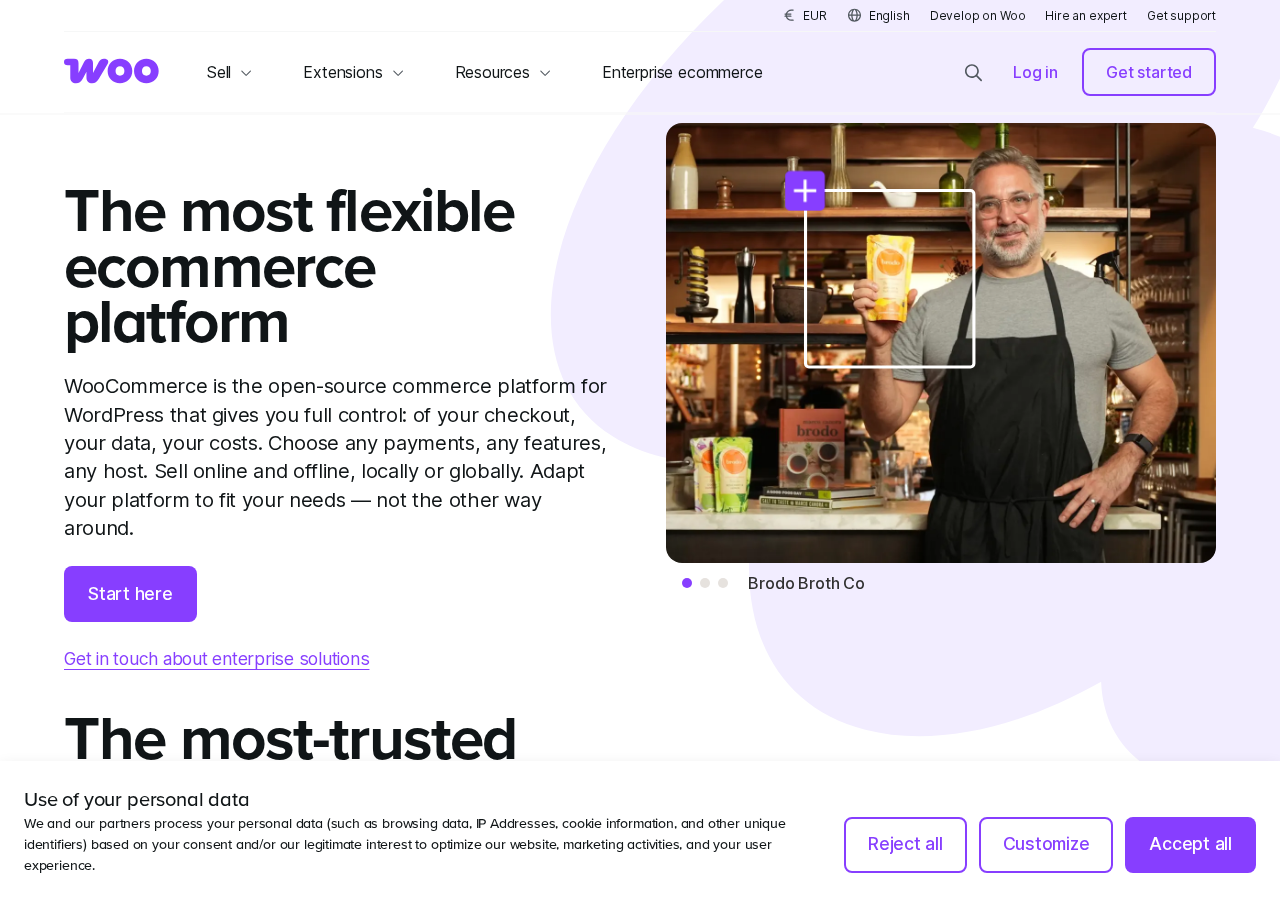
WooCommerce is a free, open-source ecommerce plugin for WordPress, maintained by Automattic. It installs directly from the WordPress plugin directory and transforms a standard WordPress site into a fully functional online store. The first public release was in 2011. Automattic acquired WooCommerce in 2015 and has maintained it as the flagship open-source commerce offering ever since.
The plugin itself handles the core store framework: product management, cart, checkout, order management, basic shipping, tax calculation, and payment gateway integration. Anything beyond that, including subscriptions, bookings, advanced memberships, conditional shipping rules, and product bundles, requires a separate extension, either from the official WooCommerce marketplace or a third-party developer.
That distinction matters more than any other single fact about WooCommerce. The free plugin is genuinely capable for straightforward stores. But the further your requirements move from a basic product list and a checkout page, the more extensions you need, and the more your “free” store starts accumulating annual subscription costs.
As of July 2026, WooCommerce version 10.9.4 runs on WordPress 6.9 or higher, PHP 7.4 or higher (PHP 8.0 is recommended), and MySQL 5.5.5 or MariaDB 10.1. It has been actively developed for 15 years. The most recent release (July 7, 2026) addressed a bug where the VAT exemption flag was not correctly applied during block checkout for logged-in users.
Who WooCommerce is best for
Strong fit
- WordPress site owners who want to add a store without switching platforms or rebuilding their site from scratch.
- Content-driven brands where a blog or editorial site is central, with products or merchandise as a secondary revenue stream. WooCommerce integrates commerce into the same WordPress install, so content and shop share one CMS and one SEO structure.
- Developers and agencies building custom storefronts for clients who need a flexible, extensible foundation. WooCommerce’s REST API, hook system, and open codebase support deep customization that hosted platforms rarely allow without custom app development.
- Stores that want no platform-level transaction fee. WooCommerce charges nothing on top of your payment processor’s own fee.
- Businesses that need specific payment gateways not supported by hosted platforms. WooCommerce integrates with 140-plus gateways.
- Subscription, membership, and booking-based businesses that already use WordPress and want to stay in that ecosystem (with the understanding that these use cases require premium extensions).
- Cost-sensitive small stores that start with the free plugin plus inexpensive shared hosting and grow into paid extensions only as revenue justifies it.
Weak fit
- First-time ecommerce owners who want the fastest path to a live store with minimal technical setup. WooCommerce requires a hosting account, a WordPress install, and configuration decisions that a hosted platform handles by default.
- Sellers who want managed infrastructure. Security patches, plugin updates, caching configuration, and database maintenance are your responsibility on WooCommerce, not a platform vendor’s.
- High-traffic stores that need performance at scale without significant hosting investment. A WooCommerce store handling tens of thousands of orders per month needs optimized managed hosting (typically $100 to $350 per month or more) to avoid checkout slowdowns under load.
- Teams with no development resources. When plugin conflicts happen, when the checkout breaks after an update, or when the payment gateway stops working at 2 AM, there is no central WooCommerce support number. Resolution involves the hosting provider, the plugin developer, and sometimes a developer who knows the stack.
- Sellers who only need a simple product page with a buy button and would be better served by a lightweight hosted option.
Setup and admin interface
WooCommerce installs from Plugins > Add New in the WordPress admin. Search for “WooCommerce,” find the plugin published by Automattic, click Install Now, and activate. The setup wizard launches automatically on first activation.
The onboarding wizard walks through the essential configuration steps in order:
- Store location and currency: set the country, state, and default currency for the store.
- What you plan to sell: choose product types (physical, digital, or both) to receive relevant extension recommendations.
- Payment methods: connect WooPayments or select from other available gateways. WooPayments activates with an account connection; third-party gateways require separate configuration.
- Shipping: set up shipping zones and rates, or defer this step.
- Tax: enable automated tax calculations (powered by Jetpack) or configure rates manually.
- Theme: the wizard recommends themes compatible with WooCommerce. Existing WordPress themes work if they declare WooCommerce support; otherwise layout inconsistencies on shop, cart, and checkout pages are possible.
The wizard completes in 10 to 20 minutes for a basic store. After the wizard, a setup checklist in the WordPress admin surfaces any remaining steps: adding products, setting up analytics, enabling marketing integrations, and launching the store.
The Settings panel in the WordPress admin organizes the core store configuration into tabs: General (store address, selling locations, currency), Products, Tax, Shipping, Payments, Accounts and Privacy, Emails, and Advanced. The General tab is typically the first stop after the wizard, and its layout is clear: address fields at the top, selling and shipping location dropdowns below, then tax and currency options.
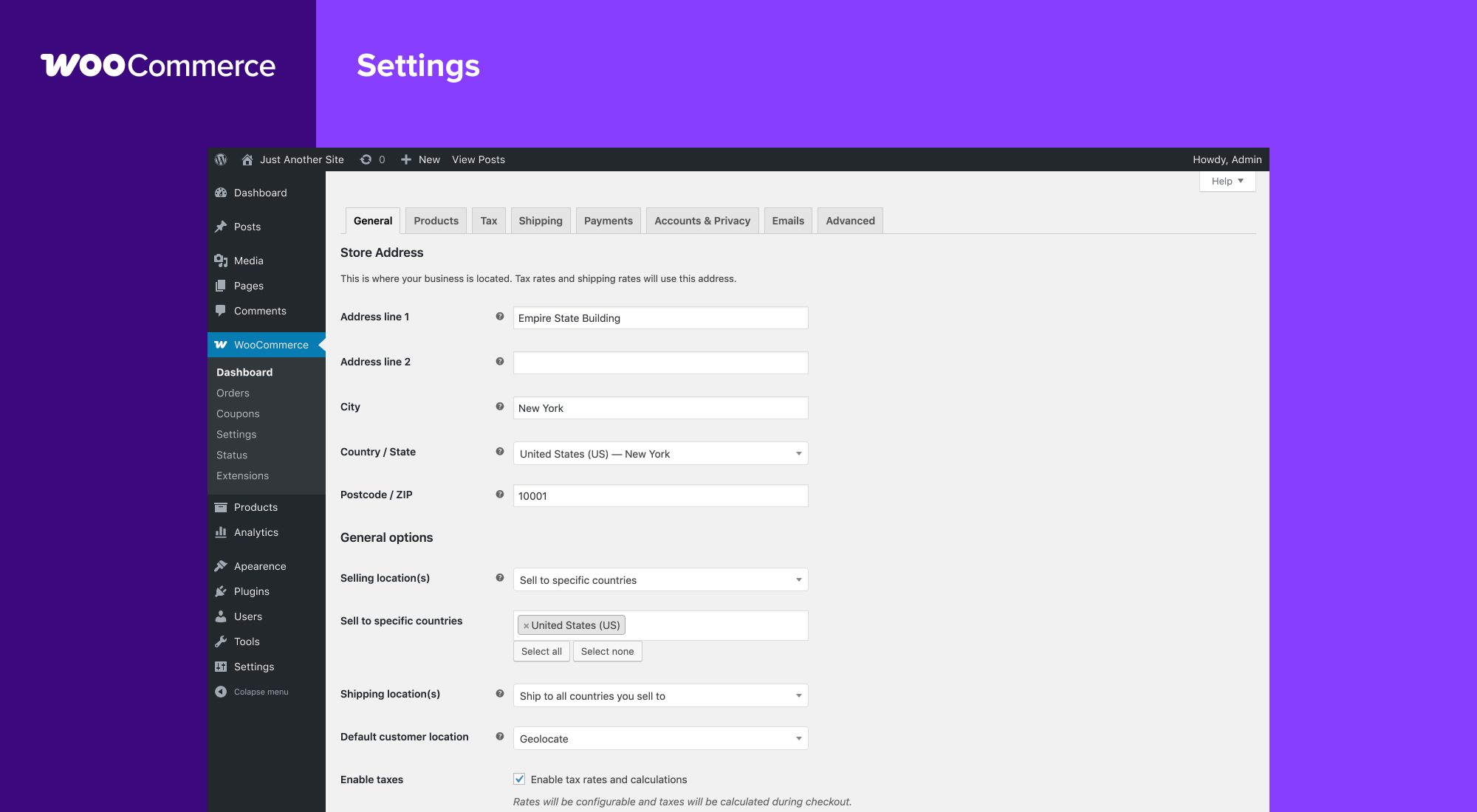
The admin sidebar added by WooCommerce exposes the main sections: Dashboard, Orders, Coupons, Payments, Products, Analytics, Marketing, and Settings. Navigation is familiar to anyone who has used the WordPress admin, and the panels themselves follow the same WordPress UI conventions, so there is no steep visual reorientation for existing WordPress users.
Adding the first product
Products are added from Products > Add New. The product editor presents fields for name, description, price (regular and sale), product type, categories, tags, and images. The Product Data section contains tabs for general pricing, inventory (SKU, stock management, backorders), shipping (weight, dimensions), linked products (upsells and cross-sells), and attributes (for variable products with size or color options).
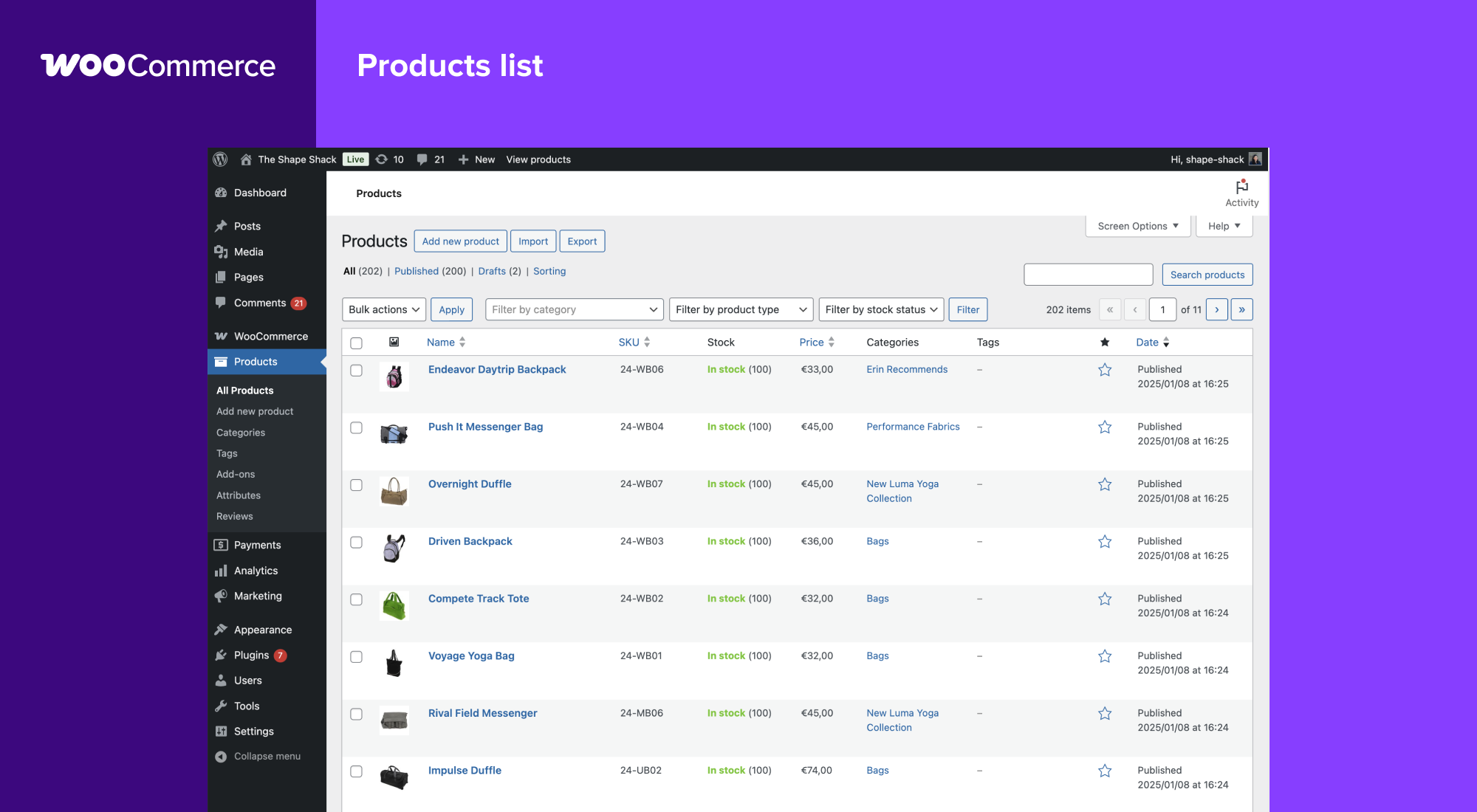
The Products list view shows each product’s name, thumbnail, SKU, stock status, price, categories, and tags at a glance, with bulk-edit and filter tools across the top.
Variable products, which let a single product listing carry multiple combinations of size, color, or other attributes, each with their own price and stock level, are configured from the same Edit Product screen. The Product Data panel switches to a Variable product type, and the Attributes and Variations tabs appear. A shirt with three sizes and four colors becomes one variable product with up to twelve variations.
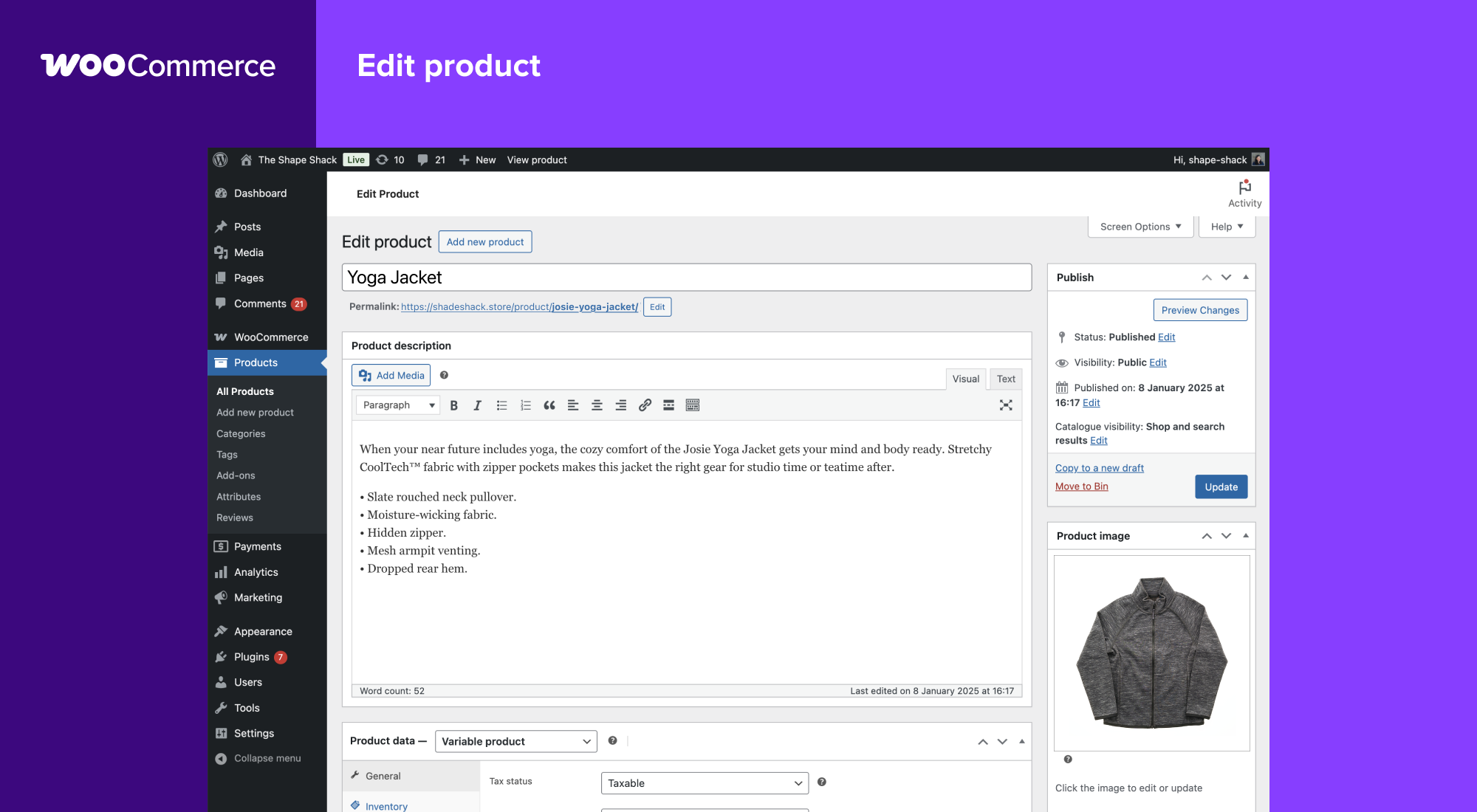
A simple physical product with a single price, one image, and basic shipping dimensions can be ready in five minutes. Variable products with many attributes take longer, especially beyond five to ten variant combinations.
The block-based cart and checkout
As of WooCommerce 10.x, the Cart and Checkout pages are built using the WordPress block editor (Gutenberg) by default for new installs. This replaces the shortcode-based classic Cart and Checkout that earlier versions defaulted to.
The block-based approach means both pages are fully editable inside the Gutenberg editor. You can drag and drop layout sections, add or remove blocks (coupon field, order summary, express payment buttons), change column layouts, and apply theme-level styling, all without writing code. The block editor also manages store templates: shop archive, product page, cart, and checkout templates can all be edited with the same visual tools.
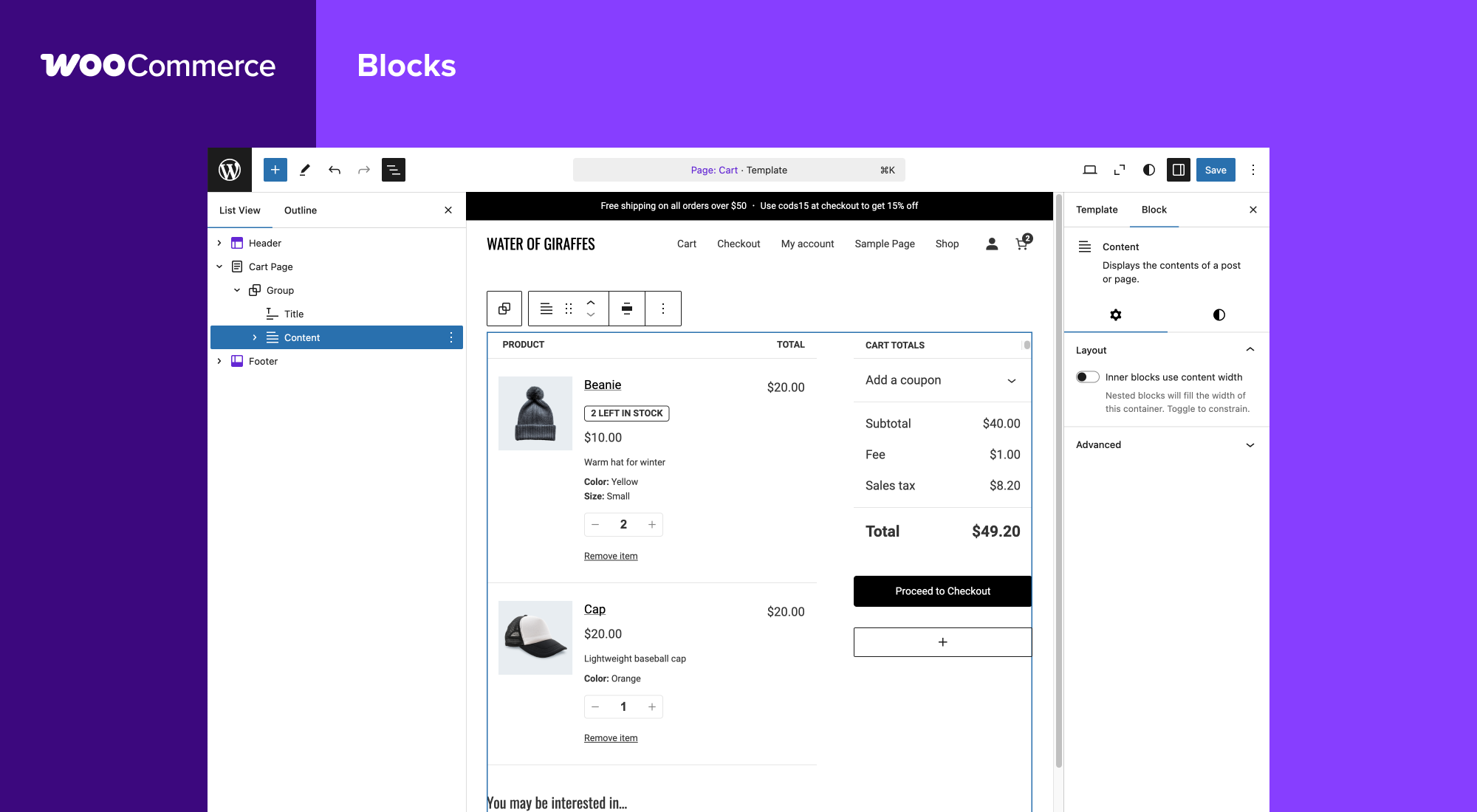
The block-based checkout also unlocks express payment buttons: when WooPayments is active, Apple Pay, Google Pay, and WooPay appear in the checkout without additional configuration. Classic shortcode-based checkout does not support these natively.
Stores migrating from older WooCommerce versions can keep the classic shortcode cart and checkout if needed, though the Blocks-based pages are the default and the current development focus.
Product types
The free WooCommerce plugin supports four native product types:
- Simple product. A single item with one price. No variations.
- Variable product. A product with multiple attributes (size, color, material) that can each have their own price, SKU, and stock level.
- Grouped product. A collection of related products displayed together on one page, where each item is purchased separately.
- External/affiliate product. A product listing that links to a third-party URL instead of an internal checkout.
Digital and downloadable products are handled as a type option within simple or variable products, not as a separate product type.
What the free plugin does not include as native product types: subscriptions, bookings, memberships, and product bundles. These require dedicated extensions, each sold as an annual subscription.
Checkout and payments
WooCommerce integrates with more than 140 payment gateways. The following come pre-installed at no extra cost:
- Direct bank transfer (BACS)
- Cheque payment
- Cash on delivery
The most commonly used gateway options require extension installs, most of which are free:
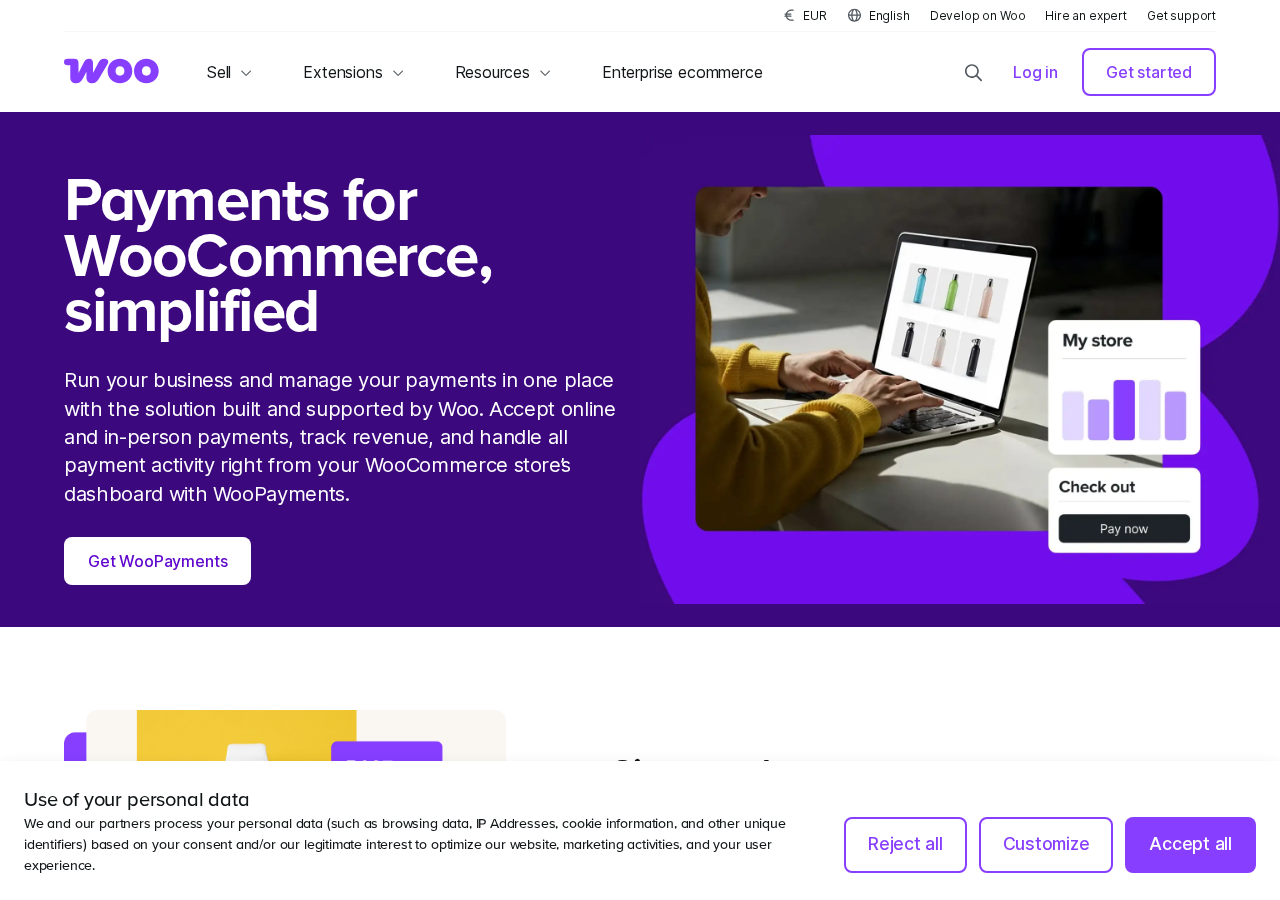
- WooPayments (Automattic’s native gateway, built on Stripe): free extension, no monthly fee, pay-as-you-go transaction rates (approximately 2.9% plus $0.30 per domestic card transaction in the US). Available in 38 countries, supports 135-plus currencies, Apple Pay, Google Pay, WooPay (US only), buy now pay later, saved cards, subscription billing, and in-person payments via card reader in 10 countries. Disputes and refunds are managed inside the WooCommerce admin dashboard.
- Stripe (separate Stripe extension): free extension. Connects to your own Stripe account rather than WooPayments. Useful for stores already managing Stripe accounts independently or outside WooPayments’ supported countries.
- PayPal Payments: free extension. Supports standard PayPal checkout and PayPal Pay Later.
- Square: free extension. Supports in-person and online payments; syncs inventory between WooCommerce and Square.
- Mollie: free extension. Covers a wide range of European payment methods.
WooCommerce itself does not charge a transaction fee. The only transaction costs are what your payment gateway charges. On WooPayments, that is approximately 2.9% plus $0.30 for standard domestic card transactions in the US. Stripe, PayPal, and Square each have their own fee structures.
Shipping
WooCommerce shipping works through shipping zones and shipping methods. A zone defines a geographic area (country, state, or postcode range); a method defines how shipping is calculated for that zone.
Built-in shipping methods (free):
- Flat rate
- Free shipping (configurable by minimum order, coupon, or condition)
- Local pickup
Live carrier rates (UPS, FedEx, USPS, DHL, Canada Post) require either a WooCommerce extension or a third-party plugin, and those are almost always paid products.
For US-based stores, WooCommerce Shipping is a free extension that adds discounted USPS and DHL rates and lets you print shipping labels directly from the WooCommerce orders screen. This is a genuine value-add for small stores: commercial USPS rates without leaving the admin panel.
Multi-destination shipping, conditional shipping rules (free shipping above a threshold per zone, different rates by product category), and real-time carrier rate tables are more complex scenarios that typically involve paid extensions or manual rate configuration.
Tax
WooCommerce handles tax through two paths. Manual configuration lets you enter tax rates by country, state, and postcode, with support for multiple tax classes (standard, reduced, zero-rated) and compound tax calculations. For most stores outside simple domestic-only selling, manual tax tables become cumbersome quickly.
Automated tax calculation is available through the Jetpack Tax service, which activates with a Jetpack connection (free at the basic tier). This handles US sales tax, EU VAT, and AU GST calculations automatically, updating rates without manual input. For US merchants with nexus in multiple states, automated tax is the practical path.
Analytics and reporting
WooCommerce includes a native Analytics section in the WordPress admin. The analytics dashboard covers:
- Revenue overview with date filtering
- Orders by status (pending, processing, completed, refunded, cancelled)
- Products: best sellers, most viewed, out of stock
- Customers: new vs returning, customer list with lifetime value
- Coupons: usage and revenue attributed
- Stock report: low stock and out-of-stock alerts
- Taxes: totals by rate
The reports are clear and functional for a small to mid-size store. For deeper analytics, Google Analytics integration is available as a free extension via Google Listings and Ads, tracking ecommerce events including product views, add-to-cart actions, and checkout steps.
What the native analytics does not cover: cohort analysis, advanced funnel visualization, attribution modeling, or inventory forecasting. Those require third-party analytics tools or WooCommerce extensions.
Extensions and the marketplace
The WooCommerce extensions marketplace is the most important part of the platform to understand before committing to it. Extensions add features the free core does not include, and the catalog contains hundreds of options ranging from free to several hundred dollars per year.
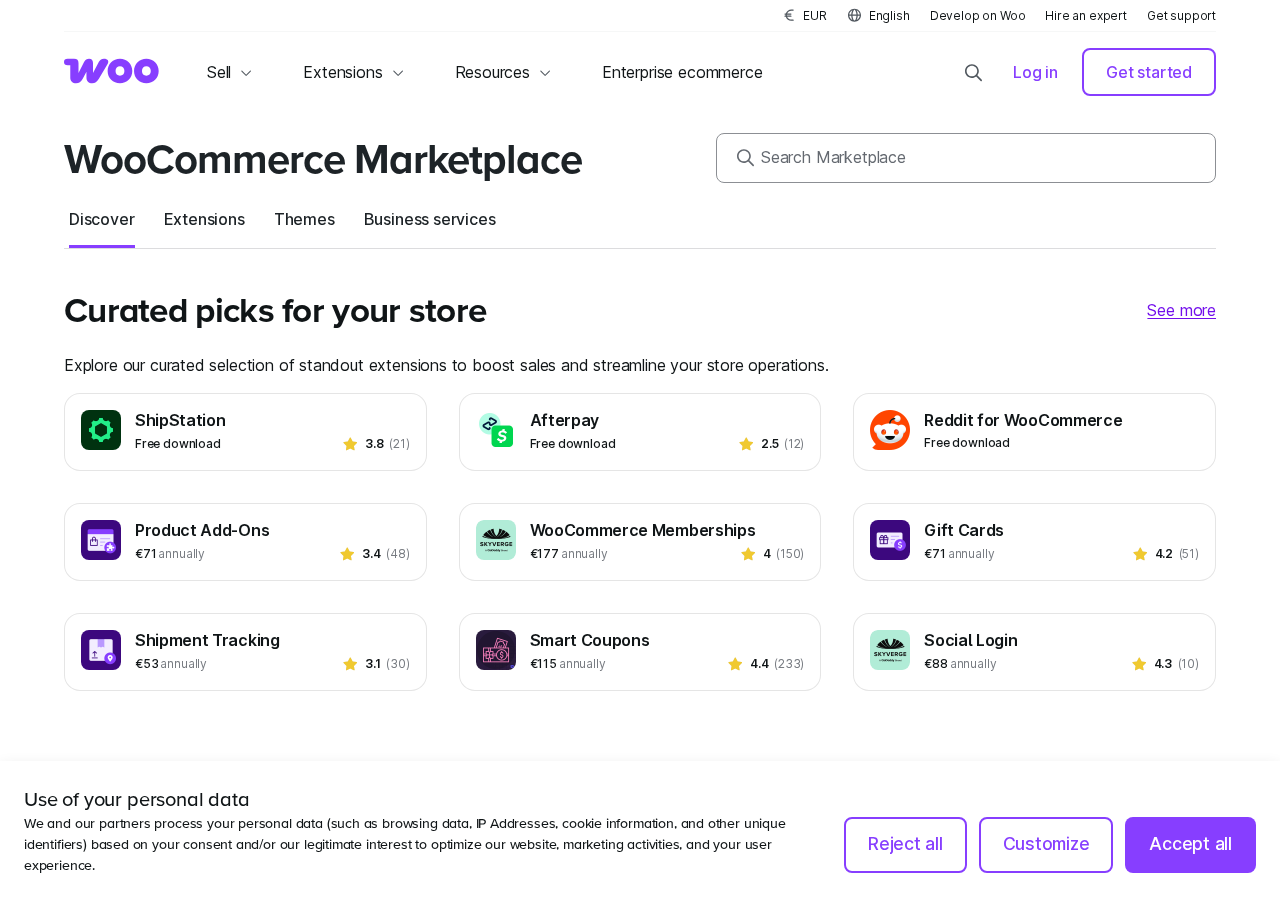
Key extensions and their approximate costs (verified from the marketplace, July 2026):
| Extension | Use case | Annual cost (approx.) |
|---|---|---|
| WooCommerce Subscriptions | Recurring billing for physical, digital, or service products | ~$199-248/year |
| WooCommerce Bookings | Appointment and time-slot bookings | ~$221-249/year |
| WooCommerce Memberships | Restrict content and products to members | ~$177/year |
| WooCommerce Product Add-Ons | Per-product custom fields and options | ~$71/year |
| Product Bundles | Bundle multiple products at a combined price | ~$71/year |
| Gift Cards | Issue and accept store gift cards | ~$71/year |
| WooCommerce Shipping (US) | Discounted USPS/DHL rates and label printing | Free |
| WooPayments | Native payment processing | Free (transaction fees apply) |
| Stripe | Stripe account integration | Free (Stripe fees apply) |
| Google Listings and Ads | Google Shopping and Analytics | Free |
| Klaviyo | Email marketing integration | Free |
| AutomateWoo | Automated email, SMS, and workflow automation | ~$99-109/year |
| Smart Coupons | Advanced coupon and store credit system | ~$115/year |
A store that needs subscriptions, memberships, and advanced automation is looking at $400 to $600 per year in extension costs alone, on top of hosting and payment fees. This is not a hidden cost, but it is easy to overlook when evaluating the “free plugin” headline.
Free extensions from major payment providers (Stripe, PayPal, Square, Mollie, Klarna) and marketing platforms (Google, Klaviyo, Mailchimp) are genuinely free and cover a wide range of common store needs. The costs stack up primarily around advanced feature sets: recurring billing, bookings, memberships, and conditional logic.
Developer tools and extensibility
WooCommerce is built on WordPress’s hook and filter architecture. Every data object, including products, orders, customers, and shipping packages, exposes hooks that allow a developer to modify behavior without touching core files. The REST API covers products, orders, customers, coupons, shipping zones, taxes, and webhooks, making external integrations, mobile apps, and headless setups possible without a third-party connector.
The plugin ships with:
- A full REST API (WooCommerce REST API v3 and the WP REST API)
- Webhooks for real-time order and product event notifications
- WooCommerce Blocks (React-based checkout and cart block API for custom block development)
- A CLI tool (wp wc via WP-CLI) for bulk product, order, and customer management
- Official SDKs and client libraries for JavaScript, PHP, Python, and Ruby
For developers, WooCommerce is unusually accessible compared to hosted platforms. You can override template files at the theme level, build custom product types, create custom checkout fields, write custom shipping methods, and publish paid extensions on the marketplace, all without a special API access agreement.
Marketing integrations
Out of the box via free extensions from the WooCommerce marketplace:
- Google Listings and Ads: sync product catalog to Google Shopping and Merchant Center, run Google Ads campaigns from the WordPress admin, and add Google Analytics 4 ecommerce tracking.
- Facebook for WooCommerce: sync product catalog to Facebook and Instagram shops, run Facebook/Instagram ads.
- Mailchimp for WooCommerce: sync customers and order data to Mailchimp, trigger automations on purchase events.
- Klaviyo: customer and order sync for email and SMS automations.
Multi-currency and multilingual features require dedicated plugins. WPML with WooCommerce Multilingual handles language; a currency switcher extension handles multi-currency display. Both are paid third-party products.
Mobile app
WooCommerce publishes a free mobile app for iOS and Android. The app covers:
- Order management (view, process, and update orders)
- Product management (add, edit, stock updates)
- Store statistics and revenue overview
- Push notifications for new orders and low stock
The mobile app is useful for monitoring a live store from a phone, but it is not a store setup or design tool. Configuration and customization still happen in the WordPress admin on a browser.
Pricing: what WooCommerce actually costs
The WooCommerce plugin is free. A WooCommerce store is not.
Core plugin
Free. No monthly fee, no revenue share, no tier restriction on product count, order volume, or API usage.
Hosting
You provide your own hosting. The WooCommerce.com pricing page quotes $25 to $350 per month as the range for most stores. In practice:
- Shared hosting (Bluehost, SiteGround, Hostinger): $5 to $25 per month. Acceptable for low-traffic stores with a small product catalog. Performance degrades under traffic spikes or large catalogs.
- Managed WordPress hosting (WP Engine, Kinsta, Cloudways, Pressable): $30 to $150 per month. Recommended for any store generating consistent revenue. Caching, staging, and optimized WordPress environments reduce performance risk.
- High-traffic or enterprise hosting: $150 to $350+ per month. Required for stores seeing thousands of orders per month or running complex multi-extension stacks.
Hosting is the most variable cost in the WooCommerce total cost of ownership. Underinvesting in hosting is the most common cause of WooCommerce performance problems.
Payment processing
WooCommerce charges no transaction fee. Your payment gateway does. Standard rates:
- WooPayments: approximately 2.9% plus $0.30 per domestic card transaction (US). International cards add a 1.5% fee. In-person payments via card reader: approximately 2.6% plus $0.10. Rates vary by country; check woocommerce.com/payments for your region.
- Stripe: 2.9% plus $0.30 per transaction (US standard). Volume discounts available.
- PayPal: 3.49% plus $0.49 per PayPal Checkout transaction; lower rates for card-only payments.
Extensions
As discussed above, extensions are the area where “free WooCommerce” costs most often diverge from expectations. Budget ranges:
- Minimal store (no premium extensions, free gateways): $0 in extension costs.
- Store adding subscriptions and one marketing automation tool: $300 to $400 per year.
- Store with subscriptions, bookings, memberships, and advanced automation: $600 to $900 per year.
- Fully featured store with custom development: $1,000 to $2,500 per year in extensions alone.
Total real-world cost estimates
| Store type | Annual hosting | Annual extensions | Payment fees | Approximate total/year |
|---|---|---|---|---|
| Basic blog store (low traffic) | $120-300 | $0 | Variable | $120-300 + payment fees |
| Growing small store | $360-900 | $200-400 | Variable | $560-1,300 + payment fees |
| Mid-size store with subscriptions | $900-1,800 | $400-700 | Variable | $1,300-2,500 + payment fees |
| High-traffic or complex store | $1,800-4,200 | $700-2,500 | Variable | $2,500-6,700 + payment fees |
These figures do not include theme costs ($50 to $200 per year for a premium theme) or developer time for custom work. Cost ranges are synthesized from the WooCommerce.com pricing page and multiple third-party cost analyses published in 2026.
WooCommerce.com provides its own cost comparison against Shopify and BigCommerce, making the case that at $1M+ in annual revenue, WooCommerce’s percentage of revenue is lower than hosted alternatives because there is no platform percentage or tier-based transaction fee. That argument holds for established high-revenue stores with technical resources. It is less persuasive for stores under $100K in annual revenue, where Shopify Basic at $39 per month is a predictable and operationally simpler cost.
Pros and cons
Pros
- Completely free core plugin with no monthly platform fee and no revenue share at any sales volume.
- 7+ million active installs and 15 years of active development. WooCommerce is battle-tested at scale.
- 4.5/5 stars across 4,809 reviews on WordPress.org, representing a genuinely large and consistent satisfaction base.
- No transaction fees at the platform level. The only percentage you pay is to your payment gateway.
- 140-plus payment gateway integrations, including many regional and alternative payment methods that hosted platforms do not support.
- Block-based Cart and Checkout (default for new installs) allows no-code layout customization and works natively with block themes.
- Massive extension ecosystem covering every common store use case: subscriptions, bookings, memberships, bundles, conditional logic, advanced coupons, and more.
- Full REST API, WP-CLI support, hook system, and open-source codebase for developer extensibility.
- Unlimited products, variants, orders, and API calls with no tier restrictions.
- WooPayments integrates payments, dispute management, and refunds inside the WooCommerce admin without a separate gateway dashboard (for supported countries).
- Free marketing extensions for Google Shopping, Facebook, Mailchimp, and Klaviyo.
- Free WooCommerce Shipping extension with discounted USPS and DHL rates and label printing for US merchants.
- Mobile app (iOS and Android) for order management on the go.
- 24 language translations. WooCommerce supports multilingual stores with compatible multilingual plugins.
- Complete data ownership. Your store’s data lives on your hosting account, not inside a vendor’s proprietary platform.
- 30-day money-back guarantee on all official WooCommerce extension purchases.
Cons
- “Free” is misleading at the store level. A production-ready store costs at minimum $500 to $1,000 per year when hosting and essential extensions are included.
- Maintenance responsibility. Plugin updates, security patches, backup schedules, and database optimization are your job, not a platform vendor’s.
- Plugin conflict risk. A store running 12 or more plugins across WordPress core, WooCommerce, a theme, and gateways has multiple update schedules and multiple potential conflict points. When a conflict breaks checkout, resolving it often requires a developer.
- Performance at scale requires significant hosting investment and technical configuration. Default shared hosting will not sustain a WooCommerce store under meaningful traffic.
- Fragmented support. When something breaks, WooCommerce.com support, your hosting provider, and the third-party extension developer each have partial accountability. There is no single point of contact for resolving conflicts between vendors.
- Trustpilot rating of 1.9 out of 5 (132 reviews as of July 2026) reflects a distinct user population: merchants who encountered broken stores after updates, plugin conflicts with no clear resolution path, and support experiences they found unsatisfactory. The WordPress.org rating (4.5/5) reflects day-to-day functional experience. Both are real data points, and they describe different user populations and situations.
- Advanced use cases (subscriptions, bookings, memberships) require paid extensions that each add annual renewal costs.
- No built-in real-time backup or emergency restore. WooCommerce does not manage backups; you need a separate backup plugin.
- Checkout performance under high concurrent order volume can degrade on underpowered hosting. Database bottlenecks in wp_posts and wp_postmeta are a known scaling constraint that requires caching, query optimization, or a High-Performance Order Storage (HPOS) migration for high-volume stores.
- WooPayments is only available in 38 countries. Merchants outside those countries cannot use the native payment integration and must configure a third-party gateway separately.
- No phone support. Support is via ticket and community forums.
Alternatives to WooCommerce
- Shopify. The dominant hosted ecommerce platform. Choose Shopify if you want the fastest setup, managed hosting and security, a large app ecosystem, and predictable monthly costs ($39 to $399 per month on standard plans). Shopify adds a transaction fee (0.5% to 2%) if you do not use Shopify Payments. Best for stores where time-to-launch and operational simplicity outweigh the cost of platform lock-in.
- BigCommerce. A hosted platform with no transaction fees on any payment processor, strong native B2B features, and multi-storefront support. Choose BigCommerce if you are moving away from Shopify due to app costs, need B2B price lists and company accounts natively, or run more than one storefront under one account.
- Easy Digital Downloads. A WordPress plugin focused specifically on digital product sales. Choose EDD if your store sells software, PDFs, audio, video, or other downloadable files and you do not need physical product shipping. EDD is simpler and lighter than WooCommerce for pure digital stores.
- Squarespace Commerce. A website builder with ecommerce included. Choose Squarespace if design quality and editorial presentation matter more than store depth or flexibility, and you are running a small, design-driven product store where drag-and-drop simplicity is the primary requirement.
- Wix eCommerce. Hosted, drag-and-drop, suitable for very small stores where ease of use matters most. Fewer extensions and integration options than WooCommerce or Shopify.
- SureCart. A newer WordPress ecommerce plugin with a hosted order-processing layer. Choose SureCart if you want a lighter WooCommerce alternative with simpler checkout and digital product support, and you are comfortable with a less mature ecosystem.
The practical choice for most WordPress users is between WooCommerce and Shopify. WooCommerce wins on zero platform fees, data ownership, and customization depth. Shopify wins on time-to-launch, managed infrastructure, and operational simplicity. The right answer depends on whether your constraints are financial (avoiding platform fees at scale) or operational (avoiding infrastructure management).
Final verdict
WooCommerce has earned its position as the world’s most widely deployed ecommerce platform because it solves a real problem: adding a full-featured store to a WordPress site without rebuilding from scratch. The free plugin is genuinely capable for straightforward stores. The extension ecosystem is the widest available on WordPress. The developer experience is mature. The payment gateway choice is unmatched. And at scale, the absence of a platform transaction fee can represent meaningful cost savings compared to hosted alternatives.
The honest version of that story also includes the full cost picture. A production WooCommerce store is not free. Hosting, essential extensions, and payment processing fees stack up quickly, and the maintenance responsibility is entirely yours. When a plugin update breaks checkout or a conflict between a theme and a payment gateway produces a white screen at peak traffic, no one is automatically accountable.
For WordPress-native businesses, content-driven brands, and developers who want full control over their stack, WooCommerce is the strongest foundation available. For first-time store owners who want to sell within a week with minimal technical overhead, a hosted platform with managed infrastructure will serve the initial stage better, with the option to migrate to WooCommerce later if cost at scale becomes the primary constraint.
WooCommerce is not the easiest way to start an online store. It may, however, be the most capable one.
FAQ
For more WordPress plugin reviews, visit our reviews category.