


Most WordPress page builders try to be everything to everyone. SeedProd took a different approach: it started in 2011 as a coming soon page plugin, spent years doing one job well, and gradually expanded into a full landing page builder and then a complete WordPress theme builder. The result is a product with a clear origin story and a very broad scope.
Today SeedProd markets itself as a drag-and-drop WordPress website builder for landing pages, coming soon pages, WooCommerce stores, and full themes. The free version on WordPress.org has 700,000+ active installs and a 4.9 out of 5 rating from over 4,600 reviews. That is a strong track record worth examining honestly.
I installed SeedProd 6.20.5 (the free “coming-soon” plugin) on a clean WordPress sandbox and researched the paid tiers through the official website, pricing pages, documentation, and changelog. Features I could not test directly on the free tier are disclosed and covered from official sources. This review is for the person deciding whether SeedProd solves their specific problem, and whether the price of the plan they actually need is worth it.
Quick verdict
SeedProd is a capable landing page and website builder with genuinely good template quality, a clean drag-and-drop editor, and active development. The free plugin is a functional coming soon and maintenance mode tool. As a landing page builder or full site builder, almost everything meaningful is behind a paid plan.
The pricing model requires attention. The plan names are straightforward, but the promotional introductory rates shown at checkout are significantly lower than the renewal prices you will actually pay from year two onward. WooCommerce support is locked to the most expensive tier. And if you need theme building, the Basic plan at the lowest tier does not include it.
Strong coming soon and landing page tool, with key paid-tier restrictions worth evaluating before buying.
Best for: solopreneurs, small businesses, and marketers who want a no-code landing page and website builder on WordPress without touching code.
Best free use case: displaying a coming soon or maintenance mode page with a countdown timer and email opt-in while a site is under construction.
Best paid use case: building high-conversion landing pages and complete custom WordPress themes with email marketing integrations on a small number of sites.
Standout: 700,000+ free installs, 4.9-star rating, 350+ templates, 15+ email marketing integrations, and AI-assisted content generation.
Watch out for: WooCommerce support on Elite tier only ($599/year renewal), renewal prices significantly higher than introductory rates, limited free landing page options, and no built-in form builder with submission management.
What SeedProd is
SeedProd is a WordPress plugin for building landing pages, coming soon pages, maintenance mode pages, and full WordPress themes using a drag-and-drop front-end editor. It is published by the SeedProd team and co-founded by John Turner, who reports over 20 years of business and development experience.
The plugin launched in 2011 with a narrow focus: letting WordPress site owners show a professional-looking “coming soon” page to visitors while the real site was under development. That original tool had two jobs. It put a page in front of visitors. It collected email addresses from people interested in the launch. It did both well.
Over the following decade, SeedProd expanded significantly. Landing page templates arrived first, then a full drag-and-drop builder, then email marketing integrations, then a complete WordPress theme builder that allows building headers, footers, post templates, archive pages, and sidebars. AI-assisted content and image generation came more recently.
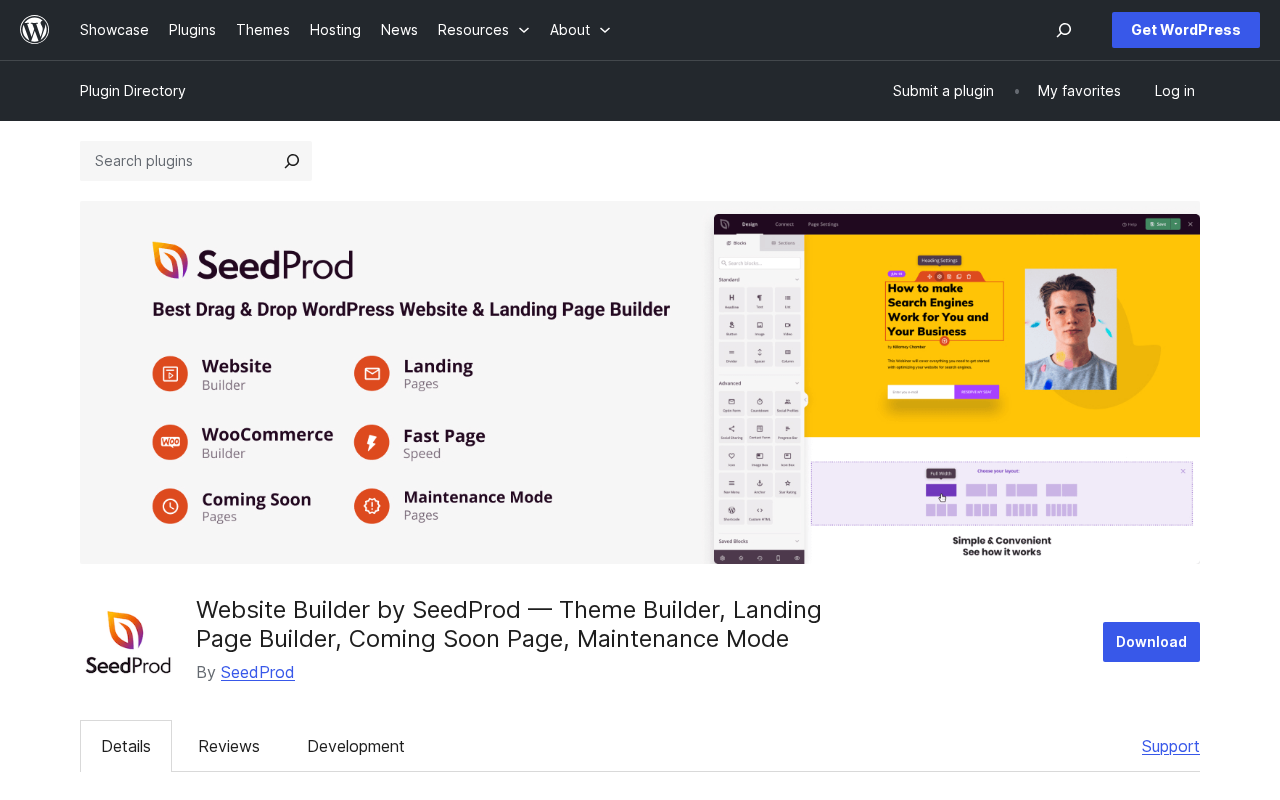
As of July 2026, the WordPress.org listing carries the name “Website Builder by SeedProd – Theme Builder, Landing Page Builder, Coming Soon Page, Maintenance Mode” and version 6.20.5, updated on July 14, 2026. The free plugin has over 700,000 active installs. SeedProd the company claims over 1,000,000 professionals use the plugin across its free and paid tiers combined, with 25 million total downloads across its product portfolio.
Who SeedProd is best for
SeedProd is a strong fit if you:
- Need to put up a coming soon or maintenance mode page quickly on a WordPress site, without touching a single line of code. The free plugin does this reliably and has done it for years.
- Run a coaching, consulting, or info product business and need high-conversion landing pages (opt-in pages, sales pages, webinar registration pages, thank you pages) that are easy to build and connect to your email marketing stack.
- Want a no-code WordPress website builder that provides complete control over headers, footers, post templates, and archives without buying a premium theme separately. The theme builder on Plus and higher plans covers this.
- Run a small marketing agency managing a handful of client sites and need a builder with solid template quality, access controls, and domain mapping without paying enterprise-level fees.
SeedProd is a weaker fit if you:
- Run a WooCommerce store and need custom product pages, cart pages, or checkout pages. WooCommerce support exists in SeedProd, but it is locked to the Elite tier at $599 per year at full renewal price. Elementor Pro, Beaver Builder, and Divi all include WooCommerce support on lower-priced plans.
- Need a form builder with conditional logic, multi-step forms, and submission management. SeedProd includes opt-in blocks that pass email addresses to your connected email service, but it is not a standalone form builder. You would need WPForms or Gravity Forms alongside it.
- Operate on a long-term budget and need predictable pricing. SeedProd uses promotional introductory pricing that does not reflect what you will pay when your license renews. A Pro plan at $199.50 in year one becomes $399 in year two. That context matters for budget planning.
- Want to build a large developer workflow or use the builder for client sites across many domains at a reasonable per-site cost. At Elite pricing, the 100-site cap works out reasonably, but the WooCommerce requirement forces you to the most expensive tier regardless of whether you need all 100 sites.
Setup and first impression
The free SeedProd plugin is called “coming-soon” on WordPress.org and installs from the standard plugin directory in the usual way. Search for “SeedProd,” click Install, activate. No theme swap required.
On activation, SeedProd adds a dashboard item to the WordPress admin sidebar. The first screen presents the SeedProd Dashboard, the central hub for all page types and settings. From here, you can set up Coming Soon mode, Maintenance Mode, a Login Page, or a 404 Page, and access the landing page builder and (on paid plans) the theme builder.
One important note from user feedback on WordPress.org: some users report that the setup process prompts installation of additional third-party plugins that auto-activate themselves. If this behavior is still present in your installation, deactivating and removing any plugins you did not intentionally install is straightforward but worth knowing about before you start.
The editor opens in a separate browser tab with a front-end preview of the page on the right and a block panel on the left. This is a clean, responsive interface. The layout navigation (a mini-map of the page structure) makes it easy to find your position on long pages. Live preview updates as you edit.
For the free tier, the experience is most functional when your goal is a coming soon or maintenance mode page. The landing page builder is present in the free version, but the template library is heavily restricted. One reviewer described the free landing page selection as “one bad design page,” which matches what you encounter in practice: the useful template library opens to require an upgrade.
Landing page builder
The landing page builder is the core product for paid SeedProd users. It builds standalone pages that live on your WordPress site but do not use your active theme. This is how most dedicated landing page builders work: the page is isolated from your theme’s header, footer, and sidebar, giving you full control over what the visitor sees.
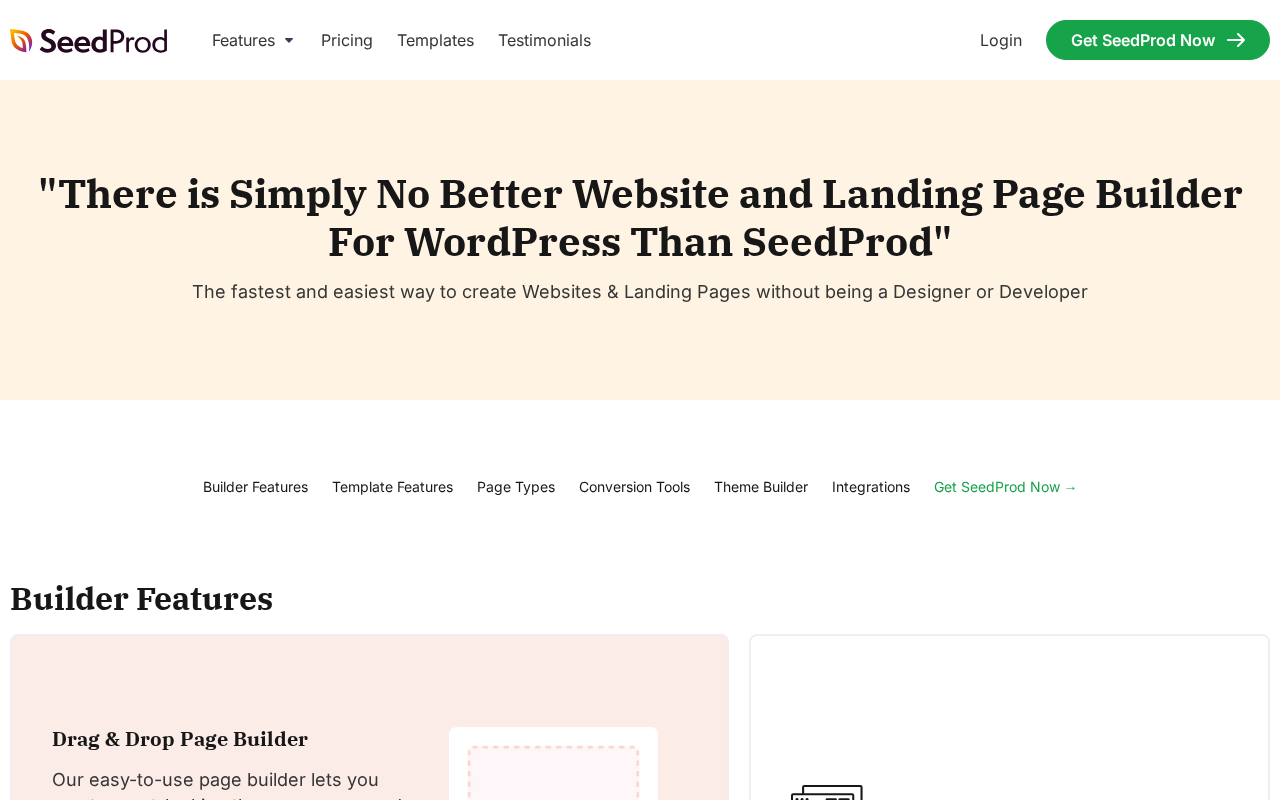
The builder uses a drag-and-drop front-end editor. You work in a live preview environment. Sections, rows, columns, and blocks are all adjustable in the canvas. The block panel on the left side of the screen gives you access to 90+ Pro blocks organized into categories: standard elements (headings, text, images, buttons, video), marketing blocks (optin forms, countdown timers, progress bars, star ratings, testimonials), social proof elements, WooCommerce blocks on Elite, and more.
Conversion-focused blocks include opt-in form blocks with direct connections to 15+ email marketing services, countdown timers (evergreen or fixed date), animated progress bars, animated headline effects, star ratings and testimonial blocks, social proof notification blocks, and ReCaptcha spam protection for form submissions.
Dynamic text personalization lets you change headline copy based on URL query parameters, which is useful for running separate ad campaigns that each see a slightly personalized version of the same landing page.
Template quality is genuinely good. The library offers 350+ options organized into categories: themes, landing pages, WooCommerce templates, and “others” (coming soon, maintenance, 404, login pages). Landing page templates span common use cases: sales pages, opt-in pages, webinar registration, video sales letters, product launch pages, and thank you pages. The design quality is modern and clean, not the generic stock-photo look many older builders defaulted to.
The builder includes revision history with one-click reverts, draft mode for working privately before publish, saved sections for reuse across pages, and cross-site copy/paste that lets you move sections from one SeedProd installation to another with automatic media import. Custom CSS is available at the element level for users who want to override styles. Animations (45+ effects) and shape dividers for section separators add design flexibility without requiring CSS knowledge.

Coming soon and maintenance mode
The coming soon and maintenance mode capabilities are the original SeedProd features and still the most compelling reason to use the free version.
Coming Soon mode displays your chosen coming soon page to all visitors who are not logged in. Logged-in administrators and editors see the actual site under construction. You can enable Coming Soon mode from a toggle in the SeedProd dashboard without installing a separate plugin.
The free coming soon page builder includes the drag-and-drop editor, a selection of coming soon templates, countdown timers, email opt-in blocks (though email service integrations like MailChimp and ActiveCampaign require a paid plan), and basic subscriber tracking. Maintenance mode works the same way, showing your maintenance page to visitors while you are working.
A bypass URL feature lets you share a secret link with clients or reviewers so they can see the real site during construction without needing a WordPress login. This is a practical feature for agency client reviews. Access controls (available on paid plans) extend this further: you can restrict access by IP address, user role, or password-protected URL.
One note on SEO: the coming soon page is accessible to search engines by default. If you want to prevent search engines from indexing an under-construction page, you need to manually configure the SEO settings or add a noindex directive within SeedProd’s settings.
Theme builder
The SeedProd theme builder is a paid feature available on Plus plans and above. It replaces your active WordPress theme’s structure with custom-designed template parts, giving you visual control over every part of the site: the header, footer, single post template, page template, archive template, and sidebars.
This is meaningfully different from a landing page builder. Landing pages are isolated from your theme. The theme builder replaces the theme structure entirely for the pages and post types you assign it to. SeedProd’s documentation confirms: “If you use the SeedProd WordPress Website Builder to build your website then a theme is not needed.”
In practice, this means you can build a complete WordPress site using SeedProd blocks and templates without buying or maintaining a separate premium theme. You design the global header once, assign it to all pages, and changes to that header template propagate across the site automatically. The same approach applies to footers, post templates, and archive layouts.
Display conditions let you assign different templates to different content types: a different header for the homepage than for blog posts, a custom layout for WooCommerce archive pages on Elite plans, and so on.
The theme builder is not available on the Basic plan ($79 per year at full price, 1 site). If theme building is your primary goal, you need Plus ($199 per year) or higher. This is an important distinction from competitors like Beaver Builder, which includes its Beaver Themer theme builder on all paid plans from the lowest tier.
Blocks library
The 90+ Pro blocks available in paid SeedProd plans cover a wide range of standard and marketing-specific elements. Confirmed block categories based on official feature documentation:
Standard blocks: Heading, Text, Image, Button, Video, Audio, Divider, Spacer, List, Icon, Social Profiles, Countdown Timer, Animated Headline, Progress Bar, Star Rating, Testimonials, Contact Form (basic), Login block.
Marketing/conversion blocks: Optin Form, Giveaway, Pricing Table, Before/After Image Slider, Image Carousel, Team Member, FAQ Accordion, Navigation Menu, Breadcrumbs, Hamburger Menu (mobile), Stripe Payment block.
WooCommerce blocks (Elite only): Product Grid, Cart, Checkout, Product Reviews, and related WooCommerce template blocks.
The free tier includes a subset of basic blocks suitable for the coming soon page use case. The landing page builder functionality in the free version is present but highly limited in terms of available templates and block variety.
AI features
SeedProd has integrated AI writing and image generation capabilities into the builder interface, available on paid plans.
The AI writing tool generates page copy from a prompt: enter a description of your business or page goal, and it produces headlines, body text, and call-to-action suggestions. It can also refine existing content, shorten or expand text, and handle tone adjustments. Translation is available for 50+ languages via ChatGPT integration.
The AI image generator uses DALL-E to create original images based on text prompts. This is built directly into the block editor, so you can generate an image asset without leaving the builder.
The AI website builder claims to generate a complete WordPress site in “60 seconds” from a description. In practice this means it generates a set of starting templates and content suggestions based on your prompt, not a fully finished production site. It is a starting point, not a finished product. But for users who find blank-canvas builders intimidating, having an AI-generated starting layout to modify is a genuine time saver.
Email marketing integrations
Email marketing integration is a core part of SeedProd’s value proposition for landing pages, particularly for lead generation. The plugin integrates natively with 15+ email marketing providers: ActiveCampaign, AWeber, Brevo (formerly Sendiblue), Campaign Monitor, Constant Contact, ConvertKit, Drip, GetResponse, iContact, Mad Mimi, MailChimp, MailerLite, Moosend, Sendy (self-hosted), and Zapier (3,000+ apps, on Pro and Elite plans).
The Zapier integration is particularly useful: any tool that connects to Zapier can receive subscriber data from SeedProd opt-in forms, which covers most CRMs, project management tools, and marketing platforms not in the native list.
Basic subscriber management is available in the free plugin, giving you a list of email addresses collected through your coming soon page form. Full email service integrations (including MailChimp and ActiveCampaign connections) require a paid plan.
WooCommerce builder
WooCommerce builder support is available on the Elite plan only, at $599 per year at full renewal price. This is the single most significant pricing restriction in SeedProd’s tier structure.
On Elite, you can build custom WooCommerce templates for product pages, archive pages, cart, and checkout. WooCommerce-specific blocks include Product Grid, Cart, Checkout, and product-related display elements. Easy Digital Downloads (EDD) is also supported on Elite for digital product sellers who prefer that platform over WooCommerce.
Domain mapping, which allows you to show a SeedProd landing page on a custom domain separate from your main WordPress install, is also an Elite-only feature.
For most WooCommerce store owners who want custom storefront design, there are cheaper alternatives. Elementor Pro includes WooCommerce builder support at $59 per year for a single site. Beaver Builder includes WooCommerce support on all paid plans starting at $89 per year. Divi Builder‘s WooCommerce shop page customization starts at $89 per year. SeedProd requires the $239.60 first-year Elite plan (renewing at $599) to access the same category of feature.
Pricing and license value
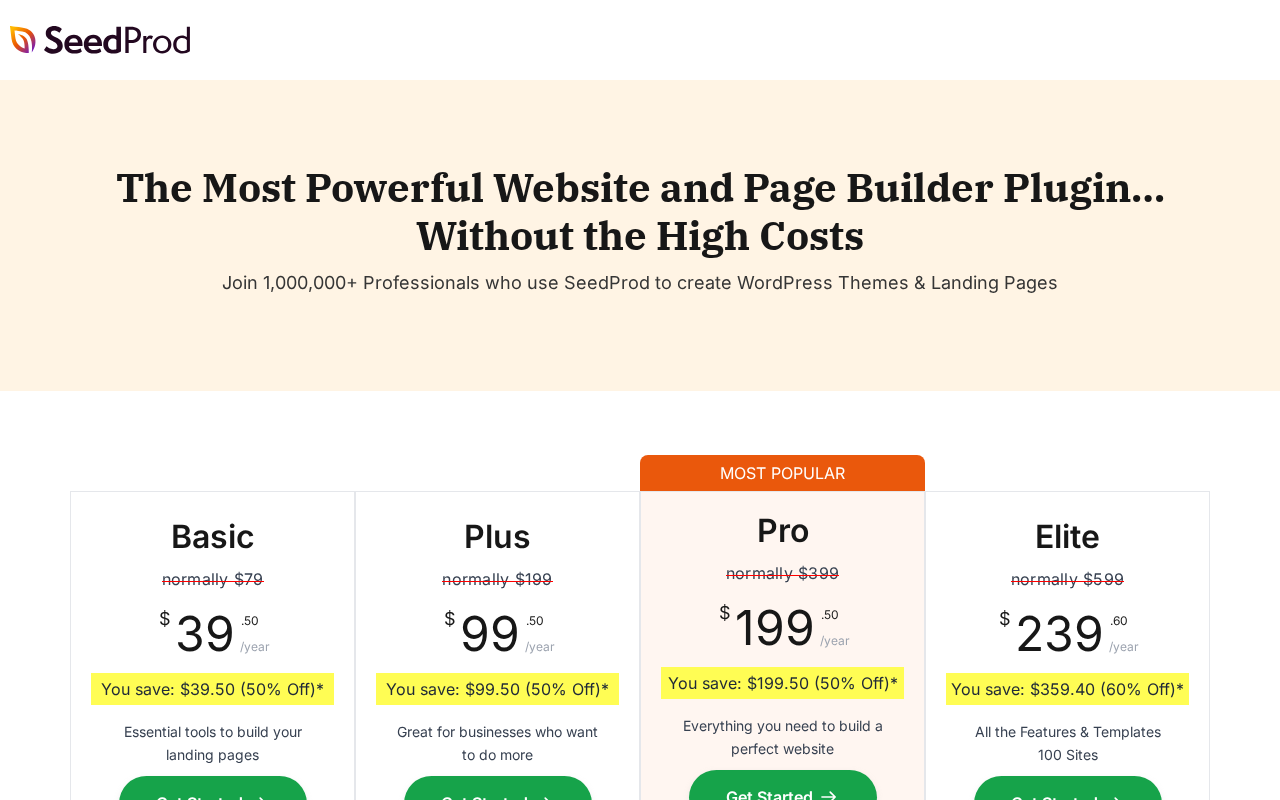
SeedProd uses introductory promotional pricing. The prices shown at checkout are significantly lower than the renewal prices you will pay from year two onward. Both numbers matter for budget planning.
| Plan | First year | Renewal (full price) | Sites | Theme builder | WooCommerce |
|---|---|---|---|---|---|
| Basic | $39.50 | $79 | 1 | No | No |
| Plus | $99.50 | $199 | 3 | Yes | No |
| Pro | $199.50 | $399 | 5 | Yes | No |
| Elite | $239.60 | $599 | 100 | Yes | Yes |
A few observations worth flagging:
The Basic plan at $79 per year (or $39.50 for the first year) is the cheapest entry point, but it excludes the theme builder and WooCommerce. If landing pages alone are your goal and you do not need theme building, this is the tier to evaluate.
The Plus plan ($199/year renewal) adds the theme builder and 3-site coverage, making it a reasonable option for small agencies or freelancers with a few client sites.
The Pro plan ($399/year renewal, 5 sites) adds 300+ templates, Zapier integrations, and priority support. For most individual power users, Pro is likely the ceiling unless WooCommerce is needed.
The Elite plan ($599/year renewal, 100 sites) is priced as an agency tier. The 100-site limit and WooCommerce/EDD/domain mapping features are its primary differentiators. The price gap between Pro ($399) and Elite ($599) is significant, particularly if WooCommerce is the only reason to upgrade.
Pros and cons
Pros
- Strong template library (350+ options) covering themes, landing pages, coming soon pages, and WooCommerce.
- Clean, fast drag-and-drop editor with live preview and layout navigation mini-map.
- Free coming soon and maintenance mode plugin with real utility at zero cost.
- 700,000+ active installs and 4.9-star rating on WordPress.org reflect genuine user satisfaction.
- 15+ email marketing integrations covering most major providers.
- Actively maintained: v6.20.5 released July 14, 2026, with regular changelogs and security fixes.
- AI writing and image generation built into the editor (paid plans).
- Cross-site copy/paste feature useful for agency workflows.
- 14-day money-back guarantee on all plans.
- Domain mapping available on Elite for advanced funnel and campaign setups.
Cons
- Free landing page builder is very limited in practice; the template library for landing pages requires a paid upgrade.
- WooCommerce support locked to Elite tier only ($599/year renewal), while most competitors include it on lower-priced plans.
- Theme builder excluded from the Basic plan.
- Introductory pricing is significantly lower than renewal pricing; year-two costs are materially higher.
- No standalone form builder with submission management; opt-in blocks send data to external email services only.
- Bundled plugin auto-installation reported by some users during setup.
- A stored XSS vulnerability in the nav-menu widget was found and fixed in v6.20.3 (June 2026); verify you are running the current version.
Alternatives
Elementor is the market leader with 10+ million active installs. The free version is meaningfully more capable than SeedProd’s free tier for page building. Elementor Pro starts at $59 per year for a single site and includes WooCommerce support, theme building, and a popup builder. The v4 Atomic Editor (2026) is a significant architectural improvement. If plugin ecosystem breadth matters, Elementor has the largest third-party addon market of any builder.
Beaver Builder is the stability-first option. It has a smaller template library and a slower feature release cadence than SeedProd, but its reputation for not breaking client sites on update day is genuine. Beaver Themer (the theme builder) is included on every paid plan starting at $89 per year, which makes it more accessible than SeedProd’s Plus plan for theme building. WooCommerce support is also included on all paid tiers.
Divi Builder from Elegant Themes is a strong visual builder at a competitive price point ($89/year or $249 lifetime for unlimited sites). The standalone Divi Builder Plugin is still on Divi 4 as of July 2026 while the Divi Theme has received the Divi 5 upgrade; verify the current state before purchasing if you need a specific Divi 5 feature. For agencies building many client sites, the lifetime unlimited license changes the math significantly.
OptimizePress is purpose-built for landing pages, sales funnels, and membership sites on WordPress. It is less of a general website builder and more of a marketing-funnel-specific tool. Pricing starts at $149 per year for one site. Worth evaluating if your primary use case is sales funnels, member portals, and course delivery rather than general site building.
Leadpages is a cloud-based landing page builder with WordPress integration via plugin. It is not a WordPress-native plugin; your pages live on Leadpages servers. Pricing starts at $37 per month, which is significantly higher. The advantage is that page performance does not depend on your hosting quality.
Final verdict
SeedProd is a well-built, actively maintained landing page and website builder with a genuine track record and a strong free coming soon page tool. If your primary goal is building a professional coming soon or maintenance mode page on WordPress, the free version does the job and has done it reliably since 2011. No other argument is needed.
For landing pages and full site building, the paid tiers offer real value, particularly on the template and integration fronts. The editor is clean, the templates are modern, and the email marketing integrations cover virtually every major provider. For solopreneurs and small businesses building landing pages and simple WordPress sites, the Plus or Pro plan is a capable option.
The caveats are real though. The WooCommerce pricing decision is the most frustrating structural choice: locking WooCommerce support to the $599-per-year Elite plan in a market where direct competitors include it at $89 to $99 makes SeedProd the wrong answer for most WooCommerce builders unless they genuinely need the 100-site Elite tier for other reasons. The introductory pricing creates sticker shock at renewal time that buyers should factor in before committing. And the absence of a built-in form builder means SeedProd works best as part of a stack that includes a dedicated form plugin.
For the right use case (coming soon pages, landing pages, and simple no-code websites for a small number of sites), SeedProd competes well. For WooCommerce and larger agency workflows, the pricing structure makes competitors a better fit.
See all our hands-on plugin reviews in the Reviews category.