

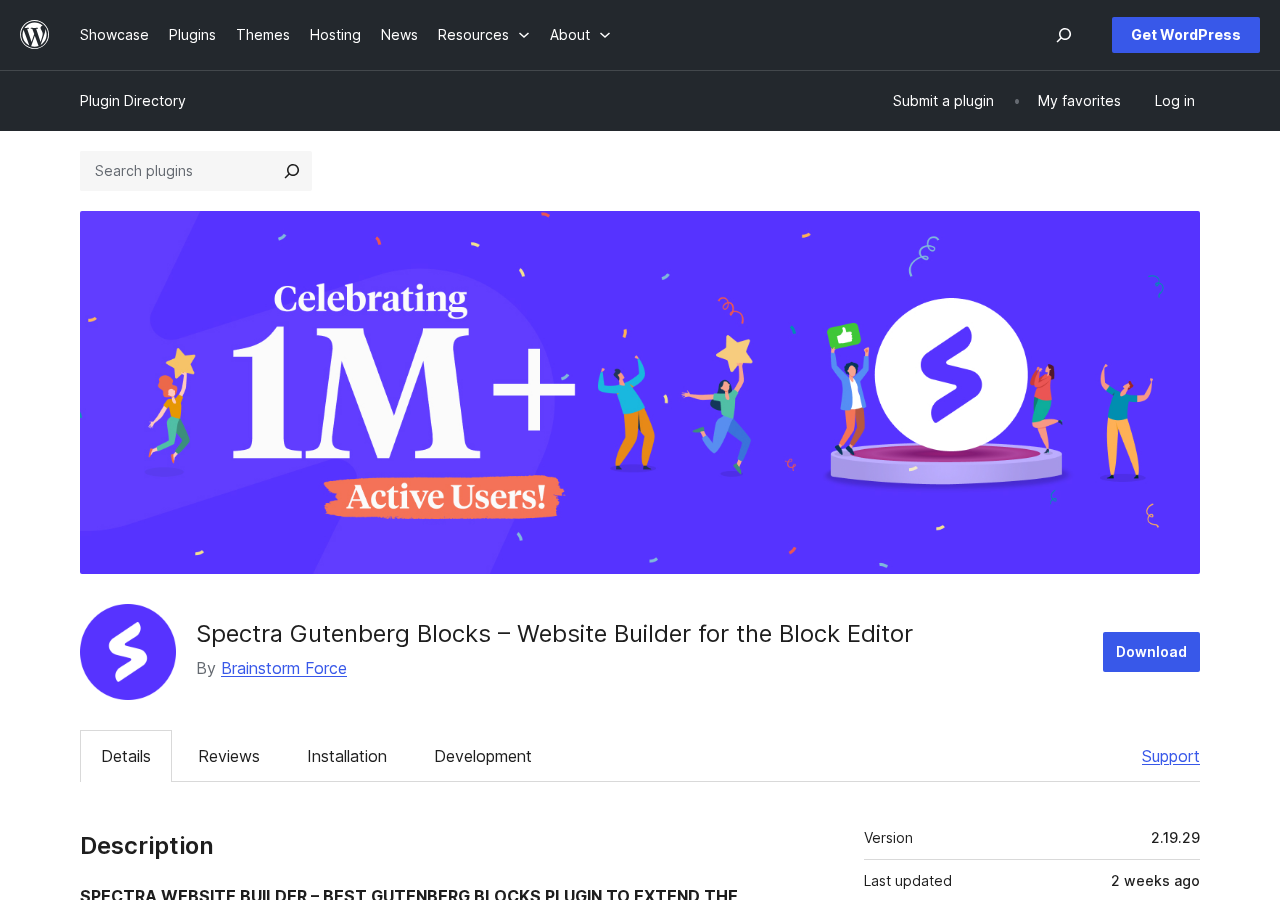
If you want to build inside the native WordPress block editor without switching to Elementor or another visual canvas tool, Spectra is one of the first names you will encounter. It has over 1 million active installations, 30+ free blocks, and a 4.7-star rating from nearly 1,900 reviews on WordPress.org. By any measure, it is one of the most successful Gutenberg block plugins available.
As of July 13, 2026, Brainstorm Force completed its major product transition. Spectra Blocks 1.0.0 and Spectra Blocks Pro 1.0.0 launched as the official stable release of what was previously in beta as “V3.” The new plugin ships with 15+ blocks, built-in AI features, and Global Styles, built on modern WordPress block editor standards. The original plugin (30+ blocks, 1 million-plus active installations) is now officially referred to as “Spectra Legacy” and remains actively maintained.
This review covers both. The section on the free block library and other free features describes Spectra Legacy (v2.19.29), the version most users currently have installed. A dedicated section covers the newly launched Spectra Blocks and Spectra Blocks Pro with their features and how they differ from Legacy.
I confirmed Spectra Legacy activates and loads cleanly in a WordPress.org Playground environment. Block feature details, editor behavior, and settings panels described throughout this review are sourced from Spectra’s official WordPress.org listing, published documentation, official product pages, and the Spectra whats-new changelog, rather than from hands-on block editing sessions. Pro features were researched from official product pages with clear disclosure below.
This is a review for someone deciding whether to install Spectra, which version to choose, or whether to upgrade to Pro.
Quick Verdict
At a glance
- Best for: WordPress users and small agencies building content-rich or marketing-focused pages inside the native block editor, especially on the Astra theme.
- Best free use case: Pages that need forms, popups, post grids, testimonials, countdown timers, and SEO schema blocks, all without leaving Gutenberg.
- Best paid use case: Full-site builds with Astra Pro, dynamic content via Loop Builder, and AI-assisted site generation through ZipWP.
- Standout: 30+ free blocks including a form builder and a popup builder. Most competing block plugins charge for these.
- Watch out for: The ecosystem now has two separate plugins. Spectra Legacy (30+ blocks, V2 architecture) and the newly launched Spectra Blocks (15+ blocks, AI-native, stable as of July 2026). Astra onboarding delivers Spectra Blocks; searching the Plugin Directory gives you Spectra Legacy. Know which one you are installing before you start building.
What Spectra Is
Spectra is a WordPress plugin that extends the native block editor with additional blocks and site-building tools. It was first released in June 2018 under the name “Ultimate Addons for Gutenberg” by Brainstorm Force. The plugin was later rebranded as Spectra to better reflect its growth from an addon collection into a full site-building platform.
Brainstorm Force is a Pune, India-based WordPress product company best known for the Astra theme, one of the most-installed WordPress themes with 2 million-plus active sites. Spectra is their block editor companion to Astra, though it works with any WordPress theme. Other products in the Brainstorm Force ecosystem include Starter Templates (free + premium), SureForms, SureMembers, SureCart, and ZipWP, an AI-powered site generator.
With 1 million-plus active installations and a 4.7-star average from 1,869 reviews (1,655 of which are five stars), Spectra is one of the most widely used Gutenberg block plugins on the market. It sits directly alongside Kadence Blocks as the two strongest free-tier options in this category.
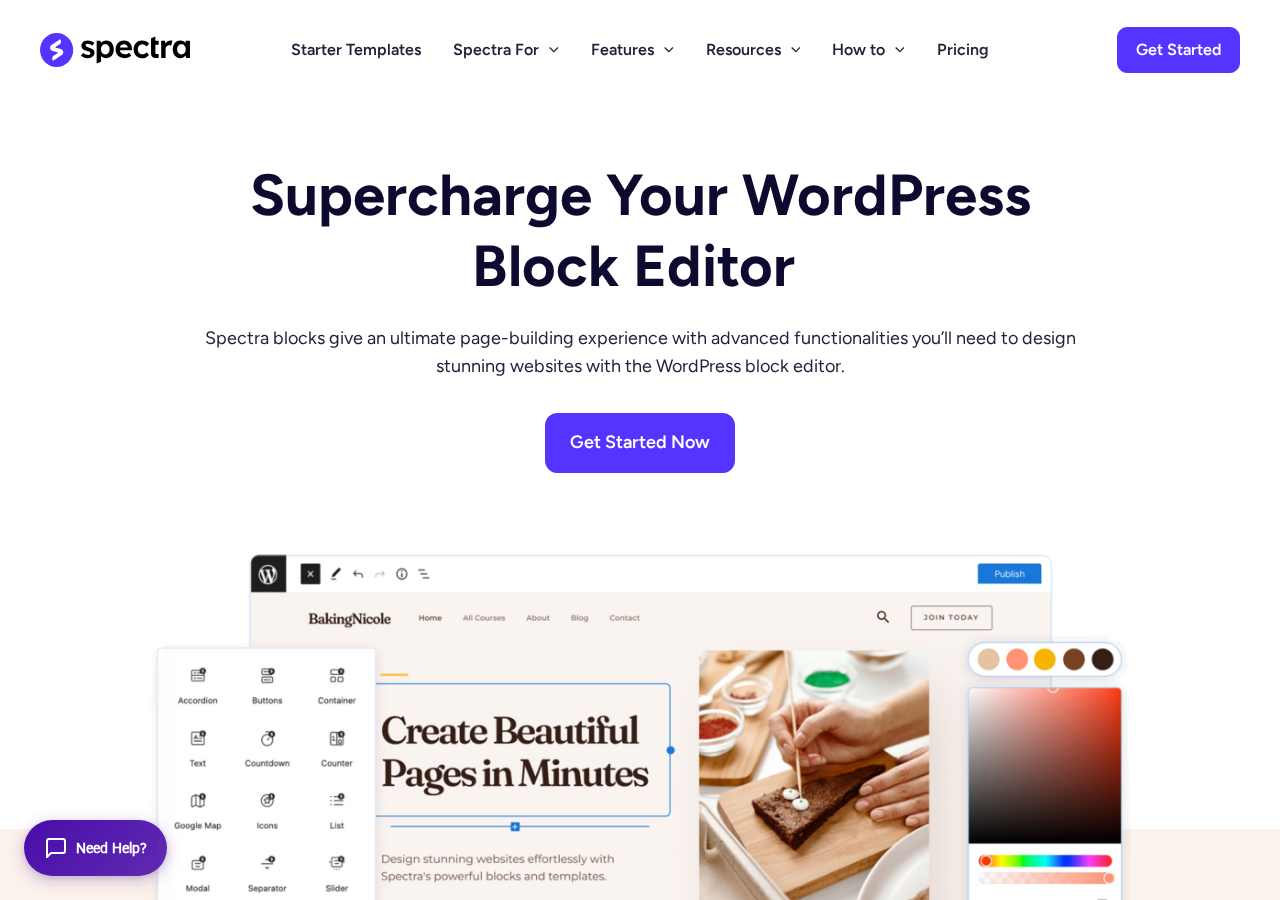
The plugin works by adding its blocks to the standard WordPress block inserter. You use the same WordPress editor you already know; Spectra just gives you more blocks and more design control inside it. Content stored in Spectra blocks is standard WordPress block markup, not a proprietary shortcode format. Deactivating the plugin leaves block markup in place rather than destroying the content.
As of July 2026, the Spectra ecosystem includes two separate plugins. Spectra Legacy (v2.19.29) remains actively maintained, with a security fix released June 30, 2026. Spectra Blocks launched as version 1.0.0 on July 13, 2026, as the official stable release of the rebuilt V3 architecture. Both are available to install. Astra’s onboarding flow delivers Spectra Blocks; searching for “Spectra” in the WordPress Plugin Directory gives you Spectra Legacy.
Who Spectra Is Best For
Spectra is a good fit if you:
- Build pages inside the native WordPress block editor and want richer design blocks without switching to Elementor or a drag-and-drop canvas tool.
- Use the Astra theme and want the official companion plugin that is designed to work alongside it.
- Need forms, popups, post grids, countdown timers, and testimonials blocks without paying for them.
- Are a freelancer or small agency building marketing sites, portfolios, or business pages where visual blocks reduce build time.
- Care about SEO schema markup and want FAQ, How-To, Review, and Table of Contents blocks that generate structured data.
- Are migrating from Elementor and want a Gutenberg-first replacement that does not require building everything from scratch.
Spectra is a weaker fit if you:
- Want a visual drag-and-drop canvas experience where you click and place elements on a full-page preview. Spectra works inside Gutenberg, not as a separate canvas.
- Are starting a new project today and want the most future-proof architecture. V3 is the cleaner technical starting point; V2, while stable, is the legacy branch.
- Need complex dynamic content from custom fields right now. Loop Builder and dynamic content features are behind the Pro paywall.
- Are an experienced developer who prefers writing clean CSS and PHP. Adding a block plugin layer is extra overhead you likely do not need.
Setup and First Impression
Installing Spectra via the WordPress Plugin Directory is a standard two-click process: search, install, activate. No account creation is required for the free version, and the plugin does not add any forced upsell during activation.
After activation, Spectra adds its blocks to the standard block inserter under a Spectra section. A Spectra menu item appears in the WordPress admin sidebar, leading to the plugin’s settings panel where you can enable or disable individual blocks, configure global settings, and access the starter templates library.
One important note about which plugin you get: Spectra now exists as two separately installable plugins. Astra’s onboarding flow delivers Spectra Blocks (1.0.0, 15+ blocks, the new stable product). Searching “Spectra” in the WordPress Plugin Directory gives you Spectra Legacy (v2.19.29, 30+ blocks). If you need the full V2 block set (Post Grid, Social Share, Image Gallery, Testimonials), install Spectra Legacy directly from the Plugin Directory. If you want the AI-native rebuild with Global Styles and the new architecture, install Spectra Blocks.
The V2 block editor experience is clean. Spectra blocks appear in the inserter with clear category groupings and meaningful names. The block settings panels in V2 use a General, Style, and Advanced tab structure that Spectra’s own community considers intuitive and well-organized. Responsive controls (desktop, tablet, mobile settings) are available on every major block. A “Global Block Styles” setting in the Spectra dashboard lets you set site-wide defaults for padding, font size, and button color so you are not restyling every block from scratch.
Performance is handled architecturally: Spectra’s module system only enqueues the CSS and JavaScript for blocks that actually appear on the current page. A post using only Heading and Icon List blocks does not load the gallery scripts, countdown scripts, or testimonials scripts. This is a meaningful design choice for performance on multi-type sites.
The Free Block Library (V2)
The free Spectra plugin includes 30+ blocks organized into eight categories. Here is what each category covers.
Core Blocks
These are the foundation-level blocks most sites use on every page.
Container. A flexbox-based wrapper block for creating column and section layouts. The Container block supports background colors, gradient overlays, background images and videos, shape dividers, full-width and inner-width control, sticky positioning, and border and shadow styling. Responsive padding and margin are set per device. This is the block you use to build hero sections, two-column feature layouts, and content grids.
Advanced Heading. Extends the native Heading block with per-device font size, gradient and background text colors, text shadow, dual-color heading support (mix two colors within the same heading), multiple heading levels without changing the block, and a highlight feature for calling out a specific word or phrase in a contrasting color or style. Useful for hero headings and section titles that need more design expression than the core Heading block allows.
Image. Enhanced image block with hover effects, overlay colors, custom captions, border and shadow controls, and alignment and sizing options beyond the native Image block.
Icon. Access to FontAwesome v6 icons. You control icon size, color, background shape (circle, square, rounded), border, and padding. Useful for feature grids, service sections, and button-adjacent icon labels.
Buttons. Advanced multi-button block. Place multiple buttons side-by-side, style each independently with gradients, borders, and hover states, and add icons to any button from the FontAwesome library.
Info Box. An icon or image paired with a title, description, and “learn more” link. You set the static state and the hover state separately. Used for feature cards, service grids, and team member cards.
Call to Action. A dedicated block for CTA sections: headline, description, button, and background, combined into one styled unit. Useful for conversion-focused sections on landing pages.
Countdown. A countdown timer block. The free version supports fixed-date countdowns, which display a clock ticking toward a specific calendar date.
Creative Blocks
Star Ratings. A visual star rating block with control over star count, selected stars, size, and color. Used on review pages and testimonial sections.
Marketing Button. An extended button with an icon, prefix text, and main button text stacked in one block. Different from the standard Buttons block in that it is designed for a single high-emphasis CTA with more visual complexity.
Icon List. A list of text items with individual icon assignments from the FontAwesome library. A more visually distinct alternative to the native WordPress list block.
Image Gallery. Grid, masonry, and carousel display modes. Controls for image size, gutter spacing, lightbox behavior (click to open full-size), and link targets. The carousel and slider modes are swipe-enabled.
Lottie Animations. Import a Lottie JSON file from the web or your media library and embed an animation. Controls for autoplay, loop, scroll-trigger, hover-trigger, animation speed, and dimensions.
Content Blocks
Slider. A full-page or section-level content slider. Each slide can contain other blocks, background images, and overlay colors. Standard swipe and arrow navigation.
Content Timeline. A visual timeline block for displaying steps, milestones, events, or processes in a chronological line. Useful for how-it-works sections, case studies, and history pages.
Google Maps. Embed a Google Map with a custom location, zoom level, and control for whether the interface controls display.
Inline Notice. A styled notice or alert box (info, success, warning, error variants) for inline content messages.
Tabs. Horizontal tab layouts where each tab contains open-canvas content accepting any WordPress block. Controls for tab styling, active state color, border, and alignment.
Taxonomy List. A block that displays the taxonomy terms (categories, tags, or custom taxonomies) assigned to the current post or page.
Price List. A formatted list of products or services with name, description, and price columns. Designed for restaurant menus, service listings, and simple pricing tables.
Post Blocks
Post Grid. Displays recent or filtered posts in a grid layout. Control post count, category filter, columns, card layout (image, excerpt, date, author, read more), and sort order.
Post Carousel. Same post query options as Post Grid, in a swipe-enabled carousel format.
Post Masonry. A masonry (Pinterest-style) layout for post grids where cards vary in height based on content length.
Post Timeline. Posts displayed along a visual timeline, useful for news feeds, event histories, and blog archives with a chronological emphasis.
Counter. An animated number counter that triggers when the element scrolls into view. Used for “by the numbers” social proof sections.
Modal. A button-triggered popup modal that can contain any WordPress block content. Supports custom styling for the overlay, modal container, and close button.
Social Blocks
Instagram Feed. Displays your Instagram posts in a grid or carousel. Requires an Instagram account connection.
Blockquote. A styled quote block with author attribution, source link, and left-border or background styling options.
Social Share. Adds social sharing buttons to any page or post. You choose which platforms to include and style the buttons.
Team. A team member block displaying a photo, name, role, description, and social media links. Supports grid display for multiple team members.
Testimonials. Client or customer testimonials in grid or carousel format. Each testimonial includes avatar, name, role, quote, and star rating.
Form Blocks
Contact Form. The free Spectra plugin includes a form builder block. You can build contact forms and lead capture forms with text, email, textarea, number, phone, and date fields. reCAPTCHA v3 support is built in. Form submissions trigger email notifications to the site admin.
This is one of Spectra’s most notable free features. Most competing Gutenberg block plugins (including GenerateBlocks) do not include a form builder at all. Having a basic contact form in the free tier means one fewer plugin for standard contact pages.
The free form block covers basic use cases. It does not include a submissions database (emails only), complex conditional logic, or direct integrations with email marketing tools out of the box. For those, you would need a dedicated form plugin or Spectra Pro’s extended form capabilities.
SEO Blocks
FAQ. An accordion-style FAQ block with built-in FAQ schema markup. Search engines can read the questions and answers as structured data, which supports FAQ rich results in search.
How-To. A step-by-step instructions block with How-To schema markup. Each step includes a title, description, and optional image.
Review. A block for writing structured product or service reviews with star ratings, pros and cons, and Review schema markup.
Table of Contents. Reads the heading blocks on the current page and auto-generates a linked ToC. You control which heading levels to include, the ToC title, and the collapse behavior.
Dynamic Content (Post Builder)
The Post Builder category exposes blocks for displaying dynamic data from WordPress’s own fields (post title, author, featured image, etc.) on template pages. These are used when building post templates or archive pages inside Spectra’s page-building flow.
Other Free Features
Beyond the block library, the free Spectra plugin includes several site-building features that extend what the blocks alone can do.
Popup Builder. Separate from the Modal block, the Popup Builder is a dedicated tool for creating popups that appear based on triggers: page load delay, scroll percentage, exit intent, or manual button click. You design the popup content using any Spectra or core block. Display targeting rules let you show a popup only on specific pages, post types, or user states.
Having a popup builder in the free tier is unusual. Most WordPress popup tools are standalone plugins with their own pricing. Spectra’s inclusion of it in the free package reduces the total plugin count for sites that need basic lead capture or announcement popups.
Coming Soon mode. A utility feature that replaces the site’s public-facing pages with a single “coming soon” page for logged-out visitors. Useful for sites in construction without installing a separate maintenance mode plugin.
Block patterns. Spectra provides a library of pre-built page section patterns that you can import into any page from the block editor. These are block-based (not proprietary), so you can edit everything after importing.
Wireframes. A set of structural wireframe patterns for planning page layouts before adding real content. Each wireframe is a block pattern using placeholder shapes and text.
Spectra Copy Paste. After styling a block with specific fonts, colors, spacing, and borders, you can copy those styles and paste them onto another block of the same type. This saves repetitive styling work when building pages with consistent visual components.
Load Google Fonts locally. A setting in the Spectra dashboard downloads Google Fonts to your server and serves them locally instead of loading them from Google’s CDN. This improves privacy compliance (GDPR) and can improve performance by reducing external requests.
Starter Templates integration. The free Spectra plugin connects to the Starter Templates library (Brainstorm Force’s free template collection). You can import a complete ready-made site design, replacing the content with your own. The Starter Templates library includes 300+ designs across categories including business, portfolio, restaurant, ecommerce, and blog.
Animations. Free users have access to a selection of scroll-triggered entrance animations (fade in, slide in, zoom, flip) that can be applied to any block. The animation triggers when the block scrolls into view.
Global block styles. A settings panel in the Spectra dashboard lets you set site-wide defaults for Container padding, Button colors and border radius, and content width. Set these once and they apply every time you add a new block, reducing per-block style setup.
Spectra Blocks: The New Stable Plugin
On July 13, 2026, Brainstorm Force launched Spectra Blocks 1.0.0 and Spectra Blocks Pro 1.0.0. This is the official stable release of what was in beta throughout the first half of 2026 as “V3.” It shipped one day before this review was completed.
Spectra Blocks is not an update to Spectra Legacy. It is a separate plugin built from scratch on modern WordPress block editor standards (apiVersion 3, iframe editor, WordPress 7.0 compatibility). The goals: cleaner HTML output, a smaller DOM, AI-native workflows, and long-term alignment with WordPress core.
What Spectra Blocks 1.0.0 (free) includes:
The free Spectra Blocks plugin ships with 15+ blocks: Container, Content, Buttons, Accordion, Tabs, Slider, Modal, Countdown, Counter, Icons, List, Separator, Google Map, Popup Builder, Post, and more.
This is fewer than Spectra Legacy’s 30+ specialized blocks, but the approach is different. Many layouts that Legacy handles with dedicated blocks (testimonial carousels, timeline sections, gallery grids) are handled in Spectra Blocks through a patterns library of 150+ prebuilt patterns that you can import and customize inside the editor.
Additional Spectra Blocks free features:
- Global Styles. Site-wide color, typography, and spacing settings managed from within the plugin. Similar to WordPress’s own theme.json but with a visual controls panel accessible directly from the dashboard.
- AI-powered features. Built-in AI assistance for content generation and design decisions directly in the editor.
- Theme compatibility. Works with Astra and all major WordPress themes, not just Astra.
What Spectra Blocks Pro 1.0.0 adds:
- Loop Builder. Dynamically display posts, custom post types, or any content with full layout control, filtering, sorting, search, and pagination.
- Mega Menu. Build rich, fully customizable navigation menus using any block inside the editor. Not available in Spectra Legacy Pro.
- Login Form. An Ajax-based login form with reCAPTCHA support and advanced styling.
- Registration Form. A complete user registration experience with auto-login, email customization, reCAPTCHA, and advanced validation.
- SVG Animator. Bring SVGs to life with scroll-triggered and entrance animations. Not available in Spectra Legacy Pro.
Relationship to Spectra Legacy:
Spectra Legacy (v2.19.29, 30+ blocks) is the right choice for any existing site built on the V2 block set. It remains actively maintained and security-patched. You do not have to migrate to Spectra Blocks to keep a site running.
Spectra Blocks is the forward-looking choice for new installations. The architectural improvements (smaller DOM, cleaner HTML, modern editor integration) and the built-in AI tools make it the right foundation for new sites in 2026 and beyond. The patterns library covers many layout needs that the smaller block count might otherwise leave open.
Install routing: Astra onboarding flow delivers Spectra Blocks by default. Searching “Spectra” in the WordPress Plugin Directory gives you Spectra Legacy. Both plugins can coexist on the same WordPress install, though running both simultaneously is not necessary for most sites.
Pro Features
Spectra has two Pro upgrade paths depending on which plugin you use. Spectra Blocks Pro (for the new Spectra Blocks plugin) launched on July 13, 2026, and its features are covered in the Spectra Blocks section above. The following describes Spectra Legacy Pro, the Pro upgrade for users on Spectra Legacy (V2).
Spectra Legacy Pro features were researched from the official wpspectra.com product pages; I could not test Pro features directly in this review.
Loop Builder. The most frequently highlighted Pro feature. Loop Builder is a dynamic content engine that lets you query posts, custom post types, or WooCommerce products and display them in a customizable grid, list, or carousel. You control the query (category, tag, author, date range, custom field filters) and design each item’s layout using the Spectra blocks. This is the feature that makes Spectra viable for directory sites, product listing pages, and advanced blog archive templates.
Login and Registration forms. The free form block handles basic contact forms. Pro adds login and user registration form blocks, which replace the need for a separate membership or WooCommerce registration plugin for sites with user accounts.
Dynamic Content Extension. Pull data from ACF (Advanced Custom Fields), custom post meta, WooCommerce product data, and WordPress post fields into any Spectra block on template pages. Used for building post templates, product pages, and CPT-based directory listings.
Advanced form integrations. Pro expands the form block with integrations for email marketing tools and CRM platforms.
Site builder AI (ZipWP). Available with the Essential Toolkit and Business Toolkit plans (not Spectra Pro standalone). ZipWP is Brainstorm Force’s AI site generator: you describe what you want, and ZipWP builds a complete WordPress site with images, content, and design already in place. Blueprint sites (save your best builds as reusable templates) and Sandbox sites (temporary environments for testing) are also part of the AI platform tier.
Pricing
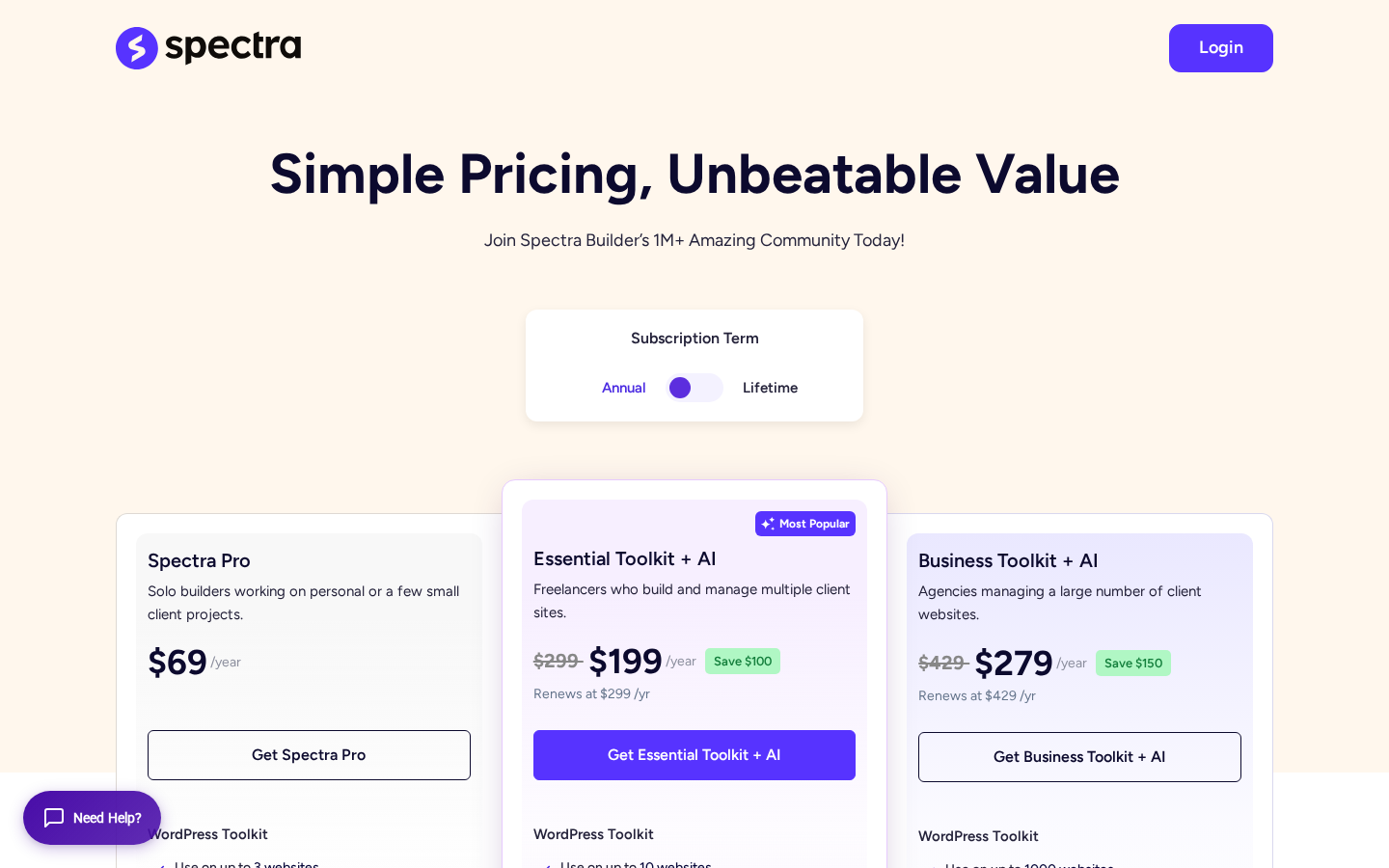
Spectra offers three paid plans as of July 2026. All include a 14-day money-back guarantee. Verify current prices and inclusions at wpspectra.com/pricing/ before purchasing.
Free
The free Spectra Legacy plugin is at wordpress.org/plugins/ultimate-addons-for-gutenberg/ and includes all the blocks and features described in this review. No account is required. The free Spectra Blocks plugin (1.0.0) is a separate install available on the WordPress Plugin Directory.
Spectra Pro ($69/year or $319 one-time)
Spectra Legacy Pro for up to 3 websites. Adds Loop Builder, dynamic content extension, login and registration form blocks, and advanced form integrations. This is a standalone Spectra plan; it does not bundle Astra Pro, Starter Templates, or Ultimate Elementor Addons. Verify current AI feature inclusions at wpspectra.com/pricing/ before purchasing.
Essential Toolkit + AI ($199/year introductory, renews at $299/year; or $549 one-time)
The most popular plan. Includes Spectra Pro, Astra Pro, Premium Starter Templates, and Ultimate Elementor Addons for up to 10 websites, plus the AI platform: 5 Blueprint sites, 5 Sandbox sites, ZipWP site generation, 2 hosted WordPress websites, 1 domain name (1 year), and priority support. Does not include SureForms Agency or AI Site Planner (AI Site Planner is a Business Toolkit feature).
Business Toolkit + AI ($279/year introductory, renews at $429/year; or $799 one-time)
Scales to 1,000 websites. Adds SureForms Agency to the toolkit bundle alongside Spectra Pro, Astra Pro, Premium Starter Templates, and Ultimate Elementor Addons. Upgrades the AI platform to 20 Blueprint sites, 20 Sandbox sites, the full AI Site Planner (“Idea to Site”), 5 hosted WordPress websites, 1 domain name (1-year), and VIP priority support.
Pricing context: Spectra Pro at $69/year is a standalone Spectra Legacy Pro plan, not a bundle. Kadence Blocks Pro requires the $99/year Essentials bundle (Kadence Theme + Blocks Pro bundled together). GenerateBlocks Pro starts at around $39/year but covers only the block plugin with no form builder, popup builder, or Pro dynamic content features. The Essential Toolkit at $199/year introductory is where the bundled value becomes clear: it adds Astra Pro, Premium Starter Templates, and Ultimate Elementor Addons alongside Spectra Pro, plus the ZipWP AI platform and hosted site infrastructure. If you only want Spectra Legacy Pro features, Spectra Pro at $69/year is the right plan.
| Plan | Annual | Lifetime | Sites | Key additions over free |
|---|---|---|---|---|
| Spectra Pro | $69/yr | $319 | 3 | Loop Builder, dynamic content, login/registration forms |
| Essential Toolkit + AI | $199/yr (renews $299) | $549 | 10 | Spectra Pro + Astra Pro + Starter Templates + UE Addons + AI platform (ZipWP, 2 hosted sites, domain, priority support) |
| Business Toolkit + AI | $279/yr (renews $429) | $799 | 1,000 | Above + SureForms Agency + AI Site Planner, 5 hosted sites, VIP support |
Performance
Spectra’s approach to performance is module-based: the plugin only enqueues CSS and JavaScript files for blocks that appear on the current page. A page that uses only Container, Heading, and Buttons blocks does not load gallery scripts, countdown scripts, or the testimonials slider. This reduces page weight on single-purpose pages compared to plugins that load a single large asset bundle on every request.
Spectra Blocks 1.0.0 goes further in this direction. Brainstorm Force’s stated goals for the new architecture include a smaller DOM size, cleaner HTML output without extra wrapper divs, and better alignment with the WordPress core rendering architecture. The Spectra Legacy Info Box block, for example, uses several nested wrapper divs by design; the Spectra Blocks equivalents use fewer containers through composable atomic blocks.
Community data on performance is positive but qualified. Several WordPress.org reviewers mention switching from Elementor to Spectra plus Astra and observing improved PageSpeed Insights scores on mobile. These are anecdotal, not controlled benchmarks, and the result varies heavily by host, caching configuration, and page complexity.
What is consistently accurate:
- Spectra adds less overhead than Elementor or Divi on equivalent content pages, because it does not ship a separate rendering engine.
- Pairing Spectra with the Astra theme produces an efficient shared-styles setup where the theme and plugin avoid duplicating CSS.
- A caching plugin (WP Rocket, LiteSpeed Cache, or Astra’s built-in performance settings) is still recommended for Core Web Vitals compliance on complex pages.
One performance complaint in the 1-star reviews is worth noting: one reviewer describes the editor becoming slow to use on complex pages, and that the Pro version did not improve the editor experience. Editor performance is separate from front-end performance, and complex pages with many blocks can slow the Gutenberg editor regardless of which plugin you use. This is a Gutenberg editor constraint as much as a Spectra-specific issue.
Honest Drawbacks
The two-plugin ecosystem requires deliberate install choices. Spectra Legacy (30+ blocks, V2 architecture) and Spectra Blocks (15+ blocks, V3 stable) are now two separate plugins with different block sets, different settings UIs, and different Pro upgrade paths. Users who install via Astra onboarding get Spectra Blocks; users who search the Plugin Directory get Spectra Legacy. This is a cleaner situation than the silent V3 beta install problem from earlier in 2026, but it still requires you to know which plugin to install before you start building. If you pick the wrong one and begin building pages, migrating to the other plugin is not trivial.
Spectra Blocks has 15+ blocks vs Spectra Legacy’s 30+. The patterns library covers many of the use cases that missing blocks would otherwise leave open, but if you need Testimonials, Post Timeline, Content Timeline, Star Ratings, or Price List as dedicated blocks, those do not exist in Spectra Blocks 1.0.0. They exist in Spectra Legacy. The architectural tradeoff is real: Spectra Blocks is cleaner and more future-proof, but Spectra Legacy has more ready-made block options today.
The free form block is basic. Having a form builder in the free tier is a genuine differentiator. But the free form does not log submissions to a WordPress database, lacks conditional logic, and has limited integration with email marketing platforms. For a simple “Contact Us” page it is enough. For any lead capture workflow that needs automation or submission records, you will need a dedicated form plugin or Spectra Pro.
Some 1-star reviews mention update-related site breakage. One reviewer describes a site breaking after an update that was not fixed for several months. Another mentions white screen of death after a version update. These are the most serious complaints and worth acknowledging, though they represent a small fraction of the overall review volume. The plugin’s support resolution rate (12 out of 13 issues resolved in the last two months) is high. The severity of those few breaking update reports should be weighed against a 4.7-star average from 1,869 reviews.
Bundled plan pricing is promotional. The Essential Toolkit + AI at $199/year is an introductory price. The renewal rate is $299/year. The Business Toolkit + AI renews at $429/year. Both represent significant increases over the intro rate. Budget at the renewal price, not the promotional rate.
The AI site builder is bundled, not standalone. If you only want Spectra Pro and the AI site generation (ZipWP), there is no plan that sells just those two. ZipWP access comes with the Essential Toolkit or Business Toolkit, which also bundle Astra Pro and Premium Starter Templates. If you have no use for Astra Pro or the starter templates library, you are paying for bundled tools you will not use.
No nestable accordion in the Spectra Legacy free tier. One 1-star reviewer specifically flagged the absence of nestable accordion support in V2. Spectra Blocks 1.0.0 includes an Accordion block; verify whether nested accordion support is available in the current release if this is a requirement.
Alternatives
Kadence Blocks (free + $99/year Essentials bundle). The most direct comparison in this category. Kadence Blocks also includes 25+ free blocks and a free form builder. The key differences: Kadence Blocks does not include a free popup builder (Spectra does); Kadence’s Pro upgrade ($99/year) costs more than Spectra Pro ($69/year) and comes bundled with the Kadence Theme whether you want it or not; the Liquid Web rebrand in May 2026 introduced real user friction for Kadence. Spectra’s free tier is slightly wider; Spectra’s standalone Pro price is lower. If you use Astra, Spectra is the natural choice. If you use Kadence Theme, Kadence Blocks is.
GenerateBlocks (free + Pro from ~$39/year). Takes the opposite approach: just four blocks (Container, Grid, Headline, Button) that do everything through flexible CSS. Leaner DOM output than any other option here. Best for performance-focused developers who want maximum control with minimal plugin overhead. Not suitable if you need ready-made specialized blocks like testimonials, timelines, or SEO schema.
Elementor (free + Pro from ~$59/year). Not a direct comparison since Elementor replaces the block editor rather than extending it. Elementor has a visual drag-and-drop canvas, a larger addon ecosystem, and more total template options. It also adds more page weight and a proprietary content layer. If you want to stay inside Gutenberg, Spectra is the better choice. If you want a fully visual canvas experience, Elementor is the more proven option.
Greenshift (free + Pro from ~$59/year). A newer block plugin with a strong animation and dynamic content focus. Competitive free tier and Pro pricing. Worth evaluating if scroll effects and complex animation sequences are a primary requirement. Smaller community and documentation footprint than Spectra.
Pros and Cons
Pros
- 30+ free blocks in Spectra Legacy: one of the widest free block sets in this category.
- Free popup builder included in both Spectra Legacy and Spectra Blocks: most competing plugins charge for popups.
- Free form builder in Spectra Legacy: a differentiator against most Gutenberg block plugins.
- Spectra Blocks 1.0.0 launched July 2026 with cleaner DOM, AI-native features, Global Styles, and a modern architecture.
- Per-page asset loading keeps performance clean on varied page types (both Legacy and Blocks).
- SEO schema blocks (FAQ, How-To, Review, Table of Contents) are free in Spectra Legacy, useful for organic search.
- Strong Astra theme integration: shared styles, efficient combined CSS, and unified Brainstorm Force support.
- 1 million-plus active installations, 4.7-star rating, strong support resolution rate.
- Spectra Pro at $69/year covers Spectra Legacy Pro features for up to 3 sites. Essential Toolkit at $199/year introductory bundles Astra Pro, Starter Templates, and UE Addons alongside Spectra Pro for 10 sites.
- Free Google Fonts local loading for GDPR compliance and reduced external requests.
- Spectra Copy Paste saves real time on multi-page builds with consistent styling.
- Works with any WordPress theme, not just Astra.
Cons
- Two-plugin ecosystem (Spectra Legacy + Spectra Blocks) requires a deliberate install choice: different block sets, different Pro paths, different install routing.
- Spectra Blocks has 15+ blocks vs Spectra Legacy’s 30+; some specialized blocks (Testimonials, Post Timeline, Star Ratings, Price List) exist only in Legacy for now.
- Spectra Blocks settings UI uses a different panel structure than V2; longtime Legacy users will need to adjust.
- Free form block (Spectra Legacy) does not log submissions; no conditional logic; limited email marketing integrations without Pro.
- Promotional pricing on bundled plans (Essential, Business) renews at significantly higher annual rates. Budget at $299 or $429, not the intro price.
- AI site builder (ZipWP) is only available on bundled toolkit plans; no standalone purchase option.
- Some update-related site breakage reports in older 1-star reviews.
- No nestable accordion in the Spectra Legacy free tier.
Final Verdict
Spectra remains one of the strongest free-tier Gutenberg block plugins available. Spectra Legacy offers 30+ blocks including forms, popups, post grids, testimonials, SEO schema blocks, and countdown timers at no cost. Spectra Blocks, which launched stable on July 13, 2026, adds a cleaner architecture, Global Styles, built-in AI features, and a Pro tier with Mega Menu and SVG Animator. Together, the two plugins cover more ground than any single competing option in the free tier.
The practical decision in July 2026:
- For new sites on Astra: Spectra Blocks (1.0.0) is the forward-looking choice. The architecture is modern, the block count will grow as the product matures, and the AI features are built in. Use the patterns library to cover layouts that dedicated blocks would otherwise handle.
- For existing sites on Spectra Legacy (V2): No migration is required. Spectra Legacy is actively maintained and will continue to receive updates. Migrate to Spectra Blocks when the block set has grown to meet your needs or when you start a new project.
- For sites needing Testimonials, Post Timeline, Content Timeline, Star Ratings, or Price List as dedicated blocks today: Spectra Legacy is still the right install until Spectra Blocks expands its block library.
Spectra Pro at $69/year is a standalone entry point for Spectra Legacy Pro features on up to 3 sites. The Essential Toolkit at $199/year introductory (renews $299) is where bundled value becomes clear: Astra Pro, Premium Starter Templates, and Ultimate Elementor Addons alongside Spectra Pro, plus the ZipWP AI platform and hosted infrastructure for 10 sites. Budget at the renewal rate ($299 for Essential), not the introductory rate.
For Gutenberg-first building on Astra, Spectra (Legacy or Blocks depending on your project stage) is the default recommendation. For theme-agnostic builds prioritizing performance ceiling, Kadence Blocks is the closest direct comparison. For developer-controlled minimal output, GenerateBlocks remains the technical benchmark.
FAQ
Browse all WordPress plugin reviews on Best WordPress Plugins.