

At a glance
- Plugin: Sugar Calendar
- Version reviewed: 3.13.0
- Active installs: 10,000+
- WP.org rating: 4.5/5 (24 reviews)
- Free version: Yes (Lite on WordPress.org)
- Paid plans: Basic $49.50/yr intro, Plus $99.50/yr intro, Pro $199.50/yr intro, Elite $299.50/yr intro
- Money-back guarantee: 14 days
- Official site: sugarcalendar.com
Sugar Calendar markets itself as the anti-bloat event calendar plugin for WordPress. The pitch is simple: clean calendar, reliable ticketing, no feature sprawl. If you have spent any time with The Events Calendar and its ever-expanding ecosystem of bundled plans and legacy add-ons, you will understand why that pitch lands.
I tested Sugar Calendar Lite, audited the premium plans, and worked through the official documentation to write this review. Here is what the plugin actually delivers in 2026, where it earns its reputation, and where it still has room to grow.
Basis of this review. I installed Sugar Calendar Lite (version 3.13.0, released August 2026) in a clean WordPress environment and worked through event creation, calendar display, ticketing setup, and Zoom integration. Paid-tier features not testable in the free version are described from official documentation and the pricing page, and those sections say so.
Quick verdict
Sugar Calendar is the right choice if you want a clean WordPress event calendar that does not require a six-step setup or a large annual fee. The free version covers event display, Stripe-based ticketing, registration forms, Zoom meetings, and calendar feeds, which is more than most calendar plugins give away for free.
Advanced recurring events require the Basic tier at $49.50 for the first year. WooCommerce ticketing and RSVP collection require Plus at $99.50 intro. Both are well below the $259 entry point for The Events Calendar’s lowest paid plan, a meaningful difference for smaller operations.
- Best for: Small businesses, nonprofits, and clubs that need a clean public event calendar with optional paid ticketing on a WordPress site.
- Free version value: Unusually high. Stripe ticketing and Zoom integration are included at no cost.
- Entry-level paid plan: Basic at $49.50/yr intro (1 site), $99/yr on renewal.
- Skip if: You need venue seating maps, attendee-facing account portals, or the broadest possible third-party plugin compatibility.
- Watch out for: Advanced recurring event patterns (like “every 2nd Tuesday”) require a paid plan even at the Basic level.
What is Sugar Calendar
Sugar Calendar is a WordPress plugin for creating and displaying events, managing attendees, and selling tickets. It was originally built by Sandhills Development and is now part of the Awesome Motive portfolio, the same company behind WPForms, All in One SEO, and MonsterInsights. The current listed author on WordPress.org is Syed Balkhi.
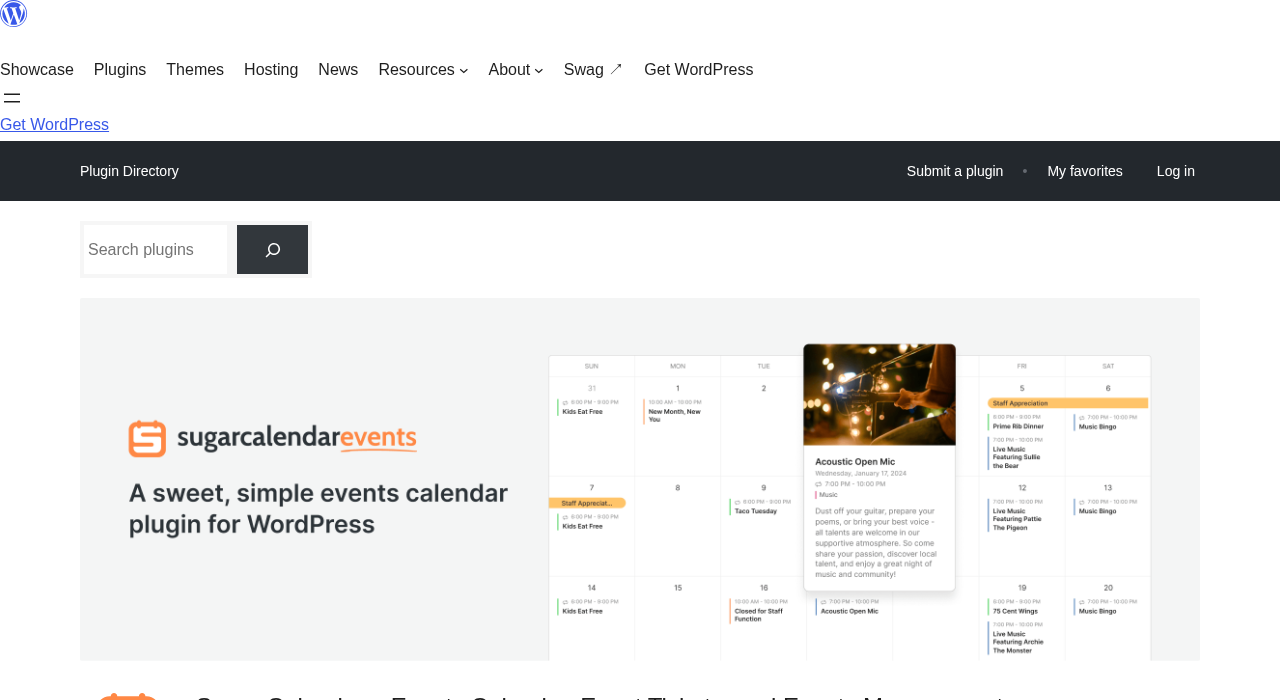
The free version, Sugar Calendar Lite, is available at wordpress.org/plugins/sugar-calendar-lite. It adds a custom post type for events, multiple calendar view layouts, Stripe payment processing, Zoom meeting integration, and Google Calendar compatibility. A free event can include ticket claiming without a payment provider, meaning you still get an attendee list.
Paid plans extend the free base with additional features across tiers. The Basic plan adds advanced recurring events, venue management, and speaker profiles. The Plus plan and above add the RSVP Addon, Zapier integration, and WooCommerce ticketing. Four tiers cover single sites up to 10-site agency setups.
Version 3.13.0 shipped on August 24, 2026, with registration forms for attendee details, CSV event export, and Zoom support for recurring events as the headline additions. The plugin requires WordPress 6.2 or higher and PHP 7.4 or higher.
Who Sugar Calendar is best for
Strong fit:
- Small businesses running regular public events: fitness studios, yoga instructors, cooking schools, community theaters, local music venues.
- Nonprofits and community organizations that need a clean public calendar with optional free-ticket RSVP.
- Educational institutions publishing class schedules, workshop calendars, or lecture series.
- Agencies building event sites for clients who want a simple setup and a modest ongoing cost.
- WordPress users migrating away from The Events Calendar who want a one-click import path.
- Site owners who need Stripe ticketing without paying a large annual subscription fee.
Weaker fit:
- Organizations that need advanced seat maps or venue capacity management.
- Sites that depend on a broad ecosystem of compatible plugins and community-built templates. The Events Calendar has a much larger integration library.
- Teams whose only requirement is recurring events and who want that on the free tier. Sugar Calendar’s free version does not include advanced recurring patterns.
- High-volume event operations that need detailed attendee account portals or automated email marketing sequences.
The free version: what you actually get
Sugar Calendar Lite is a genuine, functional events plugin. Here is what it includes.
Event creation
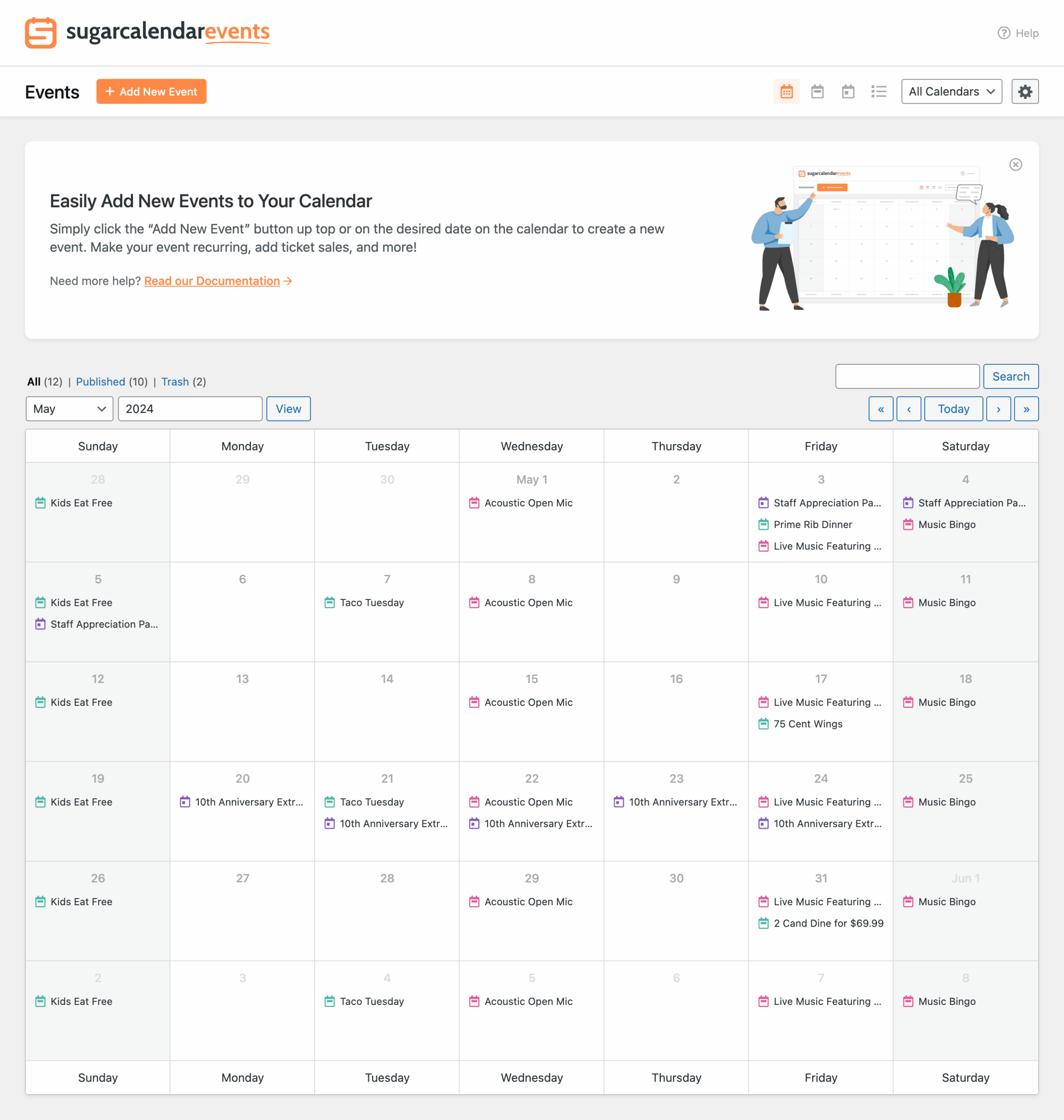
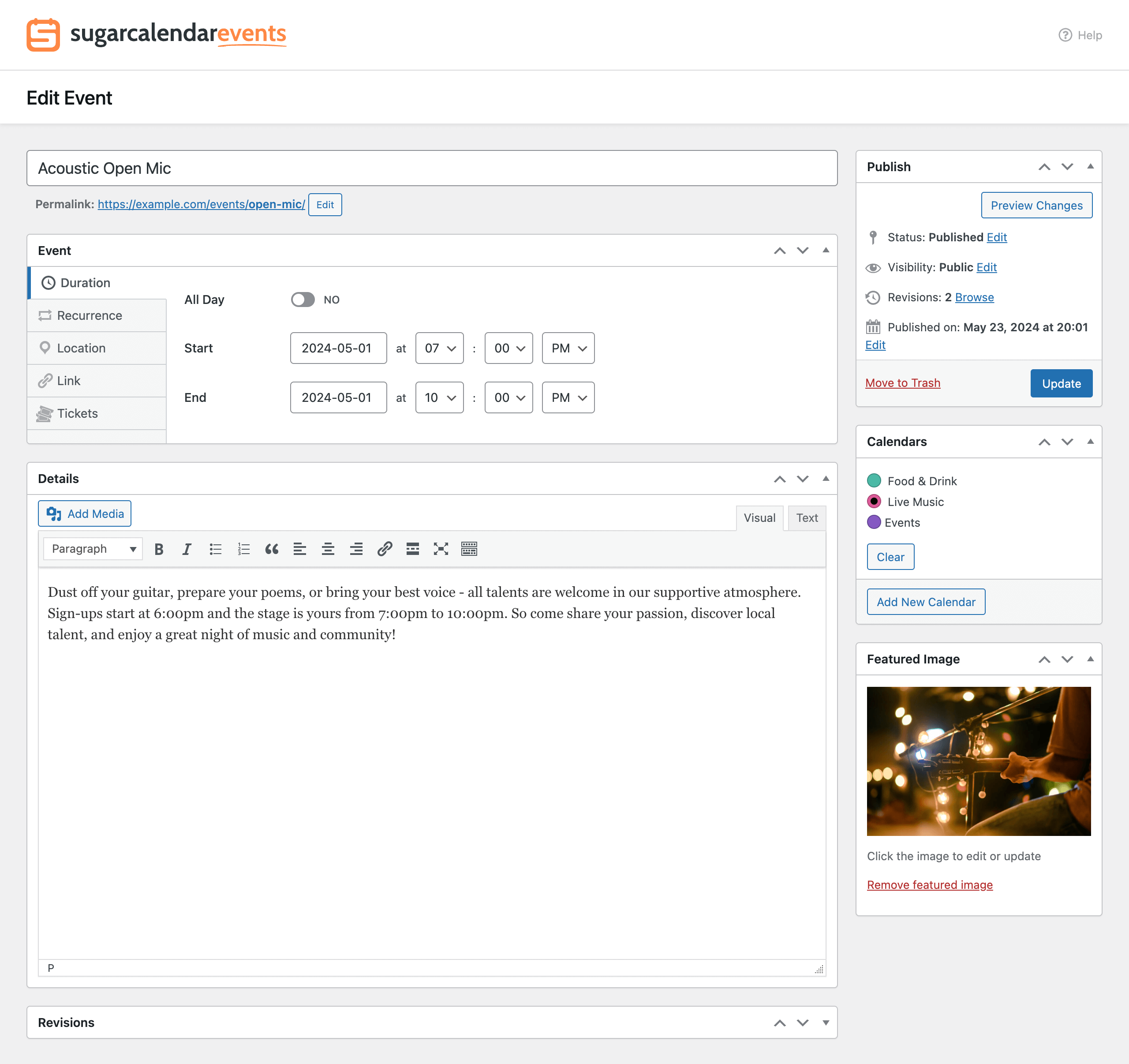
Events are created from a clean admin screen that adds start date, end date, start time, end time, and an all-day toggle alongside the standard WordPress editor. Multi-day events work the same way: set a start date and end date and the event spans the calendar correctly. Venue details (address, map) are added in a dedicated event section.
Calendar display: month, week, day, and list views
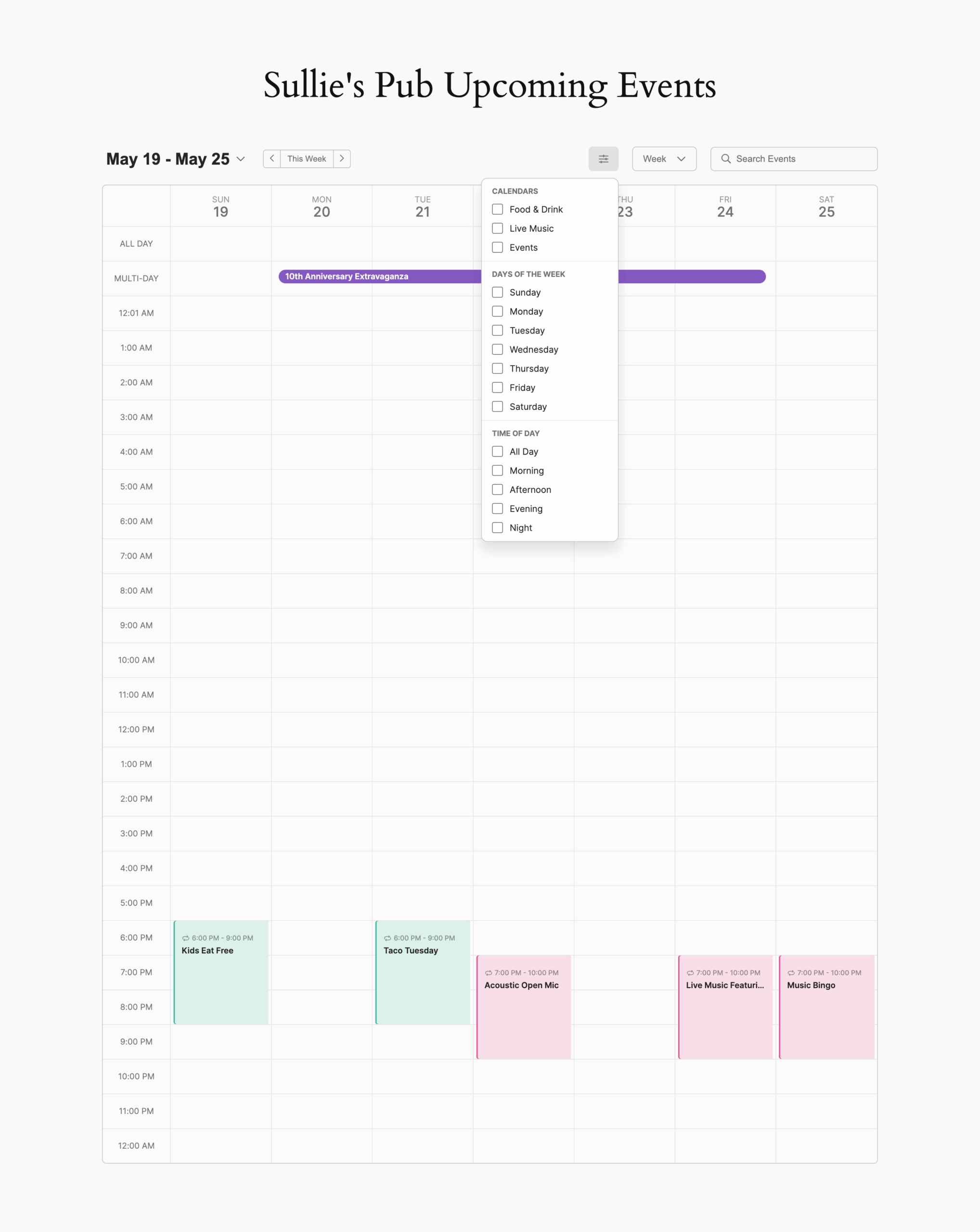
The plugin ships with month, week, day, and list views. All four are embedded via Gutenberg blocks, Elementor widgets, or the [sc_events_calendar] shortcode. Visitors can switch between views without a page reload. The calendar is responsive and supports an optional dark mode that matches system preference or can be locked to light or dark.

Stripe ticketing, included in the free version
This is Sugar Calendar’s most notable free inclusion. Stripe is connected directly through the plugin settings without a separate payment plugin. Once connected, each event can have paid tickets with a defined price. Visitors check out with a credit card through a Stripe-hosted payment flow. You keep 100% of the revenue minus Stripe’s transaction fee (2.9% plus 30 cents per transaction, standard Stripe rate).
Free-ticket events are also supported. Toggle on ticketing without connecting a payment provider, and visitors claim free tickets and appear on your attendee list.
Registration forms
The 3.13.0 update added registration forms, which let you collect custom attendee details during checkout or RSVP. You can ask for meal preference, t-shirt size, company name, or any other field your event needs. Answers are saved with each attendee record.
Email notifications to attendees
When plans change, you can send a notification email to every ticket holder from within the WordPress dashboard. This covers last-minute venue changes, schedule shifts, and pre-event reminders without a separate email plugin.
Zoom integration
Connect your Zoom account once, and the event editor adds a Zoom Meeting option. Sugar Calendar creates the meeting automatically and displays the join link on the event detail page. Recurring events (on paid plans) get one join link that works for the whole series. This was added in version 3.12.0 in July 2026.
Multiple calendars and categories
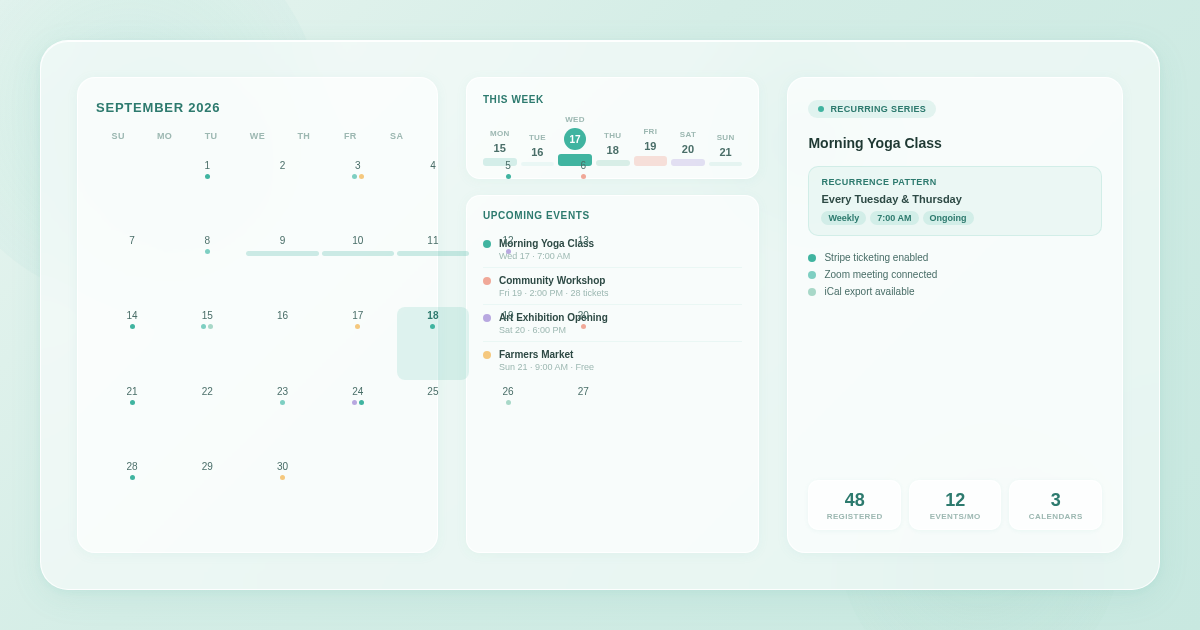
Events are organized into calendars (implemented as taxonomies). Each calendar can have a distinct color, which appears on the calendar grid for quick visual filtering. Visitors filter events by calendar from the frontend.
iCal and Google Calendar sync
Each event includes an “Add to Calendar” link supporting Google Calendar, Microsoft Outlook, Apple Calendar, and direct .ics download. Site-level calendar feeds let visitors subscribe to the full event stream in any calendar app.
Google Maps integration
Add a venue address to an event, and Sugar Calendar embeds an interactive Google Map on the event detail page. A Google Maps API key is required and configured in plugin settings.
Event SEO: structured data
Sugar Calendar adds JSON-LD schema markup for events, including online event structured data (added in version 3.12.0) so virtual events are correctly identified by search engines. This supports Google rich snippet eligibility for event listings.
Migration from The Events Calendar
A one-click migration tool imports events, calendars, and other data from The Events Calendar. If you are running The Events Calendar and considering a switch, this removes the manual rebuild step.
What requires a paid plan
Several features that many event sites eventually need are behind the paid wall.
Advanced recurring events (Basic and above)
The free version does not support advanced recurring event patterns. Paid plans from Basic support daily, weekly, monthly, and yearly recurrence with custom patterns like “every 2nd Tuesday” or “last Friday of the month.” Individual occurrence editing and exception handling within a series require a paid plan.
This is a meaningful limitation for fitness studios running weekly classes, clubs with monthly meetups, or any organization with predictable repeating schedules.
RSVP system (Plus and above)
Collecting RSVPs, tracking who is coming, and planning attendance capacity require the Plus plan or above ($99.50/year intro). The RSVP Addon is not included in the Basic plan. Basic covers advanced recurring events, venues, and speaker profiles but does not include RSVP collection.
WooCommerce ticketing (Plus and above)
Selling tickets through your WooCommerce store, using discount codes, bundling tickets with physical products, and removing the 3% Stripe processing markup all require the Plus plan or higher.
Multiple ticket types (Plus and above)
Creating VIP, General Admission, Early Bird, and other tier pricing with separate capacity limits requires Plus or above.
Speaker and performer profiles (Basic and above)
Reusable speaker profiles with photos, bios, and credentials are a paid feature.
Pricing
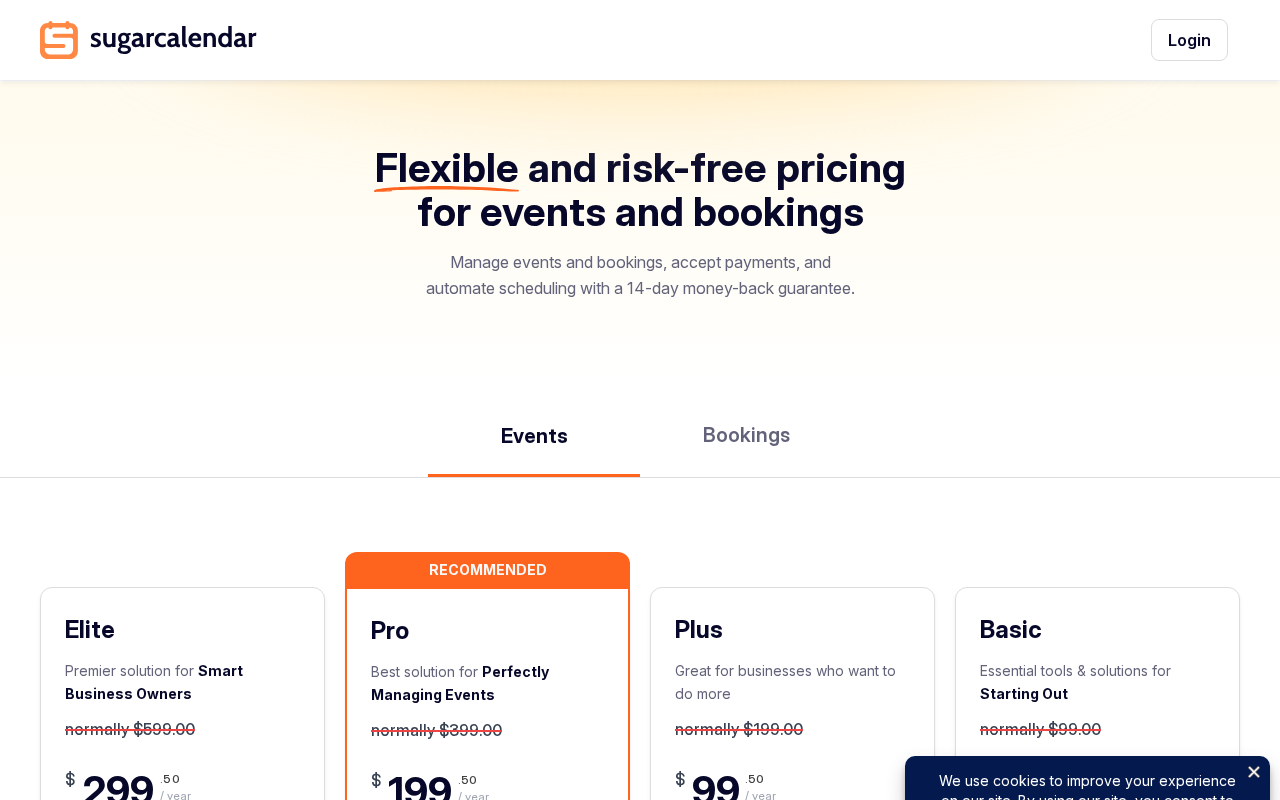
| Plan | Sites | Intro price | Renewal rate | Key additions over free |
|---|---|---|---|---|
| Basic | 1 | $49.50/yr | $99/yr | Advanced recurring events, venues, speaker profiles, frontend event submission |
| Plus | 1 | $99.50/yr | $199/yr | RSVP Addon, Zapier Addon, WooCommerce ticketing, removes 3% Stripe markup |
| Pro | 3 | $199.50/yr | $399/yr | Same as Plus, extended to 3 sites |
| Elite | 10 | $299.50/yr | $599/yr | Same as Plus, extended to 10 sites |
Every plan includes 1 year of updates and support, and all features within the plan tier. A 14-day money-back guarantee applies to all purchases.
Notable pricing context: Basic at $49.50 intro covers the most commonly requested premium feature, advanced recurring events, at a cost well below most competing plugins. The Events Calendar’s minimum paid plan in 2026 starts at $259 per year. For teams evaluating Sugar Calendar as a lighter alternative, the price delta is real.
The Pro and Elite tiers are primarily a site license expansion rather than a feature expansion. If you need the same feature set across three sites, Pro at $199.50 intro is more economical than three Basic licenses.
Setup and onboarding
The setup wizard runs on first activation. It walks through connecting a payment method (Stripe), choosing a display block or widget, and publishing a test event. For a first-time user, this is enough to have a working calendar with a live ticketing page inside 15 minutes.
The WordPress admin adds a dedicated Sugar Calendar menu item with sections for Events, Calendars, Reports (ticket sales), and Settings. The interface follows WordPress conventions throughout. There is no custom admin framework to learn.
The 3.13.0 update improved the setup wizard with a new welcome screen that appears on activation and guides users through the core setup steps before dropping them into the main admin.
Pros
- Free Stripe ticketing with no plugin-level commission fee is the standout free-tier value
- Calendar, list, month, week, and day views all ship with the free plugin
- Registration forms for attendee custom fields, added in the most recent update (3.13.0)
- Zoom integration included in the free version
- iCal, Google Calendar, and Outlook export for every event
- JSON-LD structured data for both in-person and online events
- Basic plan at $49.50 intro covers advanced recurring events at a fraction of competitor pricing
- One-click migration from The Events Calendar
- Dark mode support for calendar display
- 14-day money-back guarantee on all paid plans
- Clean, uncluttered admin interface that follows standard WordPress UI patterns
- Actively developed: three major updates between July and August 2026 with substantive new features
- AI-ready via WordPress Abilities API (added 3.12.0), allowing automation tools to work with your events
Cons
- Advanced recurring events require a paid plan even at the Basic tier; the free version lacks this for many common scheduling needs
- 10,000 active installs means a smaller compatibility and community support footprint than The Events Calendar
- Only 24 WP.org reviews at time of writing, making the 4.5-star average a smaller statistical sample than comparable plugins
- WooCommerce ticket integration and multiple ticket types require Plus ($99.50 intro), not Basic
- No advanced venue seating or capacity management at any paid tier
- No attendee-facing account portal for managing ticket purchases
- No built-in automated event email marketing sequence
- The 3% processing markup on Stripe transactions in the free version and Basic plan is a real cost at volume
Alternatives
The Events Calendar
The Events Calendar is the most-installed event plugin in the WordPress ecosystem with 600,000 or more active installs. Its free tier offers month, list, and day views, event creation, Google Maps, and iCal export. JSON-LD structured data is included at no cost. Paid plans start at $259 per year and bundle ticketing, recurring events, community submissions, and all calendar views. The plugin is now under Liquid Web / Nexcess ownership following a 2026 rebrand from StellarWP. Read the full The Events Calendar review.
Modern Events Calendar
Modern Events Calendar has over 100,000 active installs and includes recurring events in its free version without a paid plan. The Pro version adds ticketing, WooCommerce integration, and advanced booking features. It is a stronger option if recurring events are your main requirement and you want them without a subscription. Read the full Modern Events Calendar review.
WP Event Manager
WP Event Manager focuses on event listing directories with 7,000 or more active installs. Its free core plugin handles event posting and basic display. Premium add-ons cover ticketing, registrations, and Stripe payments. It targets sites that want a front-end event submission and browsing experience more than a traditional calendar widget.
Final verdict
Sugar Calendar earns its “simple and focused” positioning. The free plugin is genuinely generous: Stripe ticketing, registration forms, Zoom integration, multiple views, and iCal export at no cost puts it ahead of most free event plugins in real usable features.
The paid tiers are priced reasonably. Basic at $49.50 for the first year is a low barrier for adding advanced recurring events, venue management, and speaker profiles. For RSVP collection and WooCommerce ticketing, Plus at $99.50 intro is still well below what most competing plugins charge for equivalent features. Both tiers compare favorably to The Events Calendar’s $259 minimum paid plan.
The realistic caveats: Sugar Calendar’s ecosystem is much smaller. If you rely on third-party plugins that have deep integrations specifically with The Events Calendar, switching involves risk. The review count on WordPress.org is thin enough that I would weigh the 4.5-star rating with appropriate skepticism until more reviews accumulate.
For a small business, nonprofit, studio, or community organization that needs event display and Stripe ticketing without complexity or a large annual fee, Sugar Calendar is the right tool. For organizations whose requirements include venue seating maps, email marketing automation, or attendee account portals, look elsewhere.
FAQ
Is Sugar Calendar free?
Sugar Calendar Lite is free on WordPress.org and includes event creation, calendar display (month, week, day, list views), Stripe ticketing, free-ticket claiming, registration forms for attendee details, Zoom integration, iCal and Google Calendar export, Google Maps, and JSON-LD structured data. Advanced recurring events, venue management, and speaker profiles require the Basic plan ($49.50/year intro). RSVP collection and WooCommerce ticketing require the Plus plan ($99.50/year intro) or above.
Who makes Sugar Calendar?
Sugar Calendar is currently part of the Awesome Motive portfolio, the company behind WPForms, All in One SEO, MonsterInsights, and other WordPress plugins. Syed Balkhi is listed as the author on WordPress.org. The plugin was originally built by Sandhills Development.
Does Sugar Calendar charge ticket fees?
Sugar Calendar does not add a platform-level ticket fee. Stripe’s standard processing fee (2.9% plus 30 cents per transaction) applies to all paid ticket sales in the free version and Basic plan. The Plus plan and above include the WooCommerce ticketing addon, which removes an additional 3% processing markup that applies to Stripe transactions in the lower tiers.
Can I migrate from The Events Calendar to Sugar Calendar?
Yes. Sugar Calendar includes a built-in one-click migration tool that imports events, calendars, and settings from The Events Calendar. You can also import events from Google Calendar, Microsoft Outlook, and iCal feeds using the built-in importer.
Does Sugar Calendar support recurring events?
Advanced recurring events require a paid plan starting at the Basic tier ($49.50/year intro). Paid plans support daily, weekly, monthly, and yearly recurrence with custom patterns like “every 2nd Tuesday” or “last Friday of the month,” individual occurrence editing, and exception handling. The free version does not include advanced recurring event management.
How many sites does a Sugar Calendar license cover?
Basic and Plus licenses cover 1 site. Pro covers 3 sites. Elite covers 10 sites. All renewals are at the full annual rate after the first-year introductory price.
Does Sugar Calendar work with Elementor and other page builders?
Yes. Sugar Calendar provides Gutenberg blocks, Elementor widgets, and shortcodes for embedding calendars and event lists on any page. Elementor widget support means the calendar integrates with Elementor’s drag-and-drop editor without requiring shortcodes.
What is the money-back guarantee?
Sugar Calendar offers a 14-day money-back guarantee on all paid plans. Contact the support team within 14 days of purchase for a full refund if the plugin does not meet your needs.
For more WordPress plugin reviews, browse our reviews category.