

Thrive Ovation solves a real problem that most testimonial plugins ignore: getting customers to actually give you a testimonial in the first place. The plugin brings collection, approval management, and display together in a single workflow, with an email-based approval system that covers privacy compliance automatically.
The trade-off is price and ecosystem lock-in. Thrive Ovation is premium-only and works best when you already use Thrive Architect for page building. If you are not in the Thrive Suite, it is hard to justify the standalone cost. If you are, it becomes one of the stronger reasons to stay.
Our rating: 4.2 / 5
| What we liked | What we did not like |
|---|---|
| Automated email approval workflow | No free version or free trial |
| Comment-to-testimonial conversion | Best display requires Thrive Architect |
| Dynamic tag-based testimonial display | High renewal pricing for Thrive Suite |
| Centralized dashboard with status tracking | Limited integrations outside Thrive ecosystem |
| 30-day money-back guarantee | Learning curve for tagging and approval rules |

What Is Thrive Ovation?
Thrive Ovation is a premium WordPress testimonial management plugin developed by Thrive Themes, the company behind the Thrive Suite of conversion-focused WordPress tools. It is designed to handle every stage of the testimonial lifecycle: collection, approval, organization, and display.
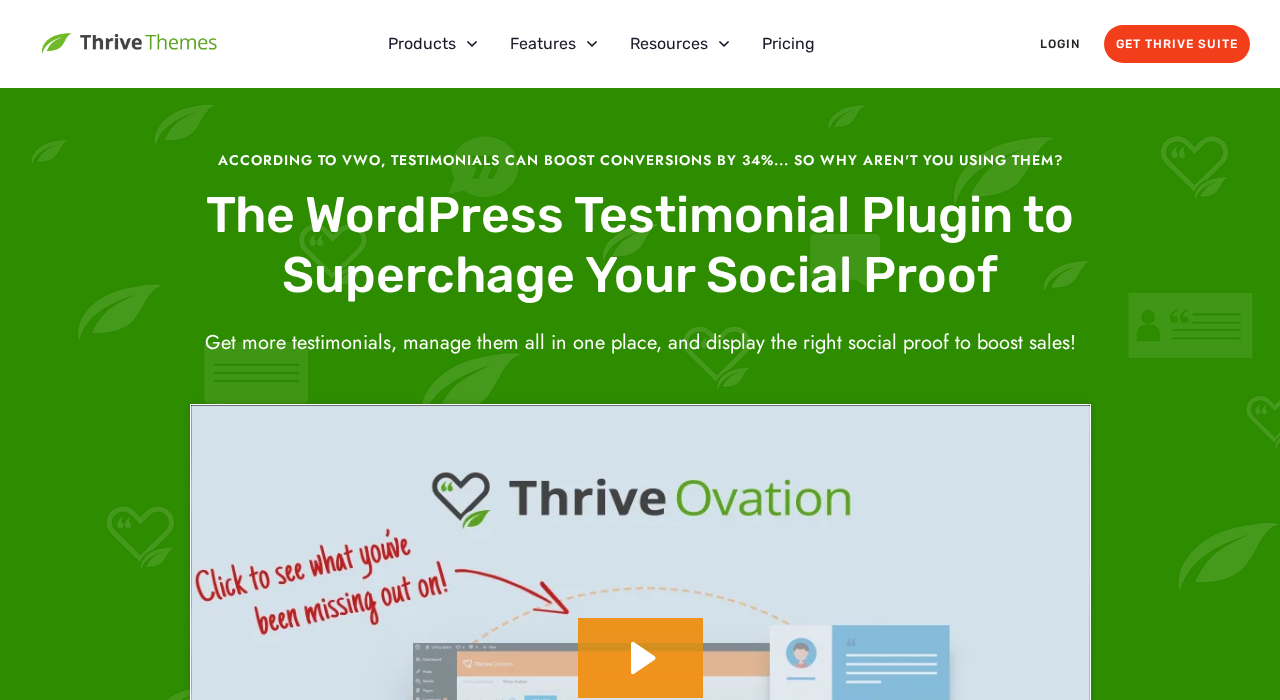
The plugin launched as part of the Thrive Suite and targets conversion-focused marketers, course creators, and online businesses that want to build and maintain an active testimonial library rather than rely on static screenshots or manually copied quotes.
What separates Thrive Ovation from most WordPress testimonial plugins is the collection side. Rather than expecting you to manually gather feedback and paste it into an admin panel, it gives you structured workflows for capturing responses: submission forms embedded via Thrive Architect, one-click conversion of existing WordPress comments, Twitter/social import, and an email-based approval workflow that requests permission from customers before displaying their words.
The plugin lives inside the Thrive Dashboard, the central hub shared across all Thrive Suite tools. From there, you manage a testimonial library with statuses, tags, and filters that let you organize testimonials by product, topic, or audience segment.
Who Is Thrive Ovation Best For?
Thrive Ovation fits best if you:
- Already use Thrive Suite or plan to buy it (Thrive Architect unlocks the full display capability)
- Run a course, coaching business, or SaaS product where social proof directly influences purchase decisions
- Have existing blog comments that contain genuine customer feedback you want to repurpose
- Want a privacy-compliant approval workflow built in, rather than bolted on
- Manage testimonials across multiple products or audiences and need tagging to keep things organized
- Care about conversion optimization and want to show contextually relevant testimonials at specific funnel points
It is less suited to you if:
- You need a free or low-cost solution (there is no free version)
- You use Elementor, Divi, or another page builder as your primary tool (the display workflow is built around Thrive Architect)
- You only need to display a handful of static testimonials and do not plan to grow the library
- You want to import reviews from Google, Yelp, or other review platforms (Thrive Ovation does not support those integrations; it focuses on first-party collection)
Hands-On Setup and User Experience
Thrive Ovation installs through the Thrive Dashboard like any other Thrive plugin. Once active, it adds a dedicated section to the Thrive Dashboard with three main areas: a testimonial library, display settings, and global plugin settings.
Initial Configuration
Before collecting testimonials, you need to connect an email delivery service. Thrive Ovation does not send approval request emails through native WordPress mail. Instead, it connects to third-party services such as Mandrill, SendGrid, or Mailgun. You provide the API key in the settings, and the plugin routes approval emails through that service for better deliverability.
This is a sensible architecture, but it adds a setup step that simpler plugins do not have. If you have never used a transactional email service, expect 20-30 minutes of additional setup to create an account and generate an API key before the approval workflow is functional.
Once the email service is connected, you customize the approval request email using shortcodes like [customer_name] and [testimonial_text]. You also configure two landing pages: one for approvals, one for rejections. These landing pages need to exist on your site before you activate the workflow.
Adding the First Testimonials
The fastest way to populate the library is the WordPress comment conversion feature. Navigate to your comment section in the admin. Any comment that contains genuine customer feedback shows a Thrive Ovation (+) button. Clicking it moves the comment into the testimonial library with an “In Review” status and sends an automated approval request email to the commenter.
I found this genuinely useful. A blog post with 30 comments often contains 5-10 that are actually testimonial-quality feedback. Converting them takes about 10 minutes rather than the hours it would take to manually track, copy, and request permission for each one.
For new testimonials, the collection form comes from a dedicated Thrive Architect element called “Capture Testimonials.” You add it to any page built with Architect, configure the form fields (name, email, testimonial text), set up post-submission messaging, and it goes live. Submissions enter the library as “In Review” entries.
Dashboard Management
The testimonial library displays all entries with their status: Ready for Display, In Review (pending approval email sent), Pending Approval (waiting for customer confirmation), or Rejected.
Tags are the organizational backbone. You can tag testimonials by product (“course-a”, “coaching”), by audience (“e-commerce”, “freelancers”), or by any other relevant label. These tags later drive the dynamic display feature, where you set a display block to show testimonials tagged with a specific label and the block updates automatically as new approved testimonials are added.
The interface is clean. Filtering by status or tag works quickly. For a business with dozens of testimonials across multiple products, this organization model makes sense. For a small site with five static testimonials, it may feel like more infrastructure than the job requires.
Main Features
Email-Based Approval Workflow
This is the feature that most clearly distinguishes Thrive Ovation from free alternatives. When you convert a comment or receive a form submission, the plugin can automatically send a customized email to the testimonial author asking for permission to display their words.
The email includes a personalized excerpt of what they said, a clear Approve button, and a Reject button. Customer clicks Approve, the status changes to “Ready for Display,” and the testimonial becomes eligible for display blocks. The customer clicks Reject, and the testimonial is marked accordingly and stays hidden.
The approval is stored inside the plugin dashboard alongside the testimonial entry. This gives you a paper trail of who approved what and when, which satisfies basic GDPR and similar data privacy requirements without needing a separate consent management system.
A limitation worth noting: the workflow requires a third-party transactional email service. The plugin does not offer a fallback to native WordPress mail for approval emails. If you do not want to configure a separate email API, the approval workflow does not function.
Comment-to-Testimonial Conversion
Any WordPress comment on your site can be converted to a testimonial with a single click from the admin comments panel. The conversion pulls the commenter’s name, email (for the approval workflow), and comment text directly.
This is one of the most practical features in the plugin. Long-running blogs accumulate genuine feedback in the comments section that often goes unused. Converting a batch of quality comments into an approved testimonial library is a legitimate way to build social proof from existing content rather than starting from zero.
Twitter import works similarly: paste a Twitter/X post URL, and the plugin pulls the username, profile image, and tweet text into the library. The approval workflow still applies; the plugin sends a permission request before any tweet is marked ready for display.
Dynamic Tag-Based Display
When you add a testimonial display block to a page, you can set it to pull from a Dynamic List filtered by tags. Set the block to show testimonials tagged “course-a” on the course sales page, and testimonials tagged “coaching” on the coaching inquiry page. Any new testimonial approved with those tags appears automatically in the relevant block without you touching the page.
This is the conversion optimization play. Contextually relevant testimonials outperform generic ones. Showing a testimonial from someone who solved exactly the problem the reader has is more persuasive than showing a generic “great product” quote. The tag system makes this possible at scale.
Display Layouts
Thrive Ovation includes four layout formats:
- List: Single column, testimonials stacked vertically
- Grid: Multi-column layout with uniform heights
- Masonry: Variable-height columns for mixed-length testimonials
- Carousel: Sliding gallery with configurable navigation arrows, dots, and autoplay
Pagination options include: none (all testimonials at once), numbered pages, or a Load More button. All layouts are mobile-responsive.
The layouts look professional in the default templates. If you want deeper styling customization, Thrive Architect gives you control over fonts, colors, spacing, and layout proportions. Without Architect, you are limited to the pre-built template configurations.
Shortcode Support
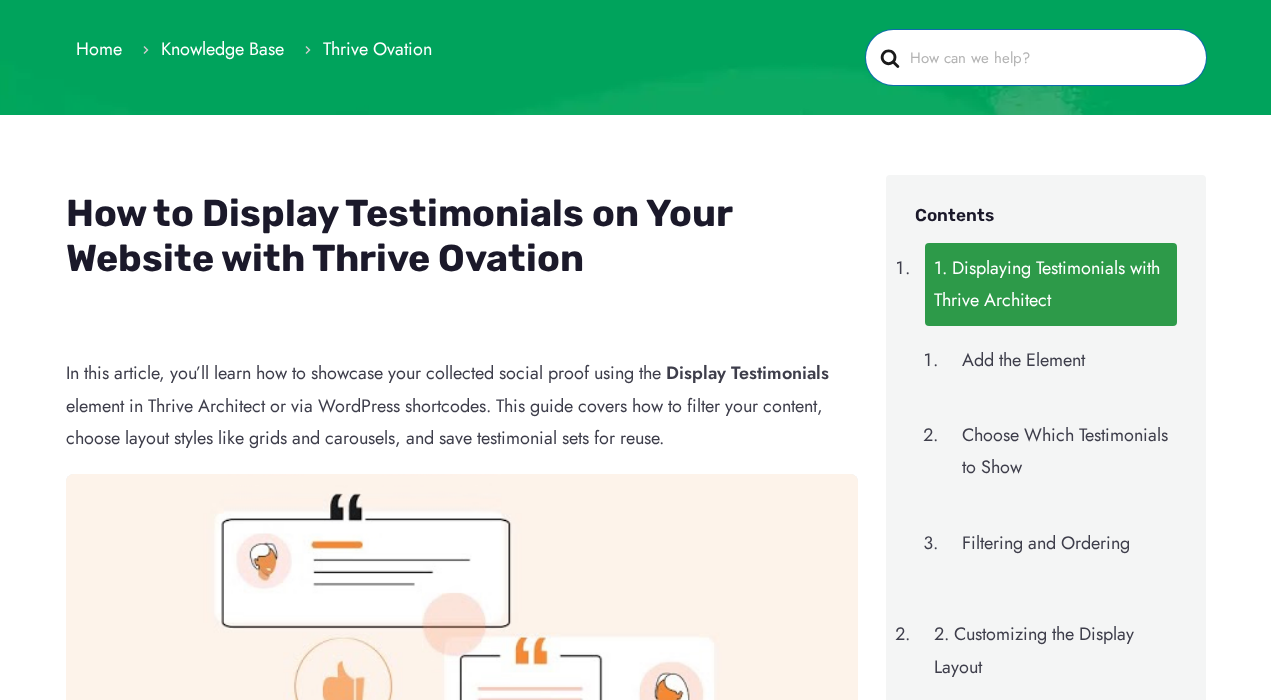
For pages not built with Thrive Architect, you can generate a shortcode from the Thrive Ovation dashboard. Navigate to Display Testimonials, configure your set (which testimonials, what layout, how many), and copy the output: [thrive_ovation_shortcode id='123']. This works in any page builder, Gutenberg, the classic editor, or a widget.
The shortcode approach is functional but less flexible than the Architect element. You configure the display through the Thrive Ovation dashboard rather than live within the page context, which means more back-and-forth between screens.
Thrive Suite Integration
Thrive Ovation connects to other Thrive Suite tools in ways that are genuinely useful. Thrive Leads forms can trigger testimonial collection requests after a user opts in. Thrive Apprentice (the course builder) can route course completers to a testimonial submission page. Thrive Optimize (A/B testing) can test different testimonial display configurations against each other to find which layout or testimonial selection drives more conversions.
These integrations do not require extra configuration; they work because all Thrive plugins share a common data layer and the Thrive Dashboard. The value is real if you use multiple Thrive Suite tools. If you do not, these integrations are not accessible.
Pricing
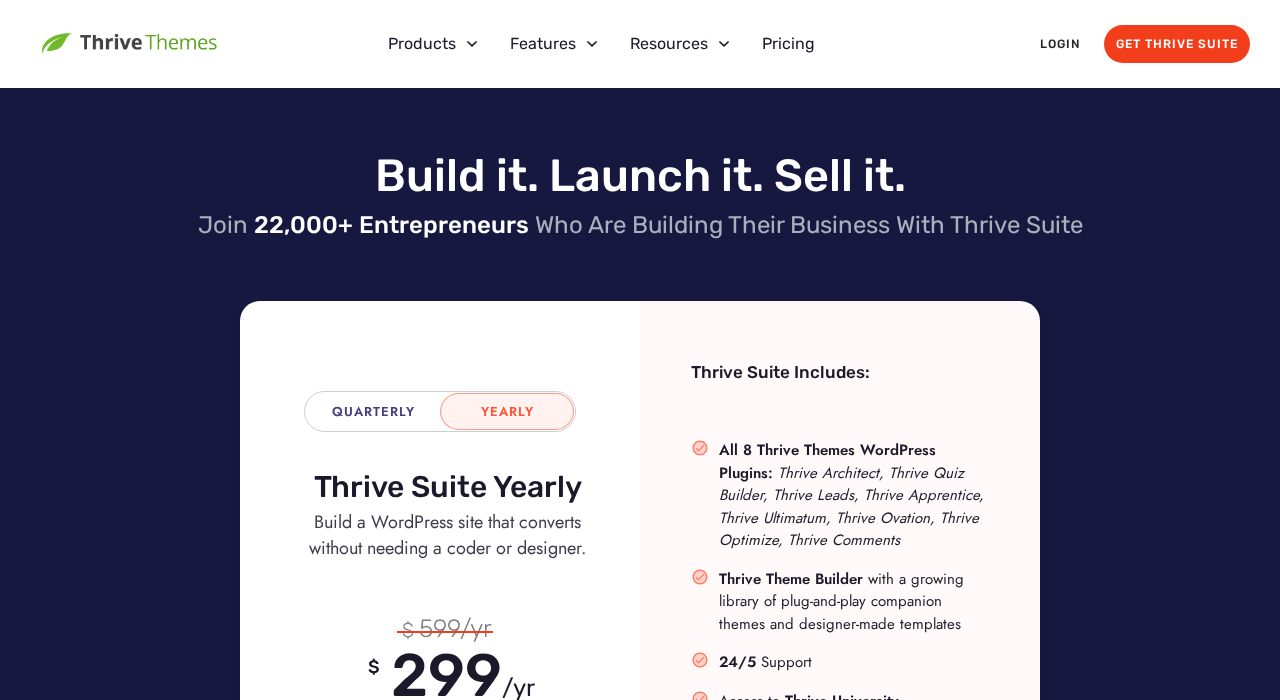
Thrive Ovation is premium-only with no free version or free trial. There are two purchase paths:
| Option | Intro Price | Renewal Price | Sites | Includes |
|---|---|---|---|---|
| Standalone Thrive Ovation | $49/year | $99/year | 1 | Thrive Ovation only |
| Thrive Suite | $299/year | $599/year | 5 | All 9 Thrive plugins + Thrive Theme Builder + templates + support |
Both options include a 30-day money-back guarantee and unlimited updates for the subscription period. Support is 24 hours on weekdays.
Important renewal note: Both plans are listed at introductory rates. The standalone plan more than doubles on renewal ($49 to $99). The Suite goes from $299 to $599. This is a material cost that affects the long-term value calculation, especially for small businesses or solo operators.
Value Assessment
The standalone plan is difficult to justify on its own unless testimonial automation is genuinely mission-critical for your business. At $99/year on renewal for a single site, you are paying about the same as entry-level plans from full CRM or help desk platforms that include far more functionality.
The Thrive Suite is a different calculation. At $299/year introductory, you are getting Thrive Architect (a premium page builder), Thrive Leads (lead generation), Thrive Apprentice (course platform), and six other tools alongside Thrive Ovation. If you need even two or three of those tools, the Suite price is defensible. Thrive Ovation becomes a feature you get rather than a product you buy.
If you are evaluating Thrive Ovation independently of the Suite and your primary need is displaying existing testimonials rather than automating collection, there are significantly cheaper options.
Pros and Cons
Pros
- Email-based approval workflow is built-in and privacy-compliant
- Comment-to-testimonial conversion extracts value from existing site content
- Dynamic tag-based display automates testimonial relevance without manual updates
- Four professional display layouts (list, grid, masonry, carousel) with shortcode support
- Centralized dashboard with status tracking gives clear visibility over the testimonial library
- 30-day money-back guarantee on both plans
- Twitter/social import with approval workflow before display
- Tight integration with other Thrive Suite tools (Leads, Apprentice, Optimize)
- Pagination and Load More options for large testimonial libraries
- Multilingual front-end support
Cons
- No free version or free trial; zero ways to test before buying
- Full display flexibility requires Thrive Architect; users of other page builders get a reduced experience
- Email approval workflow requires a third-party transactional email service (Mandrill, SendGrid, Mailgun); adds setup friction
- No integration with Google, Yelp, or third-party review platforms; collection is first-party only
- Renewal pricing is steep: $99/year standalone or $599/year Suite
- Standalone plan offers poor value versus alternatives at similar price points
- Learning curve on tagging taxonomy and approval rules; initial setup takes longer than simpler plugins
- No schema markup for Google rich snippets built into the plugin
Alternatives
Strong Testimonials
Strong Testimonials is the most capable free alternative. It supports multiple display layouts, a testimonial submission form, star ratings, and shortcodes at no cost. The Plus plan ($59/year for 3 sites) adds schema markup, third-party importer (Google, Yelp, Facebook), and professional templates.
Strong Testimonials does not have an automated email approval workflow. Collection is either manual or through a form where you approve submissions from the dashboard. The trade-off is substantially lower cost and no page builder dependency. For most small business sites, Strong Testimonials covers the practical need without the automation overhead.
WP Customer Reviews
WP Customer Reviews is a free plugin focused on collecting and displaying structured reviews with schema markup support built in. It does not have an approval email workflow or tag-based filtering, but it is simple to configure and works for sites that need basic testimonial collection without a premium budget.
Site Reviews
Site Reviews takes a platform-style approach where reviews appear in a structured format similar to TripAdvisor. It includes schema markup in the free version, spam filtering via Akismet, and approval controls. If Google rich snippets are a priority and budget is limited, Site Reviews is the stronger choice over both Thrive Ovation and Strong Testimonials on that specific metric.
Final Verdict
Thrive Ovation does what it promises. The email approval workflow is genuinely useful for any business that cares about compliance and wants to build a testimonial library from real customer interactions rather than copying and pasting quotes manually. The comment conversion feature is practical and underrated.
The problem is positioning. Thrive Ovation makes the most sense as a bundled component of Thrive Suite, not as a standalone purchase. At $49/year introductory and $99/year on renewal, it competes against free plugins that cover 80% of the same display use cases. The 20% that Thrive Ovation adds, specifically the automated email collection and dynamic tag display, is meaningful for conversion-focused businesses but overkill for most small sites.
If you are already in the Thrive Suite, activate Thrive Ovation. It is a polished addition to a system you are already running. If you are evaluating it as a standalone purchase, be honest about whether you need the automation. If the answer is yes and the price fits, it delivers. If the answer is no, Strong Testimonials or Site Reviews will handle your actual requirements at a fraction of the cost.
Rating: 4.2 / 5
FAQ
Does Thrive Ovation have a free version?
No. Thrive Ovation is premium-only with no free tier. The entry point is $49/year for a single site (introductory price, $99/year on renewal), or as part of Thrive Suite at $299/year introductory ($599/year on renewal) for up to 5 sites. Neither plan offers a free trial, but both include a 30-day money-back guarantee.
Does Thrive Ovation work without Thrive Architect?
Partially. The collection workflow and dashboard management work independently of Thrive Architect. For display, you can use shortcodes in any page builder or the Gutenberg editor. The native drag-and-drop “Display Testimonials” element and full layout customization require Thrive Architect. If you use Elementor or Divi, you will be working through shortcodes only.
Can Thrive Ovation import reviews from Google or Yelp?
No. Thrive Ovation focuses on first-party testimonial collection: submission forms, WordPress comment conversion, and Twitter/social import. There is no integration with Google Business Profile, Yelp, Trustpilot, Capterra, or similar third-party review platforms. If you need to import from those sources, Strong Testimonials Plus or a dedicated review aggregator is the right tool.
How does the email approval workflow work?
When a testimonial enters the library (via form submission, comment conversion, or social import), you can trigger an approval request email to the original author. The email includes their testimonial text and approve/reject buttons. When they click Approve, the testimonial status changes to “Ready for Display” automatically. The plugin requires a third-party transactional email service (Mandrill, SendGrid, Mailgun) for these emails; it does not use native WordPress mail for the approval workflow.
What display layouts does Thrive Ovation offer?
Four layouts: List (single column), Grid (multi-column uniform height), Masonry (variable-height columns), and Carousel (sliding gallery). Pagination options are none, numbered pages, or a Load More button. All layouts are mobile-responsive and can be customized through Thrive Architect for fonts, colors, and spacing.
Is there schema markup for rich snippets?
No. Thrive Ovation does not include built-in schema markup for review rich snippets in Google Search. If structured data for testimonials or reviews is a priority for your SEO strategy, Site Reviews (free) or Strong Testimonials Plus include this feature.
Can I use Thrive Ovation on multiple sites?
The standalone plan covers one site. Thrive Suite covers up to 5 sites. There is no unlimited-sites option.
What happens to my testimonials if I cancel my subscription?
Thrive Themes follows a standard model: the plugin continues to work without updates or support after your subscription ends, but you lose access to updates and new features. Check current terms at thrivethemes.com before purchasing.