

Quick Verdict
WP Customer Reviews is a 100% free WordPress plugin that does one thing well: it collects customer reviews with Schema.org markup built in. No paid tier, no upsells, no premium features locked away. Install it, point it at a page, and your visitors can submit star-rated business or product reviews that search engines can parse for rich snippets.
The trade-off is a deliberately narrow feature set. You get a submission form, a moderation queue, admin responses, and Schema.org AggregateRating output. What you do not get is a visual view builder, third-party import from Google or Yelp, multiple display layouts, or any of the bells and whistles found in more ambitious plugins.
For a small business owner who wants a lightweight, maintenance-free solution for collecting reviews with schema markup at zero cost, WP Customer Reviews delivers exactly that. For anyone who needs import tools, advanced layouts, or a full testimonial management system, look elsewhere.
Our rating: 4.0 / 5
| What we liked | What we did not like |
|---|---|
| 100% free, no paid tier | Very limited display layout options |
| Schema.org markup built in for free | No import from Google, Yelp, or other platforms |
| Simple, focused feature set | Settings UI is dated compared to newer plugins |
| Moderation queue included | No Gutenberg blocks or page builder integration |
| Admin responses supported | Active installs (20,000+) modest for its age |
| Tested with WordPress 7.0 | No built-in CAPTCHA, relies on custom anti-spam logic |

What Is WP Customer Reviews?
WP Customer Reviews is a free WordPress plugin by Aaron Queen (WordPress.org handle: bompus) that lets site visitors submit star-rated reviews for a business or product. It has been on WordPress.org since at least 2010 and has accumulated 1.3 million total downloads and 20,000+ active installs as of 2026.
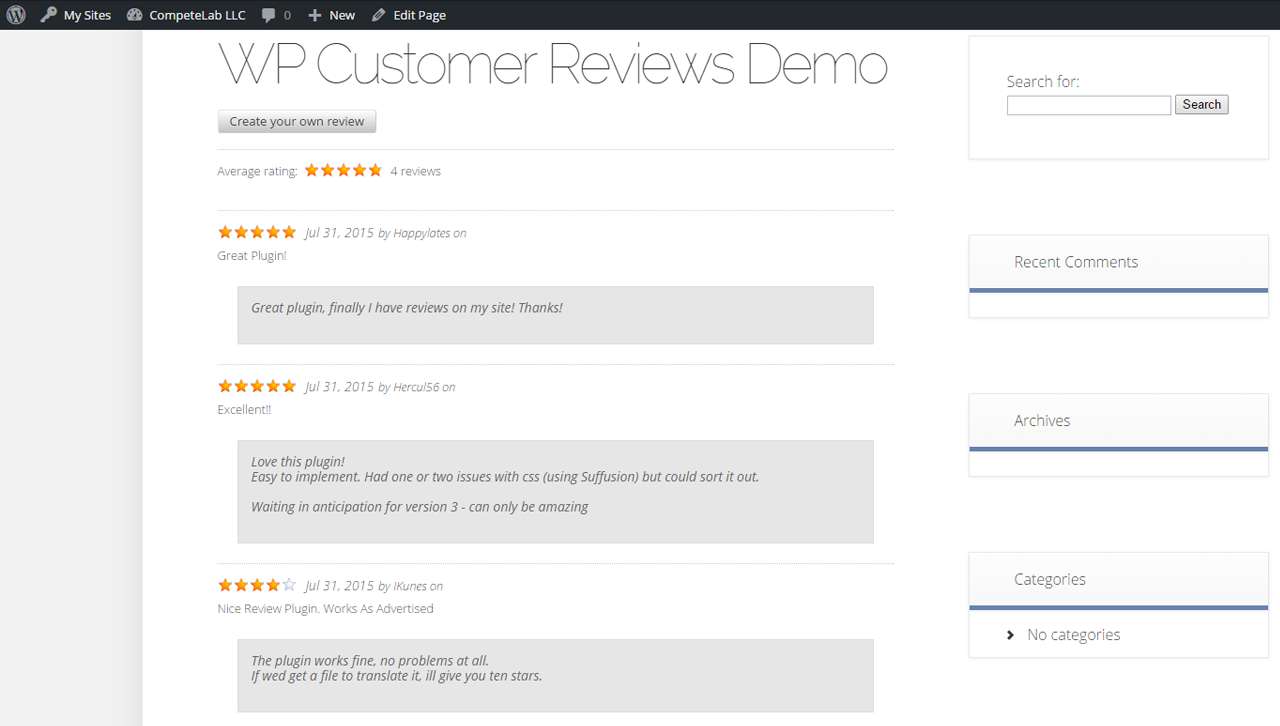
The plugin’s core value proposition is straightforward: assign it to a WordPress page, configure your fields, and you get a front-end review form. Submitted reviews wait in a moderation queue until you approve them. Approved reviews display on the page with Schema.org AggregateRating markup, which tells search engines the structured data they need to potentially show star ratings in search results.
It supports both Business review types (for service businesses) and Product review types (for e-commerce or physical goods), which means the schema output matches what Google expects for both contexts.
There is no paid version. WP Customer Reviews is entirely free, with no freemium tier, no add-ons, and no subscription. What you install from WordPress.org is the complete plugin.
Who Is WP Customer Reviews Best For?
WP Customer Reviews fits well if you:
- Run a small service business or shop and want a basic, free review collection form
- Need Schema.org AggregateRating markup without paying for a premium plugin
- Want all submissions moderated before they go live
- Have a simple setup with one review page (business or product)
- Prefer lightweight plugins that do not add significant page weight
It is less suited to you if:
- You need to import existing reviews from Google, Yelp, Facebook, or other platforms
- You want a visual display builder with multiple layouts (grid, slider, masonry)
- You need Gutenberg blocks or page builder widgets for testimonial display
- You are running a WooCommerce store that needs per-product review integration
- You need advanced spam protection like reCAPTCHA or Akismet
Hands-On Setup and User Experience
Installation is standard. Search “WP Customer Reviews” in Plugins > Add New, install, and activate. The plugin adds a “WP Customer Reviews” entry to your WordPress Settings menu.
Initial Configuration
After activation, go to Settings > WP Customer Reviews to configure the plugin. The settings panel is functional but visually dated. It uses a tabbed layout with separate sections for display settings, form settings, and page assignment.
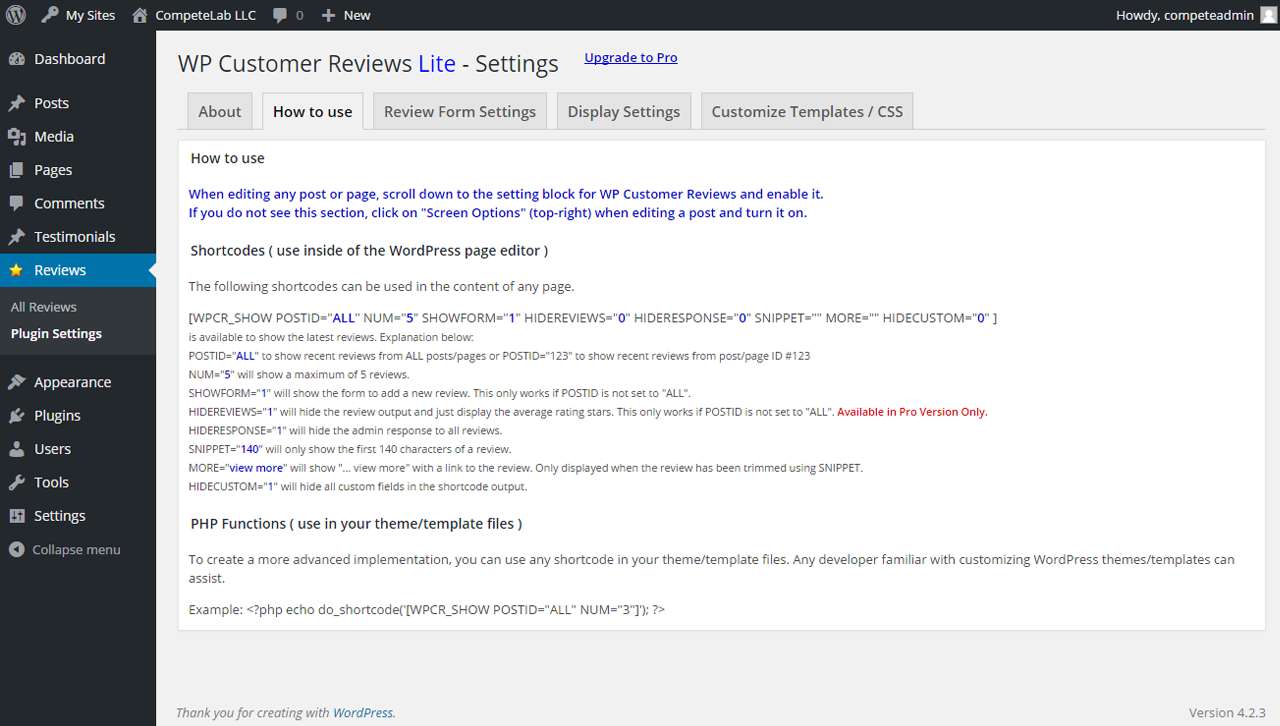
The first thing you need to do is assign the plugin to a specific page. You create a WordPress page (for example, “Reviews” or “Customer Testimonials”), then select it in the plugin settings. WP Customer Reviews will then render the review form and approved reviews on that page.
One configuration point to note: the plugin defaults to “off” for pages. You need to explicitly enable it for the page you want, either through the global settings or from the individual page editor via a meta box the plugin adds.
Submission Form
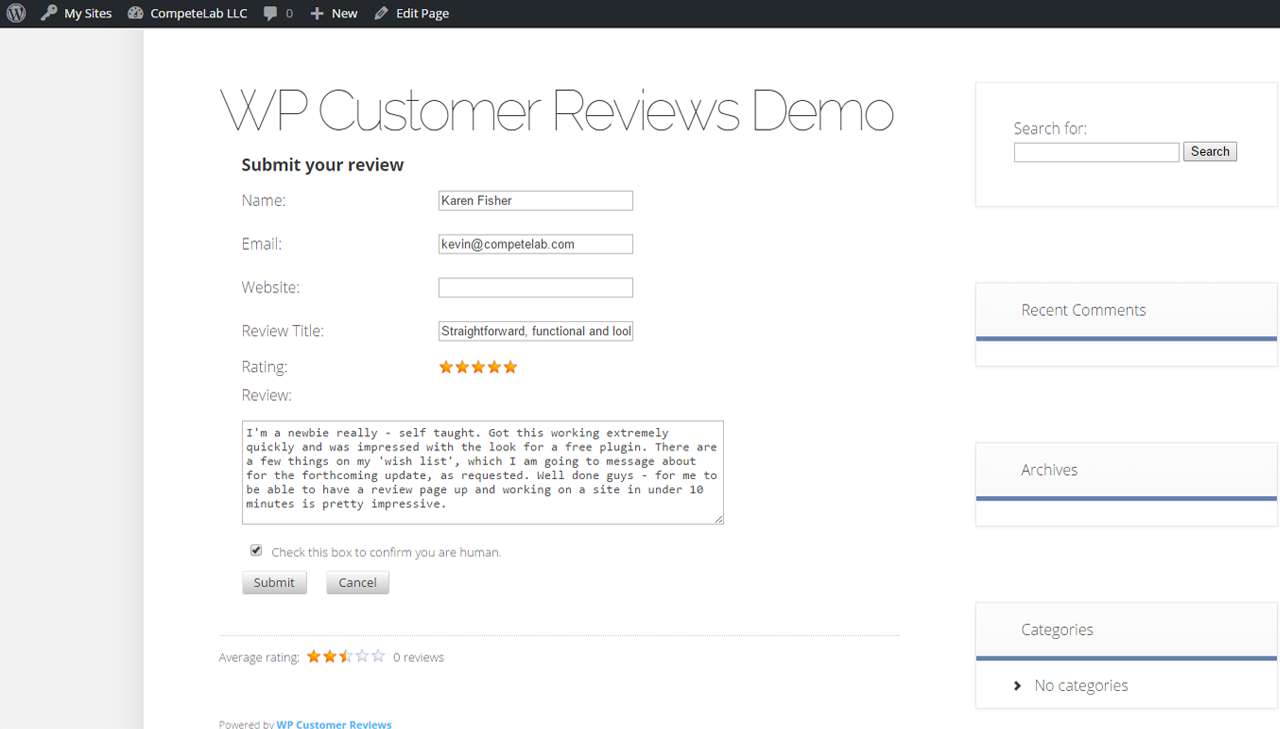
Once configured, the front-end submission form appears below any existing page content. The form collects:
- Reviewer name
- Star rating (1 to 5 stars)
- Review title (optional, configurable)
- Review text
- Website URL (optional)
- Email address (used for spam filtering, not displayed publicly)
You can configure which fields are required and which are optional from the settings panel. Custom fields can also be added if you need to collect additional information.
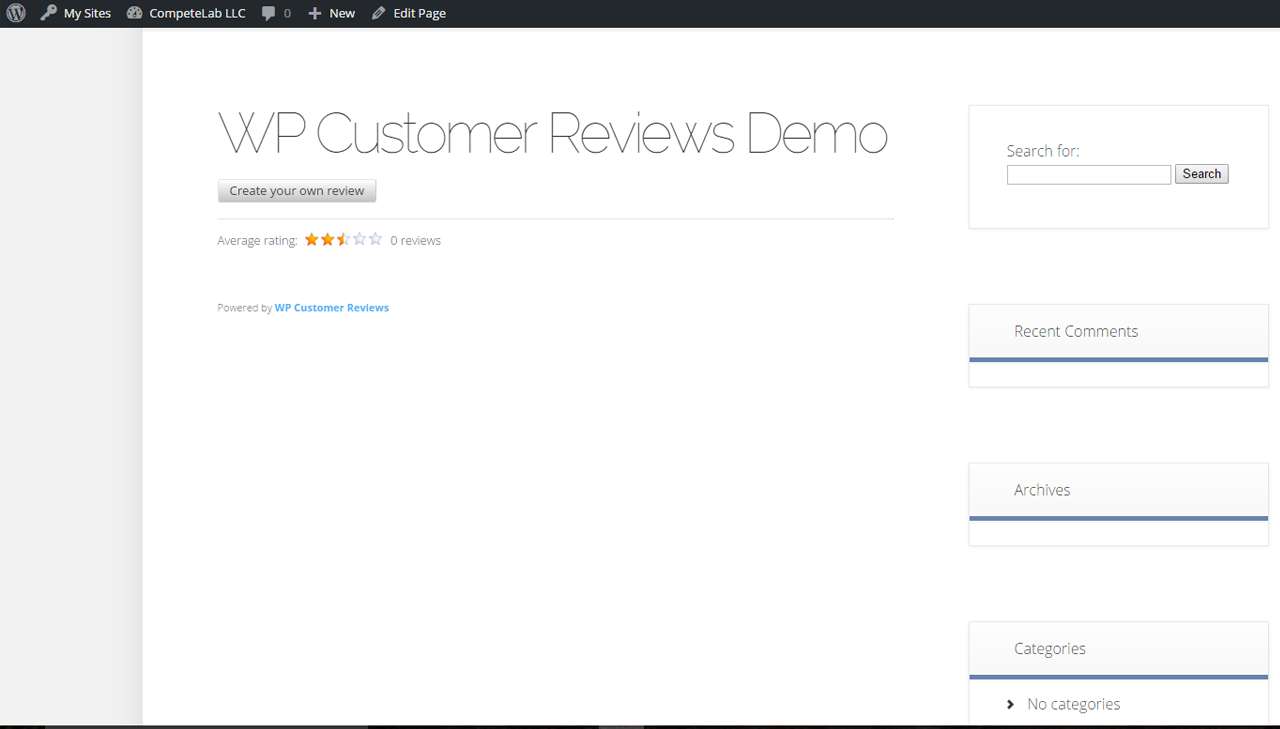
The form is clean and functional. It renders without requiring a page builder and works with most WordPress themes. Mobile layout is improved in recent releases. The plugin includes its own external stylesheet, which you can override with custom CSS if the default styling does not match your theme.
Moderation Queue
Submitted reviews go into a moderation queue. You approve, edit, or delete them from the WordPress admin area under the WP Customer Reviews menu. This gives you full control over what appears publicly.
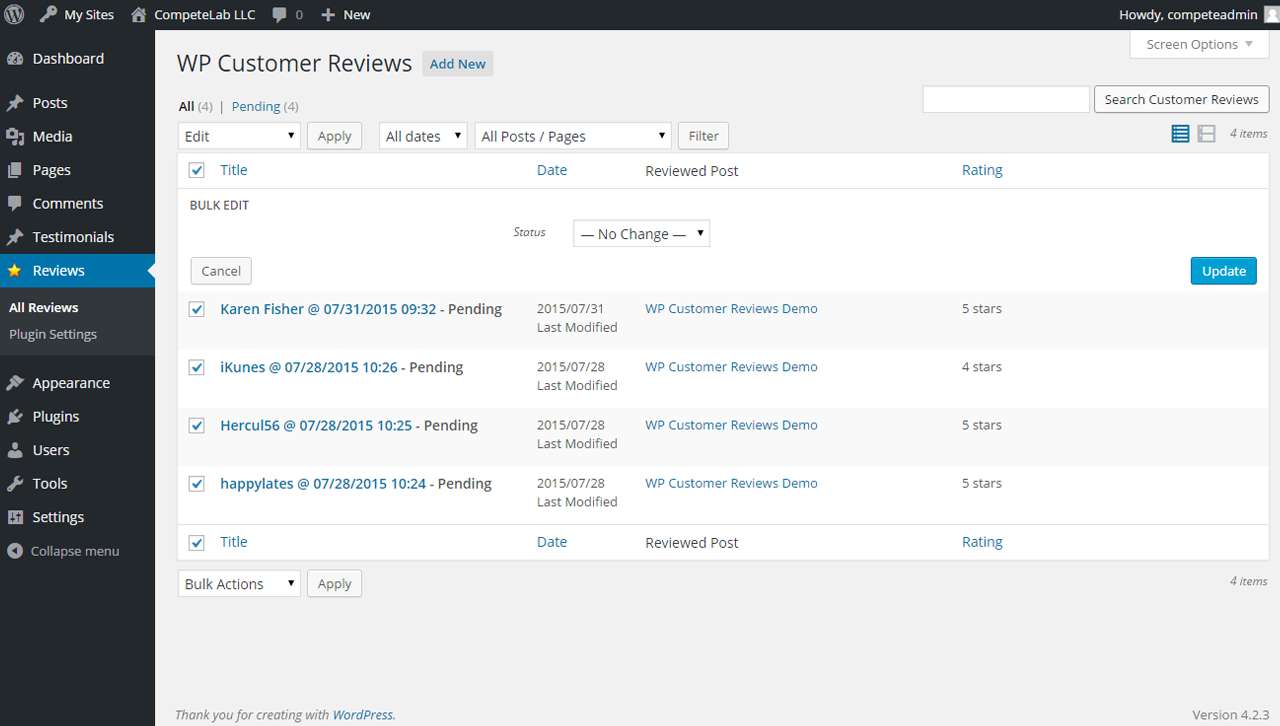
The moderation interface is simple. You can edit the content and date of any review before publishing. You can also add an admin response that displays beneath the approved review on the front end, which is useful for addressing feedback publicly.
Anti-spam measures are built in. The plugin uses a combination of honeypot fields and custom logic to block automated spambot submissions. In practice, it works adequately for lower-traffic sites. For high-traffic sites with determined spam pressure, consider supplementing with additional server-side filtering.
Front-End Display
Approved reviews display in a straightforward list format on the assigned page. The display includes reviewer name, star rating, review title, review text, date, and the admin response if one exists.
The aggregate rating shows at the top of the display, summarizing the total review count and average score. This aggregate data is also output as Schema.org AggregateRating markup in the page’s structured data, which is the key SEO feature of the plugin.
Main Features
Schema.org Markup (Free)
This is the headline feature. WP Customer Reviews outputs Schema.org AggregateRating and Review markup for every approved review on the page. Search engines like Google read this markup and may display star ratings and review counts directly in search results as rich snippets.
For a free plugin, having schema markup built in is notable. Many competing plugins (including Strong Testimonials in its free version) lock schema behind paid plans. WP Customer Reviews gives you this at zero cost, which makes it a strong choice for site owners who specifically want rich snippet eligibility without spending money.
The plugin supports both Schema.org’s LocalBusiness review type and Product review type, which you select in settings depending on whether you are collecting service reviews or product reviews.
Business and Product Review Types
The distinction between Business and Product review types is practically useful. If you run a service business (restaurant, consultant, dentist), select Business. If you sell physical or digital products, select Product. The schema output changes accordingly, which means Google gets the right context for the reviews.
Moderation and Admin Responses
Every submission goes through moderation before appearing publicly. The admin can:
- Approve or reject submissions
- Edit the review content and date
- Add a public response beneath each review
This workflow is adequate for most small sites. There is no bulk moderation feature, which could become tedious if you receive high volumes of reviews.
Custom Fields
The plugin supports adding custom form fields beyond the defaults. This is useful if you want to collect industry-specific information alongside the star rating and review text. Custom fields can be set to required or optional.
Shortcodes and Page Assignment
WP Customer Reviews uses a page-assignment model as the primary method. You pick a page from a dropdown in the plugin settings, and the plugin renders on that page automatically. The plugin also supports shortcodes for inserting review displays and forms on other pages or in widget areas if you need the output in additional locations.
The plugin works with any WordPress page, post, or widget area. It is also Multisite compatible.
Caching Plugin Compatibility
WP Customer Reviews is built to work with caching plugins. This is relevant for sites running W3 Total Cache, WP Rocket, LiteSpeed Cache, or similar tools. The plugin outputs clean markup that does not interfere with typical cache configurations.
What WP Customer Reviews Does Not Do
Being clear about limitations matters for this plugin:
- No third-party import. There is no way to pull in reviews from Google My Business, Yelp, Facebook, or any other platform. You collect reviews through the plugin’s own submission form only.
- No display layouts. There is one display format: a list. No grid, no carousel, no masonry, no slideshow. If you want a testimonials slider, you need a different plugin.
- No Gutenberg blocks. The plugin does not include native Gutenberg blocks. It relies on page assignment and shortcodes, which work fine but do not integrate with the block editor’s drag-and-drop workflow.
- No per-product reviews. If you need review forms attached to individual WooCommerce product pages rather than a standalone reviews page, WP Customer Reviews is not the right fit.
- No email notifications to reviewers. Reviewers who submit a review do not receive an automated confirmation or approval notification by default.
Pricing
WP Customer Reviews is free. There is no paid version, no extensions store, and no subscription. The complete plugin is available at no cost from WordPress.org.
If WP Customer Reviews does not meet your needs, the alternatives below include both free and paid options.
Pros and Cons
Pros
- Completely free, no paid tier or upsells
- Schema.org AggregateRating markup included at no cost
- Submission moderation built in
- Admin response feature for public replies to reviews
- Both Business and Product review types supported
- Custom fields supported
- Compatible with caching plugins and multisite
- Actively maintained: tested with WordPress 7.0 (2026)
- Lightweight, minimal impact on page load
Cons
- Single display format (list only), no layouts or carousels
- No third-party review import (Google, Yelp, Facebook)
- No native Gutenberg blocks
- Settings UI is functional but dated in appearance
- Modest install base (20,000+) compared to category leaders
- No per-product review support for WooCommerce
- Anti-spam relies on custom logic, no reCAPTCHA or Akismet by default
- No email confirmation to reviewers after submission
Alternatives
Site Reviews
Site Reviews by Paul Ryley is the most capable free alternative in this category. It offers a richer feature set including Akismet spam protection, pinned reviews, custom category-based filtering, a Gutenberg block, and schema markup. It has 70,000+ active installs versus WP Customer Reviews’ 20,000+. If you need more power and still want a free plugin, Site Reviews is the stronger choice.
Strong Testimonials
Strong Testimonials by WP Chill is a step up in terms of display options. It offers a free tier with unlimited views, five layout options (including a slideshow), and shortcodes. Schema markup is a paid feature in Strong Testimonials, which is the key trade-off versus WP Customer Reviews. If display flexibility matters more than free schema markup, Strong Testimonials is worth evaluating.
WP Review
WP Review by MyThemeShop offers both free and paid versions. The free version covers basic star ratings and schema. The paid version adds support for additional rating systems (percentage, point rating, circle rating), Google Rich Snippets optimization, and a broader template set. It suits those who want more review display variety than WP Customer Reviews offers.
Final Verdict
WP Customer Reviews earns its place as a dependable, zero-cost solution for small business sites that need review collection with schema markup. The schema output in the free version is genuinely useful. Most competing plugins charge for this. Moderation, admin responses, and custom fields round out a minimal but complete feature set.
The limitations are real. If you want layouts beyond a basic list, third-party review imports, or deep WooCommerce integration, WP Customer Reviews will not stretch that far. It is a focused tool, not a full-featured testimonials management system.
For a single-page review collection form with rich snippet-ready markup at no cost, WP Customer Reviews does the job cleanly and without overhead.
Rating: 4.0 / 5