

There are two ways to run Divi on a WordPress site. The first is the Divi Theme, which ships as a complete WordPress theme with the builder built in. The second is the Divi Builder Plugin, which installs the same visual editing engine as a standalone plugin you can use on top of any existing WordPress theme.
This is a review of the second option: the Divi Builder Plugin.
The distinction matters more than usual in 2026. Elegant Themes released Divi 5 in February 2026, a complete architectural rebuild of the Divi builder. Divi 5 launched on the Divi Theme first. As of July 2026, the standalone Divi Builder Plugin is still running on Divi 4. Elegant Themes has confirmed the plugin is next in line for Divi 5, and has stated it “will not require a lengthy beta phase.” But that update has not shipped yet.
This review covers what the Divi Builder Plugin actually does in July 2026 on Divi 4, what changed with Divi 5 for the Theme (and what it means when the plugin catches up), and who the overall Elegant Themes membership makes sense for.
I do not have an active Divi license, so I cannot report from hands-on sandbox testing. I researched from the official Elegant Themes website, Divi Builder Plugin documentation, help center articles, the Divi 5 release announcement, and a wide set of independent reviews and real-world user reports. I have been clear throughout about which details come from official sources versus independent analysis.
Quick verdict
Capable and competitively priced, but currently one major update behind the Divi Theme.
The Divi Builder Plugin is a capable visual WordPress page builder that runs on any theme without replacing it. In its current Divi 4 form, it gives you the same module library and editing experience as the Divi Theme, with the flexibility to keep your existing theme. The pricing model, with unlimited website usage and a lifetime license option at $249 one-time, is a genuine competitive differentiator.
The honest caveats: the Divi Builder Plugin has not yet received the Divi 5 update that the Divi Theme shipped in February 2026. Buyers evaluating the plugin on performance, shortcode-free architecture, or Loop Builder specifically should know those improvements are currently in the Divi Theme only. Divi 4, which the plugin runs on, carries the heavier page weight and shortcode-based content storage that Divi 5 was built to fix.
- Best for: non-developers and freelancers who want to add a full-featured visual builder to an existing WordPress theme without switching themes.
- Best paid use case: building multiple client sites under a single lifetime license with the Theme Builder covering headers, footers, and dynamic post templates.
- Standout: works with any WordPress theme (not just the Divi Theme); 2,000+ pre-built layout packs per official documentation; lifetime license at $249 one-time with no per-site fees.
- Watch out for: the current plugin runs Divi 4, not Divi 5; Divi 4 is heavier and uses shortcode-based content storage; the Divi 5 update for the standalone plugin has no confirmed release date as of July 2026.
What the Divi Builder Plugin is
The Divi Builder Plugin is a standalone WordPress plugin published by Elegant Themes. It installs the Divi visual builder engine on top of any existing WordPress theme, without requiring you to switch to the Divi Theme. The plugin is included with every Elegant Themes membership alongside the Divi Theme, Extra, and other products.
The Divi Theme and the Divi Builder Plugin share the same visual editing interface and the same module library. The key difference is integration depth. The Divi Theme replaces your WordPress theme entirely and handles headers, footers, and site-wide template design from day one through the Theme Builder. The Divi Builder Plugin adds the same editing experience to individual pages and posts within your current theme. Theme Builder is also available in the plugin, but your existing theme’s header and footer continue to render unless you explicitly create Divi Builder templates to replace them.
There is no free version on WordPress.org. Access requires an Elegant Themes membership, starting at $89 per year or $249 one-time for lifetime access. Both tiers cover unlimited website usage. A live interactive demo is available at demo.elegantthemes.com where you can explore the builder interface without purchasing, though you cannot use your own content or settings in the demo.
As of July 2026, the Divi Builder Plugin runs on Divi 4, the version that preceded the major Divi 5 rebuild. Elegant Themes has committed to bringing Divi 5 to the standalone plugin “next” after the theme, and stated it “will not require a lengthy beta phase.” No specific release date has been announced.
Divi 5 and the Builder Plugin: what you need to know
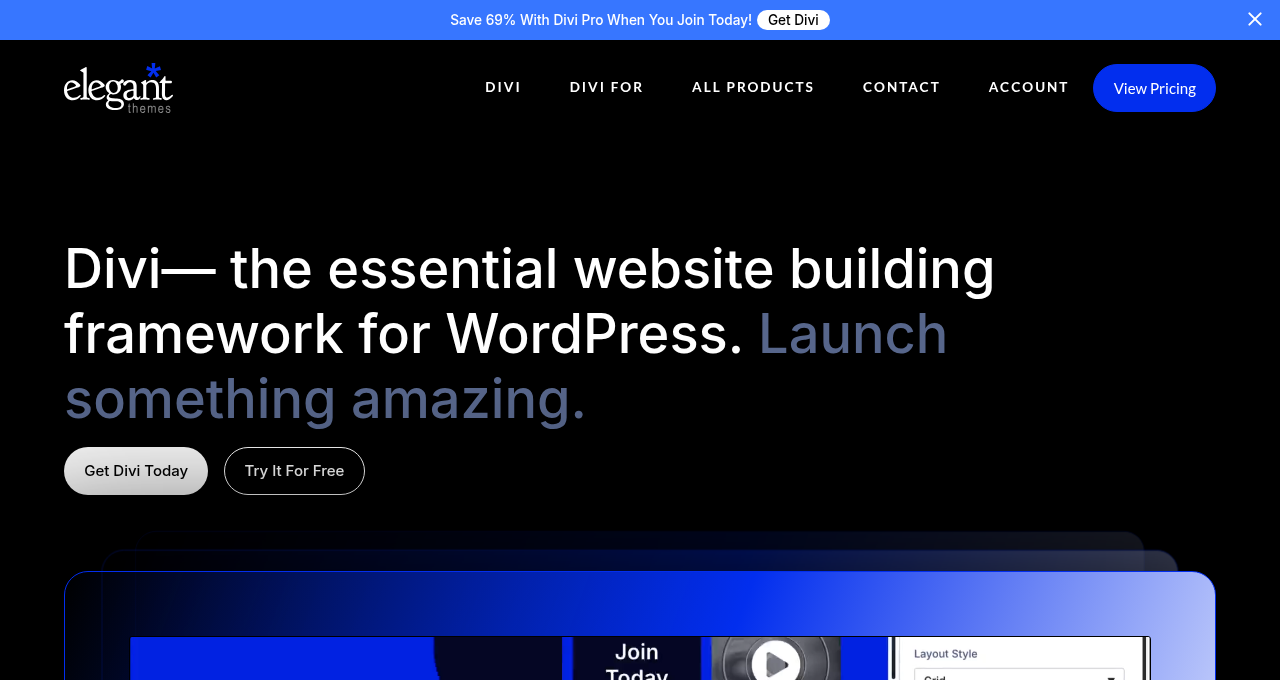
Divi 5 launched February 26, 2026 for the Divi Theme. It was a significant architectural overhaul: the PHP shortcode engine was removed, content moved to a block-based storage format, JavaScript was modularized, and a new developer API was introduced alongside a full design system with global variables, class-based presets, and seven customizable responsive breakpoints.
As of this review, those improvements are in the Divi Theme only. The Divi Builder Plugin is still on Divi 4. This means:
- If you install the Divi Builder Plugin on a non-Divi theme today, you are working with Divi 4 features and Divi 4 performance characteristics.
- Content you create with the plugin today is stored in the Divi 4 shortcode format. When the Divi 5 update arrives for the plugin, Elegant Themes plans to offer a one-click migrator similar to what they provided for theme users.
- Features described in Divi 5 marketing materials (Loop Builder, Query Builder, seven breakpoints, class-based presets, global variables) are currently available in the Divi Theme only, not the standalone plugin.
- The performance improvements Divi 5 achieved for the theme (lighter JavaScript loading, automatic critical CSS) have not yet reached the plugin.
For buyers comparing the Divi Builder Plugin against Elementor or Bricks today, the performance and feature comparison is against Divi 4, not Divi 5.
For buyers who are willing to wait for the Divi 5 plugin update, the current state is a snapshot in transition. The underlying membership structure, pricing, and module library are the same regardless of when the Divi 5 plugin update ships.
Who Divi Builder Plugin is best for
The Divi Builder Plugin is a strong fit if you:
- Already use a specific WordPress theme and want to add a visual builder without switching themes. The plugin installs on top of Astra, GeneratePress, OceanWP, Kadence, or any other theme that follows standard WordPress coding practices.
- Build WordPress sites for clients and want unlimited website usage under a single license without per-site fees.
- Plan to build many sites over several years and the lifetime license option ($249 one-time) makes more financial sense than recurring annual fees.
- Are comfortable with the Divi 4 visual editing paradigm and want access to a large module library and pre-built layout packs for individual pages and post types.
- Need Theme Builder functionality (custom headers, footers, post templates, WooCommerce pages) without committing to the Divi Theme.
The Divi Builder Plugin is a weaker fit if you:
- Want the current best performance out of the box. The plugin runs Divi 4, which carries heavier page weight than Divi 5 (available on the theme), and heavier than competitors like Bricks Builder. A caching plugin is effectively required to reach competitive Core Web Vitals scores.
- Want the features Elegant Themes is showcasing in current marketing materials. Many highlighted features (Loop Builder, global variables, seven breakpoints) are in the Divi Theme with Divi 5 but are not yet in the Divi Builder Plugin.
- Prefer a thorough free trial before committing. There is no free plugin version. The demo at demo.elegantthemes.com lets you explore the interface but not build your own pages. The 30-day money-back guarantee is the practical substitute, but requires an upfront payment.
- Need native Gutenberg block compatibility. Divi 4 and the WordPress block editor work on separate pages on the same site. They do not share content or templates.
- Want the largest possible third-party ecosystem. Elementor has a wider add-on and template marketplace, and the Divi third-party ecosystem is in transition as developers update their products for the Divi 5 API arriving on the plugin.
Setup and the editor experience
Because I did not have access to a Divi license for this review, what follows draws from official Divi Builder Plugin documentation, official video walkthroughs, and detailed independent coverage. Where I describe the interface, I am describing what documentation and independent reviewers consistently report, not what I tested personally.
Installing the Divi Builder Plugin follows the standard WordPress plugin process with one difference: it is not on WordPress.org and must be downloaded from the Elegant Themes member dashboard. You download the zip file, install it via Plugins in WordPress admin, and activate it. Your existing theme continues to render your site’s header and footer.
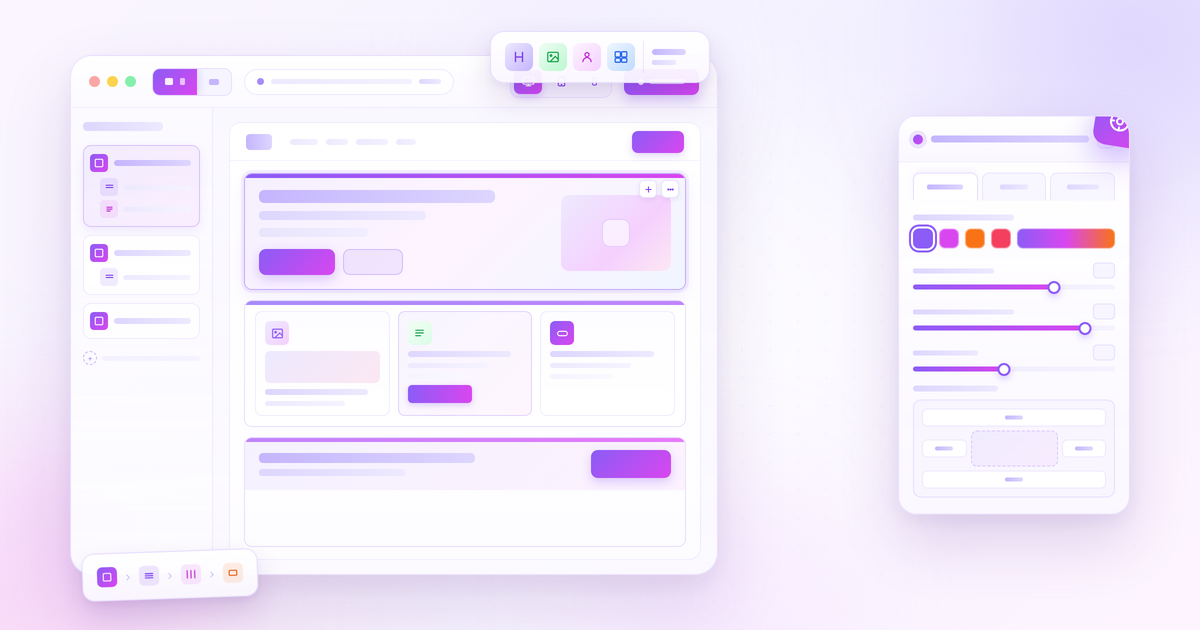
On a clean install, clicking “Use Divi Builder” on any page or post launches the visual editor as a front-end overlay. You see the page as visitors will see it, with editing controls layered over the canvas. The editing panel on the left contains Modules and Layers. The canvas in the center shows the live page. A top bar handles publishing, responsive preview mode, and history.
The editor uses a section-row-column-module structure. You add a Section, set the column layout inside it, and drag modules into the columns. The module settings panel opens when you click any module, offering three tabs: Content, Design, and Advanced. The Advanced tab is where you find custom CSS classes, custom CSS code, and visibility controls per device.
One notable advantage of the Divi Builder Plugin over theme-dependent builders: switching themes later does not require rebuilding your page layouts. Your Divi Builder-built pages travel with the plugin, not with the theme.
Key features
Module library
Elegant Themes’ official documentation describes the Divi Builder Plugin as offering access to a large library of design elements covering the full range of standard WordPress page needs. The official Divi Builder Plugin feature page references 200+ design elements and 2,000+ pre-built layouts (figures from elegantthemes.com/documentation/divi-builder/, July 2026). The same module library is available in both the Divi Theme and the Divi Builder Plugin.
The module library covers:
Layout and structure: Section, Row, Column, Divider, Spacer, Fullwidth Section.
Content: Heading, Text, Image, Video, Audio, Gallery, Slider, Carousel, Blog, Portfolio, Filterable Portfolio, Post Grid, Shop (WooCommerce).
Interactive: Accordion, Tab, Toggle, Blurb, Map, Countdown Timer, Contact Form, Login, Search, Menu, Social Follow, Share Buttons.
Conversion: Call to Action, Button, Pricing Table, Number Counter, Bar Counter, Circle Counter, Testimonial.
All modules in the core library are included in the base Elegant Themes membership.
Theme Builder
The Divi Builder Plugin includes Theme Builder, which lets you design site-wide templates from within the visual editor. Capabilities include:
- Custom headers and footers applied site-wide or by display condition.
- Post and archive templates: design the layout for single blog posts, archive pages, search results, and custom post types.
- WooCommerce templates: product pages, shop archive, cart, checkout, and My Account pages.
- 404 pages.
- Dynamic content connections: connect any module field to WordPress data (post title, featured image, author, date) or ACF custom field values, enabling templates that pull real content automatically.
Display Conditions control where each Theme Builder template applies. You can set a header template to apply site-wide, or a post template to apply only to a specific category, or a WooCommerce template to apply only to single products.
Theme Builder is included in the base membership. There is no separate purchase required.
Pre-built layouts and Quick Sites
The Divi Builder Plugin includes access to the same library of pre-built page layouts available in the Divi Theme, per official Elegant Themes documentation. The figures cited officially are 2,000+ pre-built layouts, available from within the editor.
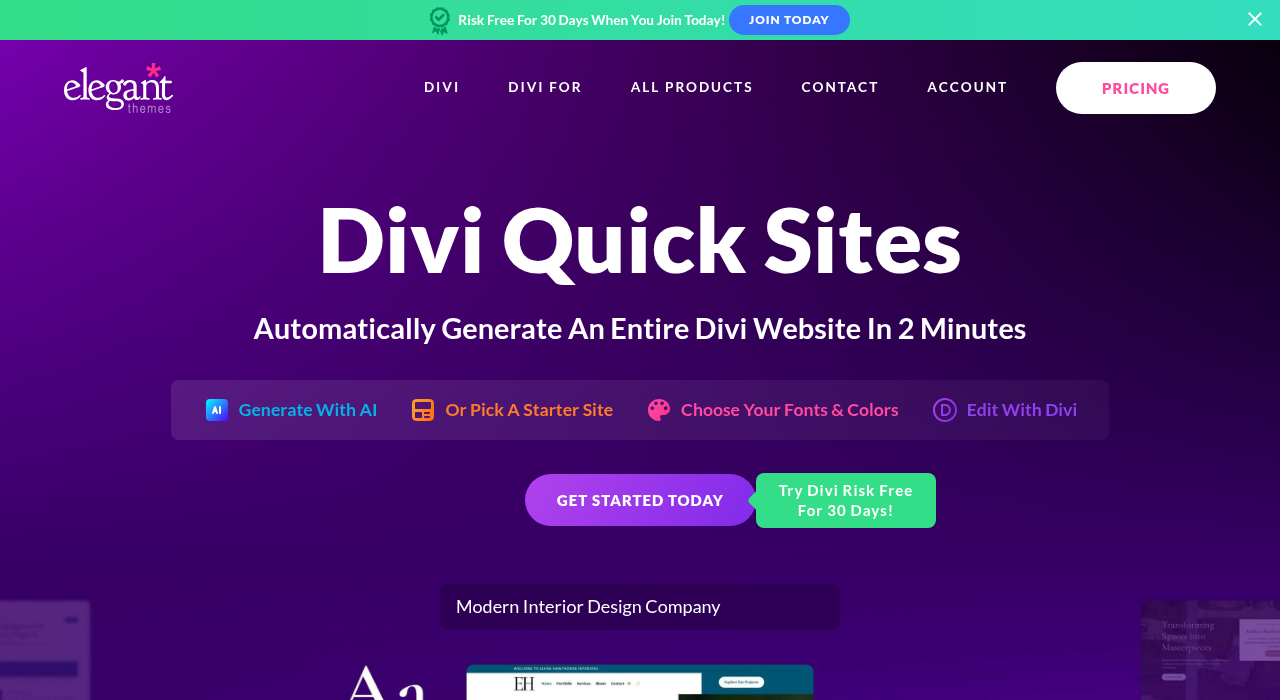
The Quick Sites feature (announced for the Divi 5 Theme, where it builds a complete site in one to two minutes) is a Divi 5 capability currently available on the Divi Theme. Its availability in the standalone Divi Builder Plugin once Divi 5 is rolled out to the plugin has not been separately confirmed as of July 2026.
WooCommerce support
The Divi Builder Plugin supports WooCommerce through the Theme Builder and dedicated modules. Users can create custom product page templates, shop archive layouts, cart and checkout pages, and My Account pages visually. WooCommerce-specific modules are available in the module library including shop and product elements.
Divi AI
Divi AI is an add-on service integrated into the visual builder. It can generate text content for any module, images uploaded to the media library, CSS code, and complete page layouts. Divi AI is aware of the current page content when generating suggestions.
Every Elegant Themes member gets 100 free Divi AI tokens (tied to the account, not per site). After the free token allocation is used, Divi AI requires the Divi Pro subscription ($277/year). Unlimited Divi AI usage is not included in the base $89/year or $249 lifetime plans. The availability of Divi AI on the standalone Divi Builder Plugin is expected to follow the same access rules as on the Divi Theme, but check elegantthemes.com for the current state at time of purchase.
Interactions and animations (Divi 4)
The Divi Builder Plugin in its current Divi 4 version includes animation and interaction controls:
- Entrance animations (fade, slide, flip, zoom, bounce) with customizable delay and duration.
- Scroll-triggered effects: parallax backgrounds.
- Sticky element behavior.
- Display conditions: show or hide elements based on user login status, device type, or user role.
These controls are included in the base membership. Note that Divi 5 introduced additional interaction capabilities in the Divi Theme (expanded display conditions, advanced behavioral triggers, CSS Grid support). These Divi 5 interaction improvements are in the theme, not yet in the standalone plugin.
What Divi 5 adds for the Theme (and what it means for the plugin’s future)
When the Divi 5 update reaches the Divi Builder Plugin, the key improvements buyers should know about include:
Shortcode-free content storage. Divi 4 stores content in a PHP shortcode format. If you deactivate the plugin, post content becomes unreadable shortcode text. Divi 5 replaces this with a block-based format similar to WordPress’s own storage architecture. Content built in Divi 5 is more portable.
Performance improvements. Divi 5’s modularized JavaScript loading, automatic Critical CSS generation, and React-based rendering reduce page weight significantly compared to Divi 4. Independent tests on the Divi 5 Theme show meaningful improvement over Divi 4 performance, though Divi 5 still trails Bricks Builder in most independent comparisons.
Design system. Divi 5 introduces global design tokens (Variables for colors, numbers, images), class-based Presets for reusable styles, and seven customizable responsive breakpoints (vs. three fixed breakpoints in Divi 4).
Loop Builder and Query Builder. New in Divi 5 for the theme, these let you visually design dynamic content loops without PHP code, with a query builder for filtering content by taxonomy, meta, ACF, or date.
New developer API. The Divi 5 API exposes the same module-building tools Elegant Themes uses internally, making third-party custom module development more straightforward.
These features are in the Divi Theme now. The Divi Builder Plugin has not yet received them.
The Elegant Themes ecosystem
The Divi Builder Plugin is included in every Elegant Themes membership. Alongside the plugin, the membership has historically also included the Divi Theme, Extra (news/magazine theme), Bloom (email opt-in plugin), and Monarch (social sharing plugin). The current pricing page at elegantthemes.com/join/ lists “Divi (unlimited website usage)” and “Divi Dash” as the primary inclusions in the plan cards. Verify what is included in your specific plan at the time of purchase, as bundled products can change.
Divi Dash is a site management dashboard included with all plans for managing multiple WordPress installations, handling updates and user management from one interface.
Divi Cloud (Pro tier) is cloud storage for saving and syncing Divi layouts, presets, and design assets across multiple sites.
Divi Teams (Pro tier) adds seat-based collaborative access to shared Divi Cloud libraries.
The plugin-plus-ecosystem model is part of Divi’s value case. If Extra, Bloom, and Monarch are included in your active plan, they add tools that would cost separately from other vendors.
Performance
The Divi Builder Plugin in its current Divi 4 version carries the performance characteristics that Divi 4 is known for. Divi 4 was consistently one of the heavier WordPress builders in third-party benchmarks, with the shortcode-based architecture requiring a full PHP framework load on every page. The CSS and JavaScript bundle sizes are large relative to competitors like Bricks Builder.
A caching plugin (WP Rocket, LiteSpeed Cache, or similar) is effectively required for any Divi 4 site targeting competitive Core Web Vitals scores.
For context on where the Divi Theme’s Divi 5 stands: Elegant Themes publishes controlled benchmark figures of 100 PageSpeed Insight score on desktop and 100 on mobile for optimized Divi 5 pages. Independent third-party tests on the Divi 5 Theme have placed real-world mobile performance lower than those controlled figures, though with meaningful improvement over Divi 4. These figures apply to the Divi Theme with Divi 5 and are not representative of the current standalone Divi Builder Plugin (Divi 4).
When the Divi 5 update arrives for the Divi Builder Plugin, the performance picture is expected to improve substantially. Until then, buyers who prioritize raw Core Web Vitals performance should consider the current Divi 4 baseline and plan for caching and optimization work.
Pricing
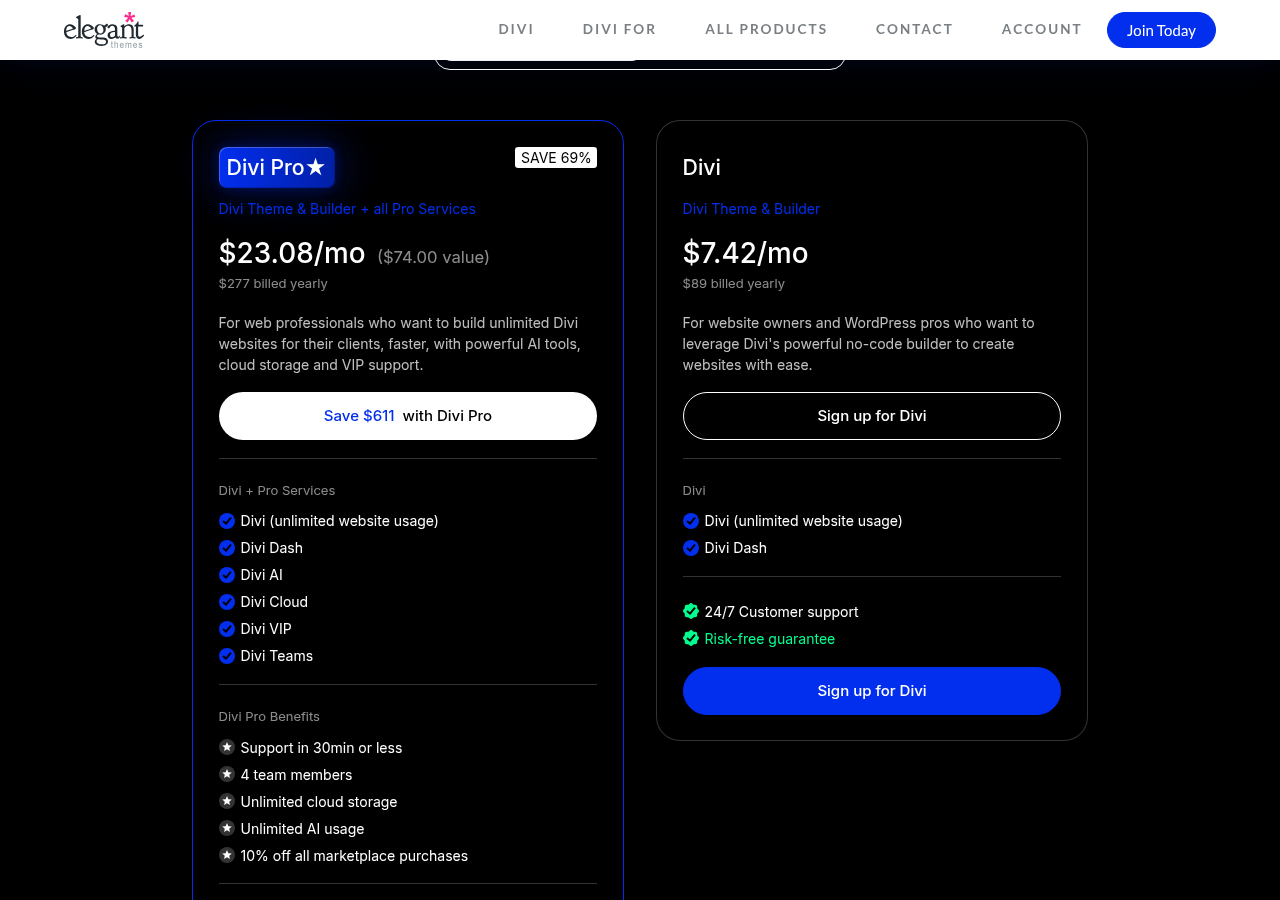
The Divi Builder Plugin is sold through Elegant Themes memberships. All plans cover unlimited website usage. Verify current prices at elegantthemes.com/join/ before purchasing.
| Plan | Price | Billing | Notes |
|---|---|---|---|
| Divi (Yearly) | $89/year | Annual | Divi Builder Plugin + Divi Theme, Divi Dash, unlimited sites, 30-day guarantee |
| Divi Lifetime | $249 | One-time | Same as Yearly, lifetime updates, no renewal |
| Divi Pro (Yearly) | $277/year | Annual | Everything in Divi + Divi AI unlimited, Divi Cloud unlimited, Divi Teams (4 seats), Divi VIP support (30-min response) |
| Divi Lifetime + Pro | $297 upfront + $212/year | Hybrid | Divi Lifetime one-time, Pro services on annual renewal (cancelable separately) |
The lifetime license at $249 is a genuine differentiator. No major WordPress visual builder competitor (Elementor, Bricks, Beaver Builder) offers a comparable permanent license for unlimited sites at this price. For agencies or freelancers building 10 or more sites over several years, the payback period is typically under three years versus annual alternatives.
Divi AI unlimited requires the Pro tier at $277/year. The 100-token free trial is included with all plans but is consumed quickly on real projects.
The Pro tier’s Divi VIP support (30-minute response guarantee, 24/7) is the primary reason to upgrade beyond the lifetime plan if support response time is a priority.
Honest drawbacks
The standalone plugin is on Divi 4, not Divi 5. This is the single most important caveat for any buyer in July 2026. The Divi 5 improvements that Elegant Themes is actively marketing (React architecture, shortcode-free storage, improved performance, Loop Builder, global design tokens) are currently in the Divi Theme only. Buyers installing the standalone Divi Builder Plugin today are getting a Divi 4 product. The Divi 5 update for the plugin is on the roadmap with no confirmed date.
No free plugin or real trial access. There is no free version of the Divi Builder Plugin on WordPress.org. The demo at demo.elegantthemes.com lets you explore the editor interface but not build your own pages. The 30-day money-back guarantee is the practical substitute but requires an upfront payment.
Divi 4 carries significant page weight. Without Divi 5’s performance improvements, the current plugin produces more DOM overhead and larger CSS/JavaScript bundles than competitors like Bricks Builder and comparable builds in Elementor Pro. A caching and optimization plugin is required for competitive Core Web Vitals results.
Divi 4 uses shortcode-based content storage. Content created with the current plugin is stored as PHP shortcodes. If you deactivate the plugin, content becomes unreadable. This is not fixed until the Divi 5 update reaches the standalone plugin.
Divi AI behind a secondary paywall. Divi AI unlimited requires the Pro tier at $277/year. The 100-token trial is limited.
Third-party add-on ecosystem in transition. The Divi community’s third-party add-ons are rebuilding for the Divi 5 API that the theme received in February 2026. For the plugin, this means the add-on ecosystem is disrupted by an upcoming (but undelivered) platform change.
Ecosystem lock-in with the Divi Theme. Buyers who use the Divi Theme alongside the plugin are more deeply locked in to the Elegant Themes ecosystem. Migrating a Divi 4 site to a different builder requires layout reconstruction regardless of which Elegant Themes product you used.
Missed Divi 5 development timeline. Divi 5 development for the theme started in late 2022 and shipped February 2026, more than a year past early targets. The timeline for the Divi Builder Plugin update is unannounced.
Alternatives
Elementor (free version available, Pro from $59/year for 1 site). The most widely installed WordPress page builder with 10+ million active installs. Elementor Pro includes Theme Builder, Popup Builder, Form Builder, WooCommerce templates, and dynamic content. The v4 Atomic Editor (released March 2026) brought a CSS-first design system. Per-site pricing vs. Divi’s unlimited-site model makes Divi more economical at scale.
Bricks Builder ($79/year, unlimited sites). The performance benchmark for WordPress builders in 2026. Produces cleaner HTML than Divi 4 or Divi 5 in most independent comparisons. Steeper learning curve and smaller template library. Best choice for performance-first agencies.
Beaver Builder (from $89/year for 1 site, Beaver Themer included). A stability-first page builder with a 12-year production record and front-end editing. Bundles Beaver Themer (site-wide templates) on all paid plans. Cleaner code output than Divi 4. Smaller add-on ecosystem but well-documented stability advantage.
WordPress block editor (Gutenberg, free). Native WordPress editor with full site editing support in current WordPress versions. Zero performance overhead, no plugin dependency. Sufficient for blogs and content-focused sites. Not a replacement for Divi Builder’s module library on complex marketing pages.
Pros and cons
Pros
- Works with any WordPress theme: no forced theme switch.
- Unlimited website usage on all plans (annual and lifetime).
- Lifetime license option at $249 one-time: unique among major WordPress visual builders.
- Large module library (200+ elements per official documentation) and 2,000+ pre-built layouts accessible in the editor.
- Theme Builder included: custom headers, footers, post templates, WooCommerce templates, dynamic content.
- Divi AI integration (100 free tokens with all plans; unlimited with Pro).
- 30-day money-back guarantee on all plans.
- Active community and large library of third-party tutorials.
- Divi 5 for the theme has shipped and demonstrated real improvements; the plugin is next in the rollout queue.
Cons
- Standalone plugin currently runs Divi 4, not Divi 5. Divi 5 update for the plugin has no confirmed date as of July 2026.
- Divi 4 shortcode-based content storage creates lock-in until Divi 5 reaches the plugin.
- Divi 4 performance is heavier than competitors; caching required for competitive Core Web Vitals.
- No free WordPress.org version; demo environment is not a real trial.
- Divi AI unlimited requires Divi Pro ($277/year); not in base or lifetime plans.
- Third-party add-on ecosystem disrupted by the upcoming Divi 5 API transition.
- Divi VIP priority support is a Pro-tier-only feature.
- Content created today will need migration when Divi 5 arrives for the plugin.
Final verdict
The Divi Builder Plugin is a capable, theme-agnostic visual builder backed by a pricing model that is hard to match at scale. The lifetime license at $249 for unlimited sites is a genuine differentiator, and the module library covers the full range of standard page-building needs.
The timing is genuinely complicated. The Divi Builder Plugin runs on Divi 4 while the Divi Theme runs on Divi 5, and many of Elegant Themes’ most compelling 2026 improvements are currently theme-only. A buyer who installs the plugin today is getting a solid Divi 4 product with a Divi 5 upgrade coming at some undisclosed point. That is not a reason to avoid it, but it is a reason to go in with clear expectations.
For a freelancer or agency starting new projects, the Divi Builder Plugin makes most sense if your clients want to keep their existing themes, or if you prefer the plugin’s lighter theme-footprint versus the Divi Theme’s full site ownership. The annual plan at $89/year is defensible for a modest portfolio. The lifetime plan at $249 pays for itself over a few projects.
For performance-critical new builds today, Bricks Builder is the cleaner technical choice. For the widest ecosystem and a currently available modern architecture, Elementor Pro has an advantage while the Divi Builder Plugin waits for its Divi 5 update.
If you are already in the Elegant Themes ecosystem and using the Divi Theme on Divi 5, adding the Divi Builder Plugin to any non-Divi theme client sites you manage is a natural extension under the same membership.