


Most WordPress form plugins force a trade-off: you either get a simple free plugin with no payment support, or you pay for a premium tool just to collect credit card details. Forminator breaks that pattern by including Stripe and PayPal payment processing in its free version, with no upgrade required.
That one decision makes it stand out in a crowded category. But payments are not the whole story. Forminator bundles contact forms, interactive polls, BuzzFeed-style quizzes, and a calculation engine into a single free plugin, which is a broader scope than nearly anything else in the directory.
I reviewed the plugin’s full feature set, official documentation, changelog, pricing page, and vendor-provided admin interface screenshots. I also audited the WordPress.org listing and plugin API data. Here is what I found.
At a glance:
- Plugin: Forminator Forms by WPMU DEV
- Version reviewed: 1.57.0 (last updated August 3, 2026)
- WordPress.org listing: 600,000+ active installs, 4.8/5 stars (2,107 ratings)
- Free tier: Full drag-and-drop builder, Stripe and PayPal payments, polls, quizzes, calculations, 10+ integrations
- Pro add-ons: Stripe Subscriptions, PDF Generator, Geolocation, E-Signature (sold separately or via WPMU DEV membership)
- Requires: WordPress 6.4+, PHP 7.4+
- Bottom line: The most capable free form builder for teams who need payment processing without spending anything, and a solid choice for anyone who wants polls and quizzes alongside a traditional form.
Quick Verdict
Forminator is the free WordPress form plugin I would recommend first to anyone who needs payment forms, calculators, or an all-in-one forms-plus-polls-plus-quizzes solution.
The free version accepts real payments through Stripe and PayPal, handles conditional logic, supports multi-page forms, and integrates with HubSpot, Mailchimp, ActiveCampaign, and Google Sheets without a paid upgrade. That is a feature set other plugins charge $50 to $200 per year for.
The trade-offs are real: Pro add-ons for Stripe recurring payments, PDF generation, and e-signatures cost extra. The WPMU DEV ecosystem is tightly coupled (cloud templates require their HUB). And the plugin saw three security patches in late July 2026, which is worth knowing before you deploy it on a site with sensitive data.
For the majority of WordPress site owners building contact forms, payment forms, or interactive content, Forminator free is the right starting point.
Quick verdict card:
| Best for | Site owners who need free payment forms, freelancers building lead-capture sites, small businesses wanting polls and quizzes alongside forms |
| Free plan | Yes, full builder with Stripe and PayPal payments included |
| Pro starts at | $36/year (1 site, with current 40% promotion) |
| Standout feature | Stripe and PayPal payment processing in the free version |
| Watch out for | Recent security patches, Pro ecosystem lock-in for add-ons, WPMU DEV HUB required for cloud templates |
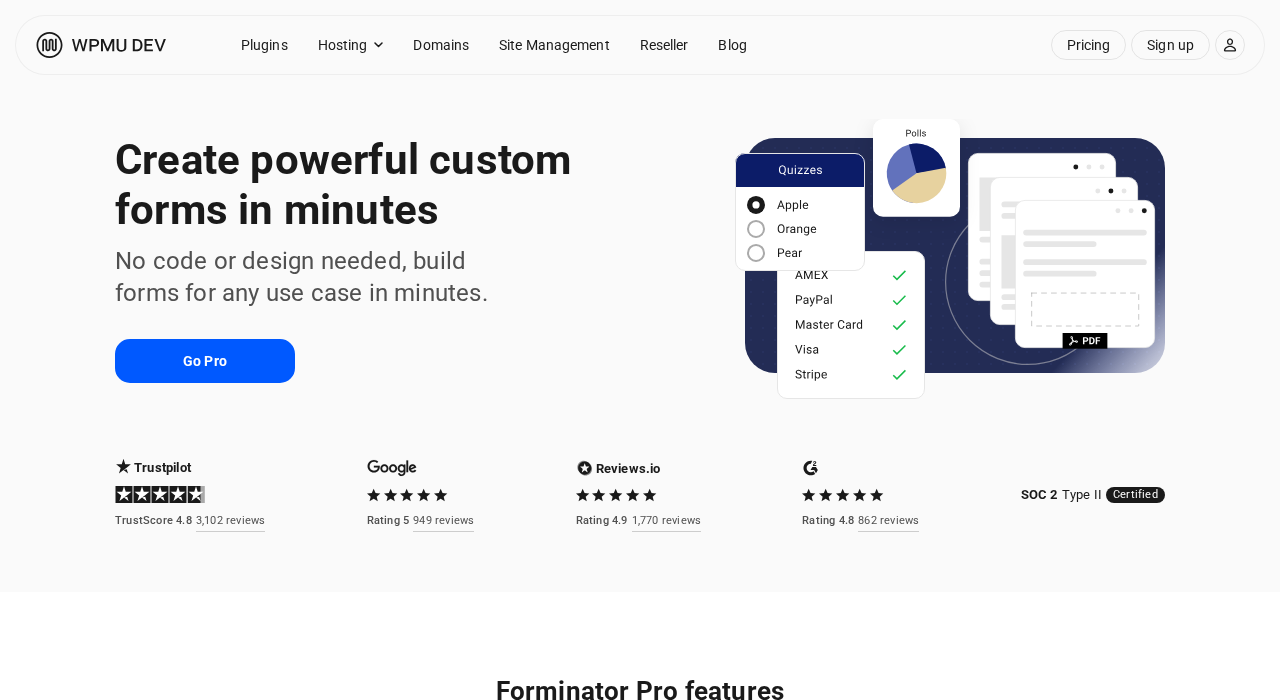
What Forminator is
Forminator is a free WordPress form builder plugin published by WPMU DEV, a company known for building an all-in-one WordPress platform for developers and agencies. The plugin installs directly from the WordPress.org directory and is free to use in full, with optional paid add-ons for advanced features.
Where most form plugins build one thing well, Forminator builds three:
- Forms: contact forms, payment forms, registration forms, multi-step forms, calculation-based forms, and service estimators
- Polls: interactive voting widgets with real-time results displayed as charts
- Quizzes: knowledge tests with right/wrong answers, and personality-style quizzes in the BuzzFeed format
The plugin is available in 63 languages and tested against WordPress 7.0.4 (the latest major release at the time of this review). It has been downloaded nearly 20 million times and holds 600,000+ active installs as reported on WordPress.org.
WPMU DEV also holds Stripe Verified Partner status, which means Forminator’s payment integration has been reviewed by Stripe directly. This is not a cosmetic distinction: it gives WPMU DEV access to escalated Stripe support and means the integration is held to a higher standard than a third-party Stripe wrapper.
Who Forminator is best for
Strong fit:
- Small business owners who want to collect payments on a contact or order form without buying a WooCommerce setup or a paid form plugin
- Bloggers and content creators who want interactive polls and personality quizzes to increase engagement and time on page
- Freelancers and agencies building lead-capture sites that need service estimators or quote calculators
- Teams already using HubSpot, Mailchimp, ActiveCampaign, or Google Sheets who want native integrations without extra plugins
- WordPress developers who need a form plugin with a developer API and extensible hooks
- Multilingual sites that need a form plugin tested across 63 languages
Weak fit:
- Sites that need Stripe subscriptions on the free plan (recurring payments require the Pro add-on)
- Large agencies managing 10+ sites who want full feature parity at a low per-site price (Pro Plus at $120/year covers 10 sites, but Pro add-ons are priced separately on standalone plans)
- Teams who want a lightweight plugin with a minimal database footprint (Forminator stores submissions, poll votes, and quiz results in the WordPress database, which can grow)
- Sites where the primary need is a simple one-field email opt-in with deep email marketing automation
- Highly security-sensitive environments where any recent CVE history is disqualifying (three security patches shipped in late July 2026)
The form builder interface
Forminator installs from Plugins > Add New in the WordPress admin. Search for "Forminator," activate it, and a new sidebar item appears with three sections: Forms, Polls, and Quizzes.
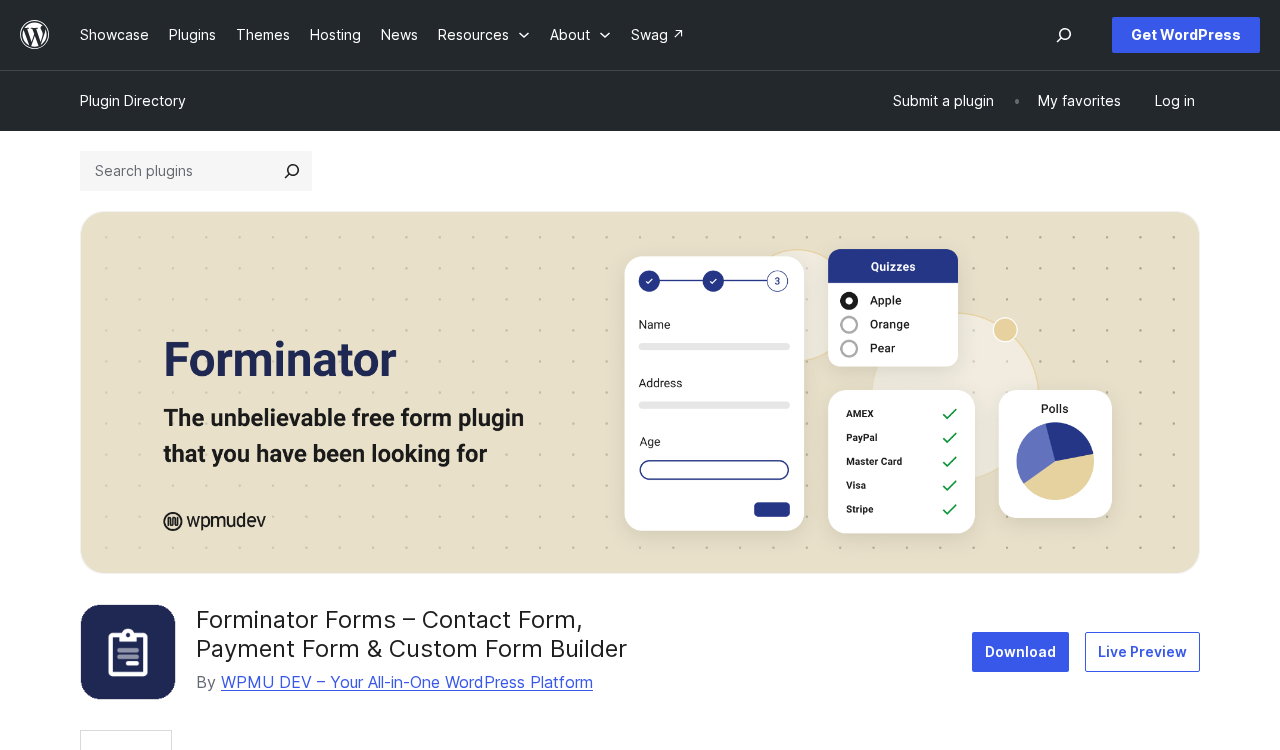
The form builder uses a split-panel layout. According to the vendor-provided admin interface screenshots on WordPress.org: a field library panel on the left, a live form canvas in the center, and a field settings panel on the right. Fields are added by clicking from the library or dragging them onto the canvas. Reordering uses drag-and-drop.
The dashboard lists all your forms, polls, and quizzes in separate panels, each with quick-action menus for editing, previewing, and viewing submissions. The pre-built template library covers common form types: contact forms, payment forms, registration forms, and quote requests. Starting from a template is faster than building from scratch.
The conditional logic interface uses a rule-based builder: select a field, choose a condition (equals, contains, is greater than, etc.), set the value, then pick whether to show or hide the target field. You can stack multiple conditions per field with AND/OR logic. This standard approach works well for the most common use cases, including multi-section forms where only relevant questions appear based on earlier answers.
Forms: what the free version includes
Field types
Forminator includes an extensive field library at no cost:
General fields:
Name, email, phone, address, website URL, date, time, number, text area, HTML (custom markup)
Advanced fields:
Checkbox, radio buttons, select dropdown, toggle switch, rating, signature (yes, free), slider, GDPR consent, file upload, multiple file upload, hidden fields, data fields, post data, repeater groups
Special fields:
Stripe payment, PayPal payment, calculation, pagination (page breaks for multi-step forms)
The signature field being free is worth calling out specifically. Most form plugins lock e-signature functionality behind a premium plan. Forminator includes a basic signature field at no cost. The Pro E-Signature add-on adds more advanced signing workflows, but the free field handles simple sign-off needs.
Conditional logic
Every field can be shown or hidden based on the value of another field. The logic builder lets you set multiple conditions per field and choose whether all conditions or any one condition must be true. This covers the standard use cases: show a shipping address section only when “ship to different address” is checked, reveal a phone field only for users who say they want a callback, display pricing tiers based on a service selector.
Calculations
The calculation field is one of Forminator’s most distinctive free features. It accepts formulas using values from other numeric fields in the form. You can build:
- Booking cost estimators (duration x hourly rate)
- Loan repayment calculators
- BMI and health measurement forms
- Tax and fee calculators
- Service quote generators
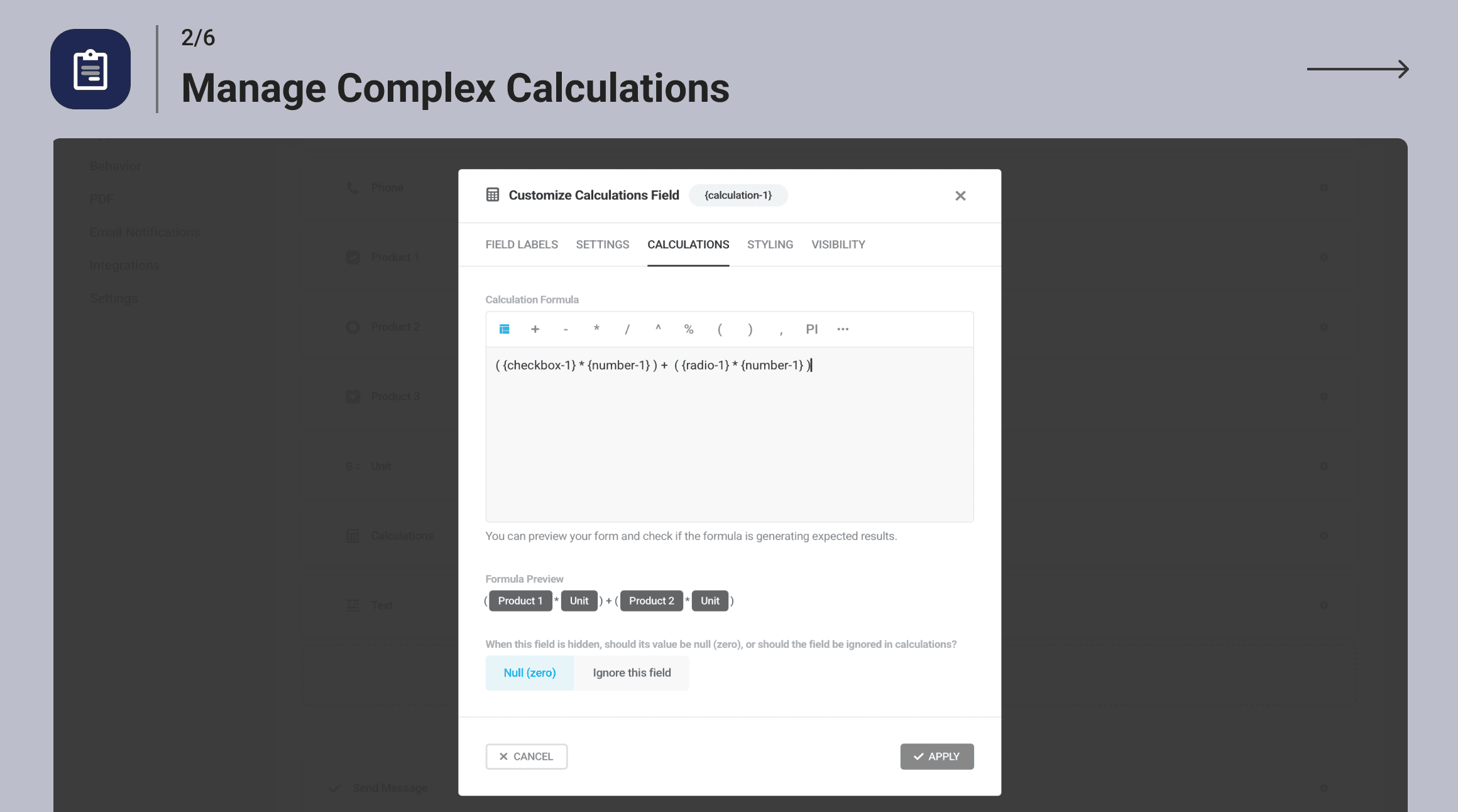
The formula editor uses a point-and-click interface to insert field references rather than requiring manual variable names. The output can be formatted as currency. Below is a vendor-provided screenshot of the calculation field interface in the WordPress admin:
Payments: Stripe and PayPal, both free
This is the headline claim and it holds up. Forminator accepts live payments from Stripe and PayPal in the free version, with no Pro license required.
Stripe integration:
Setup requires connecting your Stripe account. As of version 1.56.0 (July 21, 2026), WPMU DEV added Stripe Connect (OAuth), which means you can authorize the connection with a click rather than manually copying API keys. The plugin is SCA compliant (required for European card payments under PSD2).
The Dynamic Payment Element is also included. This shows 40+ payment method options to customers based on their location: Apple Pay, Google Pay, Klarna, SEPA Direct Debit, and more.
PayPal integration:
PayPal payment forms work alongside Stripe. Both can appear on the same form. As of version 1.57.0, PayPal works correctly with repeater fields.
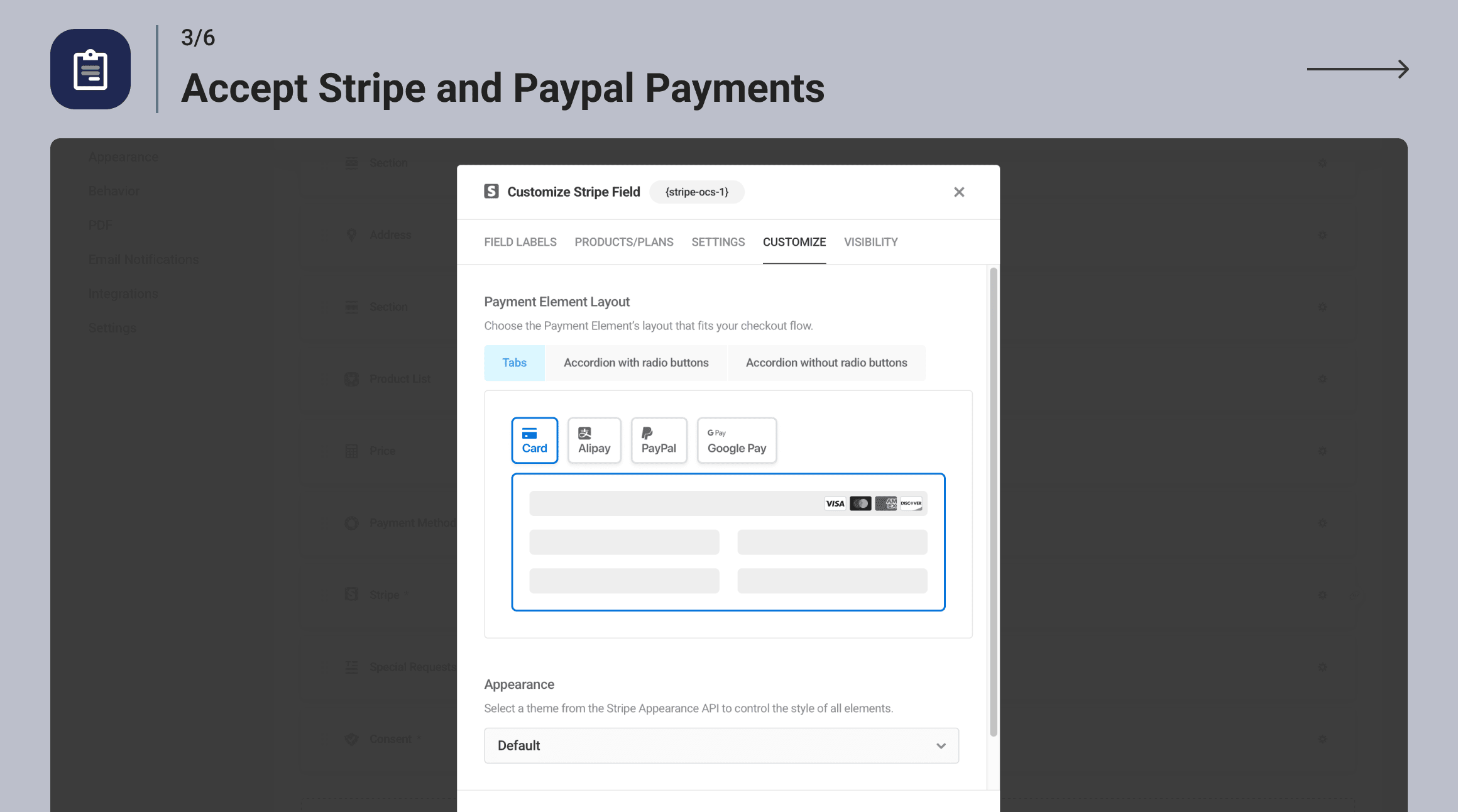
Below is a vendor screenshot showing the payment integration setup screen in the WordPress admin:
Stripe Subscriptions (Pro add-on only):
If you need recurring billing, you need the Stripe Subscriptions add-on, sold as a Pro feature. You can configure multiple pricing plans and use conditional logic to route users to different subscription tiers.
Multi-page forms and save-and-resume
Long forms can be broken into pages using the Pagination field. Each page can be labeled, and Forminator displays a progress indicator.
The Save and Resume feature lets users save an incomplete form and return to finish it later via an emailed link. Both features are included free.
Anti-spam
Forminator supports three spam prevention methods:
- Google reCAPTCHA (v2 checkbox and v3 invisible)
- hCaptcha (privacy-focused alternative)
- Cloudflare Turnstile (zero-friction bot detection)
You can also configure email filtering to block or allow specific email addresses, domains, or top-level domains.
Submission management
All form submissions are stored in the WordPress database and visible in the Forminator admin under each form. You can view individual submissions, filter and search, export to CSV (with a custom Submission ID prefix as of 1.57.0), configure scheduled exports, and set submission limits per form or per user.
Polls
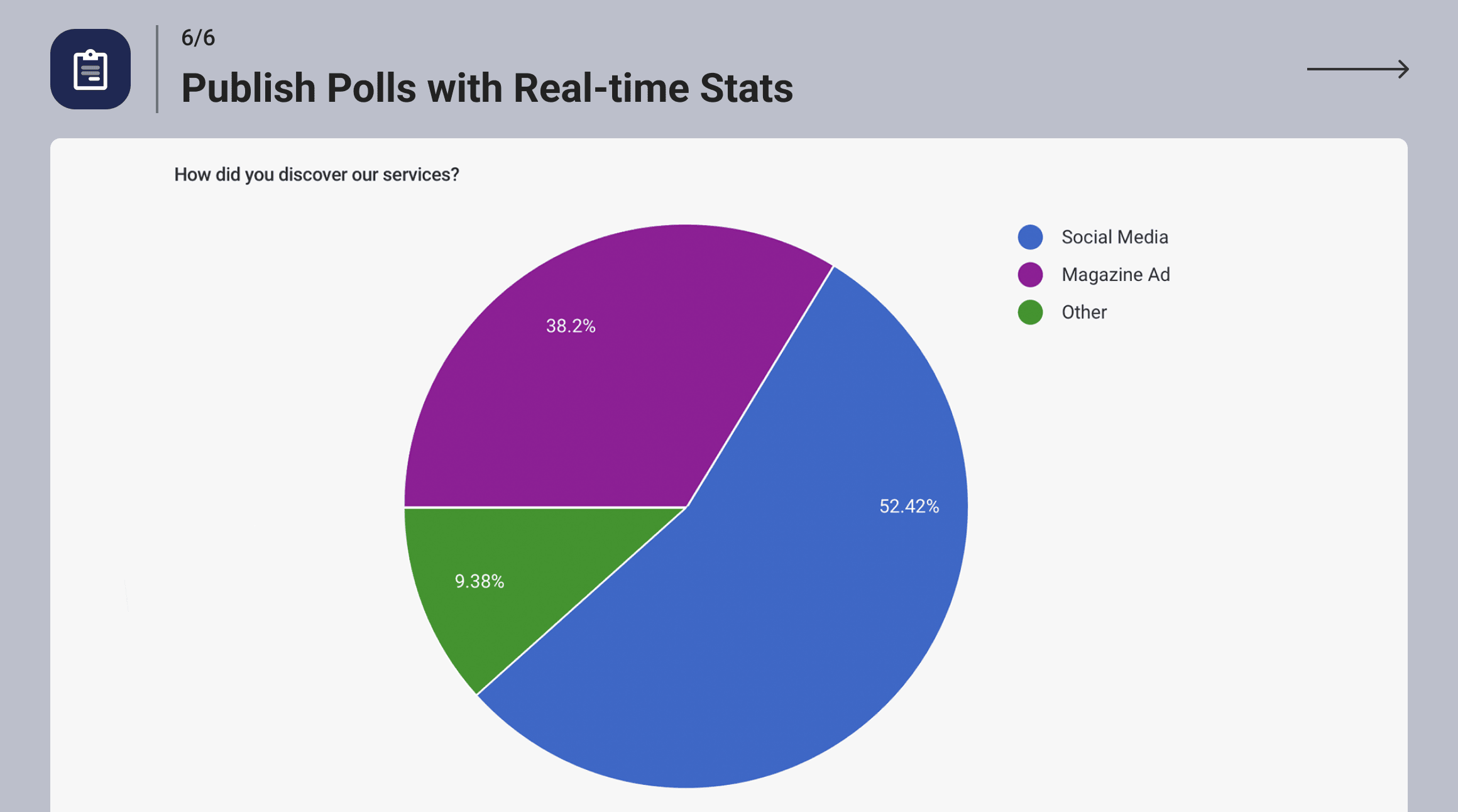
Forminator polls are standalone widgets added to pages via shortcode or Gutenberg block. Visitors vote on a question with multiple-choice options. Results display in real time as pie charts or bar graphs.
The poll editor lets you add images to answer options for a more visual presentation. You can allow or restrict repeat voting, display results before or after voting, and show or hide vote counts.
Where polls fall short: there is no A/B testing, no conditional logic between poll completion and form display, and no native way to pipe poll results into a CRM or email platform without a webhook.
Quizzes
Forminator supports two quiz types:
Knowledge quizzes: Questions have correct and incorrect answers. Users receive a score at the end.
Personality quizzes: No wrong answers. Each choice maps to a personality result, and the quiz aggregates responses to display a matching outcome. This is the BuzzFeed-style format.
Quizzes include a lead generation option: embed a lead capture form inside the quiz, collect name and email before showing results, and push that data to your email marketing list. This is a genuine lead magnet feature that other plugins charge extra for.
Social sharing buttons can be added to results pages, which is the mechanism that drives the "viral" potential of personality quizzes.
One limitation: quiz results and analytics live only inside Forminator’s dashboard. There is no direct integration to push quiz completions to Google Analytics events without custom code or a webhook.

Integrations
Forminator’s free integration list is more complete than most form plugins charge for:
| Integration | Type | Notes |
|---|---|---|
| HubSpot | CRM | Map form fields to CRM contact properties |
| Mailchimp | Email marketing | List subscription with tags and groups |
| ActiveCampaign | Email/CRM | Contact creation and list subscription |
| Campaign Monitor | Email marketing | Subscriber management |
| AWeber | Email marketing | List subscription |
| Google Sheets | Spreadsheet | Row appending per submission |
| Trello | Project management | Card creation per submission |
| Slack | Messaging | Submission notifications to channels |
| Webhooks | General automation | POST data to Zapier, Make, n8n, or custom endpoints |
The webhook integration bridges anything not listed natively. Make and Zapier both handle Forminator webhooks without issues. n8n is also explicitly supported as of recent releases.
Styling and design
Forminator includes an internal styling editor for each form, poll, or quiz. You can adjust:
- Colors (background, border, label, placeholder, button, error message)
- Font sizes and weights
- Border radius and shadow
- Field padding and spacing
- Layout: single column, two columns, or custom grid
The styling editor does not offer a live preview; changes apply after saving. Custom CSS is also supported per form for teams that need precise control over appearance.
Pro add-ons and pricing
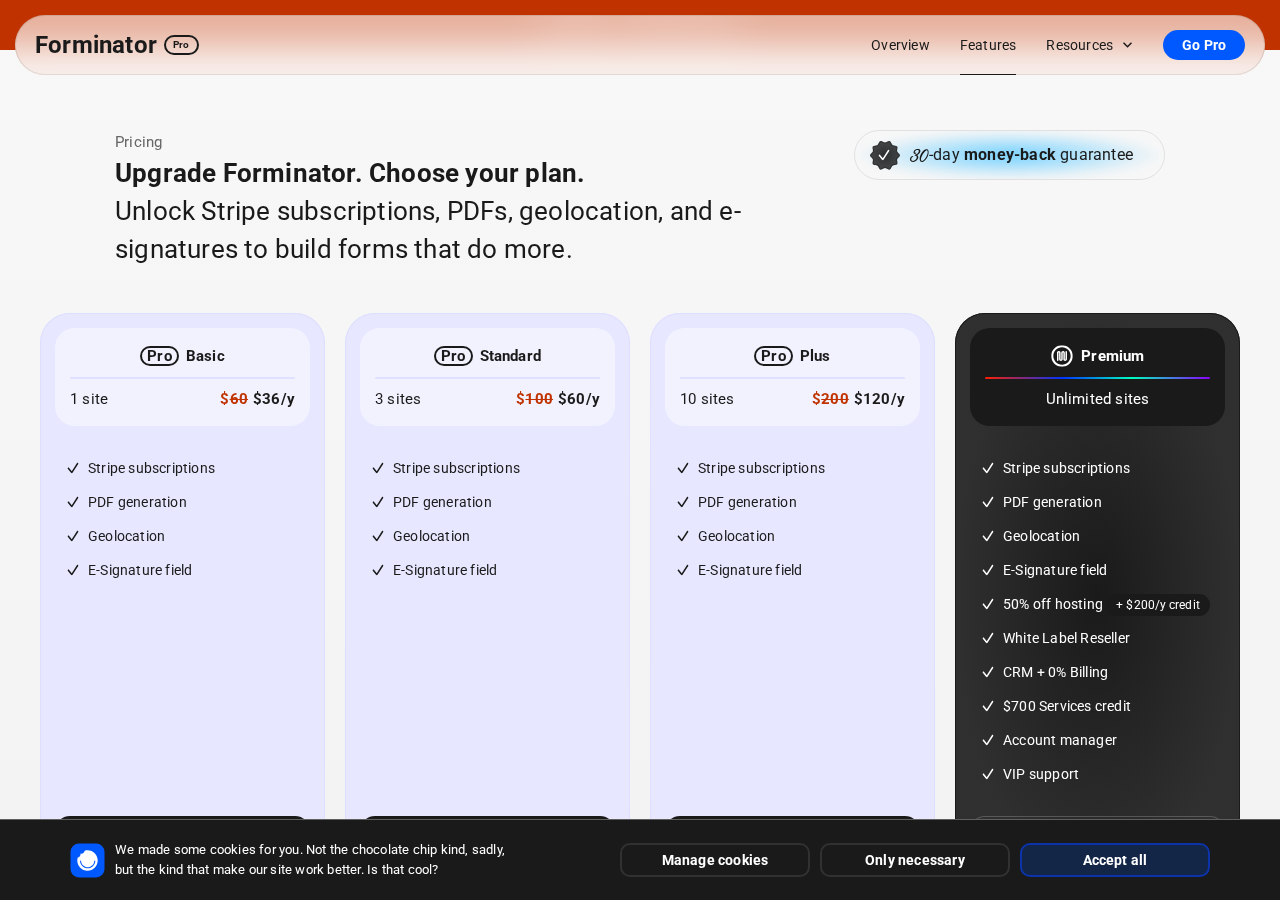
Forminator Pro adds four specific features as distinct add-ons, sold through WPMU DEV Pro plans.
Pro-only features:
- Stripe Subscriptions: Collect recurring payments with multiple pricing tiers and conditional plan routing
- PDF Generator: Automatic PDF creation from form submissions with layout and field mapping control
- Geolocation: Auto-detect user location and pre-fill address fields, with a map widget
- E-Signature (advanced): Digital signature field with more advanced signing workflow options than the free signature field
Pricing (as listed on wpmudev.com in August 2026, with current 40% off promotion):
| Plan | Sites | Regular price | Promotional price |
|---|---|---|---|
| Pro Basic | 1 | $60/year | $36/year |
| Pro Standard | 3 | $100/year | $60/year |
| Pro Plus | 10 | $200/year | $120/year |
| WPMU DEV Premium | Unlimited | Custom | Full platform (see wpmudev.com) |
Important notes on pricing:
- The Pro Basic plan covers only 1 site. For freelancers managing multiple client sites this is uneconomical.
- Pro plans include all WPMU DEV plugins (Smush, Hummingbird, Defender, etc.), not just Forminator.
- If you only need Forminator, standalone Pro plans (Basic/Standard/Plus) are the right track. For full plugin suite access across multiple sites, the WPMU DEV Premium membership is better value.
- A money-back guarantee applies. Verify the exact number of days at checkout before buying.
Security track record
Three security patches shipped in late July 2026:
- Version 1.56.2 (July 30, 2026): Fixed an arbitrary file upload vulnerability
- Version 1.56.1 (July 30, 2026): Fixed a cross-site scripting (XSS) vulnerability, a second arbitrary file upload issue, and a privilege escalation vulnerability
- Version 1.57.0 (August 3, 2026): Additional security improvements
Three vulnerabilities resolved in a two-week window is a pattern worth noting. The patches were shipped promptly and disclosed in the public changelog without vague language. That is responsible disclosure. If you are deploying Forminator on a site with sensitive submissions (medical, legal, financial), ensure you are running version 1.57.0 or later and review the changelog before each update.
Version 1.56.0 (July 21, 2026) also separated live and test Stripe API key configurations, reducing the risk of accidental use of test keys in production.
Pros and cons
Pros
- Stripe and PayPal payment processing included in the free version, a feature most form plugins charge $50 to $200 per year for
- Stripe Verified Partner status means the integration is held to a higher standard
- Dynamic Payment Element supports 40+ payment methods including Apple Pay, Google Pay, and Klarna at no extra cost
- 3-in-1 plugin: forms, polls, and quizzes from a single installation
- Calculation fields and service estimators included free
- Basic signature field included free
- Save and Resume for incomplete forms, free
- 10+ native integrations including HubSpot, Google Sheets, and Slack at no cost
- Contact Form 7 import wizard for teams migrating from CF7
- Gutenberg block and shortcode embed options
- GDPR-compliant submission management
- Available in 63 languages
- 600,000+ active installs, nearly 20 million total downloads
- 4.8/5 rating from 2,107 reviews on WordPress.org
- Actively maintained: version 1.57.0 shipped August 3, 2026
Cons
- Stripe recurring payments (subscriptions) are a Pro-only add-on
- PDF generation, geolocation, and advanced e-signature are Pro-only features
- Cloud templates require a WPMU DEV HUB account, creating ecosystem dependency
- Three security patches in late July 2026 suggest ongoing security debt (now patched, but relevant for sensitive deployments)
- Active install count (600K+) is lower than WPForms (6M+) or Contact Form 7 (10M+)
- The styling editor has no live preview; design iteration requires save-and-check cycles
- Submission data stored in the WordPress database can grow large on high-traffic sites without manual cleanup
- Pro pricing entry-level covers only 1 site, which is limiting for freelancers and agencies
Alternatives to Forminator
WPForms
The most popular WordPress form builder with 6 million+ active installs. WPForms is simpler to set up and has a more polished beginner experience. The free version (WPForms Lite) is more limited than Forminator free. Payment forms require WPForms Pro ($49.50/year for 1 site). Choose WPForms if simplicity and a large support community matter more than built-in payment processing or polls and quizzes.
Gravity Forms
A premium-only form plugin with no free version, starting at $59/year. Gravity Forms is the most developer-friendly option in the category, with extensive hooks, conditional logic, and add-ons for Stripe, PayPal, Mollie, Authorize.net, and others. Choose Gravity Forms if you need a deeply extensible form plugin and have development resources to customize it.
Contact Form 7
The simplest free option with 10 million+ active installs. Contact Form 7 handles contact forms with minimal overhead. No payment support, no polls, no quizzes, no submission storage natively. Choose Contact Form 7 if you need a basic contact form and nothing else, and you prefer a minimal plugin footprint.
Ninja Forms
Free core with paid add-ons, similar freemium model to Forminator. Ninja Forms is beginner-friendly with a visual form builder. Payment forms require add-ons. No native polls or quizzes. Choose Ninja Forms if you want a modular add-on library where you pay only for what you need.
Fluent Forms
A fast-growing free form plugin with a strong free tier. Fluent Forms supports conditional logic, multi-step forms, Stripe and PayPal payments (free), and conversational forms. Performance-focused with a smaller database footprint than Forminator. Choose Fluent Forms if page speed is a priority or if you want a modern alternative with strong documentation.
Typeform
A SaaS conversational form tool, not a WordPress plugin. Typeform excels at high-completion-rate surveys using a one-question-at-a-time interface. No self-hosted option. Choose Typeform if user experience and completion rate on the form itself matters more than WordPress integration or cost.
The real decision for most buyers: Forminator vs. Fluent Forms vs. WPForms. If you need free payments, Forminator or Fluent Forms. If you need the largest community and ecosystem, WPForms. If page speed and performance are critical, Fluent Forms. If you want simplicity above all, WPForms Lite or Contact Form 7.
Final verdict
Forminator earns its place as a top recommendation for one specific reason: it gives you working Stripe and PayPal payment forms at zero cost. That alone separates it from most of the competition.
Beyond payments, the bundled polls and quizzes make Forminator genuinely useful for content sites and community-driven blogs in a way that a pure form plugin is not. The calculation field is powerful for service-based businesses. The integration list at the free tier is better than what many plugins offer only in paid plans.
The cautions are real. Three security patches in two weeks is a pattern to watch, not a reason to walk away, but a reason to keep autoupdates enabled and verify plugin versions before deploying on sensitive sites. The Pro pricing for Stripe subscriptions is a reasonable cost of a real business feature, but users who expect that to be free will be disappointed.
If you are building a contact form, quote request form, payment form, or interactive poll and you want to minimize what you spend, Forminator free is the right starting point. Test a form with the Stripe sandbox and check the calculation field if you have a pricing or estimator use case. The free version is not a stripped-down demo. It is a real tool.