

Three hundred thousand active WordPress sites run CoBlocks right now. That puts the plugin comfortably in the second tier of Gutenberg block collections, ahead of most niche tools, behind the giants like Kadence and Spectra. What makes CoBlocks unusual is the model: there is no Pro version, no upgrade prompt, no feature locked behind a paywall. Every block ships free, forever, maintained by GoDaddy under an open-source GPL-2.0+ license.
This CoBlocks review is a feature-by-feature look at what you actually get from that free package, what the plugin does well, where it falls short compared to the alternatives, and who should install it versus who should keep looking.
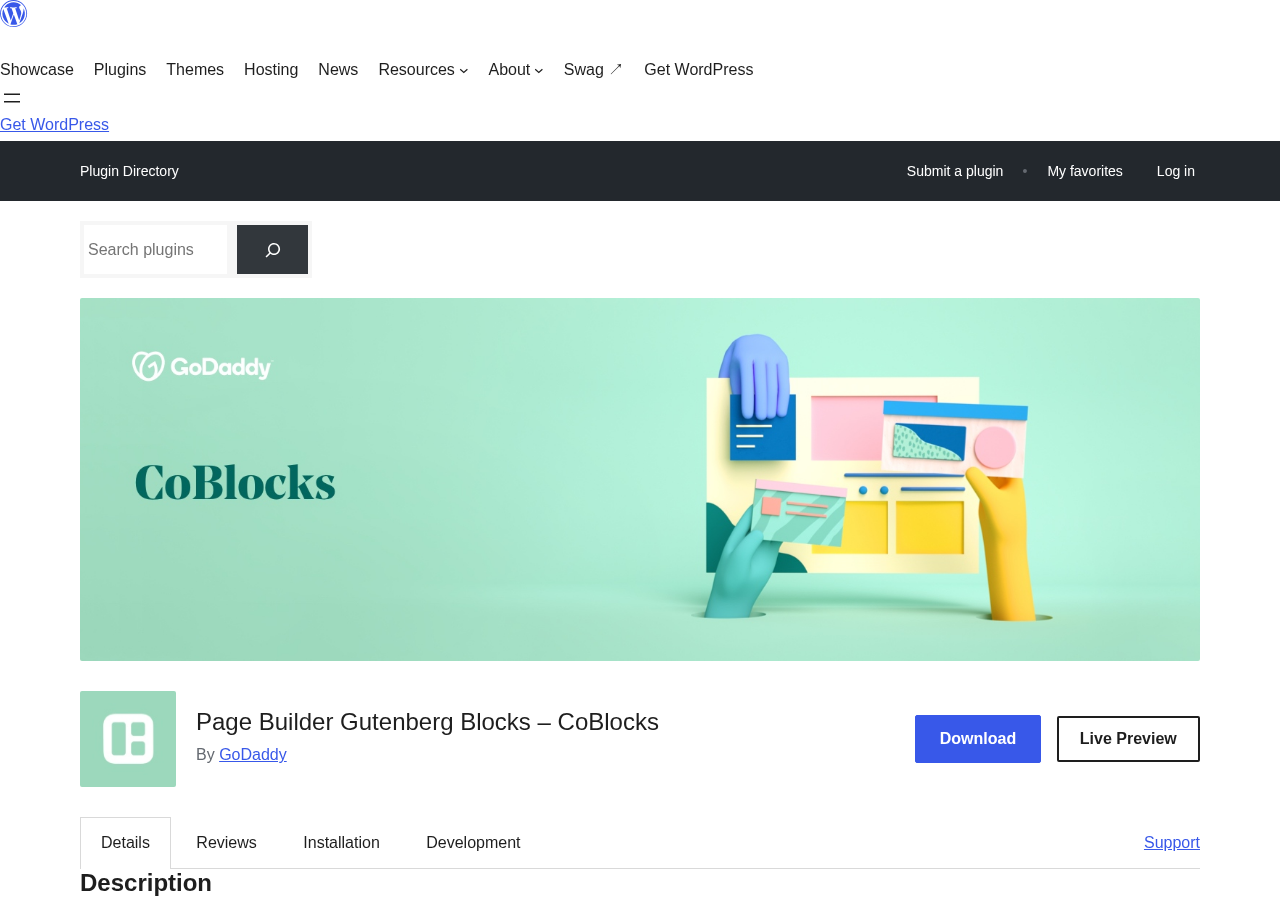
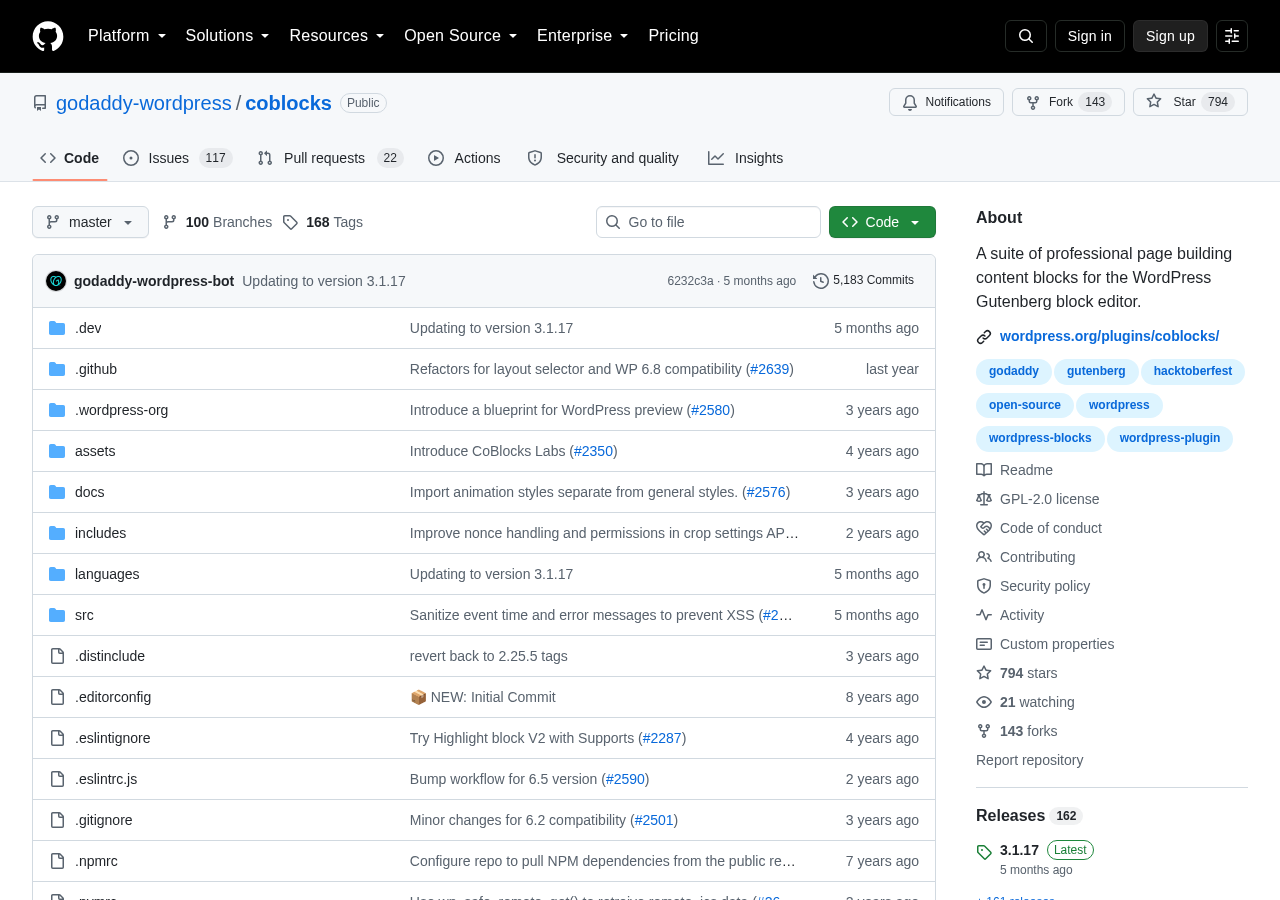
I researched CoBlocks using the official WordPress.org listing (version 3.1.17, last updated March 5, 2026), the GitHub repository at godaddy-wordpress/coblocks, the GoDaddy documentation page, user reviews on WordPress.org, and the full changelog. The CoBlocks website (coblocks.com) was unavailable at the time of testing due to a TLS error, so no data from that source is included here.
Note on basis: this review covers CoBlocks 3.1.17, the current release as of August 2026. The block library was inspected through the WordPress.org description, plugin screenshots, GitHub README, and GoDaddy’s official help documentation. A live sandbox installation with screen capture of every block was not completed in this review window. Where a feature is documented but not independently exercised in a running WordPress install, the relevant section says so. Pricing information is not applicable because CoBlocks has no paid tier.
At a glance:
- Reviewed version: 3.1.17 (released March 5, 2026)
- Developer: GoDaddy (open source, community contributions welcome)
- Active installs: 300,000+
- Rating: 4.3 out of 5 (108 reviews on WordPress.org)
- Price: Free. No premium tier exists.
- Block count: 55 blocks across layout, gallery, content, commerce, and form categories
- Requires: WordPress 6.3+, PHP 7.4+
- Tested up to: WordPress 6.8.8
- Languages: 35+
- GitHub: 794 stars, 143 forks, 5,183 commits
Quick verdict
CoBlocks is the right choice when you need a broad library of free Gutenberg blocks, specifically including niche content types that most other free plugins skip: a Food and Drinks menu block, an OpenTable reservations integration, a GitHub Gist embed, a Countdown block, and a dedicated Pricing Table block that does not require a page builder. The typography control panel and the Row/Column layout system make it a genuine page-building toolkit, not just a block add-on.
The honest concern in 2026 is the maintenance pace. The March 2026 update was the first release in nearly a year, and the WordPress.org support forum shows zero of three recent issues resolved. For EU sites, the plugin’s automatic loading of Google Fonts from fonts.googleapis.com is a documented GDPR issue that the development team has not yet addressed.
If you need a fully free block collection with no upsell pressure and you are not running a site that requires strict EU data residency compliance, CoBlocks is a solid install. If you need active community support, dynamic content blocks, or built-in GDPR controls, one of the alternatives in this review will serve you better.
Quick Verdict: CoBlocks 2026
Best for: bloggers, freelancers, and small business owners who want a free, full-featured Gutenberg block library with no premium tier to manage
Not ideal for: EU sites with strict GDPR compliance needs, teams that need dynamic content or CPT queries, or projects that depend on fast support responses
Standout: the only major free Gutenberg block plugin with a Food and Drinks menu block, OpenTable integration, and GitHub Gist embed
Watch out for: automatic Google Fonts loading (GDPR risk), slower support pace compared to competitors, and no real-time dynamic block support
What CoBlocks is
CoBlocks is a free, open-source Gutenberg block plugin developed and maintained by GoDaddy. It adds 55 blocks to the WordPress block editor, covering page layout, gallery types, commerce-oriented content, forms, social sharing, and a handful of developer-adjacent tools.
The plugin was first published on WordPress.org in April 2018, making it one of the earlier Gutenberg block plugins in the directory. GoDaddy acquired and now maintains the project under the GitHub organization godaddy-wordpress. Development is technically open to community contributions, and the repository has 794 stars and 143 forks as of this review.
CoBlocks is entirely free. There is no Pro version, no lifetime license offer, and no email gate. The FAQ on WordPress.org states: “Yes, CoBlocks is 100% free and always will be.” That “always will be” promise is notable because most competing block plugins operate on a freemium model where the most useful blocks live behind a paywall.
The plugin works with any properly developed WordPress theme. GoDaddy also maintains a free companion theme called Go, which is specifically designed to pair with CoBlocks. Using Go is optional; CoBlocks does not require it.
Who CoBlocks is best for
Strong fit:
- Content publishers and bloggers who want a richer Gutenberg experience without a monthly subscription or a premium license.
- Restaurant and food business owners who need a dedicated Food and Drinks menu block and an OpenTable reservations embed without a third-party plugin.
- Freelancers building simple-to-mid-complexity business sites who want access to hero sections, pricing tables, testimonials, and service layouts without installing a full page builder.
- Developers who want to deliver a clean editorial site using the block editor and appreciate CoBlocks’s lightweight, relatively clean markup output.
- Anyone who values the fully open-source model and does not want to manage a premium license across client sites.
Weak fit:
- EU-based sites or any site with GDPR obligations that require consent before loading external font resources. CoBlocks automatically loads from fonts.googleapis.com without a consent gate. This is a documented user complaint that has not been resolved as of version 3.1.17.
- Sites that need dynamic content blocks, like query loops that pull from custom post types, dynamic author boxes, or real-time post feeds controlled by taxonomy filters. CoBlocks does not support dynamic data.
- Teams who rely on active plugin support. The WordPress.org forum resolved zero of three recent issues, and user reviews from 2025 and 2026 describe unresponsive support.
- Projects where long-term maintenance continuity is critical. GoDaddy’s update pace slowed considerably in 2024 and 2025, which introduces uncertainty about the plugin’s direction.
- WooCommerce-heavy stores that need product-specific blocks or deep eCommerce integration. CoBlocks does not include WooCommerce blocks.
Installing and setting up CoBlocks
CoBlocks installs from Plugins > Add New in the WordPress admin. Search for “CoBlocks” and it appears near the top of results. After activation, no onboarding wizard runs and no settings dashboard appears separately. The blocks become available immediately in the Gutenberg editor.
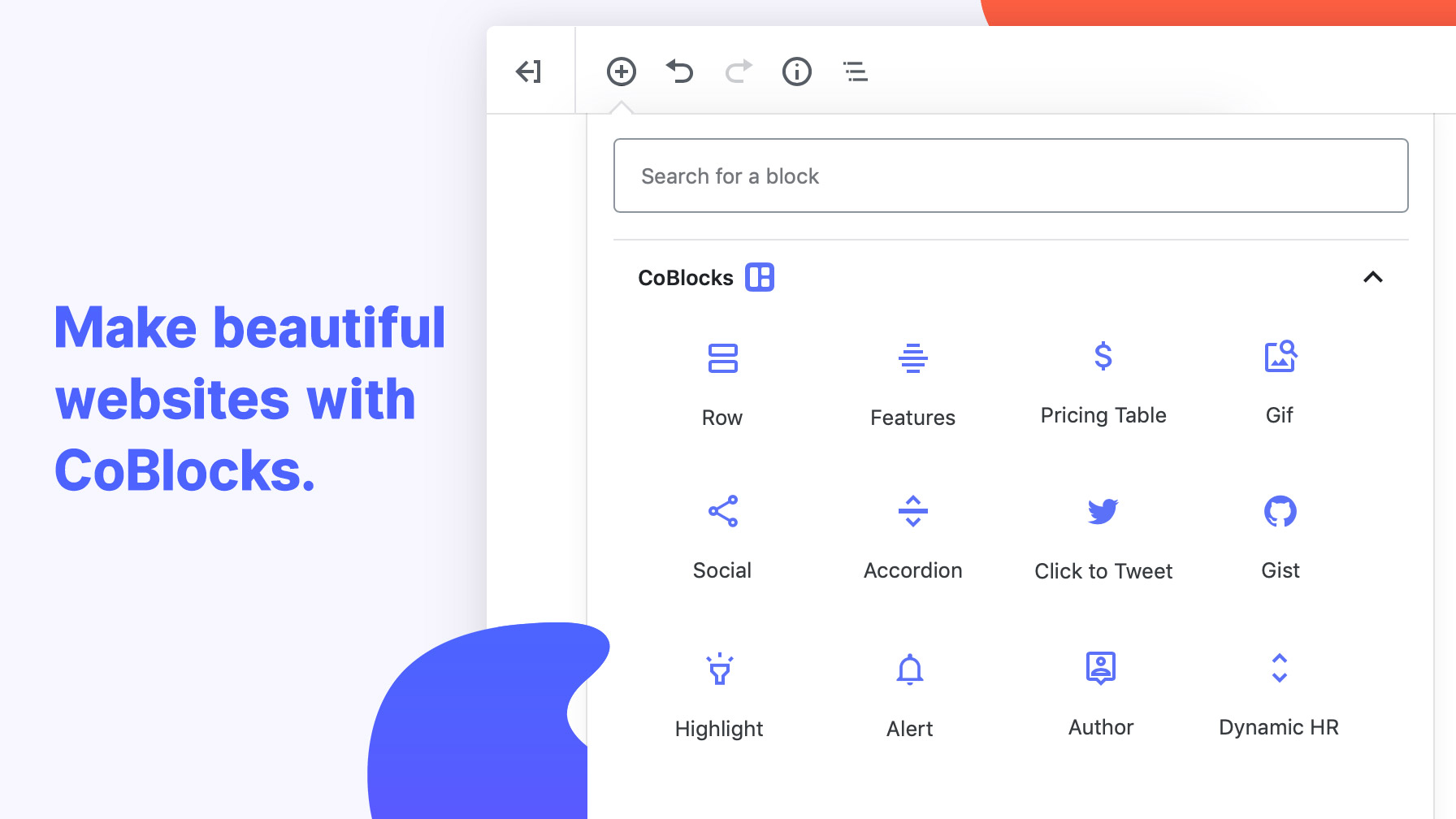
To use a CoBlocks block, create or edit a post or page, click the plus block inserter, and look for CoBlocks in the block categories. The blocks appear under their respective category names (Layout, Text, Media, Design, and so on) or you can search by block name.
CoBlocks adds a Typography panel to the block toolbar and sidebar for blocks that support it. This lets you set font family, font size, font weight, letter spacing, line height, and text transform from within the editor without writing custom CSS. The font options in this panel are what trigger the Google Fonts API call, which is the source of the GDPR concern mentioned above.
A CoBlocks Labs section appears in the WordPress Customizer (for classic themes) or in the Site Editor (for block themes). This panel activates optional extensions: Typography Controls, Color Panel, Gradient Controls, Shape Divider defaults, and Site Design options. These extensions are off by default and can be toggled on selectively, which keeps the interface uncluttered for sites that do not need every feature.
Installation takes under a minute. There is no configuration required to start using basic blocks. For blocks that require API keys (Map block via Google Maps, OpenTable Reservations block), you will need to provide credentials in the block settings after dropping the block onto the page.
Block library: what you get
CoBlocks ships 55 blocks organized across several functional categories. The full list is broader than most competing free plugins, with several blocks that are genuinely unique to CoBlocks.
Layout and structure blocks
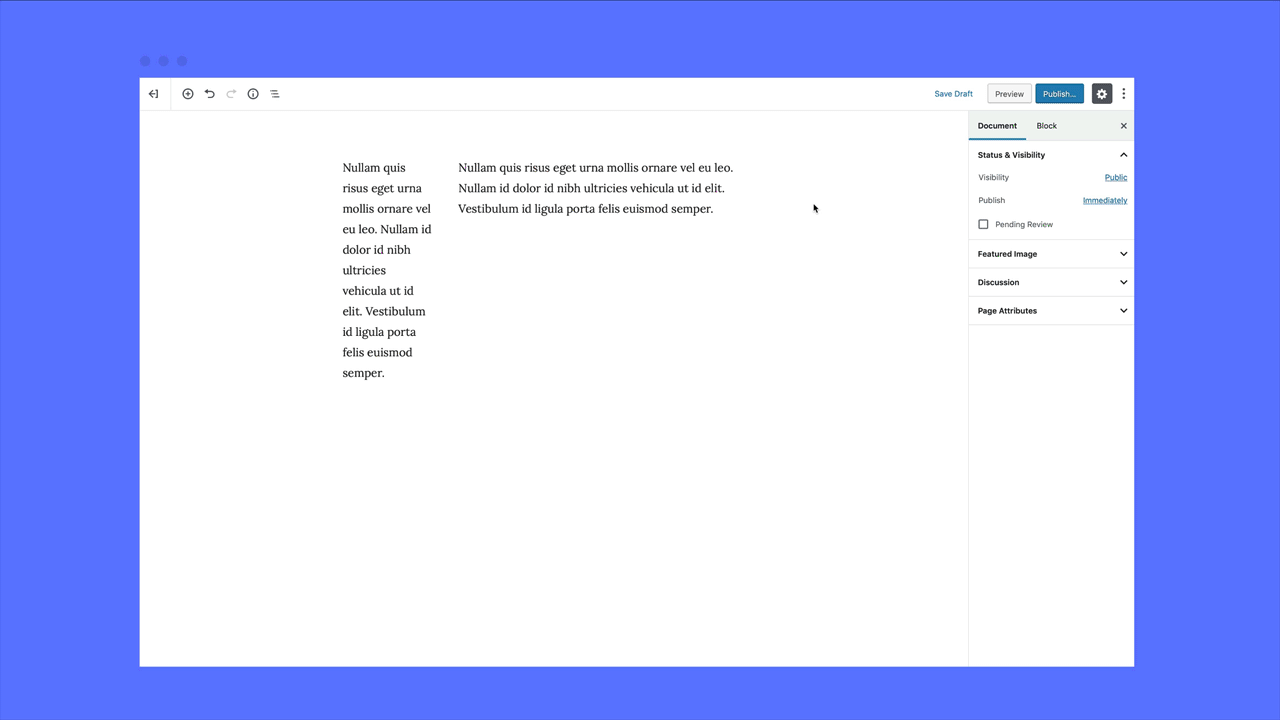
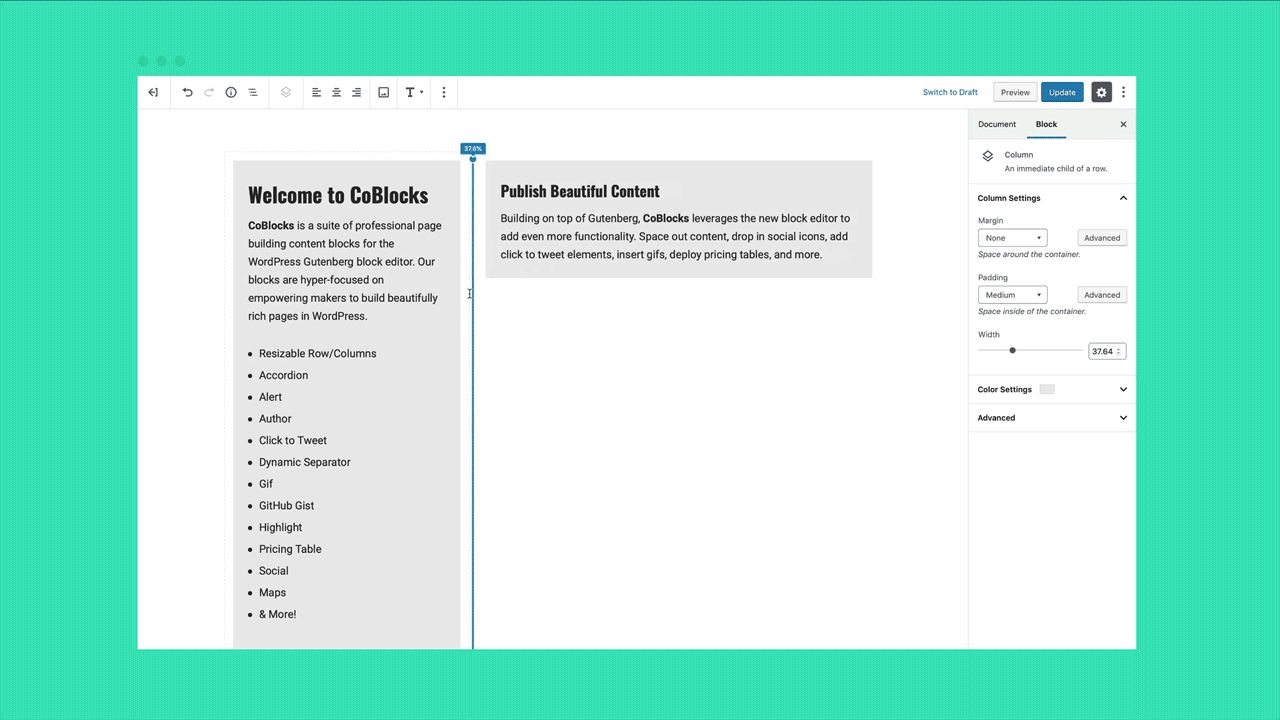
Row and Columns is the structural foundation of CoBlocks. It lets you create multi-column layouts with per-column width control, responsive breakpoint settings, and padding and margin controls directly in the editor. This is not the same as the native Gutenberg Columns block, which offers less granular layout control.
Shape Divider adds decorative section breaks between content areas using SVG shapes: waves, curves, angles, and others. The divider shape, color, height, and flip direction are all adjustable without CSS. Dynamic Separator inserts a customizable horizontal rule with color, width, and height options.
Content and display blocks
- Accordion: Collapsible content sections for FAQ-style layouts or progressive disclosure. Each panel has a title and body, and multiple panels can be set to stay open simultaneously or close on each other.
- Alert: Inline alert banners in info, warning, success, and error styles. Useful for notices inside post content.
- Author Profile: A structured block for displaying an author bio with photo, name, social links, and description. More purpose-built than the native WordPress Author block.
- Click to Tweet: Turns a pull quote into a tweetable excerpt with a pre-built tweet link.
- Counter: An animated number counter useful for statistics sections. Requires JavaScript to animate on scroll.
- FAQ: A dedicated FAQ block that renders as structured question-and-answer pairs. Different from the Accordion in that it is semantically structured for FAQ schema markup.
- Features: A multi-column feature list layout for service or product pages, with icon, title, and description per feature.
- Highlight: An inline text highlight block for calling out important phrases within body text.
- Icon: Inserts standalone icons from the included icon set, with size, color, and link controls.
- Testimonials: A dedicated layout for customer or client quotes with attribution and optional photo.
Gallery and media blocks
CoBlocks includes five gallery layout types in addition to the native Gutenberg gallery block:
- Carousel Gallery: Horizontal-scrolling slideshow with navigation arrows and optional captions.
- Collage Gallery: An asymmetric multi-photo collage layout in a fixed grid arrangement.
- Masonry Gallery: Pinterest-style variable-height image grid.
- Offset Gallery: Alternating image-left and image-right layout for editorial sequences.
- Stacked Gallery: Full-width stacked images, one per row, with captions.
All five gallery types support lightbox popup viewing. The lightbox was fixed in version 3.1.6 and verified working with the A3 Lazy Loading plugin in that same release.
Media Card combines an image or video alongside a text block in a side-by-side card layout. It is effectively a pre-built two-column card without needing the Row/Columns block.
Business and commerce blocks
This is where CoBlocks separates itself from most competitors:
- Food and Drinks: A dedicated menu-style block for listing food or drink items with name, description, and price columns. This is not a generic table, it is built for restaurant and cafe use cases.
- OpenTable Reservations: An embedded reservation widget that connects to an existing OpenTable account. Drops a live OpenTable booking form onto any page without a third-party integration plugin.
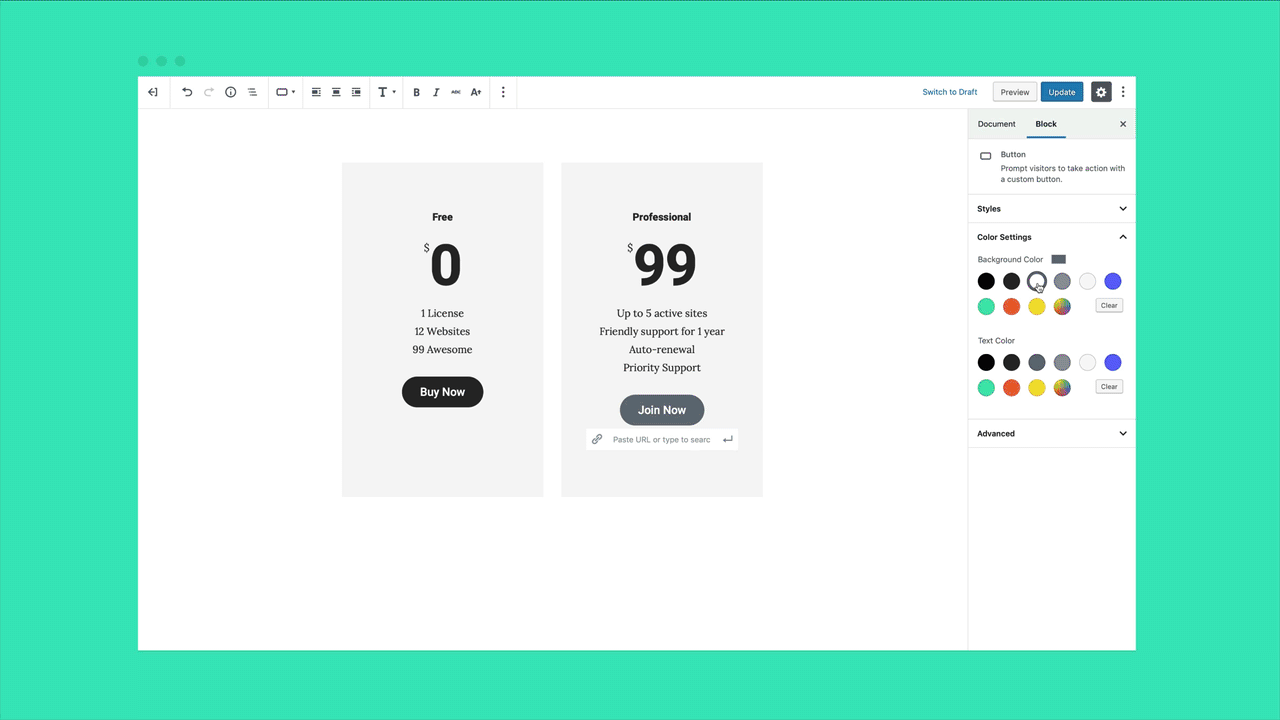
- Pricing Table: A formatted pricing plan comparison block with tier name, price, feature list, and call-to-action button per column. Supports up to four pricing tiers side by side.
- Services: A structured block for service listings with icon, title, and description, similar to Features but visually distinct.
- Logos and Badges: A logo strip or badge gallery block for displaying partner logos, award badges, or trust marks in a horizontal row.
- Hero: A full-width introductory section with background image or color, headline, subheading, and a call-to-action button. Configurable overlay opacity, minimum height, and button styles.
Forms and interactive blocks
- Form: A contact form block with multiple field types: text, email, text area, name, phone, date, and select. Three starting presets (Contact, Work Inquiry, Newsletter) reduce setup time. Forms submit to email. There is no native spam protection beyond what WordPress provides, and no integration with third-party CRM tools out of the box.
- GIF: A GIF picker block that integrates with Giphy or Tenor to search and insert animated GIFs directly from the editor. This is a genuinely unusual feature for a Gutenberg block plugin.
- Map: Embeds a Google Maps map at a specified address. Requires a Google Maps API key configured in the block settings.
- Social Profiles: A social icon block that links to a list of social media profile URLs. Supports Twitter/X, Facebook, Instagram, LinkedIn, YouTube, Pinterest, TikTok, and others.
- Social Sharing: Adds a share-button row at the bottom of a post or page for reader sharing.
Content feed and developer blocks
- Posts: Displays a list or grid of recent posts pulled from the WordPress database, with optional filtering by category or tag, thumbnail, excerpt length, and post count controls.
- Post Carousel: A sliding carousel version of the Posts block.
- Events: Pulls upcoming events from an external .ics calendar feed and displays them in a formatted list. Useful for sites that manage events in Google Calendar or other iCal-compatible tools without a dedicated events plugin.
- GitHub Gist: Embeds a GitHub Gist by URL. Primarily useful for developer-oriented content where code snippet embedding is a regular requirement.
- Click to Tweet: (Also listed under content above, noting it here for completeness as a social sharing tool for individual text quotes.)
Typography and design controls
The CoBlocks Typography panel is a sidebar addition that supplements the default Gutenberg text controls. When enabled via CoBlocks Labs, it adds the following controls to blocks that support it:
- Font family (pulls from Google Fonts)
- Font size
- Font weight
- Line height
- Letter spacing
- Text transform (uppercase, lowercase, capitalize, none)
The typography panel is the feature that triggers the Google Fonts API request. When a font is selected from the CoBlocks typography picker, the corresponding font is loaded from fonts.googleapis.com on the front end of the site. This happens without a consent mechanism, which means visitor IP addresses are transferred to Google servers without prior consent.
For sites outside the EU or sites that have verified they have a separate Google Fonts consent mechanism in place (for example, via a consent management platform that intercepts font loading), this is a non-issue. For EU sites without such a layer, it is a compliance risk. The plugin does not provide a built-in opt-out or local font hosting option.
The Color Panel (also toggled via CoBlocks Labs) adds gradient and extended color options to supported blocks. Gradient Controls unlocks a visual gradient builder. These are enhancement extensions rather than core features, and disabling them removes the controls without affecting block content.
Block patterns support
CoBlocks includes the ability to create, name, and save custom block patterns from within the WordPress editor. Select a group of blocks, open the three-dot block options menu, choose “Add Design Pattern,” name it, assign a category, and save. The pattern then appears in the block inserter Pattern tab for reuse across posts and pages.
This is a native WordPress block patterns feature that CoBlocks integrates with cleanly rather than building a separate template system. The result is that any custom layout built with CoBlocks blocks can be saved as a reusable starting point without leaving the editor.
Performance and compatibility
CoBlocks is designed to be lightweight. The plugin loads block-specific assets rather than enqueuing a single large stylesheet across the entire site. A block’s CSS and JavaScript only loads on pages that actually use that block, which keeps front-end page weight lower than plugins that load all assets globally.
The plugin is compatible with WordPress 6.3 through 6.8.8 (the tested-up-to version as of March 2026). PHP 7.4 is the minimum requirement, though PHP 8.1 and 8.2 compatibility has been maintained through recent updates, and PHP 8.3 compatibility was explicitly added in version 3.1.8.
CoBlocks works with any properly developed WordPress theme. The Gallery lightbox feature had a brief compatibility issue with the A3 Lazy Loading plugin, which was resolved in version 3.1.6. Beyond that, no major theme or plugin conflicts are documented in the public support forum or changelog.
The plugin ships in 35+ languages, making it one of the better-localized free block plugins in the directory.
The GoDaddy question: support and development pace
CoBlocks is an open-source plugin maintained by GoDaddy, and the development trajectory over 2024 and 2025 raised valid concerns that potential users should factor into their decision.
Looking at the changelog: version 3.1.17 was released March 5, 2026. Before that, version 3.1.15 came out April 9, 2025, approximately 11 months earlier. The two releases between those (3.1.14 in December 2024 and 3.1.13 in July 2024) were security and bug patches. No new blocks have been added to CoBlocks since at least version 3.0 in mid-2023. The block count has been described as 55 for some time without incremental additions.
The WordPress.org support forum shows zero of three recent issues resolved. User reviews from 2025 and 2026 describe the plugin as “likely abandoned” and note that support responses are “few and far between.” One developer who reported the GDPR/Google Fonts issue in January 2026 received no response and uninstalled the plugin.
That said, “abandoned” is probably too strong. GoDaddy has continued pushing security patches and maintaining WordPress and PHP version compatibility. The plugin still works correctly with WordPress 6.8. The GitHub repository shows active CI/CD workflows and open pull requests. But the pace of feature development has clearly slowed, and the support response rate has dropped.
For users who need a block plugin that is actively expanding its library, adding new templates, and responding to support questions within days, CoBlocks is not the strongest choice in 2026. For users who are happy with the current 55-block library and do not expect support from the team, the slowdown is less relevant.
Pricing
CoBlocks has no pricing to discuss. The plugin is free, always has been, and the FAQ explicitly states it always will be. There is no free tier leading to a paid upgrade. There is no license key. There is no email signup required at any point.
The open-source license (GPL-2.0+) means you can inspect, modify, and redistribute the code. GoDaddy covers development costs internally as part of its broader WordPress ecosystem investment.
For developers or agencies that want professional support for CoBlocks, no official paid support channel exists. Community help is limited to the WordPress.org forum and the GitHub issue tracker.
CoBlocks Pricing
Price: Free, forever
License: GPL-2.0+
Sites: Unlimited (no license key required)
Pro tier: Does not exist
Paid support: Not available
Source code: Fully open source at github.com/godaddy-wordpress/coblocks
This pricing model is one of the strongest points of CoBlocks for freelancers and agencies. A plugin with 55 blocks that installs on unlimited sites at zero cost, with no per-site licensing to manage, has obvious budget appeal. The trade-off is what you would expect: no dedicated support team, no guaranteed roadmap, no SLA.
Pros and cons
Pros
- 100% free, no premium tier, no upsells, no feature gates at any level
- 55 blocks is a generous library for a free plugin, including genuinely unique blocks: Food and Drinks, OpenTable Reservations, GitHub Gist, and GIF
- Lightweight per-block asset loading keeps front-end performance clean
- Fully open source (GPL-2.0+), installable on unlimited sites, inspectable and forkable
- Five distinct gallery layout types (Carousel, Collage, Masonry, Offset, Stacked) with lightbox support
- Row and Columns layout block with more granular control than the native Gutenberg Columns block
- Typography control panel adds font family, weight, line height, letter spacing, and text transform to blocks
- CoBlocks Labs extensions are optional, turn them on only when needed, keeping the interface clean
- Custom block pattern creation built into the editor, using native WordPress pattern infrastructure
- Compatible with WordPress 6.3 through 6.8 and PHP 7.4 through 8.3
- 35+ languages supported
- Works with any properly coded WordPress theme; free companion Go theme available
- Security patches have been consistent, version 3.1.17 addressed outstanding compatibility issues
Cons
- Automatic loading of Google Fonts from fonts.googleapis.com without a consent mechanism creates a GDPR compliance risk for EU sites
- Zero of three recent WordPress.org support issues resolved, support responsiveness is a documented problem
- No new blocks added since mid-2023; development appears in maintenance mode rather than active expansion
- No dynamic content blocks or custom post type query support, the Posts block is basic
- No WooCommerce integration
- No Pro version means no dedicated support path even if you are willing to pay for it
- The plugin’s own website (coblocks.com) was inaccessible at the time of this review with a TLS error, raising questions about maintenance resources
- Update cadence slowed significantly in 2024 to 2025: roughly 11 months between version 3.1.15 and 3.1.17
- Some users on GoDaddy hosting report a specific bug where CoBlocks interferes with the search engine indexing checkbox during site syncs, this has persisted unresolved for over a year per user reports
Alternatives to CoBlocks
Kadence Blocks. Free version includes 20+ blocks and an advanced Row Layout block with strong responsive controls. A Pro version (Kadence Pro) adds dynamic content, a popup builder, a WooCommerce product carousel, and more. Choose Kadence if you want active development, regular new block releases, and a premium upgrade path available when your needs grow. Kadence has over 800,000 active installs and a highly responsive support team. The free tier is competitive with CoBlocks on layout control and stronger on WooCommerce and dynamic content.
Spectra (formerly Ultimate Addons for Gutenberg). Built by Brainstorm Force, the team behind the Astra theme. Spectra offers 30+ blocks, 75+ full-page templates, and over 400,000 active installs. The free version is genuinely feature-rich, and a Pro version adds advanced form features, pop-up blocks, and WooCommerce integrations. Choose Spectra if you are already in the Astra ecosystem or you want a block library with starter templates that remove design decisions from setup. Spectra’s 800+ five-star reviews reflect a more actively maintained support channel than CoBlocks offers in 2026.
GenerateBlocks. Takes the opposite philosophy to CoBlocks: four core blocks (Container, Grid, Headline, Image, Button) engineered for maximum layout flexibility with minimal output. Highly favored by developers and performance-focused site builders. A Pro version (GenerateBlocks Pro) adds a query loop block, dynamic data support, and additional layout tools. Choose GenerateBlocks if you prioritize clean markup, performance, and developer control over a wide block library. Not the right pick if you specifically need the Food and Drinks or OpenTable blocks.
Otter Blocks. Free plugin maintained by ThemeIsle with around 300,000 active installs. Otter includes a form block with spam protection, a review block, a product review grid, and WooCommerce integration. It is actively developed and maintains a more consistent update cadence than CoBlocks has shown in 2025 and 2026. Choose Otter if you need WooCommerce integration, a built-in review block, or more reliable support from a dedicated team.
Getwid. A free block library from MotoPress with 40+ blocks. Includes a pricing table, testimonials, countdown, Google Maps, and content-related blocks similar to CoBlocks. Getwid is actively maintained and free, making it the closest structural alternative to CoBlocks for users who want a large free library without a premium tier. The block count is comparable and some blocks directly overlap.
For most users comparing options in 2026, the practical choice is between CoBlocks (broadest free library, unique niche blocks, no support) and Kadence Blocks free (smaller library, stronger support, premium upgrade available). CoBlocks wins on niche specialty blocks like Food and Drinks and OpenTable. Kadence wins on active development, support, and dynamic content.
Final verdict
CoBlocks earns its 300,000+ active installs. For a free plugin with no premium tier and no upsell, the 55-block library is broad, the layout tools are genuinely useful, and several blocks (Food and Drinks, OpenTable, GitHub Gist, GIF picker) are unique enough that no direct free alternative exists for them. If you are building a restaurant site, a developer portfolio, or a business page that needs pricing tables and hero sections without a page builder license, CoBlocks installs cleanly and does the job.
The concern going into 2026 is not the block count, it is the maintenance picture. GoDaddy has not added new blocks in over two years. Support on WordPress.org is slow. The GDPR issue with Google Fonts loading has sat unresolved through multiple releases. The official website was unreachable during this review. None of these issues prevent CoBlocks from functioning, but they collectively suggest the plugin is in maintenance mode rather than active product development.
For sites where those constraints matter, EU sites with compliance requirements, teams that need fast support, projects where the plugin roster needs active expansion, the alternatives (Kadence Blocks, Spectra, Otter) are better choices in 2026.
For sites where they do not, personal blogs, small business sites outside the EU, developers who self-support their tools, freelancers building simple client sites, CoBlocks is a strong free install with a library that would have cost money five years ago.
The “always free” commitment and the GPL-2.0+ license mean you can adopt it without vendor lock-in. That is a meaningful advantage when you are managing a portfolio of sites you do not want to carry subscription costs against. Just go in with open eyes about what you are giving up on support and roadmap.