


Five million active WordPress sites run Akismet. That makes it the most-installed anti-spam plugin in the WordPress ecosystem by a significant margin, and one of the oldest: it launched in October 2005, just two years after WordPress itself. Made by Automattic, the company behind WordPress.com, WooCommerce, and Jetpack, Akismet has had nearly two decades to refine its spam detection and build the largest comment spam database on the internet.
That history is both its greatest strength and its most important context for 2026. Akismet earned its position before the current landscape of alternatives existed. Today, there are free GDPR-friendly alternatives, cheaper flat-rate services, and broader anti-spam tools that cover registration spam, WooCommerce, and login attacks. Whether Akismet is still the right choice depends on what you actually need.
I went through the Akismet website, pricing page, WordPress.org listing (version 5.7.2, last updated August 19, 2026), the changelog, and the public documentation to write this review. Where hands-on access was not possible, that is noted clearly.
At a glance
- Reviewed version: 5.7.2 (August 19, 2026), tested up to WordPress 7.1
- Made by: Automattic (WordPress.com, WooCommerce, Jetpack)
- WordPress.org rating: 4.7/5 stars (1,186 reviews)
- Active installs: 5+ million
- Free for personal non-commercial blogs: pay-what-you-want (enter $0)
- Pro for commercial sites: approximately $9.95/month billed annually (one site)
- Business for unlimited commercial sites: approximately $49.95/month billed annually
- Bottom line: the right default for personal bloggers and developers who want a set-it-and-forget-it comment spam filter. The commercial licensing model and privacy implications deserve a closer read if your site is revenue-generating or EU-hosted.
Quick verdict
Akismet is the easiest spam filter to recommend to a personal WordPress blogger. Install it, connect a free API key, and spam in your comment section effectively stops. The machine learning runs in the cloud, there is no CAPTCHA for your visitors to solve, and the plugin has been doing this job for nearly 20 years. The 99.99% accuracy claim is aspirational marketing language, but the 4.7-star rating across 1,186 reviews with 1,033 five-star entries does reflect real-world results that are hard to argue with.
The story gets more complicated for commercial sites. Any site that shows ads, promotes a product, generates affiliate income, or otherwise earns revenue must use a paid plan. Pro costs roughly $9.95/month for one site. That is not unreasonable, but CleanTalk covers one site for $12/year and adds protection for registrations, WooCommerce, and login forms that Akismet does not cover by default. Antispam Bee is genuinely free with no commercial restrictions.
For EU sites, Akismet’s data handling model requires attention. Every comment is sent to Automattic’s cloud servers for analysis, and the IP addresses and commenter data travel with it. That has compliance implications that Akismet addresses through a separate GDPR guide, but it is not the same as on-device filtering.
Quick verdict card
- Best for: personal bloggers, non-commercial WordPress sites, and developers who want a reliable, zero-maintenance comment spam filter backed by Automattic’s global spam database
- Best plan for personal sites: free (pay-what-you-want, genuinely usable at $0 for non-commercial use)
- Best plan for commercial sites: Pro at approximately $9.95/month for a single business site
- Best plan for agencies: Business at approximately $49.95/month for unlimited sites
- Standout: the spam database trained on 5 million active sites and 573 billion blocked samples; seamless integration with Contact Form 7, Gravity Forms, and Formidable Forms; no CAPTCHA friction for visitors; and MCP tool integration added in version 5.7
- Watch out for: requires a WordPress.com account to get an API key; commercial use is defined broadly enough to catch many lightly-monetized sites; sends comment data to external Automattic servers; does not cover registration spam, WooCommerce checkout spam, or login attacks without integrations; false positives do happen
What Akismet is
Akismet is a cloud-based spam filtering service built specifically for WordPress. It checks every comment and form submission against a global database of known spam signals, then blocks or flags matches before they appear on your site.
The plugin itself is a thin connector. The filtering intelligence runs on Automattic’s servers, not on your hosting account. When a visitor submits a comment, Akismet’s plugin sends that submission to the Akismet API, receives a spam or not-spam verdict, and acts on it. Your site does not do the heavy lifting; Akismet’s cloud does.
Automattic launched Akismet in October 2005 alongside WordPress 2.0. It has been maintained continuously since then, making it one of the oldest active WordPress plugins in the ecosystem. Automattic also maintains WordPress.com, WooCommerce, Jetpack, and WP Super Cache, among others.
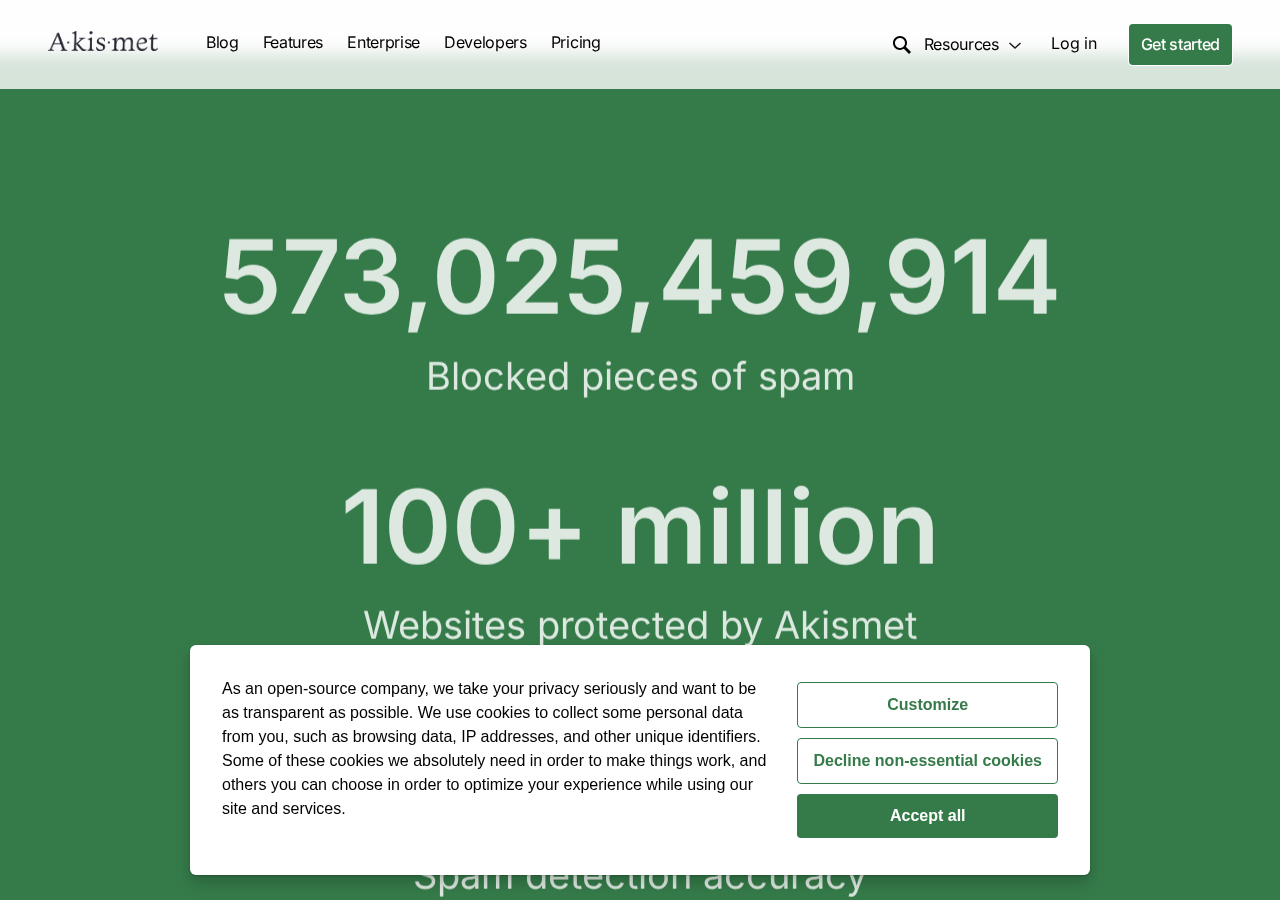
The scale of the spam database is the core of Akismet’s value proposition. The plugin has blocked over 573 billion spam submissions across more than 100 million websites. Every site running Akismet contributes signal back to the database: when a spam comment slips through and a site owner marks it as spam, Akismet learns. When a legitimate comment gets flagged as spam and a site owner marks it as not-spam, that correction goes back too. The database gets more accurate with each interaction across the entire network.
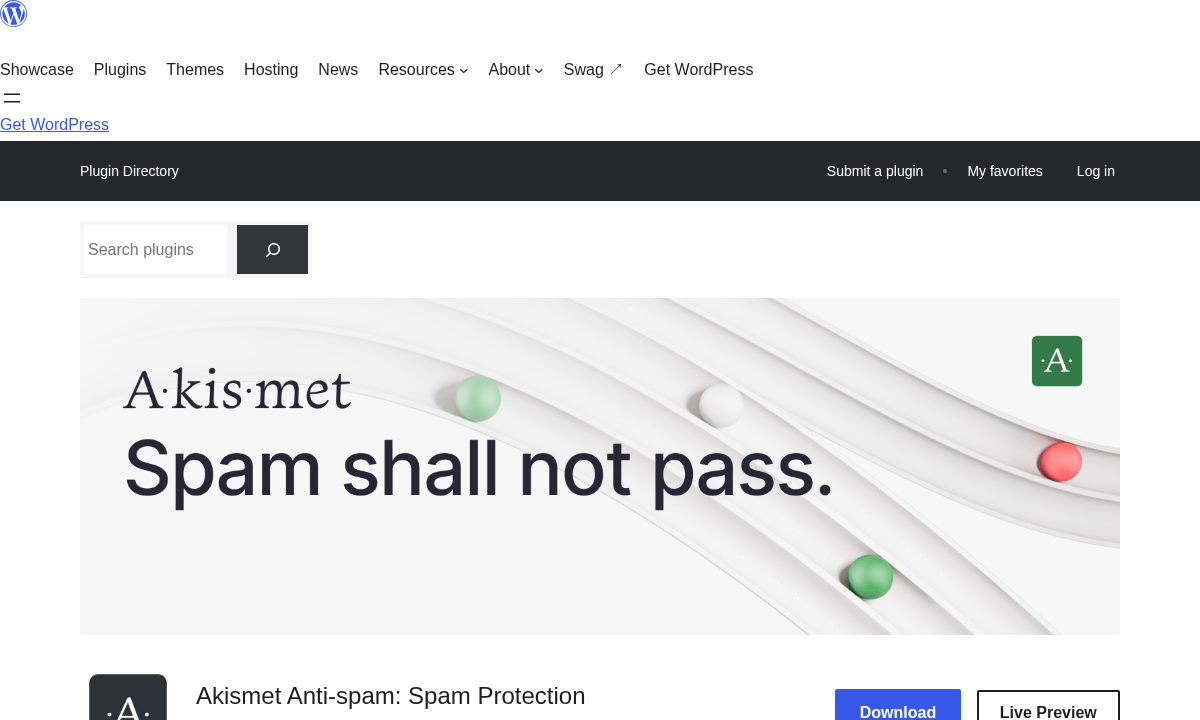
The WordPress.org listing at version 5.7.2 shows:
- Active installs: 5+ million
- Total ratings: 1,186 (1,033 five-star, 67 four-star, 16 three-star, 13 two-star, 57 one-star)
- Rating: 4.7 out of 5 stars
- PHP required: 7.2 or higher
- WordPress required: 5.8 or higher
- Translated into 74 locales
- Added to WordPress.org: October 20, 2005
The plugin is listed as commercial on WordPress.org, meaning the free version is explicitly for non-commercial use only.
Who Akismet is best for
Strong fit
- Personal bloggers and non-commercial site owners. The free tier is genuinely free. Set up an account, enter $0 as the monthly contribution, get an API key, and you have full spam protection. No time limit, no feature restrictions.
- Developers building client sites who need simple, reliable comment spam protection. Akismet installs in minutes and has no ongoing maintenance after setup.
- Sites using Contact Form 7, Gravity Forms, or Formidable Forms. Akismet integrates natively with these form plugins to filter form submission spam alongside comment spam.
- WooCommerce store owners who primarily need comment spam protection on product reviews and blog posts. Akismet handles these well.
- Sites that have tried CAPTCHA and found the conversion rate impact unacceptable. Akismet runs invisibly, with no friction for visitors.
- Teams in the Automattic ecosystem (WordPress.com, Jetpack, WooCommerce). The API key ties to a WordPress.com account, which is a benefit if you are already using Automattic products.
Weak fit
- Commercial sites looking for the lowest total cost. At $9.95/month for one site, Pro is roughly $119/year. CleanTalk covers the same site for $12/year and adds broader coverage.
- Sites that need to stop registration spam, WooCommerce checkout spam, and login form spam in addition to comment and contact form spam. Akismet does not cover these by default.
- EU sites with strict GDPR requirements. Akismet sends commenter data including IP addresses to Automattic’s cloud. This requires disclosing Akismet in your privacy policy and may require legal review.
- Sites where false positives are a significant risk. Akismet does catch legitimate comments occasionally. For engaged communities where a missed comment is a real loss, the false positive rate matters.
- Sites that want spam protection without any external account dependency. Antispam Bee runs entirely on your server with no API key required.
Setting up Akismet
Akismet installs from the WordPress plugin directory. In most WordPress installations, the plugin is pre-installed but not activated: go to Plugins, find Akismet, and click Activate.
After activation, Akismet prompts you to connect an API key. This is where the setup adds a step that some users find cumbersome: you need a WordPress.com account to get a key. If you do not already have one, you create an account at akismet.com, choose a plan, and receive an API key to paste into the Akismet settings screen.
For personal non-commercial sites, the process looks like this:
- Activate Akismet in WordPress admin.
- Click “Set up your Akismet account.”
- Log in or create a WordPress.com account.
- Choose the Personal plan and set your price to $0.
- Copy the API key to your clipboard.
- Return to your WordPress admin, paste the key, and save.
After that, Akismet runs in the background. There is nothing else to configure unless you want to change how aggressively it handles suspected spam.
The requirement for a WordPress.com account is the most-cited friction point in negative reviews. Users who have never used WordPress.com and do not want another account to activate a spam plugin find this step unnecessary. This is a real friction that alternatives like Antispam Bee do not impose.
Core features
Comment spam filtering
This is Akismet’s primary function, and it does it well. Every comment submitted to your WordPress site goes to the Akismet API before it appears in your comment queue. The API returns a verdict: spam or not-spam. Spam comments go to the spam folder; not-spam comments pass through normally.
The filtering is fast enough that your visitors do not wait for the API call before their comment appears submitted. Akismet processes in parallel, and the comment experience is seamless.
The comment management screen in WordPress admin shows an additional indicator on each comment: how many times that commenter’s email or IP has been approved before. This helps moderators make faster decisions on borderline comments.
Comment status history
Each comment in your WordPress admin shows a timeline of what Akismet and your moderators have done to it. You can see when Akismet marked a comment as spam, when you approved it, when a moderator changed its status. This transparency is useful for diagnosing false positives and false negatives.
Discard severe spam
Comments that score as extremely high-confidence spam are discarded automatically, not placed in the spam queue. This keeps the spam folder manageable and reduces server storage overhead. For high-volume sites that attract significant spam traffic, the difference between storing thousands of spam comments and discarding them is meaningful.
Hidden URL detection
Comment spam often disguises links by embedding them in invisible or misleading formatting. Akismet’s admin view reveals these hidden URLs in comment bodies, making it easier for moderators to see what a comment is actually linking to even when the displayed text suggests something different.
Form spam protection
Akismet integrates directly with several major WordPress form plugins:
- Contact Form 7 (via Akismet integration built into CF7)
- Gravity Forms (native integration)
- Formidable Forms (native integration)
When integrated, Akismet checks form submissions alongside comments. Akismet does not integrate with WooCommerce checkout, registration forms, or login forms by default. Protecting those requires CleanTalk, Cerber Security, or a dedicated plugin for each form type.
MCP tool integration (version 5.7, April 2026)
Version 5.7 added Abilities API support and MCP tool integration. MCP (Model Context Protocol) is an open standard that allows AI assistants to manage plugin functionality through natural language. With Akismet’s MCP support, compatible AI assistants can check spam stats and trigger comment checks without using the WordPress admin panel. This feature also added support for the Connectors page introduced in WordPress 7.0.
Privacy and GDPR
This section matters more for Akismet than for most plugins because the core functionality relies on sending visitor data to Automattic’s servers.
When a visitor submits a comment on your site, Akismet receives the comment text, the commenter’s name, email address, and IP address, plus the URL they provided. This data is transmitted to Automattic’s cloud for analysis.
Akismet’s privacy policy commits to:
- Not selling the data you send to the service
- Retaining spam-related data for short periods (two weeks to ninety days) before automatic deletion
- Providing opt-out options for extended data retention
For EU-hosted sites handling personal data under GDPR, the implications deserve attention. Your privacy policy must disclose Akismet and its data processing. Automattic offers a dedicated GDPR compliance guide at akismet.com/gdpr/ for site operators who need documentation. If GDPR compliance is a hard requirement and external data transmission is not acceptable, Antispam Bee is the relevant alternative: it runs entirely on your server and makes no external API calls.
Pricing
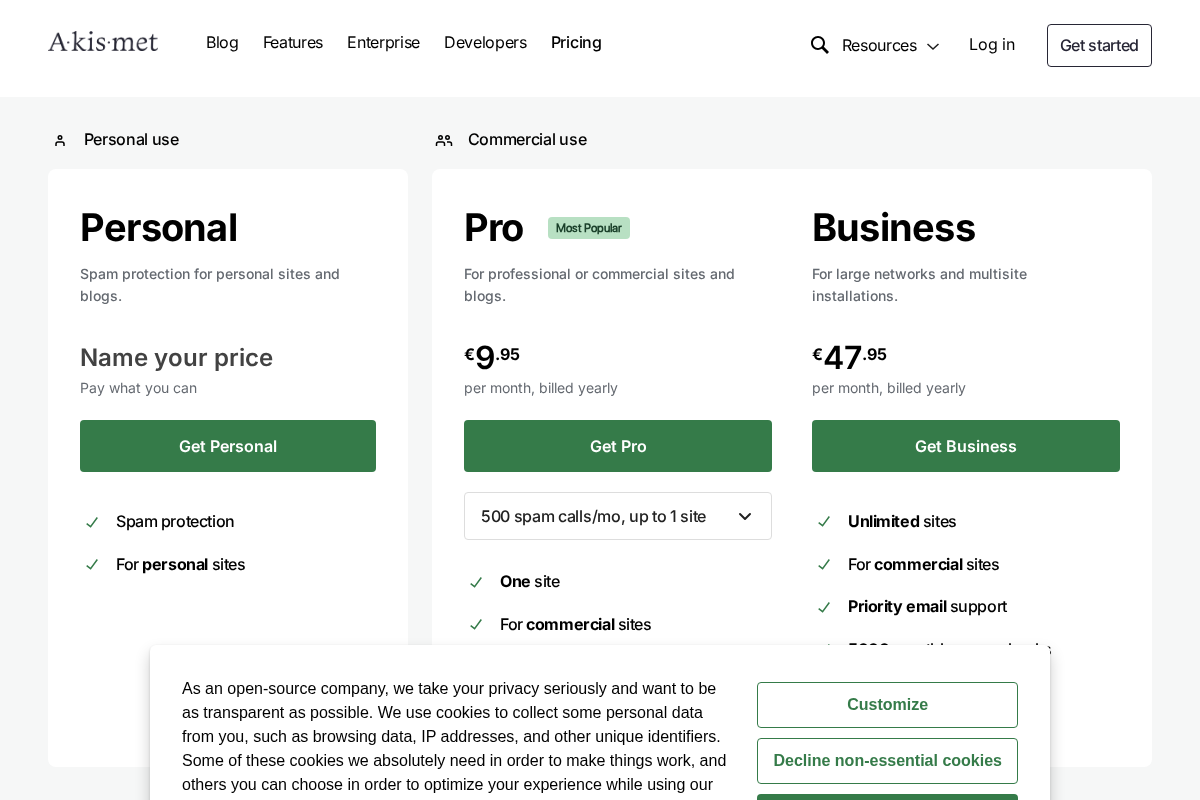
Akismet pricing is structured around site type and volume. Prices are displayed in local currency based on the visitor’s location. The amounts below are approximate USD values; verify current pricing at akismet.com/pricing.
Personal (free)
- Pay-what-you-want. Set your monthly contribution to $0.
- For personal, non-commercial WordPress blogs only.
- Full spam protection features with no time limit.
- Commercial use is not permitted.
The commercial restriction is explicitly defined. If your site carries advertising, promotes any product or service, generates affiliate income, accepts donations, or earns revenue in any form, the Personal plan is not available. Akismet’s getting-started page clarifies how the company applies this distinction.
Pro (approximately $9.95/month billed annually)
- One commercial site.
- Full spam protection features.
- Commercial use allowed.
- Email support.
Business (approximately $49.95/month billed annually)
- Unlimited commercial sites.
- Full spam protection features.
- Priority email support.
Enterprise (custom pricing)
- Unlimited sites.
- Dedicated support.
- Custom API volume.
- Contact via akismet.com/talk-to-sales.
The pay-what-you-want model on the Personal plan is genuine: entering $0 works and the API key is fully functional. But the commercial restriction is enforced. A commercial site discovered on a free key will be asked to upgrade.
Pros and cons
Pros
- 5+ million active installs and 20 years of production use
- Trained on 573+ billion spam samples across 100+ million websites
- 4.7/5 stars across 1,186 reviews, with 1,033 five-star entries
- Genuinely free for personal non-commercial sites with no feature restrictions
- CAPTCHA-free for visitors: all filtering happens server-side
- Native integrations with Contact Form 7, Gravity Forms, and Formidable Forms
- Cloud-based processing means no performance overhead on your hosting account
- Transparent comment history in WP admin
- Automatically discards severe spam to keep your database clean
- Made by Automattic: the same company behind WordPress.com and WooCommerce
- Actively maintained in 2026 with WordPress 7.1 compatibility and MCP support
- Translated into 74 locales
Cons
- Requires a WordPress.com account to get an API key, an extra step that alternatives do not impose
- Free tier restricted to non-commercial use, with a broad definition that catches lightly-monetized sites
- Pro costs approximately $119/year for one site; CleanTalk covers one site for $12/year with broader protection
- Does not protect registration forms, WooCommerce checkout, or login forms without additional plugins
- Sends commenter data (name, email, IP) to Automattic’s cloud, with GDPR implications for EU sites
- False positives do occur: 57 one-star reviews include complaints about legitimate comments being flagged
- No on-site filtering option for privacy-sensitive deployments
Alternatives to Akismet
CleanTalk
The most direct commercial alternative. CleanTalk covers comments, contact forms, registration, WooCommerce checkout, and login forms for $12/year per site. It also offers a SpamFireWall feature that blocks known spam bot IPs at the HTTP level before they reach WordPress. The per-site cost is dramatically lower than Akismet Pro. Choose CleanTalk if you need broader spam coverage across your entire site or if Akismet’s per-site pricing does not fit your budget. The trade-off: CleanTalk uses the same cloud-API model as Akismet, and its spam database is smaller.
Antispam Bee
The strongest free alternative if you need no external API calls, no commercial restrictions, and GDPR-friendly operation. Antispam Bee runs entirely on your server, uses honeypot techniques and local spam databases, and has no external data transmission by design. It does not have the scale of Akismet’s training data, and it does not integrate with form plugins as broadly, but for a personal or commercial site where data privacy is the priority, it is the more appropriate choice.
Wordfence Security
A security suite that includes spam protection as part of a broader toolkit covering malware scanning, firewall rules, login protection, and brute force defense. Choose Wordfence if you want a single plugin covering security and spam in one install. The spam filtering in Wordfence is more focused on blocking malicious traffic than on comment spam moderation specifically.
Cerber Security
Another security-focused alternative that covers comment spam, registration spam, login protection, and form submissions. The free version is capable and covers cases that Akismet does not. Choose Cerber if you need broader site security alongside spam protection without paying for two separate plugins.
OOPSpam
An API-based spam filter with a focus on transparency: it tells you why it marked something as spam (IP reputation, content matching, email disposability, and so on). More relevant for developers and teams who want auditable spam decisions. The pricing model is based on monthly checks.
Final verdict
Akismet earns its position as the default WordPress spam filter on the strength of its database, its history, and the simplicity of its set-it-and-forget-it model. For a personal blog, the free plan is the right choice and there is little reason to look further. The spam database trained on billions of samples does its job reliably, the WordPress.org rating reflects genuine satisfaction, and the plugin integrates cleanly with the most popular WordPress form plugins.
The picture changes for commercial sites. At roughly $119/year for one site, Akismet Pro is not unreasonably priced, but it is difficult to recommend without acknowledging that CleanTalk covers the same site for $12/year and adds protection for areas Akismet does not touch: registration, WooCommerce, login. For a developer building client sites or managing an agency portfolio, the Business plan at around $600/year for unlimited sites requires a genuine value argument against alternatives.
The privacy angle matters for EU operators. Sending comment data to Automattic’s cloud is a pragmatic choice for most sites and one that Akismet documents clearly, but it is not the same as keeping data on your server. If your legal counsel or hosting contract requires local processing, Antispam Bee is the right tool.
What I would say to someone starting a WordPress site in 2026: if it is a personal blog, use Akismet free without hesitation. If it is a commercial site where every dollar of tooling costs matters, check CleanTalk before committing to Akismet Pro. If you have serious GDPR requirements, read Akismet’s GDPR guide before activating and consider Antispam Bee. In every other case, Akismet’s 20-year track record and Automattic pedigree make it a defensible, low-maintenance choice.
FAQ
Is Akismet free?
Akismet has a free Personal plan for non-commercial personal blogs. The plan is pay-what-you-want, and entering $0 gives you a working API key with full spam filtering features. There is no time limit on the free plan. However, the Personal plan is explicitly restricted to non-commercial use: sites that carry advertising, sell products, promote services, or generate revenue in any form are required to use a paid plan. Commercial plans start at approximately $9.95/month billed annually for one site.
What counts as “commercial” for Akismet?
Akismet defines commercial broadly. A site qualifies as commercial if it: shows any form of advertising; promotes a product or service; generates affiliate income; accepts donations; or otherwise earns any revenue connected to the site. A personal blog with a single affiliate link technically falls under the commercial definition. Akismet’s getting-started page provides the clearest guidance on how the company applies this distinction.
Does Akismet require a WordPress.com account?
Yes. To get an Akismet API key, you need a WordPress.com account. You create or log into a WordPress.com account at akismet.com, choose a plan, and receive an API key to enter into your WordPress admin. This is the most common friction point cited in negative reviews. If you want spam protection without a separate account, Antispam Bee and WPBruiser are alternatives that do not require external accounts.
How does Akismet’s spam detection work?
Akismet is a cloud-based service. When a visitor submits a comment or form entry on your site, the Akismet plugin sends that submission to Akismet’s API, which checks it against a global database of spam signals. The database is trained on data from over 100 million websites and 573 billion blocked spam submissions. The API returns a verdict (spam or not-spam) and the plugin acts on it. Legitimate comments pass through; spam comments go to the spam folder or are discarded. You can correct mistakes by marking false positives as not-spam, which feeds back into the database.
Does Akismet work with contact forms?
Yes. Akismet integrates natively with Contact Form 7, Gravity Forms, and Formidable Forms. When integrated, contact form submissions are checked against the Akismet API the same way comments are. Akismet does not automatically protect all WordPress form plugins; the integration depends on the form plugin building in Akismet support. Check your specific form plugin’s documentation to confirm whether an Akismet integration exists.
Is Akismet GDPR compliant?
Akismet sends comment data, including commenter IP addresses and email addresses, to Automattic’s cloud servers for spam analysis. This has GDPR implications for sites with EU visitors. Akismet addresses this in a dedicated GDPR guide and in its privacy policy, which commits to not selling data and to short retention periods (two weeks to ninety days for most spam data). To be fully compliant, your site’s privacy policy must disclose Akismet and its data processing. For sites where sending visitor data to external servers is not permissible, Antispam Bee is the alternative that processes everything locally.
What happens if I exceed my monthly spam check limit?
Akismet’s plans include monthly spam check allowances. If your site exceeds its monthly allowance, Akismet does not cut off spam protection immediately; instead, it flags the overuse and prompts an upgrade. Enterprise plans offer custom check volumes for high-traffic sites. Akismet’s support team can adjust plans if a site consistently exceeds its tier.
How does Akismet compare to CleanTalk?
Akismet and CleanTalk are both cloud-based spam filters that use API calls to check submissions. The main differences are cost and coverage. Akismet Pro costs approximately $9.95/month for one commercial site, roughly $119/year. CleanTalk costs $12/year for one site. CleanTalk also protects registration forms, WooCommerce checkout, and login attempts by default, while Akismet focuses on comments and integrated form plugins. Akismet’s spam database is larger and its history longer. For a cost-sensitive commercial site that needs broad spam coverage, CleanTalk is worth evaluating before committing to Akismet Pro.
What is Akismet’s WordPress.org rating?
As of August 2026, Akismet has a 4.7-out-of-5-star rating on WordPress.org based on 1,186 total reviews. The rating breaks down as: 1,033 five-star, 67 four-star, 16 three-star, 13 two-star, and 57 one-star. The 57 one-star reviews include complaints about false positives and the API key requirement. Overall, the rating is among the highest in the anti-spam plugin category.
Can Akismet protect WooCommerce from spam?
Akismet handles product reviews and blog post comments on WooCommerce sites. It does not protect WooCommerce checkout forms or registration pages from spam bots by default. If you are experiencing checkout spam (fake orders placed by bots) or registration spam (fake accounts), you need a separate solution. CleanTalk covers WooCommerce checkout and registration, as does Cerber Security. Akismet’s scope is comments and contact forms, not the full WooCommerce order flow.
Browse more WordPress plugin reviews.