


All in One SEO holds a distinction that Yoast SEO and Rank Math cannot claim: it was first. The original plugin launched in 2007, before WordPress had a thriving ecosystem of dedicated SEO tools, before Google Webmaster Tools became Search Console, and before structured data was a mainstream ranking concern. That two-decade head start gave AIOSEO a large install base, but it also created a reputation that the team has spent several years actively rebuilding. Earlier versions of the plugin were criticized for bloat and confusing settings. The current product, rebuilt under the ownership of Syed Balkhi and the WPBeginner network, is a different piece of software.
I installed All in One SEO free (v4.9.9) on a clean WordPress 7.0 sandbox, walked the setup wizard end-to-end, reviewed the post editor metabox and TruSEO analysis panel, explored sitemap settings, the robots.txt editor, social networks settings, the SEO analysis tools, and all free admin screens. The screenshots in this review are first-party captures from that sandbox install, with the exception of the Redirect Manager and Link Assistant screens, which are paid features and show the upgrade prompt from the same sandbox. Paid features beyond those prompts were researched from the official feature pages, pricing page, and changelog entries for versions 4.9.5 through 4.9.9.
At a glance
- Tested: AIOSEO free v4.9.9 on WordPress 7.0 (clean sandbox). Setup wizard, post editor metabox, sitemaps, social settings, robots.txt editor, SEO analysis, and full admin navigation.
- Audited: aioseo.com feature pages, pricing page, changelog, WordPress.org listing (3+ million active installs, 4.7/5 across 5,155 reviews).
- Bottom line: AIOSEO is the most feature-complete free WordPress SEO plugin when it comes to technical extras: LLMs.txt generator, IndexNow, REST API access, and an AI assistant block are all included at no cost. The paid tiers add real utility. The honest trade-offs are performance overhead heavier than Rank Math, and the best analytics features (Google Search Console keyword data) sitting behind the most expensive Elite plan.
Quick Verdict
All in One SEO packs more into its free version than Yoast SEO does, and its setup experience is among the most polished of any WordPress SEO plugin. The AI tools added in 2025 and 2026 are well-integrated rather than bolted on. Paid tiers are priced reasonably for agencies with multiple sites.
The biggest competitive weakness is performance. Independent tests have recorded AIOSEO generating roughly 3x more page load overhead than Yoast and significantly more than Rank Math, with memory usage higher than most comparable plugins. For high-traffic sites where every millisecond of server response time matters, that is a real consideration.
The second weakness is feature gating. The Search Statistics module (which shows Google Search Console keyword data inside WordPress) requires the Elite plan at $299.50 first-year price for up to 100 sites. If that feature is your main reason for evaluating AIOSEO, check the pricing math against alternatives before committing.
Quick verdict
- Best for: small businesses, bloggers, and content agencies who want a guided setup, a polished setup wizard, and a solid schema generator without needing to configure everything manually.
- Best plan for most users: Basic ($49.50 first year for one site) covers the redirect manager, schema, and enhanced WooCommerce SEO. Plus ($99.50 first year for three sites) adds local SEO and Author SEO for teams that need E-E-A-T signals.
- Standout features: setup wizard that asks about your industry and configures defaults accordingly; TruSEO on-page score (0-100) that updates in real time; AI Schema Generator (added v4.9.6); MCP server integration for AI agent access (added v4.9.8); SEO Alerts via email and Slack (added v4.9.9).
- Watch out for: higher performance overhead than Rank Math or a lightweight option like SEOPress; Search Statistics locked behind Elite tier; 14-day refund window is short for thorough evaluation; upsell notifications in the admin dashboard can feel heavy.
What All in One SEO Is
All in One SEO (brand abbreviation: AIOSEO) is a WordPress SEO plugin published by Semper Plugins LLC, the company behind WPBeginner. The original plugin was created by Michael Torbert in 2007 and changed hands multiple times before Benjamin Rojas and Syed Balkhi rebuilt the codebase and released the current generation around 2020.
As of July 2026, the free plugin is at version 4.9.9 with over 3 million active installs and a 4.7-star rating across 5,155 reviews on WordPress.org. Tested up to WordPress 7.0. The free plugin (slug: all-in-one-seo-pack) handles core SEO metadata, sitemaps, structured data basics, and on-page content analysis. Four paid tiers (Basic, Plus, Pro, Elite) layer in redirect management, local SEO, internal linking automation, Search Console data, and AI-powered content tools.
The plugin is translated into 57 languages. Support resolution rate on WordPress.org shows 31 out of 31 issues resolved in the last two months as of this review.
Who All in One SEO Is Best For
AIOSEO fits certain workflows well and is a poor fit for others.
Good fit
- Bloggers and content teams who want a fast setup and clear per-post SEO guidance without learning a complex settings tree
- WooCommerce store owners: the free version lets you set product-level titles, descriptions, and basic Open Graph meta without a separate plugin; enhanced product schema with pricing, availability, and review data is available on paid plans
- Local businesses and multi-location brands: the Plus plan and above include a dedicated Local SEO module with multi-location schema, opening hours, and Google Maps integration
- Agencies managing up to 100 sites: the Elite plan at $299.50 first-year price covers all sites in one license
- Sites prioritizing AI-assisted workflow: the AI Schema Generator, bulk metadata generation, and AI Assistant block are available without separate external accounts
- Developers building headless WordPress sites: the REST API is now free for all users as of v4.9.8
Poor fit
- Performance-critical sites where plugin overhead is a hard constraint (Rank Math or SEOPress are lighter)
- Users who need Google Search Console keyword data inside WordPress without paying Elite tier prices
- Teams that rely heavily on readability analysis: AIOSEO’s TruSEO readability checks are less detailed than Yoast’s Flesch/passive voice/transition word analysis
- Anyone who wants a 30-day or longer refund window to evaluate the full paid feature set before committing
Hands-On: Setup and First Impressions
Installation from WordPress.org is straightforward. After activation, AIOSEO immediately prompts you to run the Setup Wizard. You can dismiss it and configure settings manually, but the wizard is genuinely well done and worth completing on a fresh install.
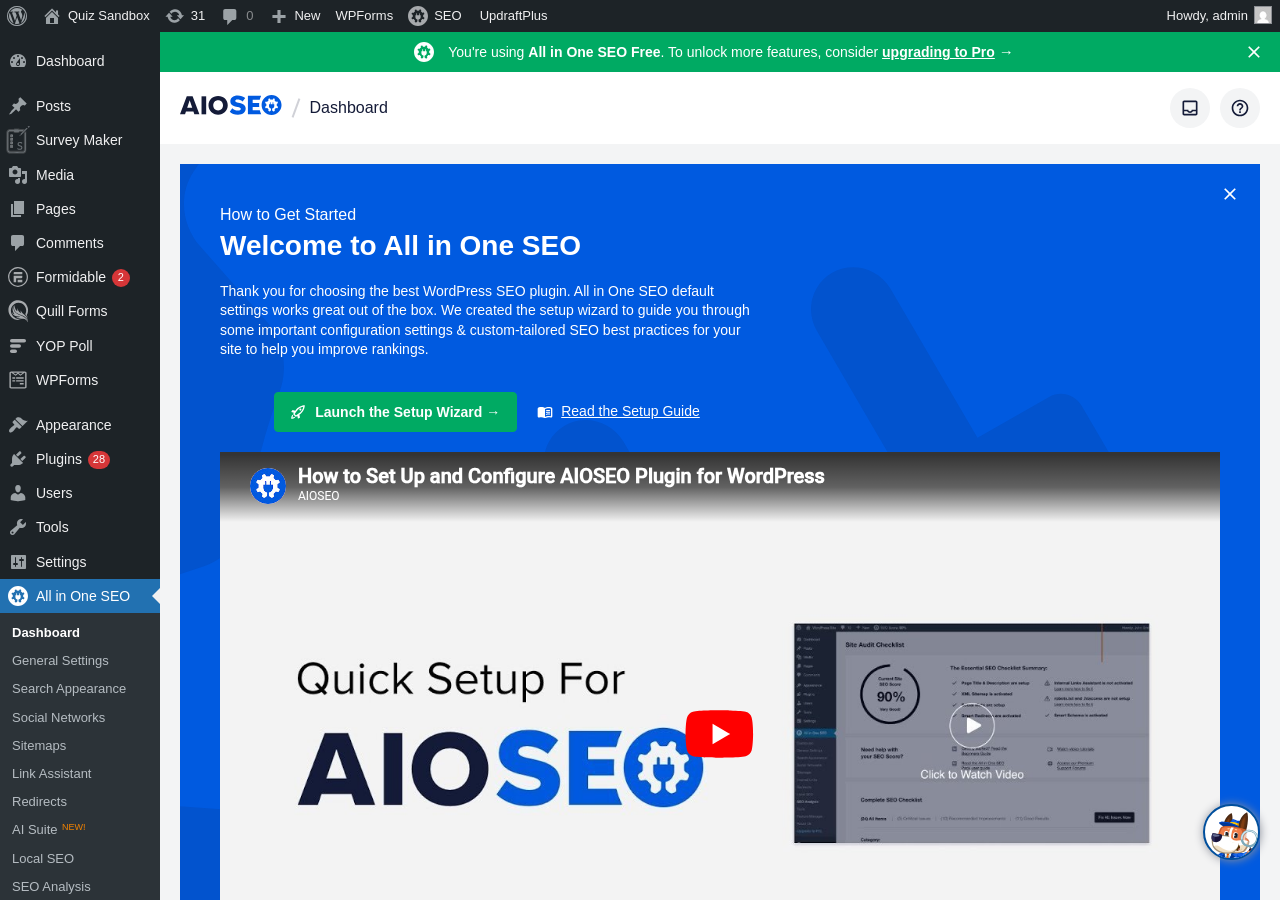
The AIOSEO dashboard that greets you after activation shows a “Welcome to All in One SEO” panel with a prominent Launch Setup Wizard button and a video tutorial. The left sidebar gains a full AIOSEO submenu covering Dashboard, General Settings, Search Appearance, Social Networks, Sitemaps, Link Assistant, Redirects, AI Suite, Local SEO, and SEO Analysis.
The setup wizard opens as a dedicated full-screen page. The welcome screen describes the process as taking under 10 minutes and includes a “Let’s Get Started” button. The steps cover:
- Category selection: choose from Blog, News, eCommerce, Small Business, Portfolio, Brochure, or Other. AIOSEO uses this to configure default schema types and search appearance settings appropriate for your site type.
- Site information: organization or personal site, name, logo, and social profile URLs.
- Search appearance defaults: which post types and taxonomies should appear in search results, and default title tag and meta description formats using smart tags.
- Additional pages: whether to include date archives, author pages, and other auto-generated page types in the sitemap and search index.
- Smart recommendations: AIOSEO suggests enabling features based on your site category.
- Search console connection: you can connect Google Search Console during setup or skip it for later.
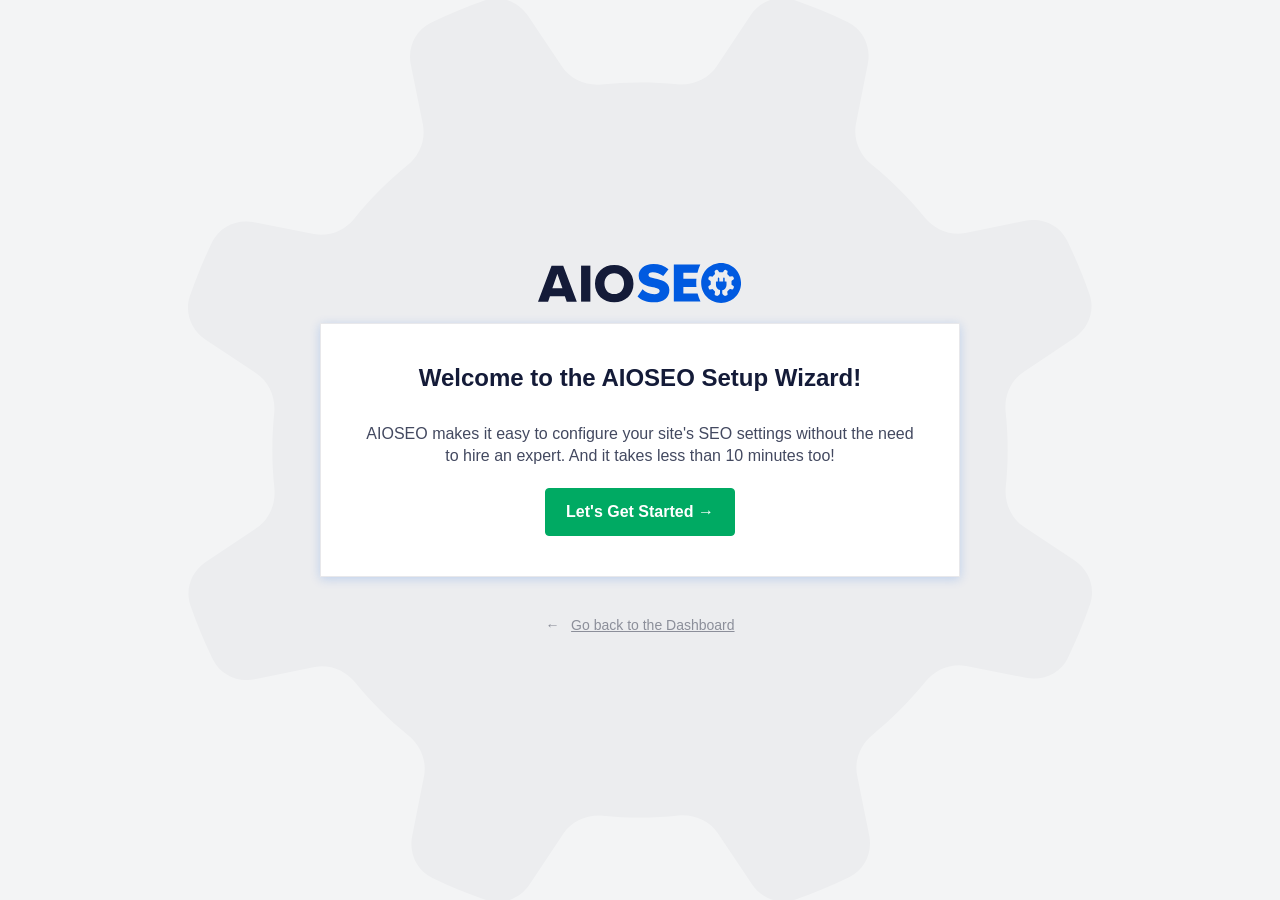
The category step is the part that distinguishes AIOSEO’s wizard from competitors. Yoast’s first-time configuration asks whether you represent a person or organization and then configures social links. Rank Math’s wizard is thorough but long. AIOSEO’s wizard combines both approaches: it personalizes the configuration to your industry type while keeping each step short. Most users finish it in under 10 minutes.
After the wizard, the dashboard shows a site health score with action items sorted by priority. One visible trade-off: several sidebar sub-items open paid upsell screens rather than working features on the free plan. The Redirects tab and Link Assistant tab in particular surface upgrade prompts. This is the same pattern Yoast uses for its Redirects menu item, but AIOSEO’s menu is larger, so there are more screens that lead to upsells.
Post Editor Experience
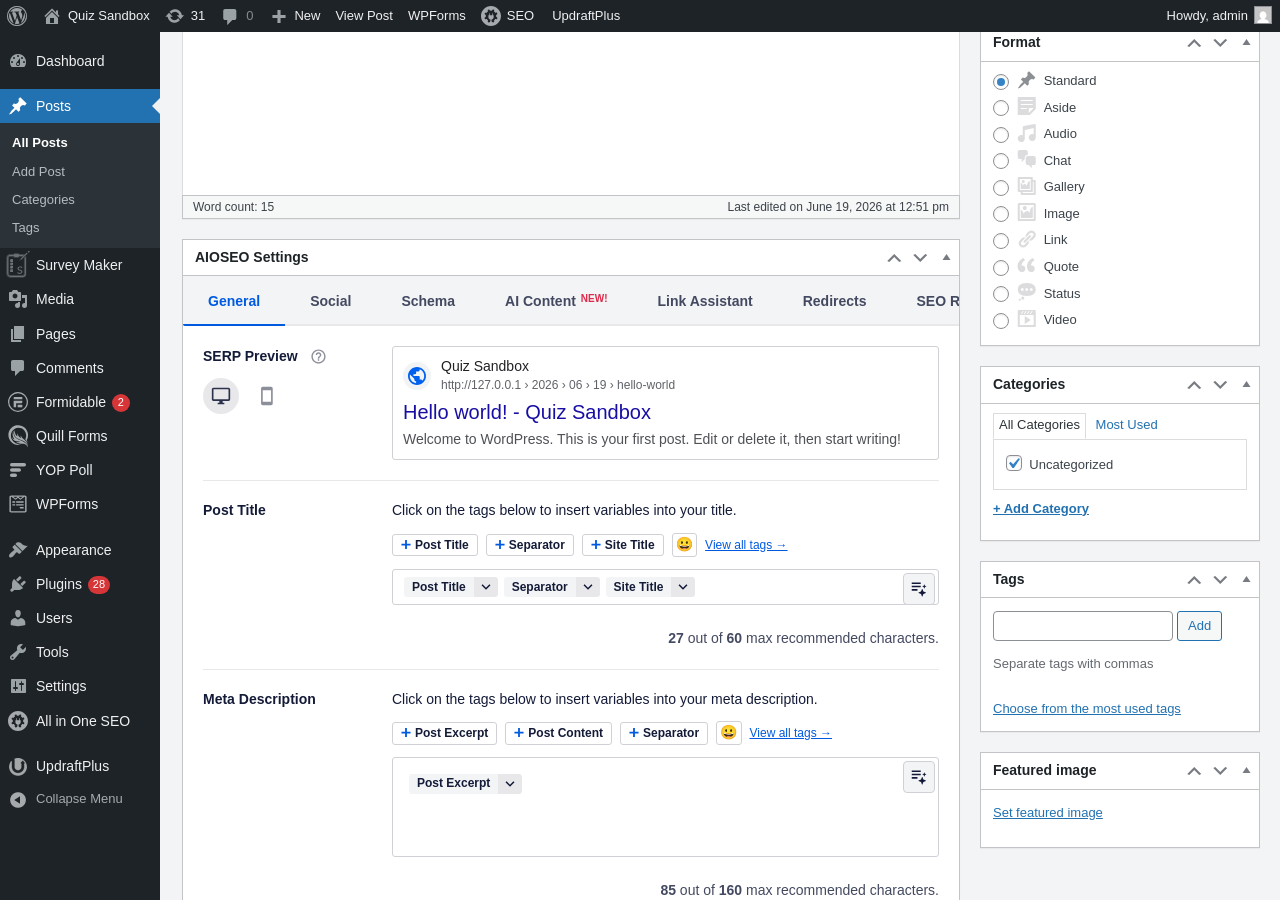
The AIOSEO settings panel appears as a metabox below the content editor in the classic editor, and integrates with the Gutenberg block editor as well. In the classic editor, the metabox has tabs: General, Social, Schema, AI Content, Link Assistant, Redirects, and SEO Rev.
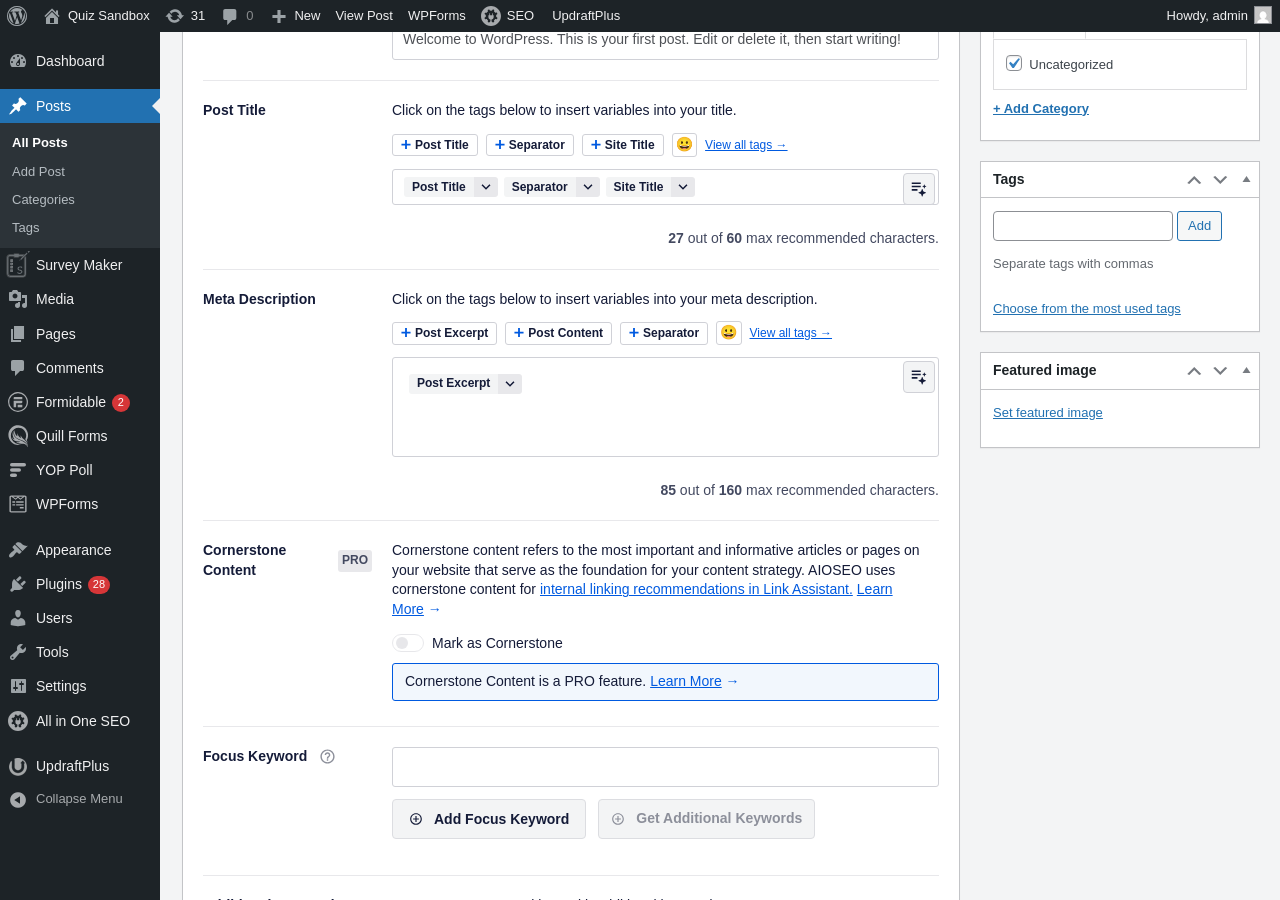
The General tab shows:
- A Google SERP snippet preview (desktop and mobile toggle)
- Post Title field with smart tags (Post Title, Separator, Site Title, and more)
- Meta Description field with character counter and color feedback (shows “X out of 60 max recommended characters” for title and “X out of 160 max” for description)
- Cornerstone Content toggle (paid feature, labeled PRO)
- Focus Keyword field with “Add Focus Keyword” and “Get Additional Keywords” buttons
- Additional Keywords section (paid feature, labeled PRO)
- Page Analysis section with three tabs: Basic SEO, Title, and Readability
The TruSEO score is a key differentiator. Unlike Yoast’s traffic-light checklist (which shows pass/fail per item), AIOSEO presents a numerical score out of 100 that updates as you make changes. The Page Analysis checklist checks: keyphrase in the title, keyphrase in the meta description, keyphrase in the first paragraph, keyphrase in at least one subheading, keyphrase in image alt text, content length, internal links present, external links present, outbound link to authoritative source, readability checks (sentence length, paragraph length), passive voice use, and transition words.
One thing I confirmed in the sandbox: AIOSEO free supports one primary focus keyword per post, the same limit as Yoast SEO free. The “Additional Keywords” section visible in the metabox is labeled “Additional Keywords are a PRO feature” and requires a Basic plan or above. On paid plans, you can add up to 10 additional focus keywords and TruSEO will analyze your content against all of them. Rank Math free still offers an advantage here, allowing unlimited keyphrases at no cost. AIOSEO paid plans (up to 10 additional keywords) do outperform Yoast Premium (which caps at 5 keyphrases per post).
Core Features
TruSEO On-Page Analysis
The TruSEO score ranges from 0 to 100. A score above 80 is considered well-optimized by AIOSEO’s own guidance. The checklist is split into two sections: Basic SEO and Additional. Basic SEO items carry more weight in the score; Additional items are optional improvements.
The analysis includes a readability section that checks sentence length and paragraph length, similar to Yoast’s readability panel, but the feedback is less granular. Yoast reports specific percentages for passive voice and transition words and flags individual sentences. AIOSEO reports a pass/fail state at the post level. For teams focused on prose quality, Yoast’s readability analysis remains more detailed.
The Headline Analyzer is a separate tool accessible from the SEO Analysis menu. It grades your title on word balance, character count, sentiment, and clarity, and gives each title a score out of 100 with suggestions for improvement. This is not a feature available in Yoast or Rank Math free tiers and it genuinely helps content writers optimize title click-through rates before publishing.
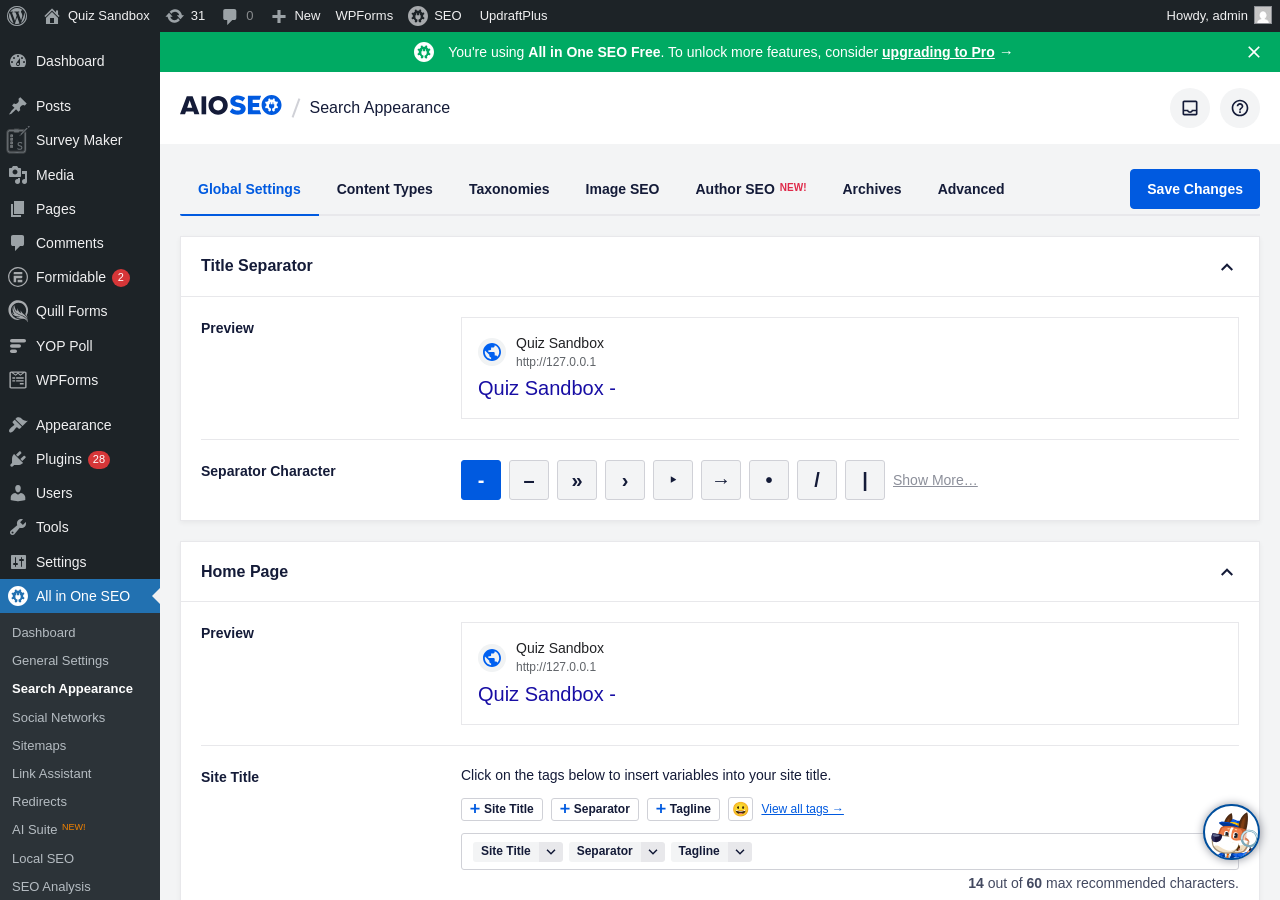
The Search Appearance settings screen shows the full range of global SEO defaults: title separator character, homepage title and meta description, and settings per content type, taxonomy, and author archive.
Schema and Structured Data
AIOSEO’s schema generator supports 20+ schema types including Article, Product, FAQ, HowTo, Recipe, Review, Event, LocalBusiness, Person, VideoObject, Course, and more. The generator works in two modes. Smart Schema analyzes your page content and recommends an appropriate schema type automatically. You can also choose from the full list and fill in fields manually, or use the custom JSON-LD builder for schema types the visual editor does not cover.
Version 4.9.6 added an AI Schema Generator that lets you describe the schema you want in plain language and generates the JSON-LD output accordingly. This feature uses AI credits.
AIOSEO supports adding multiple schema types to the same page. This matters for content types like review articles that legitimately need both Article schema and Review schema simultaneously. Most basic SEO plugins do not support multiple schema types per page.
The plugin includes a “Test with Google” button that opens the Rich Results Test in a new tab for the current page. Schema is output as JSON-LD in the page head.
One limitation: the advanced schema types (Event, Video, Course) are gated behind Pro or Elite plans. Free users get Article, FAQ, HowTo, and the common web page types.
XML Sitemaps
AIOSEO generates an XML sitemap index at /sitemap.xml with separate child sitemaps for posts, pages, categories, tags, authors, and custom post types. The Sitemaps settings screen includes tabs for General Sitemap, RSS Sitemap, Video Sitemap, News Sitemap, HTML Sitemap, and LLMs.txt.
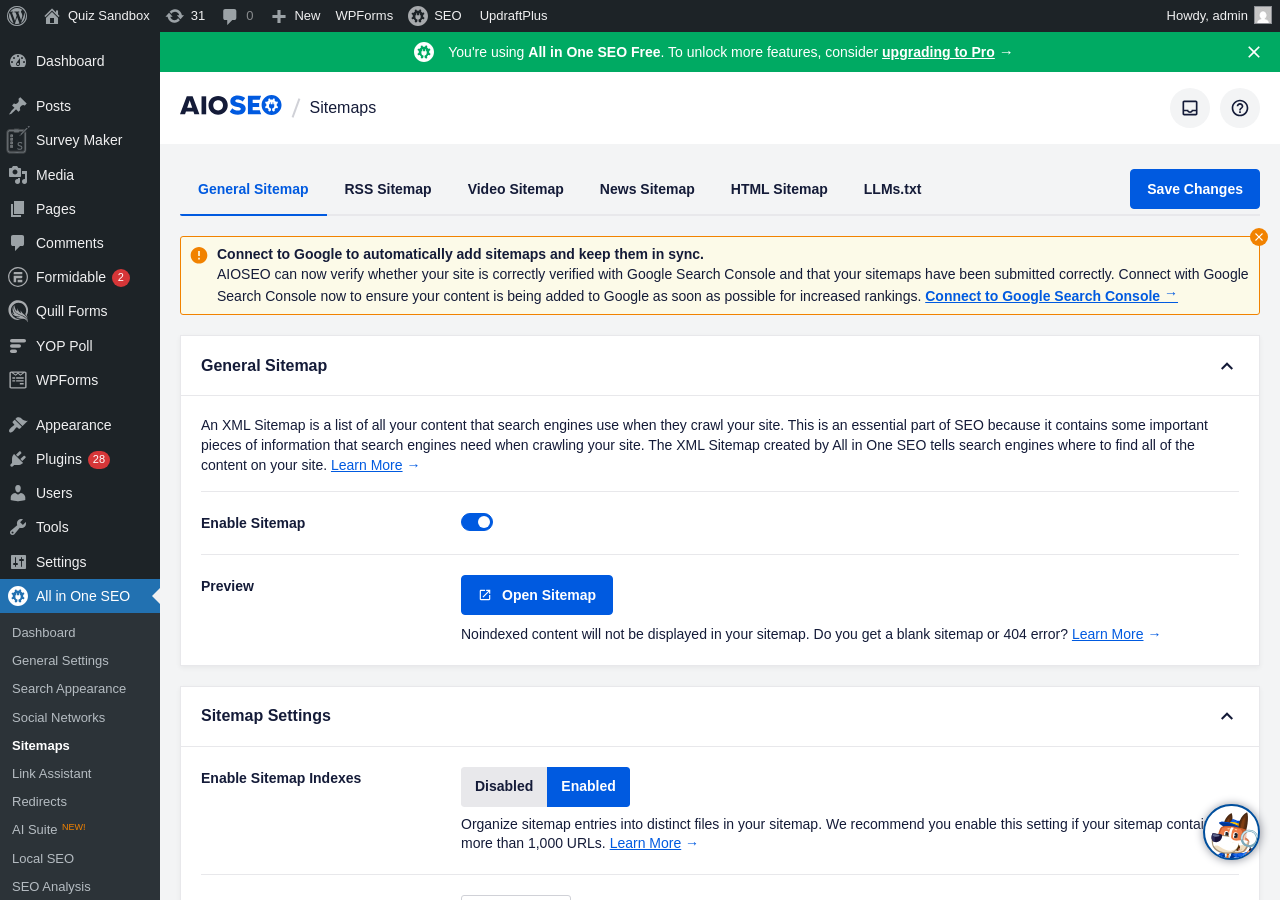
Configuration options include:
- Enable or disable sitemaps per content type or taxonomy
- Set the maximum number of URLs per sitemap file (useful for large sites)
- Choose whether draft, private, or no-indexed posts are excluded
- Set sitemap priority and change frequency per post type
- Add external URLs to the sitemap that are not in WordPress
- CSV import for adding additional pages in bulk
News and Video sitemaps are available on the Pro plan and above. An HTML sitemap (rendered with a Gutenberg block) is available on all tiers. The free tier sitemap is more configurable than Yoast’s free sitemap and roughly comparable to Rank Math’s free sitemap in terms of granular control.
Redirection Manager
The Redirect Manager is available starting with the Basic paid plan ($49.50 first-year price for one site). It is not available in the free version. On the free plan, navigating to the Redirects screen shows an upgrade prompt confirming this is a paid feature.
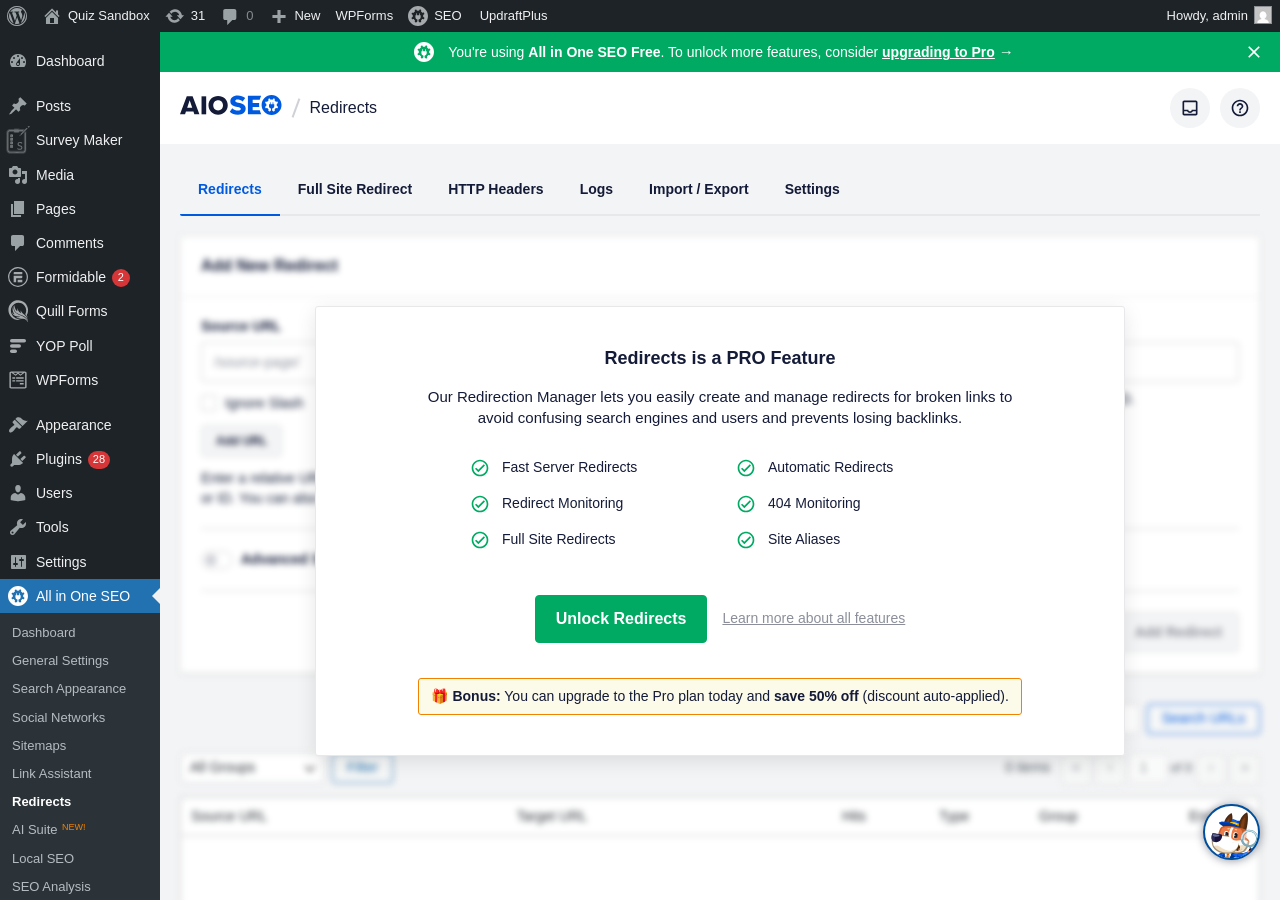
The manager (on paid plans) handles 301 (permanent), 302 (temporary), 307 (temporary), and specialized redirect types including 410 (gone) and 451 (unavailable for legal reasons). Key features include:
- Automatic redirect suggestion when you change a post’s URL slug
- 404 error monitoring with a log of broken links detected on your site
- Regex and wildcard matching for complex redirect patterns
- Bulk import and export via CSV
- Detailed per-redirect logs showing hit count, user agents, referrers, and timestamps
- Full-site redirect for domain migrations (Pro plan and above)
The 404 monitoring built into the Redirect Manager means you can catch broken links after content changes without a separate plugin. Rank Math’s free version also includes a 404 monitor; Yoast requires Premium for redirect management and does not have a dedicated 404 log.
Link Assistant
Link Assistant is AIOSEO’s internal linking automation tool, available on Pro and Elite plans. On the free plan, navigating to the Link Assistant screen shows an upgrade prompt requiring the Pro or Elite plan.
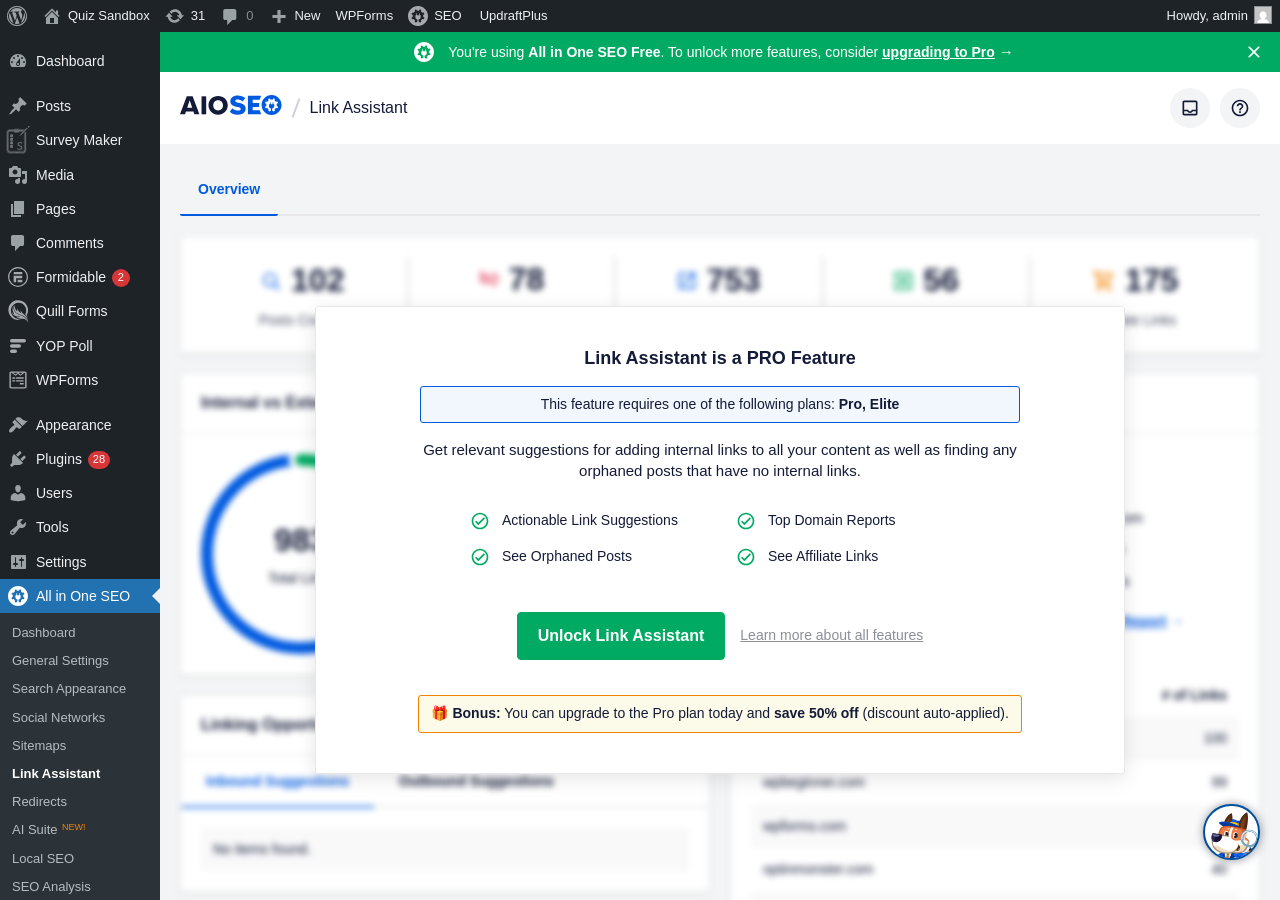
On paid plans, Link Assistant analyzes your content to find linking opportunities between existing posts and pages, then surfaces those suggestions inside the WordPress editor. Key capabilities include:
- One-click link addition directly from the editor without switching screens
- Cornerstone content designation so strategic pages receive more internal link weight
- Bulk management across multiple posts from a single dashboard screen
- Anchor text suggestions that maintain natural-sounding language
- A Domains Report that lets you remove all links to a specific domain in bulk
- “Link Opportunities” report that surfaces pages with few or no incoming internal links
One limitation noted in the official documentation: Link Assistant is currently optimized for English-language content using the block editor. Non-English sites and classic editor setups may see fewer suggestions.
Technical SEO Controls
Beyond the headline features, AIOSEO handles a solid set of technical SEO settings in the free version:
- Canonical URLs (automatic, with per-post overrides)
- Noindex controls per post and per content type
- Advanced robots meta settings (noarchive, nosnippet, max-snippet, max-video)
- Open Graph meta tags for Facebook and other platforms
- Twitter/X card support
- Breadcrumb generation via block, shortcode, or PHP function with full JSON-LD
- Robots.txt editor built into the admin Tools panel (no FTP needed)
- Crawl cleanup settings to disable thin-content archives and reduce crawl budget waste
- IndexNow integration for instant Bing and Yandex indexing on publish
- RSS content protection to add attribution links to scraped content
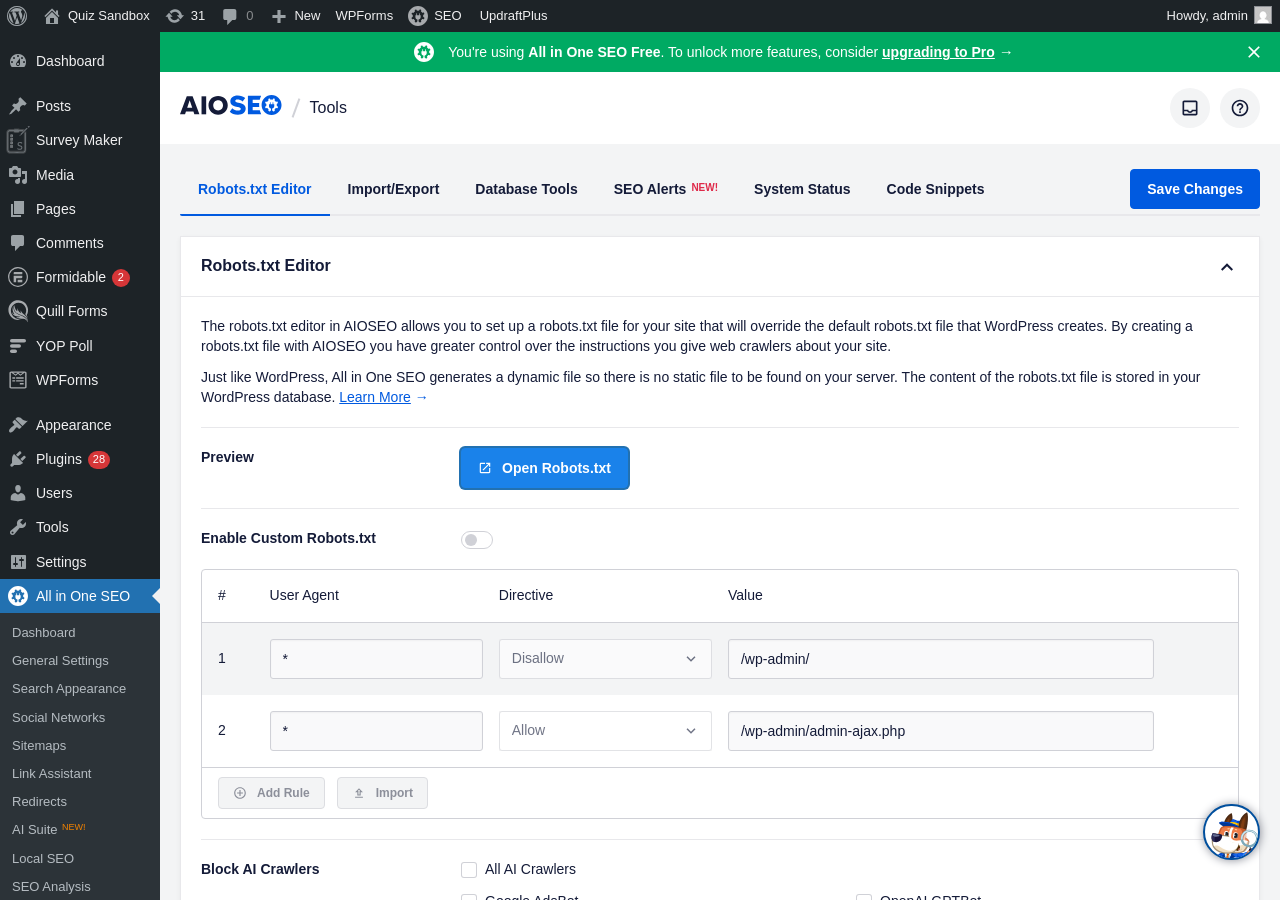
The Robots.txt Editor is particularly useful: it lets you manage crawl rules through a visual table rather than a raw text file, with User Agent, Directive, and Value columns. Adding, editing, or removing rules requires no FTP access or code knowledge. The screen also shows a “Block AI Crawlers” section for controlling access by GPTBot, Google-Extended, and other AI crawlers.
The Crawl Cleanup feature (available from the General Settings) lets you disable date archives, author archives, and specific URL parameters from crawling, reducing wasted crawl budget on large sites without .htaccess changes.
SEO Analysis
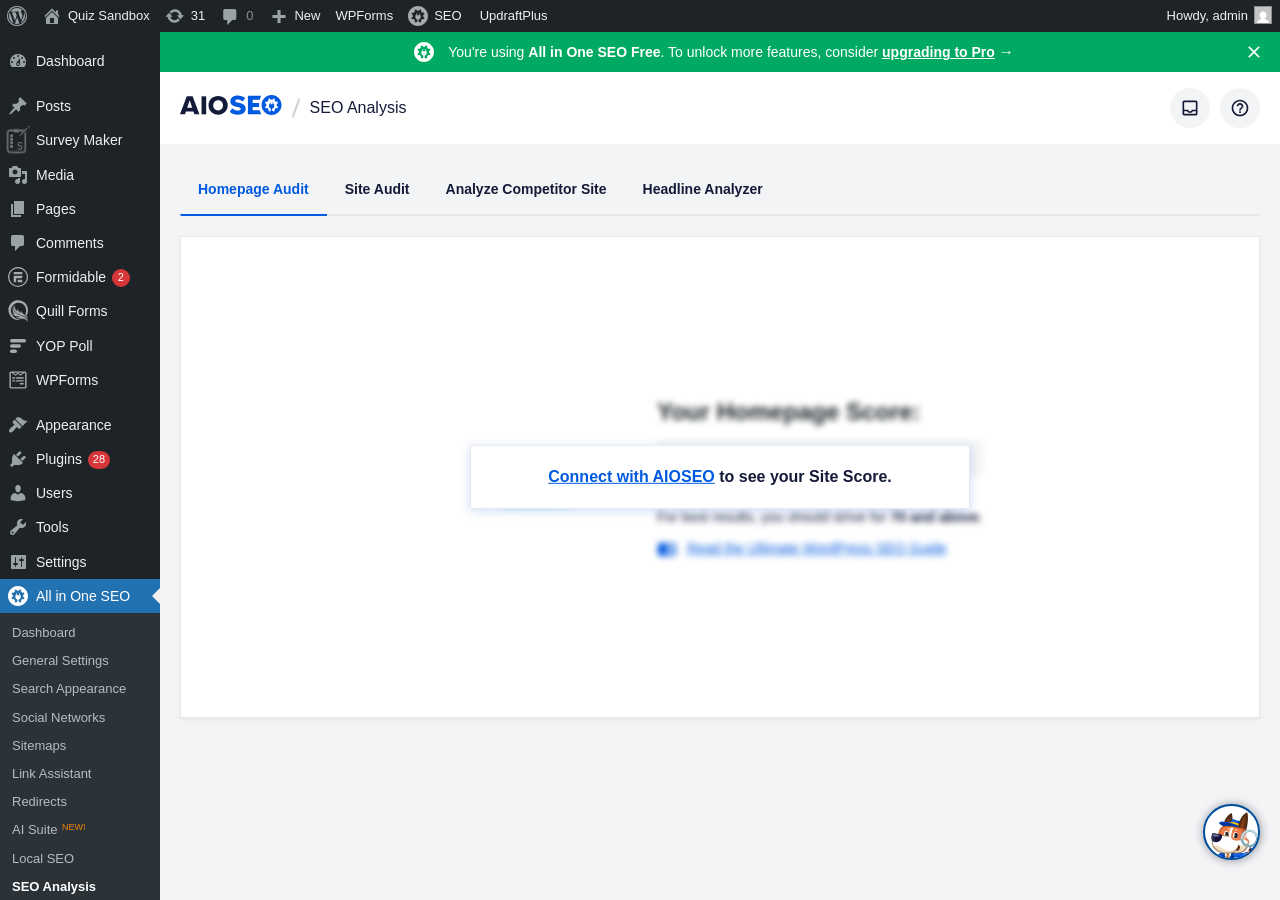
The SEO Analysis section includes four tabs: Homepage Audit, Site Audit, Analyze Competitor Site, and Headline Analyzer. The Homepage Audit and Site Audit screens require connecting an AIOSEO account to display full scores. The Analyze Competitor Site tab lets you enter any domain and view a basic on-page SEO breakdown for their homepage.
Author SEO and E-E-A-T
Author SEO is available on Plus plans and above. It adds:
- Custom author profile pages with structured bio information
- Author schema markup linking author content to their credentials
- Author bio blocks (Gutenberg) for embedding bio cards within posts
- Reviewer schema support for review posts, letting you attribute reviews to specific reviewers
- Social profile linking to build the author’s entity in Google’s Knowledge Graph
- Key Points (TLDR) block for quick content summaries that signal content quality
Google’s E-E-A-T (Experience, Expertise, Authoritativeness, Trustworthiness) signals matter more for YMYL (Your Money or Your Life) content: medical, financial, legal, and news topics. AIOSEO’s Author SEO module is the most structured implementation of E-E-A-T tooling available in a WordPress SEO plugin. Yoast Premium does not have a direct equivalent. Rank Math has some author schema support but not a dedicated Author SEO module.
Search Statistics and Keyword Rank Tracker
Search Statistics is an Elite-only feature. It connects your Google Search Console account and pulls keyword ranking data, impression data, click-through rates, and page performance metrics into the WordPress dashboard. The integration also includes:
- Content decay tracking that flags posts losing search visibility over time
- Index status checks showing which pages Google has or has not indexed
- PageSpeed Insights data per post
- Keyword cannibalization detection
The Keyword Rank Tracker monitors daily position changes for your target keywords, with grouping and historical trend views.
Both features require the Elite plan ($299.50 first-year price) for up to 100 sites. That is the pricing context that matters for competitive evaluation: Rank Math free includes Google Search Console data inside the dashboard. AIOSEO gates equivalent functionality behind its most expensive tier.
AI Features
AIOSEO added a suite of AI features across 2025 and 2026:
- AI Content Generator: produces SEO titles, meta descriptions, FAQ blocks, key points, and social media copy on demand. Available in free with purchased credits; paid subscribers get credits included in their plan.
- AI Schema Generator: describe the schema you want and the AI builds JSON-LD output. Added in v4.9.6. Requires AI credits.
- Bulk AI actions: generate meta titles, descriptions, and image alt text for multiple posts simultaneously from the post list screen. Added in v4.9.6.
- AI Assistant block: a Gutenberg block that generates content inline, including auto-converting generated FAQ content into AIOSEO FAQ schema blocks. Updated in v4.9.7.
- AI Image Generator: create images from text prompts. Added in v4.9.8 with support for Nano Banana 2 and GPT Image 2 models.
Version 4.9.8 added an MCP server integration, allowing AI agents (including Claude and Cursor) to connect to your WordPress site and read or manage SEO data directly through AIOSEO’s REST API. The Abilities API integration was added in the same version.
AI credits have no expiration date. Free users can purchase credits without a paid subscription.
LLMs.txt Generator
AIOSEO generates an llms.txt file that tells AI crawlers (GPTBot, CCBot, Google-Extended, and others) which pages on your site they can access. You can include or exclude specific post types and pages from the AI crawler manifest. This is included in the free version. An edge case fixed in v4.9.9: Elementor’s internal post types were being included in llms.txt by default, which has been corrected.
Import and Migration
AIOSEO supports importing SEO data from Yoast SEO (free and Premium), Rank Math, and SEOPress. It also imports redirects from the Redirection plugin, Simple 301 Redirects, Safe Redirect Manager, and 301 Redirects. The import tool handles metadata, titles, descriptions, focus keywords, and redirect rules.
Pricing
AIOSEO has four paid tiers. Prices shown are first-year promotional prices (50% off); renewal prices are approximately double. All fees are charged in USD per the official pricing page.
| Plan | First-Year Price | Full Price | Sites | AI Credits |
|---|---|---|---|---|
| Basic | $49.50/year | ~$99/year | 1 | 10,000 |
| Plus | $99.50/year | ~$199/year | 3 | 25,000 |
| Pro | $199.50/year | ~$399/year | 10 | 50,000 |
| Elite | $299.50/year | ~$599/year | 100 | 200,000 |
All plans include a 14-day money-back guarantee and automatic renewal (cancellable from the account dashboard).
Key features by tier:
- Free: on-page analysis (1 focus keyword; Additional Keywords require a paid plan), XML sitemap, basic schema, Open Graph, breadcrumbs, robots.txt editor, IndexNow, LLMs.txt, REST API, headline analyzer, TOC block, site audit, basic WooCommerce SEO
- Basic: adds Redirect Manager, enhanced schema, enhanced WooCommerce SEO (product schema with price/availability/review attributes), social preview
- Plus: adds Author SEO (E-E-A-T), Local SEO (multi-location), Image SEO, SEO Revisions (15)
- Pro: adds Link Assistant, Video and News sitemaps, 404 tracking, Full Site Redirects, Event Schema, Cornerstone Content, 30 SEO Revisions, Priority Support
- Elite: adds Search Statistics (Google Search Console data), Keyword Rank Tracker, Content Decay Tracking, Client Management, Multisite/Network support, Unlimited SEO Revisions
The 14-day refund window is the main pricing risk. If you want to evaluate Search Statistics or Link Assistant in full before committing, 14 days is tight.
Multi-site pricing comparison: Rank Math Pro covers unlimited personal sites for $96/year. For a single site, AIOSEO Basic at $49.50/year (first year) is cheaper. For three sites, AIOSEO Plus at $99.50/year compares favorably to Rank Math Pro at $96/year. For 10 sites, AIOSEO Pro at $199.50/year is more expensive than Rank Math’s unlimited personal sites plan. Yoast SEO Premium costs $118.80/year per site with no multi-site tier, so AIOSEO is substantially cheaper for any operator running three or more sites.
AIOSEO vs Yoast SEO
Since AIOSEO vs Yoast is a direct comparison many users are evaluating, here is an honest assessment after testing both:
| Feature | AIOSEO Free | AIOSEO Basic | AIOSEO Pro | Yoast SEO Free | Yoast SEO Premium |
|---|---|---|---|---|---|
| Focus keywords | 1 | Up to 10 additional | Up to 10 additional | 1 | Up to 5 |
| Redirect manager | No | Yes (paid) | Yes | No | Yes |
| 404 monitor | No | No | Yes | No | No |
| Schema types | Core types | 20+ | 20+ with video/event | Core types | Extended via add-ons |
| Search Console data | No | No | No (Elite only) | No | No |
| IndexNow | Yes | Yes | Yes | No | Yes |
| LLMs.txt | Yes | Yes | Yes | No | No |
| Readability analysis | Basic | Basic | Basic | Full (Flesch + passive voice) | Full |
| AI content tools | Credits | Credits | Credits included | No | AI Generate, Optimize |
| Author SEO / E-E-A-T | No | No | No (Plus+) | No | No |
| Price (1 site/year) | Free | $49.50 first yr | $199.50 first yr | Free | $118.80 |
Where AIOSEO wins over Yoast:
- Paid plans support up to 10 additional focus keywords per post vs Yoast Premium’s 5-keyphrase cap (free tiers are equivalent at 1 each)
- IndexNow and LLMs.txt included free (Yoast gates IndexNow behind Premium)
- Redirect manager available from the Basic plan ($49.50 first year) vs Yoast Premium ($118.80/year)
- Better pricing for multi-site operators
- More complete E-E-A-T tooling (Author SEO module)
- Headline Analyzer unique in the category
Where Yoast wins over AIOSEO:
- Readability analysis is significantly more detailed (passive voice %, transition word %, Flesch reading ease with per-sentence feedback vs AIOSEO’s pass/fail)
- AI content tools (Generate, Optimize, Summarize) are tighter and require no credits
- Schema output is arguably more reliable for edge cases due to Yoast’s indexables architecture
- No performance overhead controversy: Yoast is lighter at runtime
Pros and Cons
Pros
- Setup wizard is the most beginner-friendly of any major WordPress SEO plugin tested
- Headline Analyzer is a free-tier exclusive that genuinely helps improve content click-through rates
- AI tools are well-integrated: AI Schema Generator, bulk metadata generation, and AI Assistant block work inside WordPress without external accounts
- LLMs.txt generator and MCP server integration (v4.9.8) put AIOSEO ahead of competitors for AI-search compatibility in 2026
- Redirect manager included from the Basic plan ($49.50 first year), cheaper than the Yoast Premium entry point
- Excellent Local SEO module with multi-location schema and Google Maps integration
- Author SEO / E-E-A-T tooling is the strongest dedicated implementation in this category
- REST API now free for all users (v4.9.8)
- 3+ million active installs and 4.7/5 rating confirm reliable production behavior
- SEO Alerts via email and Slack (v4.9.9) useful for site owners who want proactive issue notifications
- Free version includes basic WooCommerce product SEO (titles, descriptions, basic Open Graph) without a separate extension; enhanced product schema requires a paid plan
Cons
- Higher performance overhead than Rank Math or SEOPress: approximately 3x more page load overhead than Yoast and significantly more memory than Rank Math in independent tests (based on WP Hive profiling of v4.7.0; some improvement may have occurred since v4.9.6 replaced third-party libraries); matters on high-traffic sites
- Search Statistics (Google Search Console keyword data inside WordPress) requires the Elite plan ($299.50 first year), while Rank Math includes similar data in its free version
- Readability analysis is less detailed than Yoast SEO: AIOSEO gives pass/fail signals where Yoast gives percentages and per-sentence feedback
- Multiple admin menu items lead to paid upsell screens on the free tier, creating a cluttered navigation experience
- 14-day refund window is short for evaluating a plugin with this many paid-only features
- Security track record requires attention: Wordfence reported six vulnerabilities disclosed across 2025, including SQL injection, stored XSS, and missing authorization checks (source: Search Engine Journal); a January 2026 disclosure revealed an AI access token exposure affecting versions up to and including 4.9.2, discovered by Wordfence and patched in v4.9.3; additional disclosures appear in the Patchstack vulnerability database through May 2026. The team patches quickly but the disclosure frequency is higher than Yoast or Rank Math over the same period.
- Advanced schema types (Video, Event, Course) require Pro plan or above
- Free tier is limited to 1 focus keyword per post (same as Yoast free); Additional Keywords (up to 10 more) require a paid plan; Rank Math free allows unlimited keyphrases at no cost
Alternatives
Rank Math SEO is the most direct competitor. Its free tier includes Google Search Console integration, unlimited focus keyphrases, a redirect manager, 404 monitoring, and IndexNow without paying anything. Its paid tiers are cheaper per site for unlimited domains. Rank Math’s readability analysis is less thorough, and its setup wizard is longer and more technical. A detailed comparison is in our Rank Math review.
Yoast SEO is the most established alternative. Its readability analysis remains the deepest in the category. The free tier is narrower than both AIOSEO and Rank Math. Premium pricing is per-site and becomes expensive for multi-domain operators. Covered in full in our Yoast SEO review.
SEOPress is a performance-focused alternative that is significantly lighter at runtime than AIOSEO. It covers the basics (titles, sitemaps, schema, breadcrumbs, redirects) without the AI features or the performance overhead. Worth considering for high-traffic sites where server response time is a priority.
The SEO Framework is another lightweight option that follows a “zero bloat” approach. It does not include in-editor content analysis by default, but handles technical SEO with a very small runtime footprint.
Final Verdict
All in One SEO has come a long way from the bloated plugin it was in its earlier versions. The 2026 product is thoughtfully designed, genuinely feature-rich, and the setup experience is the best in the category for non-technical users. If you are starting a new site and want a guided, beginner-friendly experience without compromising on free-tier capability, AIOSEO free is a strong choice.
The performance trade-off is real and cannot be argued away. If your WordPress site already runs close to your performance budget, Rank Math or SEOPress will give you equivalent SEO coverage with a fraction of the runtime overhead. AIOSEO’s extra weight is the price you pay for its broader feature surface.
The pricing model is reasonable for agencies and multi-site operators compared to Yoast, and genuinely competitive at the Basic tier for single-site users. The Elite plan’s Search Statistics feature is AIOSEO’s clearest competitive weakness: Rank Math delivers Google Search Console data integration to free users, and AIOSEO asks you to pay its top-tier price for a comparable feature.
Install it if: you want a strong setup wizard, a dedicated E-E-A-T Author SEO module, WooCommerce SEO basics out of the box, or the most complete AI-assisted content workflow in a WordPress SEO plugin. The paid plans also give you up to 10 additional TruSEO focus keywords per post, useful for content teams optimizing for keyword clusters. Also worth choosing if you are managing several sites on a budget and the Elite 100-site plan makes financial sense for your client roster.
Look elsewhere if: performance overhead is a constraint, you need Google Search Console keyword data without paying Elite plan prices, or you want the deepest readability analysis available (Yoast remains ahead on that specific capability).