


Quick Verdict
League Table is a lightweight, spreadsheet-driven table plugin for WordPress. The free version handles basic sortable sports standings and data tables well. The Pro license ($29/year for one site) adds multi-column sorting, cell merging, formulas, and import/export for more complex tables.
Best for: Small sports clubs, fan sites, and WordPress users who want a quick standings table without a heavy plugin.
Skip if: You need live data sync, real-time updates, or a widely supported plugin with an active community.
What Is League Table?
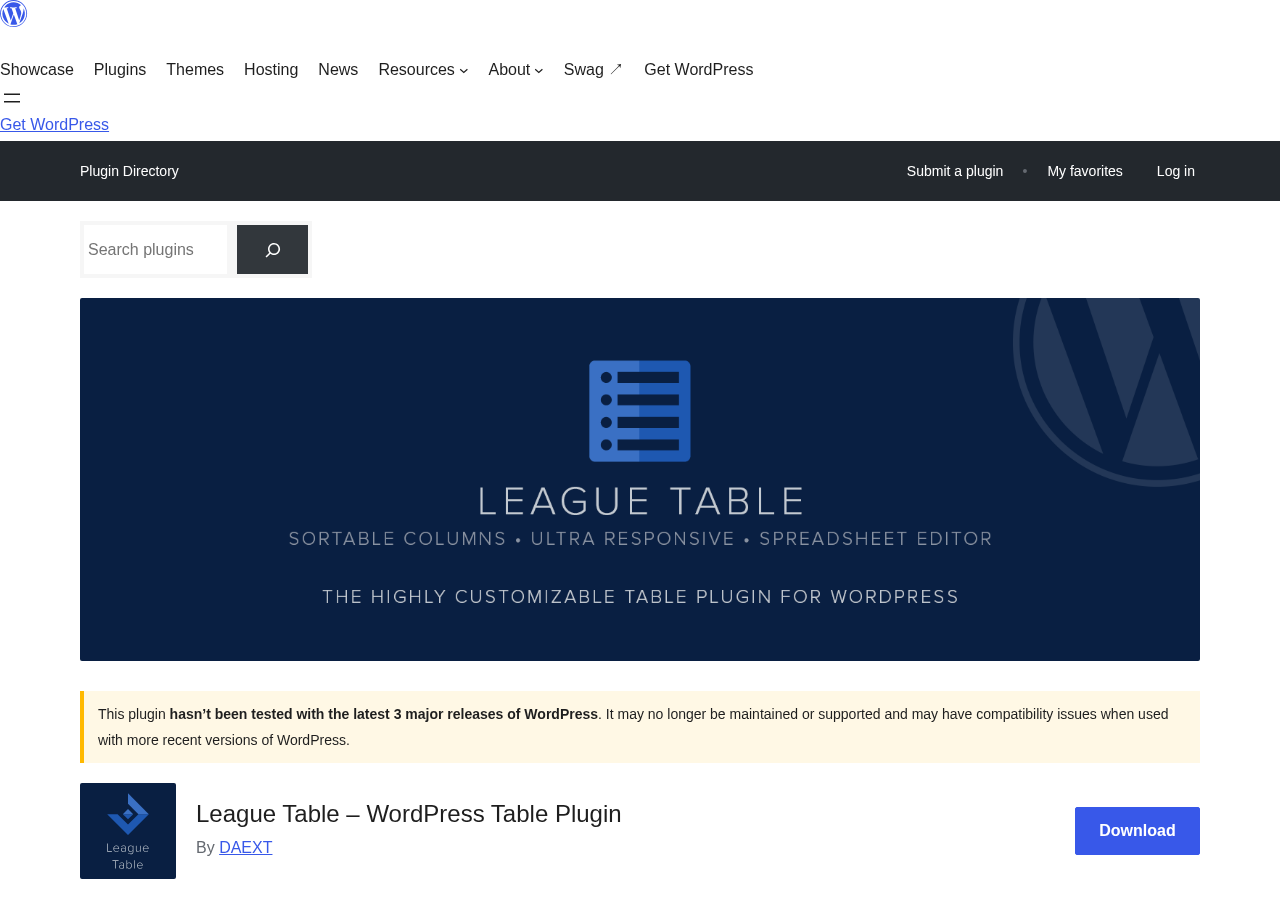
League Table is a WordPress table plugin developed by DAEXT, an Italian software company that has distributed the plugin on Envato Market (CodeCanyon) since 2014. A free lite version is available on WordPress.org.
The plugin started life as a sports standings tool and still uses sports examples (Premier League, soccer standings) throughout its documentation. Over time, the developer broadened its scope: the same editor can build any sortable data table, from product comparison grids to statistical lists.
The core technology is Handsontable CE, an open-source spreadsheet library, paired with the TableSorter JavaScript library for front-end column sorting. You manage all tables through a dedicated admin menu (League Table – Tables), and embed them in posts using a shortcode or the included Gutenberg block.
Who Is It Best For?
League Table fits a specific type of WordPress site owner:
- Sports club and fan site managers who need a weekly-updated standings table and do not want to rely on a third-party iframe or a full sports management plugin like SportsPress.
- Small business or hobby site owners who need a simple, sortable data table and want something lighter than a data-management plugin.
- Classic Editor and Gutenberg users who want a spreadsheet-style interface for entering table data instead of building HTML by hand.
It is not the right tool if you need live or automatically synced data, a REST API or dynamic filtering, or a plugin with an active user community and strong support forum track record.
Hands-On Setup and User Experience
Installation is standard: install from the WordPress.org directory, activate, and a League Table menu appears in the admin sidebar. The main Tables screen is where you spend most of your time.
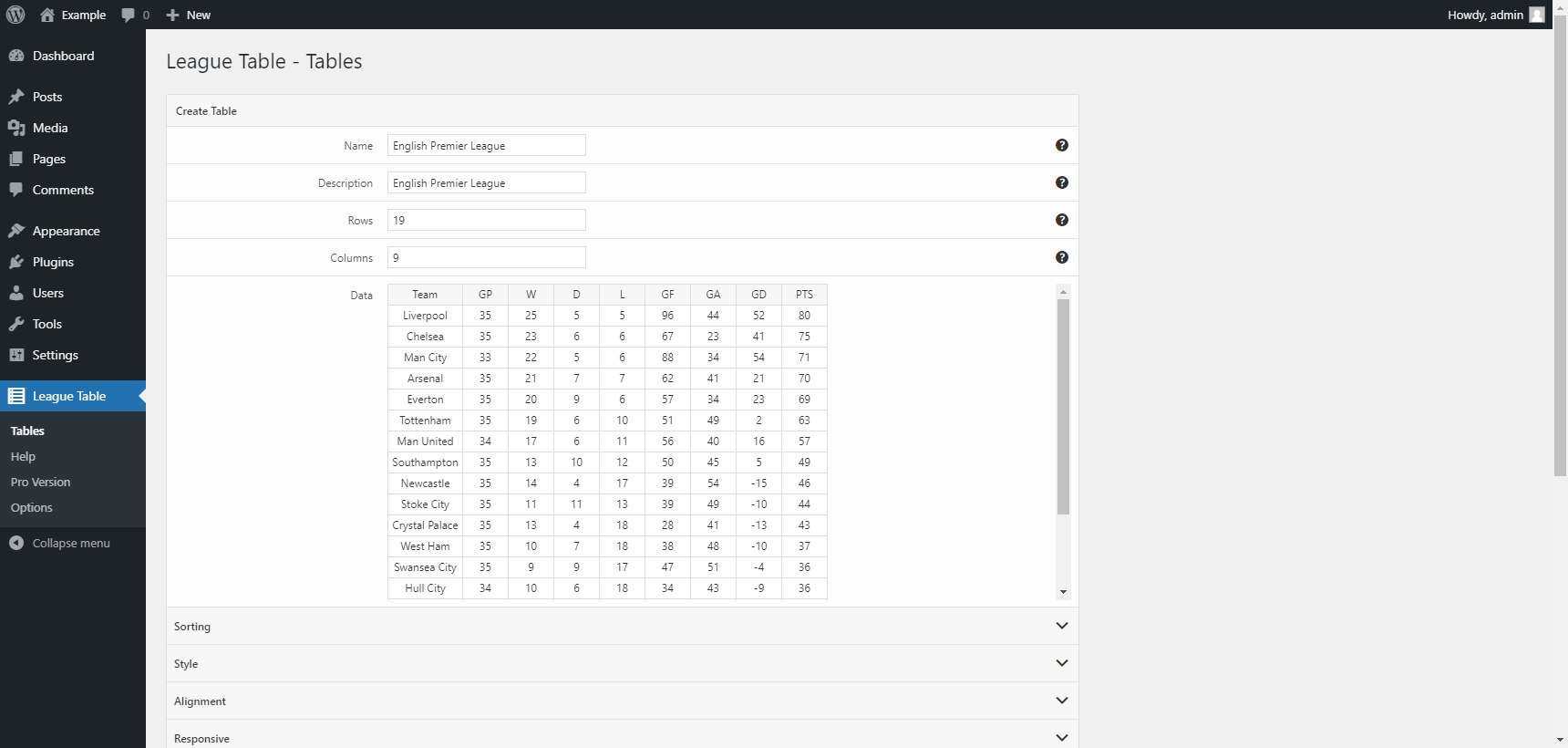
You define the table name, set the row and column count, then enter data directly into an embedded spreadsheet grid. The grid behaves like a simplified version of Google Sheets: type directly, paste from Excel or LibreOffice, and navigate with Tab and arrow keys. Below the spreadsheet, accordion sections cover Sorting, Style, Alignment, and Responsive behavior, each with tooltip help icons.
Setting up a basic 10-team soccer standings table with team names, wins, draws, losses, goals for, goals against, and points took under five minutes from a blank install. That includes pasting the data from a spreadsheet and enabling automatic sorting by the points column.
The Spreadsheet Editor
The Handsontable-powered editor is the standout feature. It behaves like a familiar spreadsheet interface: right-click a cell for context menu options, drag to select a range, and paste clipboard data from Excel or Google Sheets.
This is a genuine time-saver if you manage standings manually. Copy a table from Google Sheets, paste it into the League Table editor, and you have a styled WordPress table in minutes. Updates work the same way: paste the new data over the existing grid and save.
What the editor does not do: it does not connect to an external spreadsheet. There is no live sync, no Google Sheets API, and no automatic update when your source data changes. Everything is copy-paste. For a club that updates standings once a week after match day, that is acceptable. For a site that needs real-time or daily-updated data, you need a different tool.
Sorting and Ranking
The free version supports single-column automatic sorting and optional manual sorting. Automatic sorting runs at page load using TableSorter, ordering rows by whichever column you configure as the primary sort. Manual sorting lets visitors click column headers to re-sort the table themselves.
The plugin can also generate a Position column automatically. Enable this option and League Table creates a numbered rank column based on your chosen sort order, which is exactly what a sports standings table needs.
Multi-column sorting (sorting by points, then by goal difference as a tiebreaker) requires the Pro version. For most basic standings use cases, the free single-column sort is sufficient. For more complex tables where tiebreakers matter, you need Pro.
Styling and Responsive Design
The plugin offers extensive styling controls for a free tool:
- Colors: Header background, header font, header links, border colors, even and odd row backgrounds (striped rows), and matching font and link colors per row type.
- Typography: Font family (including Google Fonts via a direct URL field), font weight, and font style.
- Layout: Table width, individual column widths, cell padding, margin, and optional horizontal and vertical scrollbars.
- Responsive: Different font sizes per breakpoint, show or hide specific columns on mobile or tablet viewports.
Changing stripe colors to match team colors, hiding the goal difference column on narrow screens, adding a Google Font for the header: all of this works in the free version without touching CSS.
Cell-Level Customization
In the free version, you can apply background and font color to individual cells. Click a cell in the spreadsheet editor and a cell properties panel appears below. This covers simple use cases like highlighting a promotion zone (top 4 rows in green) or a relegation zone (bottom 3 rows in red).
The Pro version expands cell properties significantly: full typographic styles, custom alignment per cell, mathematical formulas (Sum, Min, Max, Average), cell merging, custom HTML inside cells, and automatic color rules based on ranking position. The automatic ranking color feature is the most useful sport-specific Pro addition: define a threshold (rows 1 to 4 get green, rows 18 to 20 get red) and the plugin applies the colors automatically as the data changes.
Gutenberg Block and Shortcodes
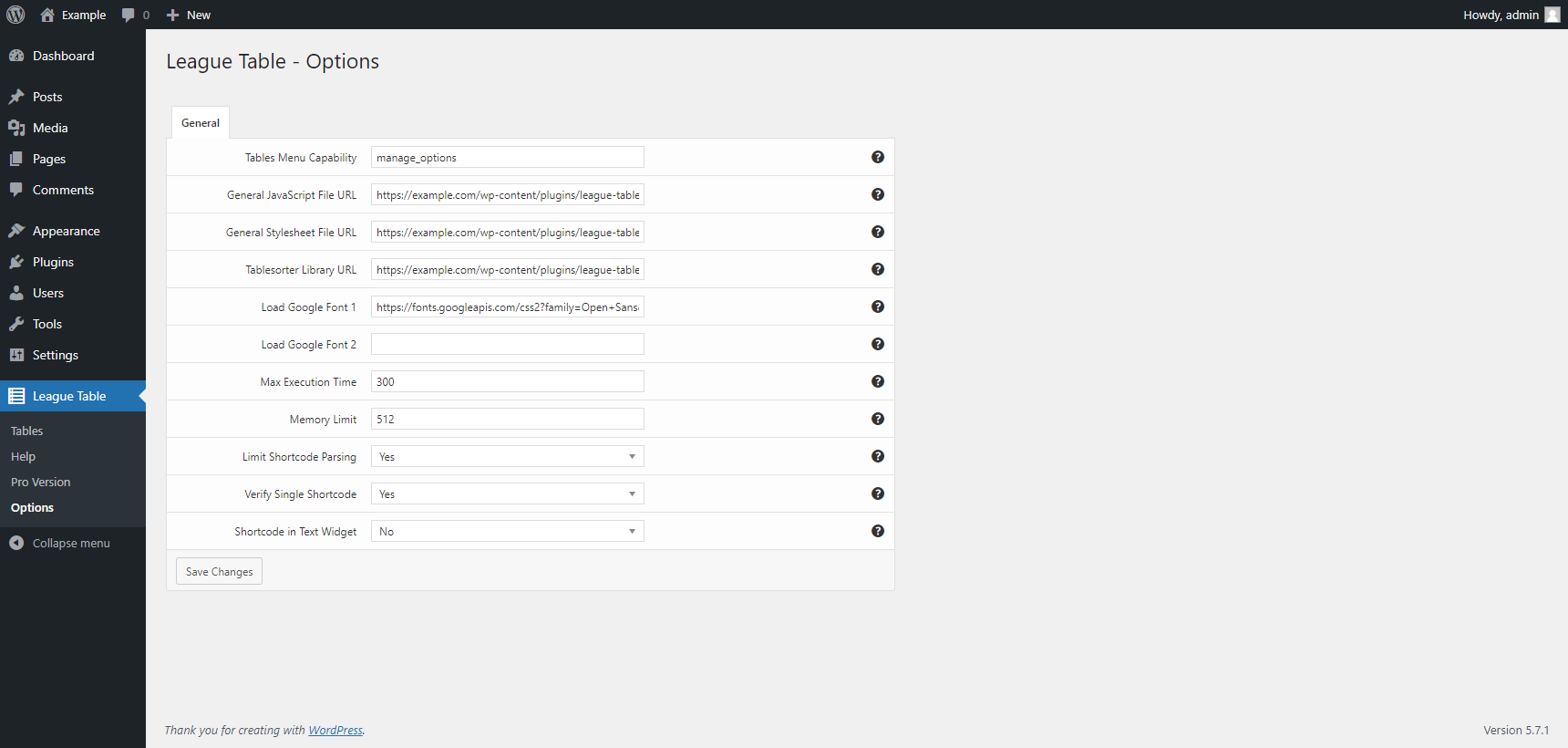
The plugin includes one Gutenberg block labeled League Table. In the block editor, you select which table to embed from a dropdown. The block renders the table inline in the editor preview. Shortcode embedding works with the format [lt-table id="1"], which also works in widgets and text areas when enabled in the options.
Pricing: Free vs. Pro
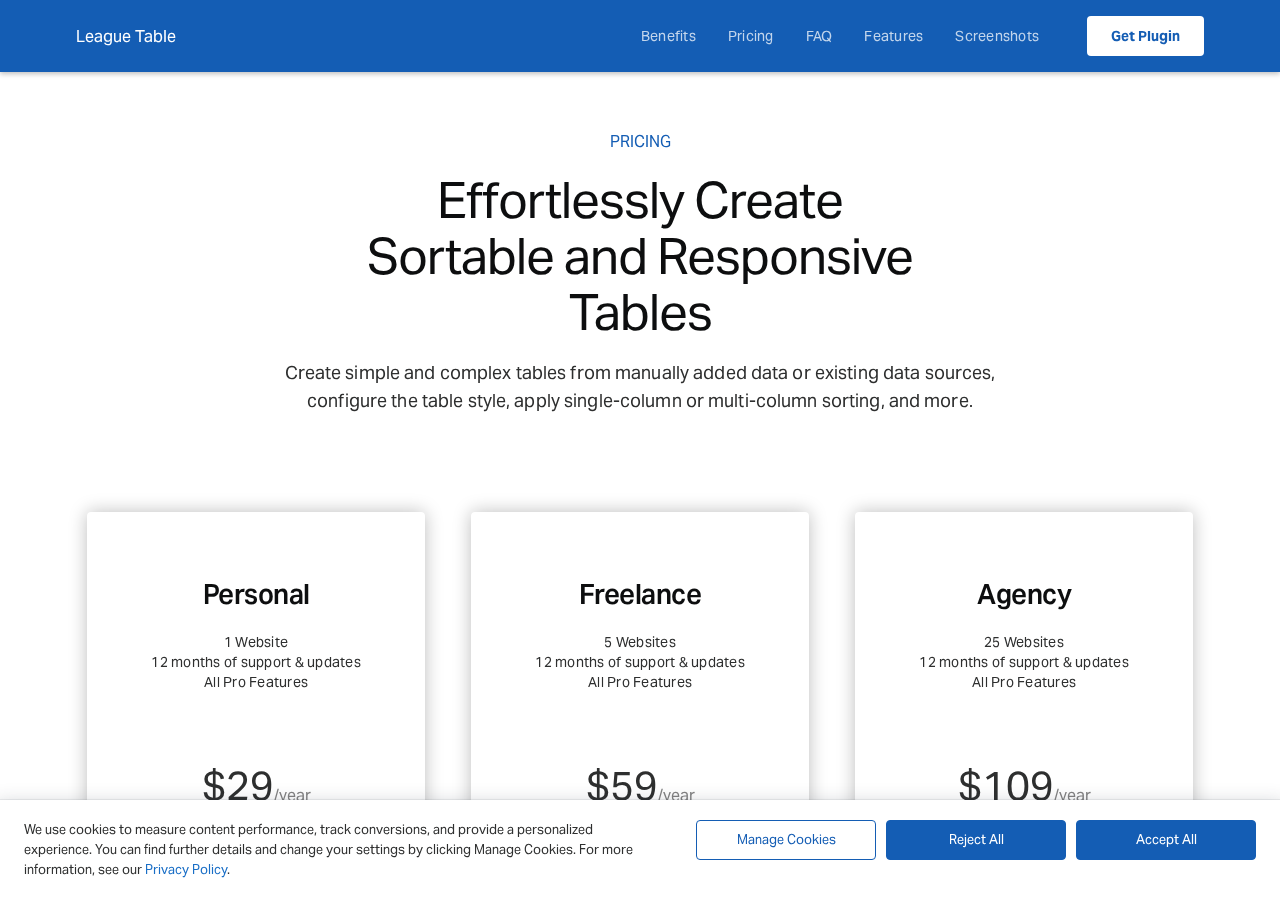
The free lite version on WordPress.org is genuinely functional and not artificially limited. The Pro version from daext.com is available as an annual subscription:
| Plan | Sites | Price |
|---|---|---|
| Personal | 1 website | $29/year |
| Freelance | 5 websites | $59/year |
| Agency | 25 websites | $109/year |
All Pro plans include 12 months of support and updates plus a 30-day money-back guarantee. When the license expires, the plugin continues to work; you only lose access to new updates and support until you renew. DAEXT also sells the plugin on CodeCanyon as a legacy one-time purchase.
Pros and Cons
Pros
- Free version is genuinely functional, not crippled
- Spreadsheet-style editor makes data entry fast
- Deep styling options in the free version
- Responsive column and font breakpoints in the free version
- Auto-rank column generation for standings
- Pro is affordable ($29/year for one site)
- Multisite support
- 30-day money-back on Pro
- Long-established plugin, in distribution since 2014
Cons
- Compatibility warning for latest WordPress releases
- Last updated one year ago, slow update cadence
- Zero reviews and very small user base on WordPress.org
- No live data sync, all data is manual copy-paste
- Multi-column sorting requires Pro
- Cell links require Pro
- No front-end filtering or search
- No REST API or external data source integration
Alternatives
- Ninja Tables: Free version available, 70,000+ active installs, much more active community, richer feature set for general tables. Read our Ninja Tables review for a full breakdown.
- TablePress: The most widely used free table plugin on WordPress.org with 800,000+ installs. Mature, well-supported, covers most general table needs. See our TablePress review for details.
- SportsPress: A free sports club management plugin with a full standings module. Better choice if you also need team profiles, match fixtures, and player statistics alongside standings.
- WP Table Builder: Drag-and-drop table builder, more visual, suited to users who prefer a layout-focused approach over a spreadsheet editor. Our WP Table Builder review covers its full feature set.
Final Verdict
League Table does its job for a narrow audience. If you manage a small sports club website and need to update a weekly standings table by pasting data from a spreadsheet, this plugin handles that task cleanly and without bloat. The free version is not a trial: it gives you enough to build and style a usable table. The Pro upgrade at $29/year is reasonable if you need multi-column sorting for tiebreakers, formula support, or automatic ranking colors.
The concerns are real. One year without an update, zero community reviews, and a WordPress compatibility warning are red flags for any plugin you plan to rely on for a production site. Ninja Tables and TablePress both offer more active development and far larger communities. If long-term reliability matters more than niche fit, go with one of those.
Rating: 3.5 / 5. Works as described for its specific niche, but limited community signal and slow update pace make it a cautious pick outside sports standings use cases.
FAQ
Is League Table free?
Yes. A free lite version is available on WordPress.org (slug: league-table-lite). The Pro version with advanced features costs $29/year for a single site, sold at daext.com.
Does League Table work with the Gutenberg block editor?
Yes. The plugin includes a Gutenberg block that lets you select and embed any saved table directly in the block editor.
Can League Table sync with Google Sheets?
No. The plugin is not connected to Google Sheets or any external data source. You copy data from your spreadsheet and paste it into the plugin editor manually.
Is multi-column sorting available in the free version?
No. Multi-column sorting (up to 5 criteria) is a Pro-only feature. The free version supports single-column sorting only.
What happens if I do not renew the Pro license?
The plugin continues to work. You lose access to new updates and support until you renew. There is no functionality lockout when the license expires.
Is League Table compatible with the latest version of WordPress?
The free version on WordPress.org carries a compatibility warning for the latest three major WordPress releases and was last updated one year ago. The Pro version from daext.com may be more current. Test on a staging site before deploying to production.
Does League Table support multisite?
Yes. The plugin supports both Network Activation (activate across all sites) and single-site activation within a WordPress multisite network.
Can I add images to my tables?
Yes. The free version supports images inside table cells, commonly used to display team crests, country flags, or brand logos alongside other data.
Where can I buy League Table Pro?
From the developer’s website at daext.com. The plugin is also available on CodeCanyon (Envato Market), where it has been listed since 2014.
What is DAEXT?
DAEXT is an Italian WordPress plugin developer that publishes several plugins including Link Manager, Hreflang Manager, and Ultimate Markdown alongside League Table.
For more independent plugin reviews, visit our WordPress plugin reviews archive.