


Most WordPress payment plugins assume you want a full online store. You get product catalogs, cart pages, shipping zones, tax classes, and inventory management, whether you need them or not.
WP Simple Pay takes a different approach. It does one thing: lets you accept Stripe payments through a form on your WordPress site, with no cart required. No product catalog. No store architecture. Just a form that collects payment.
That narrow focus is both its strength and its limitation. This review tests the free Lite plugin, examines Pro features through official documentation and first-party sources, and gives you an honest picture of what WP Simple Pay does well and where it falls short.
What this review covers and how it was researched. This is a review of WP Simple Pay version 4.17.3 as of September 2026. I installed and activated the Lite (free) plugin from WordPress.org (plugin slug: stripe) on a clean WordPress sandbox (WordPress 7.0.4, PHP 8.2), connected it to a Stripe test account via OAuth, and explored the form builder, global settings, and payment confirmation options. I did not complete live payment transactions. Pro features are described based on official WP Simple Pay documentation, the features page, the pricing page, and the release changelog. Pricing figures are from wpsimplepay.com as of September 2026 and should be verified before purchasing.
At a glance
- Plugin version: 4.17.3 (last updated June 16, 2026)
- Active installs: 8,000-plus (WordPress.org)
- WordPress.org rating: 4.4 out of 5 (118 reviews; 95 five-star, 12 one-star)
- Vendor-reported websites: 14,000-plus
- Free version: yes (Lite, with a 3% WP Simple Pay transaction fee)
- Paid plans start at: $49.50 per year (introductory rate; renews at $99)
- Money-back guarantee: 14 days
- Bottom line: the most focused WordPress solution for Stripe payment forms without a shopping cart, with a functional free tier held back by a per-transaction fee
Quick verdict
WP Simple Pay earns its name. Setup takes minutes, the form builder is clean, and Stripe integration works without friction. If you need to collect one-time or recurring payments on a WordPress site and a full ecommerce store is more than you need, WP Simple Pay is a practical option.
The free Lite version is functional but limited. It redirects buyers to Stripe-hosted checkout off-site and charges a 3% transaction fee on every payment. Those are real costs. Upgrading to the Personal plan at $49.50 per year removes the fee and enables on-site embedded forms.
Quick verdict card
- Best for: freelancers, consultants, nonprofits, membership sites, event organizers, and anyone collecting payments without needing a full store.
- Not a fit for: multi-product stores, physical goods sellers needing shipping and inventory, or businesses that rely on payment gateways other than Stripe.
- Standout: payment form quality, subscription handling, buy now pay later support, and international payment method coverage.
- Watch out for: the 3% Lite transaction fee, off-site checkout on the free plan, and Stripe-only gateway support.
What WP Simple Pay is
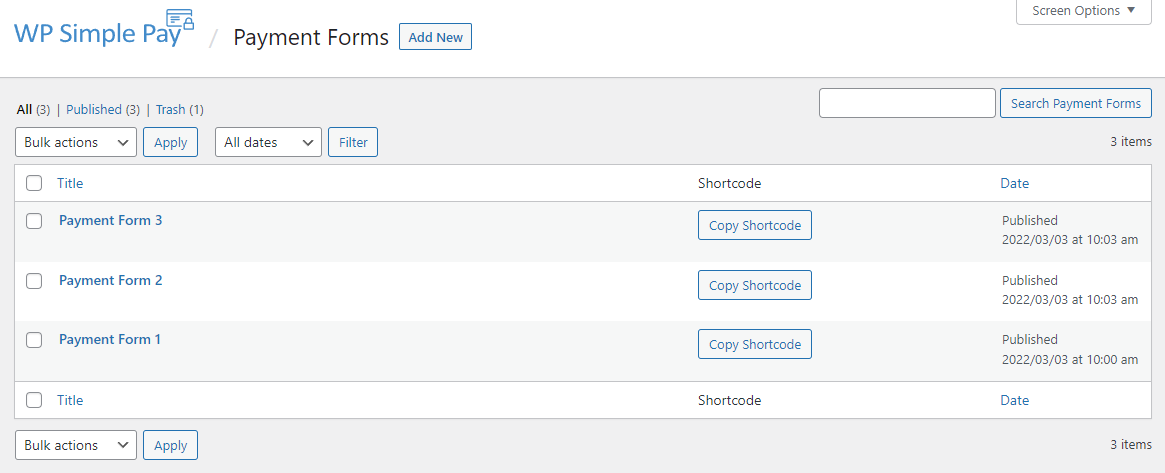
WP Simple Pay is a WordPress plugin that connects your site to Stripe through payment forms. It does not add a product catalog, a cart page, or a checkout flow in the WooCommerce sense. Instead, it creates standalone forms that collect payment details and process transactions directly through Stripe.
The plugin lives on WordPress.org under the slug “stripe” and has been actively developed since 2012. The current 4.x version series reflects steady incremental development. The most recent update (version 4.17.3, June 2026) added PIX payments for Brazil, BLIK for Poland, per-form Stripe Link settings, and a front-end subscription portal shortcode.
Each payment form is a custom post type in the WordPress admin. You build forms in a drag-and-drop editor, configure payment amounts (fixed or user-defined on Pro), select payment methods, and add custom fields. Forms can be embedded on any page via shortcode or block, displayed as an overlay triggered by a button, or deployed as a dedicated landing page (Professional plan and higher).
WP Simple Pay does not integrate with WooCommerce or other ecommerce plugins. It is a standalone payment collection layer, not a store extension.
Who WP Simple Pay is best for
Strong fit:
- Freelancers and service businesses collecting deposits or invoices. A form with a custom amount field and a project description text box is all you need. No store setup required.
- Nonprofits accepting donations. Donation forms with predefined suggested amounts and an optional custom donation field are a core use case. Both one-time and recurring donations are supported.
- Membership and subscription sites. Recurring billing with daily, weekly, monthly, yearly, or custom cycles covers most subscription scenarios. Free trials and setup fees are available on Pro plans.
- Event organizers. A single form per event, with a fixed price, handles ticket payments without any store architecture.
- Educators and digital sellers taking single-step purchases. If the purchase is one action (pay, receive access or download link), the payment form approach works cleanly without catalog overhead.
- Agencies and freelancers building client payment pages. The 10-site Professional plan and unlimited-site Elite plan make WP Simple Pay viable for multi-client work, though the OAuth-only Stripe connection model can add friction when clients manage their own Stripe accounts.
Weaker fit:
- Multi-product stores. WP Simple Pay is not a catalog. For dozens of products with filterable collections, cart merging, and order history, a WooCommerce review or SureCart review will cover more suitable tools.
- Physical goods sellers. Shipping, inventory, and logistics are out of scope.
- Businesses that need PayPal or other gateways on embedded forms. WP Simple Pay is Stripe-only. Embedded on-site forms run exclusively through Stripe.
- Agencies that need direct Stripe API key access. The OAuth connection requires client credentials through WP Simple Pay’s flow, which some developers find less flexible than pasting publishable and secret keys directly.
Installation and Stripe connection
I installed WP Simple Pay Lite (v4.17.3) from the WordPress.org plugin directory. Activation took one click. The plugin adds a “WP Simple Pay” section to the WordPress admin sidebar immediately.
The setup wizard runs after activation and walks through three steps:
- Stripe connection. You click “Connect with Stripe” and complete an OAuth authorization flow. An existing Stripe account connects in about 30 seconds. If you need a new account, the wizard links directly to Stripe’s registration.
- Email settings. You configure the sender name and email address for payment receipts and notification emails.
- Welcome screen. Setup is confirmed and you are prompted to create your first form.
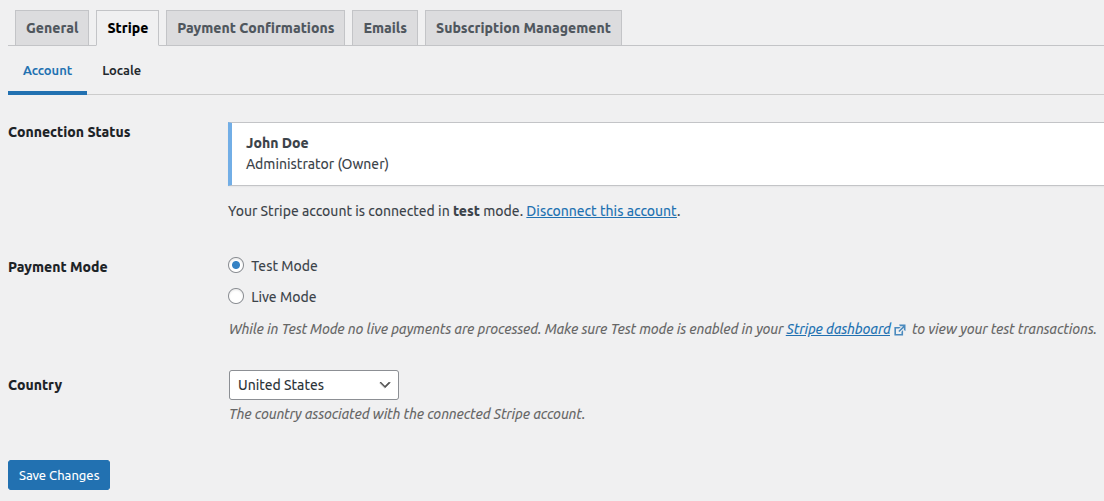
Test mode is available from the global settings panel. You can toggle between live and test Stripe environments without disconnecting the account, which makes it easy to test form changes without processing real payments.
Creating payment forms
The form builder is the central feature of WP Simple Pay. I created a test payment form to walk through the available options on Lite.
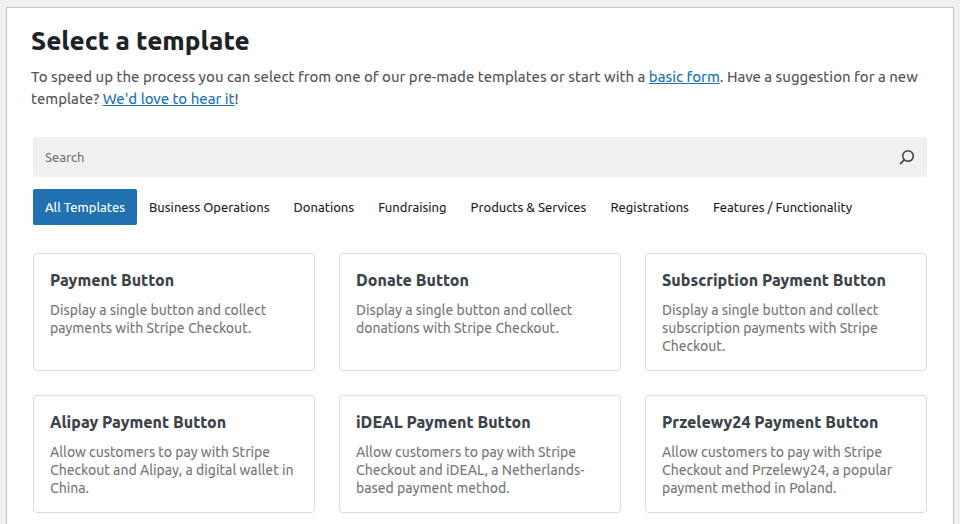
Clicking “Add New” from the payment forms list opens the form editor. It uses a tabbed layout covering General, Payment, Form Fields, Emails, and Confirmation settings.
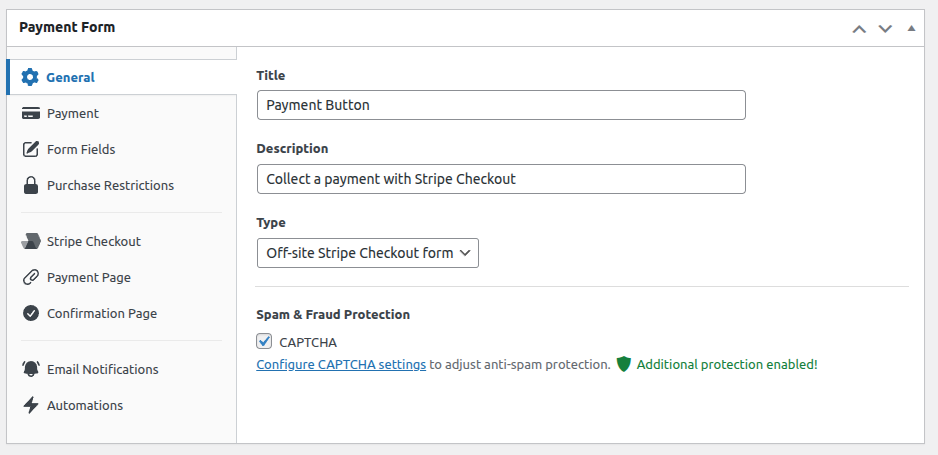
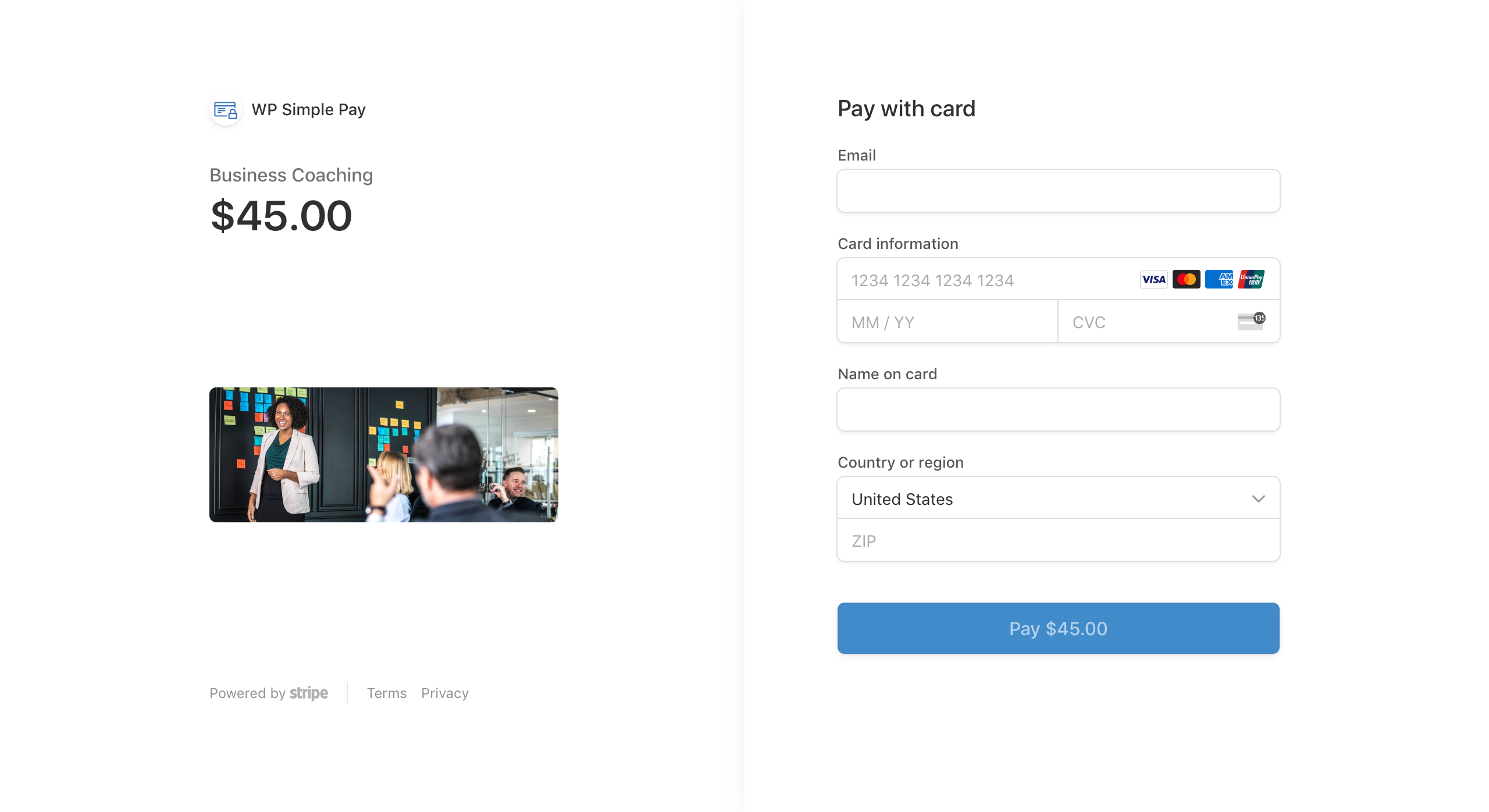
General tab. You name the form, choose the display type (inline embedded, overlay, Stripe Checkout, or payment request button), and configure what happens after a successful payment. On Lite, the Stripe Checkout display type (hosted off-site on Stripe’s domain) is the only fully functional option. Embedded and overlay forms require a paid plan.
Payment tab. You set what buyers pay: a fixed amount, a user-entered amount (Pro), or multiple price options (Pro). Currency selection covers 135-plus currencies. On Lite, the form displayed a clear notice that a 3% WP Simple Pay fee applies on top of Stripe’s standard processing fee.
Form Fields tab. Standard fields include email, name, card details (handled by Stripe Elements), and a submit button. Available custom fields include text inputs, dropdowns, checkboxes, number fields, and radio buttons (some field types require Pro). Drag-and-drop reordering works without saving between steps.
Pro form builder. On paid plans, embedded and overlay forms keep buyers on your site through checkout. The Form Style tab (added in version 4.17.0.2, March 2026) lets you pick theme presets, control colors and typography, and adjust border radius. Conditional logic (added in version 4.17.2, May 2026) lets fields show or hide dynamically based on the value of other fields.
Payment methods
WP Simple Pay supports a broad range of Stripe payment methods. What you can access depends on the plan.
Lite (free): credit and debit cards, Apple Pay, Google Pay, Alipay, iDEAL, Giropay, Przelewy24.
Professional and Elite (paid): everything in Lite, plus US Bank Accounts (ACH Direct Debit), SEPA Direct Debit, Klarna, Afterpay and Clearpay, Affirm, Cash App Pay, BECS Direct Debit (Australia), MobilePay, PromptPay, WeChat Pay, GrabPay, Bancontact, PIX (Brazil, added June 2026), and BLIK (Poland, added June 2026).
The international payment method coverage on Pro is one of the plugin’s genuine strengths. For businesses selling to non-US audiences, the regional payment methods available through Stripe are surfaced in a usable form builder rather than requiring custom integration.
Subscriptions and recurring payments
Recurring billing is available on all plans, including Lite, as of version 4.14.1 (July 2025). Before that release, subscriptions required a paid plan. This change makes the free version meaningfully more useful for nonprofits and service businesses that collect recurring payments.
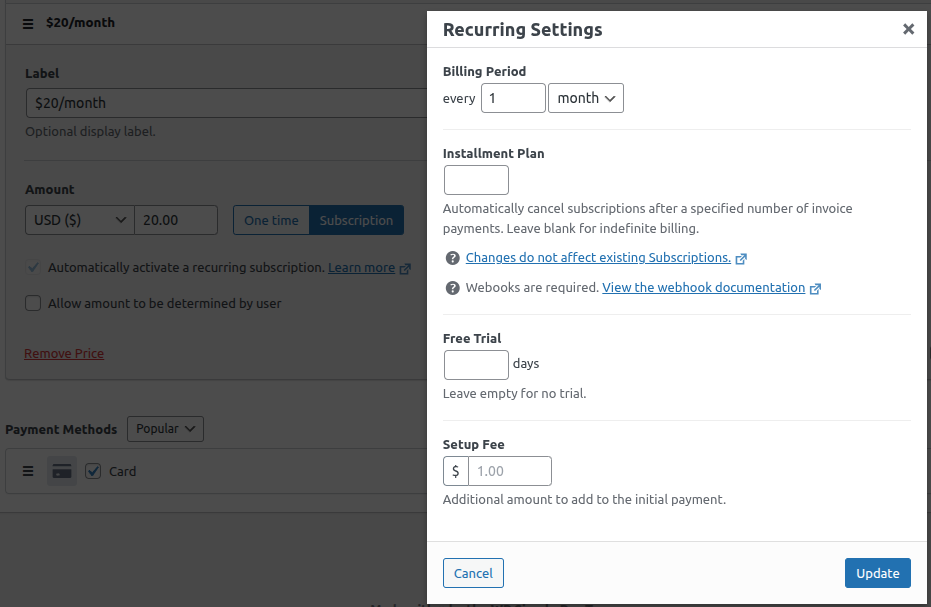
The Lite subscription support covers basic recurring billing with configurable intervals. Pro plans add free trials, setup fees, installment plans (for example, 4 monthly payments of $25 for a $100 total), user-managed subscription portals (self-service shortcode added in version 4.17.3), renewal reminders, and automatic invoicing.
The subscription portal shortcode is a notable addition in June 2026. A front-end subscription management page reduces support overhead for subscription-based businesses by letting subscribers pause or cancel on their own.
Conditional logic and form customization
Version 4.17.2 (May 2026) added conditional logic to forms. Fields can show or hide based on the values of other fields. A donation form could show a “Tribute gift” text field only when a buyer selects “Give in honor of someone.” A registration form could show a dietary requirement field only when the buyer selects “I will attend the dinner.”
This is a Pro feature. The conditional logic editor uses a visual rule builder with multiple rule support: field condition (equal to, not equal to, contains) and action (show or hide). Form Style customization (version 4.17.0.2, March 2026) adds theme presets, color controls, typography settings, and border radius adjustments so forms can match the site without CSS overrides.
Tax calculation
Automatic tax calculation is a Professional plan feature. WP Simple Pay uses Stripe’s tax engine to apply the correct rate based on the buyer’s billing location. This covers US sales tax by state and international VAT.
Two modes are available: automatic location-based tax (dynamic, pulled from Stripe’s tax data) and a fixed percentage that applies to all transactions. The automatic mode requires buyers to provide a billing address during checkout. For businesses that need multi-region tax compliance, this removes the need for a separate tax plugin or manual rate management.
Dedicated landing pages and coupon codes
Professional plans include dedicated landing pages. Instead of embedding a form in an existing WordPress page, you create a standalone payment page with its own URL and custom branding. Landing pages are useful when sending buyers directly from an email campaign or when the purchase does not need surrounding page content.
Discount codes are available on Plus plans and higher. You create percentage or fixed-amount coupons in the WP Simple Pay admin. Buyers enter the code at checkout, and the coupon syncs with Stripe so discount data appears in your Stripe dashboard alongside transaction records.
Activity reporting
The Activity and Reports section shows basic payment analytics: transaction counts, revenue totals, and date range filtering. Test mode support was added in version 4.16.0 (October 2025). Reporting is straightforward rather than deep. For detailed business analytics, you would use your Stripe dashboard directly.
Pricing and license value
WP Simple Pay offers four paid tiers and a free Lite version. Introductory prices apply to the first year; renewal prices are roughly double. All plans include a 14-day money-back guarantee. No WP Simple Pay transaction fee or monthly fee on paid plans (Stripe’s standard processing fees apply separately on all plans).
| Plan | Intro price | Renewal price | Sites |
|---|---|---|---|
| Personal | $49.50/yr | $99/yr | 1 |
| Plus | $99.50/yr | $199/yr | 3 |
| Professional | $199.50/yr | $399/yr | 10 |
| Elite | $299.50/yr | $599/yr | Unlimited |
Free Lite version. Functional for Stripe Checkout-based payment collection. The 3% transaction fee makes the math clear: if you process $1,000 per month, the fee adds $360 per year. Personal at $49.50/yr intro breaks even in about six weeks of fees saved.
Personal ($49.50/yr). Removes the 3% fee, adds embedded and overlay on-site forms, and covers one site.
Plus ($99.50/yr). Adds coupon codes, renewal reminders, and user-managed subscription features across three sites.
Professional ($199.50/yr). The most complete tier for business use. Adds advanced payment methods (Klarna, Afterpay, ACH, SEPA), automatic tax calculation, dedicated landing pages, installment plans, setup fees, and priority support. Marked “Best Deal” on the pricing page.
Elite ($299.50/yr). Unlimited sites. Per-site cost becomes negligible for agencies or businesses with many WordPress installs.
Pros and cons
Pros
- Focused approach: payment forms without store overhead
- Free Lite version with Stripe Checkout and basic recurring billing
- 10-plus payment methods on Professional, including Klarna, Afterpay, and ACH
- No WP Simple Pay transaction fee or monthly fee on paid plans
- Subscription management with free trials, setup fees, and installment plans
- Conditional logic for dynamic forms (Pro, added May 2026)
- Form style customization with theme presets (added March 2026)
- PIX and BLIK payment methods (added June 2026)
- Self-service subscription portal shortcode (added June 2026)
- Automatic location-based tax calculation on Professional
- 135-plus currencies, 45-plus countries
- 14-day money-back guarantee
Cons
- 3% transaction fee on the free Lite plan
- Free version uses off-site Stripe Checkout only (no on-site embedded forms)
- Stripe-only: no PayPal, Authorize.net, or other gateways on embedded forms
- OAuth-only Stripe connection: no direct API key input, friction for agencies
- Not a catalog or store: unsuitable for multi-product ecommerce
- Renewal prices roughly double the introductory rate
- Cancellation flow has received criticism for friction from some users
Alternatives
WooCommerce. The dominant WordPress ecommerce platform. Better for multi-product stores, physical goods, inventory management, and a wide range of payment gateways. More complex to set up and maintain. See our WooCommerce review for a full breakdown.
SureCart. A hosted-app ecommerce platform with a free plan that includes subscriptions, upsells, and multi-gateway support. More capable than WP Simple Pay for actual store use cases. See our SureCart review for details.
Easy Digital Downloads. Purpose-built for selling downloadable files, software, and license keys. Overlaps with WP Simple Pay in the subscription use case but is designed around product delivery, not payment forms. See our Easy Digital Downloads review for comparison.
Gravity Forms or WPForms with Stripe add-on. General-purpose form builders with payment capabilities. Better when complex form logic is needed alongside payment collection, but at a higher base cost than WP Simple Pay for comparable payment features.
Stripe Checkout (direct). Stripe offers hosted checkout pages without any WordPress plugin. The trade-off is more integration work and less control over the form experience inside WordPress.
Final verdict
WP Simple Pay does what its name promises. If you need Stripe payment forms on a WordPress site without building a full store, it is one of the cleaner ways to get there.
The free Lite version is functional, but the 3% transaction fee limits its long-term appeal for anyone processing meaningful volume. The math on upgrading to Personal is usually favorable within the first few months.
The Professional plan is the most interesting tier for growing businesses. Automatic tax, landing pages, advanced payment methods, conditional logic, and installment plans cover most non-store payment scenarios without requiring a full ecommerce platform.
The two genuine limitations worth weighing: WP Simple Pay is Stripe-only, and it is not a store. If either of those constraints is a problem for your use case, check our WooCommerce review or Easy Digital Downloads review for tools that may fit better.
FAQ
Is WP Simple Pay free?
Yes. A free Lite version is available on WordPress.org under the plugin slug “stripe.” The Lite version includes Stripe Checkout integration, basic payment methods, and recurring billing. It adds a 3% WP Simple Pay transaction fee to every payment. Paid plans remove this fee and add on-site forms and advanced features.
Does WP Simple Pay work without WooCommerce?
Yes. WP Simple Pay is completely standalone and does not require WooCommerce or any other ecommerce plugin. It is designed specifically for payment collection without a shopping cart.
What payment methods does WP Simple Pay support?
The free Lite version supports cards, Apple Pay, Google Pay, Alipay, iDEAL, Giropay, and Przelewy24. Professional plans add US Bank Accounts, SEPA Direct Debit, Klarna, Afterpay, Affirm, Cash App Pay, PIX (Brazil), BLIK (Poland), and more. All methods run through Stripe.
Can WP Simple Pay handle subscriptions?
Yes. Basic recurring billing is available on the free Lite plan as of July 2025 (version 4.14.1). Advanced features including free trials, setup fees, installment plans, and the self-service subscription portal shortcode require paid plans.
Does WP Simple Pay charge transaction fees?
The free Lite plan adds a 3% WP Simple Pay fee on top of Stripe’s standard processing fees. Paid plans have no WP Simple Pay transaction fee. Stripe’s own processing fees (typically 2.9% plus 30 cents per transaction in the US) apply on all plans.
Is there a money-back guarantee?
Yes. WP Simple Pay offers a 14-day, 100% money-back guarantee on all paid plans.
Can I use WP Simple Pay for donation forms?
Yes. Donation forms with predefined suggested amounts and optional custom donation amounts (Pro) are a supported and documented use case.
Does WP Simple Pay require technical knowledge?
No. The setup wizard, OAuth Stripe connection, and form builder are designed for non-technical users. No code is required for standard payment forms.
Can automatic tax be added to payment forms?
Automatic location-based tax calculation is available on Professional plans. It uses Stripe’s tax engine to apply the correct rate based on the buyer’s billing location. A fixed-rate option is also available.
What happens to my forms if I cancel my paid plan?
Forms continue to function after a plan expires, but Pro-only features are disabled and you revert to Lite limitations including the 3% transaction fee. Automatic updates for Pro functionality and priority support also end at cancellation.
Browse more WordPress plugin reviews.