


Most WordPress site owners reach for Akismet or a comment-filtering plugin when spam becomes a problem. hCaptcha for WordPress takes a different approach entirely: instead of analyzing submissions after the fact, it intercepts bots at the form level with a CAPTCHA challenge before anything gets submitted.
That is not a subtle distinction. Where Akismet silently filters what gets through, hCaptcha asks visitors to prove they are human before they can send anything at all. That difference in philosophy shapes everything about this plugin: who it is right for, what friction it adds to the user experience, and how it handles privacy compared to server-side classifiers.
I reviewed version 5.2.0 (last updated August 6, 2026) against the WordPress.org listing, the official hcaptcha.com documentation and pricing pages, the plugin changelog, and the hCaptcha privacy and compliance pages. Where hands-on setup is described, it is based on the documented installation flow and the settings visible in the plugin’s WordPress.org screenshots.
At a glance
- Reviewed version: 5.2.0 (August 6, 2026), tested up to WordPress 7.1
- Made by: Intuition Machines, Inc. (hcaptcha.com)
- WordPress.org rating: 4.6 out of 5 stars (86 reviews)
- Active installs: 70,000+
- Downloads: 2.1 million+
- Free tier: yes (full CAPTCHA protection, no time limit)
- Pro: $99/month billed annually (or $139/month billed monthly), 100K monthly evaluations included
- Enterprise: custom pricing, contact sales
- Bottom line: the right CAPTCHA choice for site owners who want a privacy-first alternative to Google reCAPTCHA, with broad form coverage across 60+ integrations and a Migration Wizard that makes switching straightforward.
Quick verdict
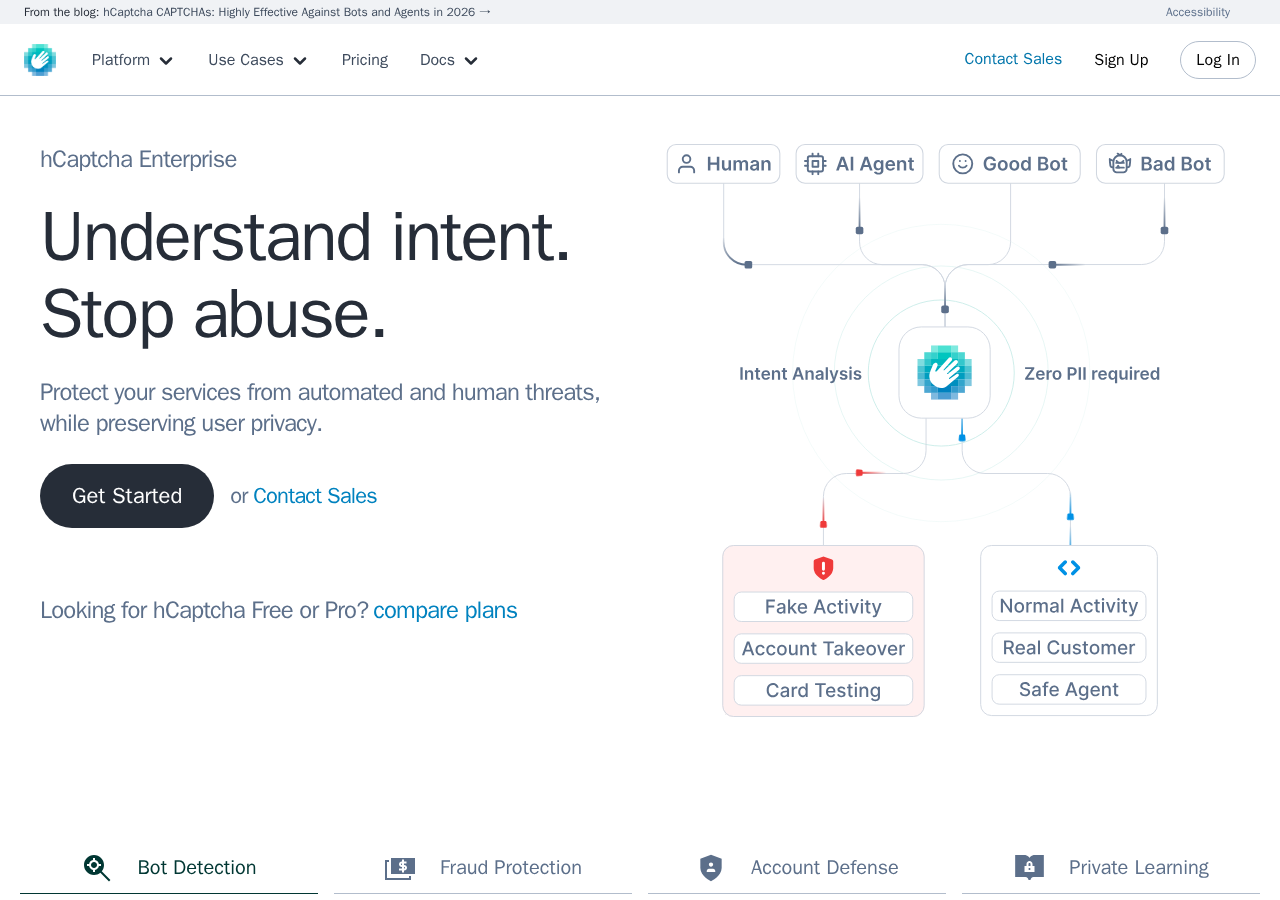
hCaptcha for WordPress is the most privacy-forward CAPTCHA plugin in the WordPress ecosystem right now. It is GDPR, CCPA, LGPD, and PIPL compliant by design, does not track users across the web, and holds ISO 27001 and ISO 27701 certifications that most competing CAPTCHA services cannot match. For any site owner who switched away from Google reCAPTCHA for privacy reasons or is looking for an alternative to Cloudflare Turnstile, hCaptcha is the obvious first candidate.
The free tier is genuinely capable: install the plugin, enter your sitekey and secret from hcaptcha.com, and you get CAPTCHA protection for WordPress logins, comments, registrations, WooCommerce, Contact Form 7, Elementor, and 60-plus other integrations. No paid plan is needed to cover a broad range of form types. The built-in honeypot and minimum submit time protection catch a portion of bots without any CAPTCHA challenge at all, reducing friction for real users on the free tier.
The meaningful upgrade to Pro is the 99.9% passive mode: most real users pass through without ever seeing a visual challenge, while bots are still blocked. At $99 to $139 per month, Pro pricing is clearly aimed at businesses rather than personal blogs. For sites with high traffic or revenue-sensitive conversion rates, the math may work. For smaller sites, the free tier with a standard CAPTCHA widget is the realistic option.
Quick verdict card
- Best for: site owners migrating away from Google reCAPTCHA or Turnstile; sites that need CAPTCHA-based bot protection across multiple form types; teams with GDPR or CCPA compliance requirements
- Best plan for most WordPress sites: free tier (full CAPTCHA protection, all 60+ integrations, no time limit)
- Best plan for high-traffic or ecommerce sites: Pro at $99/month (annual) for passive mode, custom themes, and analytics
- Standout: Privacy-first by design with ISO 27001/27701 certifications; Migration Wizard for one-click switch from reCAPTCHA or Turnstile; 60+ native integrations; built-in honeypot and minimum submit time; AI-ready via WordPress Abilities API
- Watch out for: Pro pricing starts at $99/month, significantly higher than flat-rate alternatives; visible CAPTCHA widget on the free plan can reduce form conversion rates; protection model is different from server-side filters like Akismet and should not be treated as a like-for-like replacement
What hCaptcha is
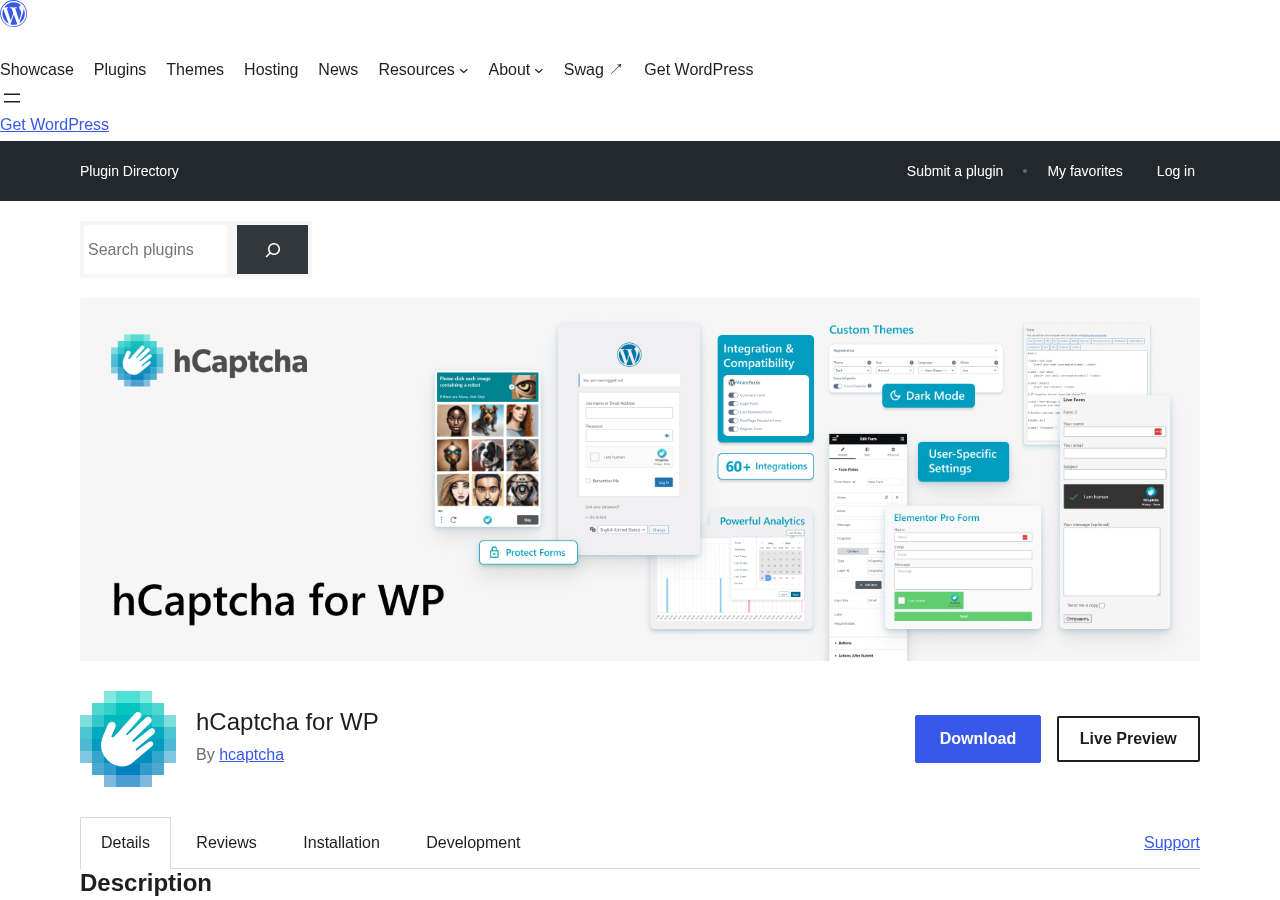
hCaptcha is a CAPTCHA service built and operated by Intuition Machines, Inc. The WordPress plugin connects your site to the hCaptcha API so that any form you designate shows a CAPTCHA widget that visitors must complete before submitting.
The plugin was first added to WordPress.org in May 2019. In that time it has accumulated over 2.1 million downloads and 70,000 active installations, which places it well below Akismet’s five million active sites but in the same tier as specialist anti-spam tools like CleanTalk or Antispam Bee.
The key distinction from most WordPress anti-spam plugins is where the protection happens. Akismet and CleanTalk analyze submissions after they reach your server and classify them as spam or not-spam in the background. hCaptcha blocks the submission before it happens: a bot that cannot solve the CAPTCHA never sends a form entry at all. This is the same approach Google reCAPTCHA takes, but hCaptcha argues it does so with meaningfully better privacy practices and without passing your visitor data to an advertising company.
Intuition Machines positions hCaptcha as enterprise-grade security. The company holds ISO 27001 (information security management) and ISO 27701 (privacy information management) certifications and participates in the EU-US Data Privacy Framework, the UK-US Data Privacy Framework, and the Swiss-US Data Privacy Framework. These certifications matter primarily to site operators in regulated industries or EU jurisdictions, but they set hCaptcha apart from most alternatives.
The WordPress.org listing at version 5.2.0 shows:
- Active installs: 70,000+
- Total downloads: 2,158,143+
- Rating: 92/100 (4.6 out of 5 stars)
- Rating breakdown: 73 five-star, 3 four-star, 2 three-star, 2 two-star, 6 one-star
- PHP required: 7.4 or higher
- WordPress required: 6.0 or higher
- Tested up to: WordPress 7.1
- Added to WordPress.org: May 2, 2019
- Contributors: hcaptcha, kaggdesign
Who hCaptcha is best for
Strong fit:
- Site owners currently running Google reCAPTCHA who need a drop-in replacement without the privacy trade-offs. The Migration Wizard handles the switch in a few clicks.
- Site owners who moved to Cloudflare Turnstile and are evaluating alternatives with stronger certification credentials.
- EU-based sites with strict GDPR requirements. hCaptcha is certified under ISO 27701 and participates in the EU-US Data Privacy Framework. The service does not retain or sell personal data.
- Sites that need CAPTCHA protection across multiple form types simultaneously: logins, comments, WooCommerce checkout, registrations, and third-party forms through a single plugin.
- WooCommerce stores that want to stop bot-driven fake orders at the checkout level.
- Developers and agencies managing multiple WordPress sites, especially with multisite networks, where hCaptcha settings can be synced across the network.
- Teams using AI-driven site management workflows. hCaptcha 5.x exposes security actions via the WordPress Abilities API for automation tools and WP-CLI (requires WordPress 6.9 or newer).
- Sites where performance is a concern: the delayed API loading option loads the hCaptcha script only when a user interacts with a protected form, eliminating any page load impact in the default state.
Weak fit:
- Personal bloggers who primarily need comment spam filtering and do not want to impose a CAPTCHA on their readers. Antispam Bee handles comment spam without any user-visible challenge.
- Sites already using Akismet effectively. Akismet and hCaptcha solve different parts of the spam problem. If comment spam is your only concern and Akismet is working, hCaptcha adds visible friction without necessarily solving a new problem.
- Sites with high comment engagement where CAPTCHA friction would reduce participation. The free tier shows a standard CAPTCHA widget; that is a deliberate barrier that some visitors will abandon.
- Tightly budget-constrained commercial sites that need passive (no-challenge) mode. The passive 99.9% mode requires Pro at $99/month minimum, which is a significant cost for smaller sites.
- Sites that want to eliminate CAPTCHA entirely and rely solely on invisible filtering. For fully invisible protection without any plan costs, CleanTalk at $12/year covers a much wider set of form types with no user-visible widget.
Setting up hCaptcha for WordPress
The setup requires two steps outside WordPress: creating an account at hcaptcha.com and retrieving a sitekey and secret key.
- Go to hcaptcha.com and sign up for a free account.
- In the hCaptcha dashboard, create a new site and copy the sitekey and secret key.
- In WordPress, install and activate hCaptcha for WP from the plugin directory.
- Go to Settings, then hCaptcha, then General, and paste your sitekey and secret.
- Go to Settings, then hCaptcha, then Integrations, and enable the form plugins and WordPress core features you want to protect.
The plugin includes a Check Config button in the settings screen that validates your keys before saving, which prevents the common mistake of entering credentials with a typo and then wondering why CAPTCHA is not showing up.
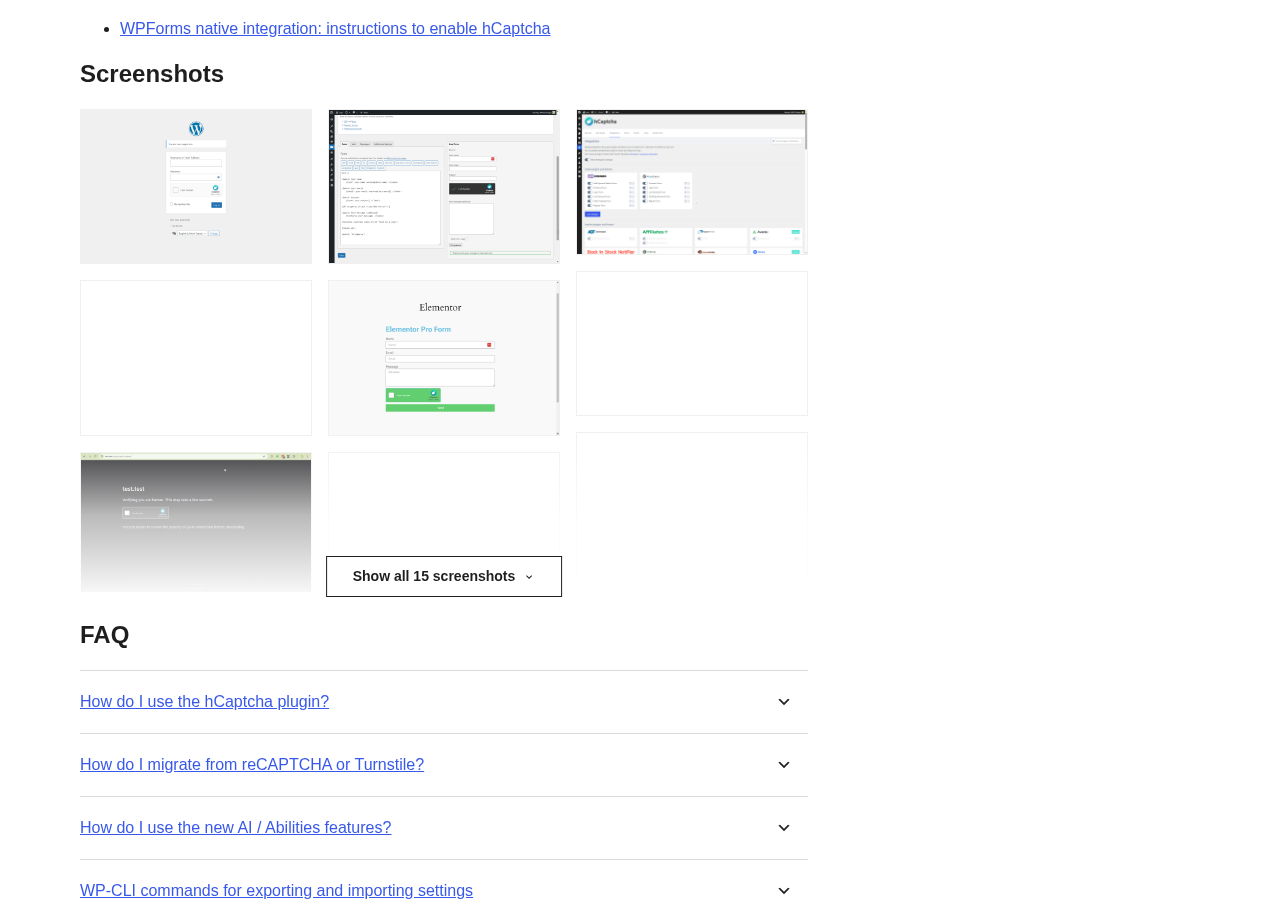
The Integrations screen is where most of the setup happens. Each supported plugin or WordPress feature is listed with a toggle: enable the ones relevant to your site and leave the rest off. This is notably cleaner than some competing plugins that apply protection globally with limited control over which forms are affected.
The Migration Wizard in Settings, then hCaptcha, then Tools, scans the site for existing reCAPTCHA or Turnstile installations and shows what can be migrated. Applying the changes is a single click. The migration process is straightforward for sites where reCAPTCHA is implemented through supported plugins.
For custom or non-standard forms not covered by the built-in integrations, the plugin provides a [hcaptcha] shortcode that can be placed inside any HTML form. For Contact Form 7 specifically, if a theme modifies the form in a way that breaks the automatic integration, a [cf7-hcaptcha] shortcode handles it manually.
Core features
60+ form integrations
This is hCaptcha for WordPress’s most practical advantage over point solutions. A single install covers:
- WordPress core: login, registration, password reset, comments
- WooCommerce: checkout, login, registration, order tracking
- Contact Form 7
- Elementor Pro forms
- Gravity Forms
- WPForms
- Divi Builder forms
- Jetpack contact forms
- Formidable Forms
- Ninja Forms
- MetForm (added in 5.2.0)
- And dozens more
Each integration is toggled individually from the Integrations settings page. For site owners currently running separate anti-spam solutions for each form plugin, replacing all of them with a single hCaptcha installation simplifies both administration and privacy disclosure.
Built-in honeypot and minimum submit time
The free tier includes two bot-detection layers that operate before the CAPTCHA challenge runs. A hidden honeypot field traps bots that fill in all visible and invisible fields automatically. The minimum submit time setting blocks submissions that arrive within a specified time window of the page loading, which catches automated scripts that submit forms instantly without reading or interacting with the page.
These two features mean that some spam is caught with zero friction to real users, and the CAPTCHA challenge is only triggered when these lighter filters do not resolve the case. On high-quality traffic, this can reduce the total number of CAPTCHA challenges users need to complete.
Migration Wizard
The Migration Wizard addresses the most common reason site owners consider hCaptcha: leaving reCAPTCHA or Turnstile without having to reconfigure every form plugin manually. The wizard scans the site, identifies where existing CAPTCHA providers are implemented, and applies the migration in one step.
This is a practical convenience for agencies managing client sites or developers inheriting a site with reCAPTCHA already embedded across multiple form plugins. Without the wizard, replacing reCAPTCHA across six or eight integrations would require touching settings in each plugin individually.
Privacy design and certifications
hCaptcha’s privacy stance is the primary marketing argument for the service and it is backed by documentation worth examining. With the default configuration, the plugin does not track users by stealth, write personal data to the database, send data to external servers, or use cookies. Once activated and when a CAPTCHA is displayed, the completing user’s IP address and browser data are sent to the hCaptcha API for challenge verification.
The certifications include:
- ISO 27001: information security management
- ISO 27701: privacy information management
- EU-US Data Privacy Framework
- UK-US Data Privacy Framework
- Swiss-US Data Privacy Framework
For a WordPress site operator writing a GDPR-compliant privacy policy, hCaptcha provides disclosure guidance at hcaptcha.com/gdpr. The short version for a privacy policy is that hCaptcha processes IP address and browser data on form submission for security purposes; no advertising profiling is performed; data is not sold.
Delayed API loading
The hCaptcha JavaScript API can be configured to load on page load or to wait until a user interacts with a protected form. The delayed loading option means that for a visitor who lands on a page, reads it, and leaves without touching a form, no hCaptcha script is loaded at all. This produces zero page load impact for those visitors.
For sites using Core Web Vitals or PageSpeed scores as a performance target, delayed API loading is a meaningful option. The 5.2.0 release added an additional control: a filter (hcap_delay_api_event) that lets developers specify which user interaction triggers the API load.
Detailed analytics
The plugin provides local statistics on hCaptcha events and form submissions. This includes data on how many CAPTCHA challenges were shown, how many were completed, and how many were blocked. The analytics are stored locally in the WordPress database, not on external servers.
For Pro subscribers, the hCaptcha dashboard at hcaptcha.com also provides analytics at the account level across all sites.
IP and country access control
IP Allowlist: Trusted IPs such as the site owner, developer workstations, or internal team addresses can be added to bypass the CAPTCHA challenge entirely. This prevents legitimate users who submit forms repeatedly from hitting CAPTCHA fatigue.
IP Denylist: Known abusive IP addresses can be blocked from submitting protected forms, regardless of whether they would pass a CAPTCHA challenge.
Country Blocking: Form submissions can be restricted by country, either allowing only specific countries or blocking countries associated with high spam volumes on the site. This is a broad tool but useful for sites with clearly regional audiences.
Pro: 99.9% passive mode and custom themes
The most meaningful Pro-only feature is passive mode. On the free tier, every protected form shows a standard CAPTCHA widget that users must interact with. Pro’s 99.9% passive mode classifies the vast majority of real human visitors as legitimate without showing any visible challenge. Only a small fraction of borderline cases see the interactive widget.
For sites where form completion rates matter commercially, the difference between a visible CAPTCHA and invisible friction is significant. A checkout page that requires every customer to solve a CAPTCHA before placing an order will lose conversions; a checkout page where 99.9% of real customers pass through without a challenge will not.
Pro also adds custom themes for the CAPTCHA widget, letting site owners style the widget to match their site’s visual design rather than using the default hCaptcha appearance.
AI-ready: WordPress Abilities API
Recent versions of hCaptcha for WP expose selected security management actions through the WordPress Abilities API. This allows automation tools, WP-CLI scripts, and AI agents to interact with hCaptcha’s security controls without using the WordPress admin panel.
The documented workflow involves two main steps: checking a threat snapshot for recent threat activity within a specified time window, and blocking IP addresses identified as threats. This is relevant for agencies managing multiple WordPress sites where security management is partially automated, or for teams using AI-assisted site administration tools. This feature requires WordPress 6.9 or newer.
Pricing
hCaptcha pricing runs on a monthly subscription model with a free tier that covers the core CAPTCHA functionality.
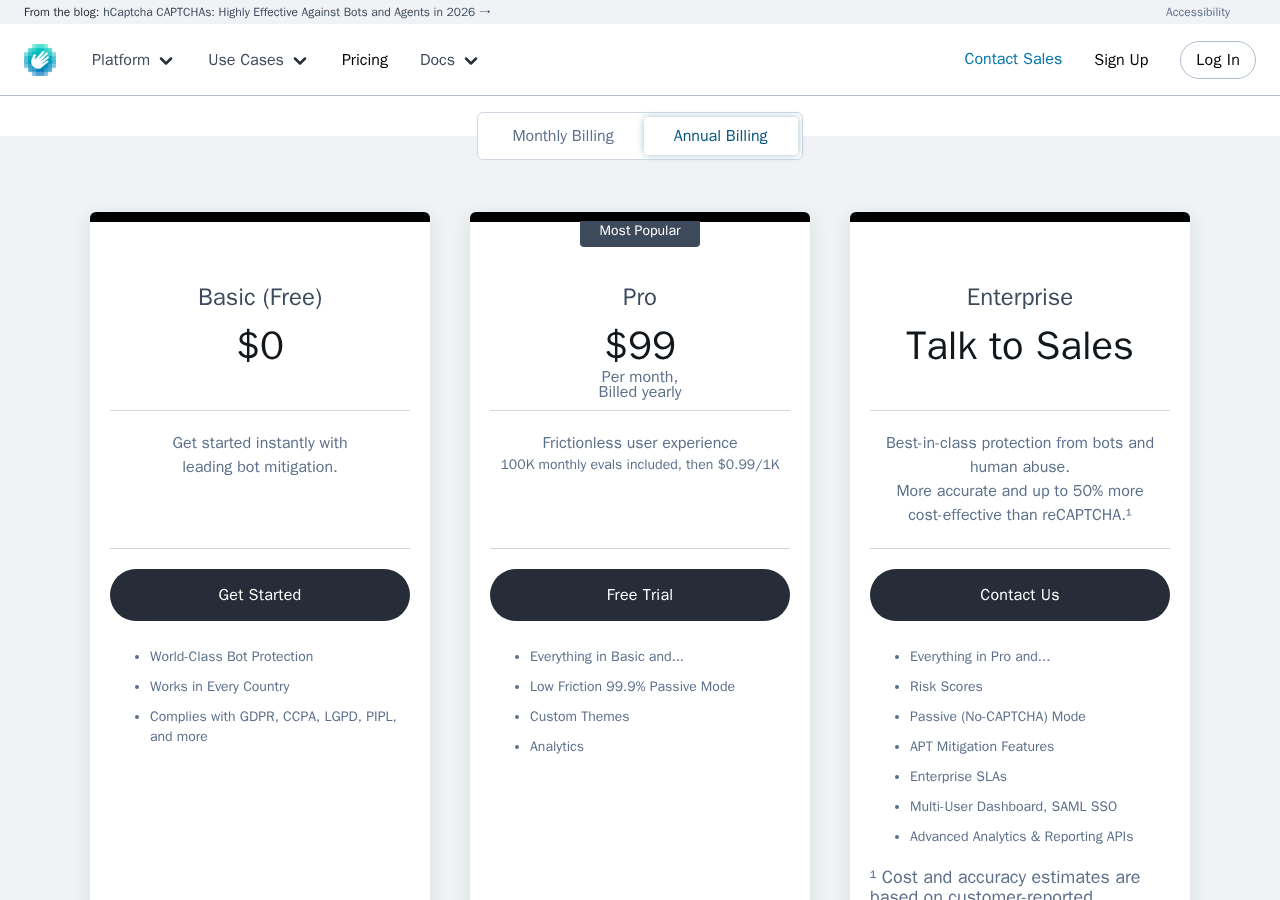
Basic (free)
- $0/month, no time limit
- Full CAPTCHA protection with standard widget
- All 60+ integrations
- Built-in honeypot and minimum submit time
- GDPR, CCPA, LGPD, PIPL compliant
- Works in every country
- No passive mode (standard CAPTCHA widget shown to all visitors)
Pro
- $99/month billed annually (approximately $1,188/year)
- $139/month billed monthly
- 100,000 monthly evaluations included
- Additional evaluations: $0.99 per 1,000
- 99.9% passive mode (nearly frictionless for real users)
- Custom CAPTCHA themes
- Analytics dashboard
- Free 14-day trial available
Enterprise
- Custom pricing, contact sales
- Everything in Pro plus: risk scores, full passive (no-CAPTCHA) mode, APT mitigation, enterprise SLAs, multi-user dashboard with SAML SSO, advanced analytics and reporting APIs
The pricing gap between free and Pro is steep. At $99/month annually, Pro costs more than twelve times the annual cost of a CleanTalk license ($12/year) and more than ten times an Akismet Pro license ($9.95/month). The value case for Pro is specifically the passive mode and the reduction in user-visible friction, not additional integrations (those are available on the free tier). For sites where CAPTCHA friction is acceptable, the free tier covers the entire feature set except passive mode and custom themes.
Pros and cons
Pros
- Genuine privacy-first design: does not track users, does not profile for advertising, does not sell data. ISO 27001 and 27701 certified.
- Broad integration coverage: 60+ supported plugins and themes in a single install, including WooCommerce, Contact Form 7, Elementor, Gravity Forms, Divi, WPForms, and Jetpack.
- Free tier includes all integrations with no time limit. Full CAPTCHA protection is available at $0.
- Migration Wizard makes switching from Google reCAPTCHA or Cloudflare Turnstile a one-click process.
- Built-in honeypot and minimum submit time protection catch simple bots without imposing any friction on real users.
- Delayed API loading option eliminates page load impact for visitors who do not interact with a protected form.
- IP and country access control lets you allowlist trusted IPs, denylist abusers, and block by country without a separate security plugin.
- Multisite support with centralized settings sync across a network.
- Privacy documentation, certifications, and GDPR guidance are detailed and publicly available.
- AI-ready via WordPress Abilities API for automated security management workflows.
- Actively maintained: version 5.2.0 released August 2026, tested against WordPress 7.1.
- 4.6 out of 5 stars across 86 ratings with 73 five-star reviews.
Cons
- Visible CAPTCHA widget on the free tier adds friction to every protected form. Some visitors will abandon forms rather than complete a CAPTCHA challenge.
- Pro pricing starts at $99/month (annual), making it $1,188/year for passive mode. Very expensive for small sites.
- The 100K monthly evaluation cap on Pro means high-volume sites pay $0.99 per additional 1,000 evaluations. Costs can scale significantly above the base price.
- hCaptcha is a CAPTCHA, not a passive server-side filter. Sites that want completely invisible spam protection without any user-facing challenge need Akismet or CleanTalk, not hCaptcha.
- Requires external account registration at hcaptcha.com to obtain a sitekey. You cannot use the plugin without an account.
- Analytics are limited on the free tier. Meaningful dashboard-level analytics require a Pro account.
- The passive mode that most justifies the plugin over reCAPTCHA is paywalled behind a $99/month subscription.
- 6 one-star reviews out of 86 total: a small but present group of unhappy users.
Alternatives to hCaptcha
Google reCAPTCHA. The most widely deployed CAPTCHA service. reCAPTCHA v3 is invisible, scoring every user session without showing a visual challenge. The trade-off is well-documented: reCAPTCHA sends user behavioral data to Google and is tied to Google’s advertising infrastructure. For sites where privacy matters more than familiarity, hCaptcha’s argument is that it provides equivalent protection without the data profiling. If privacy is not a concern, reCAPTCHA v3 is free and effectively frictionless.
Cloudflare Turnstile. Another frictionless CAPTCHA alternative from Cloudflare. Turnstile is free and does not require a Cloudflare account or CDN subscription. It uses client-side JavaScript signals to verify human visitors without a visual challenge. For WordPress, Turnstile has official integrations but fewer native plugin connections than hCaptcha’s 60+. The hCaptcha Migration Wizard can replace Turnstile installations if you decide to switch.
Akismet. A server-side spam filter, not a CAPTCHA. Akismet analyzes submitted content after it arrives and classifies it as spam or not-spam. It works invisibly, with no user-visible challenge. The protection model is fundamentally different from hCaptcha: Akismet is best for comment spam on personal and commercial blogs; hCaptcha is best when you need to block bot form submissions across many form types. The two can coexist on the same site.
CleanTalk. A cloud-based anti-spam service that covers comments, contact forms, WooCommerce checkout, registrations, and login spam for $12 per site per year. It works invisibly with no user-visible CAPTCHA. For budget-conscious site owners who need broad form coverage without any friction and do not have strict GDPR certification requirements, CleanTalk is the practical alternative.
Antispam Bee. A free, self-hosted anti-spam plugin with no external API calls. It uses honeypot techniques and local spam databases to filter WordPress comment spam with no GDPR implications and no vendor account required. It is not a CAPTCHA solution, does not cover WooCommerce or contact forms broadly, and does not replace hCaptcha’s use case. But for a site where comment spam is the only problem, Antispam Bee is the simplest free answer.
Titan Anti-Spam and Security. A dual-purpose plugin covering comment spam filtering and broader site security hardening including firewall, malware scanner, and login protection. It is not a CAPTCHA provider but handles some of the same attack vectors (login brute force, comment spam) from a different angle. If you need security alongside spam protection in one install, it is worth evaluating.
Final verdict
hCaptcha for WordPress earns its reputation as the privacy-first CAPTCHA choice for WordPress. The certification stack (ISO 27001, ISO 27701, EU-US Data Privacy Framework) is substantive, not just marketing copy, and the plugin’s default behavior of sending no user data externally until a CAPTCHA is triggered is a meaningful privacy design decision that Google reCAPTCHA does not match.
For a site migrating away from reCAPTCHA, the case for hCaptcha is straightforward: you get equivalent CAPTCHA functionality, better privacy credentials, a Migration Wizard that handles the transition, and 60+ integrations covering everything from WooCommerce to Gravity Forms. The free tier costs nothing and covers all the integrations.
The harder question is whether you need a CAPTCHA at all, and whether the visible widget friction on the free plan is acceptable. If your site’s primary spam problem is comment spam, Akismet handles that invisibly and without asking your readers to solve a puzzle. If you need broad multi-form protection at the lowest possible cost with zero friction, CleanTalk at $12/year covers most of the same ground without any user-visible challenge.
Where hCaptcha wins convincingly: privacy compliance, certification credentials, form-level protection that stops bots before they submit, and a clean plugin interface that makes managing 60+ integrations manageable. Where it loses: Pro pricing is expensive, the free tier’s visible CAPTCHA widget adds friction, and it solves a different problem than passive filters like Akismet.
For a GDPR-conscious site that has outgrown reCAPTCHA and needs a drop-in replacement, hCaptcha for WordPress is the right tool. For a site that just wants comment spam filtered invisibly, one of the alternatives in our reviews will be a better fit.
FAQ
Is hCaptcha for WordPress free?
Yes. hCaptcha for WordPress has a free Basic tier with no time limit. The free plan includes full CAPTCHA protection, all 60+ integrations (WooCommerce, Contact Form 7, Elementor, Gravity Forms, and more), built-in honeypot protection, and GDPR compliance. There is no feature restriction on the number of integrations or the number of forms you can protect. The meaningful paid-only feature is the 99.9% passive mode, which eliminates visible CAPTCHA challenges for most users and is available only on the Pro plan ($99/month billed annually).
How does hCaptcha compare to Google reCAPTCHA?
hCaptcha and reCAPTCHA both provide CAPTCHA-based bot protection, but differ in privacy practices and business model. reCAPTCHA is built by Google and sends visitor behavioral data to Google’s servers, where it is used as part of Google’s broader data ecosystem. hCaptcha is built by Intuition Machines, Inc. and explicitly does not track users, sell data, or use hCaptcha interactions for advertising profiling. hCaptcha holds ISO 27001 and ISO 27701 certifications and participates in the EU-US Data Privacy Framework. For site owners with GDPR requirements or users who object to Google data collection, hCaptcha is the more defensible choice. The plugin includes a Migration Wizard that migrates from reCAPTCHA in a single click.
Does hCaptcha slow down my WordPress site?
Not significantly, and potentially not at all. The plugin offers a delayed API loading mode that loads the hCaptcha JavaScript only when a visitor interacts with a protected form. For visitors who do not touch a form, no hCaptcha script loads at all. This eliminates the render-blocking or additional-request overhead that a standard always-loaded CAPTCHA script would introduce. For pages with forms that visitors frequently interact with, there is a network request to load the hCaptcha API on first interaction, but this is typically under 100 milliseconds on a fast connection.
What happens if a user cannot complete the hCaptcha challenge?
If a visitor cannot complete the CAPTCHA (for accessibility reasons, or because the challenge is genuinely difficult), they cannot submit the protected form. hCaptcha provides an audio challenge option as an accessibility alternative to visual challenges. The plugin also offers a size and theme selector for the CAPTCHA widget, and Pro subscribers can customize the widget appearance. For logged-in users, you can configure hCaptcha to bypass the challenge entirely, which removes the friction for known registered users.
Does hCaptcha work with WooCommerce?
Yes. hCaptcha for WordPress integrates with multiple WooCommerce form types: checkout, login, registration, and order tracking. Each is individually toggleable from the Integrations settings page. This makes hCaptcha one of the more comprehensive bot-protection options for WooCommerce stores, covering the entry points most commonly targeted by bots (checkout spam, account creation spam) in a single plugin configuration. Note that hCaptcha protects the form level; it does not perform post-submission analysis of order patterns, which is a different layer of fraud protection.
Is hCaptcha GDPR compliant?
Yes, according to hCaptcha’s own documentation and certifications. hCaptcha holds ISO 27701 certification (privacy information management), is enrolled in the EU-US Data Privacy Framework, and commits in its privacy policy to not retaining or selling user data from CAPTCHA challenges. With the plugin’s default configuration, no user data is sent to external servers until a visitor interacts with a CAPTCHA-protected form, at which point the IP address and browser data are transmitted to the hCaptcha API for verification. hCaptcha provides GDPR disclosure guidance at hcaptcha.com/gdpr that covers what site owners need to include in their privacy policies.
Can I use hCaptcha and Akismet together?
Yes. hCaptcha and Akismet serve different spam-protection roles and do not conflict. hCaptcha blocks bot submissions at the form level before they reach WordPress. Akismet analyzes submitted comments after they arrive and classifies them as spam or not-spam. Running both means bots that cannot solve the CAPTCHA are blocked before submitting; those that do submit (or legitimate comments that might be spammy) are still filtered by Akismet. For sites with comment sections that also use contact forms and WooCommerce, the combination provides layered protection. The added consideration is that hCaptcha on the comment form adds a visible challenge that may reduce comment engagement.
What is hCaptcha Pro’s passive mode?
Pro’s 99.9% passive mode means the hCaptcha service silently classifies the vast majority of real human visitors as legitimate without showing any visible CAPTCHA challenge. Instead of asking visitors to click a checkbox or solve an image puzzle, the system uses behavioral signals and risk scoring on the backend. Only high-risk or borderline sessions see an active challenge. The 99.9% figure means approximately 1 in 1,000 real users might see a challenge; the rest pass through invisibly. This mode is available on Pro ($99/month annual) and Enterprise plans only.
How many form integrations does hCaptcha for WordPress support?
As of version 5.2.0, the plugin lists 60+ supported integrations. These include WordPress core forms (login, registration, password reset, comments), WooCommerce, Contact Form 7, Elementor, Gravity Forms, WPForms, Ninja Forms, Divi Builder forms, Formidable Forms, Jetpack contact forms, MetForm (added in 5.2.0), and many others. Each integration is listed on the Integrations settings page and can be enabled or disabled individually. For forms not covered by a native integration, the [hcaptcha] shortcode can be placed directly inside any HTML form markup.