

A WordPress slider plugin lets you build image slideshows, hero sections, and video presentations that rotate one slide at a time. Unlike carousels, which keep several items visible at once in a horizontal strip, a full-screen or section-width slider focuses the visitor on a single message per slide: a hero image with a headline and button, a product feature, or a before/after comparison. Sliders are most common in hero sections, landing pages, portfolio headers, and homepages.
For this guide, I researched the active WordPress slider ecosystem in 2026, pulling live install counts, ratings, and last-updated dates from WordPress.org and checking official plugin sites for those that are premium-only. The shortlist covers different slider needs: the most powerful free visual editor, the easiest setup for beginners, the premium builder with the deepest template library, the cleanest performance-focused option, and the all-in-one canvas that combines sliders with popups.
How I chose these WordPress slider plugins
I focused on plugins where a slider is the primary or equal output: one full-width or section-width slide displayed at a time, cycling through a defined sequence. The main ranked list favors plugins with:
- A clear slider intent (hero, image, video, post, or visual builder)
- Drag-and-drop or visual editor for non-developer control
- Responsive layouts with touch and keyboard navigation
- Compatibility with the block editor and at least one major page builder
- Active maintenance and a current or recent “tested up to” tag
- Enough adoption or rating history to trust on a real content site
How I tested: I queried the live WordPress.org plugin directory for each free or freemium candidate, confirmed install counts, ratings, last-updated dates, and “tested up to” values, and reviewed official plugin documentation and demo environments. For each plugin, the slider builder interface, output quality, and free-vs-paid feature split were the primary evaluation points.
Quick comparison table
| Plugin | Best for | Free version | Standout feature | Main limitation |
|---|---|---|---|---|
| Smart Slider 3 | Most sites that need a powerful free visual slider editor | Yes | Visual layer editor with 15 free templates | Advanced animations and dynamic sources require Pro |
| MetaSlider | Sites that want the simplest setup with the biggest install base | Yes | Clean drag-and-drop slide manager with carousel mode | Pro adds the most useful content types |
| Slider Revolution | Marketing teams that need premium templates and advanced animations | No (premium only) | 250+ ready-to-use templates and full timeline animation editor | No free version; annual subscription required |
| Soliloquy | Sites that prioritize speed and a clean admin | Yes | Performance-focused slider with Gutenberg block support | Feature depth in free version is limited vs Smart Slider 3 |
| Master Slider | Mobile-first and touch-focused slider sections | Yes | Hardware-accelerated CSS3 transitions with touch swipe | Pro required for post sliders, video backgrounds, and layers |
| Depicter | Sites that want sliders, carousels, and popups from one canvas | Yes | Full visual builder shared across sliders, carousels, and popups | Broader and heavier than a pure slider plugin |
1. Smart Slider 3: best WordPress slider plugin overall
Smart Slider 3 by Nextendweb is the strongest free WordPress slider plugin available today. It ships a visual layer editor that lets you place and style text, images, headings, buttons, videos, and other elements directly on the slide canvas, and it comes with 15 free ready-to-use template sliders so you do not have to start from a blank canvas. The plugin sits at 800,000+ active installs with a 98/100 rating across 1,123 reviews on WordPress.org, and it was last updated in August 2026.
Best for: Most sites
Free version: Yes (freemium)
Standout feature: Visual layer editor with 15 free templates
Main drawback: Advanced animations, additional layer types, and dynamic sources are Pro
Best for: small business sites, agencies, portfolios, and blogs that want a capable visual slider editor without a subscription fee, and may later upgrade to Pro for timeline animations, dynamic post sliders, or WooCommerce integration.
Key features
- Visual layer editor with drag-and-drop placement of text, image, heading, button, and video layers
- 15 free ready-to-use slider templates covering hero, image, video, and specialty layouts
- Responsive slider with breakpoint controls per layer
- Touch swipe, keyboard navigation, and autoplay with pause-on-hover
- 9 background animation presets in the free version
- Dynamic slides from WordPress posts (basic options free, advanced Pro)
- Shortcode, block editor, and Elementor/Divi/Beaver Builder widget output
- SEO-optimized output with alt text and title attributes per layer
- WordPress Multisite compatible
Hands-on notes
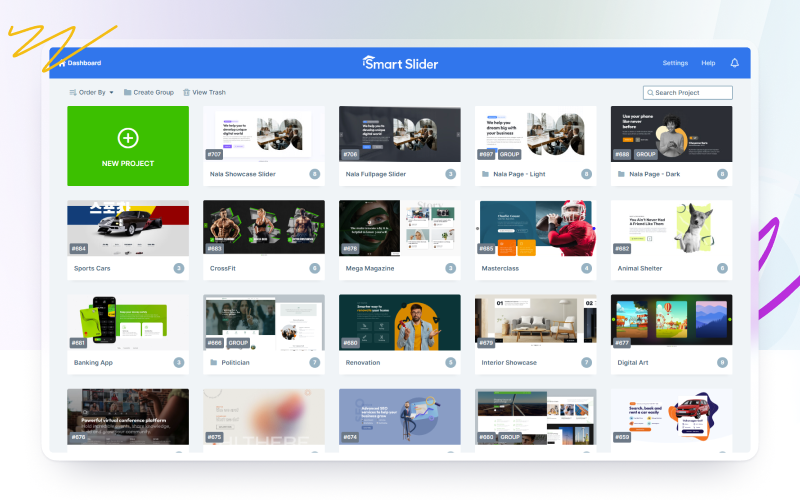
Smart Slider 3 opens with a slide list dashboard where you manage your sliders as separate projects. When you add a new slider and pick a template, the visual editor loads the template slides with placeholder layers already in place. You can click any layer to edit its content and styling, rearrange layers in the layer stack, and preview the result directly in the editor. The result from the free plan is clean enough for a production hero section without the Pro upgrade.
Pricing / free-plan note: The WordPress.org plugin is free. Smart Slider 3 Pro, sold at smartslider3.com, adds a timeline animation editor with 54+ background animations, 18 additional layer types (Countdown, Posts, WooCommerce, etc.), advanced dynamic slide sources (WooCommerce, The Events Calendar, custom post types), a built-in lightbox, and premium support.
Pros
- Most powerful free visual layer editor among slider-first plugins
- 15 free templates reduce time from install to live slider
- High install base and exceptional 98/100 rating
- Regularly updated and tested with current WordPress
- Works with block editor, Elementor, Divi, Beaver Builder, and shortcodes
Cons
- Timeline animation editor and advanced layer types require Pro
- Advanced dynamic sources (WooCommerce, Events, Social) are Pro
- A few Pro upsell prompts appear inside the free admin
Read our full Smart Slider 3 review for a deeper look at the editor, free templates, and Pro features.
2. MetaSlider: best WordPress slider for simplest setup
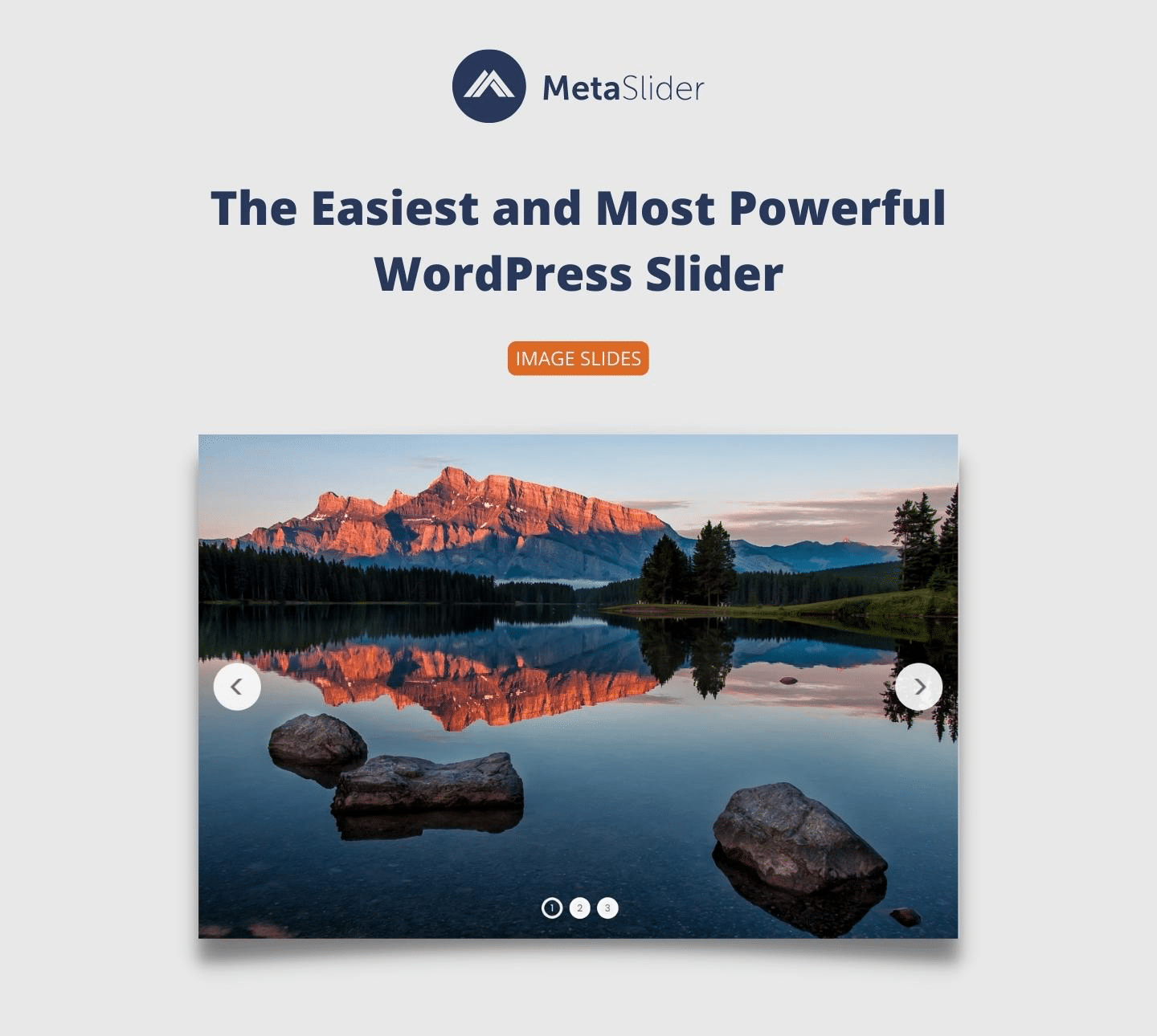
MetaSlider is the most widely adopted slider plugin on WordPress.org, with 500,000+ active installs and a 92/100 rating across 738 reviews. It was updated as recently as September 2026. MetaSlider’s pitch is simplicity: the admin screen is a single drag-and-drop slide manager where you add images from the Media Library, adjust captions and links, and publish the slider via a shortcode or block. It also ships a carousel mode, making it the natural pick for sites that want both a hero slider and a content carousel without installing two separate plugins.
Best for: Beginners and sites that want one plugin for slider and carousel
Free version: Yes
Standout feature: Clean drag-and-drop manager, 500,000+ installs
Main drawback: Pro adds the most useful content types (video, layer, WooCommerce)
Best for: WordPress beginners and site owners who want the fastest path from install to a clean image slideshow without learning a visual layer editor.
Key features
- Drag-and-drop slide management from the WordPress Media Library
- Caption, link, and alt text fields per slide
- Carousel mode to switch the same slider into a multi-item horizontal strip
- Block editor block plus shortcode and template tag output
- Elementor, Beaver Builder, Visual Composer, and Divi compatibility
- Per-slide SEO fields for alt, title, and link attributes
- Pro upgrades for video, layer, post feed, and WooCommerce product slides
Hands-on notes
MetaSlider’s admin experience is the most beginner-friendly on this list. Adding a new slideshow takes three steps: click “Add New,” drag images from the Media Library into the slide list, and save. The shortcode appears immediately and can be pasted anywhere. For most small-site hero sections, that is the full workflow.
Pricing / free-plan note: The WordPress.org plugin is free. MetaSlider Pro adds video slides, layer slides with animations, post feed sliders (dynamic content from posts and custom post types), single-post image sliders, and WooCommerce product slides.
Pros
- Fastest path from install to a working slider
- Largest install base on WordPress.org for slider plugins
- Carousel mode covers both slider and carousel use cases in one plugin
- Clean shortcode and block output with no configuration overhead
- Actively maintained with very recent updates
Cons
- Limited to image slides in the free version
- Video slides, layer slides, and dynamic content are Pro
- Visual design depth is lower than Smart Slider 3’s free plan
Read our full MetaSlider review for a hands-on comparison of the free and Pro versions.
3. Slider Revolution: best premium WordPress slider plugin
Slider Revolution by ThemePunch is the most feature-complete premium WordPress slider plugin. It is sold exclusively as a premium product with no free WordPress.org version, and it earns its price with a full visual timeline editor, 250+ ready-to-use templates covering hero sliders, carousels, and full-page sections, an integrated media asset library, and addon modules for special effects like parallax, particle animations, and before/after comparisons. It is the standard choice for agencies and marketing teams building campaign-level hero sections and landing pages.
Best for: Agencies and marketing teams
Free version: No (premium only)
Standout feature: 250+ templates and timeline animation editor
Main drawback: No free version; annual subscription required
Best for: marketing teams, agencies, and ecommerce sites that need campaign-level hero sliders, animated landing page sections, and a large template library with professional visual animations.
Key features
- Full visual drag-and-drop editor with timeline-based animation per layer
- 250+ ready-to-use templates for hero sliders, carousels, popups, and landing sections
- Layer types: text, image, video, button, icon, shape, and WooCommerce product card
- Responsive with fine-grained breakpoint controls per layer and per slide
- Addon modules for parallax, particle animations, before/after effects, panoramic, and Ken Burns
- Built-in media library with animated layer groups, icons, videos, and effects
- Background video and audio per slide
- WooCommerce integration for product sliders and shop sections
- Elementor widget, Gutenberg block, and shortcode output
Hands-on notes
Slider Revolution’s timeline editor sets it apart from every free plugin on this list. Each layer has its own keyframe animation timeline, which lets you sequence elements entering and leaving the slide independently, creating the motion-rich hero sections you see on agency and theme demo sites. The 250+ templates are the fastest starting point: pick a template, replace the placeholder content with your own, adjust colors and fonts, and the slider is ready.
Pricing / free-plan note: Slider Revolution is available via annual subscription. Plans start at approximately $45 per year, with higher-tier plans at $89 and $209 per year (for up to 250 activations). There is no free version. A one-time extended license is also available through ThemeForest.
Pros
- The most complete template library of any slider plugin (250+)
- Timeline animation editor enables professional motion sequences
- WooCommerce and advanced layer integration included
- Addon modules cover specialized visual effects not available elsewhere
- Trusted by agencies and theme developers for over a decade
Cons
- No free version; annual subscription required
- Learning curve is steeper than any free plugin on this list
- Heavier script load if used without performance tuning
- Overkill for simple image slideshows

Read our full Slider Revolution review for a detailed breakdown of the editor, templates, addons, and pricing.
4. Soliloquy: best WordPress slider for speed-conscious sites
Soliloquy by Syed Balkhi (Awesome Motive) is the performance-focused pick on this list. Its free Lite version on WordPress.org has earned a 94/100 rating across 1,026 reviews, and it was last updated in August 2026. The plugin’s pitch is a drag-and-drop interface that stays simple: you pick your images, configure transitions and autoplay, and get a clean responsive slider output. It also supports Gutenberg blocks, making embedding a slider in a block-first site straightforward.
Best for: Speed-conscious sites and Gutenberg-first builds
Free version: Yes (Lite)
Standout feature: Clean performance-focused slider with 94/100 rating
Main drawback: Free plan is simpler than Smart Slider 3’s free tier
Best for: content sites, blogs, and business sites that prioritize page speed and want a slider plugin that stays out of the way, without a heavy admin or feature bloat.
Key features
- Drag-and-drop slider builder with Media Library integration
- 100% responsive and mobile-friendly layouts
- Gutenberg block for embedding sliders in the block editor
- Multiple transition effects with autoplay and loop controls
- Video slides from YouTube, Vimeo, and Wistia in the free plan
- PDF slide support and custom HTML slides
- Thumbnail navigation and carousel mode
- Free WordPress.org Lite version
Hands-on notes
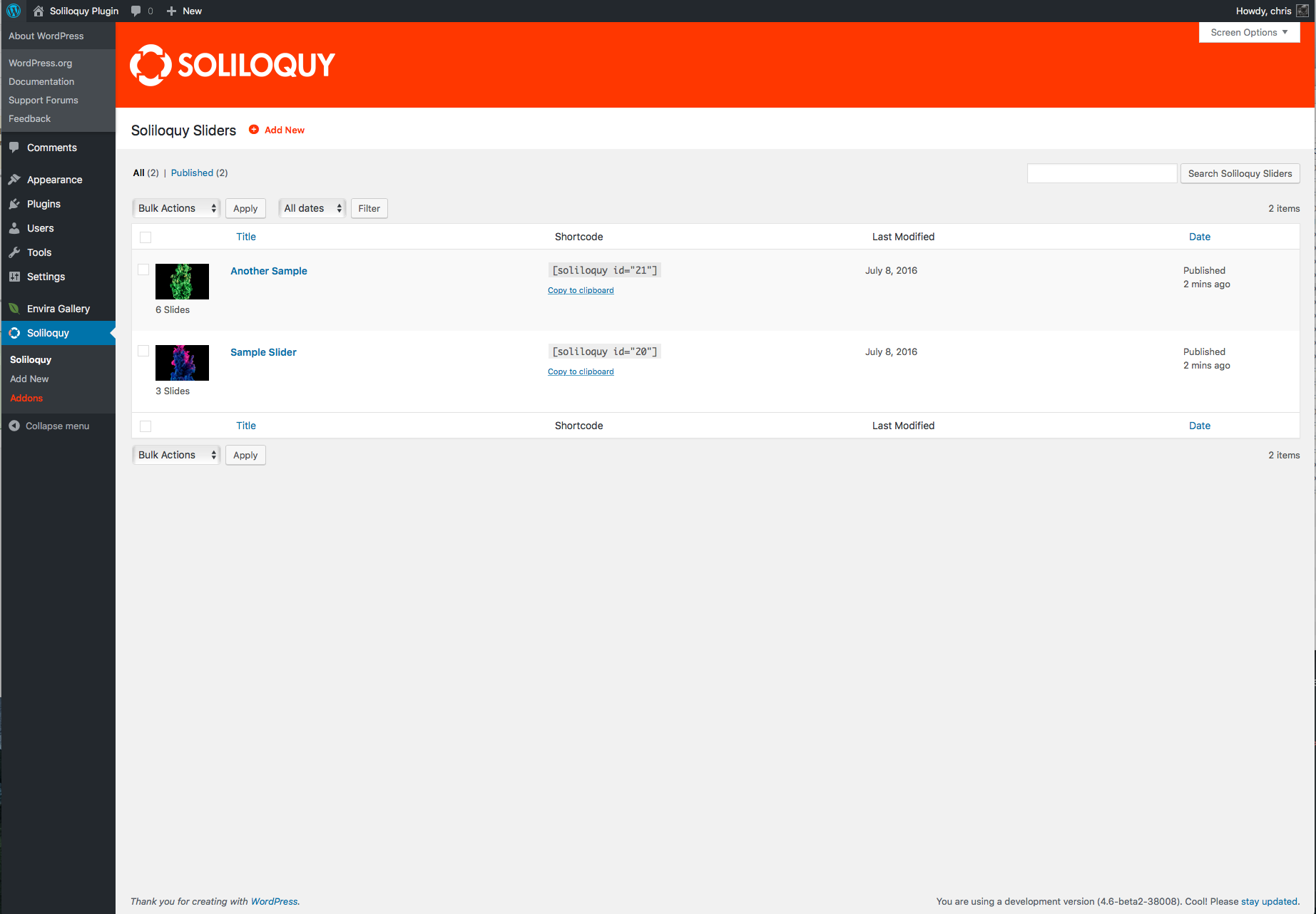
Soliloquy Lite installs cleanly and exposes a minimal slider management screen. Adding slides means picking from the Media Library and configuring a handful of settings per slide. The output is deliberately simple: no layer editor, no template library, no complex animation builder. That simplicity is the feature for sites where slider performance matters more than visual complexity.
Pricing / free-plan note: The WordPress.org Lite plugin is free. Soliloquy Pro (sold at soliloquywp.com) adds advanced addons including WooCommerce product sliders, featured content sliders, dynamic post sliders, lightbox integration, accessibility controls, and priority support.
Pros
- Deliberately simple and fast slider output
- Gutenberg block included in the free version
- High 94/100 rating with over 1,000 reviews
- Video slides from YouTube, Vimeo, and Wistia in the free plan
- Actively maintained by the Awesome Motive team
Cons
- Free plan has less visual control than Smart Slider 3’s free tier
- No visual layer editor in any plan
- Pro addons are separate purchases, which adds up for feature-heavy builds
Read our full Soliloquy review for a hands-on walkthrough of the Lite and Pro versions.
5. Master Slider: best WordPress slider for touch and hardware-accelerated transitions
Master Slider by averta (the same team behind Depicter) is built around smooth hardware-accelerated CSS3 transitions and touch swipe navigation. The free WordPress.org version has 60,000+ active installs and a 92/100 rating across 503 reviews, and it was last updated in May 2026. The plugin ships with 8 starter sample layouts and 6+ interactive transition types, all using CSS3 hardware acceleration for smoother motion on mobile devices compared to JavaScript-only sliders.
Best for: Mobile-first sites that prioritize smooth touch transitions
Free version: Yes
Standout feature: Hardware-accelerated CSS3 transitions with 60,000+ installs
Main drawback: Pro required for post sliders, video backgrounds, and animated layers
Best for: portfolio sites, photography sites, and mobile-first businesses that want a slider with particularly smooth swipe and transition performance across devices.
Key features
- Hardware-accelerated CSS3 transitions with 6+ interactive effect types
- Touch swipe navigation for mobile and tablet with gesture support
- 8 pre-built starter sample sliders
- Customizable controls: thumbnails, bullets, arrows, and timer bar
- Built-in cache mechanism for performance
- Cross-browser compatible including older browsers
- Multisite and translation-ready
- Drag-and-drop slide creation interface
- Pro upgrade adds post sliders, WooCommerce, video backgrounds, parallax, and animated layers
Hands-on notes
Master Slider’s free version is leaner on features than Smart Slider 3’s free tier, but the hardware-accelerated transitions are noticeably smoother on mid-range mobile devices where JavaScript-heavy sliders can stutter. The 8 sample sliders provide a faster starting point than a blank canvas for teams that want a clean professional result without designing from scratch.
Pricing / free-plan note: The WordPress.org plugin is free. Master Slider Pro, available at masterslider.com, adds post sliders with filtering, WooCommerce product sliders, video background slides, animated layers with timeline effects, parallax, deep-linking, and 30+ additional sample sliders.
Pros
- Hardware-accelerated CSS3 transitions for smoother mobile performance
- Touch swipe and gesture navigation out of the box
- 8 starter samples included in the free plan
- Same team as Depicter, with active development history
- Multisite and translation-ready
Cons
- Pro required for dynamic content, video backgrounds, and animated layers
- Free version feature set is narrower than Smart Slider 3’s free tier
- Last updated May 2026, a few months behind the most actively maintained options

Read our full Master Slider review for a detailed comparison of the free and Pro feature sets.
6. Depicter: best WordPress slider plugin for an all-in-one visual canvas
Depicter by averta is a visual builder for sliders, carousels, popups, and notification bars in a single plugin. It is the right pick when sliders are one part of a broader campaign-style toolkit and you want one canvas to build hero sliders, image carousels, exit-intent popups, and notification bars instead of installing a different plugin for each. It sits at 80,000+ active installs with a 92/100 rating across 234 reviews, and it was last updated in August 2026.
Best for: Sites that want sliders, carousels, and popups from one visual builder
Free version: Yes
Standout feature: Shared visual canvas for sliders, carousels, and popups
Main drawback: Broader and heavier than a pure slider plugin
Best for: marketing teams, ecommerce sites, and content marketers who want one tool to design hero sliders, carousels, popups, and notification bars from a shared template library without managing multiple plugins.
Key features
- Visual drag-and-drop editor for sliders, carousels, popups, and notification bars
- Template library covering sliders, carousels, popups, and promotional bars
- Image, product, testimonial, post, and WooCommerce-style slider types
- Block editor block and Elementor widget support
- Trigger and targeting rules for popups (scroll, exit intent, time on page)
- Dynamic content integration for WooCommerce products and WordPress posts
- Free WordPress.org plugin with paid plans for premium templates and advanced rules
Hands-on notes
Depicter’s visual canvas is closer to Slider Revolution’s approach than to a form-based admin. You pick a template, open the canvas, drag elements into position, and bind them to a data source. The builder covers all four content types (slider, carousel, popup, notification bar) from the same interface, which cuts the number of plugins you need for a standard marketing site from three or four to one. The tradeoff is that the learning curve is steeper than a dedicated slider plugin with a fixed settings form.
Pricing / free-plan note: The WordPress.org plugin is free. averta sells Depicter paid plans with premium templates, advanced audience targeting for popups, and additional integrations. Pricing is listed at depicter.com.
Pros
- One plugin covers sliders, carousels, popups, and notification bars
- Visual canvas builder, not just a settings-form interface
- Dynamic content for WooCommerce and WordPress posts
- Actively maintained with recent updates
- Strong fit for marketing and ecommerce sites
Cons
- Heavier than a pure slider plugin
- Steeper learning curve than form-based slider plugins
- Premium templates and advanced popup rules are paid
- Broader scope means more plugin surface area to manage

Read our full Depicter review for a hands-on walkthrough of the visual builder, template library, and popup tools.
How to choose the best WordPress slider plugin for your site
If you want the most capable free visual slider editor, start with Smart Slider 3. The 15 free templates and visual layer editor make it the right starting point for most sites, and the free plan is meaningful enough that many sites never need to upgrade.
If you want the fastest path from install to a working slider and do not need a visual layer editor, MetaSlider is the safest choice. The drag-and-drop slide manager has the largest install base on WordPress.org, and the carousel mode means one plugin covers both use cases.
If you are building campaign-level hero sections with professional motion sequences and have a budget for a premium tool, Slider Revolution is the industry standard. The 250+ templates and timeline editor justify the subscription for agencies and marketing-heavy sites.
If your site prioritizes page speed and you want a slider that does not add feature complexity, Soliloquy Lite is the performance-focused pick. The Gutenberg block support and clean admin stay out of the way.
If mobile performance and smooth swipe transitions are the top priority, test Master Slider. The hardware-accelerated CSS3 transitions are noticeably smoother on mobile compared to JavaScript-first sliders.
If sliders are one part of a broader campaign toolkit that also needs popups, carousels, and notification bars, Depicter is the right choice because you get one visual canvas for all content types instead of managing separate plugins.
Before installing any WordPress slider plugin on a live site, check four things:
- Does it match the slider intent you actually need (hero, image, video, post, visual builder, or all-in-one)?
- Does the free version include the output and controls you need (transitions, autoplay, touch, responsive)?
- Does it integrate with your editor of choice (block editor, Elementor, Divi, or others)?
- Is the plugin actively maintained, with a current or recent “tested up to” tag for your WordPress version?
FAQ
Conclusion
For most WordPress sites in 2026, start with Smart Slider 3. It has the strongest free visual editor, 15 templates ready to use from day one, and a 98/100 rating from over a thousand users. If you want the simplest setup with the biggest community, MetaSlider is the fastest path from install to a working slideshow.
For premium budgets, Slider Revolution is the agency standard: 250+ templates, a timeline animation editor, and a decade of active development make it the right pick for campaign-heavy sites.
If speed is your top priority, Soliloquy keeps things lean and clean. If mobile swipe performance matters most, Master Slider’s hardware-accelerated transitions are worth testing. If you want sliders plus popups and carousels from one visual canvas, Depicter is the cleanest consolidation option.
The best WordPress slider plugin is the one that matches your output type and complexity first, and your editor workflow second.